Email Design Workshop –   Don ’t Let Bad Code Ruin Your Day or Your Results #11NTCemail Sean Powell Shana Masterson
 
WARNING Coding for email is different than coding for the web There are no standards for displaying email HTML !
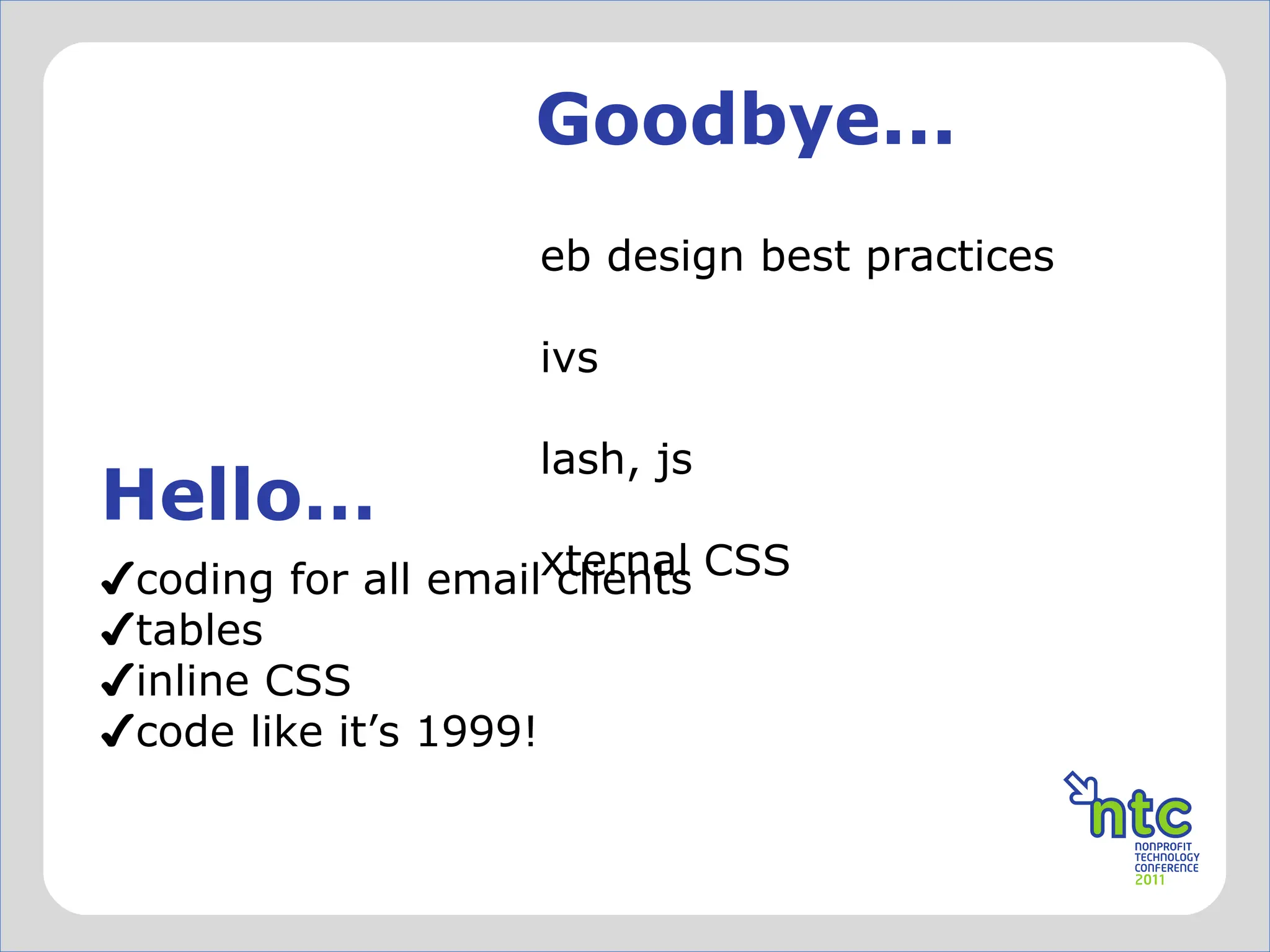
Goodbye... Hello… web design best practices divs flash, js external CSS coding for all email clients tables inline CSS code like it ’s 1999!
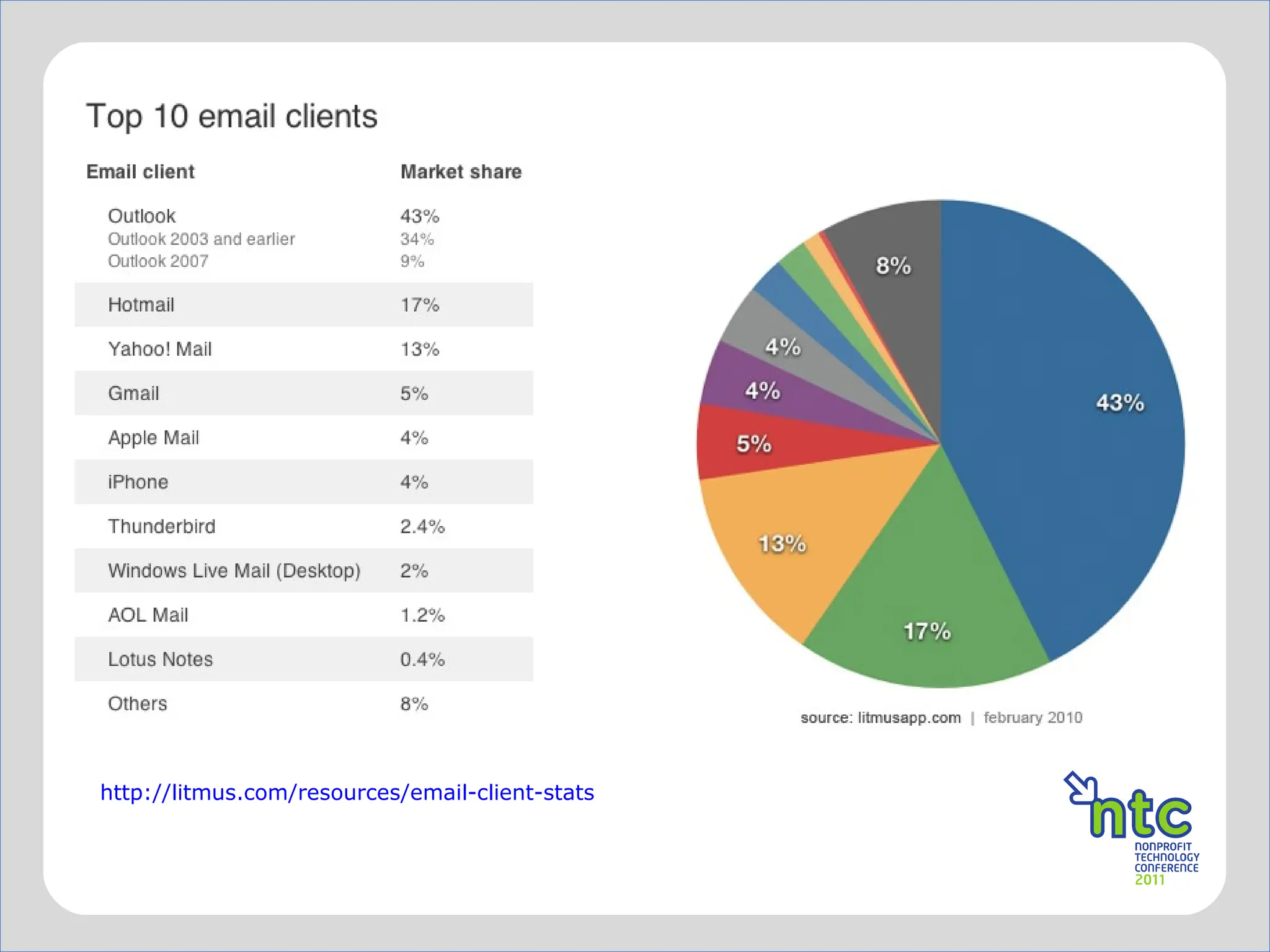
http://litmus.com/resources/email-client-stats
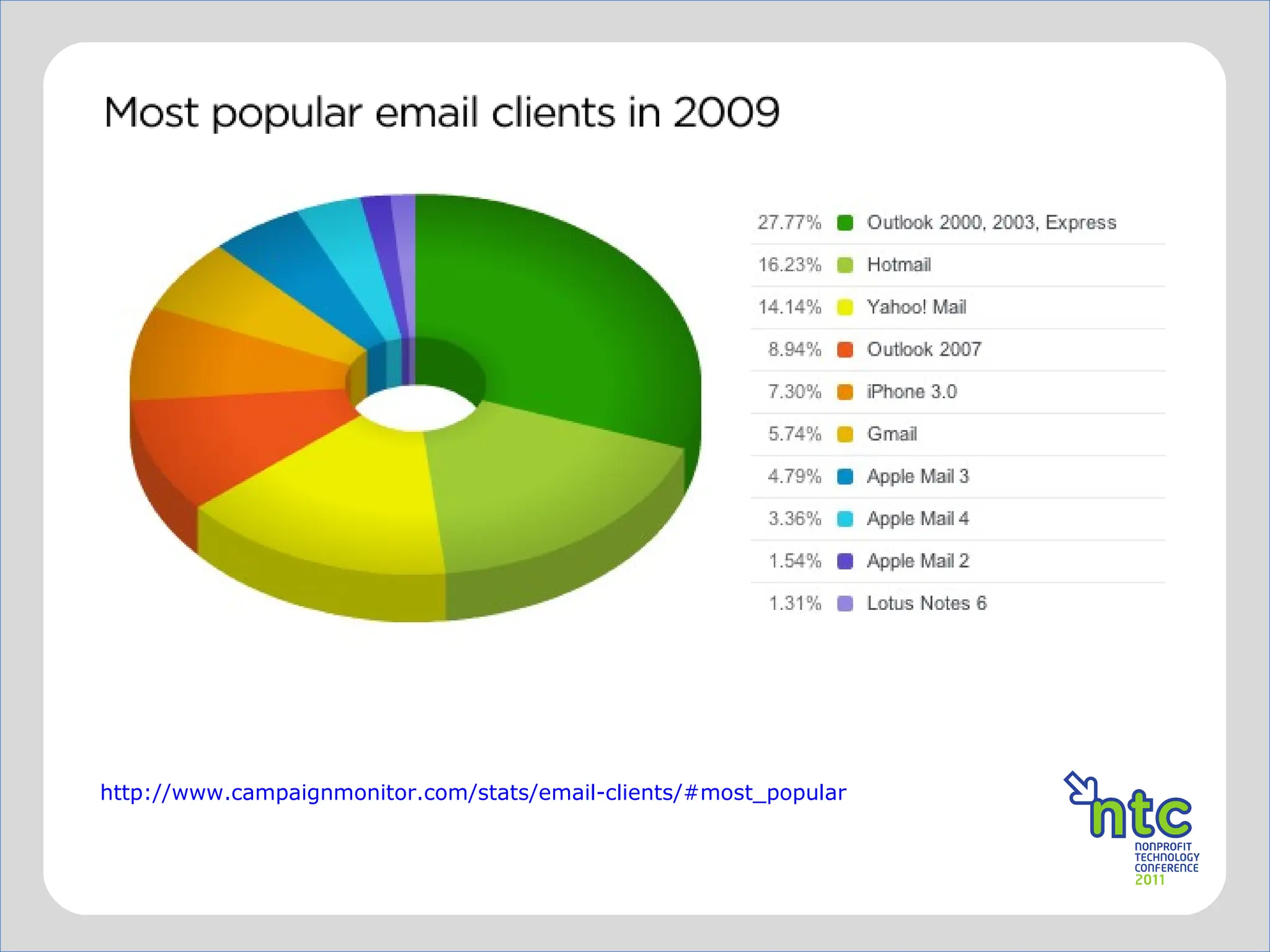
http://www.campaignmonitor.com/stats/email-clients/#most_popular
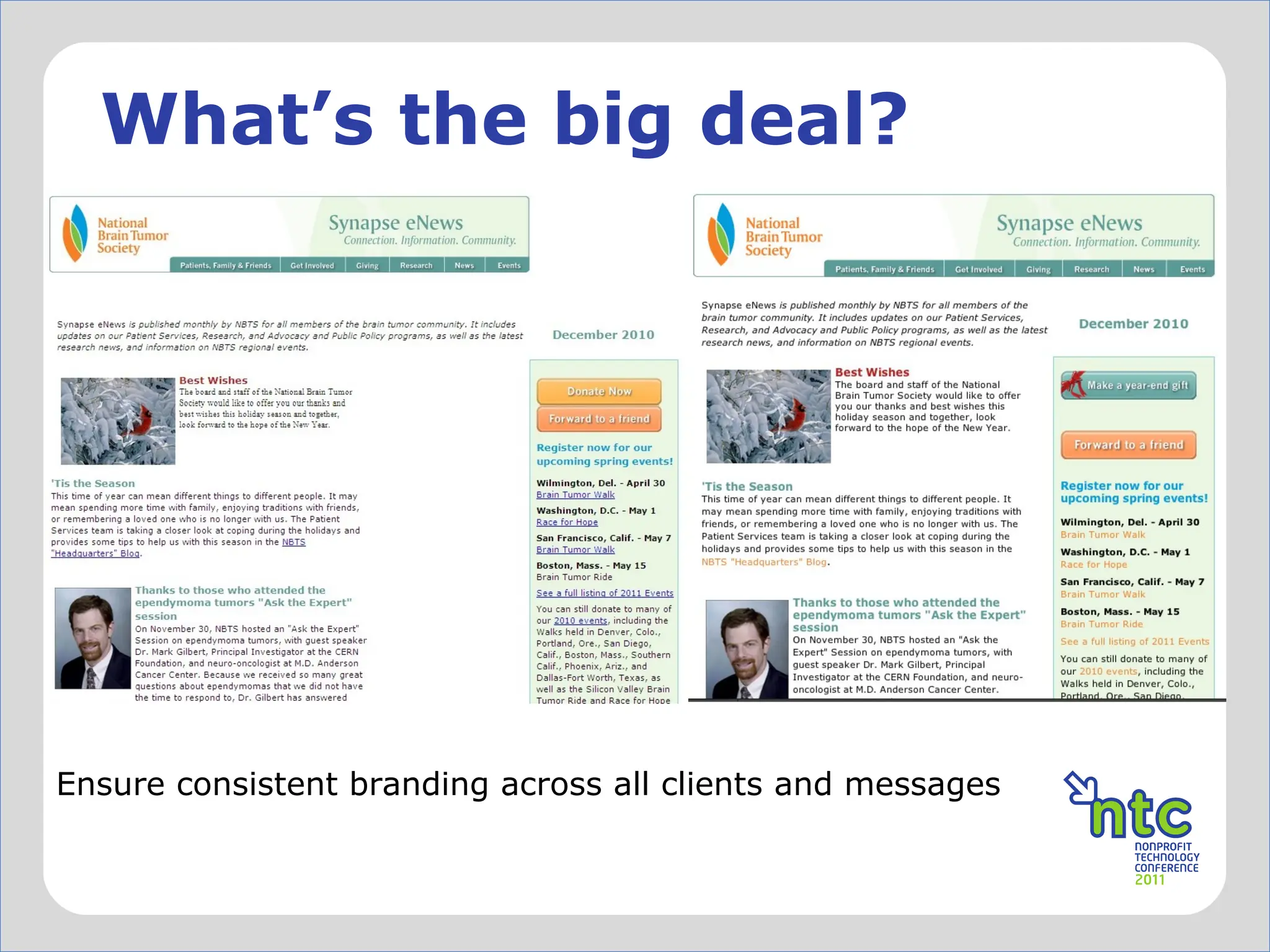
What ’s the big deal? Ensure consistent branding across all clients and messages
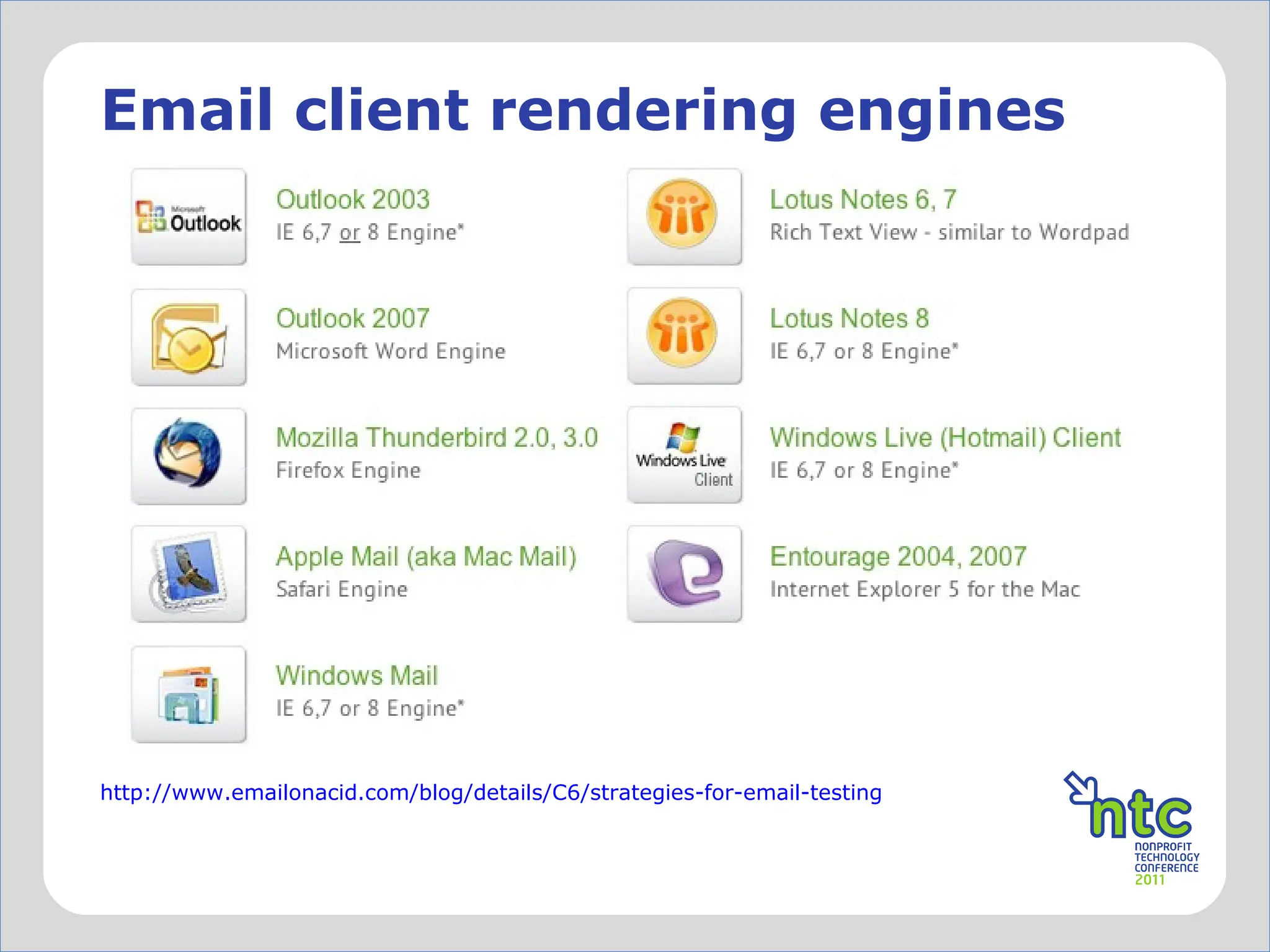
http://www.emailonacid.com/blog/details/C6/strategies-for-email-testing   Email client rendering engines
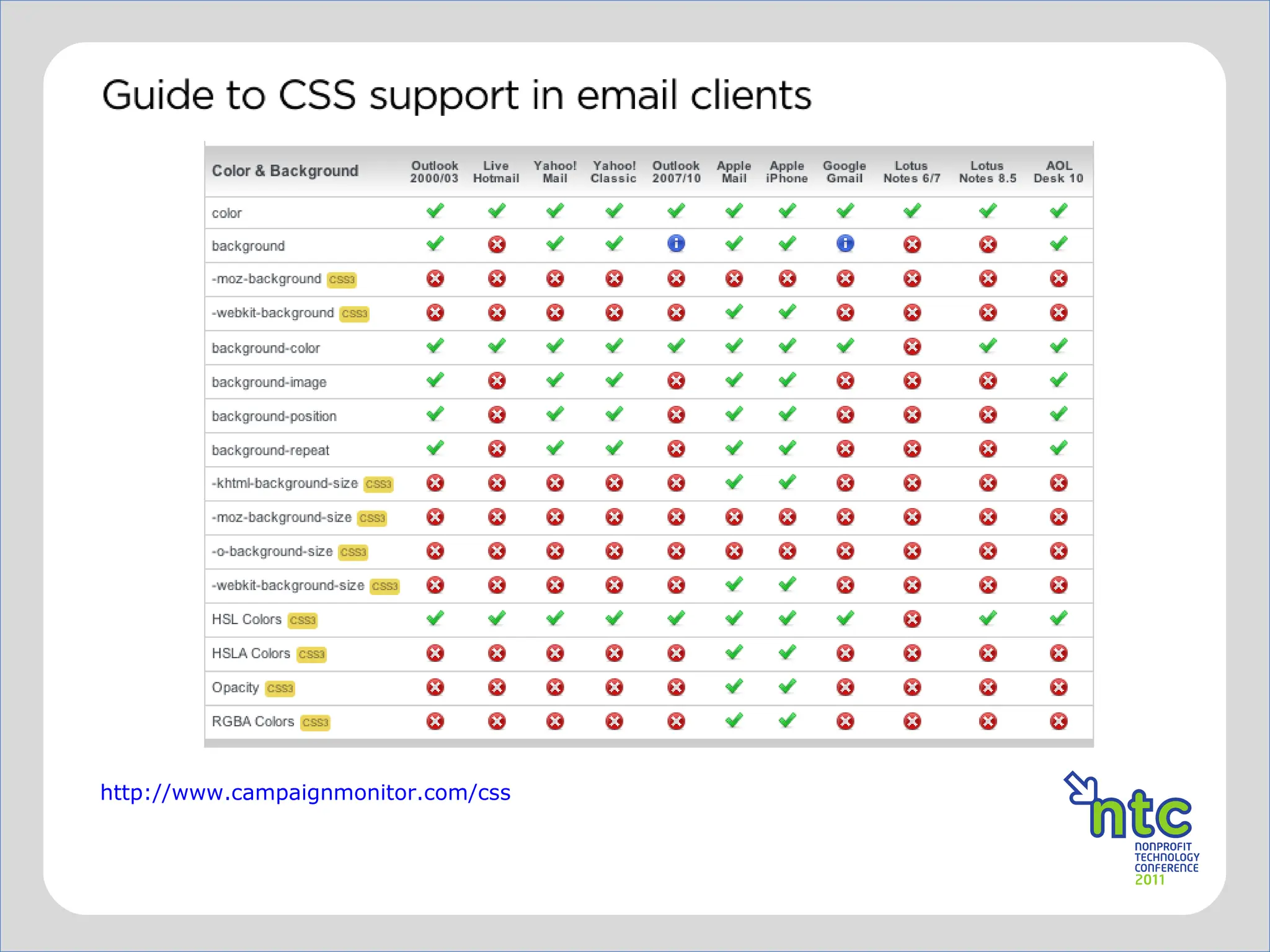
http://www.campaignmonitor.com/css
Better practices When possible, allow plenty of time for review and coding Don ’t trust the WYSIWYG or HTML editors Use a good text editor Smultron -  http://www.peterborgapps.com/smultron/  (Mac) Komodo Edit -  http://www.activestate.com/komodo-edit/ Code Lobster -  http://www.codelobster.com/   Use a tool like premailer to make your styles inline –  http://premailer.dialect.ca/ Include a  “View on web” option and/or use alt text in your  header “Please turn on images”
Testing Option 1  Set up many test email accounts and test in various browsers. *Hint – Choose a user name and password that will work  consistently across clients. Install several desktop email programs for testing.  Test on Mac and PC. Option 2 Use a paid service *Litmus –  litmus.com   *Email on Acid –  emailonacid.com
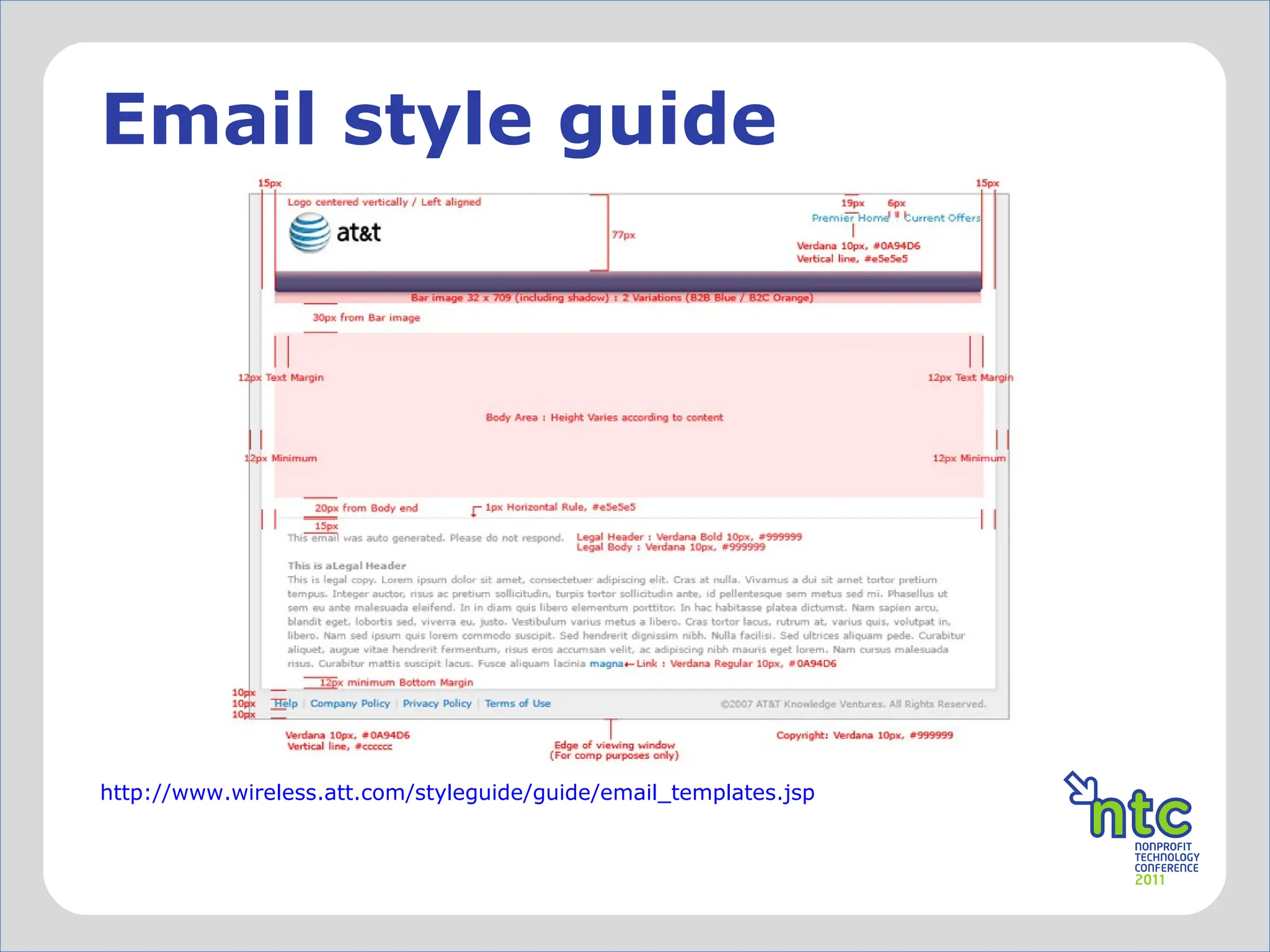
http://www.wireless.att.com/styleguide/guide/email_templates.jsp Email style guide
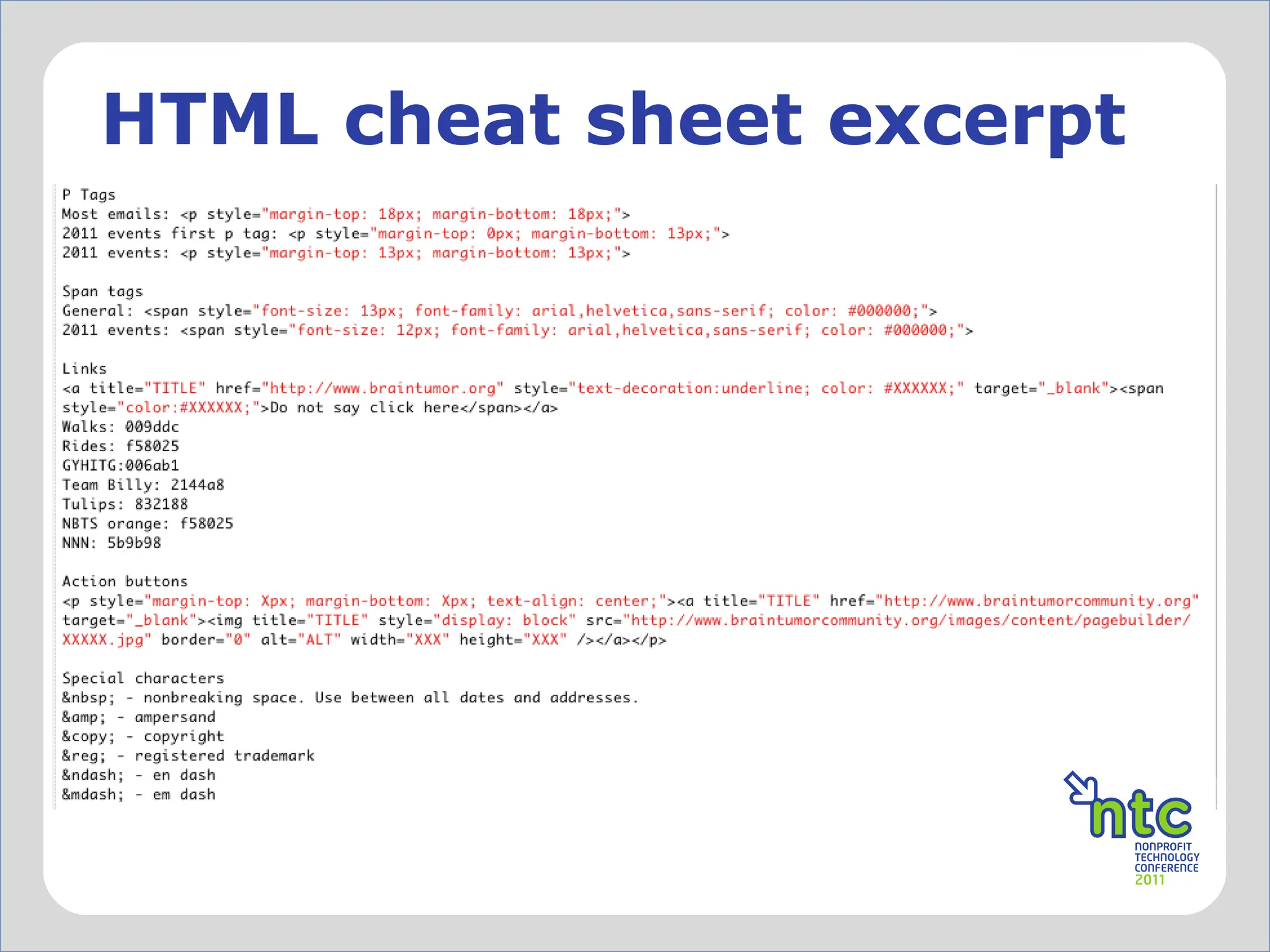
HTML cheat sheet excerpt
The Email Standards Project The Email Standards Project is about working with email client developers and the design community to improve web standards support and accessibility in email. The project was formed out of frustration with the inconsistent rendering of HTML emails in major email clients. Our mission is to drive the use and support of web standards in email, working with email client developers to ensure that emails render consistently. This is a community effort to improve the email experience for designers and readers, and we ’d love your help. www.email-standards.org/
lets take a look at some code
but before we do
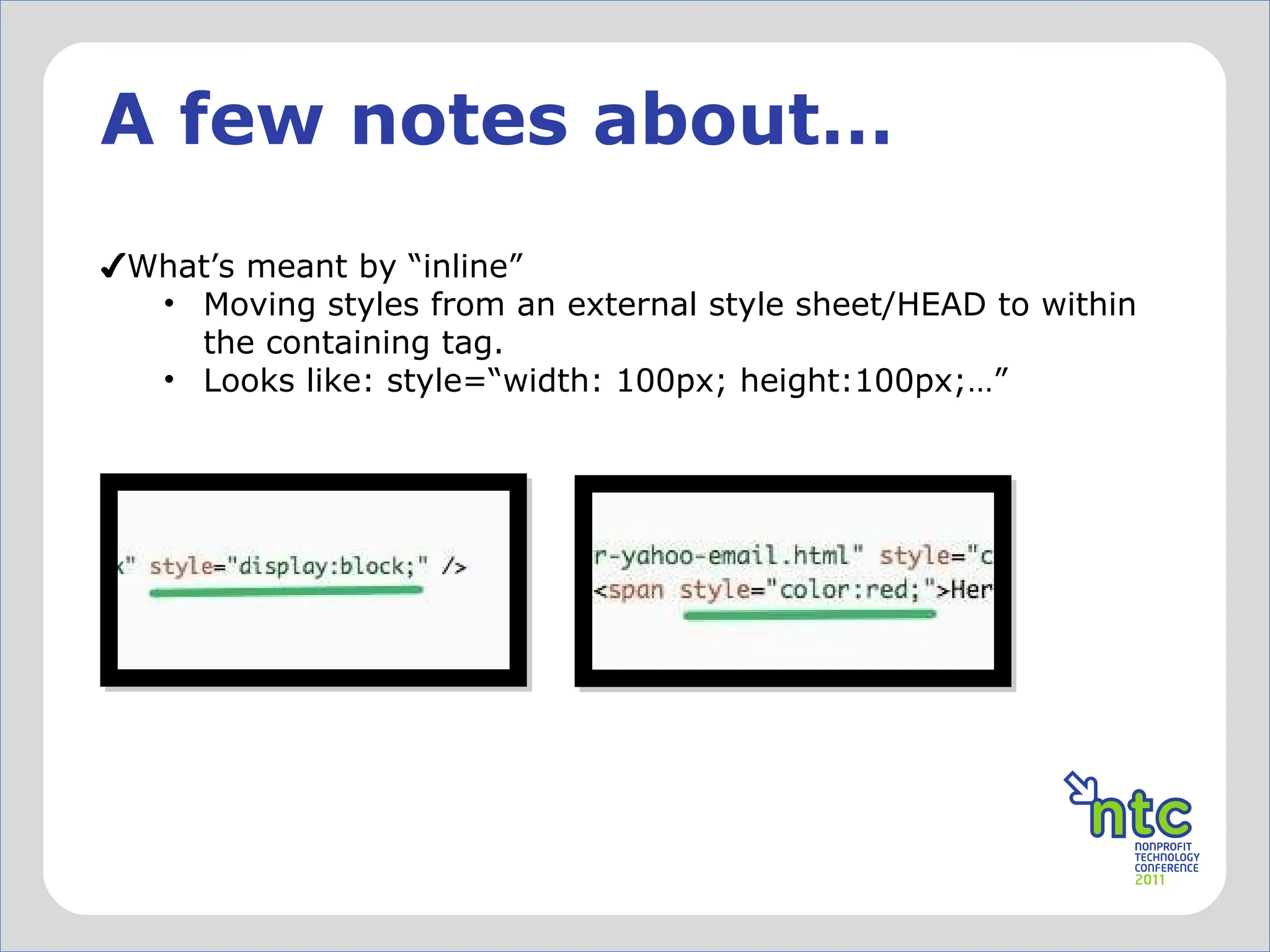
A few notes about… What ’s meant by “inline” Moving styles from an external style sheet/HEAD to within the containing tag. Looks like: style=“width: 100px; height:100px;…”
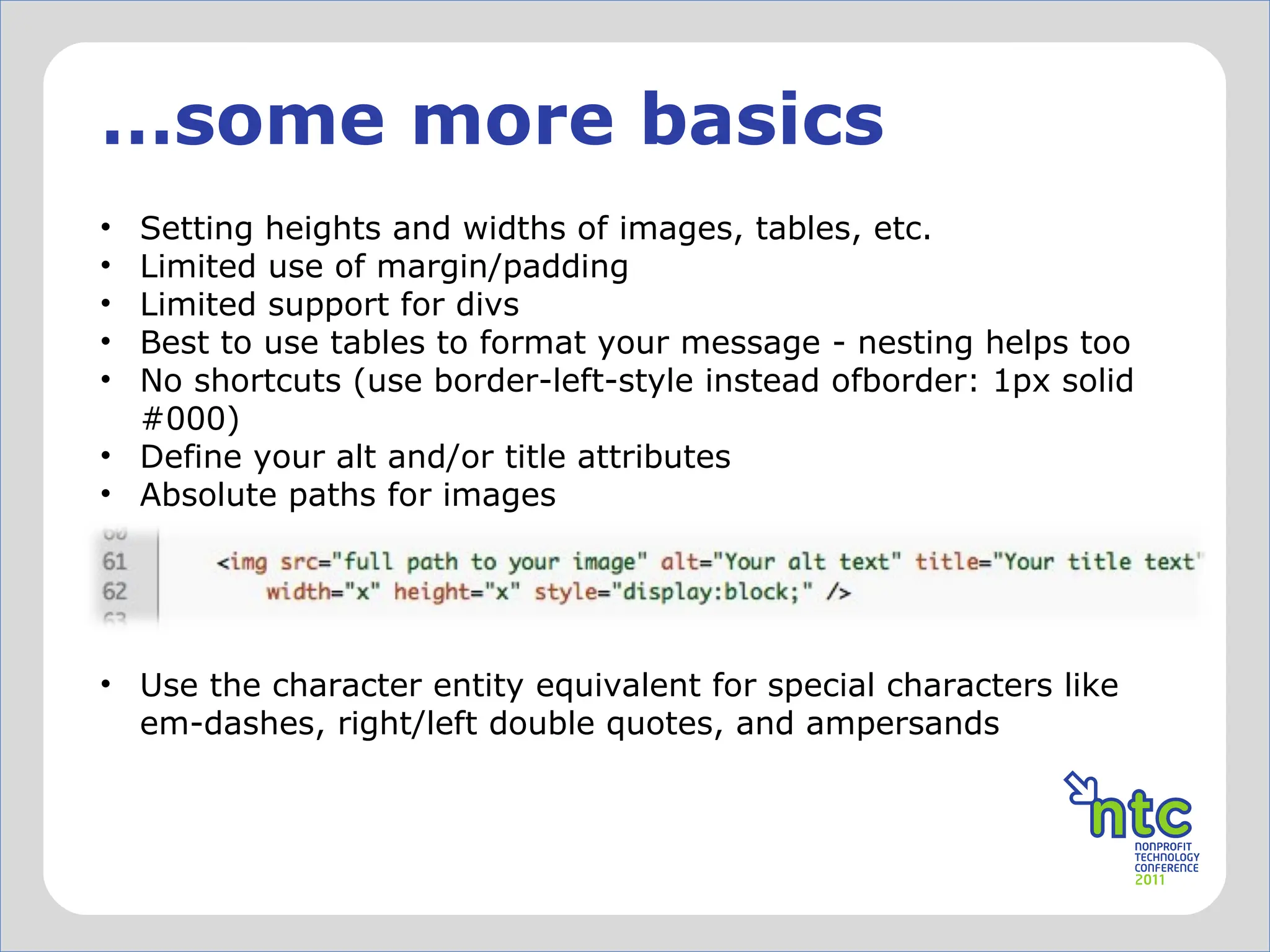
… some more basics Setting heights and widths of images, tables, etc. Limited use of margin/padding Limited support for divs Best to use tables to format your message - nesting helps too No shortcuts (use border-left-style instead ofborder: 1px solid #000) Define your alt and/or title attributes Absolute paths for images Use the character entity equivalent for special characters like em-dashes, right/left double quotes, and ampersands ✗
Character Entities List of character entities that you can code into your message to get that em-dash(—), ampersand(&), or right double quote( ”) to render correctly. For example: Em-dash =  — Ampersand = & A more complete list:  http://www.intuitive.com/coolweb/entities.html
Just say no to  background images (although there is a hack now…) using png’s using floats for alignment using divs (somewhat) CSS3 negative margins overflow, opacity, position, etc embedded video (there are some interesting things on the horizon) fun.  ✗
rolling up sleeves
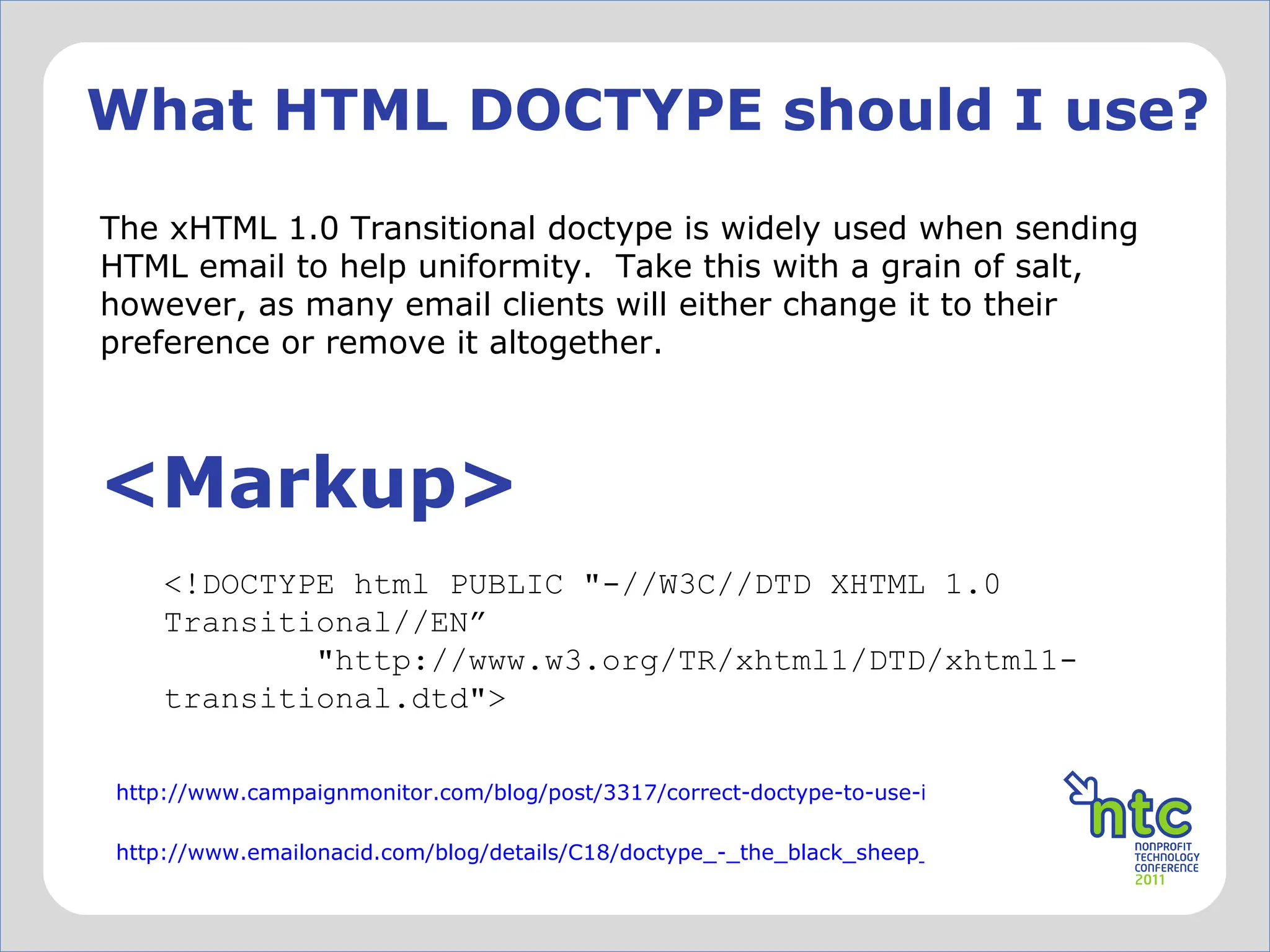
What HTML DOCTYPE should I use? The xHTML 1.0 Transitional doctype is widely used when sending HTML email to help uniformity.  Take this with a grain of salt, however, as many email clients will either change it to their preference or remove it altogether. <Markup> <!DOCTYPE html PUBLIC &quot;-//W3C//DTD XHTML 1.0 Transitional//EN ”          &quot;http://www.w3.org/TR/xhtml1/DTD/xhtml1- transitional.dtd&quot;> http://www.campaignmonitor.com/blog/post/3317/correct-doctype-to-use-in-html-email/ http://www.emailonacid.com/blog/details/C18/doctype_-_the_black_sheep_of_html_email_design
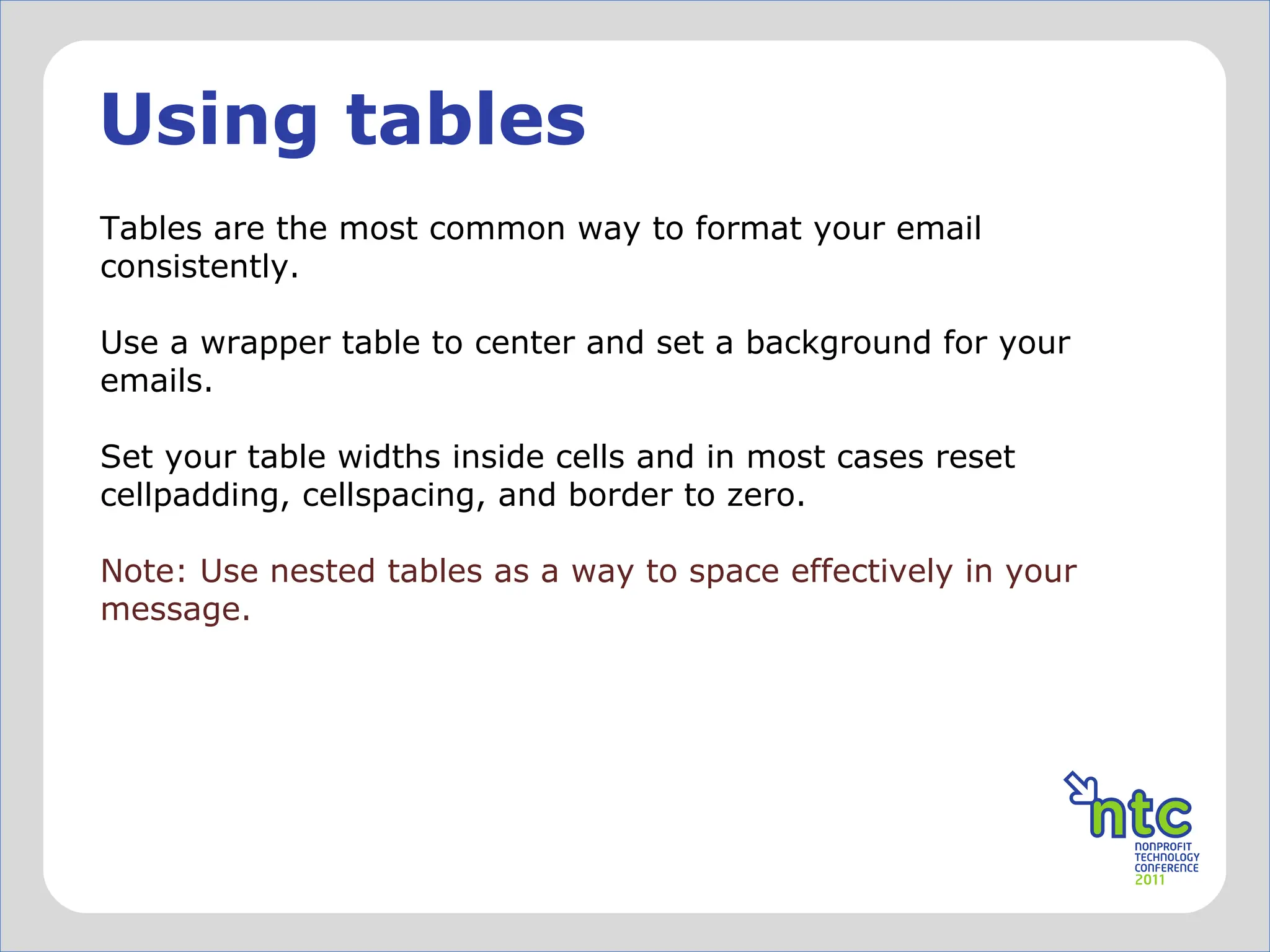
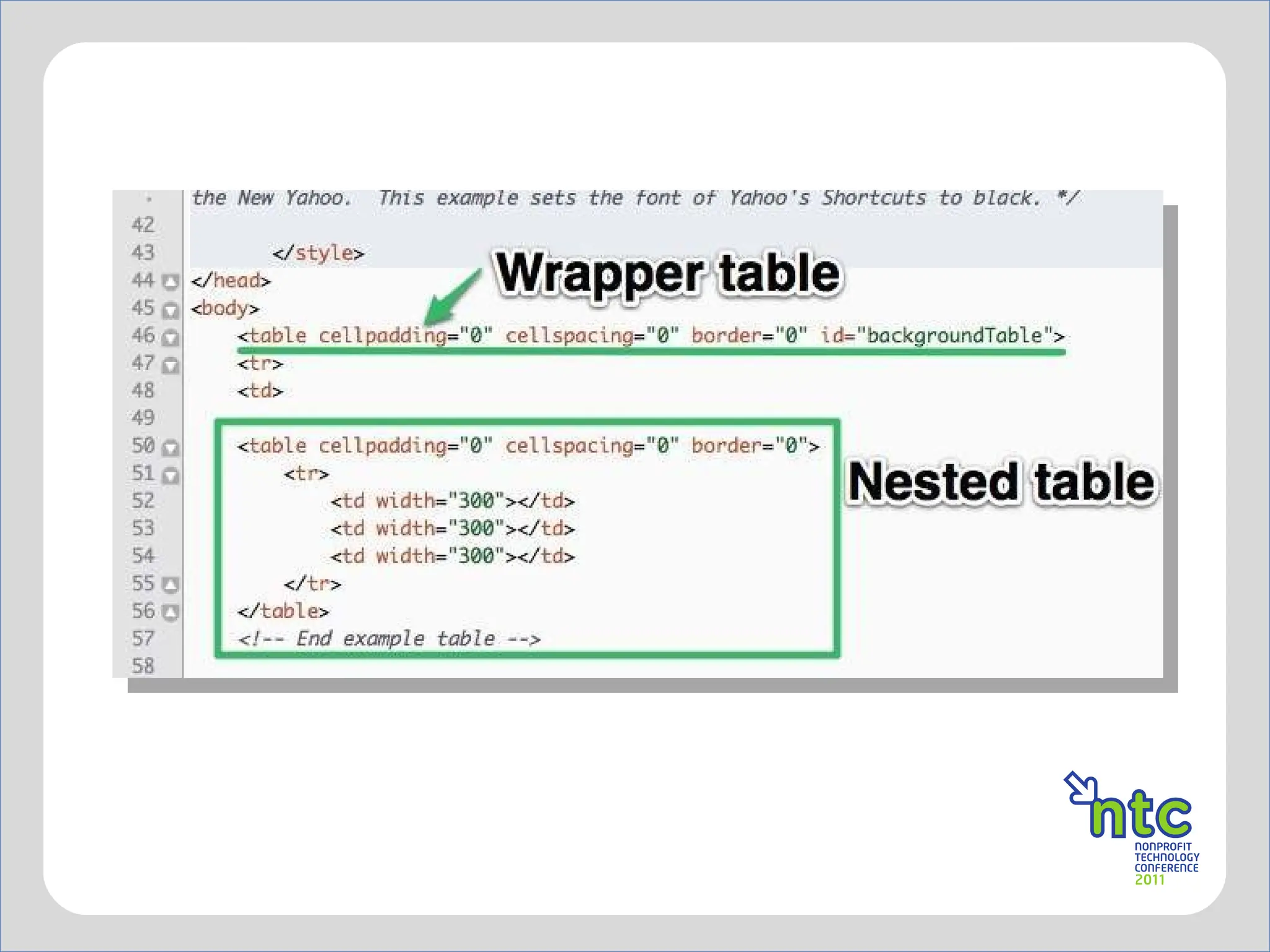
Using tables Tables are the most common way to format your email consistently.  Use a wrapper table to center and set a background for your emails. Set your table widths inside cells and in most cases reset cellpadding, cellspacing, and border to zero.  Note: Use nested tables as a way to space effectively in your message.
✗
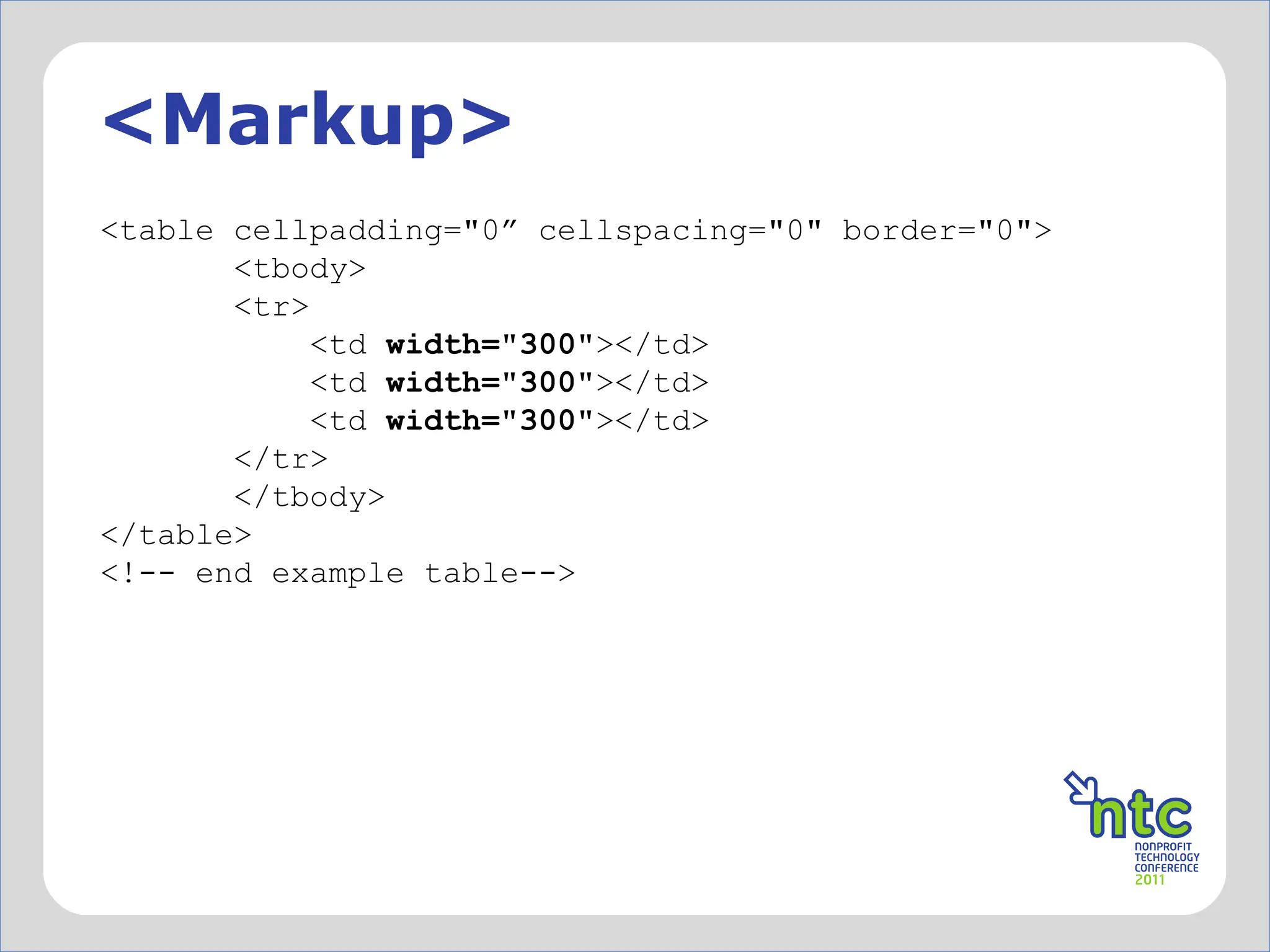
<Markup> <table cellpadding=&quot;0” cellspacing=&quot;0&quot; border=&quot;0&quot;>         <tbody>         <tr>             <td  width=&quot;300&quot; ></td>             <td  width=&quot;300&quot; ></td>             <td  width=&quot;300&quot; ></td>         </tr>         </tbody> </table>   <!-- end example table-->
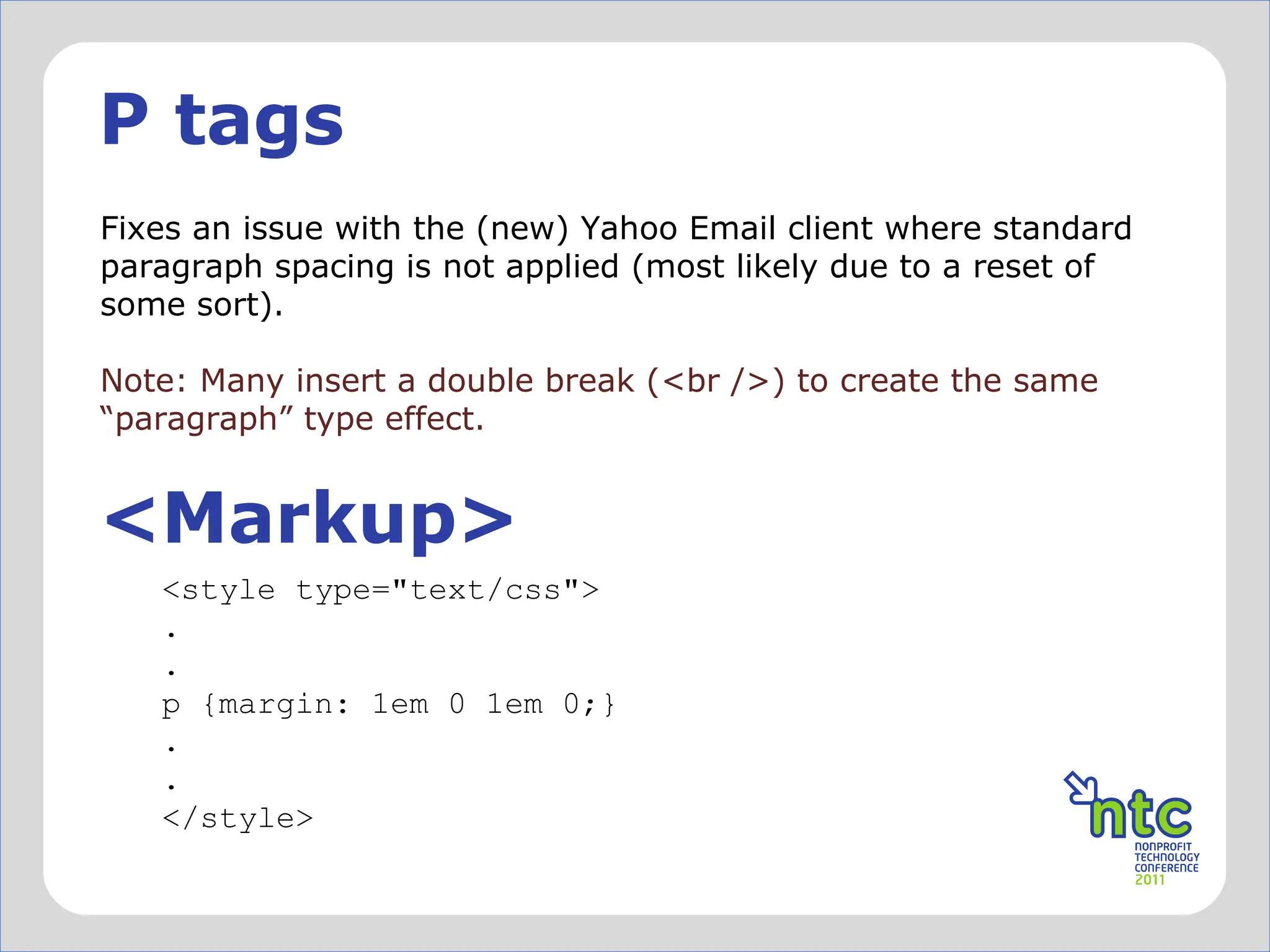
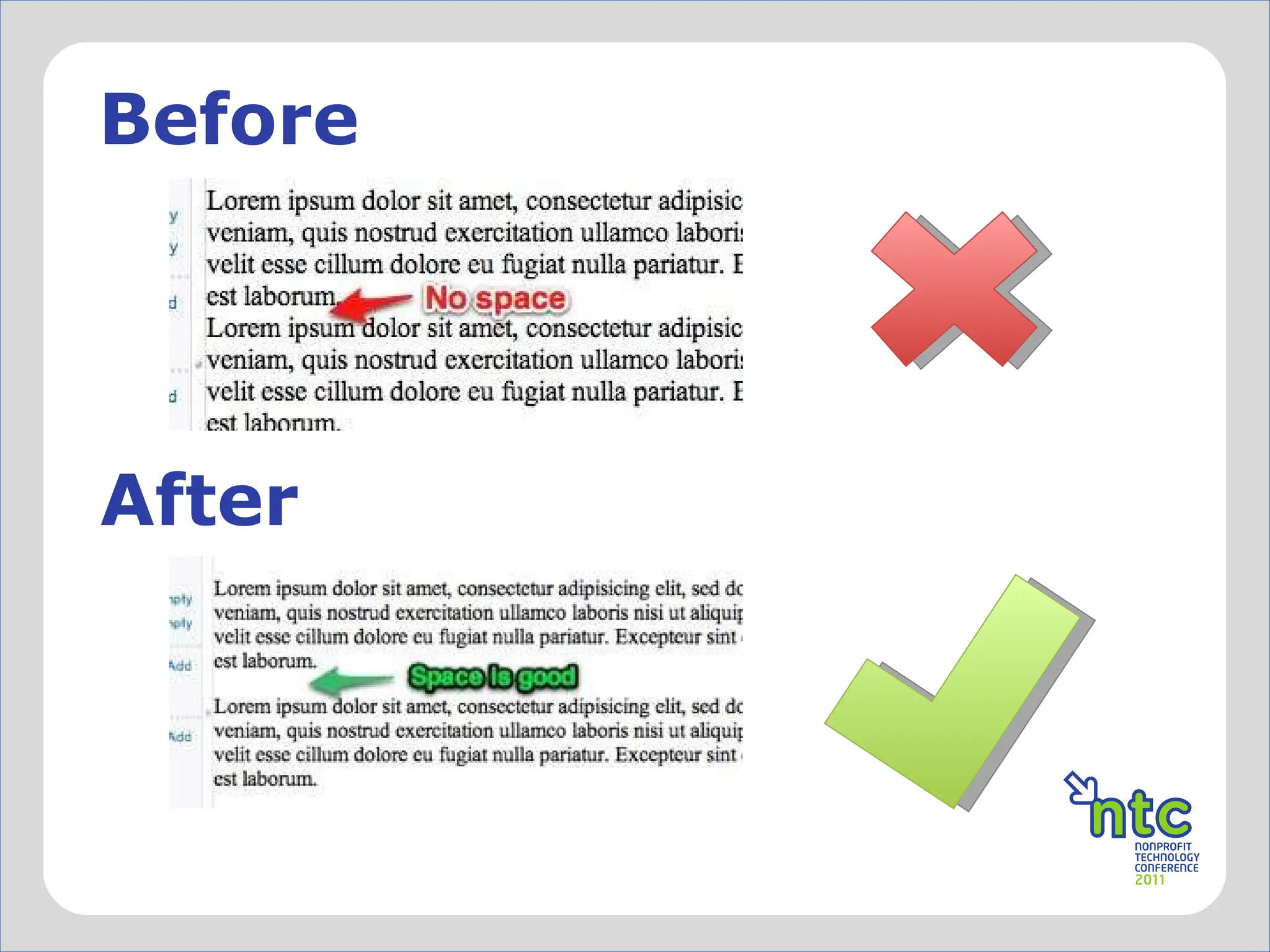
P tags Fixes an issue with the (new) Yahoo Email client where standard paragraph spacing is not applied (most likely due to a reset of some sort). Note: Many insert a double break (<br />) to create the same “paragraph” type effect.  <Markup> <style type=&quot;text/css&quot;> . . p { margin: 1em 0 1em 0 ;}  . . </style>
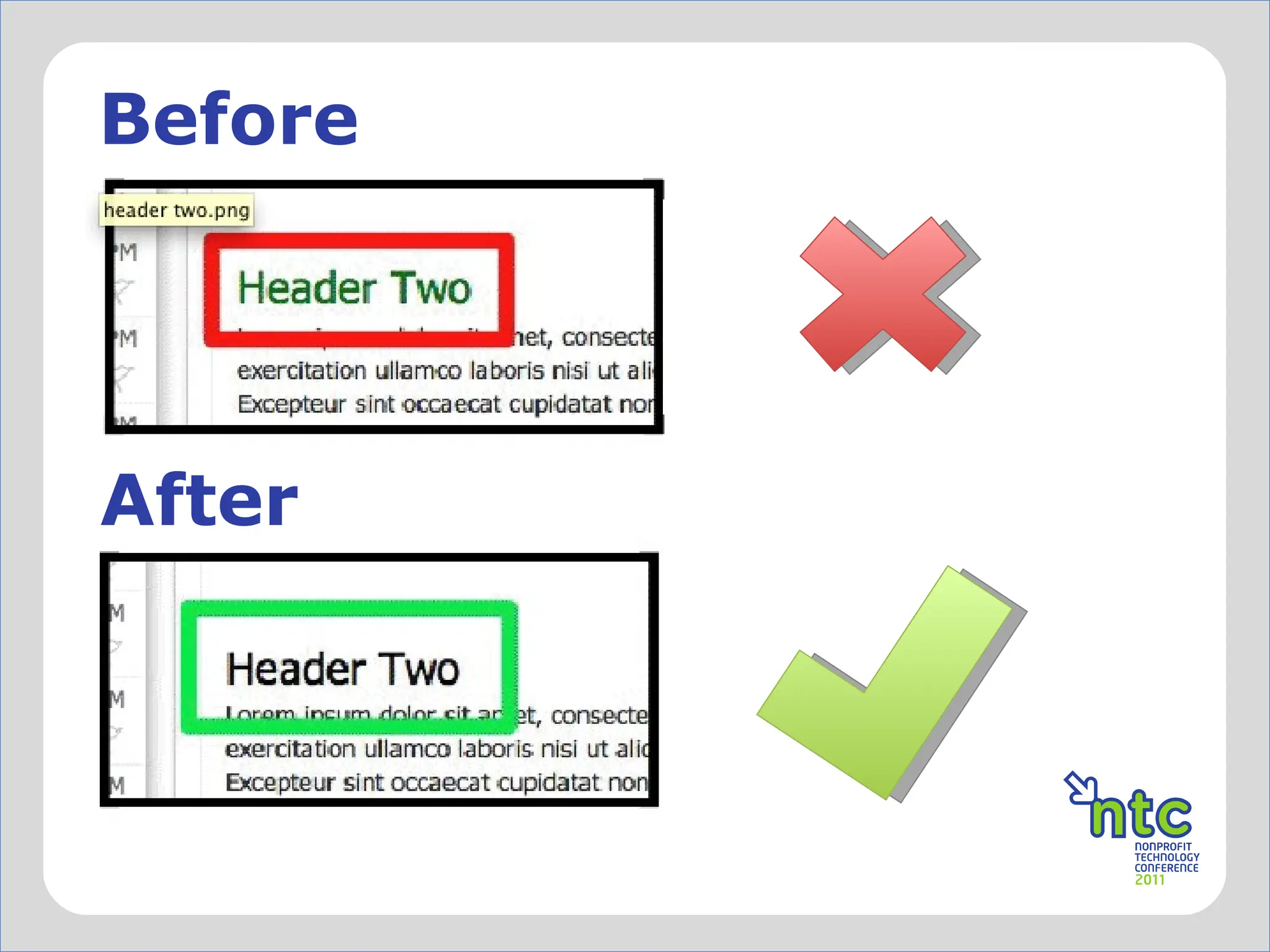
Before After
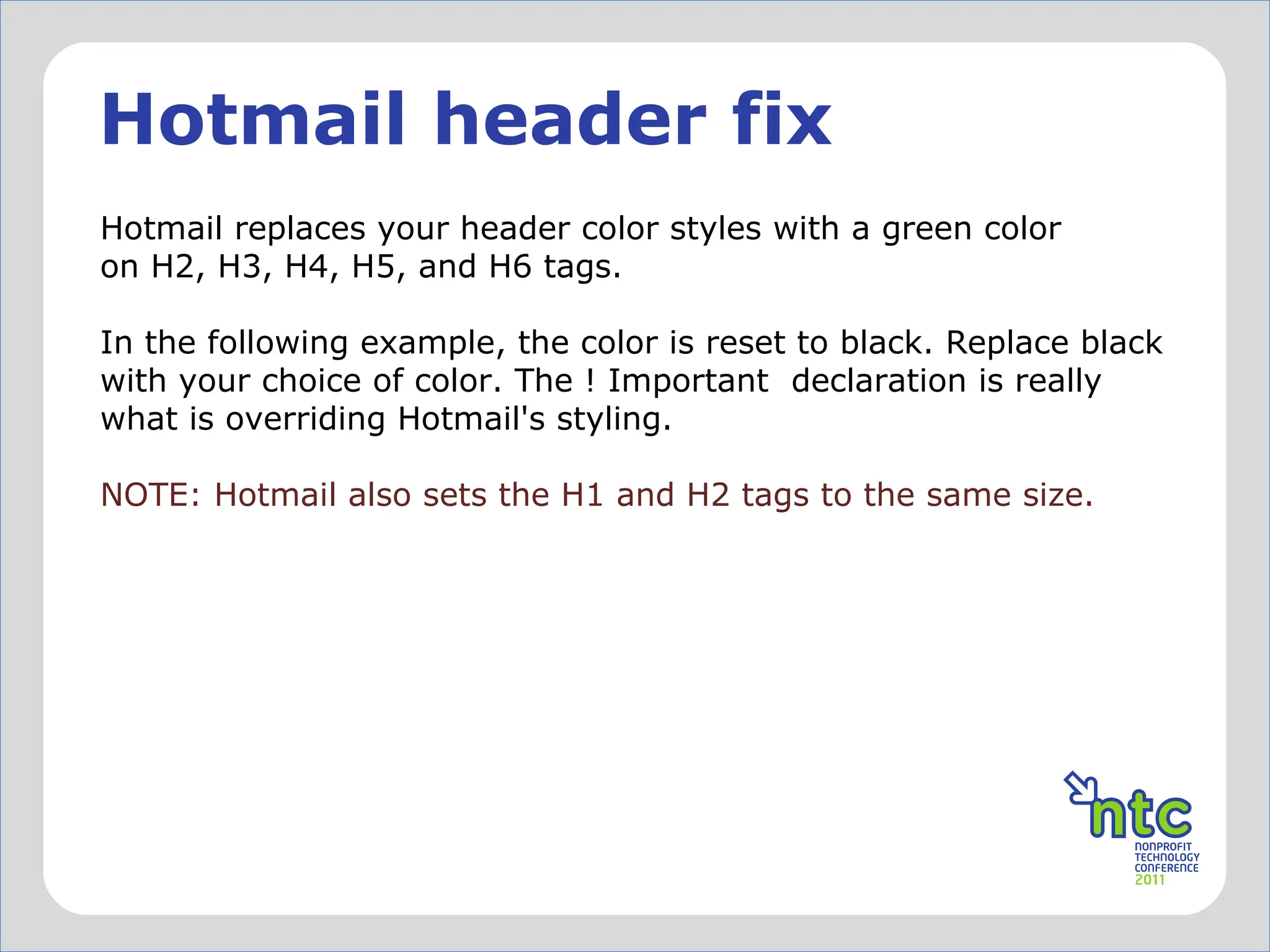
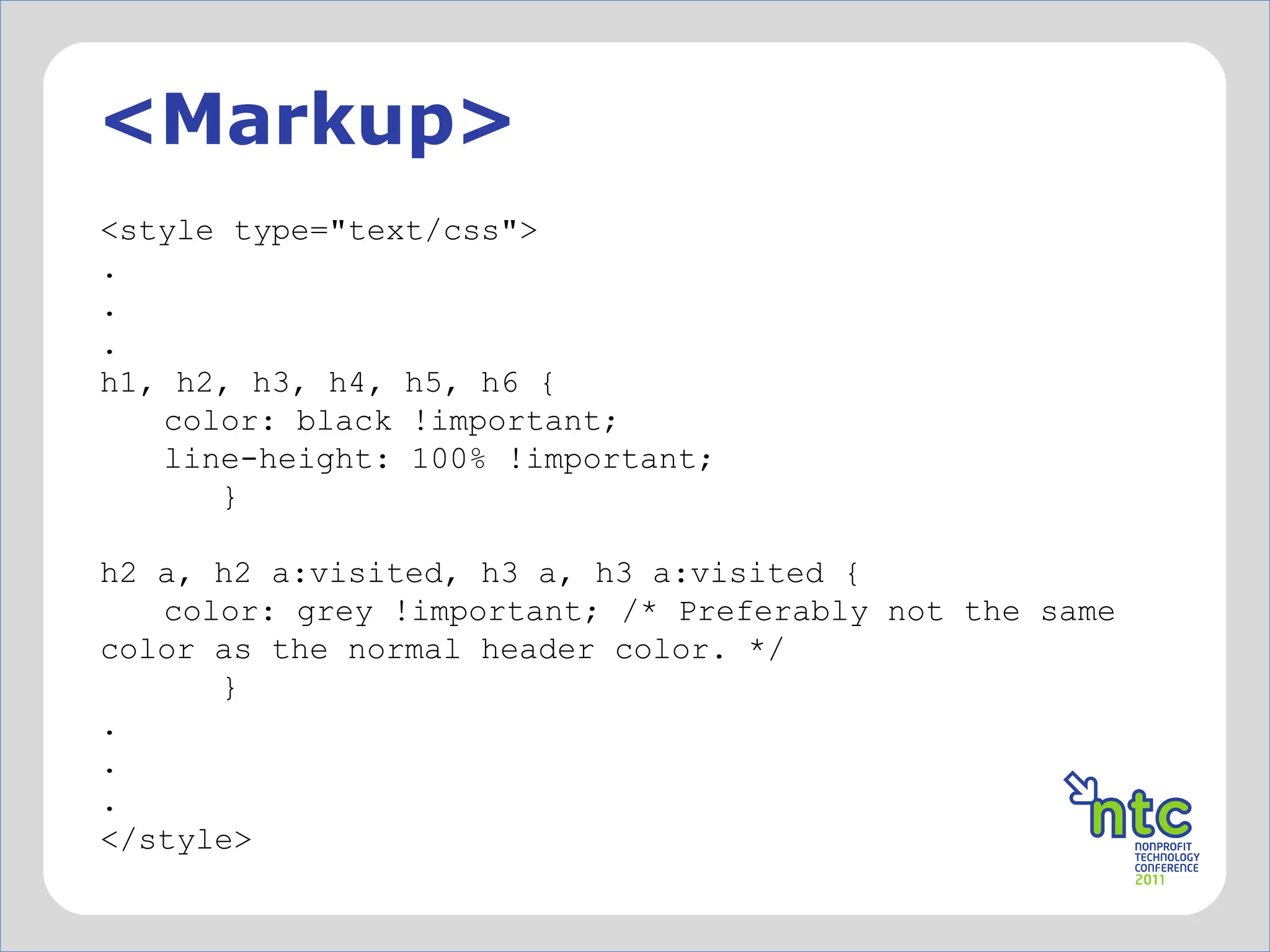
Hotmail header fix Hotmail replaces your header color styles with a green color on H2, H3, H4, H5, and H6 tags.  In the following example, the color is reset to black. Replace black with your choice of color. The ! Important  declaration is really what is overriding Hotmail's styling.  NOTE: Hotmail also sets the H1 and H2 tags to the same size.
<Markup> <style type=&quot;text/css&quot;> . . . h1, h2, h3, h4, h5, h6 { color: black !important; line-height: 100% !important;   }   h2 a, h2 a:visited, h3 a, h3 a:visited { color: grey !important; /* Preferably not the same color as the normal header color. */   } . . . </style>
Before After
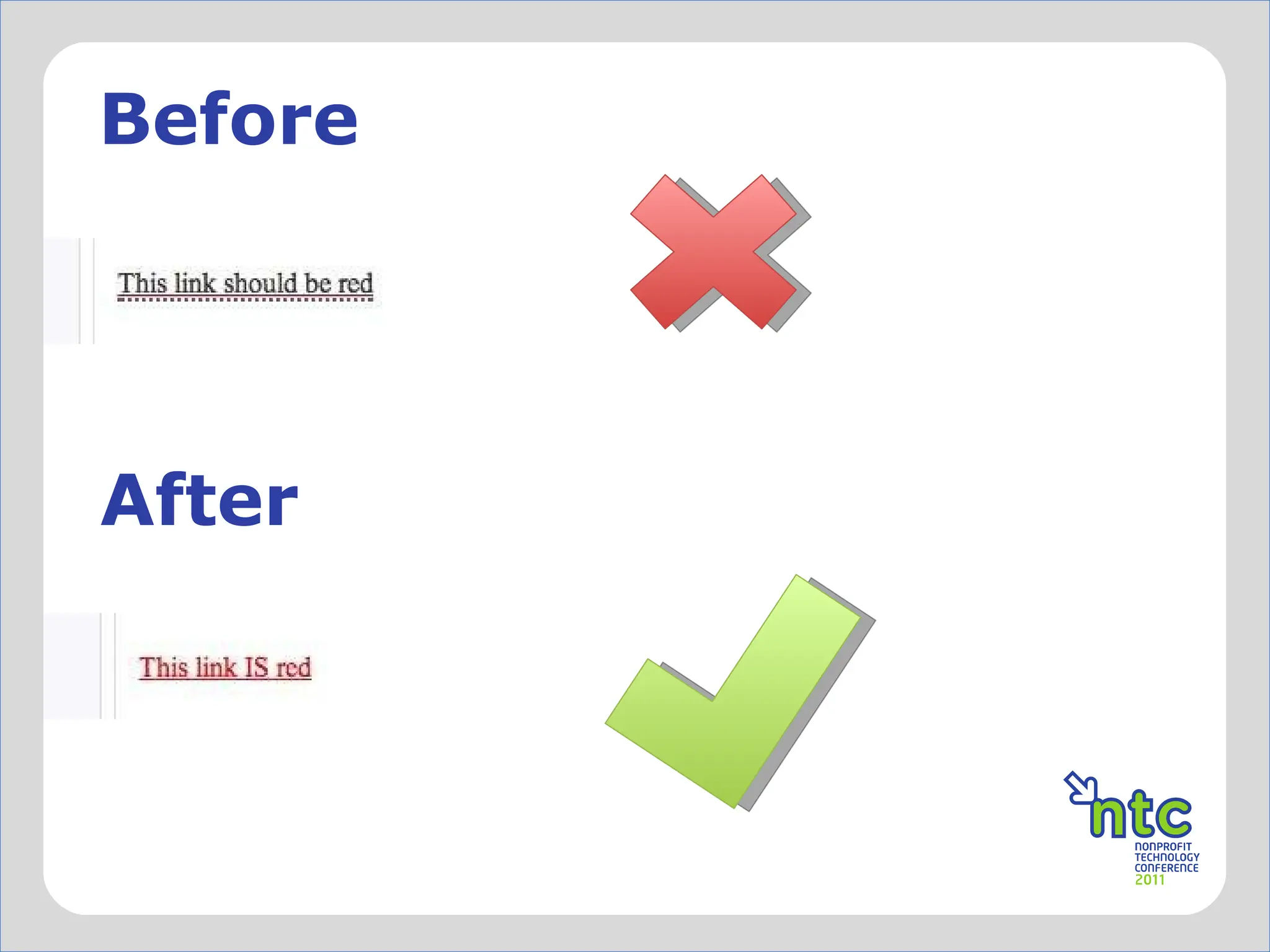
Yahoo link color fix (1 of 2) This fix overwrites Yahoo mail's specific blue coloring on links. It, however, does not set color across email clients that ignore CSS in the HEAD tag. You will still have to bring this inline for gmail/others.  http://www.campaignmonitor.com/blog/post/3226/two-solutions-to-yahoo-mail-turning-all-your-links-blue/
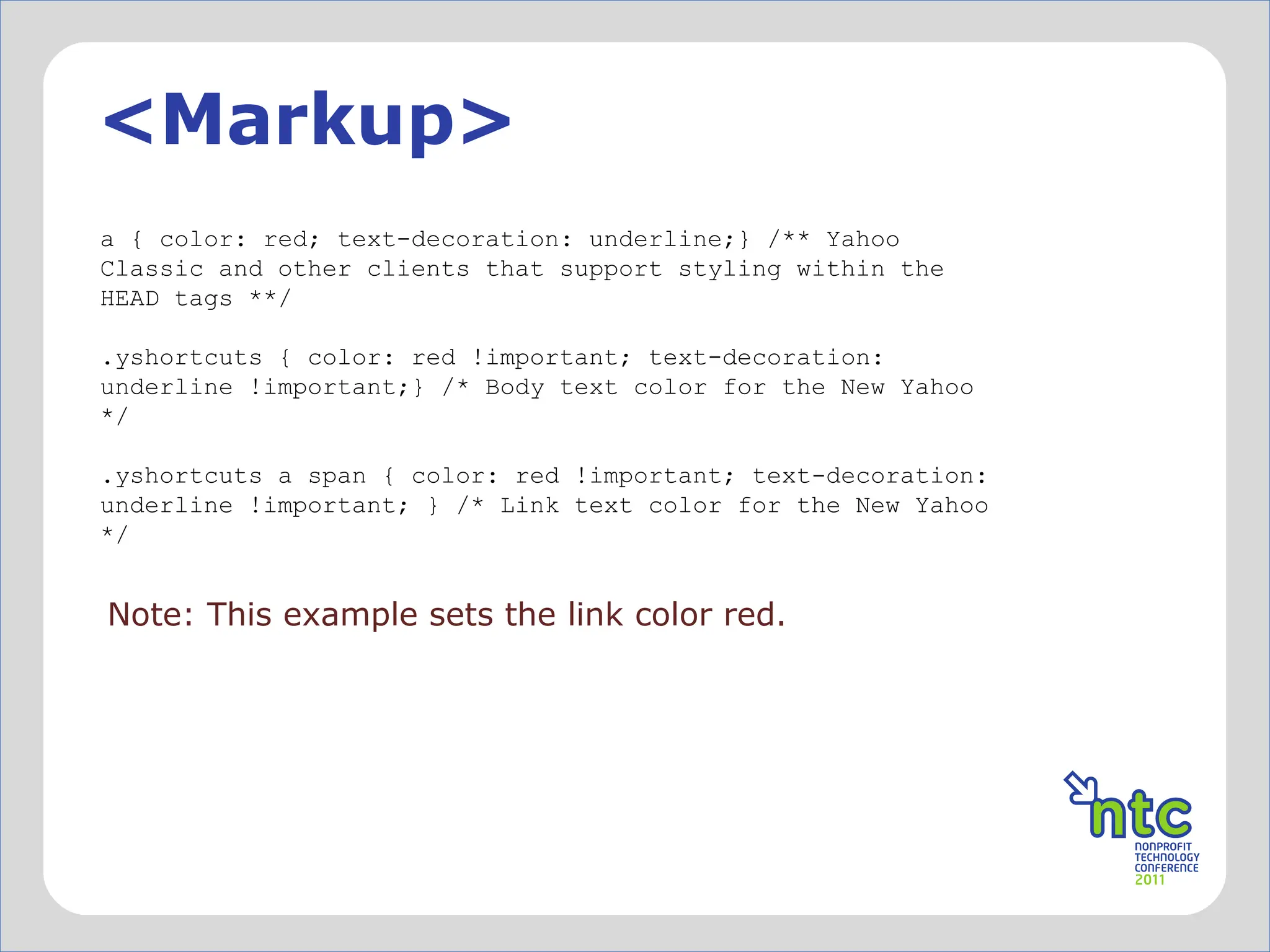
<Markup> a { color: red; text-decoration: underline;} /** Yahoo Classic and other clients that support styling within the HEAD tags **/ .yshortcuts { color: red !important; text-decoration: underline !important;} /* Body text color for the New Yahoo */ .yshortcuts a span { color: red !important; text-decoration: underline !important; } /* Link text color for the New Yahoo */ Note: This example sets the link color red.
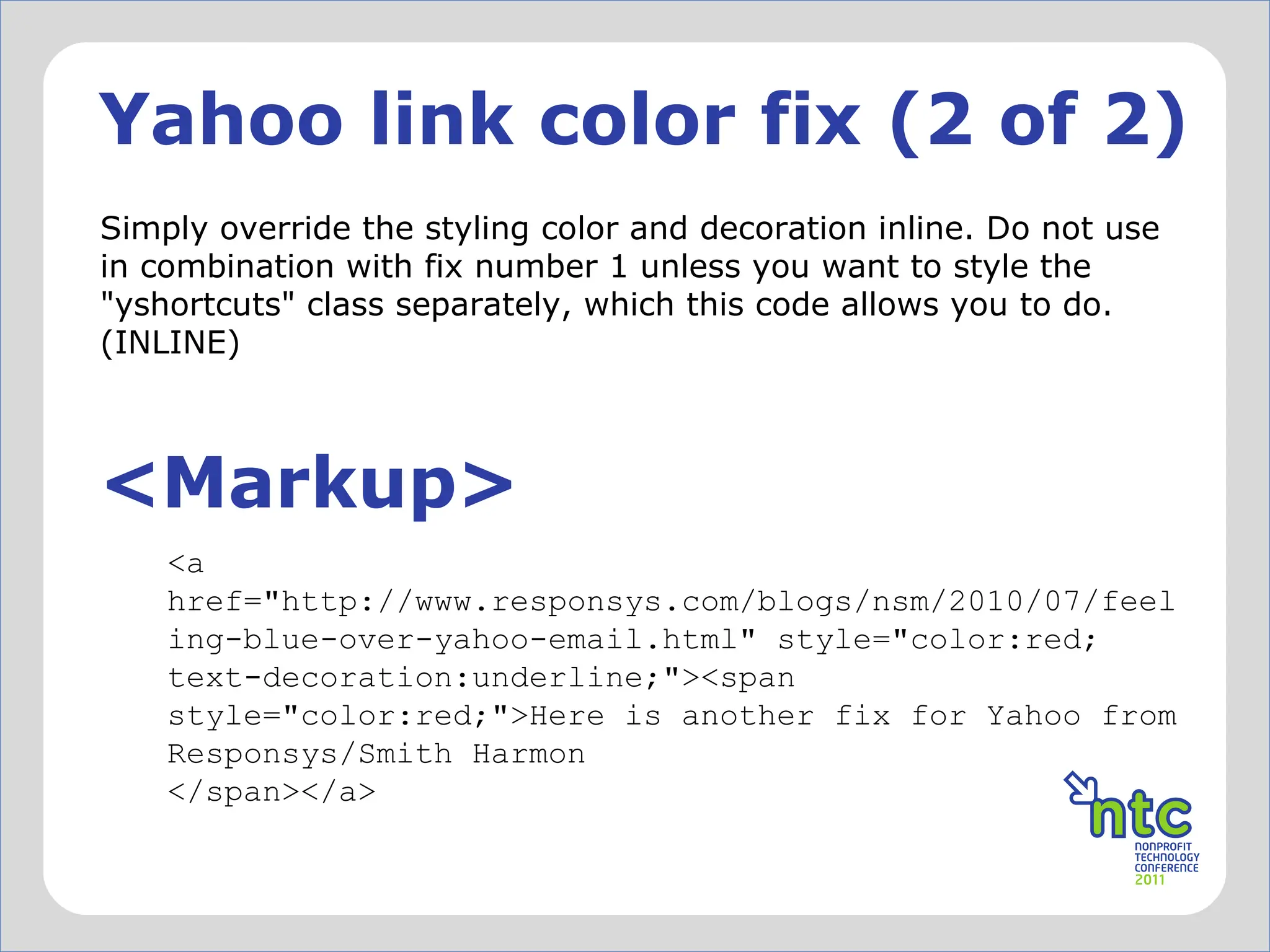
Yahoo link color fix (2 of 2) Simply override the styling color and decoration inline. Do not use in combination with fix number 1 unless you want to style the &quot;yshortcuts&quot; class separately, which this code allows you to do. (INLINE) <Markup> <a href=&quot;http://www.responsys.com/blogs/nsm/2010/07/feeling-blue-over-yahoo-email.html&quot; style=&quot;color:red; text-decoration:underline;&quot;><span style=&quot;color:red;&quot;>Here is another fix for Yahoo from Responsys/Smith Harmon </span></a>
Before After
Hotmail/Gmail image issue Hotmail and Gmail inserts unwanted spacing underneath your images.  Use this fix to properly space images that line up right on top of each other. <Markup> <img src= “yourimage.jpg” style=“display: block;” alt=“your alt text” width=“x” height=“x” /> img {display: block;} //Place in the <head> area OR
@Media Using @Media queries can help target mobile devices, like handhelds and tablets. While definitely not widely supported, it is has become supported enough where you can target users of iphones, android based phones, ipads, etc when they are using the built in software apps to access email.
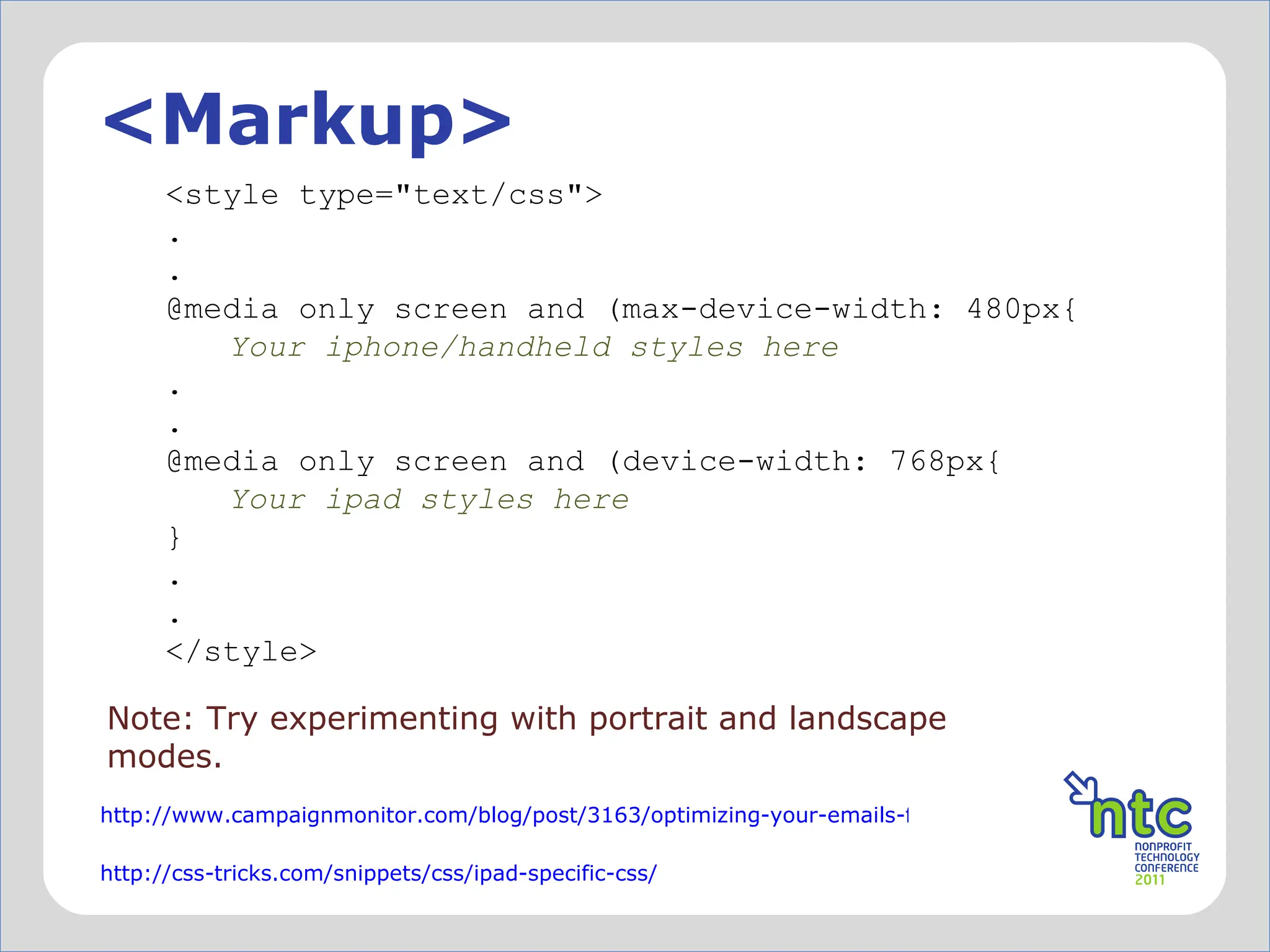
<Markup> Note: Try experimenting with portrait and landscape modes. <style type=&quot;text/css&quot;> . . @media only screen and (max-device-width: 480px{ Your iphone/handheld styles here . . @media only screen and (device-width: 768px{ Your ipad styles here } . . </style> http://www.campaignmonitor.com/blog/post/3163/optimizing-your-emails-for-mobile-devices-with-media/ http://css-tricks.com/snippets/css/ipad-specific-css/
in the year 2000
Embedding video @Font-face CSS3 (or 2 or 1) Dynamic content Google (gmail) – enhanced content From other companies like Movable Ink
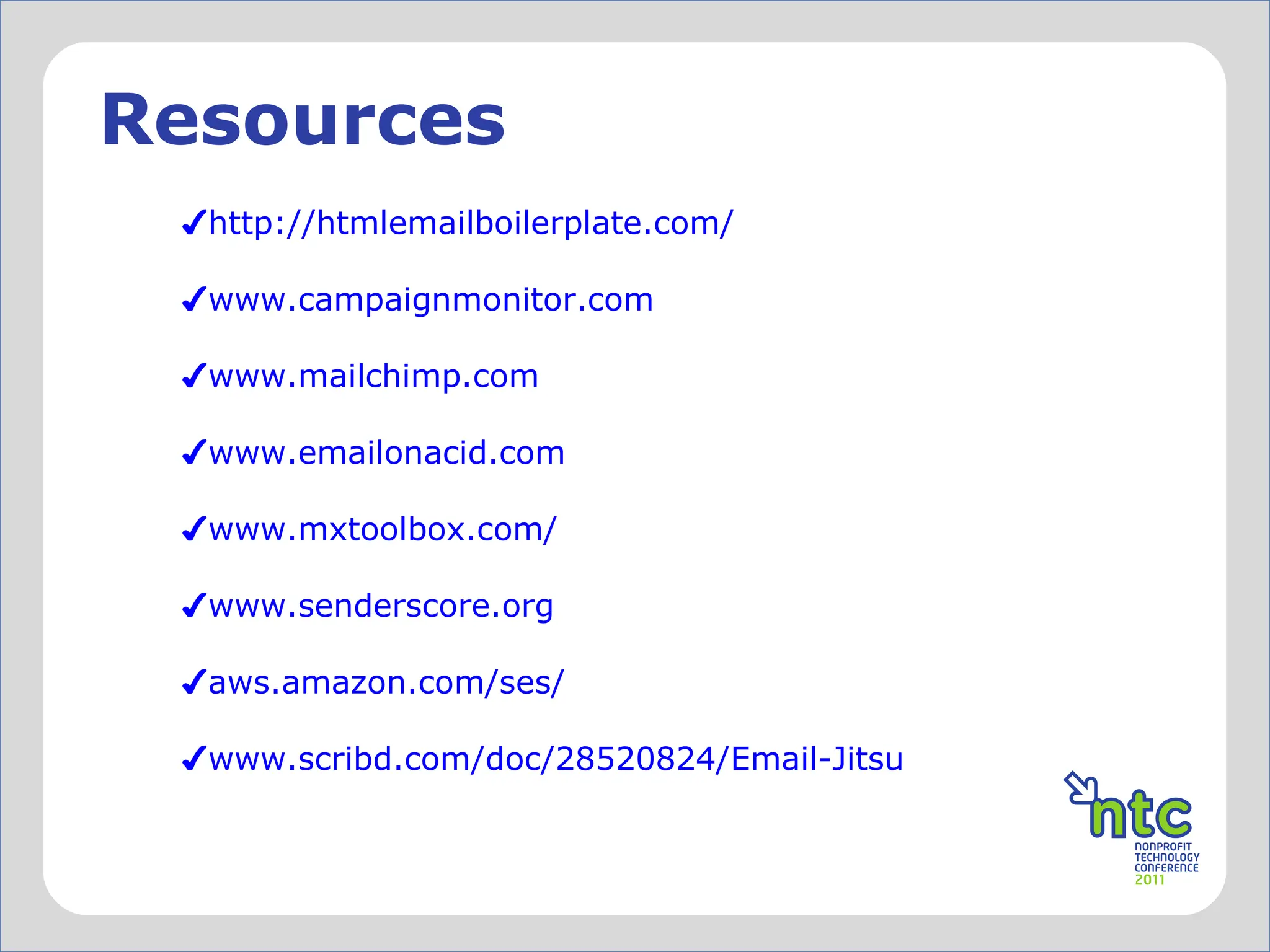
Resources http://htmlemailboilerplate.com/ www.campaignmonitor.com www.mailchimp.com www.emailonacid.com   www.mxtoolbox.com/   www.senderscore.org     aws.amazon.com/ses/   www.scribd.com/doc/28520824/Email-Jitsu   ddf
</presentation>
Session Evaluation Each entry via text or web is a chance to win great NTEN prizes throughout the day!  Session Evaluations  Powered By: TEXT Text #11NTCemail to  69866. ONLINE Use #11NTCemail at  http://nten.org/ntc/eval

Email Workshop - Powell/Masterson (#11NTCEmail)

  • 1.
    Email Design Workshop– Don ’t Let Bad Code Ruin Your Day or Your Results #11NTCemail Sean Powell Shana Masterson
  • 2.
  • 3.
    WARNING Coding foremail is different than coding for the web There are no standards for displaying email HTML !
  • 4.
    Goodbye... Hello… webdesign best practices divs flash, js external CSS coding for all email clients tables inline CSS code like it ’s 1999!
  • 5.
  • 6.
  • 7.
    What ’s thebig deal? Ensure consistent branding across all clients and messages
  • 8.
  • 9.
  • 10.
    Better practices Whenpossible, allow plenty of time for review and coding Don ’t trust the WYSIWYG or HTML editors Use a good text editor Smultron - http://www.peterborgapps.com/smultron/ (Mac) Komodo Edit - http://www.activestate.com/komodo-edit/ Code Lobster - http://www.codelobster.com/ Use a tool like premailer to make your styles inline – http://premailer.dialect.ca/ Include a “View on web” option and/or use alt text in your header “Please turn on images”
  • 11.
    Testing Option 1 Set up many test email accounts and test in various browsers. *Hint – Choose a user name and password that will work consistently across clients. Install several desktop email programs for testing. Test on Mac and PC. Option 2 Use a paid service *Litmus – litmus.com *Email on Acid – emailonacid.com
  • 12.
  • 13.
  • 14.
    The Email StandardsProject The Email Standards Project is about working with email client developers and the design community to improve web standards support and accessibility in email. The project was formed out of frustration with the inconsistent rendering of HTML emails in major email clients. Our mission is to drive the use and support of web standards in email, working with email client developers to ensure that emails render consistently. This is a community effort to improve the email experience for designers and readers, and we ’d love your help. www.email-standards.org/
  • 15.
    lets take alook at some code
  • 16.
  • 17.
    A few notesabout… What ’s meant by “inline” Moving styles from an external style sheet/HEAD to within the containing tag. Looks like: style=“width: 100px; height:100px;…”
  • 18.
    … some morebasics Setting heights and widths of images, tables, etc. Limited use of margin/padding Limited support for divs Best to use tables to format your message - nesting helps too No shortcuts (use border-left-style instead ofborder: 1px solid #000) Define your alt and/or title attributes Absolute paths for images Use the character entity equivalent for special characters like em-dashes, right/left double quotes, and ampersands ✗
  • 19.
    Character Entities Listof character entities that you can code into your message to get that em-dash(—), ampersand(&), or right double quote( ”) to render correctly. For example: Em-dash = &mdash; Ampersand = &amp; A more complete list: http://www.intuitive.com/coolweb/entities.html
  • 20.
    Just say noto background images (although there is a hack now…) using png’s using floats for alignment using divs (somewhat) CSS3 negative margins overflow, opacity, position, etc embedded video (there are some interesting things on the horizon) fun. ✗
  • 21.
  • 22.
    What HTML DOCTYPEshould I use? The xHTML 1.0 Transitional doctype is widely used when sending HTML email to help uniformity. Take this with a grain of salt, however, as many email clients will either change it to their preference or remove it altogether. <Markup> <!DOCTYPE html PUBLIC &quot;-//W3C//DTD XHTML 1.0 Transitional//EN ”         &quot;http://www.w3.org/TR/xhtml1/DTD/xhtml1- transitional.dtd&quot;> http://www.campaignmonitor.com/blog/post/3317/correct-doctype-to-use-in-html-email/ http://www.emailonacid.com/blog/details/C18/doctype_-_the_black_sheep_of_html_email_design
  • 23.
    Using tables Tablesare the most common way to format your email consistently. Use a wrapper table to center and set a background for your emails. Set your table widths inside cells and in most cases reset cellpadding, cellspacing, and border to zero. Note: Use nested tables as a way to space effectively in your message.
  • 24.
  • 25.
    <Markup> <table cellpadding=&quot;0”cellspacing=&quot;0&quot; border=&quot;0&quot;>         <tbody>         <tr>             <td width=&quot;300&quot; ></td>             <td width=&quot;300&quot; ></td>             <td width=&quot;300&quot; ></td>         </tr>         </tbody> </table>   <!-- end example table-->
  • 26.
    P tags Fixesan issue with the (new) Yahoo Email client where standard paragraph spacing is not applied (most likely due to a reset of some sort). Note: Many insert a double break (<br />) to create the same “paragraph” type effect. <Markup> <style type=&quot;text/css&quot;> . . p { margin: 1em 0 1em 0 ;} . . </style>
  • 27.
  • 28.
    Hotmail header fixHotmail replaces your header color styles with a green color on H2, H3, H4, H5, and H6 tags. In the following example, the color is reset to black. Replace black with your choice of color. The ! Important declaration is really what is overriding Hotmail's styling. NOTE: Hotmail also sets the H1 and H2 tags to the same size.
  • 29.
    <Markup> <style type=&quot;text/css&quot;>. . . h1, h2, h3, h4, h5, h6 { color: black !important; line-height: 100% !important; } h2 a, h2 a:visited, h3 a, h3 a:visited { color: grey !important; /* Preferably not the same color as the normal header color. */ } . . . </style>
  • 30.
  • 31.
    Yahoo link colorfix (1 of 2) This fix overwrites Yahoo mail's specific blue coloring on links. It, however, does not set color across email clients that ignore CSS in the HEAD tag. You will still have to bring this inline for gmail/others. http://www.campaignmonitor.com/blog/post/3226/two-solutions-to-yahoo-mail-turning-all-your-links-blue/
  • 32.
    <Markup> a {color: red; text-decoration: underline;} /** Yahoo Classic and other clients that support styling within the HEAD tags **/ .yshortcuts { color: red !important; text-decoration: underline !important;} /* Body text color for the New Yahoo */ .yshortcuts a span { color: red !important; text-decoration: underline !important; } /* Link text color for the New Yahoo */ Note: This example sets the link color red.
  • 33.
    Yahoo link colorfix (2 of 2) Simply override the styling color and decoration inline. Do not use in combination with fix number 1 unless you want to style the &quot;yshortcuts&quot; class separately, which this code allows you to do. (INLINE) <Markup> <a href=&quot;http://www.responsys.com/blogs/nsm/2010/07/feeling-blue-over-yahoo-email.html&quot; style=&quot;color:red; text-decoration:underline;&quot;><span style=&quot;color:red;&quot;>Here is another fix for Yahoo from Responsys/Smith Harmon </span></a>
  • 34.
  • 35.
    Hotmail/Gmail image issueHotmail and Gmail inserts unwanted spacing underneath your images. Use this fix to properly space images that line up right on top of each other. <Markup> <img src= “yourimage.jpg” style=“display: block;” alt=“your alt text” width=“x” height=“x” /> img {display: block;} //Place in the <head> area OR
  • 36.
    @Media Using @Mediaqueries can help target mobile devices, like handhelds and tablets. While definitely not widely supported, it is has become supported enough where you can target users of iphones, android based phones, ipads, etc when they are using the built in software apps to access email.
  • 37.
    <Markup> Note: Tryexperimenting with portrait and landscape modes. <style type=&quot;text/css&quot;> . . @media only screen and (max-device-width: 480px{ Your iphone/handheld styles here . . @media only screen and (device-width: 768px{ Your ipad styles here } . . </style> http://www.campaignmonitor.com/blog/post/3163/optimizing-your-emails-for-mobile-devices-with-media/ http://css-tricks.com/snippets/css/ipad-specific-css/
  • 38.
  • 39.
    Embedding video @Font-faceCSS3 (or 2 or 1) Dynamic content Google (gmail) – enhanced content From other companies like Movable Ink
  • 40.
    Resources http://htmlemailboilerplate.com/ www.campaignmonitor.comwww.mailchimp.com www.emailonacid.com www.mxtoolbox.com/ www.senderscore.org aws.amazon.com/ses/ www.scribd.com/doc/28520824/Email-Jitsu ddf
  • 41.
  • 42.
    Session Evaluation Eachentry via text or web is a chance to win great NTEN prizes throughout the day! Session Evaluations Powered By: TEXT Text #11NTCemail to 69866. ONLINE Use #11NTCemail at http://nten.org/ntc/eval