A Desktop UI with QtQuick
        How QtQuick encouraged us to totally rethink a Desktop
                          User Interface


                                                                 1

Freitag, 25. November 2011
my Qt mileage


          Nils Jeisecke
          saltation GmbH & Co. KG / Bielefeld / Germany
          http://www.saltation.de


          Qt developer > 10 years (since Qt 2)


                                                          2

Freitag, 25. November 2011
The Use Case       Computer Telephony Integration


          The Use Case is called „TK-Suite Client“, a CTI and PIM
          application for a PBX.
                                     Personal Information Management

       Business telephone system

          That Application went through nearly all Qt iterations:
     • Qt 2 used for prototype
     • Qt 3 used for 1.0, 2.0, 3.0 and the !rst Mac Version
     • Qt 4 used for 4.x 1st (!rst rewrite)


                                                                        3

Freitag, 25. November 2011
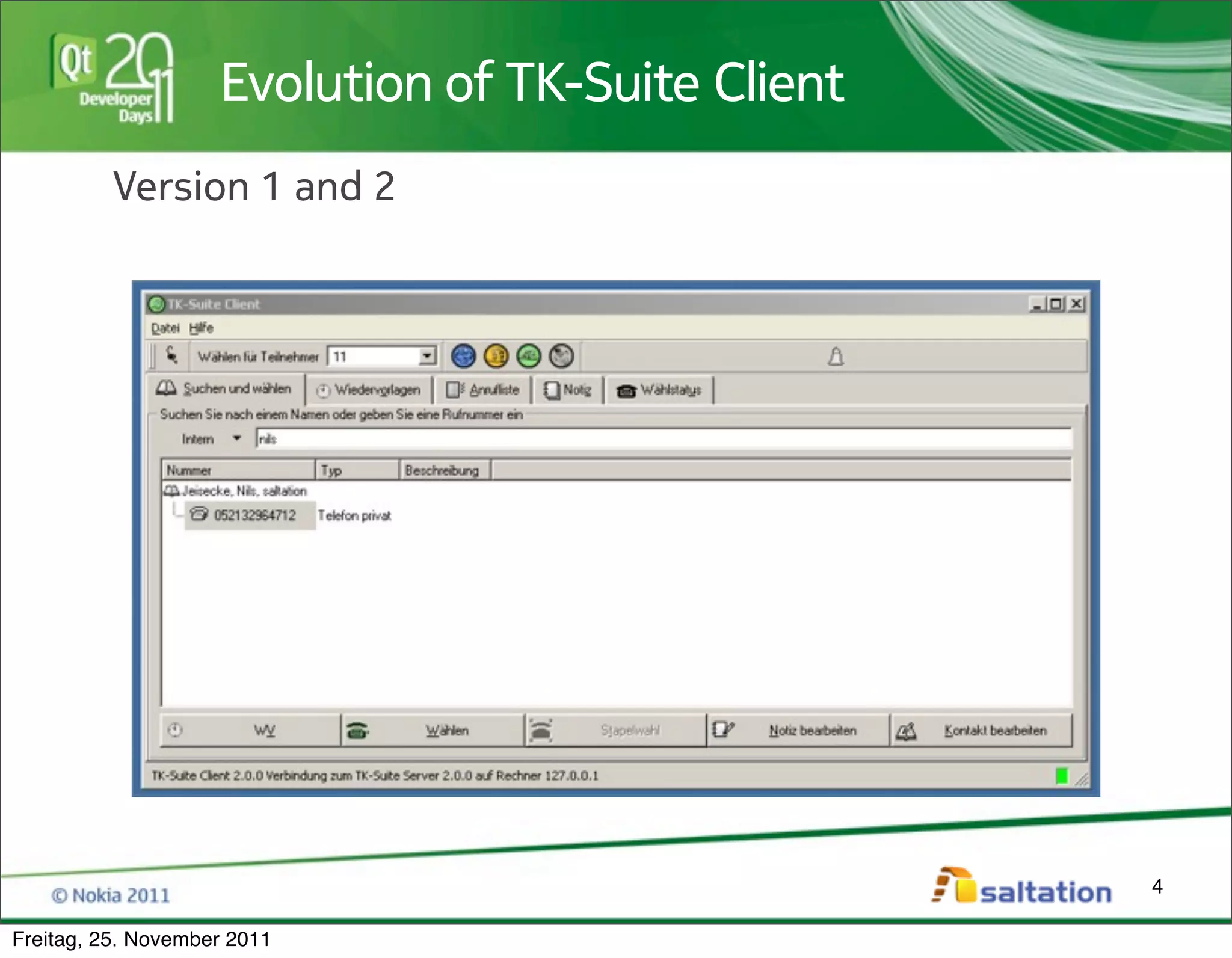
Evolution of TK-Suite Client
          Version 1 and 2


                                                   4

Freitag, 25. November 2011
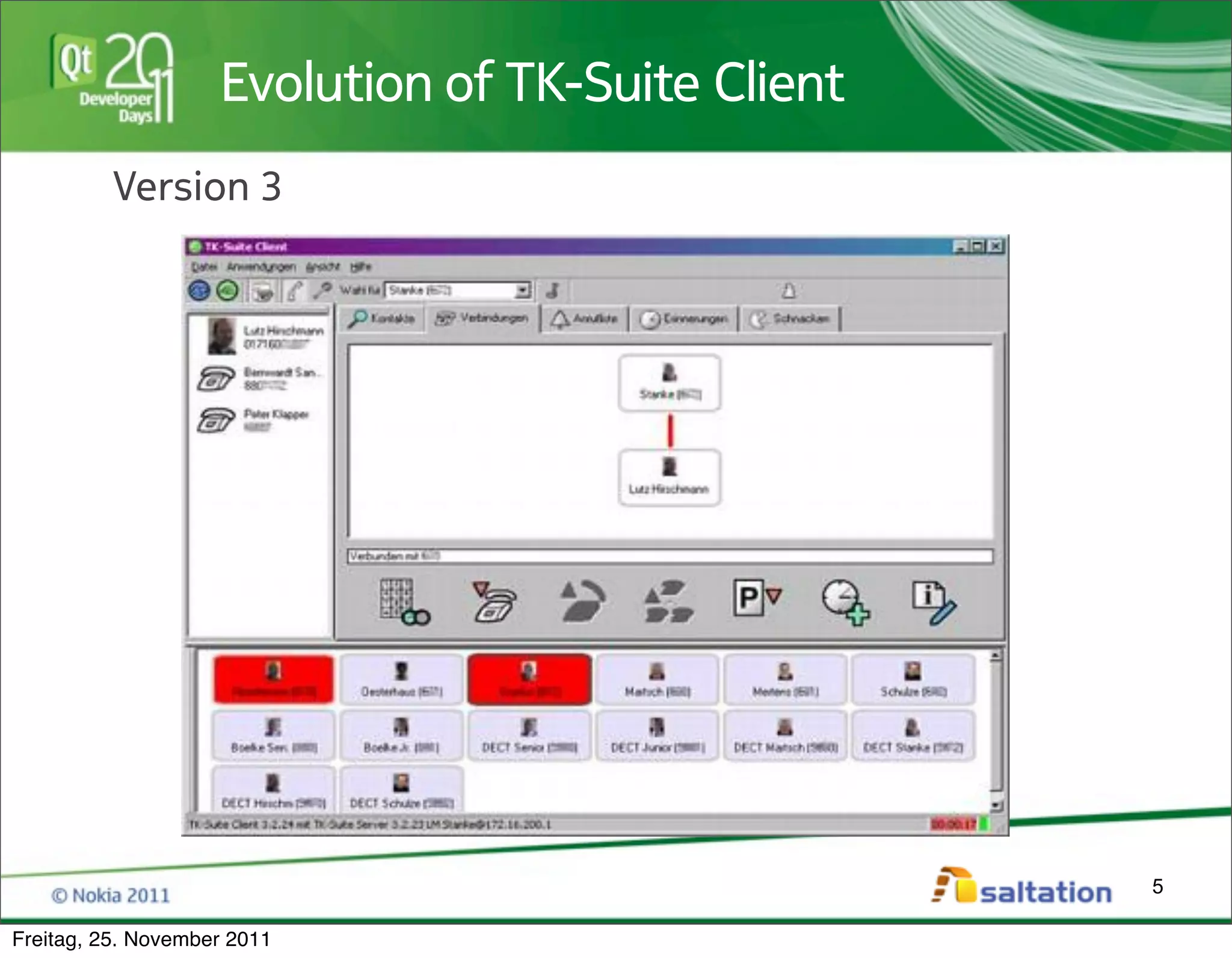
Evolution of TK-Suite Client
          Version 3


                                                   5

Freitag, 25. November 2011
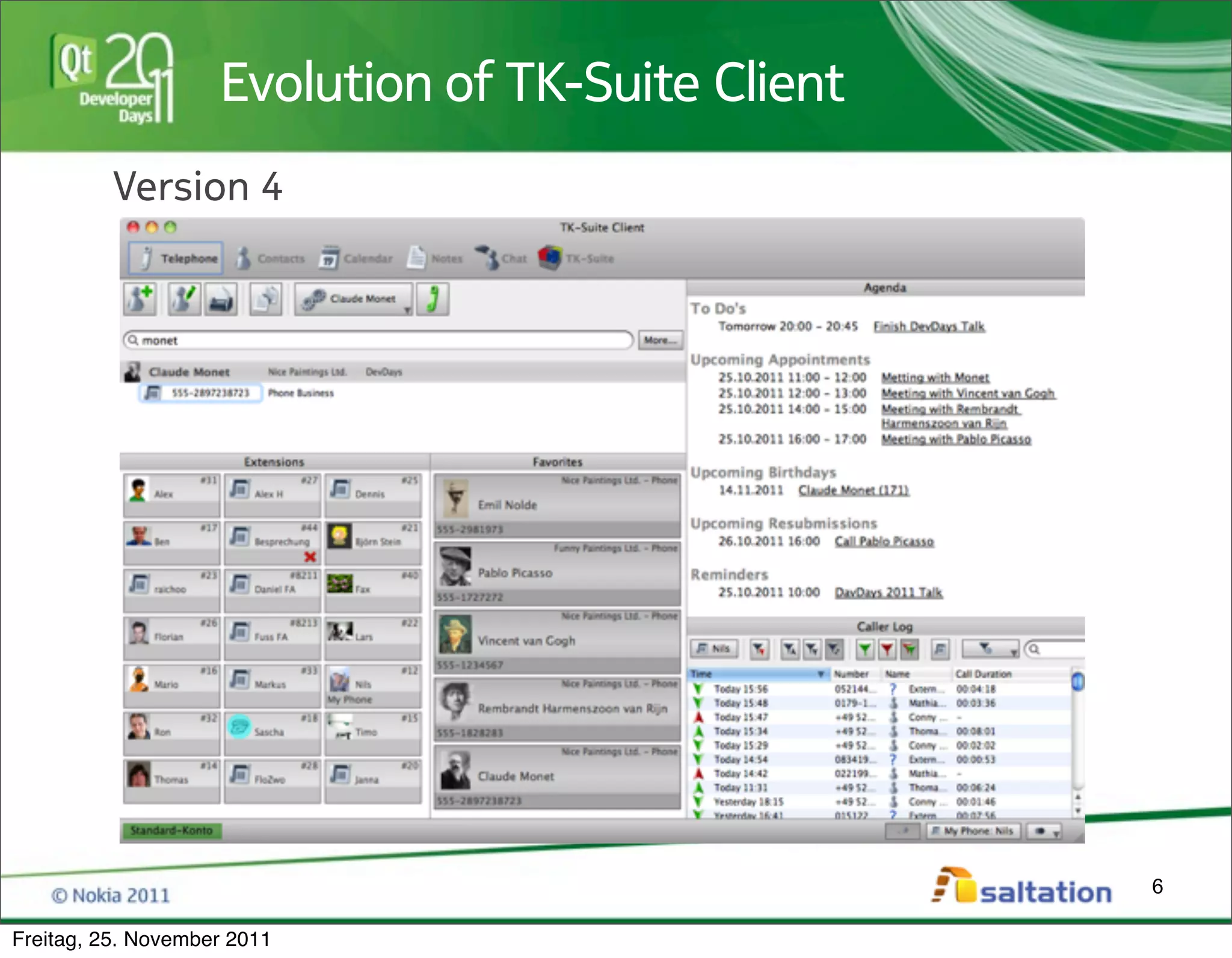
Evolution of TK-Suite Client
          Version 4


                                                   6

Freitag, 25. November 2011
Highlighting some UI problems


          * Live Demo of Version 4 *


                                                    7

Freitag, 25. November 2011
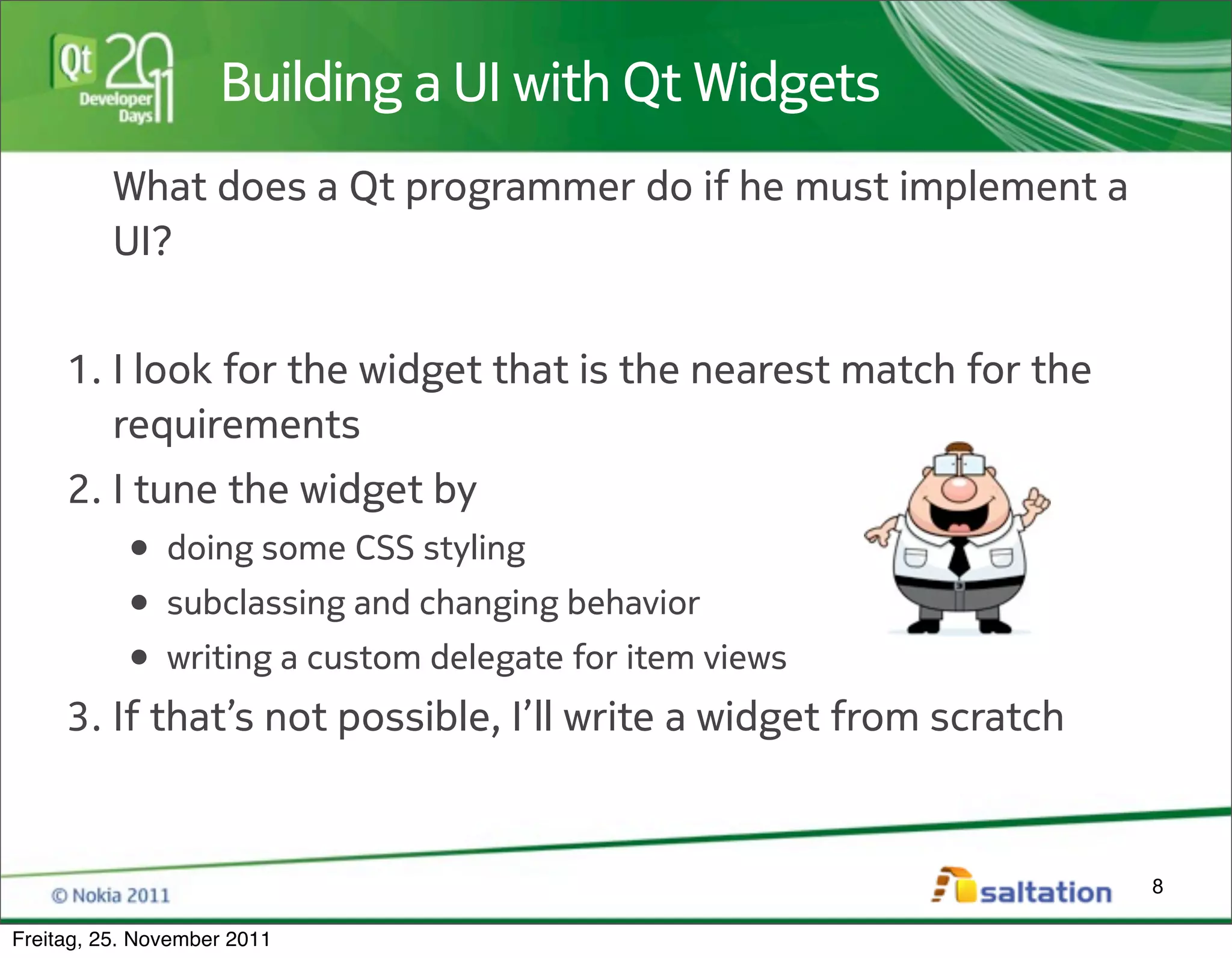
Building a UI with Qt Widgets
          What does a Qt programmer do if he must implement a
          UI?


     1. I look for the widget that is the nearest match for the
        requirements
     2. I tune the widget by
         • doing some CSS styling
         • subclassing and changing behavior
         • writing a custom delegate for item views
     3. If that’s not possible, I’ll write a widget from scratch


                                                                   8

Freitag, 25. November 2011
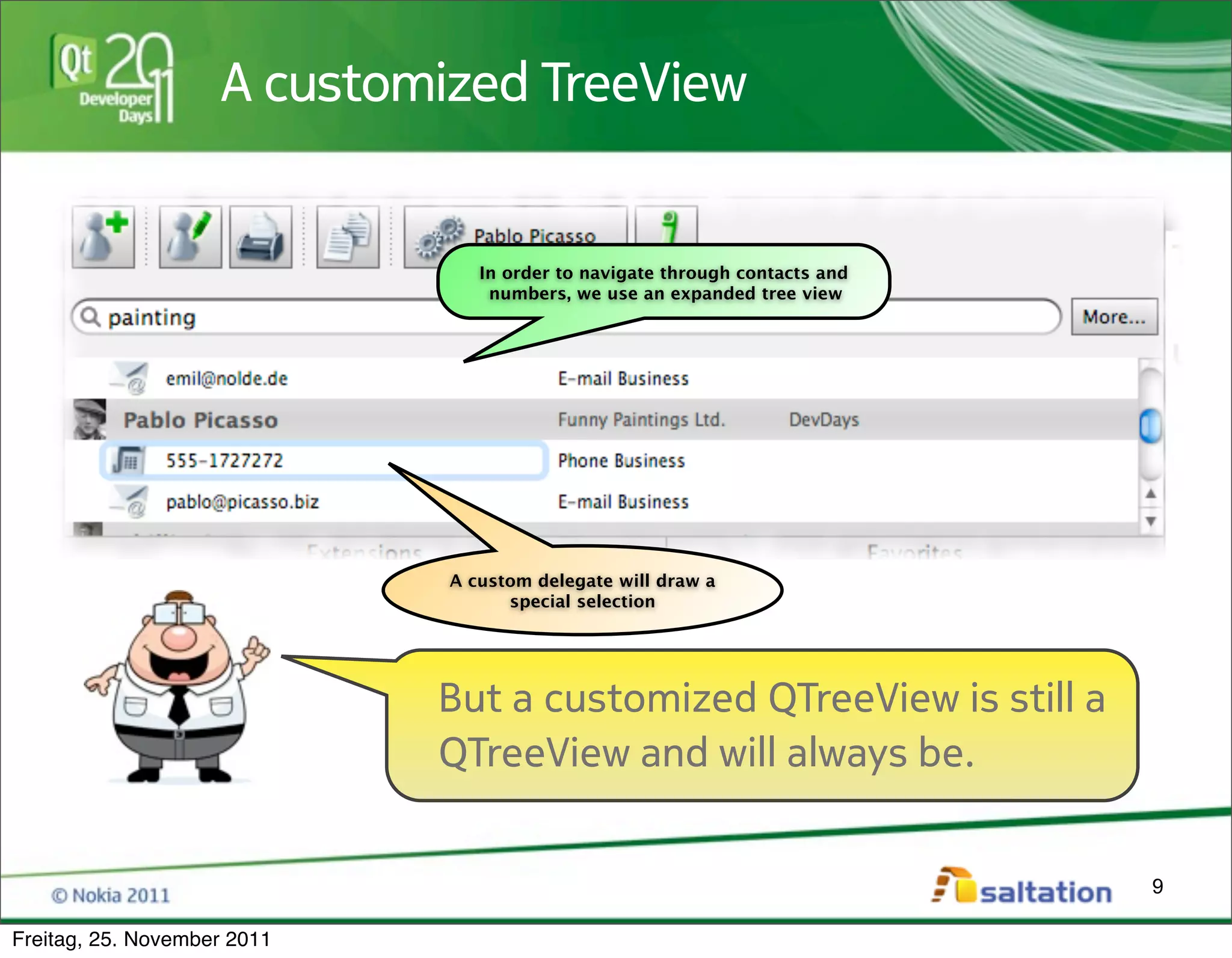
A customized TreeView


                                In order to navigate through contacts and
                                 numbers, we use an expanded tree view


                             A custom delegate will draw a
                                   special selection


                             But a customized QTreeView is still a
                             QTreeView and will always be.


                                                                            9

Freitag, 25. November 2011
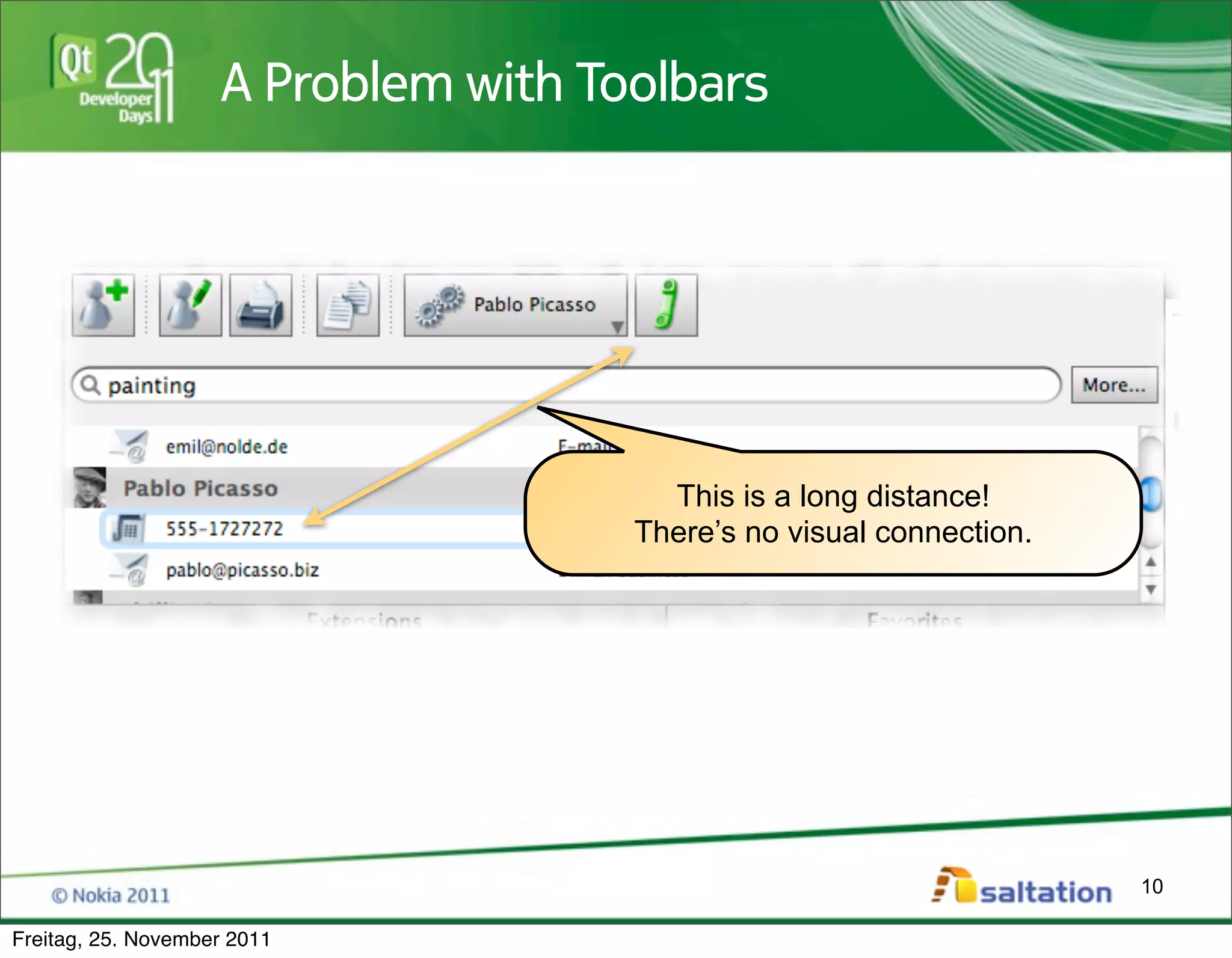
A Problem with Toolbars


                                       This is a long distance!
                                     There’s no visual connection.


                                                                     10

Freitag, 25. November 2011
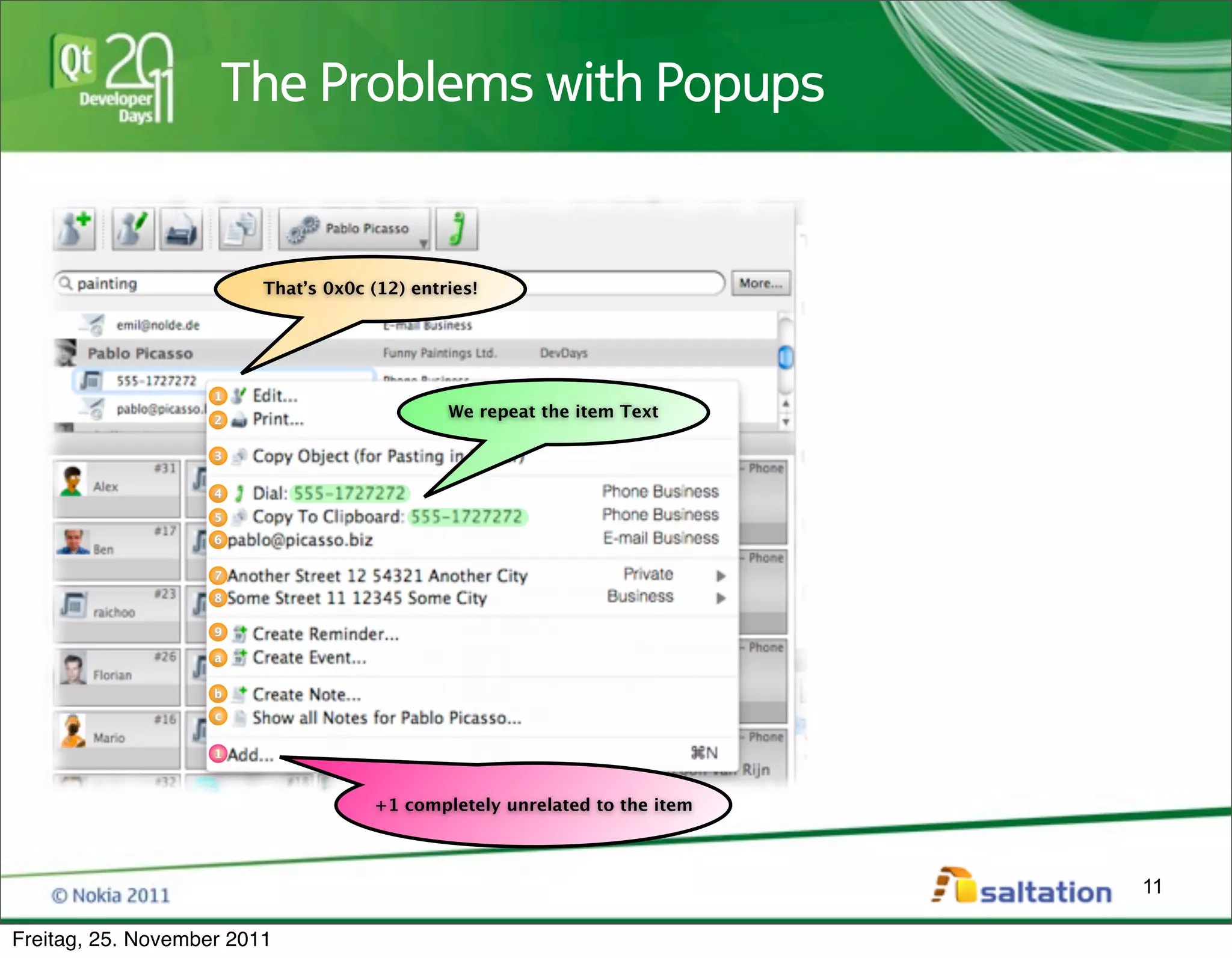
The Problems with Popups


                         That’s 0x0c (12) entries!


                    1

                    2
                                              We repeat the item Text

                    3


                    4

                    5
                    6


                    7
                    8

                    9

                    a


                    b
                    c


                    1


                                     +1 completely unrelated to the item


                                                                           11

Freitag, 25. November 2011
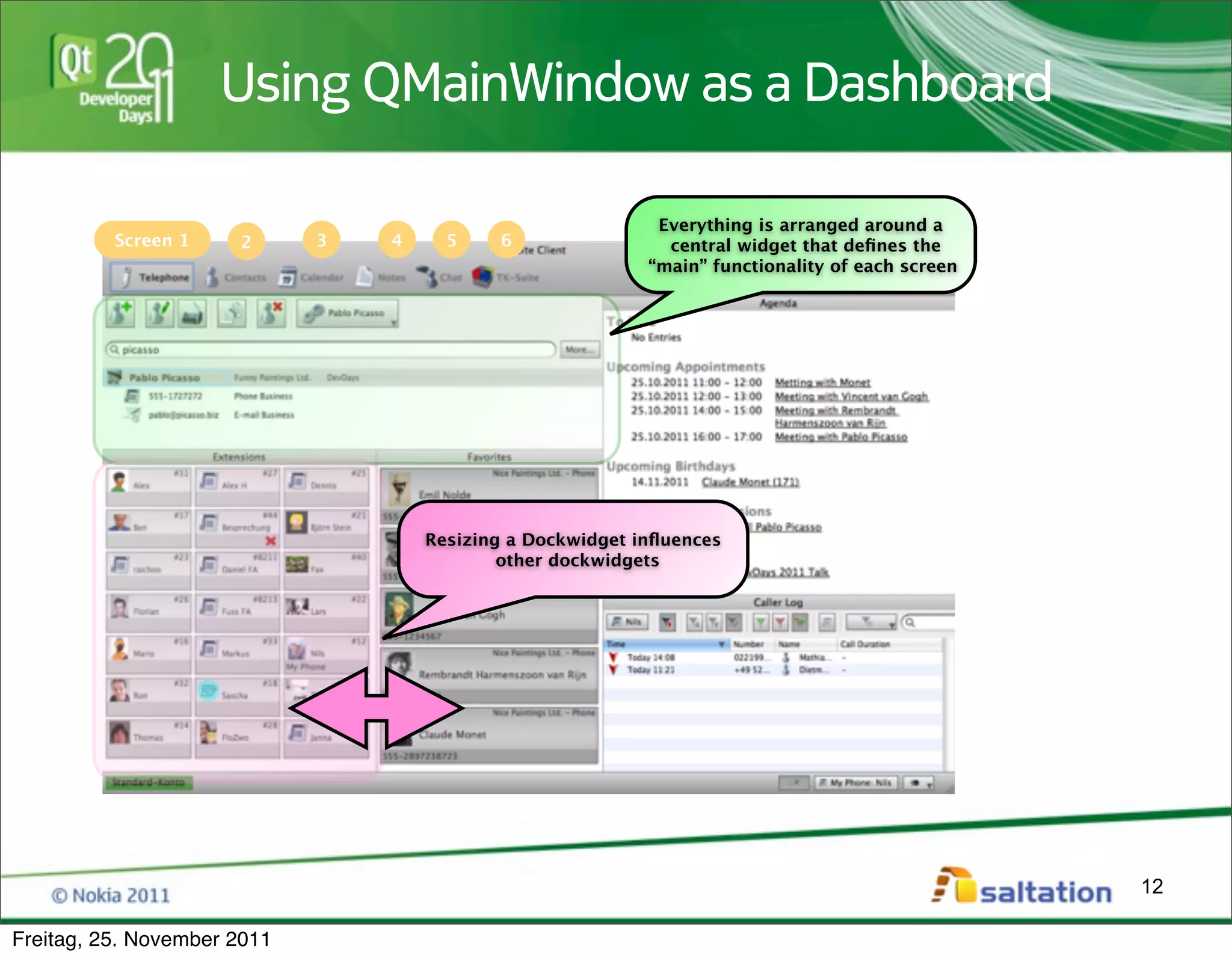
Using QMainWindow as a Dashboard

                                                             Everything is arranged around a
          Screen 1    2      3   4     5    6                 central widget that defines the
                                                            “main” functionality of each screen


                                     Resizing a Dockwidget influences
                                             other dockwidgets


                                                                                                  12

Freitag, 25. November 2011
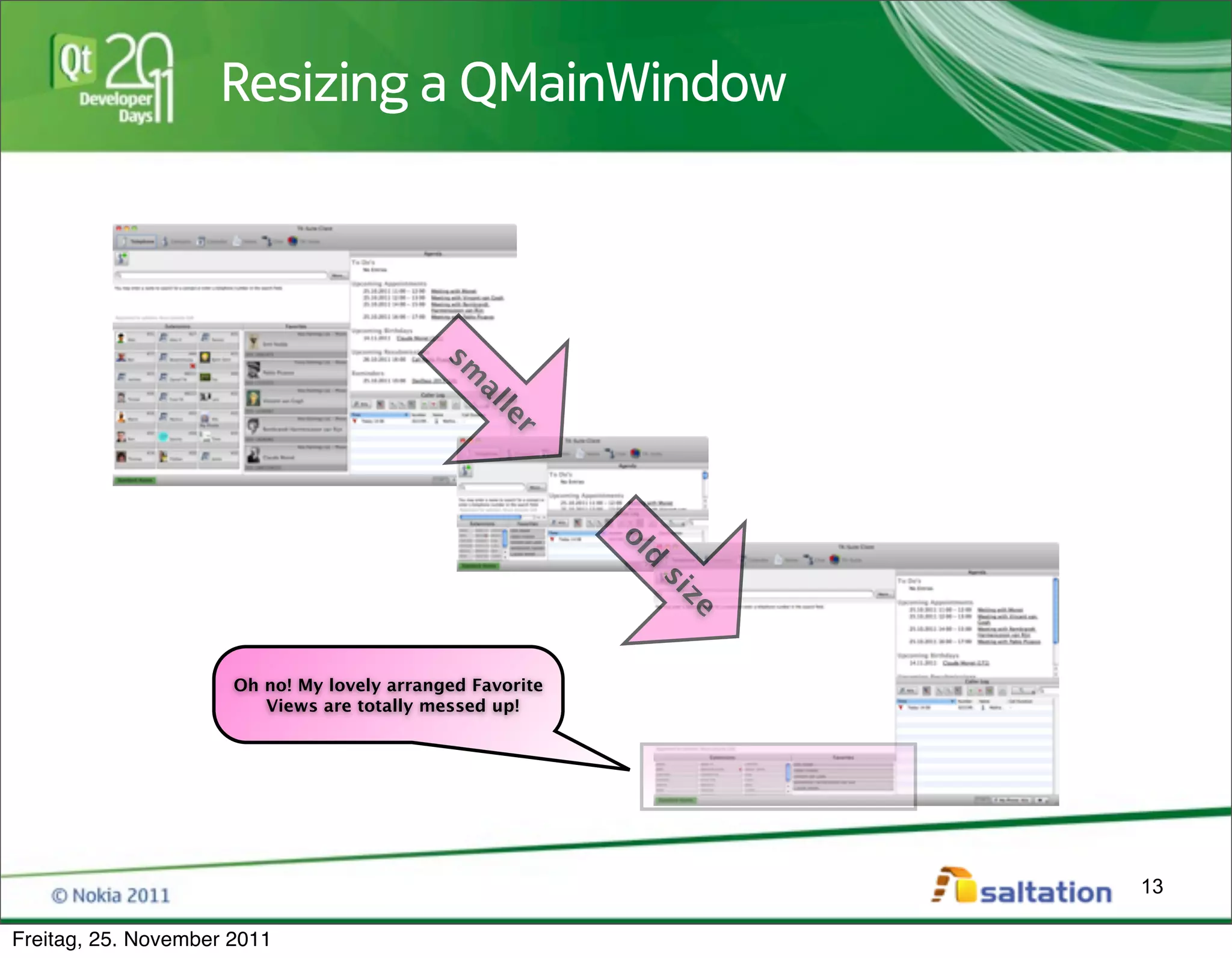
Resizing a QMainWindow


                                            sm
                                              al
                                                  le
                                                    r


                                                           ol
                                                              d
                                                             si
                      Oh no! My lovely arranged Favorite
                                                                  ze
                         Views are totally messed up!


                                                                       13

Freitag, 25. November 2011
I have a certain feeling that we
                             need to do something about
                             this!


                                                                14

Freitag, 25. November 2011
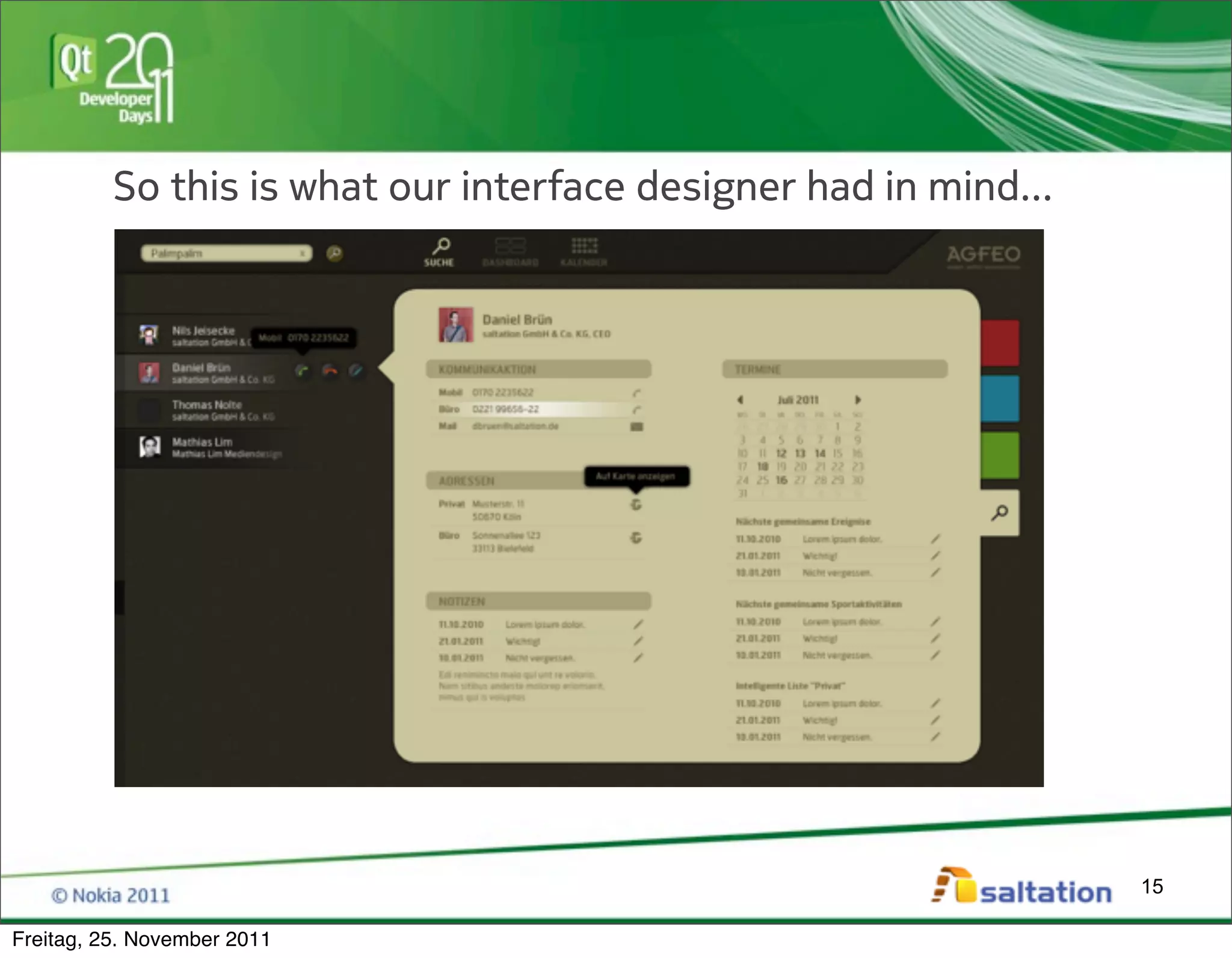
So this is what our interface designer had in mind...


                                                                  15

Freitag, 25. November 2011
...and this was our programmer’s reaction:


                                 If I will have to code this with
                                 QWidgets and CSS styling
                                 I’m going to shoot myself.


                                                                    16

Freitag, 25. November 2011
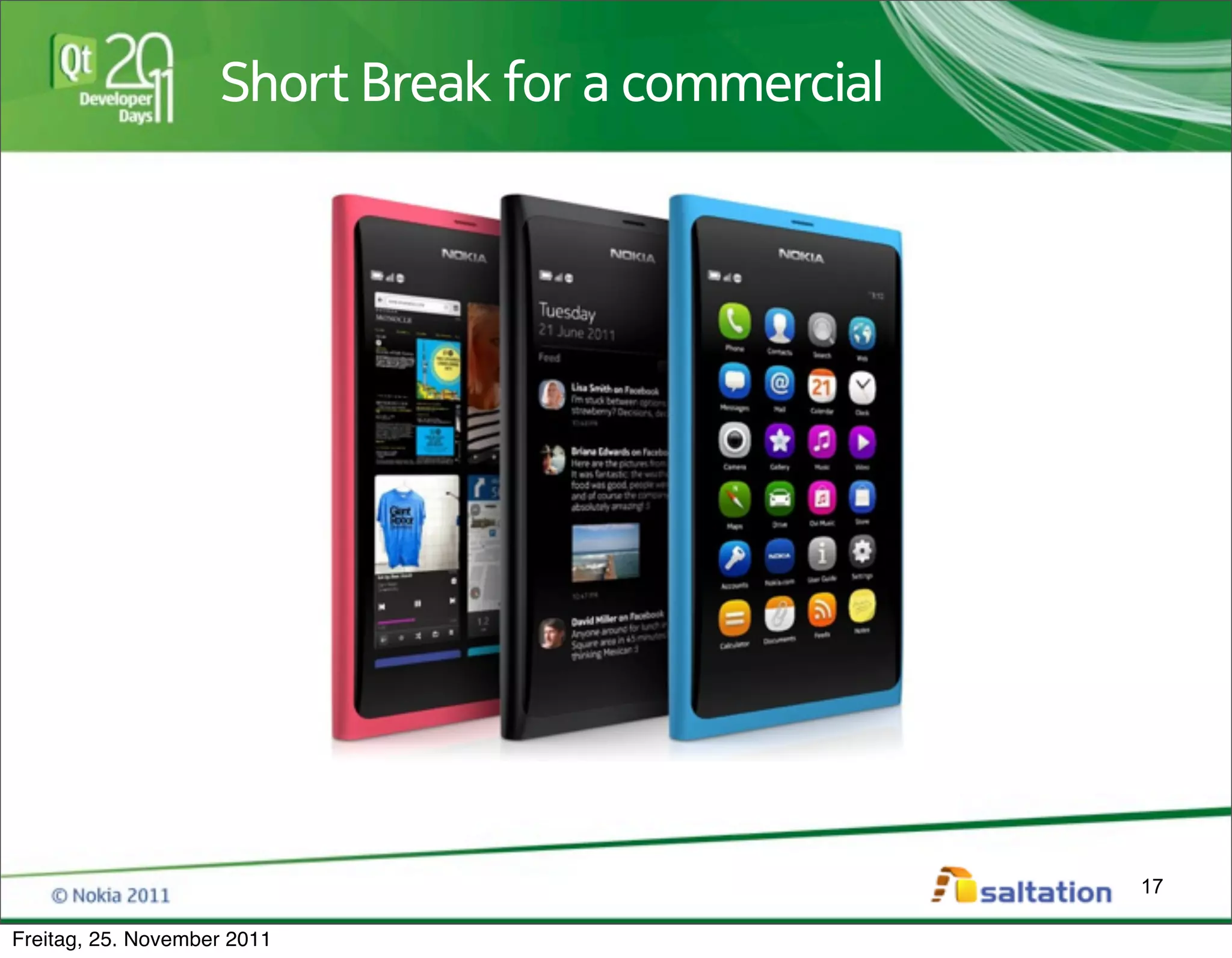
Short Break for a commercial


                                                   17

Freitag, 25. November 2011
Whatever the future of Qt on mobile
                         phones will be...

                             Nokia gave us a precious gift:


                                                              18

Freitag, 25. November 2011
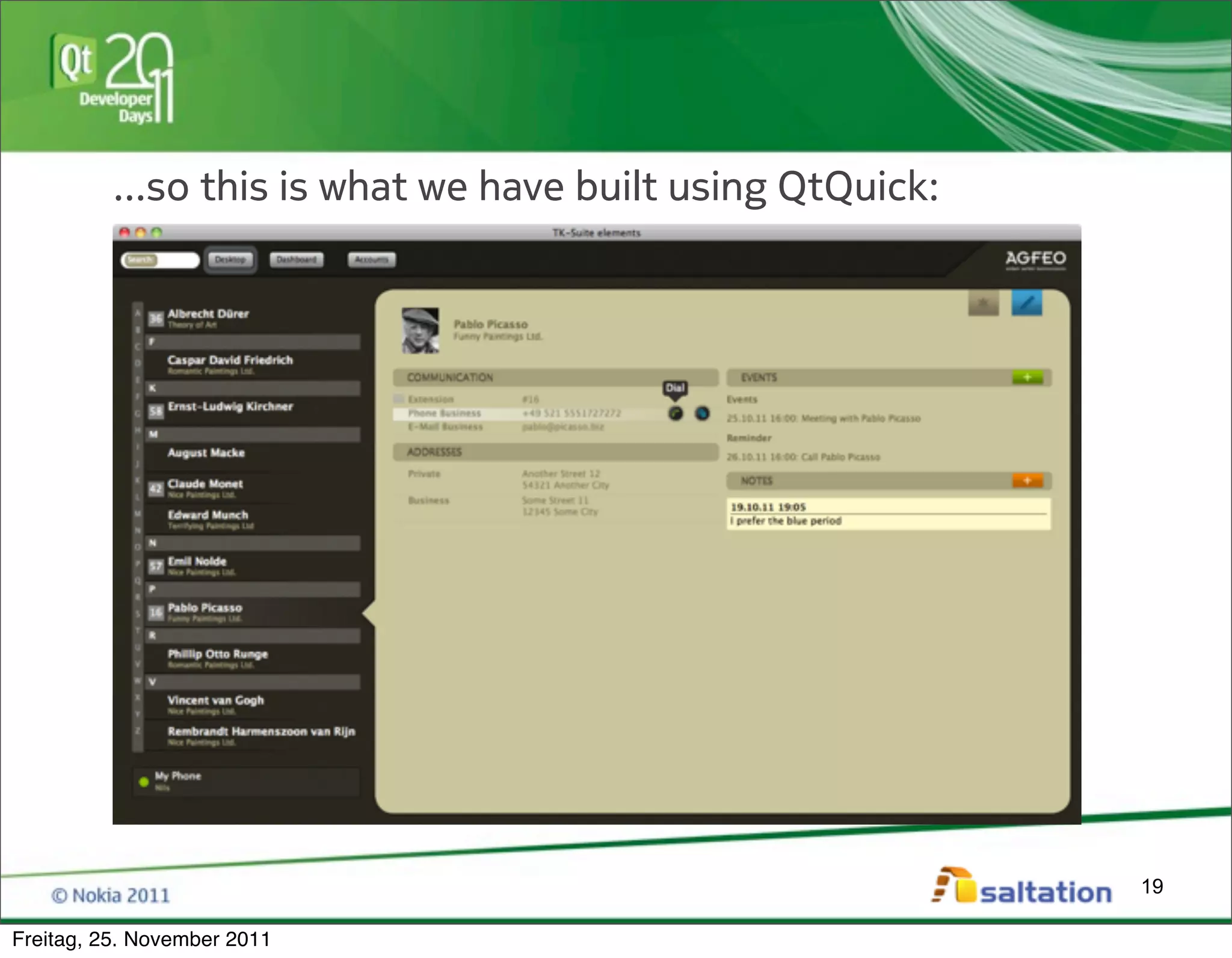
...so this is what we have built using QtQuick:


                                                            19

Freitag, 25. November 2011
* Live Demo of Version 5 *


                                       20

Freitag, 25. November 2011
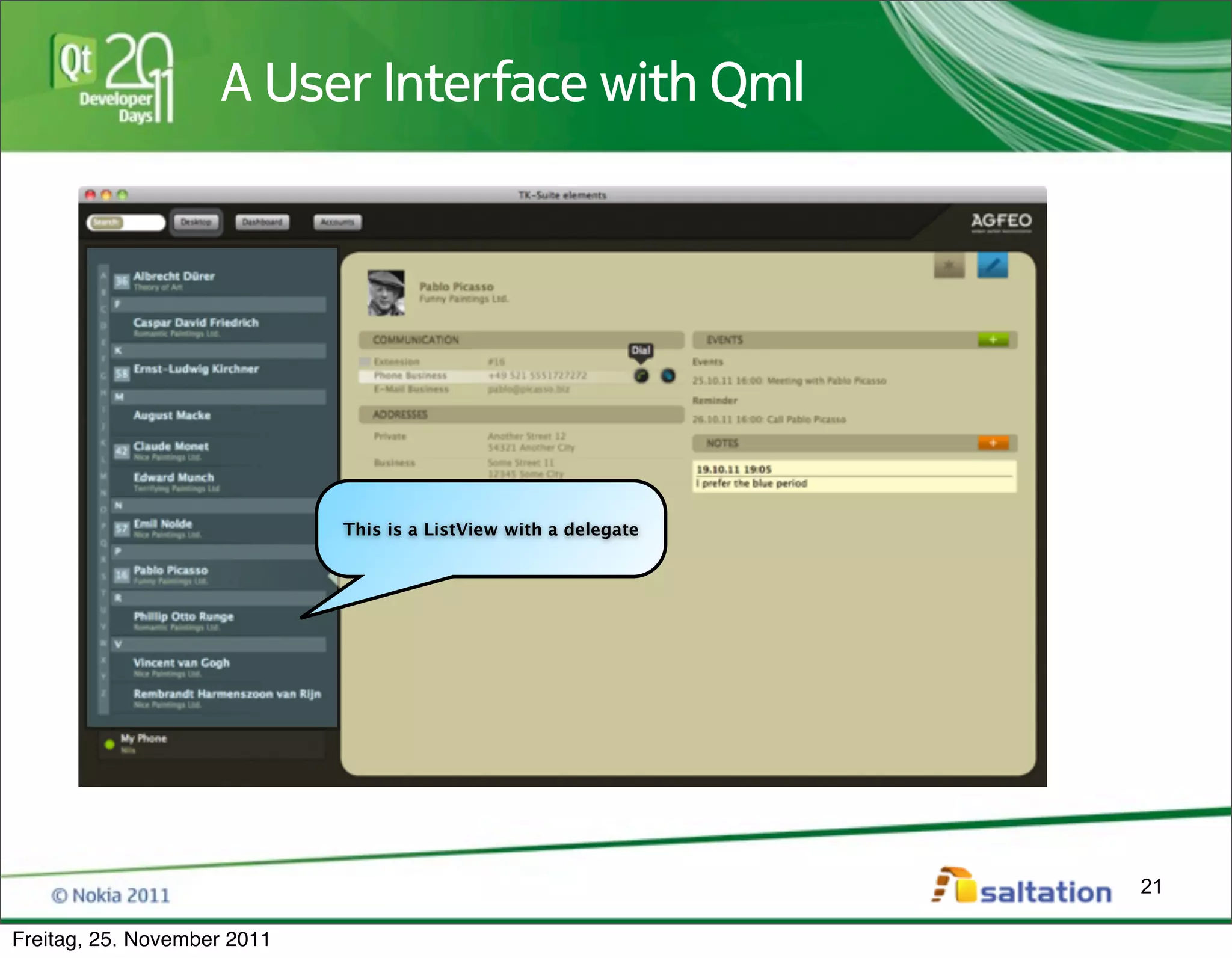
A User Interface with Qml


                             This is a ListView with a delegate


                                                                  21

Freitag, 25. November 2011
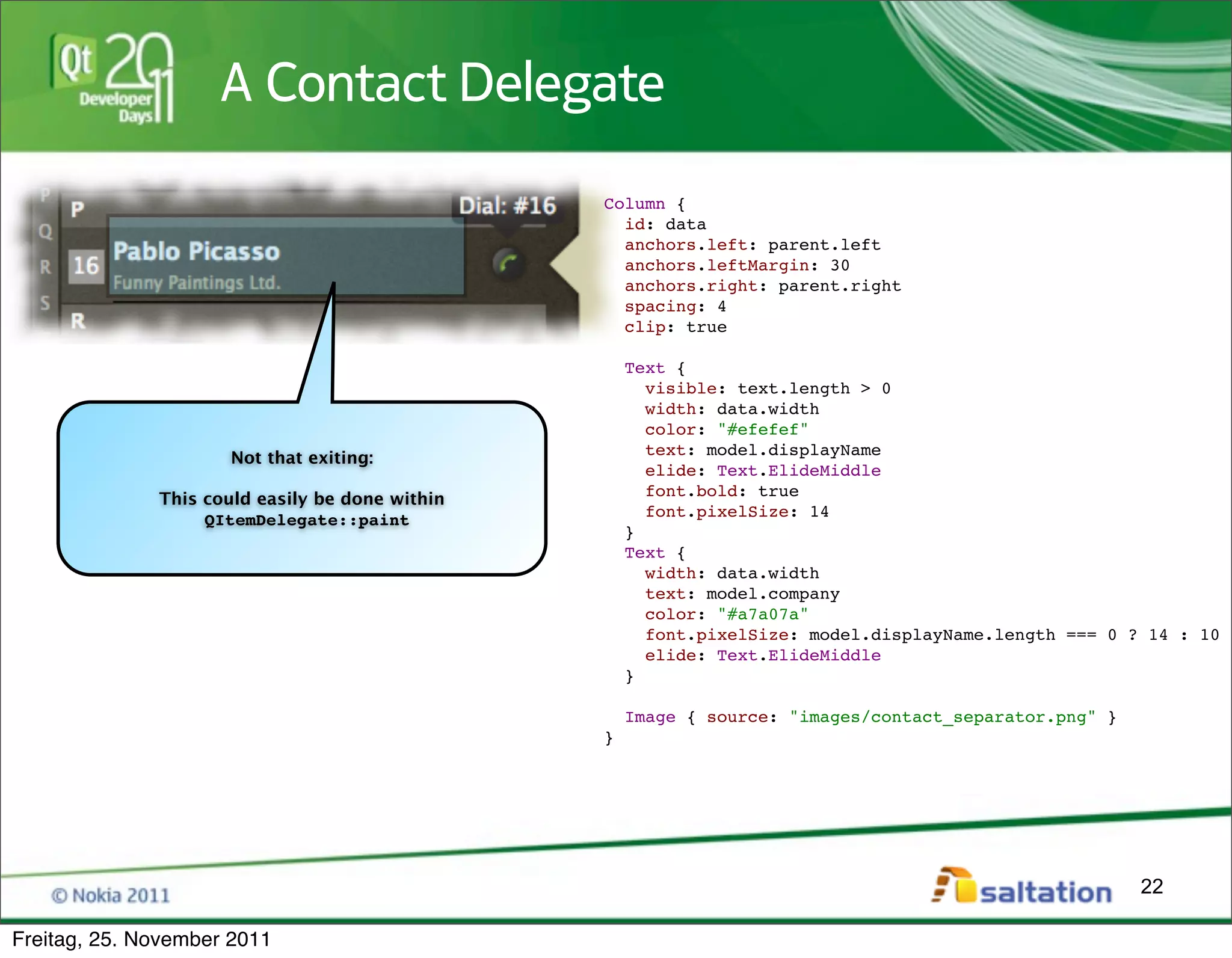
A Contact Delegate
                                                 Column {
                                                   id: data
                                                   anchors.left: parent.left
                                                   anchors.leftMargin: 30
                                                   anchors.right: parent.right
                                                   spacing: 4
                                                   clip: true

                                                     Text {
                                                       visible: text.length > 0
                                                       width: data.width
                                                       color: "#efefef"
                                                       text: model.displayName
                      Not that exiting:
                                                       elide: Text.ElideMiddle
                                                       font.bold: true
              This could easily be done within
                                                       font.pixelSize: 14
                   QItemDelegate::paint
                                                     }
                                                     Text {
                                                       width: data.width
                                                       text: model.company
                                                       color: "#a7a07a"
                                                       font.pixelSize: model.displayName.length === 0 ? 14 : 10
                                                       elide: Text.ElideMiddle
                                                     }

                                                     Image { source: "images/contact_separator.png" }
                                                 }


                                                                                                        22

Freitag, 25. November 2011
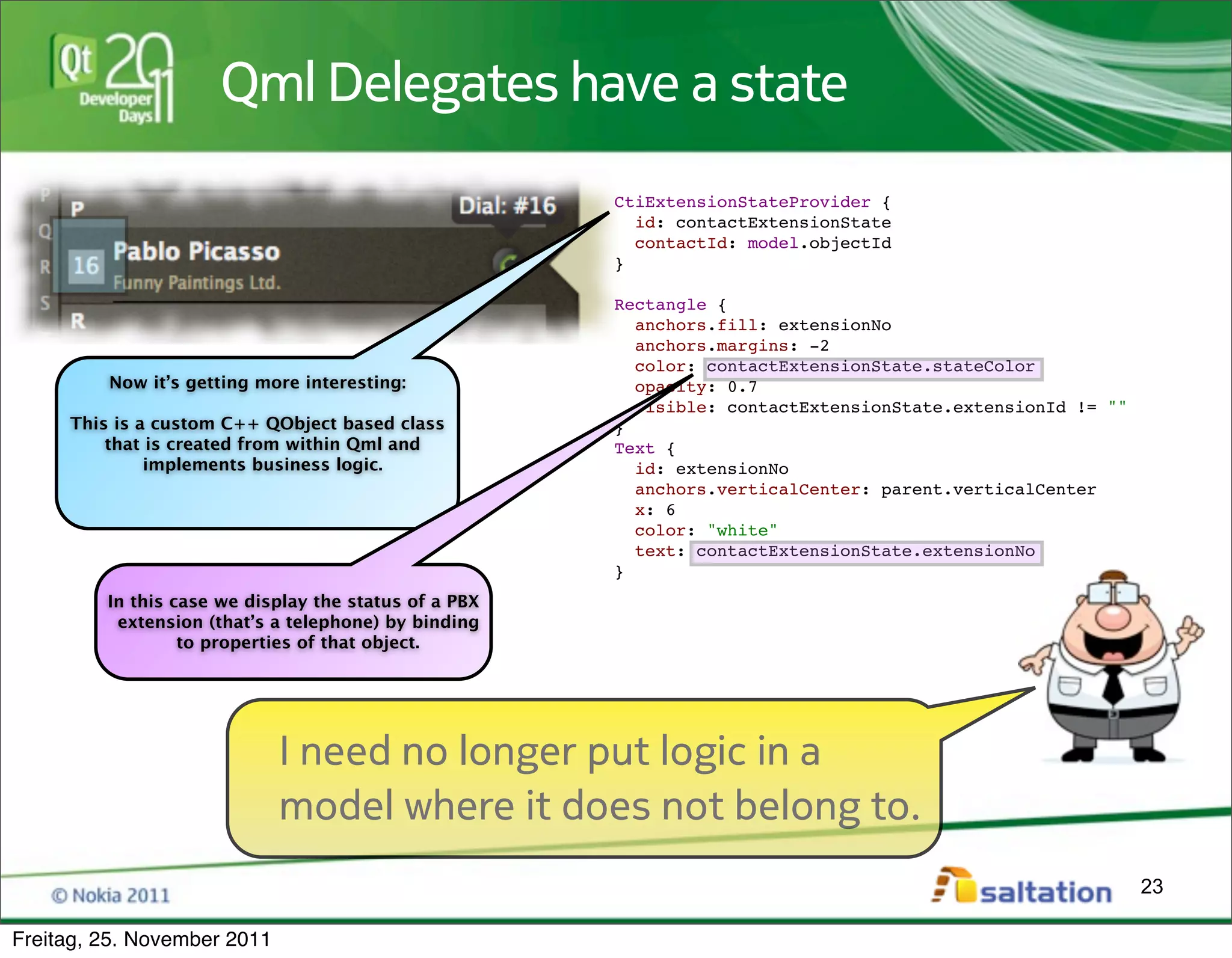
Qml Delegates have a state
                                                       CtiExtensionStateProvider {
                                                         id: contactExtensionState
                                                         contactId: model.objectId
                                                       }

                                                       Rectangle {
                                                         anchors.fill: extensionNo
                                                         anchors.margins: -2
                                                         color: contactExtensionState.stateColor
         Now it’s getting more interesting:              opacity: 0.7
                                                         visible: contactExtensionState.extensionId != ""
     This is a custom C++ QObject based class          }
         that is created from within Qml and           Text {
              implements business logic.                 id: extensionNo
                                                         anchors.verticalCenter: parent.verticalCenter
                                                         x: 6
                                                         color: "white"
                                                         text: contactExtensionState.extensionNo
                                                       }
         In this case we display the status of a PBX
          extension (that’s a telephone) by binding
                  to properties of that object.


                             I need no longer put logic in a
                             model where it does not belong to.
                                                                                                            23

Freitag, 25. November 2011
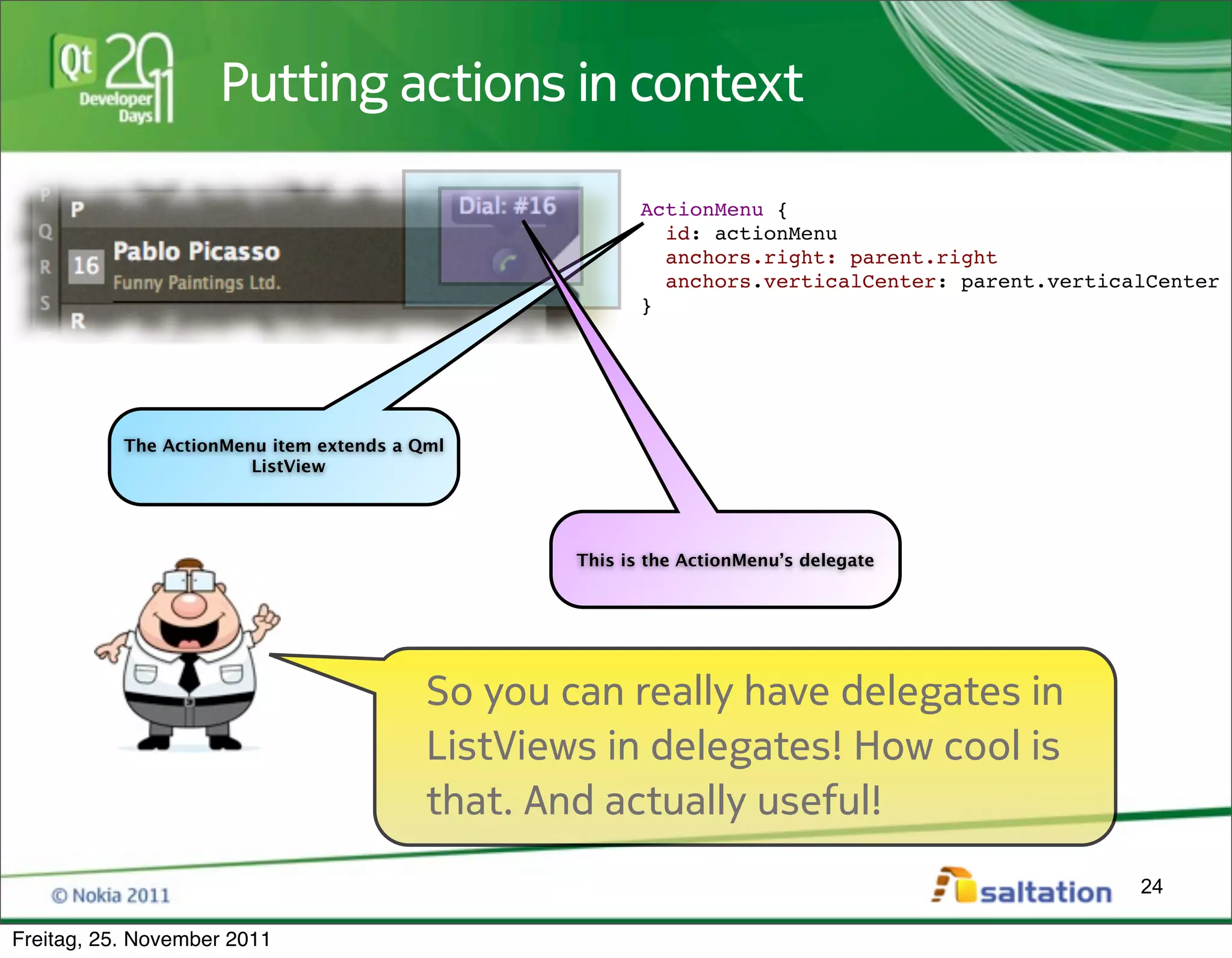
Putting actions in context

                                                         ActionMenu {
                                                           id: actionMenu
                                                           anchors.right: parent.right
                                                           anchors.verticalCenter: parent.verticalCenter
                                                         }


           The ActionMenu item extends a Qml
                        ListView


                                                  This is the ActionMenu’s delegate


                                          So you can really have delegates in
                                          ListViews in delegates! How cool is
                                          that. And actually useful!
                                                                                                 24

Freitag, 25. November 2011
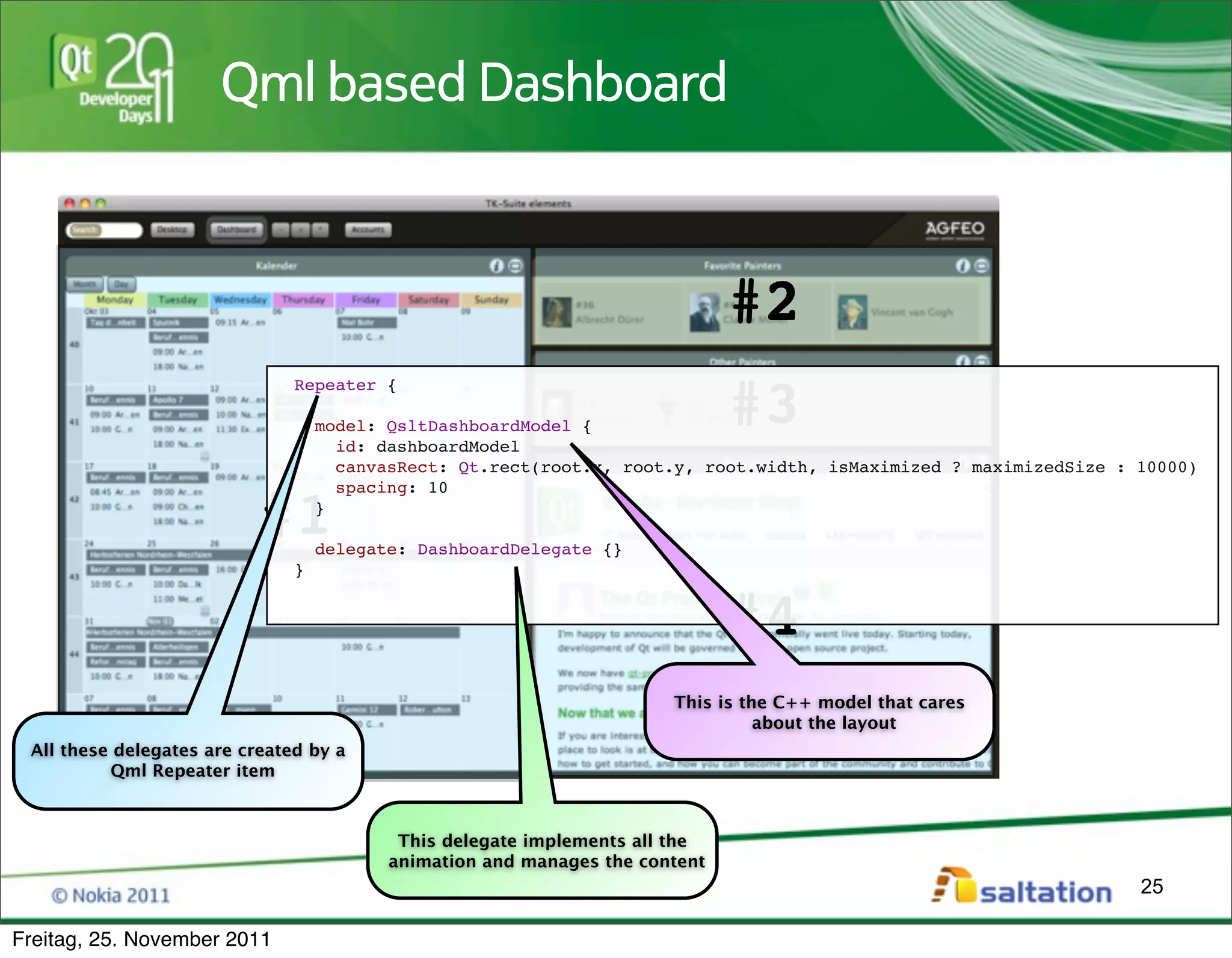
Qml based Dashboard


                                                                              #2
                                                                              #3
                               Repeater {

                                   model: QsltDashboardModel {
                                     id: dashboardModel
                                     canvasRect: Qt.rect(root.x, root.y, root.width, isMaximized ? maximizedSize : 10000)
                                     spacing: 10

                           #1      }

                                   delegate: DashboardDelegate {}
                               }


                                                                              #4
                                                                       This is the C++ model that cares
                                                                                 about the layout
 All these delegates are created by a
          Qml Repeater item


                                           This delegate implements all the
                                          animation and manages the content
                                                                                                                   25

Freitag, 25. November 2011
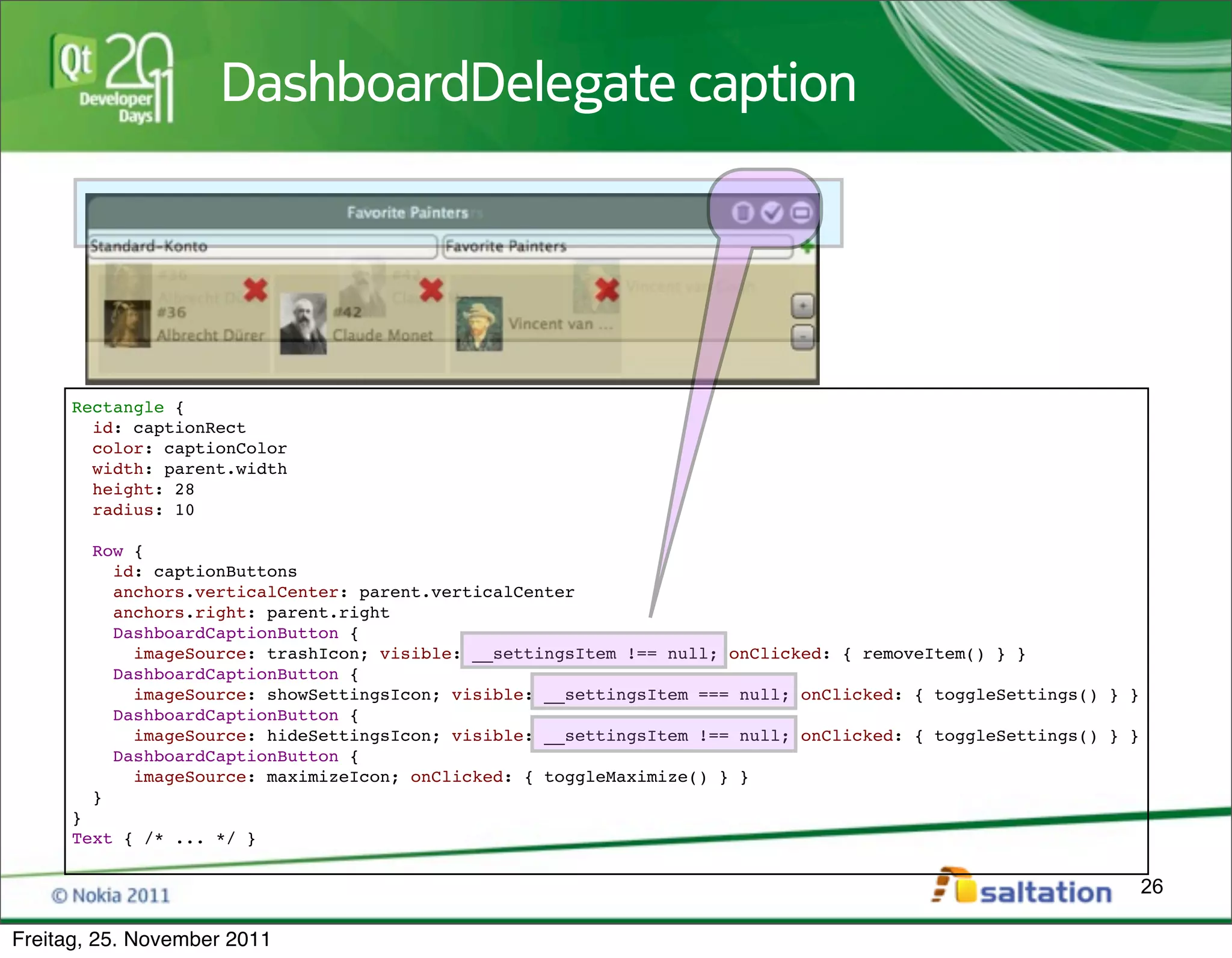
DashboardDelegate caption


     Rectangle {
       id: captionRect
       color: captionColor
       width: parent.width
       height: 28
       radius: 10

        Row {
          id: captionButtons
          anchors.verticalCenter: parent.verticalCenter
          anchors.right: parent.right
          DashboardCaptionButton {
            imageSource: trashIcon; visible: __settingsItem !== null; onClicked: { removeItem() } }
          DashboardCaptionButton {
            imageSource: showSettingsIcon; visible: __settingsItem === null; onClicked: { toggleSettings() } }
          DashboardCaptionButton {
            imageSource: hideSettingsIcon; visible: __settingsItem !== null; onClicked: { toggleSettings() } }
          DashboardCaptionButton {
            imageSource: maximizeIcon; onClicked: { toggleMaximize() } }
        }
     }
     Text { /* ... */ }

                                                                                                                 26

Freitag, 25. November 2011
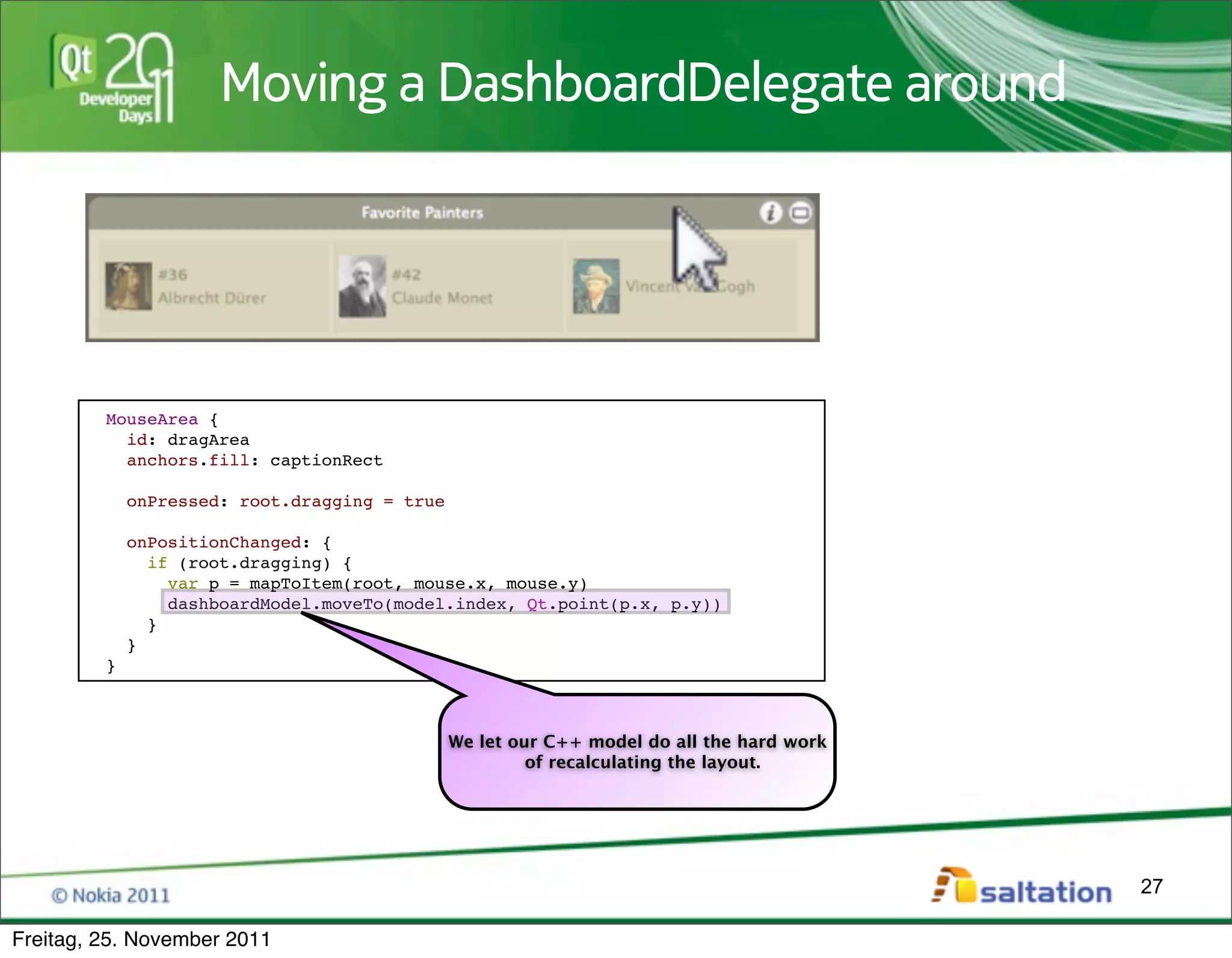
Moving a DashboardDelegate around


         MouseArea {
           id: dragArea
           anchors.fill: captionRect

             onPressed: root.dragging = true

             onPositionChanged: {
               if (root.dragging) {
                 var p = mapToItem(root, mouse.x, mouse.y)
                 dashboardModel.moveTo(model.index, Qt.point(p.x, p.y))
               }
             }
         }


                                               We let our C++ model do all the hard work
                                                        of recalculating the layout.


                                                                                           27

Freitag, 25. November 2011
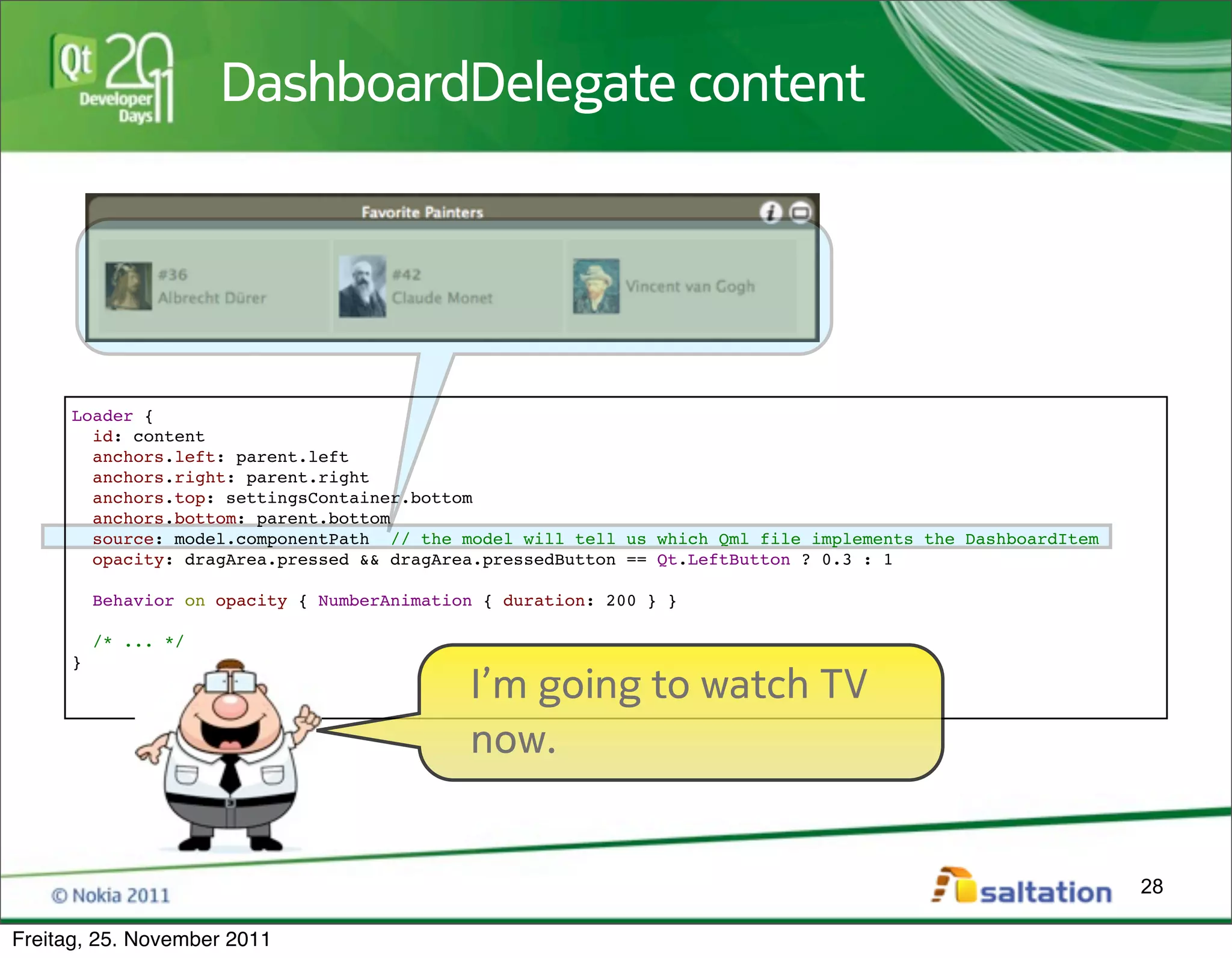
DashboardDelegate content


     Loader {
       id: content
       anchors.left: parent.left
       anchors.right: parent.right
       anchors.top: settingsContainer.bottom
       anchors.bottom: parent.bottom
       source: model.componentPath // the model will tell us which Qml file implements the DashboardItem
       opacity: dragArea.pressed && dragArea.pressedButton == Qt.LeftButton ? 0.3 : 1

         Behavior on opacity { NumberAnimation { duration: 200 } }

         /* ... */
     }
                                             I’m going to watch TV
                                             now.


                                                                                                           28

Freitag, 25. November 2011
Wireframing


          If time permits: Demo the Workspace Wireframe


                                                          29

Freitag, 25. November 2011
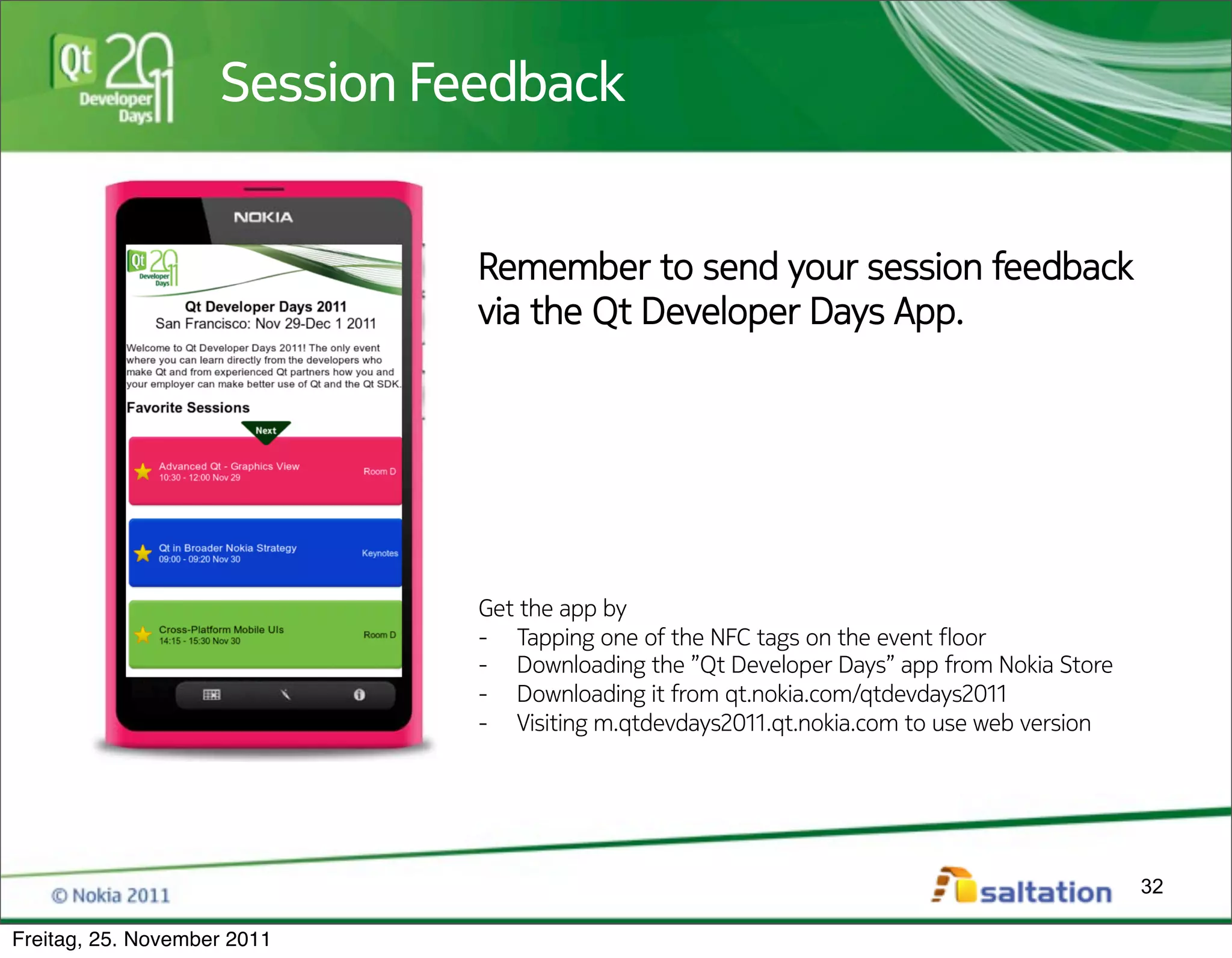
Best Practices with QtQuick
     • Use the power of Qt and C++ to implement
           – Business logic
           – Data models
           – Network communication
     • Use QObject and QAbstractItemModel to interface
       between C++ and Qml
     • Limit the use of Qml to implement
           – Data presentation
           – User Interaction
     • Don‘t forget to contact a Designer


                                                         30

Freitag, 25. November 2011
Thanks to QtQuick we can !nally
            develop state of the art cross platform
            User Interfaces.
            Thank your very much for your
            Attention and have fun at Qt
            DevDays 2011!
                                                      31

Freitag, 25. November 2011
Session Feedback
                    Session Feedback


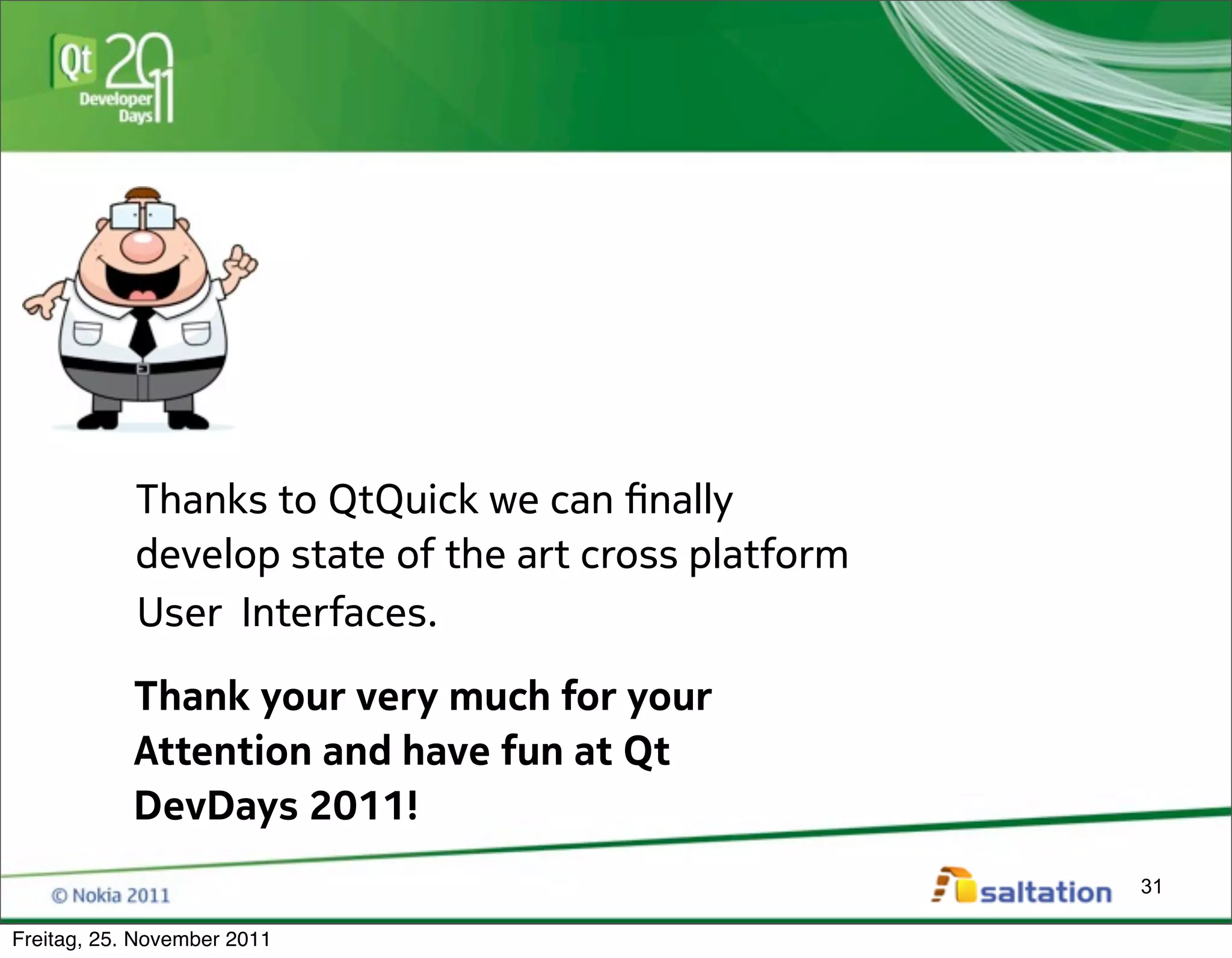
                              Remember to send your session feedback
                              via the Qt Developer Days App.


                              Get the app by
                              -  Tapping one of the NFC tags on the event !oor
                              -  Downloading the ”Qt Developer Days” app from Nokia Store
                              -  Downloading it from qt.nokia.com/qtdevdays2011
                              -  Visiting m.qtdevdays2011.qt.nokia.com to use web version


                                                                                            32

Freitag, 25. November 2011

A Desktop UI with QtQuick

  • 1.
    A Desktop UIwith QtQuick How QtQuick encouraged us to totally rethink a Desktop User Interface 1 Freitag, 25. November 2011
  • 2.
    my Qt mileage Nils Jeisecke saltation GmbH & Co. KG / Bielefeld / Germany http://www.saltation.de Qt developer > 10 years (since Qt 2) 2 Freitag, 25. November 2011
  • 3.
    The Use Case Computer Telephony Integration The Use Case is called „TK-Suite Client“, a CTI and PIM application for a PBX. Personal Information Management Business telephone system That Application went through nearly all Qt iterations: • Qt 2 used for prototype • Qt 3 used for 1.0, 2.0, 3.0 and the !rst Mac Version • Qt 4 used for 4.x 1st (!rst rewrite) 3 Freitag, 25. November 2011
  • 4.
    Evolution of TK-SuiteClient Version 1 and 2 4 Freitag, 25. November 2011
  • 5.
    Evolution of TK-SuiteClient Version 3 5 Freitag, 25. November 2011
  • 6.
    Evolution of TK-SuiteClient Version 4 6 Freitag, 25. November 2011
  • 7.
    Highlighting some UIproblems * Live Demo of Version 4 * 7 Freitag, 25. November 2011
  • 8.
    Building a UIwith Qt Widgets What does a Qt programmer do if he must implement a UI? 1. I look for the widget that is the nearest match for the requirements 2. I tune the widget by • doing some CSS styling • subclassing and changing behavior • writing a custom delegate for item views 3. If that’s not possible, I’ll write a widget from scratch 8 Freitag, 25. November 2011
  • 9.
    A customized TreeView In order to navigate through contacts and numbers, we use an expanded tree view A custom delegate will draw a special selection But a customized QTreeView is still a QTreeView and will always be. 9 Freitag, 25. November 2011
  • 10.
    A Problem withToolbars This is a long distance! There’s no visual connection. 10 Freitag, 25. November 2011
  • 11.
    The Problems withPopups That’s 0x0c (12) entries! 1 2 We repeat the item Text 3 4 5 6 7 8 9 a b c 1 +1 completely unrelated to the item 11 Freitag, 25. November 2011
  • 12.
    Using QMainWindow asa Dashboard Everything is arranged around a Screen 1 2 3 4 5 6 central widget that defines the “main” functionality of each screen Resizing a Dockwidget influences other dockwidgets 12 Freitag, 25. November 2011
  • 13.
    Resizing a QMainWindow sm al le r ol d si Oh no! My lovely arranged Favorite ze Views are totally messed up! 13 Freitag, 25. November 2011
  • 14.
    I have acertain feeling that we need to do something about this! 14 Freitag, 25. November 2011
  • 15.
    So this iswhat our interface designer had in mind... 15 Freitag, 25. November 2011
  • 16.
    ...and this wasour programmer’s reaction: If I will have to code this with QWidgets and CSS styling I’m going to shoot myself. 16 Freitag, 25. November 2011
  • 17.
    Short Break fora commercial 17 Freitag, 25. November 2011
  • 18.
    Whatever the futureof Qt on mobile phones will be... Nokia gave us a precious gift: 18 Freitag, 25. November 2011
  • 19.
    ...so this iswhat we have built using QtQuick: 19 Freitag, 25. November 2011
  • 20.
    * Live Demoof Version 5 * 20 Freitag, 25. November 2011
  • 21.
    A User Interfacewith Qml This is a ListView with a delegate 21 Freitag, 25. November 2011
  • 22.
    A Contact Delegate Column { id: data anchors.left: parent.left anchors.leftMargin: 30 anchors.right: parent.right spacing: 4 clip: true Text { visible: text.length > 0 width: data.width color: "#efefef" text: model.displayName Not that exiting: elide: Text.ElideMiddle font.bold: true This could easily be done within font.pixelSize: 14 QItemDelegate::paint } Text { width: data.width text: model.company color: "#a7a07a" font.pixelSize: model.displayName.length === 0 ? 14 : 10 elide: Text.ElideMiddle } Image { source: "images/contact_separator.png" } } 22 Freitag, 25. November 2011
  • 23.
    Qml Delegates havea state CtiExtensionStateProvider { id: contactExtensionState contactId: model.objectId } Rectangle { anchors.fill: extensionNo anchors.margins: -2 color: contactExtensionState.stateColor Now it’s getting more interesting: opacity: 0.7 visible: contactExtensionState.extensionId != "" This is a custom C++ QObject based class } that is created from within Qml and Text { implements business logic. id: extensionNo anchors.verticalCenter: parent.verticalCenter x: 6 color: "white" text: contactExtensionState.extensionNo } In this case we display the status of a PBX extension (that’s a telephone) by binding to properties of that object. I need no longer put logic in a model where it does not belong to. 23 Freitag, 25. November 2011
  • 24.
    Putting actions incontext ActionMenu { id: actionMenu anchors.right: parent.right anchors.verticalCenter: parent.verticalCenter } The ActionMenu item extends a Qml ListView This is the ActionMenu’s delegate So you can really have delegates in ListViews in delegates! How cool is that. And actually useful! 24 Freitag, 25. November 2011
  • 25.
    Qml based Dashboard #2 #3 Repeater { model: QsltDashboardModel { id: dashboardModel canvasRect: Qt.rect(root.x, root.y, root.width, isMaximized ? maximizedSize : 10000) spacing: 10 #1 } delegate: DashboardDelegate {} } #4 This is the C++ model that cares about the layout All these delegates are created by a Qml Repeater item This delegate implements all the animation and manages the content 25 Freitag, 25. November 2011
  • 26.
    DashboardDelegate caption Rectangle { id: captionRect color: captionColor width: parent.width height: 28 radius: 10 Row { id: captionButtons anchors.verticalCenter: parent.verticalCenter anchors.right: parent.right DashboardCaptionButton { imageSource: trashIcon; visible: __settingsItem !== null; onClicked: { removeItem() } } DashboardCaptionButton { imageSource: showSettingsIcon; visible: __settingsItem === null; onClicked: { toggleSettings() } } DashboardCaptionButton { imageSource: hideSettingsIcon; visible: __settingsItem !== null; onClicked: { toggleSettings() } } DashboardCaptionButton { imageSource: maximizeIcon; onClicked: { toggleMaximize() } } } } Text { /* ... */ } 26 Freitag, 25. November 2011
  • 27.
    Moving a DashboardDelegatearound MouseArea { id: dragArea anchors.fill: captionRect onPressed: root.dragging = true onPositionChanged: { if (root.dragging) { var p = mapToItem(root, mouse.x, mouse.y) dashboardModel.moveTo(model.index, Qt.point(p.x, p.y)) } } } We let our C++ model do all the hard work of recalculating the layout. 27 Freitag, 25. November 2011
  • 28.
    DashboardDelegate content Loader { id: content anchors.left: parent.left anchors.right: parent.right anchors.top: settingsContainer.bottom anchors.bottom: parent.bottom source: model.componentPath // the model will tell us which Qml file implements the DashboardItem opacity: dragArea.pressed && dragArea.pressedButton == Qt.LeftButton ? 0.3 : 1 Behavior on opacity { NumberAnimation { duration: 200 } } /* ... */ } I’m going to watch TV now. 28 Freitag, 25. November 2011
  • 29.
    Wireframing If time permits: Demo the Workspace Wireframe 29 Freitag, 25. November 2011
  • 30.
    Best Practices withQtQuick • Use the power of Qt and C++ to implement – Business logic – Data models – Network communication • Use QObject and QAbstractItemModel to interface between C++ and Qml • Limit the use of Qml to implement – Data presentation – User Interaction • Don‘t forget to contact a Designer 30 Freitag, 25. November 2011
  • 31.
    Thanks to QtQuickwe can !nally develop state of the art cross platform User Interfaces. Thank your very much for your Attention and have fun at Qt DevDays 2011! 31 Freitag, 25. November 2011
  • 32.
    Session Feedback Session Feedback Remember to send your session feedback via the Qt Developer Days App. Get the app by -  Tapping one of the NFC tags on the event !oor -  Downloading the ”Qt Developer Days” app from Nokia Store -  Downloading it from qt.nokia.com/qtdevdays2011 -  Visiting m.qtdevdays2011.qt.nokia.com to use web version 32 Freitag, 25. November 2011