

Recommended
Recommended
More Related Content
What's hot
What's hot (20)
Similar to Love The Terminal
Similar to Love The Terminal (20)
Recently uploaded
Recently uploaded (20)
Love The Terminal
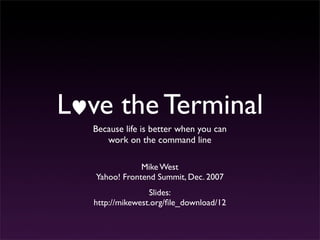
- 1. L ve the Terminal Because life is better when you can work on the command line Mike West Yahoo! Frontend Summit, Dec. 2007 Slides: http://mikewest.org/file_download/12
- 2. The command line is complex, and quite impossible to cover fully. So let’s begin by limiting our scope.
- 3. What’s the good stuff?
- 4. Foundations Unix-style systems all behave according to similar rules; understanding those underlying ideas and processes is critical.
- 5. Connectivity My computer is a paperweight without a network; I need to get secure access to many remote machines, and do things there.
- 6. Scripting Don’t type the same things over and over; save your sanity with just a little understanding of Bash aliases and functions.
- 8. Foundations Unix-style systems are built primarily on small, single-purpose utilities that can be chained together for larger effect. http://flickr.com/photos/johnseb/458716114/
- 9. Foundations Each of these tools operates in one way or another on streams. http://flickr.com/photos/johnseb/458716114/
- 10. Foundations STDOUT $> ls file-1.txt file-2.txt $> http://flickr.com/photos/johnseb/458716114/
- 11. Foundations STDIN $> perl $x = “Hello, world!”; print quot;n$xnquot;; ^D Hello, world! $> http://flickr.com/photos/johnseb/458716114/
- 12. Foundations STDERROR $> perl $x = 1/0; print quot;n$xnquot;; Illegal division by zero at - line 1. $> http://flickr.com/photos/johnseb/458716114/
- 13. Foundations Stream Redirection http://flickr.com/photos/johnseb/458716114/
- 14. Foundations Input Redirection: `<` mikewest:~/some_dir westm$ validator < ./tmp.html mikewest:~/some_dir westm$ http://flickr.com/photos/johnseb/458716114/
- 15. Foundations Output Redirection: `>` and `>>` mikewest:~/some_dir westm$ ls > ./tmp mikewest:~/some_dir westm$ http://flickr.com/photos/johnseb/458716114/
- 16. Foundations Error Redirection: `2>` mikewest:~/some_dir westm$ errorful 2> ./dev/null mikewest:~/some_dir westm$ errorful > ./dev/null 2>&1 mikewest:~/some_dir westm$ http://flickr.com/photos/johnseb/458716114/
- 17. Foundations Chaining Streams http://flickr.com/photos/johnseb/458716114/
- 18. Foundations Small Utilities, Working Together: `|` $> ls -la | sort -r -k 5 | head -3 -rw-r--r-- 1 westm westm 34749 Oct 19 12:11 SiteAssistant.js -rw-r--r-- 1 westm westm 12292 Oct 18 22:51 .DS_Store -rw-r--r-- 1 westm westm 8161 Oct 19 11:35 SiteAssistant.css Lists the 3 (`head`) largest (`sort`) files in the current directory (`ls`) http://flickr.com/photos/johnseb/458716114/
- 19. Foundations Permissions System http://flickr.com/photos/johnseb/458716114/
- 20. Foundations Each file has an “owner”, a “group”, as well as 3 sets of execute, read, and write permission bits. http://flickr.com/photos/johnseb/458716114/
- 21. Foundations $> ls -lah -rw-r--r-- 1 westm westm 2K Aug 2 2001 xmalloc.c $> chmod 777 xmalloc.c $> ls -lah -rwxrwxrwx 1 westm westm 2K Aug 2 2001 xmalloc.c 1 --x execute 2 -w- write 3 -wx write and execute 4 r-- read 5 r-x read and execute 6 rw- read and write 7 rwx read, write and execute http://flickr.com/photos/johnseb/458716114/
- 22. Foundations Process Control http://flickr.com/photos/johnseb/458716114/
- 23. Foundations You can start processes in the background with `&`, pause processes with Crtl-Z, and deal with paused processes using `fg` and `bg`. http://flickr.com/photos/johnseb/458716114/
- 24. Foundations Demo go herquot; http://flickr.com/photos/johnseb/458716114/
- 25. Foundations Editing Files http://flickr.com/photos/johnseb/458716114/
- 26. Foundations Avoid holy wars; just use VIM. http://flickr.com/photos/johnseb/458716114/
- 27. Foundations Demo go herquot; http://flickr.com/photos/johnseb/458716114/
- 29. Connectivity Whatever your connectivity needs, SSH is almost certainly the answer. http://www.flickr.com/photos/hi-phi/36854889/
- 30. Connectivity Passwords are annoying L mikewest:~ westm$ ssh mikewest@mikewest.org I Password: Last login: Thu Nov 29 11:45:59 2007 from 193.93.196.161 _____________________________________ A ________| |_________ | girard.joyent.us | / | | / F | quot;Mrs. Robinson, you're trying | / | to seduce me. Aren't you?quot; | / / |_____________________________________| /___________) (___________ [girard:~] mikewest$ http://www.flickr.com/photos/hi-phi/36854889/
- 31. Connectivity SSH Keys are much better http://www.flickr.com/photos/hi-phi/36854889/
- 32. Connectivity SSH Keys are much friendlier and are trivial to create and use. http://www.flickr.com/photos/hi-phi/36854889/
- 33. Connectivity Just run `ssh-keygen` mikewest:~ westm$ ssh-keygen -t rsa -b 2048 Generating public/private rsa key pair. Enter file in which to save the key (/Users/westm/.ssh/ id_rsa): /Users/westm/.ssh/test_rsa Enter passphrase (empty for no passphrase): Enter same passphrase again: Your identification has been saved in /Users/westm/.ssh/ test_rsa. Your public key has been saved in /Users/westm/.ssh/ test_rsa.pub. The key fingerprint is: 8f:0b:e7:ea:17:61:69:6a:11:06:f5:56:ac:70:c4:69 westm@mikewest.munich.corp.yahoo.com http://www.flickr.com/photos/hi-phi/36854889/
- 34. Connectivity Upload to the server, and append to ~/.ssh/authorized_keys mikewest:~ westm$ scp /Users/westm/.ssh/test_rsa.pub mikewest@mikewest.org:~/.ssh/authorized_keys http://www.flickr.com/photos/hi-phi/36854889/
- 35. Connectivity Of course, you will create passphrased keys, because anything else is idiocy. http://www.flickr.com/photos/hi-phi/36854889/
- 36. Connectivity SSH Agent http://www.flickr.com/photos/hi-phi/36854889/
- 37. Connectivity SSH Agent is Easy mikewest:~ westm$ eval `ssh-agent` Agent pid 80094 mikewest:~ westm$ ssh-add Enter passphrase for /Users/westm/.ssh/id_rsa: Identity added: /Users/westm/.ssh/id_rsa (/Users/ westm/.ssh/id_rsa) mikewest:~ westm$ http://www.flickr.com/photos/hi-phi/36854889/
- 38. Connectivity SSH Agent + Screen http://www.flickr.com/photos/hi-phi/36854889/
- 39. Connectivity Demo go herquot; http://www.flickr.com/photos/hi-phi/36854889/
- 41. Scripting Elimination of mindless repetition from your daily life is essential to your continued sanity. http://www.flickr.com/photos/mortimer/221051561/ http://www.flickr.com/photos/hi-phi/36854889/
- 42. Scripting Uploading SSH Keys, for instance. #!/bin/bash KEY=quot;$HOME/.ssh/id_rsa.pubquot; if [ -z $1 ];then echo quot;Usage: `upload_keys username@host`quot; else echo quot;Putting your key on $1... quot; ssh -q $1 - HEREDOC umask 0077; mkdir -p ~/.ssh; echo quot;`cat $KEY`quot; ~/.ssh/authorized_keys echo quot;done!quot; HEREDOC fi http://www.flickr.com/photos/mortimer/221051561/ http://www.flickr.com/photos/hi-phi/36854889/
- 43. Scripting Aliases mikewest:~ westm$ ll -/bin/bash: ll: command not found mikewest:~ westm$ alias ll=’ls -lah’ mikewest:~ westm$ ll magically insert result of `ls -lah` here mikewest:~ westm$ http://www.flickr.com/photos/mortimer/221051561/ http://www.flickr.com/photos/hi-phi/36854889/
- 44. Scripting Functions mikewest:~ westm$ httpload() { echo quot;http://$1quot; /var/tmp/$1.http_load_temp_file http_load -parallel $2 -seconds $3 /var/tmp/ $1.http_load_temp_file rm -f /var/tmp/$1.http_load_temp_file } mikewest:~ westm$ httpload mikewest.org 1000 1000000 magically insert my crashing, burning website here mikewest:~ westm$ http://www.flickr.com/photos/mortimer/221051561/ http://www.flickr.com/photos/hi-phi/36854889/
- 45. Scripting You can put frequently used functions or aliases into `~/.bash_login` so they’re available immediately. http://www.flickr.com/photos/mortimer/221051561/ http://www.flickr.com/photos/hi-phi/36854889/
- 46. Questions? Mike West mike@mikewest.org http://mikewest.org/