Downloading A Photo

1. Open your e-mail and open your message.
2. Select (click) on the attachment.
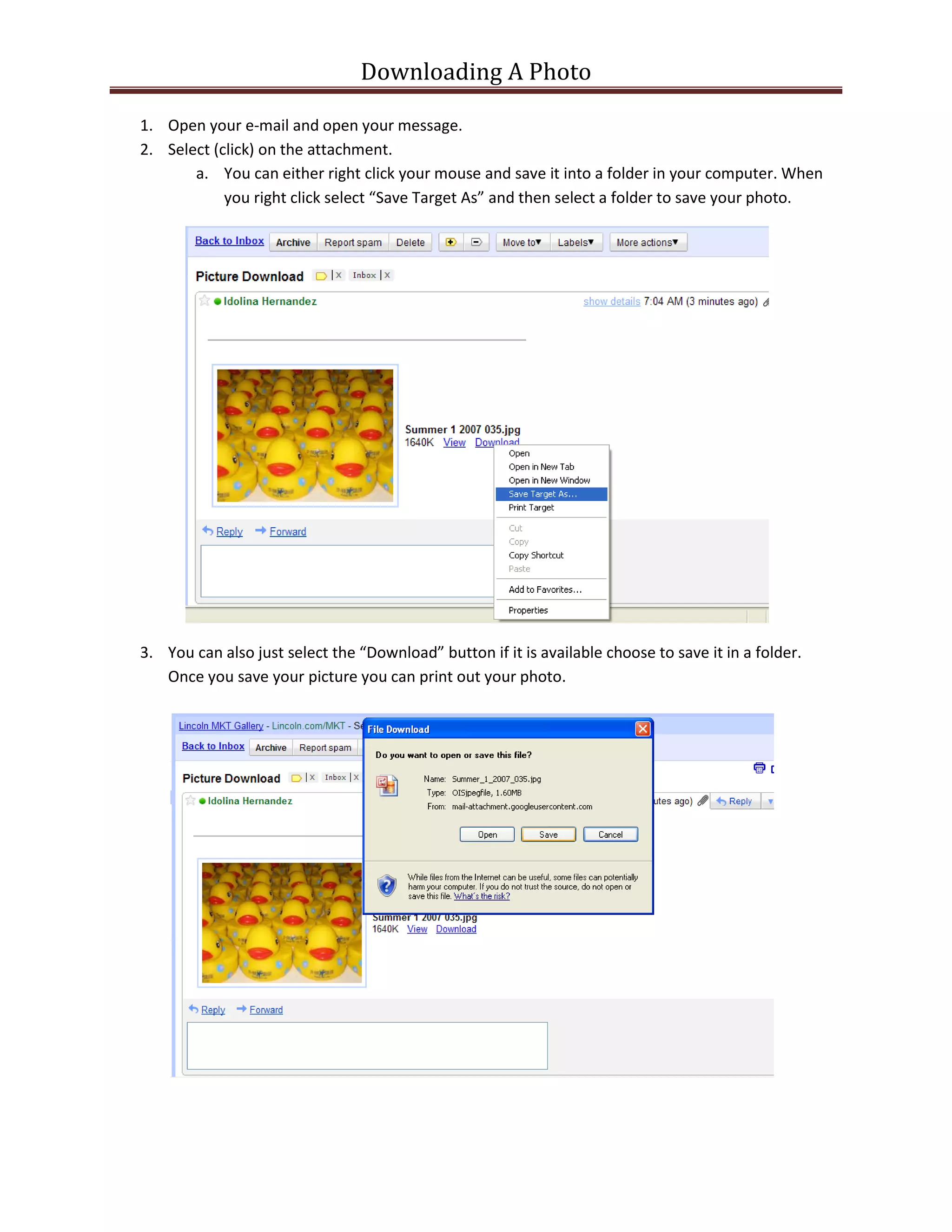
       a. You can either right click your mouse and save it into a folder in your computer. When
            you right click select “Save Target As” and then select a folder to save your photo.


3. You can also just select the “Download” button if it is available choose to save it in a folder.
   Once you save your picture you can print out your photo.

Opening and Saving a Photo Attachment

  • 1.
    Downloading A Photo 1.Open your e-mail and open your message. 2. Select (click) on the attachment. a. You can either right click your mouse and save it into a folder in your computer. When you right click select “Save Target As” and then select a folder to save your photo. 3. You can also just select the “Download” button if it is available choose to save it in a folder. Once you save your picture you can print out your photo.