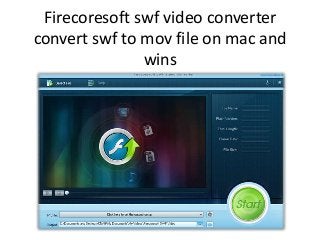
Firecoresoft SWF Video Converter help you convert swf file to mov, after converted swf to mov you can edit it with imovie, final cut pro, Sony Vegas, Premiere, etc. http://www.firecoresoft.com/convert-swf/convert-swf-to-mov.html
“Converting .swf filesto .mov?
I used Jing to make a movie of my screen, but now I have all these
.swf flash files that I want to be able to convert to files I can edit in
iMovie. “
When you trying to edit swf file with imovie, Final Cut Pro, Final Cut
Express, Sony Vegas, Adobe Premiere, etc. these application will
tell you that they can’t recognize this file. So you need a swf video
converter to convert swf file to a format which your video editor can
recognize.
3.
Firecoresoft SWF VideoConverter is one of the software that can
convert swf file to popular video format like AVI, WMV, MP4, MOV,
FLV, MPEG-1, MPEG-2, 3GP, MKV, RM, DV, MPG, FLV, etc. What's
more, you can use it to convert swf file to image file like jpg, png, gif,
bmp. If you need to extract audio from swf file this software also can
do it. This converter also allow you crop swf video, and add
watermark to your video. After converted, importing it to your video
editing software to edit the video.
4.
Steps on convertingswf to mov with Firecoresoft SWF video
converter:
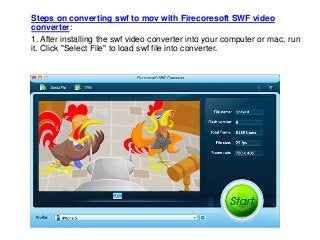
1. After installing the swf video converter into your computer or mac, run
it. Click "Select File" to load swf file into converter.
5.
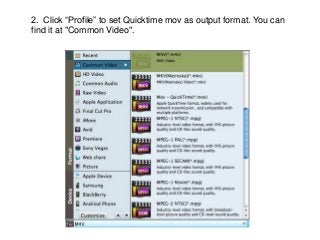
2. Click “Profile”to set Quicktime mov as output format. You can
find it at "Common Video".
6.
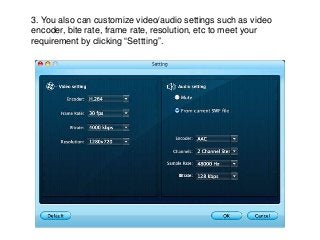
3. You alsocan customize video/audio settings such as video
encoder, bite rate, frame rate, resolution, etc to meet your
requirement by clicking “Settting”.
7.
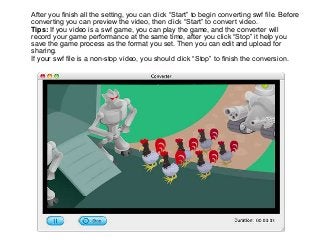
After you finishall the setting, you can click “Start” to begin converting swf file. Before
converting you can preview the video, then click “Start” to convert video.
Tips: If you video is a swf game, you can play the game, and the converter will
record your game performance at the same time, after you click “Stop” it help you
save the game process as the format you set. Then you can edit and upload for
sharing.
If your swf file is a non-stop video, you should click “Stop” to finish the conversion.
8.
Learn more aboutconverting swf to mov file.
To learn more follow us:
http://www.facebook.com/Firecoresoft
http://www.twitter.com/firecoresoft
Video Guide:
http://www.youtube.com/user/Firecoresoft