
Object Oriented Design & Analysis | Software Architect
•
0 likes•194 views

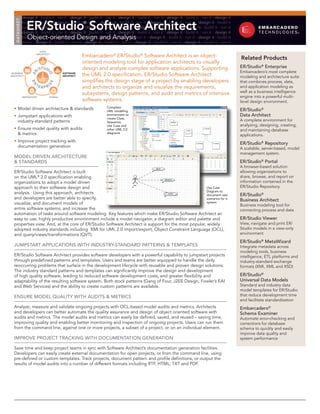
ER/Studio Software Architect is built on the UML® 2.0 specification enabling organizations to adopt a model driven approach to their software design and analysis.

Recommended
Recommended
More Related Content
More from Embarcadero Technologies
More from Embarcadero Technologies (20)
Recently uploaded
Recently uploaded (20)
Object Oriented Design & Analysis | Software Architect
- 1. design it ∙ build it ∙ run it ∙ design it ∙ build it ∙ run it ∙ design it ∙ build it ∙ run it ∙ design it ∙ build it ∙ run it ∙ design it ER/Studio Software Architect DATASHEET build it ∙ run it ∙ design it ∙ build it® run it ∙ design it ∙ build it ∙ run it ∙ design it ∙ build it ∙ run it ∙ design it ∙ build it ∙ run it ∙ design it ∙ build it ∙ run it ∙ design it ∙ build it ∙ run it ∙ design it ∙ build it ∙ run it ∙ design it ∙ build it ∙ run it design it ∙ build it ∙ run it ∙ design it ∙ build it ∙ run it ∙ design it ∙ build it ∙ run it ∙ design it ∙ build it ∙ run it ∙ design it Object-oriented Design and Analysis build it ∙ run it ∙ design it ∙ build it ∙ run it ∙ design it ∙ build it ∙ run it ∙ design it ∙ build it ∙ run it ∙ design it ∙ build it run it ∙ design it ∙ build it ∙ run it ∙ design it ∙ build it ∙ run it ∙ design it ∙ build it ∙ run it ∙ design it ∙ build it ∙ run it DATA ARCHITECT Embarcadero® ER/Studio® Software Architect is an object- Related Products oriented modeling tool for application architects to visually STUDI design and analyze complex software applications. Supporting ER/Studio® Enterprise R/ Embarcadero’s most complete BUSINESS SOFTWARE the UML 2.0 specification, ER/Studio Software Architect O E ARCHITECT ARCHITECT modeling and architecture suite simplifies the design stage of a project by enabling developers that combines process, data, EN SE TE I RPR and architects to organize and visualize the requirements, and application modeling as subsystems, design patterns, and audit and metrics of intensive well as a business intelligence REPOSITORY PORTAL engine into a powerful multi- software systems. level design environment. • Model driven architecture & standards Complete UML modeling ER/Studio® • Jumpstart applications with environment to Data Architect create Class, industry-standard patterns Sequence, A complete environment for Use Case and analyzing, designing, creating, • Ensure model quality with audits other UML 2.0 and maintaining database & metrics diagrams applications. • Improve project tracking with ER/Studio® Repository documentation generation A scalable, server-based, model management system. MoDEl DRiVEn ARchitEctURE & StAnDARDS ER/Studio® Portal A browser-based solution ER/Studio Software Architect is built allowing organizations to on the UML® 2.0 specification enabling share, browse, and report on organizations to adopt a model driven information contained in the approach to their software design and Use Case ER/Studio Repository. Diagram to analysis. Using this approach, architects document user ER/Studio® and developers are better able to specify, scenarios for a Business Architect visualize, and document models of system Business modeling tool for entire software systems, and increase the connecting process and data automation of tasks around software modeling. Key features which make ER/Studio Software Architect an easy to use, highly productive environment include a model navigator, a diagram editor and palette and ER/Studio Viewer properties view. And, at the core of ER/Studio Software Architect is support for the most popular, widely View, navigate and print ER/ adopted industry standards including XMI for UML 2.0 import/export, Object Constraint Language (OCL), Studio models in a view-only and query/views/transformations (QVT). environment ER/Studio® MetaWizard JUMPStARt APPlicAtionS With inDUStRy-StAnDARD PAttERnS & tEMPlAtES Integrate metadata across modeling tools, business ER/Studio Software Architect provides software developers with a powerful capability to jumpstart projects intelligence, ETL platforms and through predefined patterns and templates. Users and teams are better equipped to handle the daily industry-standard exchange reoccurring problems that surface in the development lifecycle with reusable and proven design solutions. formats (XMI, XML and XSD) The industry standard patterns and templates can significantly improve the design and development of high quality software, leading to reduced software development costs, and greater flexibility and ER/Studio® adaptability of the resulting software system. Both stock patterns (Gang of Four, J2EE Design, Fowler’s EAI Universal Data Models and Web Services) and the ability to create custom patterns are available. Standard and industry data model templates for ER/Studio EnSURE MoDEl QUAlity With AUDitS & MEtRicS that reduce development time and facilitate standardization Analyze, measure and validate ongoing projects with OCL-based model audits and metrics. Architects Embarcadero® and developers can better automate the quality assurance and design of object oriented software with Schema Examiner audits and metrics. The model audits and metrics can easily be defined, saved, and reused – saving time, Automate error-checking and improving quality and enabling better monitoring and inspection of ongoing projects. Users can run them corrections for database from the command line, against one or more projects, a subset of a project, or on an individual element. schema to quickly and easily improve data quality and iMPRoVE PRoJEct tRAcking With DocUMEntAtion gEnERAtion system performance Save time and keep project teams in sync with Software Architect’s documentation generation facilities. Developers can easily create external documentation for open projects, or from the command line, using pre-defined or custom templates. Track projects, document pattern and profile definitions, or output the results of model audits into a number of different formats including RTF, HTML, TXT and PDF.
- 2. ER/Studio Software Architect General Features Eclipse Platform Based on the Eclipse 3.4 platform. Sample Projects Includes sample projects to familiarize users with features. Sample projects include Audit & Metrics, Patterns & Templates, Profile Definitions, UML Diagrams and UML 2.0 Notations. Sample Cheat Sheets Cheat sheets provide interactive tutorials to help users get started with key features in the product. Cheat sheets include defining and running model audits, creating patterns from scratch, and defining UML profiles. Query/View/Transformation Standard language to transform UML, BPMN, data models and custom model types. Project Workspace Contains all the resources for a user’s work where project properties can be created including pattern definition projects, profile definition projects and UML 2.0 projects. Packaged Elements Logical and physical packages to group elements and store diagrams Model Shortcuts Model shortcuts make it easy to create multiple shortcuts to the same element on different model diagrams. Model Hyperlinking Model Hyperlinking makes it easy to create hyperlinks from diagrams to other system artifacts and browse them directly. Import/Export Interoperability is supported with various types of model import and export to XMI, MDL and MDX. Project Documentation Create external documentation for open projects. Documentation available for many different projects including, pattern definitions and audit results. Output formats include RTF, HTML, TXT, PDF and XSL-FO Modeling Features Supported UML Specification Supports UML 2.0 to visualize, specify, construct, and document the artifacts of the distributed objects systems. UML in Color Optional profile that will support the “modeling in color” methodology with support for roles, moment-interval, Mi-detail, party, place, thing and description. UML 2.0 Diagrams Supports the most frequently used diagrams and notations defined in the UML 2.0 specification including activity, class, use, component, composite, deployment, state machine and interaction diagrams. UML Profiles Includes pre-installed profiles and allows users to create profile definitions, including profile definition projects such as stereotypes, palette contributions, extensions and contributions. EMF and UML Model Compare Supports two-way and three-way EMF and UML model comparisons in a tree view. Results can be exported to an EMF XMI file. Compare and Merge Utilizes standard Eclipse synchronization APIs to provide integration with version control systems to compare and merge shared models. Template Elements and Generics Provides the ability to show templates, template signatures, parameters and template bindings in a UML 2.0 diagram OCL Support Object Constraint Language (OCL) 2.0 support for syntax highlighting, error validation, code completion and model queries. Design Patterns Design patterns that are available in stock patterns supporting Gang of Four, J2EE Design, Fowler’s EAI, and Web Services, and custom design patterns. Model Audits & Metrics OCL-based model audits and metrics support model inspections which can easily be defined, saved, and reused. Version Control Version control systems in place to enable multiple users to work with the same modeling project. Supports version control systems that can be integrated into Eclipse System Requirements • 220 MB hard disk space minimum (plus additional space during installation) • Windows XP (SP3), Windows Vista (SP2) • 1 GB memory (more recommended) • High resolution monitor (1024x768 or higher, 256 colors) • Any web browser that supports frames. Microsoft Internet Explorer 6.0 or later is recommended Download a Free Trial at www.embarcadero.com Corporate Headquarters | Embarcadero Technologies | 100 California Street, 12th Floor | San Francisco, CA 94111 | www.embarcadero.com | sales@embarcadero.com © 2009 Embarcadero Technologies, Inc. Embarcadero, the Embarcadero Technologies logos, and all other Embarcadero Technologies product or service names are trademarks or registered trademarks of Embarcadero Technologies, Inc. All other trademarks are property of their respective owners. ERSSA/DS/2009/09/25