for fun and proïŹt


jQuery Mobile © 2010 The jQuery Project                       http://jquerymobile.com/
Daniel Cousineau
Interactive Software Engineer @ RAPP
http://dcousineau.com/
@dcousineau
dcousineau@gmail.com
What Is jQuery Mobile?
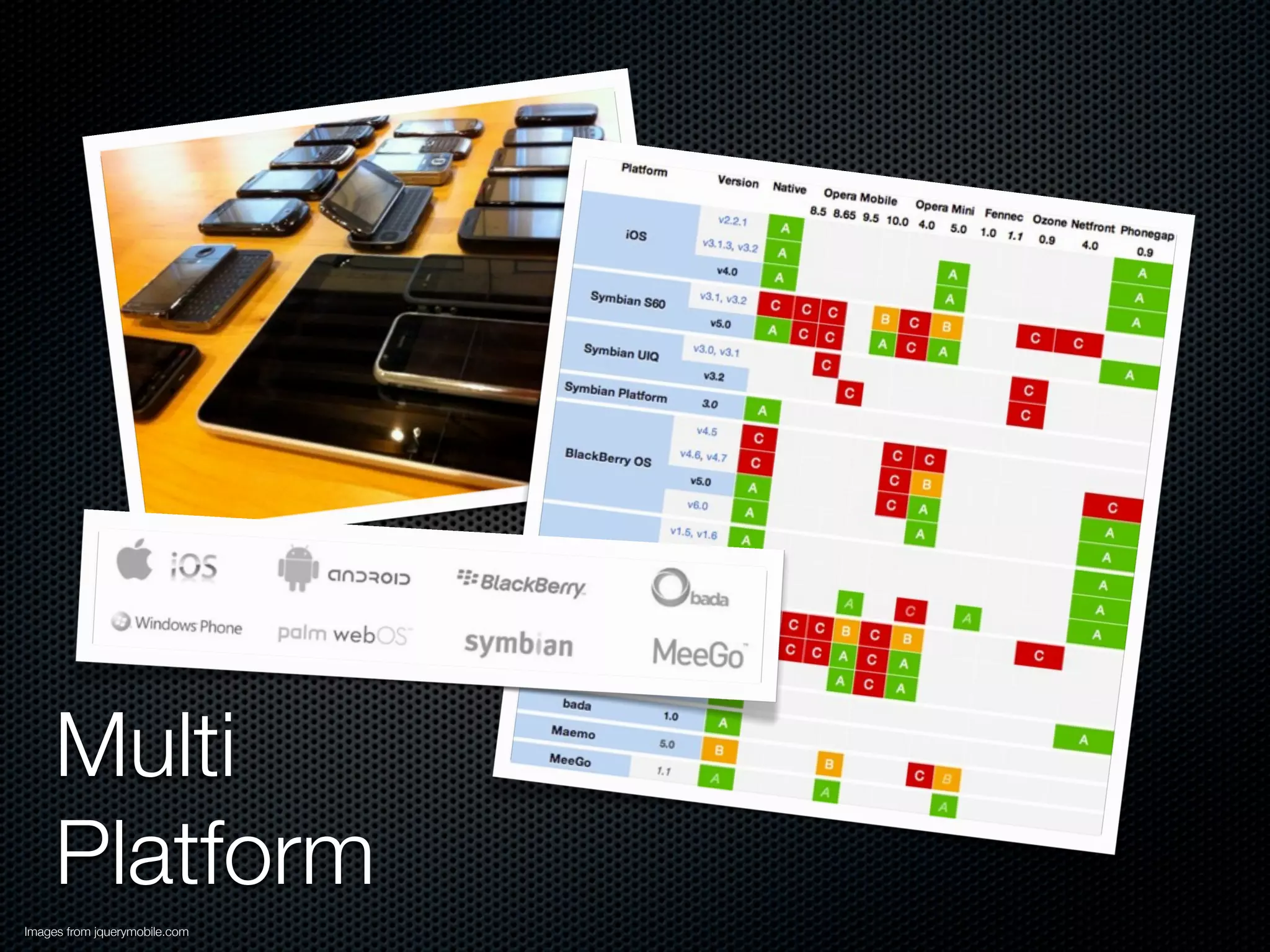
Multi
     Platform
Images from jquerymobile.com
Touch-optimized & Themable
Images from jquerymobile.com
Mobile Web Framework

UniïŹed User Interface
My Term: Half Stack
Widget Library
Touch Events
Project Status


 As of October 19th, 2011: RC2
 This talk centers around RC1
More Details
Built on jQuery
Lightweight (12k compressed)
Progressive Enhancement
HTML5
Accessibility baked-in (WAI-ARIA)
Modular & Theme-able
jQuery Mobile Primer
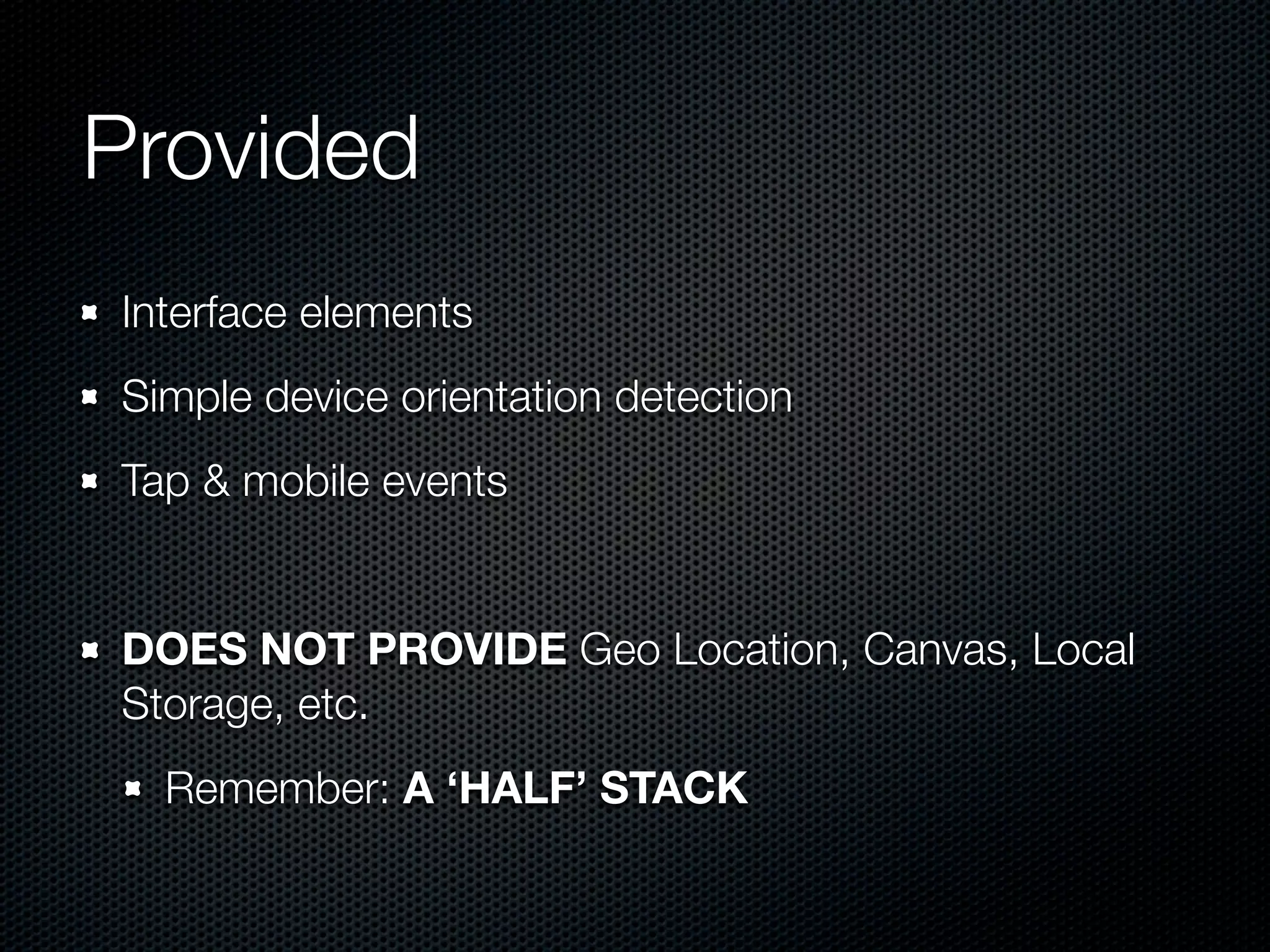
Provided
Interface elements
Simple device orientation detection
Tap & mobile events


DOES NOT PROVIDE Geo Location, Canvas, Local
Storage, etc.
  Remember: A ‘HALF’ STACK
<!DOCTYPE html>                                                                    <!DOCTYPE html>
<html>
                                                                                   <html>
    <head>
        <title>Page Title</title>                                                      <head>
        <link rel="stylesheet" href="/path/to/jquery.mobile.css" />                          <title>Hello World</title>
        <script type="text/javascript" src="/path/to/jquery.js"></script>
                                                                                             <script src="path/to/sencha-touch.js" type="text/javascript"></script>
        <script type="text/javascript" src="/path/to/jquery.mobile.js"></script>
    </head>                                                                                  <link href="path/to/sencha-touch.css" rel="stylesheet" type="text/css" />
    <body>                                                                                   <script type="text/javascript">
              <div data-role="page">
                                                                                                     new Ext.Application({
                  <div data-role="content">	                                                             launch: function() {
                      <p>Hello World.</p>	 	
                                                                                                             new Ext.Panel({
                  </div>                                                                                         fullscreen: true,
              </div>
                                                                                                                 html: 'Hello World!'
    </body>
</html>                                                                                                      });
                                                                                                         }
                                                                                                     });
                                                                                             </script>
                                                                                       </head>

                                                                                       <body></body>
                                                                                   </html>


                                                                                                         Sencha Touch © 2011 Sencha, Example from Sencha Touch Hello World
<!DOCTYPE html>                                                                    <!DOCTYPE html>
<html>
                                                                                   <html>
    <head>
        <title>Page Title</title>                                                      <head>
        <link rel="stylesheet" href="/path/to/jquery.mobile.css" />                          <title>Hello World</title>
        <script type="text/javascript" src="/path/to/jquery.js"></script>
                                                                                             <script src="path/to/sencha-touch.js" type="text/javascript"></script>
        <script type="text/javascript" src="/path/to/jquery.mobile.js"></script>
    </head>                                                                                  <link href="path/to/sencha-touch.css" rel="stylesheet" type="text/css" />
    <body>                                                                                   <script type="text/javascript">
              <div data-role="page">
                                                                                                     new Ext.Application({
                  <div data-role="content">	                                                             launch: function() {
                      <p>Hello World.</p>	 	
                                                                                                             new Ext.Panel({
                  </div>                                                                                         fullscreen: true,
              </div>
                                                                                                                 html: 'Hello World!'
    </body>
</html>                                                                                                      });
                                                                                                         }
                                                                                                     });
                                                                                             </script>
                 Semantic &                                                            </head>

                                                                                       <body></body>
                 Progressive Refinement                                            </html>


                                                                                                         Sencha Touch © 2011 Sencha, Example from Sencha Touch Hello World
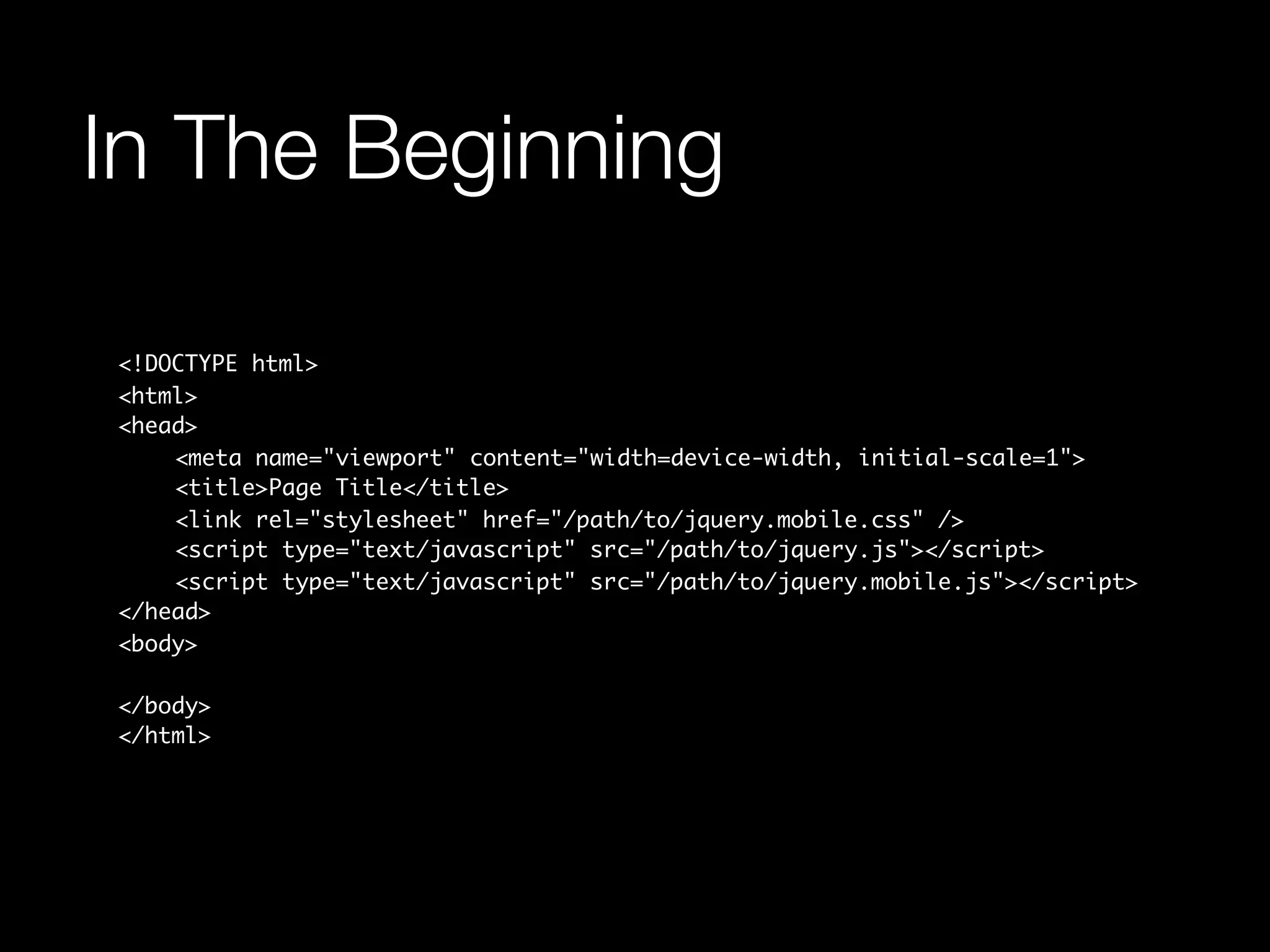
In The Beginning

<!DOCTYPE html>
<html>
<head>
	   <meta name="viewport" content="width=device-width, initial-scale=1">
	   <title>Page Title</title>
	   <link rel="stylesheet" href="/path/to/jquery.mobile.css" />
	   <script type="text/javascript" src="/path/to/jquery.js"></script>
	   <script type="text/javascript" src="/path/to/jquery.mobile.js"></script>
</head>
<body>

</body>
</html>
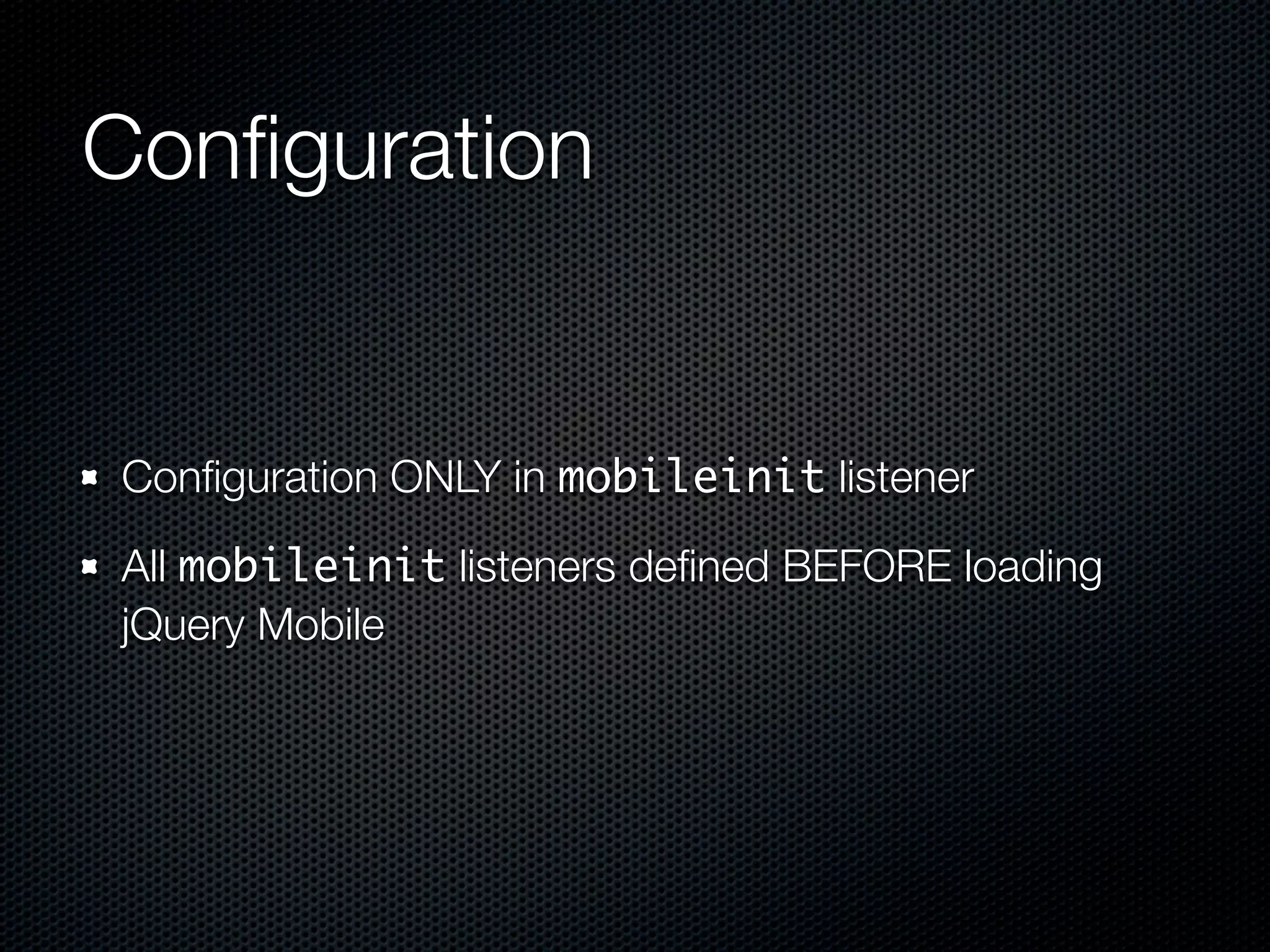
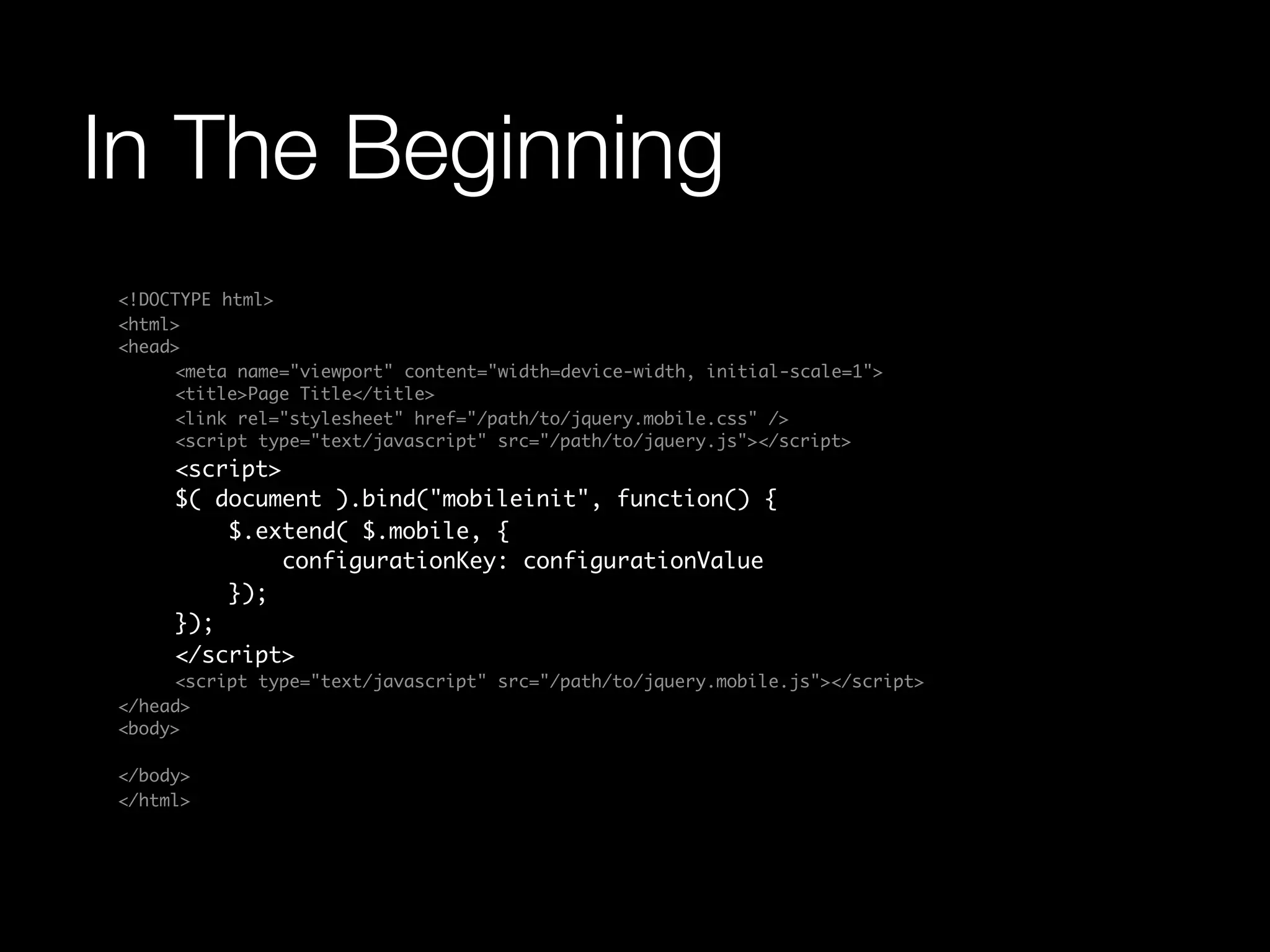
ConïŹguration


ConïŹguration ONLY in mobileinit listener

All mobileinit listeners deïŹned BEFORE loading
jQuery Mobile
In The Beginning
<!DOCTYPE html>
<html>
<head>
	    <meta name="viewport" content="width=device-width, initial-scale=1">
	    <title>Page Title</title>
	    <link rel="stylesheet" href="/path/to/jquery.mobile.css" />
	    <script type="text/javascript" src="/path/to/jquery.js"></script>
	    <script>
	    $( document ).bind("mobileinit", function() {
	        $.extend( $.mobile, {
	            configurationKey: configurationValue
	        });
	    });
	    </script>
	    <script type="text/javascript" src="/path/to/jquery.mobile.js"></script>
</head>
<body>

</body>
</html>
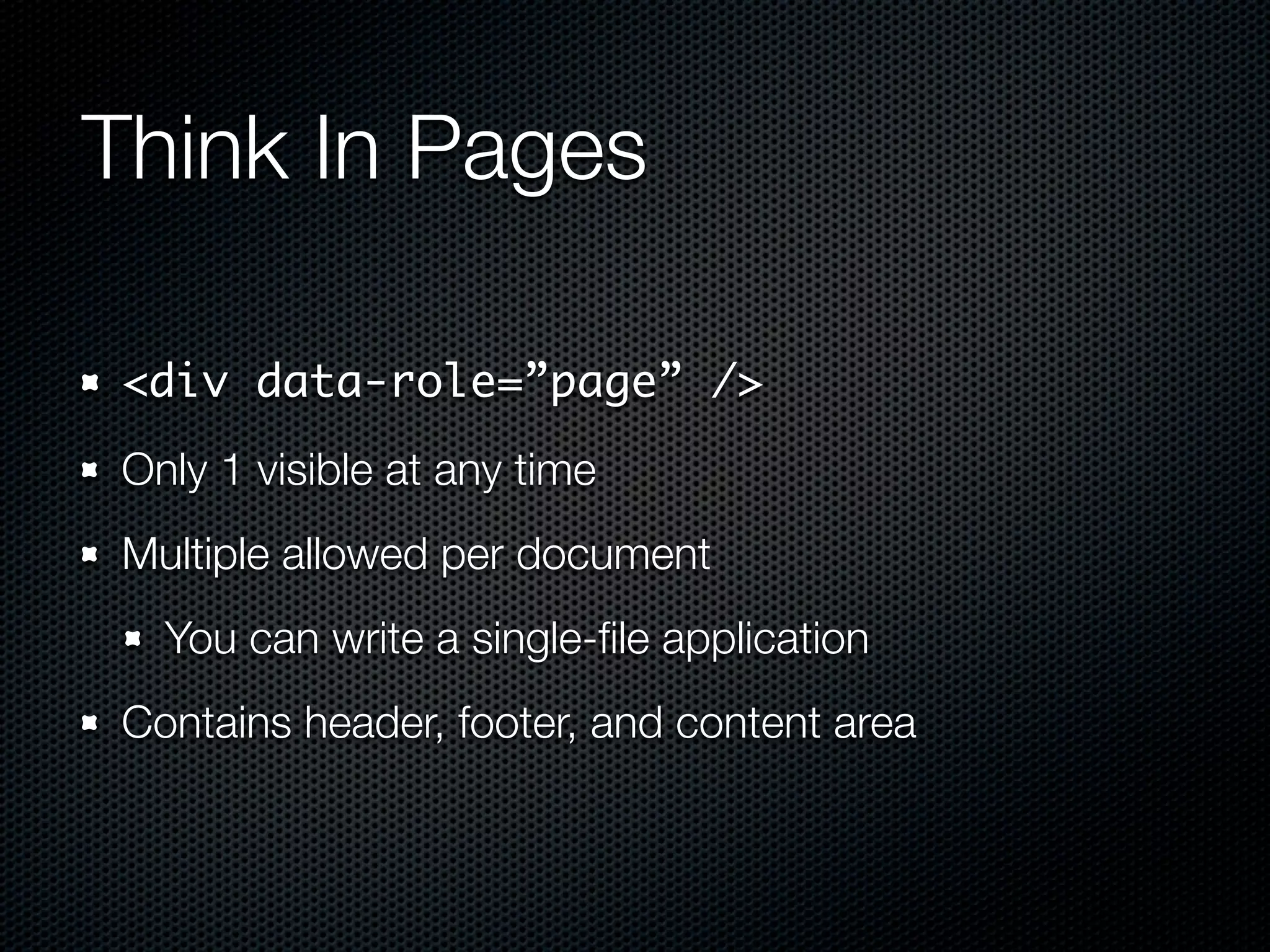
Think In Pages

<div data-role=”page” />
Only 1 visible at any time
Multiple allowed per document
  You can write a single-ïŹle application
Contains header, footer, and content area
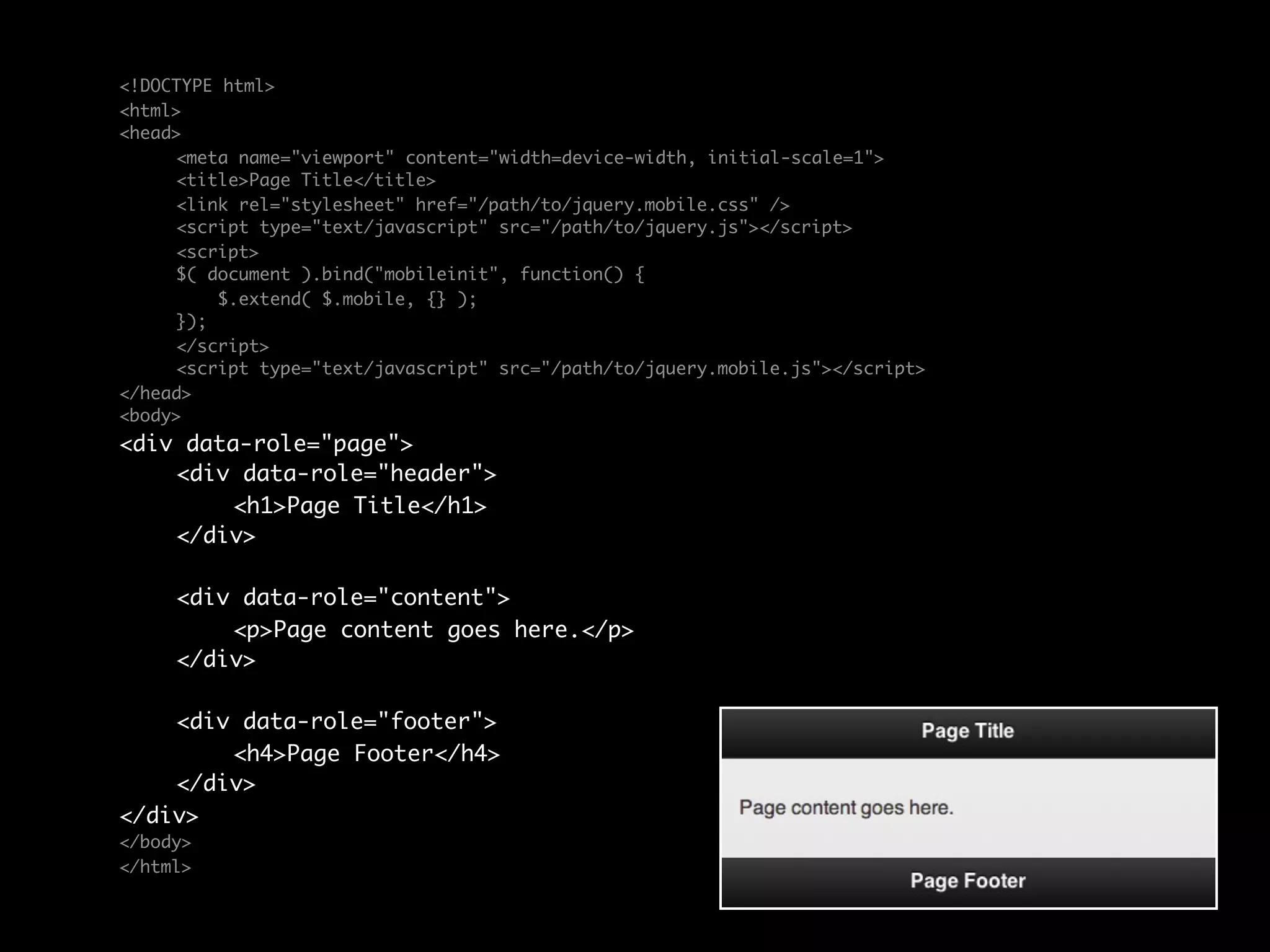
<!DOCTYPE html>
<html>
<head>
	    <meta name="viewport" content="width=device-width, initial-scale=1">
	    <title>Page Title</title>
	    <link rel="stylesheet" href="/path/to/jquery.mobile.css" />
	    <script type="text/javascript" src="/path/to/jquery.js"></script>
	    <script>
	    $( document ).bind("mobileinit", function() {
	        $.extend( $.mobile, {} );
	    });
	    </script>
	    <script type="text/javascript" src="/path/to/jquery.mobile.js"></script>
</head>
<body>
<div data-role="page">
	   <div data-role="header">
	   	    <h1>Page Title</h1>
	   </div>

	    <div data-role="content">	
	    	   <p>Page content goes here.</p>	              	
	    </div>

	   <div data-role="footer">
	   	   <h4>Page Footer</h4>
	   </div>
</div>
</body>
</html>
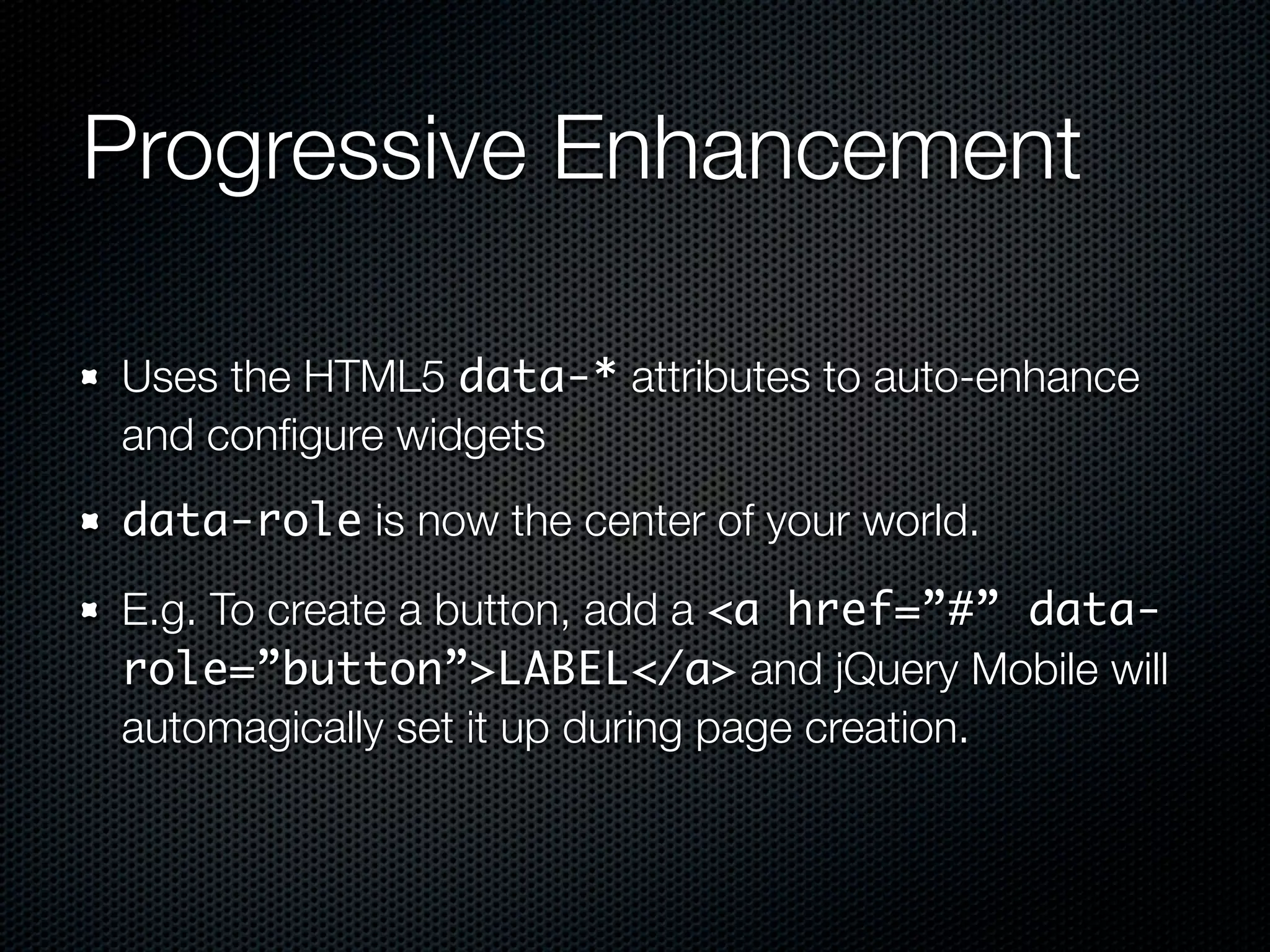
Progressive Enhancement

Uses the HTML5 data-* attributes to auto-enhance
and conïŹgure widgets
data-role is now the center of your world.

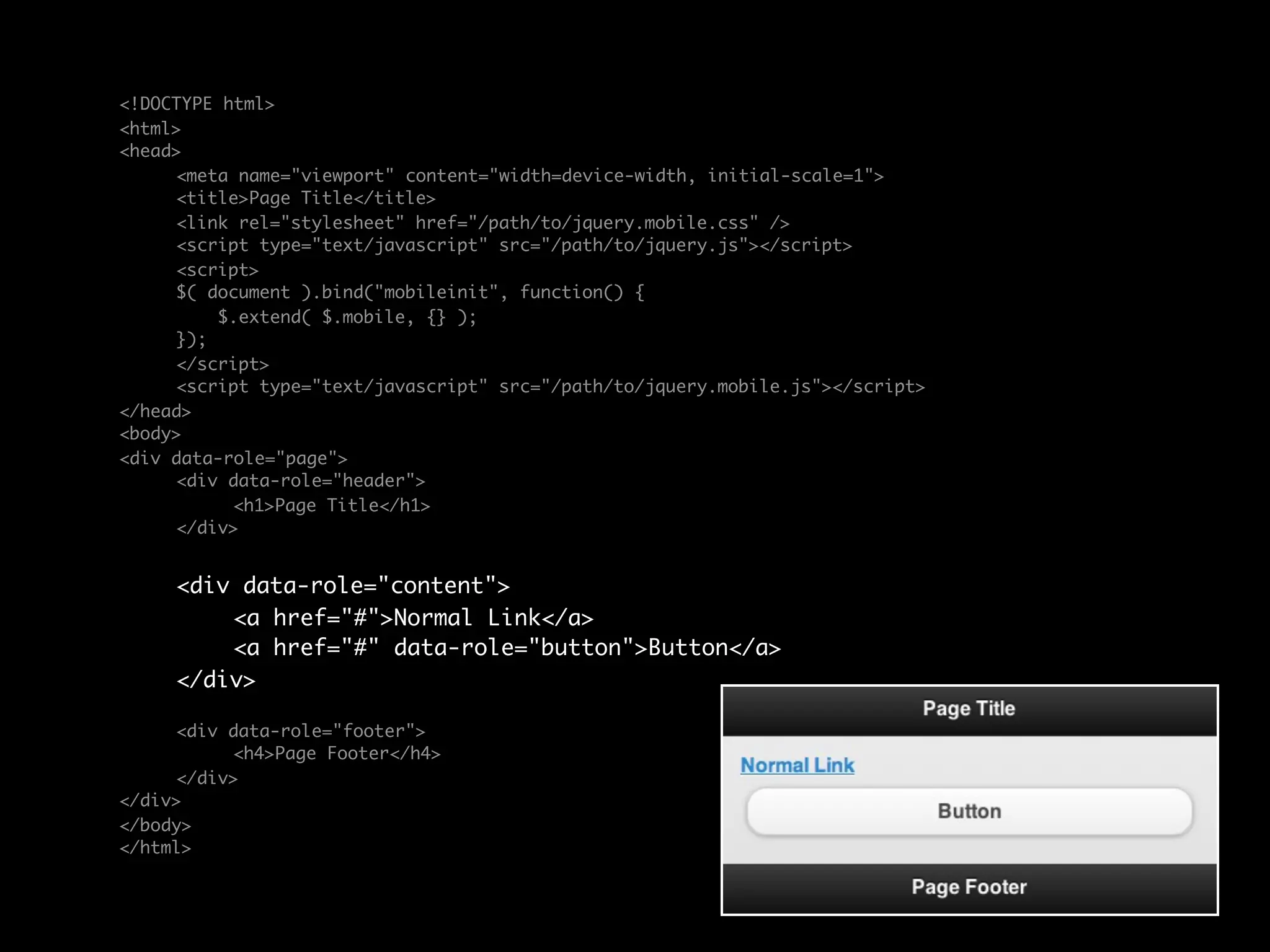
E.g. To create a button, add a <a href=”#” data-
role=”button”>LABEL</a> and jQuery Mobile will
automagically set it up during page creation.
<!DOCTYPE html>
<html>
<head>
	    <meta name="viewport" content="width=device-width, initial-scale=1">
	    <title>Page Title</title>
	    <link rel="stylesheet" href="/path/to/jquery.mobile.css" />
	    <script type="text/javascript" src="/path/to/jquery.js"></script>
	    <script>
	    $( document ).bind("mobileinit", function() {
	        $.extend( $.mobile, {} );
	    });
	    </script>
	    <script type="text/javascript" src="/path/to/jquery.mobile.js"></script>
</head>
<body>
<div data-role="page">
	    <div data-role="header">
	    	     <h1>Page Title</h1>
	    </div>


	    <div data-role="content">	
	    	   <a href="#">Normal Link</a>
	    	   <a href="#" data-role="button">Button</a>	 	
	    </div>

	    <div data-role="footer">
	    	    <h4>Page Footer</h4>
	    </div>
</div>
</body>
</html>
jQuery Mobile.com Docs


  http://jquerymobile.com/demos/1.0rc1
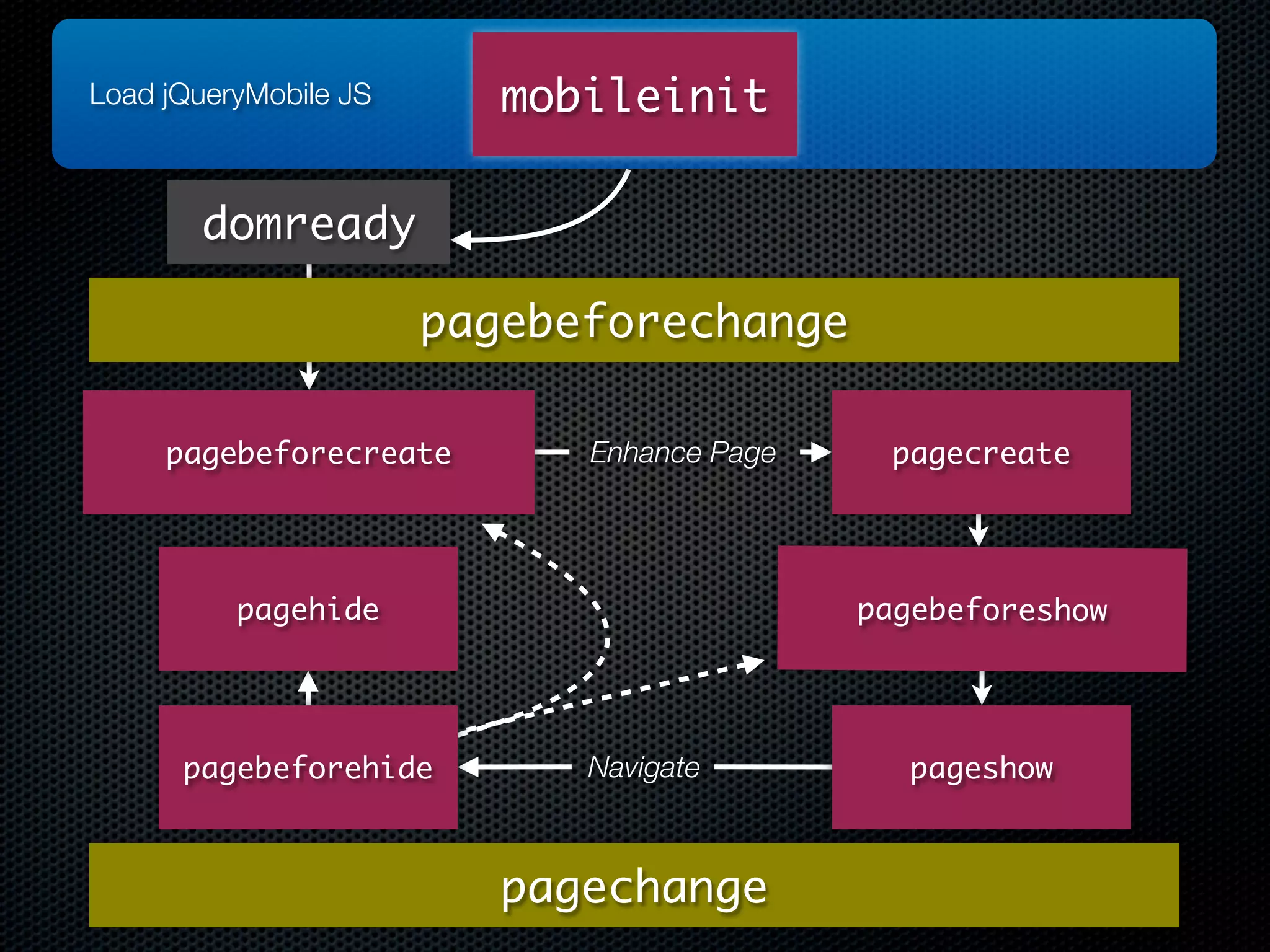
Load jQueryMobile JS      mobileinit

       domready

                       pagebeforechange

     pagebeforecreate        Enhance Page    pagecreate


          pagehide                          pagebeforeshow


      pagebeforehide         Navigate         pageshow


                          pagechange
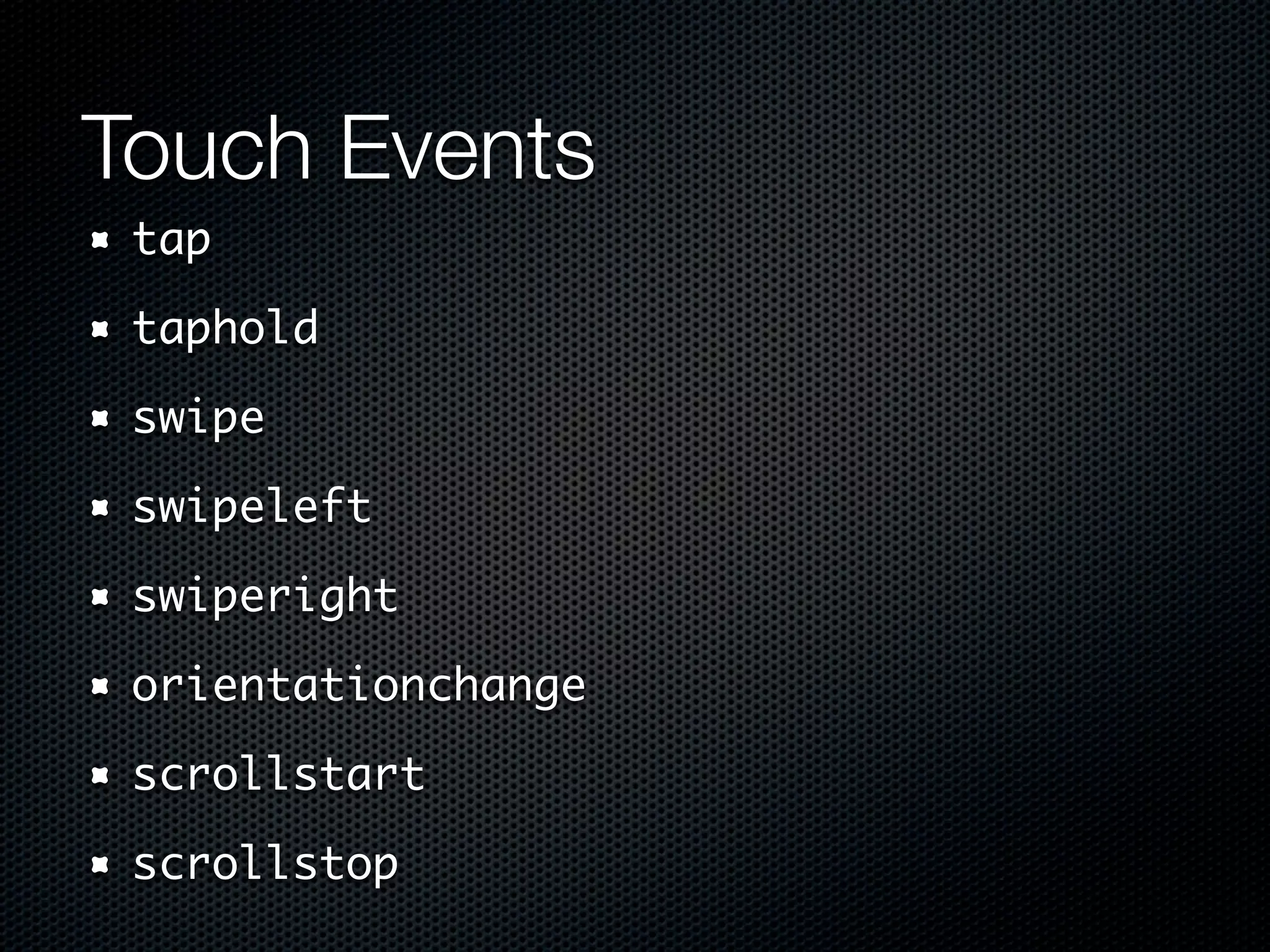
Touch Events
 tap

 taphold

 swipe

 swipeleft

 swiperight

 orientationchange

 scrollstart

 scrollstop
Normalized “Virtual” Events
 vmouseover

 vmousedown

 vmousemove

 vmouseup

 vclick

 vmousecancel
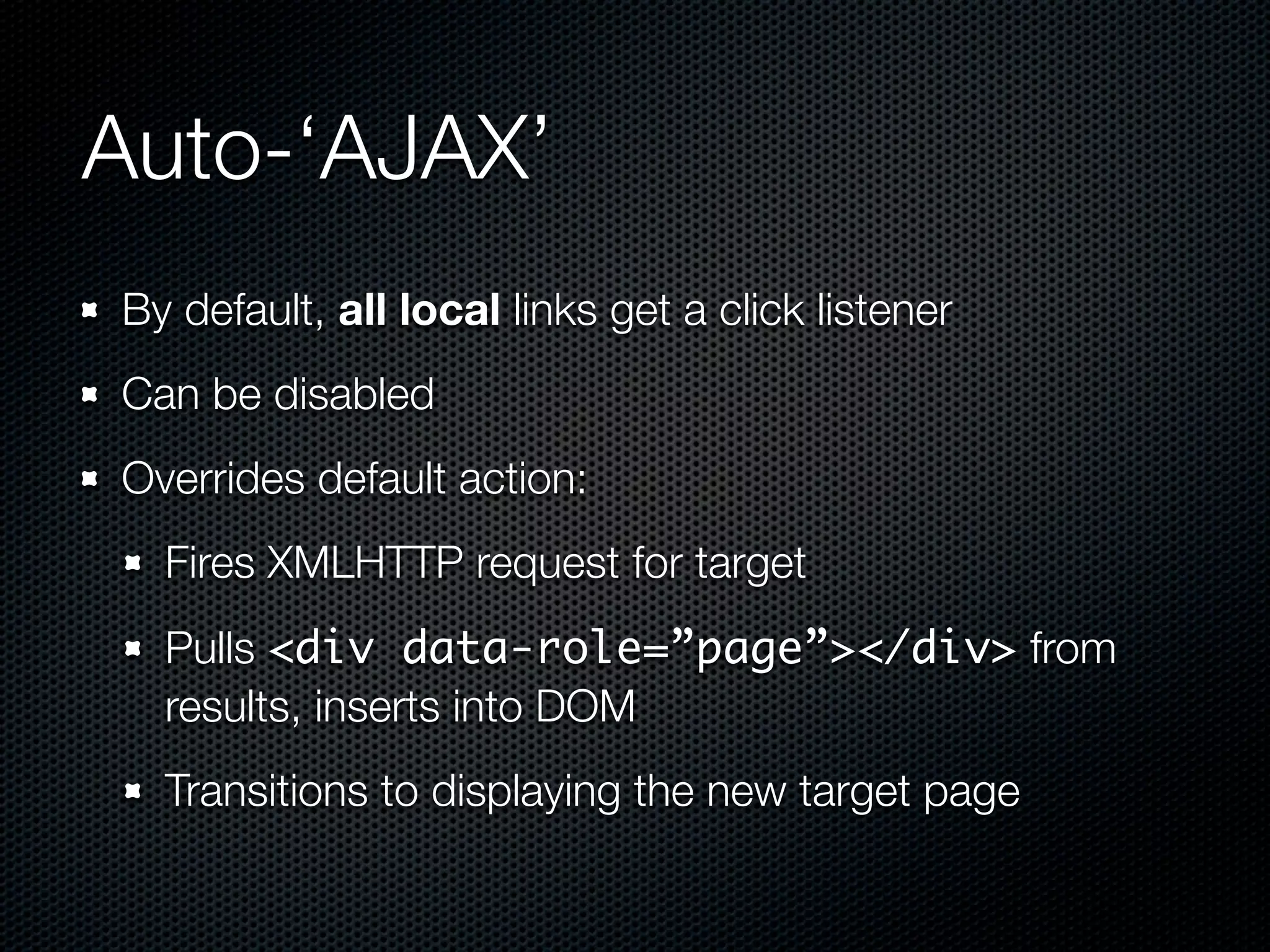
Auto-‘AJAX’
By default, all local links get a click listener
Can be disabled
Overrides default action:
  Fires XMLHTTP request for target
  Pulls <div data-role=”page”></div> from
  results, inserts into DOM
  Transitions to displaying the new target page
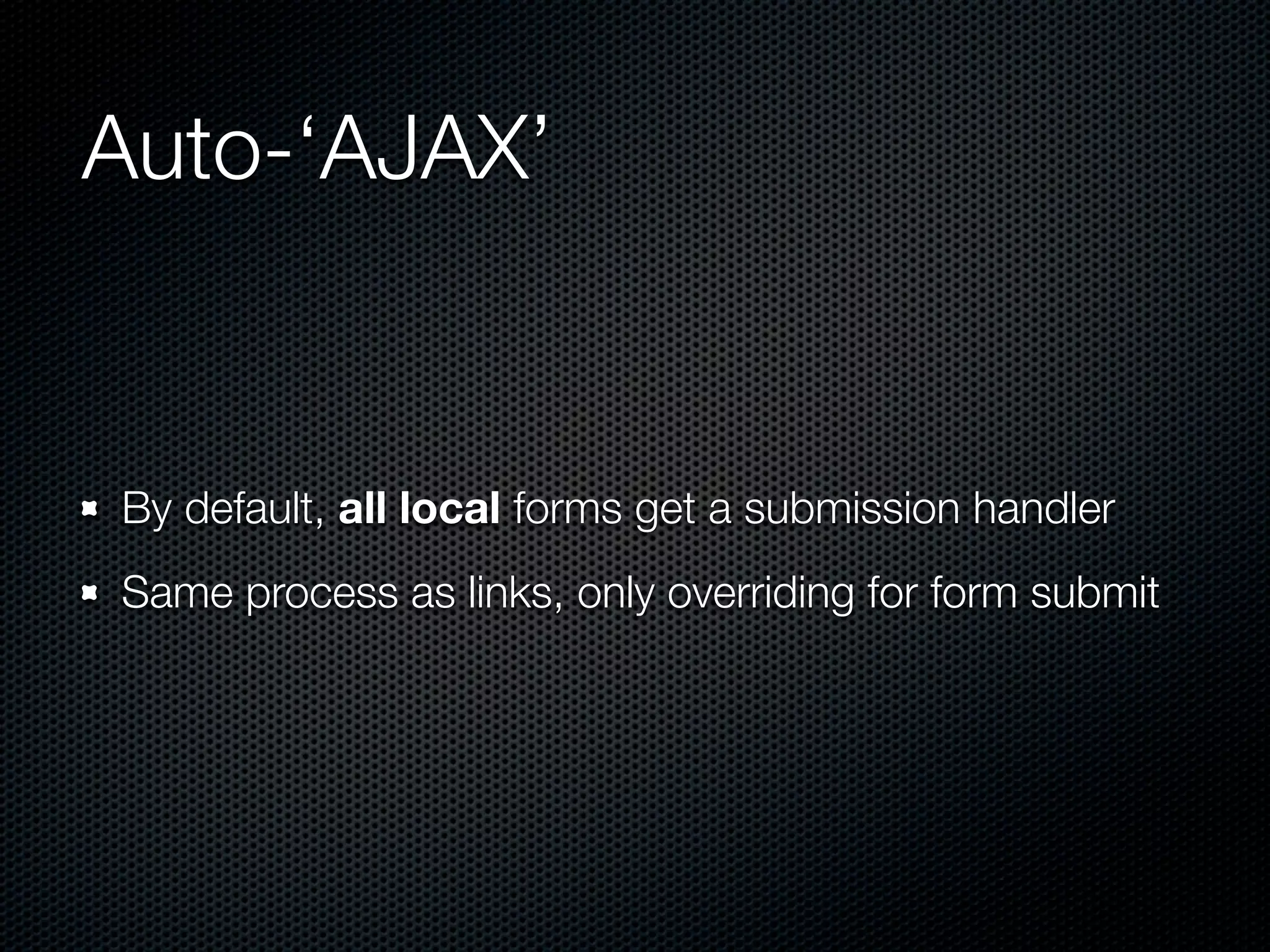
Auto-‘AJAX’


By default, all local forms get a submission handler
Same process as links, only overriding for form submit
Auto-‘AJAX’

CAUTION: There is no baked-in way to pass
parameters to AJAX’ed pages
Sever side via GET requests to back-end
Use #page?key=value, manually parse window.location
Disable / override hash listener
Learn By Doing
Code Time...


https://github.com/dcousineau/jQuery-Mobile-For-Fun-And-ProïŹt

            http://jquerymobile.com/demos/1.0rc1
Wrap Up
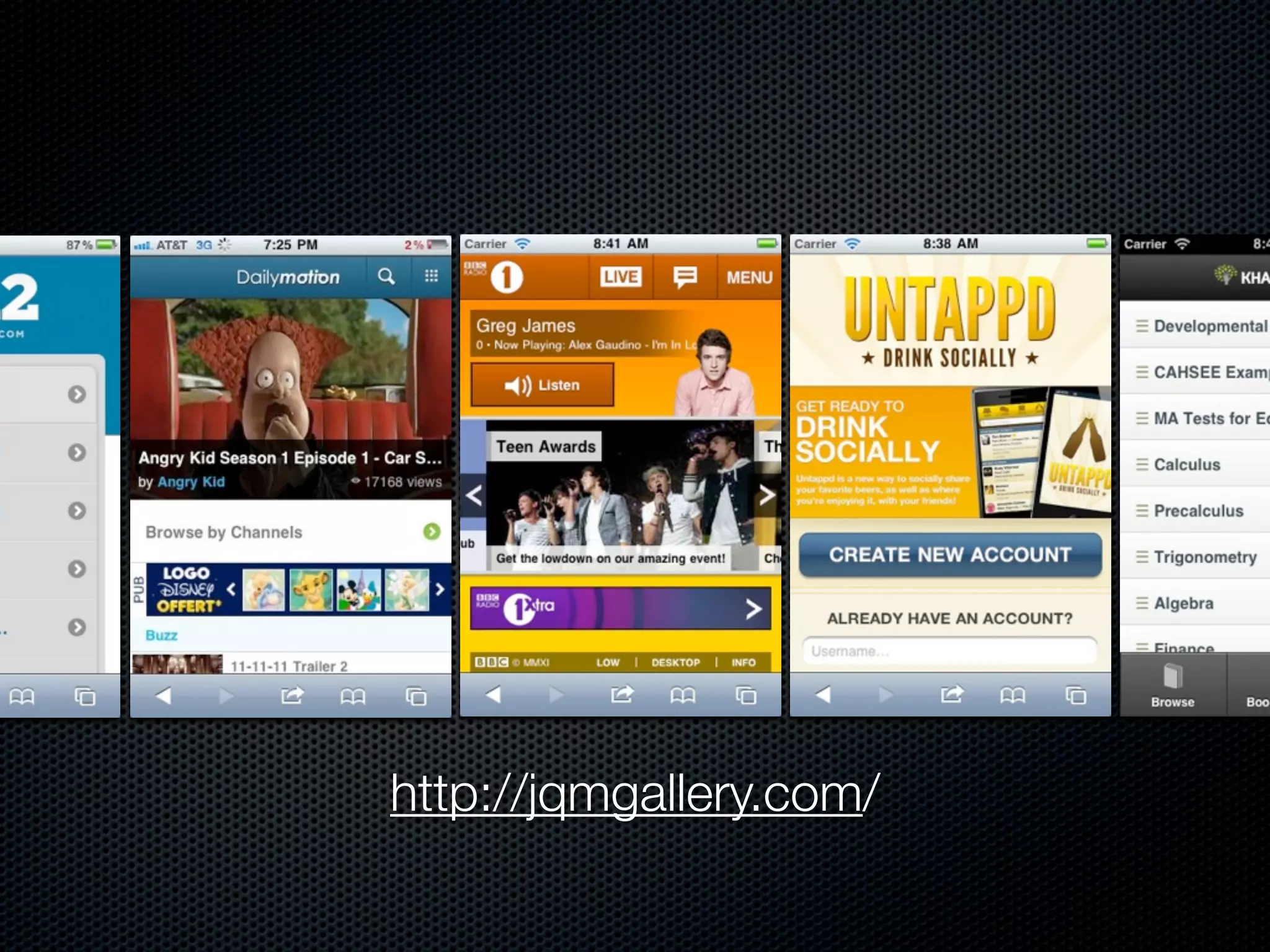
http://jqmgallery.com/
Resources


@jquerymobile
http://jquerymobile.com/blog/
http://jquerymobile.com/demos/1.0rc1
Advanced Learning


Panel / iPad Ready Layouts
 http://asyraf9.github.com/jquery-mobile/
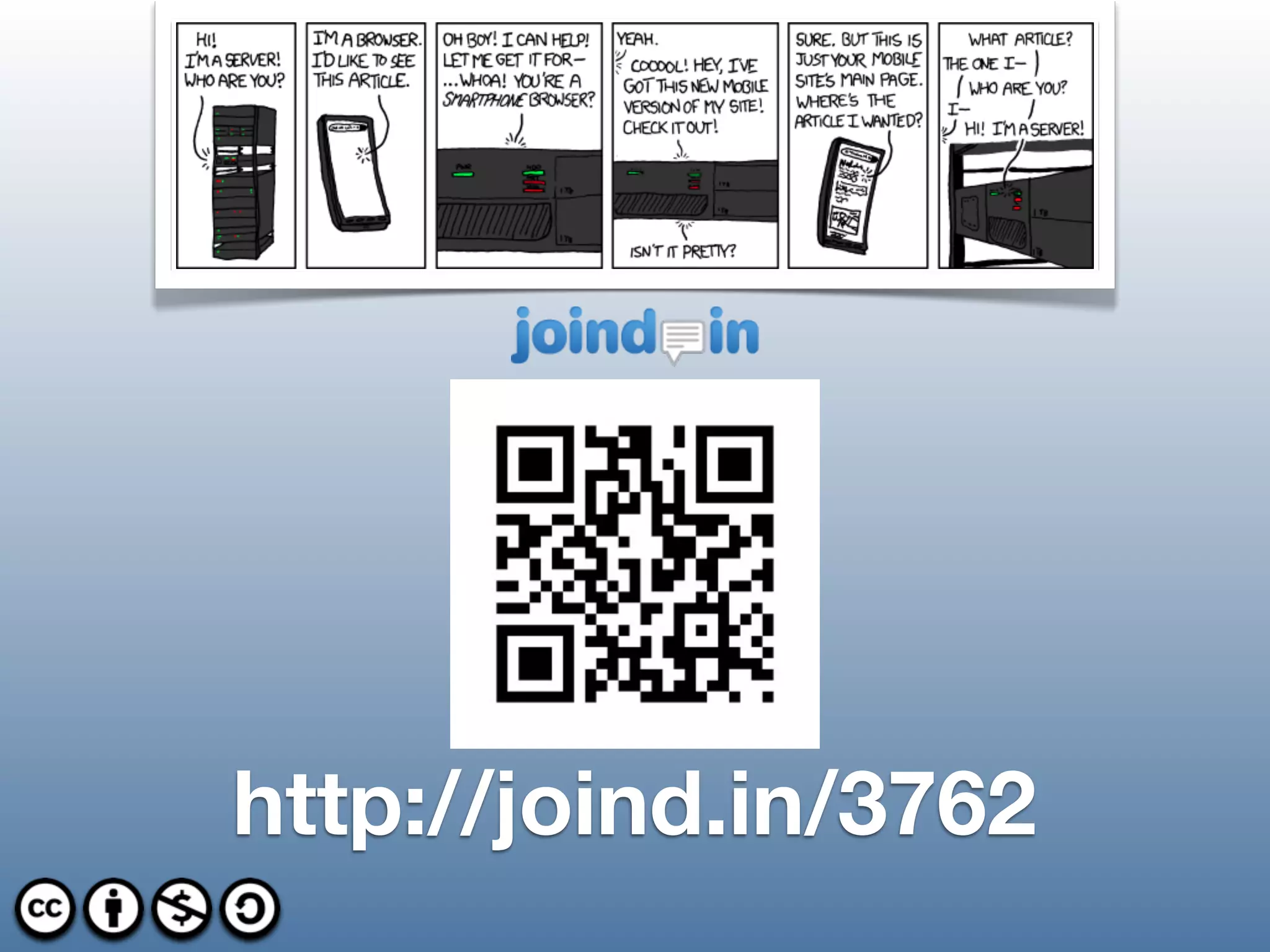
http://joind.in/3762

jQuery Mobile: For Fun and Profit

  • 1.
    for fun andproïŹt jQuery Mobile © 2010 The jQuery Project http://jquerymobile.com/
  • 2.
    Daniel Cousineau Interactive SoftwareEngineer @ RAPP http://dcousineau.com/ @dcousineau dcousineau@gmail.com
  • 3.
  • 4.
    Multi Platform Images from jquerymobile.com
  • 5.
    Touch-optimized & Themable Imagesfrom jquerymobile.com
  • 6.
    Mobile Web Framework UniïŹedUser Interface My Term: Half Stack Widget Library Touch Events
  • 7.
    Project Status Asof October 19th, 2011: RC2 This talk centers around RC1
  • 8.
    More Details Built onjQuery Lightweight (12k compressed) Progressive Enhancement HTML5 Accessibility baked-in (WAI-ARIA) Modular & Theme-able
  • 9.
  • 10.
    Provided Interface elements Simple deviceorientation detection Tap & mobile events DOES NOT PROVIDE Geo Location, Canvas, Local Storage, etc. Remember: A ‘HALF’ STACK
  • 11.
    <!DOCTYPE html> <!DOCTYPE html> <html> <html> <head> <title>Page Title</title> <head> <link rel="stylesheet" href="/path/to/jquery.mobile.css" /> <title>Hello World</title> <script type="text/javascript" src="/path/to/jquery.js"></script> <script src="path/to/sencha-touch.js" type="text/javascript"></script> <script type="text/javascript" src="/path/to/jquery.mobile.js"></script> </head> <link href="path/to/sencha-touch.css" rel="stylesheet" type="text/css" /> <body> <script type="text/javascript"> <div data-role="page"> new Ext.Application({ <div data-role="content"> launch: function() { <p>Hello World.</p> new Ext.Panel({ </div> fullscreen: true, </div> html: 'Hello World!' </body> </html> }); } }); </script> </head> <body></body> </html> Sencha Touch © 2011 Sencha, Example from Sencha Touch Hello World
  • 12.
    <!DOCTYPE html> <!DOCTYPE html> <html> <html> <head> <title>Page Title</title> <head> <link rel="stylesheet" href="/path/to/jquery.mobile.css" /> <title>Hello World</title> <script type="text/javascript" src="/path/to/jquery.js"></script> <script src="path/to/sencha-touch.js" type="text/javascript"></script> <script type="text/javascript" src="/path/to/jquery.mobile.js"></script> </head> <link href="path/to/sencha-touch.css" rel="stylesheet" type="text/css" /> <body> <script type="text/javascript"> <div data-role="page"> new Ext.Application({ <div data-role="content"> launch: function() { <p>Hello World.</p> new Ext.Panel({ </div> fullscreen: true, </div> html: 'Hello World!' </body> </html> }); } }); </script> Semantic & </head> <body></body> Progressive Refinement </html> Sencha Touch © 2011 Sencha, Example from Sencha Touch Hello World
  • 13.
    In The Beginning <!DOCTYPEhtml> <html> <head> <meta name="viewport" content="width=device-width, initial-scale=1"> <title>Page Title</title> <link rel="stylesheet" href="/path/to/jquery.mobile.css" /> <script type="text/javascript" src="/path/to/jquery.js"></script> <script type="text/javascript" src="/path/to/jquery.mobile.js"></script> </head> <body> </body> </html>
  • 14.
    ConïŹguration ConïŹguration ONLY inmobileinit listener All mobileinit listeners deïŹned BEFORE loading jQuery Mobile
  • 15.
    In The Beginning <!DOCTYPEhtml> <html> <head> <meta name="viewport" content="width=device-width, initial-scale=1"> <title>Page Title</title> <link rel="stylesheet" href="/path/to/jquery.mobile.css" /> <script type="text/javascript" src="/path/to/jquery.js"></script> <script> $( document ).bind("mobileinit", function() { $.extend( $.mobile, { configurationKey: configurationValue }); }); </script> <script type="text/javascript" src="/path/to/jquery.mobile.js"></script> </head> <body> </body> </html>
  • 16.
    Think In Pages <divdata-role=”page” /> Only 1 visible at any time Multiple allowed per document You can write a single-ïŹle application Contains header, footer, and content area
  • 17.
    <!DOCTYPE html> <html> <head> <meta name="viewport" content="width=device-width, initial-scale=1"> <title>Page Title</title> <link rel="stylesheet" href="/path/to/jquery.mobile.css" /> <script type="text/javascript" src="/path/to/jquery.js"></script> <script> $( document ).bind("mobileinit", function() { $.extend( $.mobile, {} ); }); </script> <script type="text/javascript" src="/path/to/jquery.mobile.js"></script> </head> <body> <div data-role="page"> <div data-role="header"> <h1>Page Title</h1> </div> <div data-role="content"> <p>Page content goes here.</p> </div> <div data-role="footer"> <h4>Page Footer</h4> </div> </div> </body> </html>
  • 18.
    Progressive Enhancement Uses theHTML5 data-* attributes to auto-enhance and conïŹgure widgets data-role is now the center of your world. E.g. To create a button, add a <a href=”#” data- role=”button”>LABEL</a> and jQuery Mobile will automagically set it up during page creation.
  • 19.
    <!DOCTYPE html> <html> <head> <meta name="viewport" content="width=device-width, initial-scale=1"> <title>Page Title</title> <link rel="stylesheet" href="/path/to/jquery.mobile.css" /> <script type="text/javascript" src="/path/to/jquery.js"></script> <script> $( document ).bind("mobileinit", function() { $.extend( $.mobile, {} ); }); </script> <script type="text/javascript" src="/path/to/jquery.mobile.js"></script> </head> <body> <div data-role="page"> <div data-role="header"> <h1>Page Title</h1> </div> <div data-role="content"> <a href="#">Normal Link</a> <a href="#" data-role="button">Button</a> </div> <div data-role="footer"> <h4>Page Footer</h4> </div> </div> </body> </html>
  • 20.
    jQuery Mobile.com Docs http://jquerymobile.com/demos/1.0rc1
  • 21.
    Load jQueryMobile JS mobileinit domready pagebeforechange pagebeforecreate Enhance Page pagecreate pagehide pagebeforeshow pagebeforehide Navigate pageshow pagechange
  • 22.
    Touch Events tap taphold swipe swipeleft swiperight orientationchange scrollstart scrollstop
  • 23.
    Normalized “Virtual” Events vmouseover vmousedown vmousemove vmouseup vclick vmousecancel
  • 24.
    Auto-‘AJAX’ By default, alllocal links get a click listener Can be disabled Overrides default action: Fires XMLHTTP request for target Pulls <div data-role=”page”></div> from results, inserts into DOM Transitions to displaying the new target page
  • 25.
    Auto-‘AJAX’ By default, alllocal forms get a submission handler Same process as links, only overriding for form submit
  • 26.
    Auto-‘AJAX’ CAUTION: There isno baked-in way to pass parameters to AJAX’ed pages Sever side via GET requests to back-end Use #page?key=value, manually parse window.location Disable / override hash listener
  • 27.
  • 28.
  • 29.
  • 30.
  • 31.
  • 32.
    Advanced Learning Panel /iPad Ready Layouts http://asyraf9.github.com/jquery-mobile/
  • 33.