Recommended
PPT
Guía básica para entender CSS (Segunda parte)
PPT
Database Related Comboboxes
PPT
CSS Technieken Toegelicht
ODP
Django, el framework web para perfeccionistas con deadlines
PPTX
PDF
PDF
PDF
The State of Web Components
PPT
Xml Xls ed Excel per la produzione espressa di Html - Chiara Bettaglio
PPT
DOCX
PPT
PPT
PPT
PPT
PPTX
PPT
PDF
Прогноз развития рынка теплоизоляционных материалов Украины
PPT
Augmented reality in_flash_tran_trong_thanh
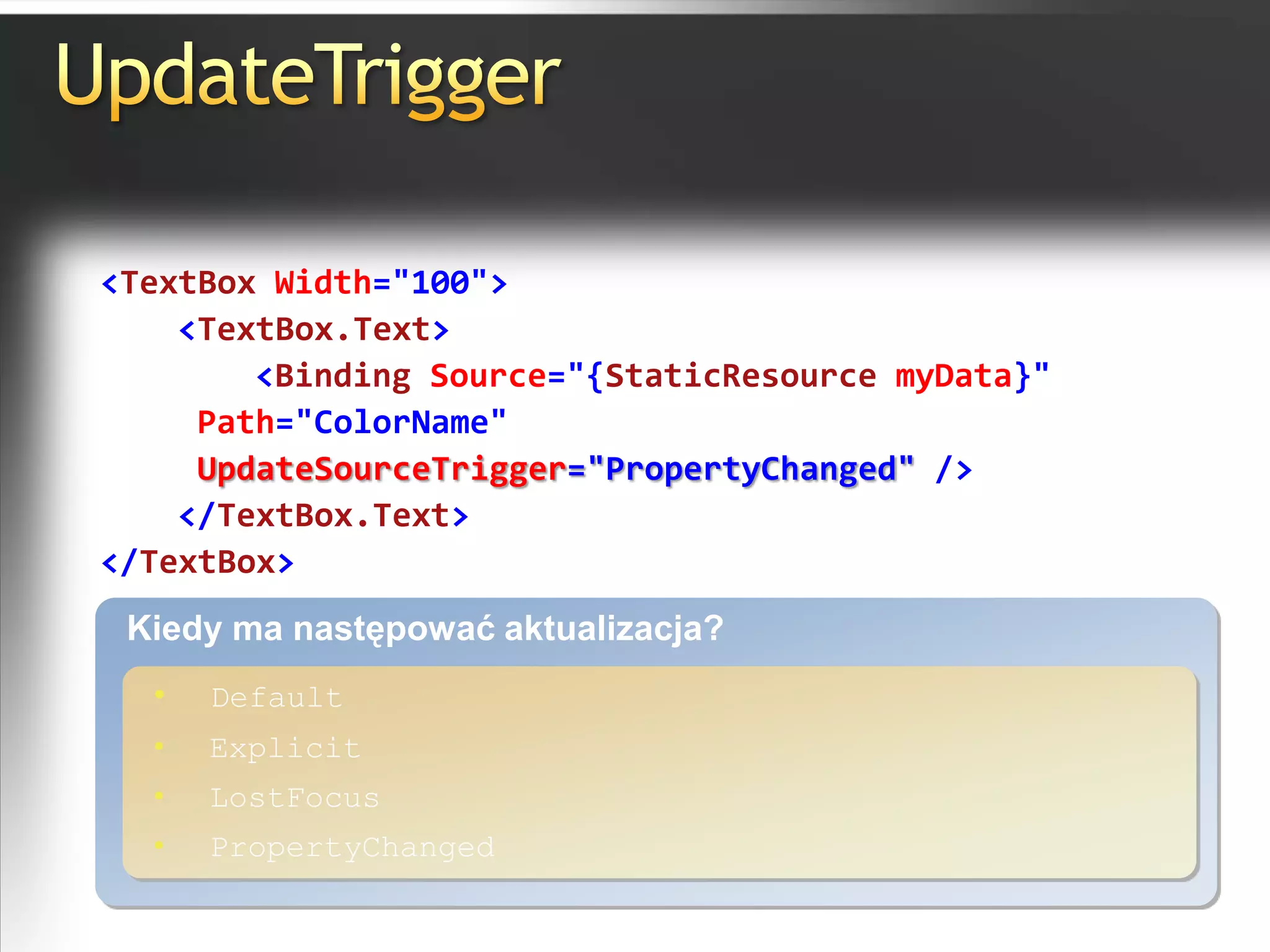
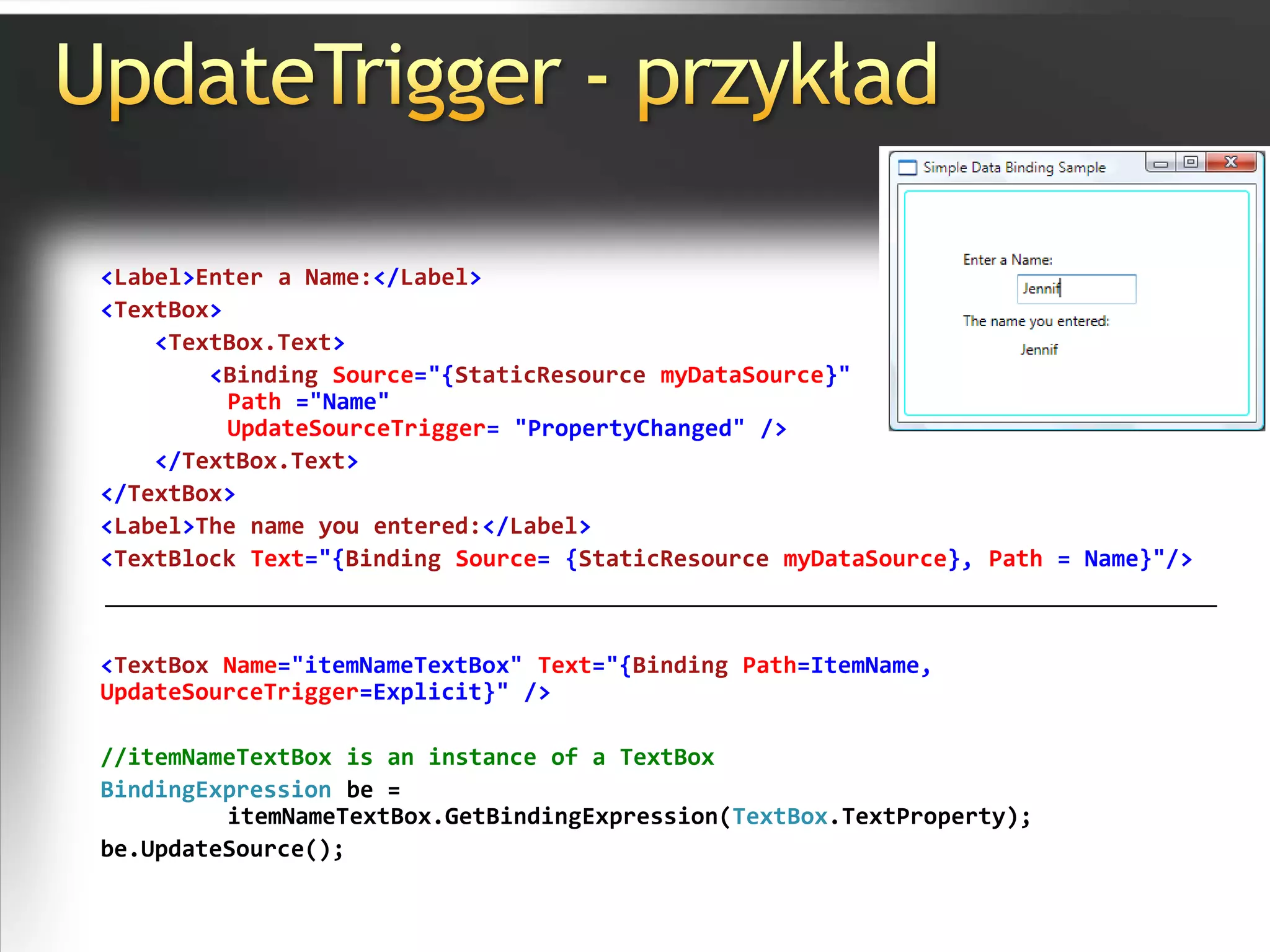
PDF
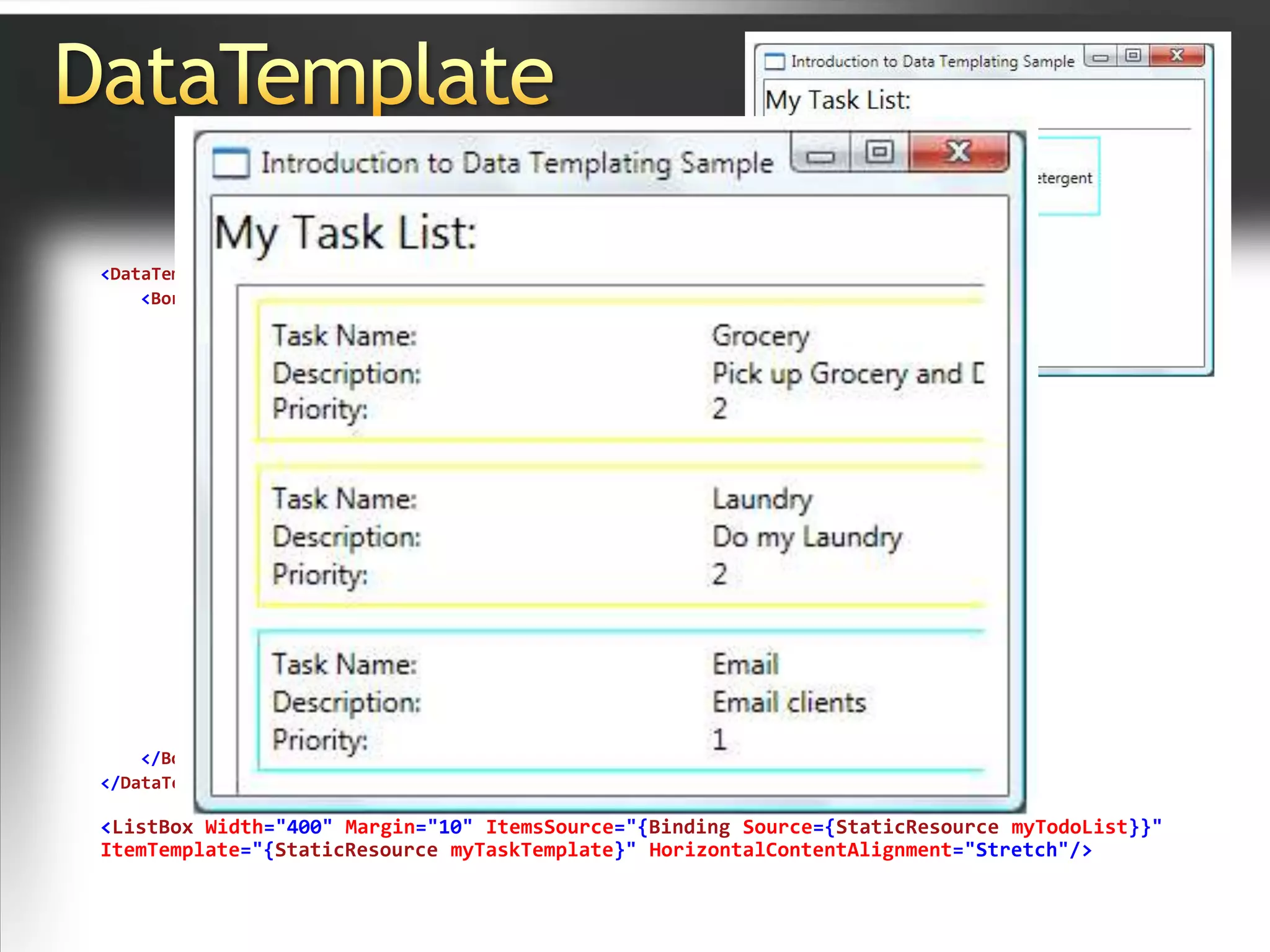
PDF
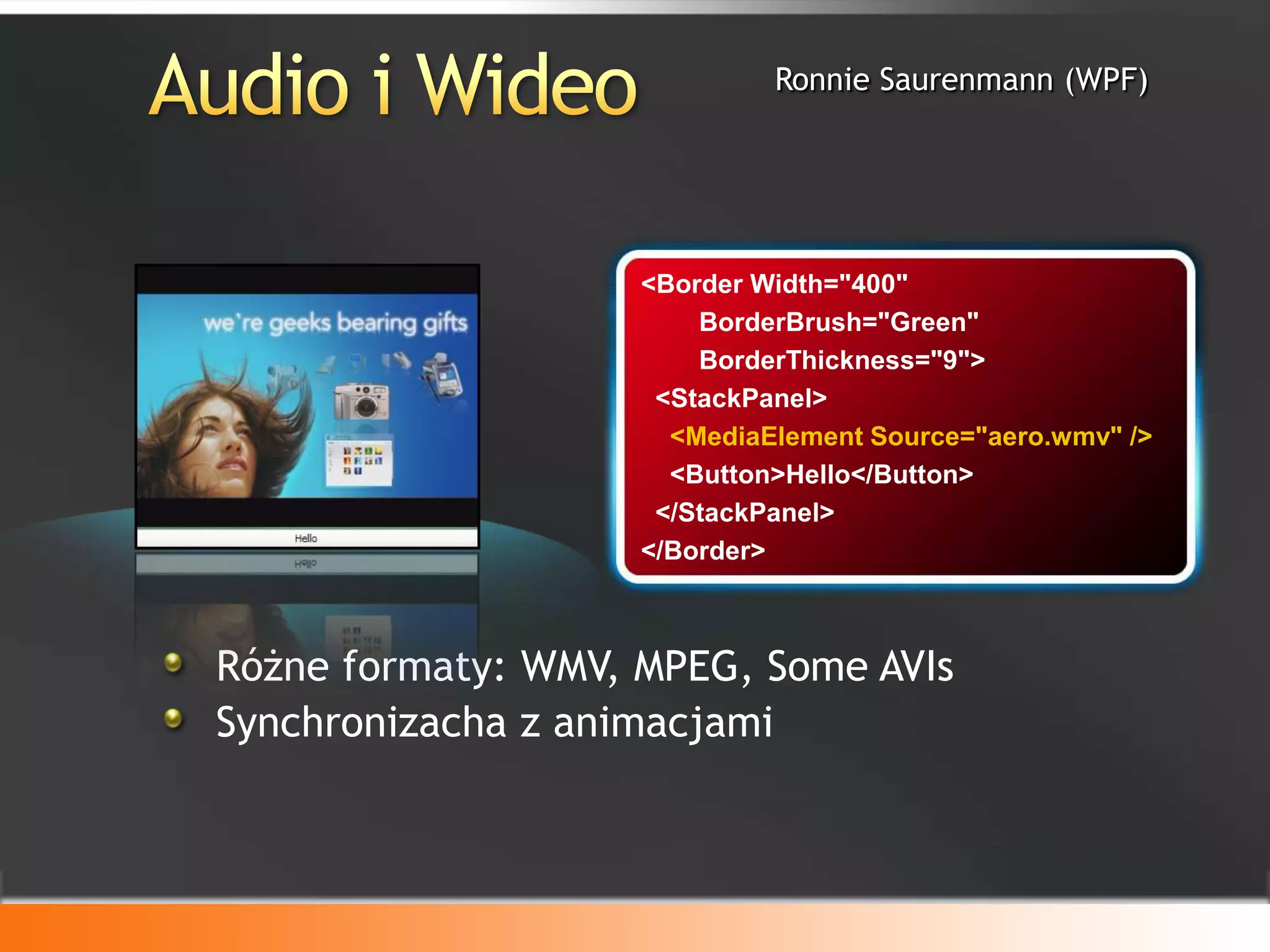
PPTX
PPTX
"Operator as an App" - The Smart Pay-TV Future in Russia/CIS (in Russian)
PPTX
Integrating spreadsheets, visualization tools, and computational knowledge en...
PPT
PPT
D Mparksalestalkv211 20 09
PDF
ODP
PDF
PDF
More Related Content
PPT
Guía básica para entender CSS (Segunda parte)
PPT
Database Related Comboboxes
PPT
CSS Technieken Toegelicht
ODP
Django, el framework web para perfeccionistas con deadlines
PPTX
PDF
PDF
PDF
The State of Web Components
What's hot
PPT
Xml Xls ed Excel per la produzione espressa di Html - Chiara Bettaglio
PPT
DOCX
PPT
PPT
PPT
PPT
Viewers also liked
PPTX
PPT
PDF
Прогноз развития рынка теплоизоляционных материалов Украины
PPT
Augmented reality in_flash_tran_trong_thanh
PDF
PDF
PPTX
PPTX
"Operator as an App" - The Smart Pay-TV Future in Russia/CIS (in Russian)
PPTX
Integrating spreadsheets, visualization tools, and computational knowledge en...
PPT
PPT
D Mparksalestalkv211 20 09
PDF
ODP
PDF
PDF
PDF
PDF
PPS
PDF
Исследование рынка теплоизоляции республики Беларусь 2012-2013
PPT
R E S E A R C H J O L L Y (03)
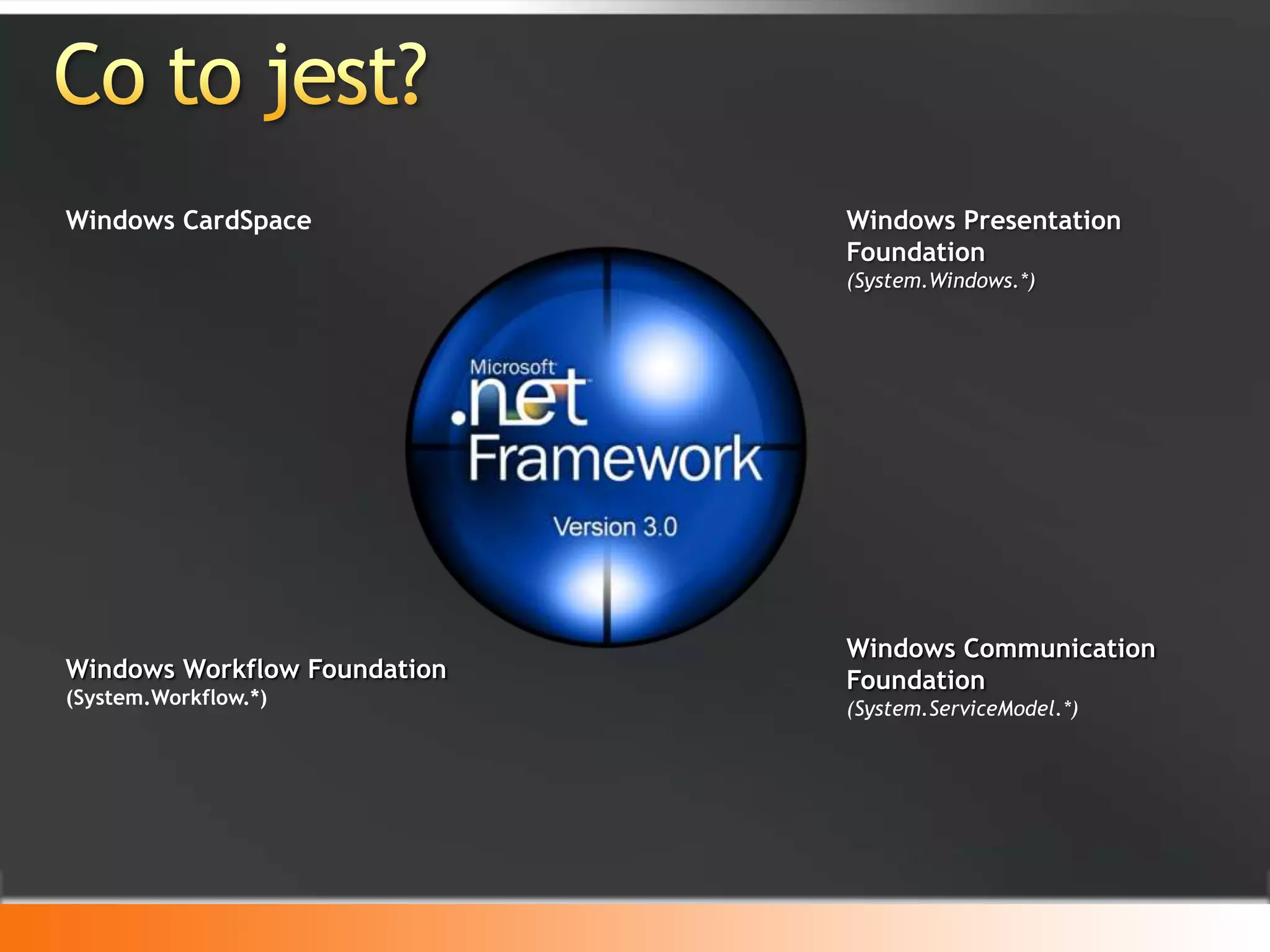
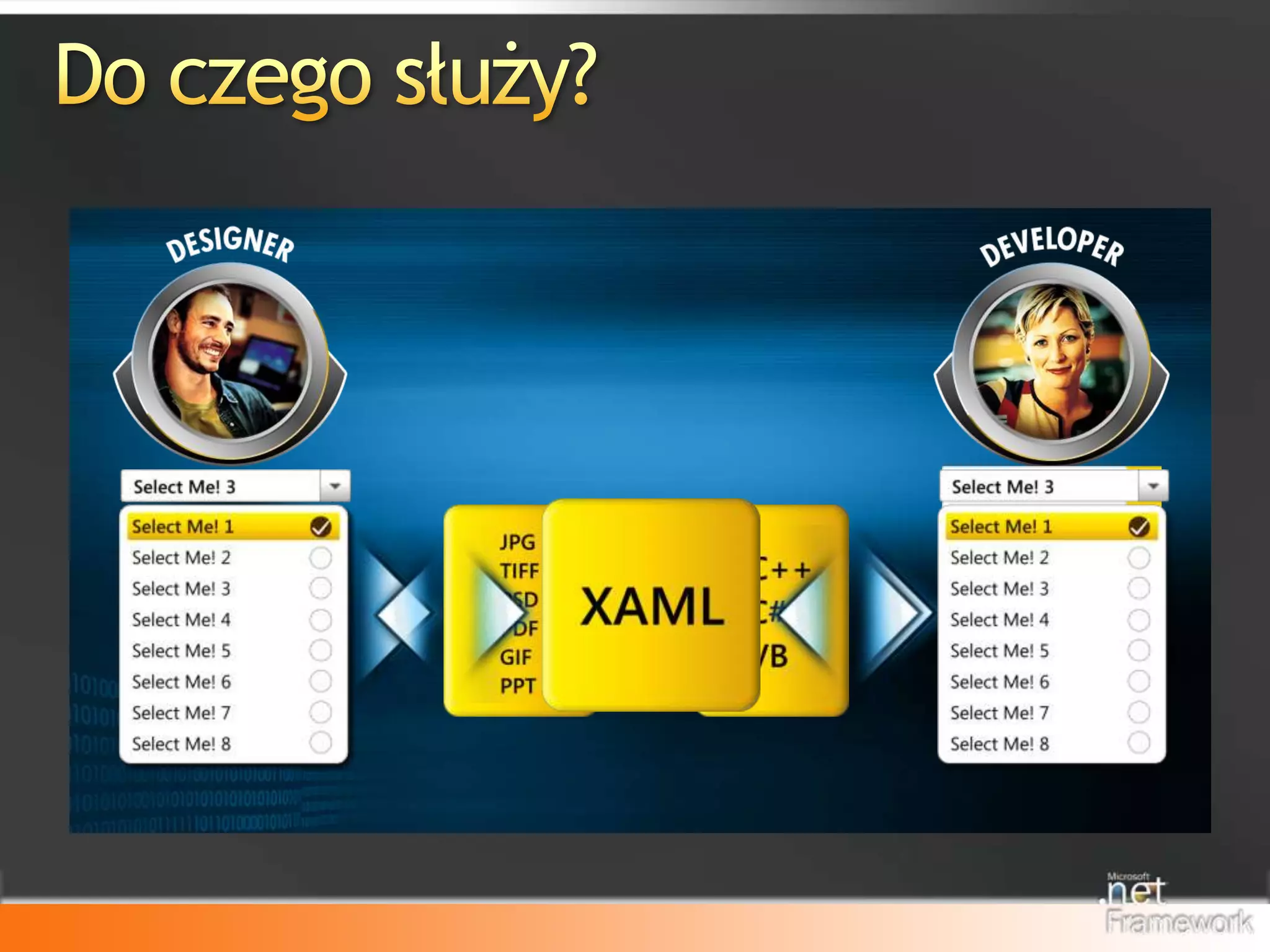
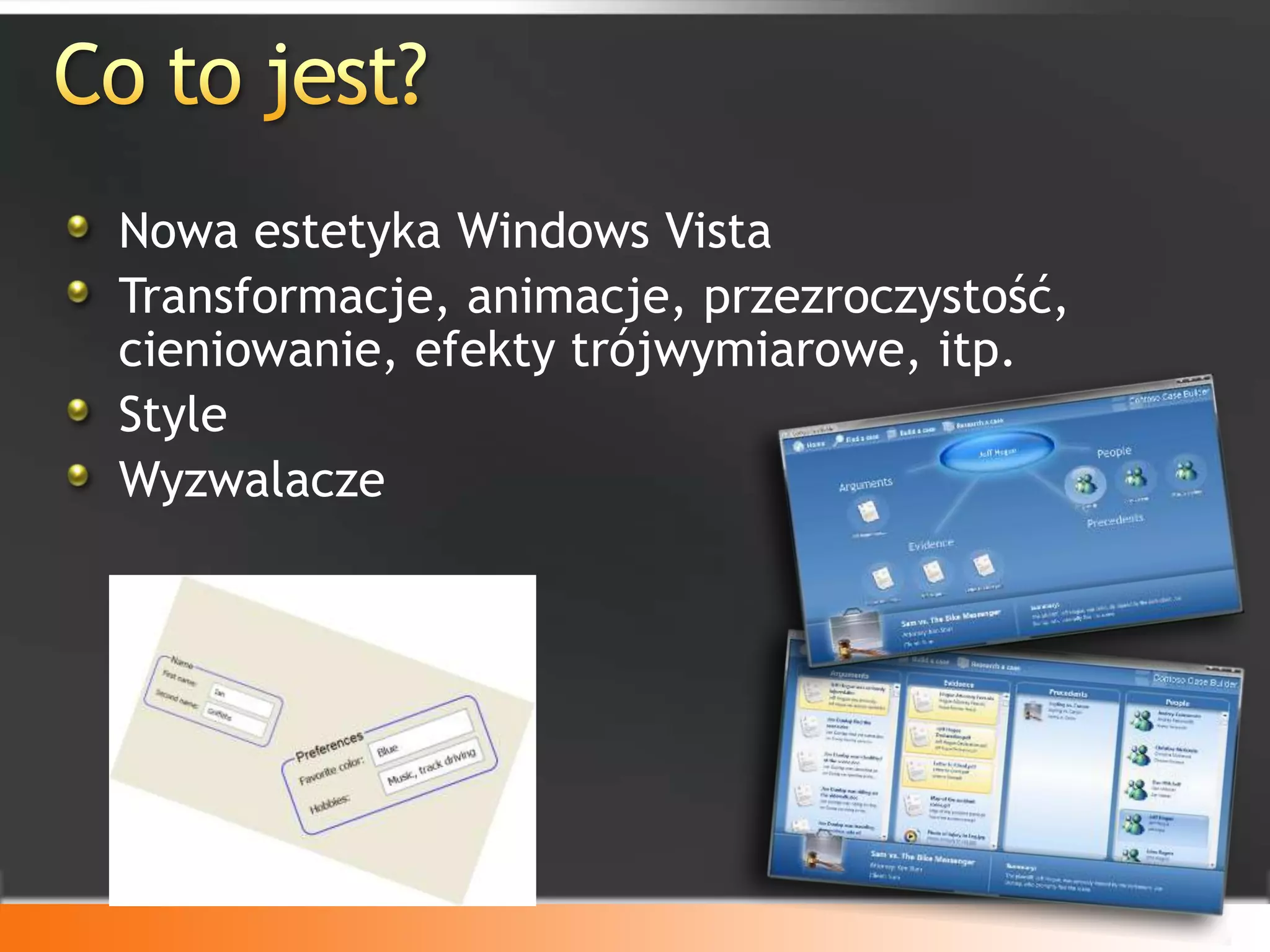
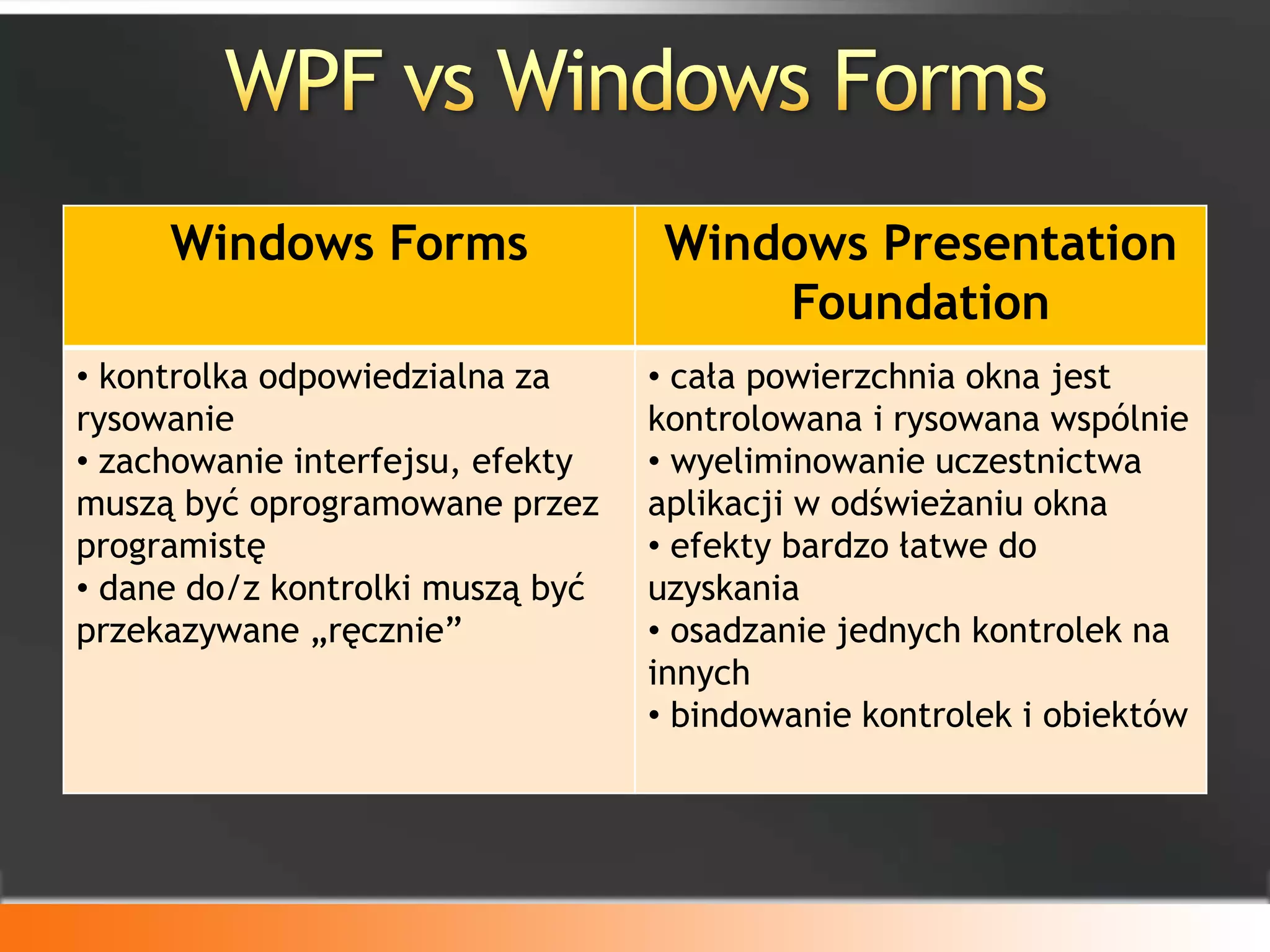
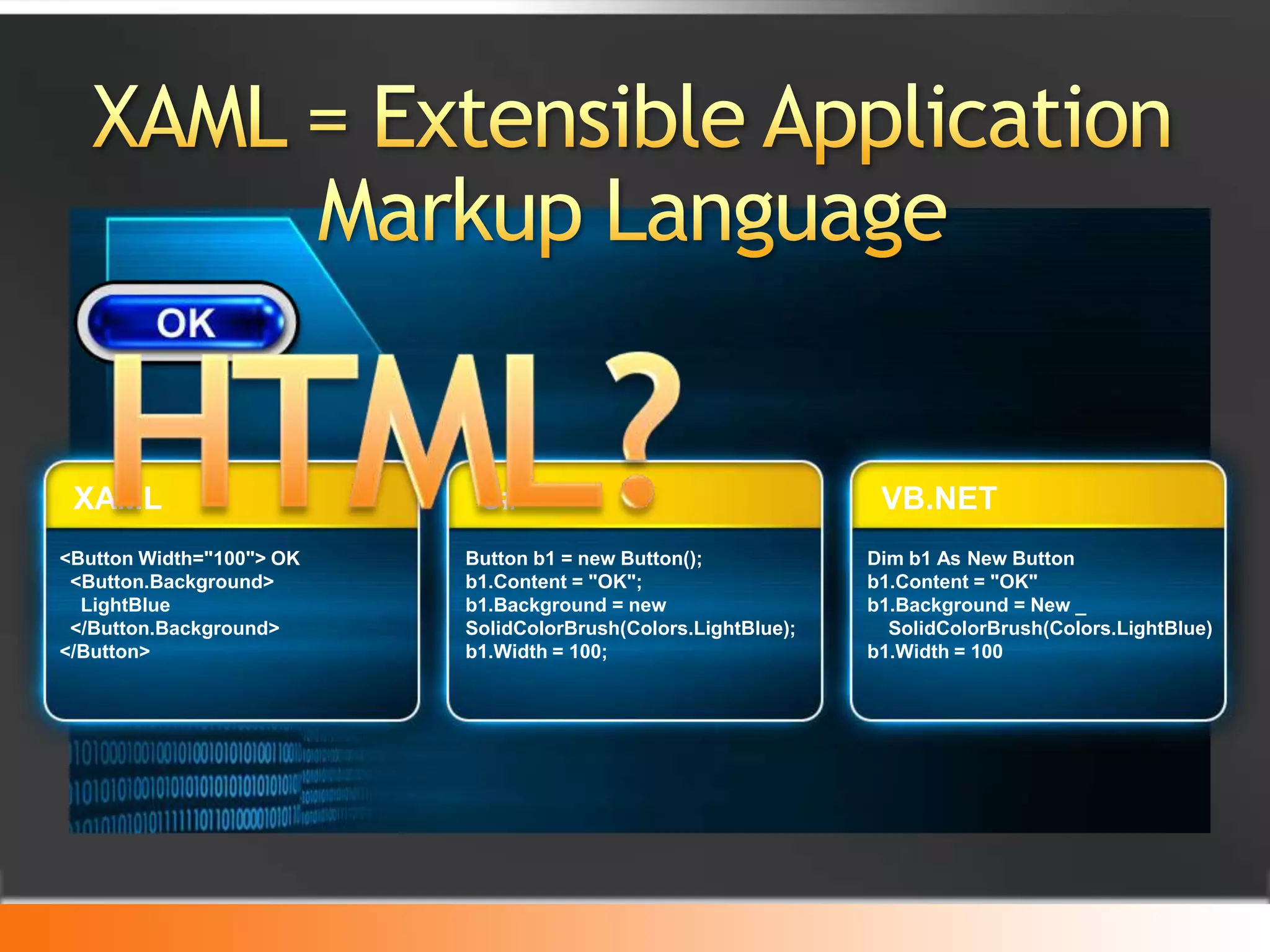
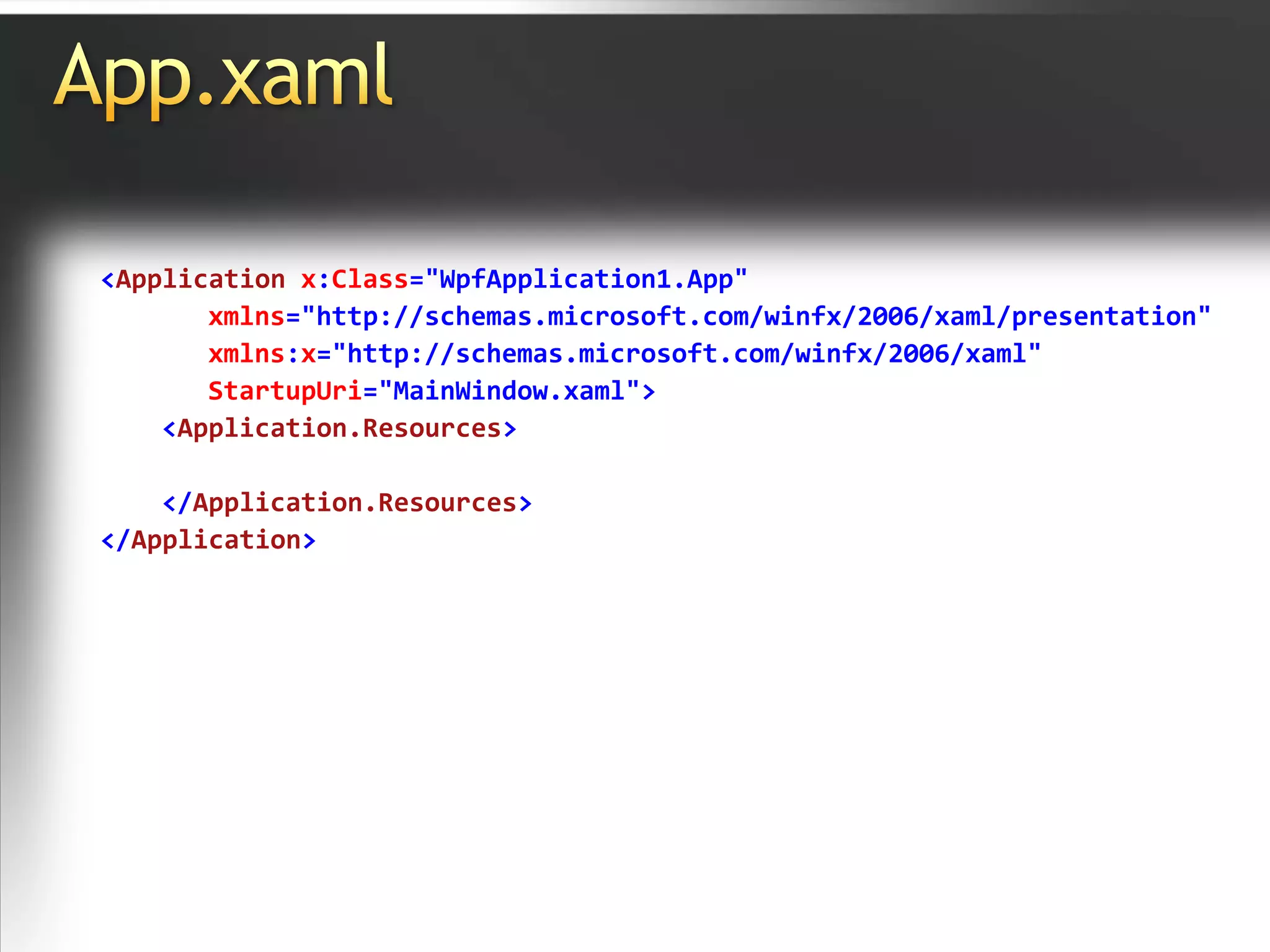
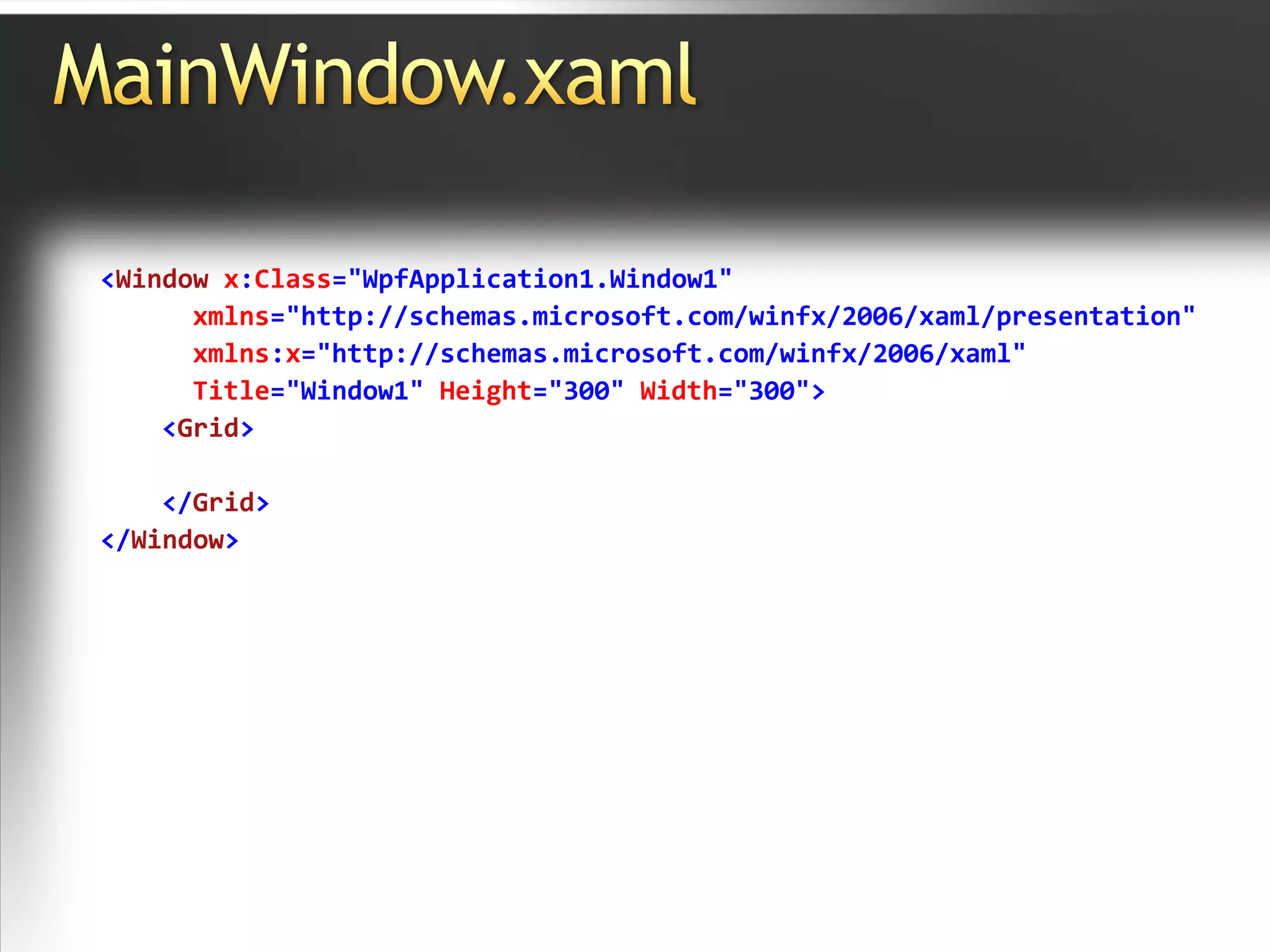
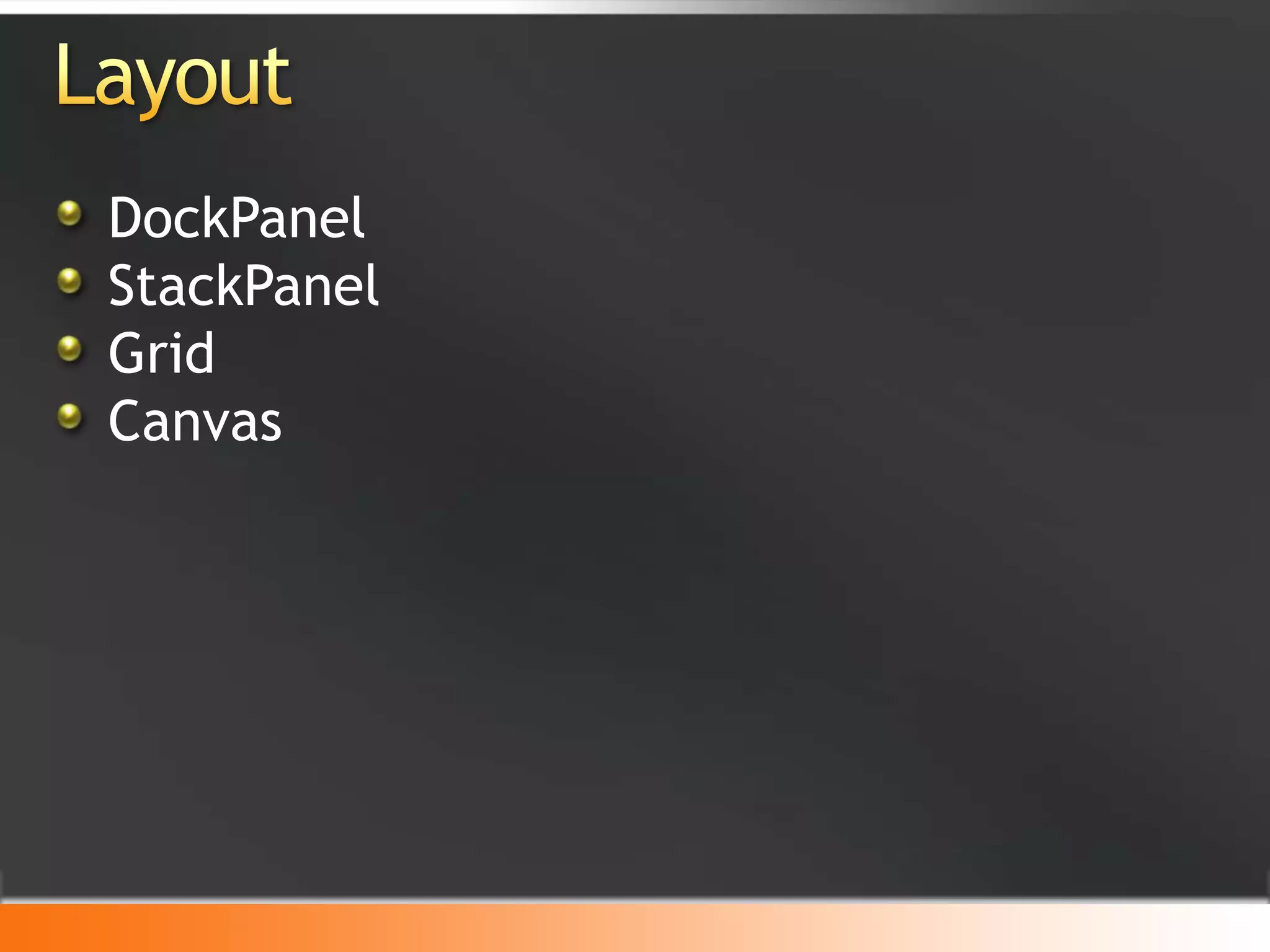
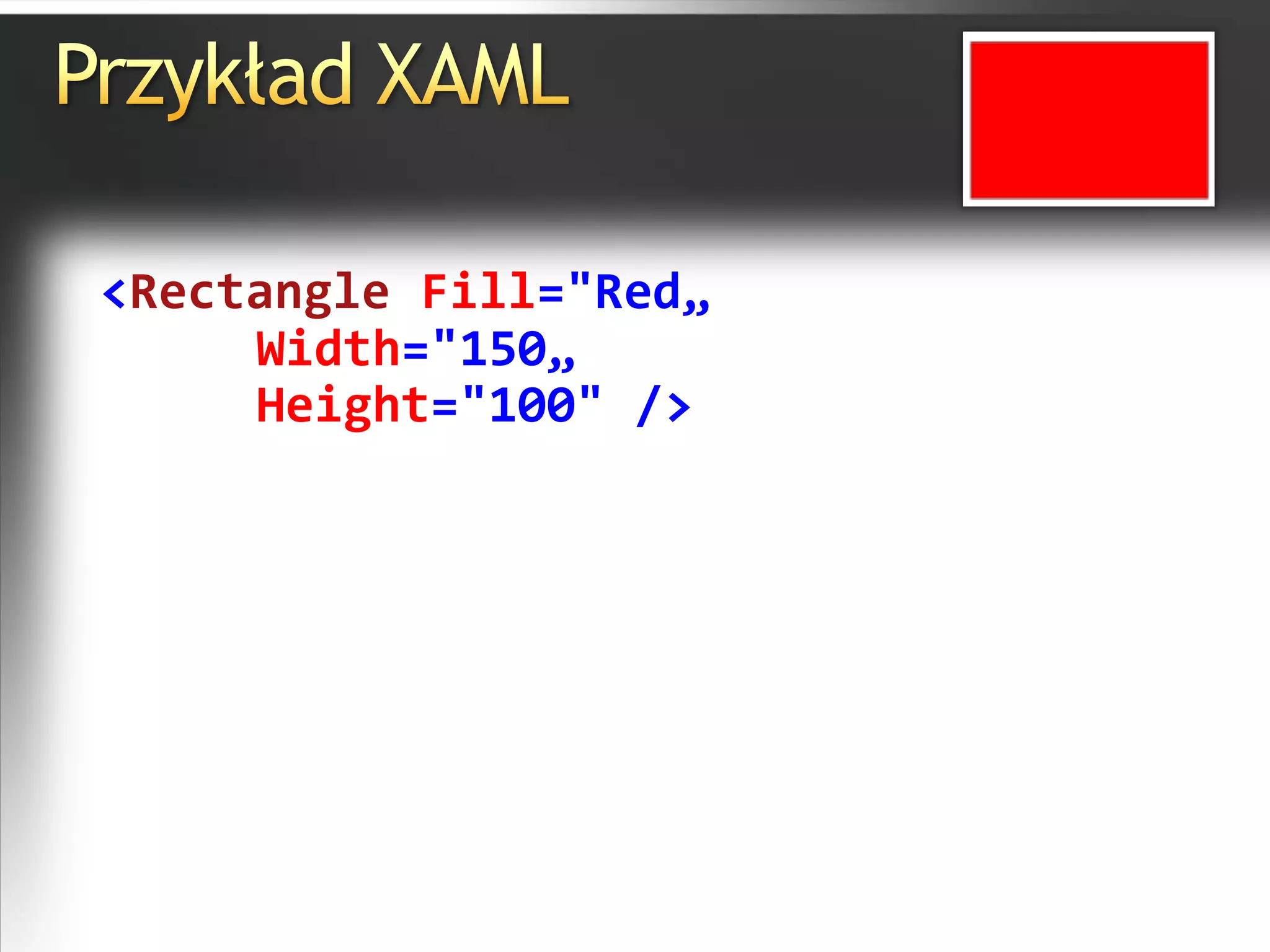
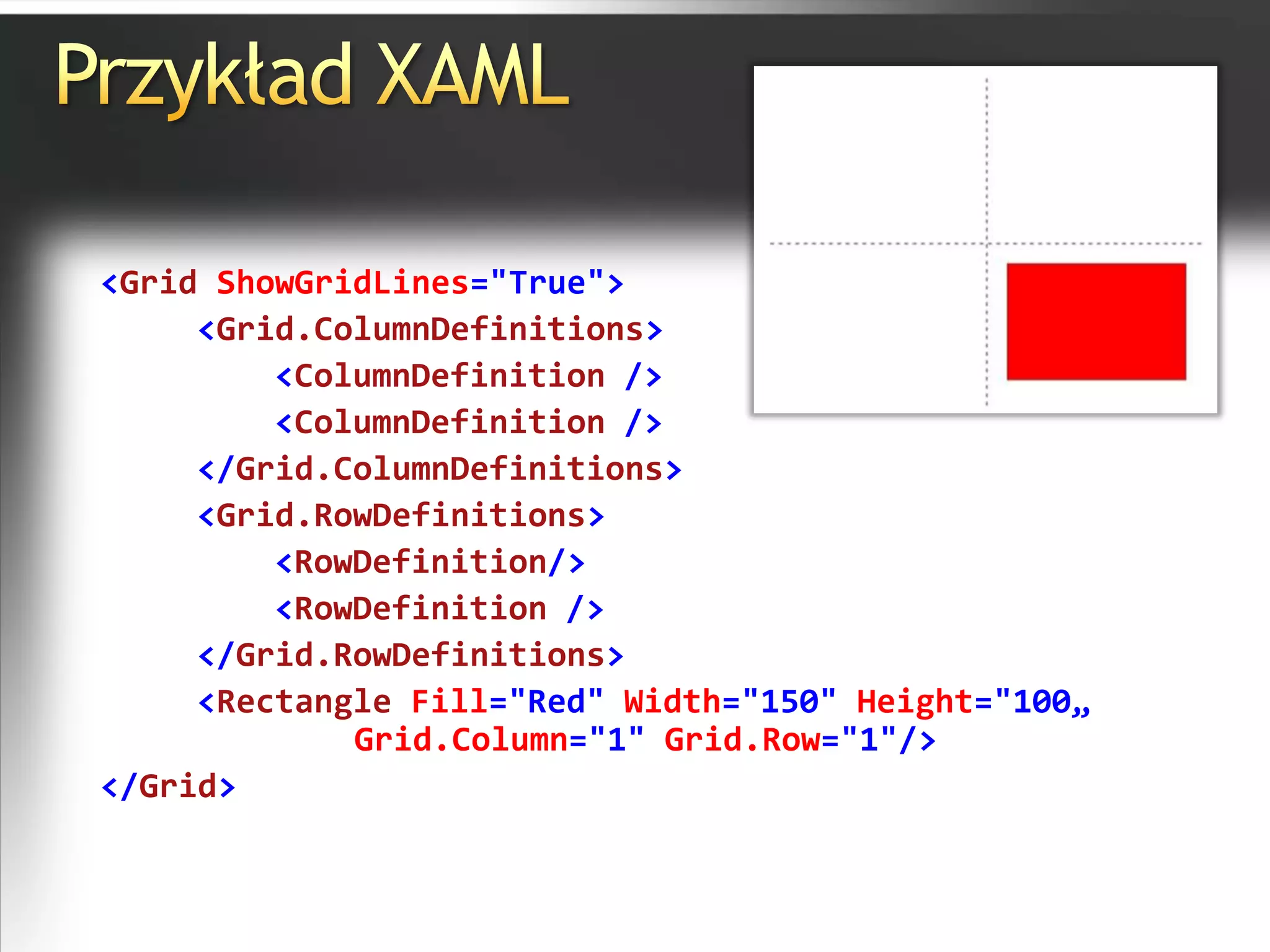
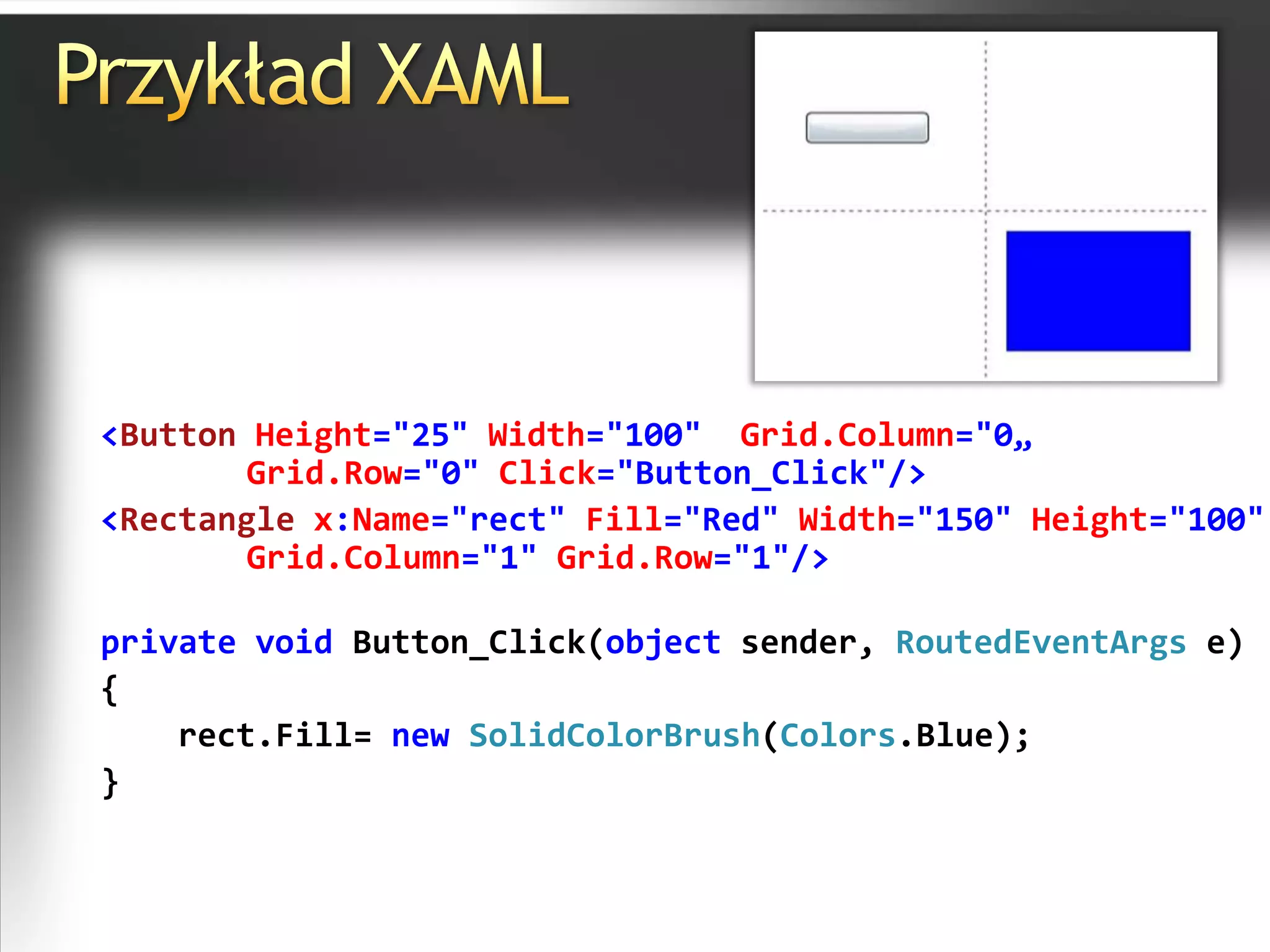
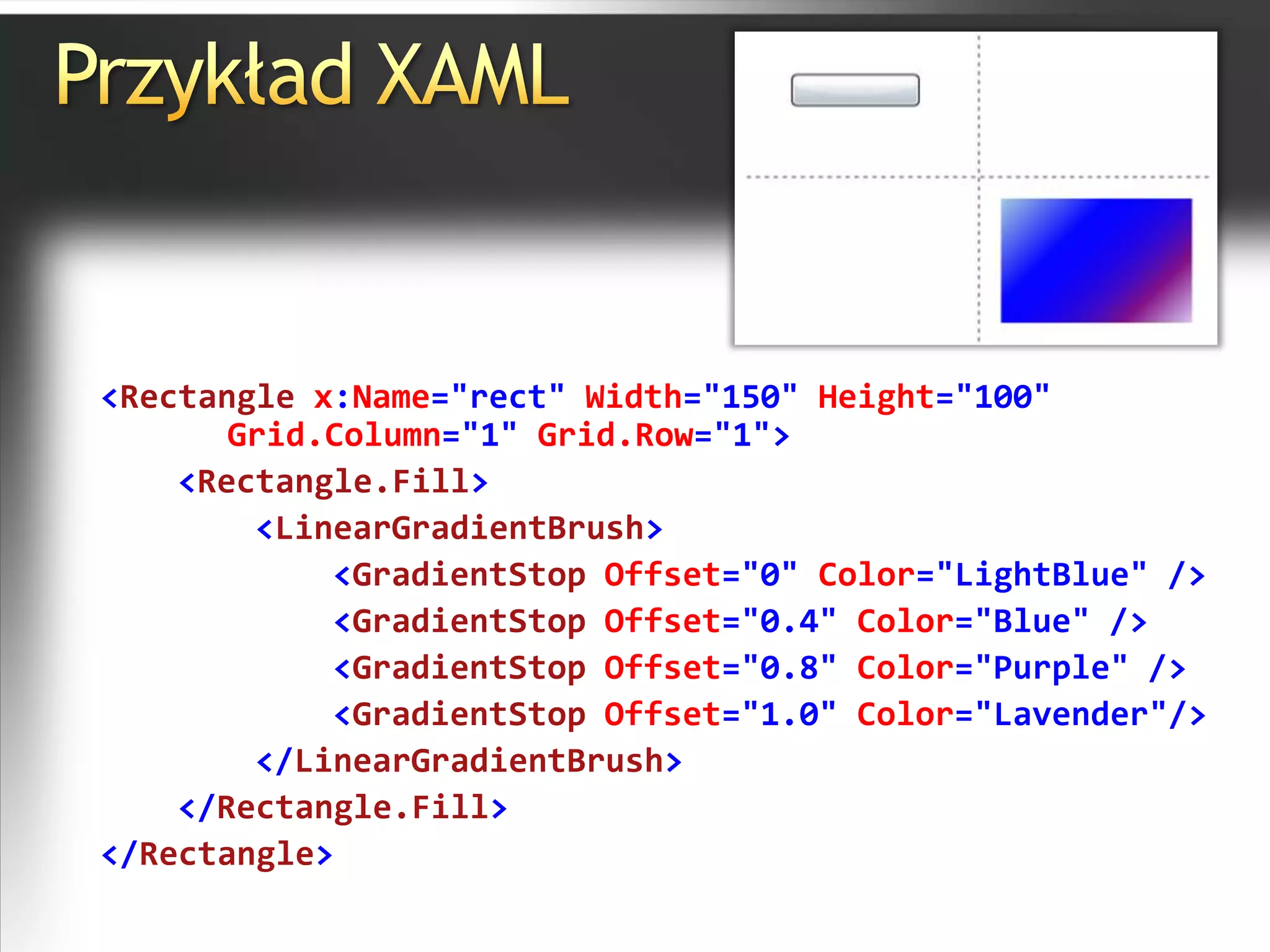
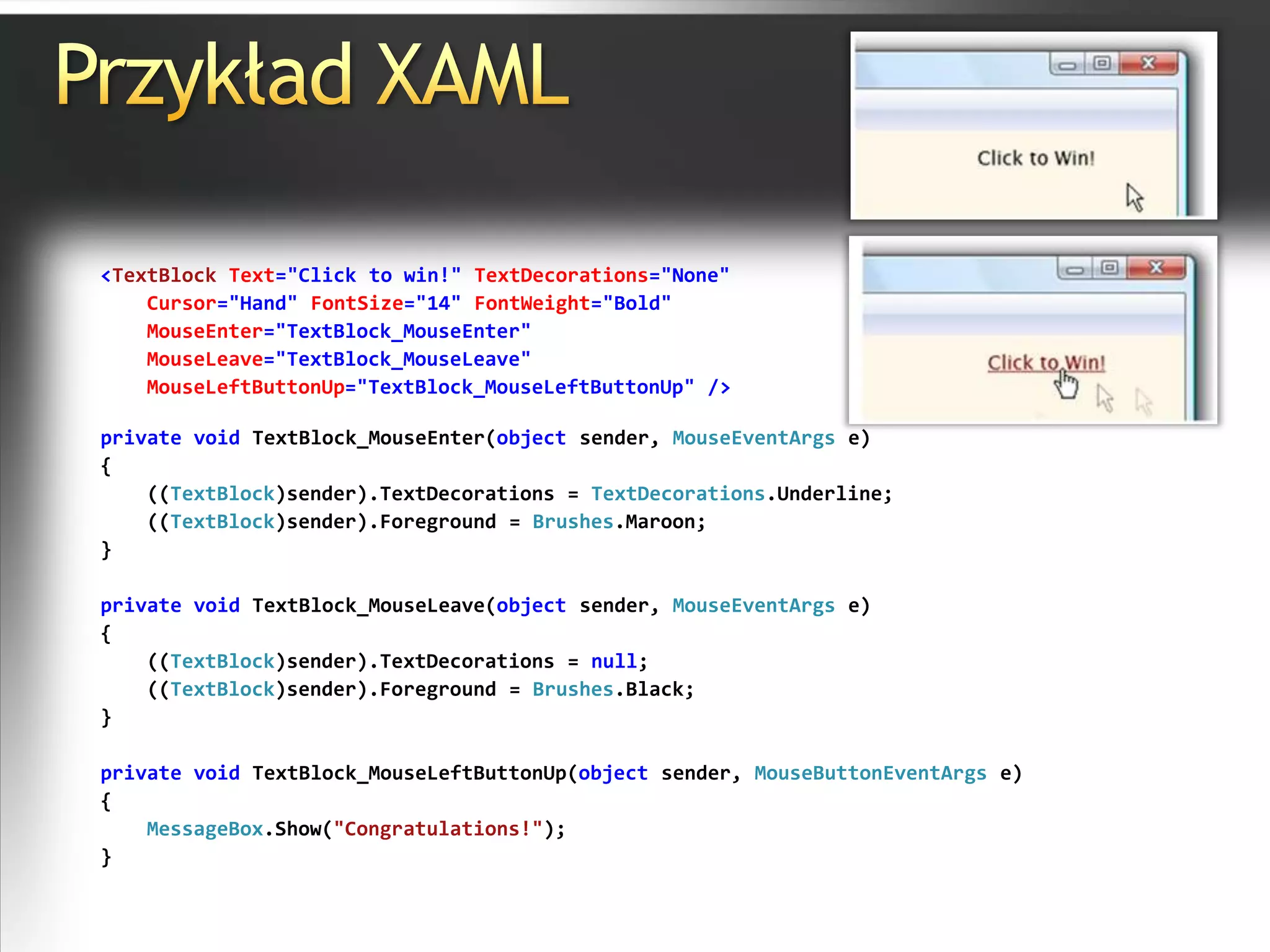
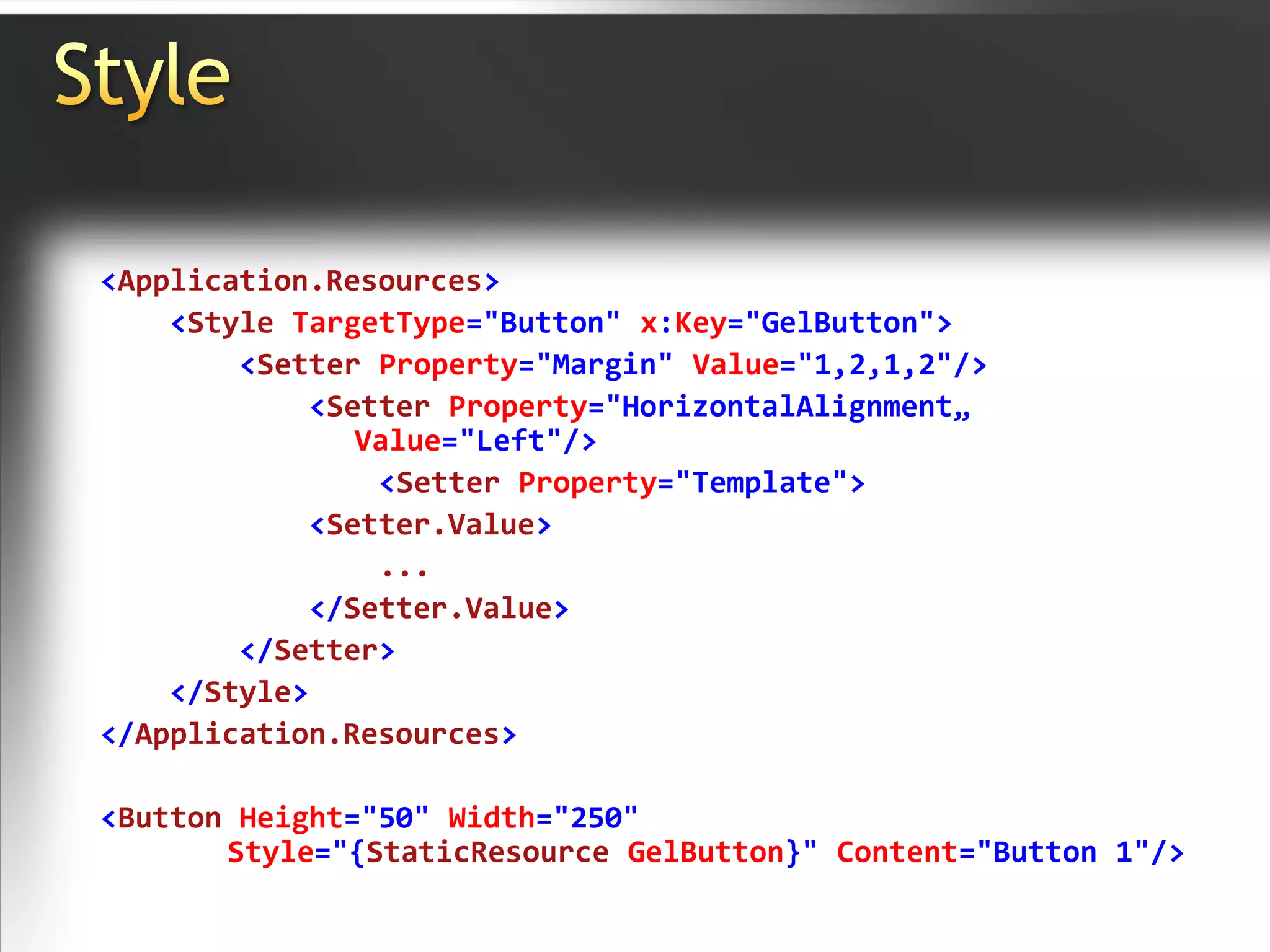
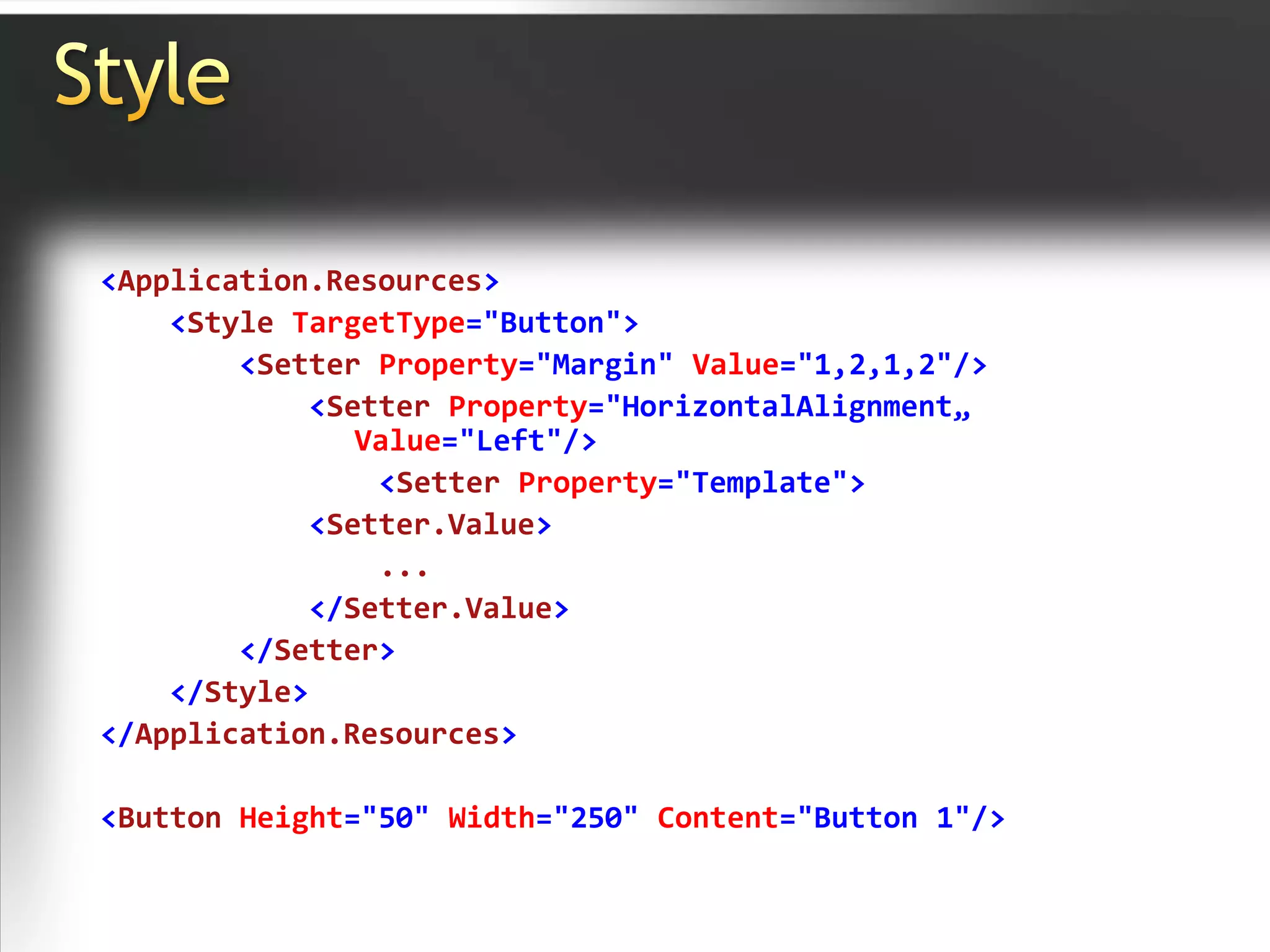
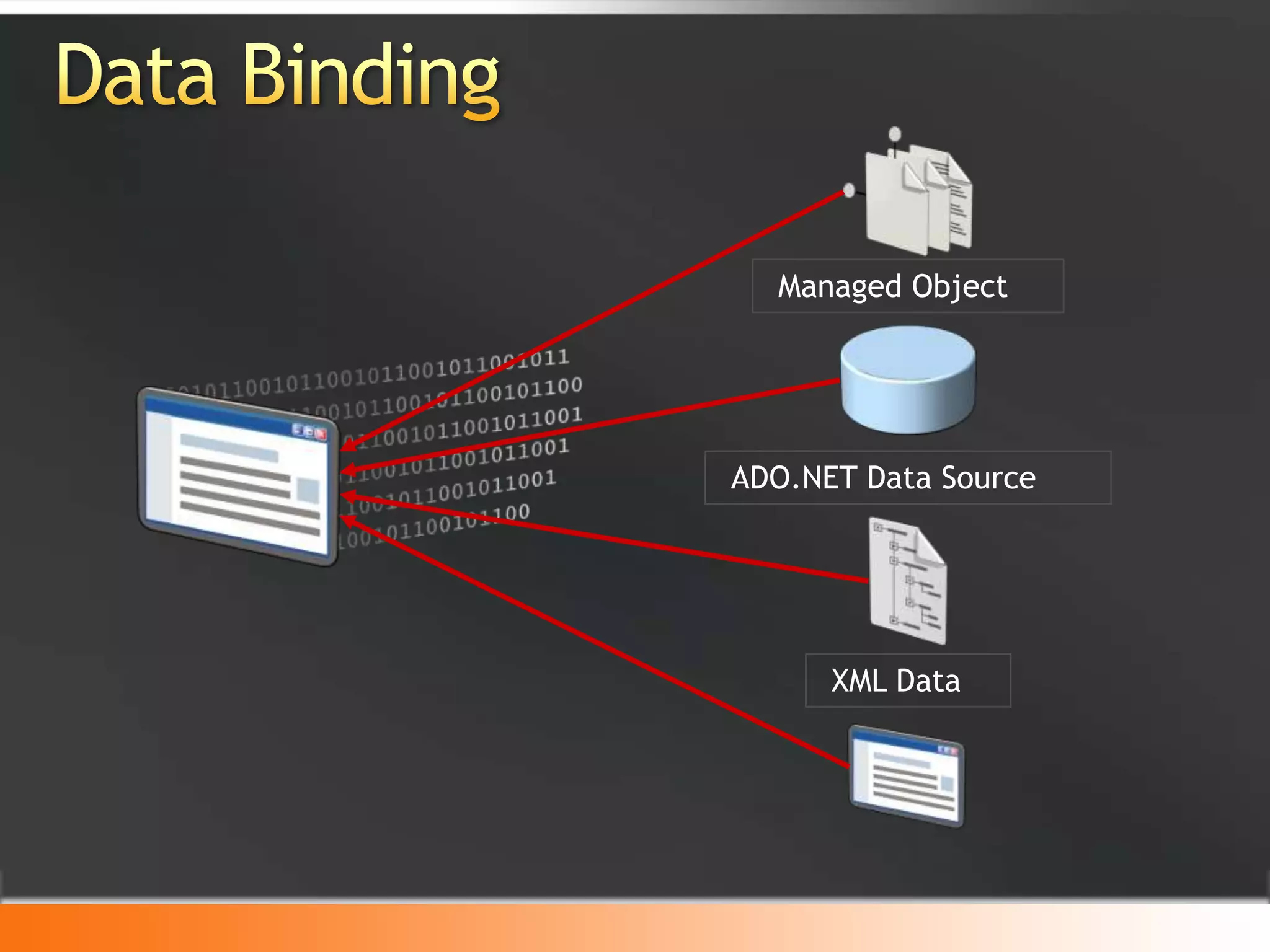
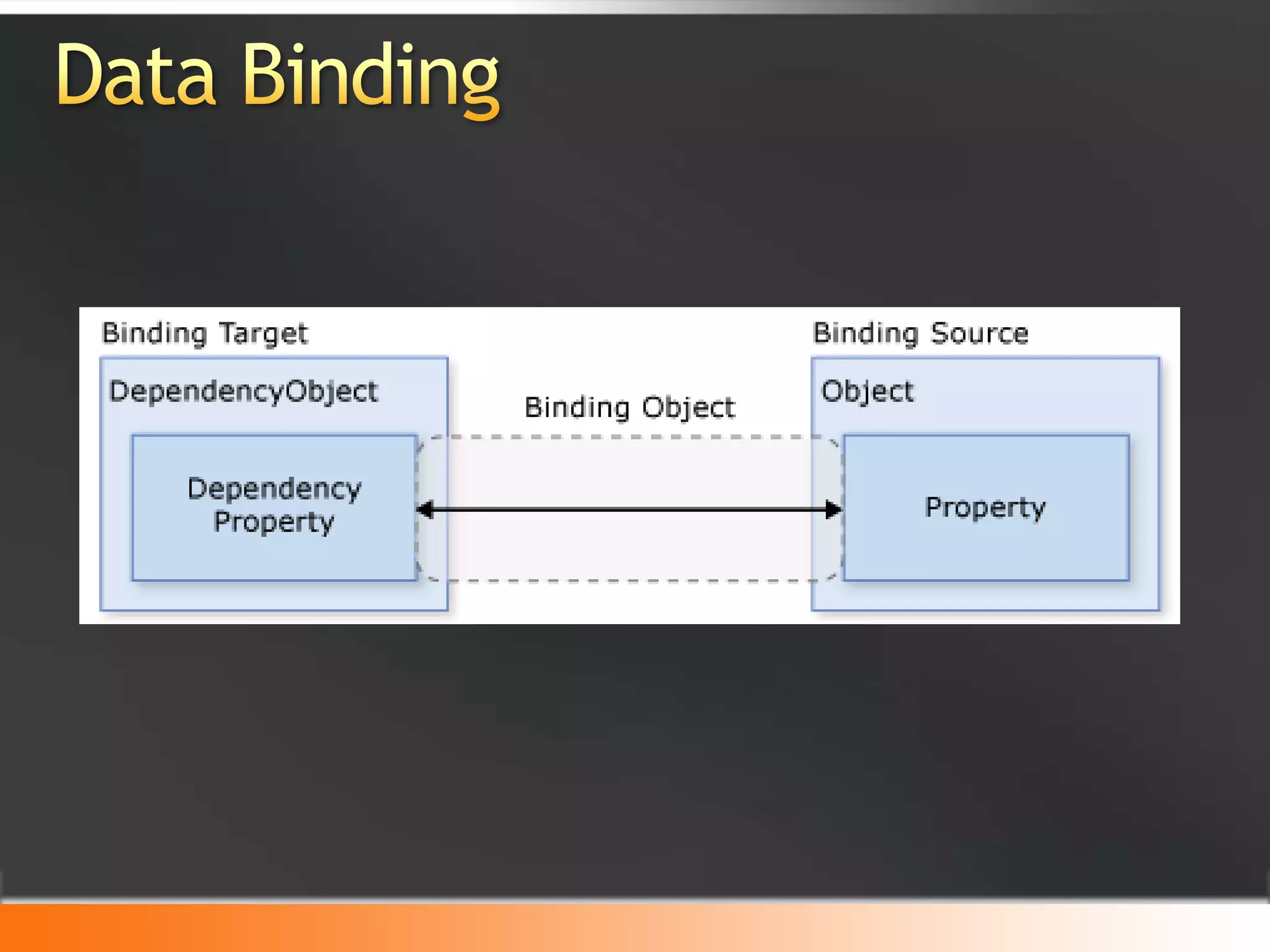
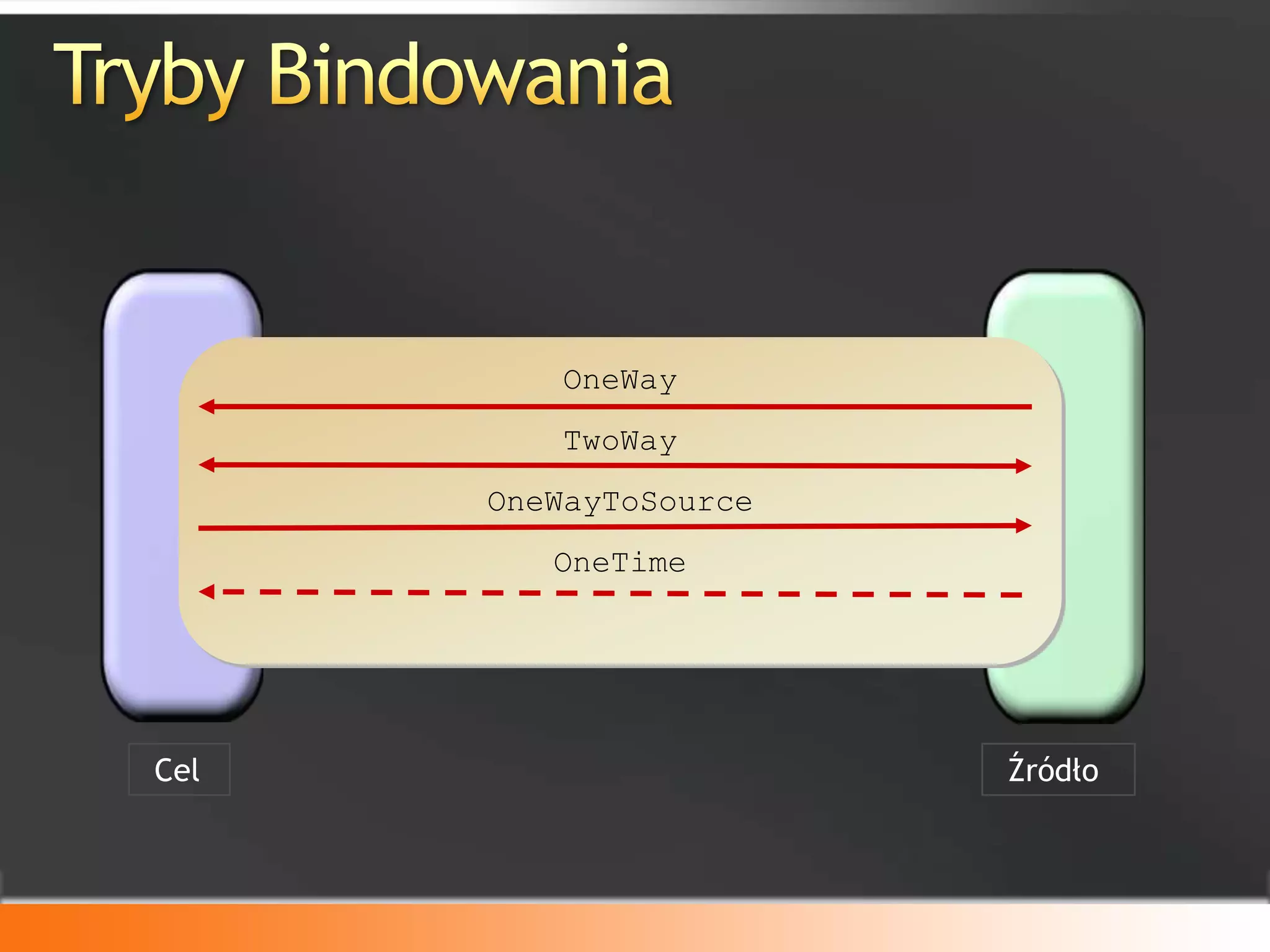
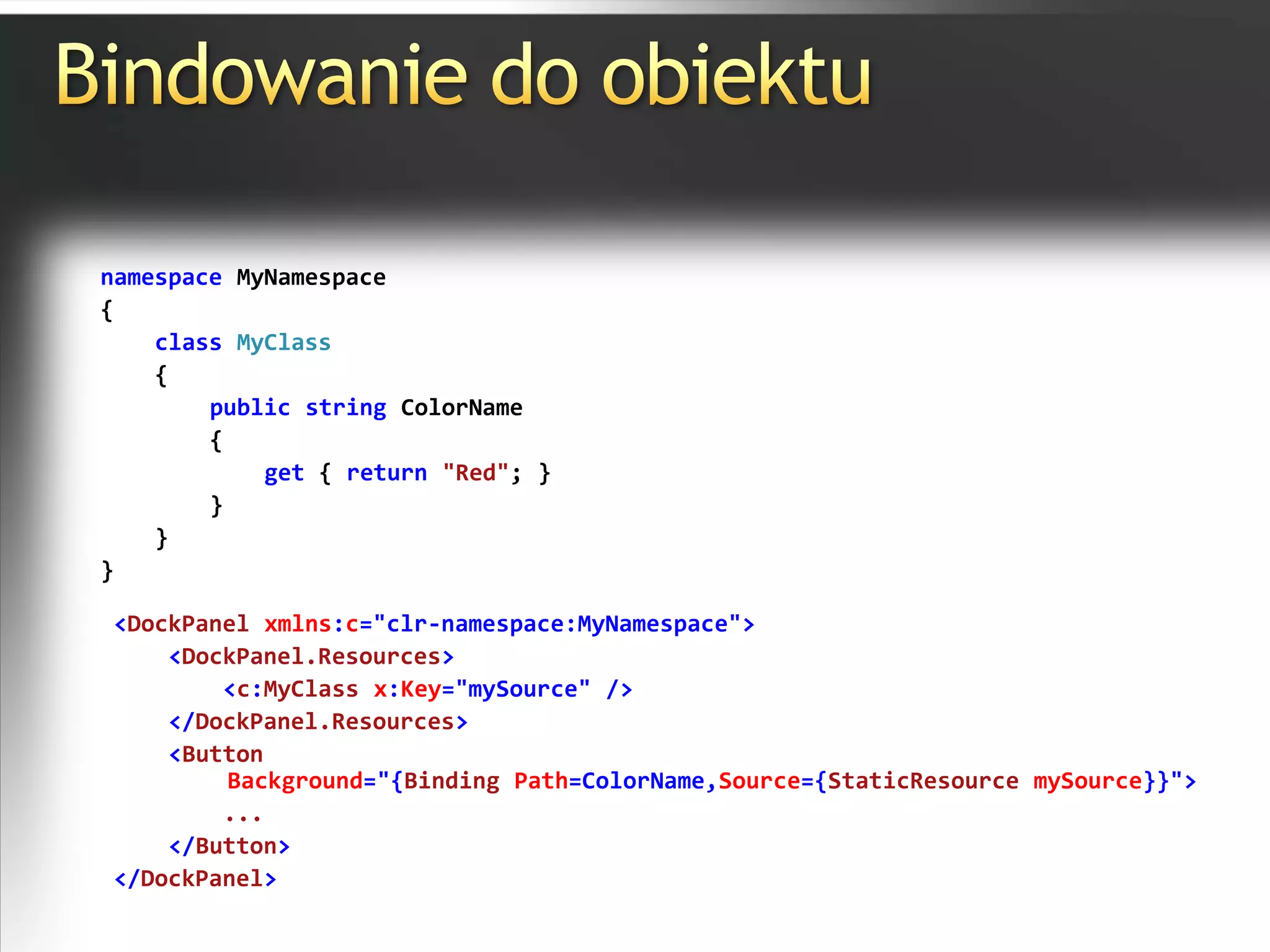
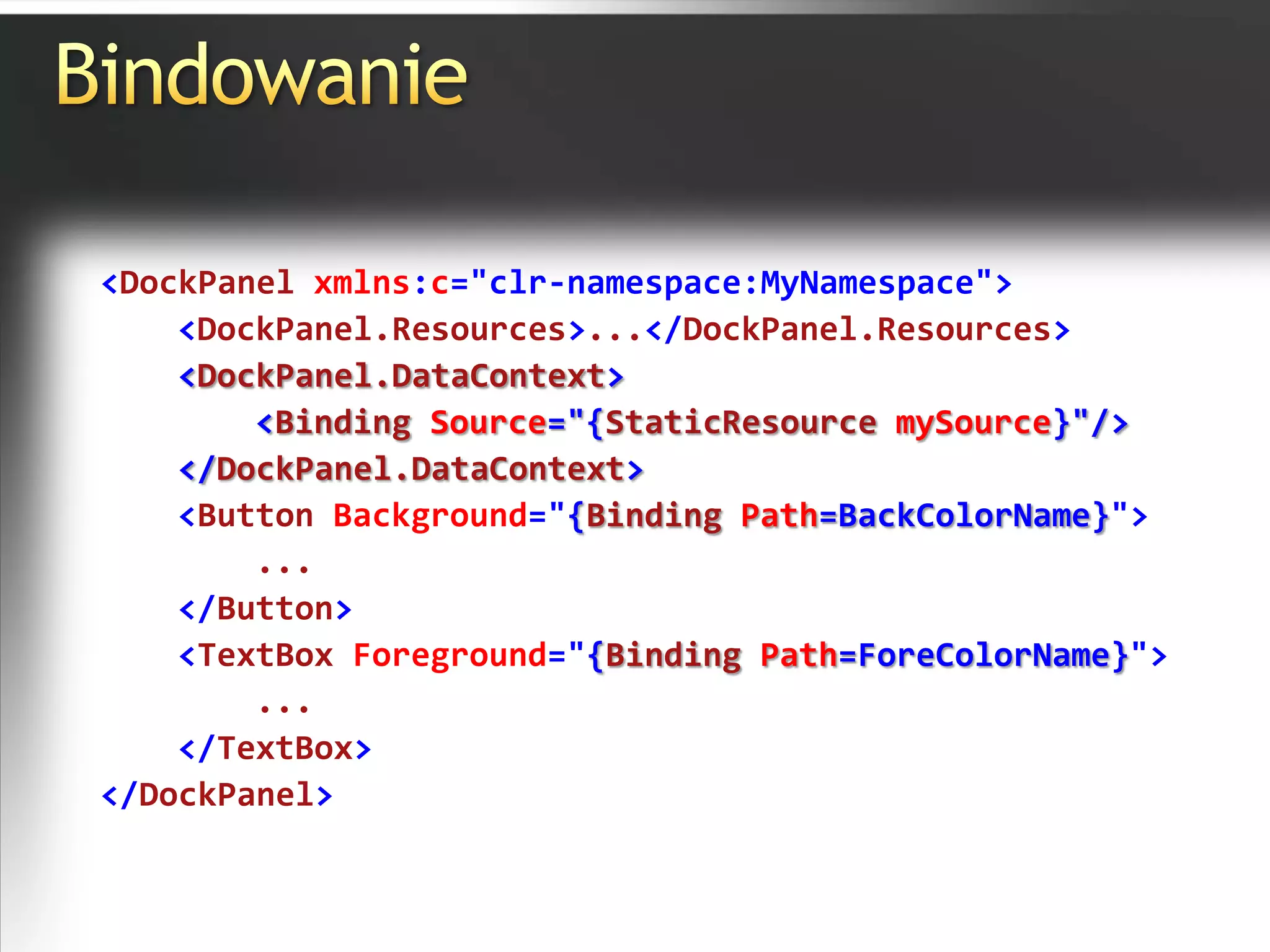
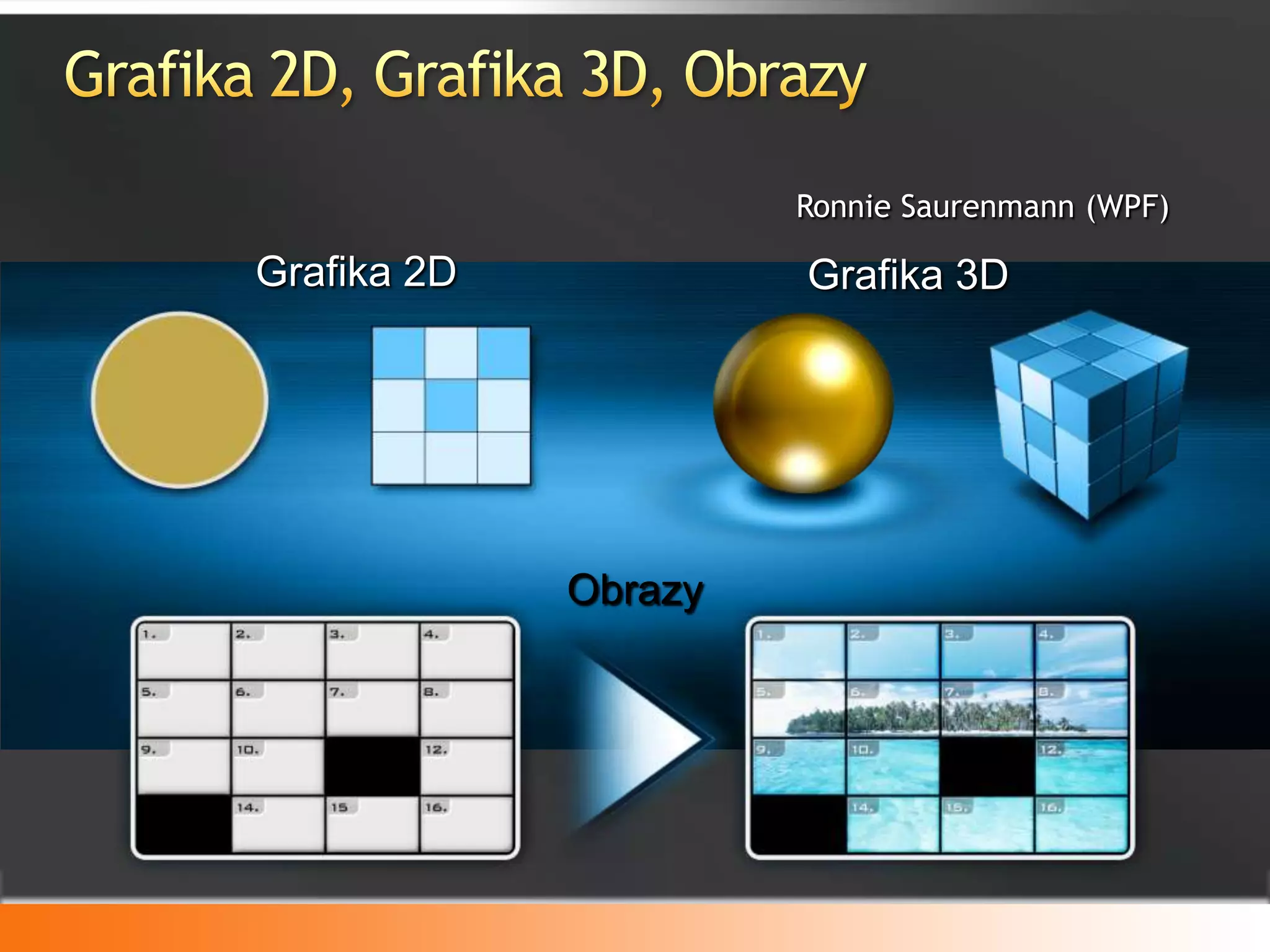
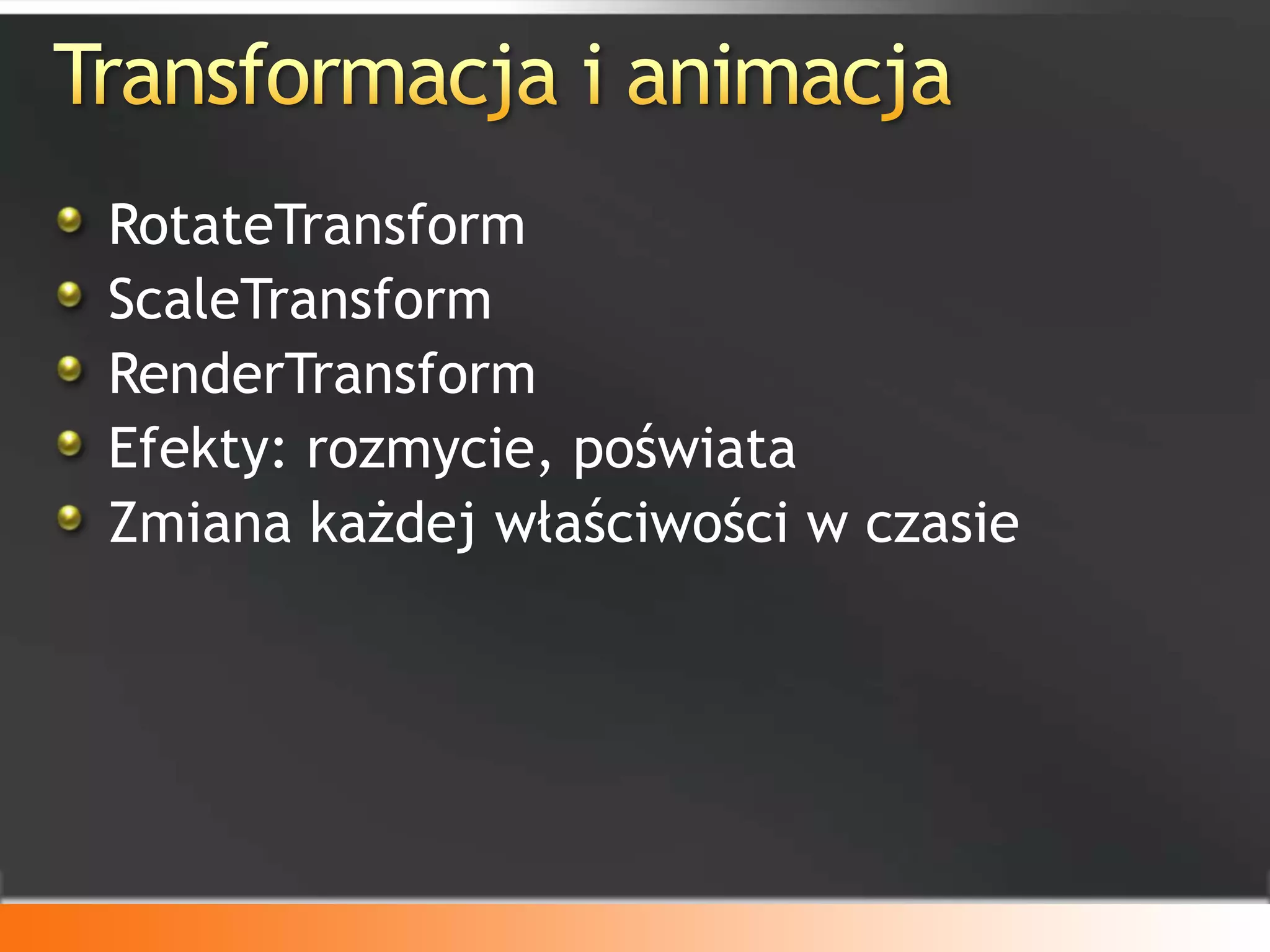
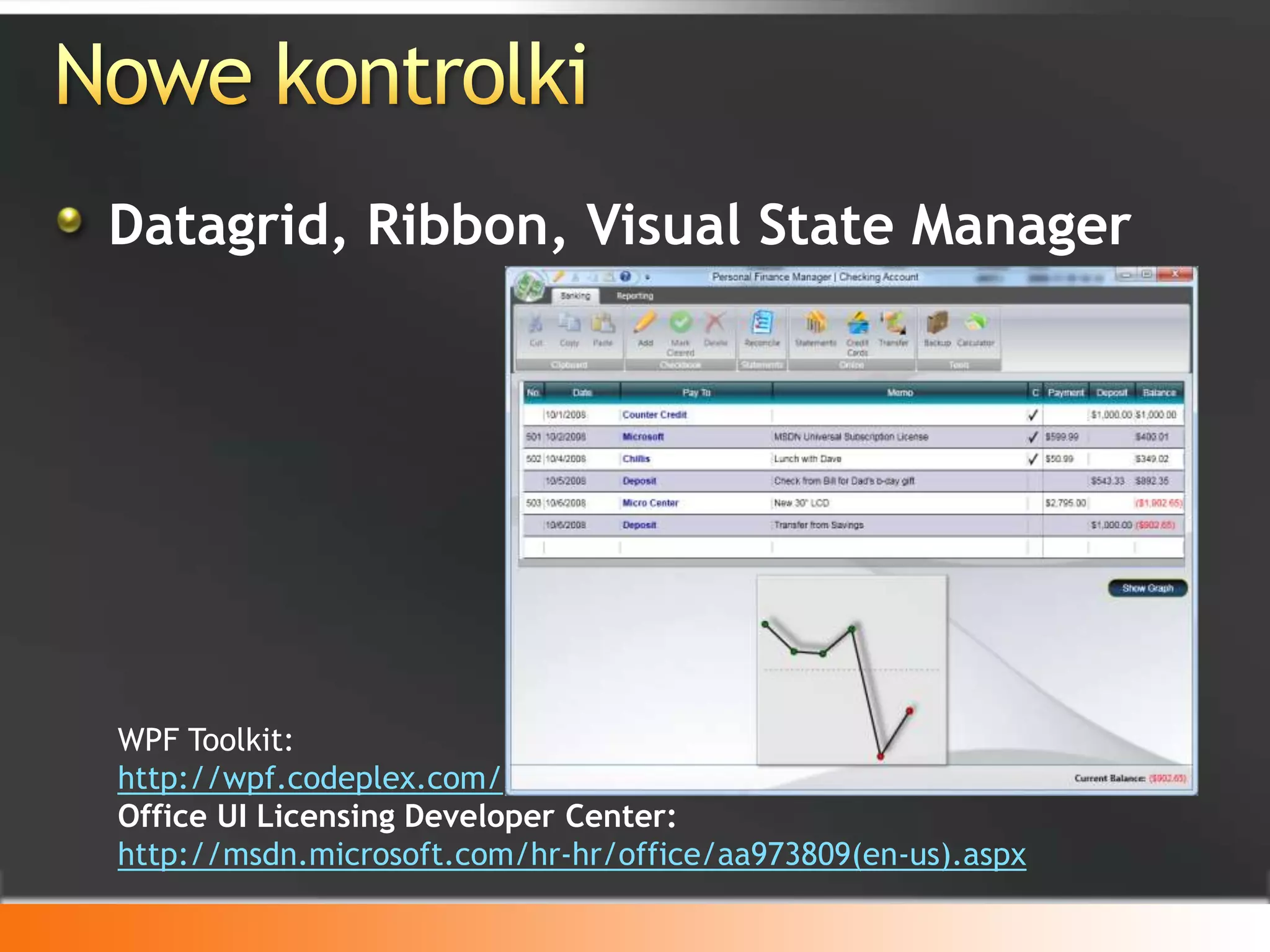
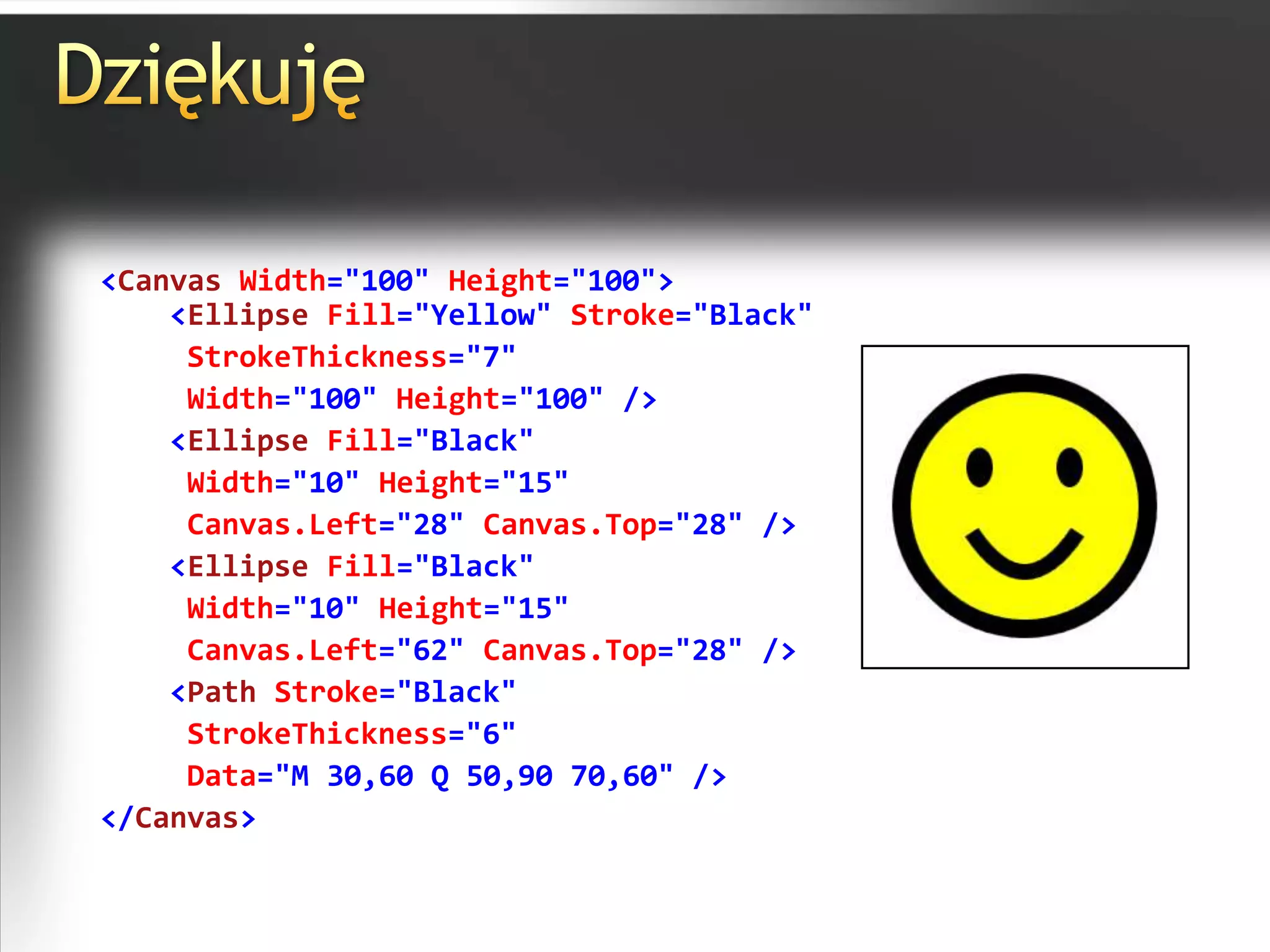
Windows Presentation Foundation 1. 2. AgendaCo to jest? Do czego służy?Porównanie z Windows FormsJęzyk XAML i przykłady koduData Binding i Update TriggerExpression BlendNowe kontrolki w WPF?Podsumowanie 3. Co to jest?Windows Presentation Foundation(System.Windows.*)Windows CardSpaceWindows CommunicationFoundation(System.ServiceModel.*)Windows Workflow Foundation(System.Workflow.*) 4. 5. Co to jest?Nowa estetyka Windows VistaTransformacje, animacje, przezroczystość, cieniowanie, efekty trójwymiarowe, itp.StyleWyzwalacze 6. 7. XAMLC#VB.NET<Button Width="100"> OK <Button.Background>LightBlue </Button.Background></Button>Button b1 = new Button();b1.Content = "OK";b1.Background = new SolidColorBrush(Colors.LightBlue);b1.Width = 100;Dim b1 As New Buttonb1.Content = "OK"b1.Background = New _SolidColorBrush(Colors.LightBlue)b1.Width = 100XAML = ExtensibleApplicationMarkupLanguageHTML? 8. 9. 10. 11. 12. 13. 14. Przykład XAML<Button Height="25" Width="100"Grid.Column="0„Grid.Row="0" Click="Button_Click"/><Rectangle x:Name="rect" Fill="Red"Width="150" Height="100"Grid.Column="1"Grid.Row="1"/>privatevoidButton_Click(object sender, RoutedEventArgs e){rect.Fill= newSolidColorBrush(Colors.Blue);} 15. Przykład XAML<Rectangle x:Name="rect" Width="150" Height="100"Grid.Column="1"Grid.Row="1"><Rectangle.Fill><LinearGradientBrush><GradientStop Offset="0" Color="LightBlue" /><GradientStop Offset="0.4" Color="Blue" /><GradientStop Offset="0.8" Color="Purple" /><GradientStop Offset="1.0" Color="Lavender"/></LinearGradientBrush></Rectangle.Fill></Rectangle> 16. 17. Przykład XAML<TextBlock Text="Click to win!" TextDecorations="None"Cursor="Hand" FontSize="14" FontWeight="Bold"MouseEnter="TextBlock_MouseEnter" MouseLeave="TextBlock_MouseLeave" MouseLeftButtonUp="TextBlock_MouseLeftButtonUp" />privatevoidTextBlock_MouseEnter(object sender, MouseEventArgs e){ ((TextBlock)sender).TextDecorations = TextDecorations.Underline; ((TextBlock)sender).Foreground = Brushes.Maroon;}privatevoidTextBlock_MouseLeave(object sender, MouseEventArgs e){ ((TextBlock)sender).TextDecorations = null; ((TextBlock)sender).Foreground = Brushes.Black;}privatevoidTextBlock_MouseLeftButtonUp(object sender, MouseButtonEventArgs e){MessageBox.Show("Congratulations!");} 18. 19. 20. 21. 22. 23. Bindowanie do obiektunamespace MyNamespace{classMyClass {publicstring ColorName {get { return"Red"; } } }}<DockPanel xmlns:c="clr-namespace:MyNamespace"><DockPanel.Resources><c:MyClass x:Key="mySource" /></DockPanel.Resources><ButtonBackground="{Binding Path=ColorName,Source={StaticResourcemySource}}"> ...</Button> </DockPanel> 24. 25. 26. 27. 28. PropertyChangedUpdateTrigger - przykład<Label>Enter a Name:</Label><TextBox><TextBox.Text><BindingSource="{StaticResource myDataSource}" Path="Name" UpdateSourceTrigger= "PropertyChanged" /></TextBox.Text></TextBox><Label>The name you entered:</Label><TextBlock Text="{Binding Source= {StaticResourcemyDataSource}, Path = Name}"/><TextBox Name="itemNameTextBox" Text="{Binding Path=ItemName, UpdateSourceTrigger=Explicit}" />//itemNameTextBox is an instance of a TextBoxBindingExpressionbe = itemNameTextBox.GetBindingExpression(TextBox.TextProperty);be.UpdateSource(); 29. DataTemplate<DataTemplate x:Key="myTaskTemplate"><Border Name="border" BorderBrush="Aqua" BorderThickness="1" Padding="5" Margin="5"><Grid><Grid.RowDefinitions><RowDefinition/><RowDefinition/><RowDefinition/></Grid.RowDefinitions><Grid.ColumnDefinitions><ColumnDefinition /><ColumnDefinition /></Grid.ColumnDefinitions><TextBlockGrid.Row="0"Grid.Column="0" Text="Task Name:"/><TextBlock Grid.Row="0" Grid.Column="l" Text="{BindingPath=TaskName}"/><TextBlock Grid.Row="1" Grid.Column="0" Text="Description:" /><TextBlock Grid.Row="1"Grid.Column="1" Text="{Binding Path.Description}" /><TextBlock Grid.Row="2"Grid.Column="0"Text="Priority:" /><TextBlock Grid.Row="2" Grid.Column="1" Text="{BindingPath=Priority}" /></Grid></Border></DataTemplate><ListBox Width="400" Margin="10" ItemsSource="{Binding Source={StaticResource myTodoList}}"ItemTemplate="{StaticResource myTaskTemplate}" HorizontalContentAlignment="Stretch"/> 30. <Border Width="400" BorderBrush="Green" BorderThickness="9"> <StackPanel><MediaElement Source="aero.wmv" /> <Button>Hello</Button> </StackPanel></Border>Audio i WideoRonnie Saurenmann (WPF)Różne formaty: WMV, MPEG, Some AVIsSynchronizacha z animacjami 31. 32. 33. 34. 35. Nowe kontrolkiDatagrid, Ribbon, Visual State ManagerWPF Toolkit:http://wpf.codeplex.com/Office UI Licensing Developer Center:http://msdn.microsoft.com/hr-hr/office/aa973809(en-us).aspx 36. 37. 38. Dziękuję<Canvas Width="100" Height="100"><Ellipse Fill="Yellow" Stroke="Black" StrokeThickness="7" Width="100" Height="100" /> <Ellipse Fill="Black" Width="10" Height="15" Canvas.Left="28" Canvas.Top="28" /><Ellipse Fill="Black" Width="10" Height="15" Canvas.Left="62" Canvas.Top="28" /> <Path Stroke="Black" StrokeThickness="6" Data="M 30,60 Q 50,90 70,60" /></Canvas>