Putting your Resume on Github
Ukrish Vanichrujee
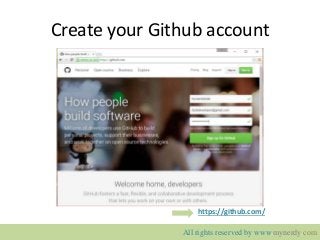
Create your Github account
https://github.com/
All rights reserved by www.mynerdy.com
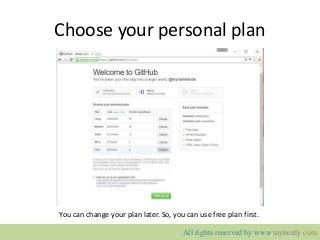
Choose your personal plan
You can change your plan later. So, you can use free plan first.
All rights reserved by www.mynerdy.com
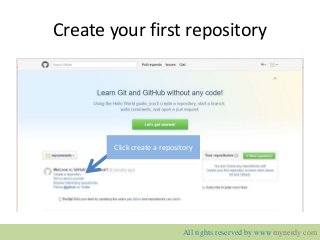
Create your first repository
Click create a repository
All rights reserved by www.mynerdy.com
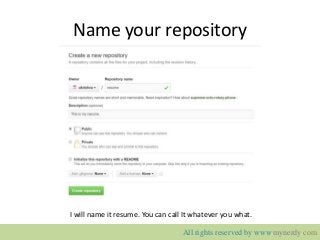
Name your repository
I will name it resume. You can call It whatever you what.
All rights reserved by www.mynerdy.com
Install Git
• For window user:
– https://git-scm.com/download/win
• For Linux :
– Open terminal: type “sudo apt-get install git”
All rights reserved by www.mynerdy.com
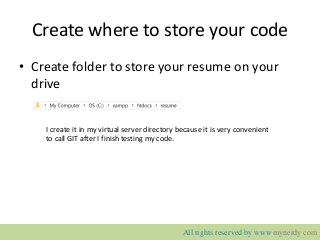
Create where to store your code
• Create folder to store your resume on your
drive
I create it in my virtual server directory because it is very convenient
to call GIT after I finish testing my code.
All rights reserved by www.mynerdy.com

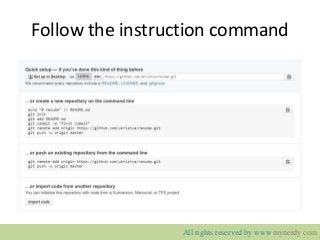
Follow the instruction command
All rights reserved by www.mynerdy.com
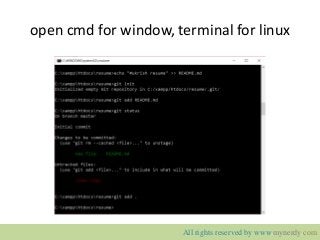
open cmd for window, terminal for linux
All rights reserved by www.mynerdy.com
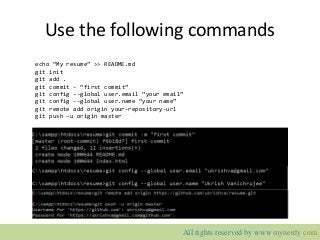
Use the following commands
echo “My resume” >> README.md
git init
git add .
git commit - “first commit”
git config --global user.email “your email”
git config --global user.name “your name”
git remote add origin your-repository-url
git push –u origin master
All rights reserved by www.mynerdy.com
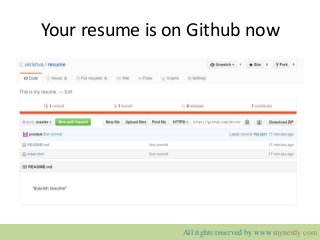
Your resume is on Github now
All rights reserved by www.mynerdy.com
www.mynerdy.com
http://www.mynerdy.com
Keyword: resume, install, cv, github, git, beginner

Putting your resume on github

  • 1.
    Putting your Resumeon Github Ukrish Vanichrujee
  • 2.
    Create your Githubaccount https://github.com/ All rights reserved by www.mynerdy.com
  • 3.
    Choose your personalplan You can change your plan later. So, you can use free plan first. All rights reserved by www.mynerdy.com
  • 4.
    Create your firstrepository Click create a repository All rights reserved by www.mynerdy.com
  • 5.
    Name your repository Iwill name it resume. You can call It whatever you what. All rights reserved by www.mynerdy.com
  • 6.
    Install Git • Forwindow user: – https://git-scm.com/download/win • For Linux : – Open terminal: type “sudo apt-get install git” All rights reserved by www.mynerdy.com
  • 7.
    Create where tostore your code • Create folder to store your resume on your drive I create it in my virtual server directory because it is very convenient to call GIT after I finish testing my code. All rights reserved by www.mynerdy.com
  • 8.
    Follow the instructioncommand All rights reserved by www.mynerdy.com
  • 9.
    open cmd forwindow, terminal for linux All rights reserved by www.mynerdy.com
  • 10.
    Use the followingcommands echo “My resume” >> README.md git init git add . git commit - “first commit” git config --global user.email “your email” git config --global user.name “your name” git remote add origin your-repository-url git push –u origin master All rights reserved by www.mynerdy.com
  • 11.
    Your resume ison Github now All rights reserved by www.mynerdy.com
  • 12.