Turning a PowerPoint 
presentation to high-resolution 
PNG or JPG files
This may be obvious
… but doesn’t turn out images that 
are fit for 
• Web pages viewed on today’s devices 
• Today’s high-resolution display devices 
• Creative editing on Photoshop, Premiere or 
similar image and video-editing programs 
• Hollywood-grade sharp-looking menus and 
interactive elements on your DVD or Blu-Ray 
projects
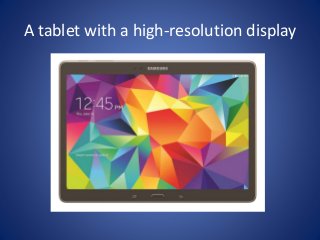
A tablet with a high-resolution display
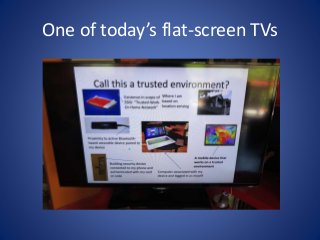
One of today’s flat-screen TVs
Let alone a 4K UHDTV display
There is a 
workaround
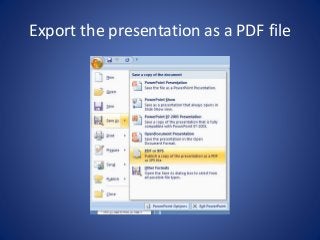
Export the presentation as a PDF file
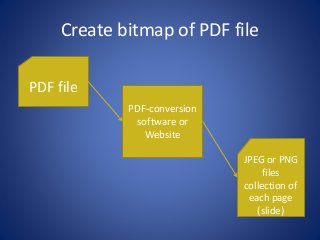
Create bitmap of PDF file 
PDF file 
PDF-conversion 
software or 
Website 
JPEG or PNG 
files 
collection of 
each page 
(slide)
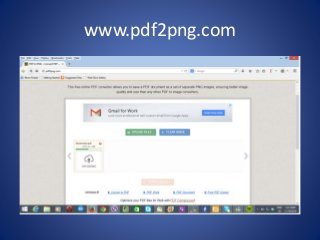
www.pdf2png.com
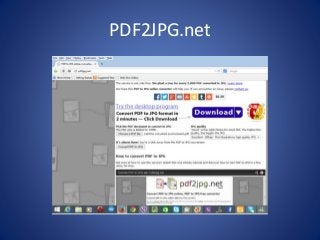
PDF2JPG.net
Results from a Web-based service
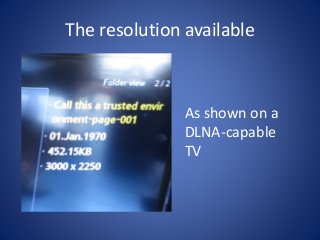
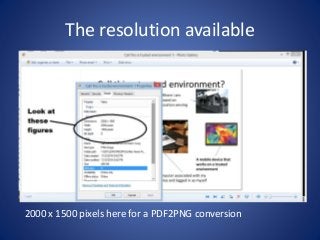
The resolution available 
As shown on a 
DLNA-capable 
TV
The resolution available 
2000 x 1500 pixels here for a PDF2PNG conversion
You can make that presentation 
come alive and be more useful 
using these techniques!
For more information 
Read this article at HomeNetworking01.info 
about exporting high-resolution PNG or JPEG 
slides from that PowerPoint presentation you 
create. 
Also have a look around 
HomeNetworking01.info for more interesting 
personal and small-business computing and IT 
articles.
Turning a power point presentation to high resolution images

  • 1.
    Turning a PowerPoint presentation to high-resolution PNG or JPG files
  • 2.
    This may beobvious
  • 3.
    … but doesn’tturn out images that are fit for • Web pages viewed on today’s devices • Today’s high-resolution display devices • Creative editing on Photoshop, Premiere or similar image and video-editing programs • Hollywood-grade sharp-looking menus and interactive elements on your DVD or Blu-Ray projects
  • 4.
    A tablet witha high-resolution display
  • 5.
    One of today’sflat-screen TVs
  • 6.
    Let alone a4K UHDTV display
  • 7.
    There is a workaround
  • 8.
  • 9.
    Create bitmap ofPDF file PDF file PDF-conversion software or Website JPEG or PNG files collection of each page (slide)
  • 10.
  • 11.
  • 12.
    Results from aWeb-based service
  • 13.
    The resolution available As shown on a DLNA-capable TV
  • 14.
    The resolution available 2000 x 1500 pixels here for a PDF2PNG conversion
  • 15.
    You can makethat presentation come alive and be more useful using these techniques!
  • 16.
    For more information Read this article at HomeNetworking01.info about exporting high-resolution PNG or JPEG slides from that PowerPoint presentation you create. Also have a look around HomeNetworking01.info for more interesting personal and small-business computing and IT articles.