Surfacing External Data Through Magnolia Sean McMains & Jeff Snider September 10, 2009
3 Approaches: JSP/Servlet Data Module RSS Module
JSP/Servlet Approach or "Teaching an  Old Dog New Tricks" Photo Credit: Stephen Poff
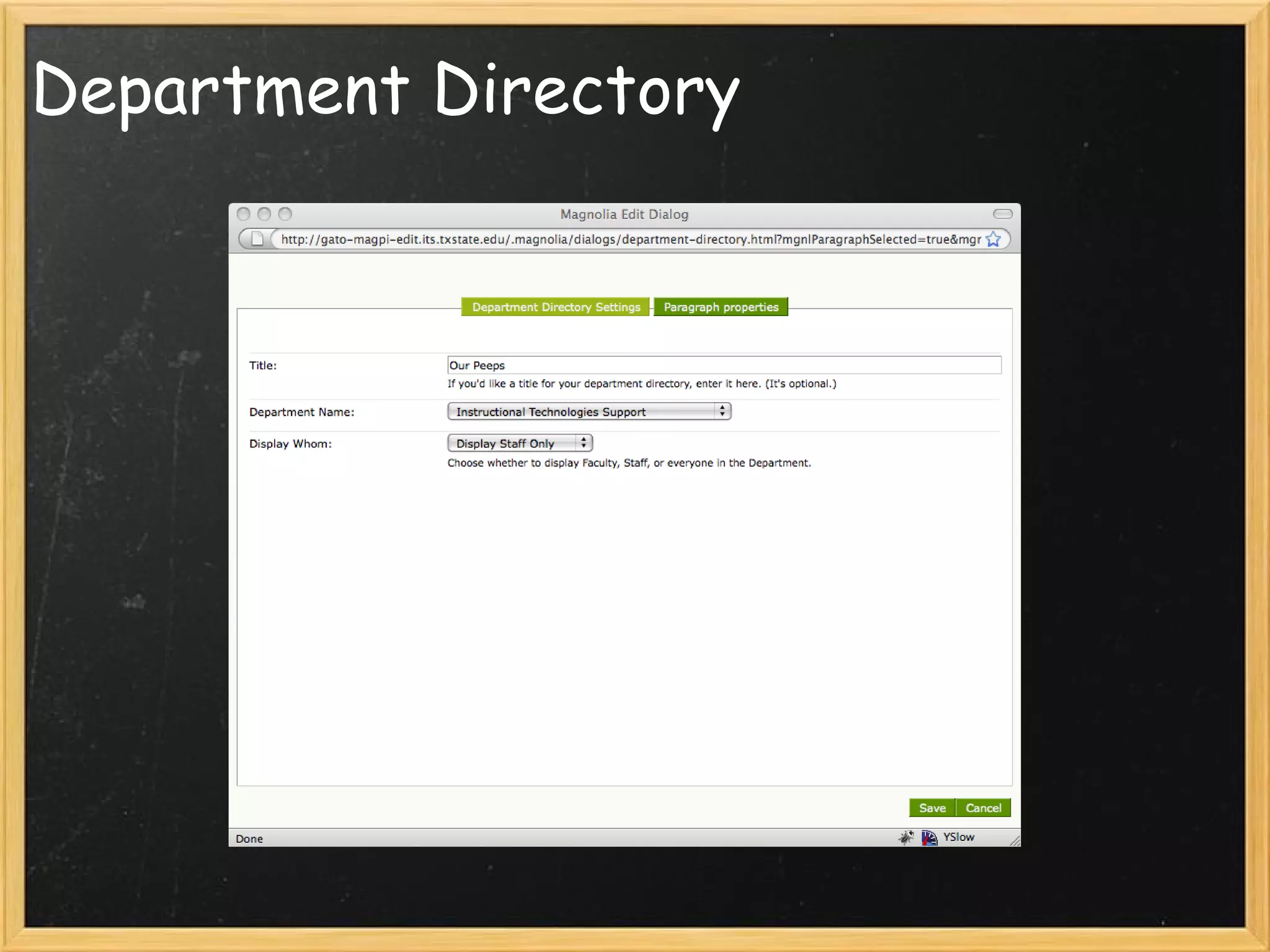
Department Directory
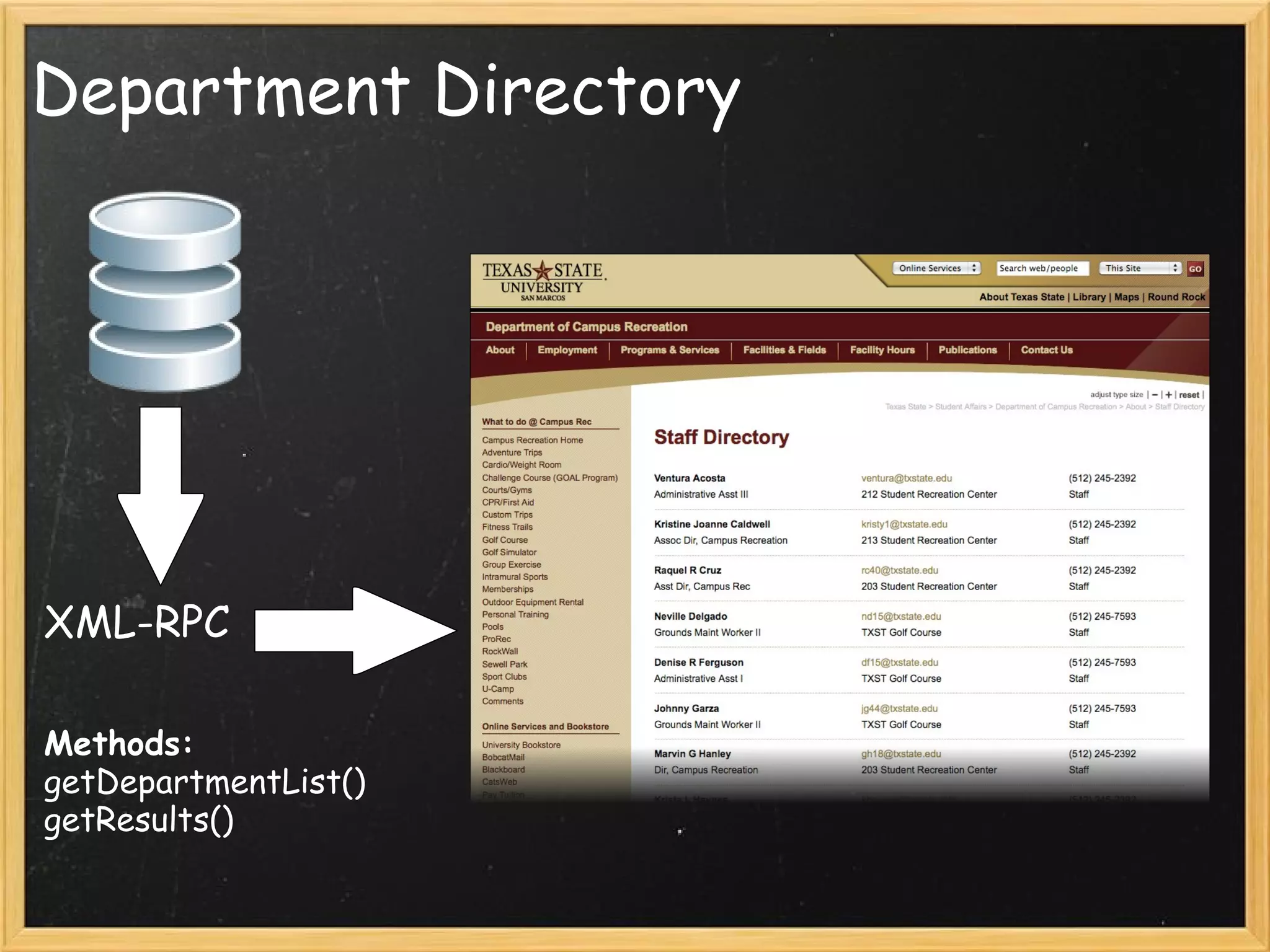
Department Directory XML-RPC Methods: getDepartmentList()  getResults()
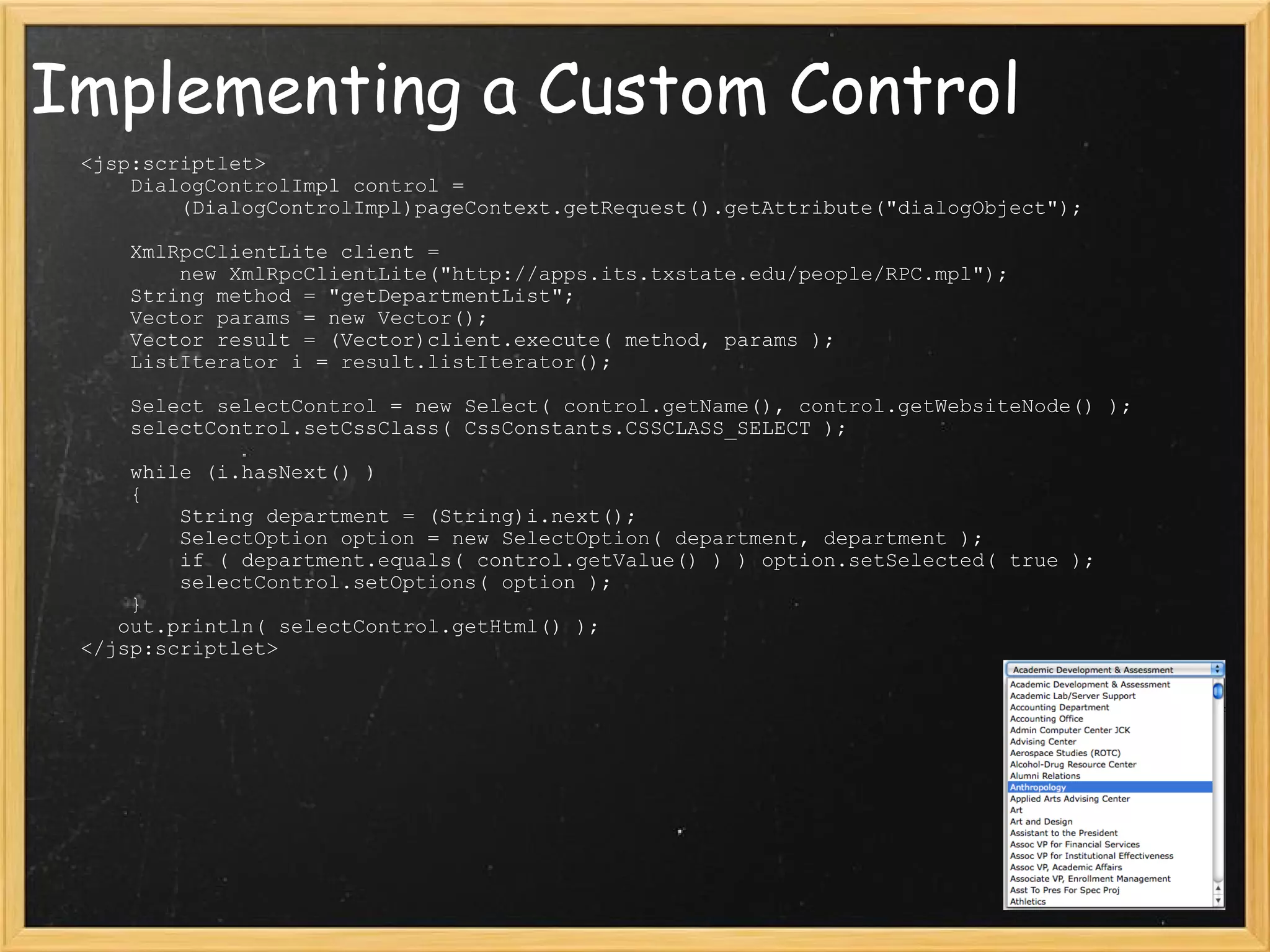
Implementing a Custom Control      <jsp:scriptlet>         DialogControlImpl control =               (DialogControlImpl)pageContext.getRequest().getAttribute(&quot;dialogObject&quot;);            XmlRpcClientLite client =             new XmlRpcClientLite(&quot;http://apps.its.txstate.edu/people/RPC.mpl&quot;);         String method = &quot;getDepartmentList&quot;;         Vector params = new Vector();         Vector result = (Vector)client.execute( method, params );         ListIterator i = result.listIterator();          Select selectControl = new Select( control.getName(), control.getWebsiteNode() );         selectControl.setCssClass( CssConstants.CSSCLASS_SELECT );          while (i.hasNext() )         {             String department = (String)i.next();             SelectOption option = new SelectOption( department, department );             if ( department.equals( control.getValue() ) ) option.setSelected( true );             selectControl.setOptions( option );         }        out.println( selectControl.getHtml() );     </jsp:scriptlet>
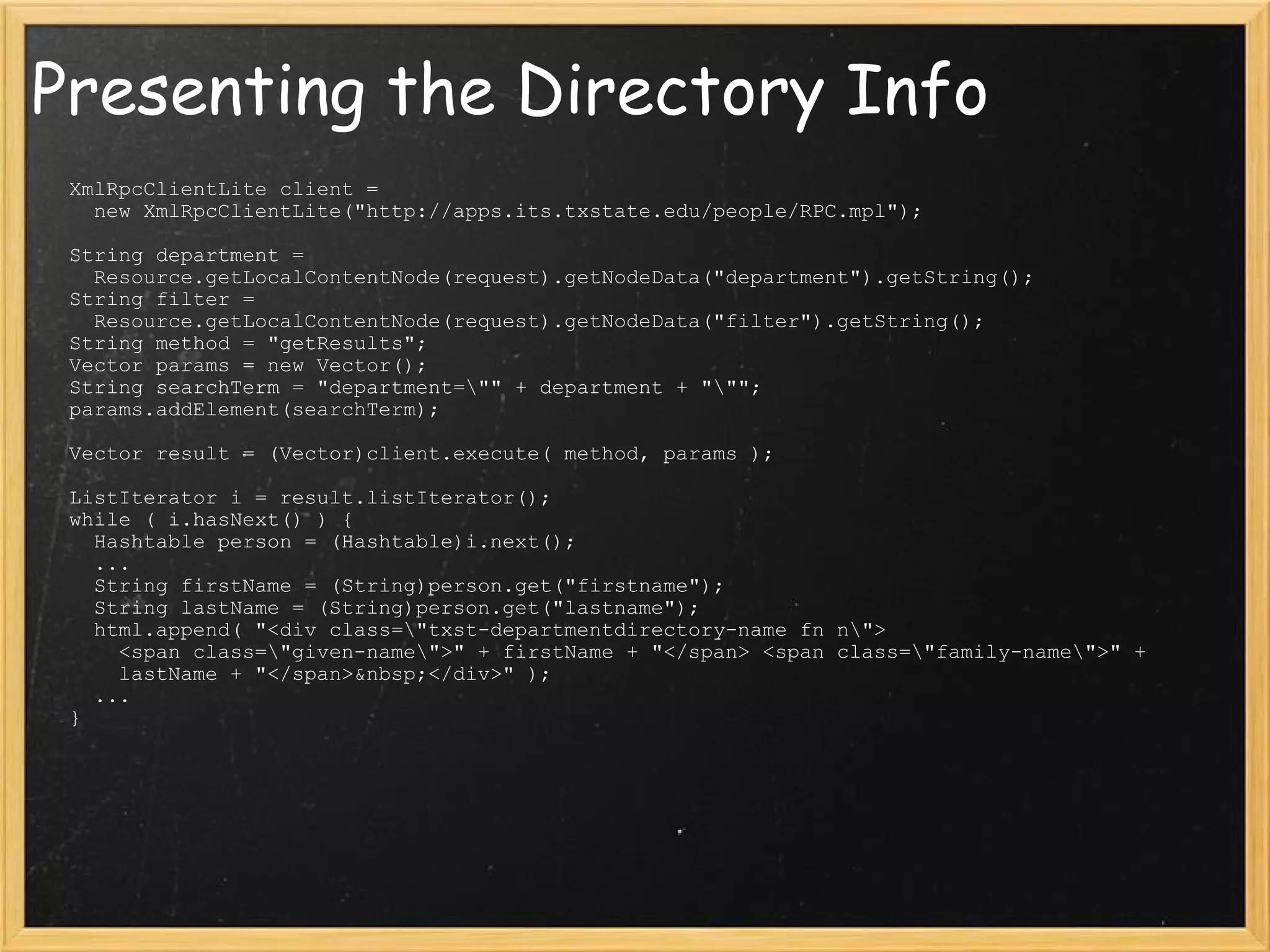
Presenting the Directory Info XmlRpcClientLite client =     new XmlRpcClientLite(&quot;http://apps.its.txstate.edu/people/RPC.mpl&quot;);   String department =    Resource.getLocalContentNode(request).getNodeData(&quot;department&quot;).getString(); String filter =     Resource.getLocalContentNode(request).getNodeData(&quot;filter&quot;).getString();  String method = &quot;getResults&quot;; Vector params = new Vector(); String searchTerm = &quot;department=\&quot;&quot; + department + &quot;\&quot;&quot;; params.addElement(searchTerm);   Vector result = (Vector)client.execute( method, params );   ListIterator i = result.listIterator(); while ( i.hasNext() ) {    Hashtable person = (Hashtable)i.next();    ...    String firstName = (String)person.get(&quot;firstname&quot;);    String lastName = (String)person.get(&quot;lastname&quot;);   html.append( &quot;<div class=\&quot;txst-departmentdirectory-name fn n\&quot;>      <span class=\&quot;given-name\&quot;>&quot; + firstName + &quot;</span> <span class=\&quot;family-name\&quot;>&quot; +      lastName + &quot;</span>&nbsp;</div>&quot; );    ...  }                                     
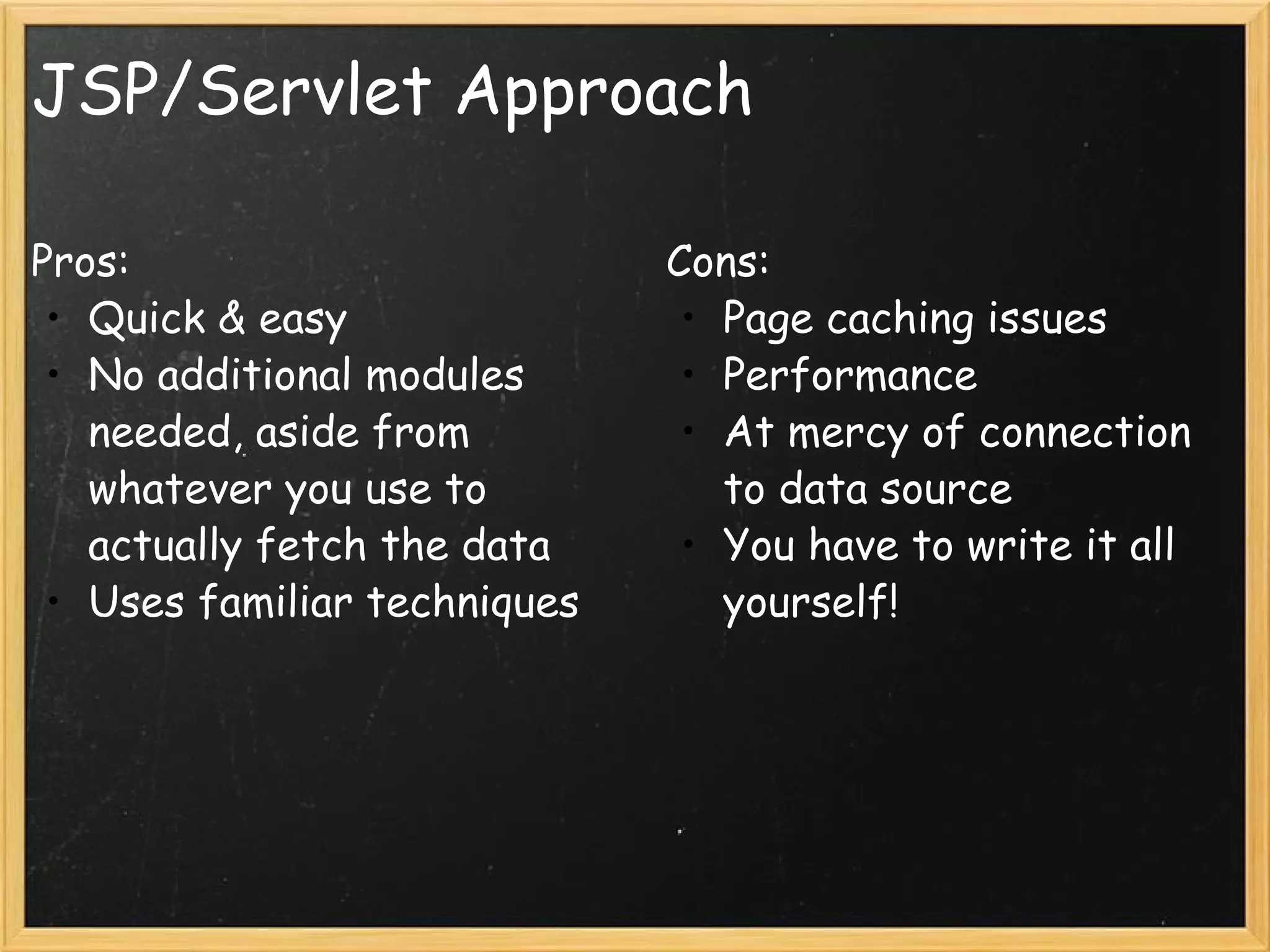
JSP/Servlet Approach Pros: Quick & easy No additional modules needed, aside from whatever you use to actually fetch the data Uses familiar techniques  Cons: Page caching issues Performance At mercy of connection to data source You have to write it all yourself!
The Data Module or &quot;How I Learned to Stop Worrying and Love the JCR&quot; Photo Credit: Kjunstorm
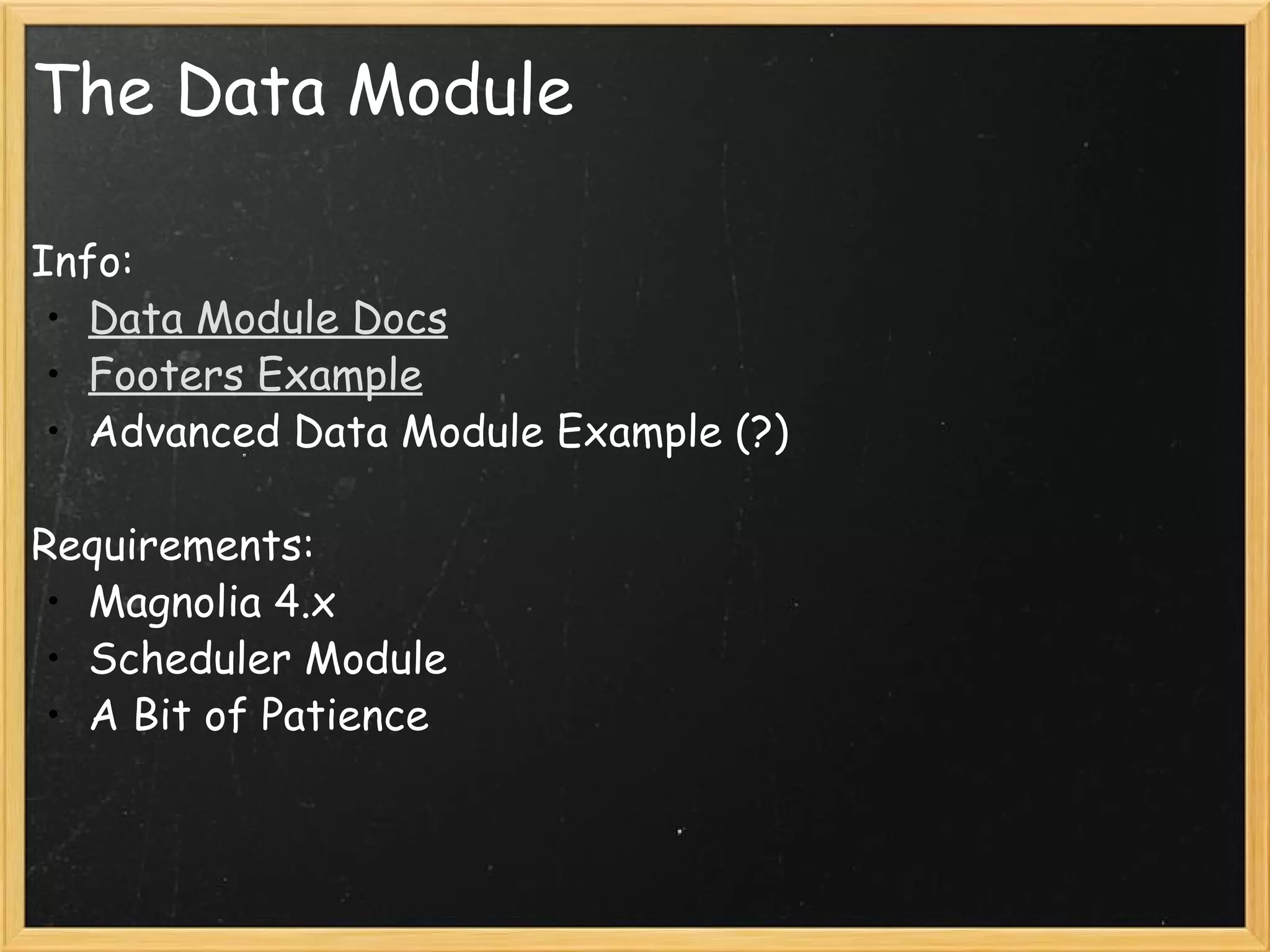
The Data Module Info: Data Module Docs Footers Example Advanced Data Module Example (?)   Requirements: Magnolia 4.x Scheduler Module A Bit of Patience
Creating a New Data Type Demonstration
Import Handlers Built on scheduler module Provide an automated means to suck in new data At /modules/data/config/importers
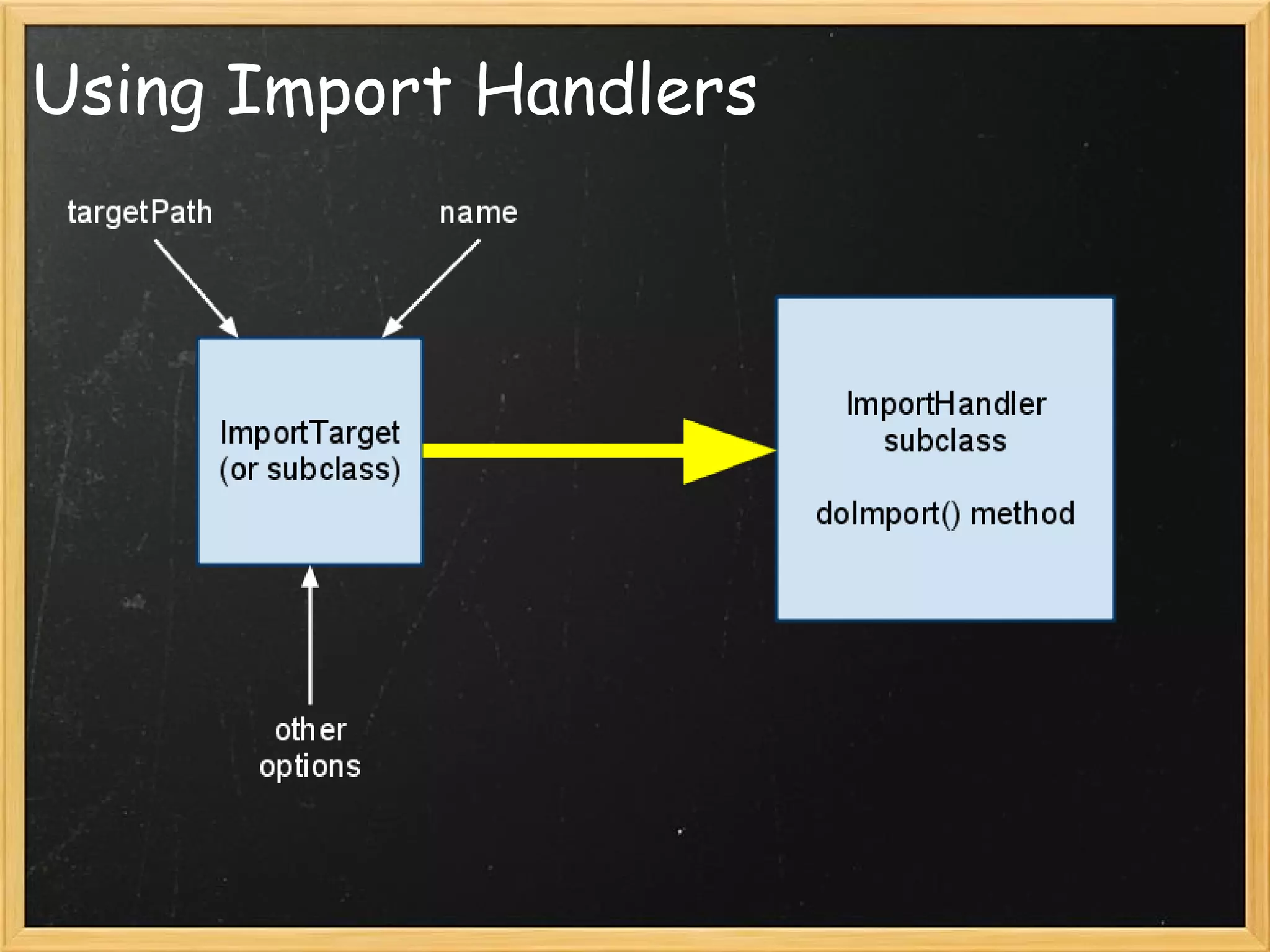
Using Import Handlers
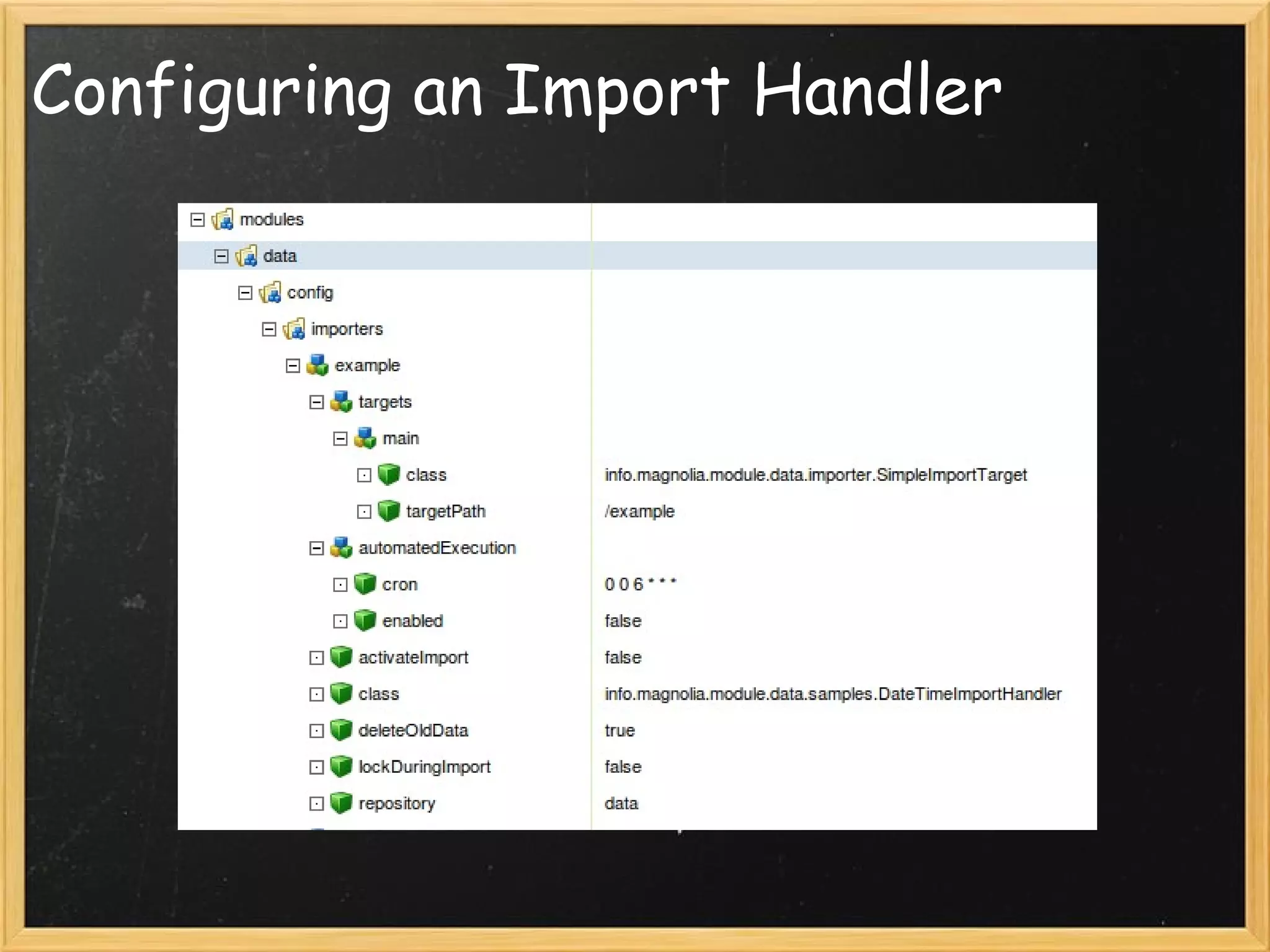
Configuring an Import Handler
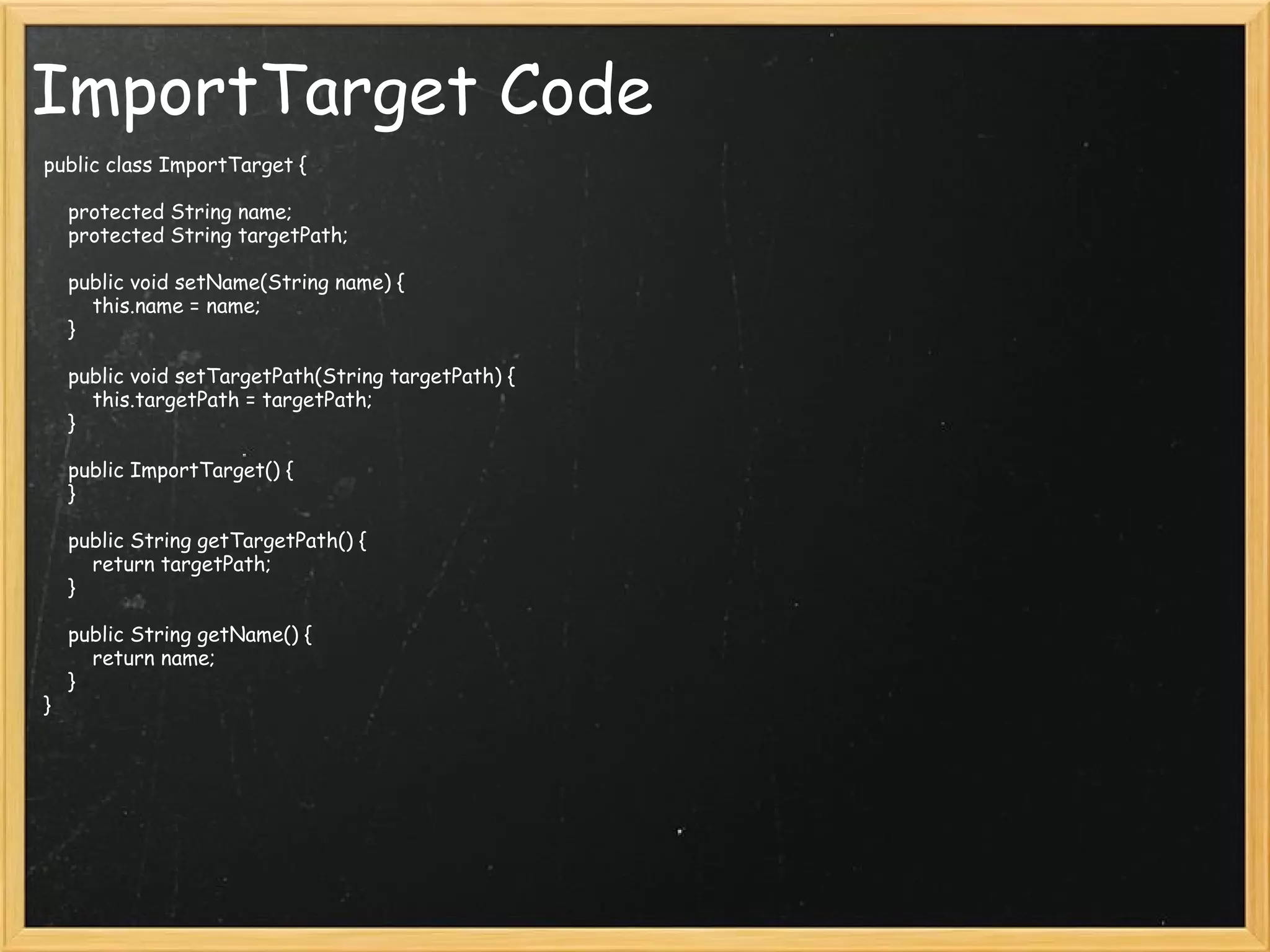
ImportTarget Code public class ImportTarget {     protected String name;     protected String targetPath;     public void setName(String name) {         this.name = name;     }     public void setTargetPath(String targetPath) {         this.targetPath = targetPath;     }     public ImportTarget() {     }     public String getTargetPath() {         return targetPath;     }     public String getName() {         return name;     } }
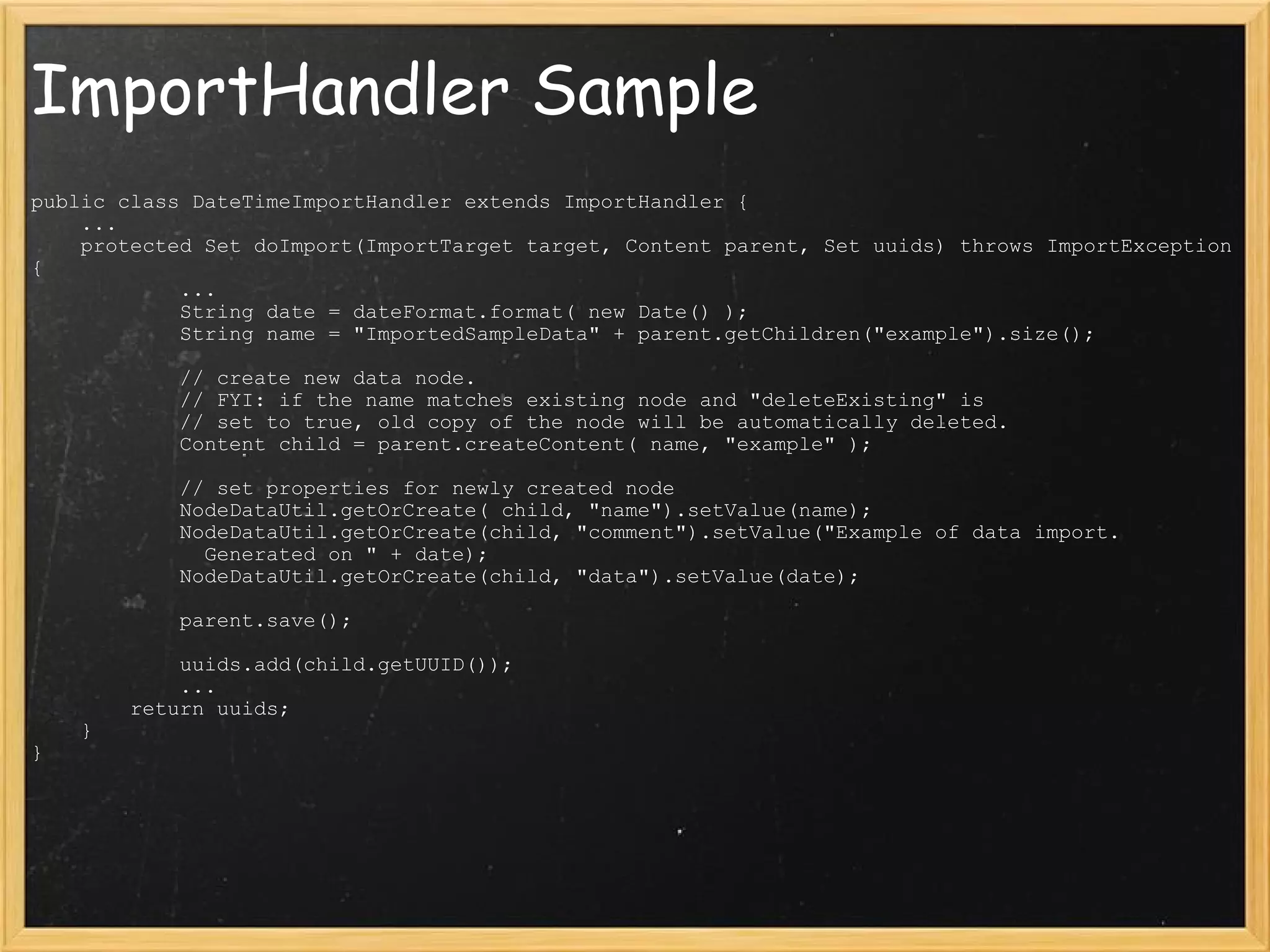
ImportHandler Sample public class DateTimeImportHandler extends ImportHandler {     ...     protected Set doImport(ImportTarget target, Content parent, Set uuids) throws ImportException {              ...             String date = dateFormat.format( new Date() );             String name = &quot;ImportedSampleData&quot; + parent.getChildren(&quot;example&quot;).size();              // create new data node.             // FYI: if the name matches existing node and &quot;deleteExisting&quot; is             // set to true, old copy of the node will be automatically deleted.             Content child = parent.createContent( name, &quot;example&quot; );              // set properties for newly created node             NodeDataUtil.getOrCreate( child, &quot;name&quot;).setValue(name);             NodeDataUtil.getOrCreate(child, &quot;comment&quot;).setValue(&quot;Example of data import.                Generated on &quot; + date);             NodeDataUtil.getOrCreate(child, &quot;data&quot;).setValue(date);              parent.save();              uuids.add(child.getUUID());              ...         return uuids;     } }
JCR Query XPath or SQL-style Powerful selection capabilities Can be complicated   Additional Info:   JSR-170 Spec
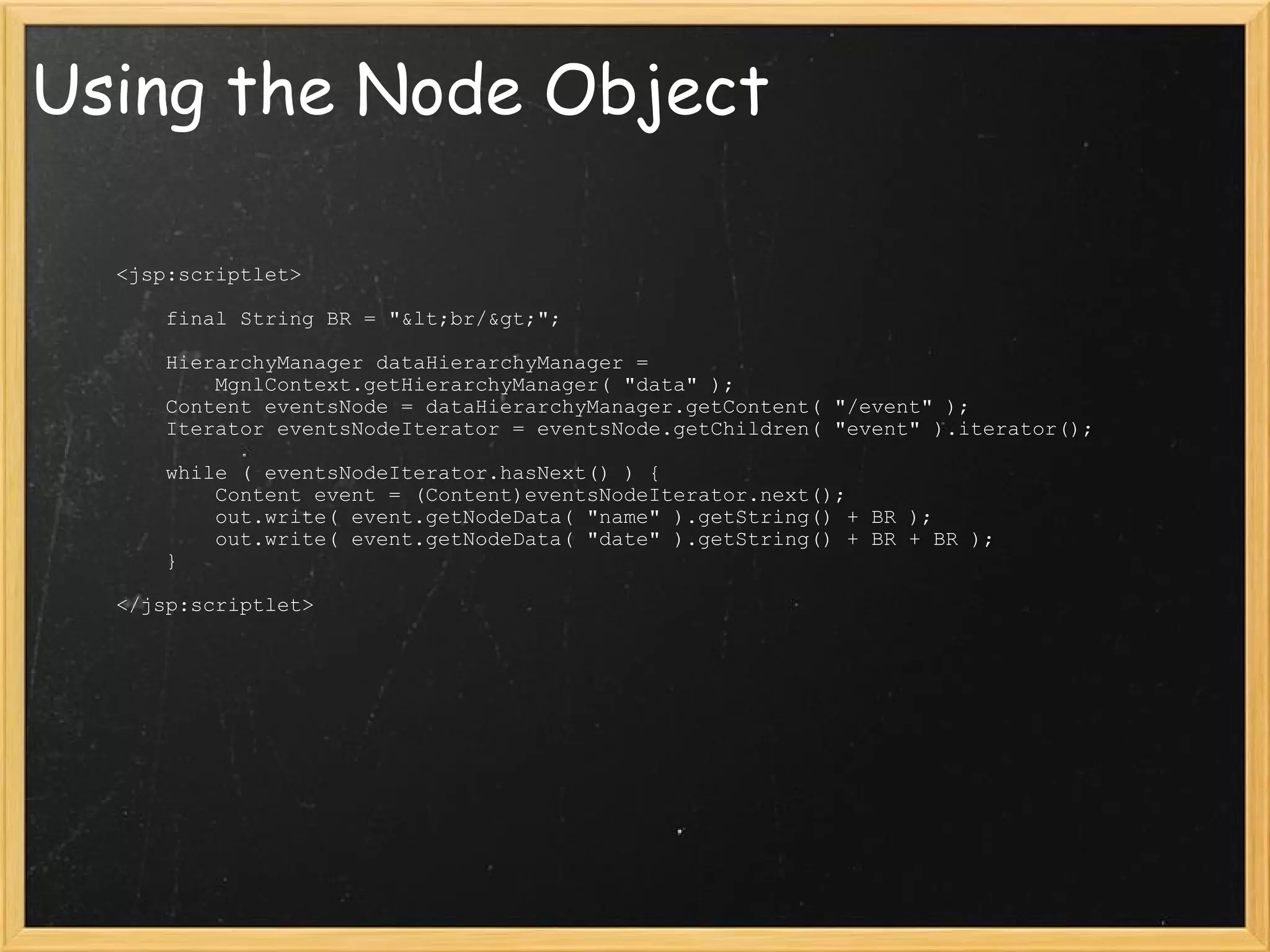
Using the Node Object              <jsp:scriptlet>                  final String BR = &quot;&lt;br/&gt;&quot;;                                  HierarchyManager dataHierarchyManager =                       MgnlContext.getHierarchyManager( &quot;data&quot; );                 Content eventsNode = dataHierarchyManager.getContent( &quot;/event&quot; );                 Iterator eventsNodeIterator = eventsNode.getChildren( &quot;event&quot; ).iterator();                                  while ( eventsNodeIterator.hasNext() ) {                     Content event = (Content)eventsNodeIterator.next();                     out.write( event.getNodeData( &quot;name&quot; ).getString() + BR );                     out.write( event.getNodeData( &quot;date&quot; ).getString() + BR + BR );                 }                              </jsp:scriptlet>
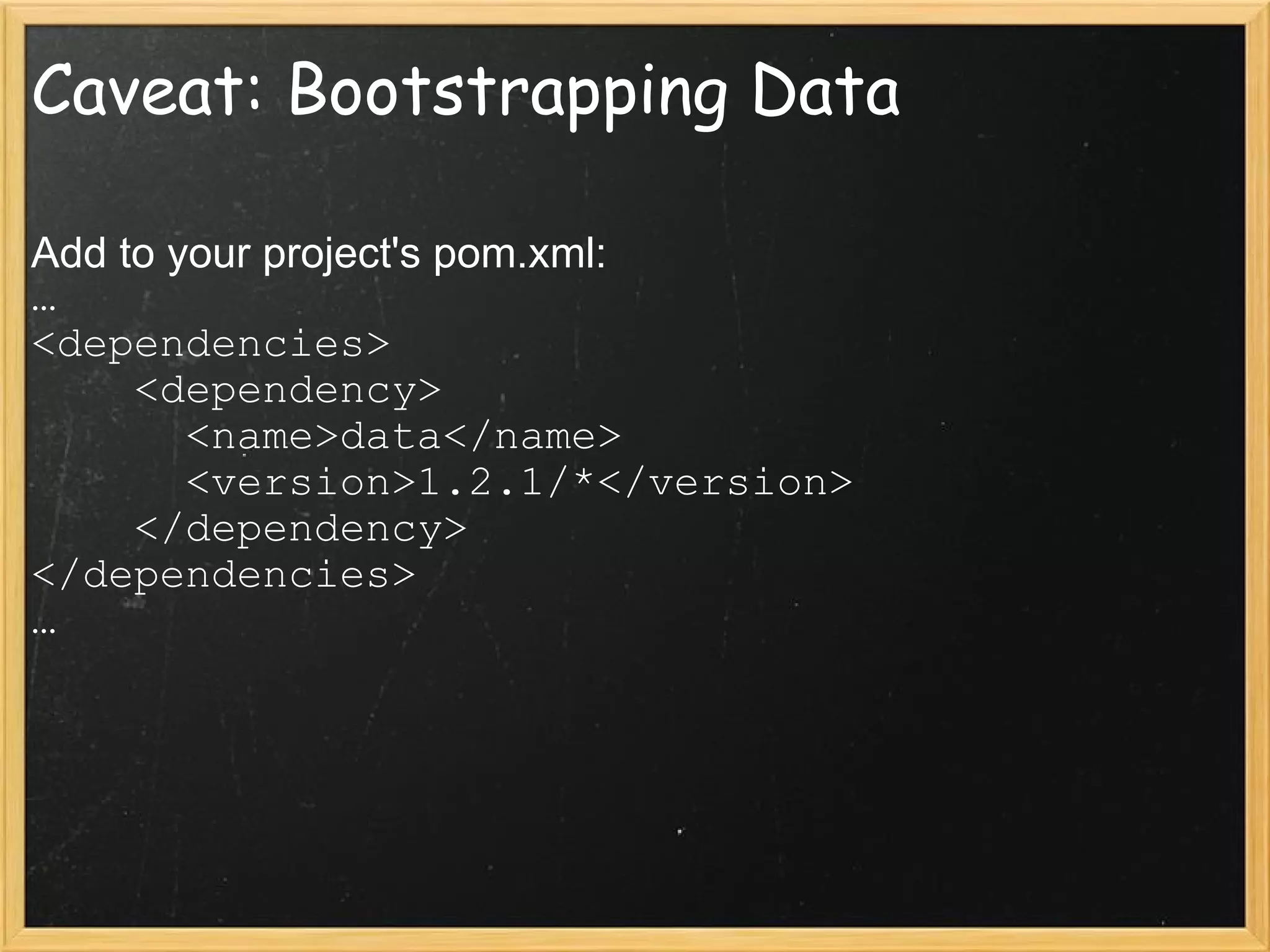
Caveat: Bootstrapping Data Add to your project's pom.xml: … <dependencies>     <dependency>       <name>data</name>       <version>1.2.1/*</version>     </dependency> </dependencies> …
Data Module Pros: Data is cached in JCR Resilient to temporary disconnect from data Can enter data manually through AdminCentral or import automatically Cons: You still have to write it all yourself Requires learning another framework
Bringing in RSS Content or &quot;All the news that fits, we print!&quot; Photo Credit: tantrum_dan
The RSS Module Info: Official Documentation Jan's Weblog Entry   Requires: Magnolia 4.x Scheduler Module Data Module Built on ROME Project
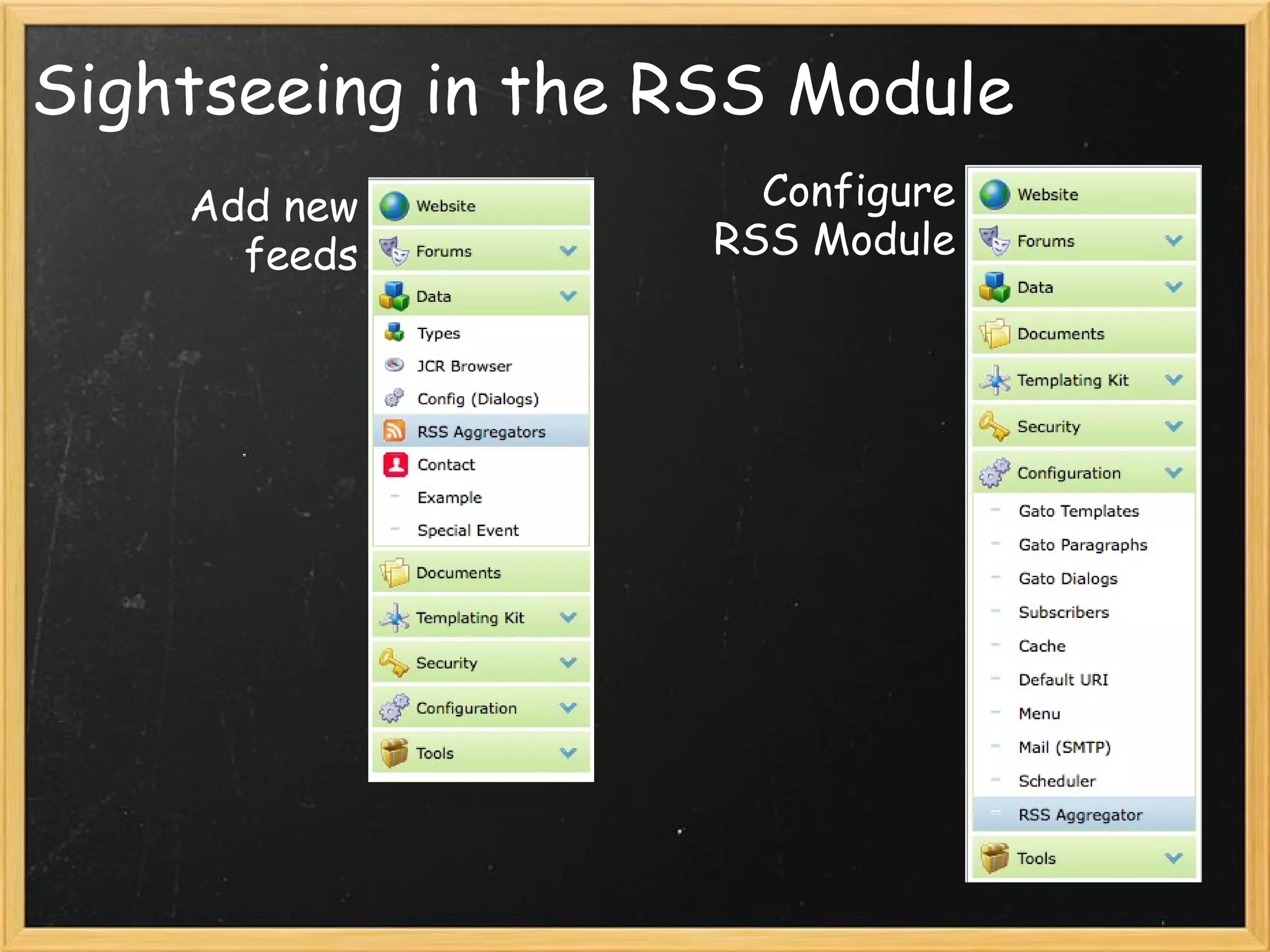
Sightseeing in the RSS Module Add new feeds Configure RSS Module
Setting up RSS Feeds Demonstration
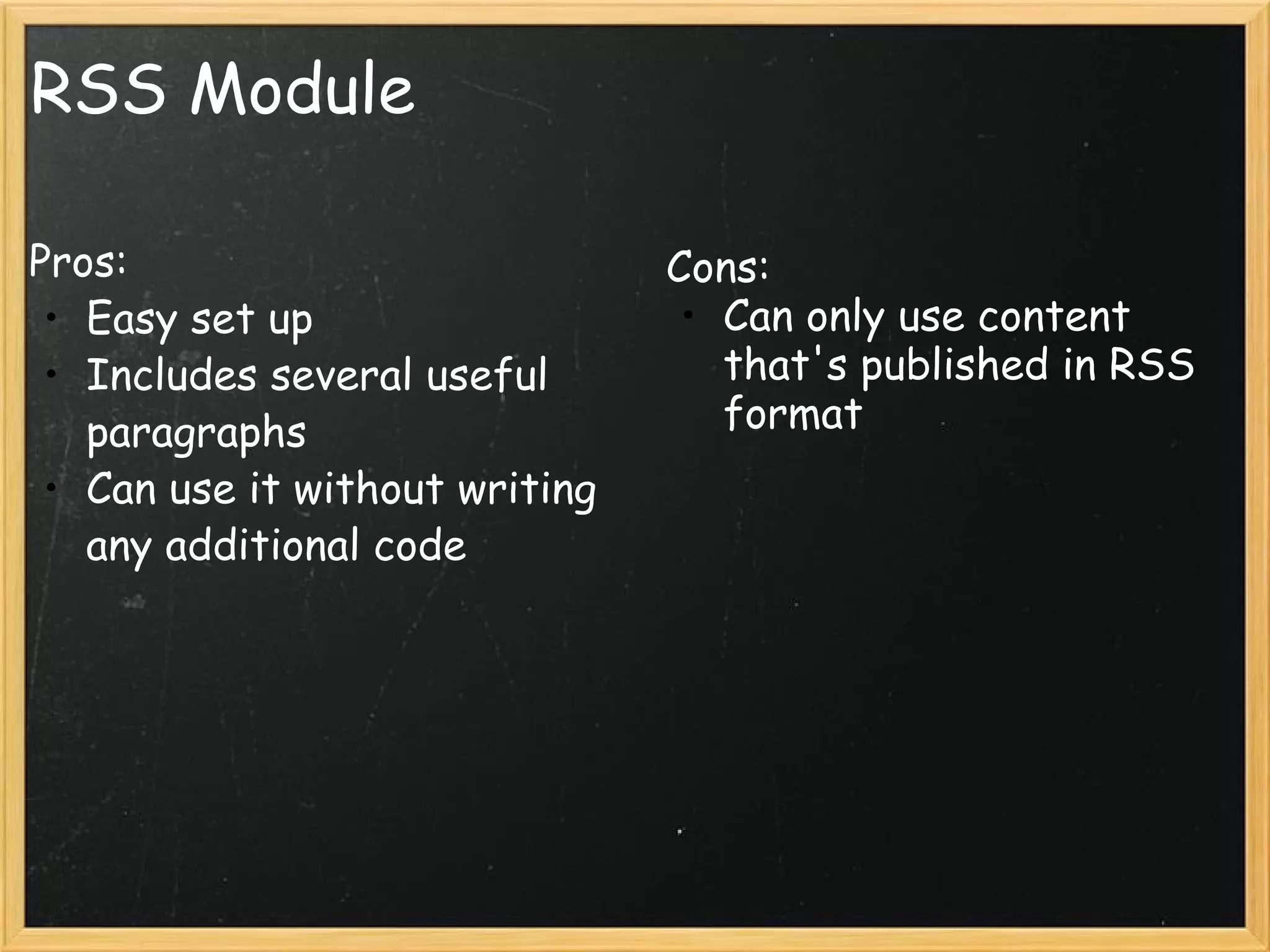
RSS Module Pros: Easy set up Includes several useful paragraphs Can use it without writing any additional code Cons: Can only use content that's published in RSS format
Questions? Photo Credit: coldtaxi
Photo Credit: damaradeaella

Surfacing External Data Through Magnolia

  • 1.
    Surfacing External DataThrough Magnolia Sean McMains & Jeff Snider September 10, 2009
  • 2.
    3 Approaches: JSP/ServletData Module RSS Module
  • 3.
    JSP/Servlet Approach or&quot;Teaching an  Old Dog New Tricks&quot; Photo Credit: Stephen Poff
  • 4.
  • 5.
    Department Directory XML-RPCMethods: getDepartmentList() getResults()
  • 6.
    Implementing a CustomControl     <jsp:scriptlet>         DialogControlImpl control =              (DialogControlImpl)pageContext.getRequest().getAttribute(&quot;dialogObject&quot;);           XmlRpcClientLite client =             new XmlRpcClientLite(&quot;http://apps.its.txstate.edu/people/RPC.mpl&quot;);         String method = &quot;getDepartmentList&quot;;         Vector params = new Vector();         Vector result = (Vector)client.execute( method, params );         ListIterator i = result.listIterator();         Select selectControl = new Select( control.getName(), control.getWebsiteNode() );         selectControl.setCssClass( CssConstants.CSSCLASS_SELECT );         while (i.hasNext() )         {             String department = (String)i.next();             SelectOption option = new SelectOption( department, department );             if ( department.equals( control.getValue() ) ) option.setSelected( true );             selectControl.setOptions( option );         }        out.println( selectControl.getHtml() );     </jsp:scriptlet>
  • 7.
    Presenting the DirectoryInfo XmlRpcClientLite client =    new XmlRpcClientLite(&quot;http://apps.its.txstate.edu/people/RPC.mpl&quot;);   String department =   Resource.getLocalContentNode(request).getNodeData(&quot;department&quot;).getString(); String filter =    Resource.getLocalContentNode(request).getNodeData(&quot;filter&quot;).getString();  String method = &quot;getResults&quot;; Vector params = new Vector(); String searchTerm = &quot;department=\&quot;&quot; + department + &quot;\&quot;&quot;; params.addElement(searchTerm);   Vector result = (Vector)client.execute( method, params );   ListIterator i = result.listIterator(); while ( i.hasNext() ) {   Hashtable person = (Hashtable)i.next();   ...   String firstName = (String)person.get(&quot;firstname&quot;);   String lastName = (String)person.get(&quot;lastname&quot;);   html.append( &quot;<div class=\&quot;txst-departmentdirectory-name fn n\&quot;>     <span class=\&quot;given-name\&quot;>&quot; + firstName + &quot;</span> <span class=\&quot;family-name\&quot;>&quot; +     lastName + &quot;</span>&nbsp;</div>&quot; );   ... }                                     
  • 8.
    JSP/Servlet Approach Pros:Quick & easy No additional modules needed, aside from whatever you use to actually fetch the data Uses familiar techniques Cons: Page caching issues Performance At mercy of connection to data source You have to write it all yourself!
  • 9.
    The Data Moduleor &quot;How I Learned to Stop Worrying and Love the JCR&quot; Photo Credit: Kjunstorm
  • 10.
    The Data ModuleInfo: Data Module Docs Footers Example Advanced Data Module Example (?)   Requirements: Magnolia 4.x Scheduler Module A Bit of Patience
  • 11.
    Creating a NewData Type Demonstration
  • 12.
    Import Handlers Builton scheduler module Provide an automated means to suck in new data At /modules/data/config/importers
  • 13.
  • 14.
  • 15.
    ImportTarget Code publicclass ImportTarget {     protected String name;     protected String targetPath;     public void setName(String name) {         this.name = name;     }     public void setTargetPath(String targetPath) {         this.targetPath = targetPath;     }     public ImportTarget() {     }     public String getTargetPath() {         return targetPath;     }     public String getName() {         return name;     } }
  • 16.
    ImportHandler Sample publicclass DateTimeImportHandler extends ImportHandler {     ...     protected Set doImport(ImportTarget target, Content parent, Set uuids) throws ImportException {             ...             String date = dateFormat.format( new Date() );             String name = &quot;ImportedSampleData&quot; + parent.getChildren(&quot;example&quot;).size();             // create new data node.             // FYI: if the name matches existing node and &quot;deleteExisting&quot; is             // set to true, old copy of the node will be automatically deleted.             Content child = parent.createContent( name, &quot;example&quot; );             // set properties for newly created node             NodeDataUtil.getOrCreate( child, &quot;name&quot;).setValue(name);             NodeDataUtil.getOrCreate(child, &quot;comment&quot;).setValue(&quot;Example of data import.               Generated on &quot; + date);             NodeDataUtil.getOrCreate(child, &quot;data&quot;).setValue(date);             parent.save();             uuids.add(child.getUUID());             ...         return uuids;     } }
  • 17.
    JCR Query XPathor SQL-style Powerful selection capabilities Can be complicated   Additional Info:   JSR-170 Spec
  • 18.
    Using the NodeObject             <jsp:scriptlet>                 final String BR = &quot;&lt;br/&gt;&quot;;                                 HierarchyManager dataHierarchyManager =                       MgnlContext.getHierarchyManager( &quot;data&quot; );                 Content eventsNode = dataHierarchyManager.getContent( &quot;/event&quot; );                 Iterator eventsNodeIterator = eventsNode.getChildren( &quot;event&quot; ).iterator();                                 while ( eventsNodeIterator.hasNext() ) {                     Content event = (Content)eventsNodeIterator.next();                     out.write( event.getNodeData( &quot;name&quot; ).getString() + BR );                     out.write( event.getNodeData( &quot;date&quot; ).getString() + BR + BR );                 }                             </jsp:scriptlet>
  • 19.
    Caveat: Bootstrapping DataAdd to your project's pom.xml: … <dependencies>     <dependency>       <name>data</name>       <version>1.2.1/*</version>     </dependency> </dependencies> …
  • 20.
    Data Module Pros:Data is cached in JCR Resilient to temporary disconnect from data Can enter data manually through AdminCentral or import automatically Cons: You still have to write it all yourself Requires learning another framework
  • 21.
    Bringing in RSSContent or &quot;All the news that fits, we print!&quot; Photo Credit: tantrum_dan
  • 22.
    The RSS ModuleInfo: Official Documentation Jan's Weblog Entry   Requires: Magnolia 4.x Scheduler Module Data Module Built on ROME Project
  • 23.
    Sightseeing in theRSS Module Add new feeds Configure RSS Module
  • 24.
    Setting up RSSFeeds Demonstration
  • 25.
    RSS Module Pros:Easy set up Includes several useful paragraphs Can use it without writing any additional code Cons: Can only use content that's published in RSS format
  • 26.
  • 27.

Editor's Notes

  • #2 Introduce selves Discuss needs for getting external data: Other systems (HR for directory, feeds for news, Twitter for twitterstuff, order system for sales data) Going to discuss Three Approaches: Standard JSP/Servlet Data Module RSS Aggregator
  • #5 We give our users something very simple…
  • #6 … and give them a lot in return. Nicely formatted, auto-updates, microformats Explain the basic mechanics.
  • #7 Code for custom control to display department list The XML-RPC client library expects any parameters to be stored into a Vector object.
  • #8 Actually display the information
  • #10 Tell what the data module is, its raison d&apos;etre. &amp;quot;DMS for structured data&amp;quot;
  • #11 Jan working on Advanced Data Module Example -- ready to go yet? Provide an aside on the scheduler module and how lovely it is.
  • #12 1. Define new data type for Special events root path: /events   Mention Silk project as source for icons 2. Show default dialog definition and dialog that results. Add field for start-date. Show updated dialog. Enter conference data. Enter birthday. Show data in JCR browser.
  • #14 All ImportTarget does is provide a container for any options you want to specify. It has no logic! ImportHandler *must* be subclassed so that it actually does something.
  • #15 Discuss what each of the options do   cron format: this is the Java version (6 fields), not the Unix-standard version (5 fields). Warning: lockDuringImport -- can leave your database bollixed up and needing a export/import. ImportTarget: name, targetPath SimpleImportTarget: adds FileURL, ZipFileURL
  • #16 Simply a data structure. This is the *entire* code.   If you need to specify options that aren&apos;t already there, subclass this and add your own private fields and accessors for them.
  • #17 This is mandatory for any import job Use the &amp;quot;parent&amp;quot; parameter, rather than target.targetPath(), because we may be importing into a temporary location to be moved on completion. uuids is an empty set to start with.
  • #18 Demo: SQL version: select * from event XPATH version: //element(*, event)
  • #19 Be sure to use the name you defined for your data type when using the getChildren() call.
  • #20 In order to bootstrap data, you must load the data module before you load your own module. Declare this in your pom.xml file.
  • #22 Tell about our RSS implementation and why the RSS module is better.
  • #23 Talk about ROME project a bit Mention that the module can also be used to generate RSS feeds, though that&apos;s a bit beyond the scope of this presentation.
  • #25 Go to Data -&gt; RSS Aggregators Create a new aggregator http://feeds.feedburner.com/mcmains/ruminations http://twitter.com/statuses/user_timeline/1809041.rss   http://api.flickr.com/services/feeds/photos_public.gne?id=51035705089@N01&amp;lang=en-us&amp;format=rss_200   Use description = ^[^@]*$ to exclude Twitter replies --- Go to RSS Config, trigger fetch Show Data in JCR Browser --- Go to demo-features -&gt; Aggregation Paragraphs -&gt; latest-news Add a paragraph of each type to show how they work