Use Mobile to Update Fans:Convenient, Real-Time, AuthenticFebruary 2010
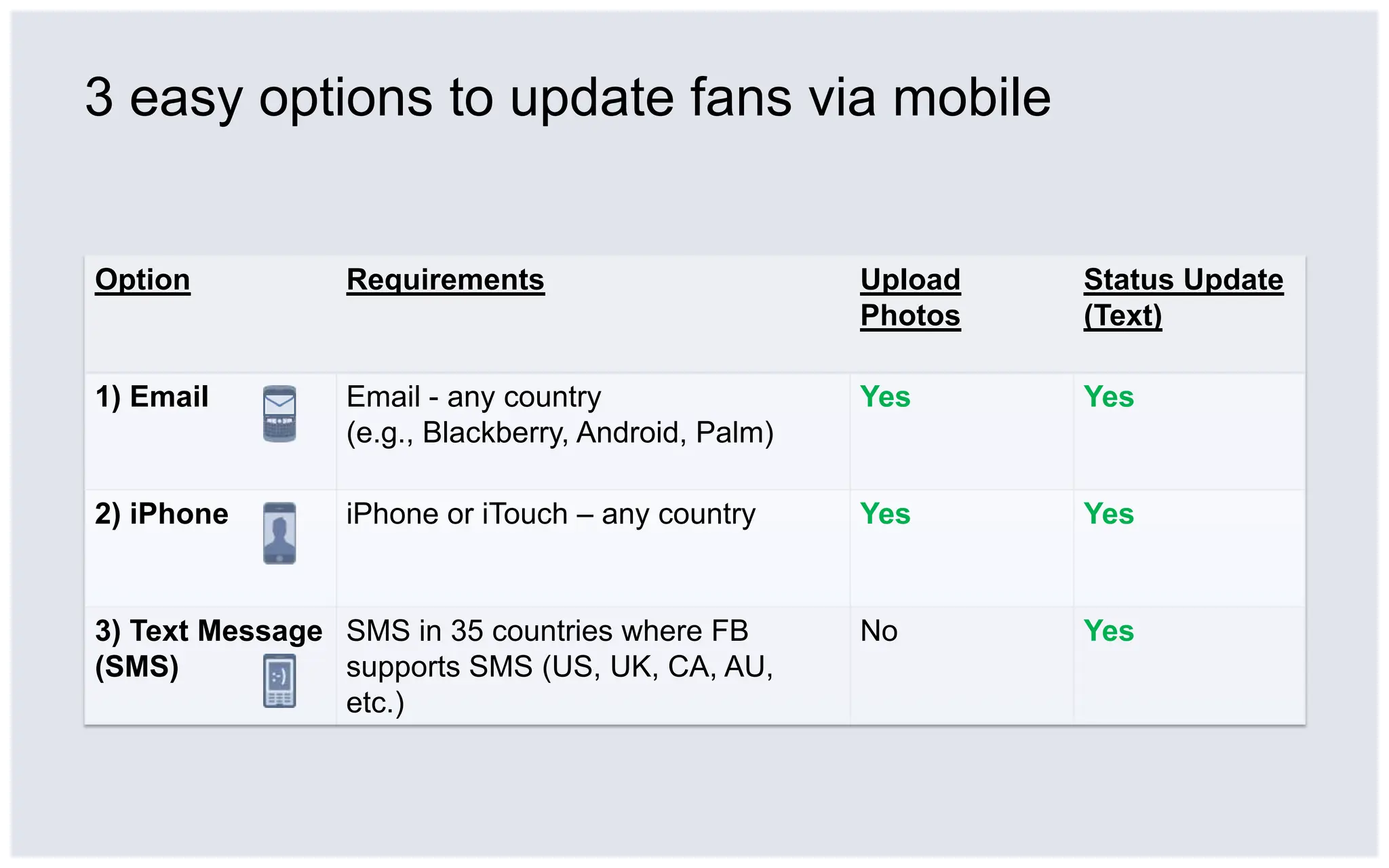
3 easy options to update fans via mobile
1) Email: Save your Page’s email address2) Click “Edit” under Mobile section1) Click “Edit Page” under profile picture3) Save Page’s email address in phone.[Suggestion: save as “Facebook” + Page name ]
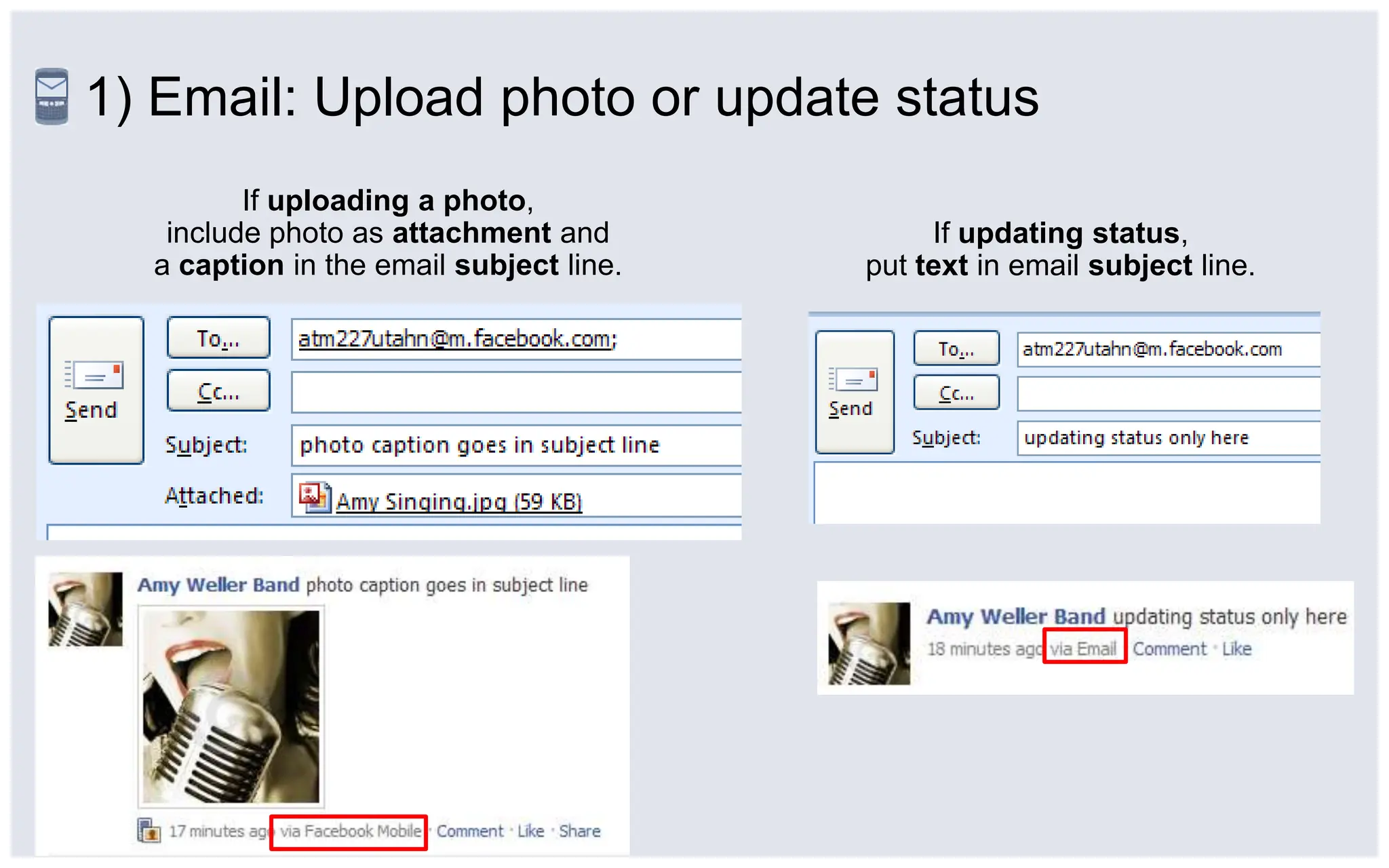
1) Email: Upload photo or update statusIf uploading a photo, include photo as attachment anda caption in the email subject line.If updating status,put text in email subject line.
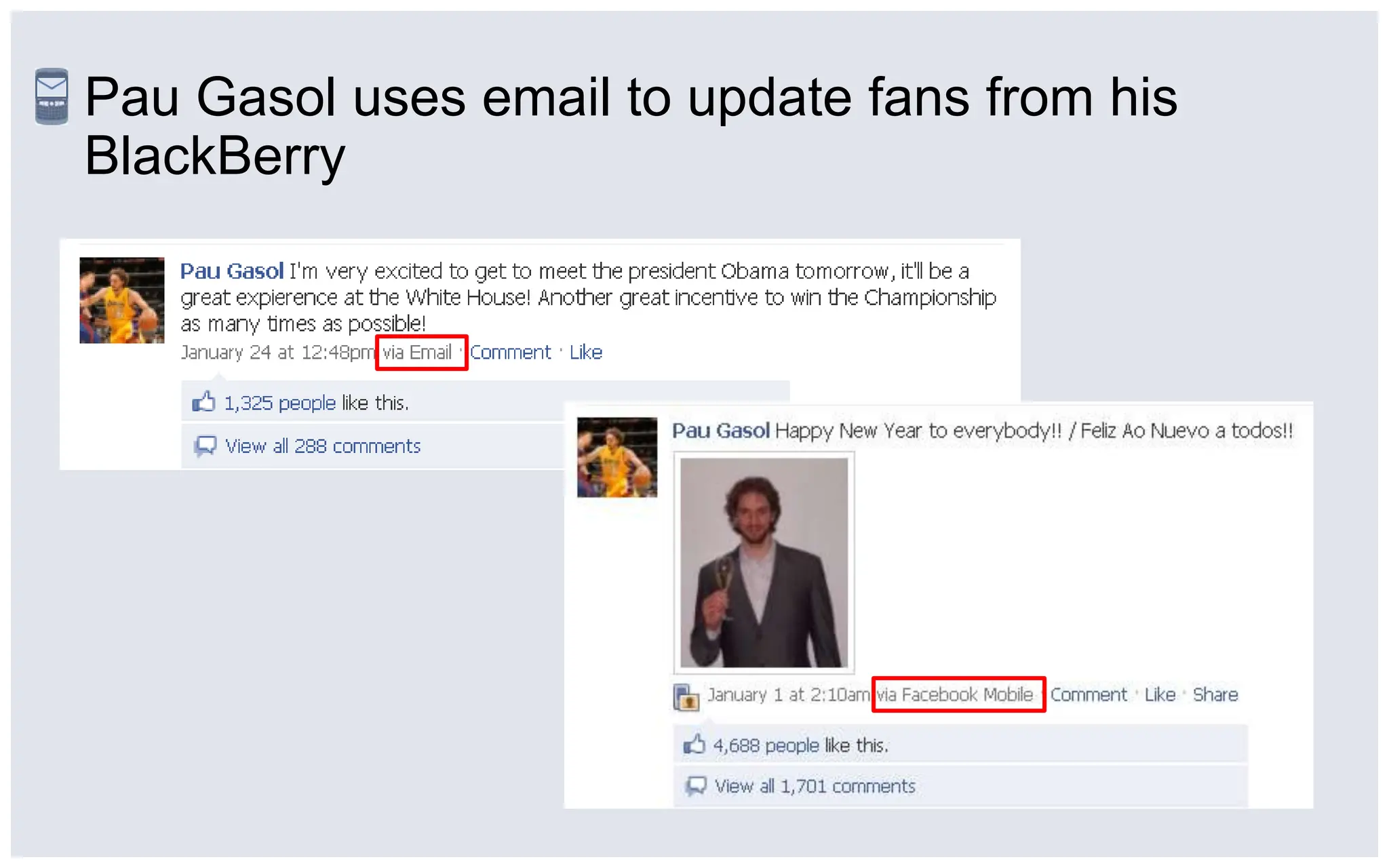
Pau Gasol uses email to update fans from his BlackBerry
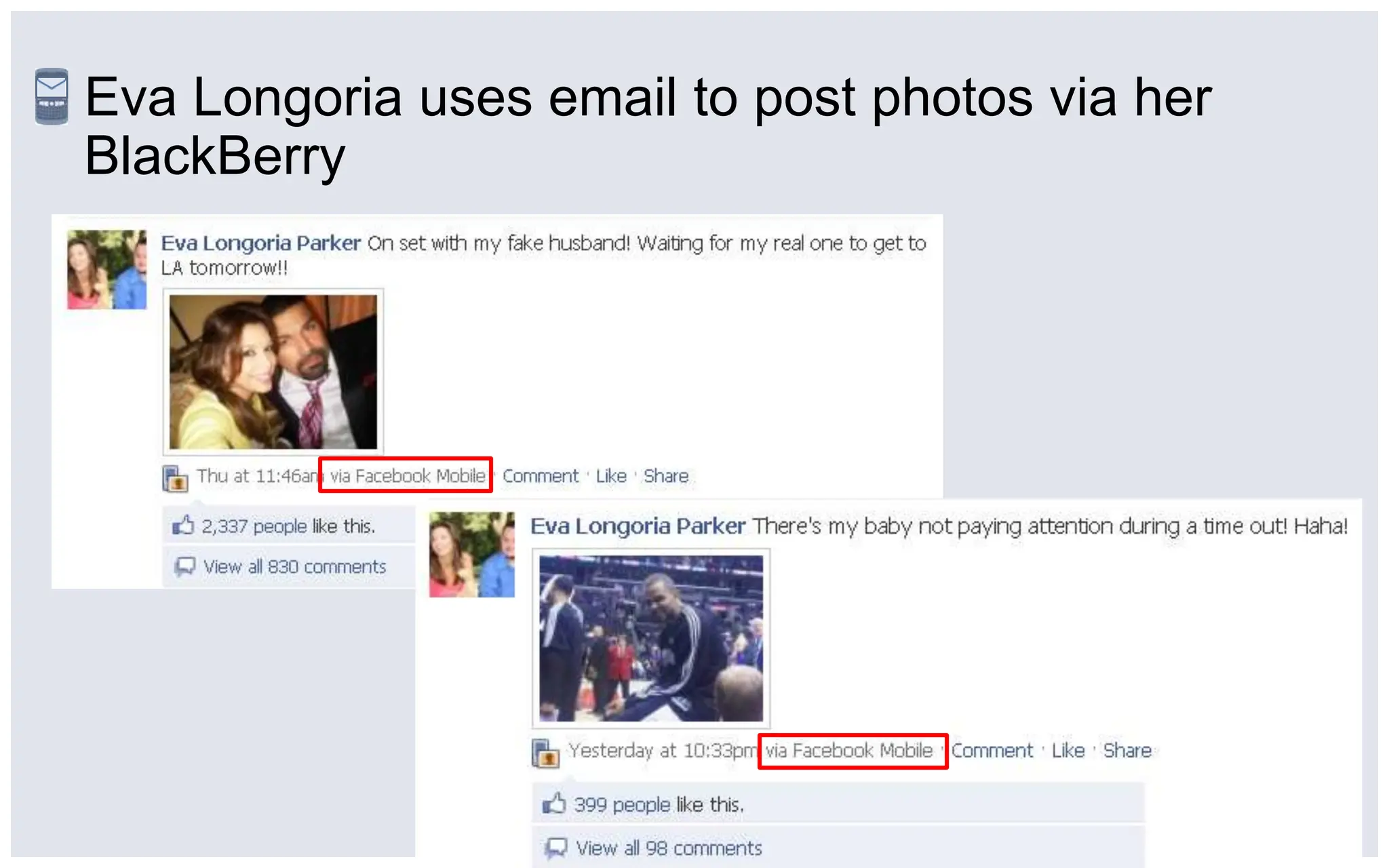
Eva Longoria uses email to post photos via her BlackBerry
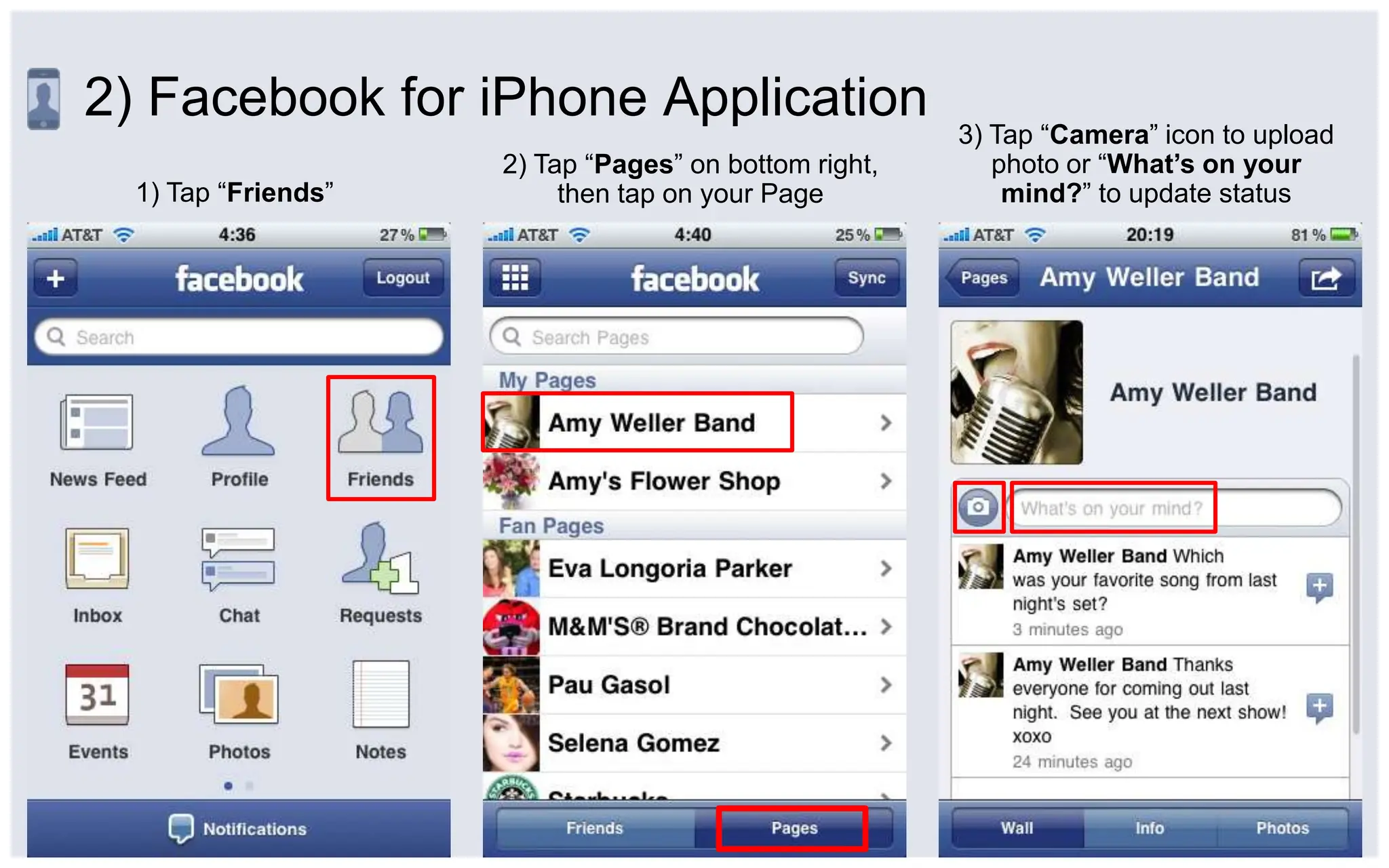
2) Facebook for iPhone Application3) Tap “Camera” icon to upload photo or “What’s on your mind?” to update status2) Tap “Pages” on bottom right, then tap on your Page1) Tap “Friends”
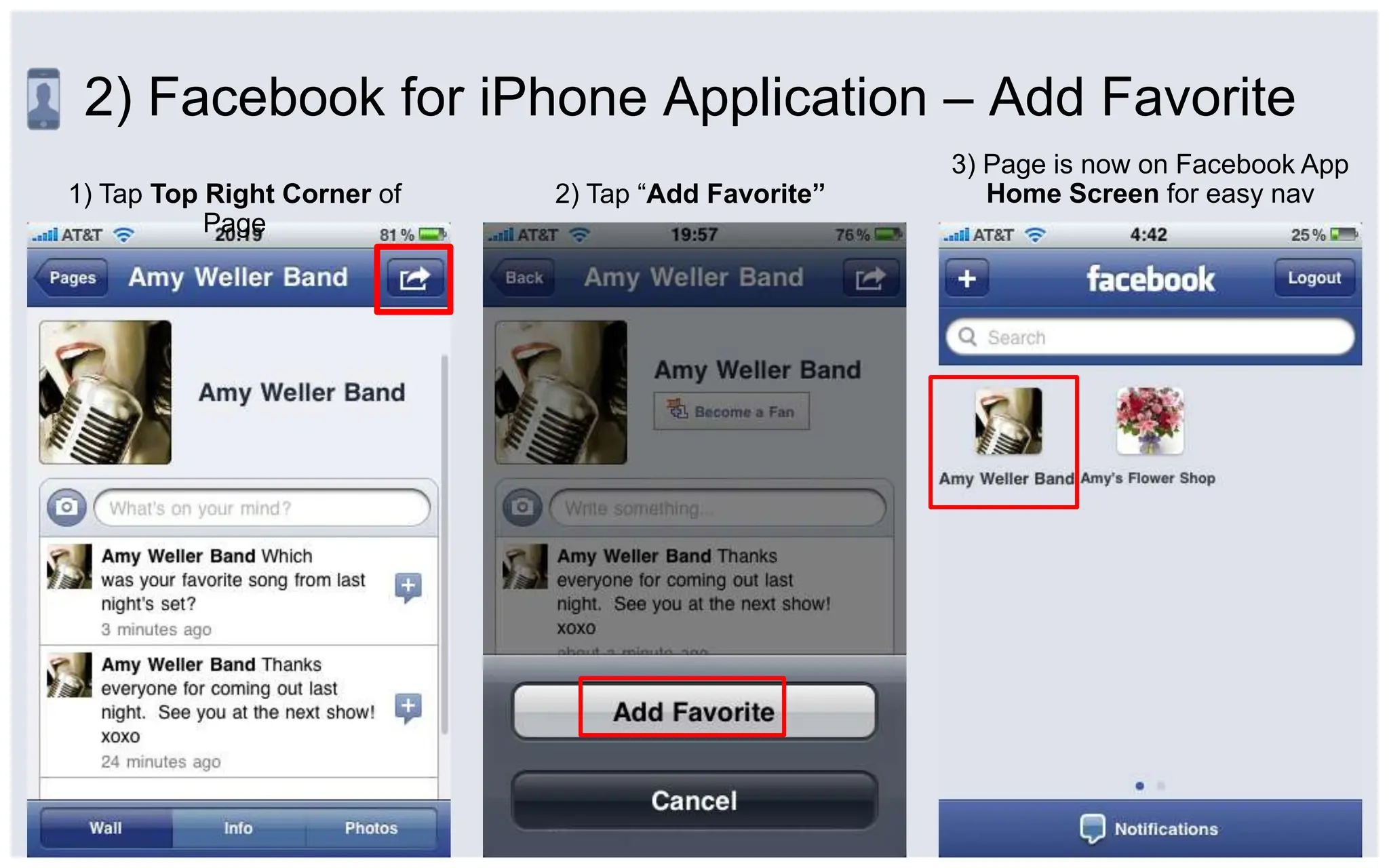
2) Facebook for iPhone Application – Add Favorite3) Page is now on Facebook App Home Screen for easy nav1) Tap Top Right Corner of Page2) Tap “Add Favorite”
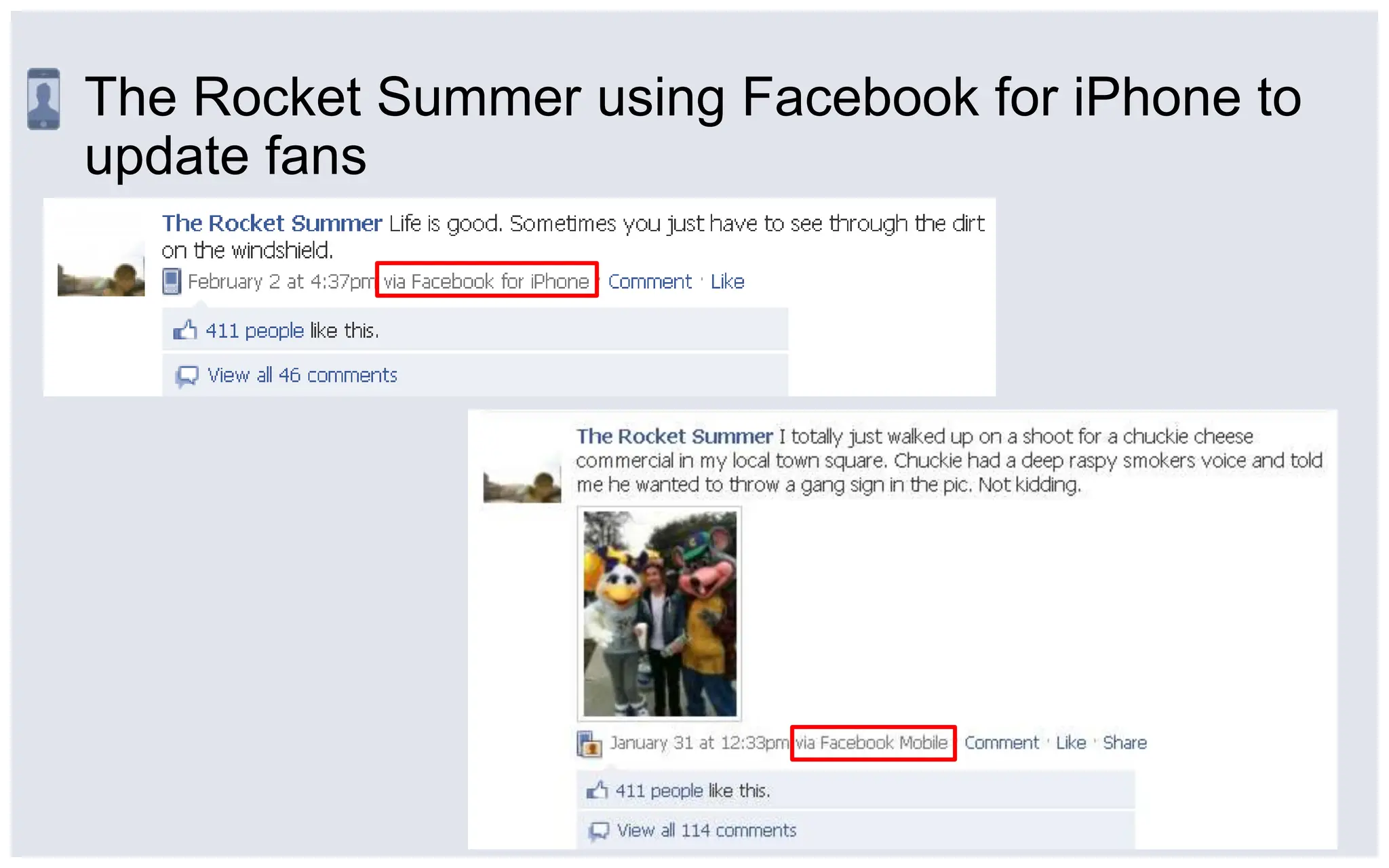
The Rocket Summer using Facebook for iPhone to update fans
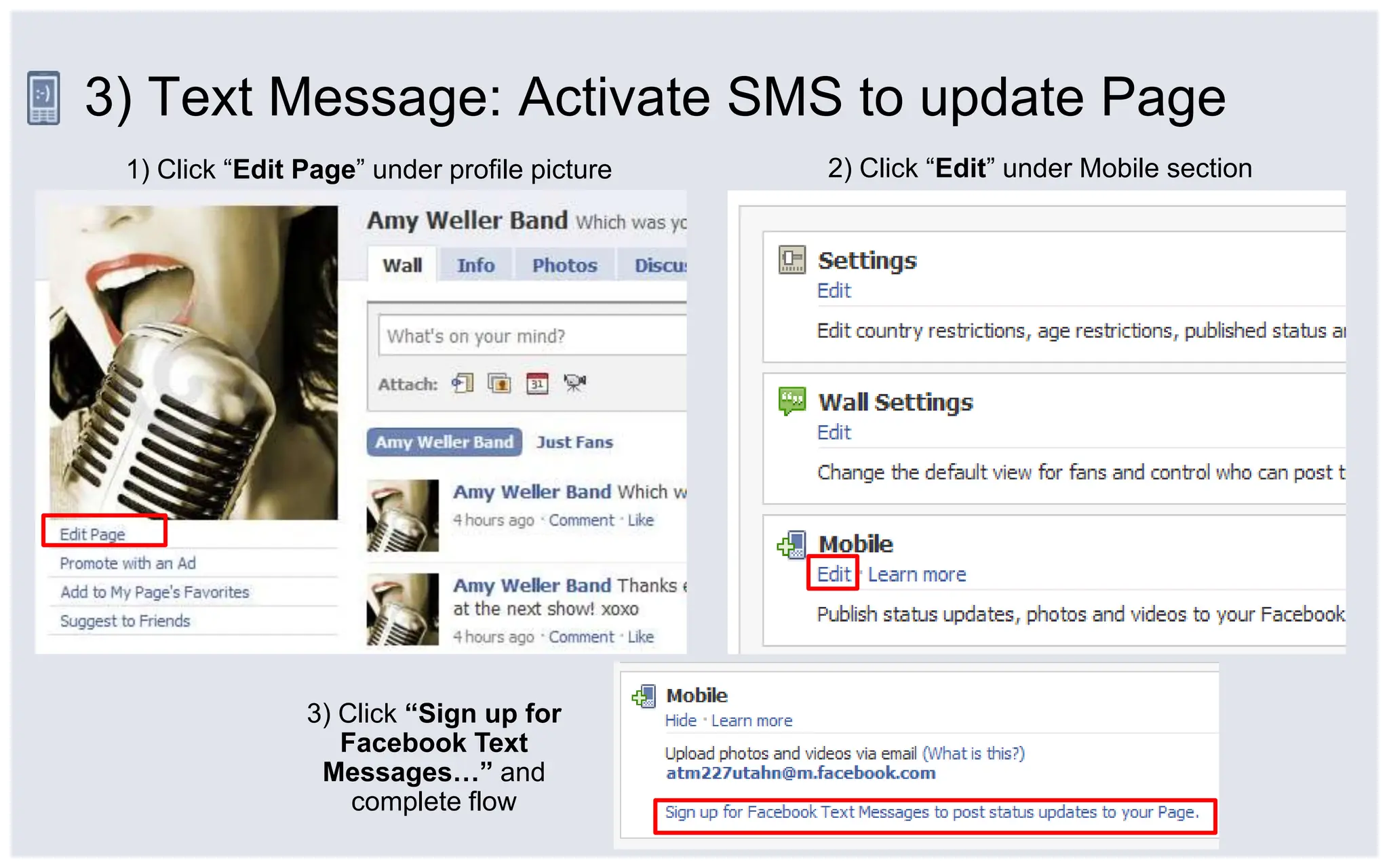
3) Text Message: Activate SMS to update Page2) Click “Edit” under Mobile section1) Click “Edit Page” under profile picture3) Click “Sign up for Facebook Text Messages…” and complete flow
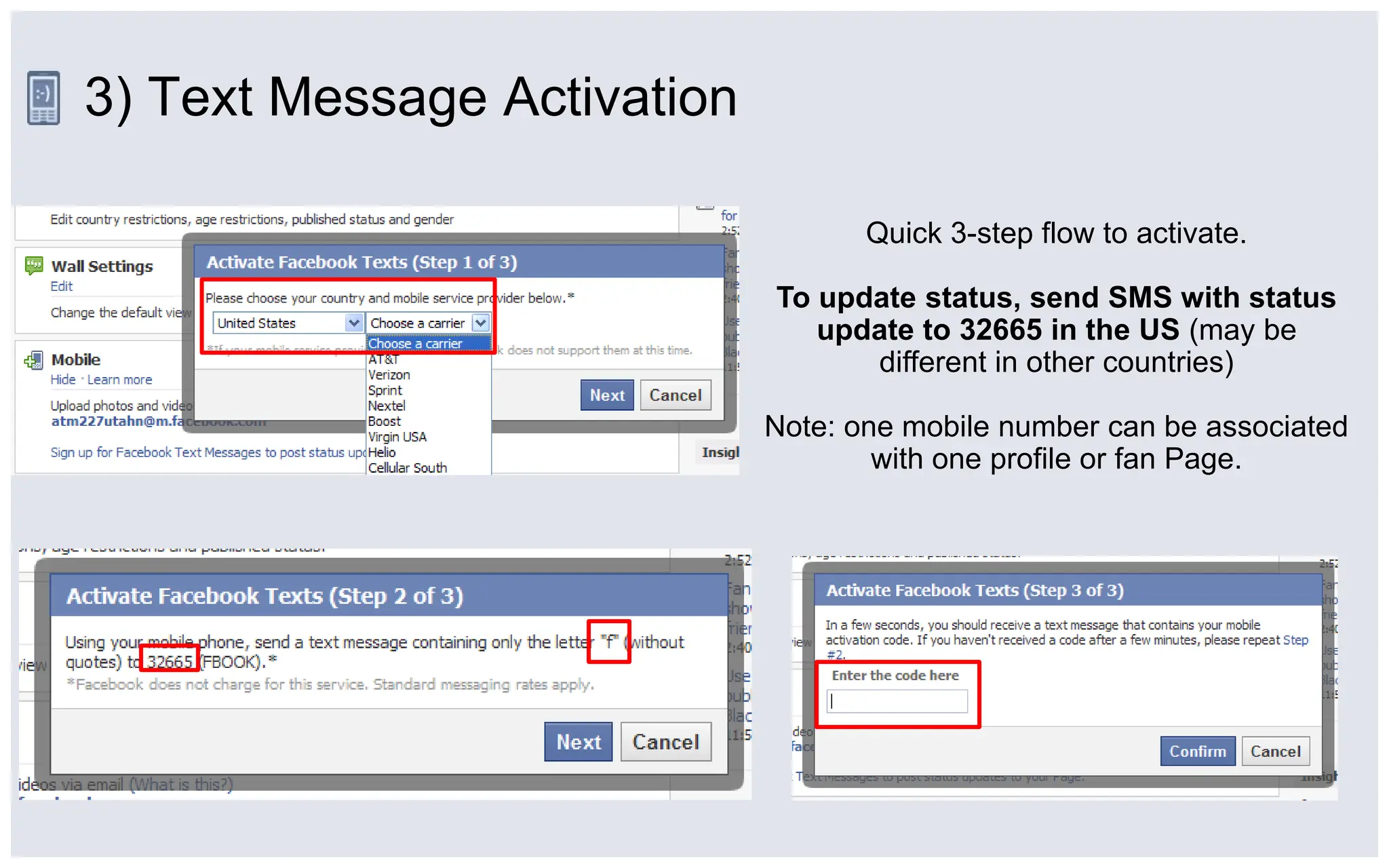
3) Text Message ActivationQuick 3-step flow to activate.To update status, send SMS with status update to 32665 in the US (may be different in other countries)Note: one mobile number can be associated with one profile or fan Page.
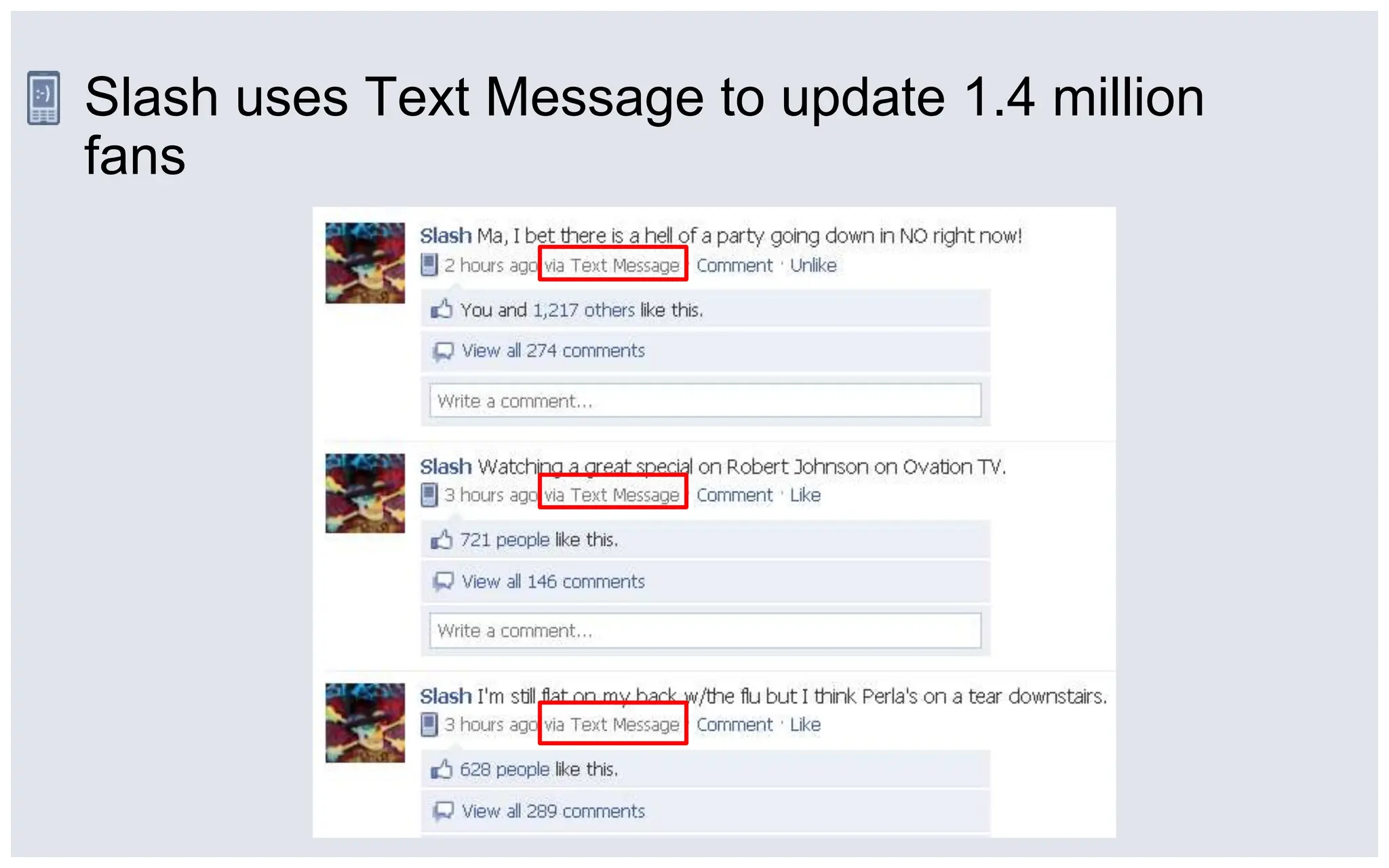
Slash uses Text Message to update 1.4 million fans
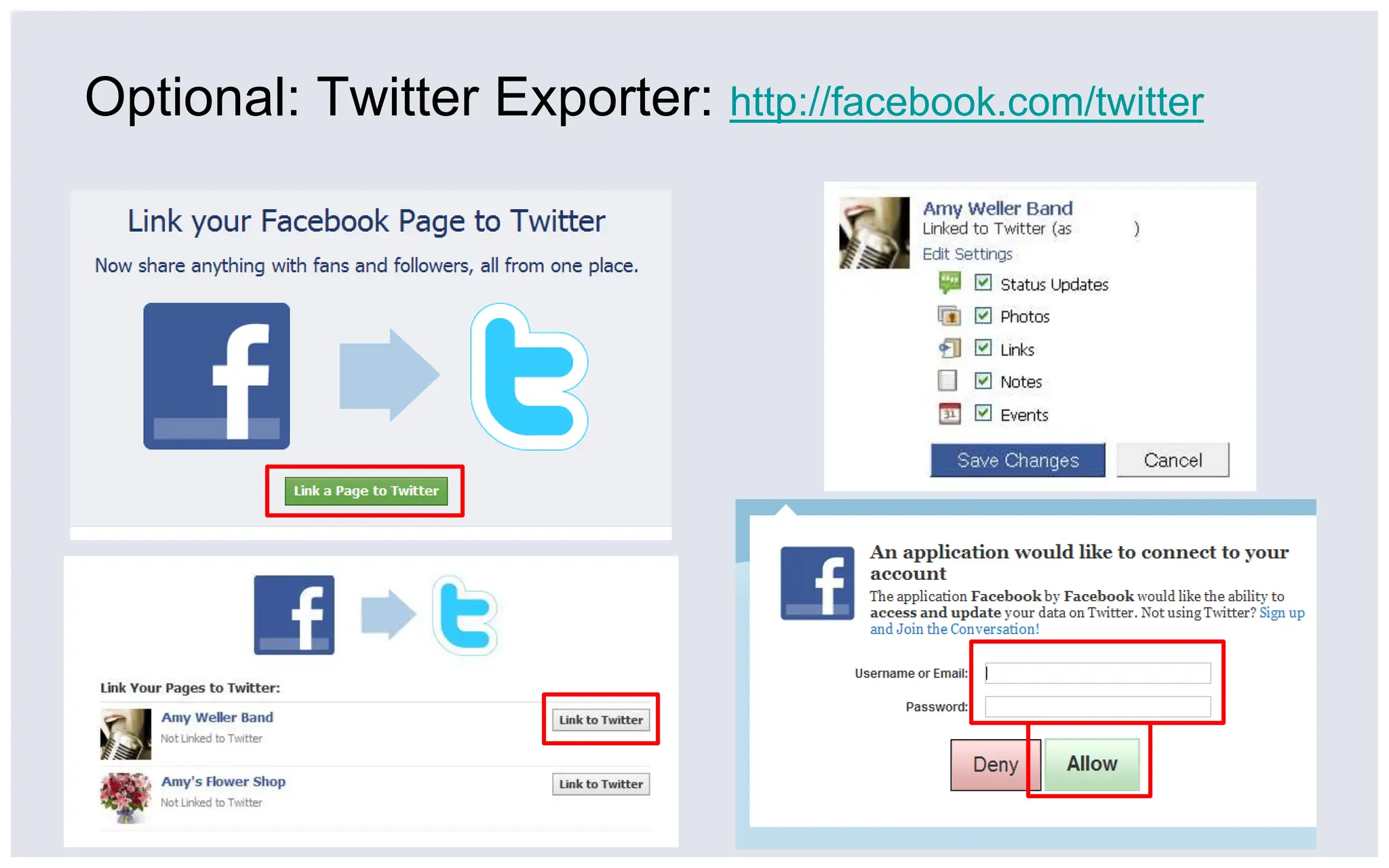
Optional: Twitter Exporter: http://facebook.com/twitterYou
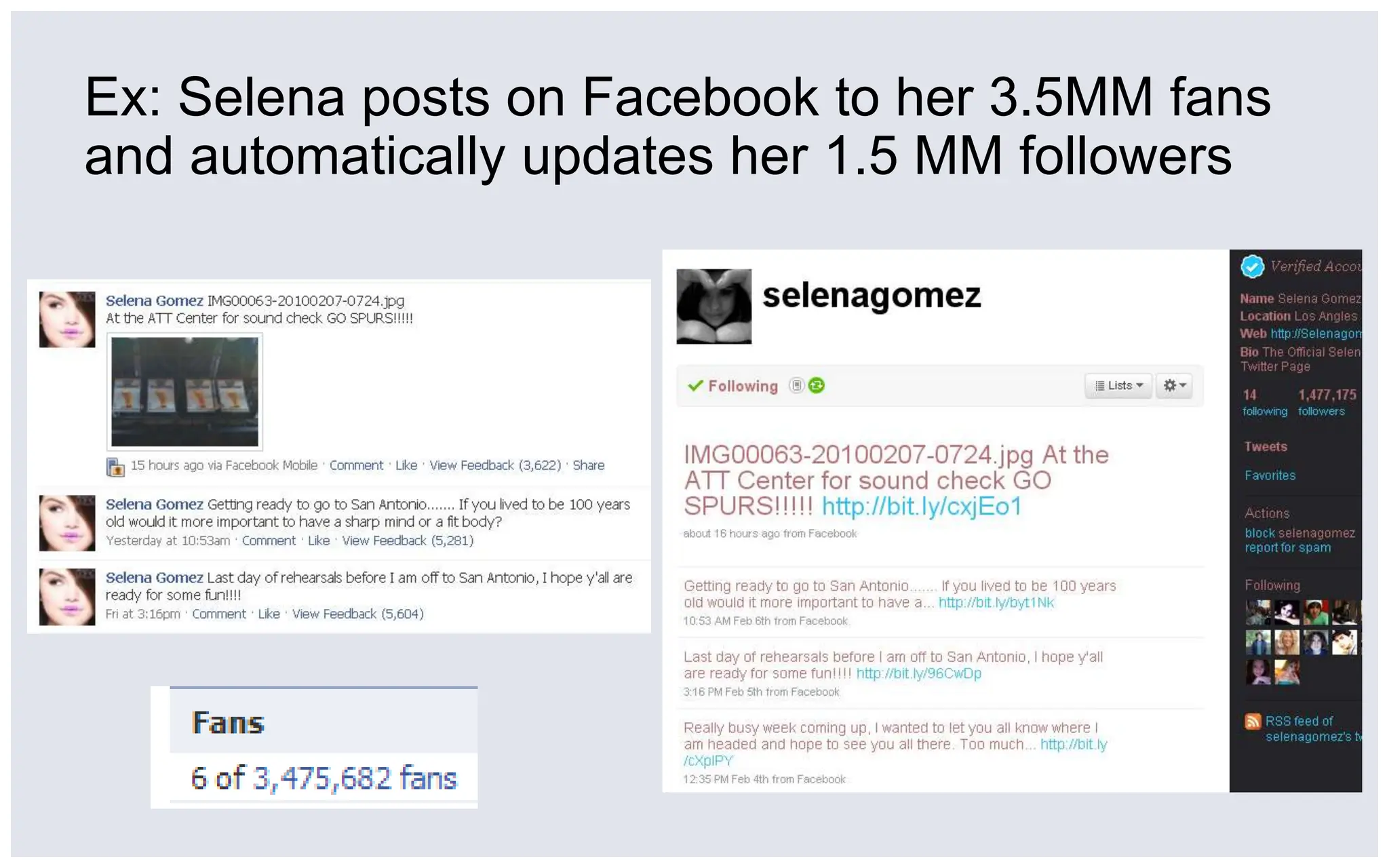
Ex: Selena posts on Facebook to her 3.5MM fans and automatically updates her 1.5 MM followers
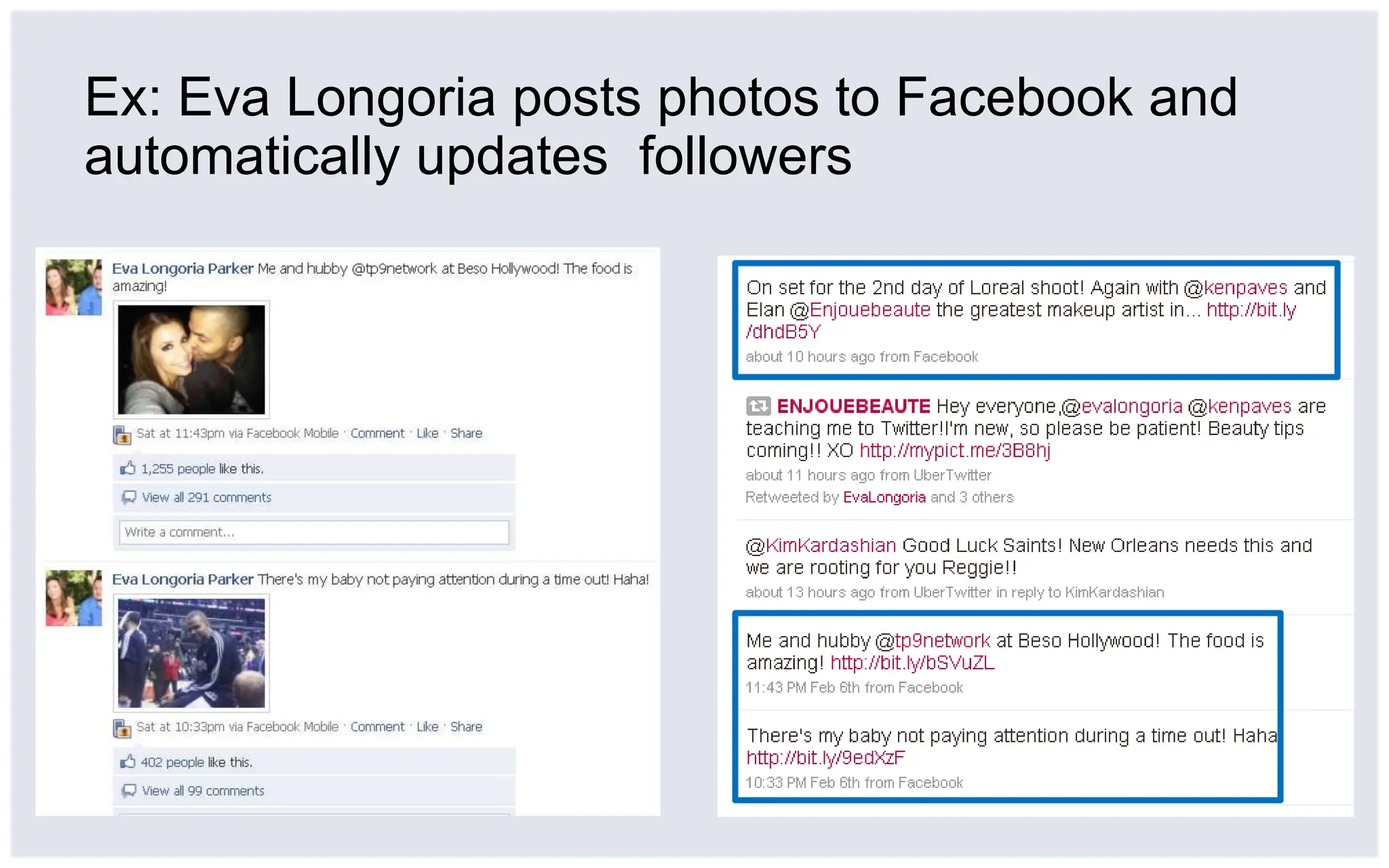
Ex: Eva Longoria posts photos to Facebook and automatically updates  followers
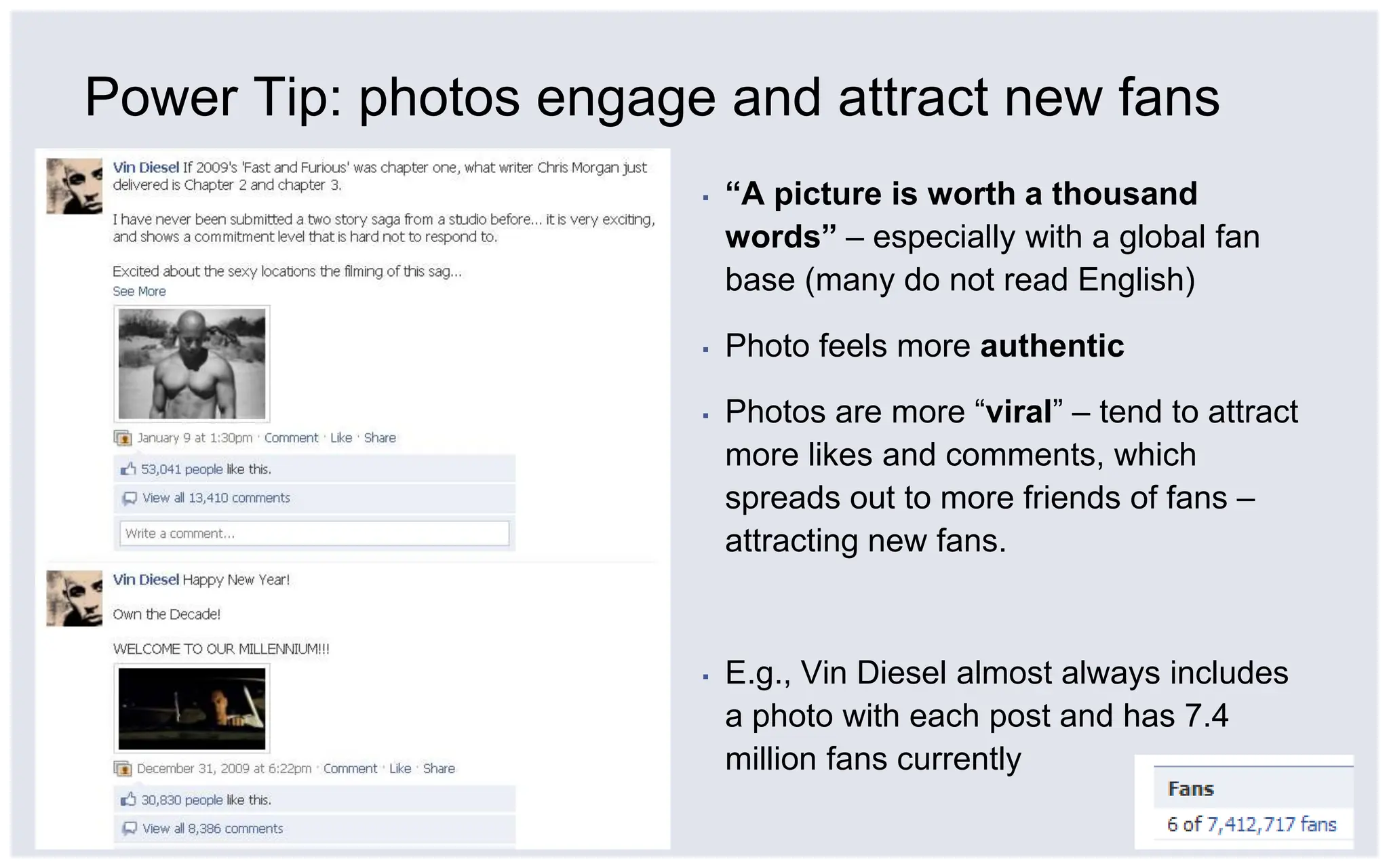
Power Tip: photos engage and attract new fans“A picture is worth a thousand words” – especially with a global fan base (many do not read English)Photo feels more authenticPhotos are more “viral” – tend to attract more likes and comments, which spreads out to more friends of fans – attracting new fans.E.g., Vin Diesel almost always includes a photo with each post and has 7.4 million fans currently
Thank YouResources:http://facebook.com/celebs http://facebook.com/influencers http://facebook.com/facebookpages

How to Use Mobile Phone to Update Facebook Pages

  • 1.
    Use Mobile toUpdate Fans:Convenient, Real-Time, AuthenticFebruary 2010
  • 2.
    3 easy optionsto update fans via mobile
  • 3.
    1) Email: Saveyour Page’s email address2) Click “Edit” under Mobile section1) Click “Edit Page” under profile picture3) Save Page’s email address in phone.[Suggestion: save as “Facebook” + Page name ]
  • 4.
    1) Email: Uploadphoto or update statusIf uploading a photo, include photo as attachment anda caption in the email subject line.If updating status,put text in email subject line.
  • 5.
    Pau Gasol usesemail to update fans from his BlackBerry
  • 6.
    Eva Longoria usesemail to post photos via her BlackBerry
  • 7.
    2) Facebook foriPhone Application3) Tap “Camera” icon to upload photo or “What’s on your mind?” to update status2) Tap “Pages” on bottom right, then tap on your Page1) Tap “Friends”
  • 8.
    2) Facebook foriPhone Application – Add Favorite3) Page is now on Facebook App Home Screen for easy nav1) Tap Top Right Corner of Page2) Tap “Add Favorite”
  • 9.
    The Rocket Summerusing Facebook for iPhone to update fans
  • 10.
    3) Text Message:Activate SMS to update Page2) Click “Edit” under Mobile section1) Click “Edit Page” under profile picture3) Click “Sign up for Facebook Text Messages…” and complete flow
  • 11.
    3) Text MessageActivationQuick 3-step flow to activate.To update status, send SMS with status update to 32665 in the US (may be different in other countries)Note: one mobile number can be associated with one profile or fan Page.
  • 12.
    Slash uses TextMessage to update 1.4 million fans
  • 13.
    Optional: Twitter Exporter:http://facebook.com/twitterYou
  • 14.
    Ex: Selena postson Facebook to her 3.5MM fans and automatically updates her 1.5 MM followers
  • 15.
    Ex: Eva Longoriaposts photos to Facebook and automatically updates followers
  • 16.
    Power Tip: photosengage and attract new fans“A picture is worth a thousand words” – especially with a global fan base (many do not read English)Photo feels more authenticPhotos are more “viral” – tend to attract more likes and comments, which spreads out to more friends of fans – attracting new fans.E.g., Vin Diesel almost always includes a photo with each post and has 7.4 million fans currently
  • 17.