XML Programming
XML Document
• Physical View
• Logical View
XML Document: Physical View
• Either Markup or Character Data
• To store contents in one or more les
• Collectively they represent an XML document
XML Document: Logical View
• Structure of document
• XML document is viewed as tree
• Elements divide the document into its
constituent parts
• Elements are organized into a hierarchy
Document Structure
• Root element: Top element of the hierarchy
• Also called Document Element
• Root element defines boundary
• It encloses all the other elements
• Only one root element in a document
• XML documents are commonly stored as text files
• Any text editor may be used to create XML document
• Use extension .xml for clarity
• XML document does not contain formatting
information
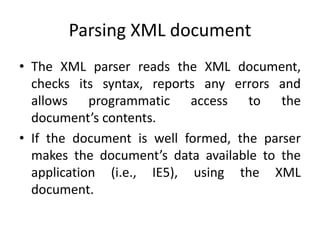
Parsing XML document
• The XML parser reads the XML document,
checks its syntax, reports any errors and
allows programmatic access to the
document’s contents.
• If the document is well formed, the parser
makes the document’s data available to the
application (i.e., IE5), using the XML
document.
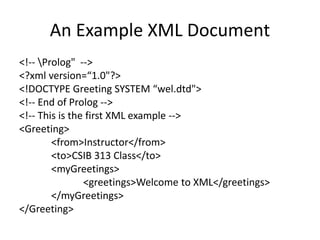
An Example XML Document
<!-- Prolog" -->
<?xml version=“1.0"?>
<!DOCTYPE Greeting SYSTEM “wel.dtd">
<!-- End of Prolog -->
<!-- This is the first XML example -->
<Greeting>
<from>Instructor</from>
<to>CSIB 313 Class</to>
<myGreetings>
<greetings>Welcome to XML</greetings>
</myGreetings>
</Greeting>
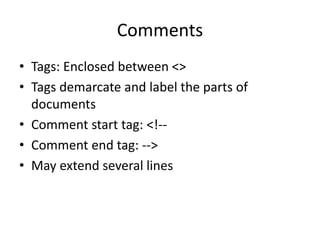
Comments
• Tags: Enclosed between <>
• Tags demarcate and label the parts of
documents
• Comment start tag: <!--
• Comment end tag: -->
• May extend several lines
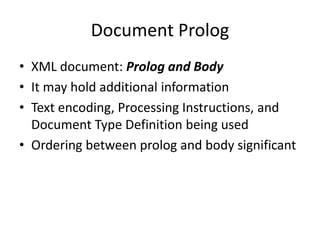
Document Prolog
• XML document: Prolog and Body
• It may hold additional information
• Text encoding, Processing Instructions, and
Document Type Definition being used
• Ordering between prolog and body significant
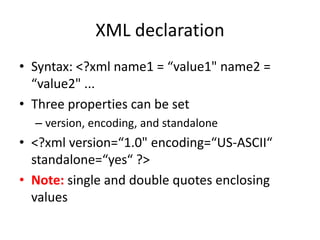
XML declaration
• Syntax: <?xml name1 = “value1" name2 =
“value2" ...
• Three properties can be set
– version, encoding, and standalone
• <?xml version=“1.0" encoding=“US-ASCII“
standalone=“yes“ ?>
• Note: single and double quotes enclosing
values
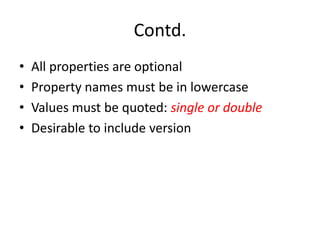
Contd.
• All properties are optional
• Property names must be in lowercase
• Values must be quoted: single or double
• Desirable to include version
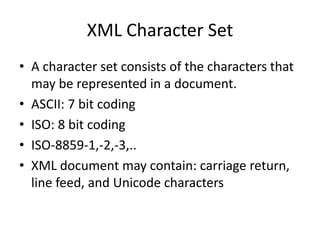
XML Character Set
• A character set consists of the characters that
may be represented in a document.
• ASCII: 7 bit coding
• ISO: 8 bit coding
• ISO-8859-1,-2,-3,..
• XML document may contain: carriage return,
line feed, and Unicode characters
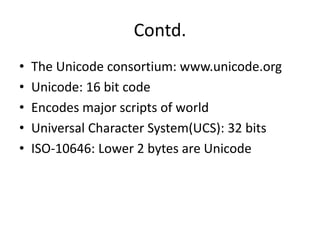
Contd.
• The Unicode consortium: www.unicode.org
• Unicode: 16 bit code
• Encodes major scripts of world
• Universal Character System(UCS): 32 bits
• ISO-10646: Lower 2 bytes are Unicode
Character Encoding
• Each subset for a script
• This subset for a script is mapped to 8 bit code
• The characters are in same order, but starts at
lower number
• The mapped subset is known as character
encoding
• Most common encoding scheme: UTF-8
• UTF-8: Efficient to encode documents having
ASCII characters
Contd..
• UTF-8 is default XML character encoding
• Some common character encodings:
– US-ASCII, ISO-8859-1, ISO-8859-n
– ISO-8859-1-Windows-3.1-Latin-1
– UTF-7, UTF-8, UTF-16
– ISO-10646-UCS-2, ISO-10646-UCS-4
– UCS-2 is same as Unicode
Elements
• Elements are building blocks
• Elements are organized in an hierarchy
• Hierarchy defines the logical structure
• Elements acts as containers and labels
• Types of the elements are differentiated by tags
• Start-tag, End-tag, Empty-tag
• Empty-element tag: <name/>
• Start-tag must have a matching end tag
• XML IS CASE SENSITIVE
• <message> ....</Message> : Wrong
Attributes
• Attributes describe elements
• An element may have zero or more attributes
• Attributes are placed within element's start
tag
• Only one occurrence of each attribute
• Example: <car doors = “4"/>
• Attribute doors has value “4"
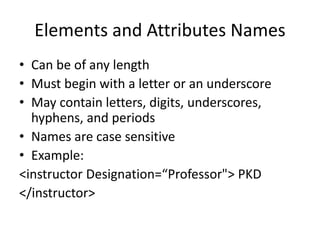
Elements and Attributes Names
• Can be of any length
• Must begin with a letter or an underscore
• May contain letters, digits, underscores,
hyphens, and periods
• Names are case sensitive
• Example:
<instructor Designation=“Professor"> PKD
</instructor>
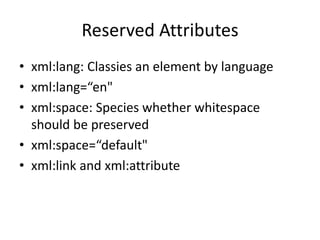
Reserved Attributes
• xml:lang: Classies an element by language
• xml:lang=“en"
• xml:space: Species whether whitespace
should be preserved
• xml:space=“default"
• xml:link and xml:attribute
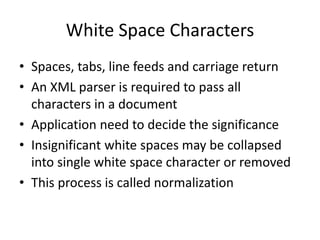
White Space Characters
• Spaces, tabs, line feeds and carriage return
• An XML parser is required to pass all
characters in a document
• Application need to decide the significance
• Insignificant white spaces may be collapsed
into single white space character or removed
• This process is called normalization
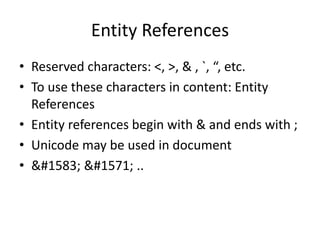
Entity References
• Reserved characters: <, >, & , `, “, etc.
• To use these characters in content: Entity
References
• Entity references begin with & and ends with ;
• Unicode may be used in document
• &#1583; &#1571; ..
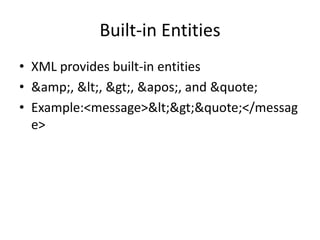
Built-in Entities
• XML provides built-in entities
• &amp;, &lt;, &gt;, &apos;, and &quote;
• Example:<message>&lt;&gt;&quote;</messag
e>
CDATA Section
• CDATA sections are helpful for XML authors
• may contain text, reserved characters (e.g., <) and
whitespace characters
• It is set off by <![CDATA[ and ]]>
• Everything between <![CDATA[ and the ]]> is treated as raw
data
• Character data in a CDATA section is not processed by the
• XML parser
• In CDATA < is not start tag
• An acronym for “character data"
• An example:
<para> Then you may say <![CDATA[ if(&x < &y) ]]> and
be done with it.</para>
Entities
• An entity is a placeholder for content
• Declared once and may be used several times
• Does not add anything semantically
• Convenient to read, write and maintain XML
document
• It represents physical containers such as files
or URLs
Contd..
• Can be used for different reasons, but always
eliminate an inconvenience
• Standing in for impossible-to-type characters to
marking the place where file should be imported.
• Entities can hold a single character, a string of text,
or even a chunk of XML markup
• Without entities, XML would be much less useful.
• For e.g. define an entity w3url to represent the
W3C's URL. Whenever you enter the entity in a
document, it will be replaced with the text
http://www.w3.org/.
Different types of entities
• Entities are classified as: Parameter and General
• Parameter entities are used in only DTDs
• General entities: Character, Unparsed, and mixed-
content (General entities are placeholders for any
content that occurs at the level of or inside the
root element of an XML document)
• Mixed-content: Internal and External
• Character: Predefined, Numbered, and Named
Contd..
• An entity consists of a name and a value
• The value may be anything (a single character to a
file of XML markup)
• As the parser scans the XML document, it encounters
entity references(ER), which are special markers
derived from entity names.
• For each ER, the parser consults a table in memory
for something with which to replace the marker. It
replaces the entity reference with the appropriate
replacement text or markup,
• Two syntax for entity reference:
– General entities: &entity_name;
– Parameter entities: %entity_name;
Example
<?xml version=“1.0"?>
<!DOCTYPE message SYSTEM “xmldtds/message.dtd" [
<!ENTITY client “Mr. John">
<!ENTITY agent “Ms. Sally">
<!ENTITY phone “<number>8755944998 </number>“ >
]>
<message>
<opening>Dear &client;</opening>
<body>We have an exciting opportunity for you! A set of ocean-
front cliff dwellings in Pi&#241;ata, Mexico have been renovated
as time-share vacation homes. They're going fast! To reserve a
place for your holiday, call &agent; at &phone;.
Hurry, &client;. Time is running out!</body>
</message>
Contd..
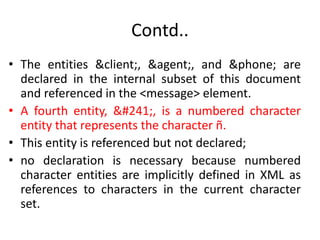
• The entities &client;, &agent;, and &phone; are
declared in the internal subset of this document
and referenced in the <message> element.
• A fourth entity, &#241;, is a numbered character
entity that represents the character ñ.
• This entity is referenced but not declared;
• no declaration is necessary because numbered
character entities are implicitly defined in XML as
references to characters in the current character
set.
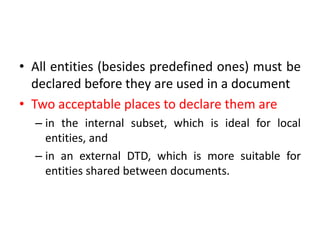
• All entities (besides predefined ones) must be
declared before they are used in a document
• Two acceptable places to declare them are
– in the internal subset, which is ideal for local
entities, and
– in an external DTD, which is more suitable for
entities shared between documents.
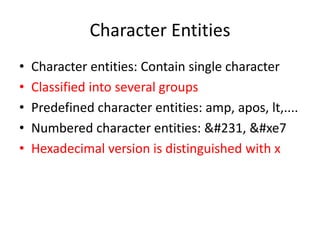
Character Entities
• Character entities: Contain single character
• Classified into several groups
• Predefined character entities: amp, apos, lt,....
• Numbered character entities: &#231, &#xe7
• Hexadecimal version is distinguished with x
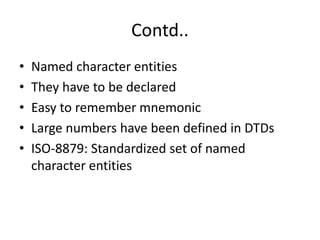
Contd..
• Named character entities
• They have to be declared
• Easy to remember mnemonic
• Large numbers have been defined in DTDs
• ISO-8879: Standardized set of named
character entities
Mixed Content Entities
• Unlimited length
• May include markup as well as text
• Categories: Internal and External
• Internal: Replacement text is defined in the
declaration
• &client; &agent; &phone;
Contd..
• Predefined character entities must not be
used in markup if they are used in entity
definition
• Exceptions: quote and apos
• Entities can contain entity reference if it has
been declared
• Recursive declaration not permitted
• External: Replacement text in another file
• Useful for sharing the contents
• Breaks a document into multiple physical
parts
• A linking mechanism
An example:
<?xml version=“1.0"?>
<!DOCTYPE doc SYSTEM “http://www.dtds.com/generic.dtd" [
<!ENTITY part1 SYSTEM “p1.xml">
<!ENTITY part2 SYSTEM “p2.xml">
<!ENTITY part3 SYSTEM “p3.xml">
]>
<longdoc>
&part1;
&part2;
&part3;
</longdoc>
• Replacement text is inserted at the time of parsing
• &part1;, &part2;, and &part3; are external entities
• Keyword SYSTEM is used.
• File names are under single or double quotes.
• System identifier: To identify resource location.
• Quoted string may be URL
• Alternative is to use keyword PUBLIC
• XML processor will locate the resource
• Public identifier may be accompanied with a system
identifier
Unparsed Entities
• Kind of entity that holds replacement
text/content that should not be parsed
• Because it contains something other than text and
would likely confuse the parser
• Used to import graphic, sound files and other
non-character data.
• Declaration looks similar to that of an external
entity, with additional information
Example
An Example:
<!DOCTYPE doc [
<!ENTITY mypic SYSTEM “photos/erick.gif“
NDATA GIF>
]>
< doc >
&mypic;
</doc>
Contd..
• Keyword NDATA used after system identifier
• NDATA: Notation for data
• tells the parser that the entity's content is in a
special format, or notation, other than the
usual parsed mixed content.
• It is followed by notation identifier that
specifies the data format.
Processing Instructions
• Presentational information should be kept out of
document
• For example: if we want to store page numbers
in the document
• The prescription for this kind of information is a
processing instruction
• It is container for data that is targeted toward a
specific XML processor
Contd..
• PI contain two pieces of information: a target
keyword and target data
• The parser passes processing instructions up to the
next level of processing.
• If the processing instruction handler recognizes the
target keyword, it may choose to use the data;
otherwise, the data is discarded.
• A PI starts with a two-character delimiter
– consisting of an open angle bracket and a question mark
(<?),
– followed by a target and an optional string of characters
that is the data portion of the PI
– a closing delimiter, consisting of a question mark and
closing angle bracket (?>).
Contd..
• The target is a keyword that an XML processor uses
to determine whether the data is meant for it or not
• More than one program can use a PI, and a single
program can accept multiple PIs.
• The PI can contain any data except the combination
?>
• Examples:
– <? flubber pg = 9 recto ?>
– <? things ?>
– <title> The Introduction to the XML <? lb ?> portability <?
lb ?> and integratin</title>, where <? lb ?> forces line
break
Well-Formed Documents
• An XML parser or processor
• Parses XML documents
• Produce parse tree
• Document is not well-formed if parser is not
able to generate tree
• Every XML document must be well formed
Well-Formed Documents (Contd...)
• Some of the syntactic rules checked
– Case sensitive: message and Message are different
tags
– Single root element
– A start and end tag for each element
– Properly nested tags
– Quoted attribute values
– Comments and processing instructions may not
appear inside tags
Document Validation
• A valid document includes a Document Type
Declaration
• The DTD defines rules for the documents
• These are additional constraints
• Validating parser compares documents to
their DTDs
• The DTD lists all elements, attributes, and
entities the document use and their contexts.
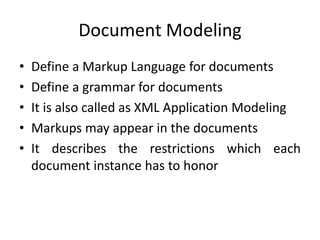
Document Modeling
• Define a Markup Language for documents
• Define a grammar for documents
• It is also called as XML Application Modeling
• Markups may appear in the documents
• It describes the restrictions which each
document instance has to honor
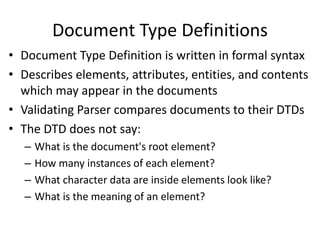
Document Type Definitions
• Document Type Definition is written in formal syntax
• Describes elements, attributes, entities, and contents
which may appear in the documents
• Validating Parser compares documents to their DTDs
• The DTD does not say:
– What is the document's root element?
– How many instances of each element?
– What character data are inside elements look like?
– What is the meaning of an element?
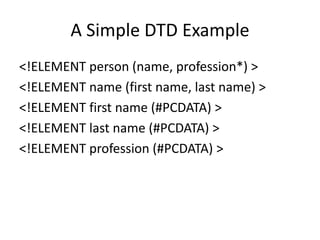
A Simple DTD Example
<!ELEMENT person (name, profession*) >
<!ELEMENT name (first name, last name) >
<!ELEMENT first name (#PCDATA) >
<!ELEMENT last name (#PCDATA) >
<!ELEMENT profession (#PCDATA) >
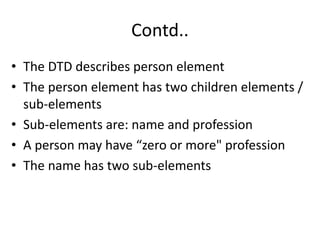
Contd..
• The DTD describes person element
• The person element has two children elements /
sub-elements
• Sub-elements are: name and profession
• A person may have “zero or more" profession
• The name has two sub-elements
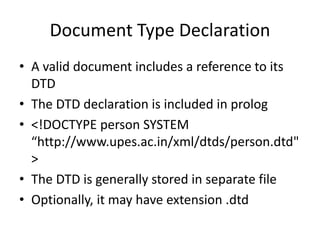
Document Type Declaration
• A valid document includes a reference to its
DTD
• The DTD declaration is included in prolog
• <!DOCTYPE person SYSTEM
“http://www.upes.ac.in/xml/dtds/person.dtd"
>
• The DTD is generally stored in separate file
• Optionally, it may have extension .dtd
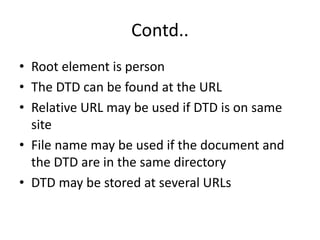
Contd..
• Root element is person
• The DTD can be found at the URL
• Relative URL may be used if DTD is on same
site
• File name may be used if the document and
the DTD are in the same directory
• DTD may be stored at several URLs

Xml basics

  • 1.
  • 2.
    XML Document • PhysicalView • Logical View
  • 3.
    XML Document: PhysicalView • Either Markup or Character Data • To store contents in one or more les • Collectively they represent an XML document
  • 4.
    XML Document: LogicalView • Structure of document • XML document is viewed as tree • Elements divide the document into its constituent parts • Elements are organized into a hierarchy
  • 5.
    Document Structure • Rootelement: Top element of the hierarchy • Also called Document Element • Root element defines boundary • It encloses all the other elements • Only one root element in a document • XML documents are commonly stored as text files • Any text editor may be used to create XML document • Use extension .xml for clarity • XML document does not contain formatting information
  • 6.
    Parsing XML document •The XML parser reads the XML document, checks its syntax, reports any errors and allows programmatic access to the document’s contents. • If the document is well formed, the parser makes the document’s data available to the application (i.e., IE5), using the XML document.
  • 7.
    An Example XMLDocument <!-- Prolog" --> <?xml version=“1.0"?> <!DOCTYPE Greeting SYSTEM “wel.dtd"> <!-- End of Prolog --> <!-- This is the first XML example --> <Greeting> <from>Instructor</from> <to>CSIB 313 Class</to> <myGreetings> <greetings>Welcome to XML</greetings> </myGreetings> </Greeting>
  • 8.
    Comments • Tags: Enclosedbetween <> • Tags demarcate and label the parts of documents • Comment start tag: <!-- • Comment end tag: --> • May extend several lines
  • 9.
    Document Prolog • XMLdocument: Prolog and Body • It may hold additional information • Text encoding, Processing Instructions, and Document Type Definition being used • Ordering between prolog and body significant
  • 10.
    XML declaration • Syntax:<?xml name1 = “value1" name2 = “value2" ... • Three properties can be set – version, encoding, and standalone • <?xml version=“1.0" encoding=“US-ASCII“ standalone=“yes“ ?> • Note: single and double quotes enclosing values
  • 11.
    Contd. • All propertiesare optional • Property names must be in lowercase • Values must be quoted: single or double • Desirable to include version
  • 12.
    XML Character Set •A character set consists of the characters that may be represented in a document. • ASCII: 7 bit coding • ISO: 8 bit coding • ISO-8859-1,-2,-3,.. • XML document may contain: carriage return, line feed, and Unicode characters
  • 13.
    Contd. • The Unicodeconsortium: www.unicode.org • Unicode: 16 bit code • Encodes major scripts of world • Universal Character System(UCS): 32 bits • ISO-10646: Lower 2 bytes are Unicode
  • 14.
    Character Encoding • Eachsubset for a script • This subset for a script is mapped to 8 bit code • The characters are in same order, but starts at lower number • The mapped subset is known as character encoding • Most common encoding scheme: UTF-8 • UTF-8: Efficient to encode documents having ASCII characters
  • 15.
    Contd.. • UTF-8 isdefault XML character encoding • Some common character encodings: – US-ASCII, ISO-8859-1, ISO-8859-n – ISO-8859-1-Windows-3.1-Latin-1 – UTF-7, UTF-8, UTF-16 – ISO-10646-UCS-2, ISO-10646-UCS-4 – UCS-2 is same as Unicode
  • 16.
    Elements • Elements arebuilding blocks • Elements are organized in an hierarchy • Hierarchy defines the logical structure • Elements acts as containers and labels • Types of the elements are differentiated by tags • Start-tag, End-tag, Empty-tag • Empty-element tag: <name/> • Start-tag must have a matching end tag • XML IS CASE SENSITIVE • <message> ....</Message> : Wrong
  • 17.
    Attributes • Attributes describeelements • An element may have zero or more attributes • Attributes are placed within element's start tag • Only one occurrence of each attribute • Example: <car doors = “4"/> • Attribute doors has value “4"
  • 18.
    Elements and AttributesNames • Can be of any length • Must begin with a letter or an underscore • May contain letters, digits, underscores, hyphens, and periods • Names are case sensitive • Example: <instructor Designation=“Professor"> PKD </instructor>
  • 19.
    Reserved Attributes • xml:lang:Classies an element by language • xml:lang=“en" • xml:space: Species whether whitespace should be preserved • xml:space=“default" • xml:link and xml:attribute
  • 20.
    White Space Characters •Spaces, tabs, line feeds and carriage return • An XML parser is required to pass all characters in a document • Application need to decide the significance • Insignificant white spaces may be collapsed into single white space character or removed • This process is called normalization
  • 21.
    Entity References • Reservedcharacters: <, >, & , `, “, etc. • To use these characters in content: Entity References • Entity references begin with & and ends with ; • Unicode may be used in document • &#1583; &#1571; ..
  • 22.
    Built-in Entities • XMLprovides built-in entities • &amp;, &lt;, &gt;, &apos;, and &quote; • Example:<message>&lt;&gt;&quote;</messag e>
  • 23.
    CDATA Section • CDATAsections are helpful for XML authors • may contain text, reserved characters (e.g., <) and whitespace characters • It is set off by <![CDATA[ and ]]> • Everything between <![CDATA[ and the ]]> is treated as raw data • Character data in a CDATA section is not processed by the • XML parser • In CDATA < is not start tag • An acronym for “character data" • An example: <para> Then you may say <![CDATA[ if(&x < &y) ]]> and be done with it.</para>
  • 24.
    Entities • An entityis a placeholder for content • Declared once and may be used several times • Does not add anything semantically • Convenient to read, write and maintain XML document • It represents physical containers such as files or URLs
  • 25.
    Contd.. • Can beused for different reasons, but always eliminate an inconvenience • Standing in for impossible-to-type characters to marking the place where file should be imported. • Entities can hold a single character, a string of text, or even a chunk of XML markup • Without entities, XML would be much less useful. • For e.g. define an entity w3url to represent the W3C's URL. Whenever you enter the entity in a document, it will be replaced with the text http://www.w3.org/.
  • 26.
    Different types ofentities • Entities are classified as: Parameter and General • Parameter entities are used in only DTDs • General entities: Character, Unparsed, and mixed- content (General entities are placeholders for any content that occurs at the level of or inside the root element of an XML document) • Mixed-content: Internal and External • Character: Predefined, Numbered, and Named
  • 27.
    Contd.. • An entityconsists of a name and a value • The value may be anything (a single character to a file of XML markup) • As the parser scans the XML document, it encounters entity references(ER), which are special markers derived from entity names. • For each ER, the parser consults a table in memory for something with which to replace the marker. It replaces the entity reference with the appropriate replacement text or markup, • Two syntax for entity reference: – General entities: &entity_name; – Parameter entities: %entity_name;
  • 28.
    Example <?xml version=“1.0"?> <!DOCTYPE messageSYSTEM “xmldtds/message.dtd" [ <!ENTITY client “Mr. John"> <!ENTITY agent “Ms. Sally"> <!ENTITY phone “<number>8755944998 </number>“ > ]> <message> <opening>Dear &client;</opening> <body>We have an exciting opportunity for you! A set of ocean- front cliff dwellings in Pi&#241;ata, Mexico have been renovated as time-share vacation homes. They're going fast! To reserve a place for your holiday, call &agent; at &phone;. Hurry, &client;. Time is running out!</body> </message>
  • 29.
    Contd.. • The entities&client;, &agent;, and &phone; are declared in the internal subset of this document and referenced in the <message> element. • A fourth entity, &#241;, is a numbered character entity that represents the character ñ. • This entity is referenced but not declared; • no declaration is necessary because numbered character entities are implicitly defined in XML as references to characters in the current character set.
  • 30.
    • All entities(besides predefined ones) must be declared before they are used in a document • Two acceptable places to declare them are – in the internal subset, which is ideal for local entities, and – in an external DTD, which is more suitable for entities shared between documents.
  • 31.
    Character Entities • Characterentities: Contain single character • Classified into several groups • Predefined character entities: amp, apos, lt,.... • Numbered character entities: &#231, &#xe7 • Hexadecimal version is distinguished with x
  • 32.
    Contd.. • Named characterentities • They have to be declared • Easy to remember mnemonic • Large numbers have been defined in DTDs • ISO-8879: Standardized set of named character entities
  • 33.
    Mixed Content Entities •Unlimited length • May include markup as well as text • Categories: Internal and External • Internal: Replacement text is defined in the declaration • &client; &agent; &phone;
  • 34.
    Contd.. • Predefined characterentities must not be used in markup if they are used in entity definition • Exceptions: quote and apos • Entities can contain entity reference if it has been declared • Recursive declaration not permitted
  • 35.
    • External: Replacementtext in another file • Useful for sharing the contents • Breaks a document into multiple physical parts • A linking mechanism
  • 36.
    An example: <?xml version=“1.0"?> <!DOCTYPEdoc SYSTEM “http://www.dtds.com/generic.dtd" [ <!ENTITY part1 SYSTEM “p1.xml"> <!ENTITY part2 SYSTEM “p2.xml"> <!ENTITY part3 SYSTEM “p3.xml"> ]> <longdoc> &part1; &part2; &part3; </longdoc>
  • 37.
    • Replacement textis inserted at the time of parsing • &part1;, &part2;, and &part3; are external entities • Keyword SYSTEM is used. • File names are under single or double quotes. • System identifier: To identify resource location. • Quoted string may be URL • Alternative is to use keyword PUBLIC • XML processor will locate the resource • Public identifier may be accompanied with a system identifier
  • 38.
    Unparsed Entities • Kindof entity that holds replacement text/content that should not be parsed • Because it contains something other than text and would likely confuse the parser • Used to import graphic, sound files and other non-character data. • Declaration looks similar to that of an external entity, with additional information
  • 39.
    Example An Example: <!DOCTYPE doc[ <!ENTITY mypic SYSTEM “photos/erick.gif“ NDATA GIF> ]> < doc > &mypic; </doc>
  • 40.
    Contd.. • Keyword NDATAused after system identifier • NDATA: Notation for data • tells the parser that the entity's content is in a special format, or notation, other than the usual parsed mixed content. • It is followed by notation identifier that specifies the data format.
  • 41.
    Processing Instructions • Presentationalinformation should be kept out of document • For example: if we want to store page numbers in the document • The prescription for this kind of information is a processing instruction • It is container for data that is targeted toward a specific XML processor
  • 42.
    Contd.. • PI containtwo pieces of information: a target keyword and target data • The parser passes processing instructions up to the next level of processing. • If the processing instruction handler recognizes the target keyword, it may choose to use the data; otherwise, the data is discarded. • A PI starts with a two-character delimiter – consisting of an open angle bracket and a question mark (<?), – followed by a target and an optional string of characters that is the data portion of the PI – a closing delimiter, consisting of a question mark and closing angle bracket (?>).
  • 43.
    Contd.. • The targetis a keyword that an XML processor uses to determine whether the data is meant for it or not • More than one program can use a PI, and a single program can accept multiple PIs. • The PI can contain any data except the combination ?> • Examples: – <? flubber pg = 9 recto ?> – <? things ?> – <title> The Introduction to the XML <? lb ?> portability <? lb ?> and integratin</title>, where <? lb ?> forces line break
  • 44.
    Well-Formed Documents • AnXML parser or processor • Parses XML documents • Produce parse tree • Document is not well-formed if parser is not able to generate tree • Every XML document must be well formed
  • 45.
    Well-Formed Documents (Contd...) •Some of the syntactic rules checked – Case sensitive: message and Message are different tags – Single root element – A start and end tag for each element – Properly nested tags – Quoted attribute values – Comments and processing instructions may not appear inside tags
  • 46.
    Document Validation • Avalid document includes a Document Type Declaration • The DTD defines rules for the documents • These are additional constraints • Validating parser compares documents to their DTDs • The DTD lists all elements, attributes, and entities the document use and their contexts.
  • 47.
    Document Modeling • Definea Markup Language for documents • Define a grammar for documents • It is also called as XML Application Modeling • Markups may appear in the documents • It describes the restrictions which each document instance has to honor
  • 48.
    Document Type Definitions •Document Type Definition is written in formal syntax • Describes elements, attributes, entities, and contents which may appear in the documents • Validating Parser compares documents to their DTDs • The DTD does not say: – What is the document's root element? – How many instances of each element? – What character data are inside elements look like? – What is the meaning of an element?
  • 49.
    A Simple DTDExample <!ELEMENT person (name, profession*) > <!ELEMENT name (first name, last name) > <!ELEMENT first name (#PCDATA) > <!ELEMENT last name (#PCDATA) > <!ELEMENT profession (#PCDATA) >
  • 50.
    Contd.. • The DTDdescribes person element • The person element has two children elements / sub-elements • Sub-elements are: name and profession • A person may have “zero or more" profession • The name has two sub-elements
  • 51.
    Document Type Declaration •A valid document includes a reference to its DTD • The DTD declaration is included in prolog • <!DOCTYPE person SYSTEM “http://www.upes.ac.in/xml/dtds/person.dtd" > • The DTD is generally stored in separate file • Optionally, it may have extension .dtd
  • 52.
    Contd.. • Root elementis person • The DTD can be found at the URL • Relative URL may be used if DTD is on same site • File name may be used if the document and the DTD are in the same directory • DTD may be stored at several URLs