WIG 3004
VIRTUAL
REALITY
Software
What is
software?
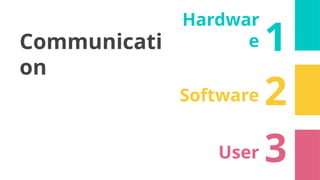
Communicati
on
1
Hardwar
e
2
Software
3
User
UNITY
Game engine
• Cross-platform: PC, mobile, web, console
• Both 2D and 3D
• Scripting in C#
• Free but with limits
• Monthly subscription (more features)
• https://unity.com/
• https://learn.unity.com/
UNITY The Game
Engine
• Powerful
• Free
• Used by many industries:
• Automotive and
Transportation
• Brand Ads
• Film
• Gaming
• Gambling
• Learning and Training
• AR and VR
Why UNITY ?
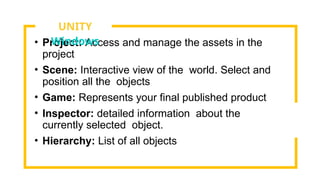
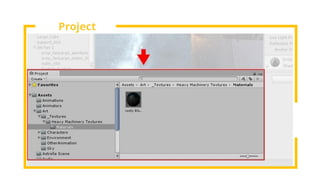
• Project: Access and manage the assets in the
project
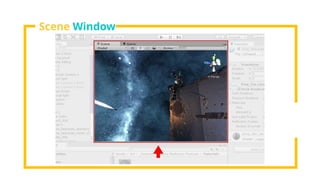
• Scene: Interactive view of the world. Select and
position all the objects
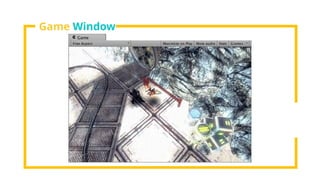
• Game: Represents your final published product
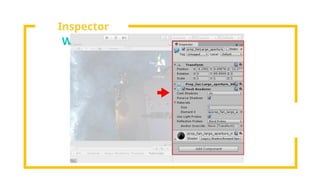
• Inspector: detailed information about the
currently selected object.
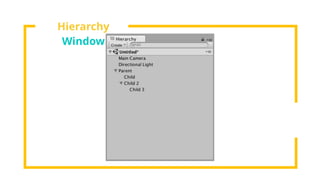
• Hierarchy: List of all objects
UNITY
Windows
Project
Window
Scene Window
Game Window
Inspector
Window
Hierarchy
Window
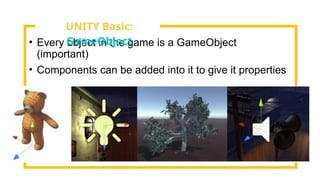
• Every object in the game is a GameObject
(important)
• Components can be added into it to give it properties
UNITY Basic:
GameObject
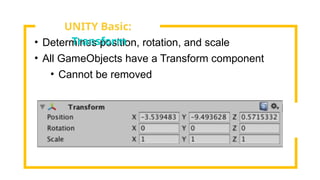
• Determines position, rotation, and scale
• All GameObjects have a Transform component
• Cannot be removed
UNITY Basic:
Transform
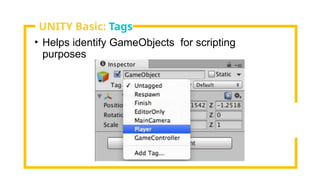
• Helps identify GameObjects for scripting
purposes
UNITY Basic: Tags
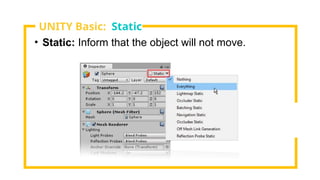
• Static: Inform that the object will not move.
UNITY Basic: Static
• Store GameObjects along with its properties and
components
• Create instances
• A change in a prefab affects all its instances.
• Instance settings can be overridden.
UNITY Basic:
Prefabs
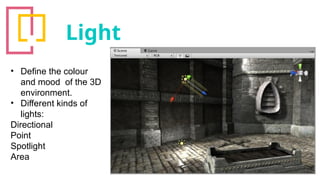
Light
• Define the colour
and mood of the 3D
environment.
• Different kinds of
lights:
Directional
Point
Spotlight
Area
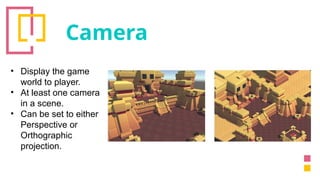
Camera
• Display the game
world to player.
• At least one camera
in a scene.
• Can be set to either
Perspective or
Orthographic
projection.
Scripting
• Essential in all games.
• Unity uses C# as the main scripting
language.
• Uses:
• Response to input
• Trigger events
• Create graphical effects
• Control physical behavior
• Implement custom AI system
• And many more
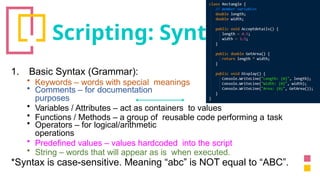
Scripting: Syntax
1. Basic Syntax (Grammar):
• Keywords – words with special meanings
• Comments – for documentation
purposes
• Variables / Attributes – act as containers to values
• Functions / Methods – a group of reusable code performing a task
• Operators – for logical/arithmetic
operations
• Predefined values – values hardcoded into the script
• String – words that will appear as is when executed.
*Syntax is case-sensitive. Meaning “abc” is NOT equal to “ABC”.
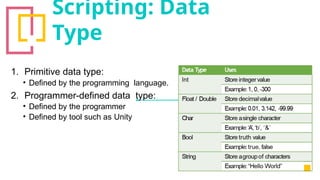
Scripting: Data
Type
1. Primitive data type:
• Defined by the programming language.
2. Programmer-defined data type:
• Defined by the programmer
• Defined by tool such as Unity
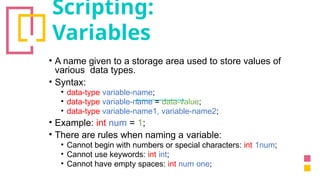
Scripting:
Variables
• A name given to a storage area used to store values of
various data types.
• Syntax:
• data-type variable-name;
• data-type variable-name = data-value;
• data-type variable-name1, variable-name2;
• Example: int num = 1;
• There are rules when naming a variable:
• Cannot begin with numbers or special characters: int 1num;
• Cannot use keywords: int int;
• Cannot have empty spaces: int num one;
Scripting: Array
• A collection or series of the same data type.
• The content of an array are called its elements.
• Array elements always begin with 0;
• Syntax: data-type[] array-name;
• Example: int[] nums;
Scripting: Class
• Encapsulation of data properties and data methods.
• Properties: describe the data the class will be holding.
• Methods: what operations can be performed on the data.
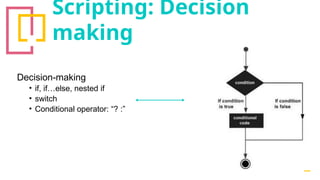
Scripting: Decision
making
Decision-making
• if, if…else, nested if
• switch
• Conditional operator: “? :”
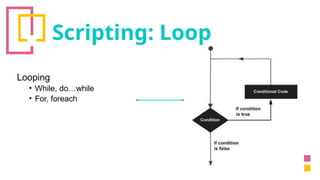
Scripting: Loop
Looping
• While, do…while
• For, foreach
• Animation
• Simulation
What else UNITY can
do?
Draw their relation
Hardware * SOFTWARE *
user

WIG3004 virtual reality chapter3 software.pptx

  • 1.
  • 2.
  • 3.
  • 6.
  • 7.
    • Cross-platform: PC,mobile, web, console • Both 2D and 3D • Scripting in C# • Free but with limits • Monthly subscription (more features) • https://unity.com/ • https://learn.unity.com/ UNITY The Game Engine
  • 8.
    • Powerful • Free •Used by many industries: • Automotive and Transportation • Brand Ads • Film • Gaming • Gambling • Learning and Training • AR and VR Why UNITY ?
  • 9.
    • Project: Accessand manage the assets in the project • Scene: Interactive view of the world. Select and position all the objects • Game: Represents your final published product • Inspector: detailed information about the currently selected object. • Hierarchy: List of all objects UNITY Windows
  • 10.
  • 11.
  • 12.
  • 13.
  • 14.
  • 15.
    • Every objectin the game is a GameObject (important) • Components can be added into it to give it properties UNITY Basic: GameObject
  • 16.
    • Determines position,rotation, and scale • All GameObjects have a Transform component • Cannot be removed UNITY Basic: Transform
  • 17.
    • Helps identifyGameObjects for scripting purposes UNITY Basic: Tags
  • 18.
    • Static: Informthat the object will not move. UNITY Basic: Static
  • 19.
    • Store GameObjectsalong with its properties and components • Create instances • A change in a prefab affects all its instances. • Instance settings can be overridden. UNITY Basic: Prefabs
  • 20.
    Light • Define thecolour and mood of the 3D environment. • Different kinds of lights: Directional Point Spotlight Area
  • 21.
    Camera • Display thegame world to player. • At least one camera in a scene. • Can be set to either Perspective or Orthographic projection.
  • 22.
    Scripting • Essential inall games. • Unity uses C# as the main scripting language. • Uses: • Response to input • Trigger events • Create graphical effects • Control physical behavior • Implement custom AI system • And many more
  • 23.
    Scripting: Syntax 1. BasicSyntax (Grammar): • Keywords – words with special meanings • Comments – for documentation purposes • Variables / Attributes – act as containers to values • Functions / Methods – a group of reusable code performing a task • Operators – for logical/arithmetic operations • Predefined values – values hardcoded into the script • String – words that will appear as is when executed. *Syntax is case-sensitive. Meaning “abc” is NOT equal to “ABC”.
  • 24.
    Scripting: Data Type 1. Primitivedata type: • Defined by the programming language. 2. Programmer-defined data type: • Defined by the programmer • Defined by tool such as Unity
  • 25.
    Scripting: Variables • A namegiven to a storage area used to store values of various data types. • Syntax: • data-type variable-name; • data-type variable-name = data-value; • data-type variable-name1, variable-name2; • Example: int num = 1; • There are rules when naming a variable: • Cannot begin with numbers or special characters: int 1num; • Cannot use keywords: int int; • Cannot have empty spaces: int num one;
  • 26.
    Scripting: Array • Acollection or series of the same data type. • The content of an array are called its elements. • Array elements always begin with 0; • Syntax: data-type[] array-name; • Example: int[] nums;
  • 27.
    Scripting: Class • Encapsulationof data properties and data methods. • Properties: describe the data the class will be holding. • Methods: what operations can be performed on the data.
  • 28.
    Scripting: Decision making Decision-making • if,if…else, nested if • switch • Conditional operator: “? :”
  • 29.
    Scripting: Loop Looping • While,do…while • For, foreach
  • 30.
  • 31.

Editor's Notes