Why Contract
Savings are
missing?.
Siva Prasanth Rentala
IBM Global Services
No Volumes on Part
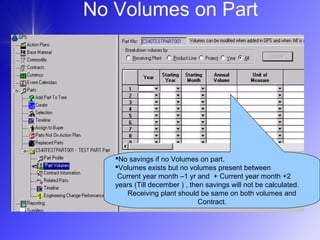
No savings if no Volumes on part.
Volumes exists but no volumes present between
Current year month –1 yr and + Current year month +2
years (Till december ) , then savings will not be calculated.
Receiving plant should be same on both volumes and
Contract.
No Volumes on Part
Contract savings not calculated for a part if:
No Volumes on part.
Part has Volumes but no volumes present between
(Current year month –12 months) and (Current year month
+2 years )
Receiving plant is not same on both volumes and Contract.
No Volumes on Part
• Contract Savings not calculated if:
– No savings if no Volumes on part.
– Volumes exists but no volumes present
between Current year month - 1 yr and +
Current year month +2 years
– If receiving plant is not same on volumes and
contract.
– If contract has “Default” as receiving plant
No Volumes on Part
• How to confirm if part has no
volumes and savings not calculated:
– Verify Part Volume GPS screen
– Very last week’s Exception file
“PSMPA.WWPAT.COMBINED.ERR(0)”
on mainframe or
“Exception report” on GPS APP center
Manual Volumes
• Volumes added to a part from “Part
Volumes” screen in GPS Client.
These volumes are called as
“Manual Volumes”.
Manual Volumes
• GPS receives forecasted part volumes
from Legacy systems. This batch
process validates the data and updates
the appropriate GPS tables with the part
volume data. GPS also allows users to
add part volumes on line and they are
called Manual Volumes. Legacy volumes
override GPS-created volumes so if there
are any GPS-created volumes when
adding a legacy volume for a Part/Year,
all of the GPS-created volumes for that
Part/Year are deleted.
Manual Volumes
• Contract Savings not calculated if:
– Part has manual volumes
(PRT_VOL.SRC_SYS_ID = ‘00001’ , GPS
source system id) and the receiving plant
associated with volumes does not allow
“Manual Volumes” while calculating Contract
Savings.
• If PRT_VOL.SRC_SYS_ID = ‘00001’ , GPS source
system id
• If manual volume flag (10th
Column) has ‘N’ for that
receiving plant associated with manual volumes in
“PSMPA.WWPUF.SMPAWQCA.PLANT(0)”
Manual Volumes
– Contract Savings calculated If manual
volume flag (10th
Column) has ‘Y’ even
if PRT_VOL.SRC_SYS_ID = ‘00001’.
LESS FINISH PART
• Contract Savings not calculated for
a Less finish part.
– A part is a less finish if a record exist in
LESS_FINSH_PRT table for that part
and source system id.
LESS FINISH PART
– Verify
PSMPA.WWPAT.SMPAWQC*.TMLNP
RTR.ERRL GDG file to confirm savings
not calculated for a Less finish part.
– * indicates it can be on of the
SMPAWQCL/M/N/O/P files depending
on which partition the part included.
– These error file not included in
Exception file.
Contract Periods does not match
with Timeline Contract periods
• Savings might miss for a contract if
the Contract periods does not match
with Timeline. These Contract
periods will not be processed for
savings.
Contract Periods does not match
with Timeline Contract periods
• This situation happens only if contract
periods are amended and Contract
Savings ran before Timeline ran.
• This situation happens very rarely when
Mega base material runs and Contract
Savings get detailed and OCB starts
(Sunday 12 PM EST) even before
contract savings processing is started or
before completion.
Contract Periods does not match
with Timeline Contract periods
• Following the sequence of weekend
jobs:
– OCB->Timeline->CSB
– But if in any situation if OCB runs after
Timeline and before CSB then this
situation might if Contract closure date is
extended.
• Timeline->OCB-CSB
Contract Periods does not match
with Timeline Contract periods
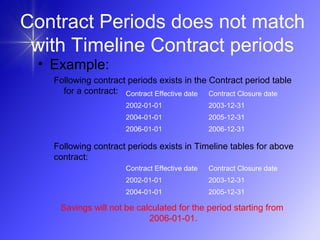
• Example:
Following contract periods exists in the Contract period table
for a contract:
Contract Effective date Contract Closure date
2002-01-01 2003-12-31
2004-01-01 2005-12-31
Contract Effective date Contract Closure date
2002-01-01 2003-12-31
2004-01-01 2005-12-31
2006-01-01 2006-12-31
Following contract periods exists in Timeline tables for above
contract:
Savings will not be calculated for the period starting from
2006-01-01.
– Verify
PSMPA.WWPAT.SMPAWQC*.TMLNB
ASE.ERR GDG file to confirm savings
not calculated for a particular period.
– * indicates it can be on of the
SMPAWQCL/M/N/O/P files depending
on which partition the part included.
– These error file not included in
Exception file.
Contract Periods does not match
with Timeline Contract periods
– If GPS contract has receiving plant as
“Default”
– If no record exists in Plant explosion
file for above contract then that
contract will not be processed for
Contract savings.
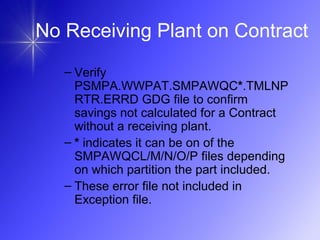
No Receiving Plant on Contract
– Verify
PSMPA.WWPAT.SMPAWQC*.TMLNP
RTR.ERRD GDG file to confirm
savings not calculated for a Contract
without a receiving plant.
– * indicates it can be on of the
SMPAWQCL/M/N/O/P files depending
on which partition the part included.
– These error file not included in
Exception file.
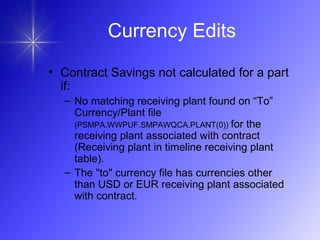
No Receiving Plant on Contract
• Contract Savings not calculated for a part
if:
– No matching receiving plant found on “To”
Currency/Plant file
(PSMPA.WWPUF.SMPAWQCA.PLANT(0)) for the
receiving plant associated with contract
(Receiving plant in timeline receiving plant
table).
– The "to" currency file has currencies other
than USD or EUR receiving plant associated
with contract.
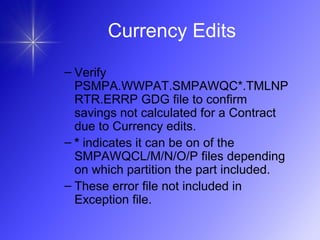
Currency Edits
– Verify
PSMPA.WWPAT.SMPAWQC*.TMLNP
RTR.ERRP GDG file to confirm
savings not calculated for a Contract
due to Currency edits.
– * indicates it can be on of the
SMPAWQCL/M/N/O/P files depending
on which partition the part included.
– These error file not included in
Exception file.
Currency Edits
• Contract Savings not calculated for a part
if:
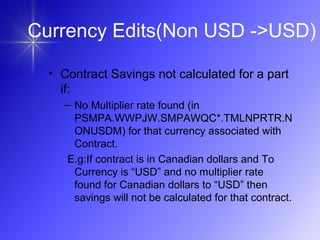
– No Multiplier rate found (in
PSMPA.WWPJW.SMPAWQC*.TMLNPRTR.N
ONUSDM) for that currency associated with
Contract.
E.g:If contract is in Canadian dollars and To
Currency is “USD” and no multiplier rate
found for Canadian dollars to “USD” then
savings will not be calculated for that contract.
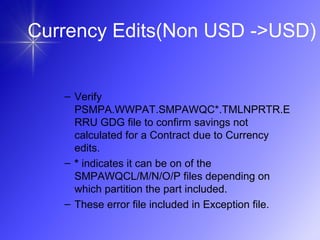
Currency Edits(Non USD ->USD)
– Verify
PSMPA.WWPAT.SMPAWQC*.TMLNPRTR.E
RRU GDG file to confirm savings not
calculated for a Contract due to Currency
edits.
– * indicates it can be on of the
SMPAWQCL/M/N/O/P files depending on
which partition the part included.
– These error file included in Exception file.
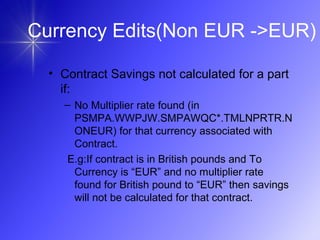
• Contract Savings not calculated for a part
if:
– No Multiplier rate found (in
PSMPA.WWPJW.SMPAWQC*.TMLNPRTR.N
ONEUR) for that currency associated with
Contract.
E.g:If contract is in British pounds and To
Currency is “EUR” and no multiplier rate
found for British pound to “EUR” then savings
will not be calculated for that contract.
Currency Edits(Non EUR ->EUR)
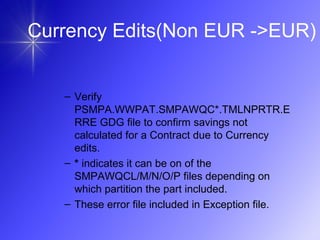
– Verify
PSMPA.WWPAT.SMPAWQC*.TMLNPRTR.E
RRE GDG file to confirm savings not
calculated for a Contract due to Currency
edits.
– * indicates it can be on of the
SMPAWQCL/M/N/O/P files depending on
which partition the part included.
– These error file included in Exception file.
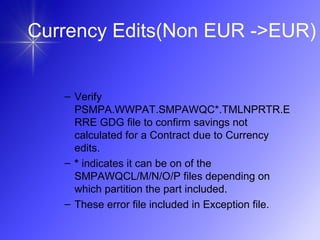
Currency Edits(Non EUR ->EUR)
– Verify
PSMPA.WWPAT.SMPAWQC*.TMLNPRTR.E
RRE GDG file to confirm savings not
calculated for a Contract due to Currency
edits.
– * indicates it can be on of the
SMPAWQCL/M/N/O/P files depending on
which partition the part included.
– These error file included in Exception file.
• Contract Savings not calculated for
a part if:
– Contract has more than one contract
and non USD or non EUR currency is
associated. If no multiplier rate found
for any one of period then all the
remaining periods which found
multiplier rate also will not be
calculated contract savings.
Currency Edits(Other Currency
errors)
Currency Edits(Other Currency
errors)
– Verify
PSMPA.WWPAT.SMPAWQC*.TMLNPRTR.E
RR GDG file to confirm savings not calculated
for a Contract due to Currency edits.
– * indicates it can be on of the
SMPAWQCL/M/N/O/P files depending on
which partition the part included.
– These error file included in Exception file.
• Contract Savings not calculated for
a part if:
– No matching record found in part
volume file for a timeline record with
particular Part number, Part Source
system id, Receiving plant and Volume
month as key.
Attach Volumes
• This process will eliminate all
records that do not have matching
record in the either Timeline file or
Part Volume file.
• The processing done by
WWPPCN98 program in
SMPAWQCL/M/N/O/P.
Attach Volumes
• Contract Savings not calculated for
a part if:
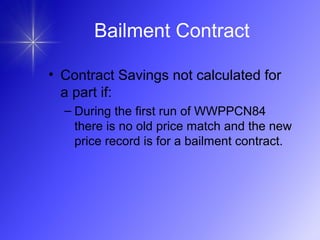
– During the first run of WWPPCN84
there is no old price match and the new
price record is for a bailment contract.
Bailment Contract
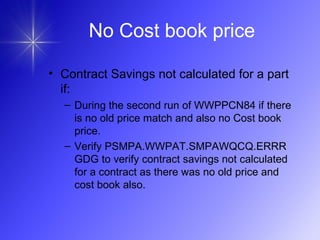
• Contract Savings not calculated for a part
if:
– During the second run of WWPPCN84 if there
is no old price match and also no Cost book
price.
– Verify PSMPA.WWPAT.SMPAWQCQ.ERRR
GDG to verify contract savings not calculated
for a contract as there was no old price and
cost book also.
No Cost book price

Why contract savings are missing

  • 1.
    Why Contract Savings are missing?. SivaPrasanth Rentala IBM Global Services
  • 2.
    No Volumes onPart No savings if no Volumes on part. Volumes exists but no volumes present between Current year month –1 yr and + Current year month +2 years (Till december ) , then savings will not be calculated. Receiving plant should be same on both volumes and Contract.
  • 3.
    No Volumes onPart Contract savings not calculated for a part if: No Volumes on part. Part has Volumes but no volumes present between (Current year month –12 months) and (Current year month +2 years ) Receiving plant is not same on both volumes and Contract.
  • 4.
    No Volumes onPart • Contract Savings not calculated if: – No savings if no Volumes on part. – Volumes exists but no volumes present between Current year month - 1 yr and + Current year month +2 years – If receiving plant is not same on volumes and contract. – If contract has “Default” as receiving plant
  • 5.
    No Volumes onPart • How to confirm if part has no volumes and savings not calculated: – Verify Part Volume GPS screen – Very last week’s Exception file “PSMPA.WWPAT.COMBINED.ERR(0)” on mainframe or “Exception report” on GPS APP center
  • 6.
    Manual Volumes • Volumesadded to a part from “Part Volumes” screen in GPS Client. These volumes are called as “Manual Volumes”.
  • 7.
    Manual Volumes • GPSreceives forecasted part volumes from Legacy systems. This batch process validates the data and updates the appropriate GPS tables with the part volume data. GPS also allows users to add part volumes on line and they are called Manual Volumes. Legacy volumes override GPS-created volumes so if there are any GPS-created volumes when adding a legacy volume for a Part/Year, all of the GPS-created volumes for that Part/Year are deleted.
  • 8.
    Manual Volumes • ContractSavings not calculated if: – Part has manual volumes (PRT_VOL.SRC_SYS_ID = ‘00001’ , GPS source system id) and the receiving plant associated with volumes does not allow “Manual Volumes” while calculating Contract Savings. • If PRT_VOL.SRC_SYS_ID = ‘00001’ , GPS source system id • If manual volume flag (10th Column) has ‘N’ for that receiving plant associated with manual volumes in “PSMPA.WWPUF.SMPAWQCA.PLANT(0)”
  • 9.
    Manual Volumes – ContractSavings calculated If manual volume flag (10th Column) has ‘Y’ even if PRT_VOL.SRC_SYS_ID = ‘00001’.
  • 10.
    LESS FINISH PART •Contract Savings not calculated for a Less finish part. – A part is a less finish if a record exist in LESS_FINSH_PRT table for that part and source system id.
  • 11.
    LESS FINISH PART –Verify PSMPA.WWPAT.SMPAWQC*.TMLNP RTR.ERRL GDG file to confirm savings not calculated for a Less finish part. – * indicates it can be on of the SMPAWQCL/M/N/O/P files depending on which partition the part included. – These error file not included in Exception file.
  • 12.
    Contract Periods doesnot match with Timeline Contract periods • Savings might miss for a contract if the Contract periods does not match with Timeline. These Contract periods will not be processed for savings.
  • 13.
    Contract Periods doesnot match with Timeline Contract periods • This situation happens only if contract periods are amended and Contract Savings ran before Timeline ran. • This situation happens very rarely when Mega base material runs and Contract Savings get detailed and OCB starts (Sunday 12 PM EST) even before contract savings processing is started or before completion.
  • 14.
    Contract Periods doesnot match with Timeline Contract periods • Following the sequence of weekend jobs: – OCB->Timeline->CSB – But if in any situation if OCB runs after Timeline and before CSB then this situation might if Contract closure date is extended. • Timeline->OCB-CSB
  • 15.
    Contract Periods doesnot match with Timeline Contract periods • Example: Following contract periods exists in the Contract period table for a contract: Contract Effective date Contract Closure date 2002-01-01 2003-12-31 2004-01-01 2005-12-31 Contract Effective date Contract Closure date 2002-01-01 2003-12-31 2004-01-01 2005-12-31 2006-01-01 2006-12-31 Following contract periods exists in Timeline tables for above contract: Savings will not be calculated for the period starting from 2006-01-01.
  • 16.
    – Verify PSMPA.WWPAT.SMPAWQC*.TMLNB ASE.ERR GDGfile to confirm savings not calculated for a particular period. – * indicates it can be on of the SMPAWQCL/M/N/O/P files depending on which partition the part included. – These error file not included in Exception file. Contract Periods does not match with Timeline Contract periods
  • 17.
    – If GPScontract has receiving plant as “Default” – If no record exists in Plant explosion file for above contract then that contract will not be processed for Contract savings. No Receiving Plant on Contract
  • 18.
    – Verify PSMPA.WWPAT.SMPAWQC*.TMLNP RTR.ERRD GDGfile to confirm savings not calculated for a Contract without a receiving plant. – * indicates it can be on of the SMPAWQCL/M/N/O/P files depending on which partition the part included. – These error file not included in Exception file. No Receiving Plant on Contract
  • 19.
    • Contract Savingsnot calculated for a part if: – No matching receiving plant found on “To” Currency/Plant file (PSMPA.WWPUF.SMPAWQCA.PLANT(0)) for the receiving plant associated with contract (Receiving plant in timeline receiving plant table). – The "to" currency file has currencies other than USD or EUR receiving plant associated with contract. Currency Edits
  • 20.
    – Verify PSMPA.WWPAT.SMPAWQC*.TMLNP RTR.ERRP GDGfile to confirm savings not calculated for a Contract due to Currency edits. – * indicates it can be on of the SMPAWQCL/M/N/O/P files depending on which partition the part included. – These error file not included in Exception file. Currency Edits
  • 21.
    • Contract Savingsnot calculated for a part if: – No Multiplier rate found (in PSMPA.WWPJW.SMPAWQC*.TMLNPRTR.N ONUSDM) for that currency associated with Contract. E.g:If contract is in Canadian dollars and To Currency is “USD” and no multiplier rate found for Canadian dollars to “USD” then savings will not be calculated for that contract. Currency Edits(Non USD ->USD)
  • 22.
    Currency Edits(Non USD->USD) – Verify PSMPA.WWPAT.SMPAWQC*.TMLNPRTR.E RRU GDG file to confirm savings not calculated for a Contract due to Currency edits. – * indicates it can be on of the SMPAWQCL/M/N/O/P files depending on which partition the part included. – These error file included in Exception file.
  • 23.
    • Contract Savingsnot calculated for a part if: – No Multiplier rate found (in PSMPA.WWPJW.SMPAWQC*.TMLNPRTR.N ONEUR) for that currency associated with Contract. E.g:If contract is in British pounds and To Currency is “EUR” and no multiplier rate found for British pound to “EUR” then savings will not be calculated for that contract. Currency Edits(Non EUR ->EUR)
  • 24.
    Currency Edits(Non EUR->EUR) – Verify PSMPA.WWPAT.SMPAWQC*.TMLNPRTR.E RRE GDG file to confirm savings not calculated for a Contract due to Currency edits. – * indicates it can be on of the SMPAWQCL/M/N/O/P files depending on which partition the part included. – These error file included in Exception file.
  • 25.
    Currency Edits(Non EUR->EUR) – Verify PSMPA.WWPAT.SMPAWQC*.TMLNPRTR.E RRE GDG file to confirm savings not calculated for a Contract due to Currency edits. – * indicates it can be on of the SMPAWQCL/M/N/O/P files depending on which partition the part included. – These error file included in Exception file.
  • 26.
    • Contract Savingsnot calculated for a part if: – Contract has more than one contract and non USD or non EUR currency is associated. If no multiplier rate found for any one of period then all the remaining periods which found multiplier rate also will not be calculated contract savings. Currency Edits(Other Currency errors)
  • 27.
    Currency Edits(Other Currency errors) –Verify PSMPA.WWPAT.SMPAWQC*.TMLNPRTR.E RR GDG file to confirm savings not calculated for a Contract due to Currency edits. – * indicates it can be on of the SMPAWQCL/M/N/O/P files depending on which partition the part included. – These error file included in Exception file.
  • 28.
    • Contract Savingsnot calculated for a part if: – No matching record found in part volume file for a timeline record with particular Part number, Part Source system id, Receiving plant and Volume month as key. Attach Volumes
  • 29.
    • This processwill eliminate all records that do not have matching record in the either Timeline file or Part Volume file. • The processing done by WWPPCN98 program in SMPAWQCL/M/N/O/P. Attach Volumes
  • 30.
    • Contract Savingsnot calculated for a part if: – During the first run of WWPPCN84 there is no old price match and the new price record is for a bailment contract. Bailment Contract
  • 31.
    • Contract Savingsnot calculated for a part if: – During the second run of WWPPCN84 if there is no old price match and also no Cost book price. – Verify PSMPA.WWPAT.SMPAWQCQ.ERRR GDG to verify contract savings not calculated for a contract as there was no old price and cost book also. No Cost book price