CSC 2O3: COMPUTER PROGRAMMING 1
Week 6:
C Strings, String Functions and Examples
DR(MRS) O.E.OJO
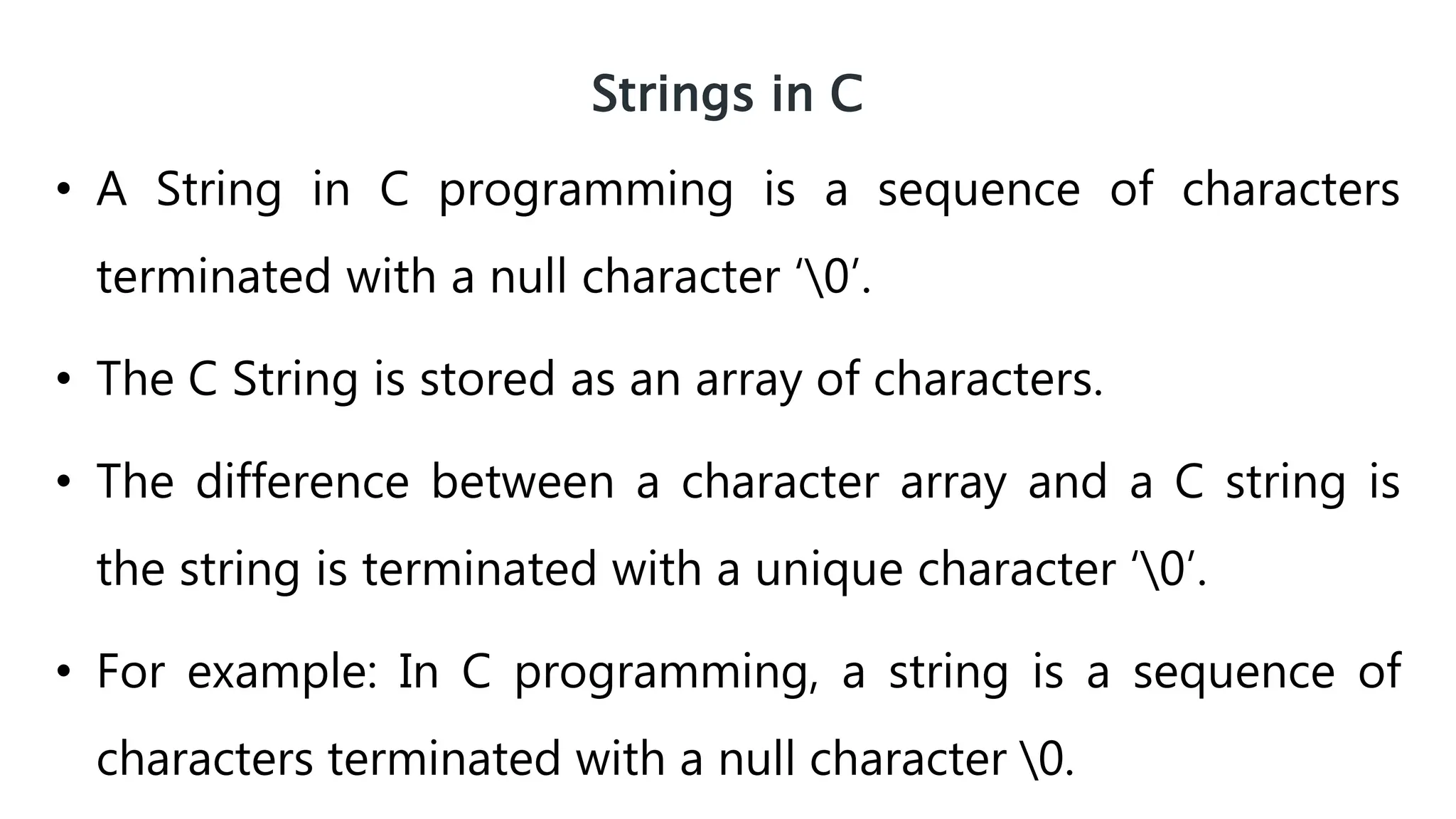
Strings in C
• A String in C programming is a sequence of characters
terminated with a null character ‘0’.
• The C String is stored as an array of characters.
• The difference between a character array and a C string is
the string is terminated with a unique character ‘0’.
• For example: In C programming, a string is a sequence of
characters terminated with a null character 0.
When the compiler encounters a sequence of characters enclosed
in the double quotation marks, it appends a null character 0 at the
end by default.
Memory Diagram
char c[ ] = “c string”;
How to declare a string
char s[5];
Here, we have declared a string of 5 characters.
Here's how you can declare strings:
String Declaration in C
How to initialize strings
.
char c[] = "abcd";
char c[50] = "abcd";
char c[] = {'a', 'b', 'c', 'd', '0'};
char c[5] = {'a', 'b', 'c', 'd', '0'};
String Initialization in C
You can initialize strings in a number of ways
Assigning values to strings
char c[100];
c = 100 “C programming”; // Error! array is not assigned
Arrays and strings are second-class citizens in C; they do not support the
assignment operator once it is declared. For example,
Note: Use the strcpy() function to copy the string instead.
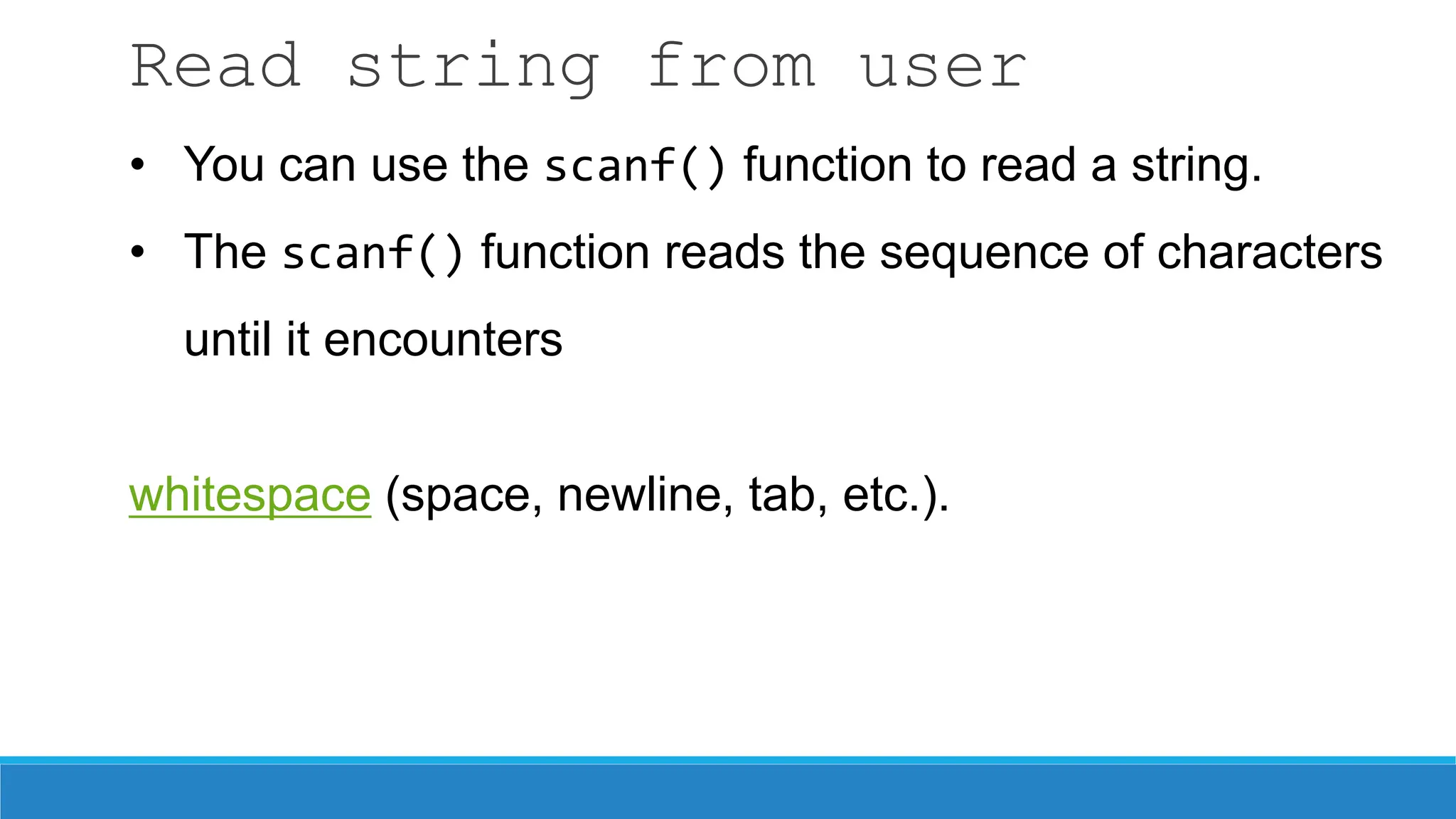
Read string from user
• You can use the scanf() function to read a string.
• The scanf() function reads the sequence of characters
until it encounters
whitespace (space, newline, tab, etc.).
Example 1: scanf() to read a string
#include <stdio.h>
int main()
{
char name[20];
printf("Enter name: ");
scanf("%s", name);
printf("Your name is %s.", name);
return 0;
}
Read string from user (cont’d.)
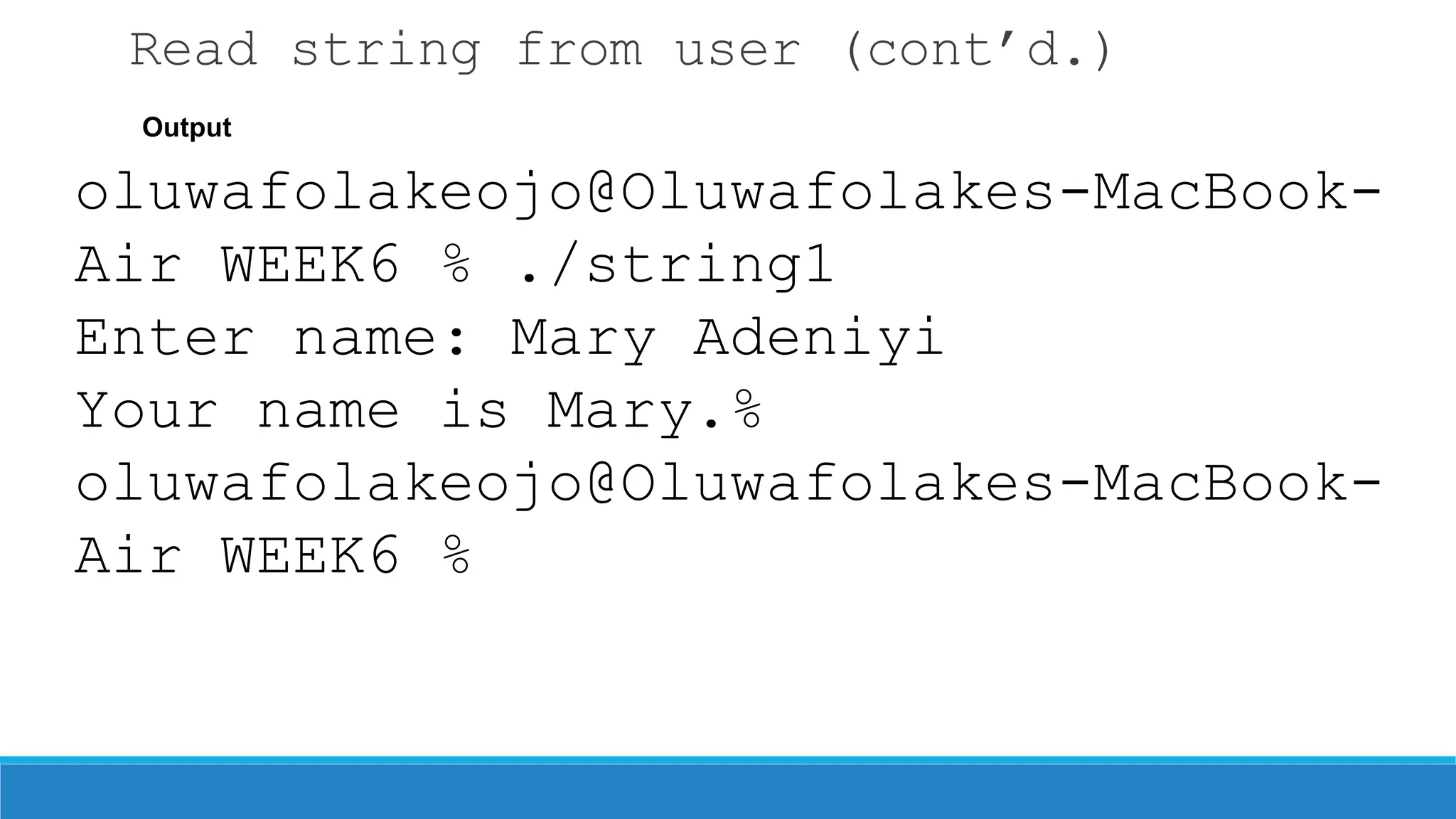
Output
oluwafolakeojo@Oluwafolakes-MacBook-
Air WEEK6 % ./string1
Enter name: Mary Adeniyi
Your name is Mary.%
oluwafolakeojo@Oluwafolakes-MacBook-
Air WEEK6 %
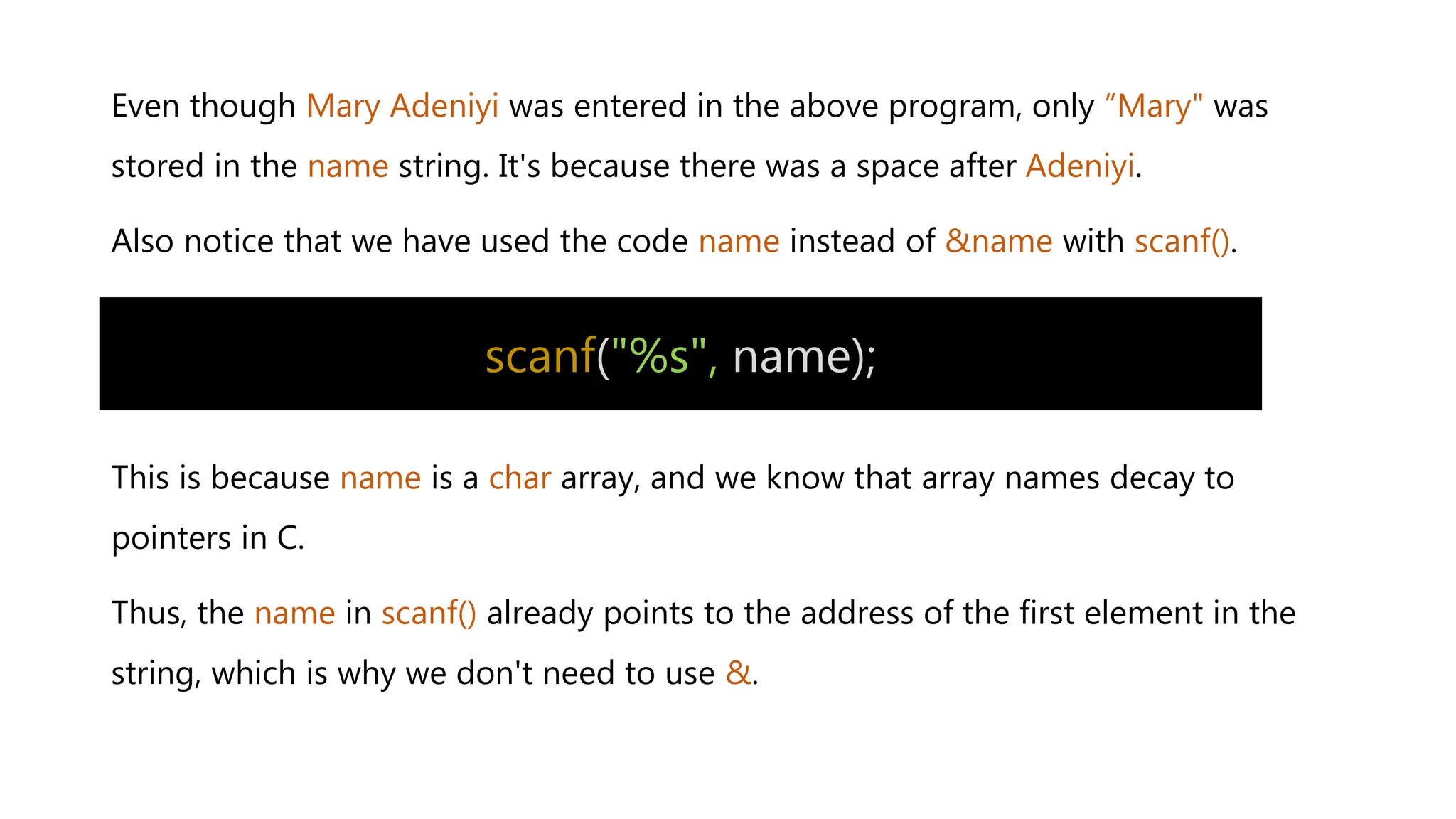
Even though Mary Adeniyi was entered in the above program, only ”Mary" was
stored in the name string. It's because there was a space after Adeniyi.
Also notice that we have used the code name instead of &name with scanf().
This is because name is a char array, and we know that array names decay to
pointers in C.
Thus, the name in scanf() already points to the address of the first element in the
string, which is why we don't need to use &.
scanf("%s", name);
How to read a line of text?
You can use the fgets() function to read a line of string. And, you can use puts()
to display the string.
Example 2: fgets() and puts()
#include <stdio.h>
int main()
{
char name[30];
printf("Enter name: ");
fgets(name, sizeof(name), stdin); // read string
printf("Name: ");
puts(name); // display string
return 0;
}
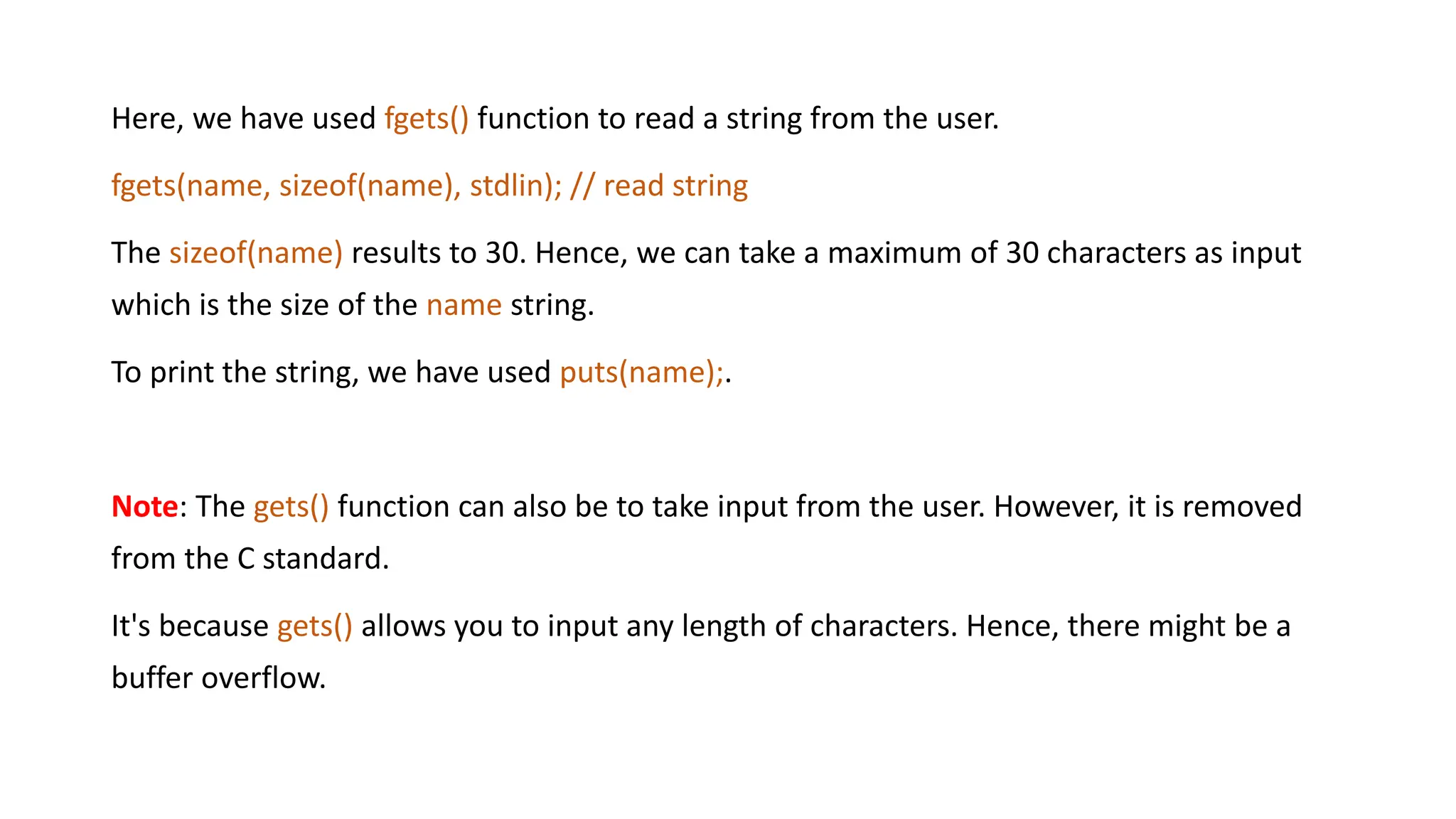
Here, we have used fgets() function to read a string from the user.
fgets(name, sizeof(name), stdlin); // read string
The sizeof(name) results to 30. Hence, we can take a maximum of 30 characters as input
which is the size of the name string.
To print the string, we have used puts(name);.
Note: The gets() function can also be to take input from the user. However, it is removed
from the C standard.
It's because gets() allows you to input any length of characters. Hence, there might be a
buffer overflow.
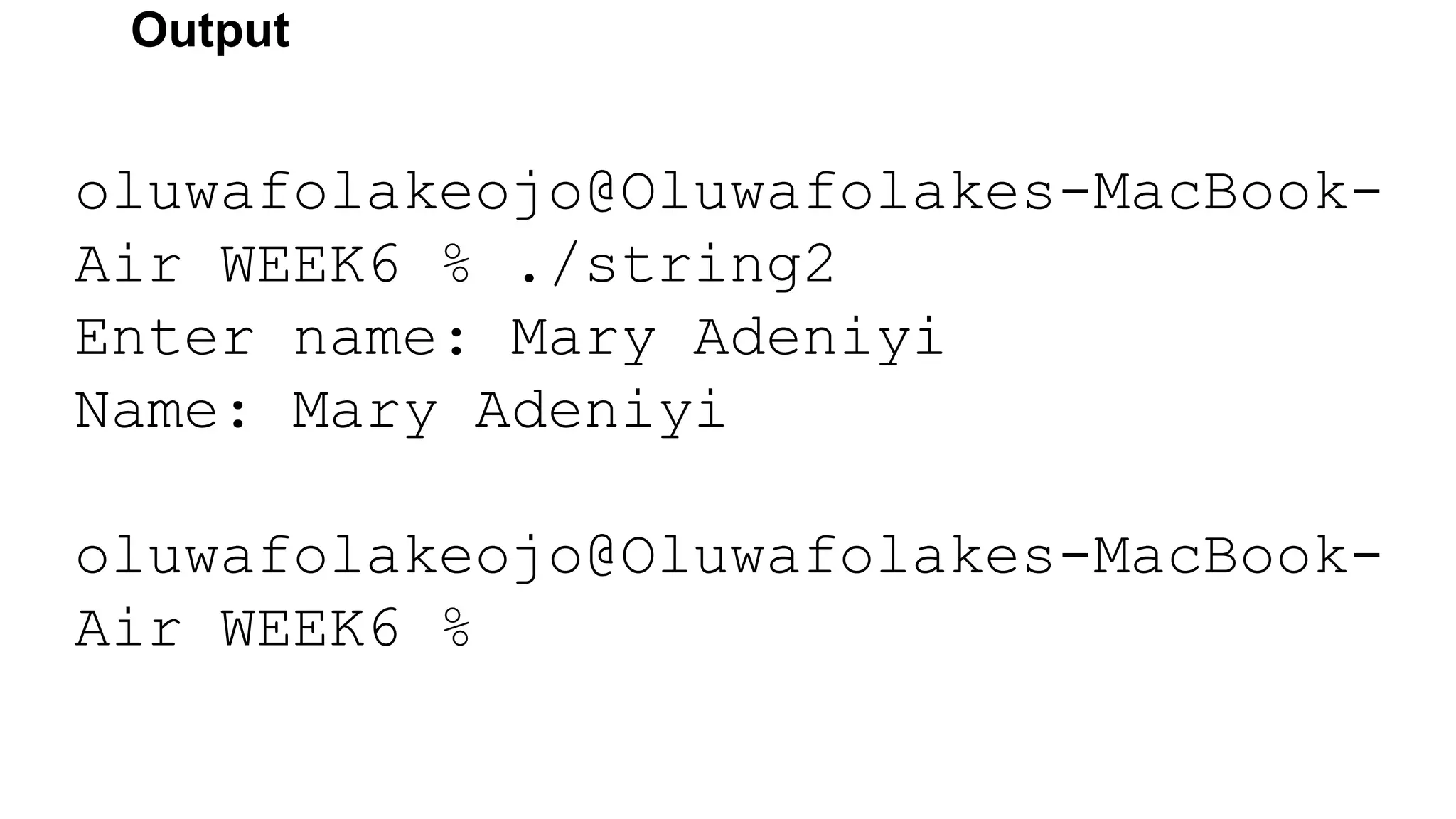
Output
oluwafolakeojo@Oluwafolakes-MacBook-
Air WEEK6 % ./string2
Enter name: Mary Adeniyi
Name: Mary Adeniyi
oluwafolakeojo@Oluwafolakes-MacBook-
Air WEEK6 %
Passing Strings to Functions
Strings can be passed to a function in a similar way as arrays.
Example 3: Passing string to a Function
#include <stdio.h>
void displayString(char str[]);
int main()
{
char str[50];
printf("Enter string: “);
fgets(str, sizeof(str), stdin);
displayString(str); // Passing string to a function.
return 0;
}
void displayString(char str[ ])
{
printf("String Output: “);
puts(str);
}
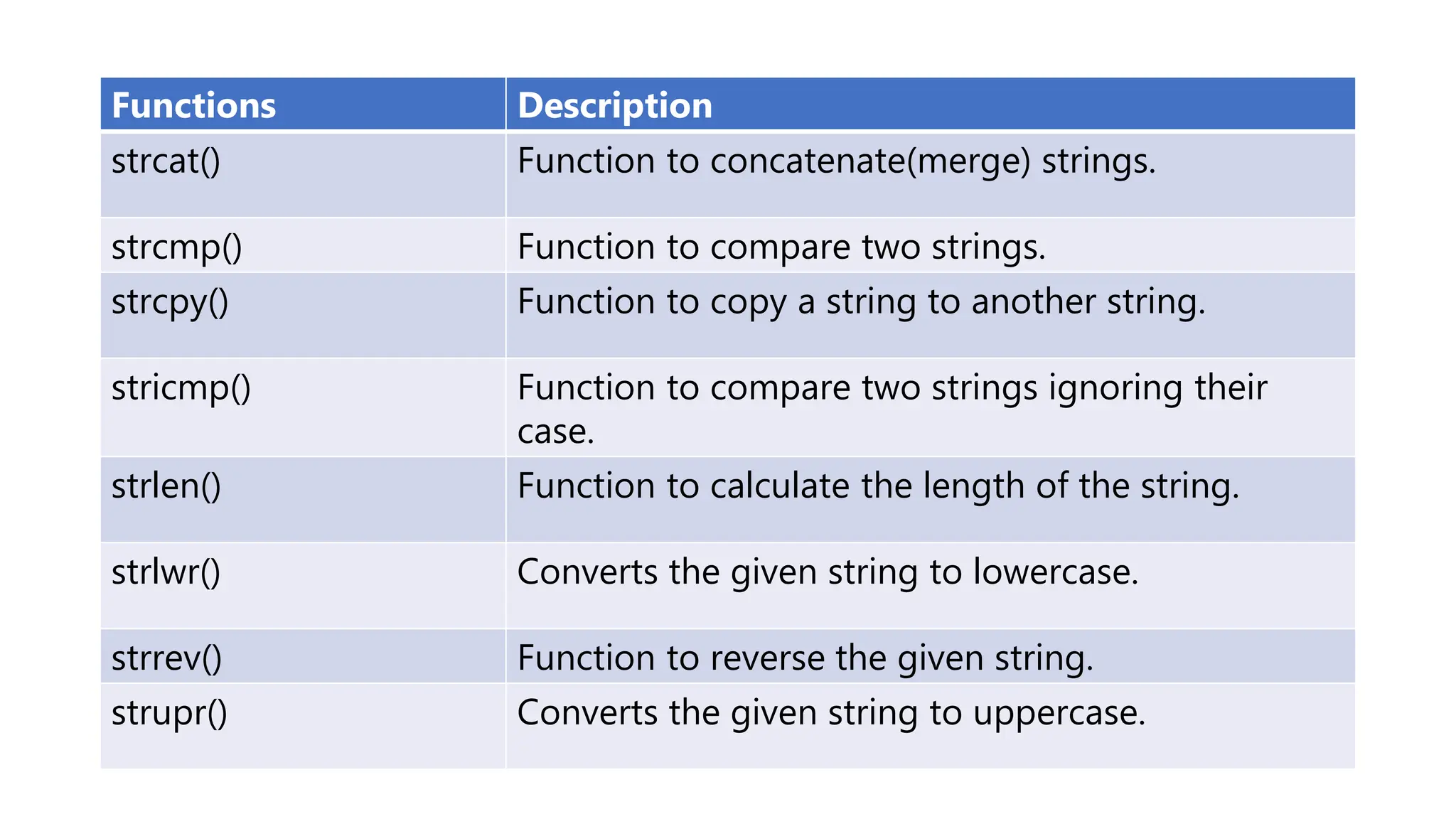
Functions Description
strcat() Function to concatenate(merge) strings.
strcmp() Function to compare two strings.
strcpy() Function to copy a string to another string.
stricmp() Function to compare two strings ignoring their
case.
strlen() Function to calculate the length of the string.
strlwr() Converts the given string to lowercase.
strrev() Function to reverse the given string.
strupr() Converts the given string to uppercase.
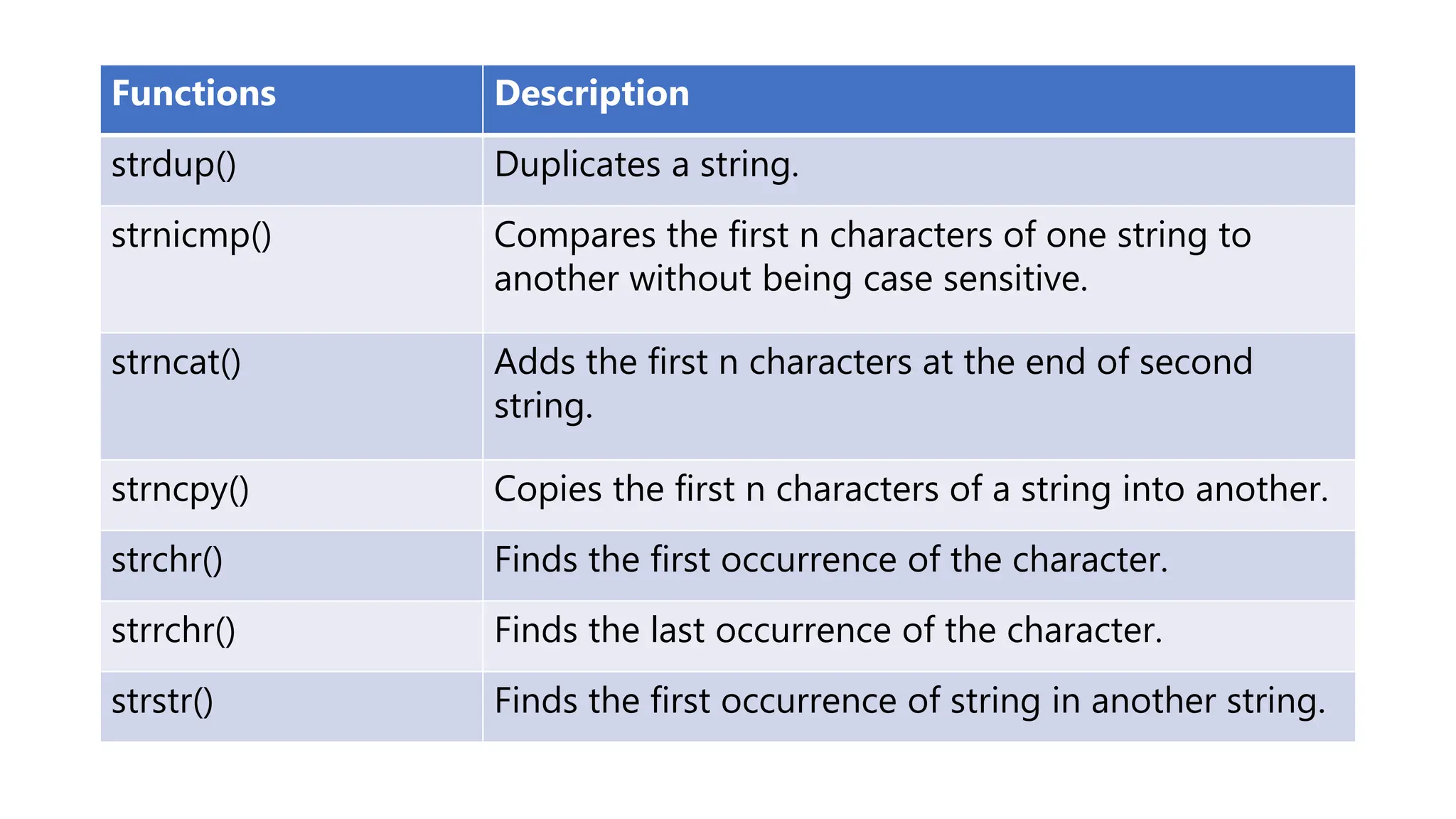
Functions Description
strdup() Duplicates a string.
strnicmp() Compares the first n characters of one string to
another without being case sensitive.
strncat() Adds the first n characters at the end of second
string.
strncpy() Copies the first n characters of a string into another.
strchr() Finds the first occurrence of the character.
strrchr() Finds the last occurrence of the character.
strstr() Finds the first occurrence of string in another string.
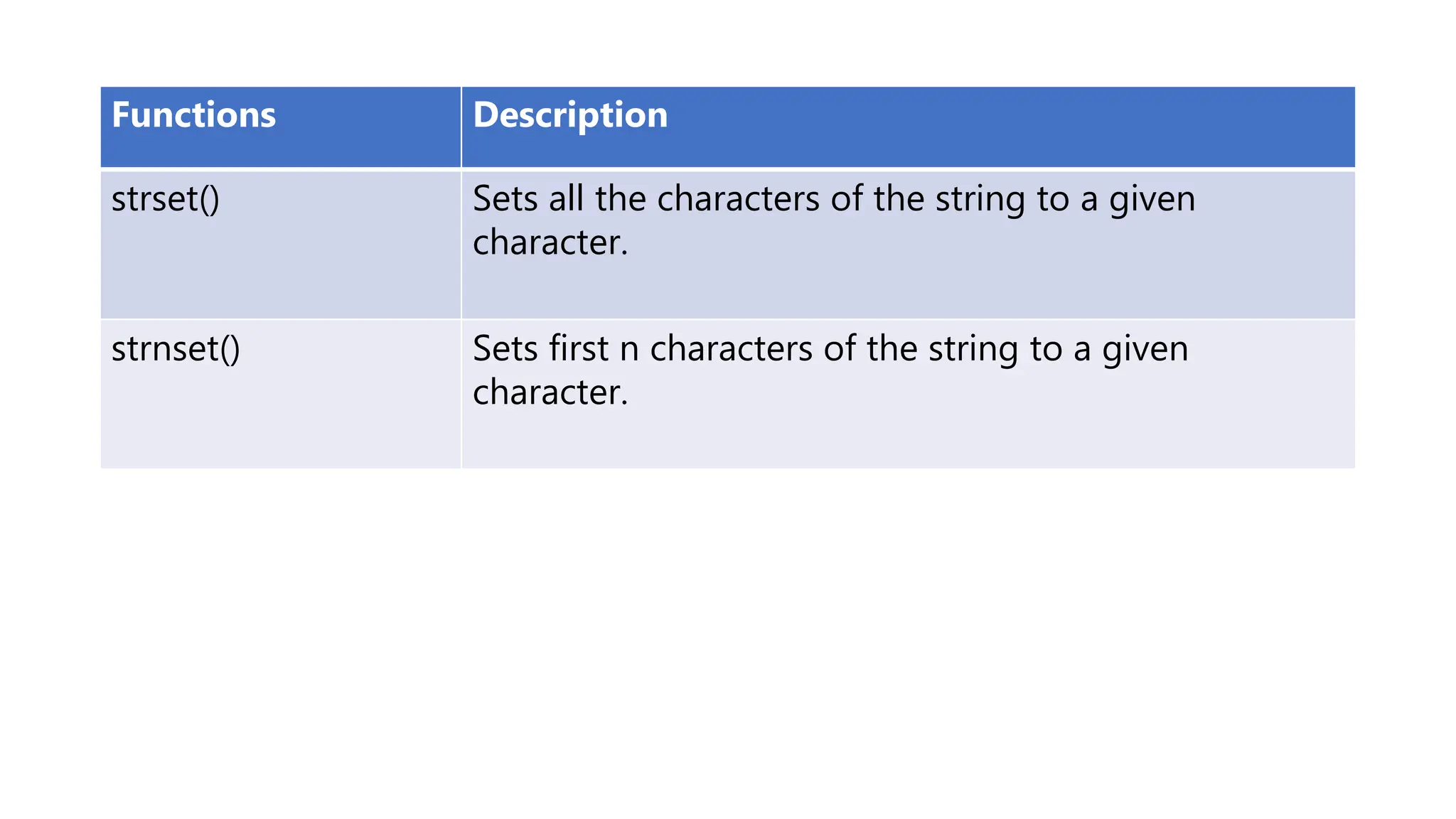
Functions Description
strset() Sets all the characters of the string to a given
character.
strnset() Sets first n characters of the string to a given
character.
In this tutorial, you will learn to use the strcpy() function in C programming
to copy strings (with the help of an example).
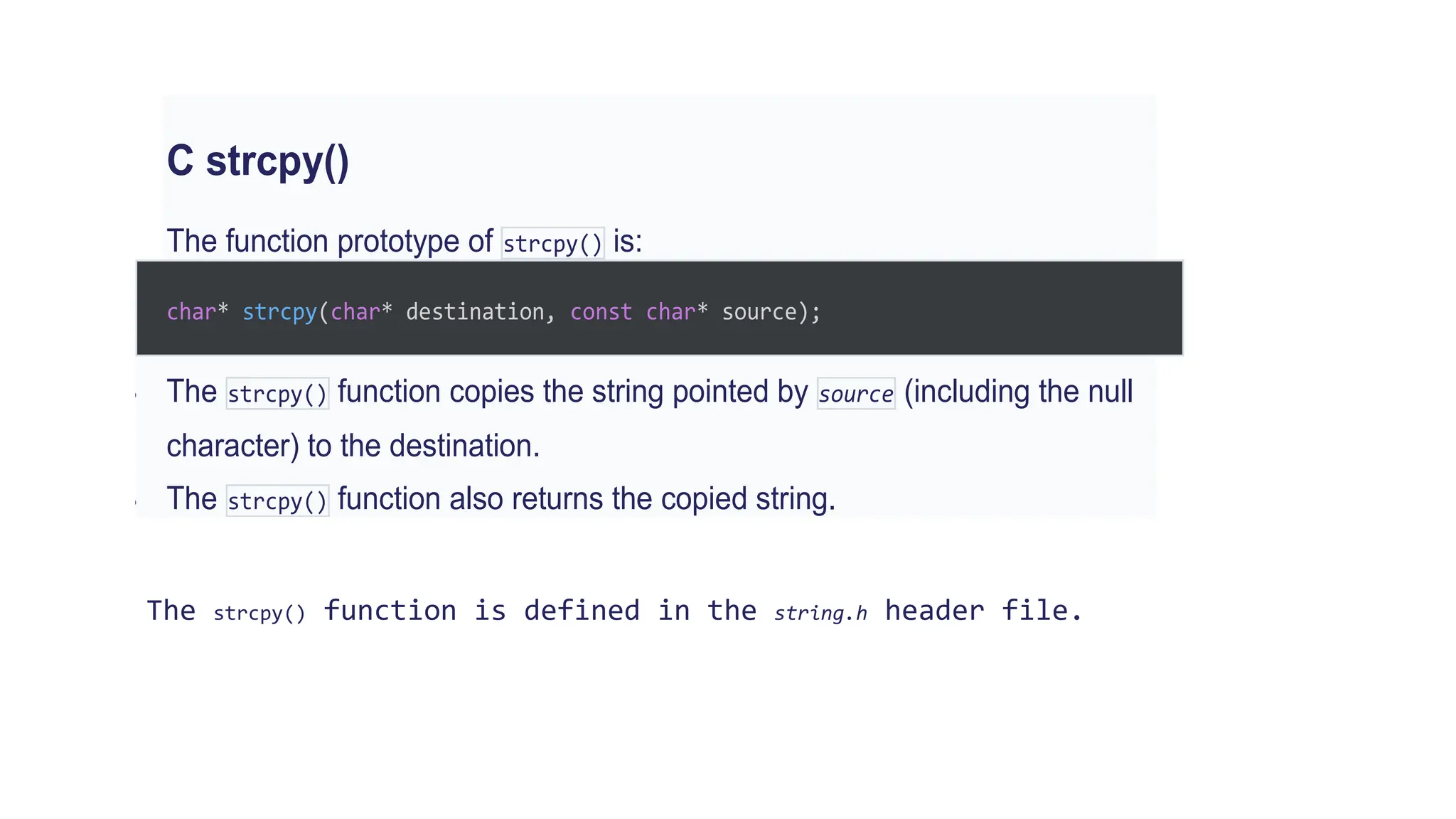
C strcpy()
The function prototype of strcpy() is:
char* strcpy(char* destination, const char* source);
 The strcpy() function copies the string pointed by source (including the null
character) to the destination.
 The strcpy() function also returns the copied string.
The strcpy() function is defined in the string.h header file.
Example: C strcpy()
#include <stdio.h>
#include <string.h>
int main() {
char str1[20] = "C programming";
char str2[20];
// copying str1 to str2
strcpy(str2, str1);
puts(str2); // C programming
return 0;
}
Run Code
Output
C programming
Note: When you
use strcpy(), the size of
the destination string
should be large enough
to store the copied string.
Otherwise, it may result
in undefined behavior.

Week6_P_String.pptx

  • 1.
    CSC 2O3: COMPUTERPROGRAMMING 1 Week 6: C Strings, String Functions and Examples DR(MRS) O.E.OJO
  • 2.
    Strings in C •A String in C programming is a sequence of characters terminated with a null character ‘0’. • The C String is stored as an array of characters. • The difference between a character array and a C string is the string is terminated with a unique character ‘0’. • For example: In C programming, a string is a sequence of characters terminated with a null character 0.
  • 3.
    When the compilerencounters a sequence of characters enclosed in the double quotation marks, it appends a null character 0 at the end by default. Memory Diagram char c[ ] = “c string”;
  • 4.
    How to declarea string char s[5]; Here, we have declared a string of 5 characters. Here's how you can declare strings: String Declaration in C
  • 5.
    How to initializestrings . char c[] = "abcd"; char c[50] = "abcd"; char c[] = {'a', 'b', 'c', 'd', '0'}; char c[5] = {'a', 'b', 'c', 'd', '0'}; String Initialization in C You can initialize strings in a number of ways
  • 6.
    Assigning values tostrings char c[100]; c = 100 “C programming”; // Error! array is not assigned Arrays and strings are second-class citizens in C; they do not support the assignment operator once it is declared. For example, Note: Use the strcpy() function to copy the string instead.
  • 7.
    Read string fromuser • You can use the scanf() function to read a string. • The scanf() function reads the sequence of characters until it encounters whitespace (space, newline, tab, etc.).
  • 8.
    Example 1: scanf()to read a string #include <stdio.h> int main() { char name[20]; printf("Enter name: "); scanf("%s", name); printf("Your name is %s.", name); return 0; }
  • 9.
    Read string fromuser (cont’d.) Output oluwafolakeojo@Oluwafolakes-MacBook- Air WEEK6 % ./string1 Enter name: Mary Adeniyi Your name is Mary.% oluwafolakeojo@Oluwafolakes-MacBook- Air WEEK6 %
  • 10.
    Even though MaryAdeniyi was entered in the above program, only ”Mary" was stored in the name string. It's because there was a space after Adeniyi. Also notice that we have used the code name instead of &name with scanf(). This is because name is a char array, and we know that array names decay to pointers in C. Thus, the name in scanf() already points to the address of the first element in the string, which is why we don't need to use &. scanf("%s", name);
  • 11.
    How to reada line of text? You can use the fgets() function to read a line of string. And, you can use puts() to display the string. Example 2: fgets() and puts() #include <stdio.h> int main() { char name[30]; printf("Enter name: "); fgets(name, sizeof(name), stdin); // read string printf("Name: "); puts(name); // display string return 0; }
  • 12.
    Here, we haveused fgets() function to read a string from the user. fgets(name, sizeof(name), stdlin); // read string The sizeof(name) results to 30. Hence, we can take a maximum of 30 characters as input which is the size of the name string. To print the string, we have used puts(name);. Note: The gets() function can also be to take input from the user. However, it is removed from the C standard. It's because gets() allows you to input any length of characters. Hence, there might be a buffer overflow.
  • 13.
    Output oluwafolakeojo@Oluwafolakes-MacBook- Air WEEK6 %./string2 Enter name: Mary Adeniyi Name: Mary Adeniyi oluwafolakeojo@Oluwafolakes-MacBook- Air WEEK6 %
  • 14.
    Passing Strings toFunctions Strings can be passed to a function in a similar way as arrays. Example 3: Passing string to a Function #include <stdio.h> void displayString(char str[]); int main() { char str[50]; printf("Enter string: “);
  • 15.
    fgets(str, sizeof(str), stdin); displayString(str);// Passing string to a function. return 0; } void displayString(char str[ ]) { printf("String Output: “); puts(str); }
  • 16.
    Functions Description strcat() Functionto concatenate(merge) strings. strcmp() Function to compare two strings. strcpy() Function to copy a string to another string. stricmp() Function to compare two strings ignoring their case. strlen() Function to calculate the length of the string. strlwr() Converts the given string to lowercase. strrev() Function to reverse the given string. strupr() Converts the given string to uppercase.
  • 17.
    Functions Description strdup() Duplicatesa string. strnicmp() Compares the first n characters of one string to another without being case sensitive. strncat() Adds the first n characters at the end of second string. strncpy() Copies the first n characters of a string into another. strchr() Finds the first occurrence of the character. strrchr() Finds the last occurrence of the character. strstr() Finds the first occurrence of string in another string.
  • 18.
    Functions Description strset() Setsall the characters of the string to a given character. strnset() Sets first n characters of the string to a given character.
  • 19.
    In this tutorial,you will learn to use the strcpy() function in C programming to copy strings (with the help of an example). C strcpy() The function prototype of strcpy() is: char* strcpy(char* destination, const char* source);  The strcpy() function copies the string pointed by source (including the null character) to the destination.  The strcpy() function also returns the copied string. The strcpy() function is defined in the string.h header file.
  • 20.
    Example: C strcpy() #include<stdio.h> #include <string.h> int main() { char str1[20] = "C programming"; char str2[20]; // copying str1 to str2 strcpy(str2, str1); puts(str2); // C programming return 0; } Run Code Output C programming Note: When you use strcpy(), the size of the destination string should be large enough to store the copied string. Otherwise, it may result in undefined behavior.