JavaScript Object Model
Biggest Advantage of JavaScript
   I can access values of HTML
    elements using JavaScript
   I can modify values of HTML
    elements using JavaScript
Disadvantage of JavaScript
   Each browser has its own document
    object Model
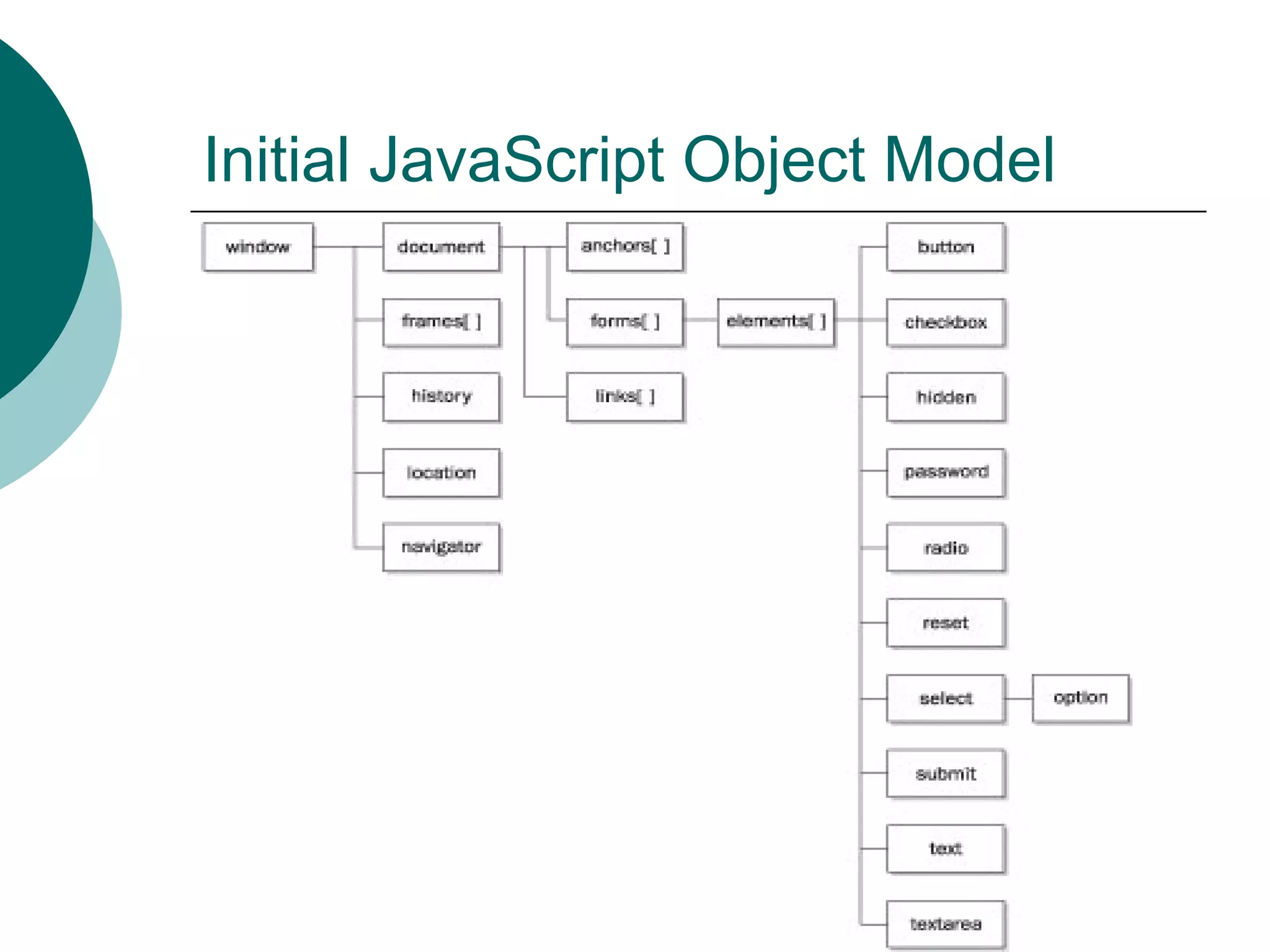
Initial JavaScript Object Model
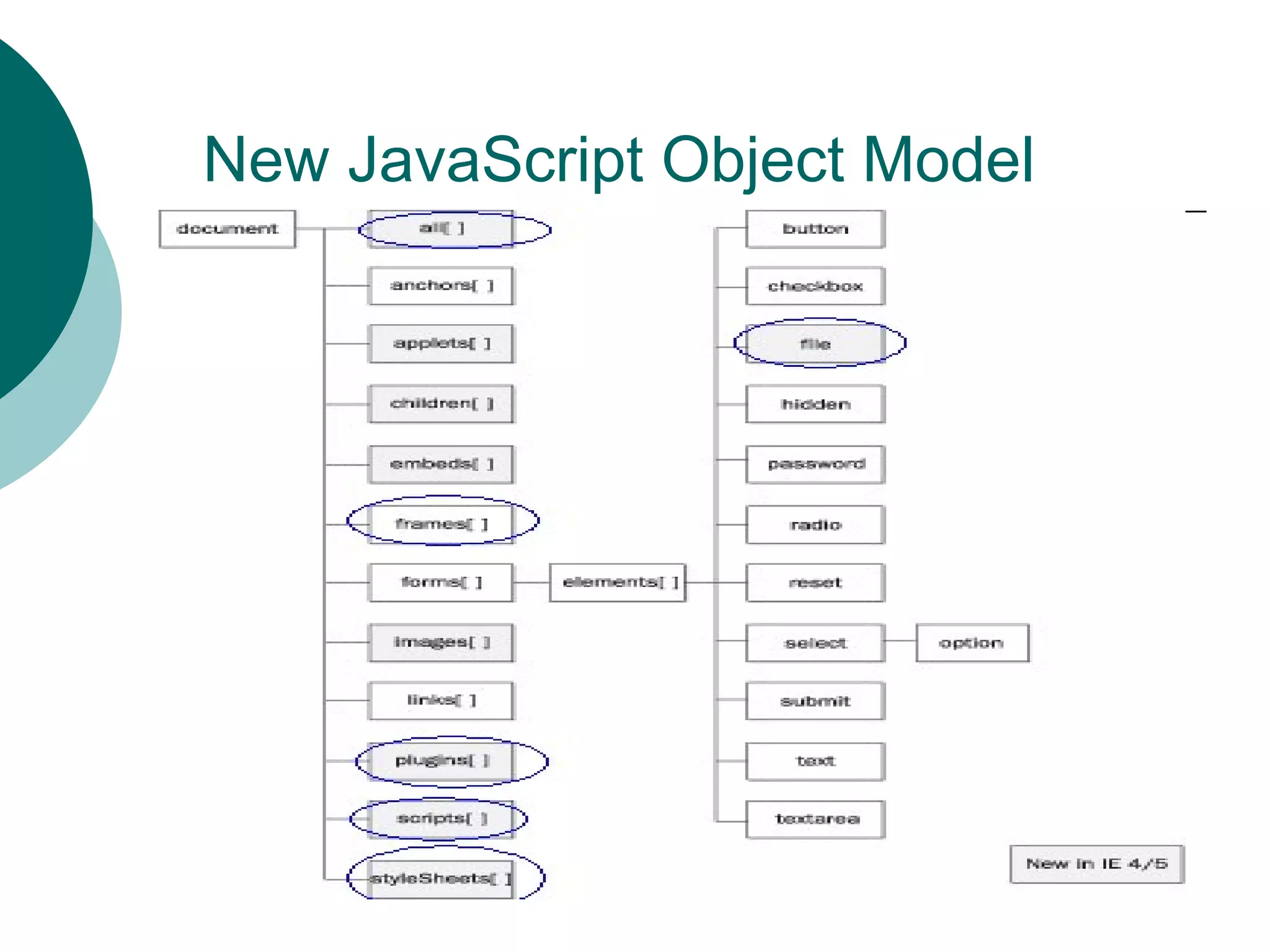
New JavaScript Object Model
New Properties added in Latest
JavaScript Model

   all[]
   Children[]
   className
   innerHTML
   innterText
   outerHTML
   outerText
New Properties added in Latest
JavaScript Model

   parentElement
   style
   tagName
New methods added in Latest
JavaScript Model

   Click()
   getAttribute()
   insertAdjacentHTML()
   insertAdjacentText()
   setAttribute()
   removeAttribute()
Difference between Initial Model and
New model

   Slide No. 7 and 9 shows the new
    methods and new properties

   Slide no.5 blue circles shows the
    new objects added in Latest
    JavaScript Model
How to use these Object Model
   We have been doing this in our
    previous lecture, but I will take few
    more examples now.

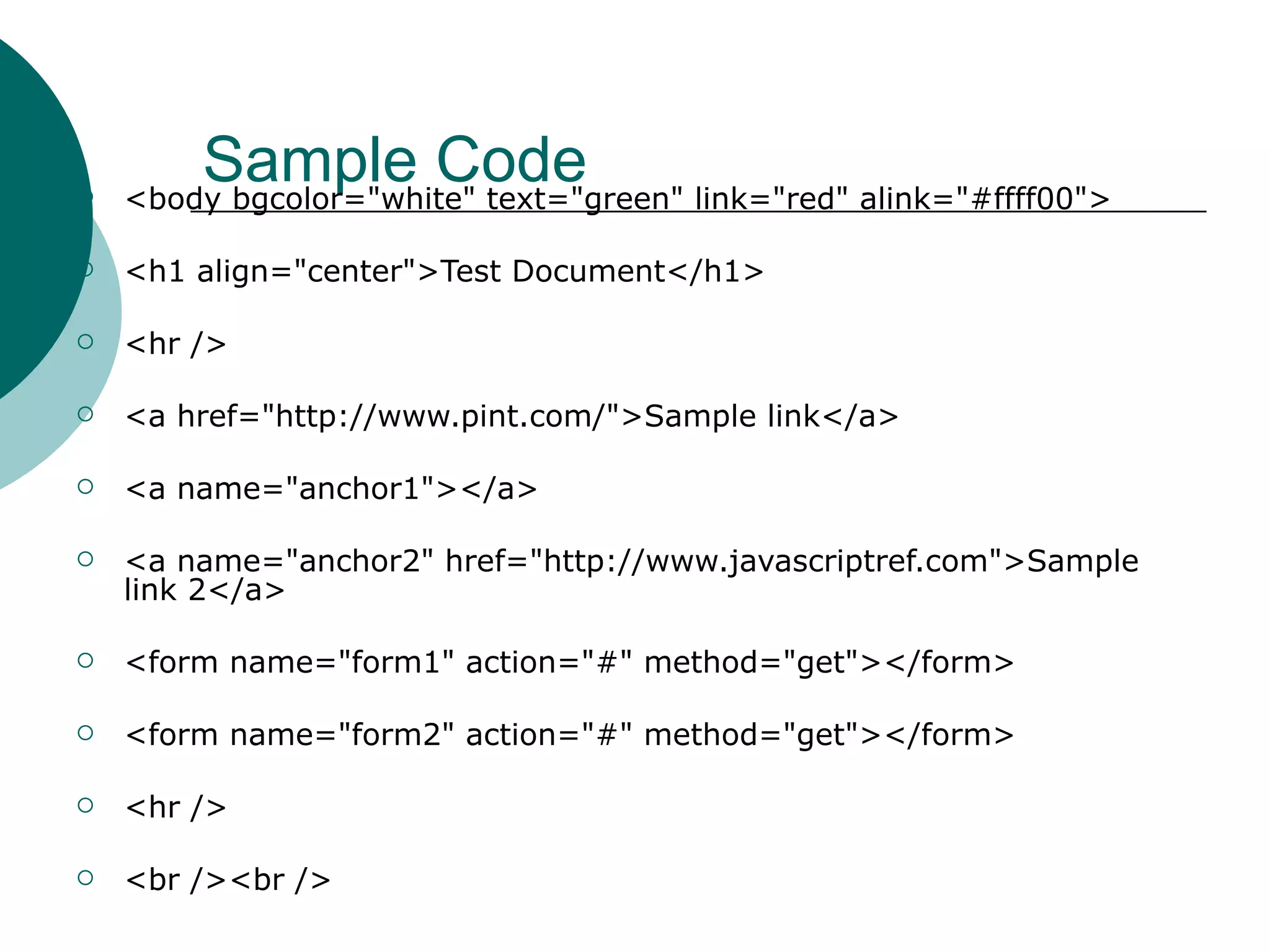
        Sample Code
    <body bgcolor="white" text="green" link="red" alink="#ffff00">

   <h1 align="center">Test Document</h1>

   <hr />

   <a href="http://www.pint.com/">Sample link</a>

   <a name="anchor1"></a>

   <a name="anchor2" href="http://www.javascriptref.com">Sample
    link 2</a>

   <form name="form1" action="#" method="get"></form>

   <form name="form2" action="#" method="get"></form>

   <hr />

   <br /><br />
How many Forms are there?
   Use object forms[]
   document.forms[] is an array
   document.forms.length returns the
    number of forms in the web page
   document.forms[0] is the first form,
    OR
   document.form1 is the first form
   document.forms[0].name returns
    the name of first form i.e. form1
Code to Access All Forms
   if (document.forms.length > 0)

     {

         document.write("<h2>Forms</h2>");

      document.write("# Forms = " +
    document.forms.length + "<br />");

         for (i=0; i < document.forms.length; i++)

       document.write("Forms["+i+"]=" +
    document.forms[i].name + "<br />");

     }
How many anchors are there?
   Use object anchors[]
   document.anchors[] is an array
   document.anchors.length returns
    the number of anchors in the web
    page
   document.anchors[0] is the first
    anchor, OR
   document.anchor1 is the first
    anchor
Code to Access all anchors
   if (document.anchors.length > 0)

    {

        document.write("<h2>Anchors</h2>");

     document.write("# Anchors = " +
    document.anchors.length + "<br />");

        for (i=0; i < document.anchors.length; i++)

       document.write("Anchors["+i+"]=" +
    document.anchors[i] + "<br />");

    }
How many links are there?
 Use object links[]
 document.links[] is an array

 document.links.length returns the number
  of links in the web page
 document.links[0] is the first link

, OR
 document. name of link is the first link

(In our example, we didn’t use any any
  name for link)
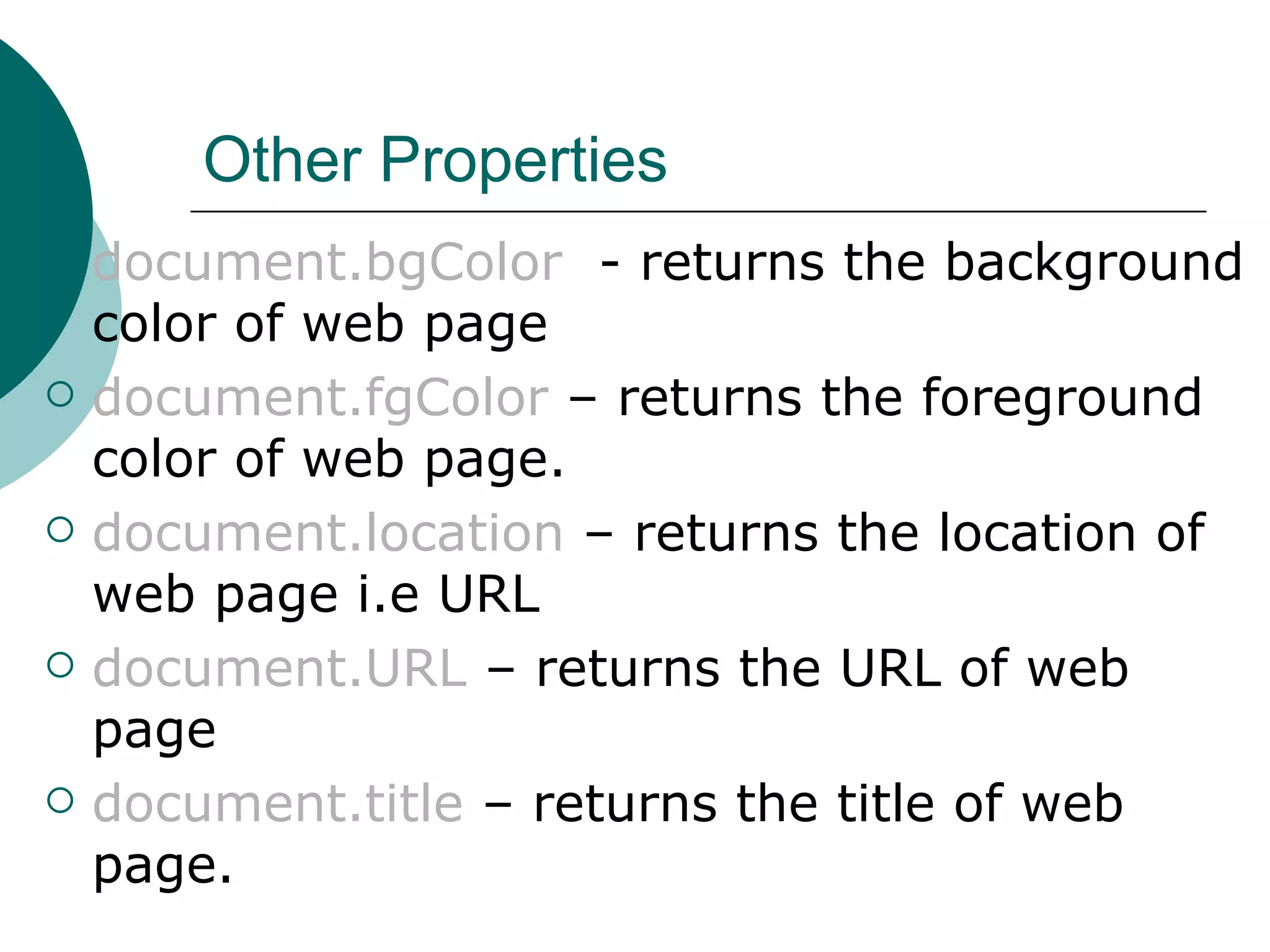
Other Properties
   document.bgColor - returns the background
    color of web page
   document.fgColor – returns the foreground
    color of web page.
   document.location – returns the location of
    web page i.e URL
   document.URL – returns the URL of web
    page
   document.title – returns the title of web
    page.
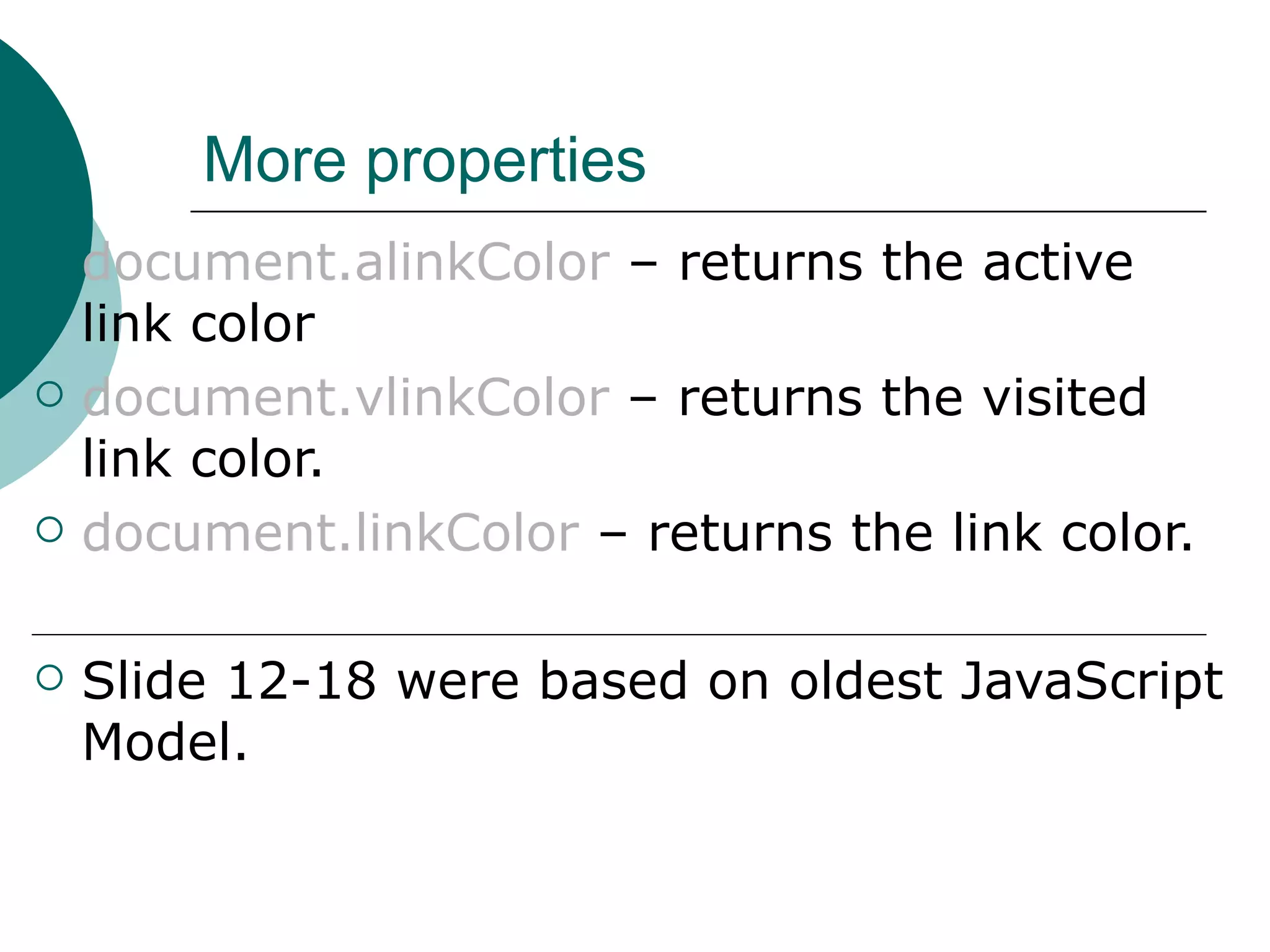
More properties
   document.alinkColor – returns the active
    link color
   document.vlinkColor – returns the visited
    link color.
   document.linkColor – returns the link color.

   Slide 12-18 were based on oldest JavaScript
    Model.
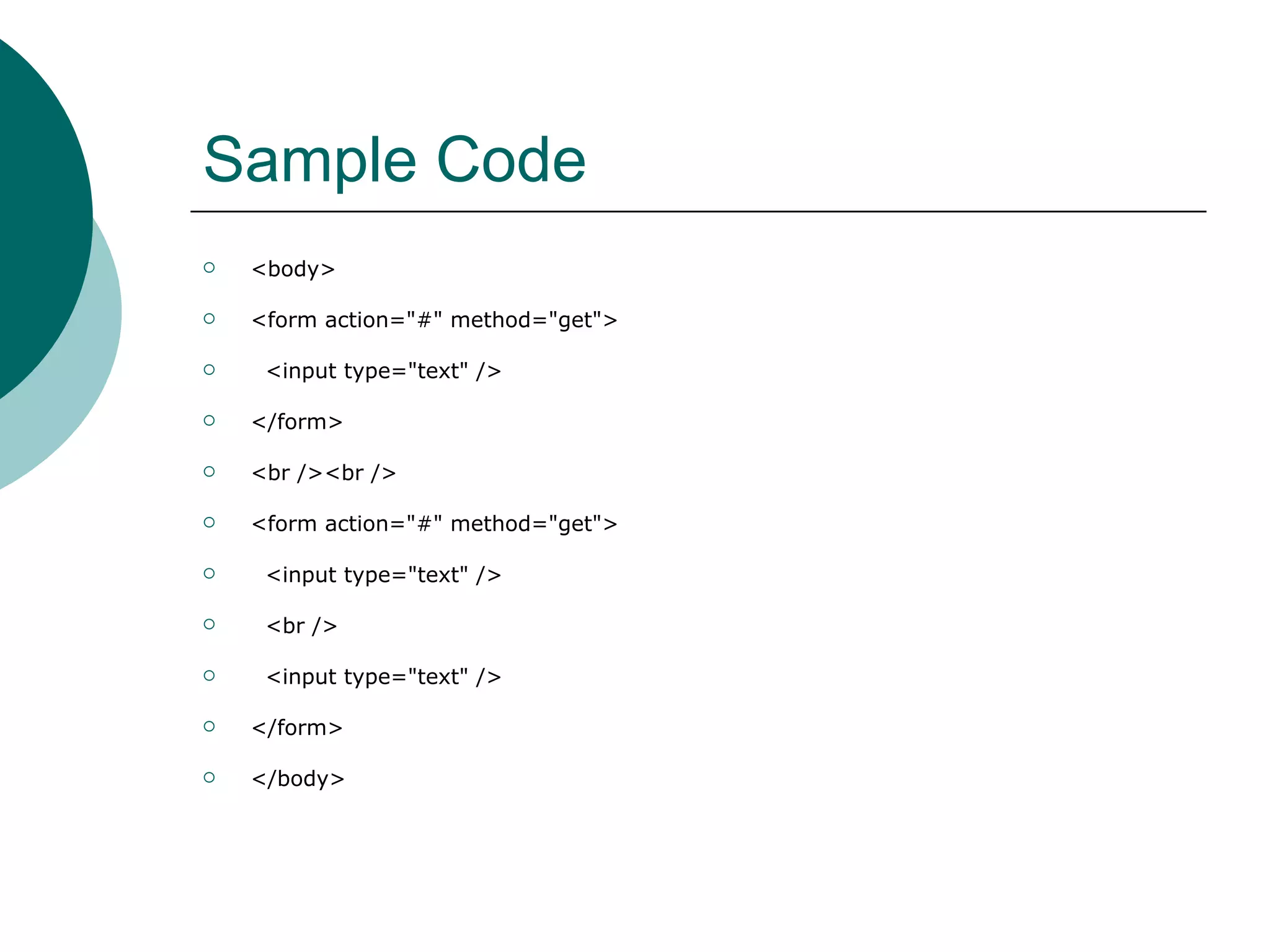
Sample Code
   <body>

   <form action="#" method="get">

    <input type="text" />

   </form>

   <br /><br />

   <form action="#" method="get">

    <input type="text" />

    <br />

    <input type="text" />

   </form>

   </body>
Using elements[]
   To access 1st form, I can write
       document.forms[0]
   To access 2nd form, I can write
       document.forms[1]
   To access 1st text box inside 2nd
    form
       document.forms[1].elements[0]
   To access 2nd text box inside 1st
    form
       document.forms[1].elements[1]
Using elements[]
   elements can be radio button, text
    box, check box etc. Also called as
    form elements.
   elements[] is defined inside forms[]
    , (Refer slide 4 and 5).
   elements.length return the number
    of elements inside a particular form.
   elements[0] refer to 1st element,
    elements[1] refer to 2nd element
    and so on.
2nd Method of accessing elements
 By using name attribute of
  elements.
(We discussed this with forms and
  anchors and links)
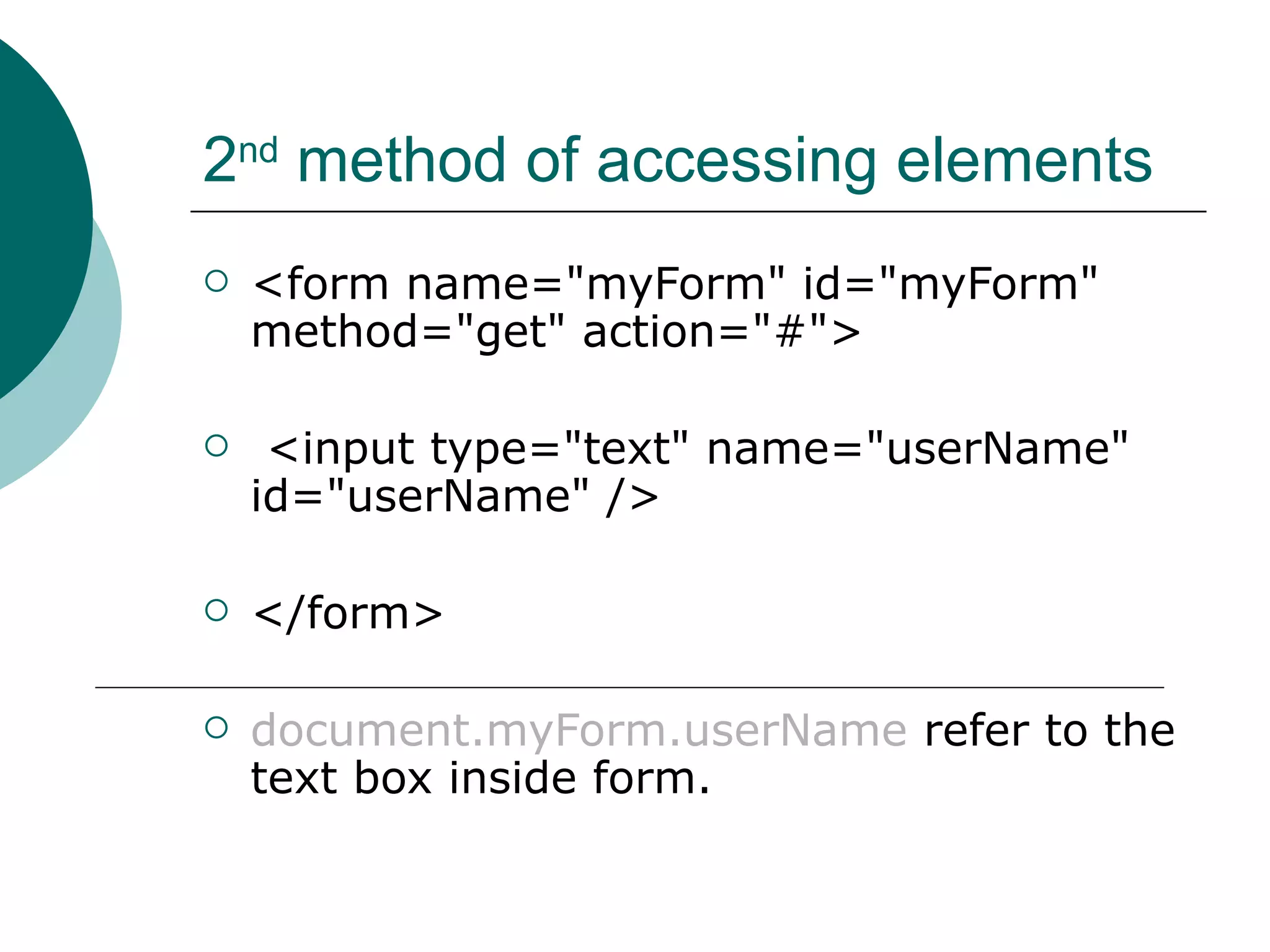
2nd method of accessing elements
   <form name="myForm" id="myForm"
    method="get" action="#">

    <input type="text" name="userName"
    id="userName" />

   </form>

   document.myForm.userName refer to the
    text box inside form.
3rd method of accessing elements
   Using getElementById()
   Element that we want to access
    must have its id attribute defined
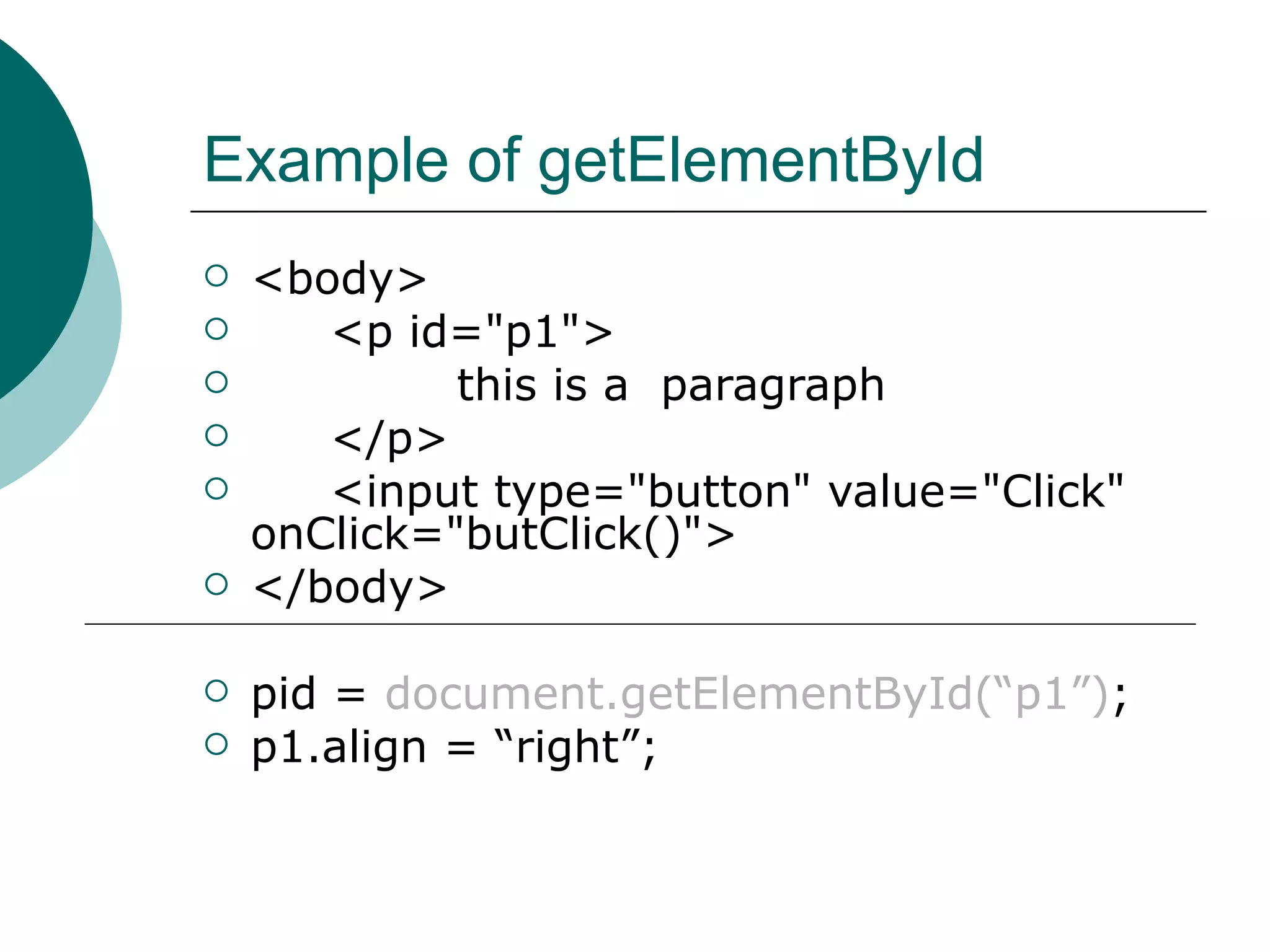
Example of getElementById
   <body>
      <p id="p1">
            this is a paragraph
      </p>
      <input type="button" value="Click"
    onClick="butClick()">
   </body>

   pid = document.getElementById(“p1”);
   p1.align = “right”;
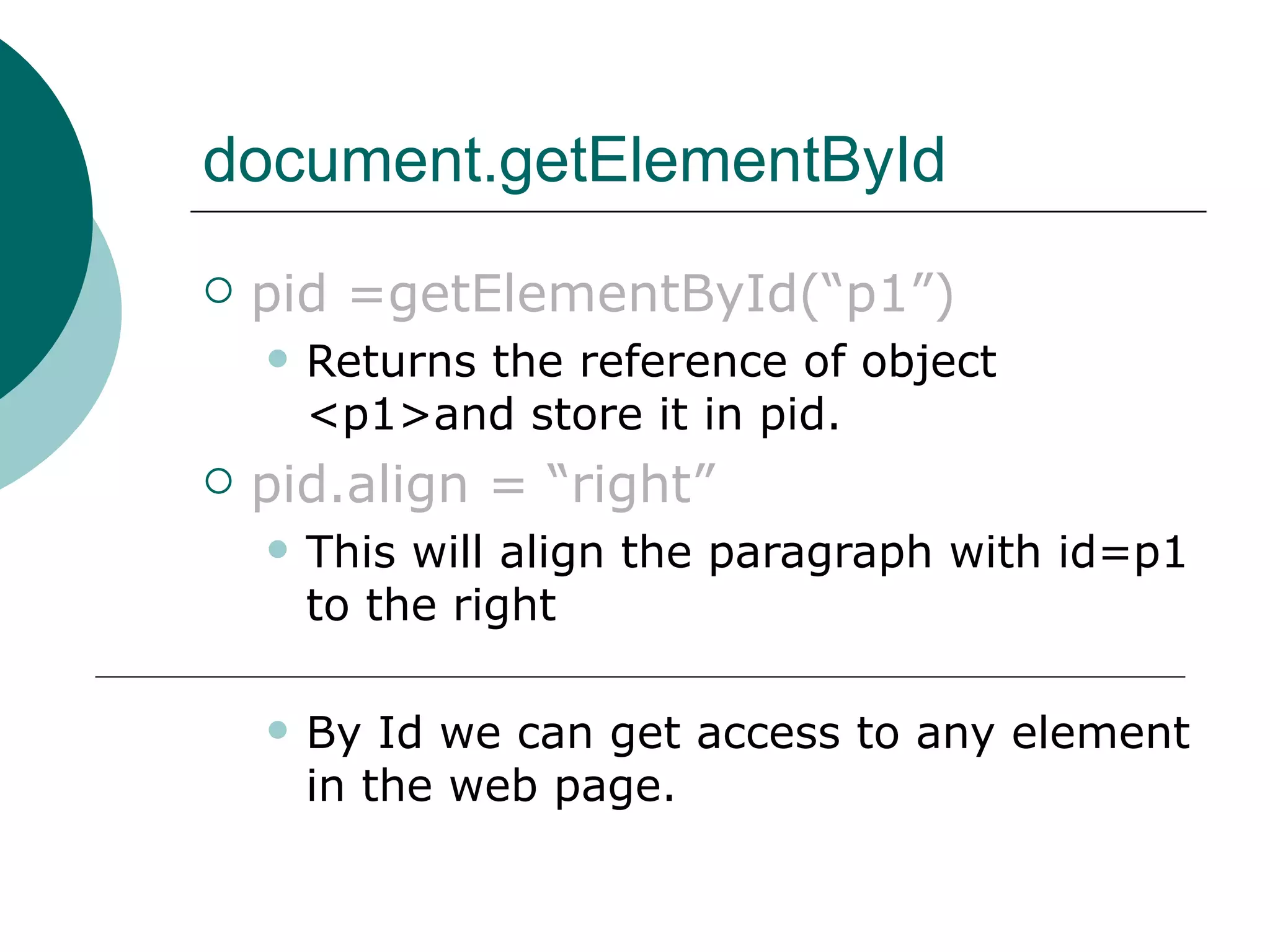
document.getElementById
   pid =getElementById(“p1”)
       Returns the reference of object
        <p1>and store it in pid.
   pid.align = “right”
       This will align the paragraph with id=p1
        to the right

       By Id we can get access to any element
        in the web page.
document.all[]
   document.all[] – return array of all
    html tags in the web page.
       i.e. document.all.length is the count of
        number of tags in web page.
       document.all[0] returns the reference
        of 1st tag.
       document.all[1] retuns the reference of
        2nd tag.
       Introduced by Internet Explorer

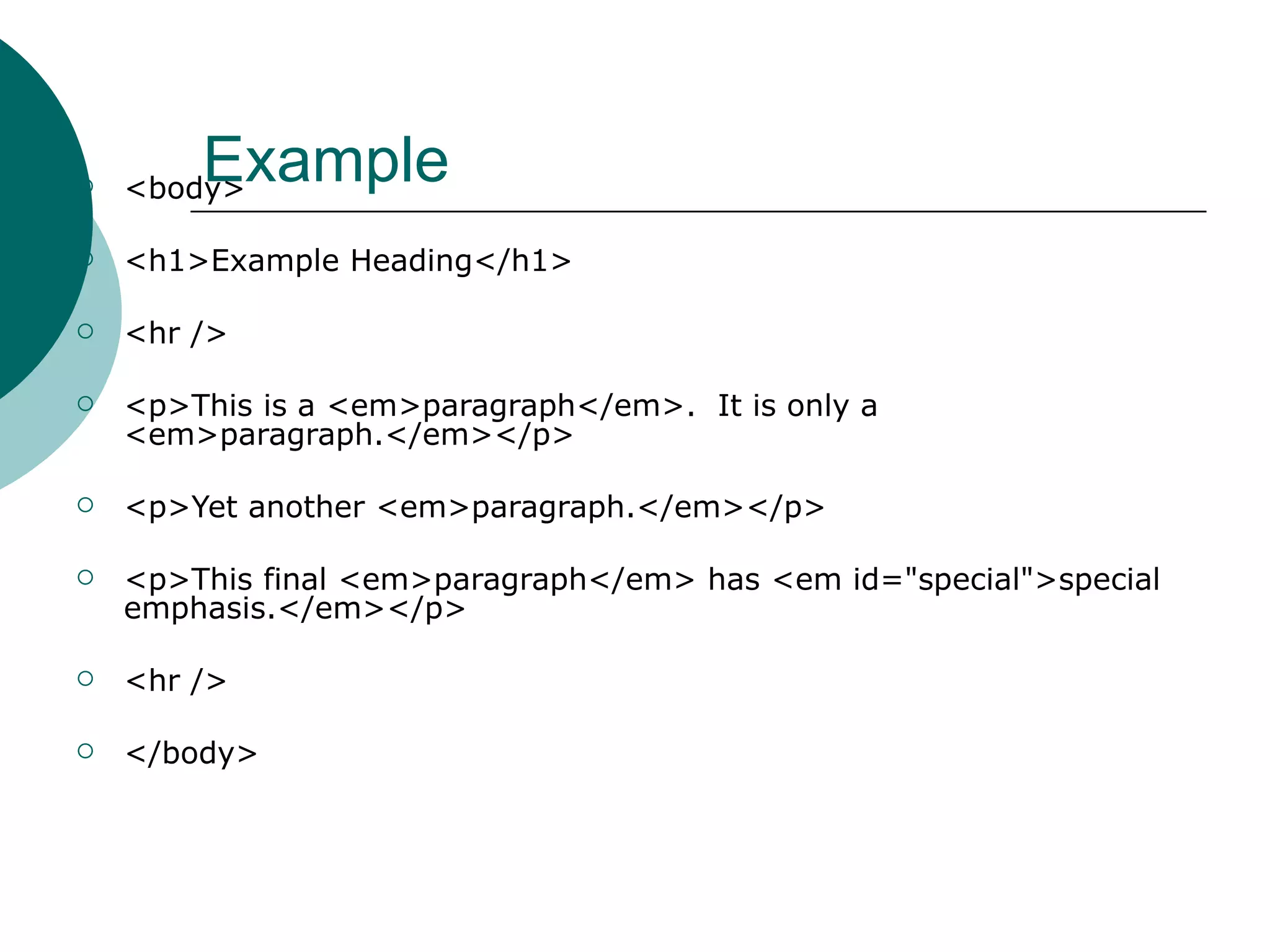
        Example
    <body>

   <h1>Example Heading</h1>

   <hr />

   <p>This is a <em>paragraph</em>. It is only a
    <em>paragraph.</em></p>

   <p>Yet another <em>paragraph.</em></p>

   <p>This final <em>paragraph</em> has <em id="special">special
    emphasis.</em></p>

   <hr />

   </body>
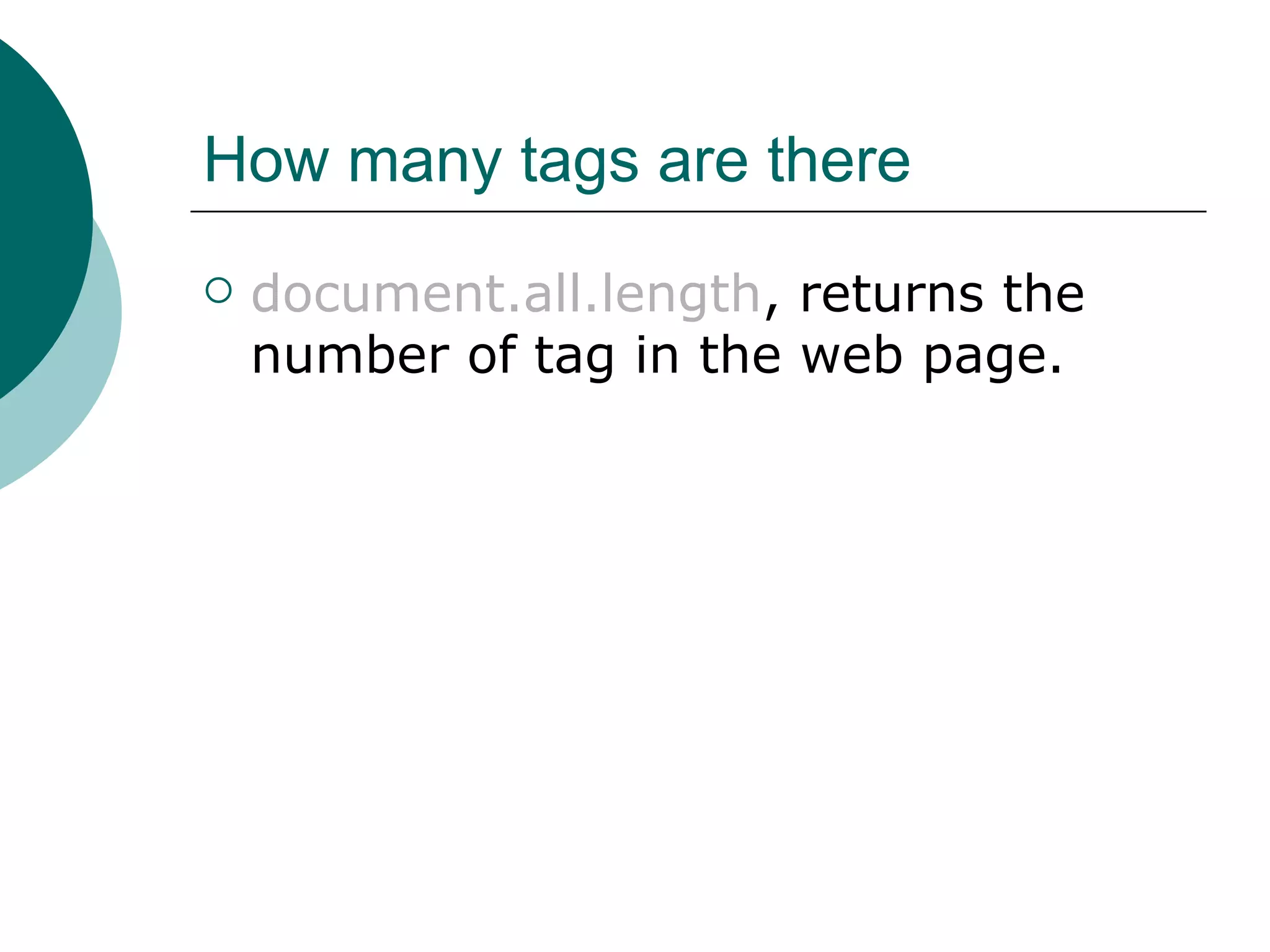
How many tags are there
   document.all.length, returns the
    number of tag in the web page.
What are the name of tags
   <script language="JavaScript">
      var no = document.all.length;
      alert(no);
      for(i=0;i<no;i++)
            document.write("<br>“ +
    document.all[i].tagName);
   </script>
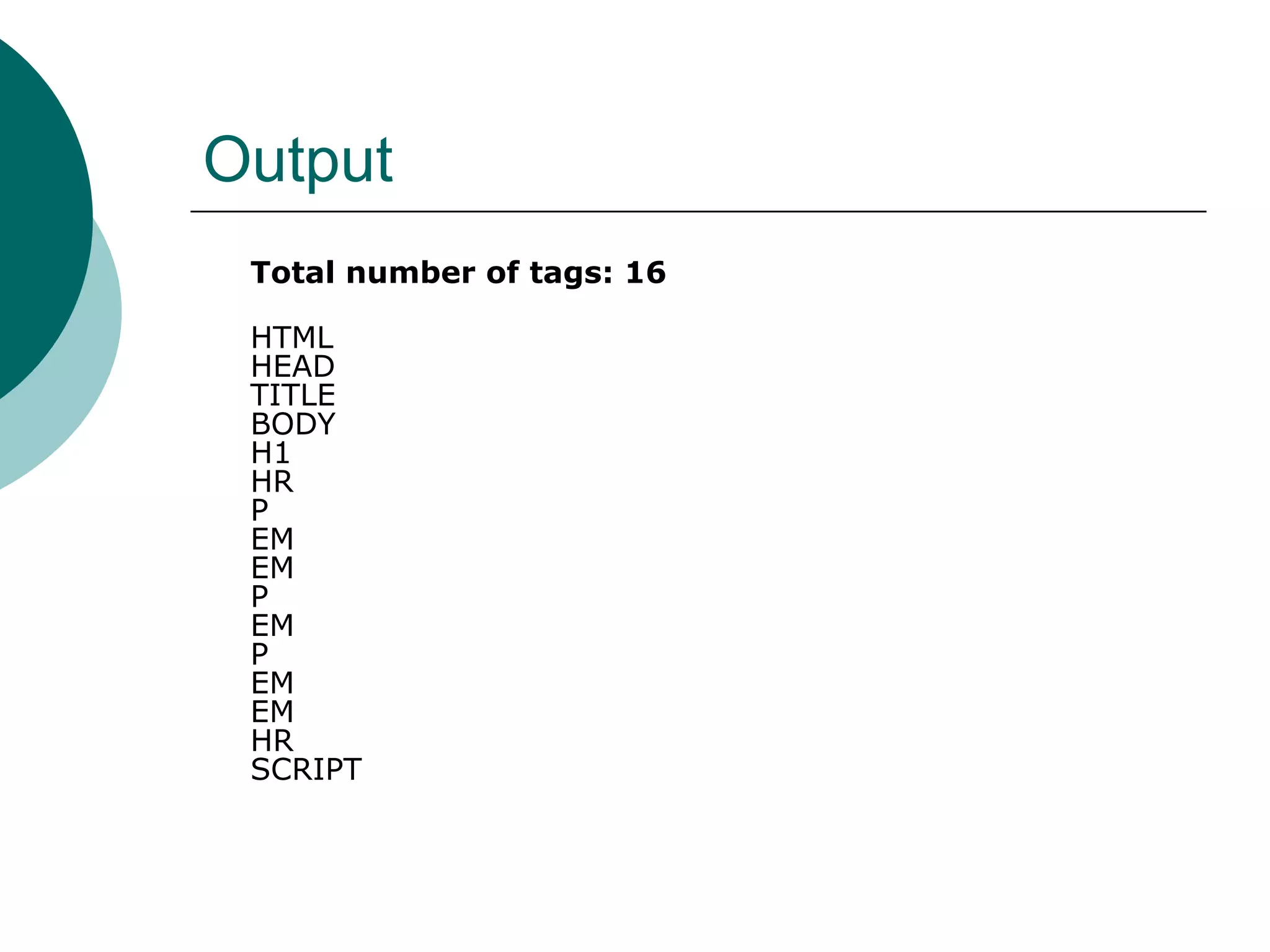
Output
 Total number of tags: 16

 HTML
 HEAD
 TITLE
 BODY
 H1
 HR
 P
 EM
 EM
 P
 EM
 P
 EM
 EM
 HR
 SCRIPT
Final Note
   We will learn about more JavaScript
    Object introduced by new browsers
    in next chapter.

Week32

  • 1.
  • 2.
    Biggest Advantage ofJavaScript  I can access values of HTML elements using JavaScript  I can modify values of HTML elements using JavaScript
  • 3.
    Disadvantage of JavaScript  Each browser has its own document object Model
  • 4.
  • 5.
  • 6.
    New Properties addedin Latest JavaScript Model  all[]  Children[]  className  innerHTML  innterText  outerHTML  outerText
  • 7.
    New Properties addedin Latest JavaScript Model  parentElement  style  tagName
  • 8.
    New methods addedin Latest JavaScript Model  Click()  getAttribute()  insertAdjacentHTML()  insertAdjacentText()  setAttribute()  removeAttribute()
  • 9.
    Difference between InitialModel and New model  Slide No. 7 and 9 shows the new methods and new properties  Slide no.5 blue circles shows the new objects added in Latest JavaScript Model
  • 10.
    How to usethese Object Model  We have been doing this in our previous lecture, but I will take few more examples now.
  • 11.
    Sample Code <body bgcolor="white" text="green" link="red" alink="#ffff00">  <h1 align="center">Test Document</h1>  <hr />  <a href="http://www.pint.com/">Sample link</a>  <a name="anchor1"></a>  <a name="anchor2" href="http://www.javascriptref.com">Sample link 2</a>  <form name="form1" action="#" method="get"></form>  <form name="form2" action="#" method="get"></form>  <hr />  <br /><br />
  • 12.
    How many Formsare there?  Use object forms[]  document.forms[] is an array  document.forms.length returns the number of forms in the web page  document.forms[0] is the first form, OR  document.form1 is the first form  document.forms[0].name returns the name of first form i.e. form1
  • 13.
    Code to AccessAll Forms  if (document.forms.length > 0)  {  document.write("<h2>Forms</h2>");  document.write("# Forms = " + document.forms.length + "<br />");  for (i=0; i < document.forms.length; i++)  document.write("Forms["+i+"]=" + document.forms[i].name + "<br />");  }
  • 14.
    How many anchorsare there?  Use object anchors[]  document.anchors[] is an array  document.anchors.length returns the number of anchors in the web page  document.anchors[0] is the first anchor, OR  document.anchor1 is the first anchor
  • 15.
    Code to Accessall anchors  if (document.anchors.length > 0)  {  document.write("<h2>Anchors</h2>");  document.write("# Anchors = " + document.anchors.length + "<br />");  for (i=0; i < document.anchors.length; i++)  document.write("Anchors["+i+"]=" + document.anchors[i] + "<br />");  }
  • 16.
    How many linksare there?  Use object links[]  document.links[] is an array  document.links.length returns the number of links in the web page  document.links[0] is the first link , OR  document. name of link is the first link (In our example, we didn’t use any any name for link)
  • 17.
    Other Properties  document.bgColor - returns the background color of web page  document.fgColor – returns the foreground color of web page.  document.location – returns the location of web page i.e URL  document.URL – returns the URL of web page  document.title – returns the title of web page.
  • 18.
    More properties  document.alinkColor – returns the active link color  document.vlinkColor – returns the visited link color.  document.linkColor – returns the link color.  Slide 12-18 were based on oldest JavaScript Model.
  • 19.
    Sample Code  <body>  <form action="#" method="get">  <input type="text" />  </form>  <br /><br />  <form action="#" method="get">  <input type="text" />  <br />  <input type="text" />  </form>  </body>
  • 20.
    Using elements[]  To access 1st form, I can write  document.forms[0]  To access 2nd form, I can write  document.forms[1]  To access 1st text box inside 2nd form  document.forms[1].elements[0]  To access 2nd text box inside 1st form  document.forms[1].elements[1]
  • 21.
    Using elements[]  elements can be radio button, text box, check box etc. Also called as form elements.  elements[] is defined inside forms[] , (Refer slide 4 and 5).  elements.length return the number of elements inside a particular form.  elements[0] refer to 1st element, elements[1] refer to 2nd element and so on.
  • 22.
    2nd Method ofaccessing elements  By using name attribute of elements. (We discussed this with forms and anchors and links)
  • 23.
    2nd method ofaccessing elements  <form name="myForm" id="myForm" method="get" action="#">  <input type="text" name="userName" id="userName" />  </form>  document.myForm.userName refer to the text box inside form.
  • 24.
    3rd method ofaccessing elements  Using getElementById()  Element that we want to access must have its id attribute defined
  • 25.
    Example of getElementById  <body>  <p id="p1">  this is a paragraph  </p>  <input type="button" value="Click" onClick="butClick()">  </body>  pid = document.getElementById(“p1”);  p1.align = “right”;
  • 26.
    document.getElementById  pid =getElementById(“p1”)  Returns the reference of object <p1>and store it in pid.  pid.align = “right”  This will align the paragraph with id=p1 to the right  By Id we can get access to any element in the web page.
  • 27.
    document.all[]  document.all[] – return array of all html tags in the web page.  i.e. document.all.length is the count of number of tags in web page.  document.all[0] returns the reference of 1st tag.  document.all[1] retuns the reference of 2nd tag.  Introduced by Internet Explorer
  • 28.
    Example <body>  <h1>Example Heading</h1>  <hr />  <p>This is a <em>paragraph</em>. It is only a <em>paragraph.</em></p>  <p>Yet another <em>paragraph.</em></p>  <p>This final <em>paragraph</em> has <em id="special">special emphasis.</em></p>  <hr />  </body>
  • 29.
    How many tagsare there  document.all.length, returns the number of tag in the web page.
  • 30.
    What are thename of tags  <script language="JavaScript">  var no = document.all.length;  alert(no);  for(i=0;i<no;i++) document.write("<br>“ + document.all[i].tagName);  </script>
  • 31.
    Output Total numberof tags: 16 HTML HEAD TITLE BODY H1 HR P EM EM P EM P EM EM HR SCRIPT
  • 32.
    Final Note  We will learn about more JavaScript Object introduced by new browsers in next chapter.