Importance of Technology in
our Education
EDU 620
Geraldine Lee
January 10, 2017
Instructor: Dr. Robert William
Community Event Coordinator:
Geraldine Lee
Universal Design For Learning
Audience
● All students (and even adults) learn differently.
● Various ways of presenting information, visually, verbally and
hands-on.
● Visual aids will be colorful, creative and handmade with facts
and statistics.
● Hands-on experiences will include miniature whiteboards, a
computer, a SmartBoard and an iPad for the audience to use.
Three Major Principles of UDL
∗ Multiple means of representation
∗ Multiple means of action and expression
∗ Multiple means of engagement
Universal Design for Learning
Information
∗ Use of the computer and the interactive SmartBoard
∗ Explanation how programs like Khan Academy can be
used
∗ Answer any questions or concerns the audience has
about the program, and explain how I would use it in
the classroom
Station 1:
Universal Design for Learning
(UDL) Demonstration
∗ All students learn differently, and some may need
specific accommodations
∗ Meeting needs of those with disabilities
∗ Meeting the needs of those whom do not speak our
language of origin
∗ Any other accommodations necessary are essential,
and can be done through UDL
Universal Design for Learning
Differentiation
∗ Explanation of sample lesson
∗ Use of SmartBoard, individual miniature whiteboards,
and exploration of computer programs
∗ All three principles of UDL are discovered through this
interaction
∗ Any questions or concerns will be address by audience
Universal Design for Learning
Interaction
The mission statement for the Clark
Elementary School District is to promise
student success through integrating
technology to reach graduation, and to
provide students with a pathway to a future
career path.
Mission and Beliefs
∗ To ensure that students will engage in meaningful
contributions throughout their educational experience
using technology to learn and identify their own
personal future goals.
∗ To provide students with motivation and
encouragement to strive for success towards
graduation, and to provide students with various
avenues for students to explore their future career
options.
Technology and UDL for All Learners
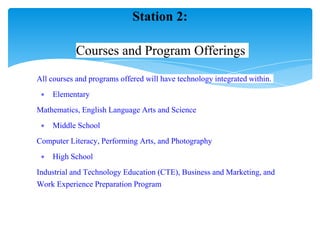
All courses and programs offered will have technology integrated within.
∗ Elementary
Mathematics, English Language Arts and Science
∗ Middle School
Computer Literacy, Performing Arts, and Photography
∗ High School
Industrial and Technology Education (CTE), Business and Marketing, and
Work Experience Preparation Program
Station 2:
Courses and Program Offerings
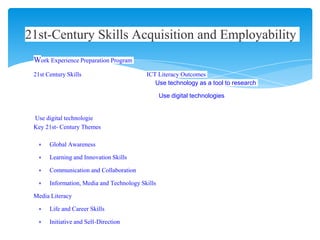
Work Experience Preparation Program
21st Century Skills ICT Literacy Outcomes
Use technology as a tool to research
Use digital technologies
Use digital technologie
Key 21st- Century Themes
∗ Global Awareness
∗ Learning and Innovation Skills
∗ Communication and Collaboration
∗ Information, Media and Technology Skills
Media Literacy
∗ Life and Career Skills
∗ Initiative and Self-Direction
21st-Century Skills Acquisition and Employability
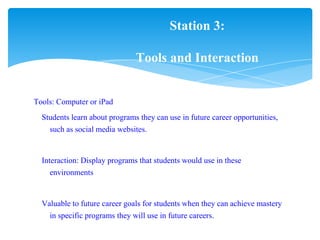
Tools: Computer or iPad
Students learn about programs they can use in future career opportunities,
such as social media websites.
Interaction: Display programs that students would use in these
environments
Valuable to future career goals for students when they can achieve mastery
in specific programs they will use in future careers.
Station 3:
Tools and Interaction
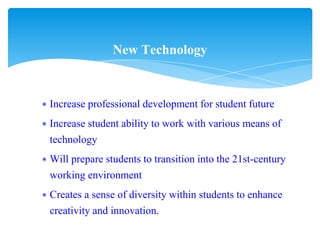
∗ Increase professional development for student future
∗ Increase student ability to work with various means of
technology
∗ Will prepare students to transition into the 21st-century
working environment
∗ Creates a sense of diversity within students to enhance
creativity and innovation.
New Technology
CAST. (2014, July 31). UDL Connect. Retrieved May 15,
2015, from National center on universal design for
learning: http://www.UDL.org.
Partnership for 21st Century Skills. (n.d.). Framework
for 21st century learning. Retrieved from
http://www.p21.org/our-work/p21-framework
Partnership for 21st Century Skills. (n.d.). ICT Literacy.
Retrieved
from http://www.p21.org/about-us/p21-framework/350
References

Week 6 final project (1)

  • 1.
    Importance of Technologyin our Education EDU 620 Geraldine Lee January 10, 2017 Instructor: Dr. Robert William Community Event Coordinator: Geraldine Lee
  • 2.
    Universal Design ForLearning Audience ● All students (and even adults) learn differently. ● Various ways of presenting information, visually, verbally and hands-on. ● Visual aids will be colorful, creative and handmade with facts and statistics. ● Hands-on experiences will include miniature whiteboards, a computer, a SmartBoard and an iPad for the audience to use.
  • 3.
    Three Major Principlesof UDL ∗ Multiple means of representation ∗ Multiple means of action and expression ∗ Multiple means of engagement Universal Design for Learning Information
  • 4.
    ∗ Use ofthe computer and the interactive SmartBoard ∗ Explanation how programs like Khan Academy can be used ∗ Answer any questions or concerns the audience has about the program, and explain how I would use it in the classroom Station 1: Universal Design for Learning (UDL) Demonstration
  • 5.
    ∗ All studentslearn differently, and some may need specific accommodations ∗ Meeting needs of those with disabilities ∗ Meeting the needs of those whom do not speak our language of origin ∗ Any other accommodations necessary are essential, and can be done through UDL Universal Design for Learning Differentiation
  • 6.
    ∗ Explanation ofsample lesson ∗ Use of SmartBoard, individual miniature whiteboards, and exploration of computer programs ∗ All three principles of UDL are discovered through this interaction ∗ Any questions or concerns will be address by audience Universal Design for Learning Interaction
  • 7.
    The mission statementfor the Clark Elementary School District is to promise student success through integrating technology to reach graduation, and to provide students with a pathway to a future career path. Mission and Beliefs
  • 8.
    ∗ To ensurethat students will engage in meaningful contributions throughout their educational experience using technology to learn and identify their own personal future goals. ∗ To provide students with motivation and encouragement to strive for success towards graduation, and to provide students with various avenues for students to explore their future career options. Technology and UDL for All Learners
  • 9.
    All courses andprograms offered will have technology integrated within. ∗ Elementary Mathematics, English Language Arts and Science ∗ Middle School Computer Literacy, Performing Arts, and Photography ∗ High School Industrial and Technology Education (CTE), Business and Marketing, and Work Experience Preparation Program Station 2: Courses and Program Offerings
  • 10.
    Work Experience PreparationProgram 21st Century Skills ICT Literacy Outcomes Use technology as a tool to research Use digital technologies Use digital technologie Key 21st- Century Themes ∗ Global Awareness ∗ Learning and Innovation Skills ∗ Communication and Collaboration ∗ Information, Media and Technology Skills Media Literacy ∗ Life and Career Skills ∗ Initiative and Self-Direction 21st-Century Skills Acquisition and Employability
  • 11.
    Tools: Computer oriPad Students learn about programs they can use in future career opportunities, such as social media websites. Interaction: Display programs that students would use in these environments Valuable to future career goals for students when they can achieve mastery in specific programs they will use in future careers. Station 3: Tools and Interaction
  • 12.
    ∗ Increase professionaldevelopment for student future ∗ Increase student ability to work with various means of technology ∗ Will prepare students to transition into the 21st-century working environment ∗ Creates a sense of diversity within students to enhance creativity and innovation. New Technology
  • 13.
    CAST. (2014, July31). UDL Connect. Retrieved May 15, 2015, from National center on universal design for learning: http://www.UDL.org. Partnership for 21st Century Skills. (n.d.). Framework for 21st century learning. Retrieved from http://www.p21.org/our-work/p21-framework Partnership for 21st Century Skills. (n.d.). ICT Literacy. Retrieved from http://www.p21.org/about-us/p21-framework/350 References