Recursion and Sorting
Prepared by: Afaq Mansoor Khan
BSSE III- Group A
Session 2017-21
IMSciences, Peshawar.
Last Lecture Summary
• Overview of Search Algorithms
• Algorithm Analysis
• Time and Space Complexity
• Big O Notation
• Introduction of Linear Searching
• Introduction to Binary Search,
• Comparison of Linear and Binary Search
Objectives Overview
• Recursion and Types, Space and Time Complexity
• Introduction to Sorting Algorithms
• Bubble Sort Algorithm, Algorithm Analysis
Recursion
• It is the process of repeating items in a self-
similar way.
• For instance, when the surfaces of two mirrors
are exactly parallel with each other the nested
images that occur are a form of infinite
recursion.
• The term recursion has a variety of meanings
specific to a variety of disciplines ranging from
linguistics to logic.
Recursion - Concept
• In computer science, a class of objects or methods exhibit
recursive behavior when they can be defined by two
properties:
▫ A simple base case (or cases), and
▫ A set of rules which reduce all other cases toward the base
case.
• For example, the following is a recursive definition of a
person's ancestors:
▫ One's parents are one's ancestors (base case).
▫ The parents of one's ancestors are also one's ancestors
(recursion step).
• Many mathematical axioms are based upon recursive rules.
▫ e.g. the formal definition of the natural numbers in set theory
follows: 1 is a natural number, and each natural number has a
successor, which is also a natural number.
▫ By this base case and recursive rule, one can generate the set of
all natural numbers
Recursion - Concept
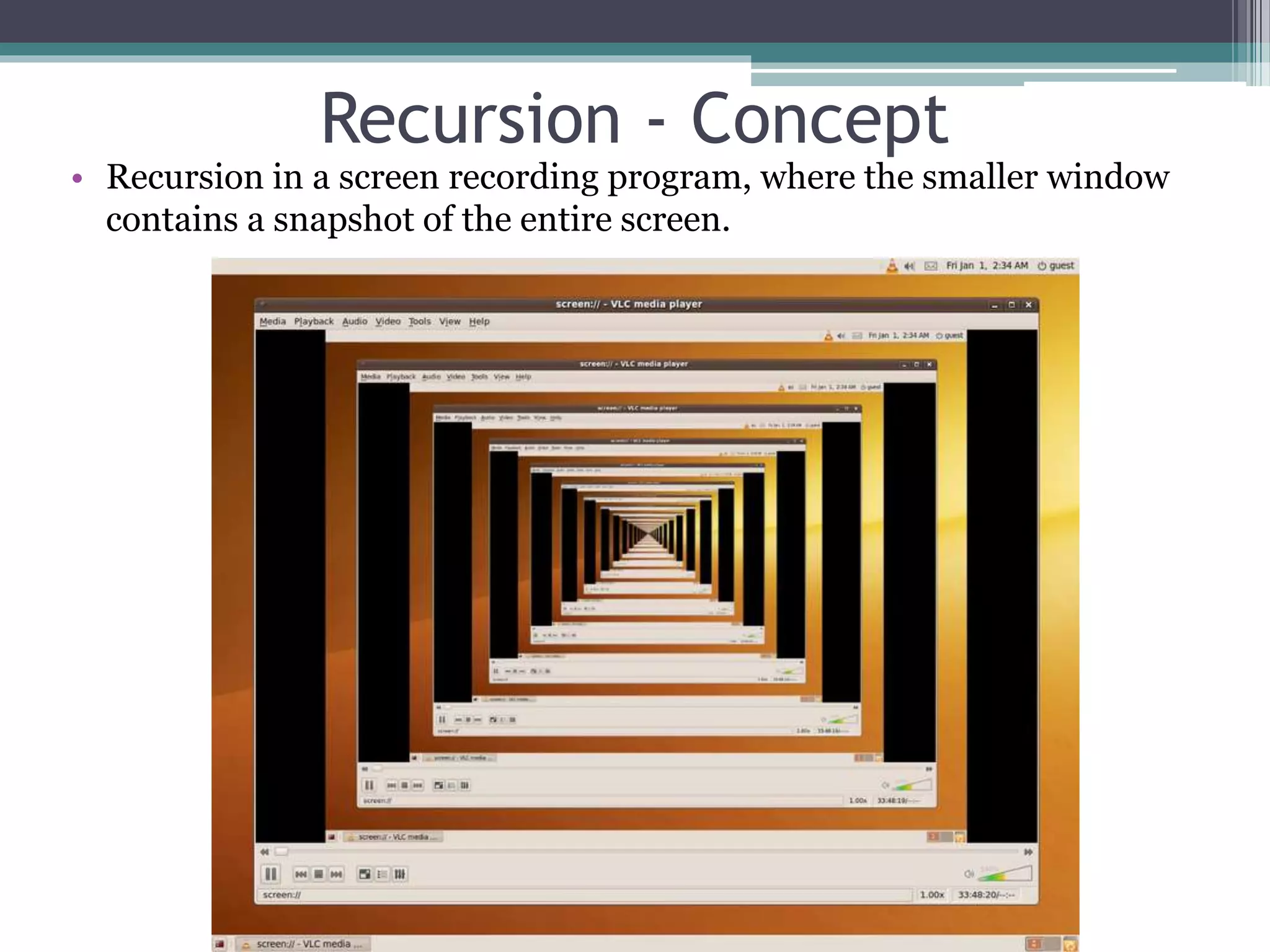
• Recursion in a screen recording program, where the smaller window
contains a snapshot of the entire screen.
Recursive Algorithms
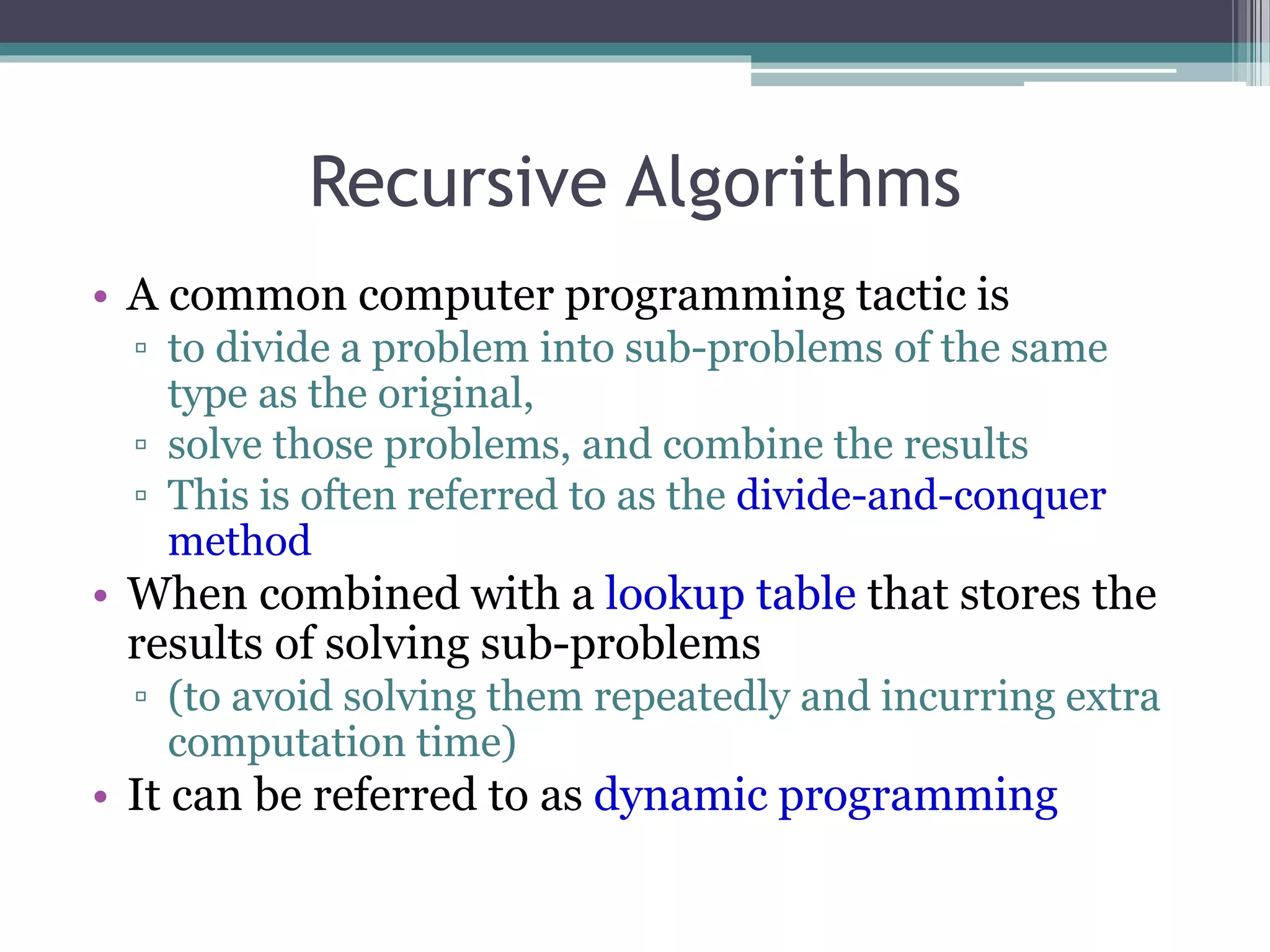
• A common computer programming tactic is
▫ to divide a problem into sub-problems of the same
type as the original,
▫ solve those problems, and combine the results
▫ This is often referred to as the divide-and-conquer
method
• When combined with a lookup table that stores the
results of solving sub-problems
▫ (to avoid solving them repeatedly and incurring extra
computation time)
• It can be referred to as dynamic programming
Recursive Function
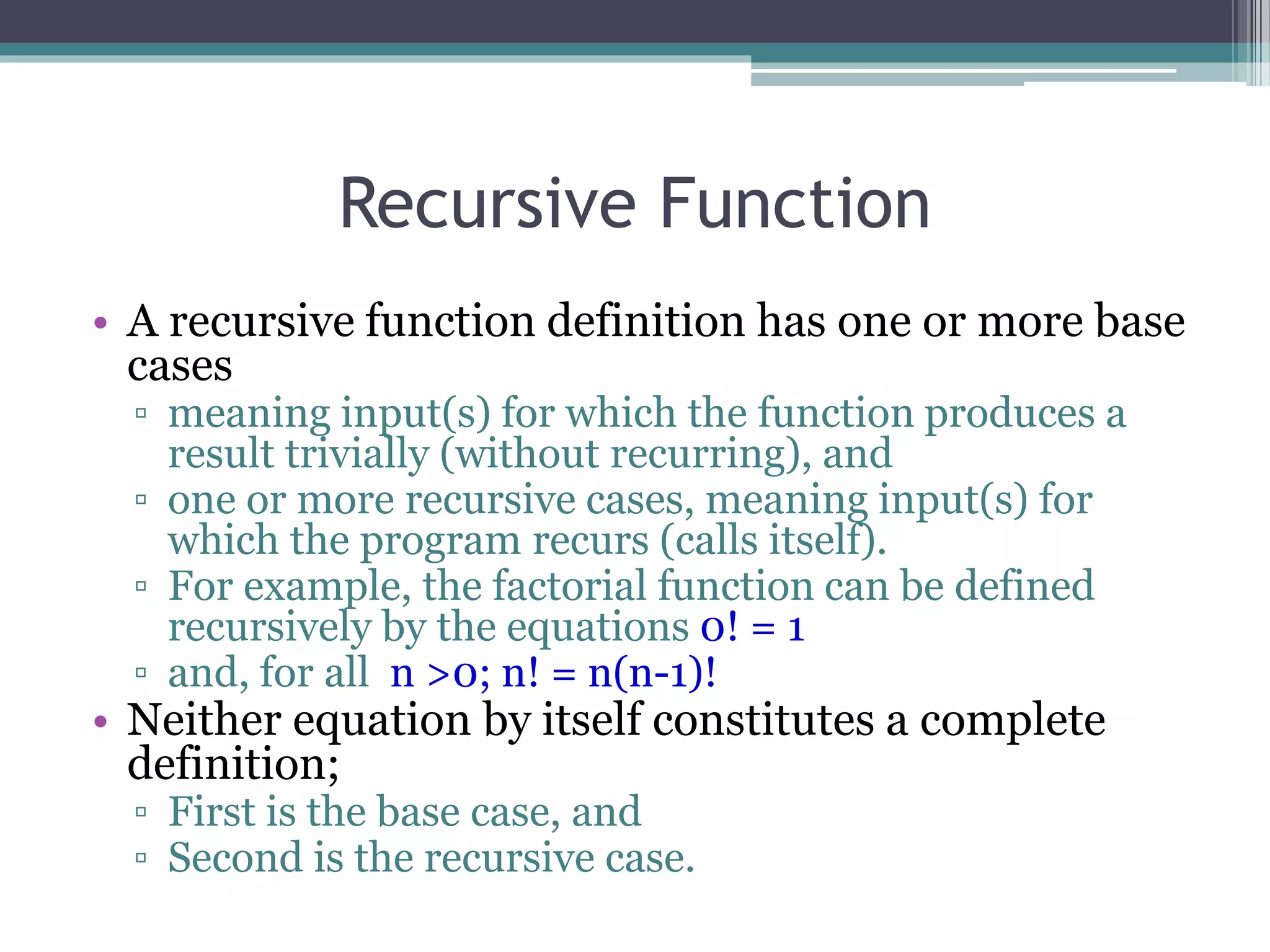
• A recursive function definition has one or more base
cases
▫ meaning input(s) for which the function produces a
result trivially (without recurring), and
▫ one or more recursive cases, meaning input(s) for
which the program recurs (calls itself).
▫ For example, the factorial function can be defined
recursively by the equations 0! = 1
▫ and, for all n >0; n! = n(n-1)!
• Neither equation by itself constitutes a complete
definition;
▫ First is the base case, and
▫ Second is the recursive case.
Recursive Function
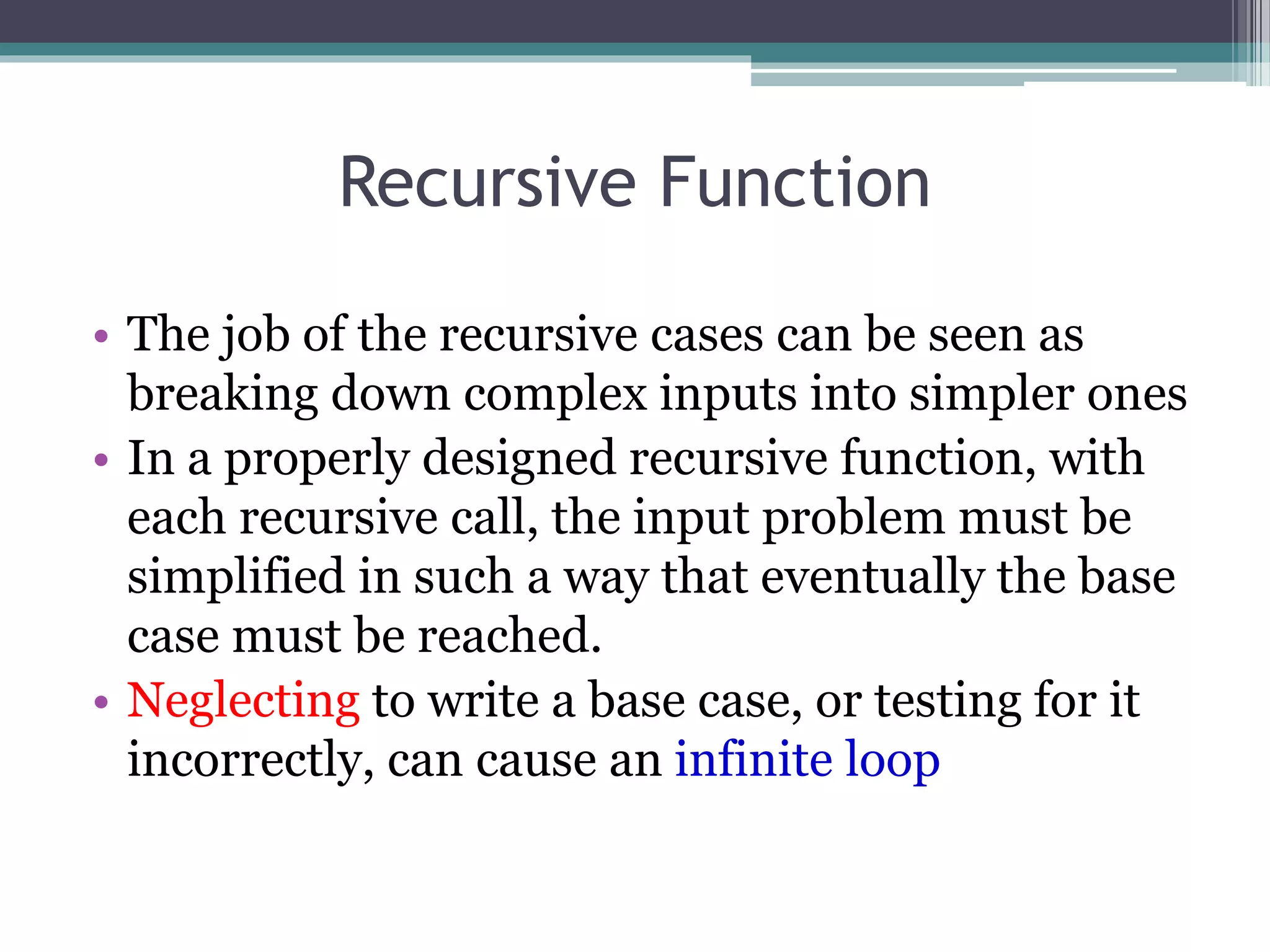
• The job of the recursive cases can be seen as
breaking down complex inputs into simpler ones
• In a properly designed recursive function, with
each recursive call, the input problem must be
simplified in such a way that eventually the base
case must be reached.
• Neglecting to write a base case, or testing for it
incorrectly, can cause an infinite loop
Recursion
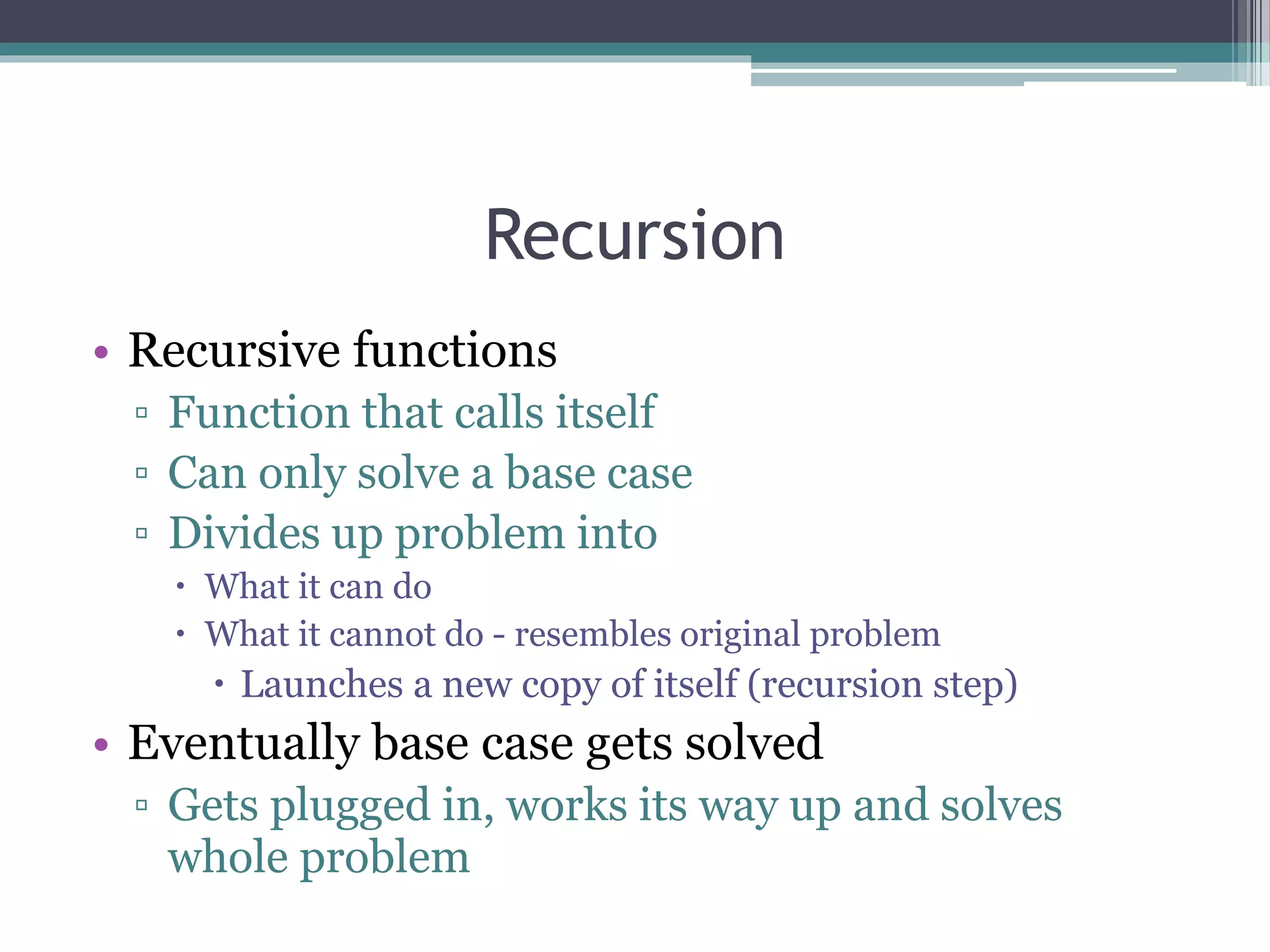
• Recursive functions
▫ Function that calls itself
▫ Can only solve a base case
▫ Divides up problem into
 What it can do
 What it cannot do - resembles original problem
 Launches a new copy of itself (recursion step)
• Eventually base case gets solved
▫ Gets plugged in, works its way up and solves
whole problem
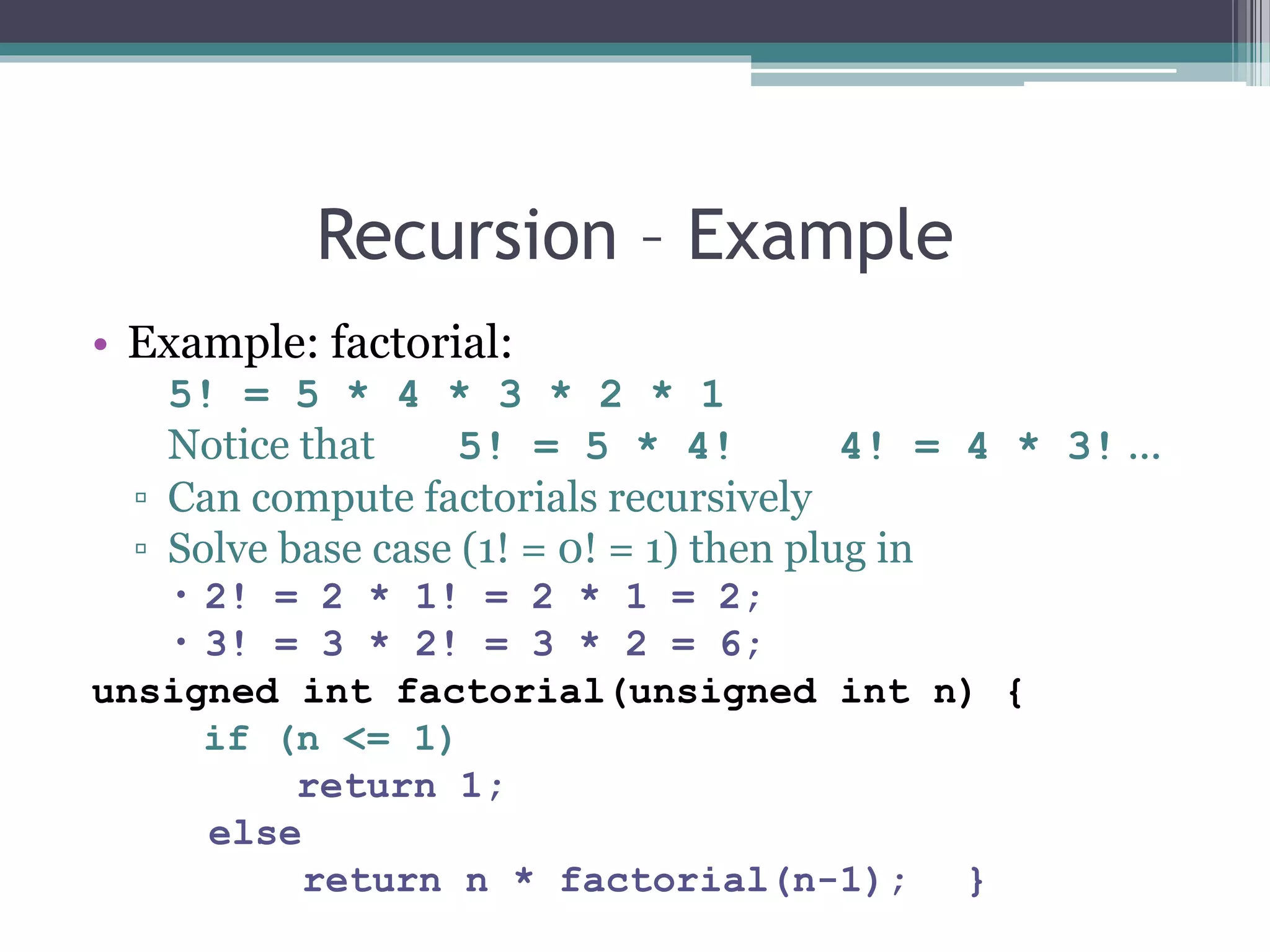
Recursion – Example
• Example: factorial:
5! = 5 * 4 * 3 * 2 * 1
Notice that 5! = 5 * 4! 4! = 4 * 3! ...
▫ Can compute factorials recursively
▫ Solve base case (1! = 0! = 1) then plug in
 2! = 2 * 1! = 2 * 1 = 2;
 3! = 3 * 2! = 3 * 2 = 6;
unsigned int factorial(unsigned int n) {
if (n <= 1)
return 1;
else
return n * factorial(n-1); }
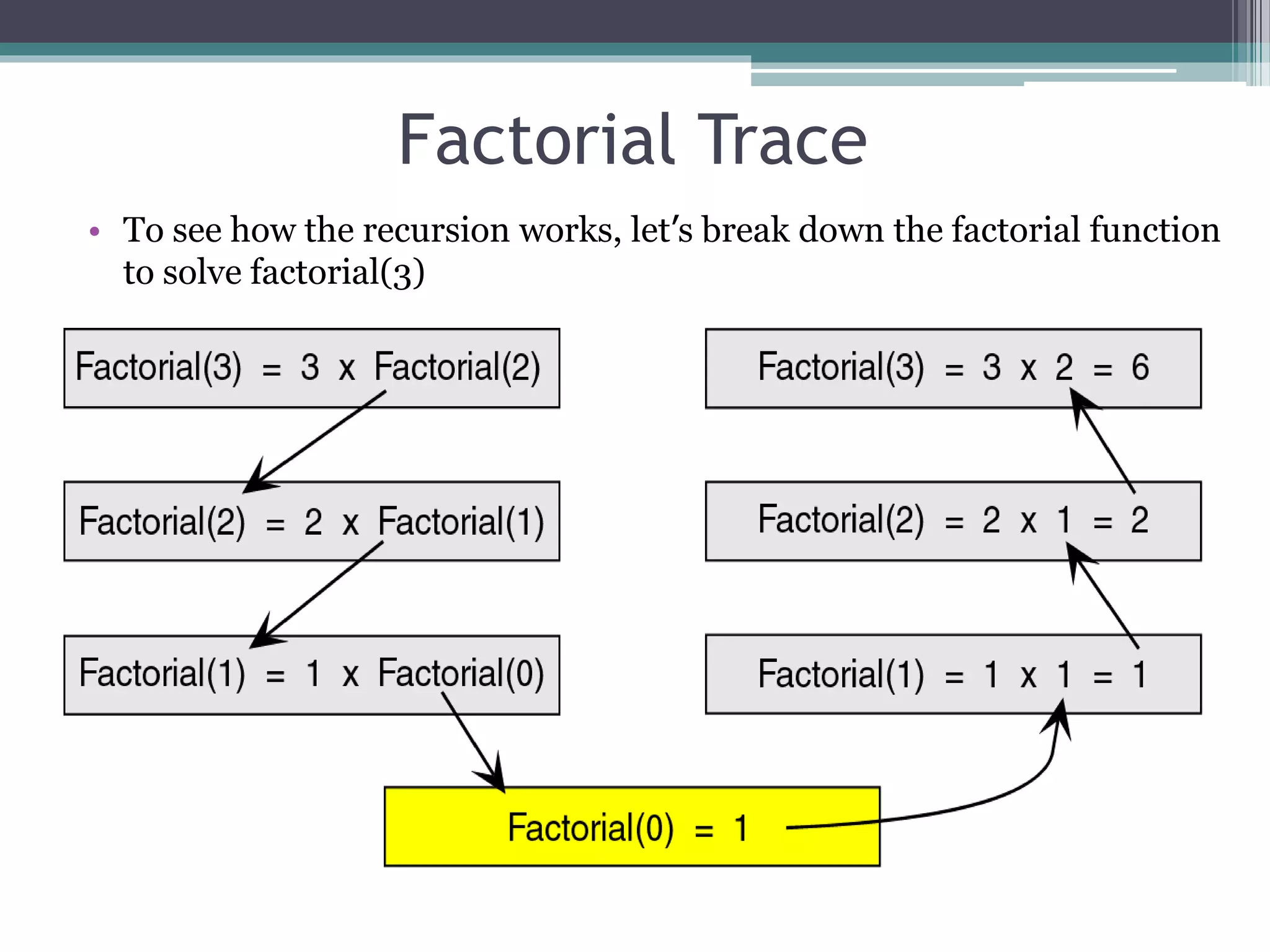
Factorial Trace
• To see how the recursion works, let’s break down the factorial function
to solve factorial(3)
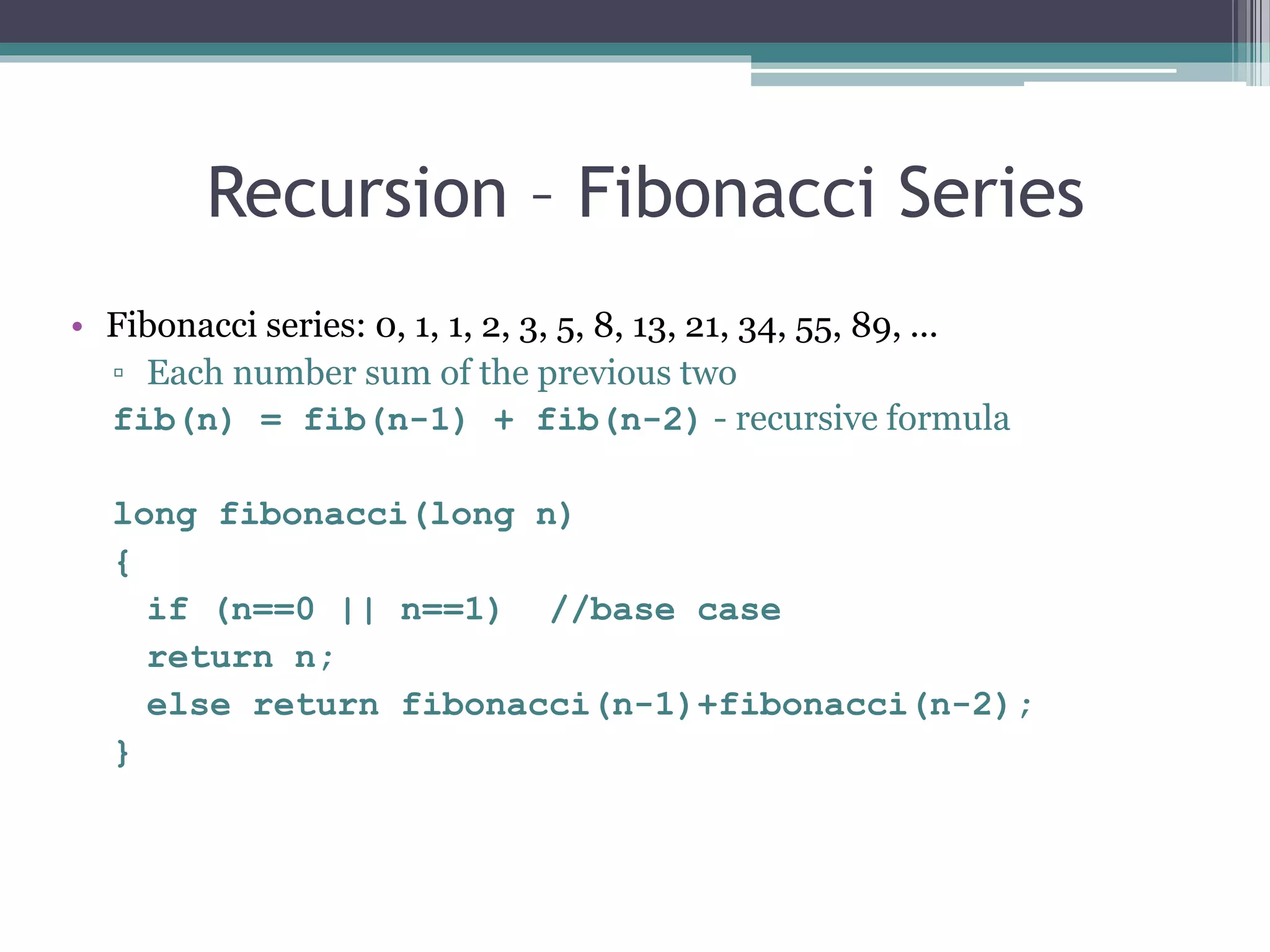
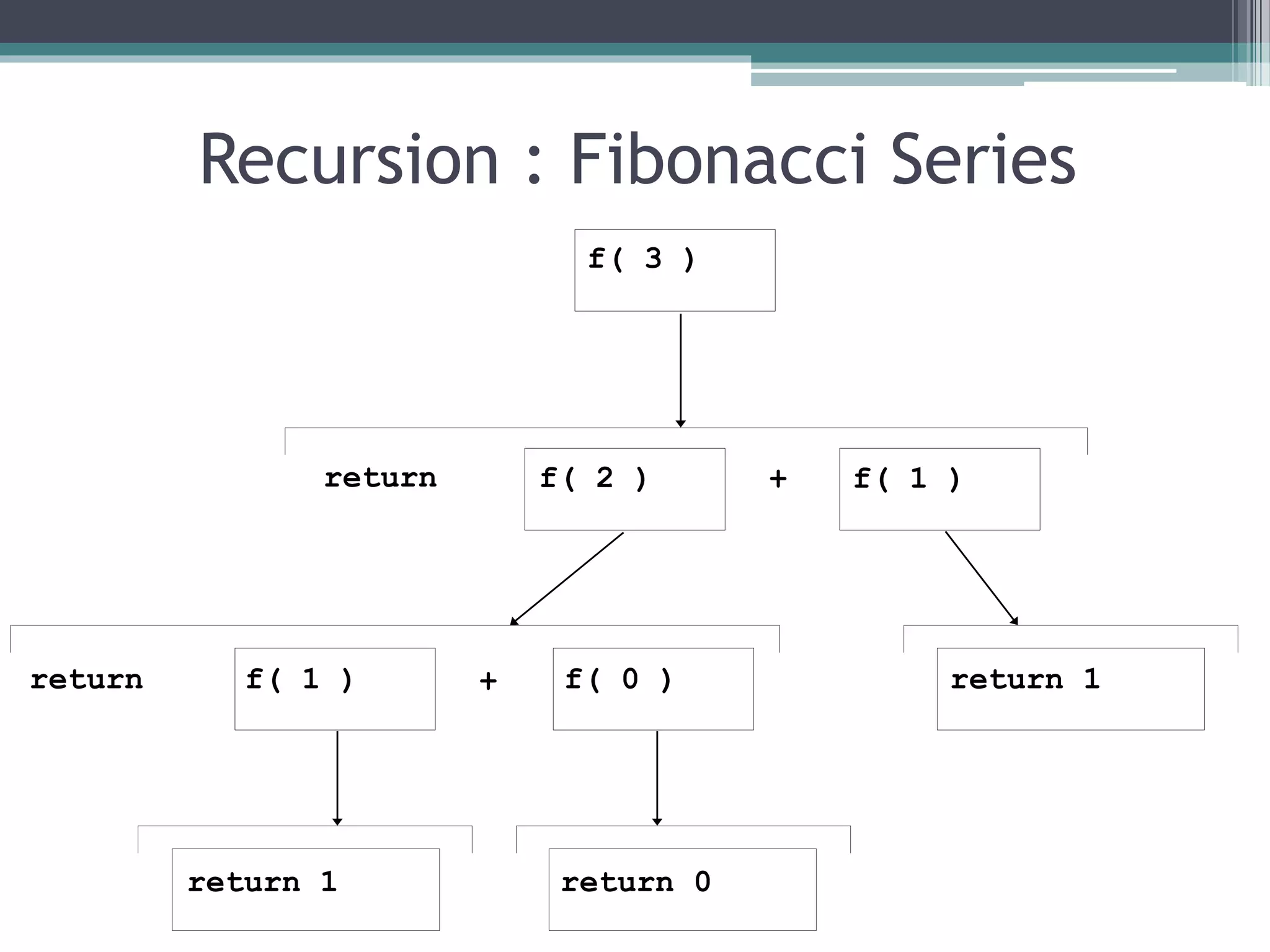
Recursion – Fibonacci Series
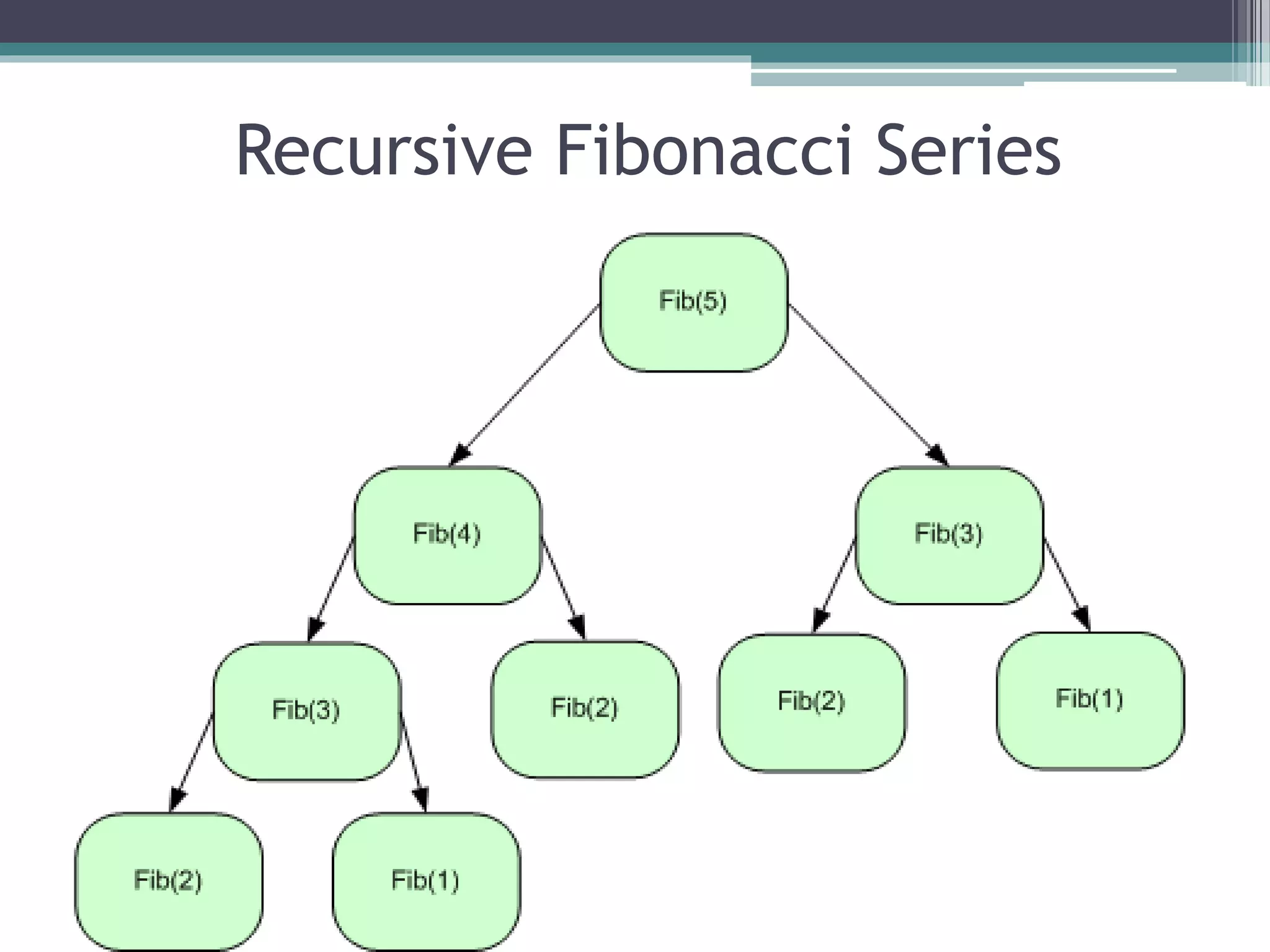
• Fibonacci series: 0, 1, 1, 2, 3, 5, 8, 13, 21, 34, 55, 89, ...
▫ Each number sum of the previous two
fib(n) = fib(n-1) + fib(n-2) - recursive formula
long fibonacci(long n)
{
if (n==0 || n==1) //base case
return n;
else return fibonacci(n-1)+fibonacci(n-2);
}
Recursive Fibonacci Series
Recursion : Fibonacci Series
f( 3 )
f( 1 )f( 2 )
f( 1 ) f( 0 ) return 1
return 1 return 0
return +
+return
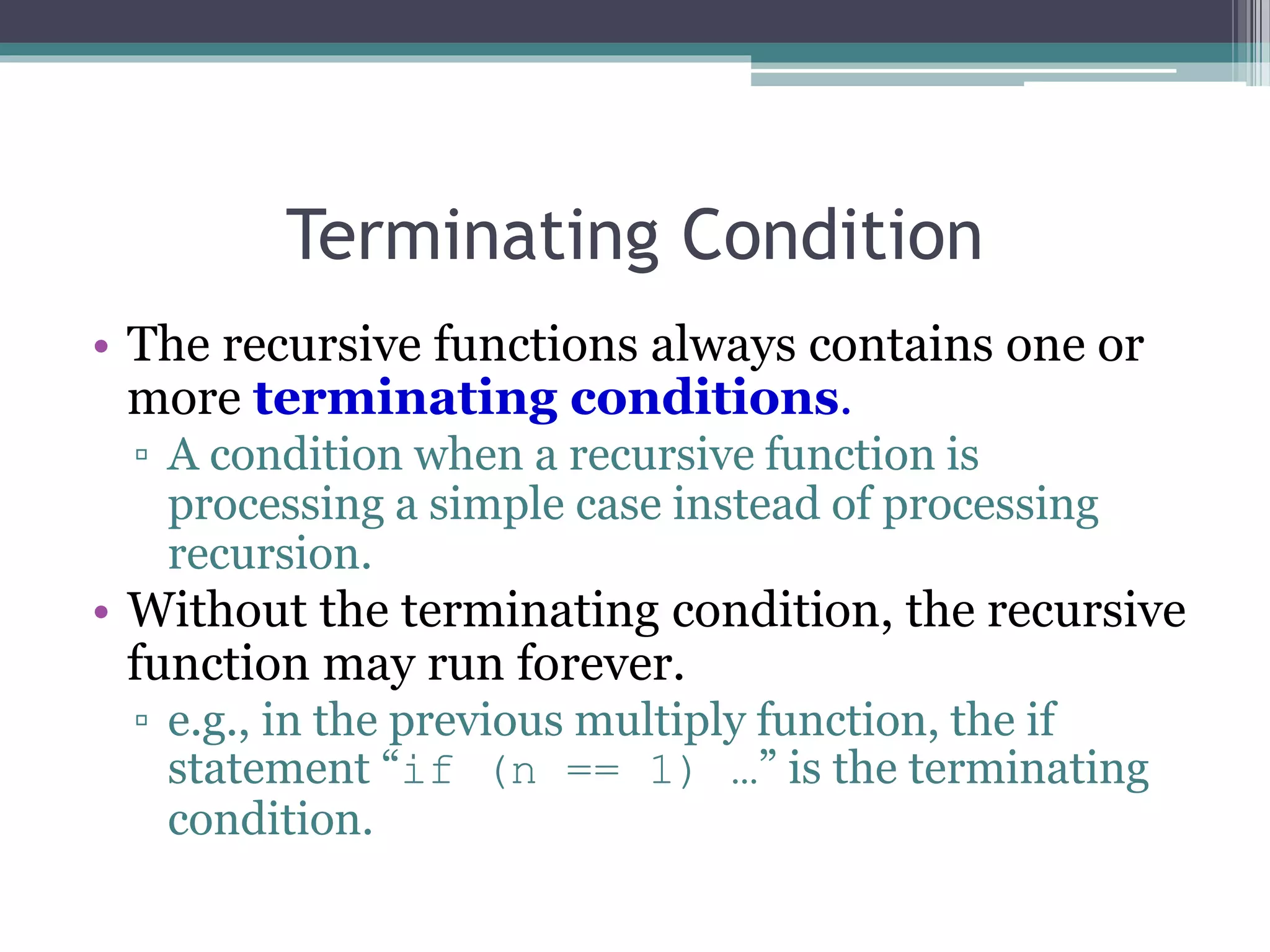
Terminating Condition
• The recursive functions always contains one or
more terminating conditions.
▫ A condition when a recursive function is
processing a simple case instead of processing
recursion.
• Without the terminating condition, the recursive
function may run forever.
▫ e.g., in the previous multiply function, the if
statement “if (n == 1) …” is the terminating
condition.
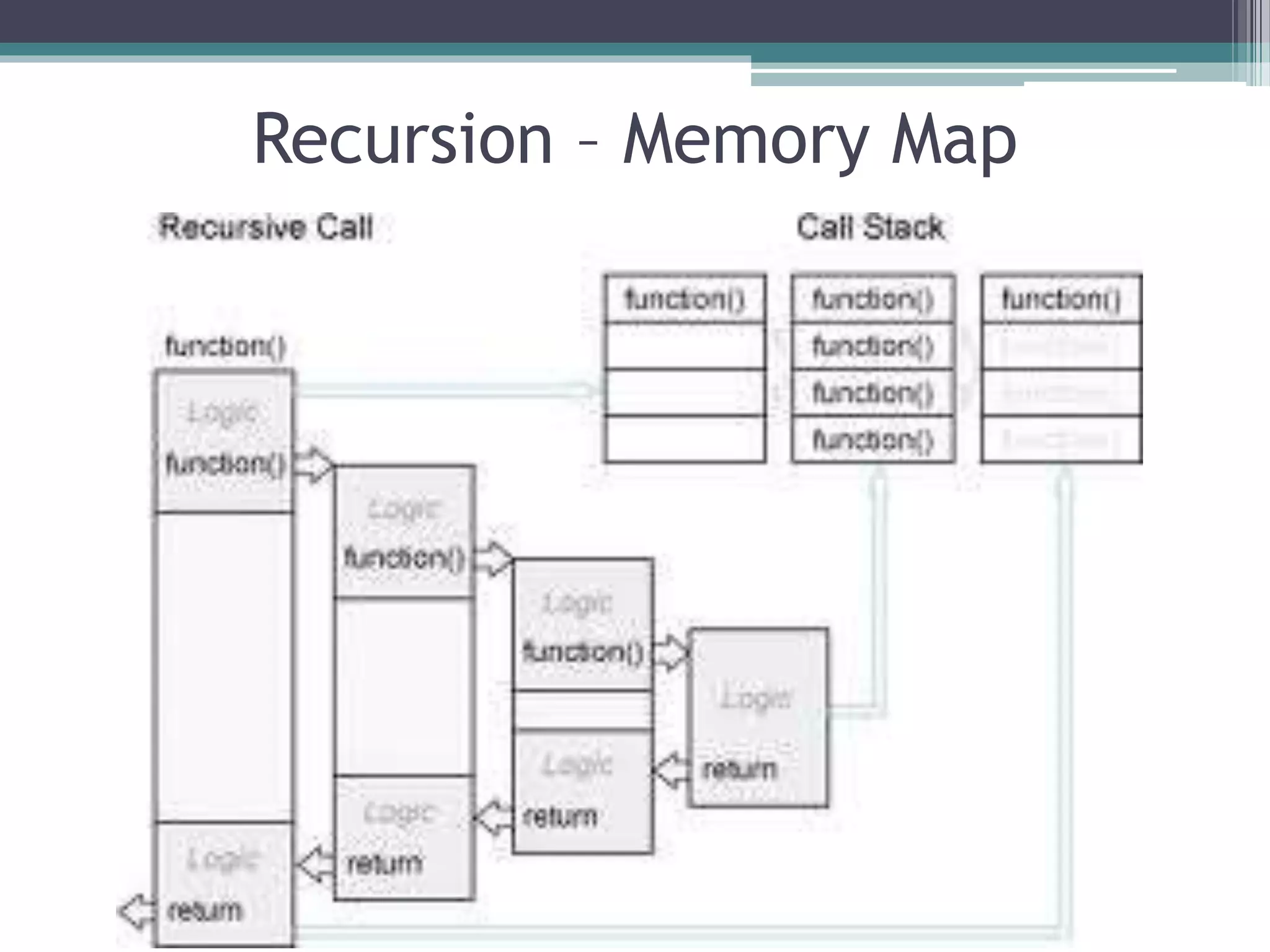
Recursion – Memory Map
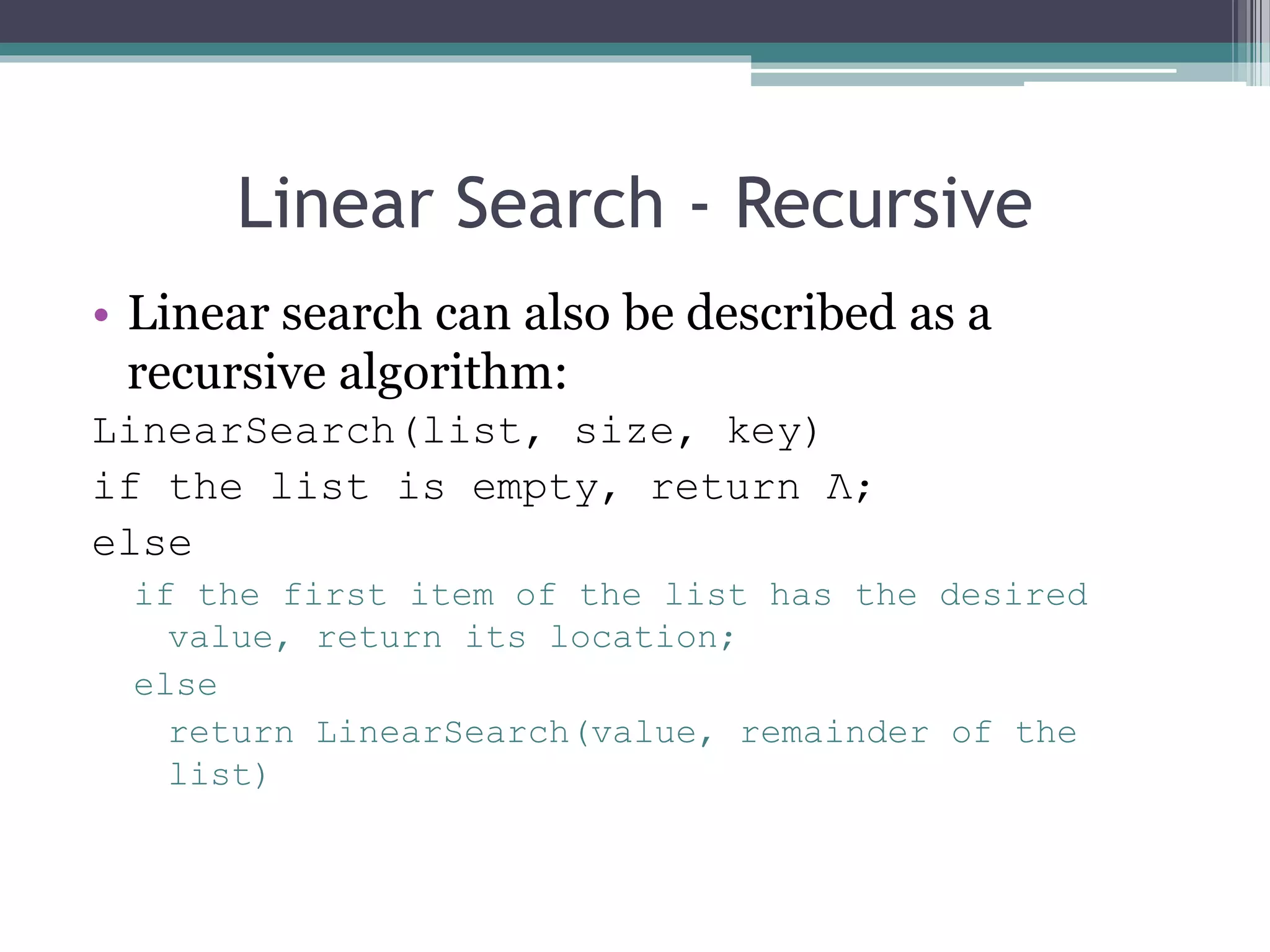
Linear Search - Recursive
• Linear search can also be described as a
recursive algorithm:
LinearSearch(list, size, key)
if the list is empty, return Λ;
else
if the first item of the list has the desired
value, return its location;
else
return LinearSearch(value, remainder of the
list)
Linear Search – Recursive Code
int linearSearch(const int list[], int first, int last, int
key)
{
if (first == last) // base case: target not found
return last;
if (list[first] == target) // base case: target found
return first;
// inductive step: search with range [first+1, last)
return RecLinearSearch (arr, first+1, last, target)
} // end RecLinearSearch
Binary Search W & W/O Recursion
int first, last, upper;
first = 0;
last = size - 1;
while (true) {
middle = (first + last) / 2;
if (data[middle] == value)
return middle;
else if (first >= last)
return -1;
else if (value < data[middle])
last = middle - 1;
else
first = middle + 1;
}
}
{ int middle = (first + last) / 2;
if (data[middle] == value)
return middle;
else if (first >= last)
return -1;
else if (value < data[middle])
return bsearchr(data, first, middle-1, value);
else
return bsearchr(data, middle+1, last, value);
}
w/o recursion
with recursion
Recursion - Comments
• Recursion is never "necessary"
▫ Anything that can be done recursively, can be done
iteratively
▫ Recursive solution may seem more logical
 For example, printing the list - the iterative solution given is
very awkward, and does not model the human way of doing the
problem, if given a list
• The recursive solution did not use any nested loops,
while the iterative solution did
• However, the recursive solution made many more
function calls, which adds a lot of overhead
• Recursion is NOT an efficiency tool - use it only when it
helps the logical flow of your program
Recursion
• PROS
▫ Clearer logic
▫ Often more compact code
▫ Often easier to modify
▫ Allows for complete analysis of runtime
performance
• CONS
▫ Overhead costs
Recursion Vs. Iteration
• Repetition
▫ Iteration: explicit loop
▫ Recursion: repeated function calls
• Termination
▫ Iteration: loop condition fails
▫ Recursion: base case recognized
• Both can have infinite loops
• Balance
▫ Choice between performance (iteration) and good software
engineering (recursion)
• Recursion
▫ Main advantage is usually simplicity
▫ Main disadvantage is often that the algorithm may require
large amounts of memory if the depth of the recursion is very
large
Recursion vs. Iteration
• Some simple recursive problems can be
“unwound” into loops
▫ But code becomes less compact, harder to follow!
• Hard problems cannot easily be expressed in
non-recursive code
▫ Robots or avatars that “learn”
▫ Advanced games
Recursion - Overhead
• Space: Every invocation of a function call
may require space for parameters and local
variables, and for an indication of where to
return when the function is finished
• Typically this space (allocation record) is
allocated on the stack and is released
automatically when the function returns.
Thus, a recursive algorithm may need space
proportional to the number of nested calls to
the same function.
Recursion - Overhead
• Time: The operations involved in calling a
function - allocating, and later releasing, local
memory, copying values into the local memory for
the parameters, branching to/returning from the
function - all contribute to the time overhead.
• If a function has very large local memory
requirements, it would be very costly to program it
recursively. But even if there is very little overhead
in a single function call, recursive functions often
call themselves many many times, which can
magnify a small individual overhead into a very
large cumulative overhead
Recursion - Overhead
We have to pay a price for recursion:
▫ calling a function consumes more time and
memory than adjusting a loop counter.
▫ high performance applications (graphic action
games, simulations of nuclear explosions) hardly
ever use recursion.
In less demanding applications recursion is an
attractive alternative for iteration (for the right
problems!)
Recursion – Final comments
• For every recursive algorithm, there is an
equivalent iterative algorithm.
• Recursive algorithms are often shorter, more
elegant, and easier to understand than their
iterative counterparts.
• However, iterative algorithms are usually more
efficient in their use of space and time.
28
Sorting
Sorting
• A fundamental operation in computer science
• Task of rearranging data in an order such as
▫ Ascending
▫ Descending
▫ Lexicographic
• Data may be of any type like numeric, alphabetical or
alphanumeric
• It also refers to rearranging a set of records based on
their key values when the records are stored in a file
• Sorting task arises more frequently in the world of data
manipulation
30
Sorting
• Sorting and searching frequently apply to a file of
records
• Each record in a file F can contain many fields but there
may be one particular field whose values uniquely
determine the records in the file called primary key
• The key or key values are k1, k2, ……
• Sorting the file F usually refers to sorting F with respect
to a particular primary key
• Searching in F refers to searching for a record with a
given key value
31
Sorting
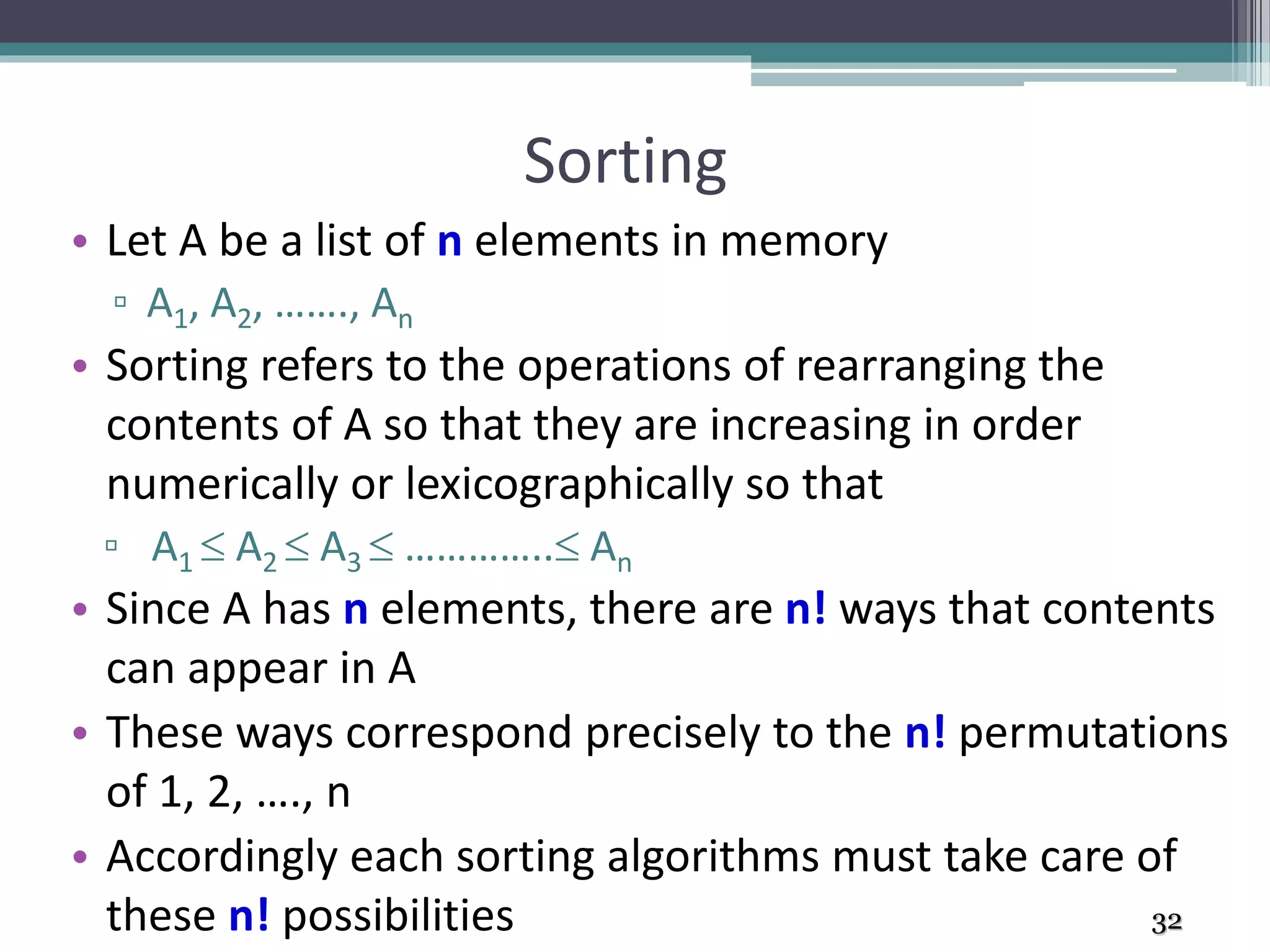
• Let A be a list of n elements in memory
▫ A1, A2, ……., An
• Sorting refers to the operations of rearranging the
contents of A so that they are increasing in order
numerically or lexicographically so that
▫ A1  A2  A3  ………….. An
• Since A has n elements, there are n! ways that contents
can appear in A
• These ways correspond precisely to the n! permutations
of 1, 2, …., n
• Accordingly each sorting algorithms must take care of
these n! possibilities 32
Basic Terminology
• Internal sort
▫ When a set of data to be sorted is small enough such that
the entire sorting can be performed in a computer’s
internal storage (primary memory)
• External sort
▫ Sorting a large set of data which is stored in low speed
computer’s external memory such as hard disk, magnetic
tape, etc.
• Ascending order
▫ An arrangement of data if it satisfies “less than or equal to
<=“ relation between two consecutive data
▫ [1, 2, 3, 4, 5, 6, 7, 8, 9]
Basic Terminology
• Descending order
▫ An arrangement of data if it satisfies “greater than or equal to
>=“ relation between two consecutive data
▫ e.g. [ 9, 8, 7, 6, 5, 4, 3, 2, 1]
• Lexicographic order
▫ If the data are in the form of character or string of characters and
are arranged in the same order as in dictionary
▫ e.g. [ada, bat, cat, mat, max, may, min]
• Collating sequence
▫ Ordering for a set of characters that determines whether a
character is in higher, lower or same order compared to another
▫ e.g. alphanumeric characters are compared according to their
ASCII code
▫ e.g. [AmaZon, amaZon, amazon, amazon1, amazon2]
Basic Terminology
• Random order
▫ If a data in a list do not follow any ordering mentioned above,
then it is arranged in random order
▫ e.g. [8, 6, 5, 9, 3, 1, 4, 7, 2]
▫ [may, bat, ada, cat, mat, max, min]
• Swap
▫ Swap between two data storages implies the interchange of
their contents.
▫ e.g. Before swap A[1] = 11, A[5] = 99
▫ After swap A[1] = 99, A[5] = 11
• Item
▫ Is a data or element in the list to be sorted.
▫ May be an integer, string of characters, a record etc.
▫ Also alternatively termed key, data, element etc.
Basic Terminology
• Stable Sort
▫ A list of data may contain two or more equal data. If a
sorting method maintains the same relative position of
their occurrences in the sorted list then it is stable sort
▫ e.g. [ 2, 5, 6, 4, 3, 2, 5, 1, 5 ]
▫ [ 1, 2, 2, 3, 4, 5, 5, 5, 6 ]
• In Place Sort
▫ Suppose a set of data to be sorted is stored in an array A
▫ If a sorting method takes place within the array A only, i.e.
without using any other extra storage space
▫ It is a memory efficient sorting method
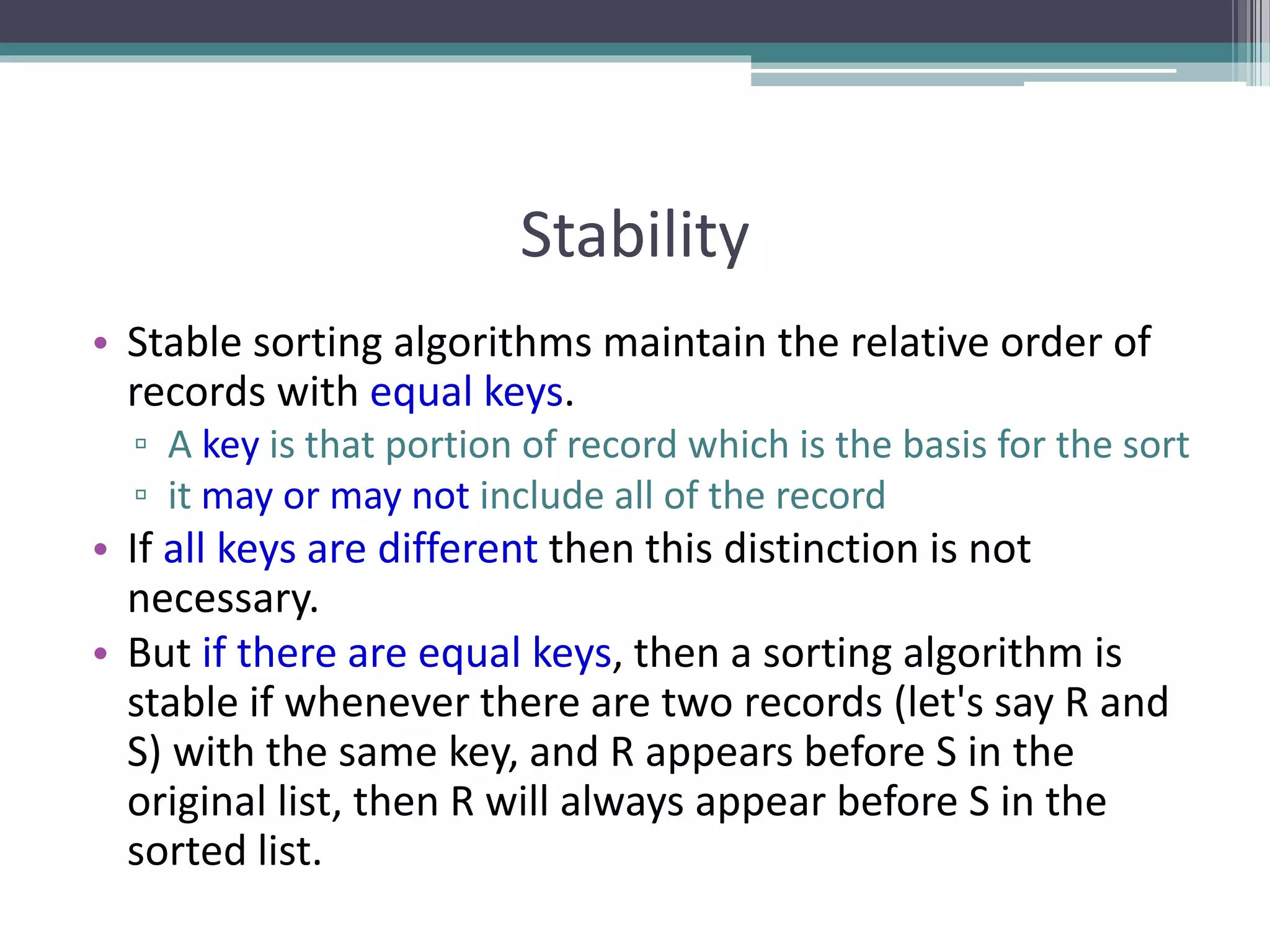
Stability
• Stable sorting algorithms maintain the relative order of
records with equal keys.
▫ A key is that portion of record which is the basis for the sort
▫ it may or may not include all of the record
• If all keys are different then this distinction is not
necessary.
• But if there are equal keys, then a sorting algorithm is
stable if whenever there are two records (let's say R and
S) with the same key, and R appears before S in the
original list, then R will always appear before S in the
sorted list.
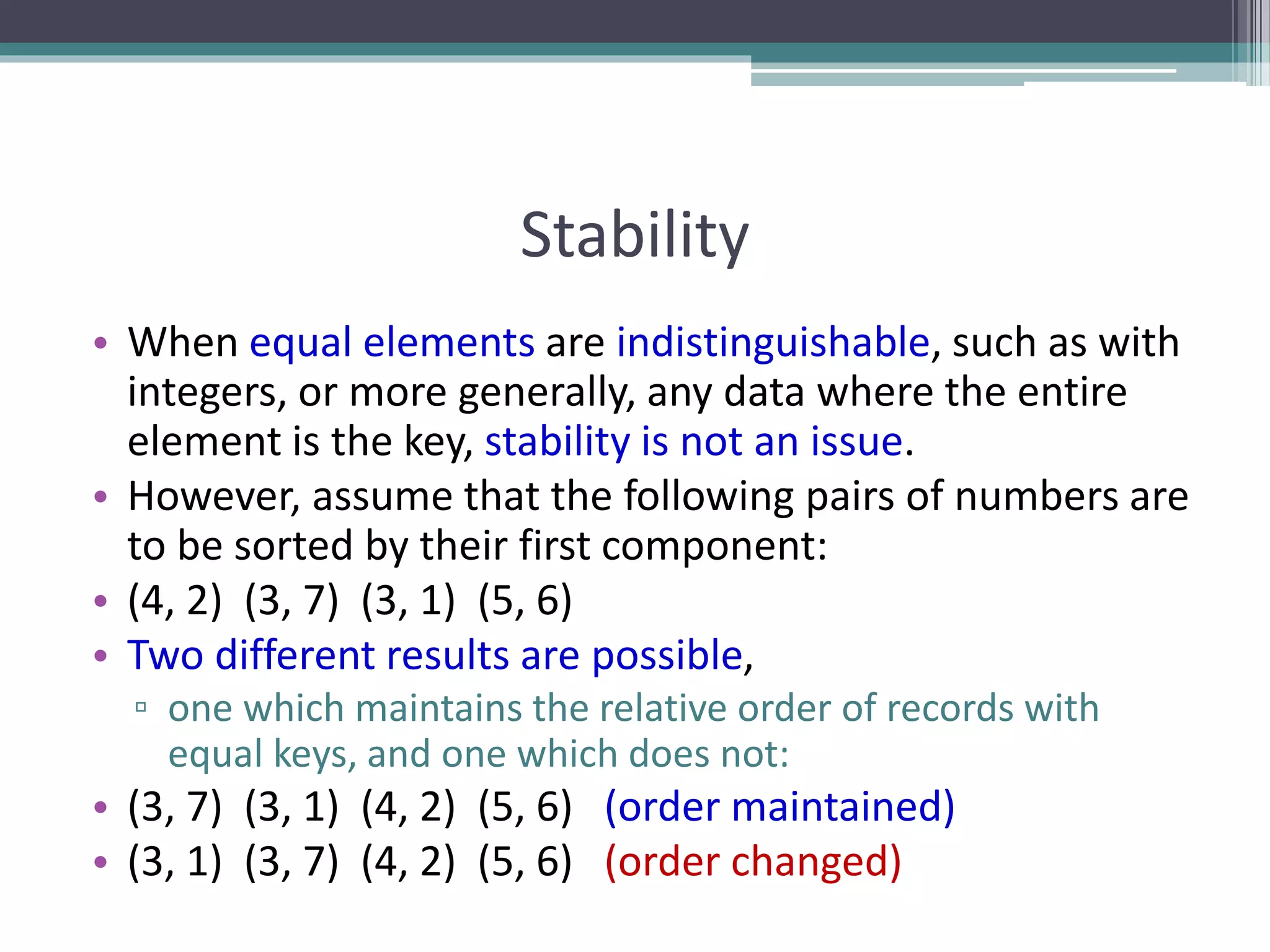
Stability
• When equal elements are indistinguishable, such as with
integers, or more generally, any data where the entire
element is the key, stability is not an issue.
• However, assume that the following pairs of numbers are
to be sorted by their first component:
• (4, 2) (3, 7) (3, 1) (5, 6)
• Two different results are possible,
▫ one which maintains the relative order of records with
equal keys, and one which does not:
• (3, 7) (3, 1) (4, 2) (5, 6) (order maintained)
• (3, 1) (3, 7) (4, 2) (5, 6) (order changed)
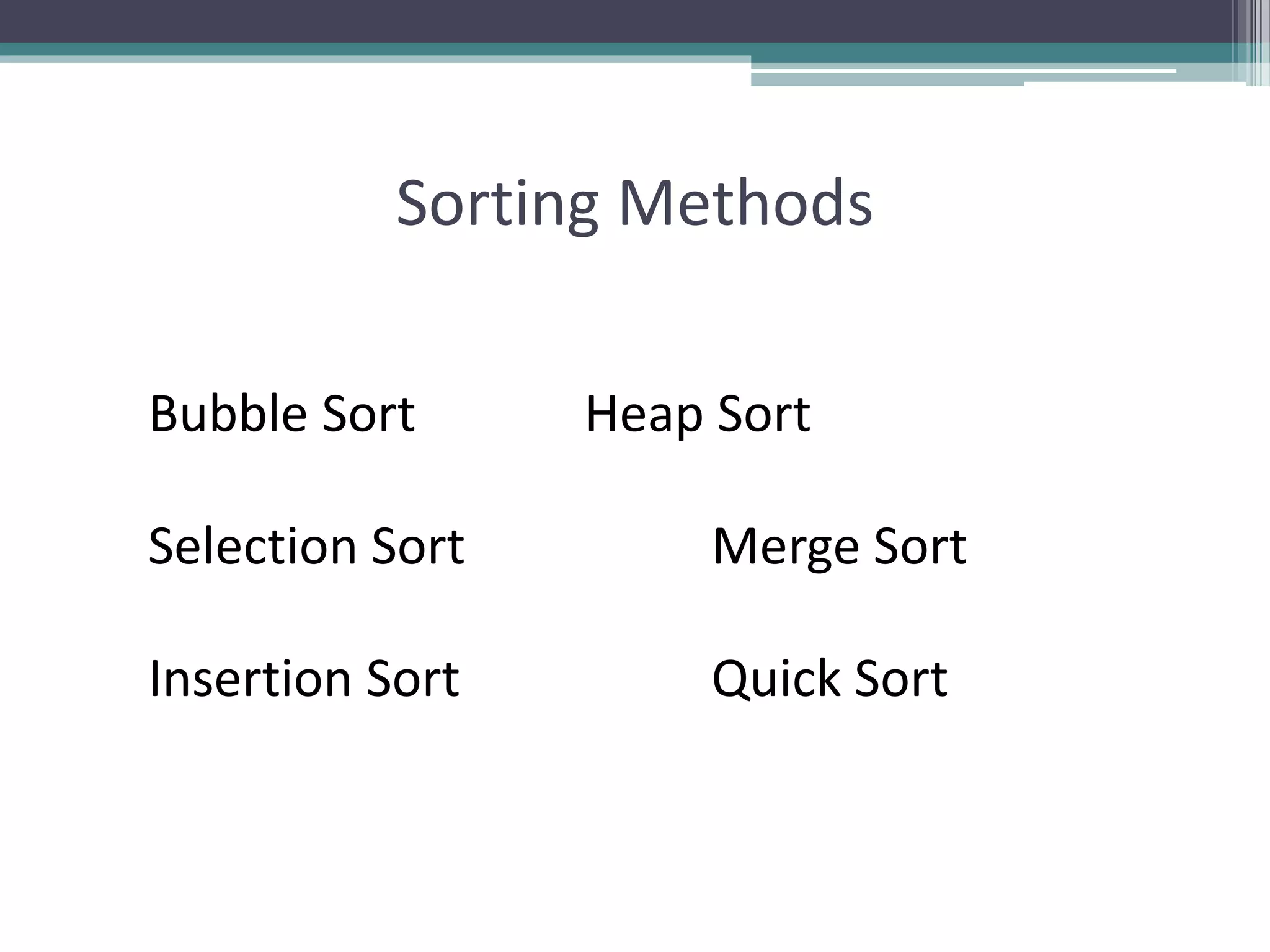
Sorting Methods
Bubble Sort Heap Sort
Selection Sort Merge Sort
Insertion Sort Quick Sort
Bubble Sort
Bubble Sort
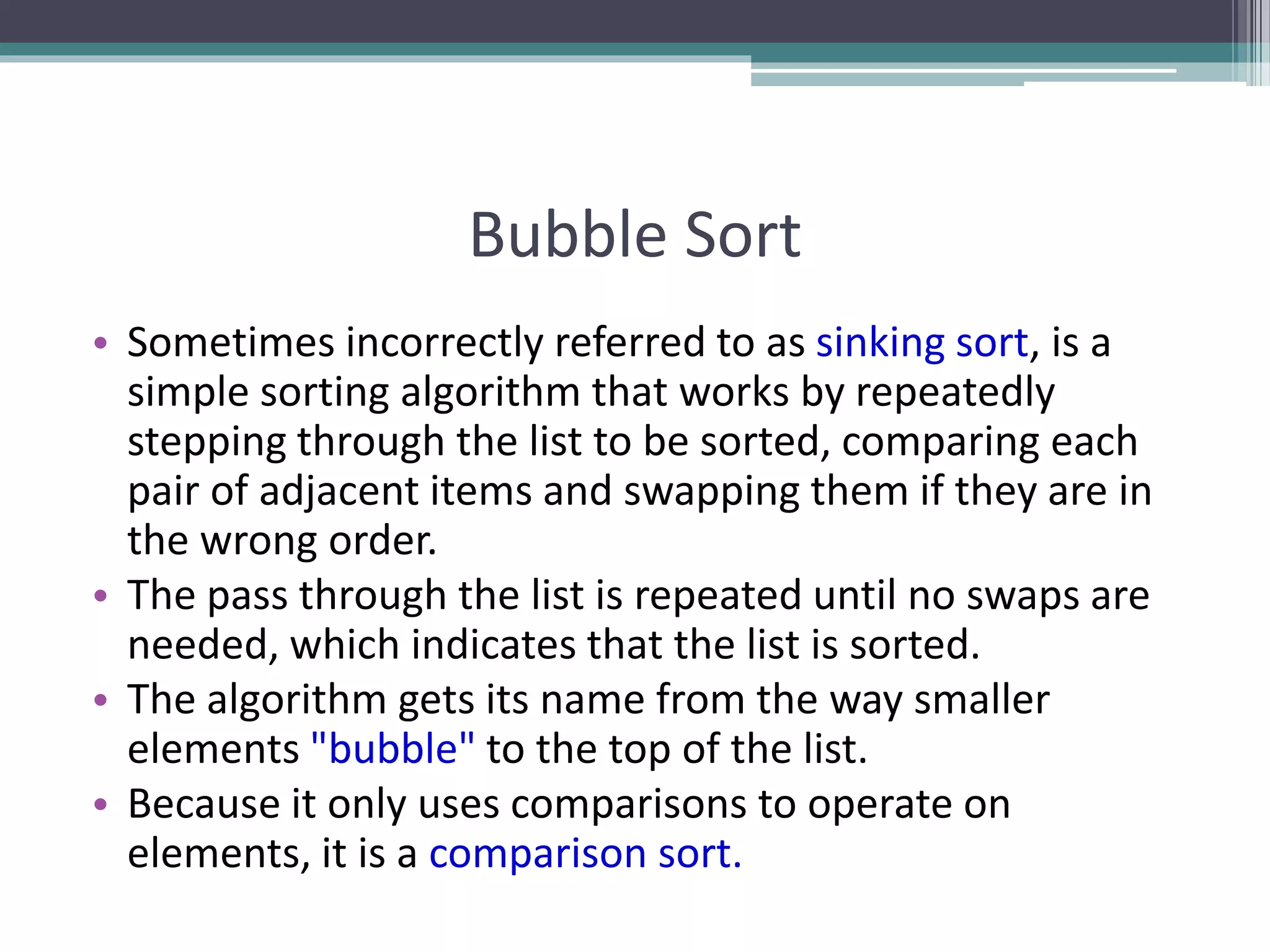
• Sometimes incorrectly referred to as sinking sort, is a
simple sorting algorithm that works by repeatedly
stepping through the list to be sorted, comparing each
pair of adjacent items and swapping them if they are in
the wrong order.
• The pass through the list is repeated until no swaps are
needed, which indicates that the list is sorted.
• The algorithm gets its name from the way smaller
elements "bubble" to the top of the list.
• Because it only uses comparisons to operate on
elements, it is a comparison sort.
Bubble Sort
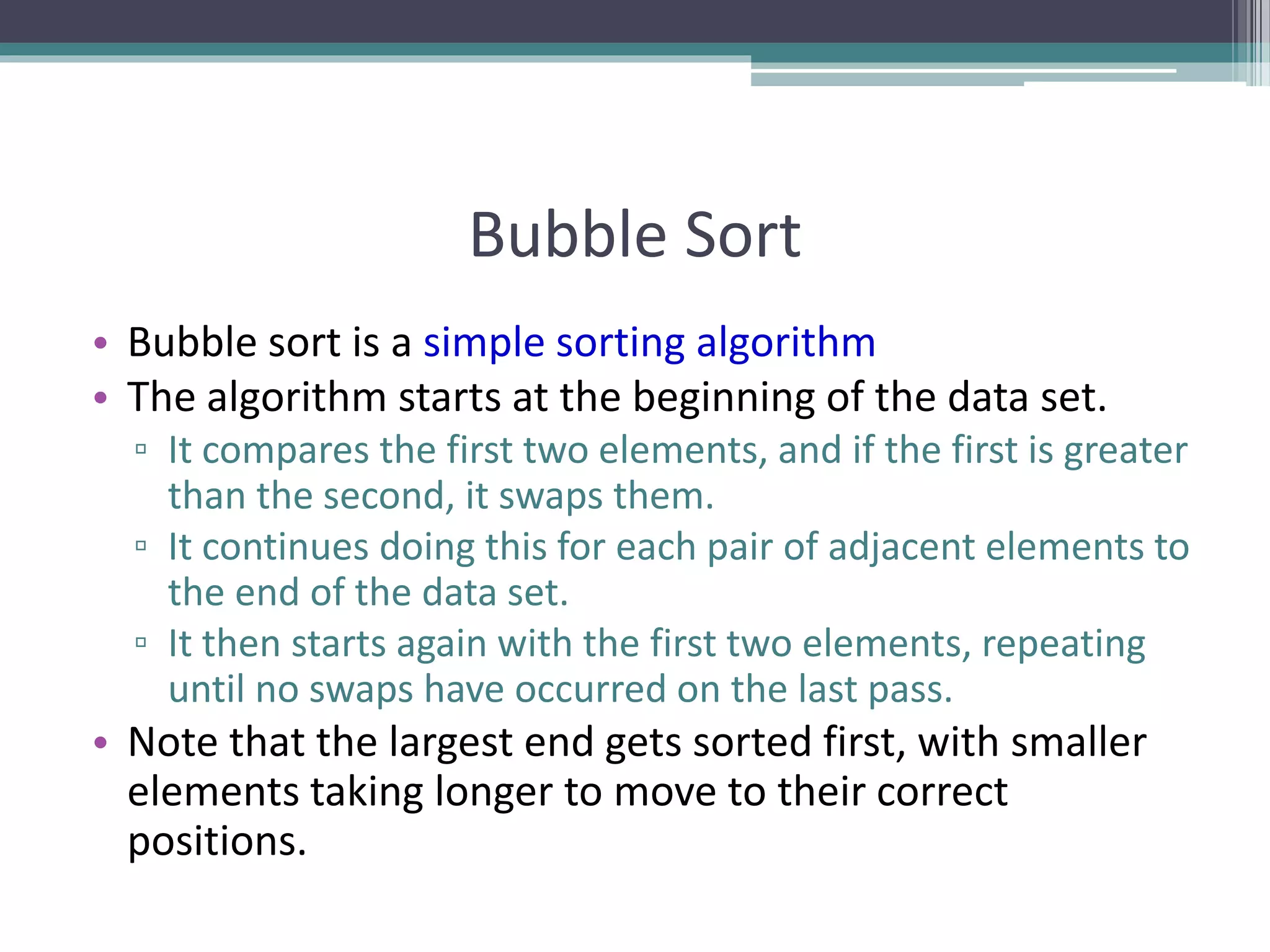
• Bubble sort is a simple sorting algorithm
• The algorithm starts at the beginning of the data set.
▫ It compares the first two elements, and if the first is greater
than the second, it swaps them.
▫ It continues doing this for each pair of adjacent elements to
the end of the data set.
▫ It then starts again with the first two elements, repeating
until no swaps have occurred on the last pass.
• Note that the largest end gets sorted first, with smaller
elements taking longer to move to their correct
positions.
0
10
20
30
40
50
60
70
[1] [2] [3] [4] [5] [6]
Bubble Sort Algorithm
• The Bubble Sort
algorithm looks at
pairs of entries in
the array, and swaps
their order if
needed.
[0] [1] [2] [3] [4] [5]
0
10
20
30
40
50
60
70
[1] [2] [3] [4] [5] [6]
Bubble Sort Algorithm
• The Bubble Sort
algorithm looks at
pairs of entries in
the array, and swaps
their order if
needed.
[0] [1] [2] [3] [4] [5]
Swap?
0
10
20
30
40
50
60
70
[1] [2] [3] [4] [5] [6]
Bubble Sort Algorithm
• The Bubble Sort
algorithm looks at
pairs of entries in
the array, and swaps
their order if
needed.
[0] [1] [2] [3] [4] [5]
Yes!
0
10
20
30
40
50
60
70
[1] [2] [3] [4] [5] [6]
Bubble Sort Algorithm
• The Bubble Sort
algorithm looks at
pairs of entries in
the array, and swaps
their order if
needed.
[0] [1] [2] [3] [4] [5]
Swap?
0
10
20
30
40
50
60
70
[1] [2] [3] [4] [5] [6]
Bubble Sort Algorithm
• The Bubble Sort
algorithm looks at
pairs of entries in
the array, and swaps
their order if
needed.
[0] [1] [2] [3] [4] [5]
No.
0
10
20
30
40
50
60
70
[1] [2] [3] [4] [5] [6]
Bubble Sort Algorithm
• The Bubble Sort
algorithm looks at
pairs of entries in
the array, and swaps
their order if
needed.
[0] [1] [2] [3] [4] [5]
Swap?
0
10
20
30
40
50
60
70
[1] [2] [3] [4] [5] [6]
Bubble Sort Algorithm
• The Bubble Sort
algorithm looks at
pairs of entries in
the array, and swaps
their order if
needed.
[0] [1] [2] [3] [4] [5]
No.
0
10
20
30
40
50
60
70
[1] [2] [3] [4] [5] [6]
Bubble Sort Algorithm
• The Bubble Sort
algorithm looks at
pairs of entries in
the array, and swaps
their order if
needed.
[0] [1] [2] [3] [4] [5]
Swap?
0
10
20
30
40
50
60
70
[1] [2] [3] [4] [5] [6]
Bubble Sort Algorithm
• The Bubble Sort
algorithm looks at
pairs of entries in
the array, and swaps
their order if
needed.
[0] [1] [2] [3] [4] [5]
Yes!
0
10
20
30
40
50
60
70
[1] [2] [3] [4] [5] [6]
Bubble Sort Algorithm
• The Bubble Sort
algorithm looks at
pairs of entries in
the array, and swaps
their order if
needed.
[0] [1] [2] [3] [4] [5]
Swap?
0
10
20
30
40
50
60
70
[1] [2] [3] [4] [5] [6]
Bubble Sort Algorithm
• The Bubble Sort
algorithm looks at
pairs of entries in
the array, and swaps
their order if
needed.
[0] [1] [2] [3] [4] [5]
Yes!
0
10
20
30
40
50
60
70
[1] [2] [3] [4] [5] [6]
Bubble Sort Algorithm
• Repeat.
[0] [1] [2] [3] [4] [5]
Swap? No.
0
10
20
30
40
50
60
70
[1] [2] [3] [4] [5] [6]
Bubble Sort Algorithm
• Repeat.
[0] [1] [2] [3] [4] [5]
Swap? No.
0
10
20
30
40
50
60
70
[1] [2] [3] [4] [5] [6]
Bubble Sort Algorithm
• Repeat.
[0] [1] [2] [3] [4] [5]
Swap? Yes.
0
10
20
30
40
50
60
70
[1] [2] [3] [4] [5] [6]
Bubble Sort Algorithm
• Repeat.
[0] [1] [2] [3] [4] [5]
Swap? Yes.
0
10
20
30
40
50
60
70
[1] [2] [3] [4] [5] [6]
Bubble Sort Algorithm
• Repeat.
[0] [1] [2] [3] [4] [5]
Swap? Yes.
0
10
20
30
40
50
60
70
[1] [2] [3] [4] [5] [6]
Bubble Sort Algorithm
• Repeat.
[0] [1] [2] [3] [4] [5]
Swap? Yes.
0
10
20
30
40
50
60
70
[1] [2] [3] [4] [5] [6]
Bubble Sort Algorithm
• Loop over array n-1
times, swapping
pairs of entries as
needed.
[0] [1] [2] [3] [4] [5]
Swap? No.
0
10
20
30
40
50
60
70
[1] [2] [3] [4] [5] [6]
Bubble Sort Algorithm
• Loop over array n-1
times, swapping
pairs of entries as
needed.
[0] [1] [2] [3] [4] [5]
Swap? Yes.
0
10
20
30
40
50
60
70
[1] [2] [3] [4] [5] [6]
Bubble Sort Algorithm
• Loop over array n-1
times, swapping
pairs of entries as
needed.
[0] [1] [2] [3] [4] [5]
Swap? Yes.
0
10
20
30
40
50
60
70
[1] [2] [3] [4] [5] [6]
Bubble Sort Algorithm
• Loop over array n-1
times, swapping
pairs of entries as
needed.
[0] [1] [2] [3] [4] [5]
Swap? Yes.
0
10
20
30
40
50
60
70
[1] [2] [3] [4] [5] [6]
Bubble Sort Algorithm
• Loop over array n-1
times, swapping
pairs of entries as
needed.
[0] [1] [2] [3] [4] [5]
Swap? Yes.
0
10
20
30
40
50
60
70
[1] [2] [3] [4] [5] [6]
Bubble Sort Algorithm
• Continue looping,
until done.
[0] [1] [2] [3] [4] [5]
Swap? Yes.
0
10
20
30
40
50
60
70
[1] [2] [3] [4] [5] [6]
Bubble Sort Algorithm
• Continue looping,
until done.
[0] [1] [2] [3] [4] [5]
Swap? Yes.
0
10
20
30
40
50
60
70
[1] [2] [3] [4] [5] [6]
Bubble Sort Algorithm
• Continue looping,
until done.
[0] [1] [2] [3] [4] [5]
Swap? Yes.
0
10
20
30
40
50
60
70
[1] [2] [3] [4] [5] [6][0] [1] [2] [3] [4] [5]
Bubble Sort Algorithm - Result
Bubble Sort Implementation
void bubbleSort (int list[ ] , int size) {
int i, j, temp;
for ( i = 0; i < size; i++ ) { /* controls passes through the list */
for ( j = 0; j < size - 1; j++ ) /* performs adjacent comparisons */
{
if ( list[ j ] > list[ j+1 ] ) /* determines if a swap should occur */
{
temp = list[ j ]; /* swap is performed */
list[ j ] = list[ j + 1 ];
list[ j+1 ] = temp;
} // end of if statement
} // end of inner for loop
} // end of outer for loop
} // end of function
Performance
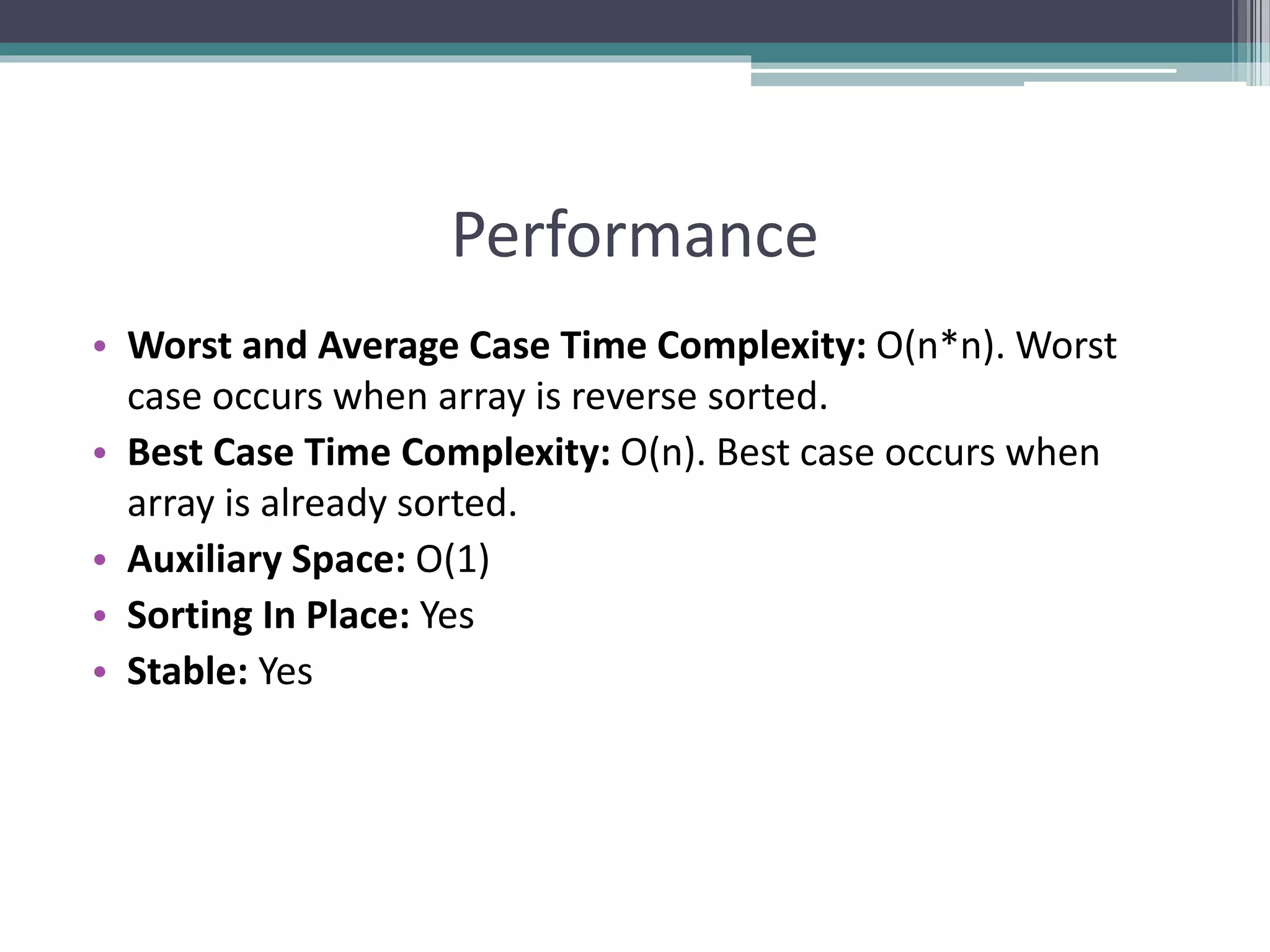
• Worst and Average Case Time Complexity: O(n*n). Worst
case occurs when array is reverse sorted.
• Best Case Time Complexity: O(n). Best case occurs when
array is already sorted.
• Auxiliary Space: O(1)
• Sorting In Place: Yes
• Stable: Yes
Summary
• Recursion and Types, Space and Time Complexity
• Introduction to Sorting Algorithms
• Bubble Sort Algorithm, Algorithm Analysis
References
• https://www.geeksforgeeks.org/recursion/
• https://www.geeksforgeeks.org/sorting-
algorithms/
• https://brilliant.org/wiki/sorting-algorithms/
• https://betterexplained.com/articles/sorting-
algorithms/
• https://codeburst.io/algorithms-i-searching-
and-sorting-algorithms-56497dbaef20

Recursion and Sorting Algorithms

  • 1.
    Recursion and Sorting Preparedby: Afaq Mansoor Khan BSSE III- Group A Session 2017-21 IMSciences, Peshawar.
  • 2.
    Last Lecture Summary •Overview of Search Algorithms • Algorithm Analysis • Time and Space Complexity • Big O Notation • Introduction of Linear Searching • Introduction to Binary Search, • Comparison of Linear and Binary Search
  • 3.
    Objectives Overview • Recursionand Types, Space and Time Complexity • Introduction to Sorting Algorithms • Bubble Sort Algorithm, Algorithm Analysis
  • 4.
    Recursion • It isthe process of repeating items in a self- similar way. • For instance, when the surfaces of two mirrors are exactly parallel with each other the nested images that occur are a form of infinite recursion. • The term recursion has a variety of meanings specific to a variety of disciplines ranging from linguistics to logic.
  • 5.
    Recursion - Concept •In computer science, a class of objects or methods exhibit recursive behavior when they can be defined by two properties: ▫ A simple base case (or cases), and ▫ A set of rules which reduce all other cases toward the base case. • For example, the following is a recursive definition of a person's ancestors: ▫ One's parents are one's ancestors (base case). ▫ The parents of one's ancestors are also one's ancestors (recursion step). • Many mathematical axioms are based upon recursive rules. ▫ e.g. the formal definition of the natural numbers in set theory follows: 1 is a natural number, and each natural number has a successor, which is also a natural number. ▫ By this base case and recursive rule, one can generate the set of all natural numbers
  • 6.
    Recursion - Concept •Recursion in a screen recording program, where the smaller window contains a snapshot of the entire screen.
  • 7.
    Recursive Algorithms • Acommon computer programming tactic is ▫ to divide a problem into sub-problems of the same type as the original, ▫ solve those problems, and combine the results ▫ This is often referred to as the divide-and-conquer method • When combined with a lookup table that stores the results of solving sub-problems ▫ (to avoid solving them repeatedly and incurring extra computation time) • It can be referred to as dynamic programming
  • 8.
    Recursive Function • Arecursive function definition has one or more base cases ▫ meaning input(s) for which the function produces a result trivially (without recurring), and ▫ one or more recursive cases, meaning input(s) for which the program recurs (calls itself). ▫ For example, the factorial function can be defined recursively by the equations 0! = 1 ▫ and, for all n >0; n! = n(n-1)! • Neither equation by itself constitutes a complete definition; ▫ First is the base case, and ▫ Second is the recursive case.
  • 9.
    Recursive Function • Thejob of the recursive cases can be seen as breaking down complex inputs into simpler ones • In a properly designed recursive function, with each recursive call, the input problem must be simplified in such a way that eventually the base case must be reached. • Neglecting to write a base case, or testing for it incorrectly, can cause an infinite loop
  • 10.
    Recursion • Recursive functions ▫Function that calls itself ▫ Can only solve a base case ▫ Divides up problem into  What it can do  What it cannot do - resembles original problem  Launches a new copy of itself (recursion step) • Eventually base case gets solved ▫ Gets plugged in, works its way up and solves whole problem
  • 11.
    Recursion – Example •Example: factorial: 5! = 5 * 4 * 3 * 2 * 1 Notice that 5! = 5 * 4! 4! = 4 * 3! ... ▫ Can compute factorials recursively ▫ Solve base case (1! = 0! = 1) then plug in  2! = 2 * 1! = 2 * 1 = 2;  3! = 3 * 2! = 3 * 2 = 6; unsigned int factorial(unsigned int n) { if (n <= 1) return 1; else return n * factorial(n-1); }
  • 12.
    Factorial Trace • Tosee how the recursion works, let’s break down the factorial function to solve factorial(3)
  • 13.
    Recursion – FibonacciSeries • Fibonacci series: 0, 1, 1, 2, 3, 5, 8, 13, 21, 34, 55, 89, ... ▫ Each number sum of the previous two fib(n) = fib(n-1) + fib(n-2) - recursive formula long fibonacci(long n) { if (n==0 || n==1) //base case return n; else return fibonacci(n-1)+fibonacci(n-2); }
  • 14.
  • 15.
    Recursion : FibonacciSeries f( 3 ) f( 1 )f( 2 ) f( 1 ) f( 0 ) return 1 return 1 return 0 return + +return
  • 16.
    Terminating Condition • Therecursive functions always contains one or more terminating conditions. ▫ A condition when a recursive function is processing a simple case instead of processing recursion. • Without the terminating condition, the recursive function may run forever. ▫ e.g., in the previous multiply function, the if statement “if (n == 1) …” is the terminating condition.
  • 17.
  • 18.
    Linear Search -Recursive • Linear search can also be described as a recursive algorithm: LinearSearch(list, size, key) if the list is empty, return Λ; else if the first item of the list has the desired value, return its location; else return LinearSearch(value, remainder of the list)
  • 19.
    Linear Search –Recursive Code int linearSearch(const int list[], int first, int last, int key) { if (first == last) // base case: target not found return last; if (list[first] == target) // base case: target found return first; // inductive step: search with range [first+1, last) return RecLinearSearch (arr, first+1, last, target) } // end RecLinearSearch
  • 20.
    Binary Search W& W/O Recursion int first, last, upper; first = 0; last = size - 1; while (true) { middle = (first + last) / 2; if (data[middle] == value) return middle; else if (first >= last) return -1; else if (value < data[middle]) last = middle - 1; else first = middle + 1; } } { int middle = (first + last) / 2; if (data[middle] == value) return middle; else if (first >= last) return -1; else if (value < data[middle]) return bsearchr(data, first, middle-1, value); else return bsearchr(data, middle+1, last, value); } w/o recursion with recursion
  • 21.
    Recursion - Comments •Recursion is never "necessary" ▫ Anything that can be done recursively, can be done iteratively ▫ Recursive solution may seem more logical  For example, printing the list - the iterative solution given is very awkward, and does not model the human way of doing the problem, if given a list • The recursive solution did not use any nested loops, while the iterative solution did • However, the recursive solution made many more function calls, which adds a lot of overhead • Recursion is NOT an efficiency tool - use it only when it helps the logical flow of your program
  • 22.
    Recursion • PROS ▫ Clearerlogic ▫ Often more compact code ▫ Often easier to modify ▫ Allows for complete analysis of runtime performance • CONS ▫ Overhead costs
  • 23.
    Recursion Vs. Iteration •Repetition ▫ Iteration: explicit loop ▫ Recursion: repeated function calls • Termination ▫ Iteration: loop condition fails ▫ Recursion: base case recognized • Both can have infinite loops • Balance ▫ Choice between performance (iteration) and good software engineering (recursion) • Recursion ▫ Main advantage is usually simplicity ▫ Main disadvantage is often that the algorithm may require large amounts of memory if the depth of the recursion is very large
  • 24.
    Recursion vs. Iteration •Some simple recursive problems can be “unwound” into loops ▫ But code becomes less compact, harder to follow! • Hard problems cannot easily be expressed in non-recursive code ▫ Robots or avatars that “learn” ▫ Advanced games
  • 25.
    Recursion - Overhead •Space: Every invocation of a function call may require space for parameters and local variables, and for an indication of where to return when the function is finished • Typically this space (allocation record) is allocated on the stack and is released automatically when the function returns. Thus, a recursive algorithm may need space proportional to the number of nested calls to the same function.
  • 26.
    Recursion - Overhead •Time: The operations involved in calling a function - allocating, and later releasing, local memory, copying values into the local memory for the parameters, branching to/returning from the function - all contribute to the time overhead. • If a function has very large local memory requirements, it would be very costly to program it recursively. But even if there is very little overhead in a single function call, recursive functions often call themselves many many times, which can magnify a small individual overhead into a very large cumulative overhead
  • 27.
    Recursion - Overhead Wehave to pay a price for recursion: ▫ calling a function consumes more time and memory than adjusting a loop counter. ▫ high performance applications (graphic action games, simulations of nuclear explosions) hardly ever use recursion. In less demanding applications recursion is an attractive alternative for iteration (for the right problems!)
  • 28.
    Recursion – Finalcomments • For every recursive algorithm, there is an equivalent iterative algorithm. • Recursive algorithms are often shorter, more elegant, and easier to understand than their iterative counterparts. • However, iterative algorithms are usually more efficient in their use of space and time. 28
  • 29.
  • 30.
    Sorting • A fundamentaloperation in computer science • Task of rearranging data in an order such as ▫ Ascending ▫ Descending ▫ Lexicographic • Data may be of any type like numeric, alphabetical or alphanumeric • It also refers to rearranging a set of records based on their key values when the records are stored in a file • Sorting task arises more frequently in the world of data manipulation 30
  • 31.
    Sorting • Sorting andsearching frequently apply to a file of records • Each record in a file F can contain many fields but there may be one particular field whose values uniquely determine the records in the file called primary key • The key or key values are k1, k2, …… • Sorting the file F usually refers to sorting F with respect to a particular primary key • Searching in F refers to searching for a record with a given key value 31
  • 32.
    Sorting • Let Abe a list of n elements in memory ▫ A1, A2, ……., An • Sorting refers to the operations of rearranging the contents of A so that they are increasing in order numerically or lexicographically so that ▫ A1  A2  A3  ………….. An • Since A has n elements, there are n! ways that contents can appear in A • These ways correspond precisely to the n! permutations of 1, 2, …., n • Accordingly each sorting algorithms must take care of these n! possibilities 32
  • 33.
    Basic Terminology • Internalsort ▫ When a set of data to be sorted is small enough such that the entire sorting can be performed in a computer’s internal storage (primary memory) • External sort ▫ Sorting a large set of data which is stored in low speed computer’s external memory such as hard disk, magnetic tape, etc. • Ascending order ▫ An arrangement of data if it satisfies “less than or equal to <=“ relation between two consecutive data ▫ [1, 2, 3, 4, 5, 6, 7, 8, 9]
  • 34.
    Basic Terminology • Descendingorder ▫ An arrangement of data if it satisfies “greater than or equal to >=“ relation between two consecutive data ▫ e.g. [ 9, 8, 7, 6, 5, 4, 3, 2, 1] • Lexicographic order ▫ If the data are in the form of character or string of characters and are arranged in the same order as in dictionary ▫ e.g. [ada, bat, cat, mat, max, may, min] • Collating sequence ▫ Ordering for a set of characters that determines whether a character is in higher, lower or same order compared to another ▫ e.g. alphanumeric characters are compared according to their ASCII code ▫ e.g. [AmaZon, amaZon, amazon, amazon1, amazon2]
  • 35.
    Basic Terminology • Randomorder ▫ If a data in a list do not follow any ordering mentioned above, then it is arranged in random order ▫ e.g. [8, 6, 5, 9, 3, 1, 4, 7, 2] ▫ [may, bat, ada, cat, mat, max, min] • Swap ▫ Swap between two data storages implies the interchange of their contents. ▫ e.g. Before swap A[1] = 11, A[5] = 99 ▫ After swap A[1] = 99, A[5] = 11 • Item ▫ Is a data or element in the list to be sorted. ▫ May be an integer, string of characters, a record etc. ▫ Also alternatively termed key, data, element etc.
  • 36.
    Basic Terminology • StableSort ▫ A list of data may contain two or more equal data. If a sorting method maintains the same relative position of their occurrences in the sorted list then it is stable sort ▫ e.g. [ 2, 5, 6, 4, 3, 2, 5, 1, 5 ] ▫ [ 1, 2, 2, 3, 4, 5, 5, 5, 6 ] • In Place Sort ▫ Suppose a set of data to be sorted is stored in an array A ▫ If a sorting method takes place within the array A only, i.e. without using any other extra storage space ▫ It is a memory efficient sorting method
  • 37.
    Stability • Stable sortingalgorithms maintain the relative order of records with equal keys. ▫ A key is that portion of record which is the basis for the sort ▫ it may or may not include all of the record • If all keys are different then this distinction is not necessary. • But if there are equal keys, then a sorting algorithm is stable if whenever there are two records (let's say R and S) with the same key, and R appears before S in the original list, then R will always appear before S in the sorted list.
  • 38.
    Stability • When equalelements are indistinguishable, such as with integers, or more generally, any data where the entire element is the key, stability is not an issue. • However, assume that the following pairs of numbers are to be sorted by their first component: • (4, 2) (3, 7) (3, 1) (5, 6) • Two different results are possible, ▫ one which maintains the relative order of records with equal keys, and one which does not: • (3, 7) (3, 1) (4, 2) (5, 6) (order maintained) • (3, 1) (3, 7) (4, 2) (5, 6) (order changed)
  • 39.
    Sorting Methods Bubble SortHeap Sort Selection Sort Merge Sort Insertion Sort Quick Sort
  • 40.
  • 41.
    Bubble Sort • Sometimesincorrectly referred to as sinking sort, is a simple sorting algorithm that works by repeatedly stepping through the list to be sorted, comparing each pair of adjacent items and swapping them if they are in the wrong order. • The pass through the list is repeated until no swaps are needed, which indicates that the list is sorted. • The algorithm gets its name from the way smaller elements "bubble" to the top of the list. • Because it only uses comparisons to operate on elements, it is a comparison sort.
  • 42.
    Bubble Sort • Bubblesort is a simple sorting algorithm • The algorithm starts at the beginning of the data set. ▫ It compares the first two elements, and if the first is greater than the second, it swaps them. ▫ It continues doing this for each pair of adjacent elements to the end of the data set. ▫ It then starts again with the first two elements, repeating until no swaps have occurred on the last pass. • Note that the largest end gets sorted first, with smaller elements taking longer to move to their correct positions.
  • 43.
    0 10 20 30 40 50 60 70 [1] [2] [3][4] [5] [6] Bubble Sort Algorithm • The Bubble Sort algorithm looks at pairs of entries in the array, and swaps their order if needed. [0] [1] [2] [3] [4] [5]
  • 44.
    0 10 20 30 40 50 60 70 [1] [2] [3][4] [5] [6] Bubble Sort Algorithm • The Bubble Sort algorithm looks at pairs of entries in the array, and swaps their order if needed. [0] [1] [2] [3] [4] [5] Swap?
  • 45.
    0 10 20 30 40 50 60 70 [1] [2] [3][4] [5] [6] Bubble Sort Algorithm • The Bubble Sort algorithm looks at pairs of entries in the array, and swaps their order if needed. [0] [1] [2] [3] [4] [5] Yes!
  • 46.
    0 10 20 30 40 50 60 70 [1] [2] [3][4] [5] [6] Bubble Sort Algorithm • The Bubble Sort algorithm looks at pairs of entries in the array, and swaps their order if needed. [0] [1] [2] [3] [4] [5] Swap?
  • 47.
    0 10 20 30 40 50 60 70 [1] [2] [3][4] [5] [6] Bubble Sort Algorithm • The Bubble Sort algorithm looks at pairs of entries in the array, and swaps their order if needed. [0] [1] [2] [3] [4] [5] No.
  • 48.
    0 10 20 30 40 50 60 70 [1] [2] [3][4] [5] [6] Bubble Sort Algorithm • The Bubble Sort algorithm looks at pairs of entries in the array, and swaps their order if needed. [0] [1] [2] [3] [4] [5] Swap?
  • 49.
    0 10 20 30 40 50 60 70 [1] [2] [3][4] [5] [6] Bubble Sort Algorithm • The Bubble Sort algorithm looks at pairs of entries in the array, and swaps their order if needed. [0] [1] [2] [3] [4] [5] No.
  • 50.
    0 10 20 30 40 50 60 70 [1] [2] [3][4] [5] [6] Bubble Sort Algorithm • The Bubble Sort algorithm looks at pairs of entries in the array, and swaps their order if needed. [0] [1] [2] [3] [4] [5] Swap?
  • 51.
    0 10 20 30 40 50 60 70 [1] [2] [3][4] [5] [6] Bubble Sort Algorithm • The Bubble Sort algorithm looks at pairs of entries in the array, and swaps their order if needed. [0] [1] [2] [3] [4] [5] Yes!
  • 52.
    0 10 20 30 40 50 60 70 [1] [2] [3][4] [5] [6] Bubble Sort Algorithm • The Bubble Sort algorithm looks at pairs of entries in the array, and swaps their order if needed. [0] [1] [2] [3] [4] [5] Swap?
  • 53.
    0 10 20 30 40 50 60 70 [1] [2] [3][4] [5] [6] Bubble Sort Algorithm • The Bubble Sort algorithm looks at pairs of entries in the array, and swaps their order if needed. [0] [1] [2] [3] [4] [5] Yes!
  • 54.
    0 10 20 30 40 50 60 70 [1] [2] [3][4] [5] [6] Bubble Sort Algorithm • Repeat. [0] [1] [2] [3] [4] [5] Swap? No.
  • 55.
    0 10 20 30 40 50 60 70 [1] [2] [3][4] [5] [6] Bubble Sort Algorithm • Repeat. [0] [1] [2] [3] [4] [5] Swap? No.
  • 56.
    0 10 20 30 40 50 60 70 [1] [2] [3][4] [5] [6] Bubble Sort Algorithm • Repeat. [0] [1] [2] [3] [4] [5] Swap? Yes.
  • 57.
    0 10 20 30 40 50 60 70 [1] [2] [3][4] [5] [6] Bubble Sort Algorithm • Repeat. [0] [1] [2] [3] [4] [5] Swap? Yes.
  • 58.
    0 10 20 30 40 50 60 70 [1] [2] [3][4] [5] [6] Bubble Sort Algorithm • Repeat. [0] [1] [2] [3] [4] [5] Swap? Yes.
  • 59.
    0 10 20 30 40 50 60 70 [1] [2] [3][4] [5] [6] Bubble Sort Algorithm • Repeat. [0] [1] [2] [3] [4] [5] Swap? Yes.
  • 60.
    0 10 20 30 40 50 60 70 [1] [2] [3][4] [5] [6] Bubble Sort Algorithm • Loop over array n-1 times, swapping pairs of entries as needed. [0] [1] [2] [3] [4] [5] Swap? No.
  • 61.
    0 10 20 30 40 50 60 70 [1] [2] [3][4] [5] [6] Bubble Sort Algorithm • Loop over array n-1 times, swapping pairs of entries as needed. [0] [1] [2] [3] [4] [5] Swap? Yes.
  • 62.
    0 10 20 30 40 50 60 70 [1] [2] [3][4] [5] [6] Bubble Sort Algorithm • Loop over array n-1 times, swapping pairs of entries as needed. [0] [1] [2] [3] [4] [5] Swap? Yes.
  • 63.
    0 10 20 30 40 50 60 70 [1] [2] [3][4] [5] [6] Bubble Sort Algorithm • Loop over array n-1 times, swapping pairs of entries as needed. [0] [1] [2] [3] [4] [5] Swap? Yes.
  • 64.
    0 10 20 30 40 50 60 70 [1] [2] [3][4] [5] [6] Bubble Sort Algorithm • Loop over array n-1 times, swapping pairs of entries as needed. [0] [1] [2] [3] [4] [5] Swap? Yes.
  • 65.
    0 10 20 30 40 50 60 70 [1] [2] [3][4] [5] [6] Bubble Sort Algorithm • Continue looping, until done. [0] [1] [2] [3] [4] [5] Swap? Yes.
  • 66.
    0 10 20 30 40 50 60 70 [1] [2] [3][4] [5] [6] Bubble Sort Algorithm • Continue looping, until done. [0] [1] [2] [3] [4] [5] Swap? Yes.
  • 67.
    0 10 20 30 40 50 60 70 [1] [2] [3][4] [5] [6] Bubble Sort Algorithm • Continue looping, until done. [0] [1] [2] [3] [4] [5] Swap? Yes.
  • 68.
    0 10 20 30 40 50 60 70 [1] [2] [3][4] [5] [6][0] [1] [2] [3] [4] [5] Bubble Sort Algorithm - Result
  • 70.
    Bubble Sort Implementation voidbubbleSort (int list[ ] , int size) { int i, j, temp; for ( i = 0; i < size; i++ ) { /* controls passes through the list */ for ( j = 0; j < size - 1; j++ ) /* performs adjacent comparisons */ { if ( list[ j ] > list[ j+1 ] ) /* determines if a swap should occur */ { temp = list[ j ]; /* swap is performed */ list[ j ] = list[ j + 1 ]; list[ j+1 ] = temp; } // end of if statement } // end of inner for loop } // end of outer for loop } // end of function
  • 71.
    Performance • Worst andAverage Case Time Complexity: O(n*n). Worst case occurs when array is reverse sorted. • Best Case Time Complexity: O(n). Best case occurs when array is already sorted. • Auxiliary Space: O(1) • Sorting In Place: Yes • Stable: Yes
  • 72.
    Summary • Recursion andTypes, Space and Time Complexity • Introduction to Sorting Algorithms • Bubble Sort Algorithm, Algorithm Analysis
  • 73.
    References • https://www.geeksforgeeks.org/recursion/ • https://www.geeksforgeeks.org/sorting- algorithms/ •https://brilliant.org/wiki/sorting-algorithms/ • https://betterexplained.com/articles/sorting- algorithms/ • https://codeburst.io/algorithms-i-searching- and-sorting-algorithms-56497dbaef20