STUDENTS SUCCEED AT RTC
Intro to Software
Application Development I
By
Naser Chowdhury
Email: mchowdhury@rtc.edu
RENTON
TECHNICAL
COLLEGE
Agenda of the Lesson
• Basic idea of the class and about Software Development
• Software Installation and Configuration to start writing codes
• Writing our very first ASP .NET Core Application
• Break-out sessions to discuss about the topics
• Major takeaways from this lesson
RENTON
TECHNICAL
COLLEGE
Basic Idea of the Class
• In this class, We will discuss the core concepts that Students need to know to
develop a software application.
• We will develop ASP .NET Core 3 MVC (Model-View-Controller) Application.
• From the syllabus, you have already had the idea about the IDE (Integrated
Development Environment) to use and the book name we will be using.
• Students will develop an application as their final work for this class. Students
should use Database to store data values for the project.
RENTON
TECHNICAL
COLLEGE
IDE and Tools Setup
• As we discussed, We will be using Visual Studio 2022 as our IDE to write the
application. So, please install the software from the link :
https://visualstudio.microsoft.com/downloads/
• I will teach you to implement Internal and External Databases into your project. For
Databases, you need to install Microsoft SQL Server 2019 from this link:
https://www.microsoft.com/en-us/sql-server/sql-server-2019
• Students should create an account with GitHub at https://github.com/
RENTON
TECHNICAL
COLLEGE
Let’s Explore!
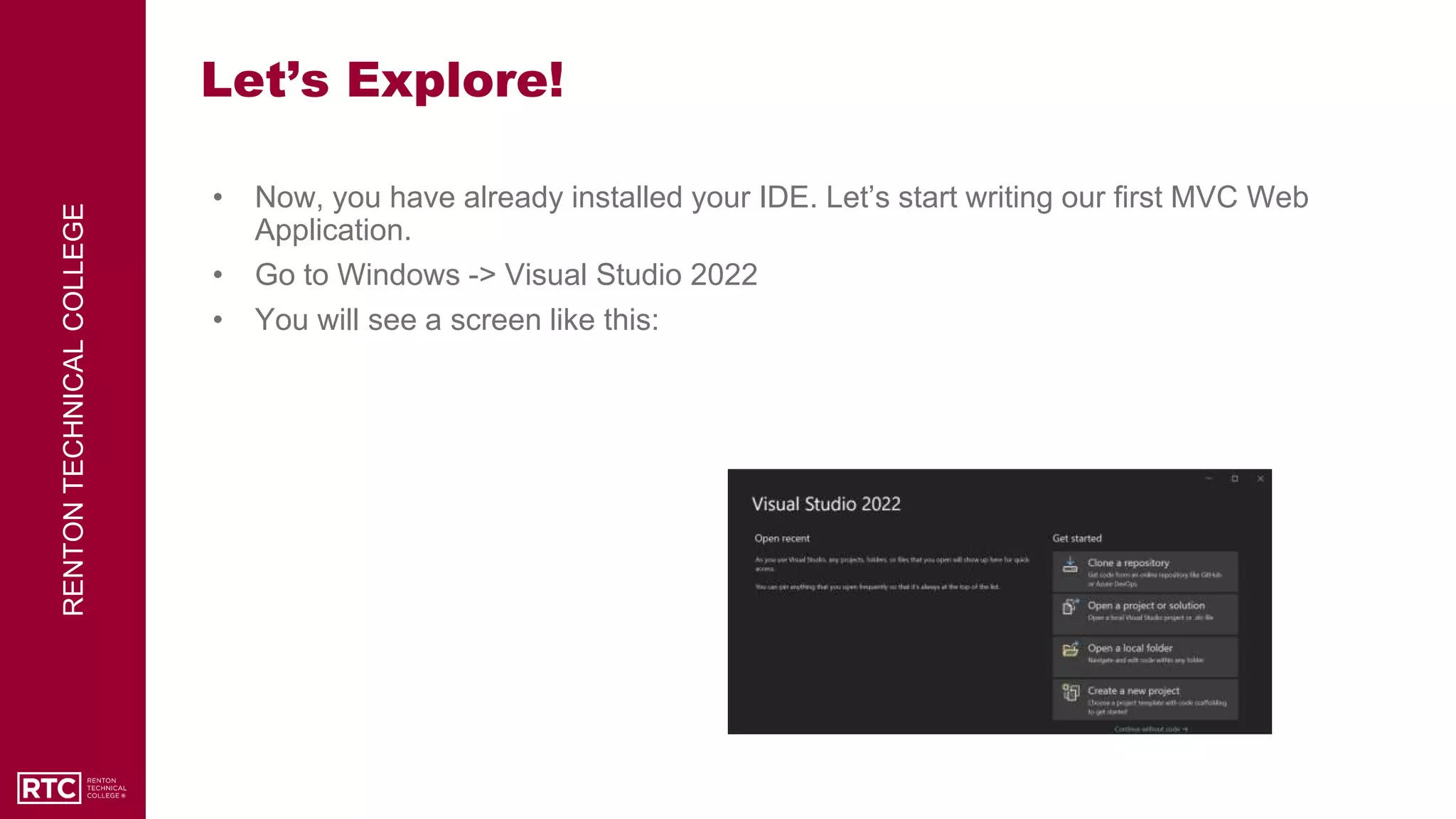
• Now, you have already installed your IDE. Let’s start writing our first MVC Web
Application.
• Go to Windows -> Visual Studio 2022
• You will see a screen like this:
RENTON
TECHNICAL
COLLEGE
Exploration Contd.
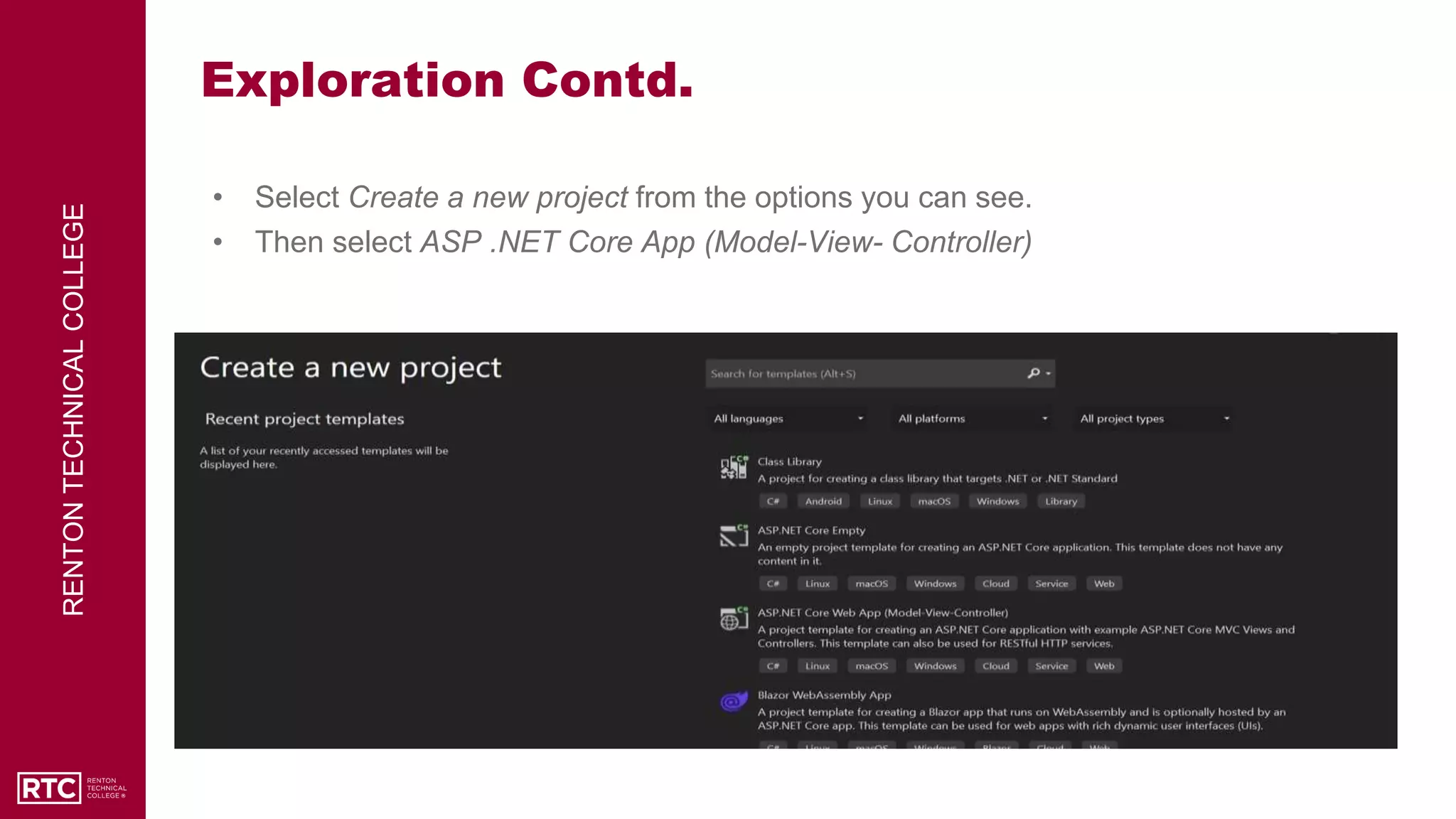
• Select Create a new project from the options you can see.
• Then select ASP .NET Core App (Model-View- Controller)
RENTON
TECHNICAL
COLLEGE
Exploration Contd.
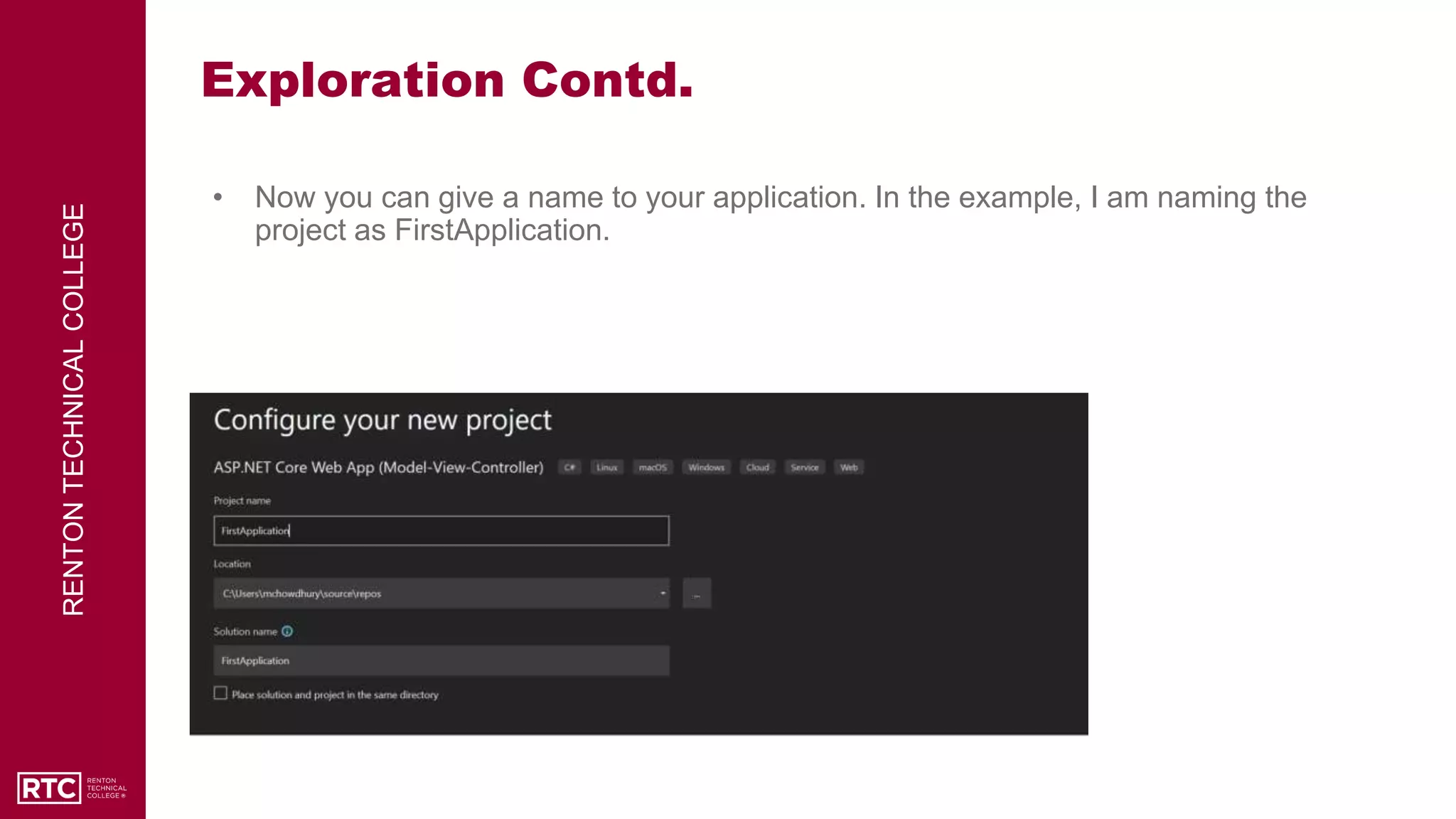
• Now you can give a name to your application. In the example, I am naming the
project as FirstApplication.
RENTON
TECHNICAL
COLLEGE
Exploration Contd.
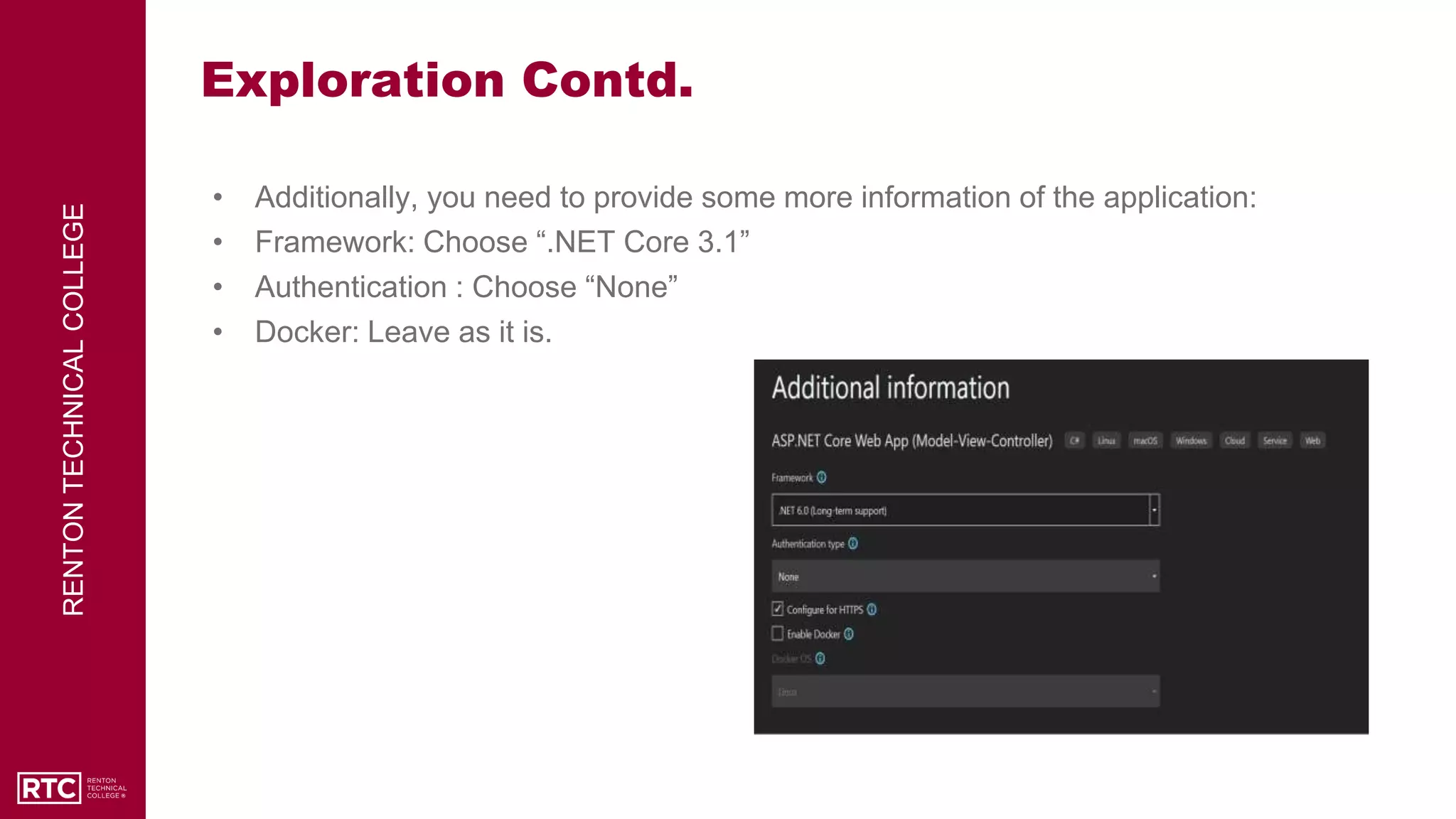
• Additionally, you need to provide some more information of the application:
• Framework: Choose “.NET Core 3.1”
• Authentication : Choose “None”
• Docker: Leave as it is.
RENTON
TECHNICAL
COLLEGE
Exploration Contd.
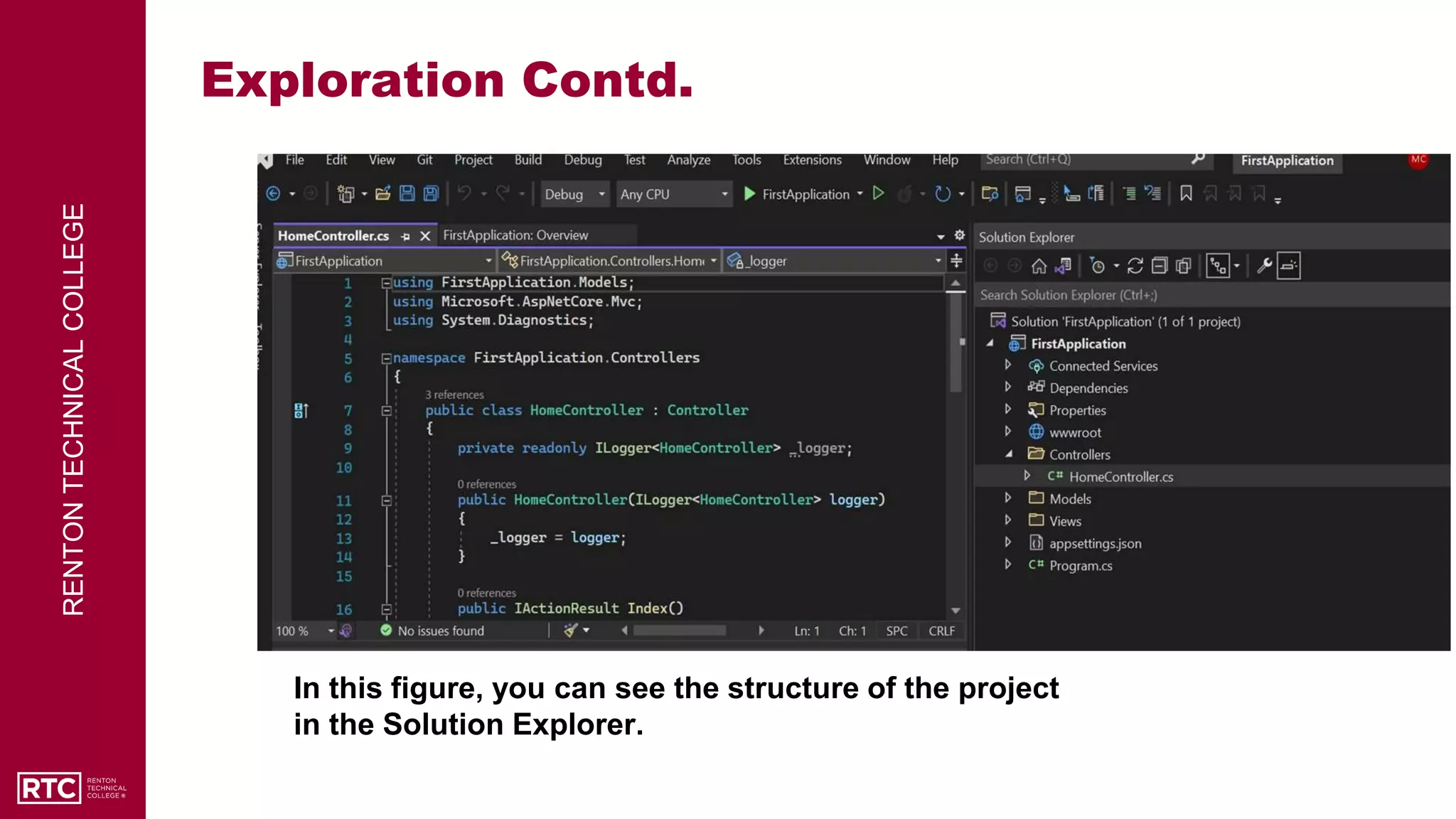
In this figure, you can see the structure of the project
in the Solution Explorer.
RENTON
TECHNICAL
COLLEGE
Running your First Application!
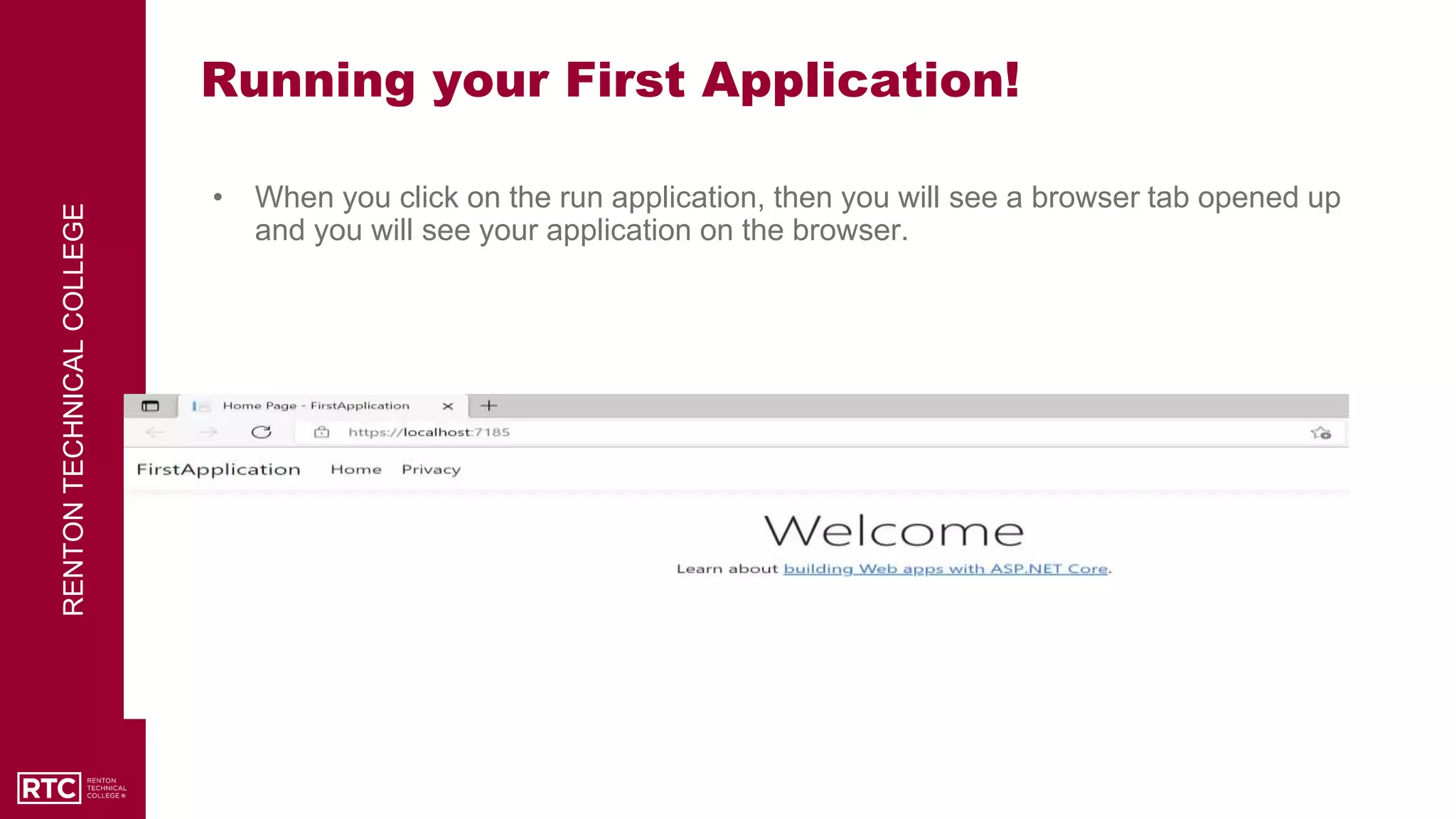
• When you click on the run application, then you will see a browser tab opened up
and you will see your application on the browser.
RENTON
TECHNICAL
COLLEGE
Break-out room Sessions!
• Now, you have the opportunity to discuss about this lesson with your teammates.
• Please practice creating an application individually and share your understandings
and issues (if any) with your group.
• You have 30 minutes for this session.
RENTON
TECHNICAL
COLLEGE
Major Takeawys!
• Understanding about the tools We will use for this class.
• Getting ready with the platform to start writing source codes.
• Understanding the structure of the project and basic idea of running an application.
RENTON
TECHNICAL
COLLEGE
References
⮚ https://github.com/ - To create an account
⮚ https://visualstudio.microsoft.com/downloads/ - Download the software and install
the software. Community Version only.
⮚ The images are taken from Instructor’s IDE (Integrated Development Environment).
"Software Application Development I" by Naser Chowdhury, Renton Technical College is licensed
under CC BY 4.0

Week 1- Intro to Software Application Development I.pptx

  • 1.
    STUDENTS SUCCEED ATRTC Intro to Software Application Development I By Naser Chowdhury Email: mchowdhury@rtc.edu
  • 2.
    RENTON TECHNICAL COLLEGE Agenda of theLesson • Basic idea of the class and about Software Development • Software Installation and Configuration to start writing codes • Writing our very first ASP .NET Core Application • Break-out sessions to discuss about the topics • Major takeaways from this lesson
  • 3.
    RENTON TECHNICAL COLLEGE Basic Idea ofthe Class • In this class, We will discuss the core concepts that Students need to know to develop a software application. • We will develop ASP .NET Core 3 MVC (Model-View-Controller) Application. • From the syllabus, you have already had the idea about the IDE (Integrated Development Environment) to use and the book name we will be using. • Students will develop an application as their final work for this class. Students should use Database to store data values for the project.
  • 4.
    RENTON TECHNICAL COLLEGE IDE and ToolsSetup • As we discussed, We will be using Visual Studio 2022 as our IDE to write the application. So, please install the software from the link : https://visualstudio.microsoft.com/downloads/ • I will teach you to implement Internal and External Databases into your project. For Databases, you need to install Microsoft SQL Server 2019 from this link: https://www.microsoft.com/en-us/sql-server/sql-server-2019 • Students should create an account with GitHub at https://github.com/
  • 5.
    RENTON TECHNICAL COLLEGE Let’s Explore! • Now,you have already installed your IDE. Let’s start writing our first MVC Web Application. • Go to Windows -> Visual Studio 2022 • You will see a screen like this:
  • 6.
    RENTON TECHNICAL COLLEGE Exploration Contd. • SelectCreate a new project from the options you can see. • Then select ASP .NET Core App (Model-View- Controller)
  • 7.
    RENTON TECHNICAL COLLEGE Exploration Contd. • Nowyou can give a name to your application. In the example, I am naming the project as FirstApplication.
  • 8.
    RENTON TECHNICAL COLLEGE Exploration Contd. • Additionally,you need to provide some more information of the application: • Framework: Choose “.NET Core 3.1” • Authentication : Choose “None” • Docker: Leave as it is.
  • 9.
    RENTON TECHNICAL COLLEGE Exploration Contd. In thisfigure, you can see the structure of the project in the Solution Explorer.
  • 10.
    RENTON TECHNICAL COLLEGE Running your FirstApplication! • When you click on the run application, then you will see a browser tab opened up and you will see your application on the browser.
  • 11.
    RENTON TECHNICAL COLLEGE Break-out room Sessions! •Now, you have the opportunity to discuss about this lesson with your teammates. • Please practice creating an application individually and share your understandings and issues (if any) with your group. • You have 30 minutes for this session.
  • 12.
    RENTON TECHNICAL COLLEGE Major Takeawys! • Understandingabout the tools We will use for this class. • Getting ready with the platform to start writing source codes. • Understanding the structure of the project and basic idea of running an application.
  • 13.
    RENTON TECHNICAL COLLEGE References ⮚ https://github.com/ -To create an account ⮚ https://visualstudio.microsoft.com/downloads/ - Download the software and install the software. Community Version only. ⮚ The images are taken from Instructor’s IDE (Integrated Development Environment). "Software Application Development I" by Naser Chowdhury, Renton Technical College is licensed under CC BY 4.0