What is Virtualization:
• Virtualization is a proven software technology that is rapidly
transforming the IT landscape and fundamentally changing
the way that people compute.
• With VMware virtualization solutions you can reduce IT
costs while increasing the efficiency, utilization and flexibility
of their existing computer hardware.
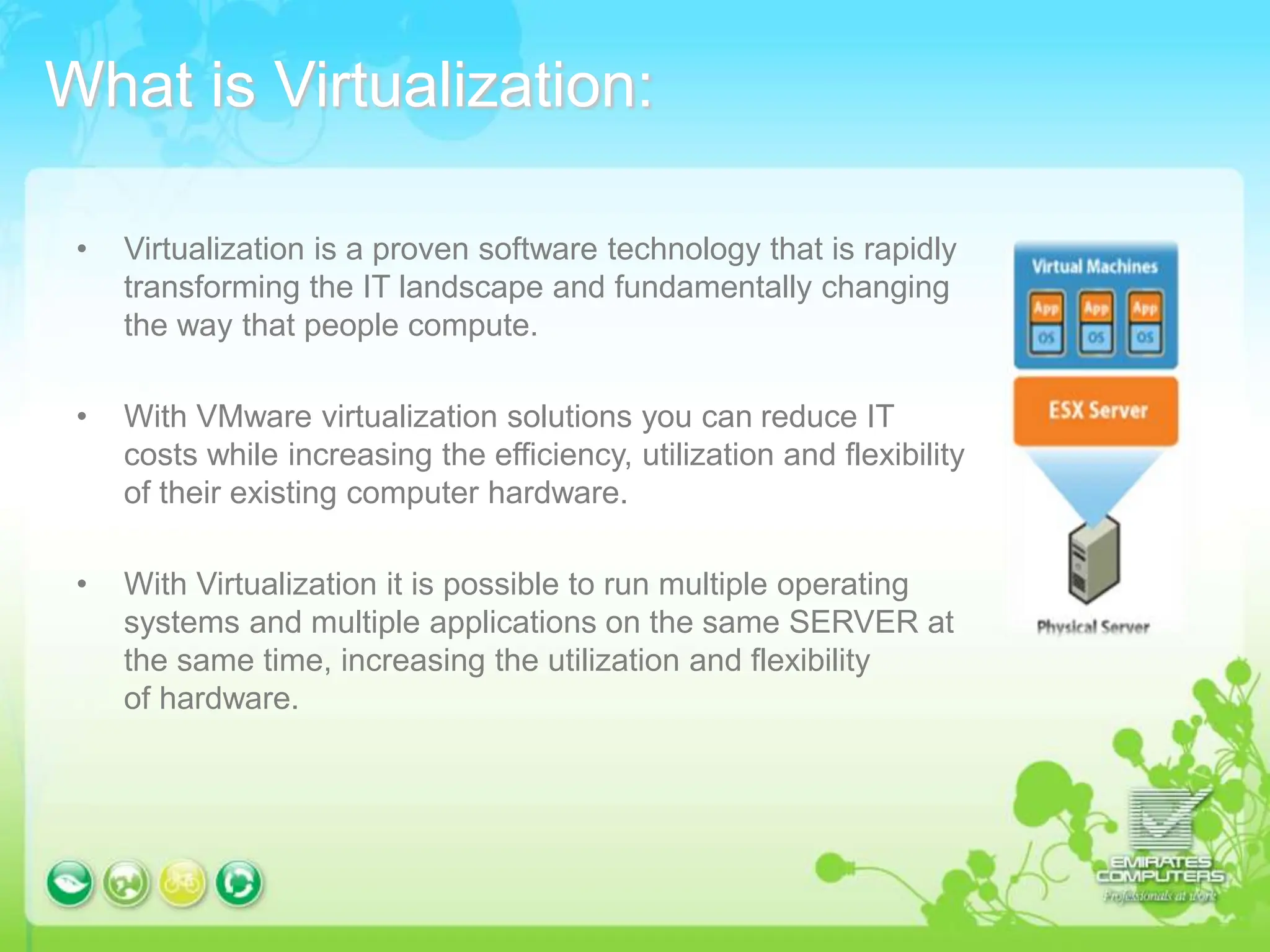
• With Virtualization it is possible to run multiple operating
systems and multiple applications on the same SERVER at
the same time, increasing the utilization and flexibility
of hardware.
Reduce Energy Costs and Go Green with
VMware Virtualization
Reduce the energy demands of your datacenter by right-sizing
your IT infrastructure through consolidation and dynamic
management of computer capacity across a pool of servers.
VMware infrastructure delivers the resources your infrastructure
needs and enables you to:
-Reduce energy costs by 80%.
-Power down servers without affecting applications or users.
-Green your datacenter while decreasing costs and improving
service levels.
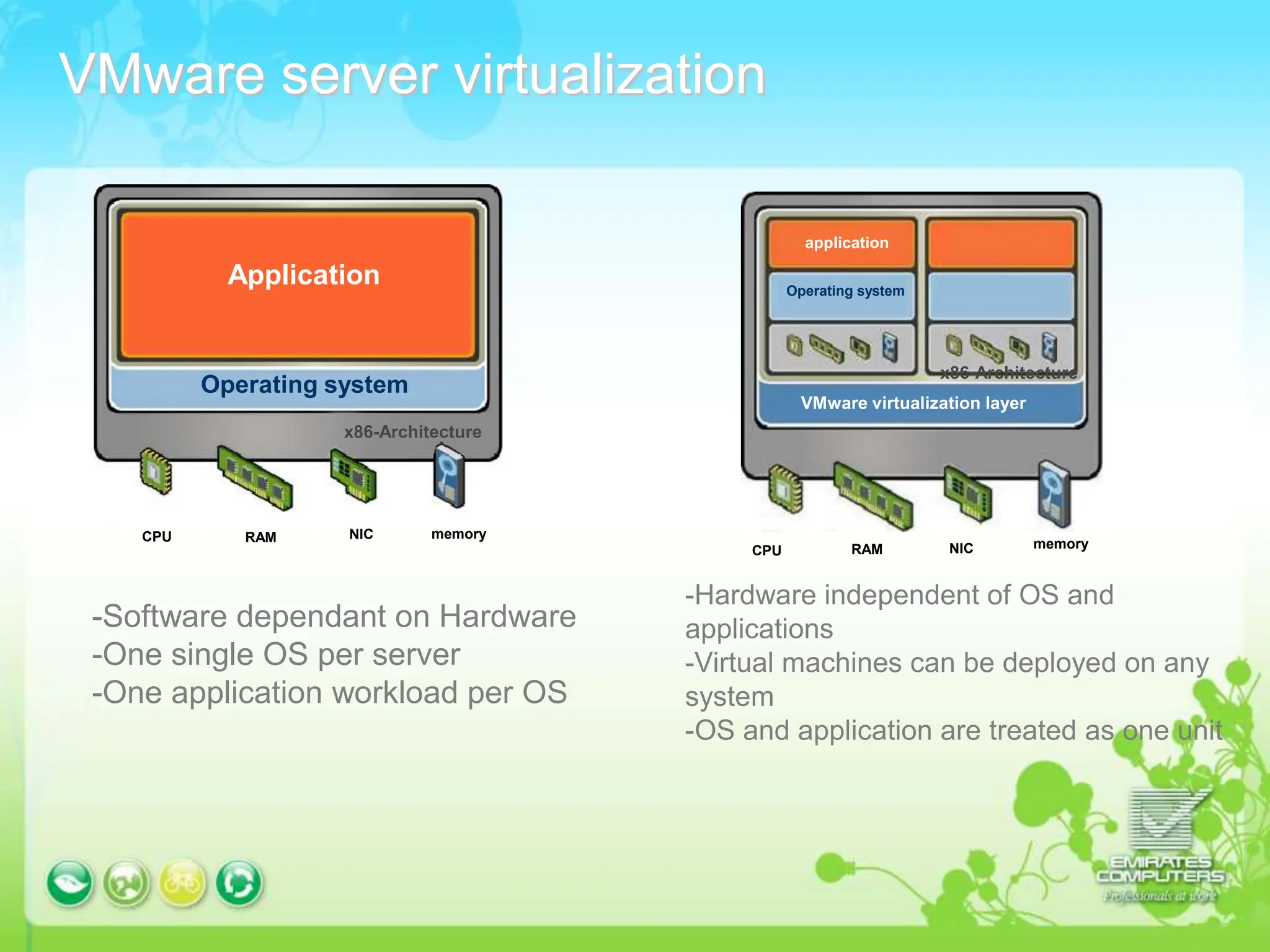
VMware server virtualization
Application
Operating system
x86-Architecture
application
Operating system
VMware virtualization layer
x86-Architecture
memory
NIC
RAM
CPU
memory
RAM NIC
CPU
-Software dependant on Hardware
-One single OS per server
-One application workload per OS
-Hardware independent of OS and
applications
-Virtual machines can be deployed on any
system
-OS and application are treated as one unit
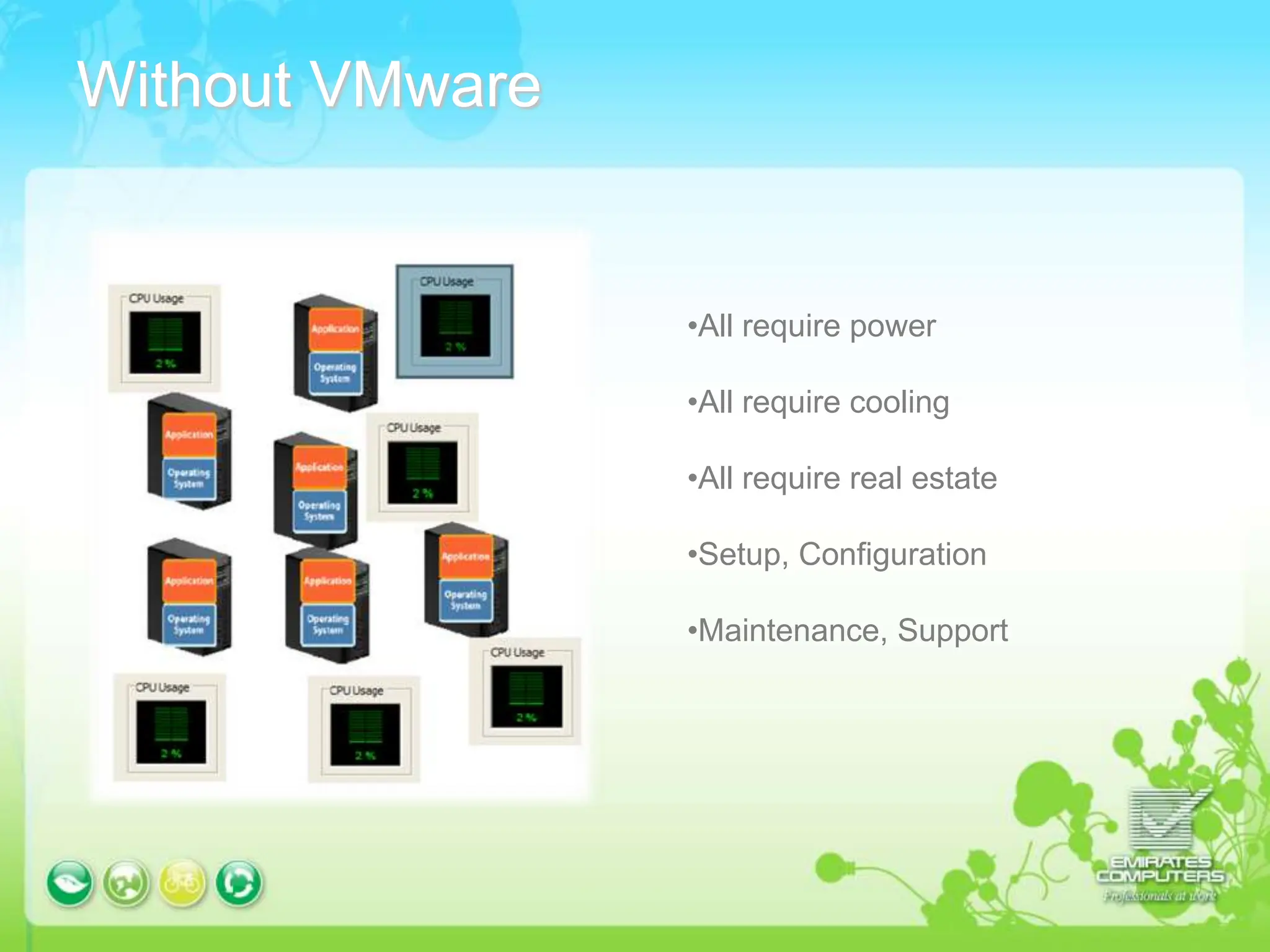
Without VMware
•All require power
•All require cooling
•All require real estate
•Setup, Configuration
•Maintenance, Support
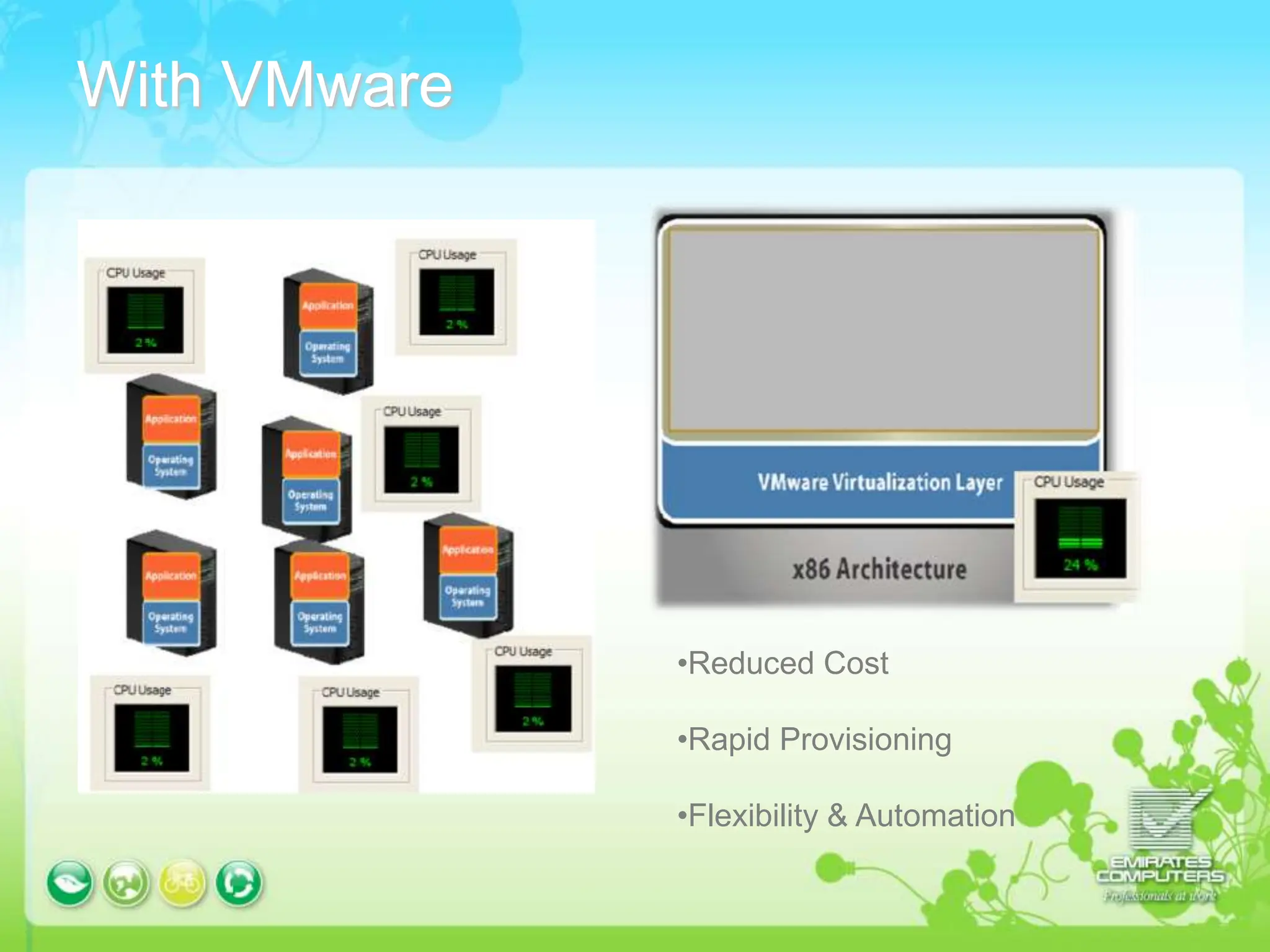
With VMware
•Reduced Cost
•Rapid Provisioning
•Flexibility & Automation
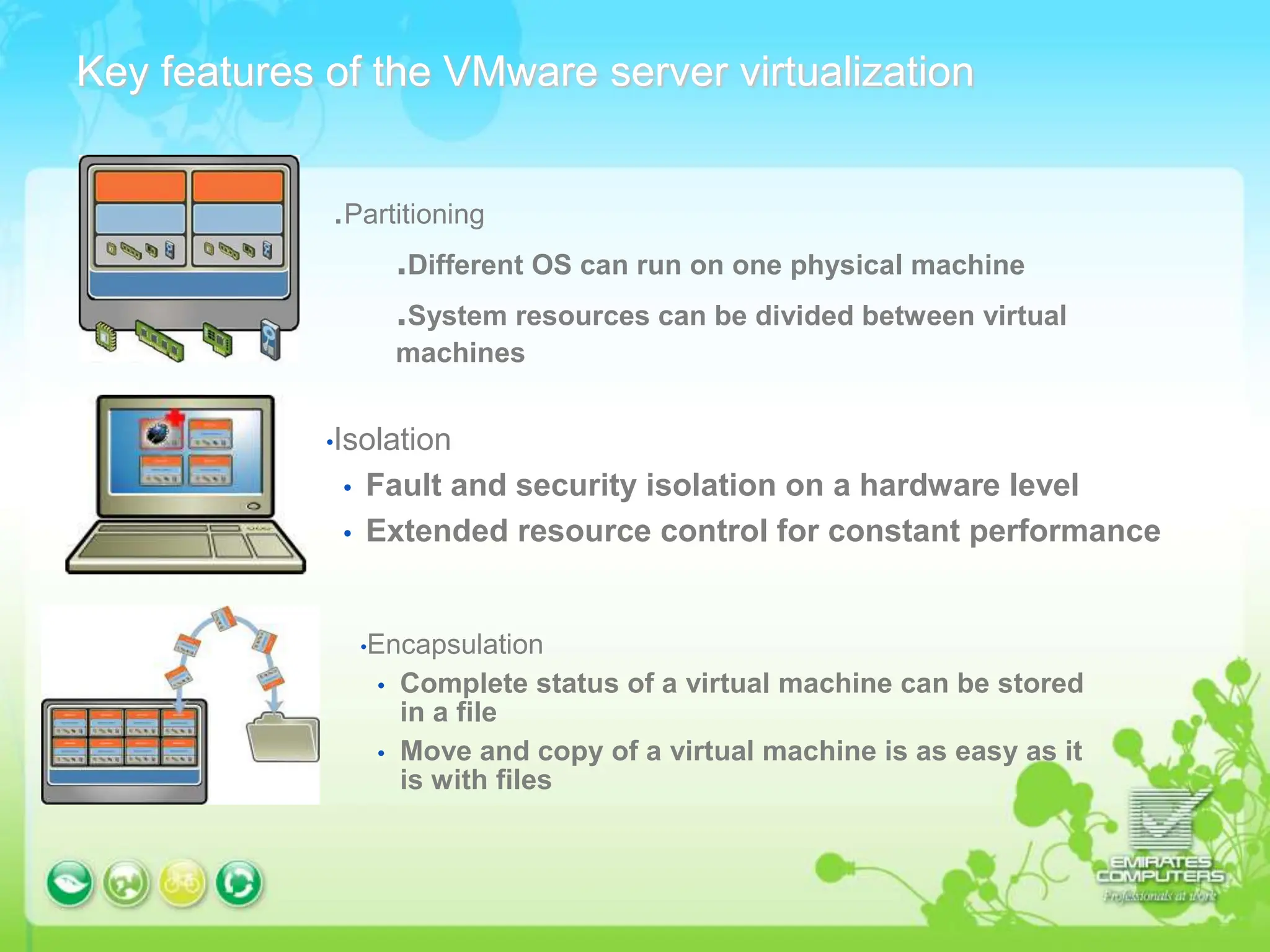
Key features of the VMware server virtualization
.Partitioning
.Different OS can run on one physical machine
.System resources can be divided between virtual
machines
•Isolation
 Fault and security isolation on a hardware level
 Extended resource control for constant performance
•Encapsulation
 Complete status of a virtual machine can be stored
in a file
 Move and copy of a virtual machine is as easy as it
is with files
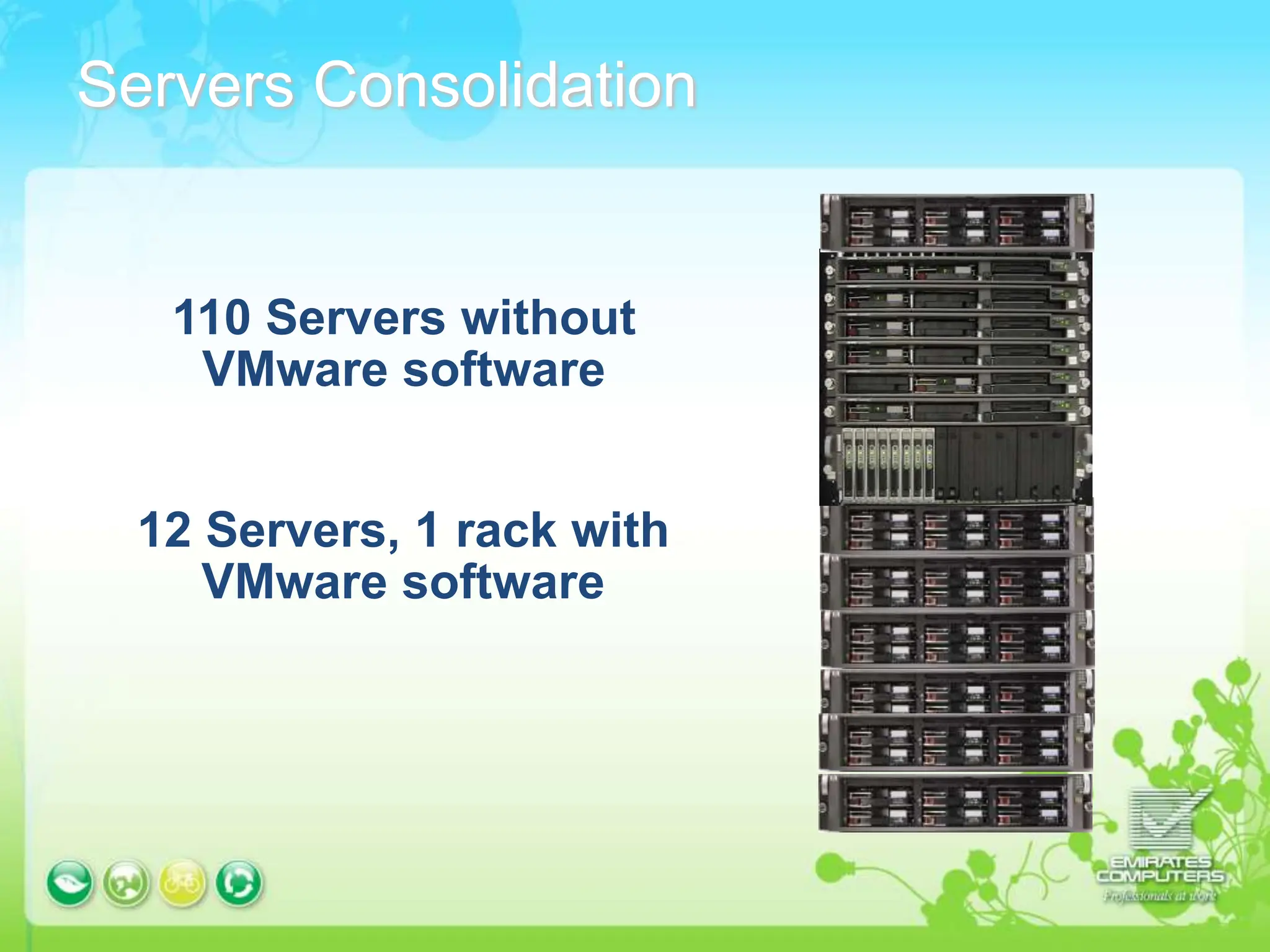
Servers Consolidation
110 Servers without
VMware software
12 Servers, 1 rack with
VMware software
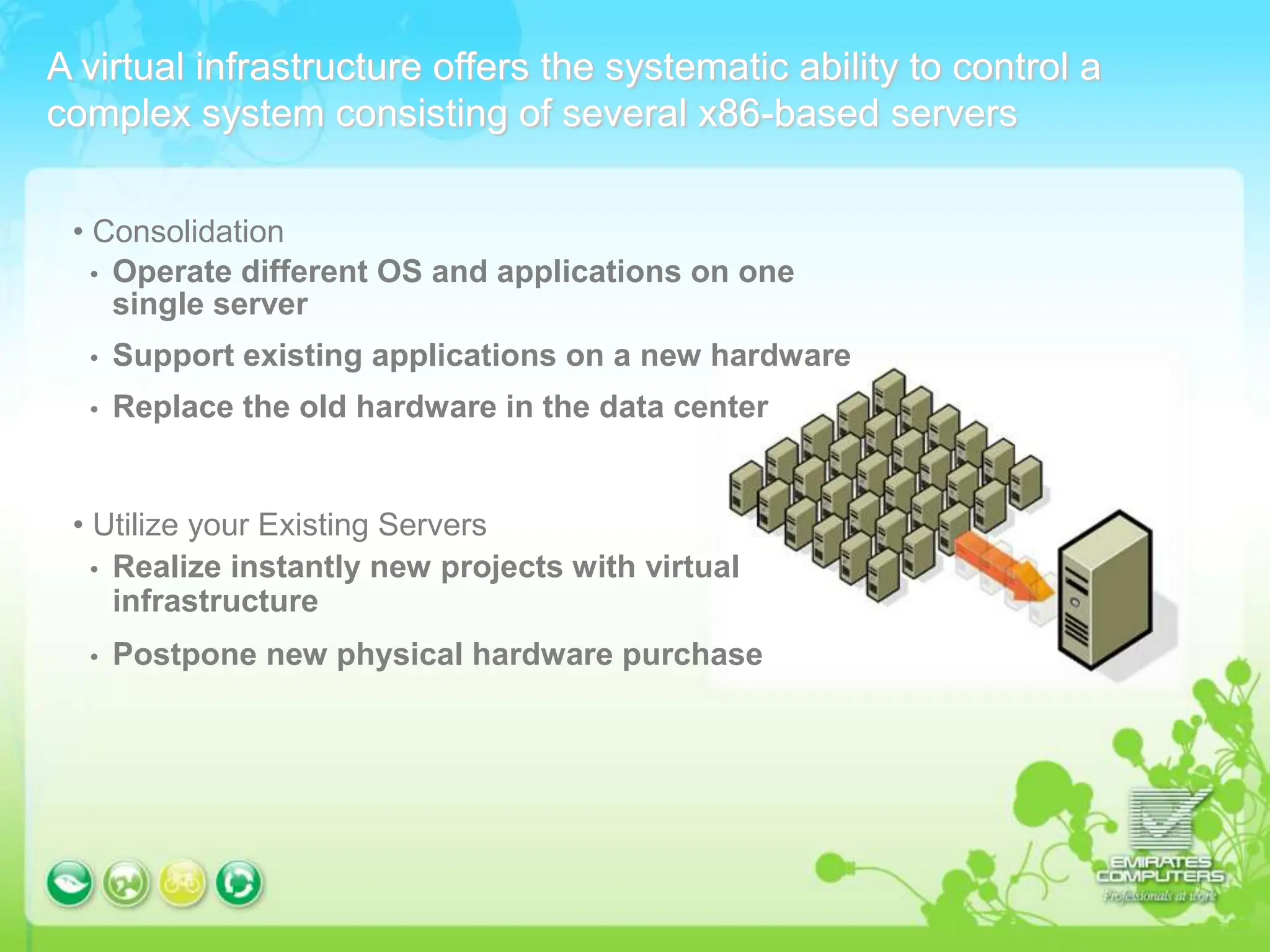
A virtual infrastructure offers the systematic ability to control a
complex system consisting of several x86-based servers
• Consolidation
 Operate different OS and applications on one
single server
 Support existing applications on a new hardware
 Replace the old hardware in the data center
• Utilize your Existing Servers
 Realize instantly new projects with virtual
infrastructure
 Postpone new physical hardware purchase
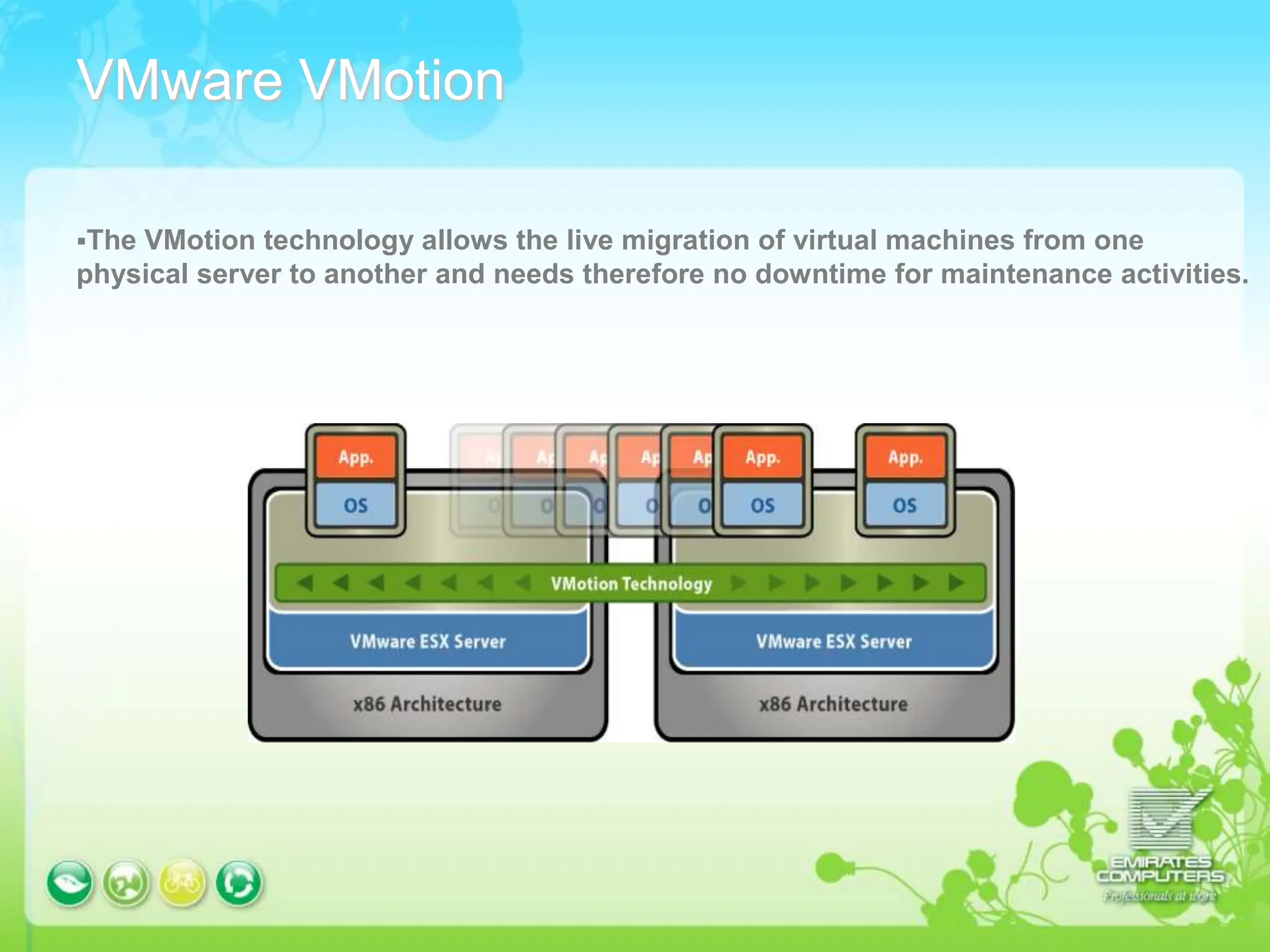
VMware VMotion
The VMotion technology allows the live migration of virtual machines from one
physical server to another and needs therefore no downtime for maintenance activities.
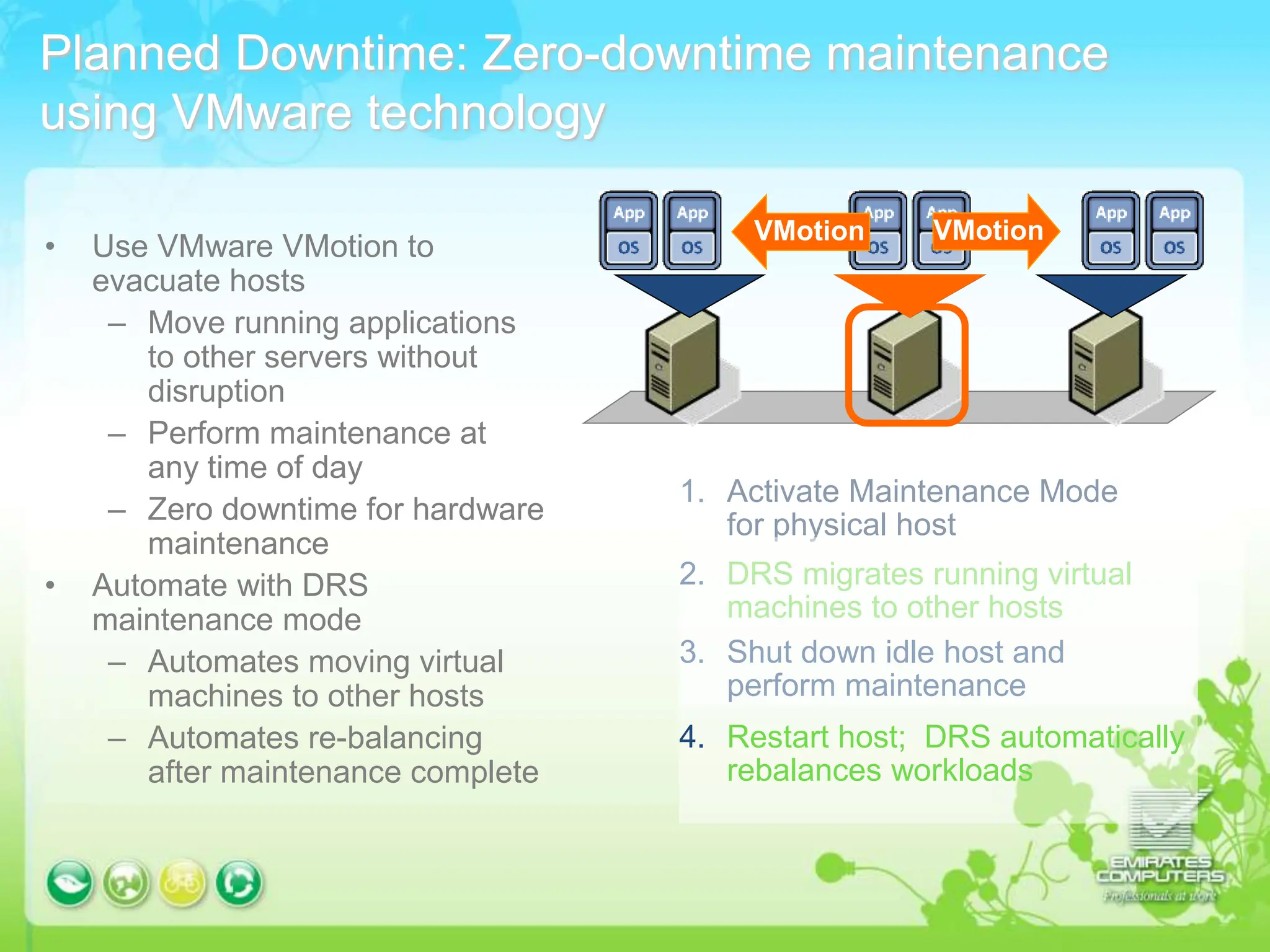
Planned Downtime: Zero-downtime maintenance
using VMware technology
• Use VMware VMotion to
evacuate hosts
– Move running applications
to other servers without
disruption
– Perform maintenance at
any time of day
– Zero downtime for hardware
maintenance
• Automate with DRS
maintenance mode
– Automates moving virtual
machines to other hosts
– Automates re-balancing
after maintenance complete
1. Activate Maintenance Mode
for physical host
2. DRS migrates running virtual
machines to other hosts
3. Shut down idle host and
perform maintenance
4. Restart host; DRS automatically
rebalances workloads
VMotion
VMotion
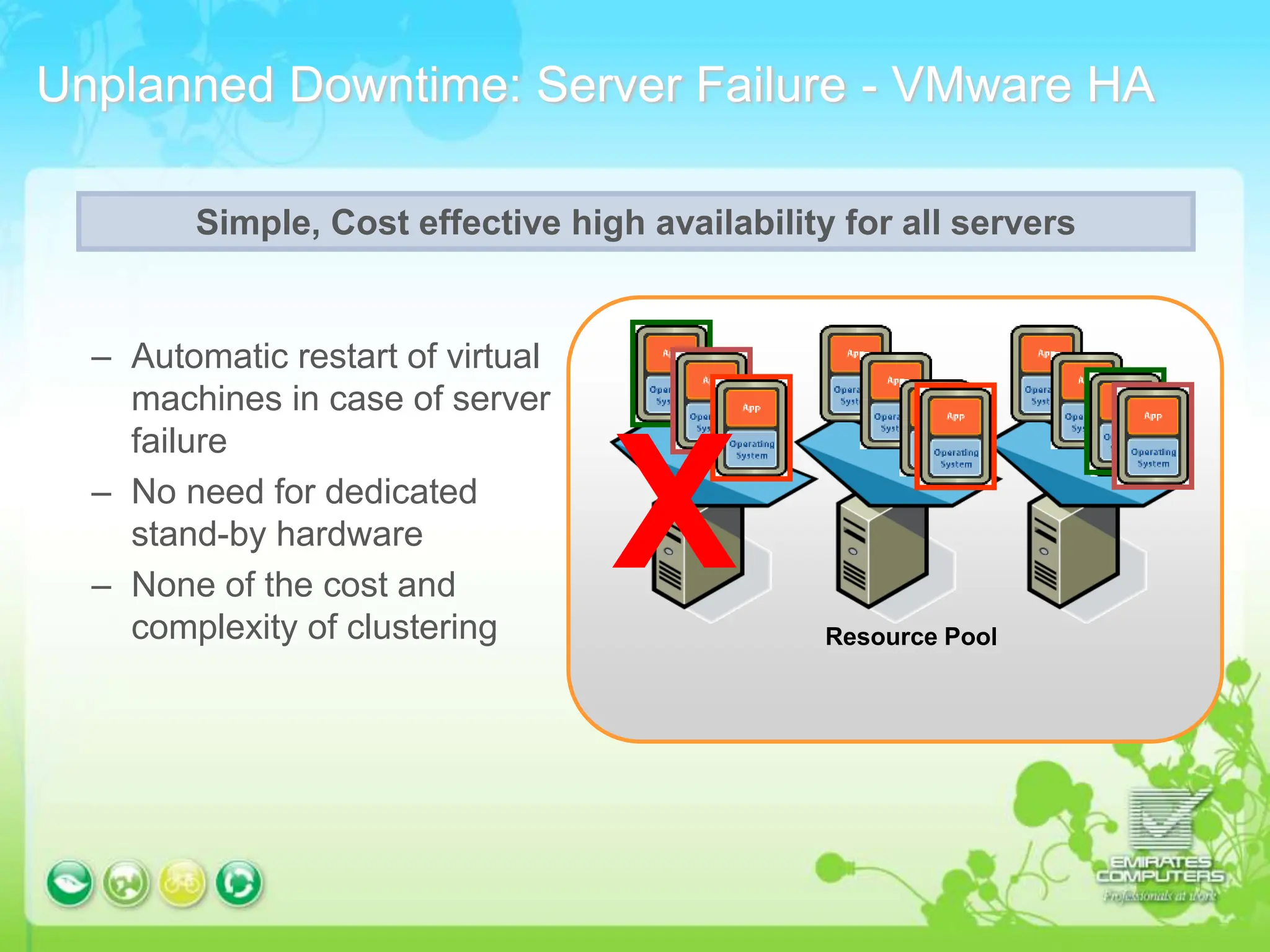
Unplanned Downtime: Server Failure - VMware HA
– Automatic restart of virtual
machines in case of server
failure
– No need for dedicated
stand-by hardware
– None of the cost and
complexity of clustering Resource Pool
X
Simple, Cost effective high availability for all servers
Benefits of VMware Virtualization
• Save money and streamline operations with server
consolidation and containment by running software
applications on fewer servers
• Provide high availability and disaster recovery to all your
applications at a fraction of the complexity and cost of
existing solutions
THANK YOU

vmwareyudyufudifyulllllllwedwlidwelil.ppt

  • 2.
    What is Virtualization: •Virtualization is a proven software technology that is rapidly transforming the IT landscape and fundamentally changing the way that people compute. • With VMware virtualization solutions you can reduce IT costs while increasing the efficiency, utilization and flexibility of their existing computer hardware. • With Virtualization it is possible to run multiple operating systems and multiple applications on the same SERVER at the same time, increasing the utilization and flexibility of hardware.
  • 3.
    Reduce Energy Costsand Go Green with VMware Virtualization Reduce the energy demands of your datacenter by right-sizing your IT infrastructure through consolidation and dynamic management of computer capacity across a pool of servers. VMware infrastructure delivers the resources your infrastructure needs and enables you to: -Reduce energy costs by 80%. -Power down servers without affecting applications or users. -Green your datacenter while decreasing costs and improving service levels.
  • 4.
    VMware server virtualization Application Operatingsystem x86-Architecture application Operating system VMware virtualization layer x86-Architecture memory NIC RAM CPU memory RAM NIC CPU -Software dependant on Hardware -One single OS per server -One application workload per OS -Hardware independent of OS and applications -Virtual machines can be deployed on any system -OS and application are treated as one unit
  • 5.
    Without VMware •All requirepower •All require cooling •All require real estate •Setup, Configuration •Maintenance, Support
  • 6.
    With VMware •Reduced Cost •RapidProvisioning •Flexibility & Automation
  • 7.
    Key features ofthe VMware server virtualization .Partitioning .Different OS can run on one physical machine .System resources can be divided between virtual machines •Isolation  Fault and security isolation on a hardware level  Extended resource control for constant performance •Encapsulation  Complete status of a virtual machine can be stored in a file  Move and copy of a virtual machine is as easy as it is with files
  • 8.
    Servers Consolidation 110 Serverswithout VMware software 12 Servers, 1 rack with VMware software
  • 9.
    A virtual infrastructureoffers the systematic ability to control a complex system consisting of several x86-based servers • Consolidation  Operate different OS and applications on one single server  Support existing applications on a new hardware  Replace the old hardware in the data center • Utilize your Existing Servers  Realize instantly new projects with virtual infrastructure  Postpone new physical hardware purchase
  • 10.
    VMware VMotion The VMotiontechnology allows the live migration of virtual machines from one physical server to another and needs therefore no downtime for maintenance activities.
  • 11.
    Planned Downtime: Zero-downtimemaintenance using VMware technology • Use VMware VMotion to evacuate hosts – Move running applications to other servers without disruption – Perform maintenance at any time of day – Zero downtime for hardware maintenance • Automate with DRS maintenance mode – Automates moving virtual machines to other hosts – Automates re-balancing after maintenance complete 1. Activate Maintenance Mode for physical host 2. DRS migrates running virtual machines to other hosts 3. Shut down idle host and perform maintenance 4. Restart host; DRS automatically rebalances workloads VMotion VMotion
  • 12.
    Unplanned Downtime: ServerFailure - VMware HA – Automatic restart of virtual machines in case of server failure – No need for dedicated stand-by hardware – None of the cost and complexity of clustering Resource Pool X Simple, Cost effective high availability for all servers
  • 13.
    Benefits of VMwareVirtualization • Save money and streamline operations with server consolidation and containment by running software applications on fewer servers • Provide high availability and disaster recovery to all your applications at a fraction of the complexity and cost of existing solutions
  • 14.