TEACHING IN THE
21ST CENTURY
https://www.youtube.com/watch?v=GCwtsAp2VyY
VIRTUAL
EDUCATION
VIRTUAL EDUCATION
+ According to Bravo and Buchelly (2020), the evolution from
face-to-face education to virtual education has been the result of
transformations that have defined different learning scenarios.
Requirements
In the virtual education (Guarín Alfonso, 2019) the following
requirements must be met:
+ Educational processes, interaction, communication, and
administration are accomplished through technological tools.
+ It is supported on LMS (Learning Management System)
platforms.
+ Horizontal interaction in synchronous and asynchronous
moments.
+ Use the internet and local networks as the principal support.
TYPES OF VIRTUAL EDUCATION
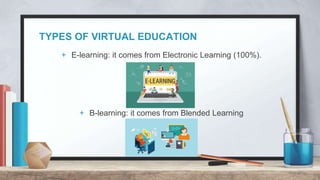
+ E-learning: it comes from Electronic Learning (100%).
+ B-learning: it comes from Blended Learning
LMS
+ E-learning or b-learning scenarios are characterized by their
high level of interaction. These scenarios are supported by AVA
(ambientes virtuales de aprendizaje / virtual learning
environments).
+ These enviroments are supported by LMS platforms (Learning
management system).
LMS
+ Payment virtual platforms:
+ Blackboard: it allows the management of online courses and
facilitates academic development in a meeting space for
synchronous and asynchronous communication.
+ Edutools
LMS
+ Free virtual platforms:
Moodle, Canvas, Chamilo, Dokeos, Atutor, Claroline among others.
EXAMPLE
+ MOODDLE – USC
+ OVA (learning objects)
QUIZIZZ
ACTIVITY
ONLINE TOOLS FOR TEACHING
CLASSKICK
+ Classkick is a free digital formative assessment tool that allows
teachers to create lessons and assignments.
+ https://youtu.be/HvSxM9KpTDE
+ https://app.classkick.com/#/account/rosters
Advantages:
+ To check the process of each student in real time.
+ To import classes from Google classroom
+ To publish assignments from other digital platforms (edpuzzle
and kahoot)
Disadvantage:
+ It is necessary to provide different codes for each lesson.
CLASSTOOLS
+ It’s a website that provides different tools for making a very dynamic class.
+ Random name picker, crosswords and arcade game generator.
https://classtools.net/
Advantage:
+ It’s not a monotonous platform, it offers different tools.
Disadvantage:
+ Problems with the platform, sometimes it doesn’t work properly.
ONLINE WHITEBOARDS
+ https://awwapp.com/#
ONLINE WHITEBOARDS
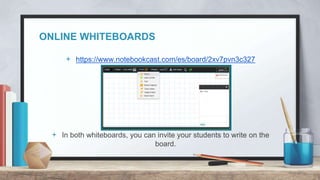
+ https://www.notebookcast.com/es/board/2xv7pvn3c327
+ In both whiteboards, you can invite your students to write on the
board.
ONLINE TIMERS
+ https://www.online-stopwatch.com/classroom-timers/
+ https://timer.o
+ https://www.timeanddate.com/timer/nlineclock.net/
EDOOME
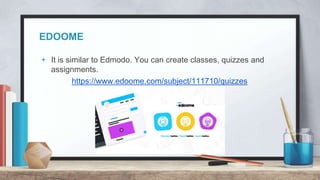
+ It is similar to Edmodo. You can create classes, quizzes and
assignments.
https://www.edoome.com/subject/111710/quizzes
+ Advantage:
+ It offers a very organized dashboard to publish material.
+ Disadvantage:
You can create quizzes with multiple choices (there’s no the option
for creating open-ended questions).
MAPMAKER (NATGEO)
+ https://mapmaker.nationalgeographic.org/
+ Tutorial: https://www.youtube.com/watch?v=mrVwjqqKC9k
PLICKERS
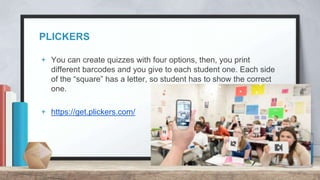
+ You can create quizzes with four options, then, you print
different barcodes and you give to each student one. Each side
of the “square” has a letter, so student has to show the correct
one.
+ https://get.plickers.com/
+ Poll everywhere
https://www.polleverywhere.com/
+ Quizalize
https://www.quizalize.com/
Tutorial video
https://www.youtube.com/watch?v=3M3We-Sl0tM
+ Other
https://artsandculture.google.com/color?col=GREEN
QUICK ACTIVITY
This activity may add or remove points for our first gradable activity.
+ Please read a myth about AI.
+ Present it to the rest of the class and add your conclusion as a group
about that myth.
You will be asked a question about a presentation made by a different
group. If you answer it, you will get some extra points. If you don’t answer
the question, you will lose points for the first gradable activity.
+ In groups of 5 people.

Virtual education - Types and tools.....

  • 1.
    TEACHING IN THE 21STCENTURY https://www.youtube.com/watch?v=GCwtsAp2VyY
  • 2.
  • 3.
    VIRTUAL EDUCATION + Accordingto Bravo and Buchelly (2020), the evolution from face-to-face education to virtual education has been the result of transformations that have defined different learning scenarios.
  • 4.
    Requirements In the virtualeducation (Guarín Alfonso, 2019) the following requirements must be met: + Educational processes, interaction, communication, and administration are accomplished through technological tools. + It is supported on LMS (Learning Management System) platforms. + Horizontal interaction in synchronous and asynchronous moments. + Use the internet and local networks as the principal support.
  • 5.
    TYPES OF VIRTUALEDUCATION + E-learning: it comes from Electronic Learning (100%). + B-learning: it comes from Blended Learning
  • 6.
    LMS + E-learning orb-learning scenarios are characterized by their high level of interaction. These scenarios are supported by AVA (ambientes virtuales de aprendizaje / virtual learning environments). + These enviroments are supported by LMS platforms (Learning management system).
  • 7.
    LMS + Payment virtualplatforms: + Blackboard: it allows the management of online courses and facilitates academic development in a meeting space for synchronous and asynchronous communication. + Edutools
  • 8.
    LMS + Free virtualplatforms: Moodle, Canvas, Chamilo, Dokeos, Atutor, Claroline among others.
  • 9.
    EXAMPLE + MOODDLE –USC + OVA (learning objects)
  • 10.
  • 11.
  • 12.
    CLASSKICK + Classkick isa free digital formative assessment tool that allows teachers to create lessons and assignments. + https://youtu.be/HvSxM9KpTDE + https://app.classkick.com/#/account/rosters
  • 13.
    Advantages: + To checkthe process of each student in real time. + To import classes from Google classroom + To publish assignments from other digital platforms (edpuzzle and kahoot) Disadvantage: + It is necessary to provide different codes for each lesson.
  • 14.
    CLASSTOOLS + It’s awebsite that provides different tools for making a very dynamic class. + Random name picker, crosswords and arcade game generator. https://classtools.net/
  • 15.
    Advantage: + It’s nota monotonous platform, it offers different tools. Disadvantage: + Problems with the platform, sometimes it doesn’t work properly.
  • 16.
  • 17.
    ONLINE WHITEBOARDS + https://www.notebookcast.com/es/board/2xv7pvn3c327 +In both whiteboards, you can invite your students to write on the board.
  • 18.
    ONLINE TIMERS + https://www.online-stopwatch.com/classroom-timers/ +https://timer.o + https://www.timeanddate.com/timer/nlineclock.net/
  • 19.
    EDOOME + It issimilar to Edmodo. You can create classes, quizzes and assignments. https://www.edoome.com/subject/111710/quizzes
  • 20.
    + Advantage: + Itoffers a very organized dashboard to publish material. + Disadvantage: You can create quizzes with multiple choices (there’s no the option for creating open-ended questions).
  • 21.
    MAPMAKER (NATGEO) + https://mapmaker.nationalgeographic.org/ +Tutorial: https://www.youtube.com/watch?v=mrVwjqqKC9k
  • 22.
    PLICKERS + You cancreate quizzes with four options, then, you print different barcodes and you give to each student one. Each side of the “square” has a letter, so student has to show the correct one. + https://get.plickers.com/
  • 28.
    + Poll everywhere https://www.polleverywhere.com/ +Quizalize https://www.quizalize.com/ Tutorial video https://www.youtube.com/watch?v=3M3We-Sl0tM + Other https://artsandculture.google.com/color?col=GREEN
  • 29.
    QUICK ACTIVITY This activitymay add or remove points for our first gradable activity. + Please read a myth about AI. + Present it to the rest of the class and add your conclusion as a group about that myth. You will be asked a question about a presentation made by a different group. If you answer it, you will get some extra points. If you don’t answer the question, you will lose points for the first gradable activity. + In groups of 5 people.