Hardware description languages (HDLs) allow designers to describe digital systems at different levels of abstraction in a textual format. The two most commonly used HDLs are Verilog and VHDL. Verilog is commonly used in the US, while VHDL is more popular in Europe. HDLs enable simulation of designs before fabrication to verify functionality. Digital designs can be modeled at the gate level, data flow level, or behavioral level in Verilog. Verilog code consists of a design module and test bench module to stimulate inputs and observe outputs.
HDL (Hardware Description Language) models digital systems, allowing design and simulation before hardware fabrication. Essential in VLSI for verifying complex designs.
Verilog is popular in US, used for digital logic chip design. VHDL is favored in Europe, often for FPGA design.
Common simulators for Verilog include Xilinx, Veriwell, and Model Sim. Veriwell is beginner-friendly.
Verilog has four abstraction levels: Behavioral, Data flow, Gate level, and Switch level, with a focus on Gate, Data flow, and Behavioral modeling.
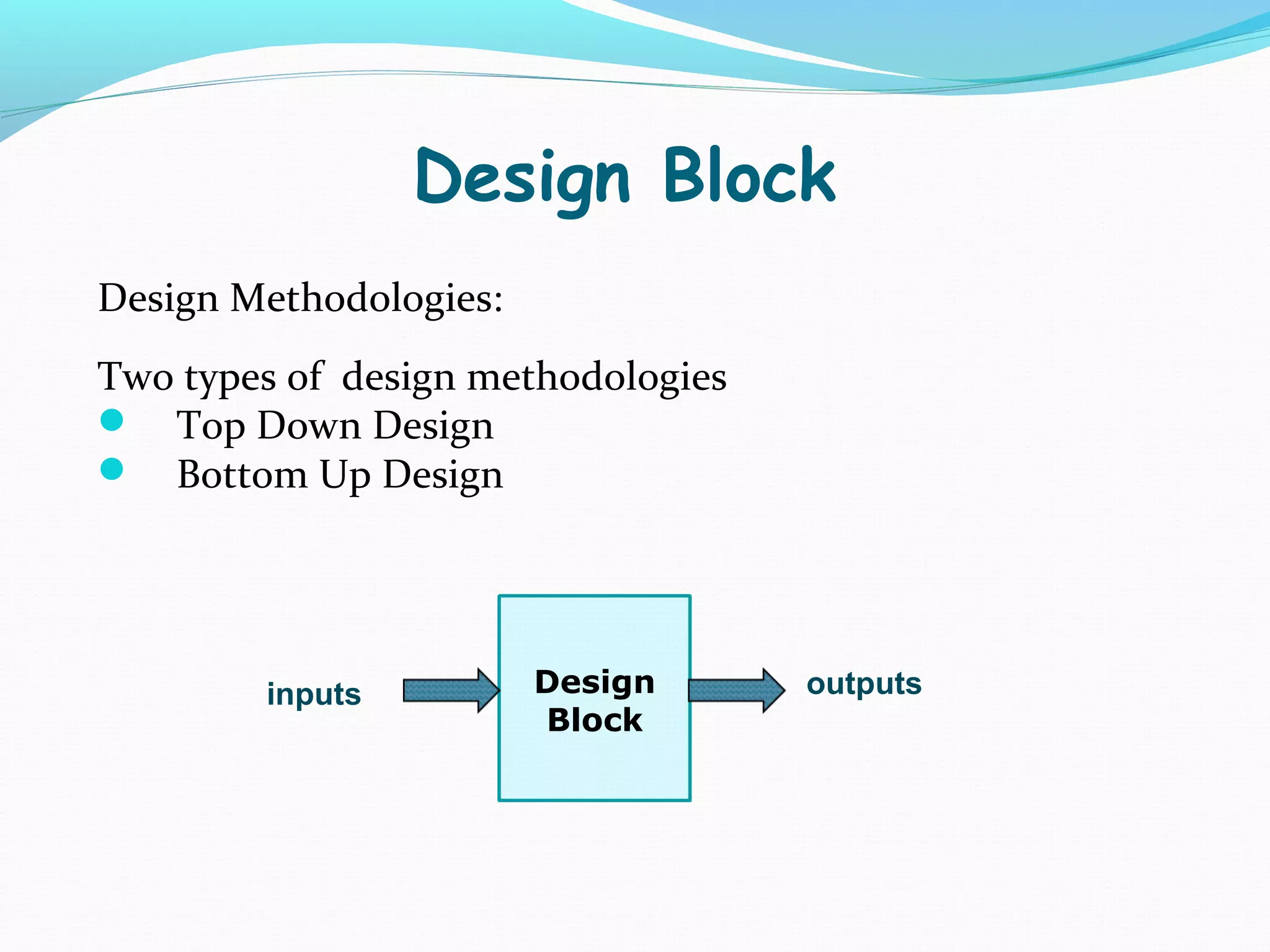
Verilog programs contain a Design Block (Module) and Testing Block (Stimulus). Two methodologies: Top Down and Bottom Up Design.
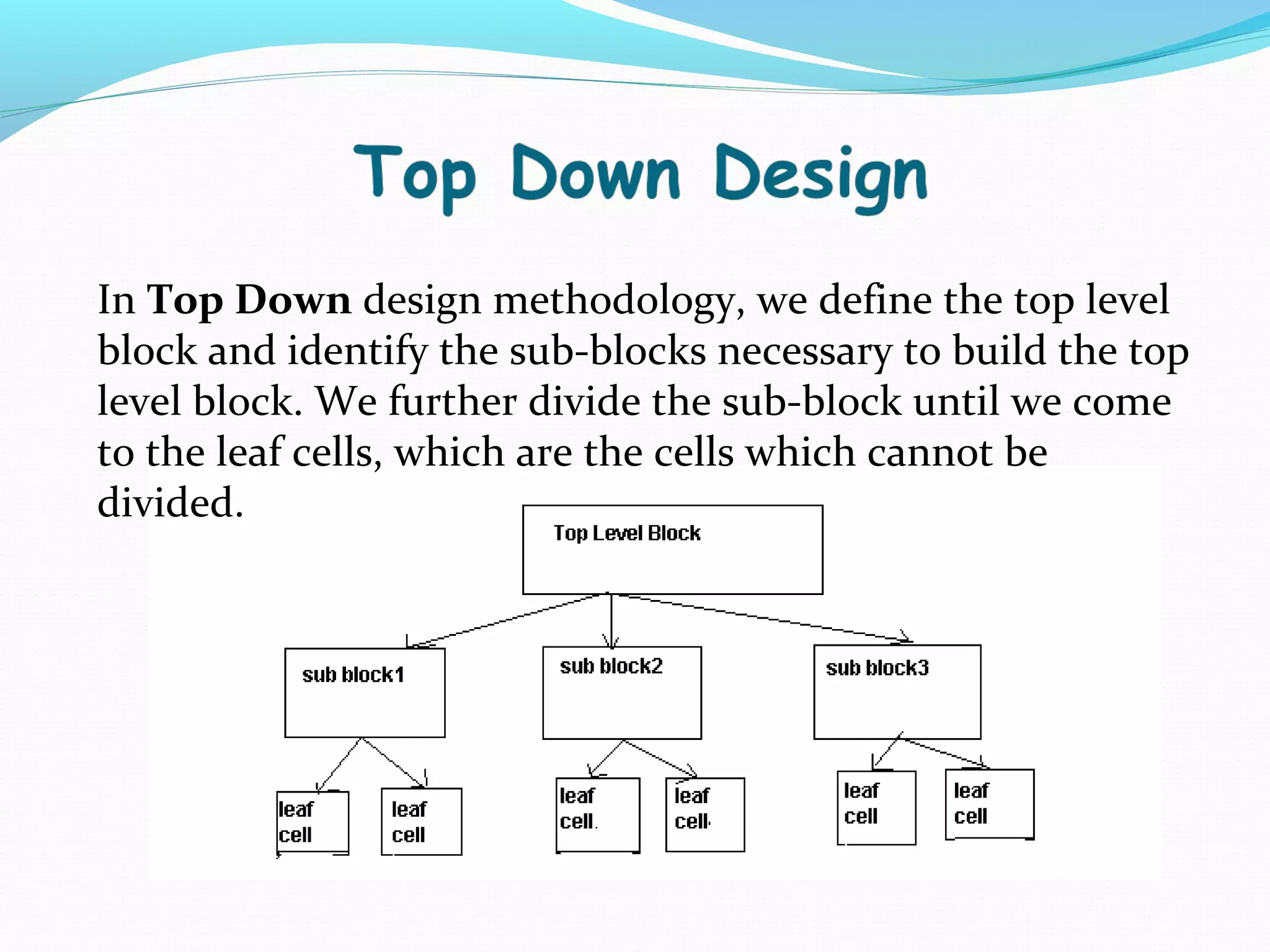
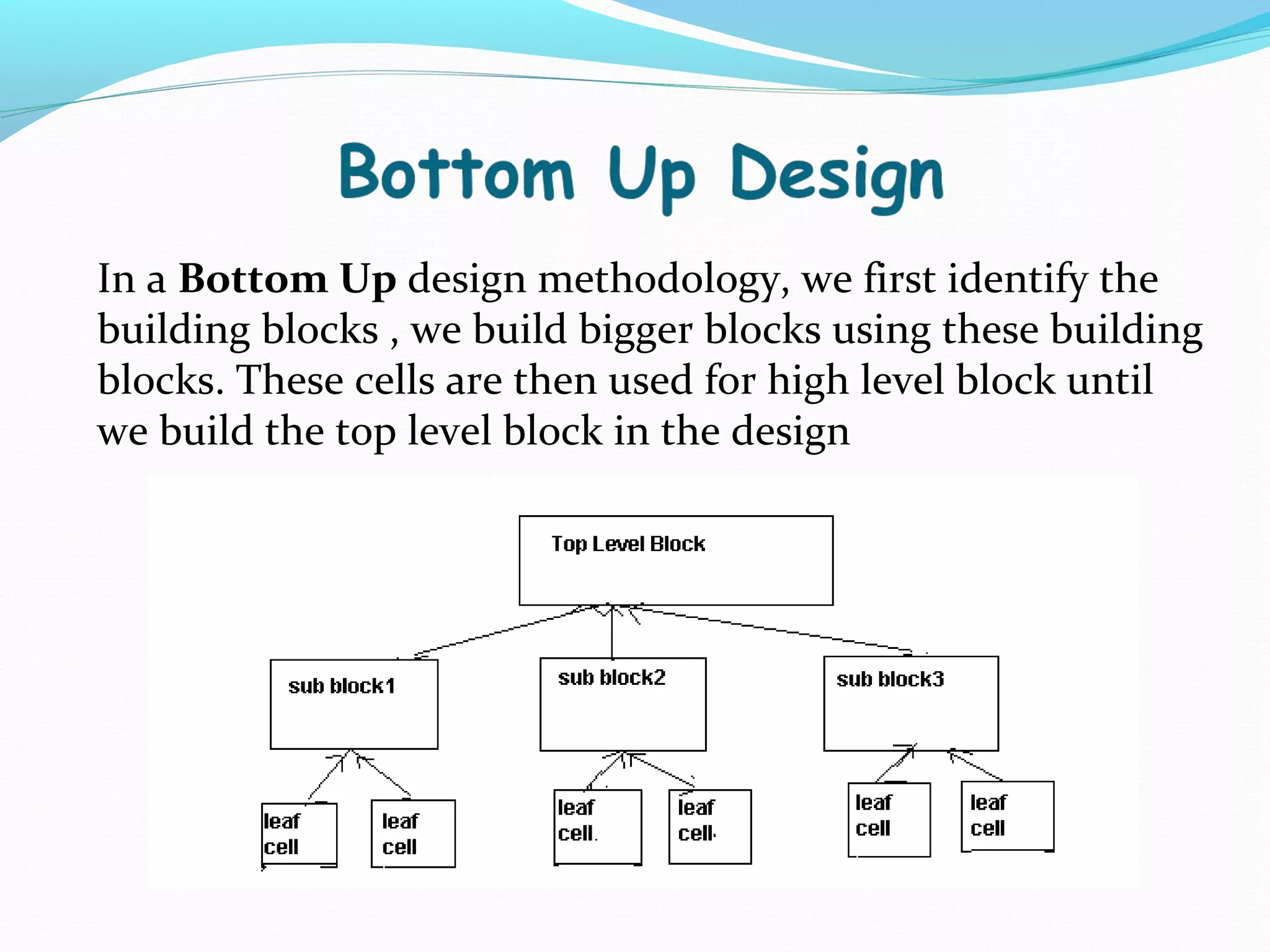
Top Down design starts with the main block and breaks it down into sub-blocks. Bottom Up design builds higher blocks from identified building blocks.
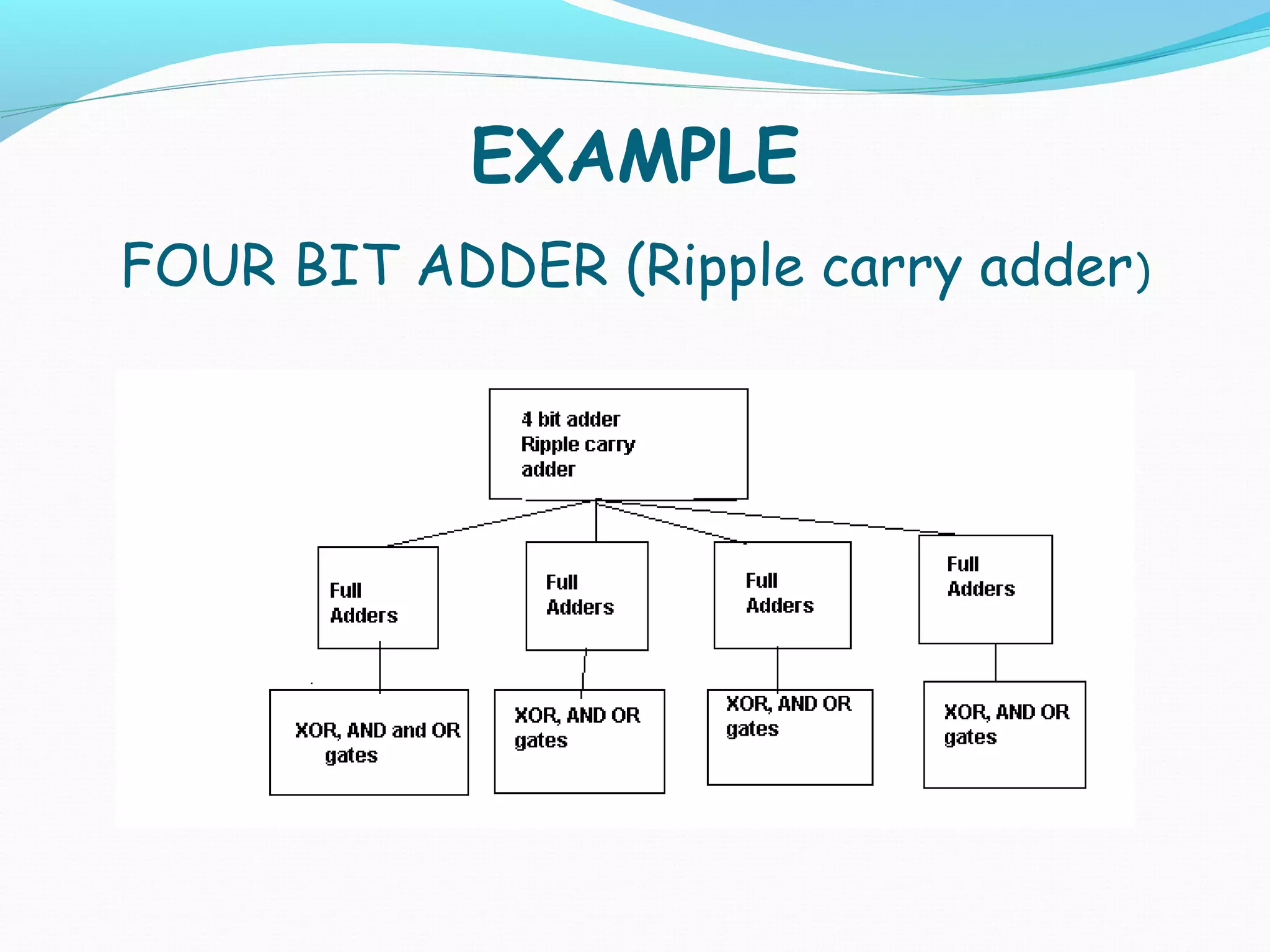
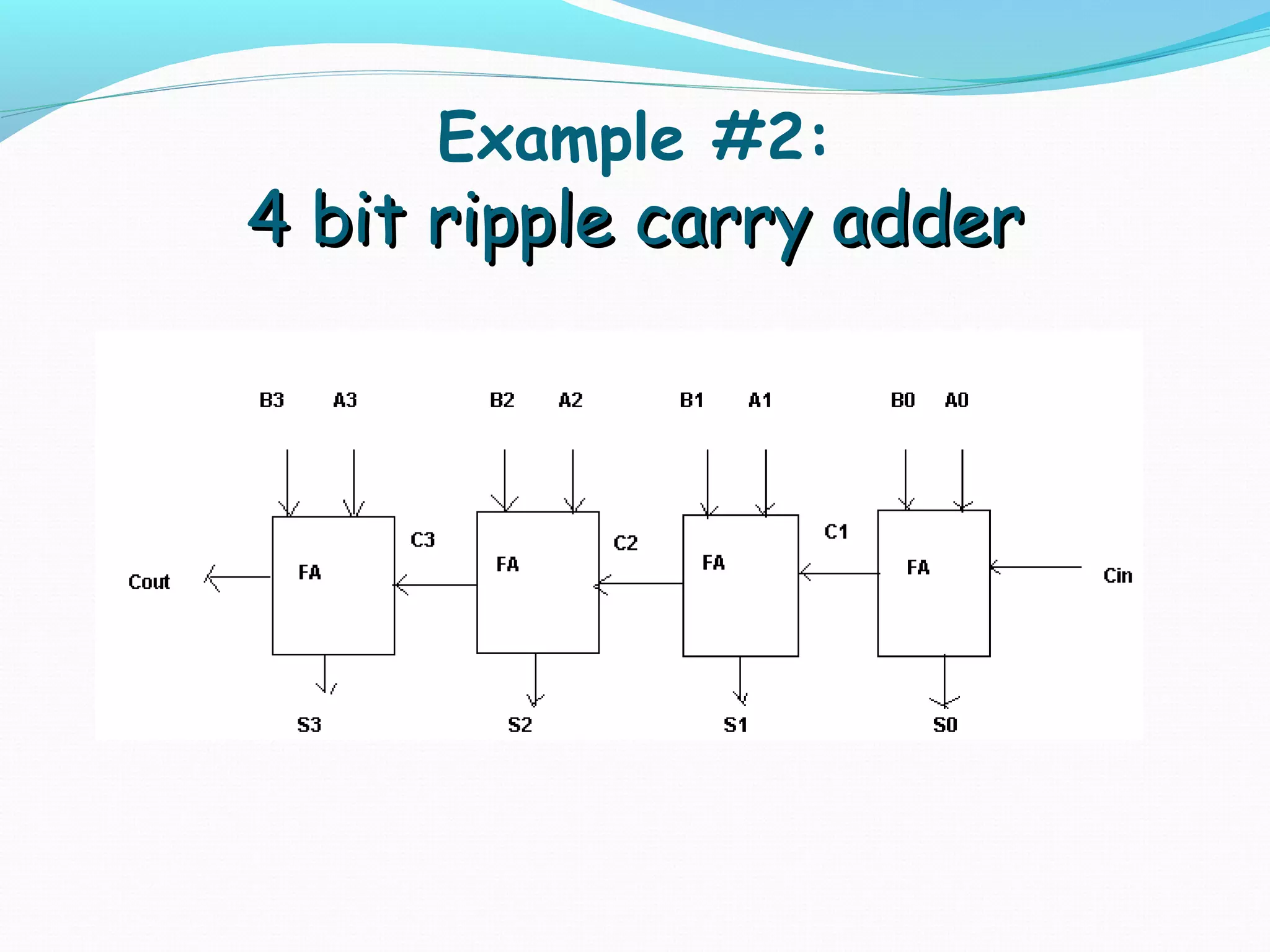
Illustrates a 4-bit adder (Ripple Carry Adder), emphasizing structural design in Verilog.
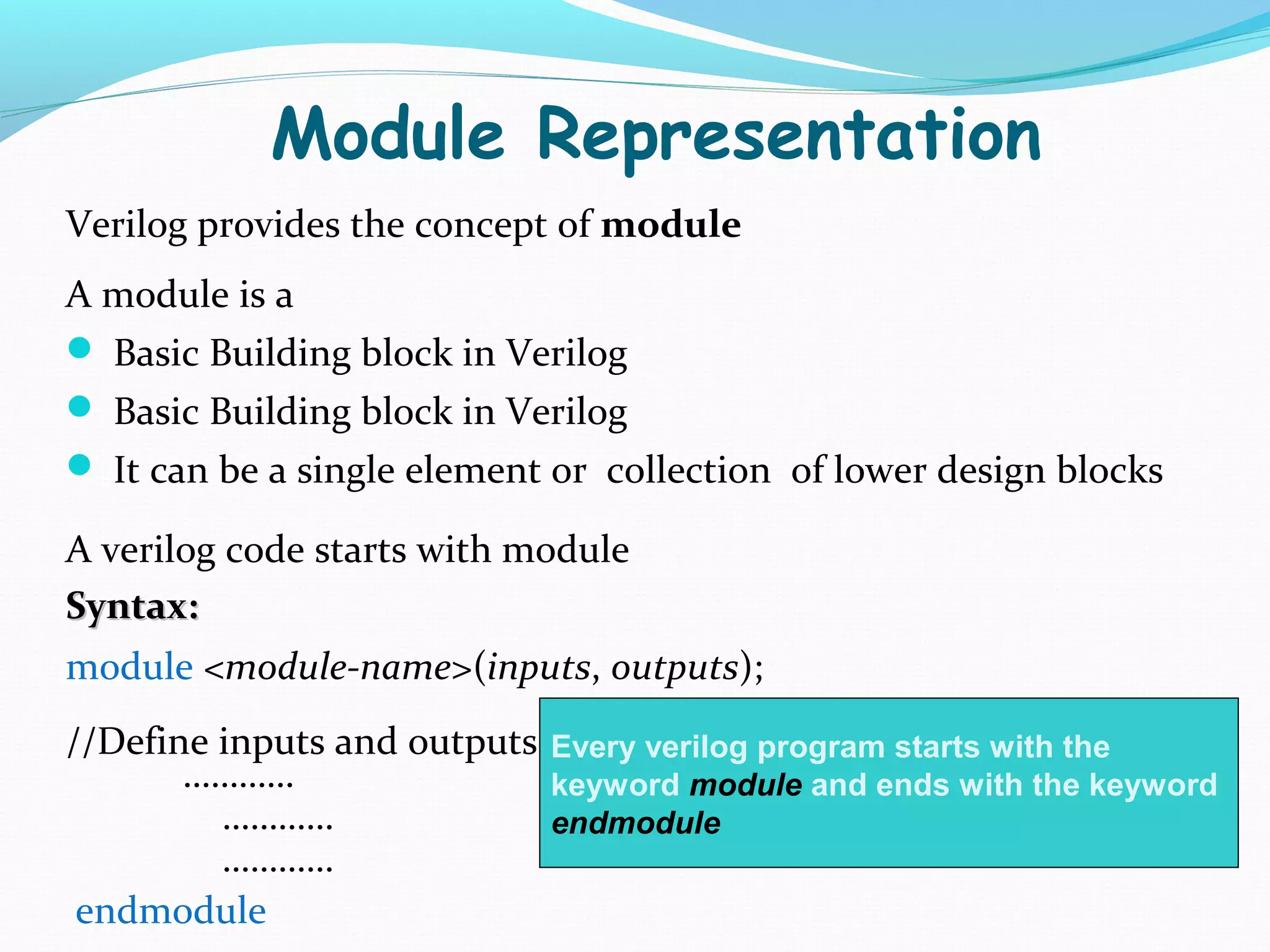
Modules are the basic building blocks in Verilog. Inputs and outputs are defined explicitly. Syntax outlined for module creation.
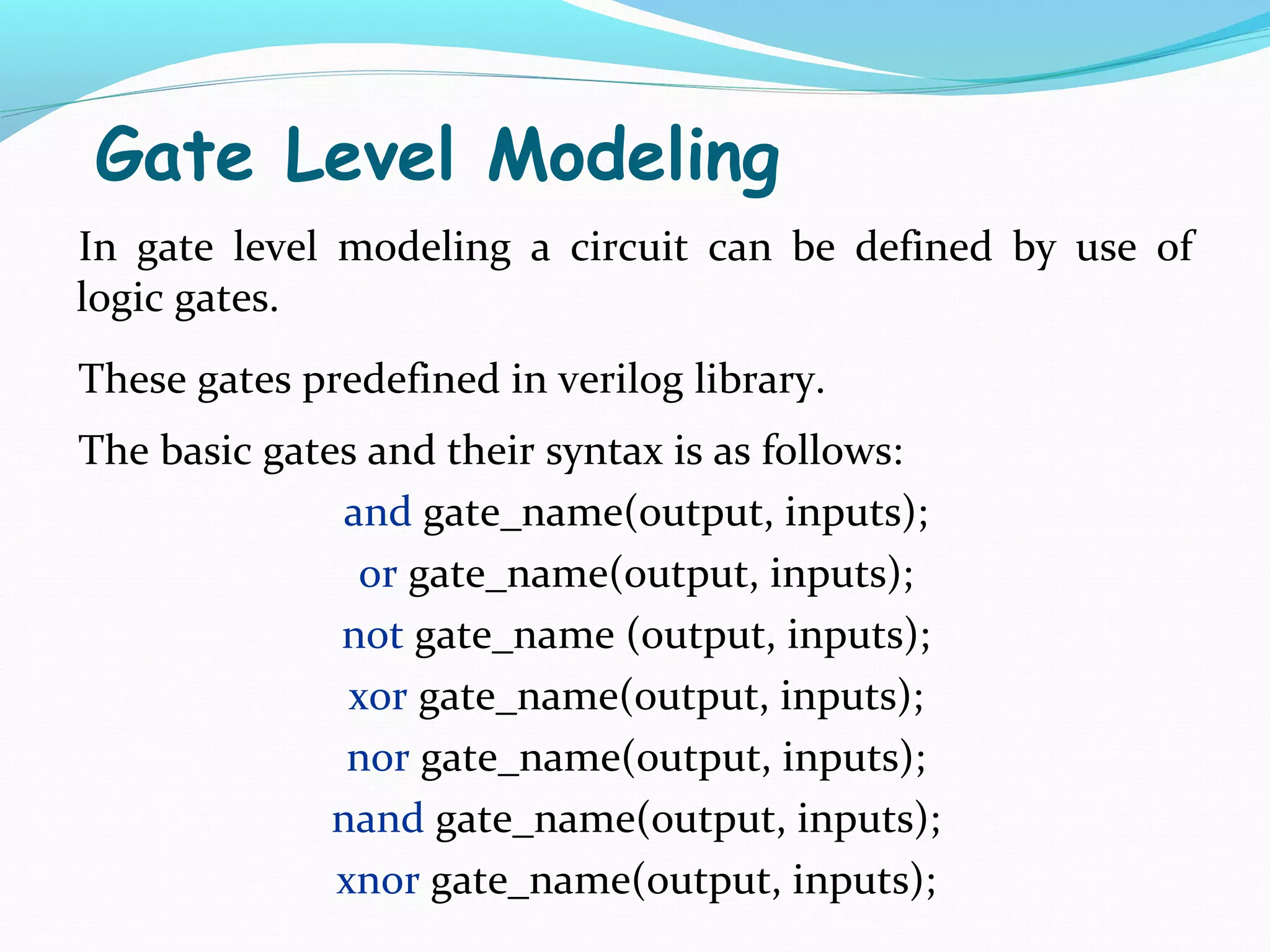
Gate Level Modeling uses predefined logic gates in Verilog. Syntax for AND, OR, NOT, XOR, and other gates is provided.
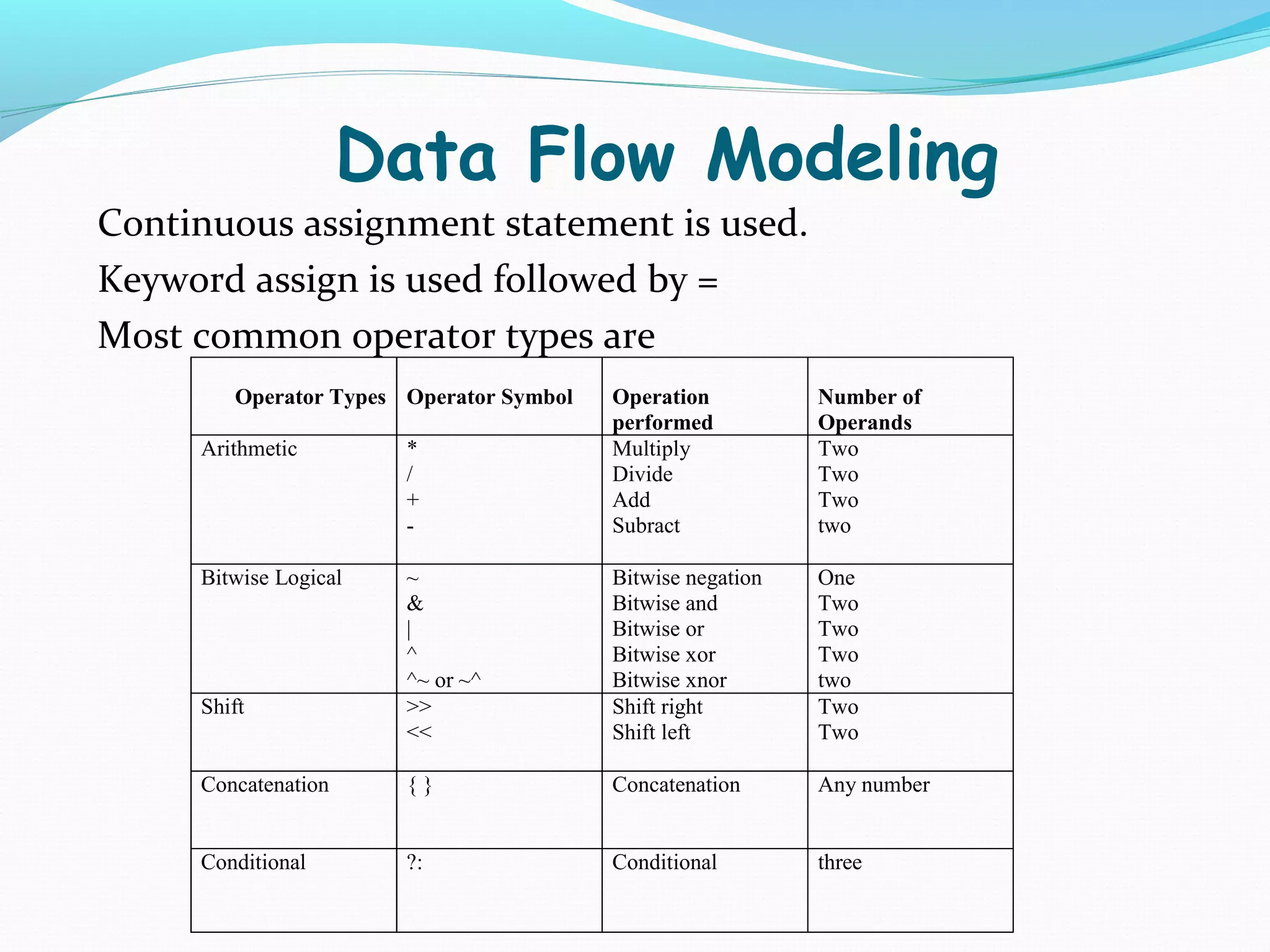
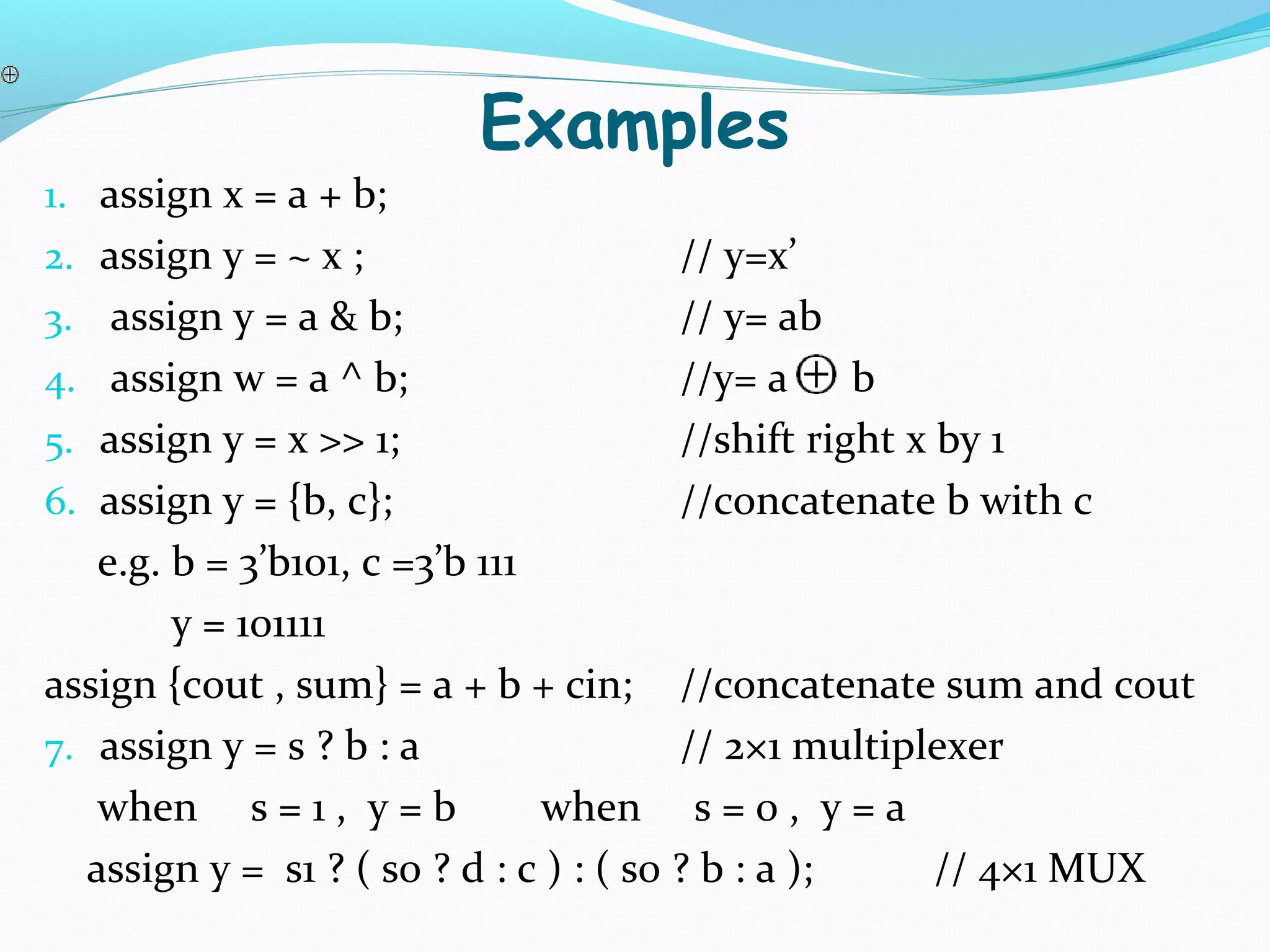
Continuous assignment in Data Flow Modeling uses the 'assign' keyword. Common operator types include arithmetic, bitwise, and conditional operations.
Module instantiation connects one module to another, typically in a test bench for testing.
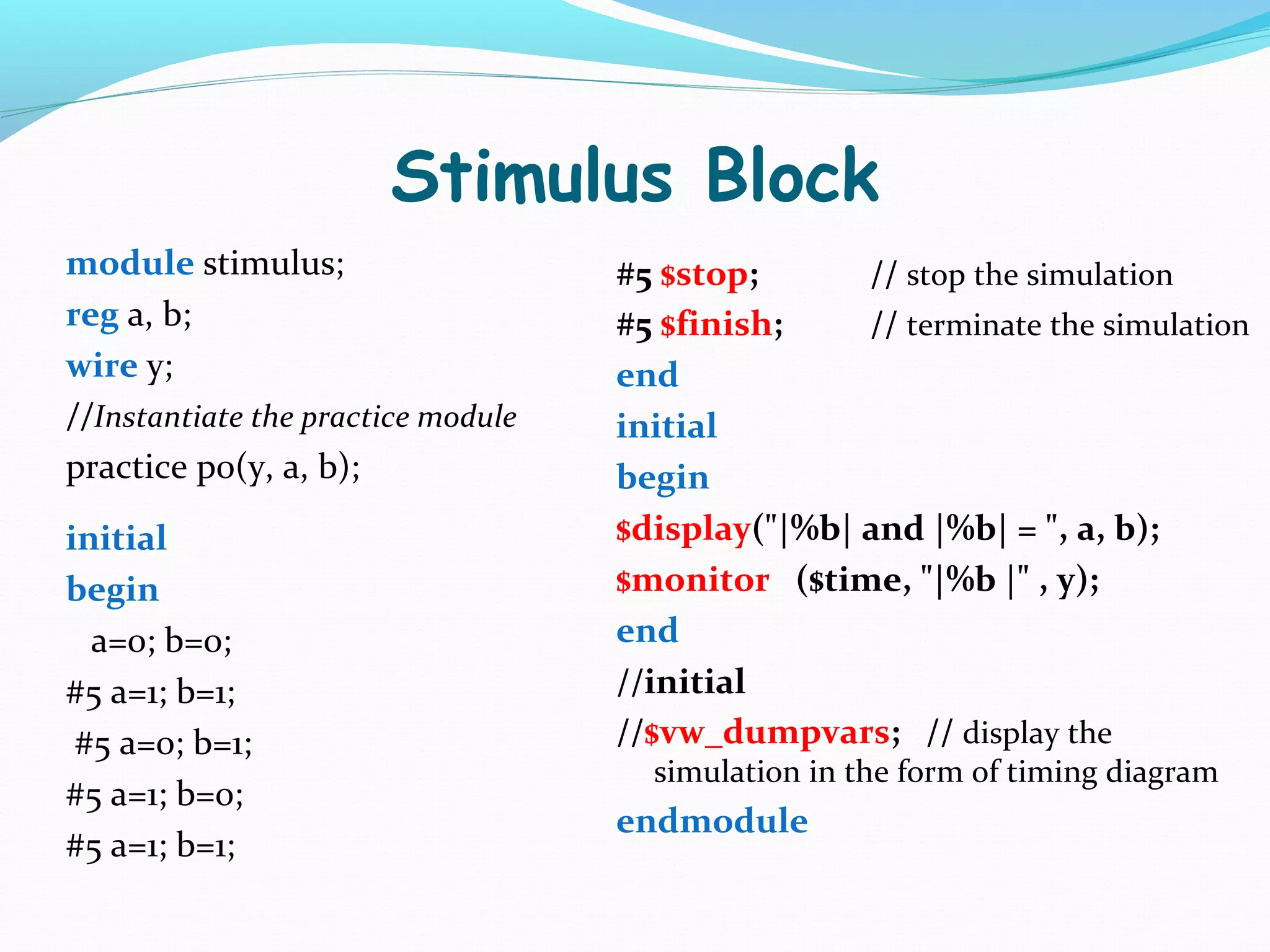
The Stimulus Block is the test bench code for circuit validation, displaying outputs based on inputs.
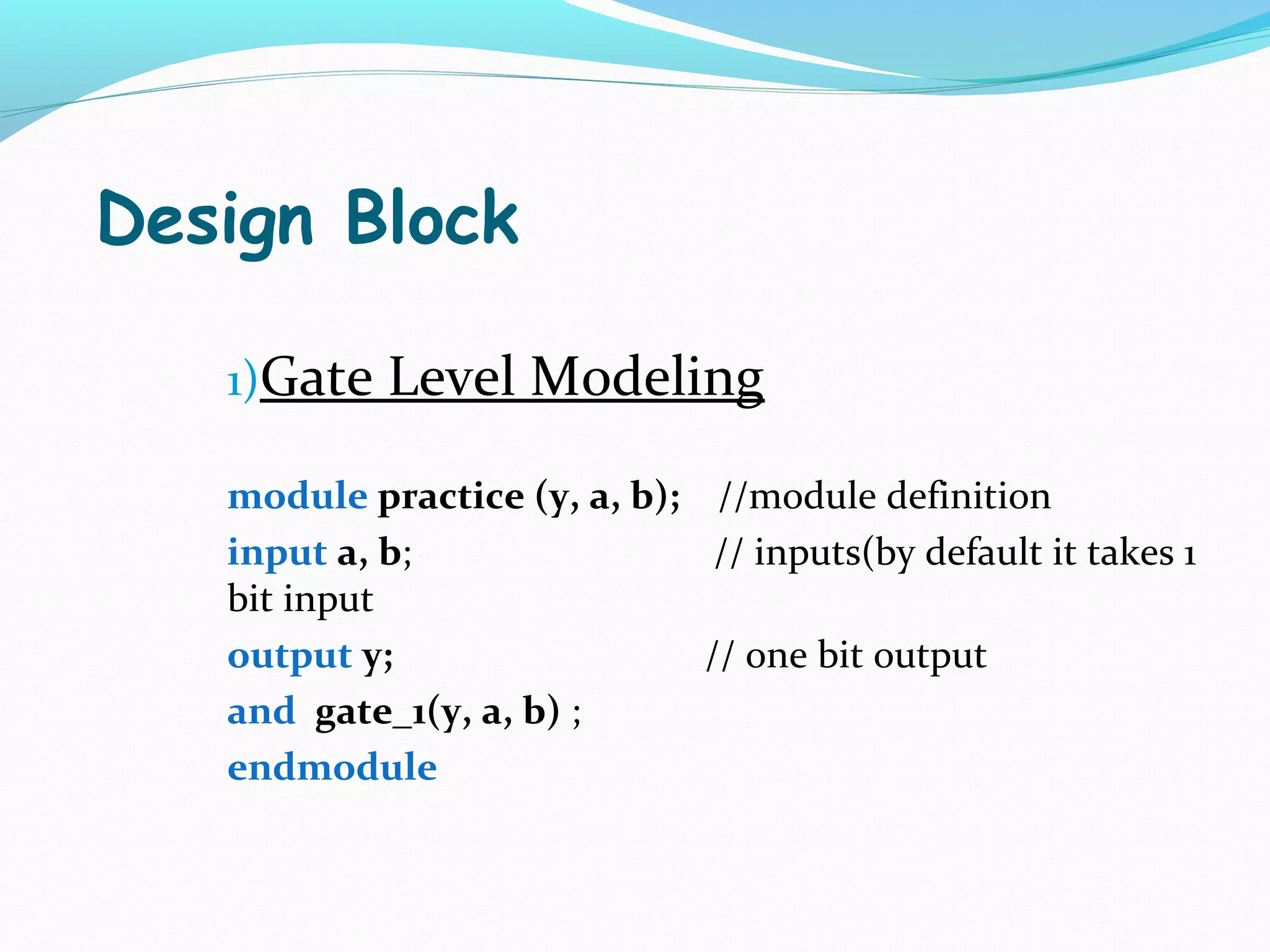
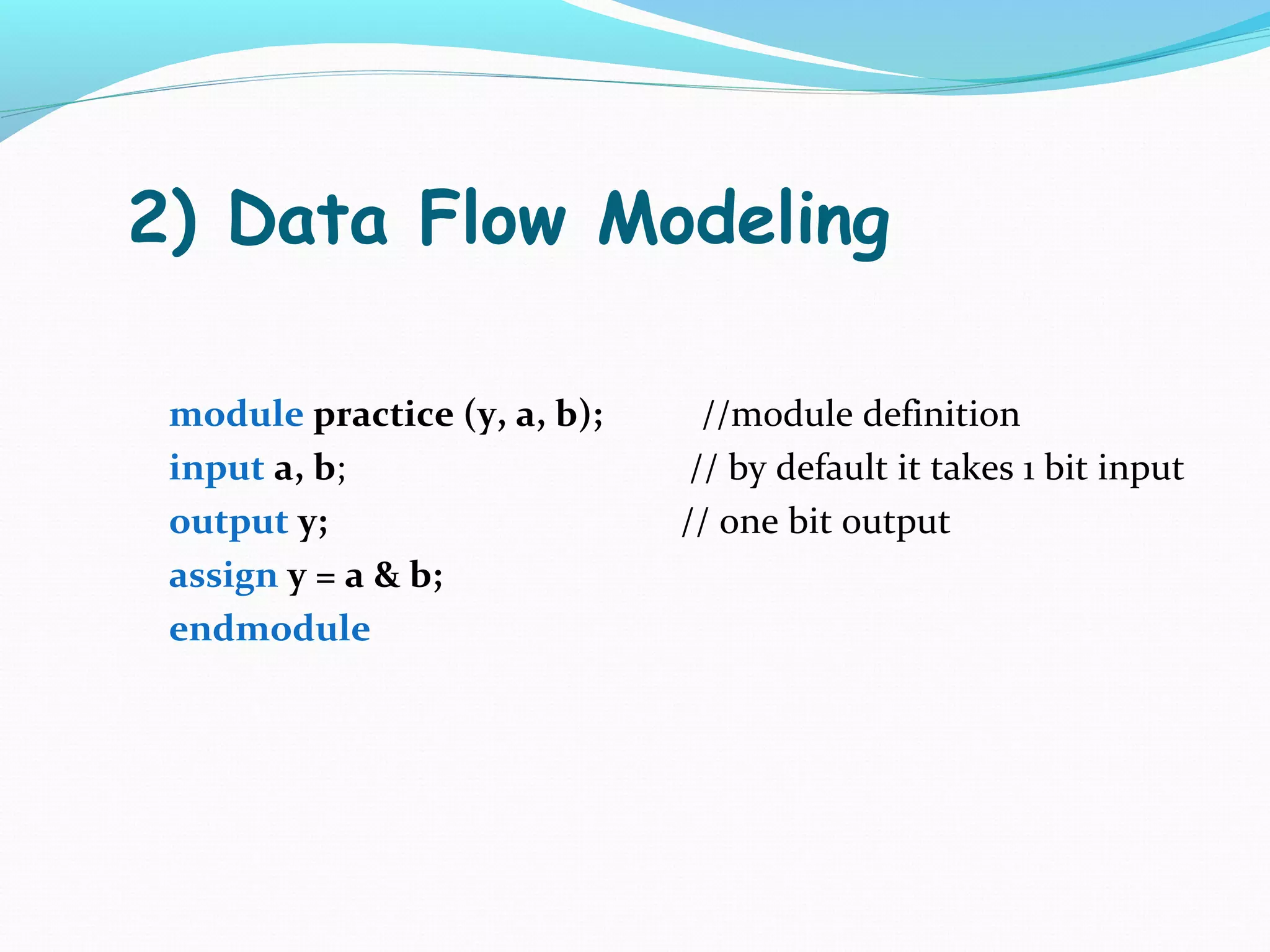
Examples of Gate Level Modeling and Data Flow Modeling in Verilog for basic logic operations.
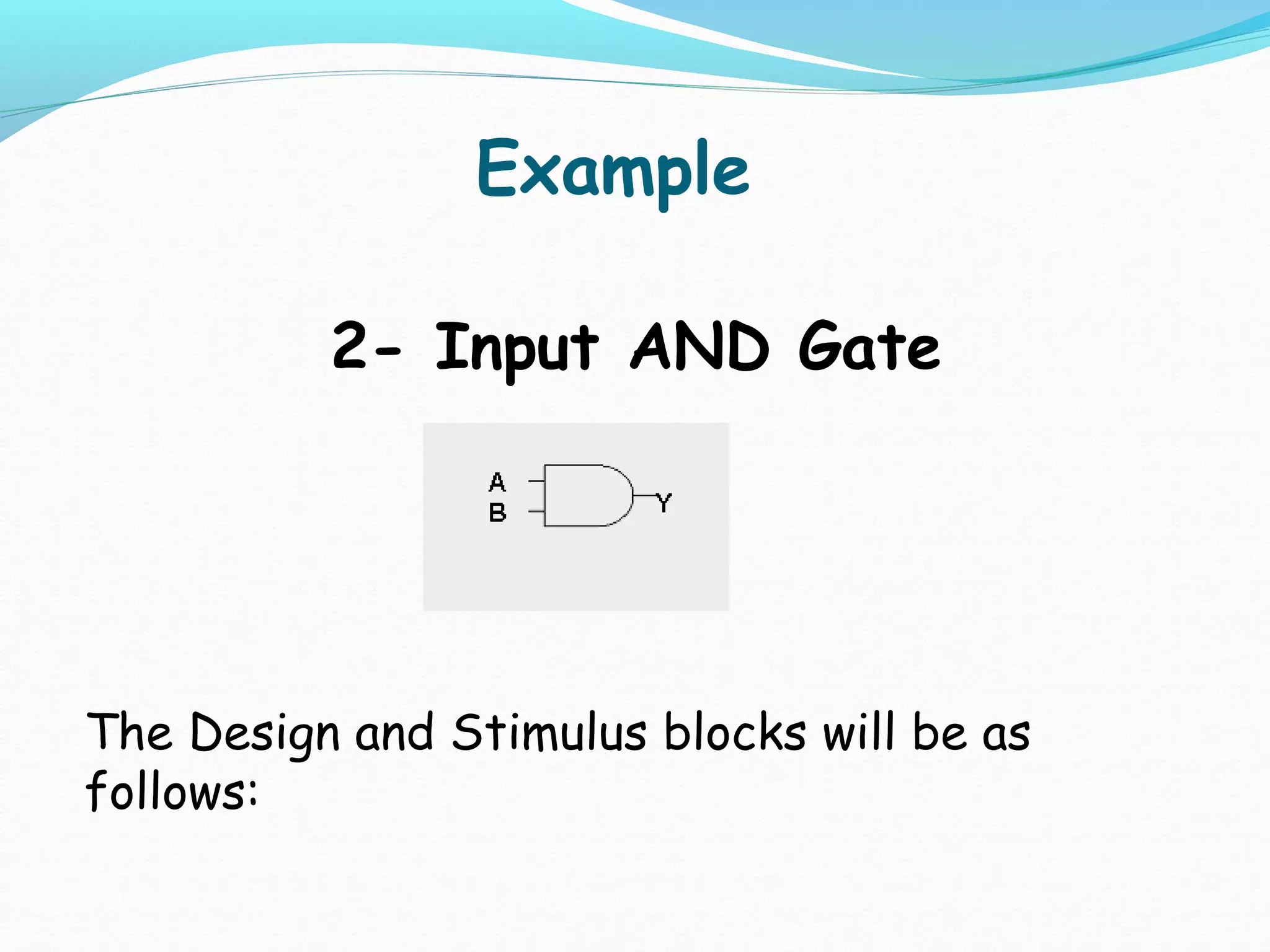
The Stimulus Block writes initial conditions for testing, using a 2-input AND gate as an example.
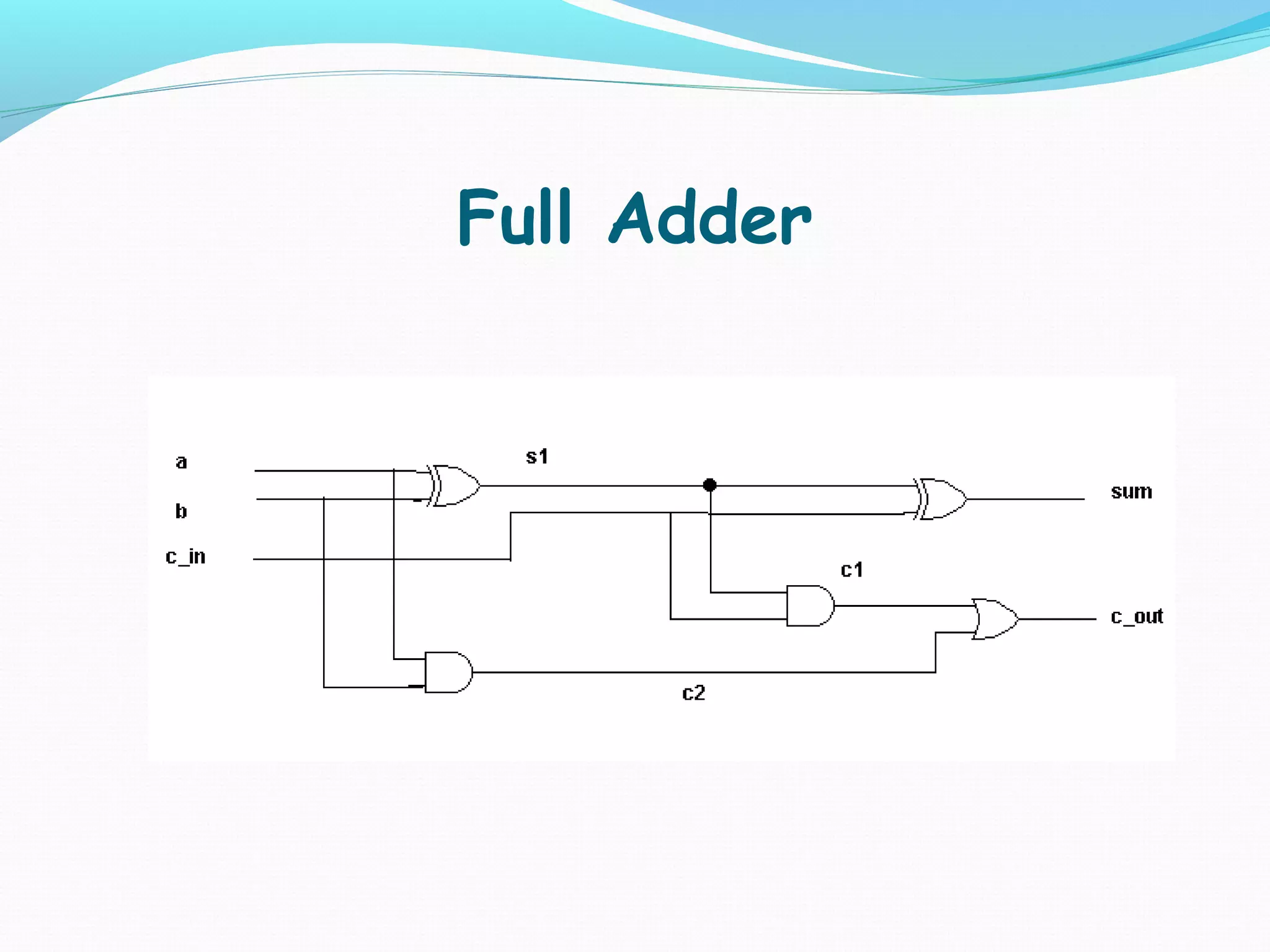
Introduction to the design of a 4-bit ripple carry adder, emphasizing full adder configurations.
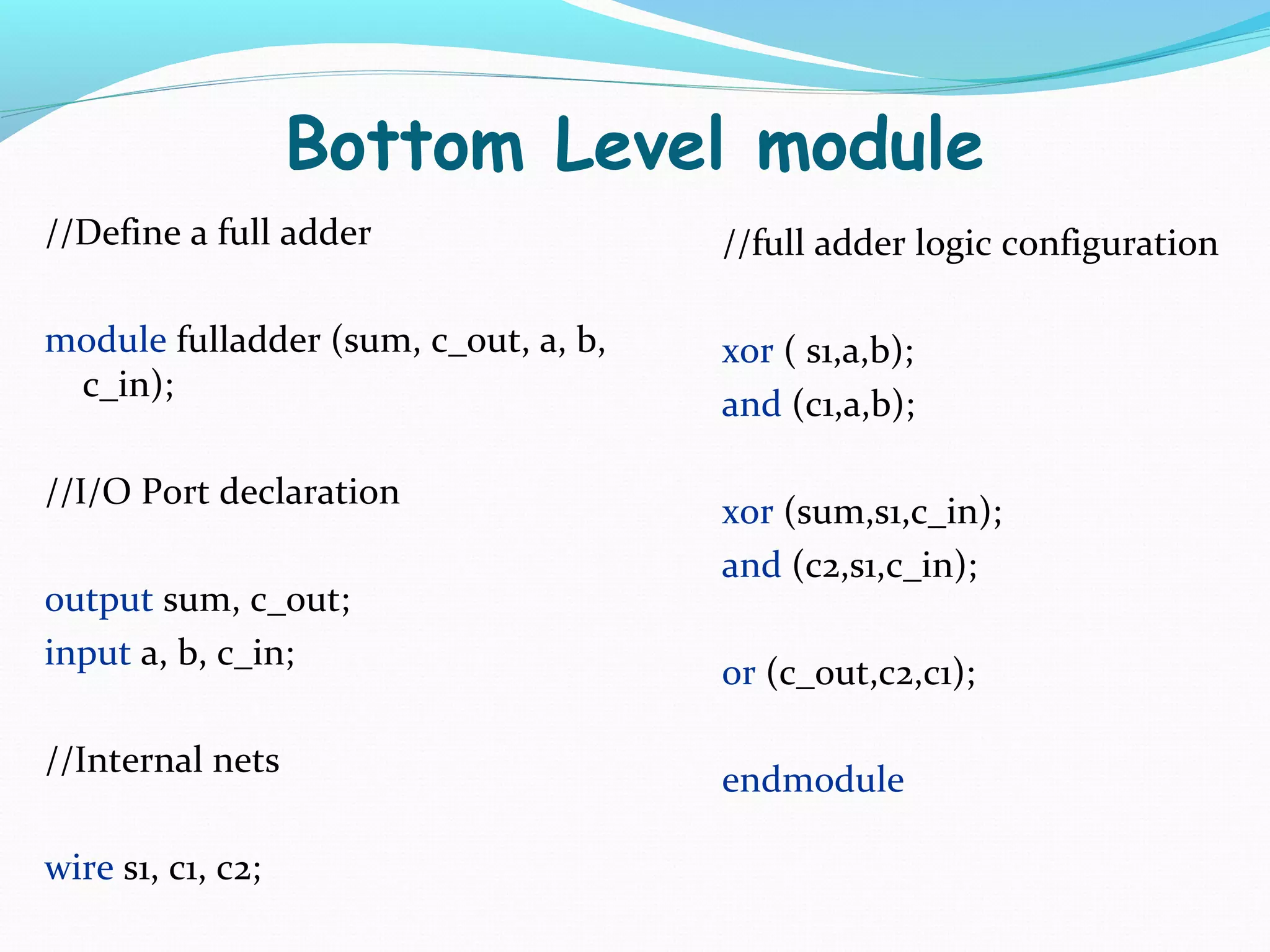
A Full Adder's logic configuration in Verilog, defining module structure and I/O.
Defines the Top Level module for a 4-bit adder, incorporating four 1-bit full adders.
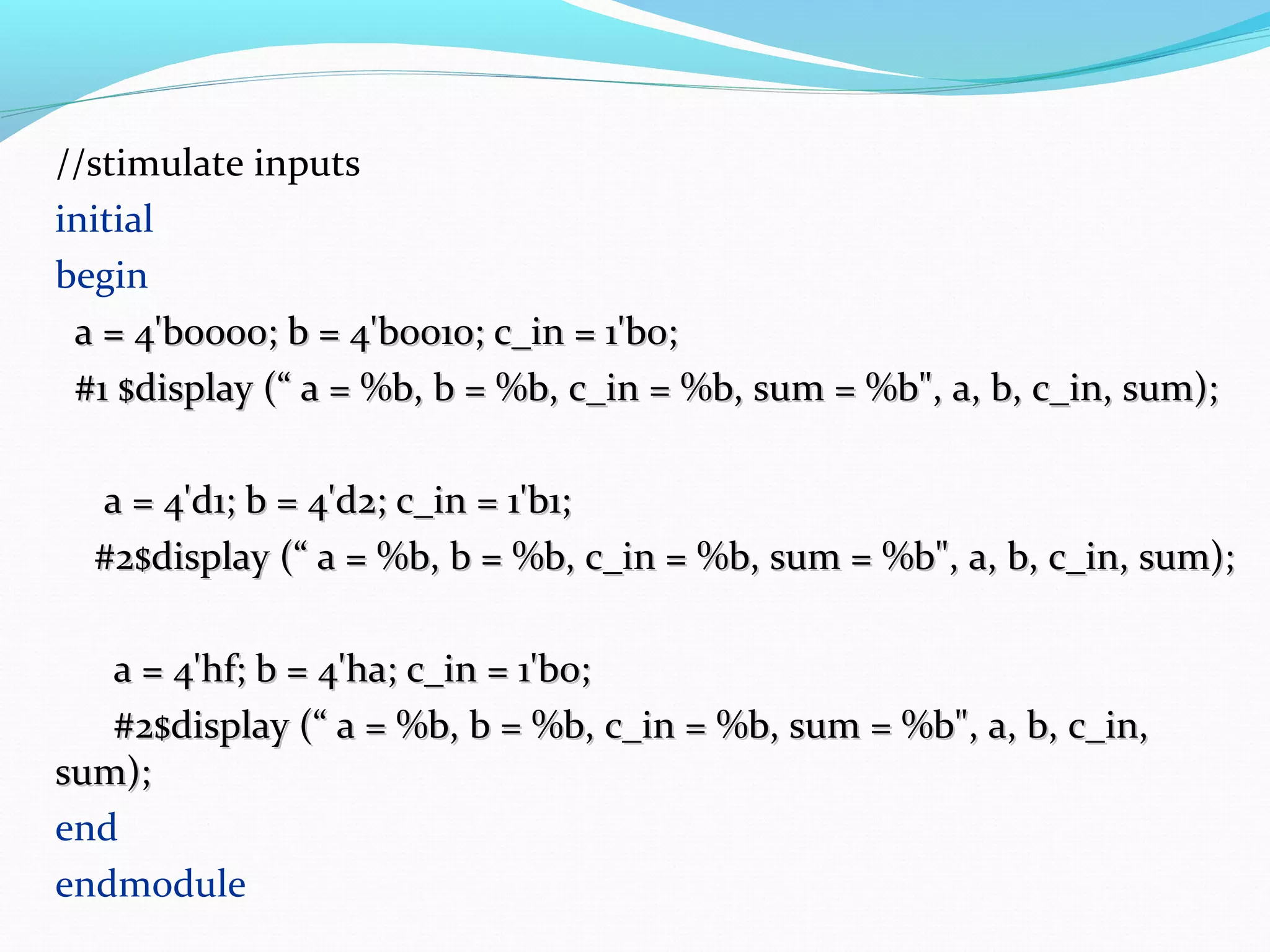
Stimulus setup for the top level module, displaying results of bit addition through various test cases.
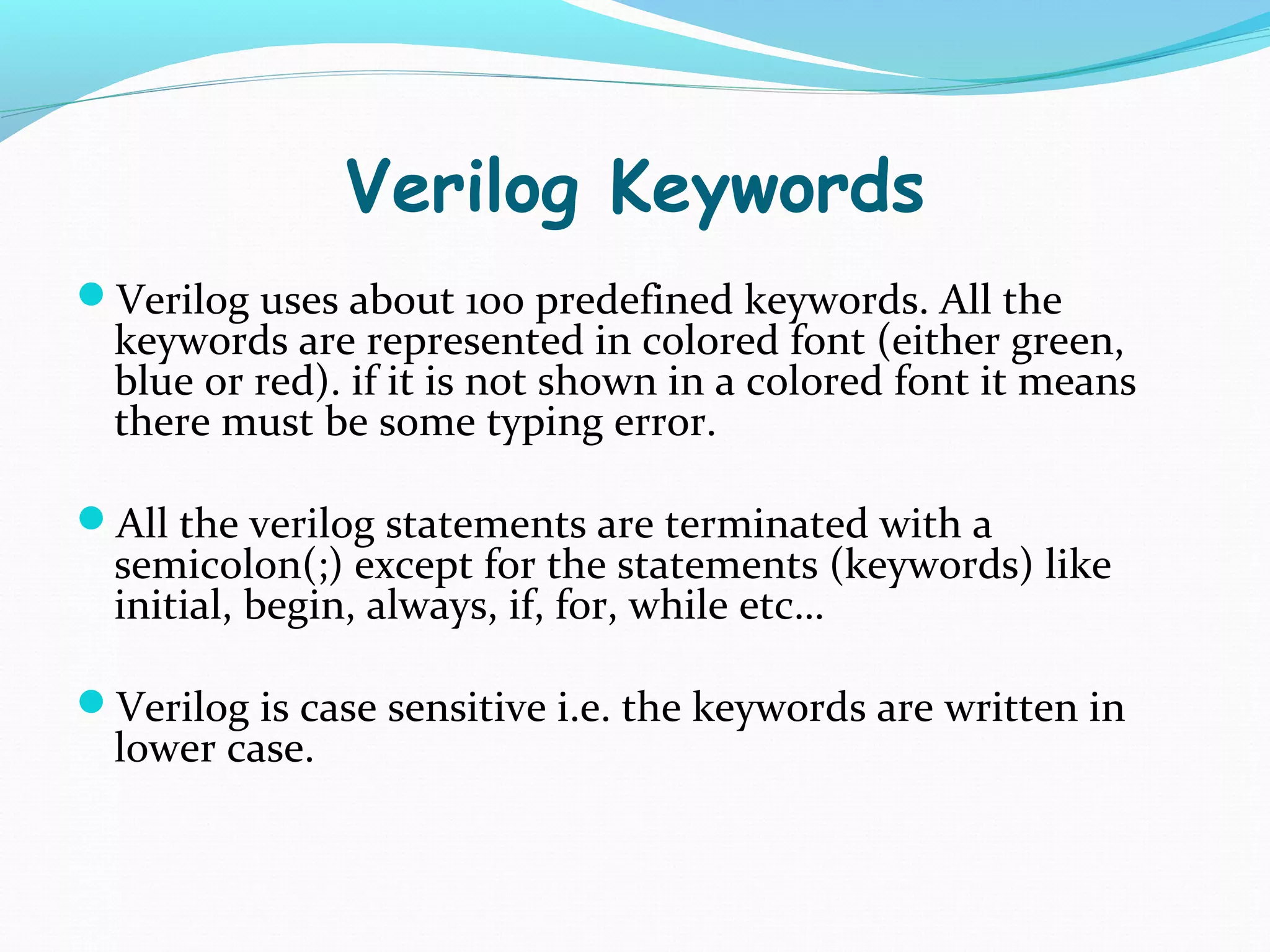
Overview of 100 predefined Verilog keywords, emphasizing case sensitivity and syntax rules.
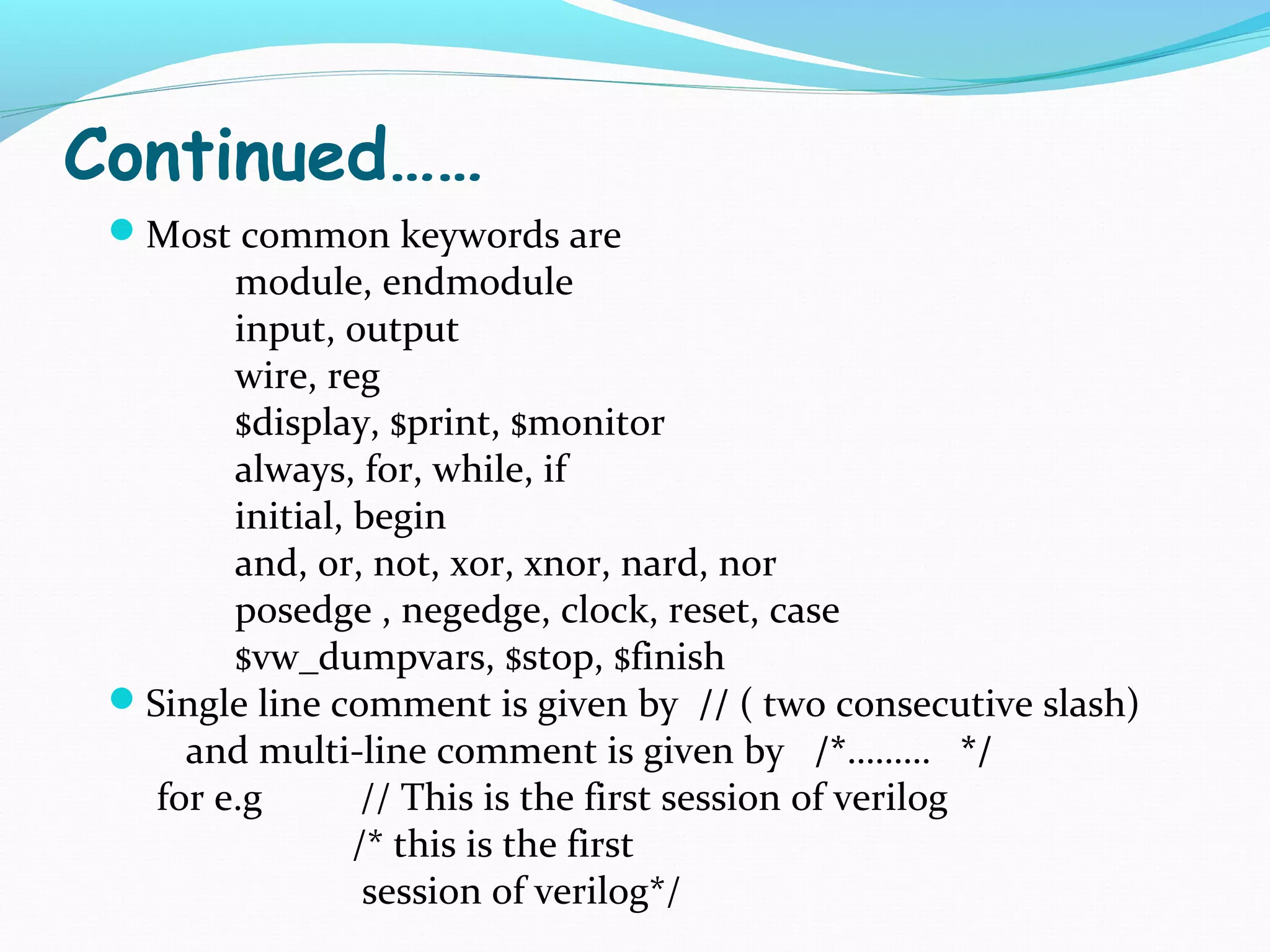
List of essential Verilog keywords with explanations. Includes syntax for comments in Verilog.
What is HDL?
hardware description language describes the
hardware of digital systems in textual form.
One can design any hardware at any level
Simulation of designs before fabrication
With the advent of VLSI, it is not possible to verify a
complex design with millions of gates on a
breadboard, HDLs came into existence to verify the
functionality of these circuits.
4.
Most Commonly usedHDLs
Verilog
Verilog HDL is commonly used in the US industry.
Major digital design companies in Pakistan use
Verilog HDL as their primary choice.
most commonly used in the design, verification, and
implementation of digital logic chips
VHDL (VHSIC (Very High Speed Integrated Circuits) hardware
description language)
VHDL is more popular in Europe.
commonly used as a design-entry language for field-
programmable gate arrays. Field-Programmable Gate
Array is a type of logic chip that can be programmed.
5.
Verilog Simulator
There aremany logic simulators used for Verilog
HDL. Most common are:
Xilinx
Veriwell
Model Sim
For Beginners Veriwell is good choice and is very user
friendly.
Xilinx and ModelSim are widely used.
6.
Levels of Abstraction
Thereare four different levels of abstraction in verilog:
Behavioral /Algorithmic
Data flow
Gate level
Switch level.
We will cover Gate level, Data flow and Behavioral
Level modeling
7.
Getting started…
A verilogprogram for a particular application consists
of two blocks
Design Block (Module)
Testing Block (Stimulus)
In Top Downdesign methodology, we define the top level
block and identify the sub-blocks necessary to build the top
level block. We further divide the sub-block until we come
to the leaf cells, which are the cells which cannot be
divided.
10.
In a BottomUp design methodology, we first identify the
building blocks , we build bigger blocks using these building
blocks. These cells are then used for high level block until
we build the top level block in the design
Module Representation
Verilog providesthe concept of module
A module is a
Basic Building block in Verilog
It can be a single element or collection of lower design blocks
A verilog code starts with module
Syntax:
module <module-name>(inputs, outputs);
//Define inputs and outputs Every verilog program starts with the
………… keyword module and ends with the keyword
………… endmodule
…………
endmodule
13.
Input Output Definition
Oncethe module is defined at the start the inputs and
outputs are to be defined explicitly. e.g.
input a , b //means there are 2 inputs of one bit
each
If input or output is more than 1 bit i.e. two or more bits,
then the definition will be:
input [3:0] A, B; //4 bit inputs A3-A0 and B3-B0
output [3:0] C;
Gate Level Modeling
Ingate level modeling a circuit can be defined by use of
logic gates.
These gates predefined in verilog library.
The basic gates and their syntax is as follows:
and gate_name(output, inputs);
or gate_name(output, inputs);
not gate_name (output, inputs);
xor gate_name(output, inputs);
nor gate_name(output, inputs);
nand gate_name(output, inputs);
xnor gate_name(output, inputs);
16.
Data Flow Modeling
Continuousassignment statement is used.
Keyword assign is used followed by =
Most common operator types are
Operator Types Operator Symbol Operation Number of
performed Operands
Arithmetic * Multiply Two
/ Divide Two
+ Add Two
- Subract two
Bitwise Logical ~ Bitwise negation One
& Bitwise and Two
| Bitwise or Two
^ Bitwise xor Two
^~ or ~^ Bitwise xnor two
Shift >> Shift right Two
<< Shift left Two
Concatenation {} Concatenation Any number
Conditional ?: Conditional three
17.
Examples
1. assign x= a + b;
2. assign y = ~ x ; // y=x’
3. assign y = a & b; // y= ab
4. assign w = a ^ b; //y= a b
5. assign y = x >> 1; //shift right x by 1
6. assign y = {b, c}; //concatenate b with c
e.g. b = 3’b101, c =3’b 111
y = 101111
assign {cout , sum} = a + b + cin; //concatenate sum and cout
7. assign y = s ? b : a // 2×1 multiplexer
when s = 1 , y = b when s = 0 , y = a
assign y = s1 ? ( s0 ? d : c ) : ( s0 ? b : a ); // 4×1 MUX
18.
Module Instantiation
Module instantiationis a process of connecting one
module to another.
For example in a test bench or stimulus the top level
design has to be instantiated
19.
Testing Block (Stimulus)
Inorder to test your circuit a test bench code is
to be written which is commonly called Stimulus.
The design block has to be instantiated/called
It displays the output of the design based on the
inputs.
20.
Example
2- Input AND Gate
The Design and Stimulus blocks will be as
follows:
21.
Design Block
1)Gate Level Modeling
module practice (y, a, b); //module definition
input a, b; // inputs(by default it takes 1
bit input
output y; // one bit output
and gate_1(y, a, b) ;
endmodule
22.
2) Data FlowModeling
module practice (y, a, b); //module definition
input a, b; // by default it takes 1 bit input
output y; // one bit output
assign y = a & b;
endmodule
23.
Stimulus Block
module stimulus; #5 $stop; // stop the simulation
reg a, b; #5 $finish; // terminate the simulation
wire y; end
//Instantiate the practice module initial
practice p0(y, a, b); begin
initial $display("|%b| and |%b| = ", a, b);
begin $monitor ($time, "|%b |" , y);
a=0; b=0; end
#5 a=1; b=1; //initial
#5 a=0; b=1; //$vw_dumpvars; // display the
simulation in the form of timing diagram
#5 a=1; b=0;
endmodule
#5 a=1; b=1;
Bottom Level module
//Definea full adder //full adder logic configuration
module fulladder (sum, c_out, a, b, xor ( s1,a,b);
c_in);
and (c1,a,b);
//I/O Port declaration
xor (sum,s1,c_in);
and (c2,s1,c_in);
output sum, c_out;
input a, b, c_in;
or (c_out,c2,c1);
//Internal nets
endmodule
wire s1, c1, c2;
27.
TOP LEVEL MODULE
//Define a 4 bit 4 adder
module toplevel_fa(sum,c_out,a,b,c_in);
//I/O port declaration
output [3:0] sum;
output c_out;
input [3:0] a, b;
input c_in;
//internal nets
wire c1,c2,c3;
//Instantiate four 1-bit full adder
fulladder fa0(sum[0],c1,a[0],b[0],c_in);
fulladder fa1(sum[1],c2,a[1],b[1],c1);
fulladder fa2(sum[2],c3,a[2],b[2],c2);
fulladder fa3(sum[3],c_out,a[3],b[3],c3);
endmodule
28.
Test Bench (stimulus)
//define stimulus toplevel module
module stimulus;
reg [3:0]a,b; //set up variables
reg c_in;
wire [3:0] sum;
wire c_out;
//Instantiate the toplevelmodule(ripple carry adder) call it tl
toplevel_fa tl(sum,c_out,a,b,c_in);
29.
//stimulate inputs
initial
begin
a= 4'b0000; b = 4'b0010; c_in = 1'b0;
#1 $display (“ a = %b, b = %b, c_in = %b, sum = %b", a, b, c_in, sum);
a = 4'd1; b = 4'd2; c_in = 1'b1;
#2$display (“ a = %b, b = %b, c_in = %b, sum = %b", a, b, c_in, sum);
a = 4'hf; b = 4'ha; c_in = 1'b0;
#2$display (“ a = %b, b = %b, c_in = %b, sum = %b", a, b, c_in,
sum);
end
endmodule
30.
Verilog Keywords
Verilog usesabout 100 predefined keywords. All the
keywords are represented in colored font (either green,
blue or red). if it is not shown in a colored font it means
there must be some typing error.
All the verilog statements are terminated with a
semicolon(;) except for the statements (keywords) like
initial, begin, always, if, for, while etc…
Verilog is case sensitive i.e. the keywords are written in
lower case.
31.
Continued……
Most commonkeywords are
module, endmodule
input, output
wire, reg
$display, $print, $monitor
always, for, while, if
initial, begin
and, or, not, xor, xnor, nard, nor
posedge , negedge, clock, reset, case
$vw_dumpvars, $stop, $finish
Single line comment is given by // ( two consecutive slash)
and multi-line comment is given by /*……… */
for e.g // This is the first session of verilog
/* this is the first
session of verilog*/