Using technologies in your studies Nigel Gibson
What we’ll cover The dreaded eTMA system Other stuff Hints and tips
Sorry but….. This is going to be more “show and tell” than “hands on”  If you want to pretend you have a PC in front of you …..
eTMAs Creation Submission Return
eTMAs - Creation Must be a Word document unless the course stipulates otherwise Must be a Word 1997 – 2003 file type rather than docx from Office 2007 If you are required to submit a number of different files you will need to zip them – instructions and a tool to do this are on the OLA CD
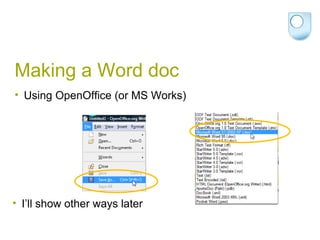
Making a Word doc Using OpenOffice (or MS Works) I’ll show other ways later
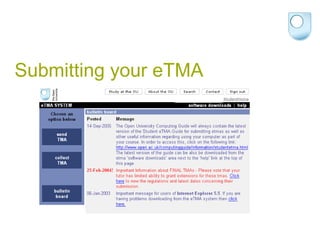
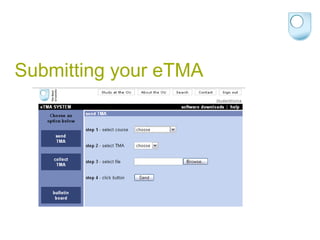
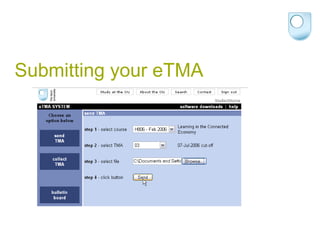
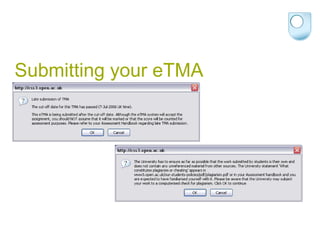
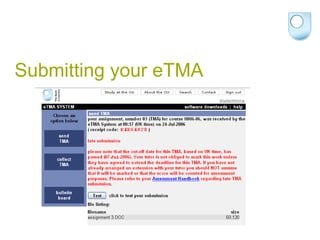
Submitting your eTMA
Submitting by email Send your assignment as an attachment Must be the same file format as demanded by the web-based submission route Check the process – it goes to  [email_address]  but you must adhere to specific protocol for the subject line Don’t email your assignment to your tutor
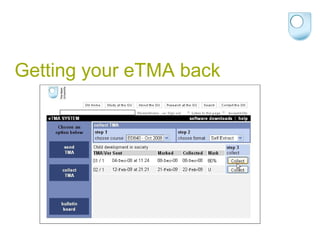
Getting your eTMA back You’ll get a message telling you it’s ready to download If you sent it by email it’ll be returned the same way to the same email address
Getting your eTMA back
eTMAs Any questions?
Some other stuff I’m going to suggest a few different tools you might try They are all web-based or web related One advantage of web-based tools is that you can access your resources wherever you are and using any PC (handy for studying during lunch break at work) Everything I mention is free (although most also have a “for fee” service so make sure you pick the right one)
Before we go any further Be safe online Know something about what you are doing – car? Protect yourself
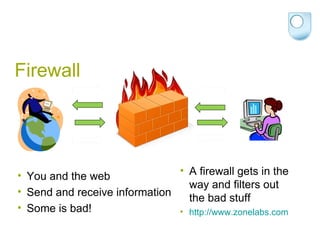
Firewall You and the web Send and receive information Some is bad! A firewall gets in the way and filters out the bad stuff http://www.zonelabs.com
Antivirus People who write viruses haven’t all agreed to release them on Friday at 17:00   So do you think you are protected if you only update once each week? Use an AV application which updates and scans daily (at least) Free ones include AVG ( http://free.avg.com/ )
Browser If the browser you are using isn’t the latest version you may be at risk You are at increased risk if you are using Internet Explorer If possible update to the latest version of IE and/or use another browser
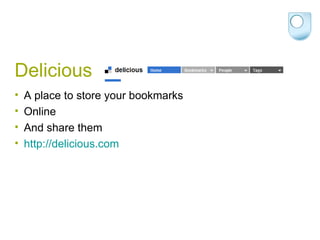
Delicious A place to store your bookmarks Online And share them http://delicious.com
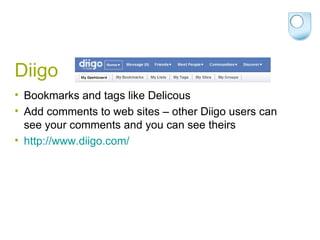
Diigo Bookmarks and tags like Delicous Add comments to web sites – other Diigo users can see your comments and you can see theirs http://www.diigo.com/
Zotero Use it to collect, manage and store online research  Automatically grabs the web page URL Can be used to add notes about the source And keep a copy of the page http://www.zotero.org/   (Needs Firefox)
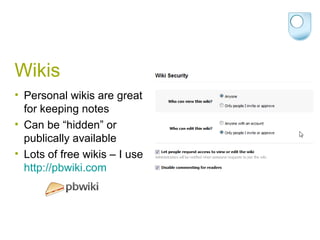
Wikis Personal wikis are great for keeping notes Can be “hidden” or publically available Lots of free wikis – I use  http://pbwiki.com
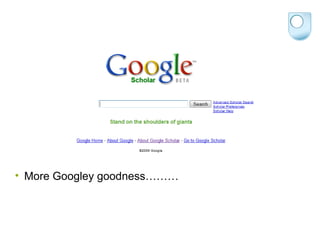
More Googley goodness………
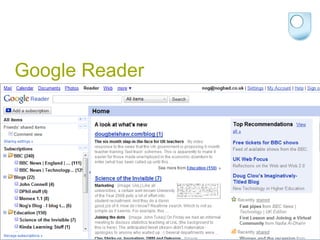
Google Reader
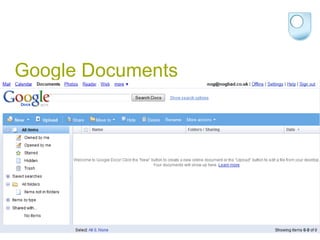
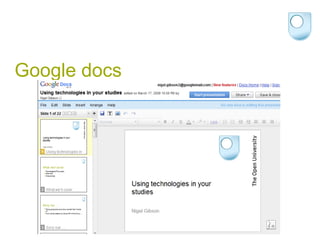
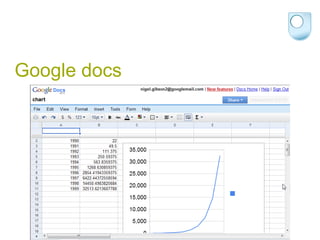
Google Documents
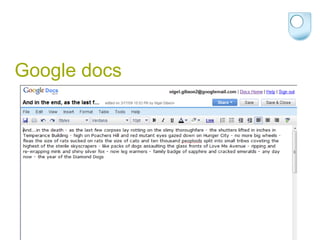
Google docs
Google docs
Google docs
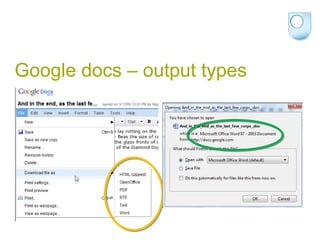
Google docs – output types
Some benefits of Google docs Accessible wherever you are Can be shared with others – useful for collaborative work You don’t need your own word processor/spreadsheet/etc
Converting files ZamZar  Coverts from and too an amazing range of filetypes including: PDF to Word Works to Word OpenOffice to Word
Finally There are lots of tools out there As long as you take care it’s worth trying them out There is a community of students using technology Any questions?
This presentation is available online http://www.slideshare.net/nogbad/using-technologies-in-your-studies Or http://croyden.nogbad.co.uk

Using Technologies In Your Studies

  • 1.
    Using technologies inyour studies Nigel Gibson
  • 2.
    What we’ll coverThe dreaded eTMA system Other stuff Hints and tips
  • 3.
    Sorry but….. Thisis going to be more “show and tell” than “hands on” If you want to pretend you have a PC in front of you …..
  • 4.
  • 5.
    eTMAs - CreationMust be a Word document unless the course stipulates otherwise Must be a Word 1997 – 2003 file type rather than docx from Office 2007 If you are required to submit a number of different files you will need to zip them – instructions and a tool to do this are on the OLA CD
  • 6.
    Making a Worddoc Using OpenOffice (or MS Works) I’ll show other ways later
  • 7.
  • 8.
  • 9.
  • 10.
  • 11.
  • 12.
    Submitting by emailSend your assignment as an attachment Must be the same file format as demanded by the web-based submission route Check the process – it goes to [email_address] but you must adhere to specific protocol for the subject line Don’t email your assignment to your tutor
  • 13.
    Getting your eTMAback You’ll get a message telling you it’s ready to download If you sent it by email it’ll be returned the same way to the same email address
  • 14.
  • 15.
  • 16.
    Some other stuffI’m going to suggest a few different tools you might try They are all web-based or web related One advantage of web-based tools is that you can access your resources wherever you are and using any PC (handy for studying during lunch break at work) Everything I mention is free (although most also have a “for fee” service so make sure you pick the right one)
  • 17.
    Before we goany further Be safe online Know something about what you are doing – car? Protect yourself
  • 18.
    Firewall You andthe web Send and receive information Some is bad! A firewall gets in the way and filters out the bad stuff http://www.zonelabs.com
  • 19.
    Antivirus People whowrite viruses haven’t all agreed to release them on Friday at 17:00  So do you think you are protected if you only update once each week? Use an AV application which updates and scans daily (at least) Free ones include AVG ( http://free.avg.com/ )
  • 20.
    Browser If thebrowser you are using isn’t the latest version you may be at risk You are at increased risk if you are using Internet Explorer If possible update to the latest version of IE and/or use another browser
  • 21.
    Delicious A placeto store your bookmarks Online And share them http://delicious.com
  • 22.
    Diigo Bookmarks andtags like Delicous Add comments to web sites – other Diigo users can see your comments and you can see theirs http://www.diigo.com/
  • 23.
    Zotero Use itto collect, manage and store online research Automatically grabs the web page URL Can be used to add notes about the source And keep a copy of the page http://www.zotero.org/ (Needs Firefox)
  • 24.
    Wikis Personal wikisare great for keeping notes Can be “hidden” or publically available Lots of free wikis – I use http://pbwiki.com
  • 25.
  • 26.
  • 27.
  • 28.
  • 29.
  • 30.
  • 31.
    Google docs –output types
  • 32.
    Some benefits ofGoogle docs Accessible wherever you are Can be shared with others – useful for collaborative work You don’t need your own word processor/spreadsheet/etc
  • 33.
    Converting files ZamZar Coverts from and too an amazing range of filetypes including: PDF to Word Works to Word OpenOffice to Word
  • 34.
    Finally There arelots of tools out there As long as you take care it’s worth trying them out There is a community of students using technology Any questions?
  • 35.
    This presentation isavailable online http://www.slideshare.net/nogbad/using-technologies-in-your-studies Or http://croyden.nogbad.co.uk