Using Rancher and Docker with
RightScale at Industrie IT
Ameer Deen & Chris Fordham
Docker Please !
●
○
○
●
●
●
Design Goals - Where We Wanted To Go
●
●
●
Our Approach
●
●
●
●
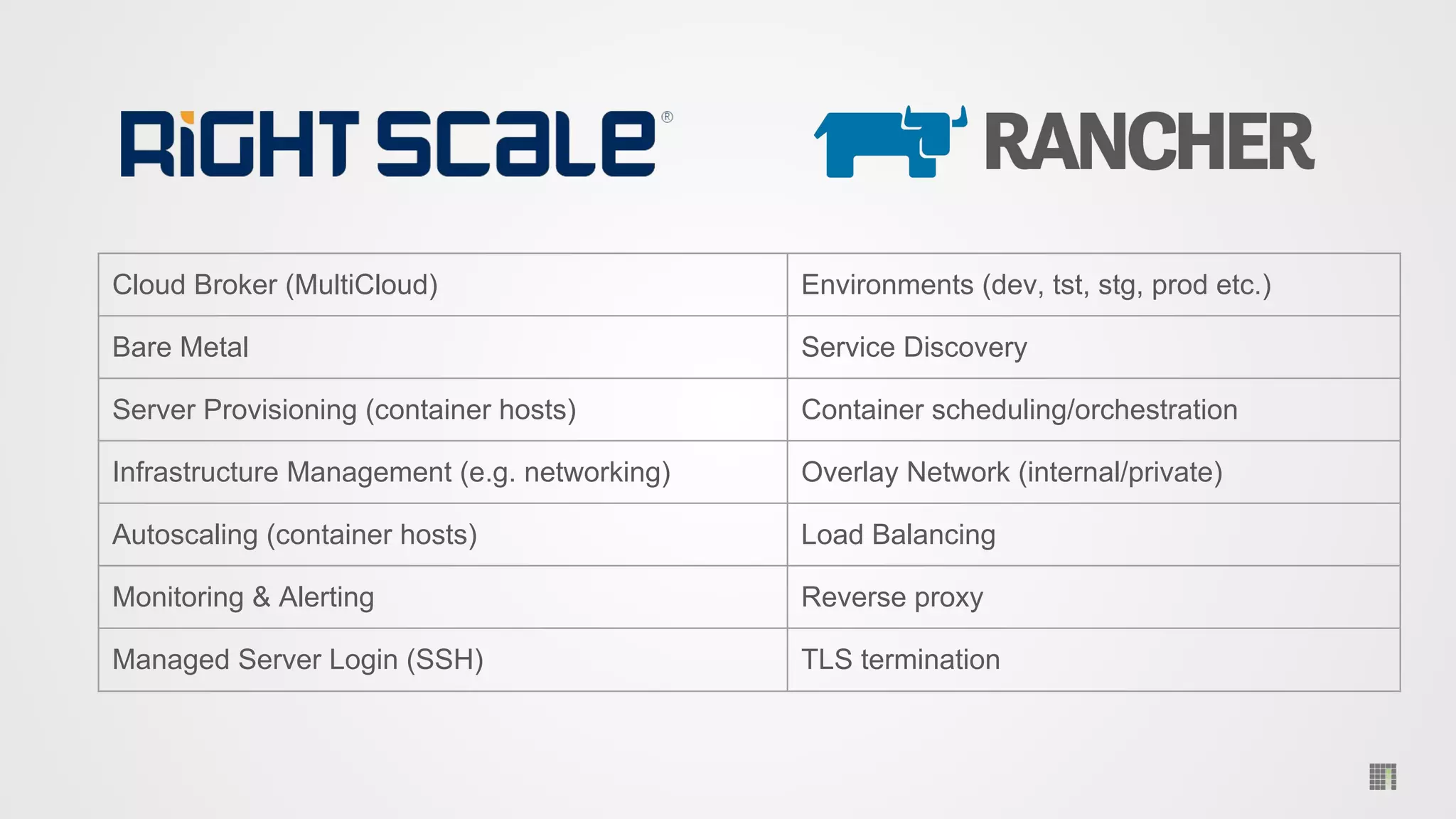
Cloud Broker (MultiCloud) Environments (dev, tst, stg, prod etc.)
Bare Metal Service Discovery
Server Provisioning (container hosts) Container scheduling/orchestration
Infrastructure Management (e.g. networking) Overlay Network (internal/private)
Autoscaling (container hosts) Load Balancing
Monitoring & Alerting Reverse proxy
Managed Server Login (SSH) TLS termination
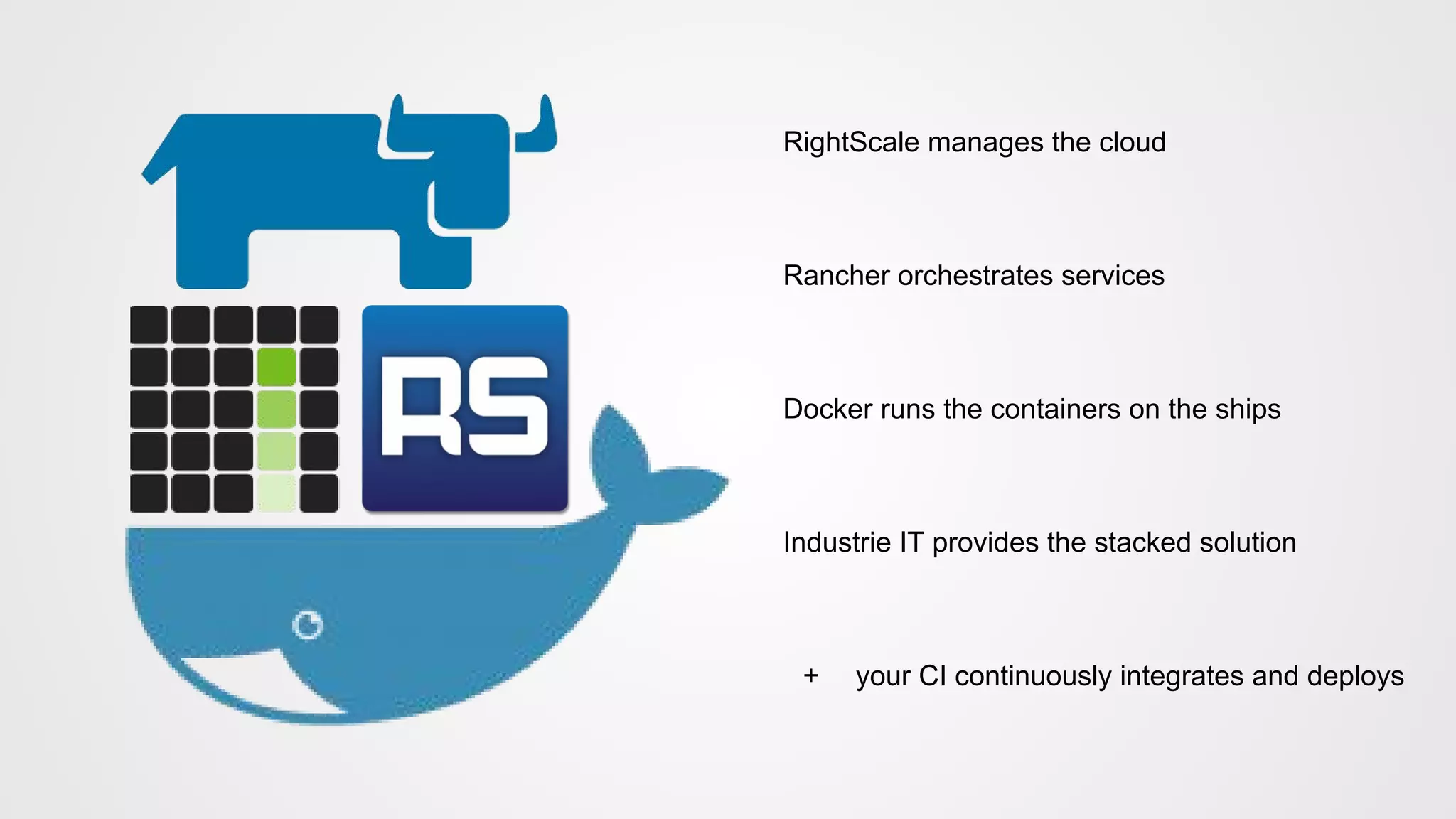
RightScale manages the cloud
Rancher orchestrates services
Docker runs the containers on the ships
Industrie IT provides the stacked solution
+ your CI continuously integrates and deploys
© 2015 Rancher Labs, Inc.
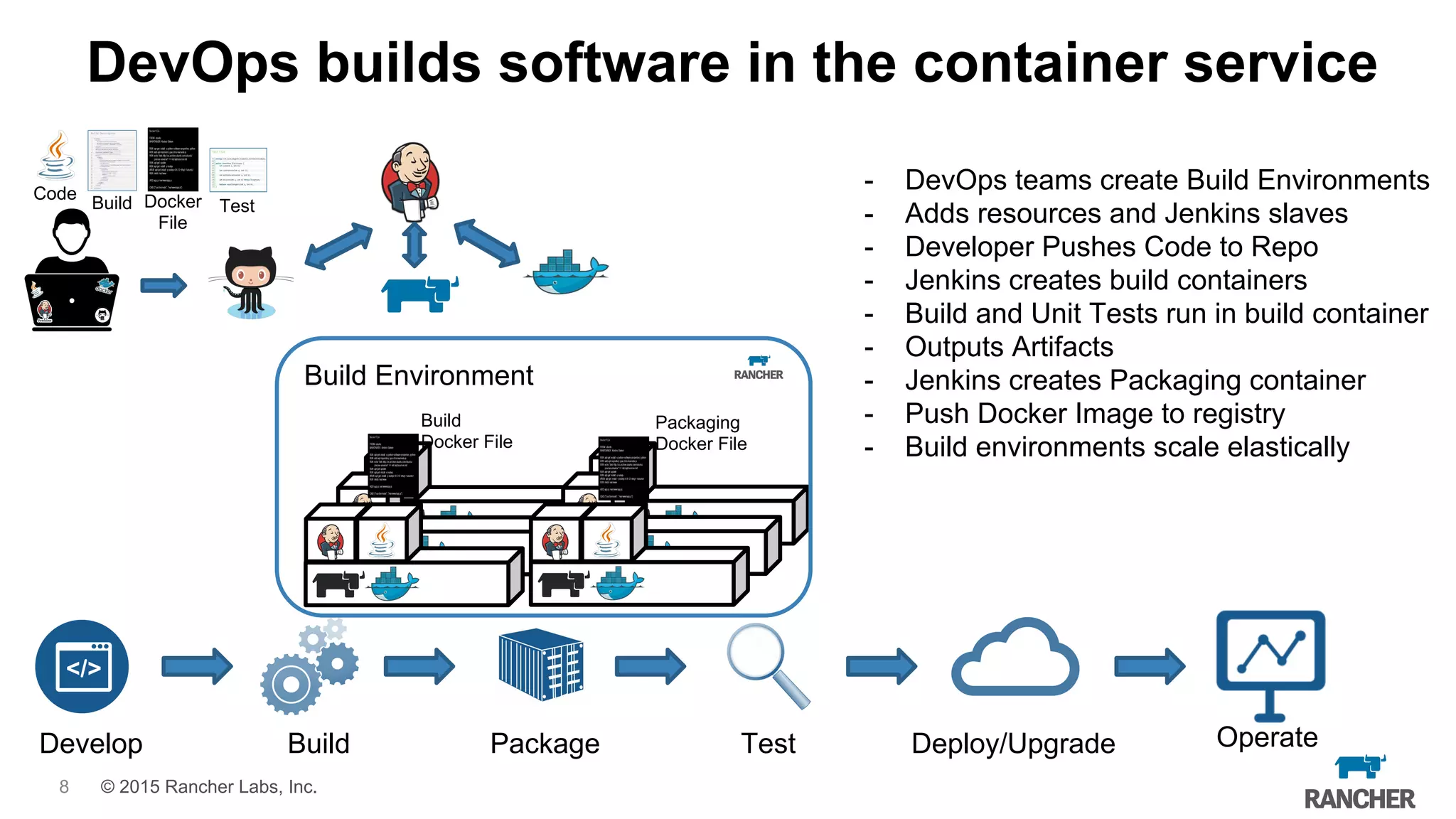
Build Environment
DevOps builds software in the container service
- DevOps teams create Build Environments
- Adds resources and Jenkins slaves
- Developer Pushes Code to Repo
- Jenkins creates build containers
- Build and Unit Tests run in build container
- Outputs Artifacts
- Jenkins creates Packaging container
- Push Docker Image to registry
- Build environments scale elastically
Build
Docker File
Packaging
Docker File
Test
Code
Build Docker
File
Develop Build Package Test Deploy/Upgrade Operate
8
© 2015 Rancher Labs, Inc.
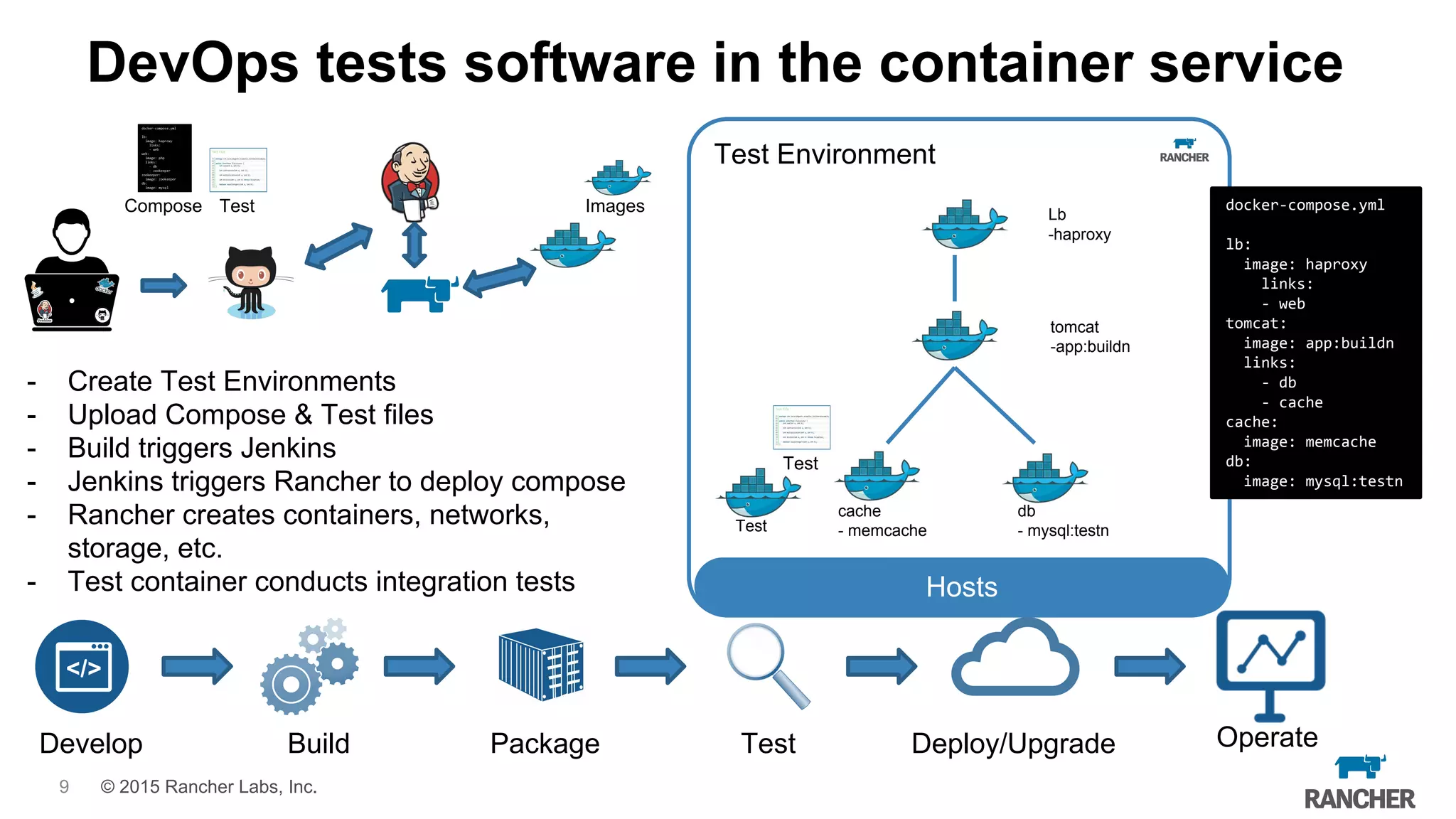
Test Environment
DevOps tests software in the container service
- Create Test Environments
- Upload Compose & Test files
- Build triggers Jenkins
- Jenkins triggers Rancher to deploy compose
- Rancher creates containers, networks,
storage, etc.
- Test container conducts integration tests
Develop Build Package Test Deploy/Upgrade Operate
Test docker-compose.yml
lb:
image: haproxy
links:
- web
tomcat:
image: app:buildn
links:
- db
- cache
cache:
image: memcache
db:
image: mysql:testn
Hosts
db
- mysql:testn
cache
- memcache
Lb
-haproxy
tomcat
-app:buildn
Test
Test
Compose Images
9
© 2015 Rancher Labs, Inc.
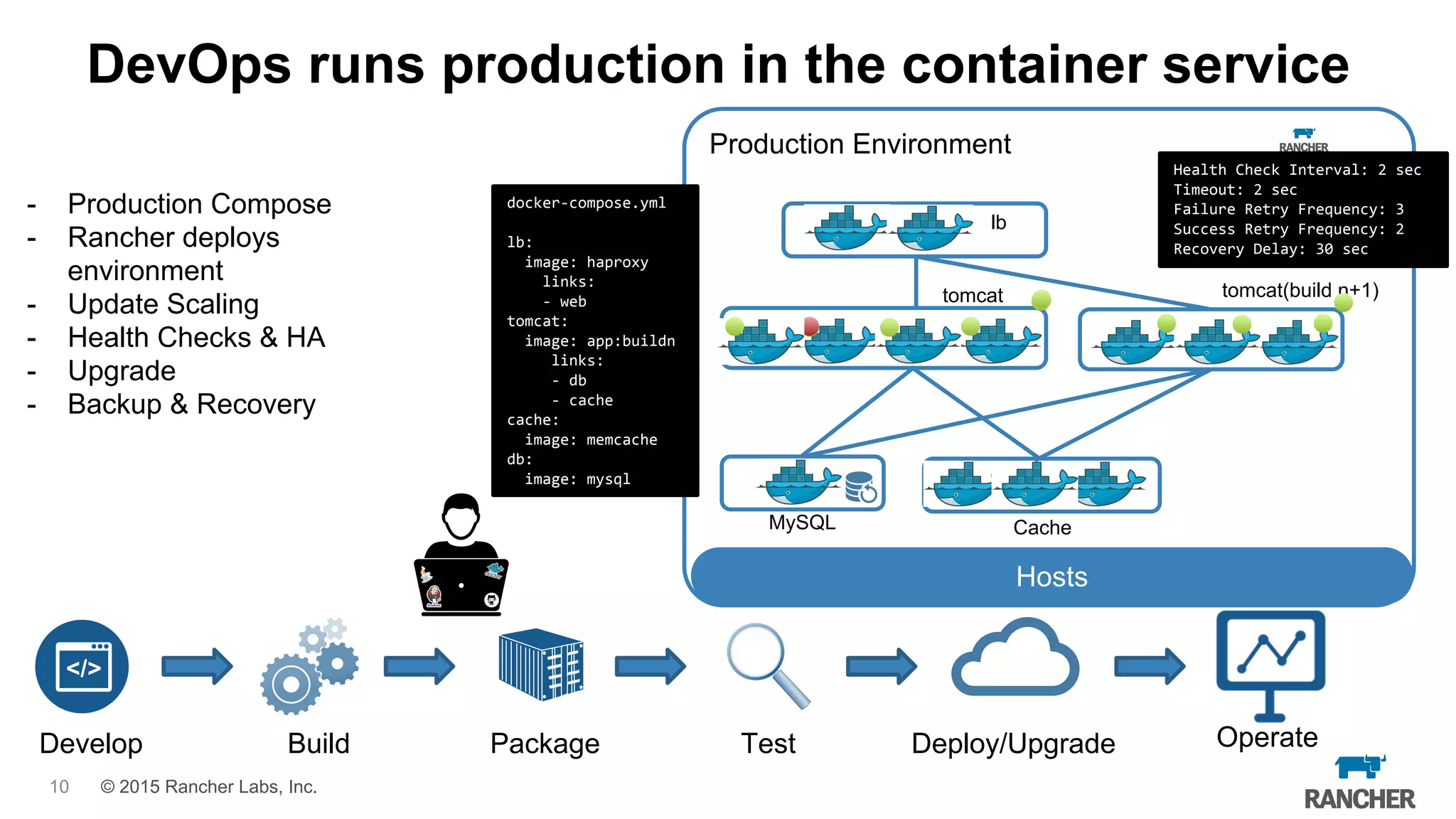
Production Environment
Hosts
DevOps runs production in the container service
- Production Compose
- Rancher deploys
environment
- Update Scaling
- Health Checks & HA
- Upgrade
- Backup & Recovery
Develop Build Package Test Deploy/Upgrade Operate
docker-compose.yml
lb:
image: haproxy
links:
- web
tomcat:
image: app:buildn
links:
- db
- cache
cache:
image: memcache
db:
image: mysql
lb
tomcat
CacheMySQL
Health Check Interval: 2 sec
Timeout: 2 sec
Failure Retry Frequency: 3
Success Retry Frequency: 2
Recovery Delay: 30 sec
tomcat(build n+1)
10
Continuous Integration/Delivery Tips
●
●
●
●
● Dockerfile docker-compose.yml rancher-compose.yml
Makefile
●
●
Getting Started
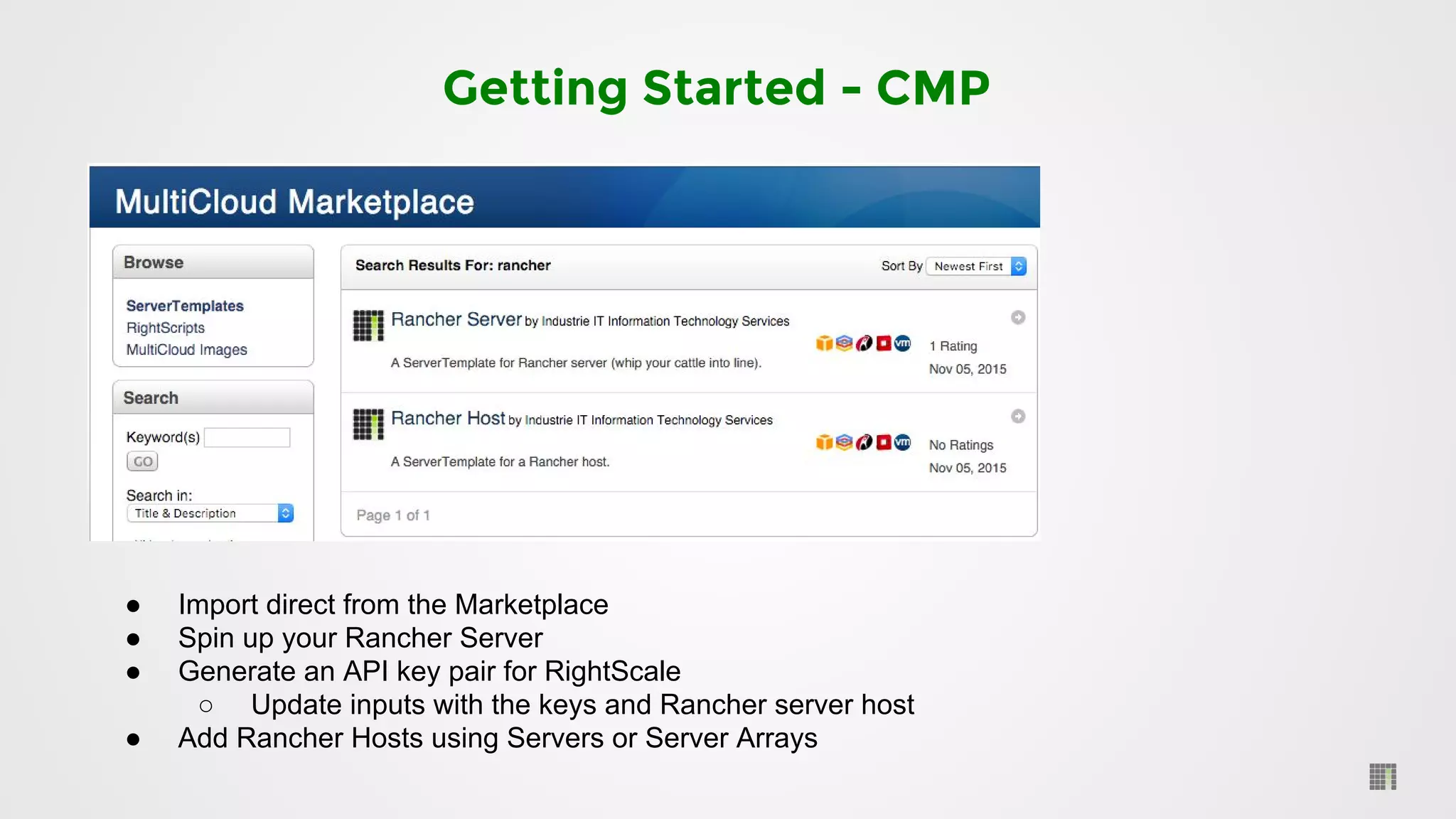
Getting Started - CMP
● Import direct from the Marketplace
● Spin up your Rancher Server
● Generate an API key pair for RightScale
○ Update inputs with the keys and Rancher server host
● Add Rancher Hosts using Servers or Server Arrays
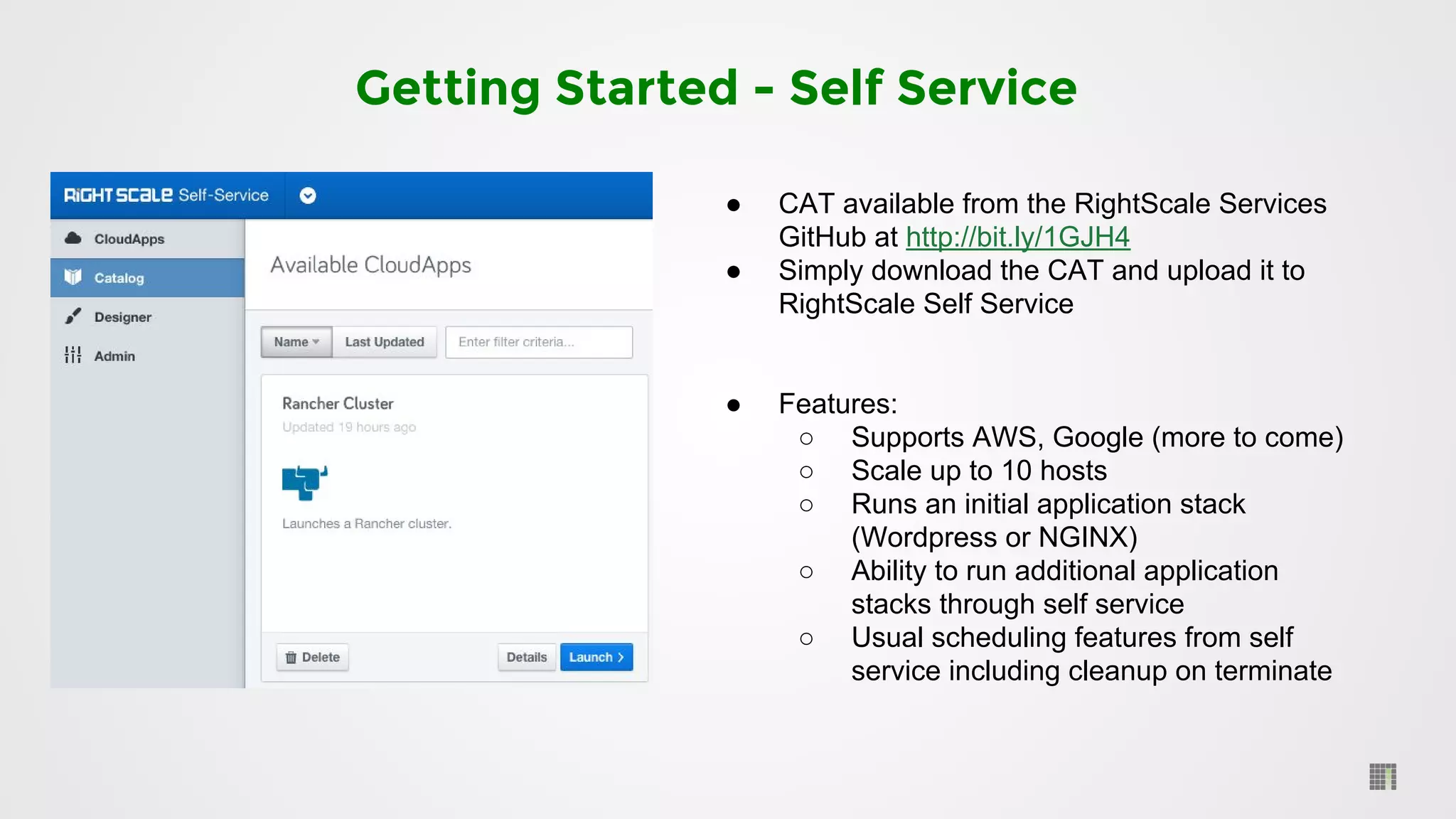
Getting Started - Self Service
● CAT available from the RightScale Services
GitHub at http://bit.ly/1GJH4
● Simply download the CAT and upload it to
RightScale Self Service
● Features:
○ Supports AWS, Google (more to come)
○ Scale up to 10 hosts
○ Runs an initial application stack
(Wordpress or NGINX)
○ Ability to run additional application
stacks through self service
○ Usual scheduling features from self
service including cleanup on terminate
Rancher in action
●
●
●
Coming Soon
●
●
●
●
●
●
●
Thank you
consulting@industrieit.com

Using Rancher and Docker with RightScale at Industrie IT

  • 1.
    Using Rancher andDocker with RightScale at Industrie IT Ameer Deen & Chris Fordham
  • 2.
  • 3.
    Design Goals -Where We Wanted To Go ● ● ●
  • 4.
  • 5.
    Cloud Broker (MultiCloud)Environments (dev, tst, stg, prod etc.) Bare Metal Service Discovery Server Provisioning (container hosts) Container scheduling/orchestration Infrastructure Management (e.g. networking) Overlay Network (internal/private) Autoscaling (container hosts) Load Balancing Monitoring & Alerting Reverse proxy Managed Server Login (SSH) TLS termination
  • 6.
    RightScale manages thecloud Rancher orchestrates services Docker runs the containers on the ships Industrie IT provides the stacked solution + your CI continuously integrates and deploys
  • 8.
    © 2015 RancherLabs, Inc. Build Environment DevOps builds software in the container service - DevOps teams create Build Environments - Adds resources and Jenkins slaves - Developer Pushes Code to Repo - Jenkins creates build containers - Build and Unit Tests run in build container - Outputs Artifacts - Jenkins creates Packaging container - Push Docker Image to registry - Build environments scale elastically Build Docker File Packaging Docker File Test Code Build Docker File Develop Build Package Test Deploy/Upgrade Operate 8
  • 9.
    © 2015 RancherLabs, Inc. Test Environment DevOps tests software in the container service - Create Test Environments - Upload Compose & Test files - Build triggers Jenkins - Jenkins triggers Rancher to deploy compose - Rancher creates containers, networks, storage, etc. - Test container conducts integration tests Develop Build Package Test Deploy/Upgrade Operate Test docker-compose.yml lb: image: haproxy links: - web tomcat: image: app:buildn links: - db - cache cache: image: memcache db: image: mysql:testn Hosts db - mysql:testn cache - memcache Lb -haproxy tomcat -app:buildn Test Test Compose Images 9
  • 10.
    © 2015 RancherLabs, Inc. Production Environment Hosts DevOps runs production in the container service - Production Compose - Rancher deploys environment - Update Scaling - Health Checks & HA - Upgrade - Backup & Recovery Develop Build Package Test Deploy/Upgrade Operate docker-compose.yml lb: image: haproxy links: - web tomcat: image: app:buildn links: - db - cache cache: image: memcache db: image: mysql lb tomcat CacheMySQL Health Check Interval: 2 sec Timeout: 2 sec Failure Retry Frequency: 3 Success Retry Frequency: 2 Recovery Delay: 30 sec tomcat(build n+1) 10
  • 11.
    Continuous Integration/Delivery Tips ● ● ● ● ●Dockerfile docker-compose.yml rancher-compose.yml Makefile ● ●
  • 12.
  • 13.
    Getting Started -CMP ● Import direct from the Marketplace ● Spin up your Rancher Server ● Generate an API key pair for RightScale ○ Update inputs with the keys and Rancher server host ● Add Rancher Hosts using Servers or Server Arrays
  • 14.
    Getting Started -Self Service ● CAT available from the RightScale Services GitHub at http://bit.ly/1GJH4 ● Simply download the CAT and upload it to RightScale Self Service ● Features: ○ Supports AWS, Google (more to come) ○ Scale up to 10 hosts ○ Runs an initial application stack (Wordpress or NGINX) ○ Ability to run additional application stacks through self service ○ Usual scheduling features from self service including cleanup on terminate
  • 15.
  • 16.
  • 17.