● Object-oriented programming (OOP) is a
programming paradigm that uses objects
and classes to design and develop
software. OOP has become a dominant
paradigm in modern software
development, influencing languages like
Java, Python, C++, and many more.
Object-Oriented
Programming Paradigm
Continued…..
● In object oriented programming approach there is a collection of objects. Each object consists
of corresponding data structures and the required operations (procedures). This is basically the
bottom up problem solving approach.
● In OOP the most important entity called object is created.
● Each object consists of data attributes and the methods. The methods or functions operate on
data attributes.
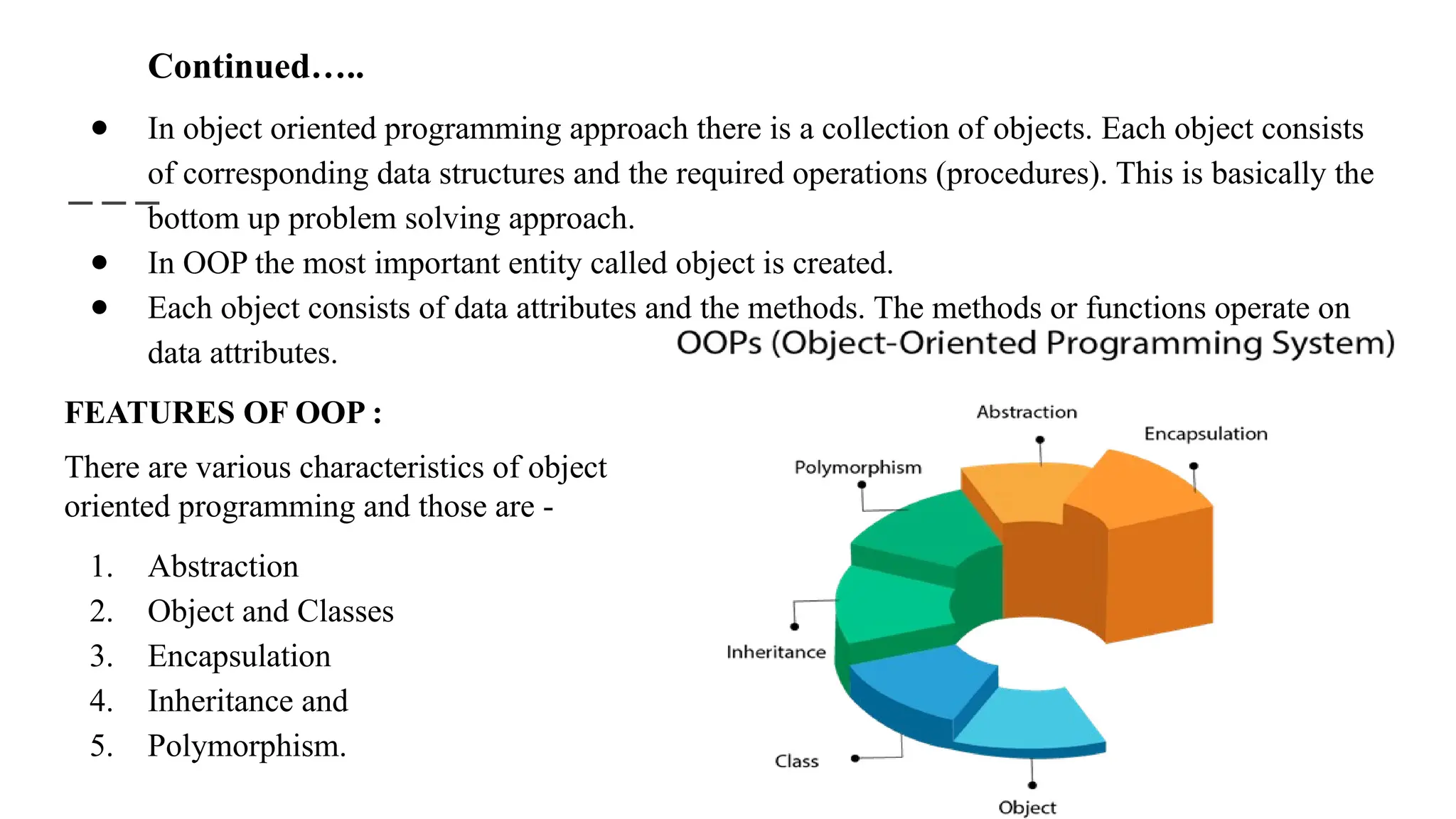
FEATURES OF OOP :
There are various characteristics of object
oriented programming and those are -
1. Abstraction
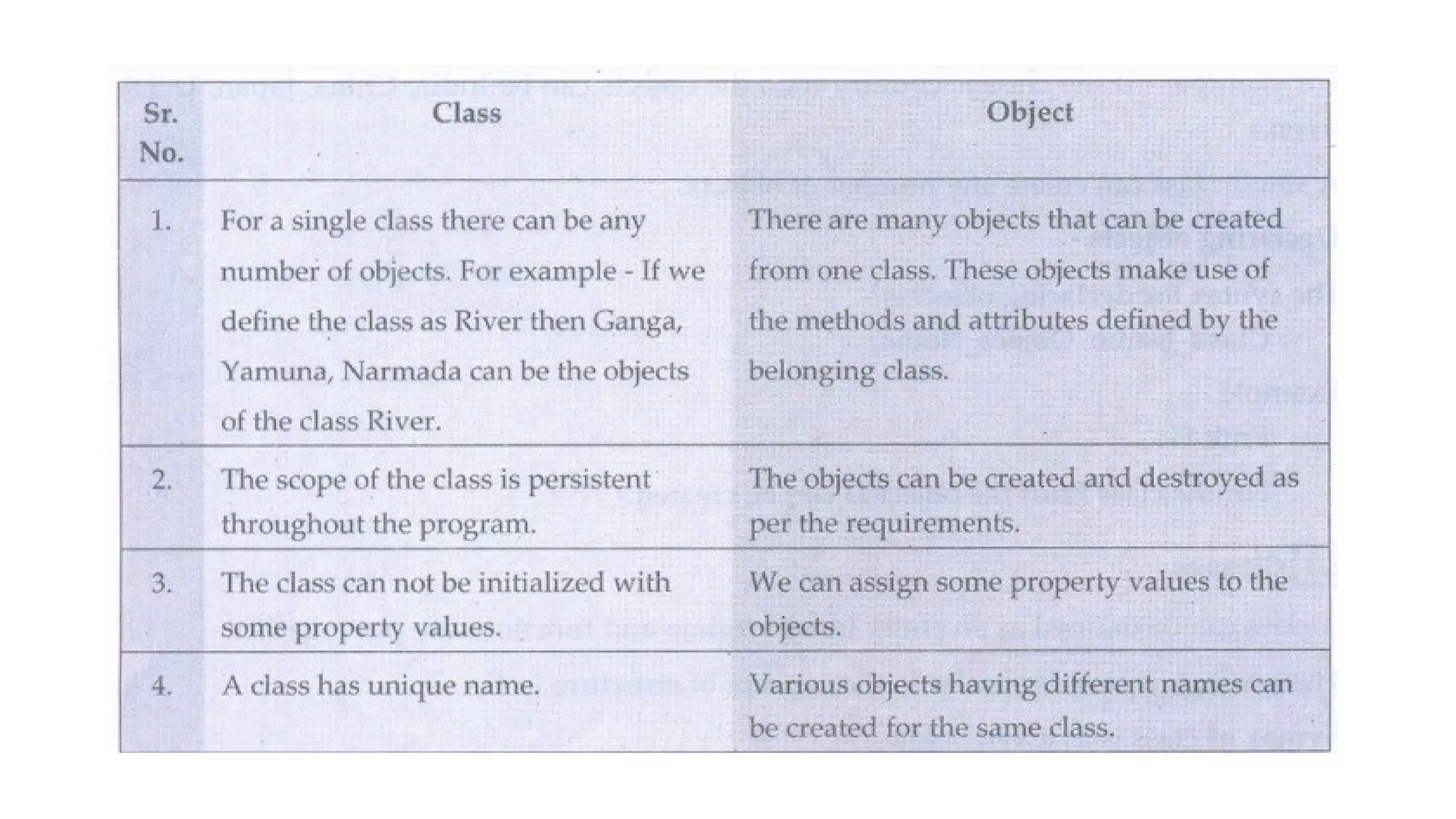
2. Object and Classes
3. Encapsulation
4. Inheritance and
5. Polymorphism.
Principles of OOP
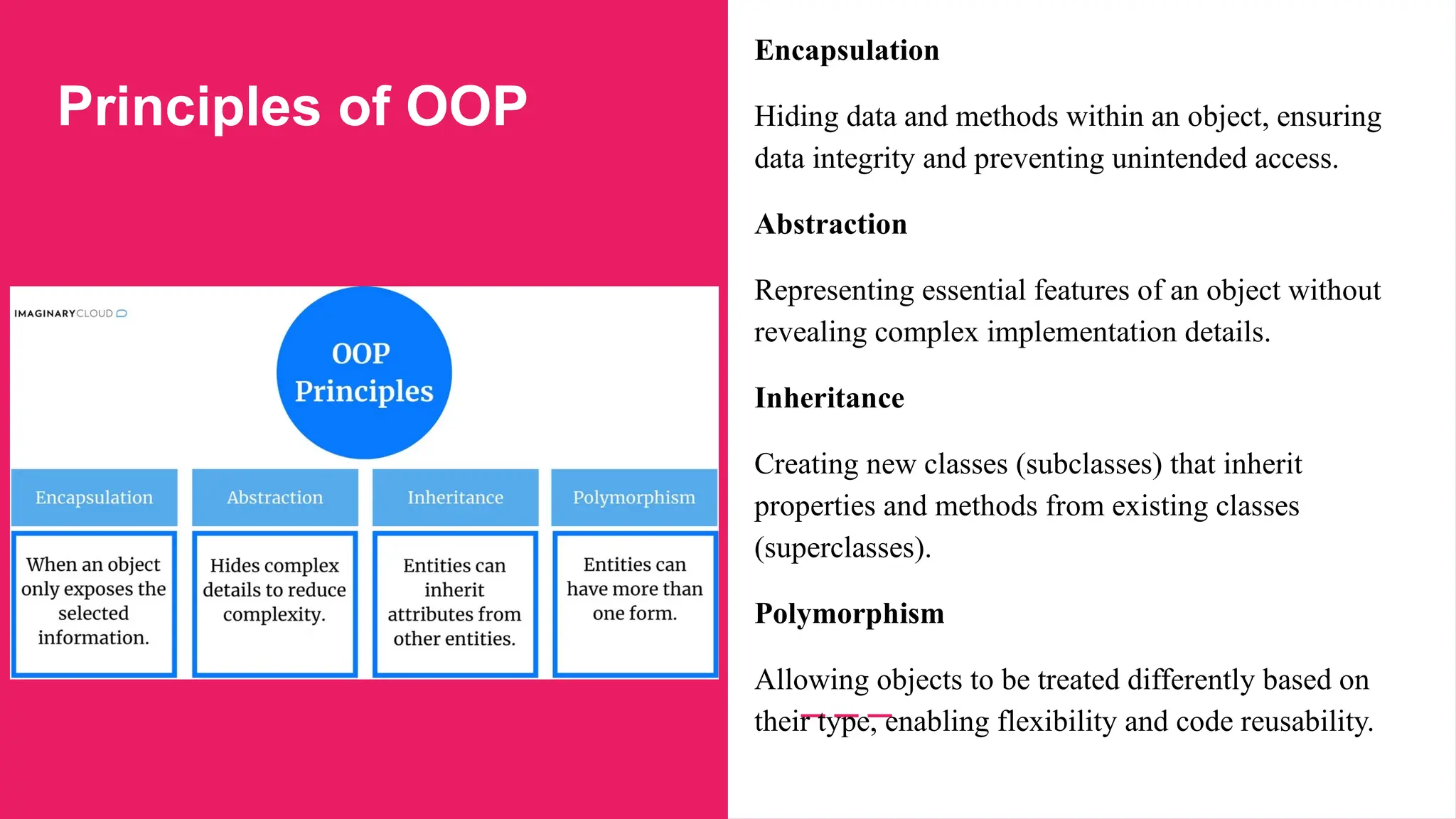
Encapsulation
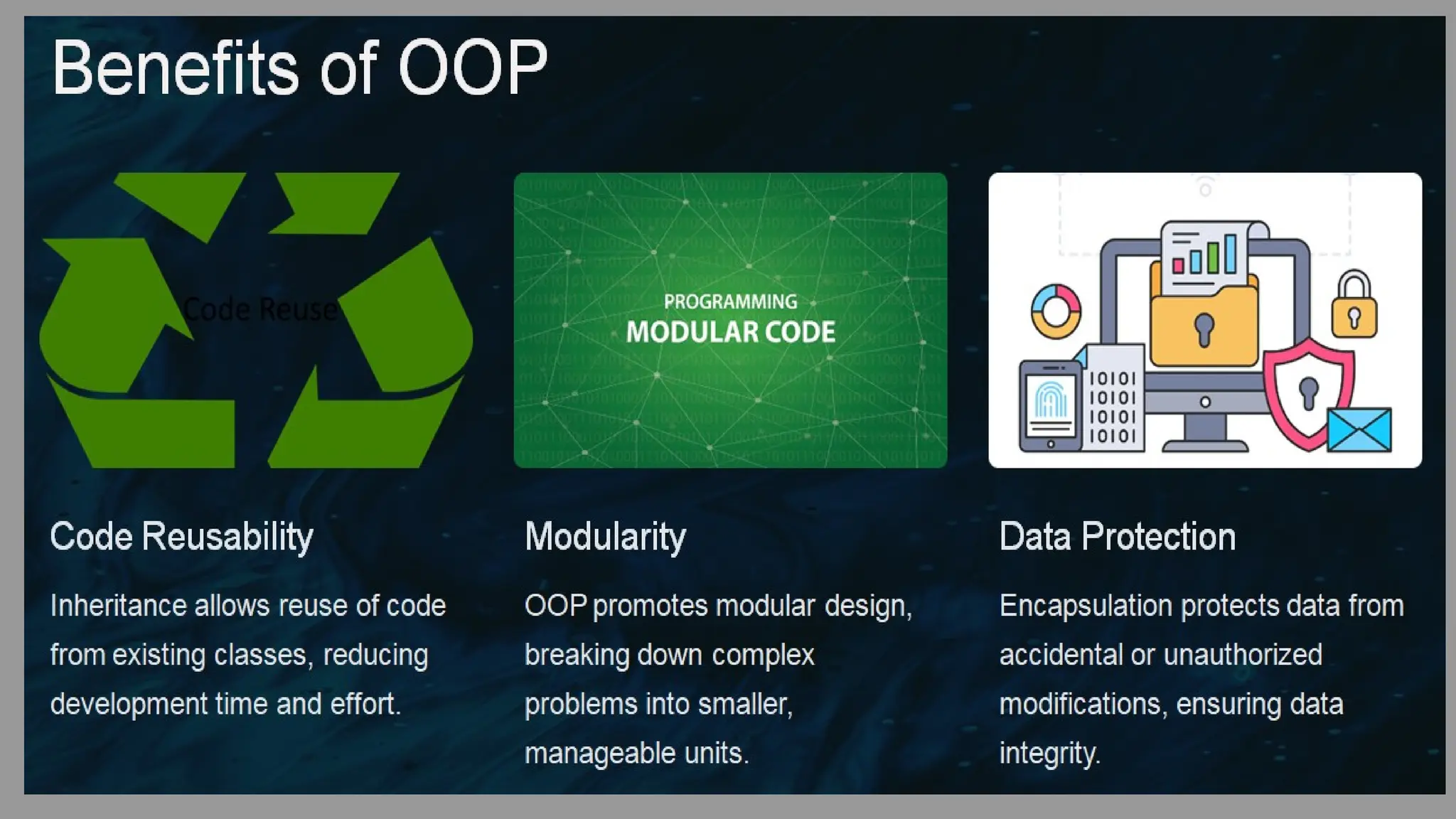
Hiding data and methods within an object, ensuring
data integrity and preventing unintended access.
Abstraction
Representing essential features of an object without
revealing complex implementation details.
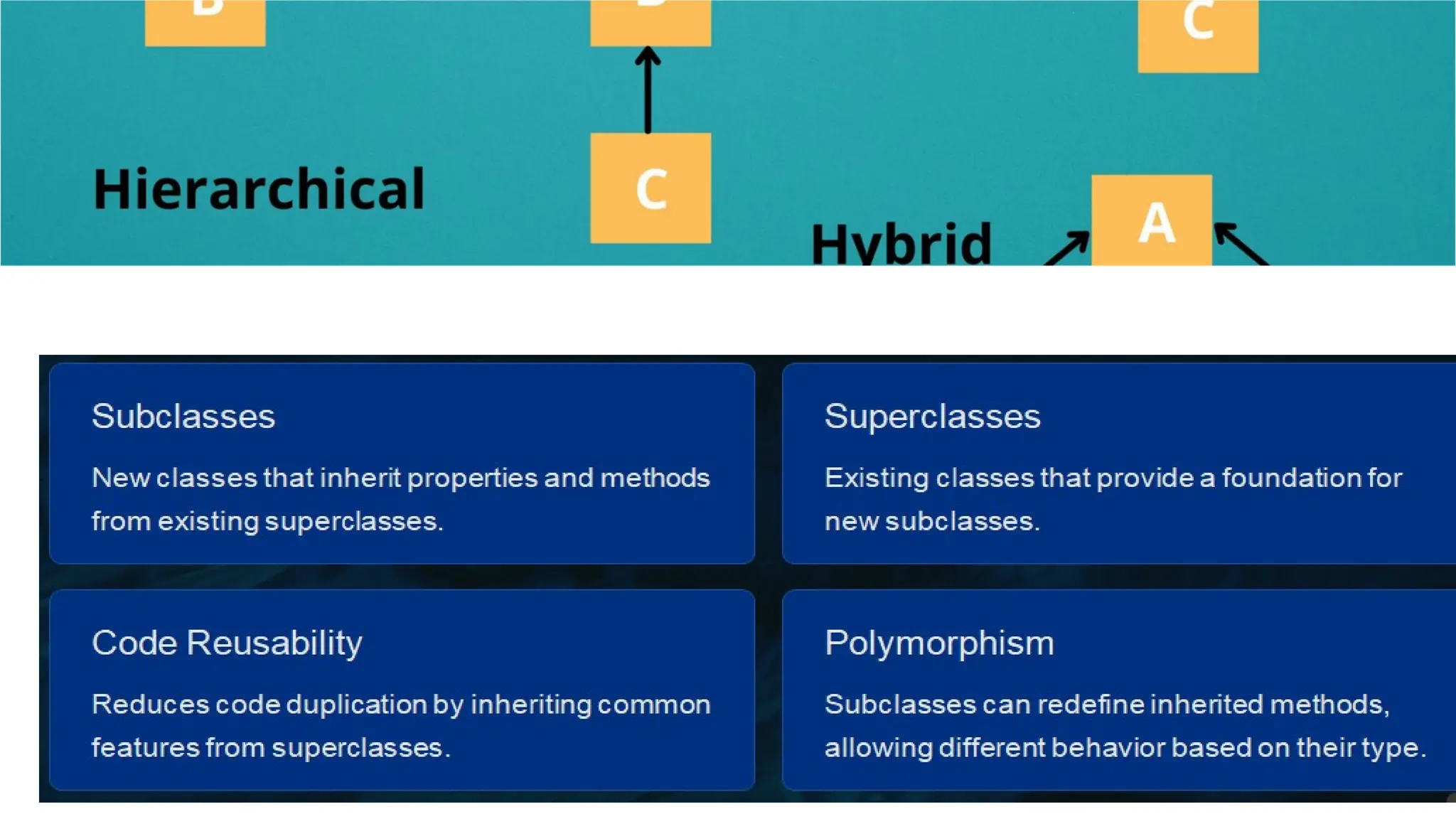
Inheritance
Creating new classes (subclasses) that inherit
properties and methods from existing classes
(superclasses).
Polymorphism
Allowing objects to be treated differently based on
their type, enabling flexibility and code reusability.
Classes and Objects
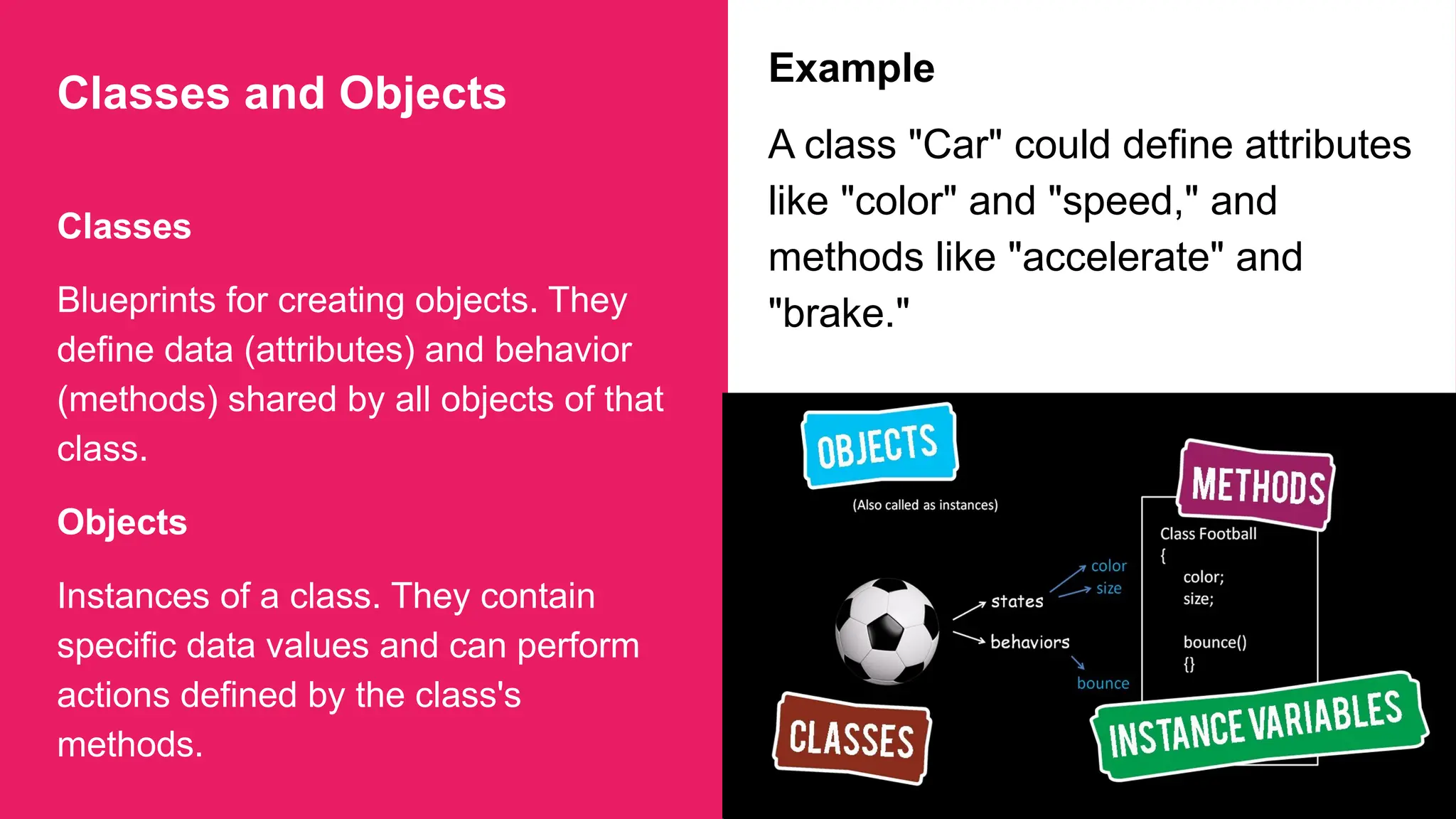
Classes
Blueprints for creating objects. They
define data (attributes) and behavior
(methods) shared by all objects of that
class.
Objects
Instances of a class. They contain
specific data values and can perform
actions defined by the class's
methods.
Example
A class "Car" could define attributes
like "color" and "speed," and
methods like "accelerate" and
"brake."
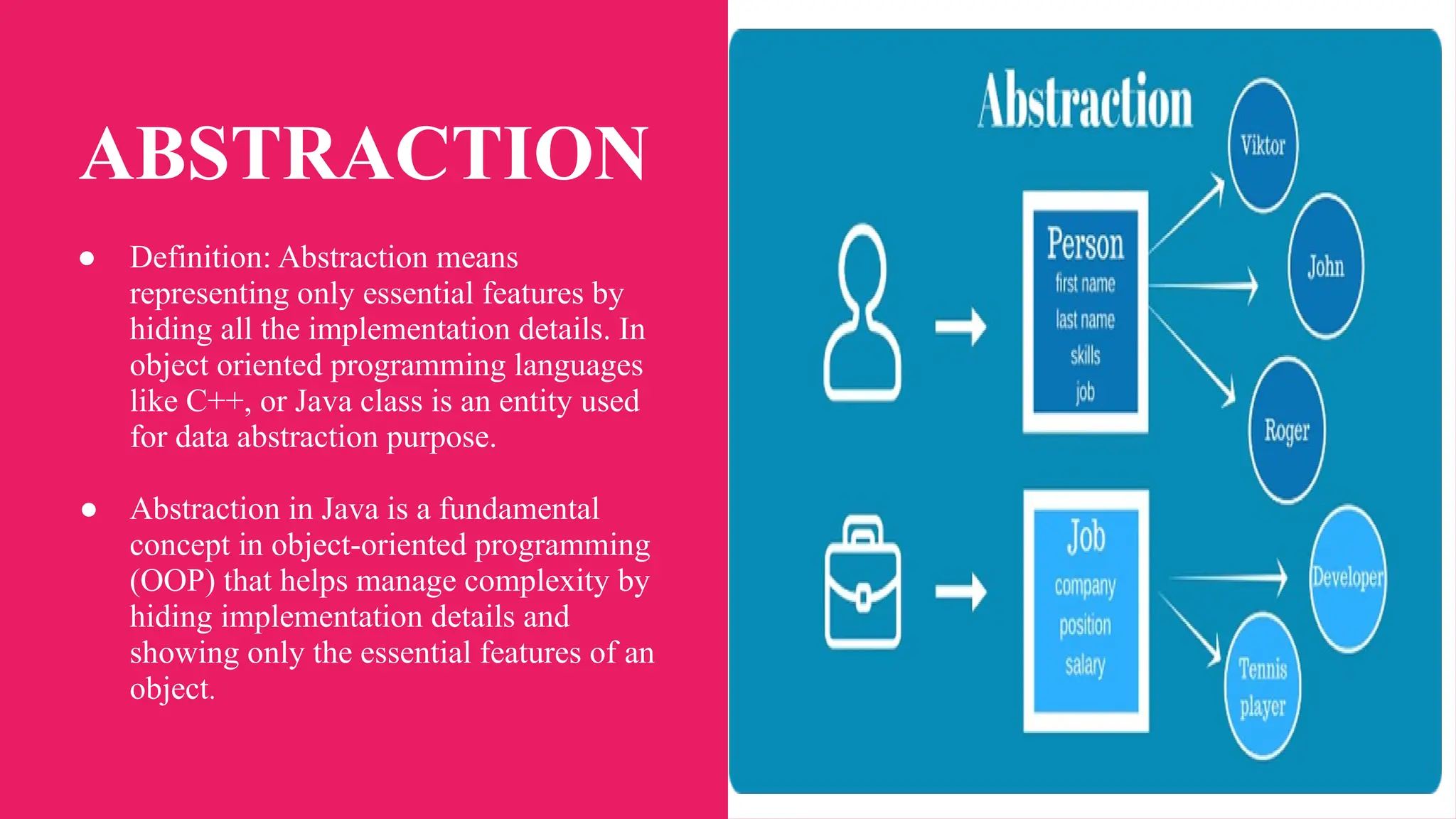
ABSTRACTION
● Definition: Abstraction means
representing only essential features by
hiding all the implementation details. In
object oriented programming languages
like C++, or Java class is an entity used
for data abstraction purpose.
● Abstraction in Java is a fundamental
concept in object-oriented programming
(OOP) that helps manage complexity by
hiding implementation details and
showing only the essential features of an
object.
Encapsulation :
Definition: Encapsulation means binding
of data and method together in a single
entity called class.
● The data inside that class is accessible
by the function in the same class. It is
normally not accessible from the
outside of the component.
● Encapsulation is for the detailed
implementation of a component which
can be hidden from rest of the system.
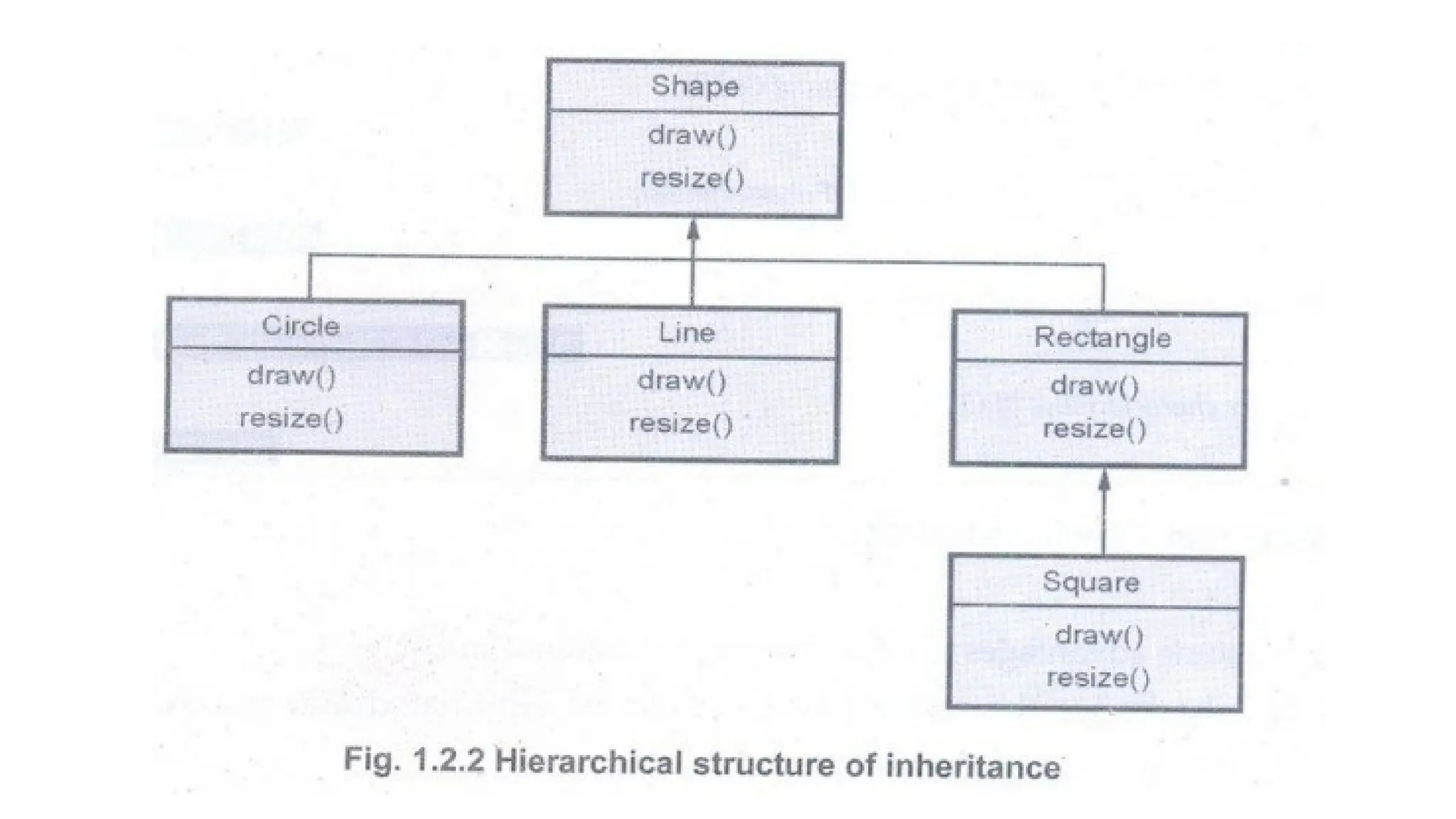
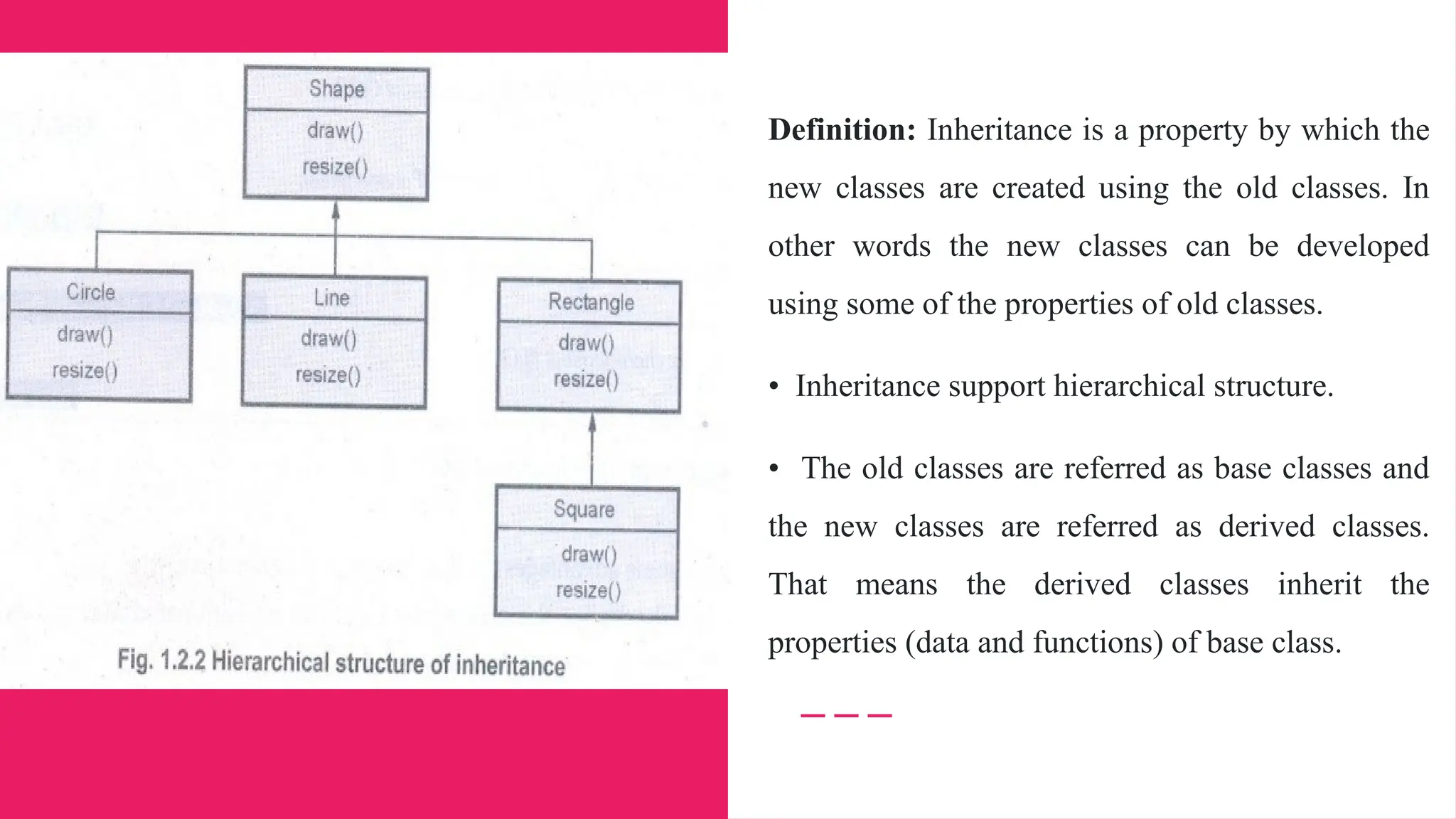
Inheritance
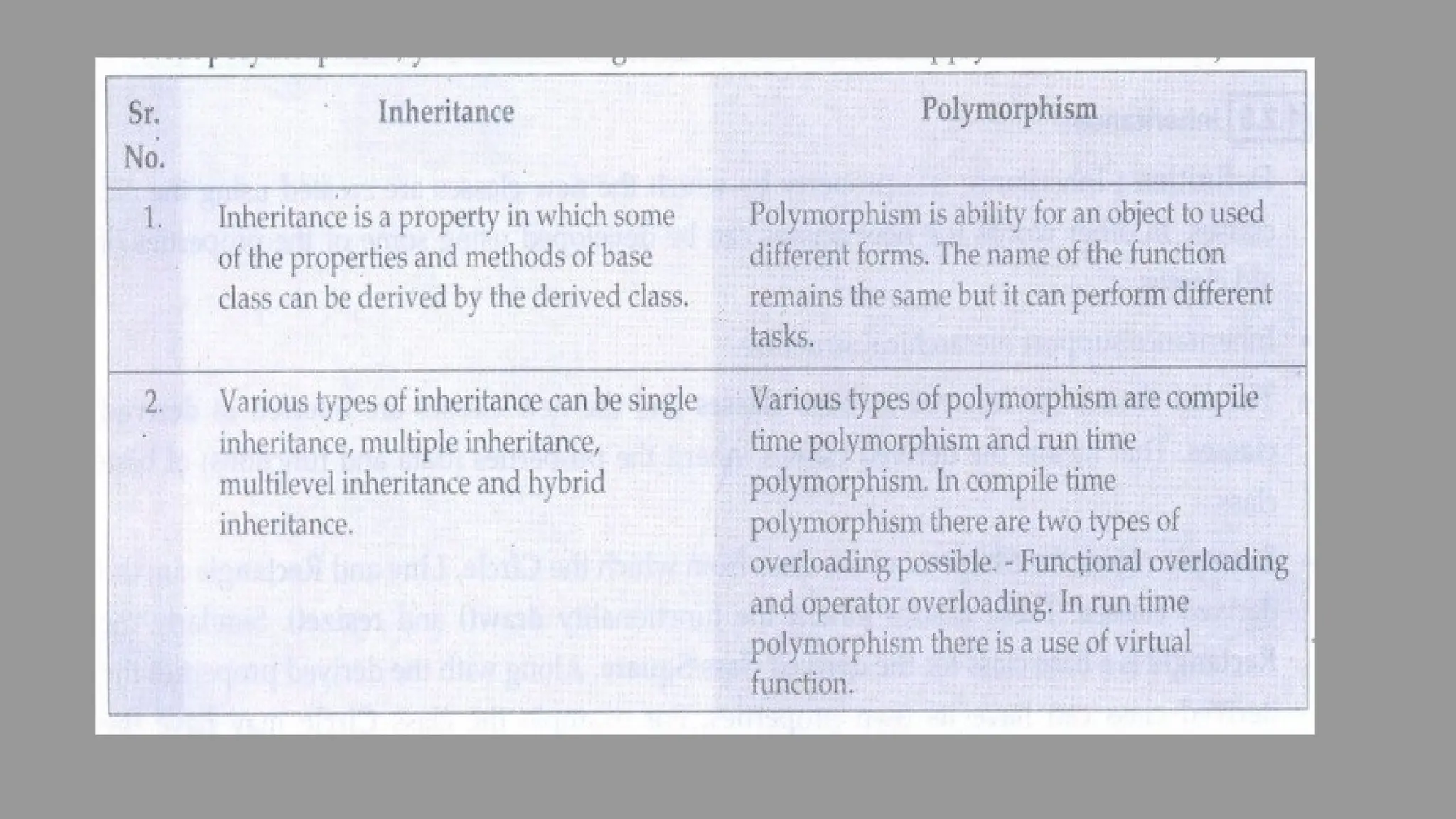
Definition: Inheritance is a property by which the
new classes are created using the old classes. In
other words the new classes can be developed
using some of the properties of old classes.
• Inheritance support hierarchical structure.
• The old classes are referred as base classes and
the new classes are referred as derived classes.
That means the derived classes inherit the
properties (data and functions) of base class.
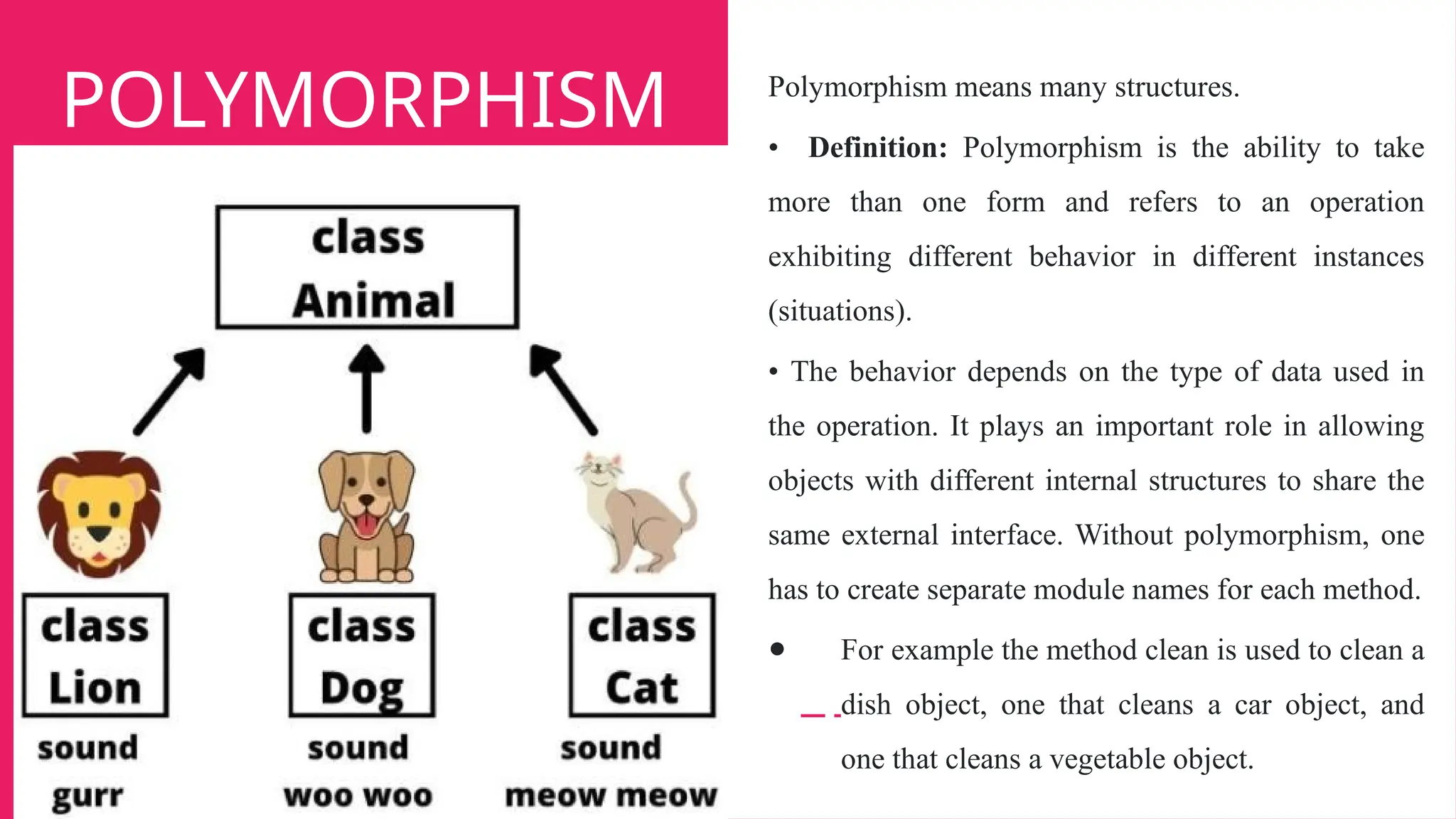
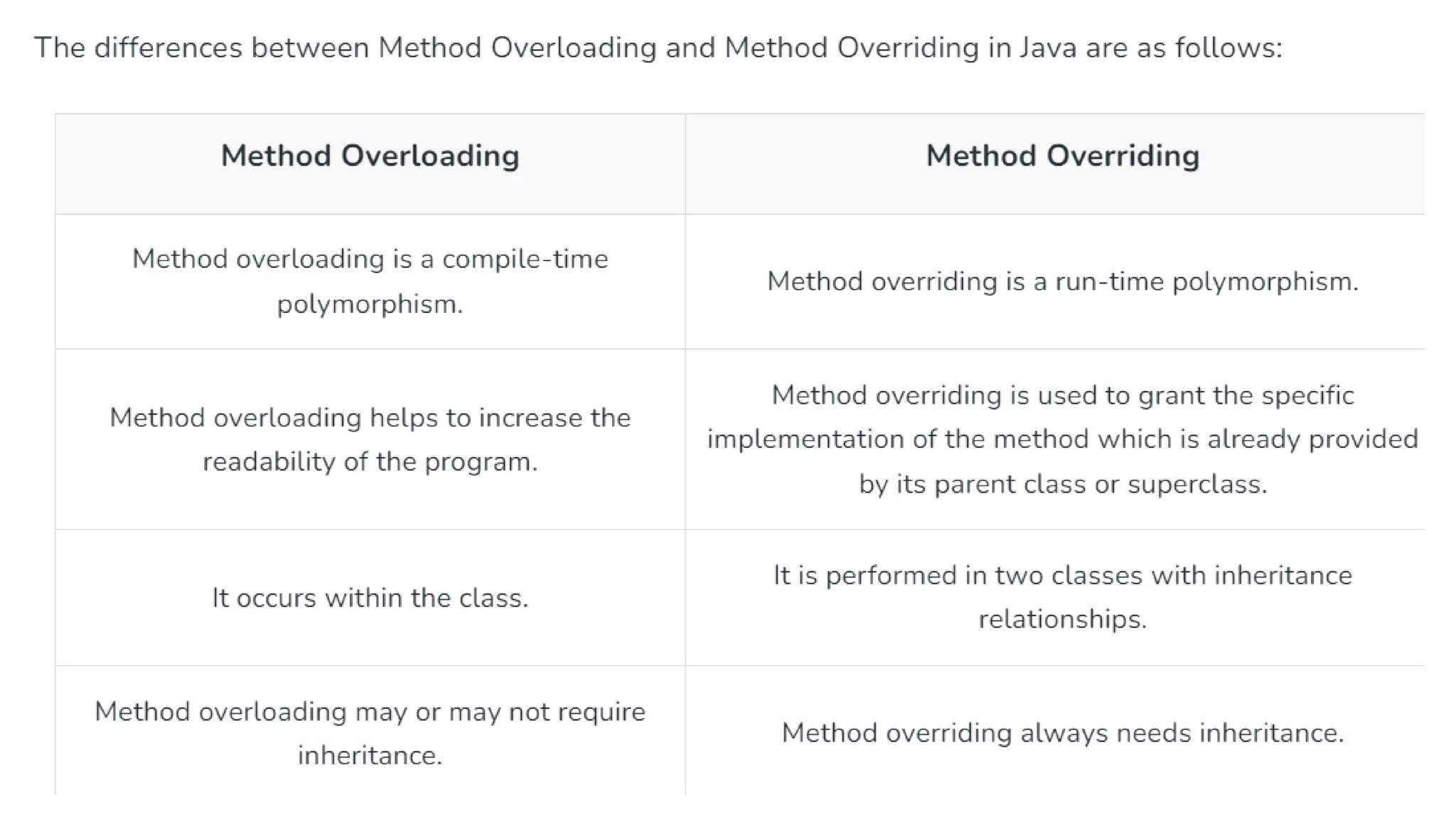
POLYMORPHISM Polymorphism means many structures.
• Definition: Polymorphism is the ability to take
more than one form and refers to an operation
exhibiting different behavior in different instances
(situations).
• The behavior depends on the type of data used in
the operation. It plays an important role in allowing
objects with different internal structures to share the
same external interface. Without polymorphism, one
has to create separate module names for each method.
● For example the method clean is used to clean a
dish object, one that cleans a car object, and
one that cleans a vegetable object.
DRAWBACKS :
1. The object oriented programming is complex to
implement, because every entity in it is an object. We
can access the methods and attributes of particular
class using the object of that class.
2. If some of the members are declared as private
then those members are not accessible by the object
of another class. In such a case you have to make use
of inheritance property.
3. In Object oriented programming, every thing must
be arranged in the forms of classes and modules. For
the lower level applications it is not desirable feature.
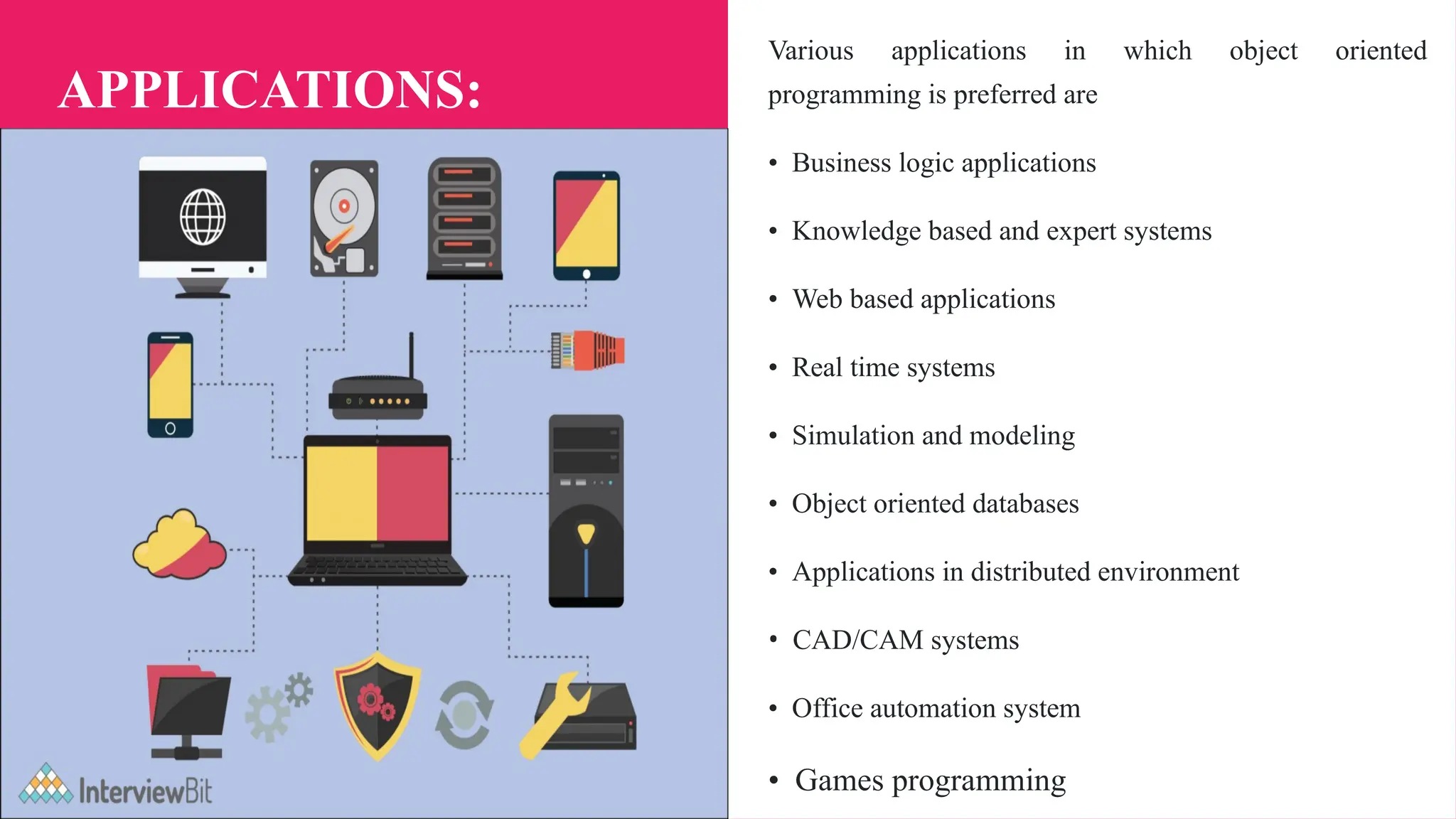
APPLICATIONS:
Various applications in which object oriented
programming is preferred are
• Business logic applications
• Knowledge based and expert systems
• Web based applications
• Real time systems
• Simulation and modeling
• Object oriented databases
• Applications in distributed environment
• CAD/CAM systems
• Office automation system
• Games programming
INTRODUCTION OF JAVA
● Java is a programming language and a platform.
Java is a high level, robust, object-oriented and secure
programming language.
● Platform: Any hardware or software environment in which
a program runs, is known as a platform. Since Java has a
runtime environment (JRE) and API, it is called a platform.
Simple.java
class Simple{
public static void main(String args[]){
System.out.println("Hello Java");
} }
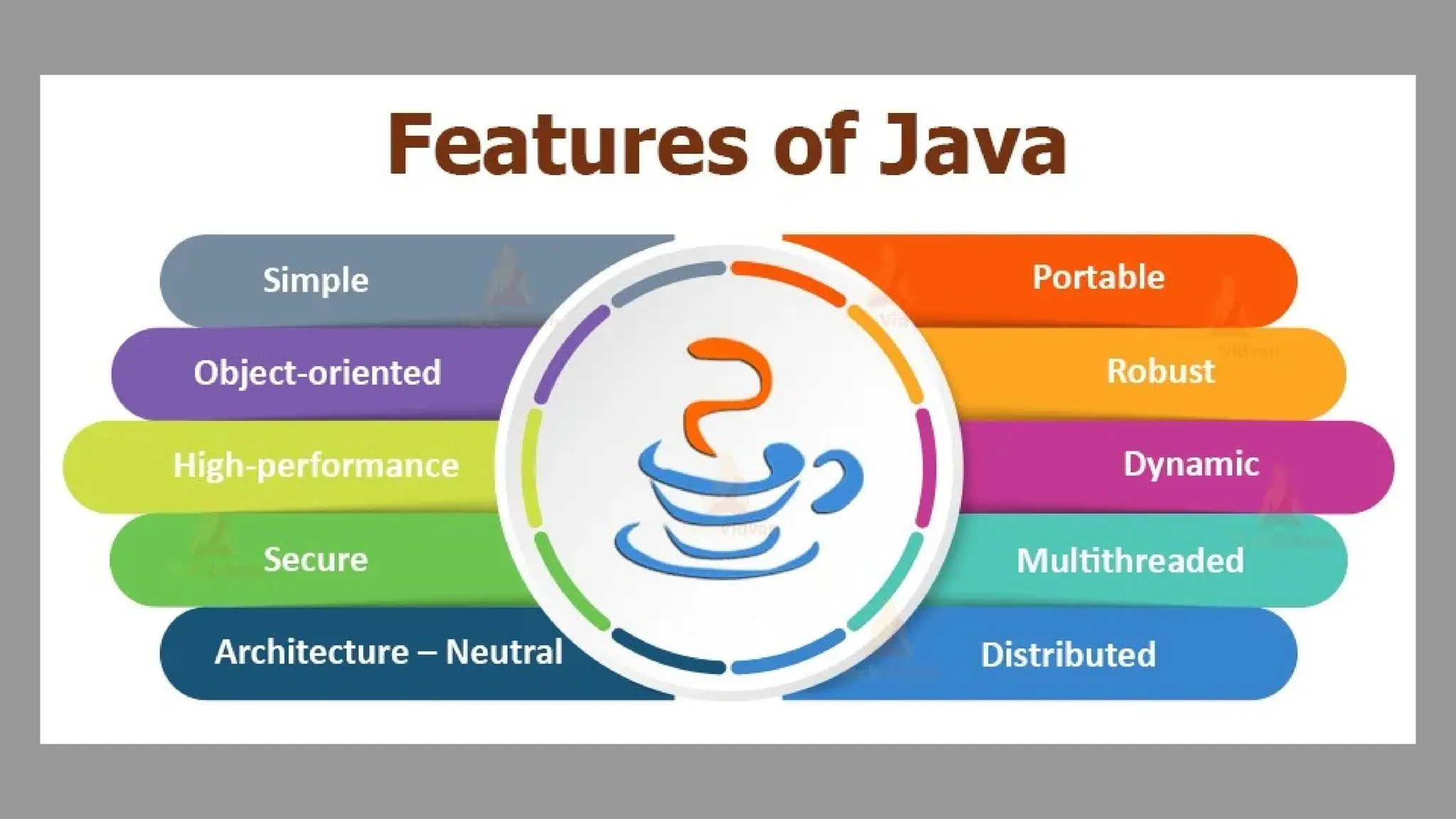
JAVA BUZZWORDS :
1. Java is simple and small programming
language
• Java is a simple programming language. Even
though you have no programming background you
can learn this language comfortably.
• The programmers who worked on C or C++ can
learn this language more efficiently because the
syntax of Java resembles with C and C++.
• In fact Java is made more clear and adaptable than
C++.
2. Java is robust and secure
● Java does not support the concept of pointers directly.
This makes it impossible to accidentally reference
memory that belongs to other programs or the kernel.
● In programming languages like C or C++ the
memory management is done explicitly by the user.
That means user allocates or deallocates the memory.
Whereas in java its automatically done using garbage
collection. Thus user can not perform the memory
management directly.
● If an applet is executing in some browser then it is
not allowed to access the file system of local
machine.
3. Java is a platform independent and portable
programming language
• Platform independence is the most exciting
feature of Java program. That means programs in
Java can be executed on variety of platforms. This
feature is based on the goal - write once, run
anywhere, and at anytime forever.
• Java supports portability in 2 ways - Java
compiler generates the byte code which can be
further used to obtain the corresponding machine
code. Secondly the primitive data types used in Java
are machine independent.
4. Java is known as object oriented
programming language
• Java is popularly recognised as an object
oriented programming language.
• It supports various object oriented features such
as data encapsulation, inheritance, polymorphism
and dynamic binding.
• Everything in Java is an object. The object
oriented model of Java is simple and can be
extended easily.
5. Java is multithreaded and interactive
language
• Java supports multithreaded programming
which allows a programmer to write such a
program that can perform many tasks
simultaneously.
• This ultimately helps the developer to develop
more interactive code.
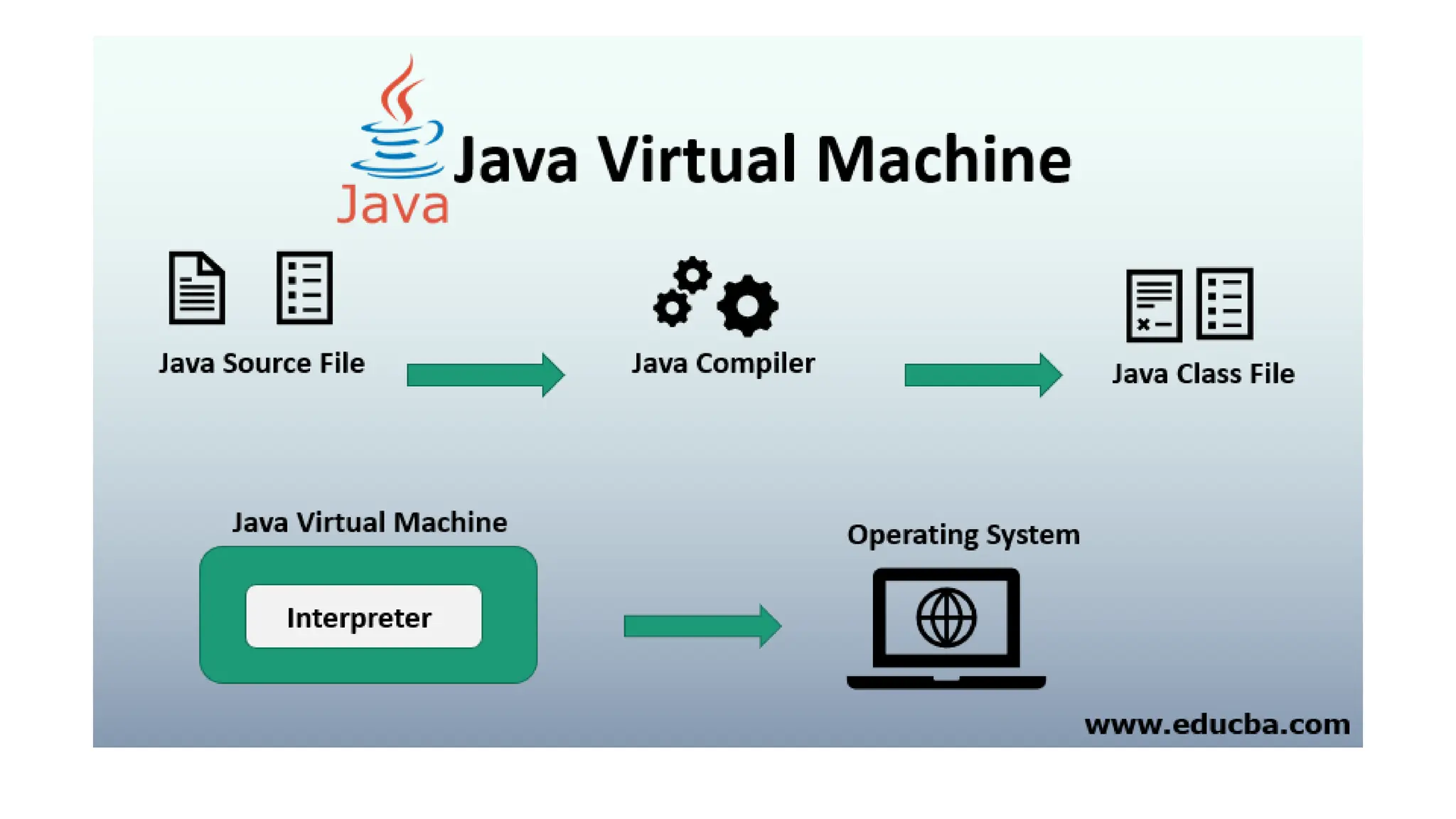
6. Java can be compiled and interpreted
• Normally programming languages can be either
compiled or interpreted but Java is a language
which can be compiled as well as interpreted.
• First, Java compiler translates the Java source
program into a special code called bytecode.
Then Java interpreter interprets this bytecode to
obtain the equivalent machine code.
• This machine code is then directly executed to
obtain the output.
7. Java is known for its high performance,
scalability, monitoring and manageability
• Due to the use of bytecode the Java has high
performance. The use of multi-threading also
helps to improve the performance of the Java.
• The J2SE helps to increase the scalability in
Java. For monitoring and management Java has
large number of Application Programming
Interfaces(API).
• There are tools available for monitoring and
tracking the information at the application level.
8. Java is a dynamic and extensible language
• This language is capable of dynamically
linking new class libraries, methods and objects.
• Java also supports the functions written in C
and C++. These functions are called native
methods.
9. Java is a designed for distributed
systems
• This feature is very much useful in
networking environment.
• In Java, two different objects on different
computers can communicate with each other.
. • This can be achieved by Remote Method
Invocation (RMI). This feature is very much
useful in Client-Server communication.
10. Java can be developed with ease
There are various features of Java such as
Generics, static import, annotations and so
on which help the Java programmer to
create a error free reusable code.
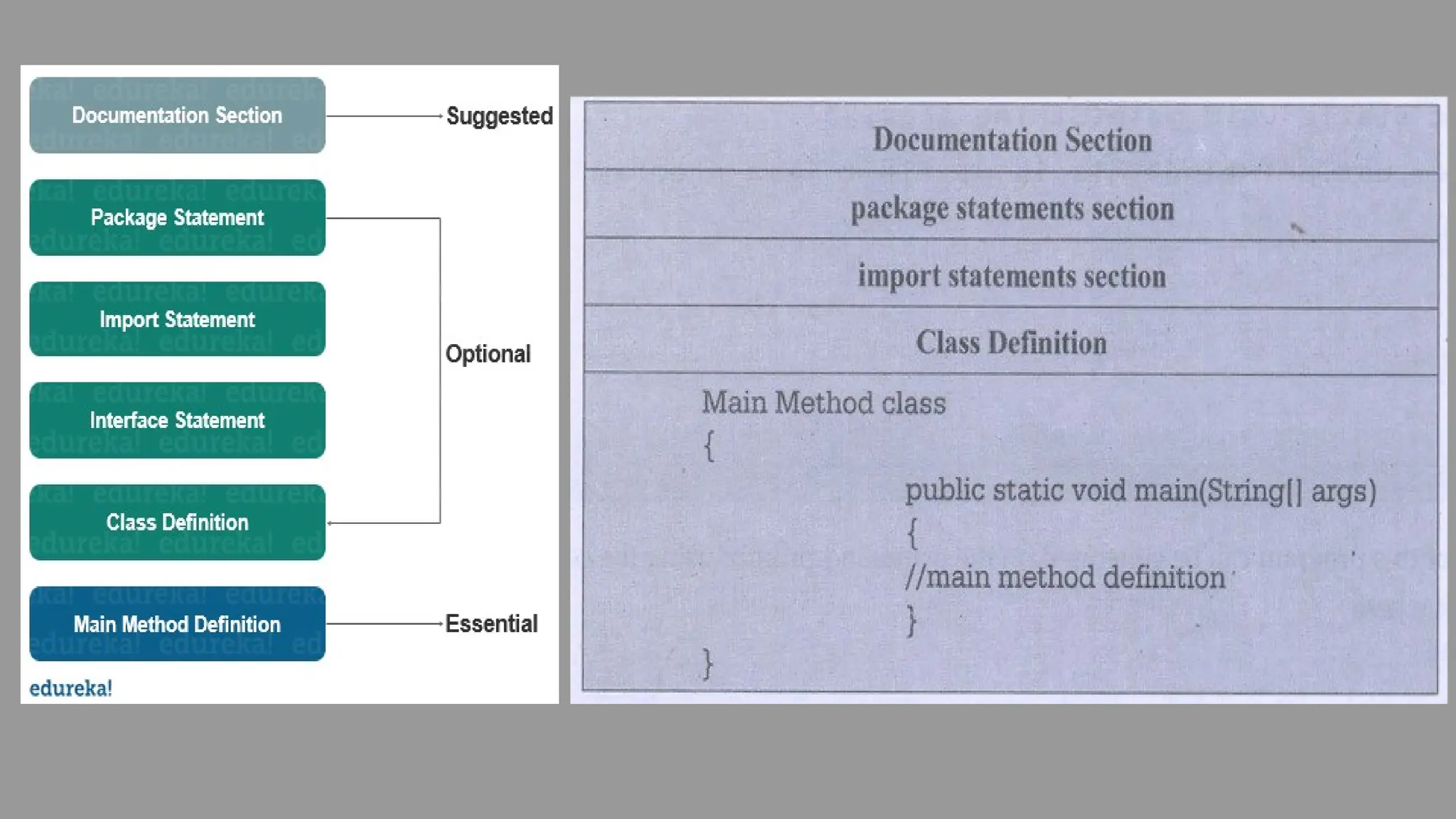
STRUCTURE OF JAVA PROGRAM
Documentation section: The documentation section provides the information about the source program. This
section contains the information which is not compiled by the Java. Everything written in this section is written as
comment.
Package section: It consists of the name of the package by using the keyword package. When we use the classes
from this package in out program then it is necessary to write the package statement in the beginning of the
program.
Import statement section: All the required java API can be imported by the import statement. There are some core
packages present in the java. These packages include the classes and method required for java programming. These
packages can be imported in the program in order to use the classes and methods of the program.
Class definition section: The class definition section contains the definition of the class. This class normally
contains the data and the methods manipulating the data.
Main method class: This is called the main method class because it contains the main() function. This class can
access the methods defined in other classes.
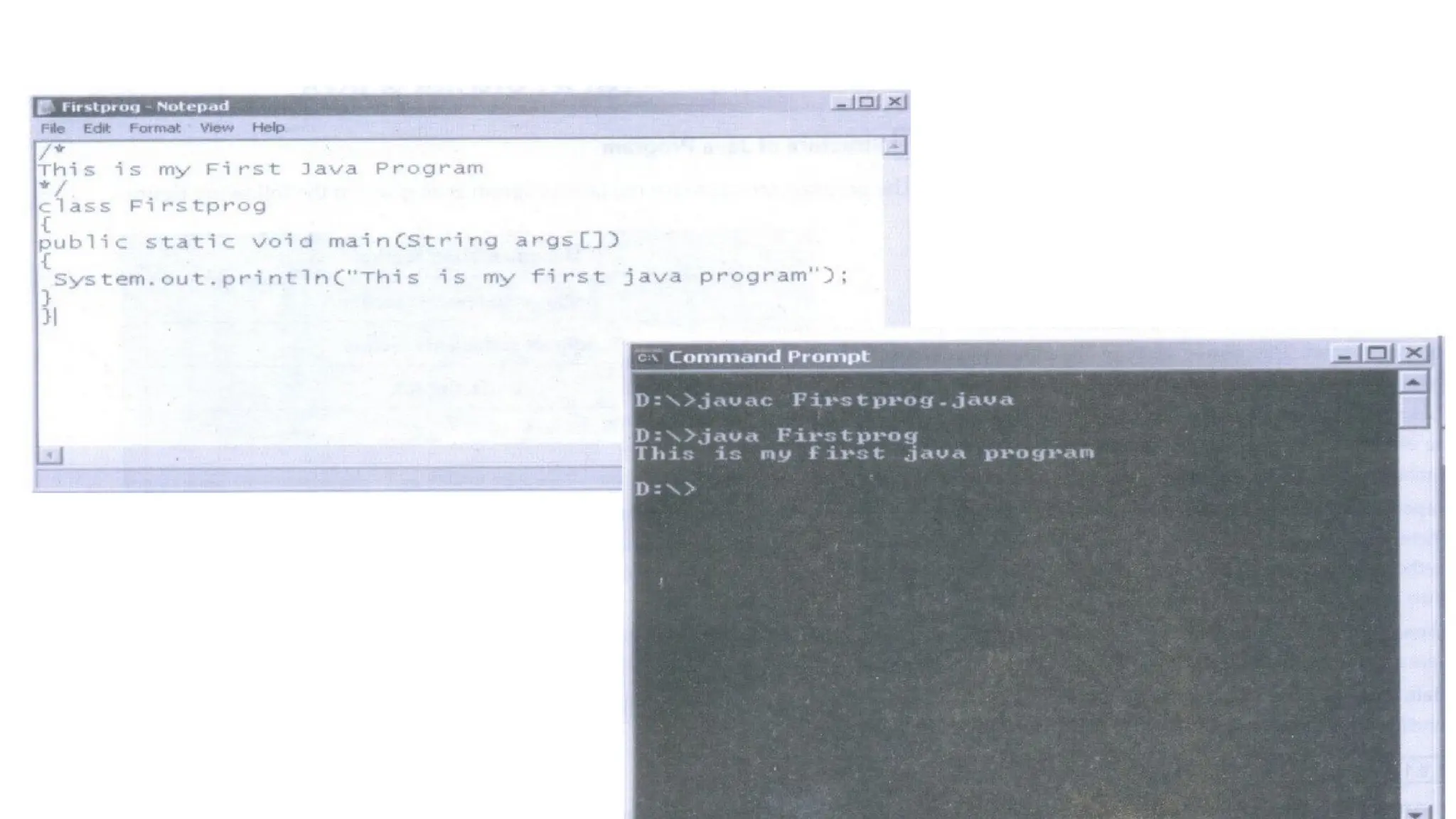
Writing Simple Java Program
JAVA ECOSYSTEM
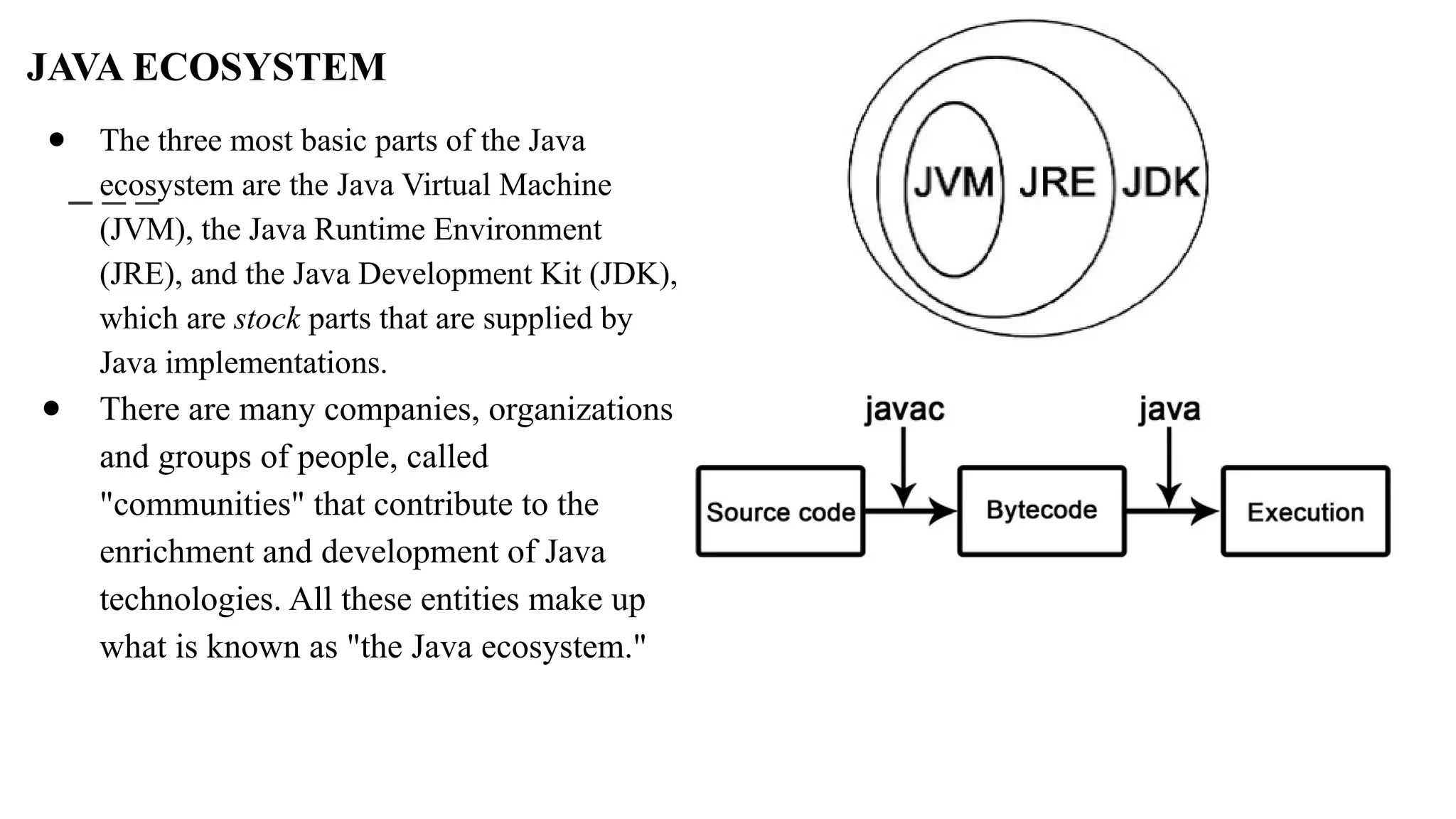
● The three most basic parts of the Java
ecosystem are the Java Virtual Machine
(JVM), the Java Runtime Environment
(JRE), and the Java Development Kit (JDK),
which are stock parts that are supplied by
Java implementations.
● There are many companies, organizations
and groups of people, called
"communities" that contribute to the
enrichment and development of Java
technologies. All these entities make up
what is known as "the Java ecosystem."
JVM- JAVA VIRTUAL MACHINE
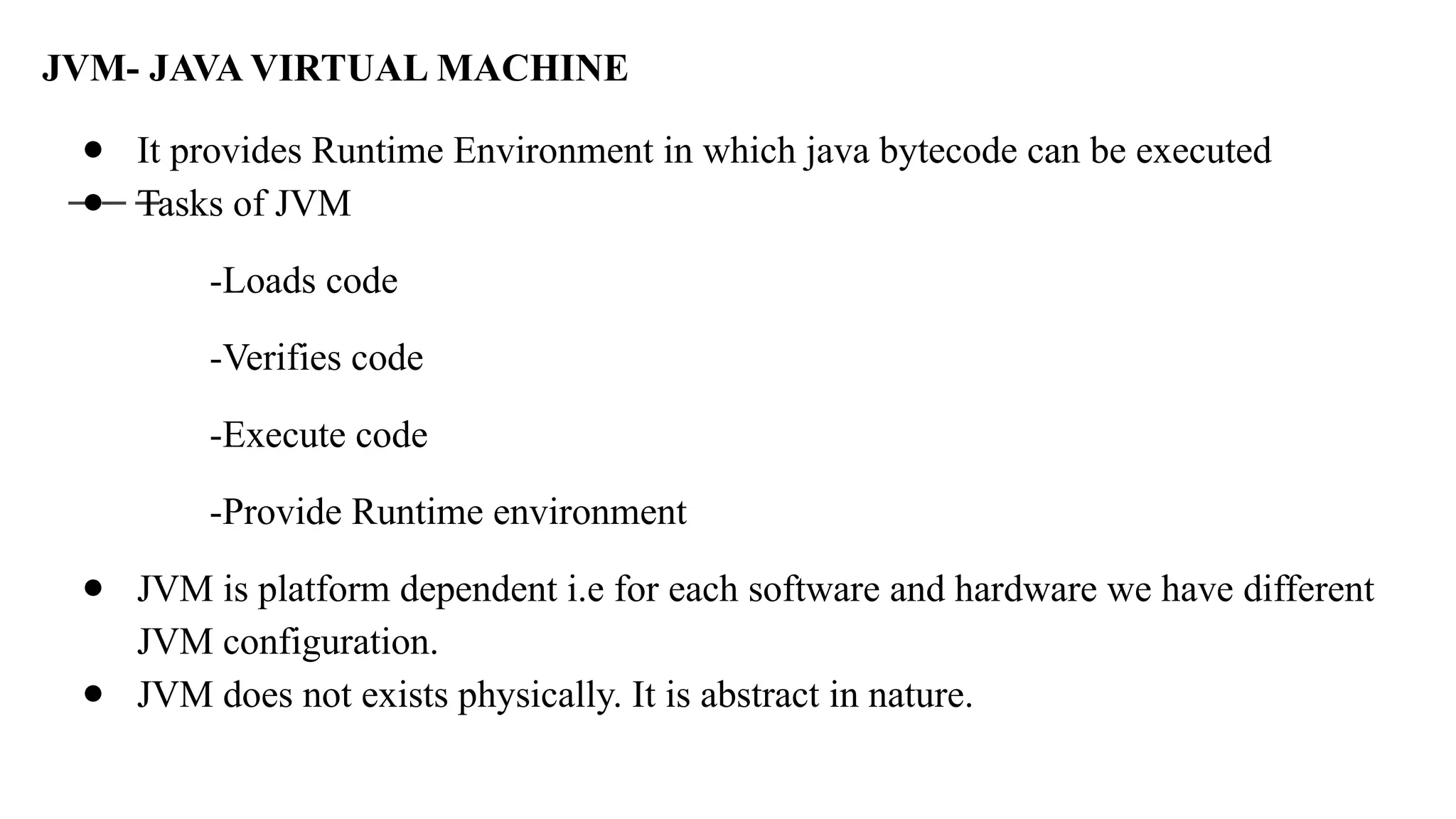
● It provides Runtime Environment in which java bytecode can be executed
● Tasks of JVM
-Loads code
-Verifies code
-Execute code
-Provide Runtime environment
● JVM is platform dependent i.e for each software and hardware we have different
JVM configuration.
● JVM does not exists physically. It is abstract in nature.
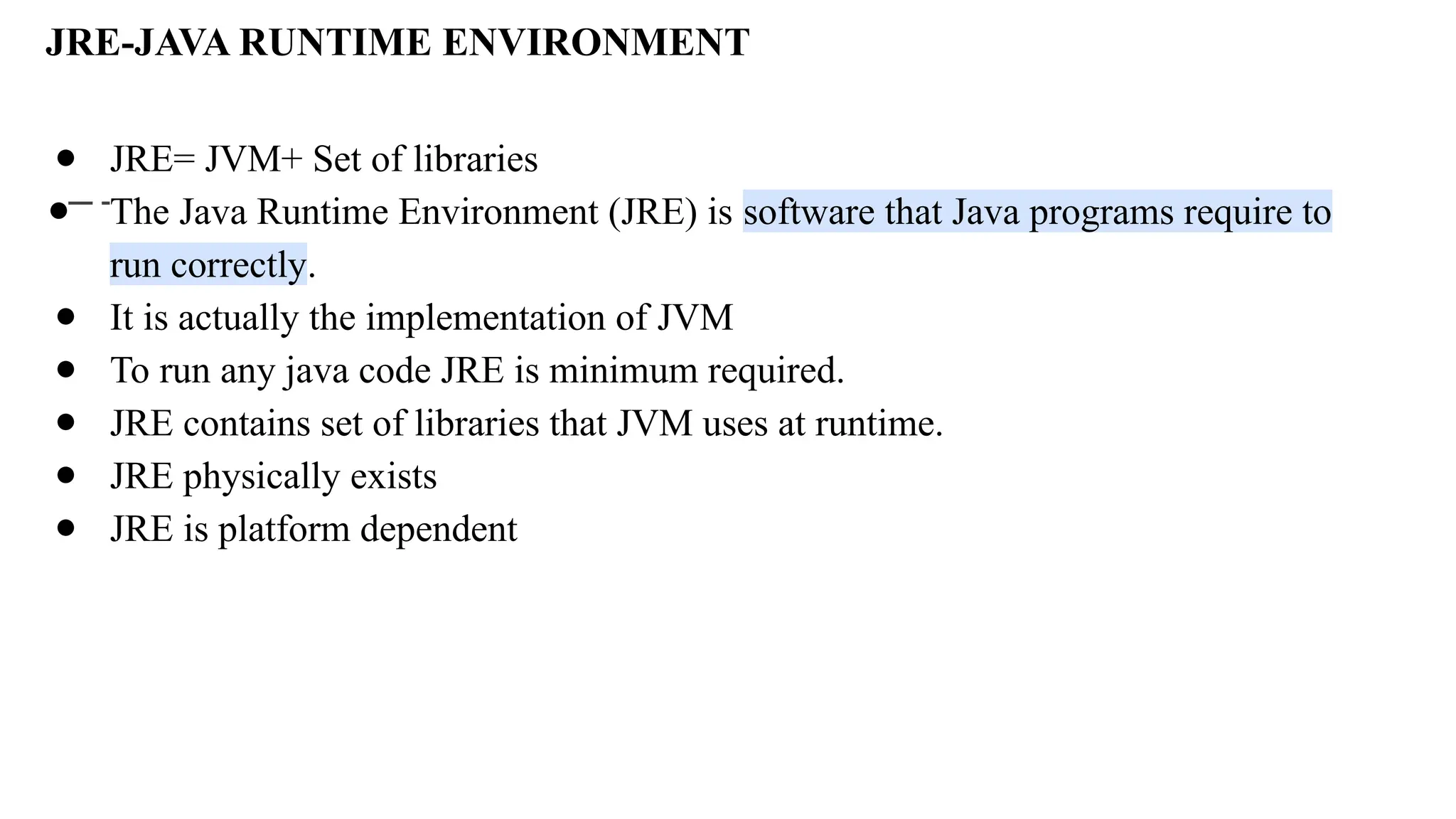
JRE-JAVA RUNTIME ENVIRONMENT
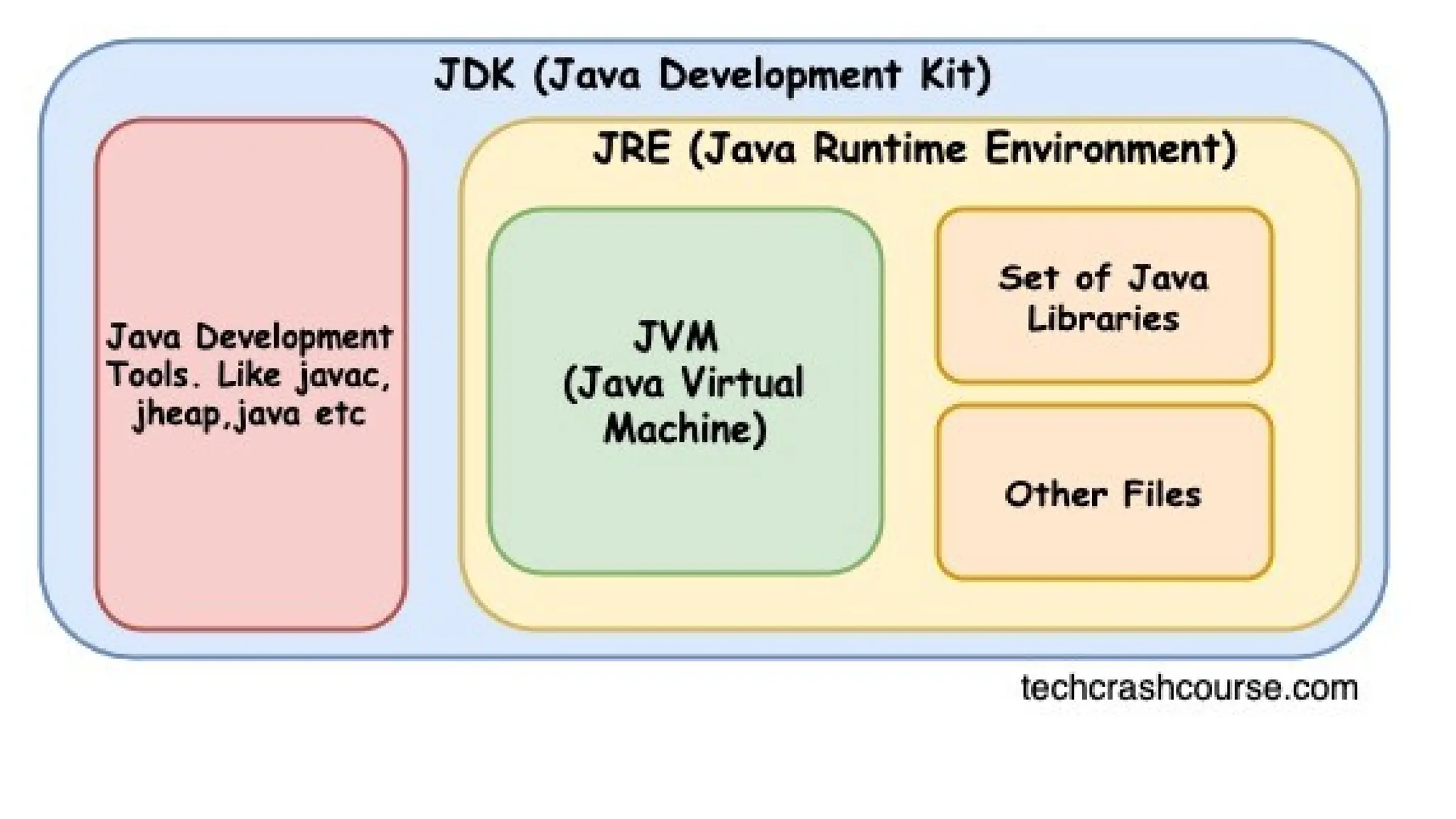
● JRE= JVM+ Set of libraries
● The Java Runtime Environment (JRE) is software that Java programs require to
run correctly.
● It is actually the implementation of JVM
● To run any java code JRE is minimum required.
● JRE contains set of libraries that JVM uses at runtime.
● JRE physically exists
● JRE is platform dependent
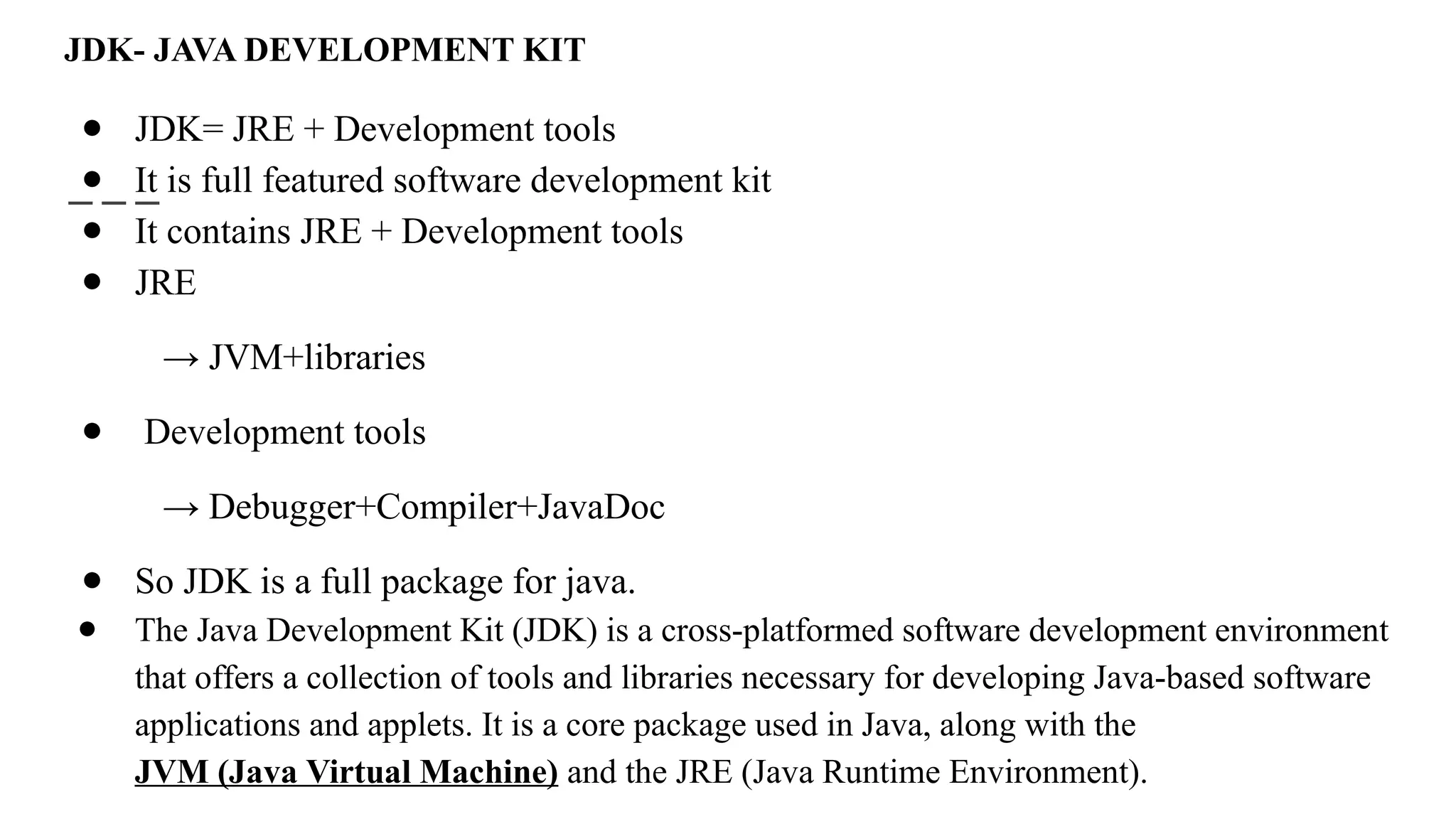
JDK- JAVA DEVELOPMENT KIT
● JDK= JRE + Development tools
● It is full featured software development kit
● It contains JRE + Development tools
● JRE
→ JVM+libraries
● Development tools
→ Debugger+Compiler+JavaDoc
● So JDK is a full package for java.
● The Java Development Kit (JDK) is a cross-platformed software development environment
that offers a collection of tools and libraries necessary for developing Java-based software
applications and applets. It is a core package used in Java, along with the
JVM (Java Virtual Machine) and the JRE (Java Runtime Environment).
Running a Java Program
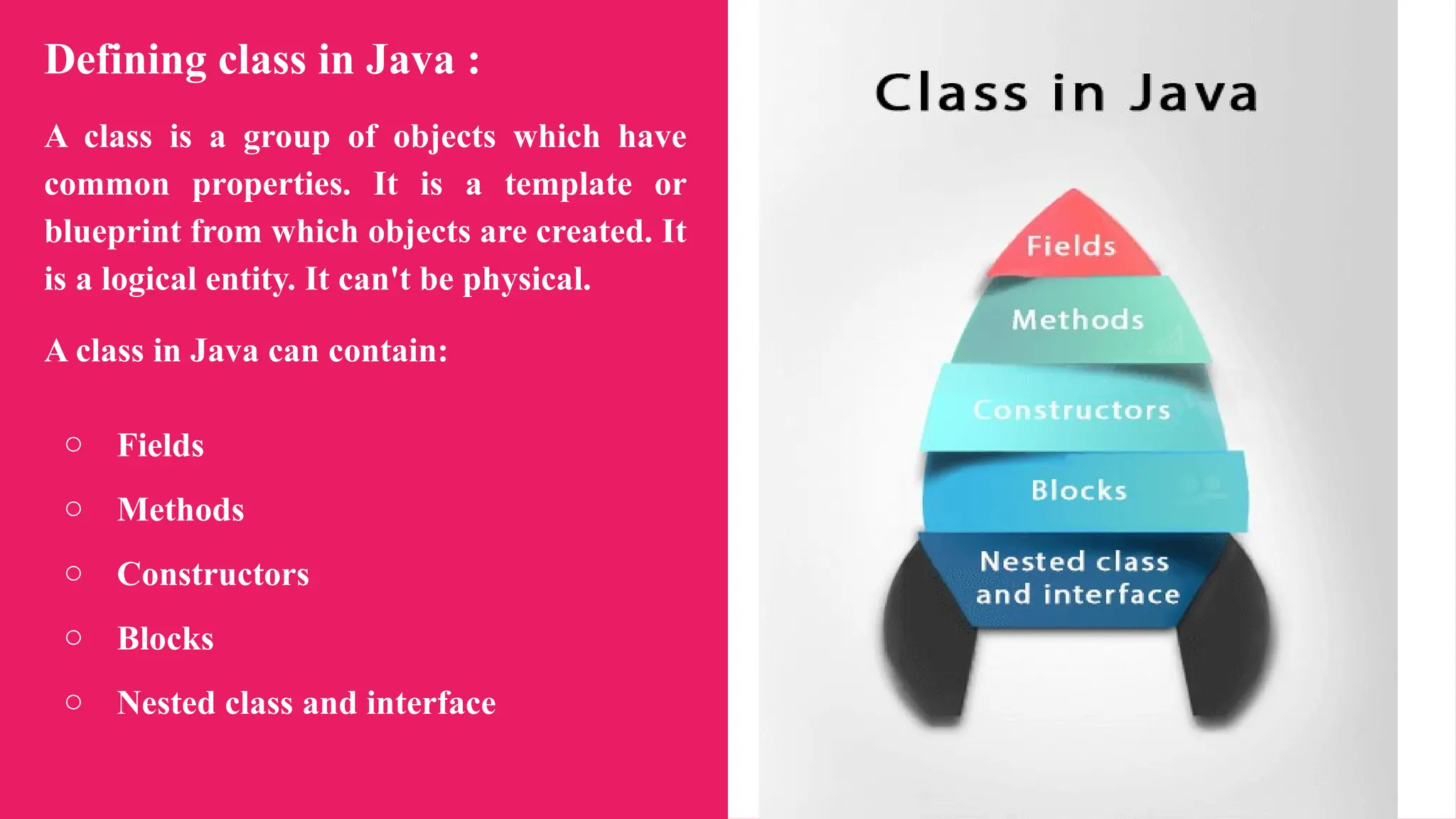
Defining class in Java :
A class is a group of objects which have
common properties. It is a template or
blueprint from which objects are created. It
is a logical entity. It can't be physical.
A class in Java can contain:
○ Fields
○ Methods
○ Constructors
○ Blocks
○ Nested class and interface
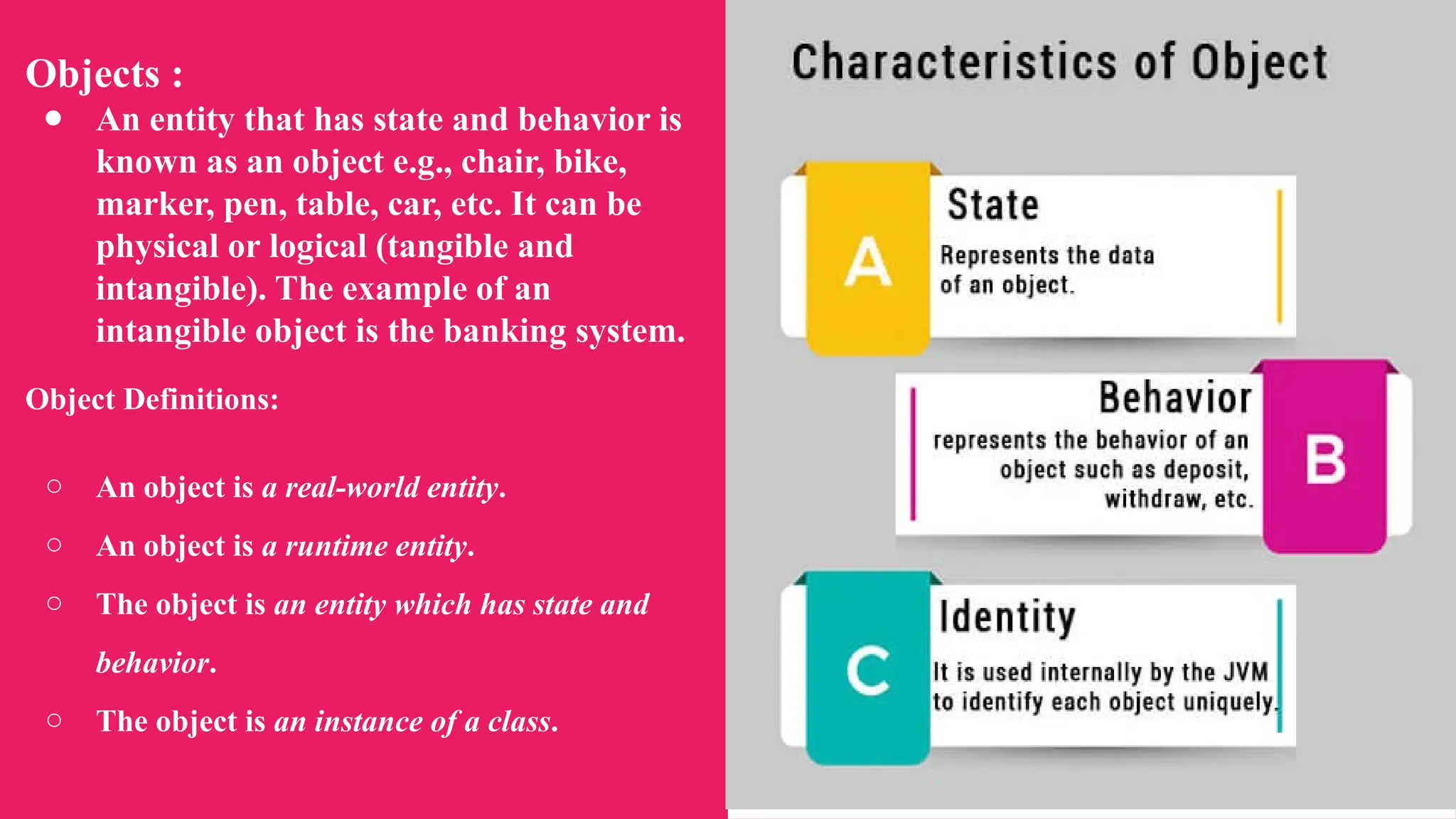
Objects :
● An entity that has state and behavior is
known as an object e.g., chair, bike,
marker, pen, table, car, etc. It can be
physical or logical (tangible and
intangible). The example of an
intangible object is the banking system.
Object Definitions:
○ An object is a real-world entity.
○ An object is a runtime entity.
○ The object is an entity which has state and
behavior.
○ The object is an instance of a class.
Creating Objects:
public class Main {
int x = 5;
public static void main(String[] args) {
Main myObj = new Main();
System.out.println(myObj.x);
}
}
Constructor
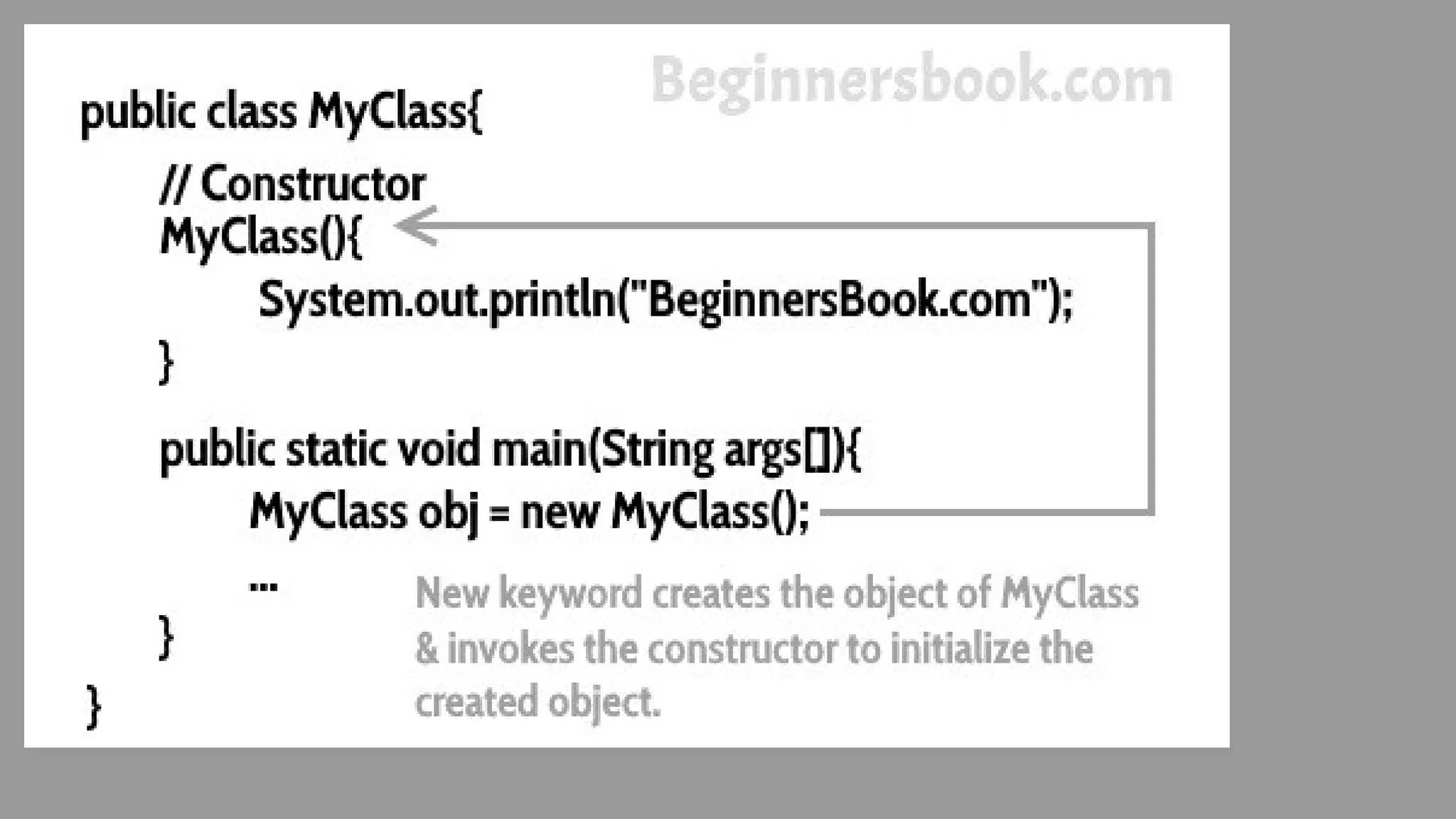
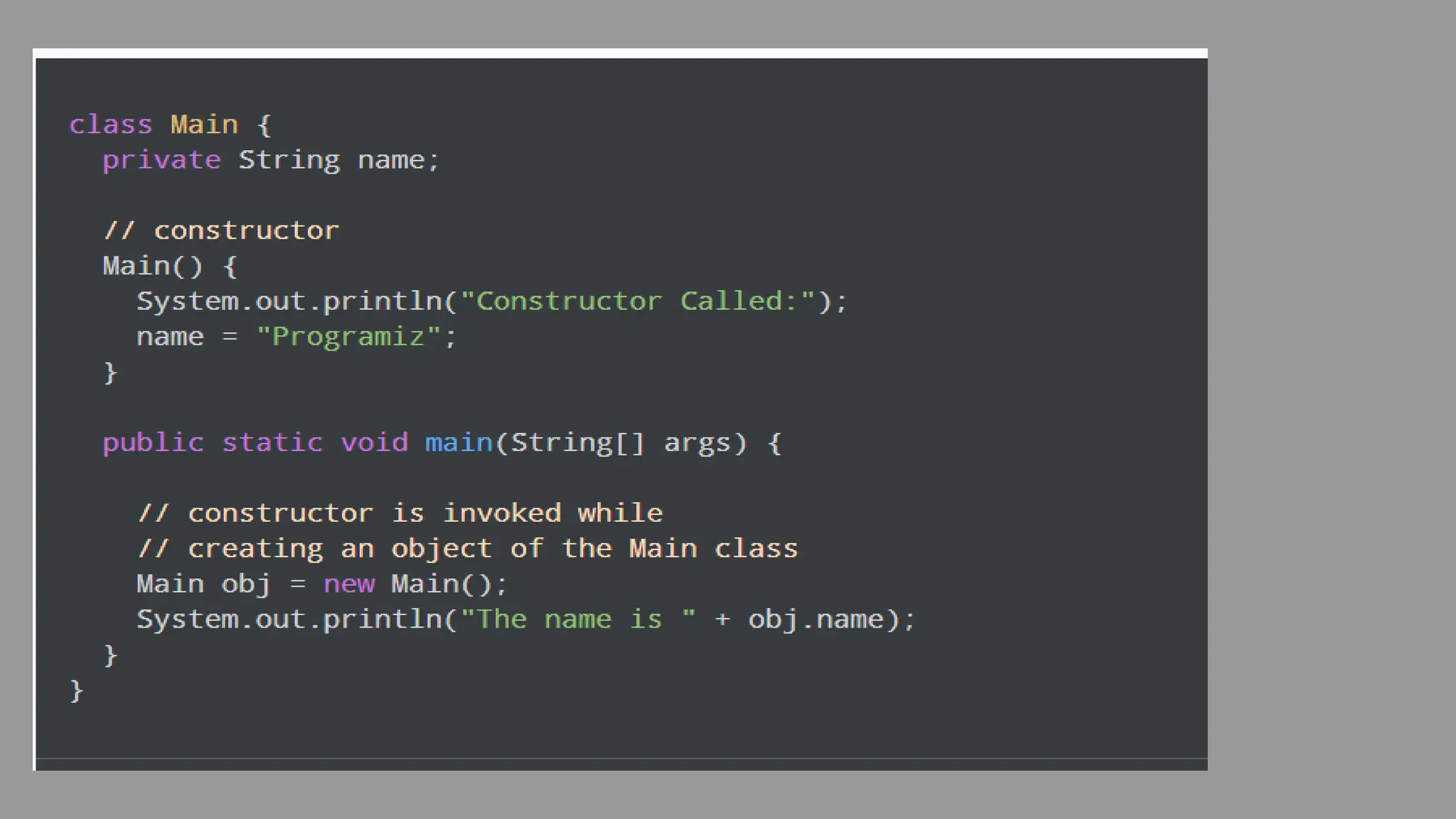
● Definition: The constructor is a specialized method for initializing objects.
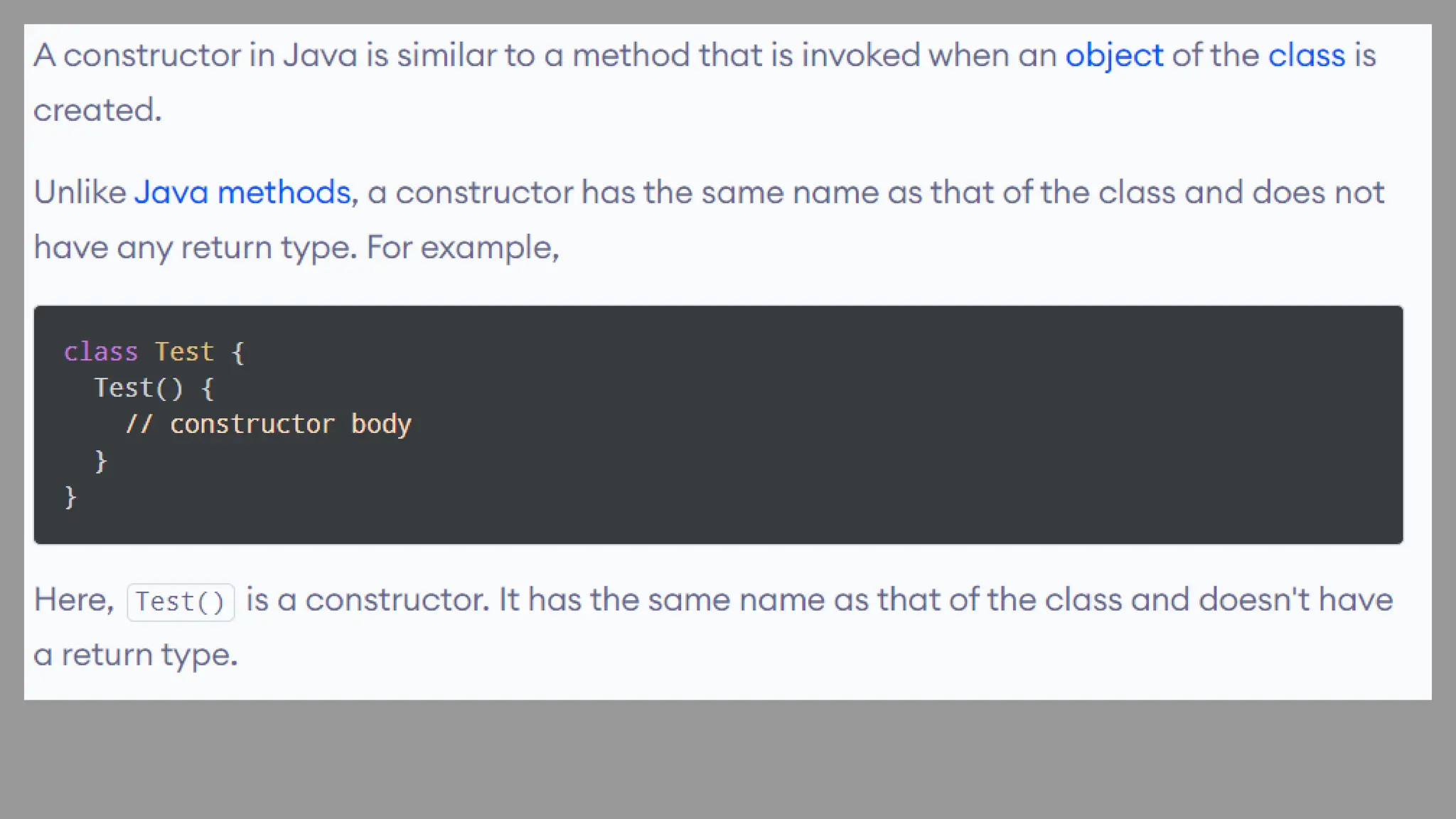
● Name of the constructor is same as that of its class name. In other words, the name of
the constructor and class name is same.
● In Java, a constructor is a block of codes similar to the method. It is called when an
instance of the class is created. At the time of calling constructor, memory for the
object is allocated in the memory.
● It is a special type of method which is used to initialize the object.
● Every time an object is created using the new() keyword, at least one constructor is
called.
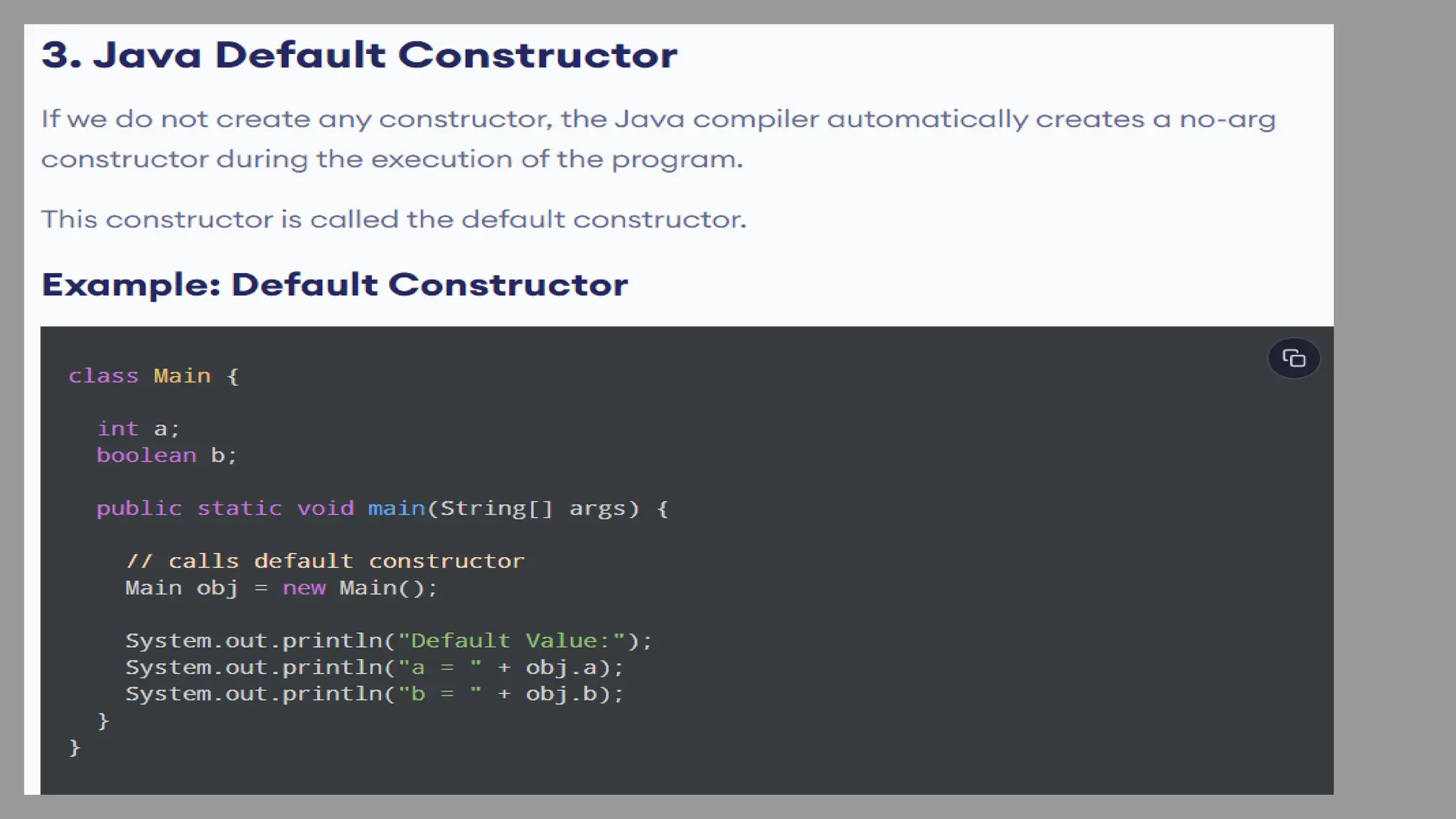
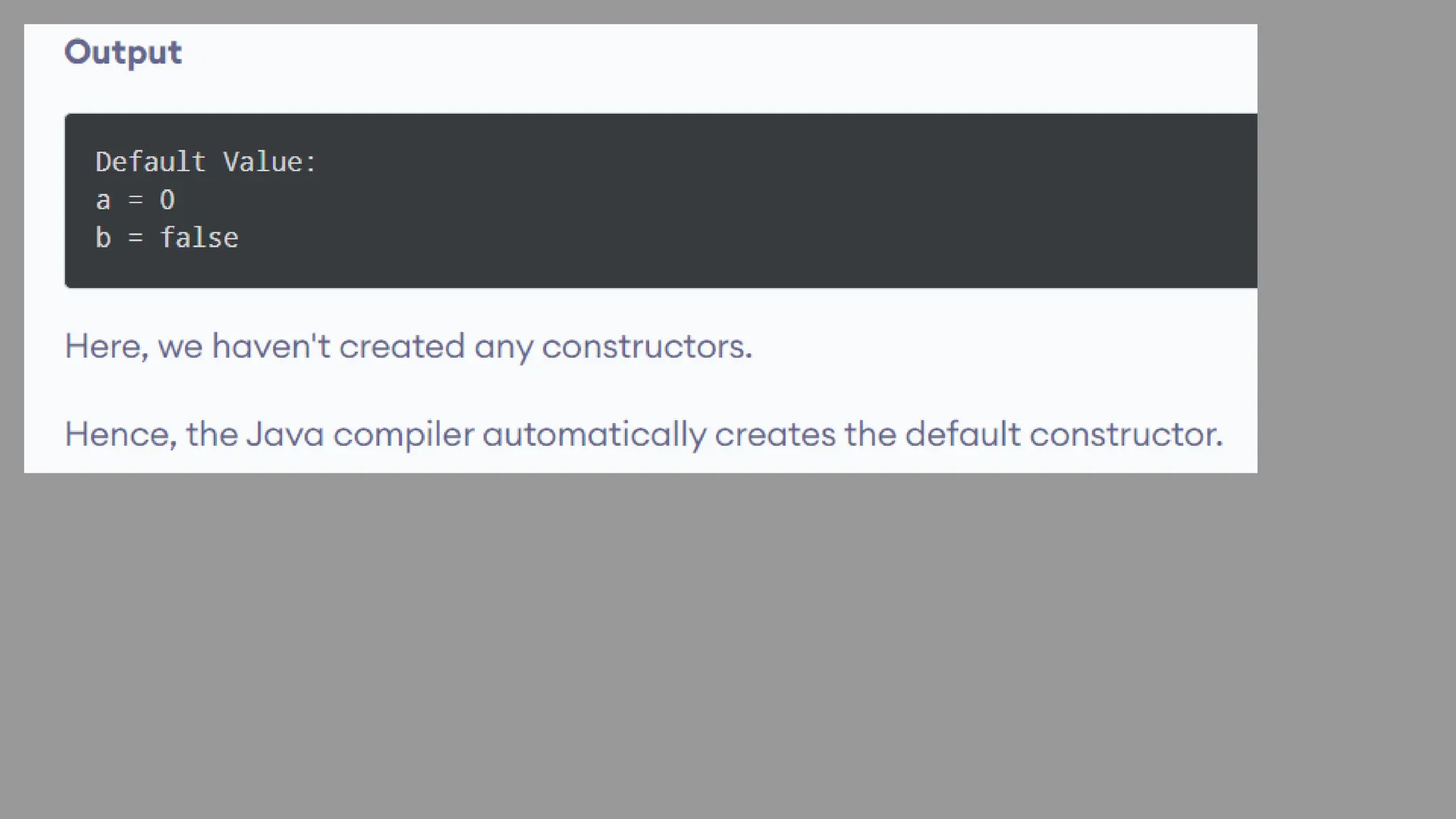
● It calls a default constructor if there is no constructor available in the class. In such
case, Java compiler provides a default constructor by default.
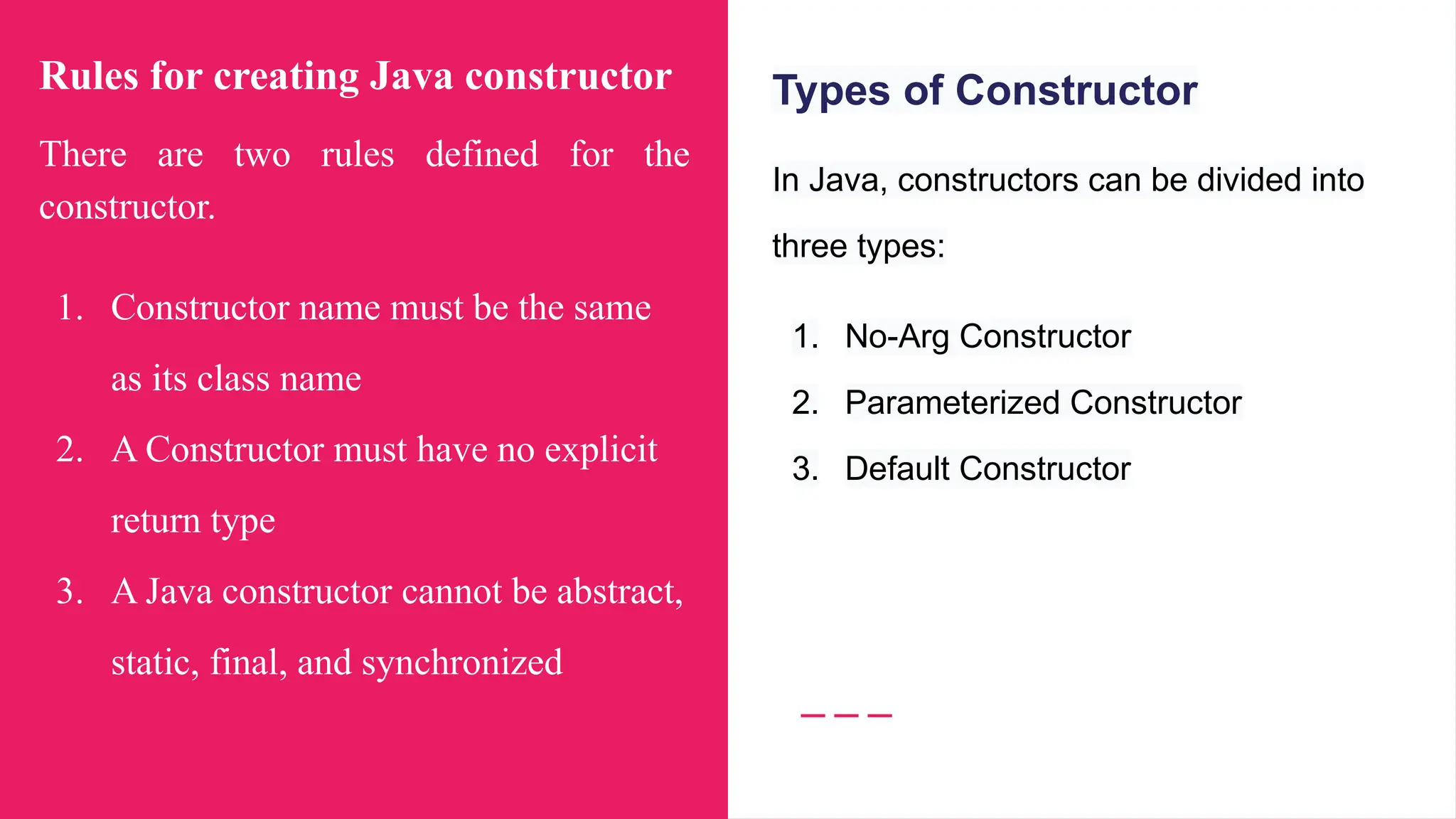
Rules for creating Java constructor
There are two rules defined for the
constructor.
1. Constructor name must be the same
as its class name
2. A Constructor must have no explicit
return type
3. A Java constructor cannot be abstract,
static, final, and synchronized
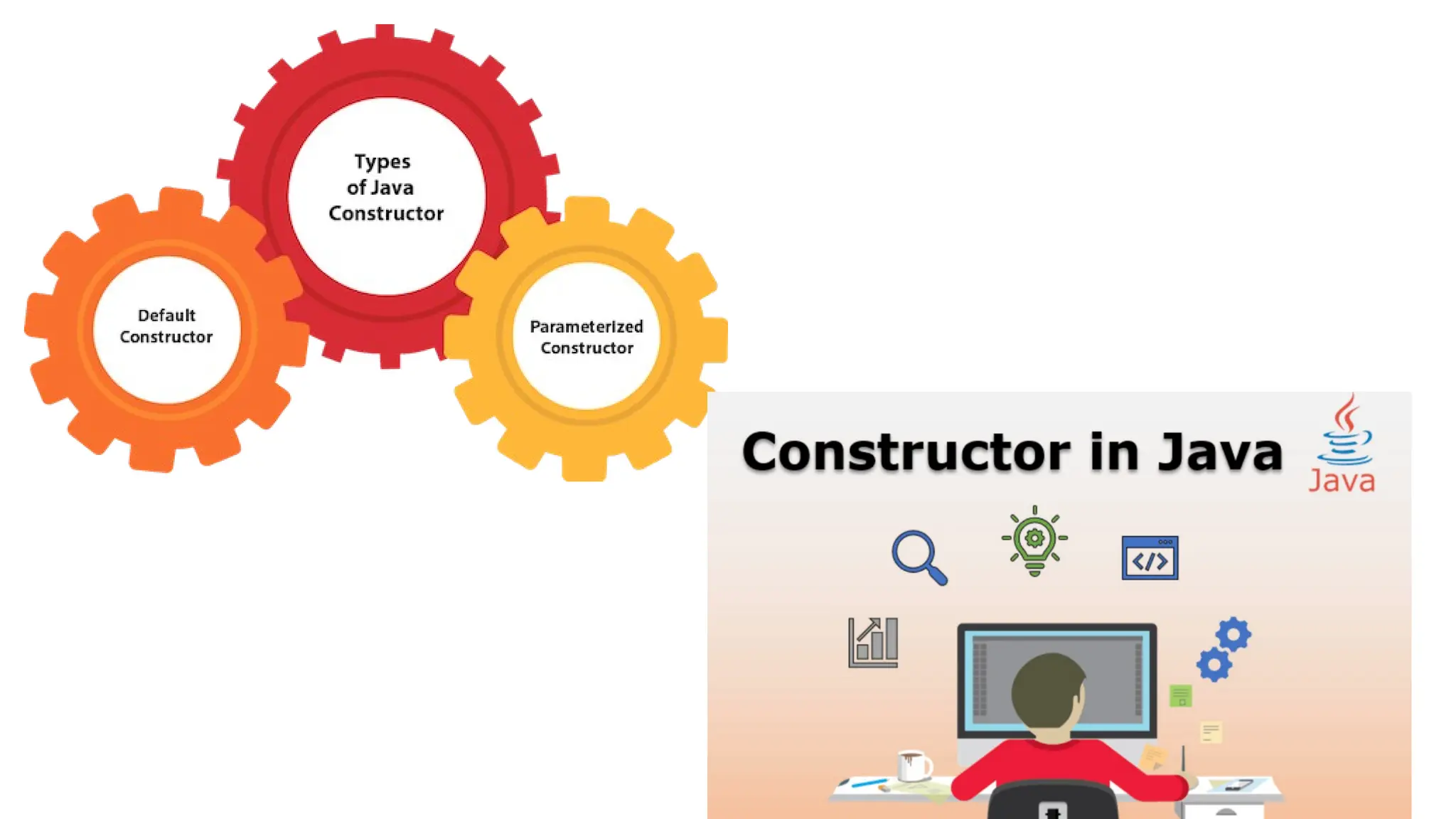
Types of Constructor
In Java, constructors can be divided into
three types:
1. No-Arg Constructor
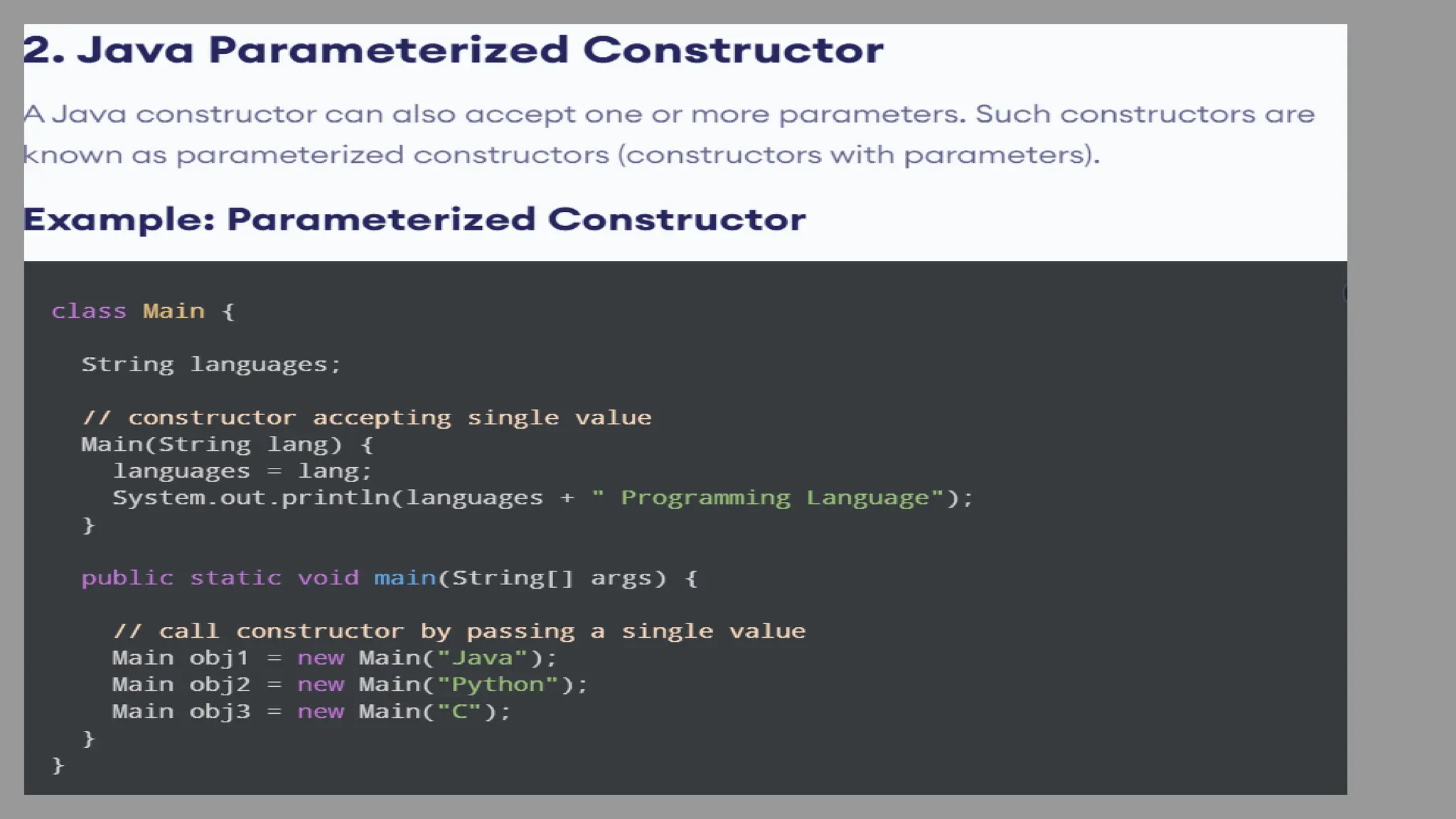
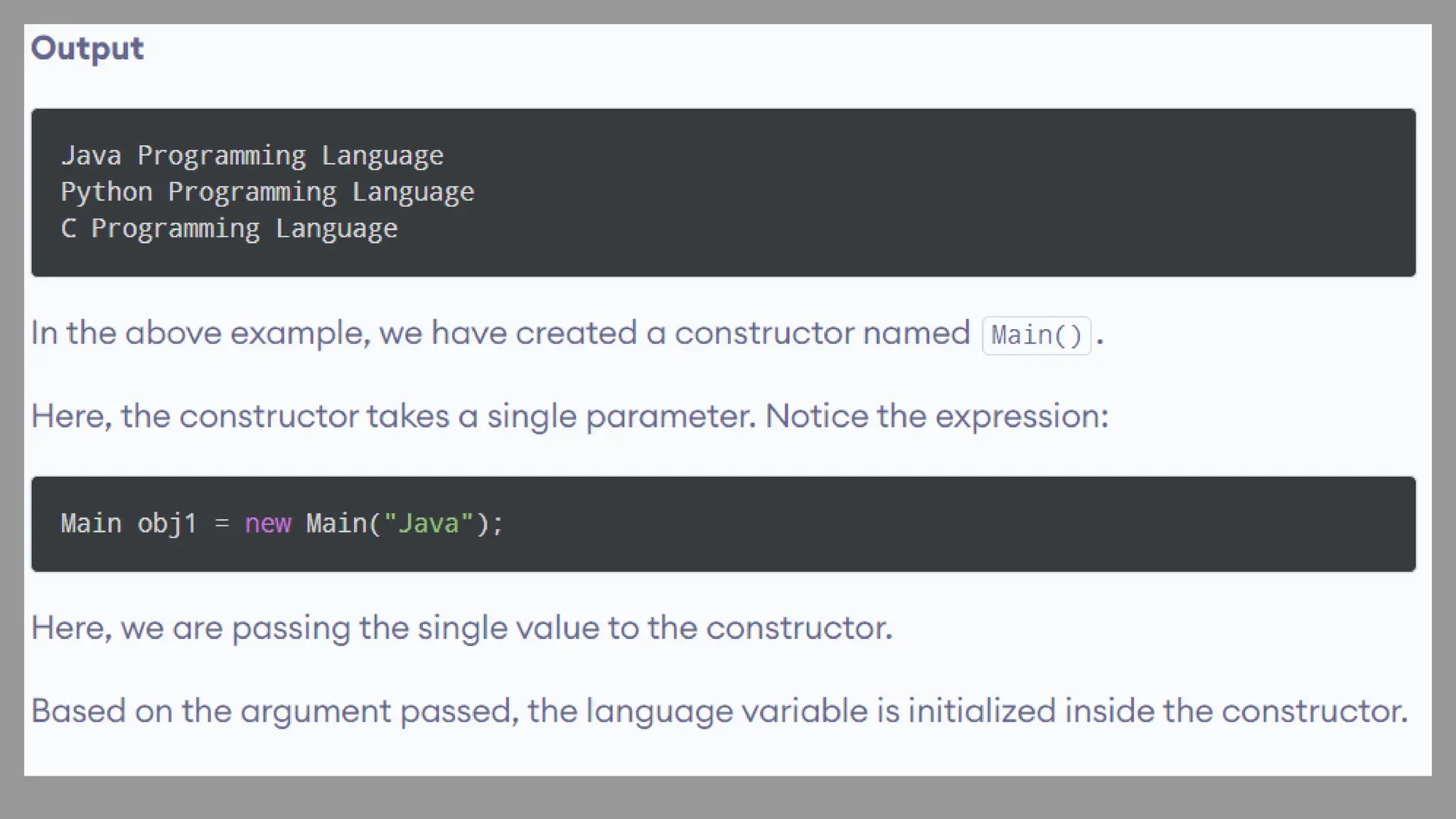
2. Parameterized Constructor
3. Default Constructor
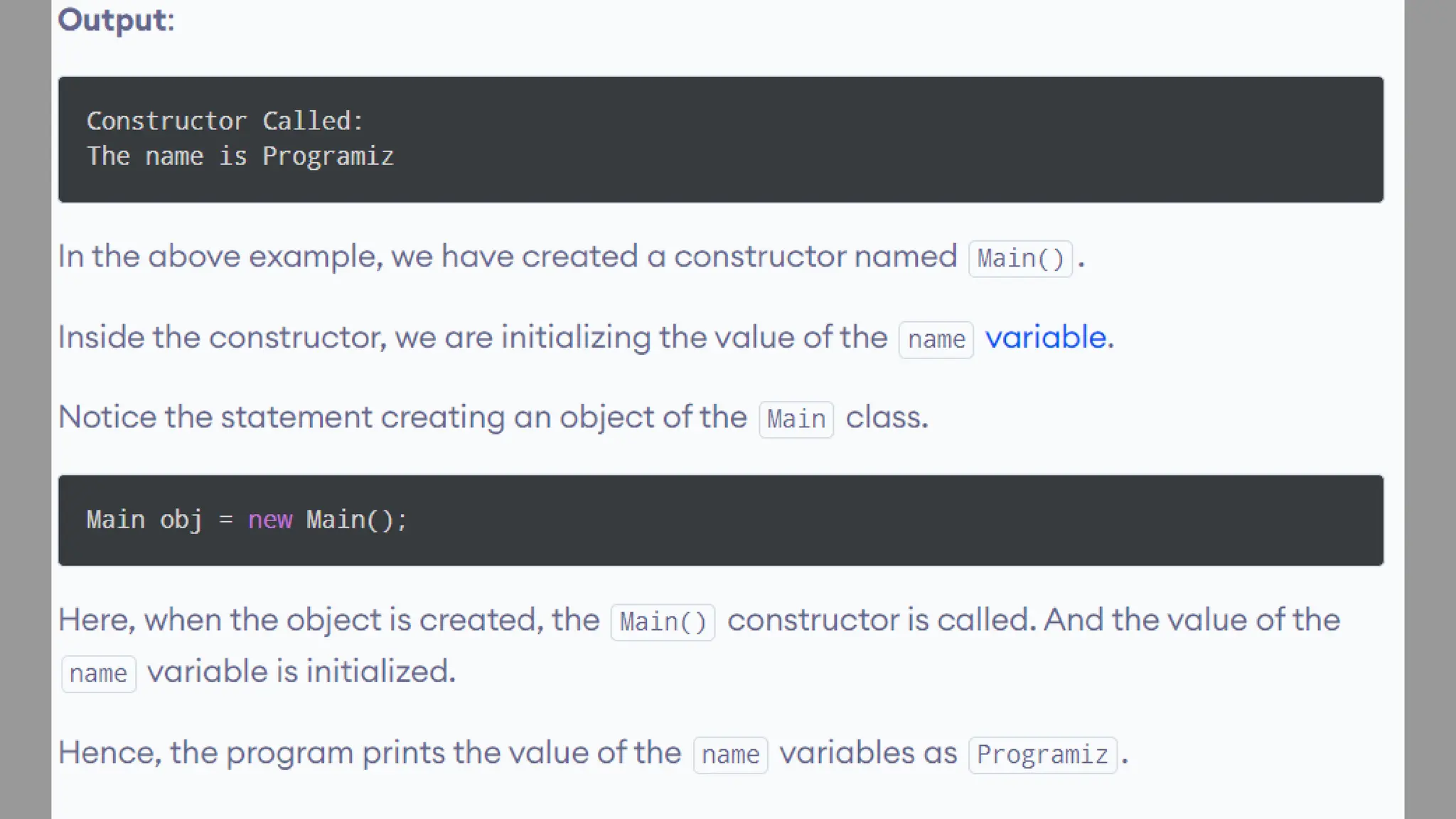
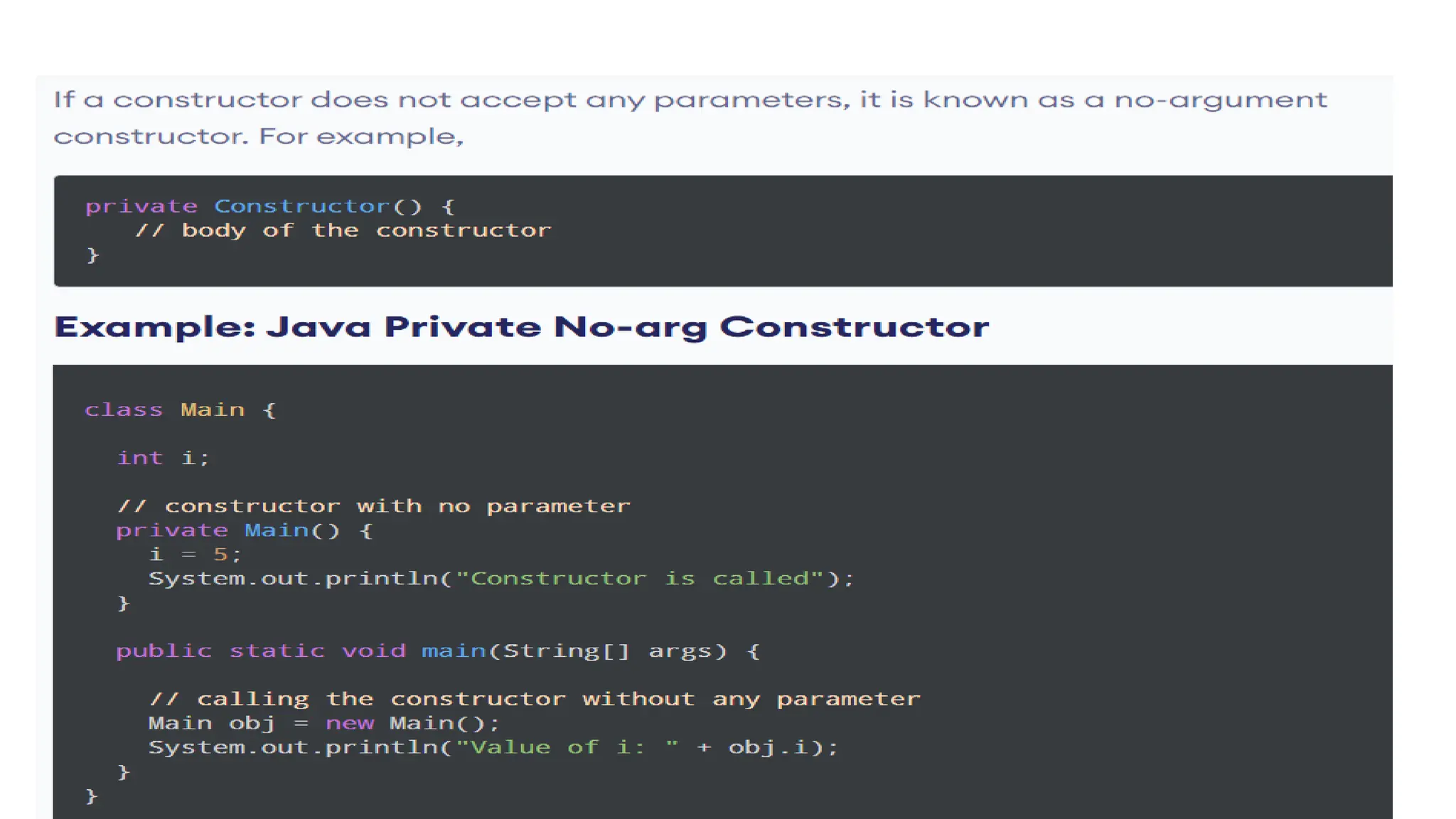
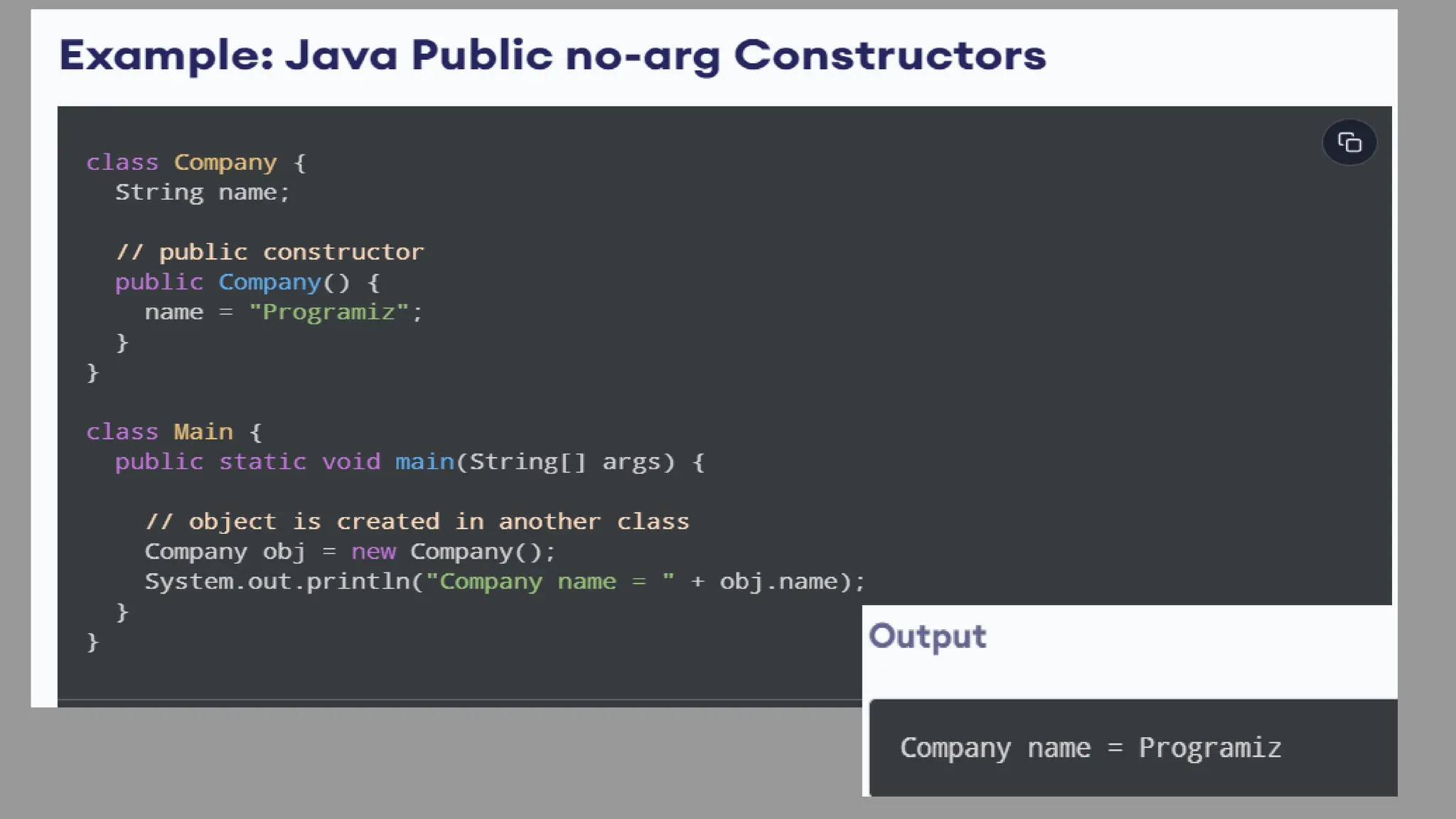
1. Java No-Arg Constructors
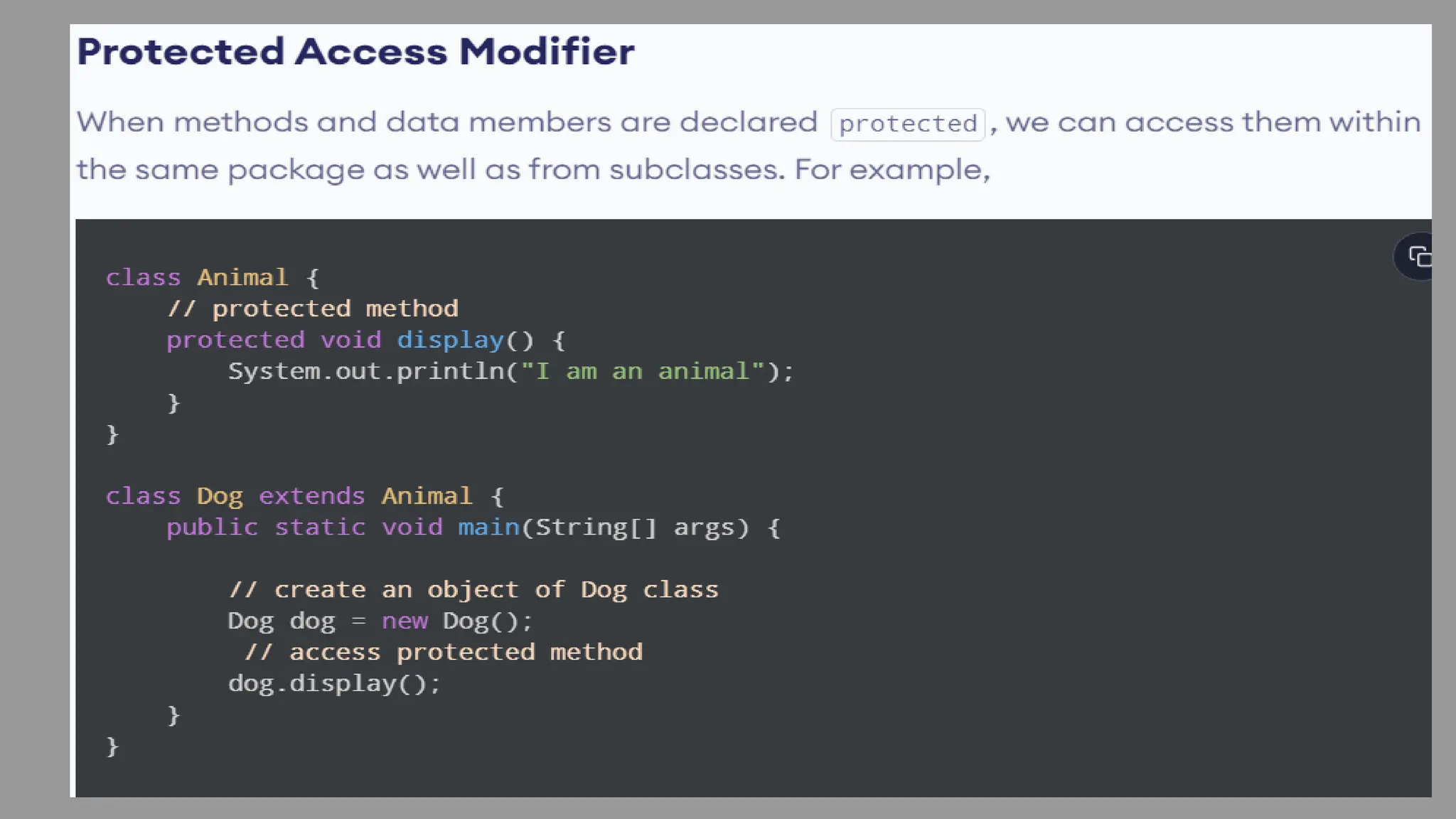
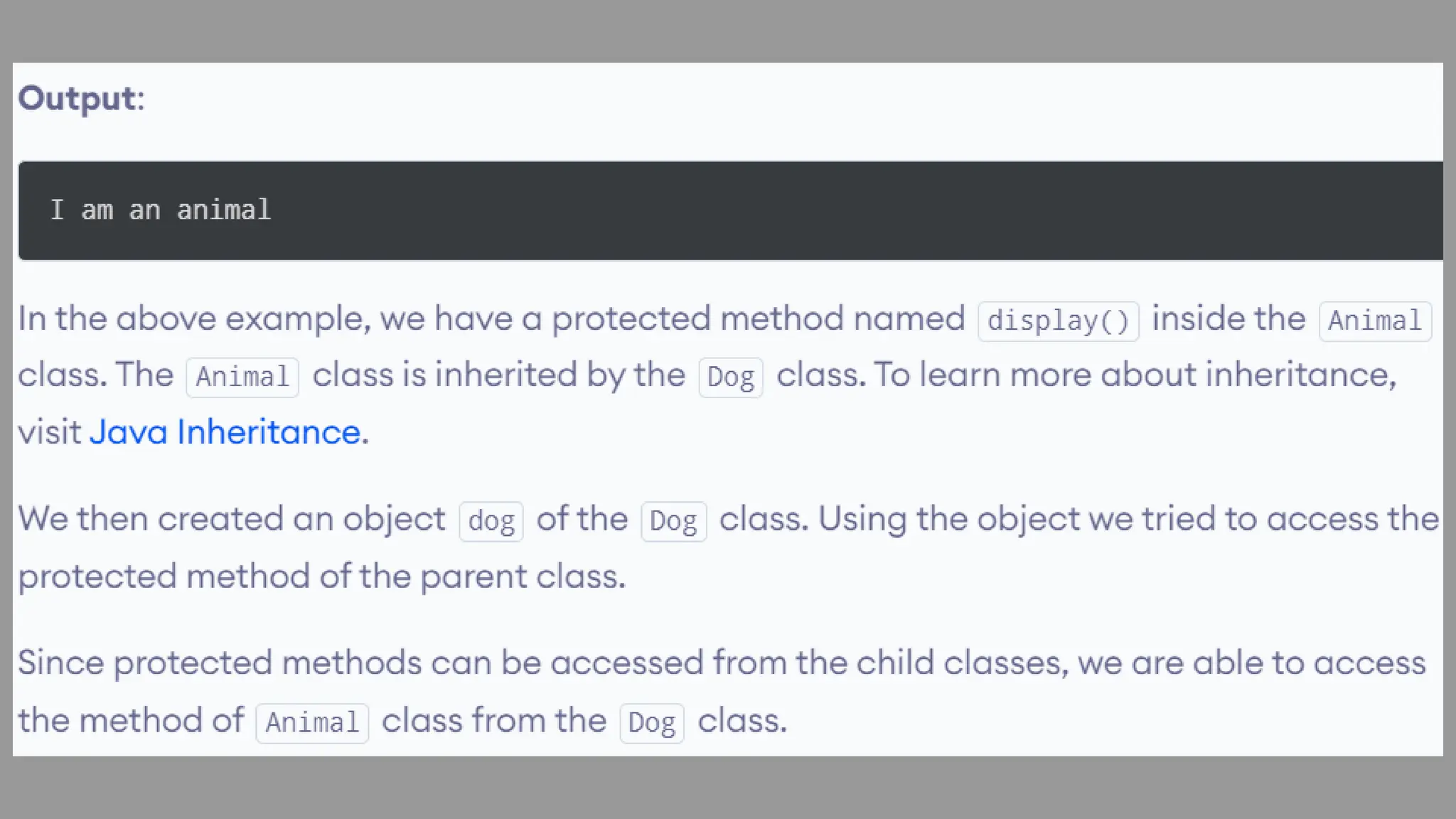
Access Specifier
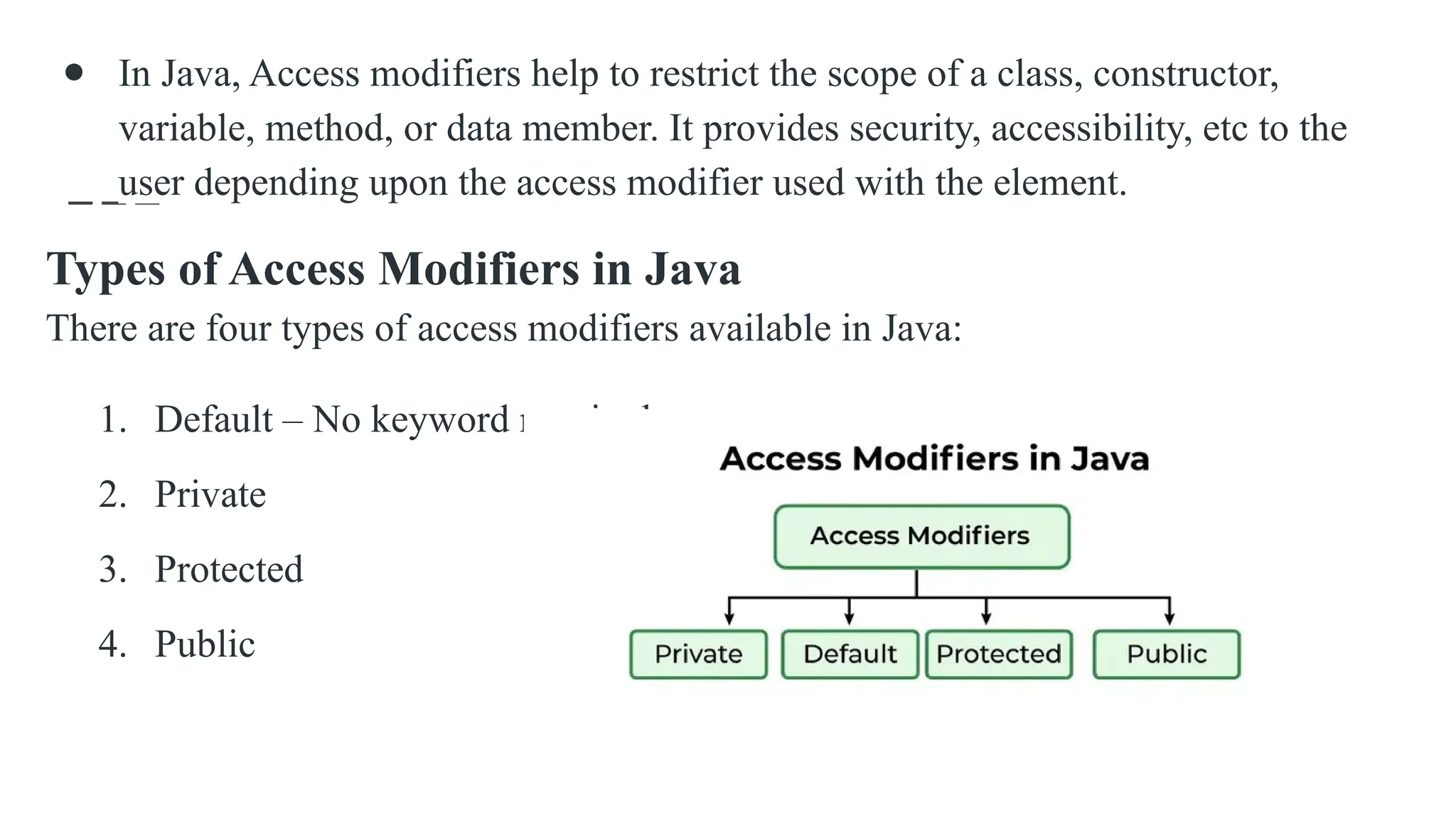
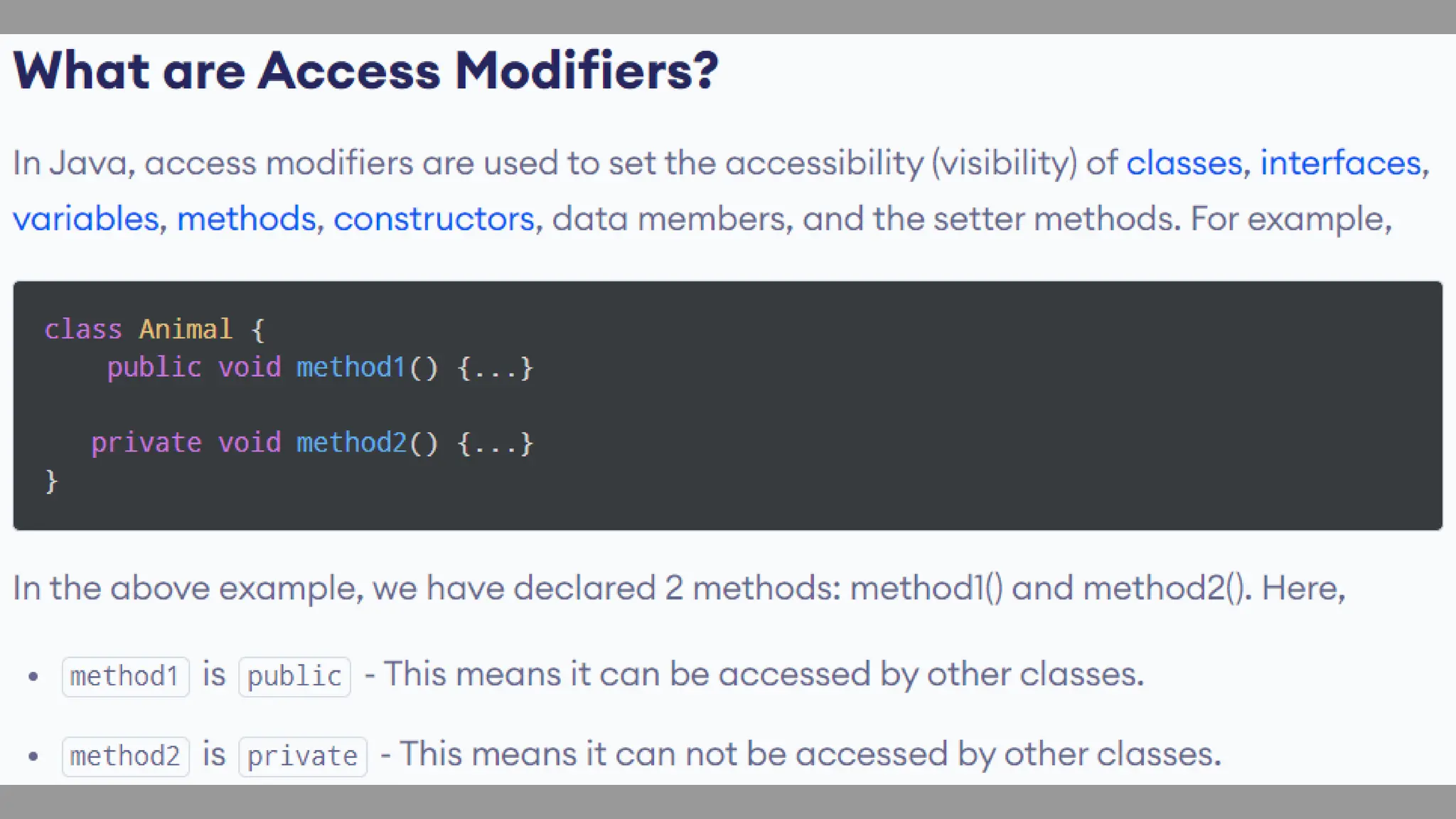
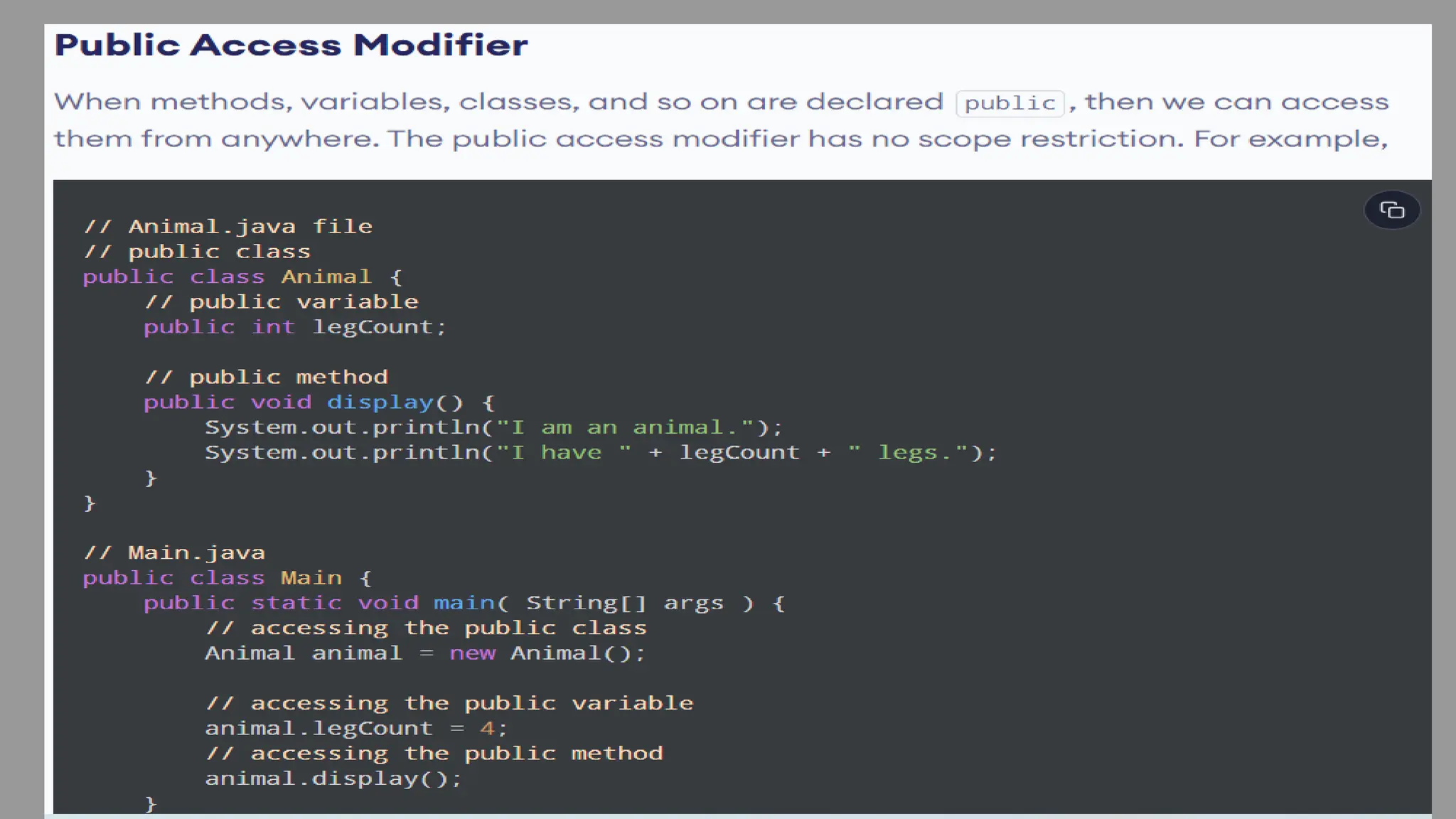
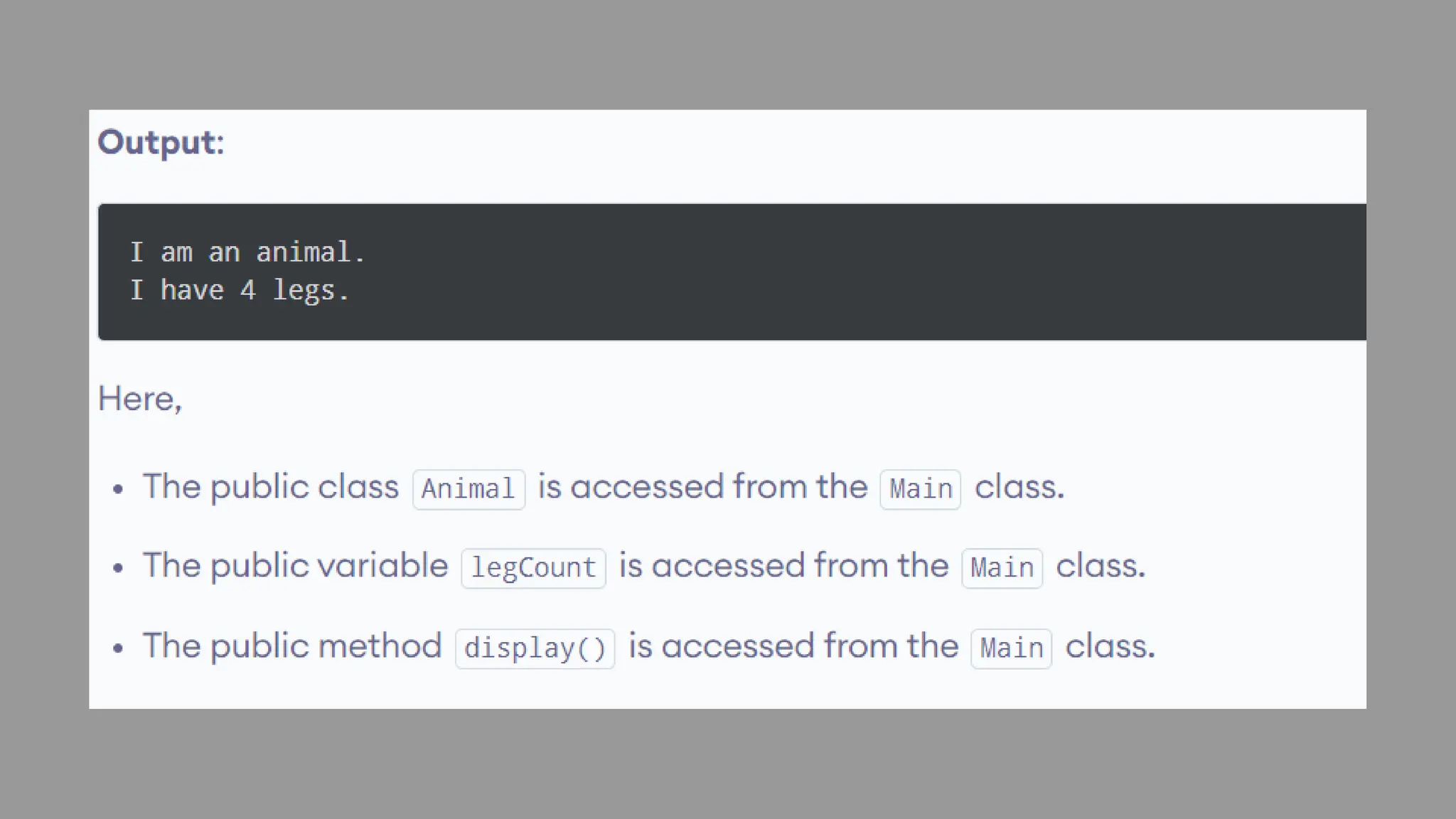
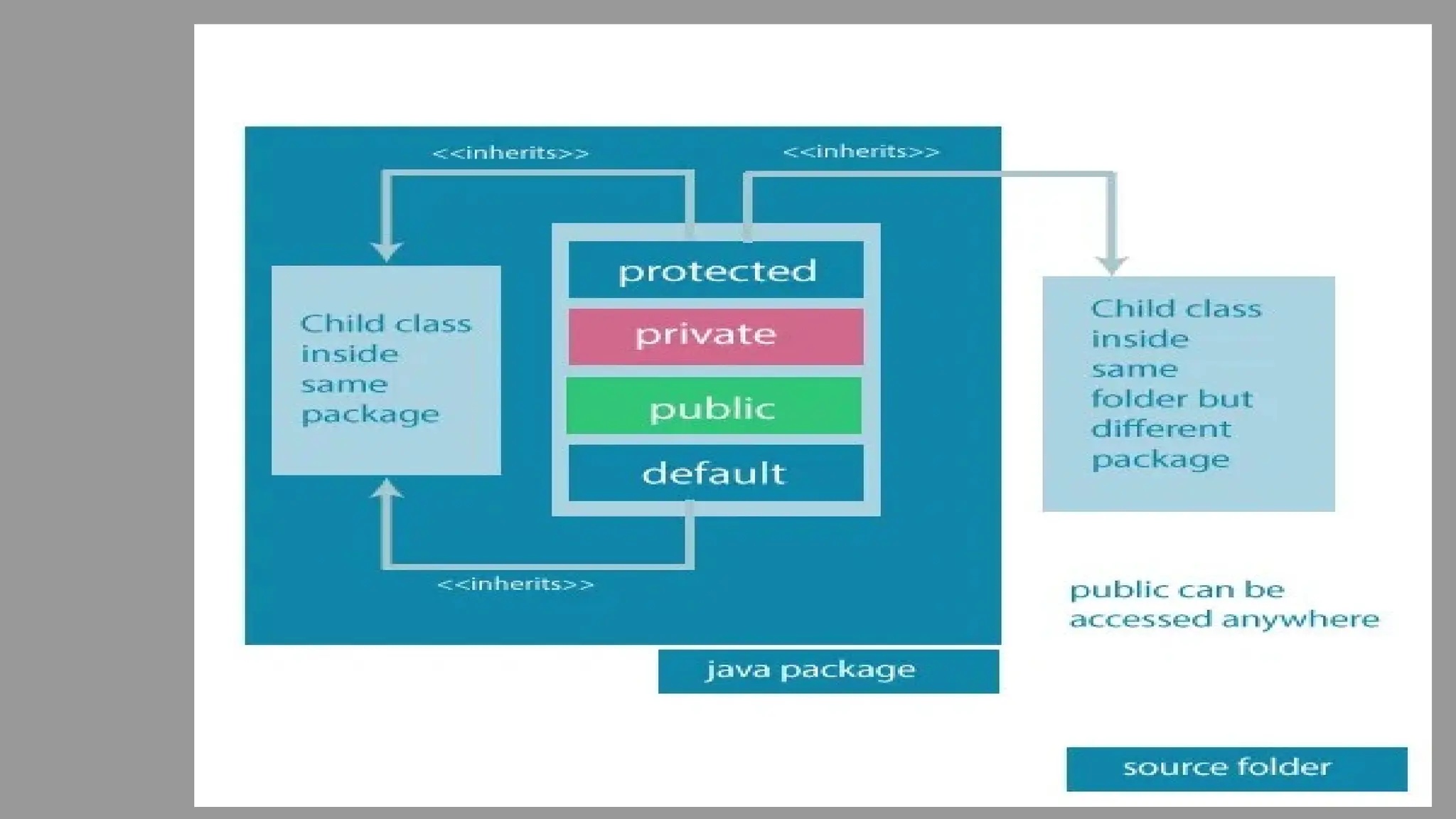
● In Java, Access modifiers help to restrict the scope of a class, constructor,
variable, method, or data member. It provides security, accessibility, etc to the
user depending upon the access modifier used with the element.
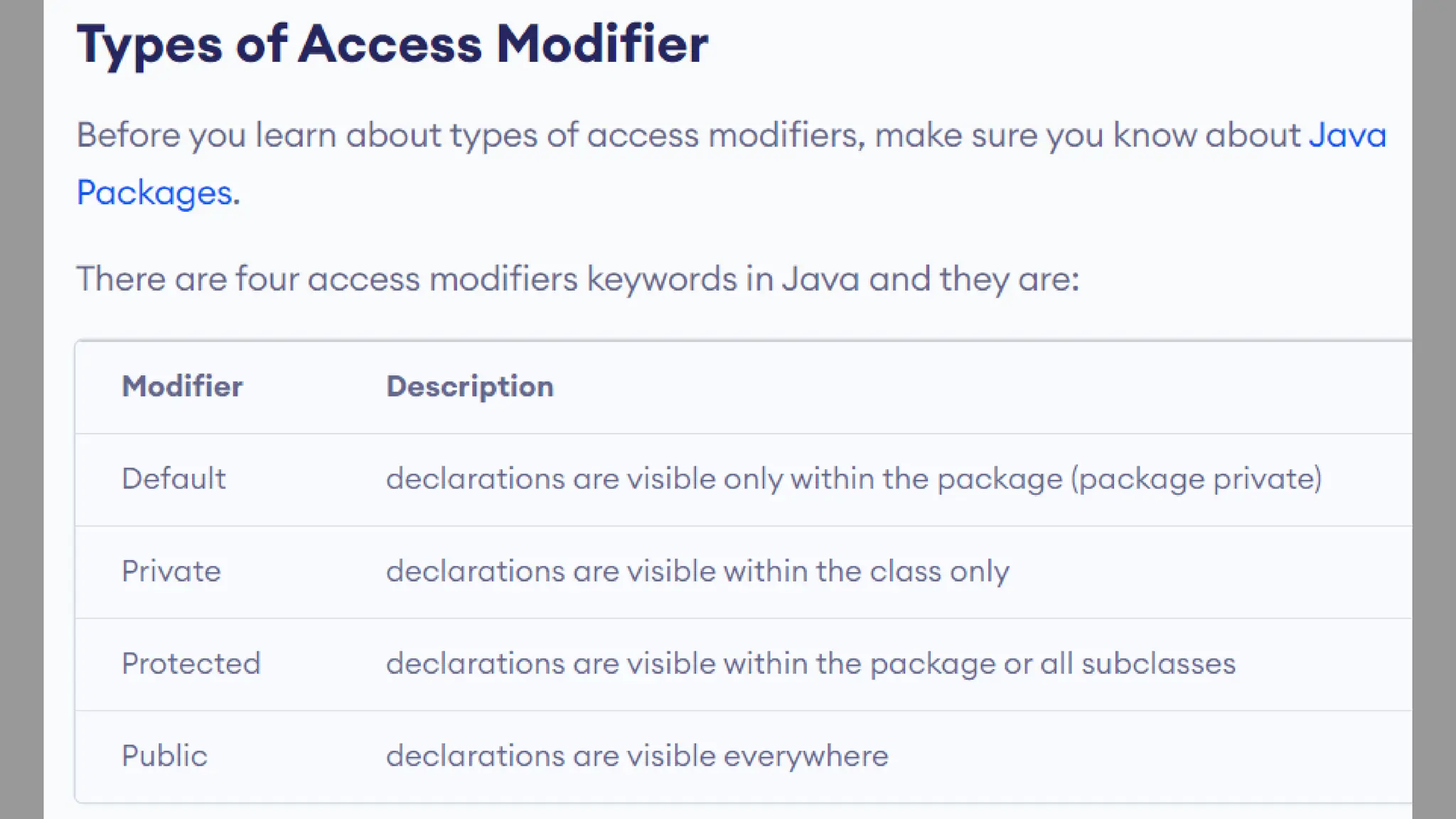
Types of Access Modifiers in Java
There are four types of access modifiers available in Java:
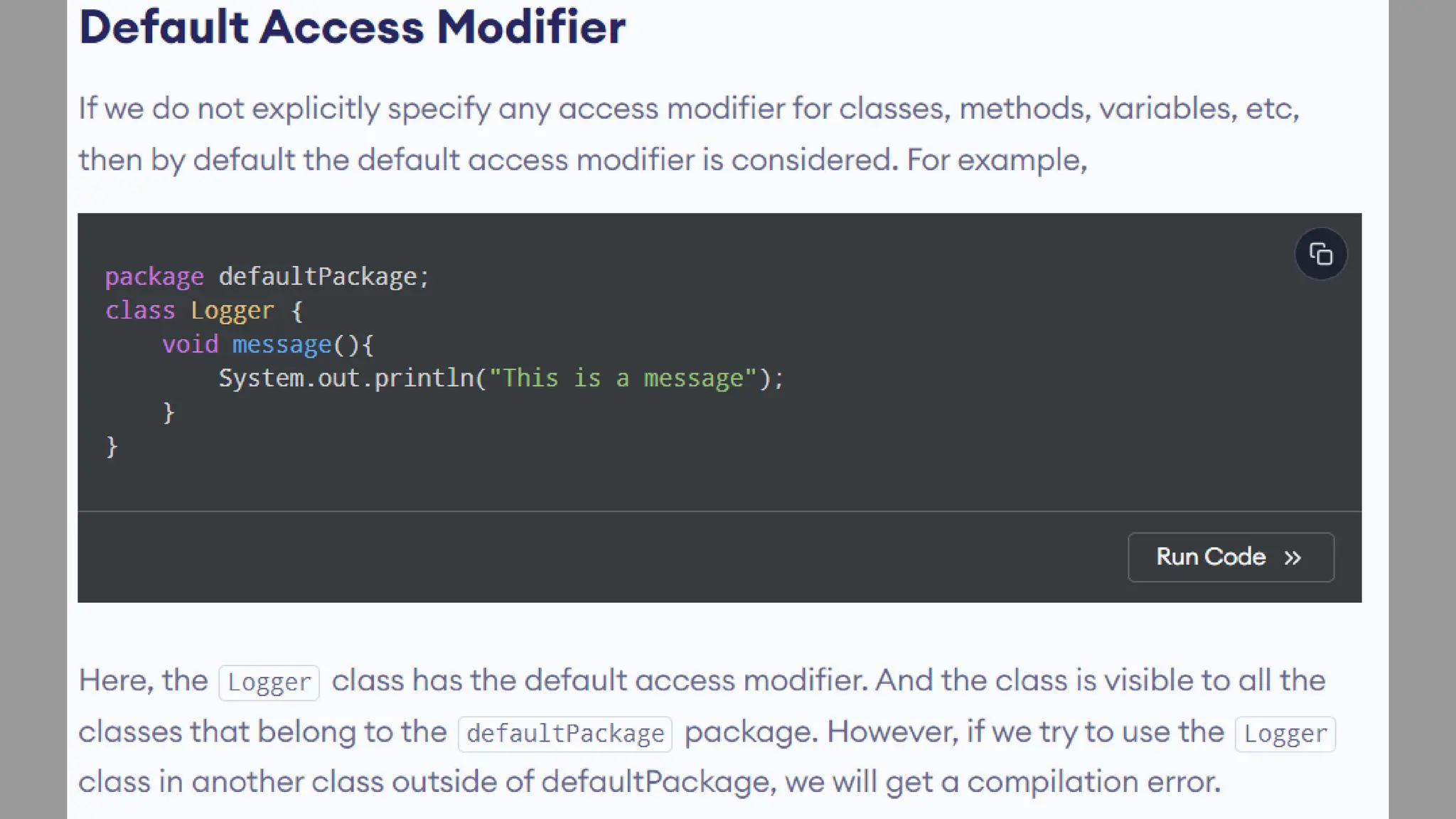
1. Default – No keyword required
2. Private
3. Protected
4. Public
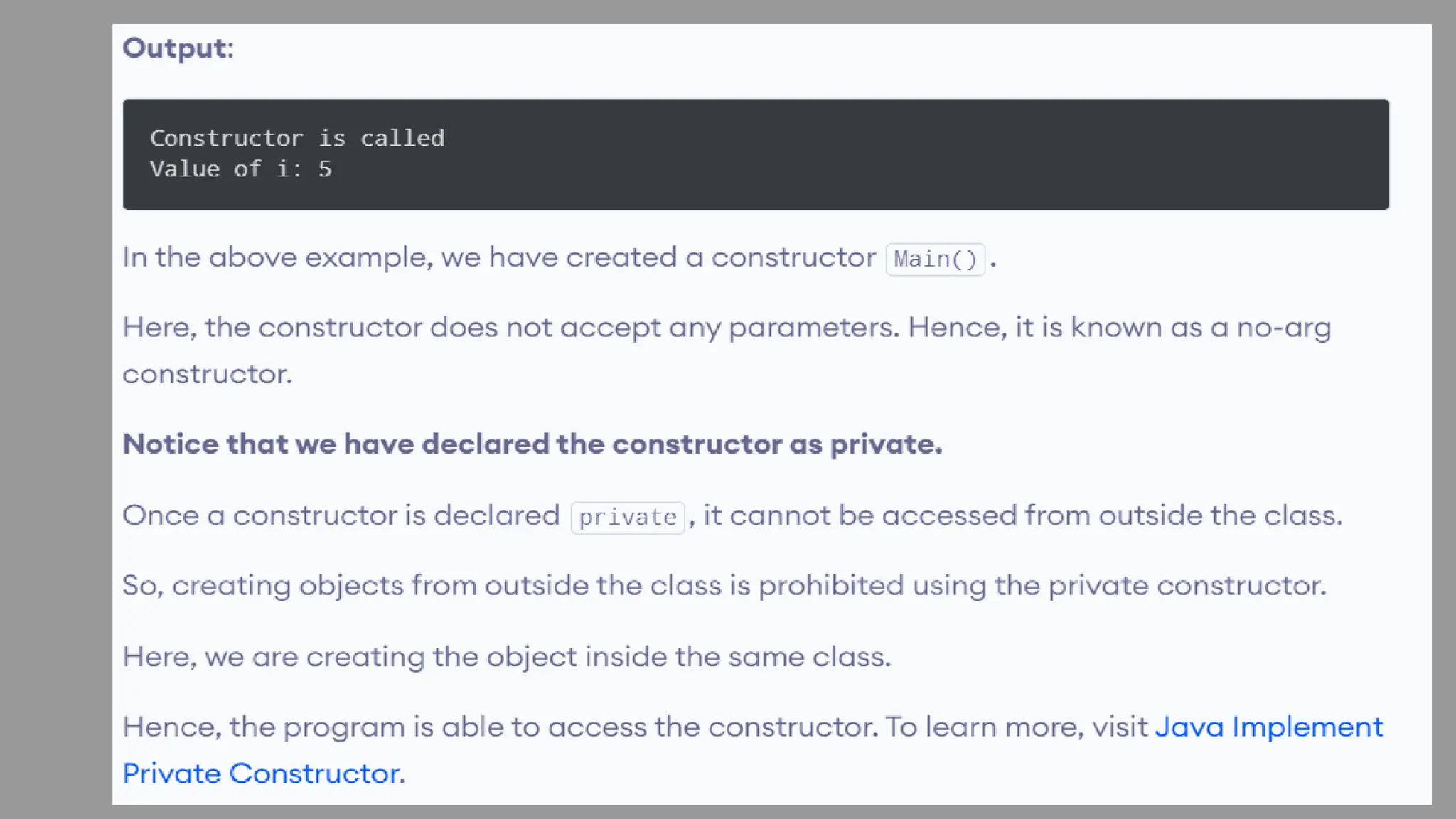
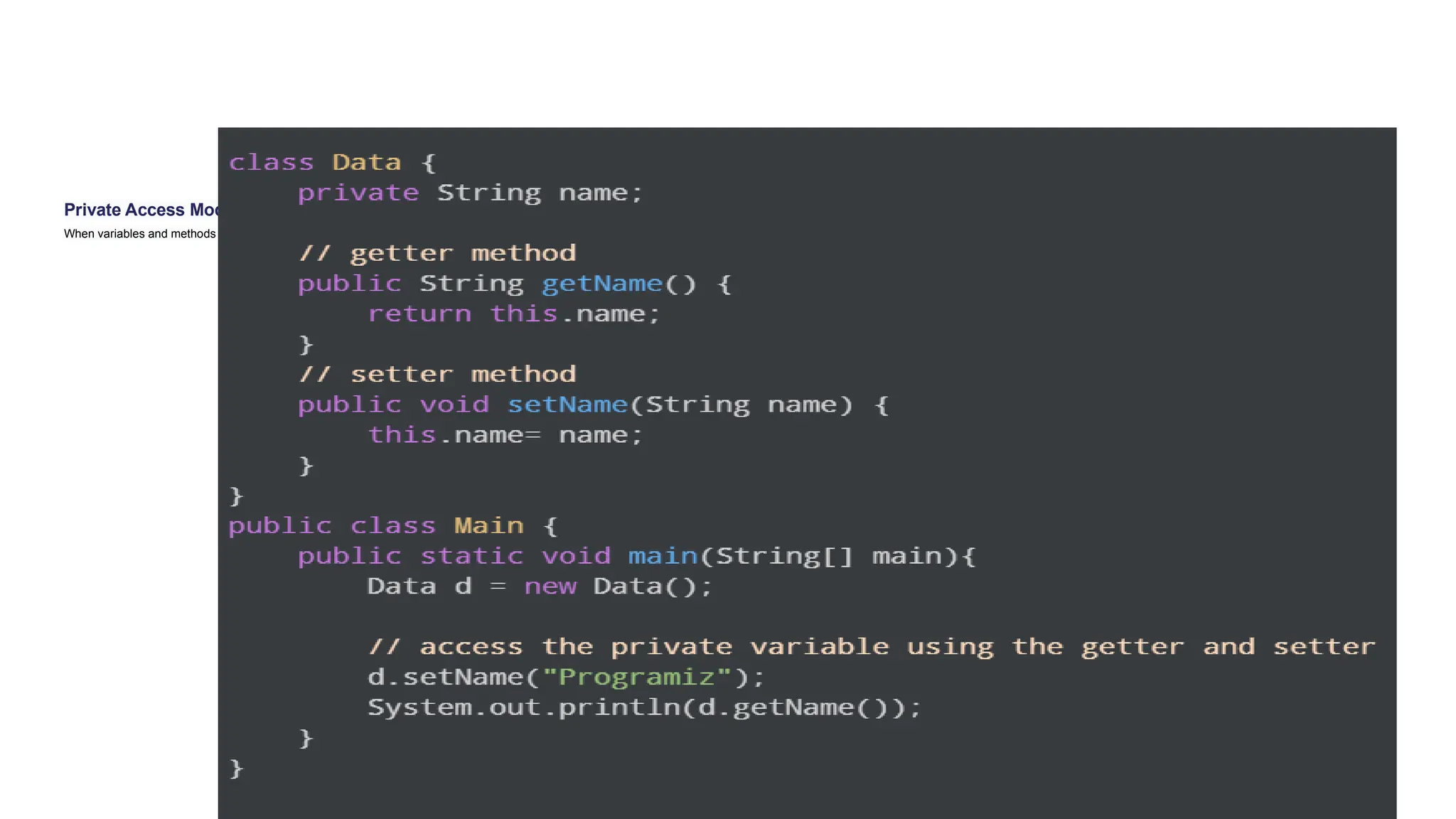
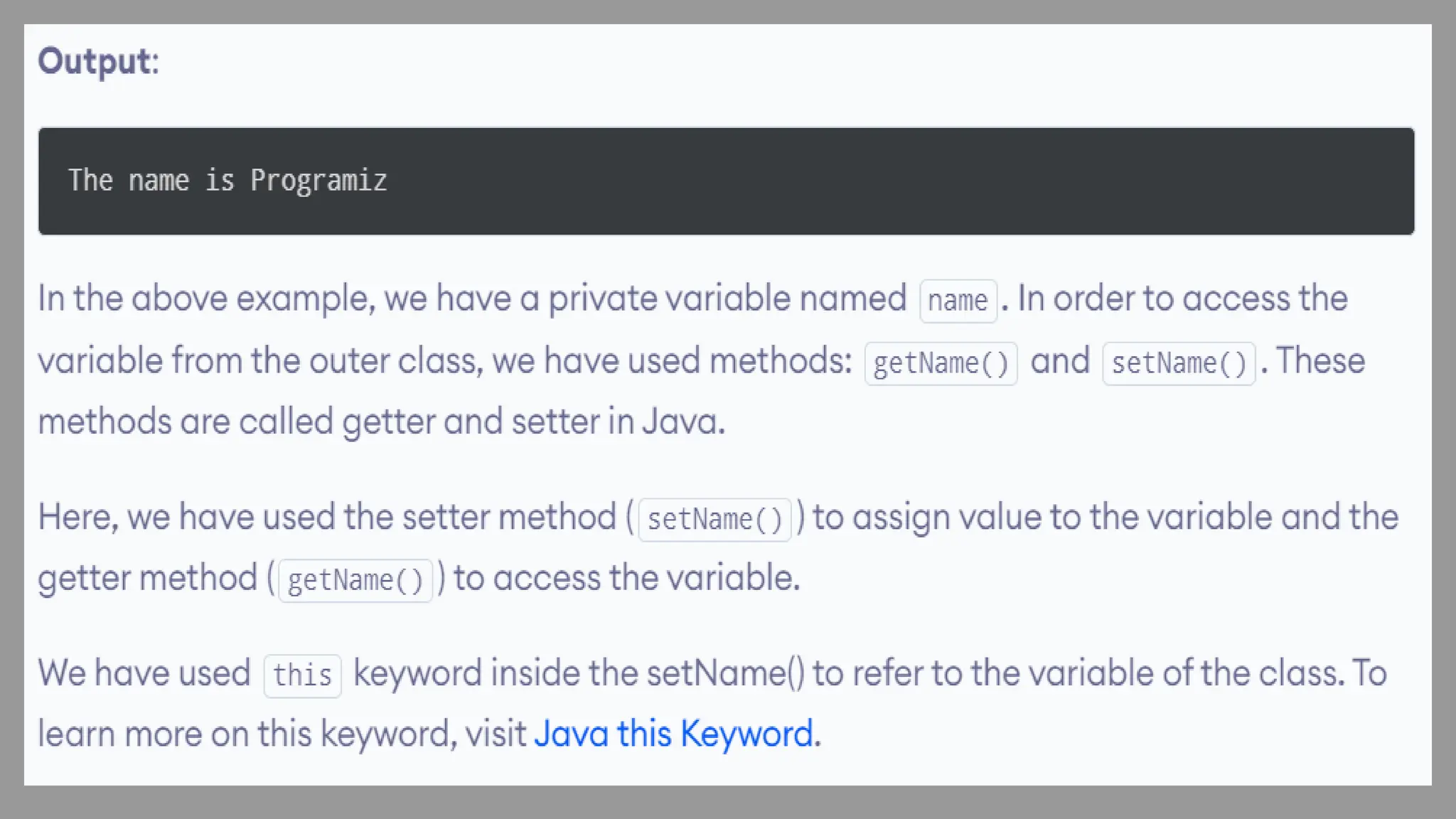
Private Access Modifier
When variables and methods are declared private, they cannot be accessed outside of the class. For example,
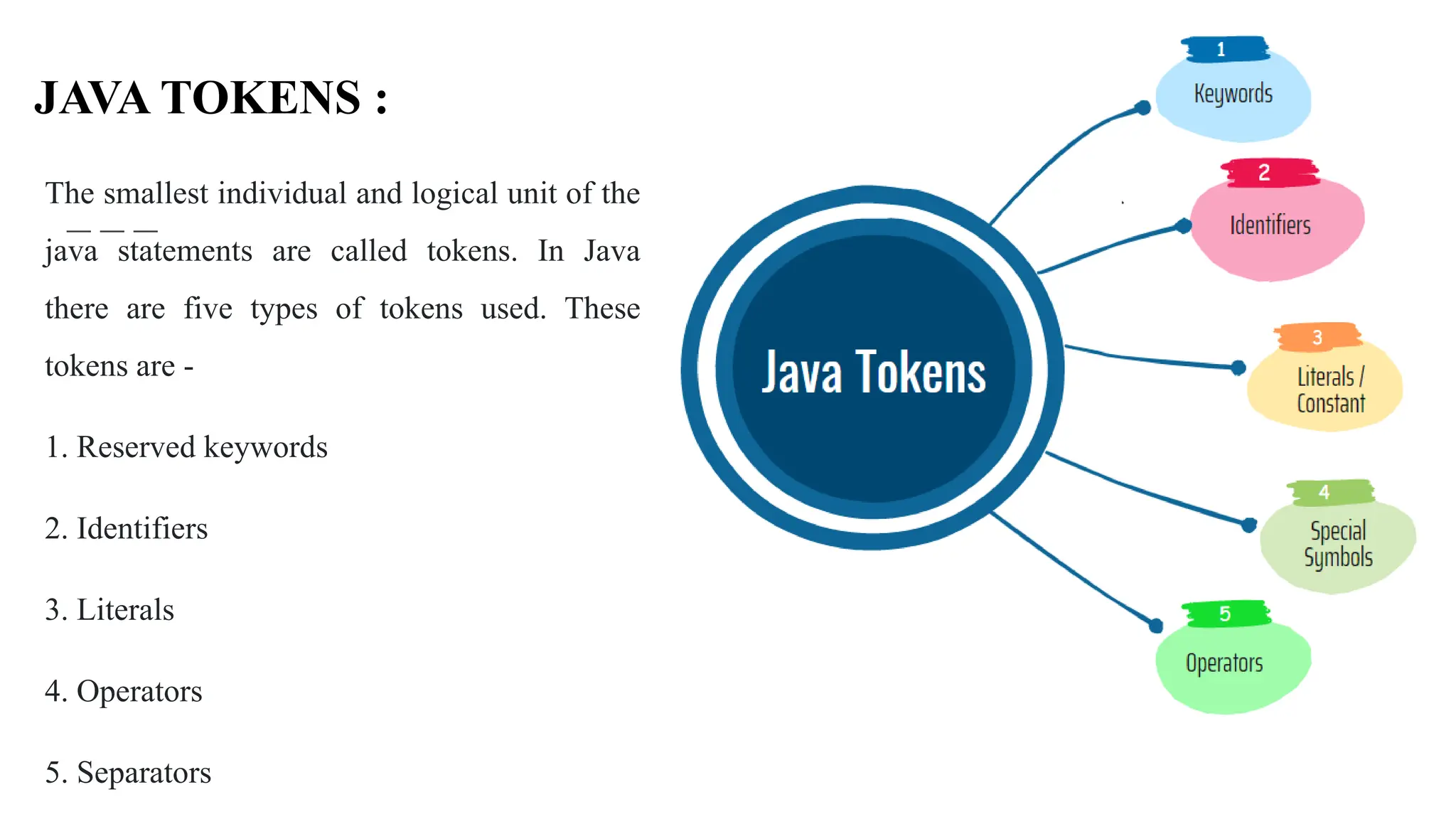
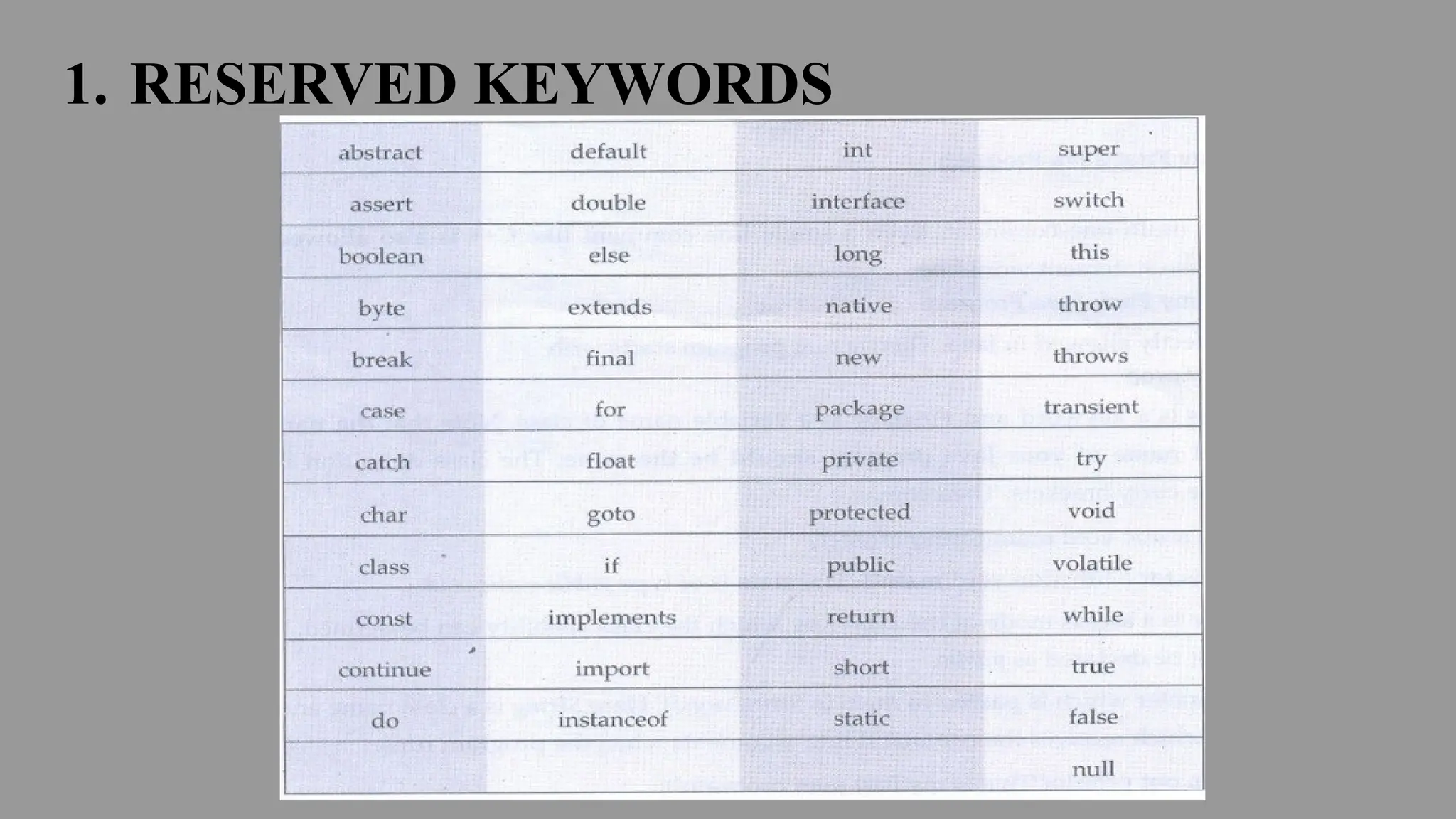
The smallest individual and logical unit of the
java statements are called tokens. In Java
there are five types of tokens used. These
tokens are -
1. Reserved keywords
2. Identifiers
3. Literals
4. Operators
5. Separators
JAVA TOKENS :
1. RESERVED KEYWORDS
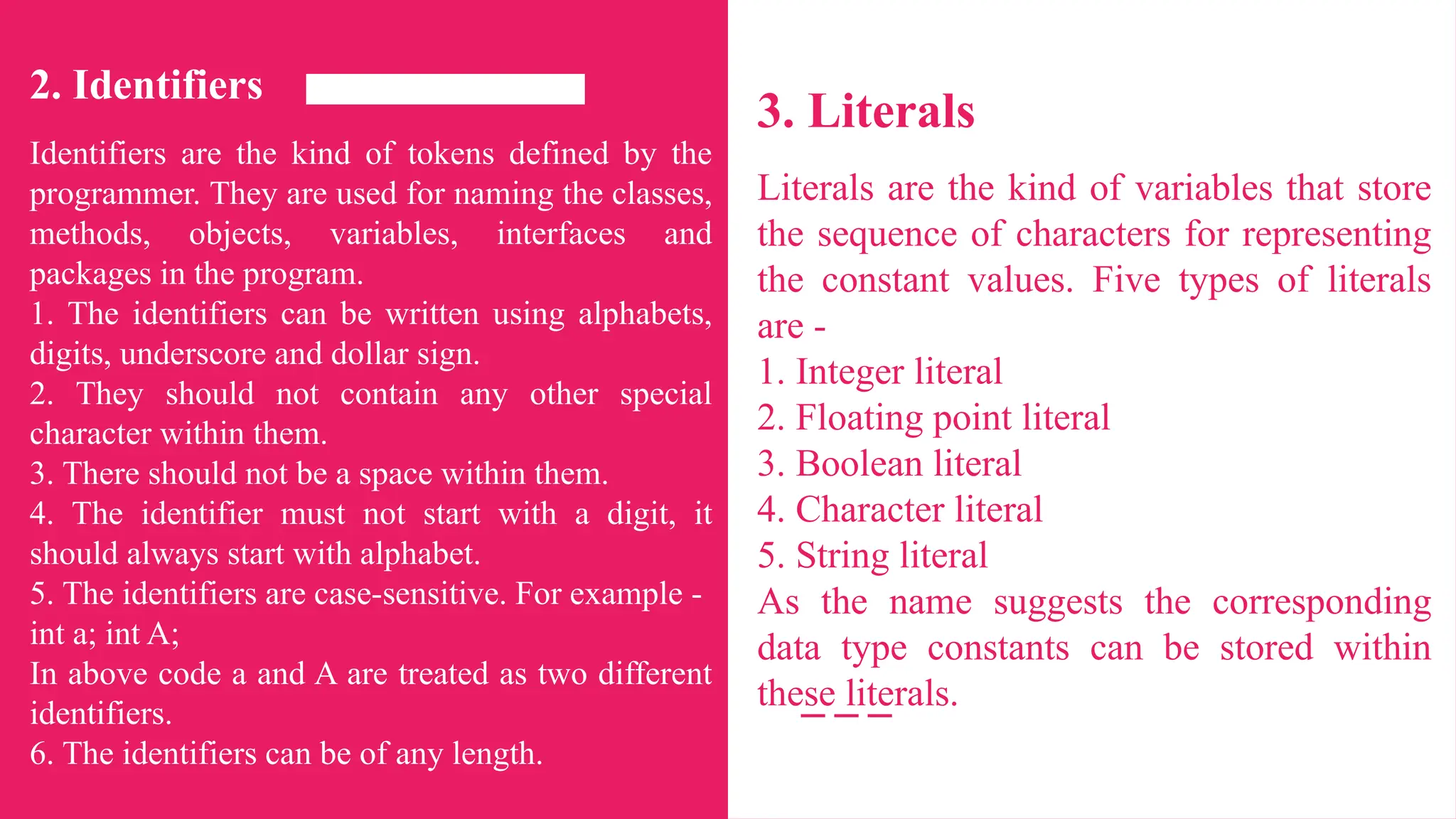
2. Identifiers
Identifiers are the kind of tokens defined by the
programmer. They are used for naming the classes,
methods, objects, variables, interfaces and
packages in the program.
1. The identifiers can be written using alphabets,
digits, underscore and dollar sign.
2. They should not contain any other special
character within them.
3. There should not be a space within them.
4. The identifier must not start with a digit, it
should always start with alphabet.
5. The identifiers are case-sensitive. For example -
int a; int A;
In above code a and A are treated as two different
identifiers.
6. The identifiers can be of any length.
3. Literals
Literals are the kind of variables that store
the sequence of characters for representing
the constant values. Five types of literals
are -
1. Integer literal
2. Floating point literal
3. Boolean literal
4. Character literal
5. String literal
As the name suggests the corresponding
data type constants can be stored within
these literals.
4. Operators
Operators are the symbols used in the
expression for evaluating them.
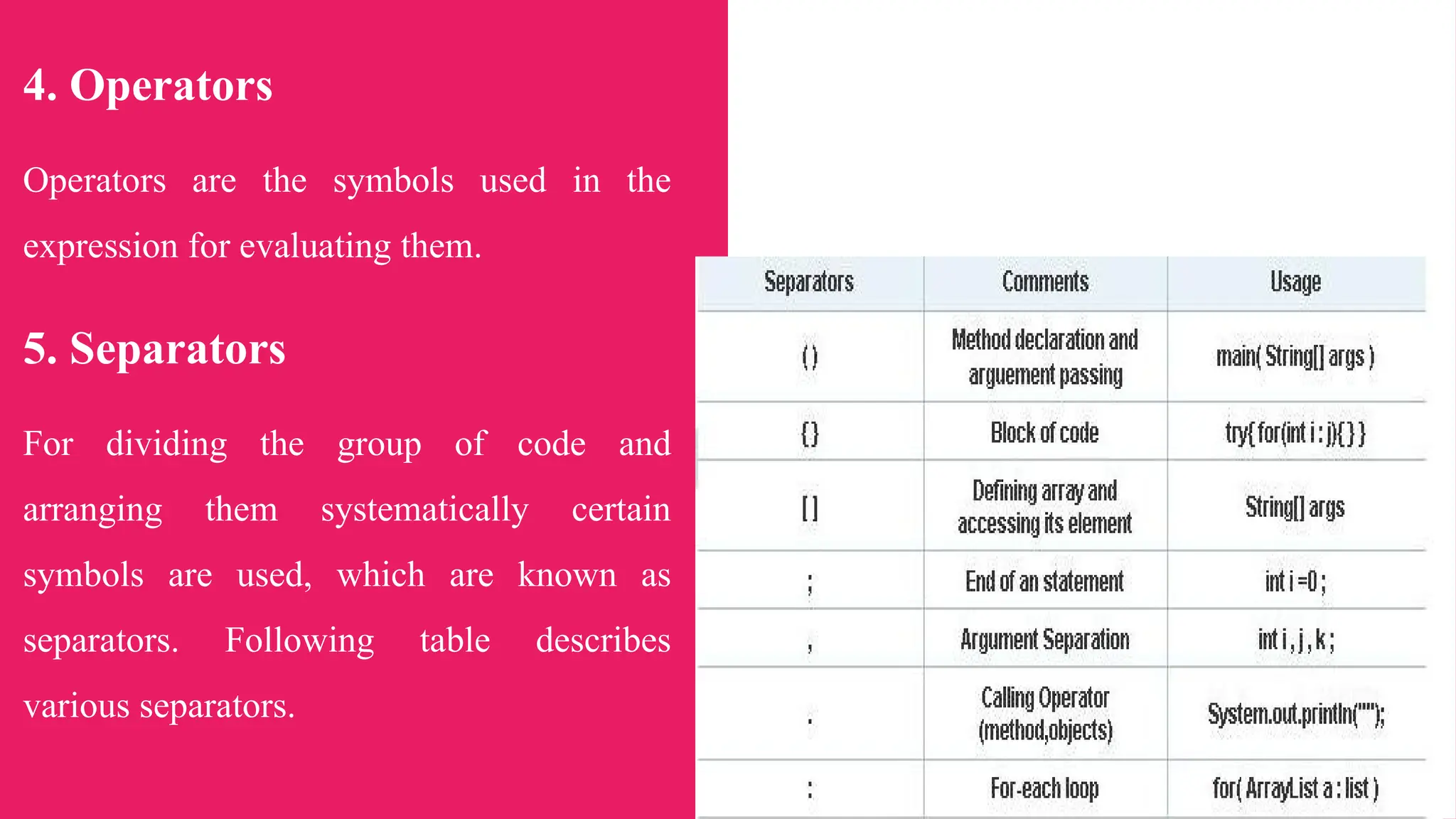
5. Separators
For dividing the group of code and
arranging them systematically certain
symbols are used, which are known as
separators. Following table describes
various separators.
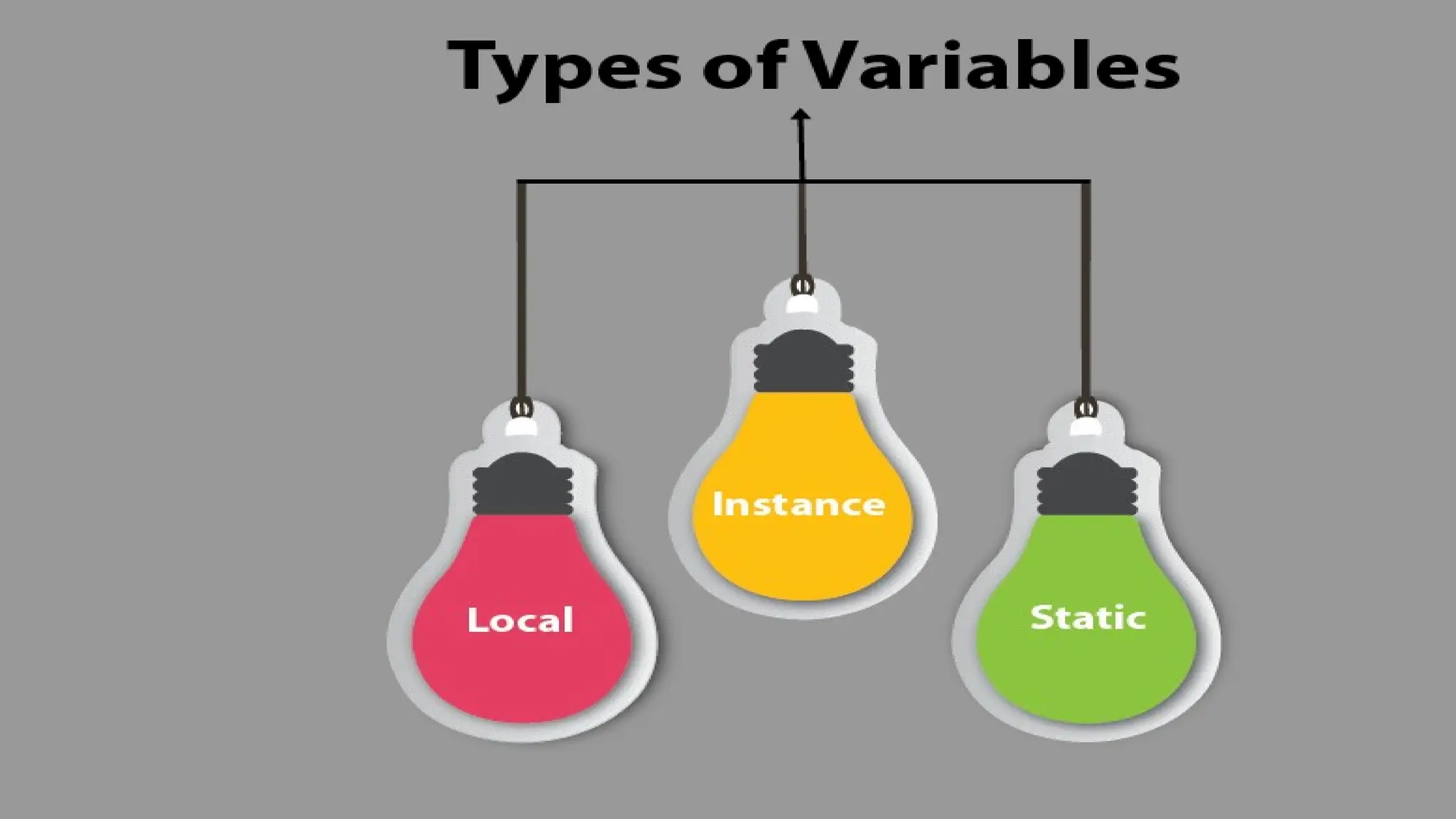
VARIABLES :
● A variable is an identifier that denotes
the storage location.
● Variable is a fundamental unit of storage
in Java. The variables are used in
combination with identifiers, data types,
operators and some value for
initialization. The variables must be
declared before its use. The syntax of
variable declaration will be -
data_type name_of_variable [=initialization]
[,=initialization][,...];
Following are some rules for variable
declaration -
• The variable name should not with digits.
• No special character is allowed in
identifier except underscore.
• There should not be any blank space with
the identifier name.
• The identifier name should not be a
keyword.
• The identifier name should be
meaningful.
For Example:
int a,b;
char m='a';
byte k=12,p,t=22;
The variables have a scope which defines
their visibility and a lifetime.
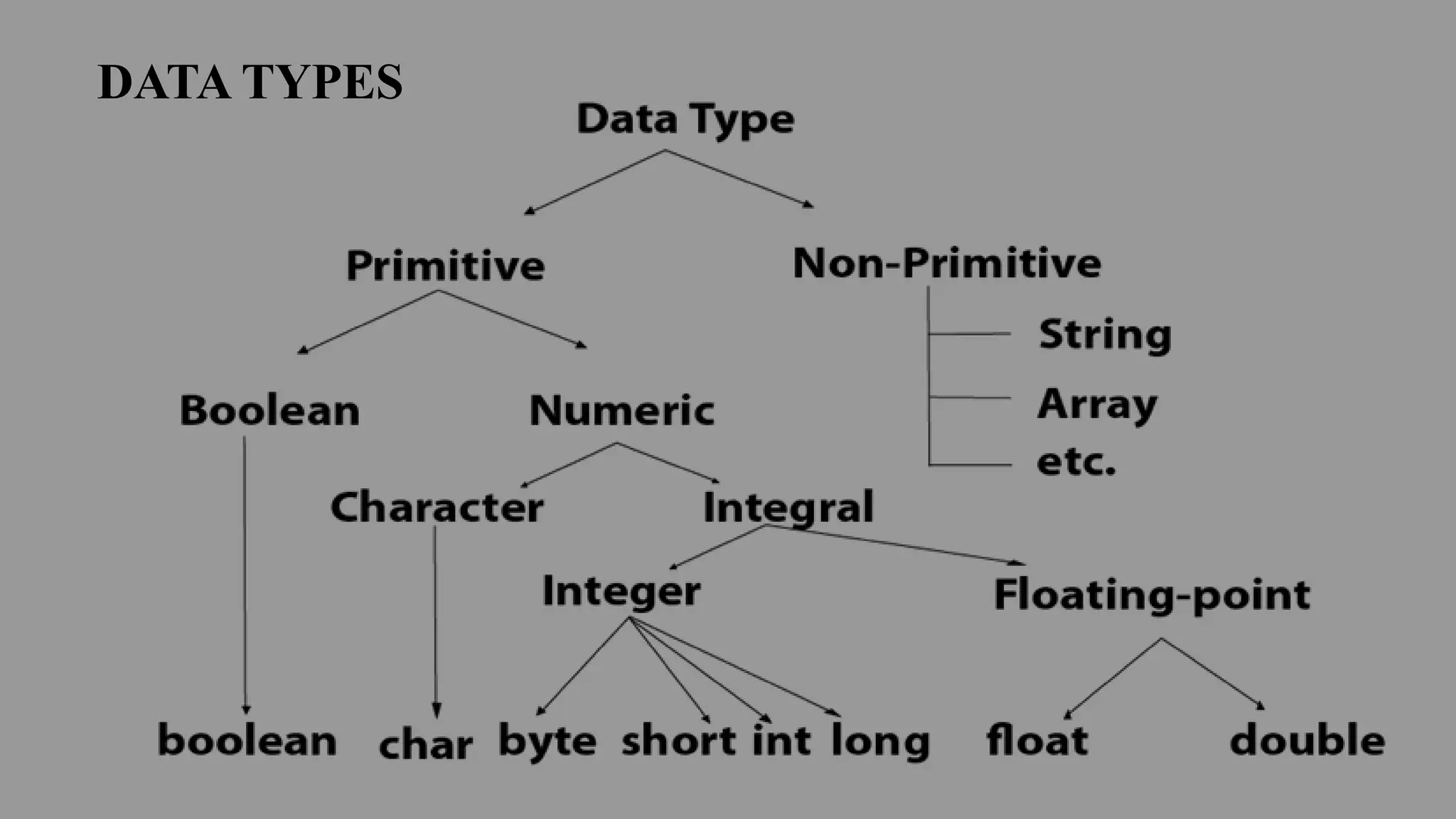
DATA TYPES
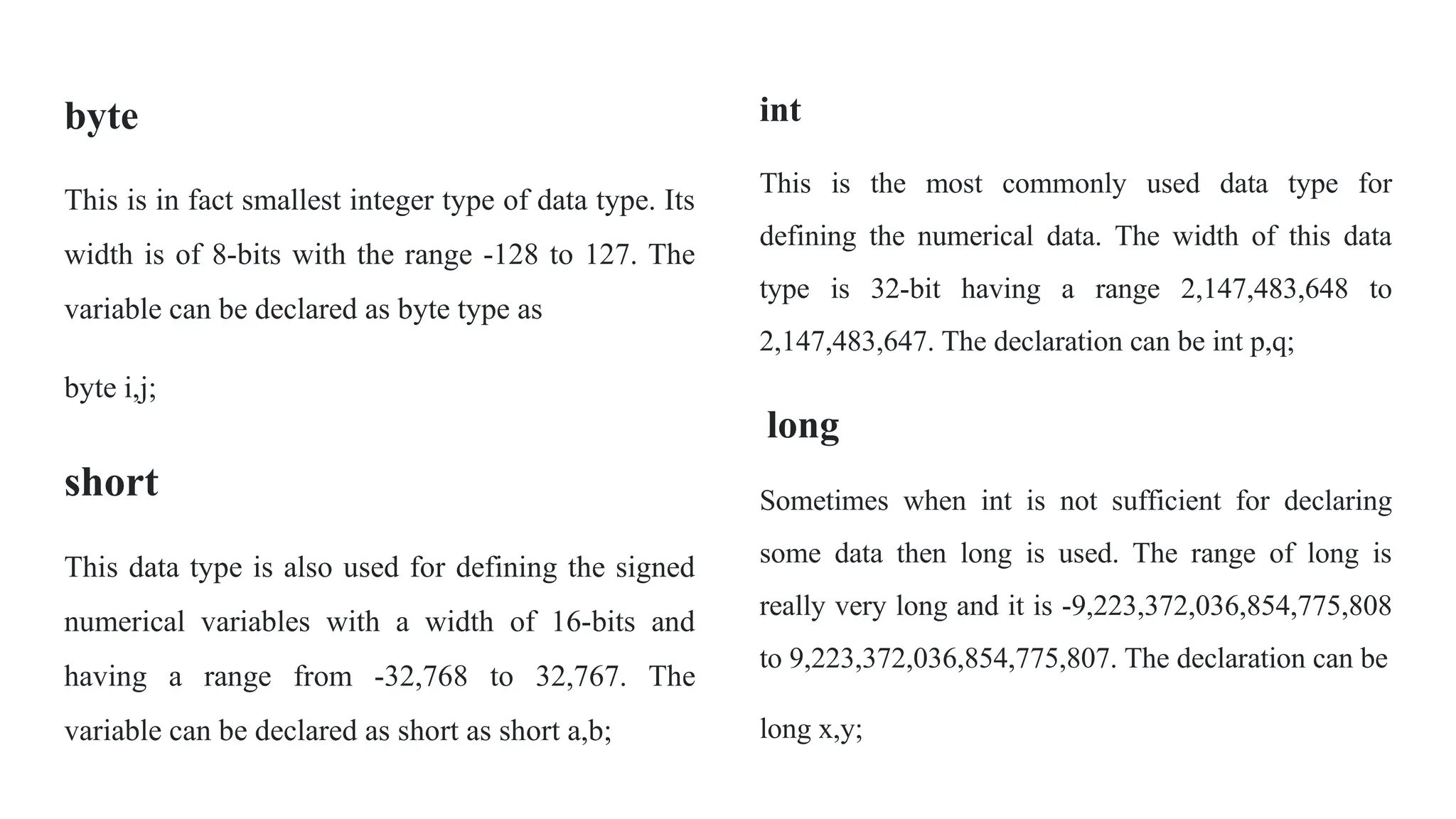
byte
This is in fact smallest integer type of data type. Its
width is of 8-bits with the range -128 to 127. The
variable can be declared as byte type as
byte i,j;
short
This data type is also used for defining the signed
numerical variables with a width of 16-bits and
having a range from -32,768 to 32,767. The
variable can be declared as short as short a,b;
int
This is the most commonly used data type for
defining the numerical data. The width of this data
type is 32-bit having a range 2,147,483,648 to
2,147,483,647. The declaration can be int p,q;
long
Sometimes when int is not sufficient for declaring
some data then long is used. The range of long is
really very long and it is -9,223,372,036,854,775,808
to 9,223,372,036,854,775,807. The declaration can be
long x,y;
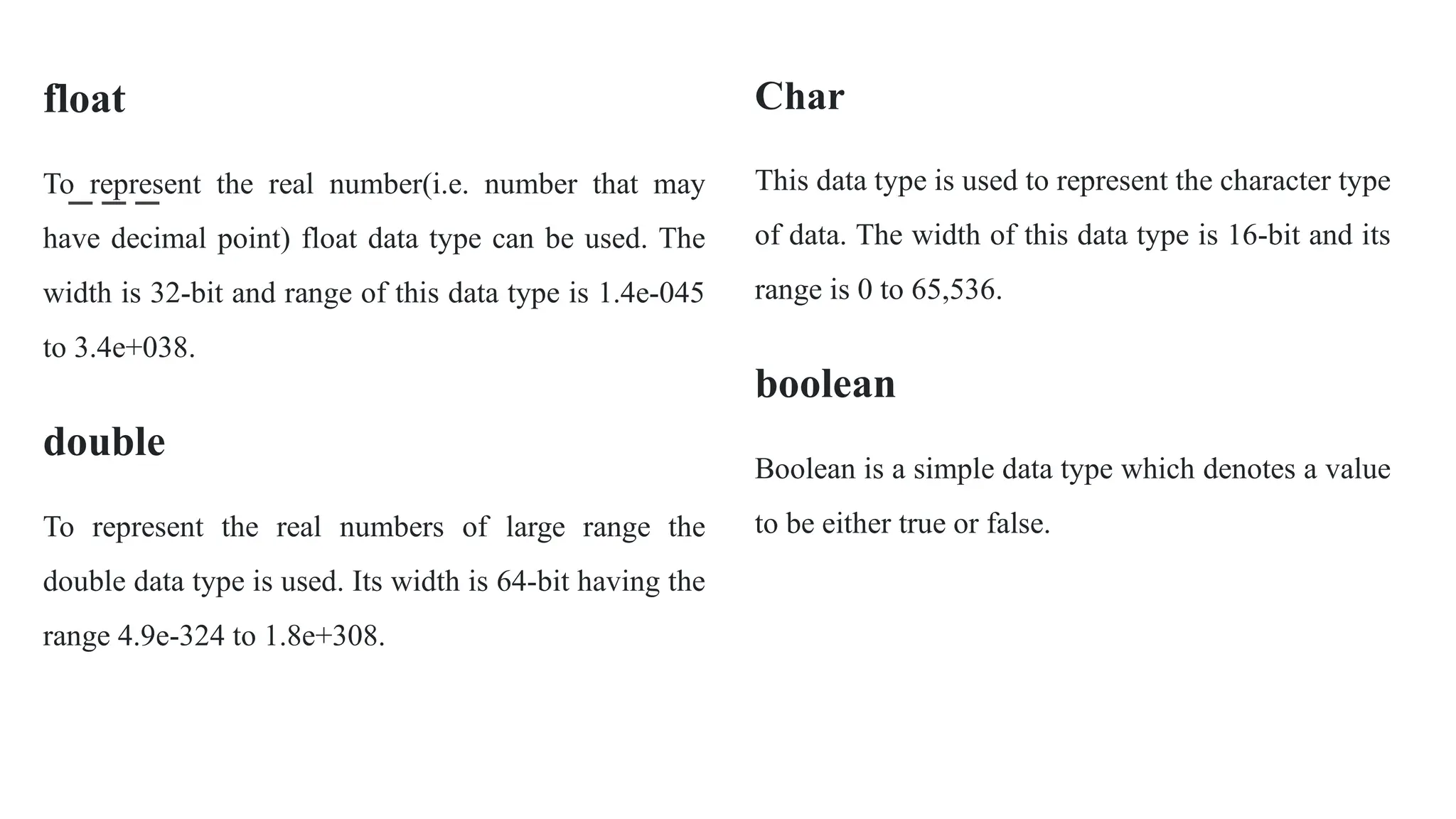
float
To represent the real number(i.e. number that may
have decimal point) float data type can be used. The
width is 32-bit and range of this data type is 1.4e-045
to 3.4e+038.
double
To represent the real numbers of large range the
double data type is used. Its width is 64-bit having the
range 4.9e-324 to 1.8e+308.
Char
This data type is used to represent the character type
of data. The width of this data type is 16-bit and its
range is 0 to 65,536.
boolean
Boolean is a simple data type which denotes a value
to be either true or false.
Java Program
Java Program [DatatypeDemo.java]
class DatatypeDemo
{
public static void main(String args[])
{
byte a=10;
short b=10*128;
int c=10000* 128;
long d=10000*1000*128;
double e=99.9998;
char f='a';
boolean g=true;
boolean h=false;
System.out.println("The value of a=: "+a);
System.out.println("The value of b=: "+b);
System.out.println("The value of c=: "+c);
System.out.println("The value of d=: "+d);
System.out.println("The value of e=: "+e);
System.out.println("The value of f=: "+f);
f++;
System.out.println("The value of f after increment=: "+f);
System.out.println("The value of g=: "+g);
System.out.println("The value of h=: "+h);
}
}
Output
The value of a=: 10
The value of b=: 1280
The value of c=: 1280000
The value of d=: 1280000000
The value of e=: 99.9998
The value of f=: a
The value of f after increment: b
The value of g=: true
The value of h=: false
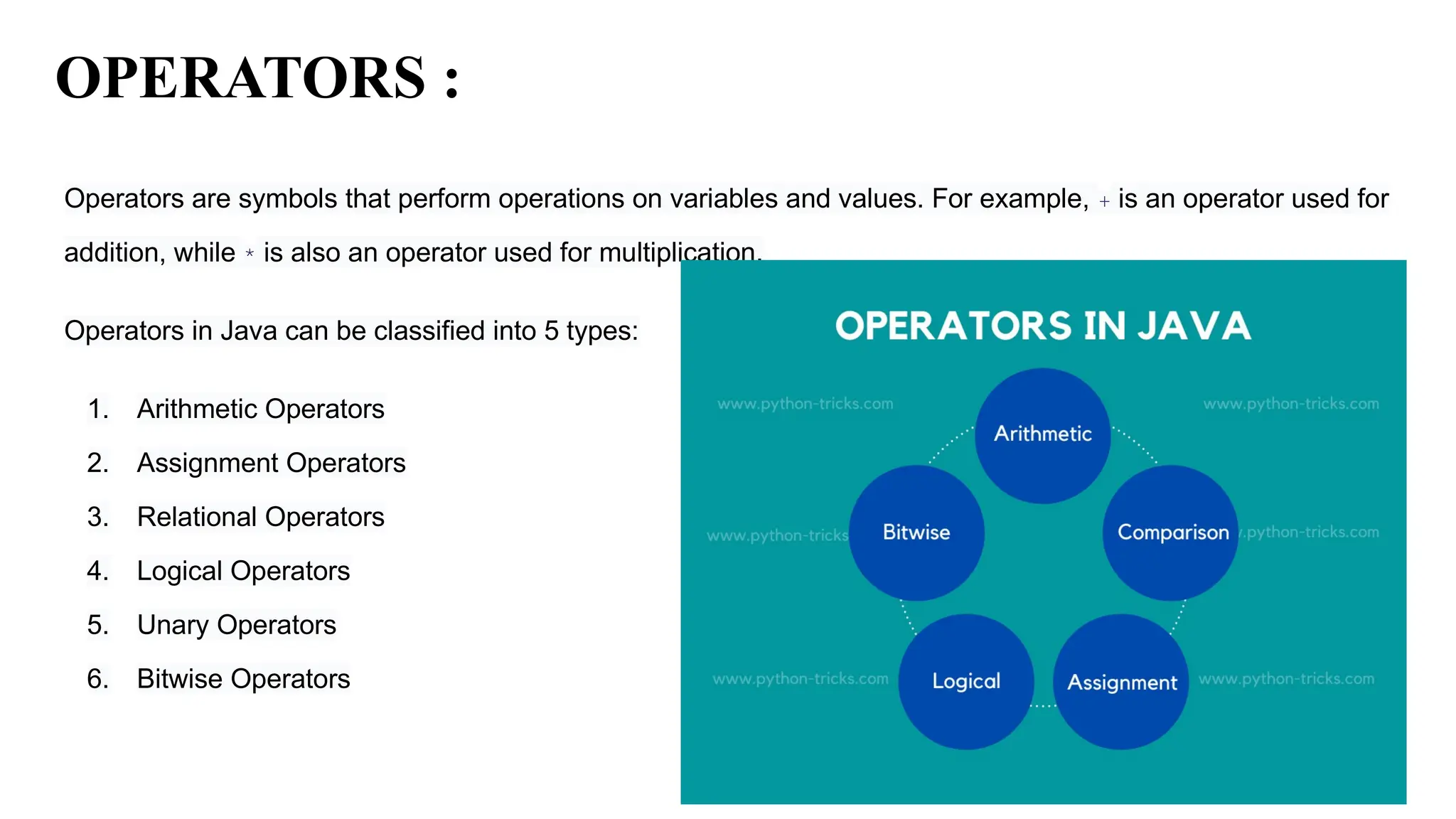
OPERATORS :
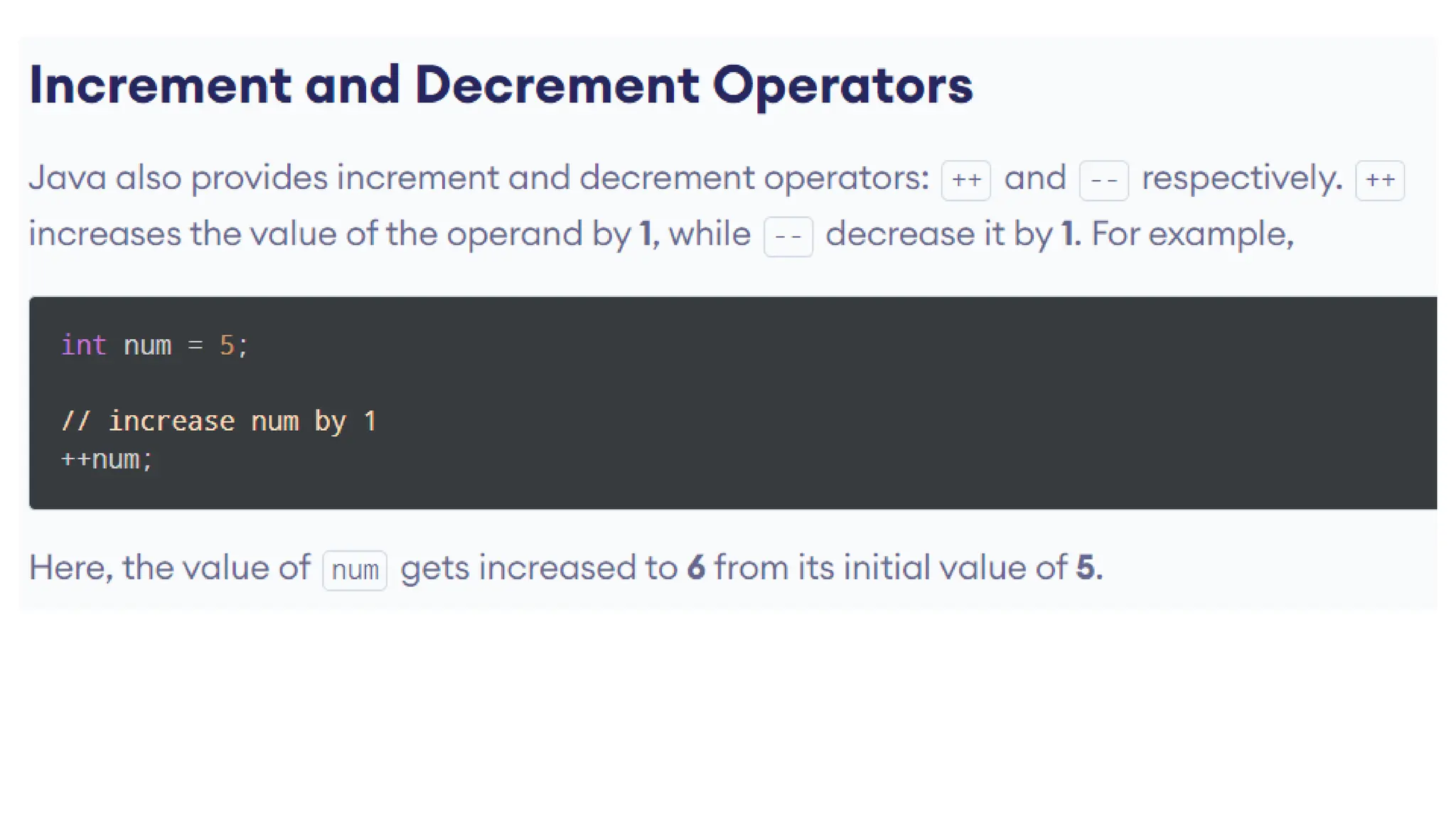
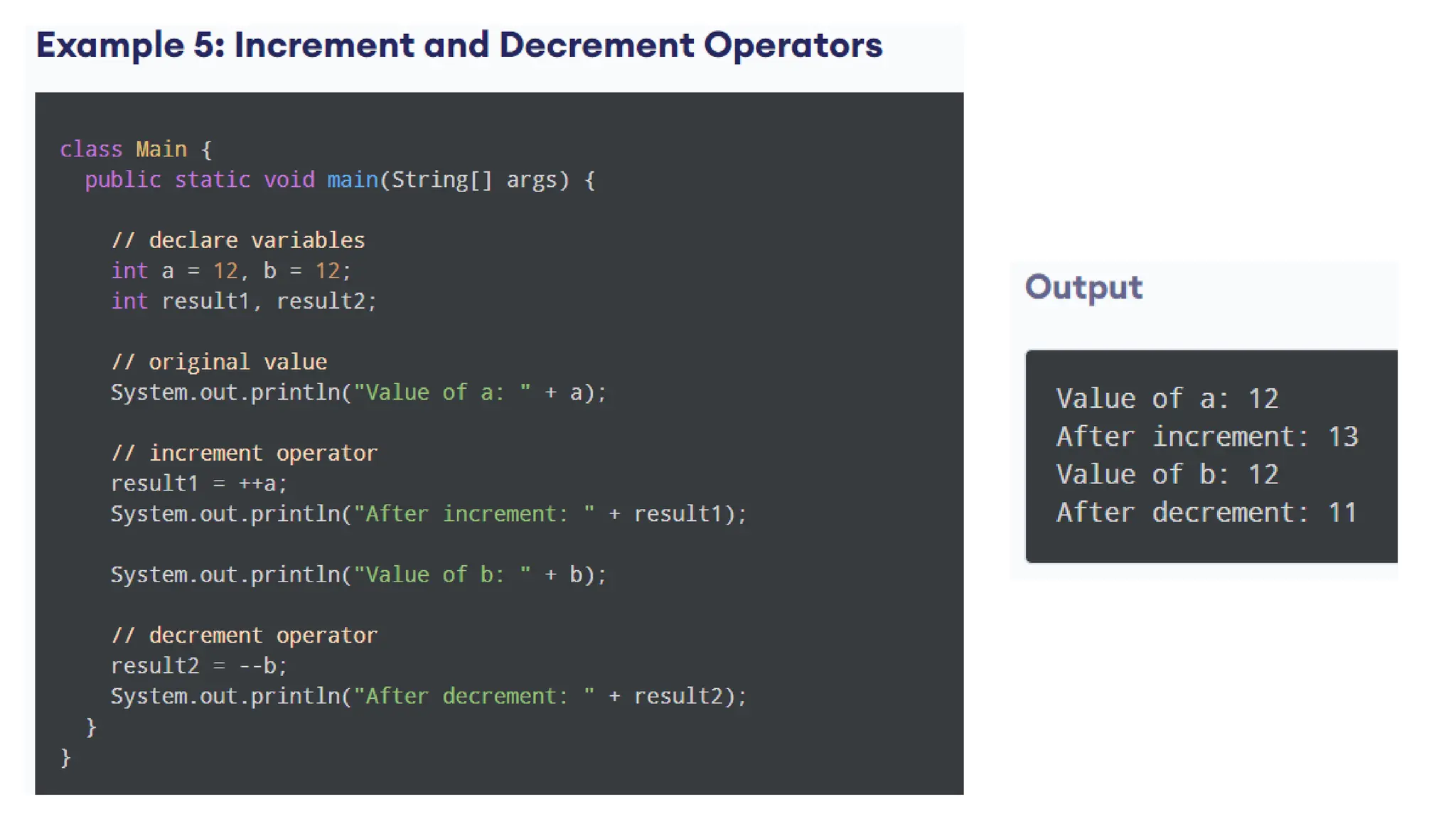
Operators are symbols that perform operations on variables and values. For example, + is an operator used for
addition, while * is also an operator used for multiplication.
Operators in Java can be classified into 5 types:
1. Arithmetic Operators
2. Assignment Operators
3. Relational Operators
4. Logical Operators
5. Unary Operators
6. Bitwise Operators
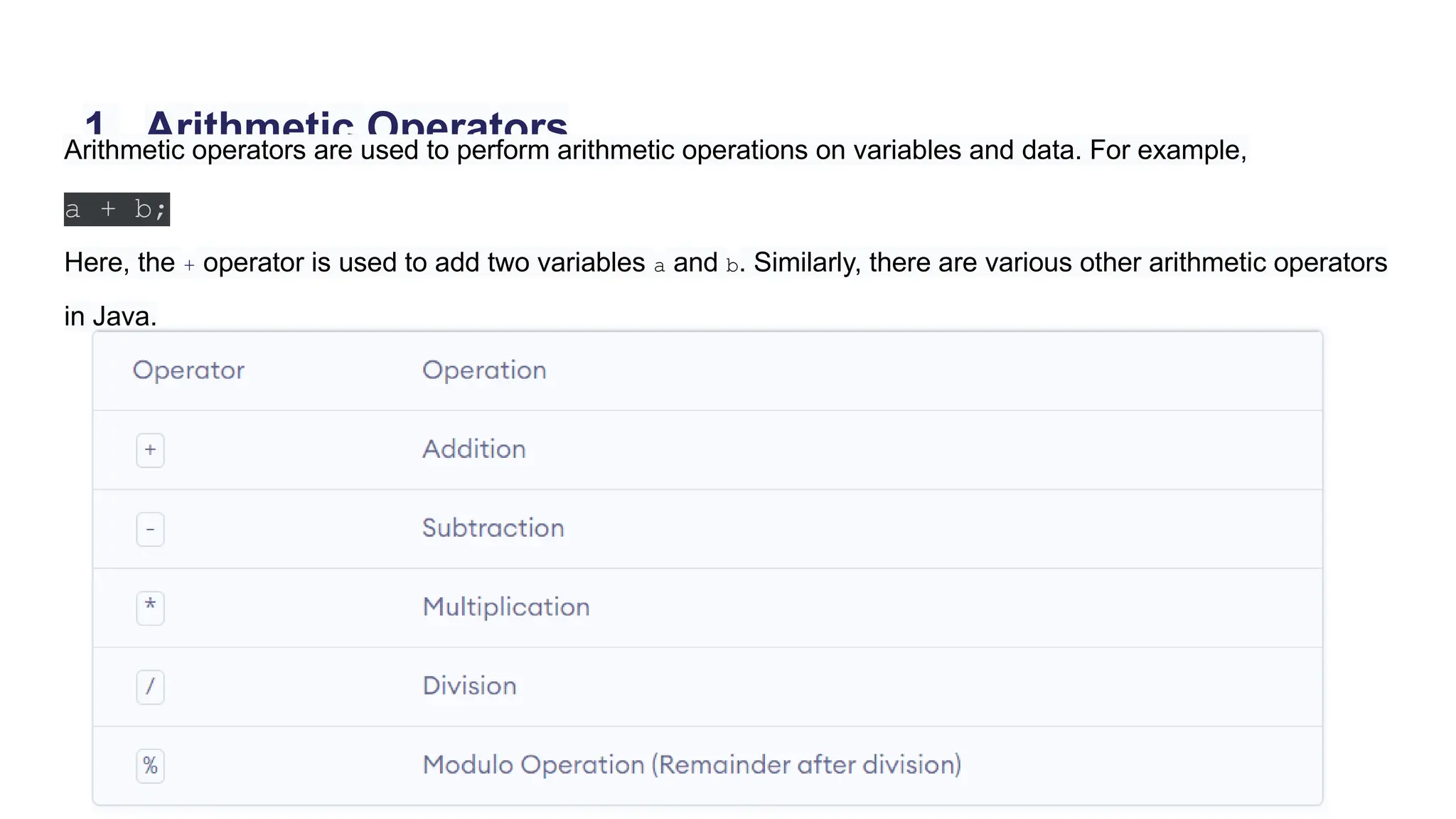
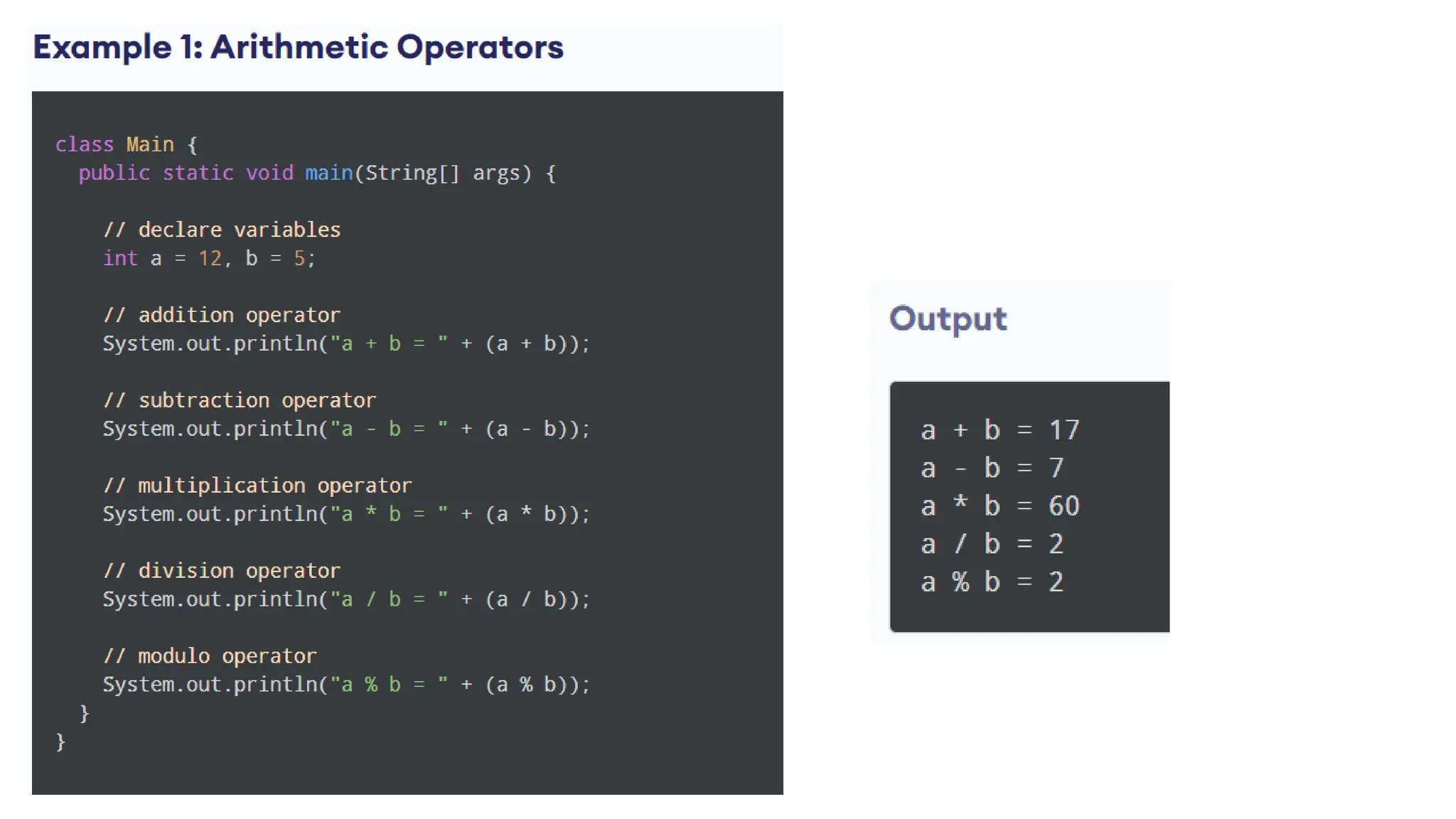
1. Arithmetic Operators
Arithmetic operators are used to perform arithmetic operations on variables and data. For example,
a + b;
Here, the + operator is used to add two variables a and b. Similarly, there are various other arithmetic operators
in Java.
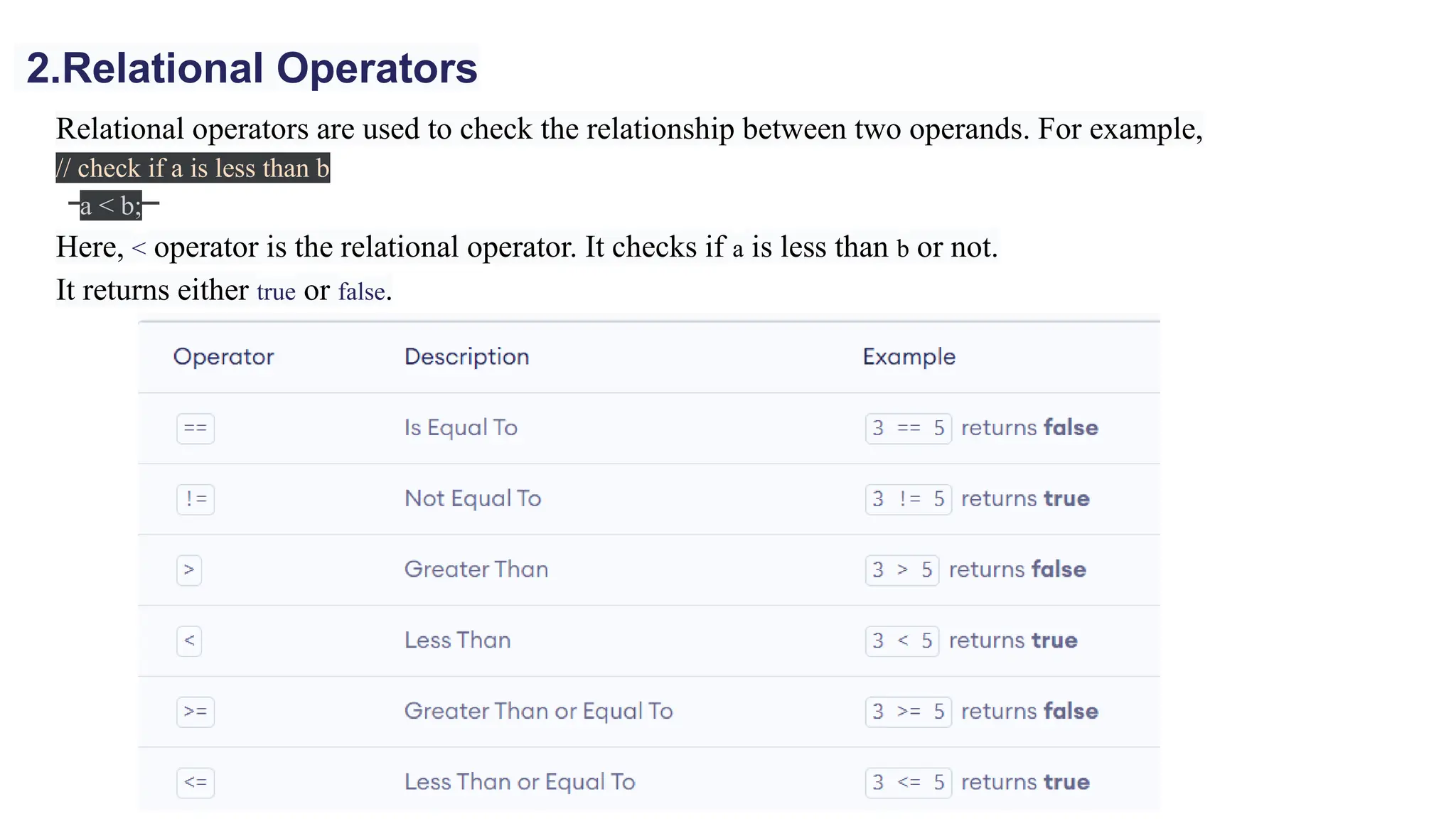
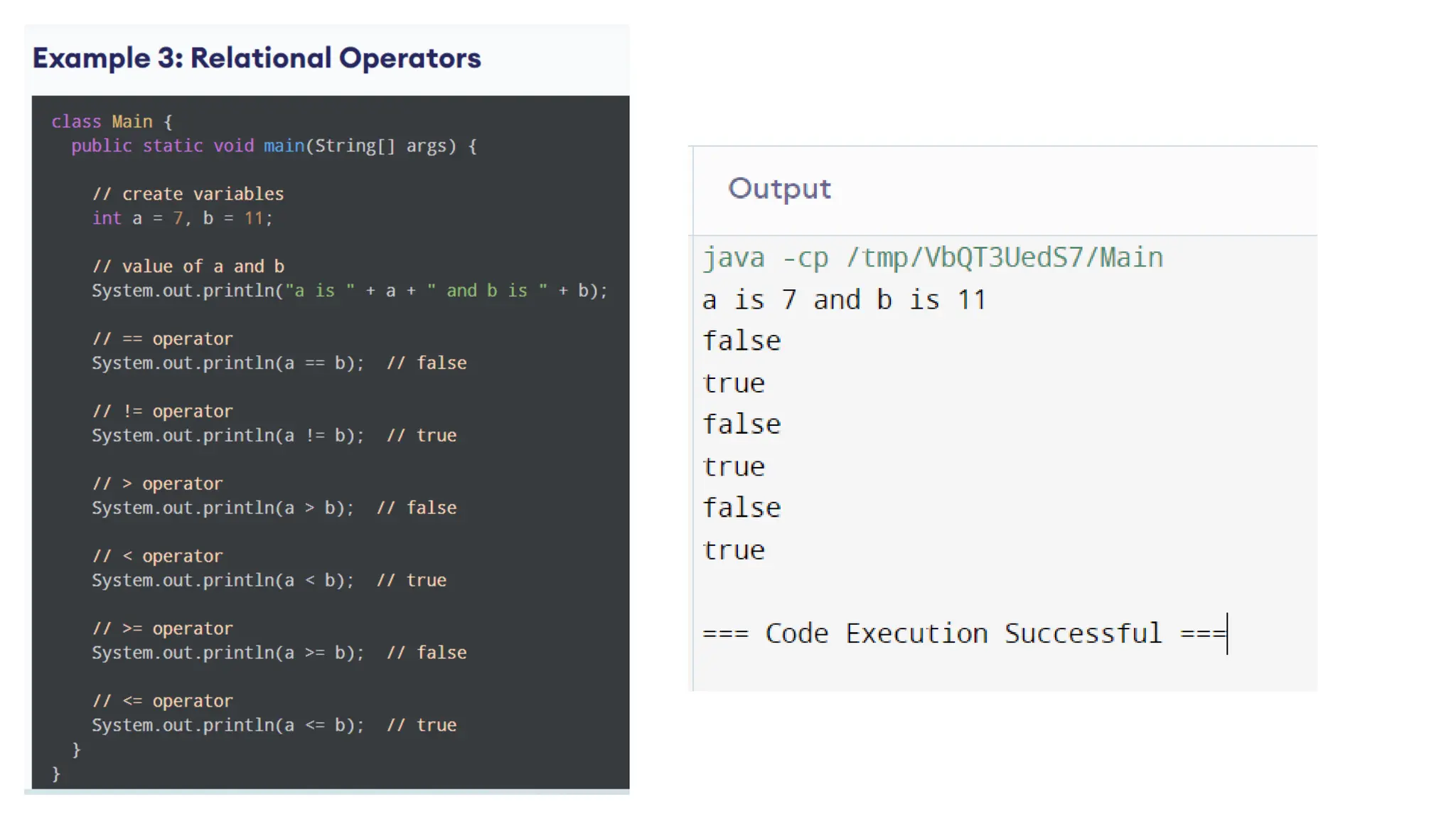
Relational operators are used to check the relationship between two operands. For example,
// check if a is less than b
a < b;
Here, < operator is the relational operator. It checks if a is less than b or not.
It returns either true or false.
2.Relational Operators
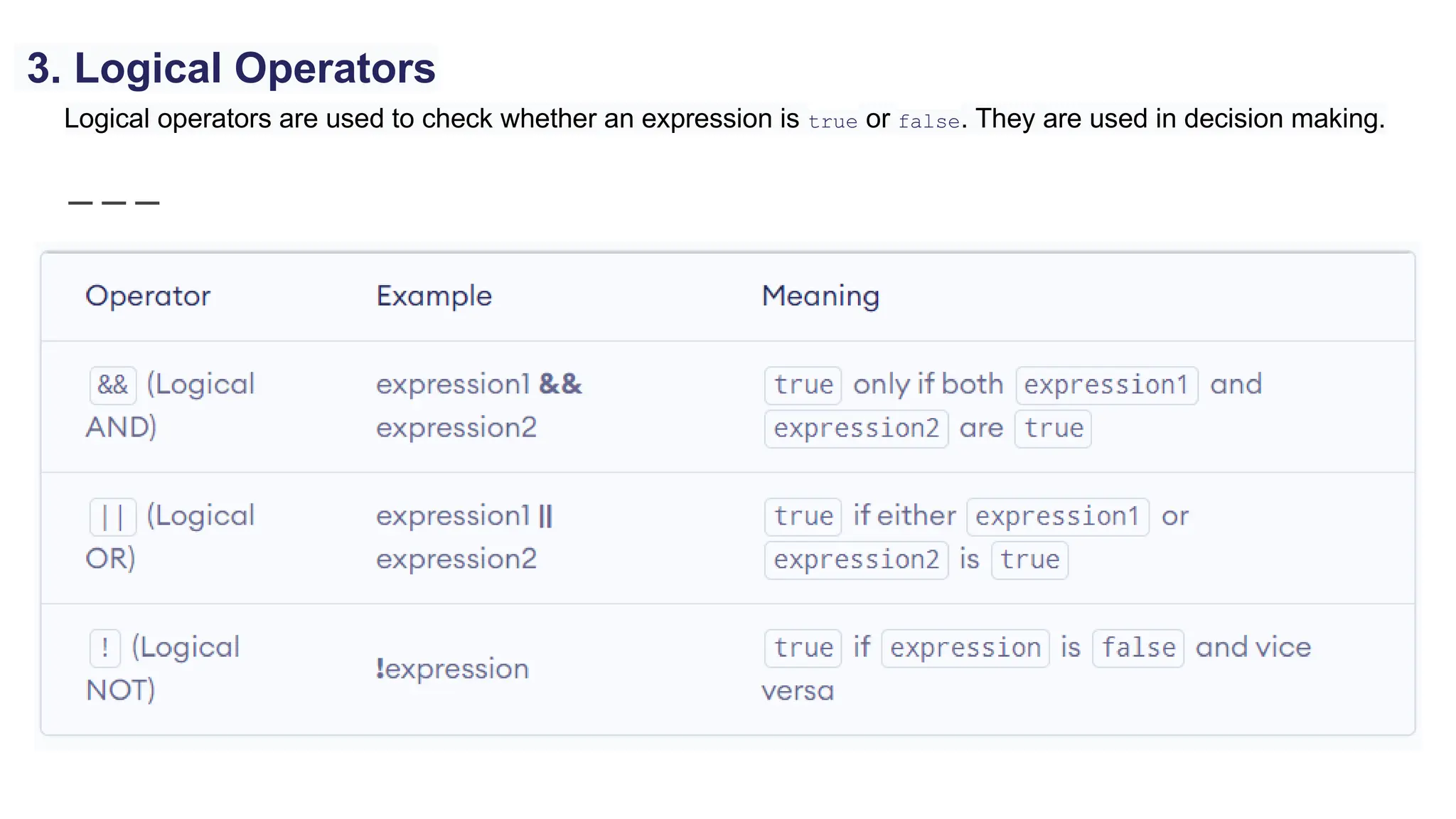
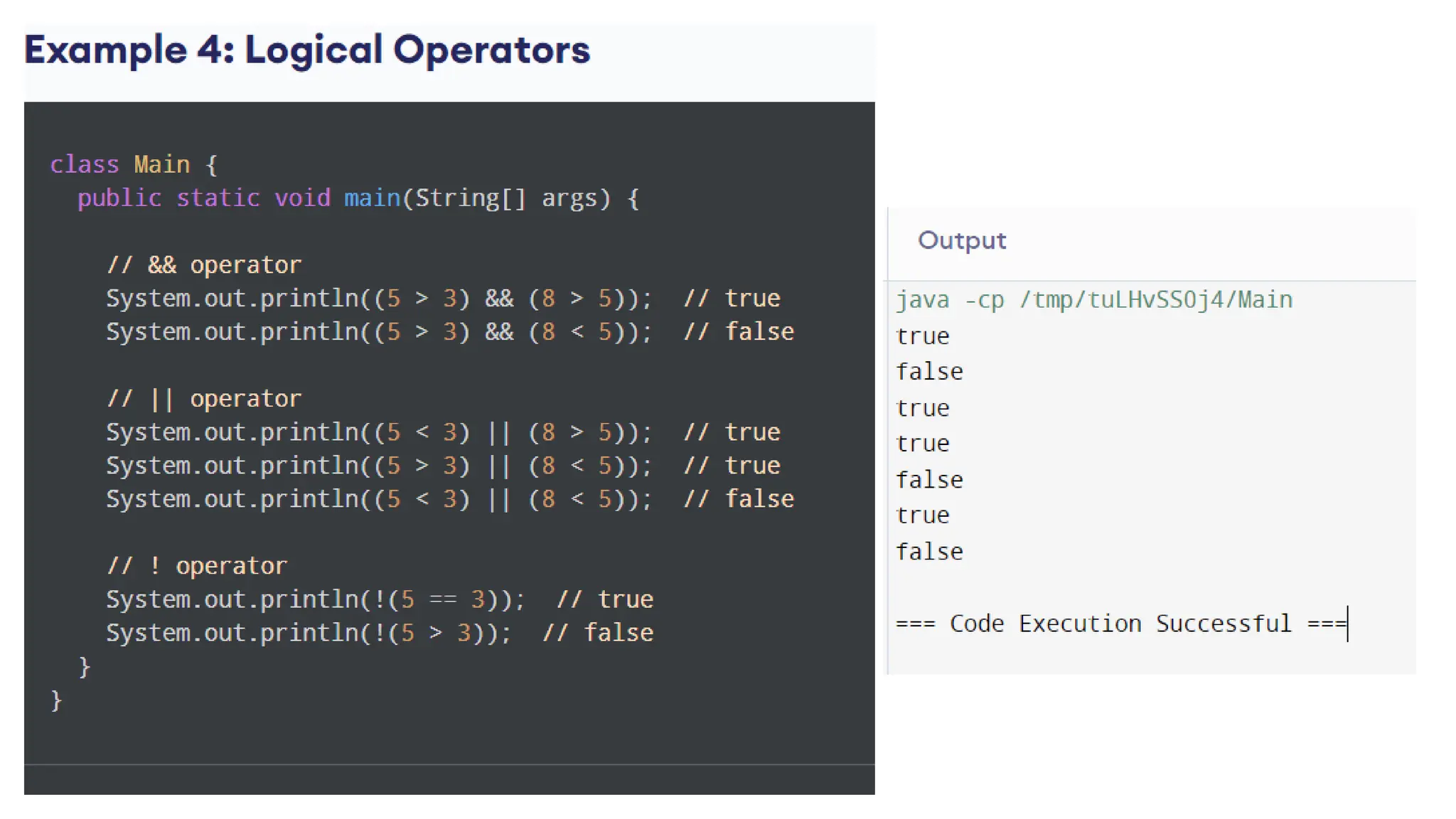
Logical operators are used to check whether an expression is true or false. They are used in decision making.
3. Logical Operators
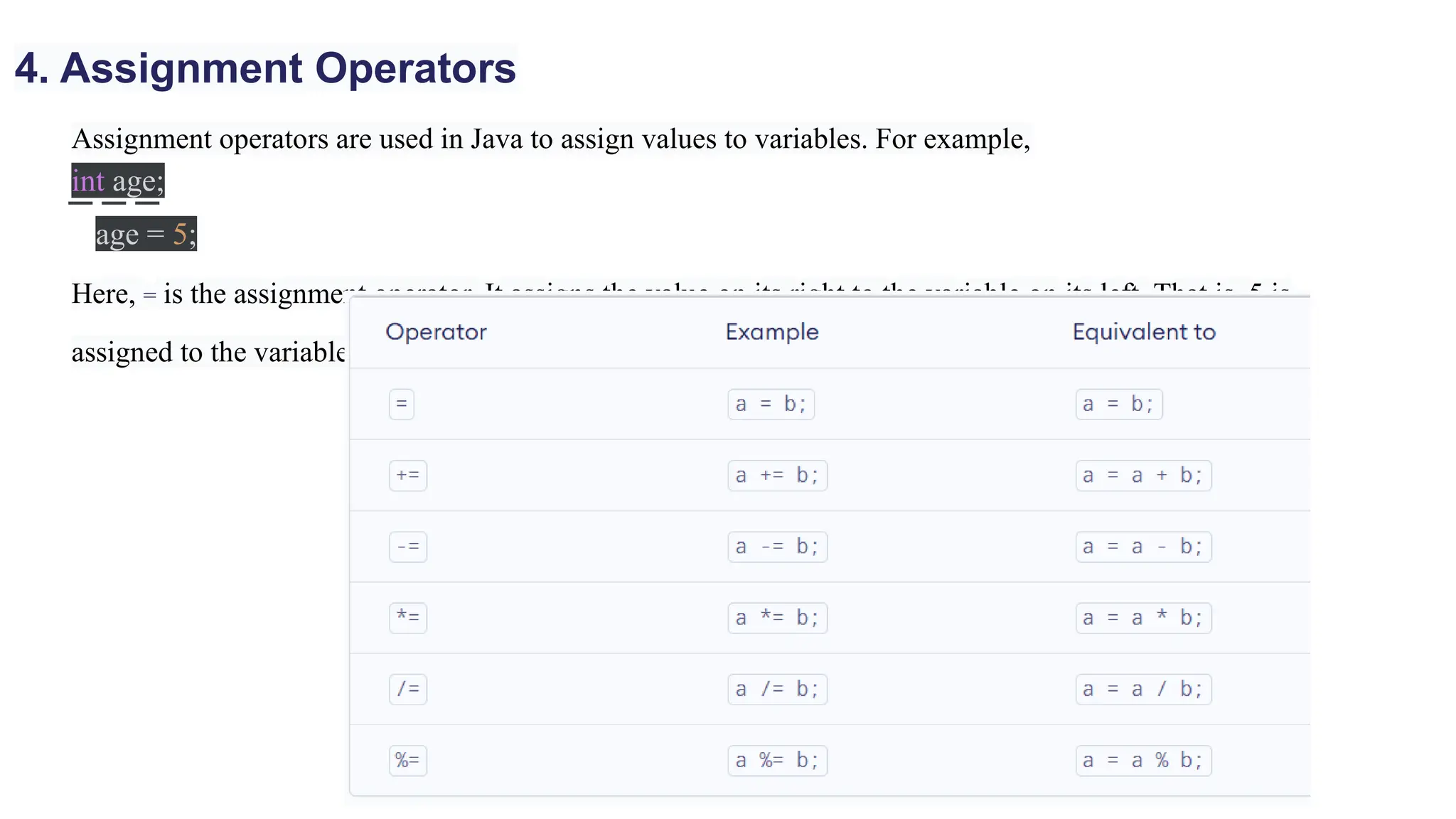
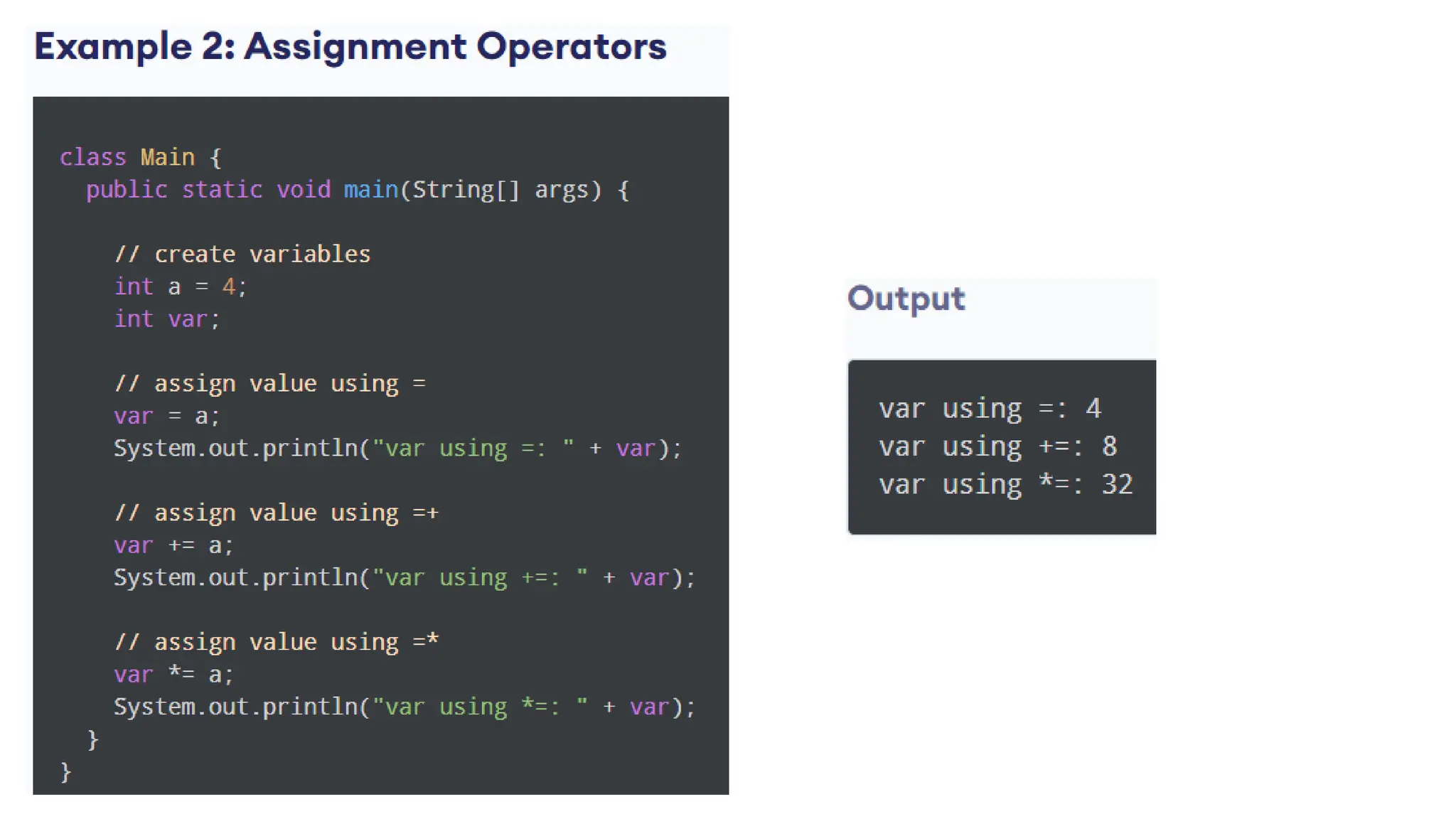
Assignment operators are used in Java to assign values to variables. For example,
int age;
age = 5;
Here, = is the assignment operator. It assigns the value on its right to the variable on its left. That is, 5 is
assigned to the variable age.
4. Assignment Operators
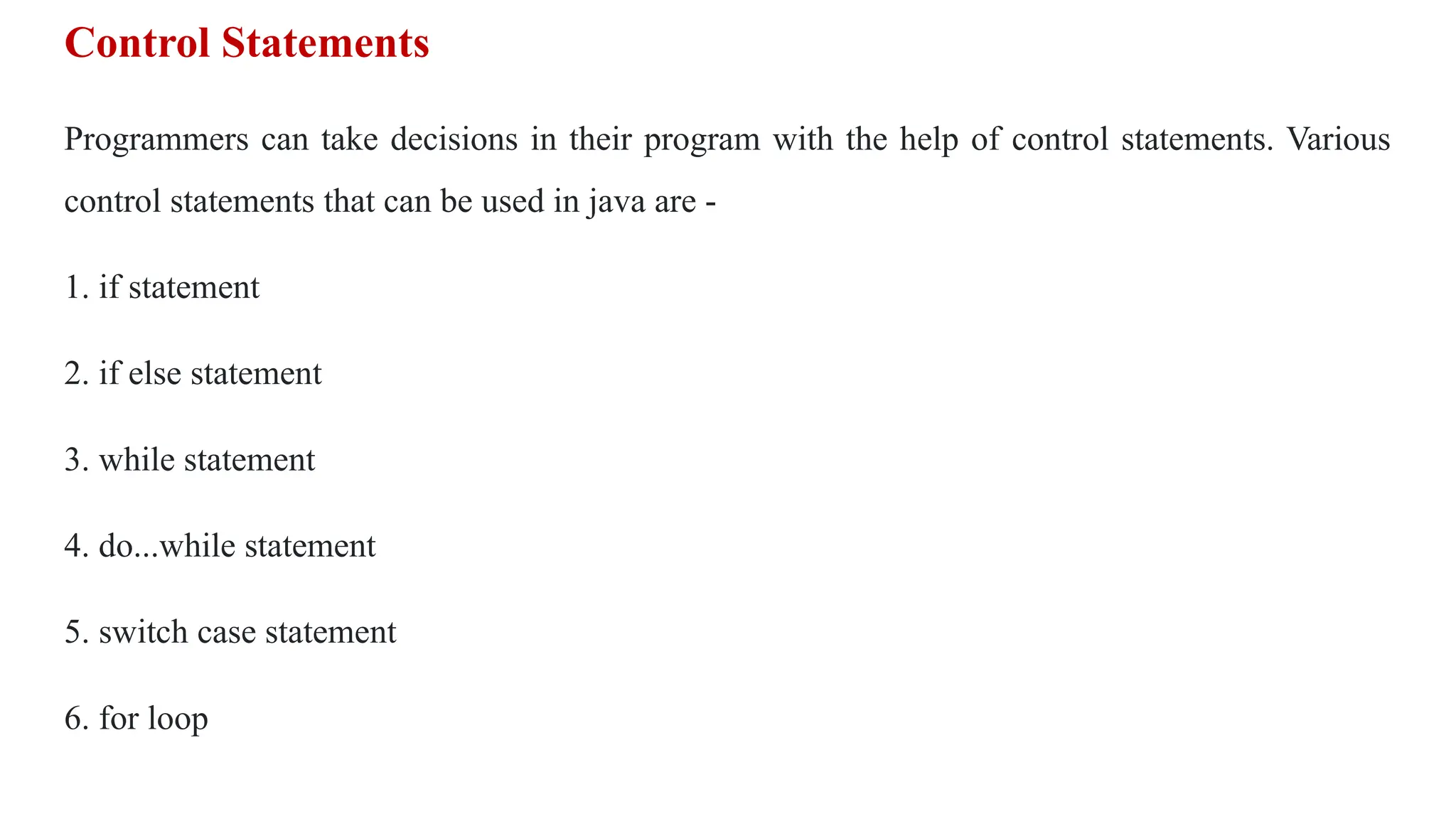
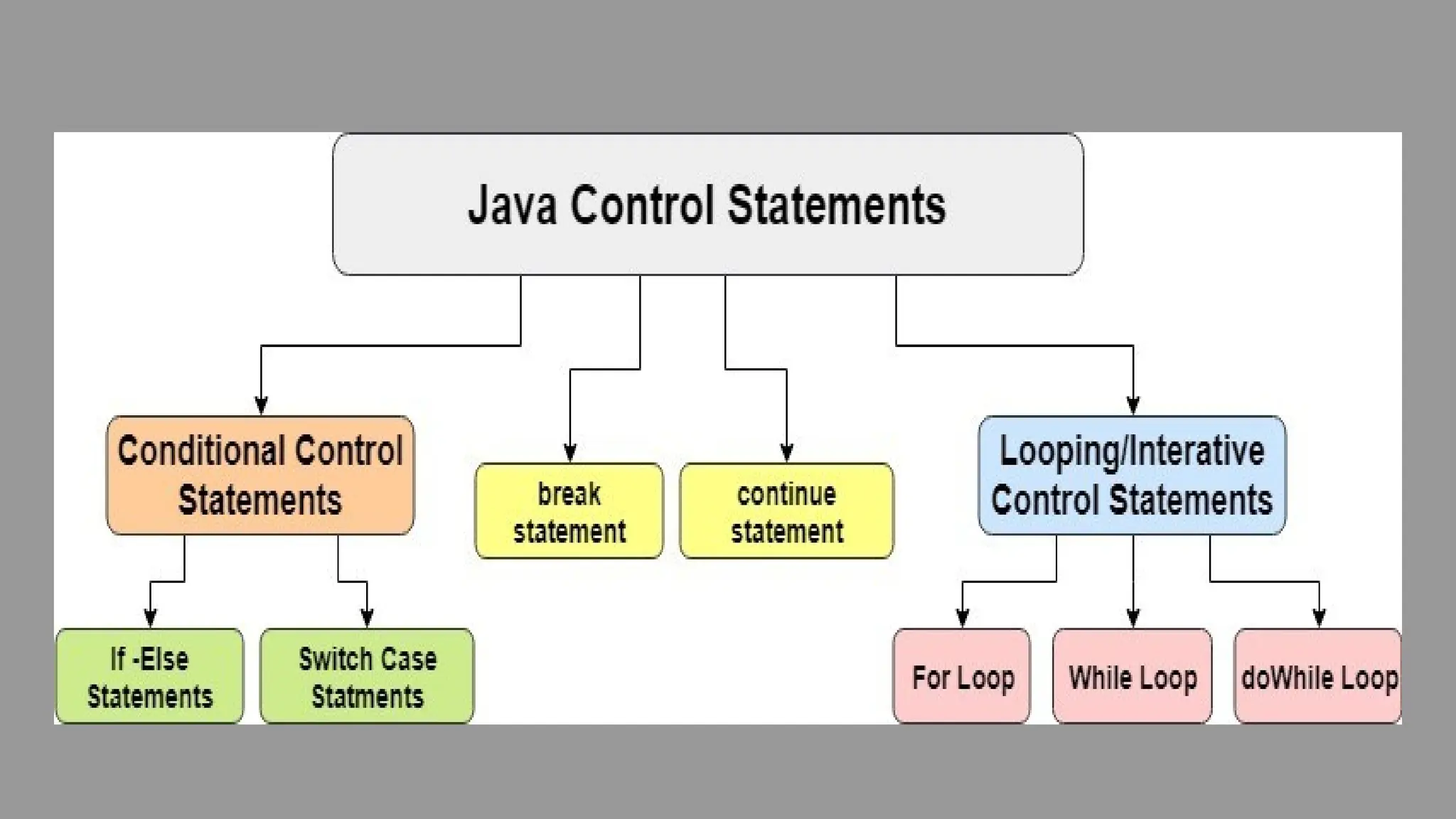
Control Statements
Programmers can take decisions in their program with the help of control statements. Various
control statements that can be used in java are -
1. if statement
2. if else statement
3. while statement
4. do...while statement
5. switch case statement
6. for loop
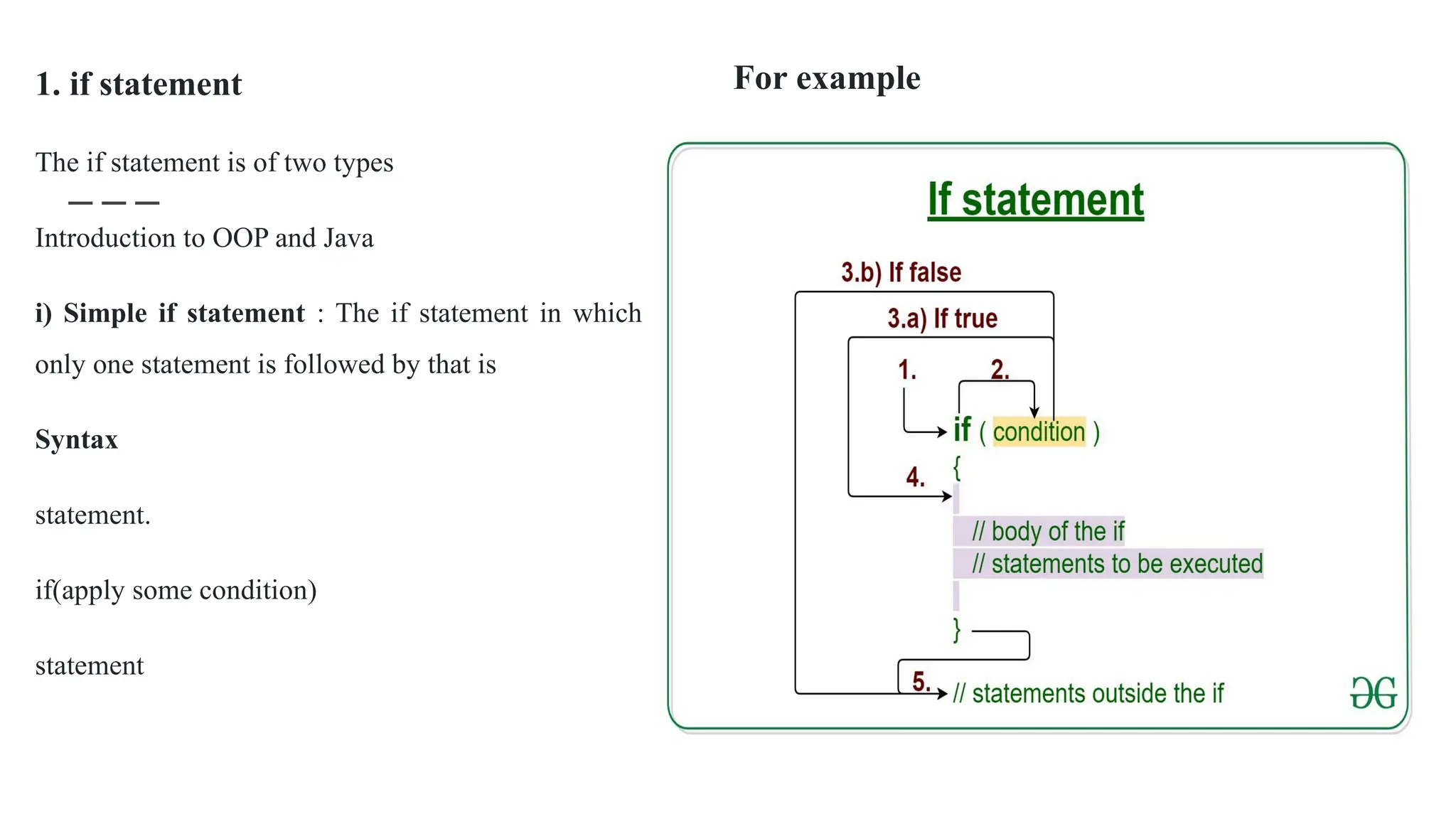
1. if statement
The if statement is of two types
Introduction to OOP and Java
i) Simple if statement : The if statement in which
only one statement is followed by that is
Syntax
statement.
if(apply some condition)
statement
For example
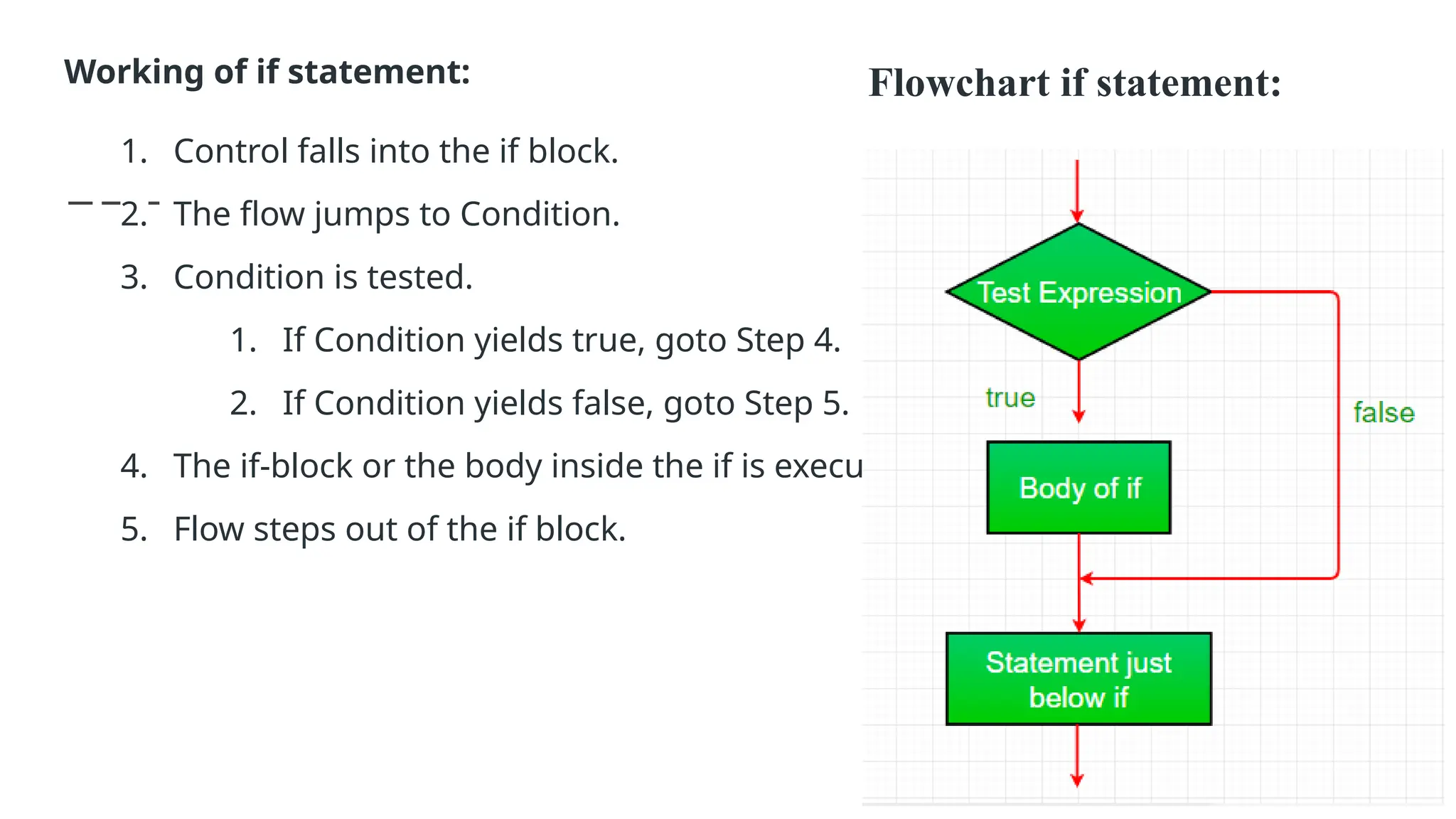
Working of if statement:
1. Control falls into the if block.
2. The flow jumps to Condition.
3. Condition is tested.
1. If Condition yields true, goto Step 4.
2. If Condition yields false, goto Step 5.
4. The if-block or the body inside the if is executed.
5. Flow steps out of the if block.
Flowchart if statement:
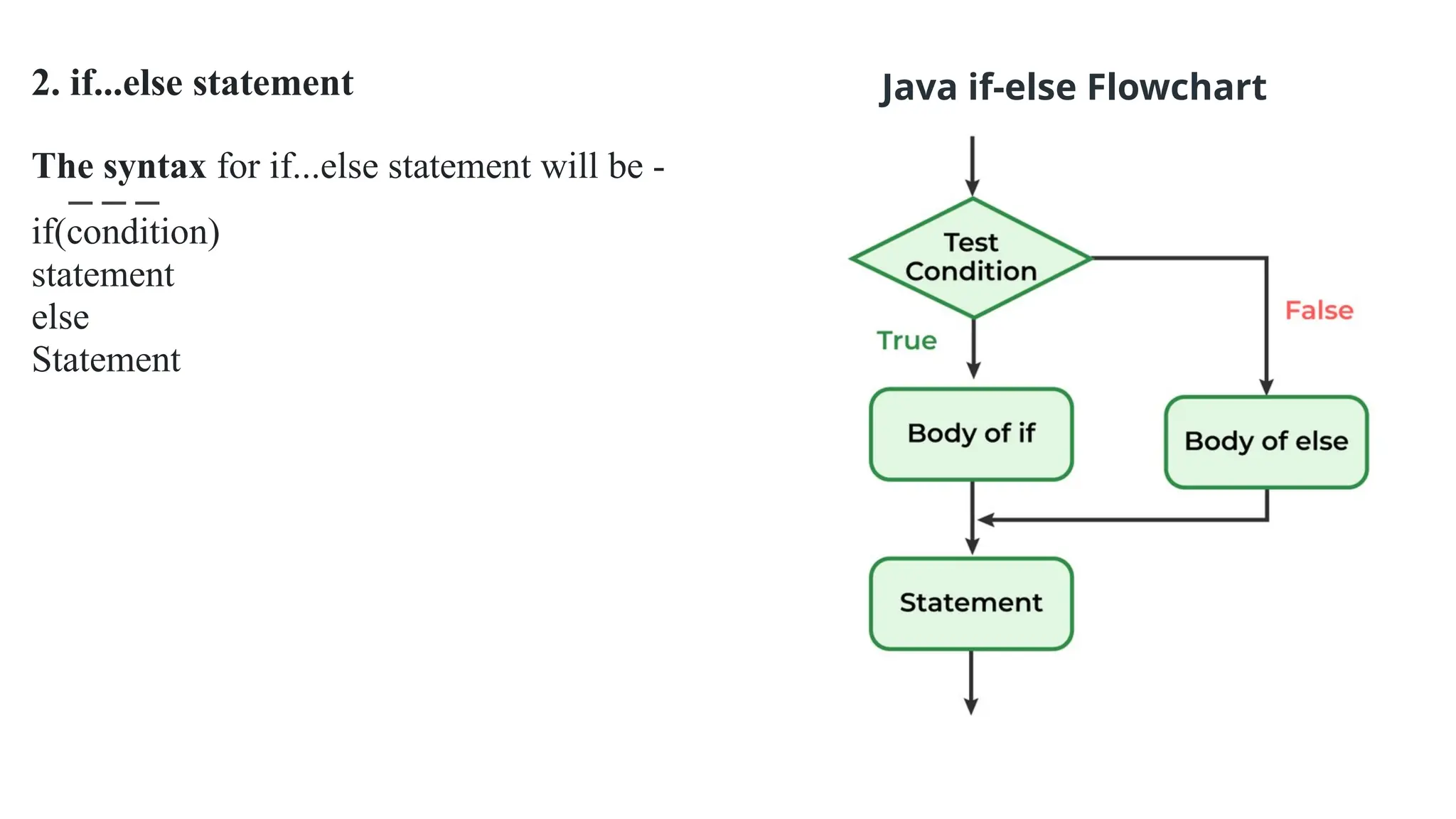
2. if...else statement
The syntax for if...else statement will be -
if(condition)
statement
else
Statement
Java if-else Flowchart
For example
// Java program to illustrate if-else statement
class IfElseDemo {
public static void main(String args[])
{
int i = 20;
if (i < 15)
System.out.println("i is smaller than 15");
else
System.out.println("i is greater than 15");
System.out.println("Outside if-else block");
}
}
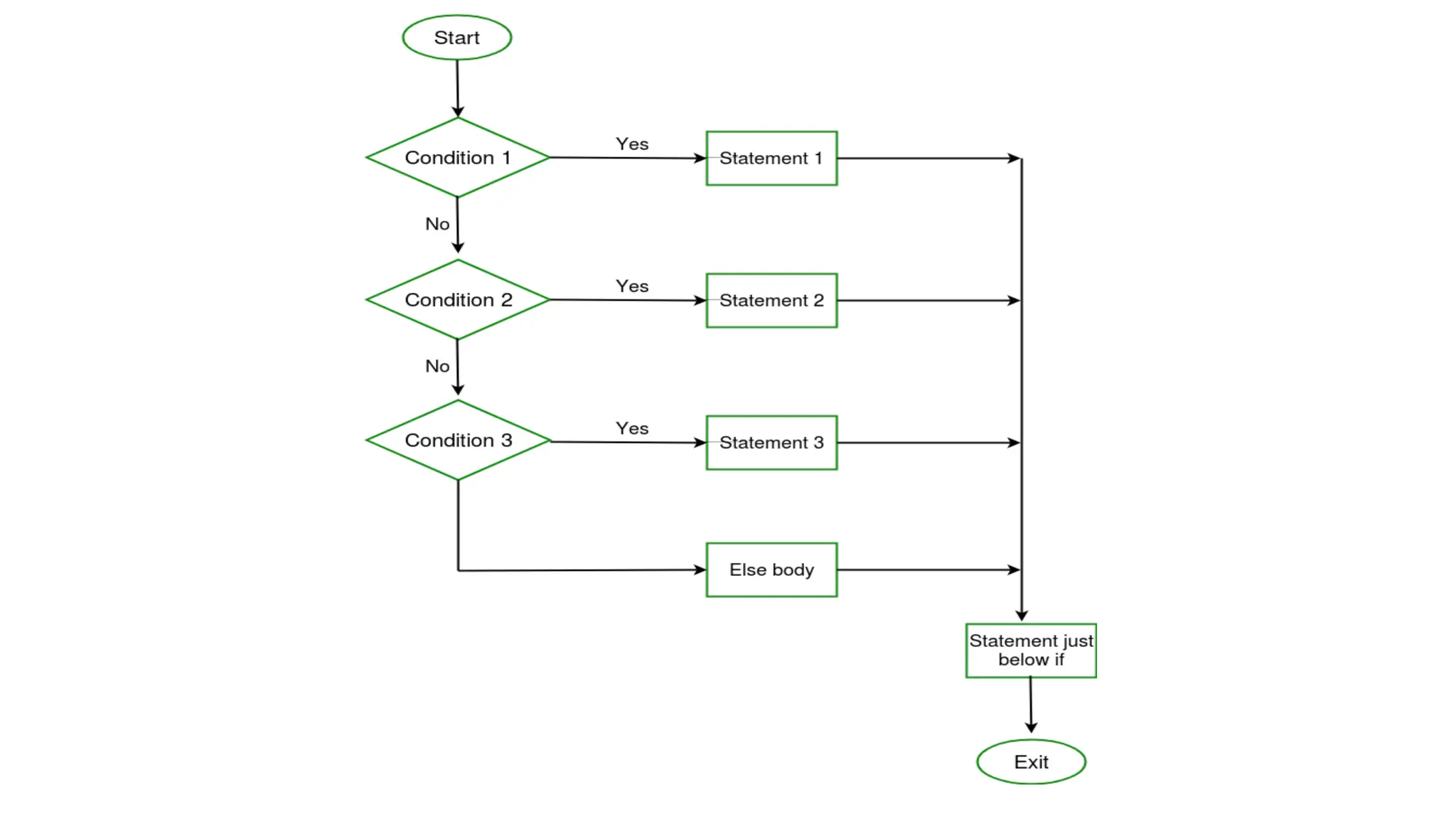
3. if...else if statement
The syntax of if...else if statement is
if(is condition true?)
statement
else if(another condition)
statement
else if(another condition)
statement
else
statement
For example
if(age==1)
System.out.println("You are an infant");
else if(age==10)
System.out.println("You are a kid");
else if(age==20)
System.out.println("You are grown up now");
else
System.out.println("You are an adult");
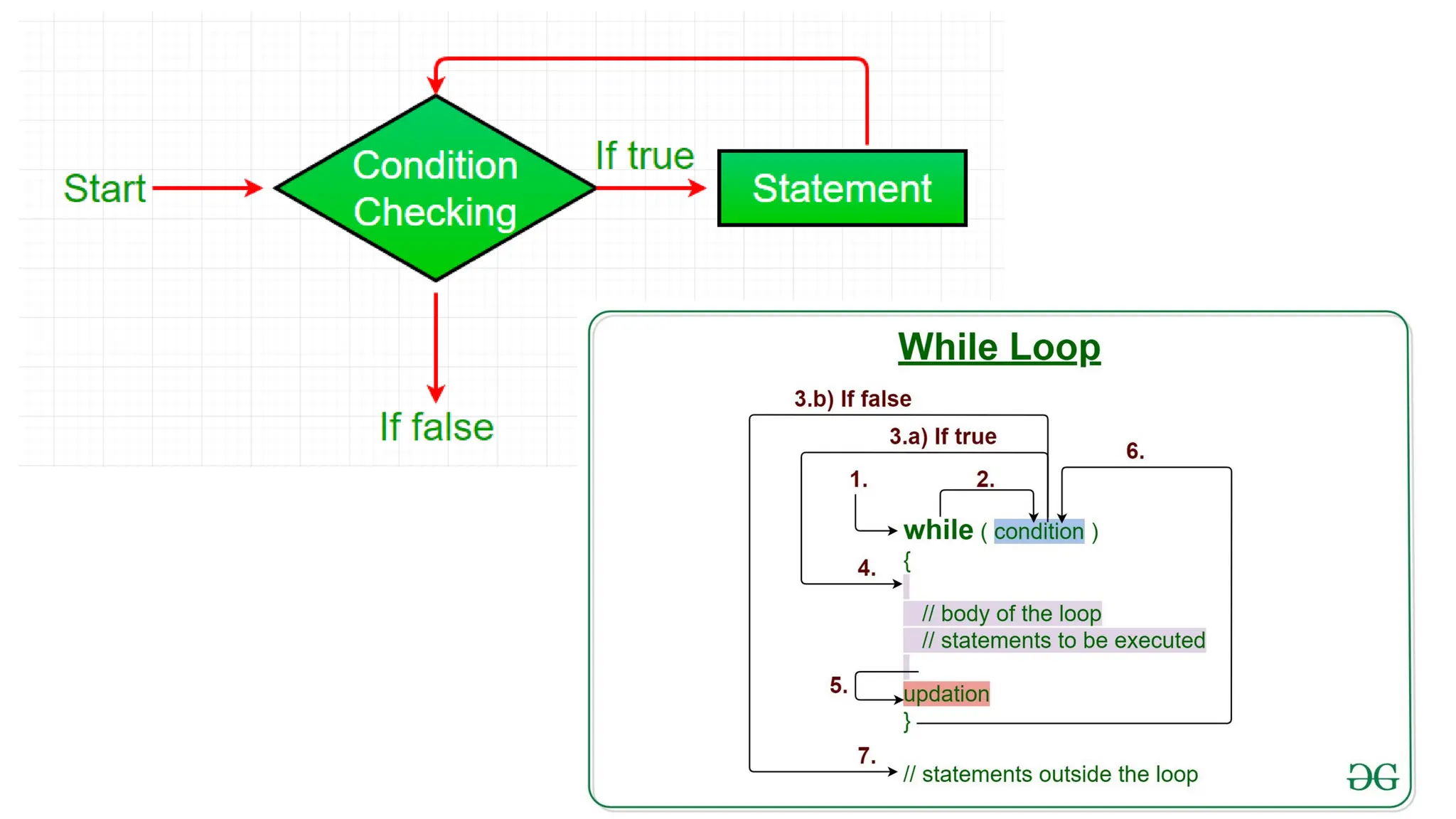
4. while statement
This is another form of while statement
which is used to have iteration of the
statement for the any number of times. The
syntax is
while(condition)
{
statement 1;
statement 2;
statement 3;
...
statement n;
}
while statement
class whiledemo
{
public static void main(String args[])
{
int count=1,i=0;
while(count<=5)
{
i=i+1;
System.out.println("The value of i= "+i);
count++;
}}}
Output
The value of i= 1 The value of i= 2
The value of i= 3
The value of i= 4
The value of i= 5
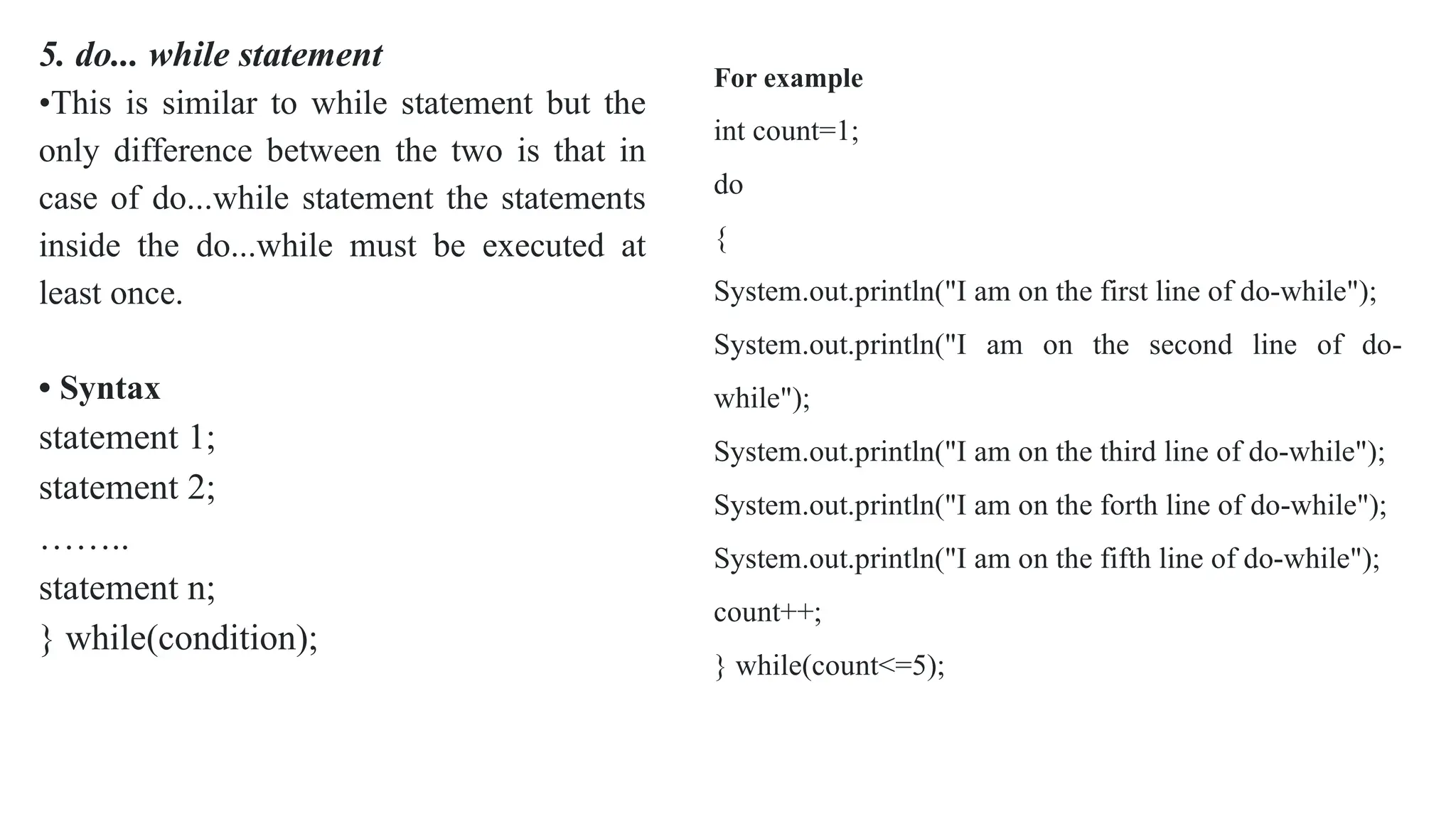
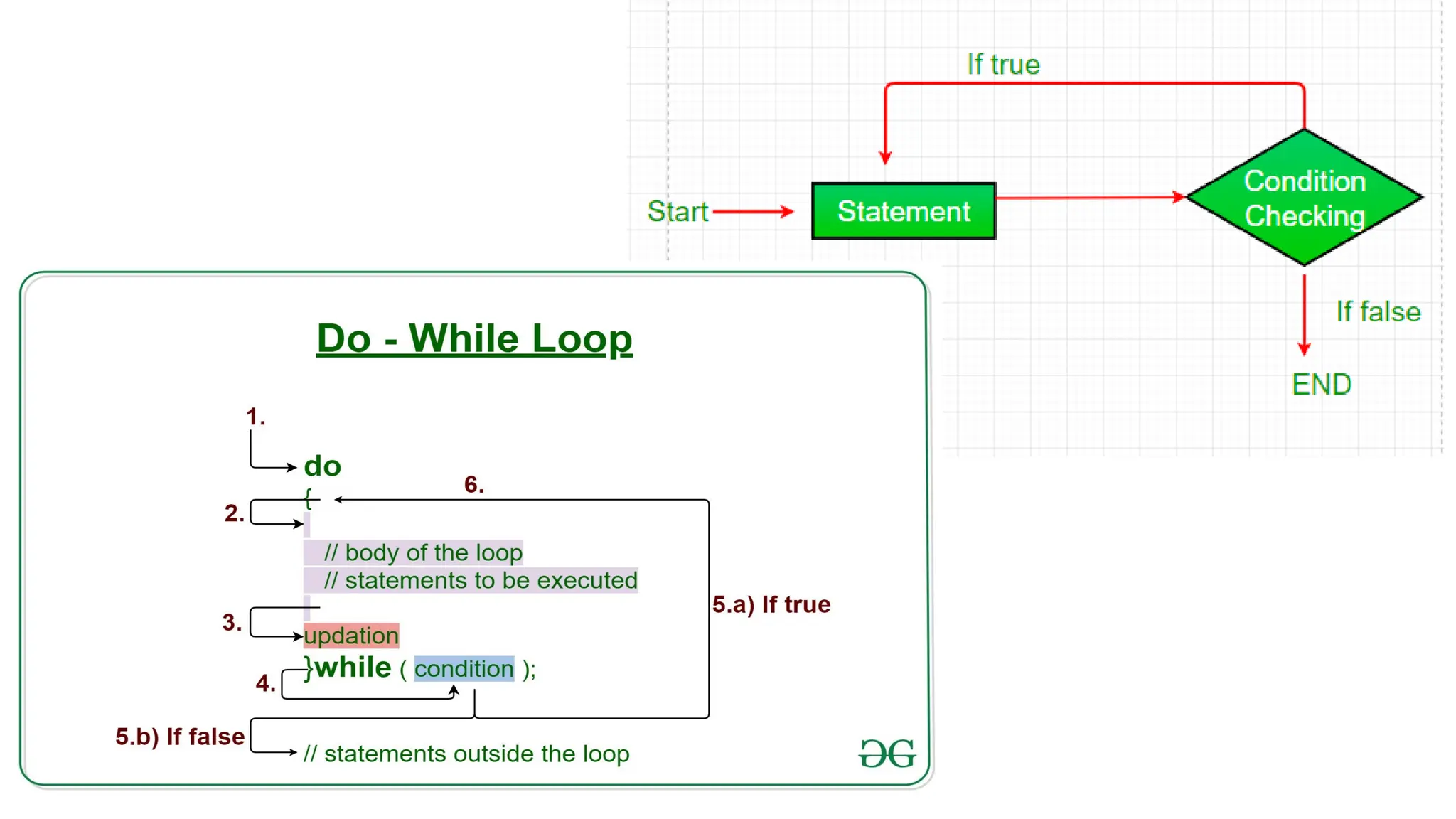
5. do... while statement
•This is similar to while statement but the
only difference between the two is that in
case of do...while statement the statements
inside the do...while must be executed at
least once.
• Syntax
statement 1;
statement 2;
……..
statement n;
} while(condition);
For example
int count=1;
do
{
System.out.println("I am on the first line of do-while");
System.out.println("I am on the second line of do-
while");
System.out.println("I am on the third line of do-while");
System.out.println("I am on the forth line of do-while");
System.out.println("I am on the fifth line of do-while");
count++;
} while(count<=5);
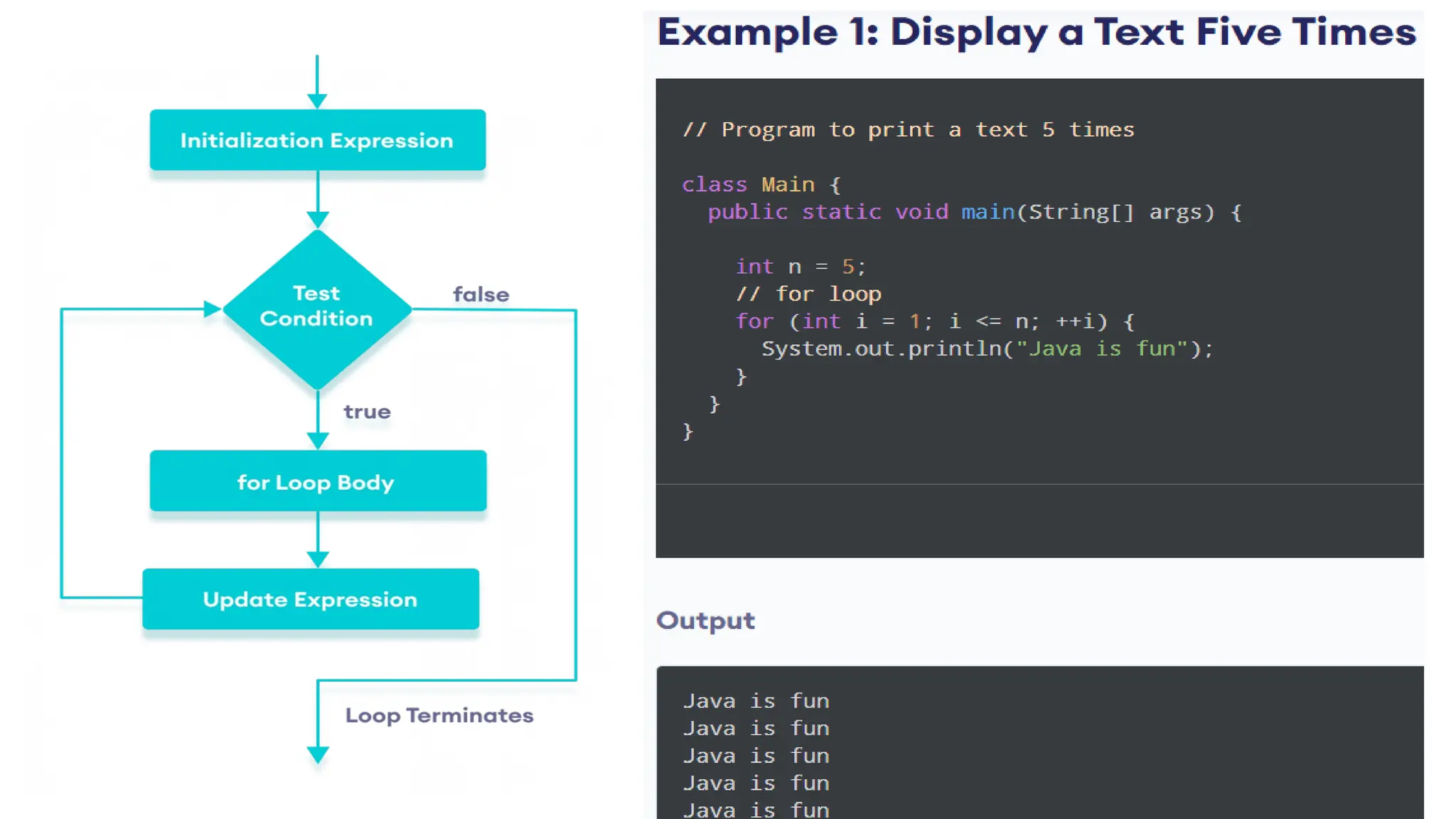
6. for loop
for is a keyword used to apply loops in the
program. Like other control statements for loop
can be categorized in simple for loop and
compound for loop.
Compound for loop :
for(statement 1;statement 2; statement 3)
{
execute this statement;
execute this statement; that's all;
}
Java Program [forloop.java]
/* This program shows the use of for loop */
class forloop
{
public static void main(String args[])
{
for(int i=0;i<=5;i++)
System.out.println("The value of i: "+i);
}
}
Output
The value of i: 0
The value of i: 1
The value of i: 2
The value of i: 3
The value of i: 4
The value of i: 5
Untitled presentation about object oriented.pptx

Untitled presentation about object oriented.pptx

  • 1.
    ● Object-oriented programming(OOP) is a programming paradigm that uses objects and classes to design and develop software. OOP has become a dominant paradigm in modern software development, influencing languages like Java, Python, C++, and many more. Object-Oriented Programming Paradigm
  • 2.
    Continued….. ● In objectoriented programming approach there is a collection of objects. Each object consists of corresponding data structures and the required operations (procedures). This is basically the bottom up problem solving approach. ● In OOP the most important entity called object is created. ● Each object consists of data attributes and the methods. The methods or functions operate on data attributes. FEATURES OF OOP : There are various characteristics of object oriented programming and those are - 1. Abstraction 2. Object and Classes 3. Encapsulation 4. Inheritance and 5. Polymorphism.
  • 3.
    Principles of OOP Encapsulation Hidingdata and methods within an object, ensuring data integrity and preventing unintended access. Abstraction Representing essential features of an object without revealing complex implementation details. Inheritance Creating new classes (subclasses) that inherit properties and methods from existing classes (superclasses). Polymorphism Allowing objects to be treated differently based on their type, enabling flexibility and code reusability.
  • 4.
    Classes and Objects Classes Blueprintsfor creating objects. They define data (attributes) and behavior (methods) shared by all objects of that class. Objects Instances of a class. They contain specific data values and can perform actions defined by the class's methods. Example A class "Car" could define attributes like "color" and "speed," and methods like "accelerate" and "brake."
  • 6.
    ABSTRACTION ● Definition: Abstractionmeans representing only essential features by hiding all the implementation details. In object oriented programming languages like C++, or Java class is an entity used for data abstraction purpose. ● Abstraction in Java is a fundamental concept in object-oriented programming (OOP) that helps manage complexity by hiding implementation details and showing only the essential features of an object.
  • 7.
    Encapsulation : Definition: Encapsulationmeans binding of data and method together in a single entity called class. ● The data inside that class is accessible by the function in the same class. It is normally not accessible from the outside of the component. ● Encapsulation is for the detailed implementation of a component which can be hidden from rest of the system.
  • 8.
  • 10.
    Definition: Inheritance isa property by which the new classes are created using the old classes. In other words the new classes can be developed using some of the properties of old classes. • Inheritance support hierarchical structure. • The old classes are referred as base classes and the new classes are referred as derived classes. That means the derived classes inherit the properties (data and functions) of base class.
  • 11.
    POLYMORPHISM Polymorphism meansmany structures. • Definition: Polymorphism is the ability to take more than one form and refers to an operation exhibiting different behavior in different instances (situations). • The behavior depends on the type of data used in the operation. It plays an important role in allowing objects with different internal structures to share the same external interface. Without polymorphism, one has to create separate module names for each method. ● For example the method clean is used to clean a dish object, one that cleans a car object, and one that cleans a vegetable object.
  • 15.
    DRAWBACKS : 1. Theobject oriented programming is complex to implement, because every entity in it is an object. We can access the methods and attributes of particular class using the object of that class. 2. If some of the members are declared as private then those members are not accessible by the object of another class. In such a case you have to make use of inheritance property. 3. In Object oriented programming, every thing must be arranged in the forms of classes and modules. For the lower level applications it is not desirable feature.
  • 16.
    APPLICATIONS: Various applications inwhich object oriented programming is preferred are • Business logic applications • Knowledge based and expert systems • Web based applications • Real time systems • Simulation and modeling • Object oriented databases • Applications in distributed environment • CAD/CAM systems • Office automation system • Games programming
  • 17.
    INTRODUCTION OF JAVA ●Java is a programming language and a platform. Java is a high level, robust, object-oriented and secure programming language. ● Platform: Any hardware or software environment in which a program runs, is known as a platform. Since Java has a runtime environment (JRE) and API, it is called a platform. Simple.java class Simple{ public static void main(String args[]){ System.out.println("Hello Java"); } }
  • 18.
    JAVA BUZZWORDS : 1.Java is simple and small programming language • Java is a simple programming language. Even though you have no programming background you can learn this language comfortably. • The programmers who worked on C or C++ can learn this language more efficiently because the syntax of Java resembles with C and C++. • In fact Java is made more clear and adaptable than C++. 2. Java is robust and secure ● Java does not support the concept of pointers directly. This makes it impossible to accidentally reference memory that belongs to other programs or the kernel. ● In programming languages like C or C++ the memory management is done explicitly by the user. That means user allocates or deallocates the memory. Whereas in java its automatically done using garbage collection. Thus user can not perform the memory management directly. ● If an applet is executing in some browser then it is not allowed to access the file system of local machine.
  • 19.
    3. Java isa platform independent and portable programming language • Platform independence is the most exciting feature of Java program. That means programs in Java can be executed on variety of platforms. This feature is based on the goal - write once, run anywhere, and at anytime forever. • Java supports portability in 2 ways - Java compiler generates the byte code which can be further used to obtain the corresponding machine code. Secondly the primitive data types used in Java are machine independent. 4. Java is known as object oriented programming language • Java is popularly recognised as an object oriented programming language. • It supports various object oriented features such as data encapsulation, inheritance, polymorphism and dynamic binding. • Everything in Java is an object. The object oriented model of Java is simple and can be extended easily.
  • 20.
    5. Java ismultithreaded and interactive language • Java supports multithreaded programming which allows a programmer to write such a program that can perform many tasks simultaneously. • This ultimately helps the developer to develop more interactive code. 6. Java can be compiled and interpreted • Normally programming languages can be either compiled or interpreted but Java is a language which can be compiled as well as interpreted. • First, Java compiler translates the Java source program into a special code called bytecode. Then Java interpreter interprets this bytecode to obtain the equivalent machine code. • This machine code is then directly executed to obtain the output.
  • 21.
    7. Java isknown for its high performance, scalability, monitoring and manageability • Due to the use of bytecode the Java has high performance. The use of multi-threading also helps to improve the performance of the Java. • The J2SE helps to increase the scalability in Java. For monitoring and management Java has large number of Application Programming Interfaces(API). • There are tools available for monitoring and tracking the information at the application level. 8. Java is a dynamic and extensible language • This language is capable of dynamically linking new class libraries, methods and objects. • Java also supports the functions written in C and C++. These functions are called native methods.
  • 22.
    9. Java isa designed for distributed systems • This feature is very much useful in networking environment. • In Java, two different objects on different computers can communicate with each other. . • This can be achieved by Remote Method Invocation (RMI). This feature is very much useful in Client-Server communication. 10. Java can be developed with ease There are various features of Java such as Generics, static import, annotations and so on which help the Java programmer to create a error free reusable code.
  • 24.
  • 26.
    Documentation section: Thedocumentation section provides the information about the source program. This section contains the information which is not compiled by the Java. Everything written in this section is written as comment. Package section: It consists of the name of the package by using the keyword package. When we use the classes from this package in out program then it is necessary to write the package statement in the beginning of the program. Import statement section: All the required java API can be imported by the import statement. There are some core packages present in the java. These packages include the classes and method required for java programming. These packages can be imported in the program in order to use the classes and methods of the program. Class definition section: The class definition section contains the definition of the class. This class normally contains the data and the methods manipulating the data. Main method class: This is called the main method class because it contains the main() function. This class can access the methods defined in other classes.
  • 27.
  • 28.
    JAVA ECOSYSTEM ● Thethree most basic parts of the Java ecosystem are the Java Virtual Machine (JVM), the Java Runtime Environment (JRE), and the Java Development Kit (JDK), which are stock parts that are supplied by Java implementations. ● There are many companies, organizations and groups of people, called "communities" that contribute to the enrichment and development of Java technologies. All these entities make up what is known as "the Java ecosystem."
  • 30.
    JVM- JAVA VIRTUALMACHINE ● It provides Runtime Environment in which java bytecode can be executed ● Tasks of JVM -Loads code -Verifies code -Execute code -Provide Runtime environment ● JVM is platform dependent i.e for each software and hardware we have different JVM configuration. ● JVM does not exists physically. It is abstract in nature.
  • 32.
    JRE-JAVA RUNTIME ENVIRONMENT ●JRE= JVM+ Set of libraries ● The Java Runtime Environment (JRE) is software that Java programs require to run correctly. ● It is actually the implementation of JVM ● To run any java code JRE is minimum required. ● JRE contains set of libraries that JVM uses at runtime. ● JRE physically exists ● JRE is platform dependent
  • 33.
    JDK- JAVA DEVELOPMENTKIT ● JDK= JRE + Development tools ● It is full featured software development kit ● It contains JRE + Development tools ● JRE → JVM+libraries ● Development tools → Debugger+Compiler+JavaDoc ● So JDK is a full package for java. ● The Java Development Kit (JDK) is a cross-platformed software development environment that offers a collection of tools and libraries necessary for developing Java-based software applications and applets. It is a core package used in Java, along with the JVM (Java Virtual Machine) and the JRE (Java Runtime Environment).
  • 34.
  • 35.
    Defining class inJava : A class is a group of objects which have common properties. It is a template or blueprint from which objects are created. It is a logical entity. It can't be physical. A class in Java can contain: ○ Fields ○ Methods ○ Constructors ○ Blocks ○ Nested class and interface
  • 36.
    Objects : ● Anentity that has state and behavior is known as an object e.g., chair, bike, marker, pen, table, car, etc. It can be physical or logical (tangible and intangible). The example of an intangible object is the banking system. Object Definitions: ○ An object is a real-world entity. ○ An object is a runtime entity. ○ The object is an entity which has state and behavior. ○ The object is an instance of a class.
  • 37.
    Creating Objects: public classMain { int x = 5; public static void main(String[] args) { Main myObj = new Main(); System.out.println(myObj.x); } }
  • 38.
  • 39.
    ● Definition: Theconstructor is a specialized method for initializing objects. ● Name of the constructor is same as that of its class name. In other words, the name of the constructor and class name is same. ● In Java, a constructor is a block of codes similar to the method. It is called when an instance of the class is created. At the time of calling constructor, memory for the object is allocated in the memory. ● It is a special type of method which is used to initialize the object. ● Every time an object is created using the new() keyword, at least one constructor is called. ● It calls a default constructor if there is no constructor available in the class. In such case, Java compiler provides a default constructor by default.
  • 40.
    Rules for creatingJava constructor There are two rules defined for the constructor. 1. Constructor name must be the same as its class name 2. A Constructor must have no explicit return type 3. A Java constructor cannot be abstract, static, final, and synchronized Types of Constructor In Java, constructors can be divided into three types: 1. No-Arg Constructor 2. Parameterized Constructor 3. Default Constructor
  • 46.
    1. Java No-ArgConstructors
  • 53.
  • 54.
    ● In Java,Access modifiers help to restrict the scope of a class, constructor, variable, method, or data member. It provides security, accessibility, etc to the user depending upon the access modifier used with the element. Types of Access Modifiers in Java There are four types of access modifiers available in Java: 1. Default – No keyword required 2. Private 3. Protected 4. Public
  • 58.
    Private Access Modifier Whenvariables and methods are declared private, they cannot be accessed outside of the class. For example,
  • 65.
    The smallest individualand logical unit of the java statements are called tokens. In Java there are five types of tokens used. These tokens are - 1. Reserved keywords 2. Identifiers 3. Literals 4. Operators 5. Separators JAVA TOKENS :
  • 66.
  • 67.
    2. Identifiers Identifiers arethe kind of tokens defined by the programmer. They are used for naming the classes, methods, objects, variables, interfaces and packages in the program. 1. The identifiers can be written using alphabets, digits, underscore and dollar sign. 2. They should not contain any other special character within them. 3. There should not be a space within them. 4. The identifier must not start with a digit, it should always start with alphabet. 5. The identifiers are case-sensitive. For example - int a; int A; In above code a and A are treated as two different identifiers. 6. The identifiers can be of any length. 3. Literals Literals are the kind of variables that store the sequence of characters for representing the constant values. Five types of literals are - 1. Integer literal 2. Floating point literal 3. Boolean literal 4. Character literal 5. String literal As the name suggests the corresponding data type constants can be stored within these literals.
  • 68.
    4. Operators Operators arethe symbols used in the expression for evaluating them. 5. Separators For dividing the group of code and arranging them systematically certain symbols are used, which are known as separators. Following table describes various separators.
  • 69.
    VARIABLES : ● Avariable is an identifier that denotes the storage location. ● Variable is a fundamental unit of storage in Java. The variables are used in combination with identifiers, data types, operators and some value for initialization. The variables must be declared before its use. The syntax of variable declaration will be - data_type name_of_variable [=initialization] [,=initialization][,...]; Following are some rules for variable declaration - • The variable name should not with digits. • No special character is allowed in identifier except underscore. • There should not be any blank space with the identifier name. • The identifier name should not be a keyword. • The identifier name should be meaningful. For Example: int a,b; char m='a'; byte k=12,p,t=22; The variables have a scope which defines their visibility and a lifetime.
  • 71.
  • 72.
    byte This is infact smallest integer type of data type. Its width is of 8-bits with the range -128 to 127. The variable can be declared as byte type as byte i,j; short This data type is also used for defining the signed numerical variables with a width of 16-bits and having a range from -32,768 to 32,767. The variable can be declared as short as short a,b; int This is the most commonly used data type for defining the numerical data. The width of this data type is 32-bit having a range 2,147,483,648 to 2,147,483,647. The declaration can be int p,q; long Sometimes when int is not sufficient for declaring some data then long is used. The range of long is really very long and it is -9,223,372,036,854,775,808 to 9,223,372,036,854,775,807. The declaration can be long x,y;
  • 73.
    float To represent thereal number(i.e. number that may have decimal point) float data type can be used. The width is 32-bit and range of this data type is 1.4e-045 to 3.4e+038. double To represent the real numbers of large range the double data type is used. Its width is 64-bit having the range 4.9e-324 to 1.8e+308. Char This data type is used to represent the character type of data. The width of this data type is 16-bit and its range is 0 to 65,536. boolean Boolean is a simple data type which denotes a value to be either true or false.
  • 74.
    Java Program Java Program[DatatypeDemo.java] class DatatypeDemo { public static void main(String args[]) { byte a=10; short b=10*128; int c=10000* 128; long d=10000*1000*128; double e=99.9998; char f='a'; boolean g=true; boolean h=false; System.out.println("The value of a=: "+a); System.out.println("The value of b=: "+b); System.out.println("The value of c=: "+c); System.out.println("The value of d=: "+d); System.out.println("The value of e=: "+e); System.out.println("The value of f=: "+f); f++; System.out.println("The value of f after increment=: "+f); System.out.println("The value of g=: "+g); System.out.println("The value of h=: "+h); } } Output The value of a=: 10 The value of b=: 1280 The value of c=: 1280000 The value of d=: 1280000000 The value of e=: 99.9998 The value of f=: a The value of f after increment: b The value of g=: true The value of h=: false
  • 75.
    OPERATORS : Operators aresymbols that perform operations on variables and values. For example, + is an operator used for addition, while * is also an operator used for multiplication. Operators in Java can be classified into 5 types: 1. Arithmetic Operators 2. Assignment Operators 3. Relational Operators 4. Logical Operators 5. Unary Operators 6. Bitwise Operators
  • 76.
    1. Arithmetic Operators Arithmeticoperators are used to perform arithmetic operations on variables and data. For example, a + b; Here, the + operator is used to add two variables a and b. Similarly, there are various other arithmetic operators in Java.
  • 78.
    Relational operators areused to check the relationship between two operands. For example, // check if a is less than b a < b; Here, < operator is the relational operator. It checks if a is less than b or not. It returns either true or false. 2.Relational Operators
  • 80.
    Logical operators areused to check whether an expression is true or false. They are used in decision making. 3. Logical Operators
  • 82.
    Assignment operators areused in Java to assign values to variables. For example, int age; age = 5; Here, = is the assignment operator. It assigns the value on its right to the variable on its left. That is, 5 is assigned to the variable age. 4. Assignment Operators
  • 86.
    Control Statements Programmers cantake decisions in their program with the help of control statements. Various control statements that can be used in java are - 1. if statement 2. if else statement 3. while statement 4. do...while statement 5. switch case statement 6. for loop
  • 88.
    1. if statement Theif statement is of two types Introduction to OOP and Java i) Simple if statement : The if statement in which only one statement is followed by that is Syntax statement. if(apply some condition) statement For example
  • 89.
    Working of ifstatement: 1. Control falls into the if block. 2. The flow jumps to Condition. 3. Condition is tested. 1. If Condition yields true, goto Step 4. 2. If Condition yields false, goto Step 5. 4. The if-block or the body inside the if is executed. 5. Flow steps out of the if block. Flowchart if statement:
  • 90.
    2. if...else statement Thesyntax for if...else statement will be - if(condition) statement else Statement Java if-else Flowchart
  • 91.
    For example // Javaprogram to illustrate if-else statement class IfElseDemo { public static void main(String args[]) { int i = 20; if (i < 15) System.out.println("i is smaller than 15"); else System.out.println("i is greater than 15"); System.out.println("Outside if-else block"); } }
  • 92.
    3. if...else ifstatement The syntax of if...else if statement is if(is condition true?) statement else if(another condition) statement else if(another condition) statement else statement For example if(age==1) System.out.println("You are an infant"); else if(age==10) System.out.println("You are a kid"); else if(age==20) System.out.println("You are grown up now"); else System.out.println("You are an adult");
  • 94.
    4. while statement Thisis another form of while statement which is used to have iteration of the statement for the any number of times. The syntax is while(condition) { statement 1; statement 2; statement 3; ... statement n; } while statement class whiledemo { public static void main(String args[]) { int count=1,i=0; while(count<=5) { i=i+1; System.out.println("The value of i= "+i); count++; }}} Output The value of i= 1 The value of i= 2 The value of i= 3 The value of i= 4 The value of i= 5
  • 96.
    5. do... whilestatement •This is similar to while statement but the only difference between the two is that in case of do...while statement the statements inside the do...while must be executed at least once. • Syntax statement 1; statement 2; …….. statement n; } while(condition); For example int count=1; do { System.out.println("I am on the first line of do-while"); System.out.println("I am on the second line of do- while"); System.out.println("I am on the third line of do-while"); System.out.println("I am on the forth line of do-while"); System.out.println("I am on the fifth line of do-while"); count++; } while(count<=5);
  • 98.
    6. for loop foris a keyword used to apply loops in the program. Like other control statements for loop can be categorized in simple for loop and compound for loop. Compound for loop : for(statement 1;statement 2; statement 3) { execute this statement; execute this statement; execute this statement; that's all; } Java Program [forloop.java] /* This program shows the use of for loop */ class forloop { public static void main(String args[]) { for(int i=0;i<=5;i++) System.out.println("The value of i: "+i); } } Output The value of i: 0 The value of i: 1 The value of i: 2 The value of i: 3 The value of i: 4 The value of i: 5