Day 1.
Unix Introduction.
Name of
Ananthi Murugesan
presentation
• Company name
Road Map

Unix Biography

Unix System Organization

Evolution of Unix

Kernel/Shell

What is Unix?
Why do I need to know Unix?

File Management

Login in Unix

Architecture of Unix

www.ananthim.wordpress.com

Author :- Ananthi Murugesan
Unix Biography

 1964 joint project between AT&T Bell Labs, GE, and MIT to
develop a new OS
 Goal : develop an OS that could provide computational
power, data storage and the ability to share data among
multiple users
 Result: Multiplexed Information & Computer Service MULTICS.
Unix Biography

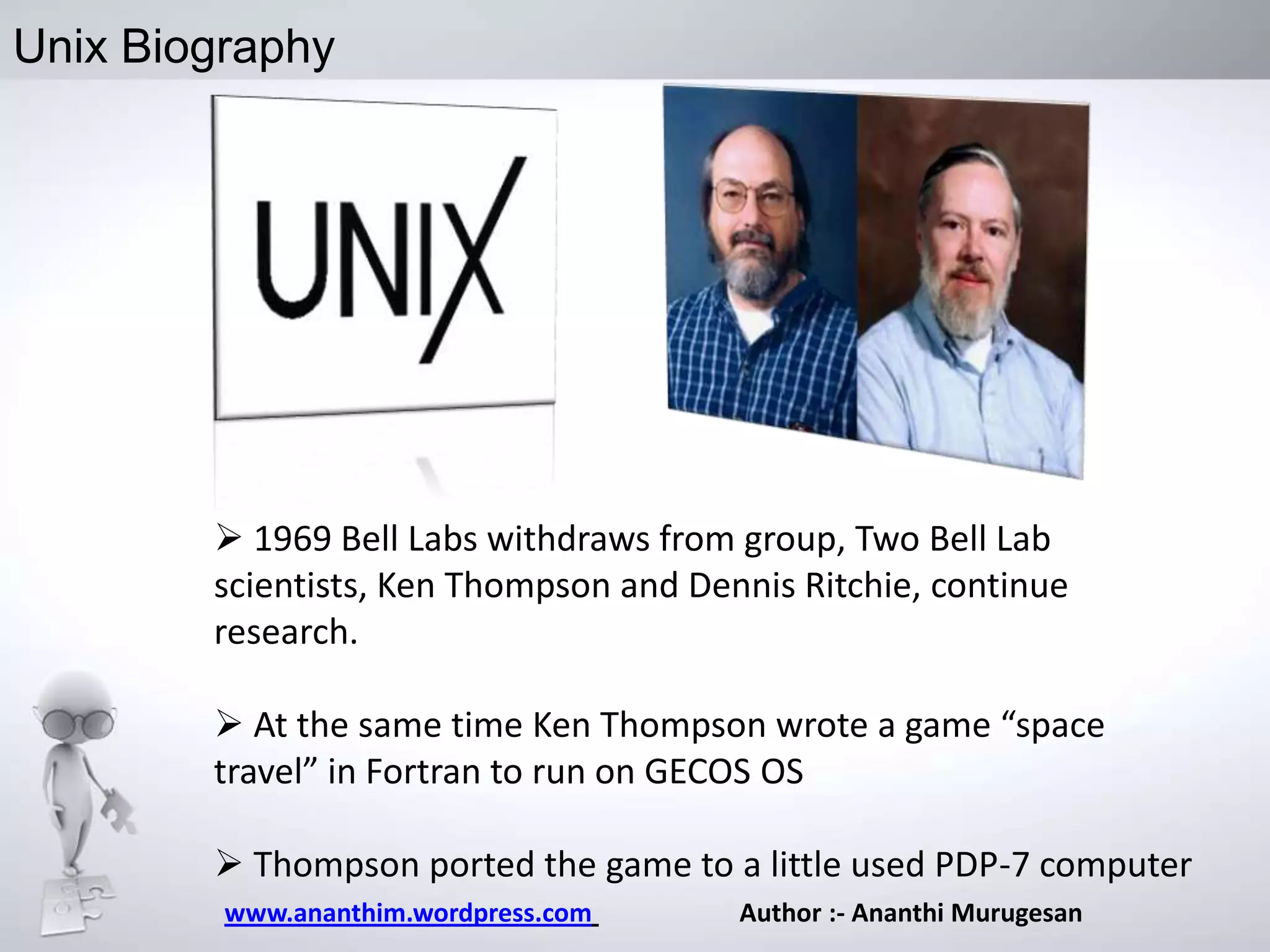
 1969 Bell Labs withdraws from group, Two Bell Lab
scientists, Ken Thompson and Dennis Ritchie, continue
research.
 At the same time Ken Thompson wrote a game “space
travel” in Fortran to run on GECOS OS
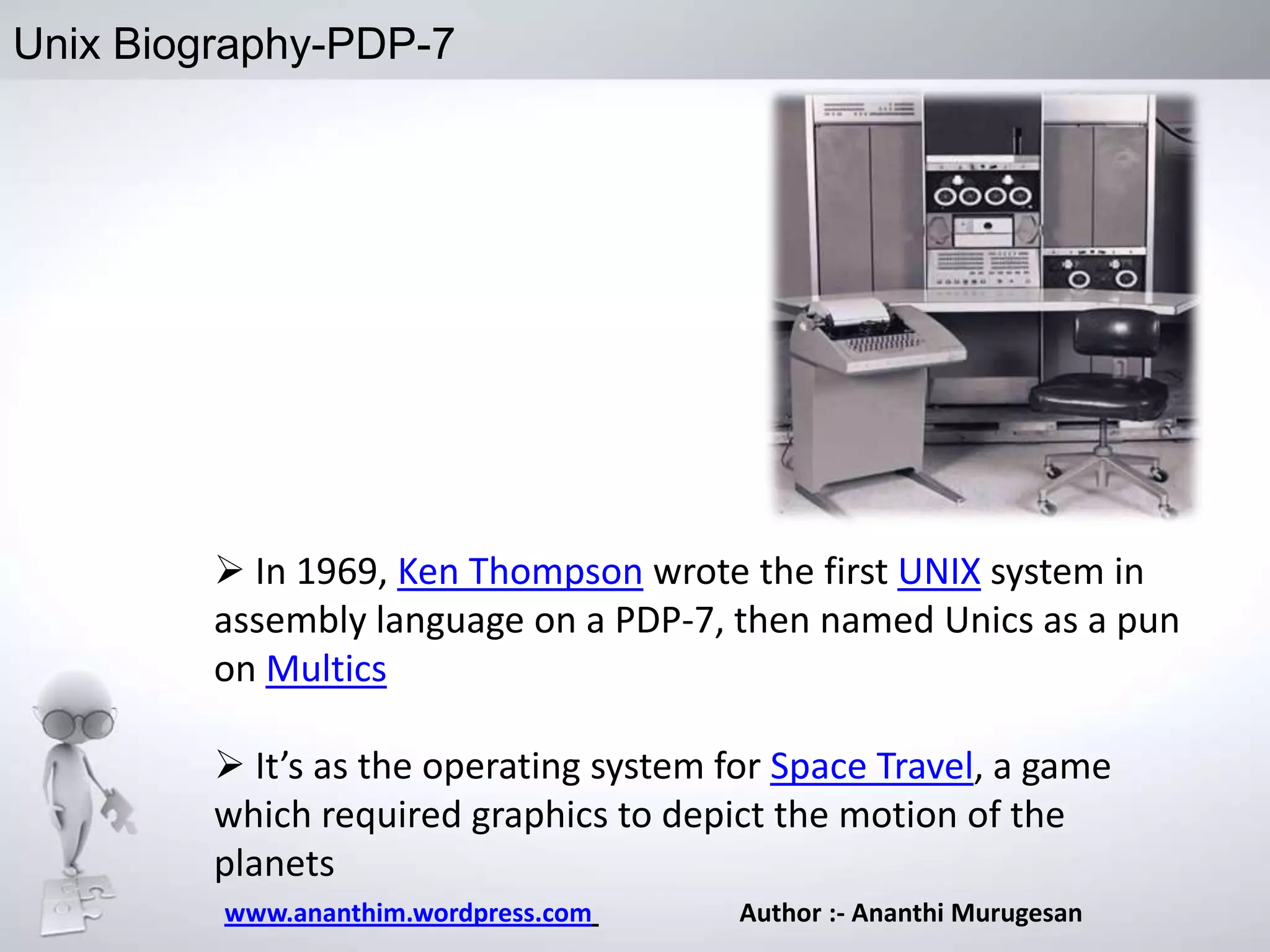
 Thompson ported the game to a little used PDP-7 computer
www.ananthim.wordpress.com

Author :- Ananthi Murugesan
Unix Biography-PDP-7

 In 1969, Ken Thompson wrote the first UNIX system in
assembly language on a PDP-7, then named Unics as a pun
on Multics

 It’s as the operating system for Space Travel, a game
which required graphics to depict the motion of the
planets
www.ananthim.wordpress.com

Author :- Ananthi Murugesan
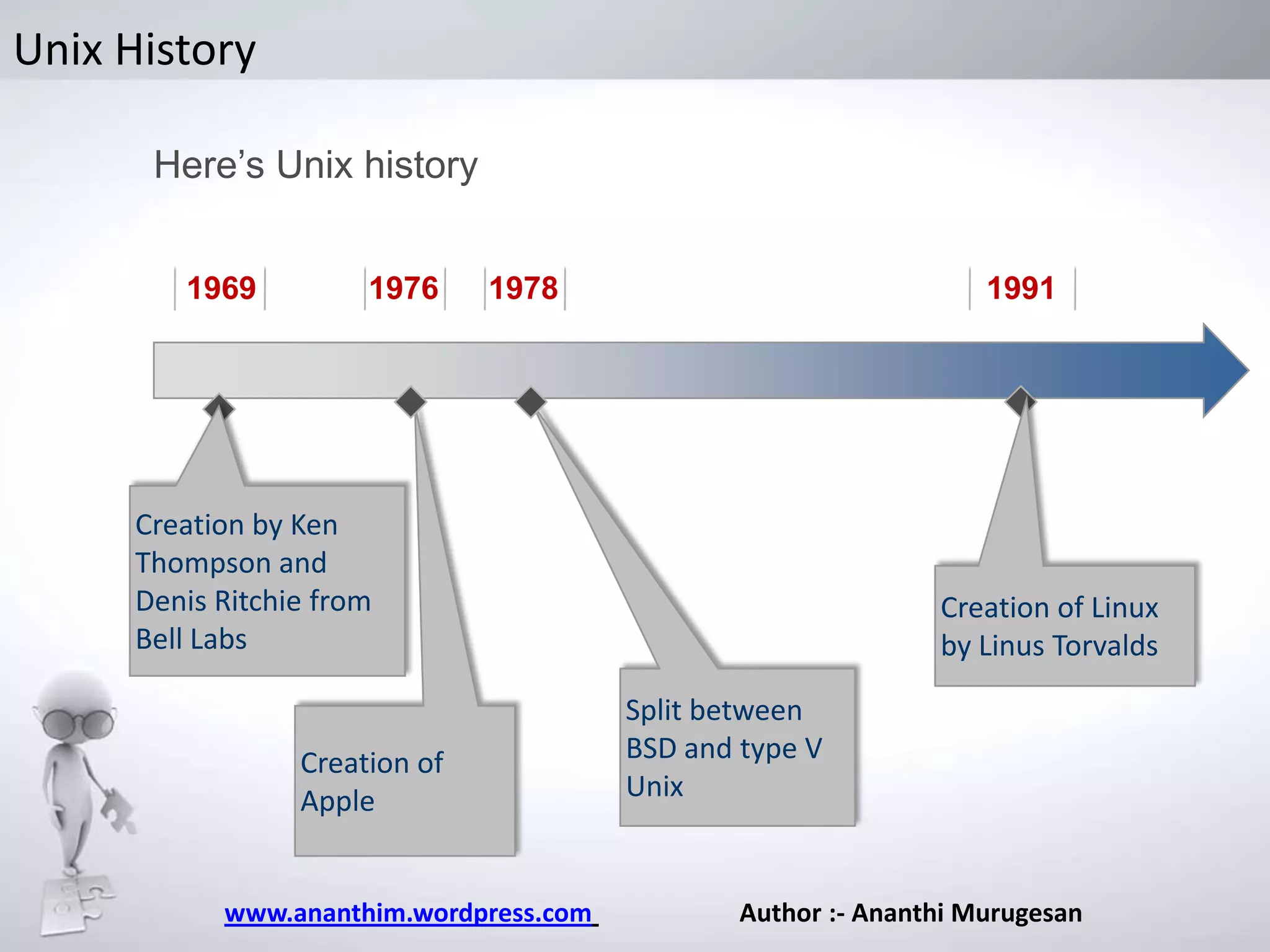
Unix History
Here’s Unix history
1969

1976

1978

1991

Creation by Ken
Thompson and
Denis Ritchie from
Bell Labs

Creation of
Apple

www.ananthim.wordpress.com

Creation of Linux
by Linus Torvalds
Split between
BSD and type V
Unix

Author :- Ananthi Murugesan
What is Unix
The low-level software which handles the interface to system
hardware (input/output devices, memory, file system, etc),
schedules tasks, and provides common core services such as a
basic user interface.
It’s portable, multi-tasking and multi-user operating system
Portable: runs on many different hardware architectures
(Intel x86, Motorola 680x0etc.).
Pre-emptive multi-tasking: several programs can run at the
same time (time slices, interrupts, and task switching.
Multi-user: many users can share the computer system at
the same time
www.ananthim.wordpress.com

Author :- Ananthi Murugesan
What is Unix – Other Features

Uses a simple, uniform file model which includes devices
and access to other services in a flexible, hierarchical file
system.
 Written in a high-level language (“C”) making it easy to
read, understand, change and port.
The command prompt is a simple user process, the Unix
shell, which is also a convenient job programming language.
Includes support for regular expressions which are
convenient for complex searching.

www.ananthim.wordpress.com

Author :- Ananthi Murugesan
What is Unix –Philosophy
Philosophy of Unix system

• Everything is a file
– Hard Drive, CDROM drive, CPU …
• Task segmentation
• A program must be portable
• Write code quickly and to share with the
community
• Correct bugs quickly

www.ananthim.wordpress.com
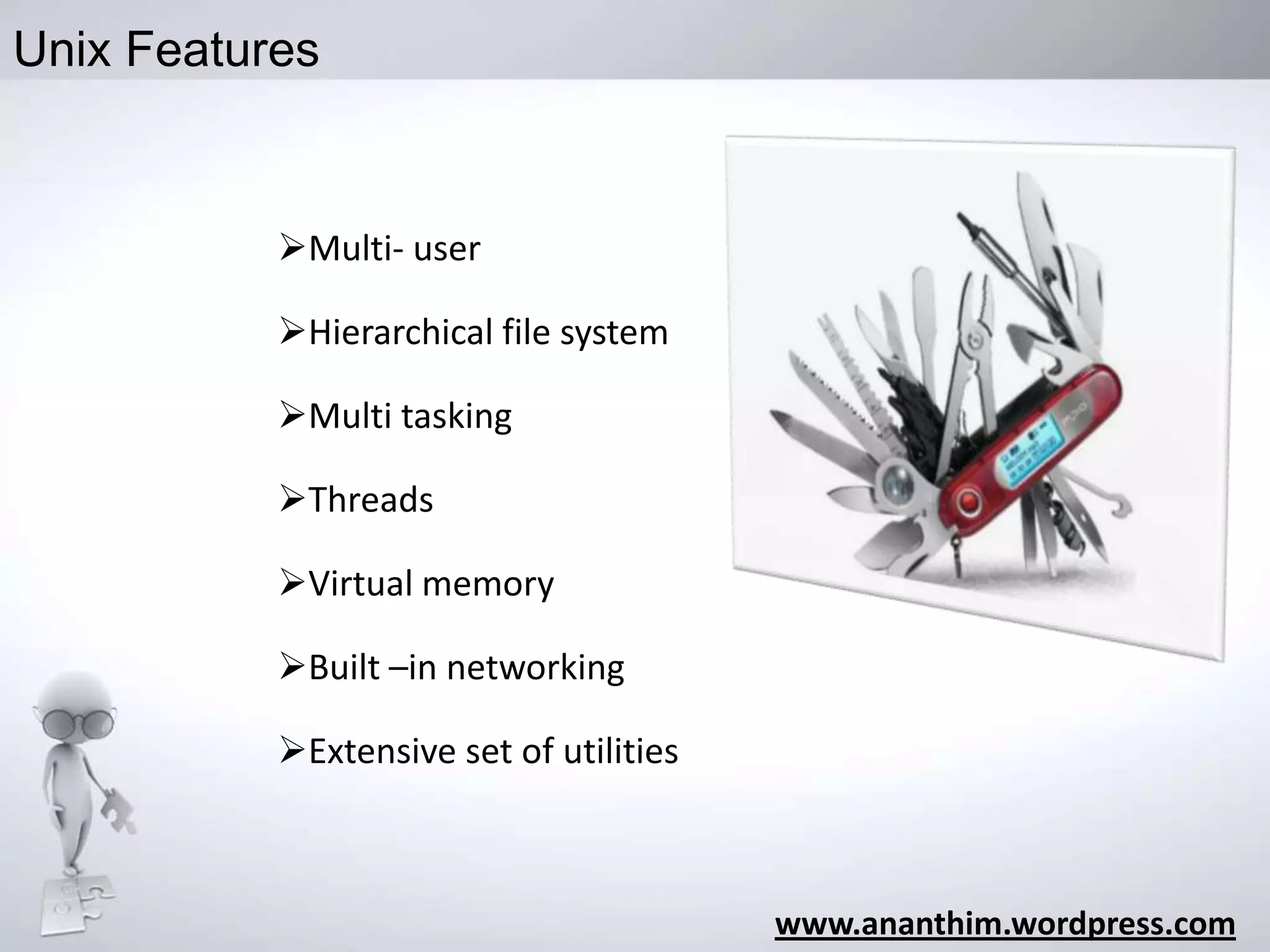
Unix Features

Multi- user

Hierarchical file system
Multi tasking
Threads
Virtual memory
Built –in networking

Extensive set of utilities

www.ananthim.wordpress.com
Unix Merits /Demerits

True multi-tasking

Not that User friendly

Flexible/Portable

Sleep learning curve

“Nice”
Programming Events

Not 100% compatible
with the Microsoft world.

www.ananthim.wordpress.com
Top ten points
why I need to use
Unix ??

www.ananthim.wordpress.com

Author :- Ananthi Murugesan
#1 – Flexibility
Unix is more flexible and can be
installed on many different types
of machines, including mainframe
computers, supercomputers and
micro-computers.

www.ananthim.wordpress.com

Author :- Ananthi Murugesan
#2 – Scalability
• Unix is more stable and
does not go down as often as
Windows does, therefore requires
less administration and
maintenance.

www.ananthim.wordpress.com

Author :- Ananthi Murugesan
#3 – Security

• Unix has greater built-in security
and permissions features than
Windows.

www.ananthim.wordpress.com

Author :- Ananthi Murugesan
#4 – Compatibility
Web sites designed and
programmed
to be served under a UNIX-based

web server can easily be hosted on
a Windows server,
whereas the reverse is not always
true.
This makes programming for
UNIX the better choice
www.ananthim.wordpress.com

Author :- Ananthi Murugesan
#5 – Stability

Servers running on UNIX enjoy
extremely high up-time and high
availability/reliability

www.ananthim.wordpress.com

Author :- Ananthi Murugesan
#6 – Performance

UNIX servers under high load
(which is what is important)
are superior to Windows

www.ananthim.wordpress.com

Author :- Ananthi Murugesan
#7 – Command line

• The command line will always
be an invaluable tool for
administration purposes.
Nothing will ever replace
favorite text-based editor

www.ananthim.wordpress.com

Author :- Ananthi Murugesan
#8 – Software Updates

• Software upgrades from Microsoft
often require the user to purchase
new or more hardware or
prerequisite software.
That is not the case with Unix.

www.ananthim.wordpress.com

Author :- Ananthi Murugesan
#9 – Price
• The mostly free or inexpensive
open-source operating systems,
such as Linux and BSD.

www.ananthim.wordpress.com

Author :- Ananthi Murugesan
#10 – Data security
• Users are required to log in
before they can do anything.
Logging in restricts unauthorised
use, allows all files created by a
user to be identified as
belonging to them and, if
necessary, only visible to that
user

www.ananthim.wordpress.com

Author :- Ananthi Murugesan
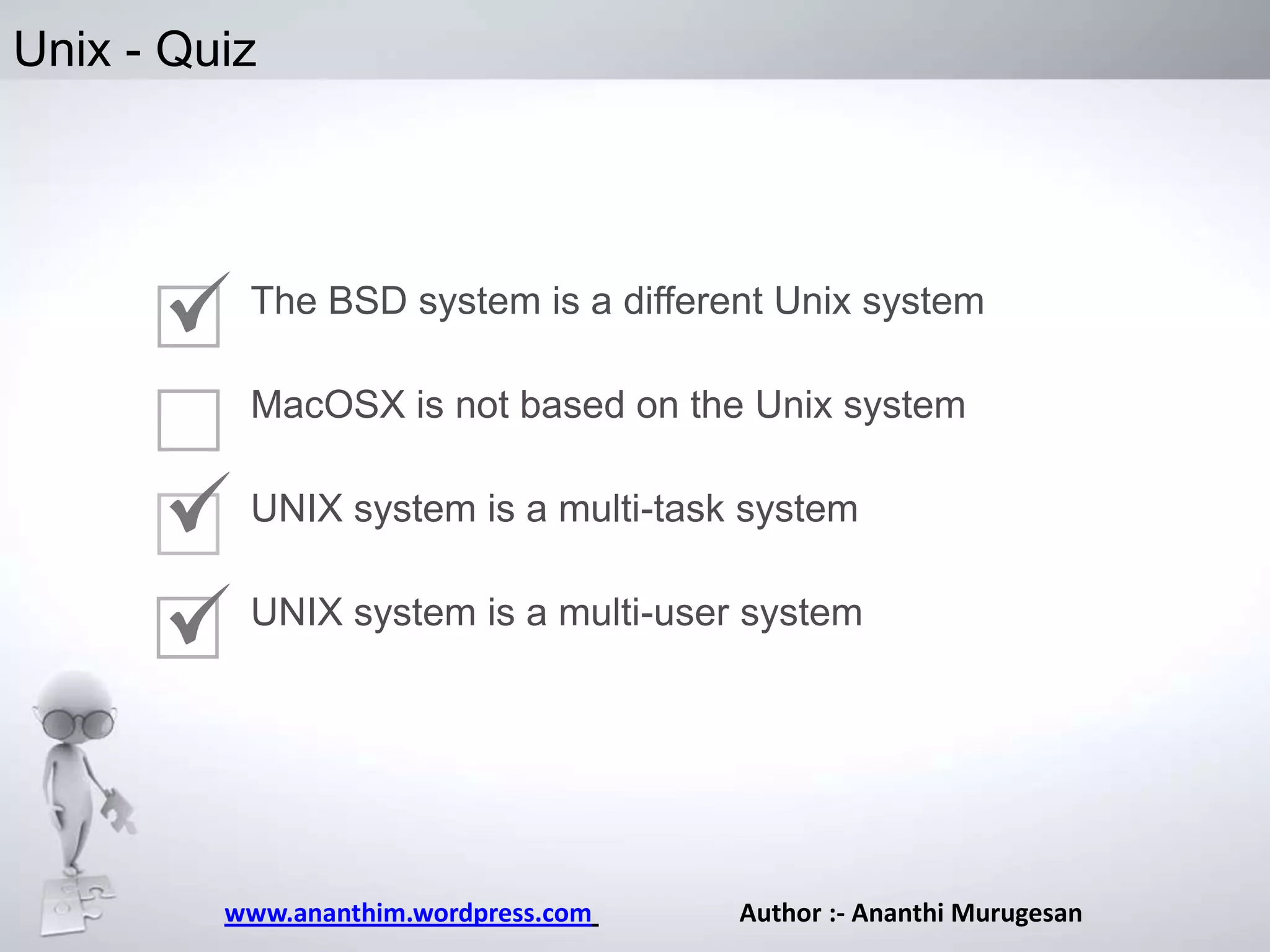
Unix - Quiz

The BSD system is a different Unix system
MacOSX is not based on the Unix system
UNIX system is a multi-task system
UNIX system is a multi-user system

www.ananthim.wordpress.com

Author :- Ananthi Murugesan
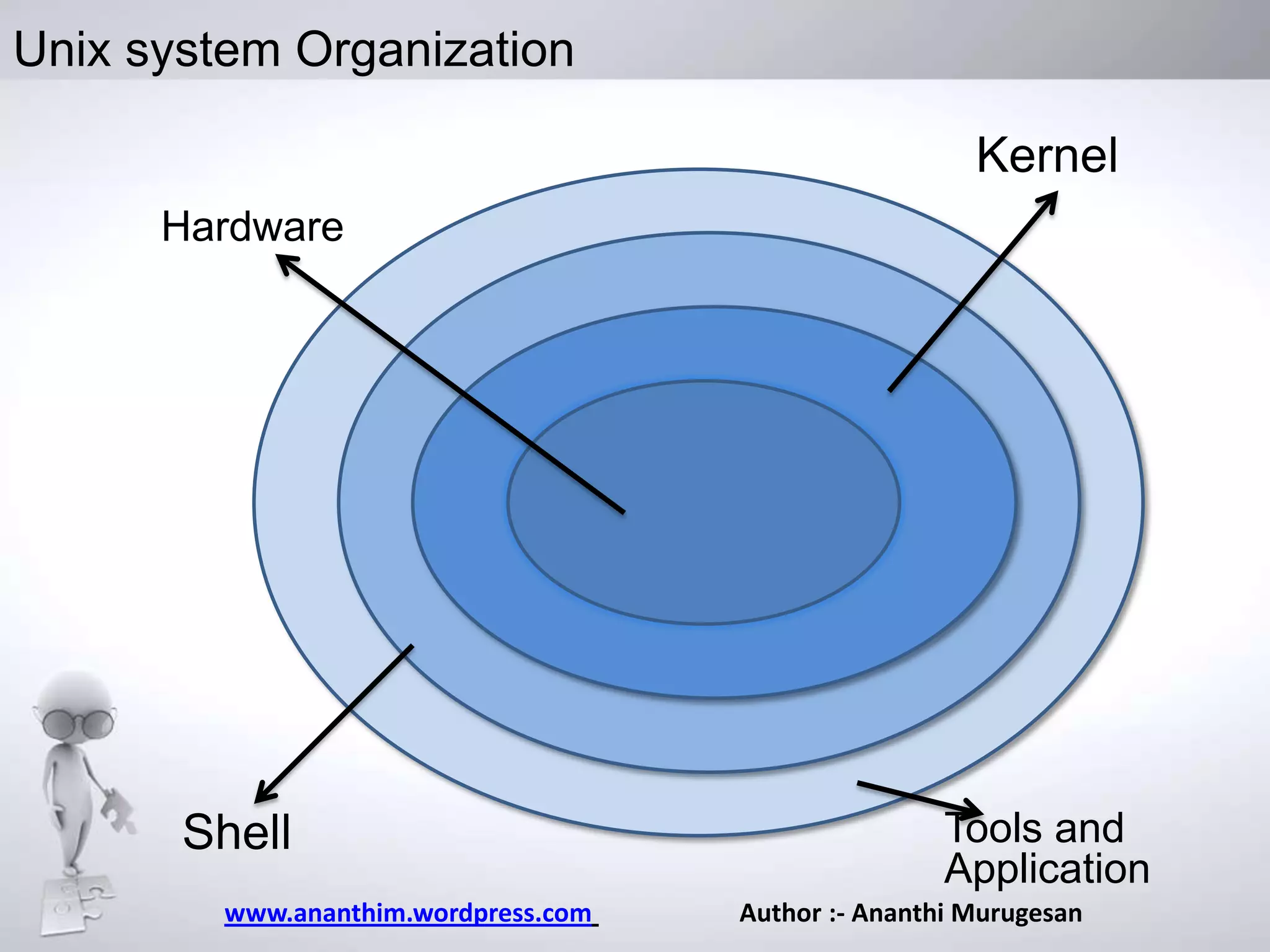
Unix system Organization
Kernel
Hardware

Hardware

Shell
www.ananthim.wordpress.com

Tools and
Application
Author :- Ananthi Murugesan
Unix
Unix System follows a layered Approach
It has four layers
The innermost layer is the hardware layer
In the second layer, the kernel is placed.
The utilities and the other application programs
form the third layer
Fourth layer is the one with which the user
actually interacts.
www.ananthim.wordpress.com

Author :- Ananthi Murugesan
Unix – Kernel

Kernel is that part of the OS which directly makes
interface with the hardware system.
Factions:
Provides mechanism for creating and deleting
processes
Provides processor scheduling, memory and IO
management

Does interprocess communication.

www.ananthim.wordpress.com

Author :- Ananthi Murugesan
Unix – Shell
Shell
Whenever you login to a Unix system you are placed in
a shell program.
The shell's prompt is usually visible at the cursor's
position on your screen. To get your work done, you
enter commands at this prompt.
The shell is a command interpreter;.
It takes each command and passes it to the operating
system kernel to be acted upon.

www.ananthim.wordpress.com

Author :- Ananthi Murugesan
Types of Shell
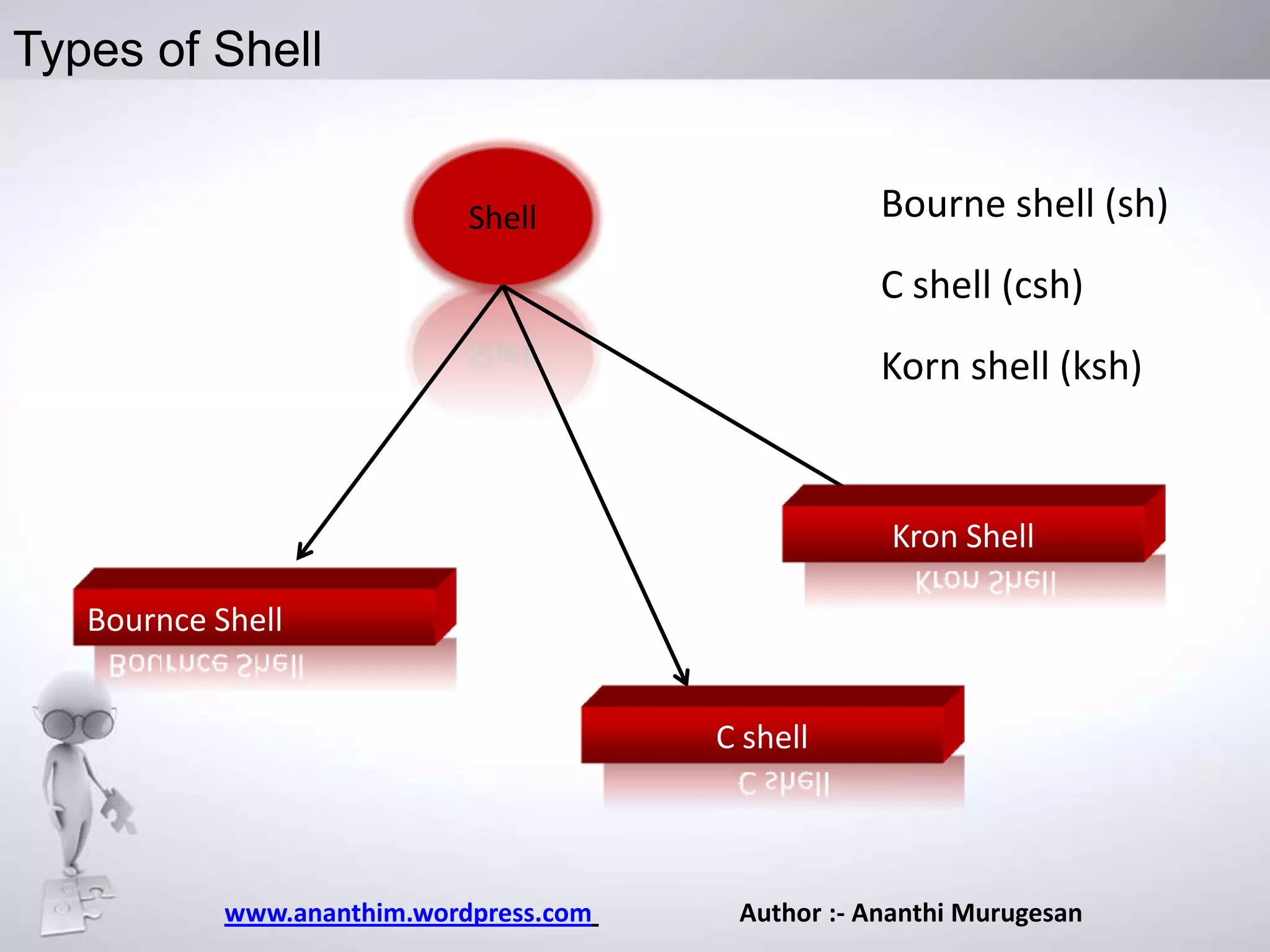
Bourne shell (sh)

Shell

C shell (csh)
Korn shell (ksh)

Kron Shell
Bournce Shell
C shell

www.ananthim.wordpress.com

Author :- Ananthi Murugesan
Unix - Shell
A Utility program that comes with the unix system.
Features of Shell are:

Interactive Processing
Background Processing
I/O Redirection
Pipes
Shell Scripts

Shell Variables
Programming Constructs
www.ananthim.wordpress.com

Author :- Ananthi Murugesan
Unix
Bourne Shell(sh) – This is the original shell of UNIX which
comes with every UNIX sytem and may be that is the
reason that it is so popular.It was written by Stephen
Bourne at Bell Labs in 1974
• C shell(csh) – It has a syntax that resembles that of the
highly popular C programming language (also developed at
Bell Labs), and thus it is sometimes preferred by
programmers.
Korn shell(ksh) – It is a superset of sh developed by David
Korn at Bell Labs in 1983. It contains many features of the
C shell as well, including a command historys
www.ananthim.wordpress.com

Author :- Ananthi Murugesan
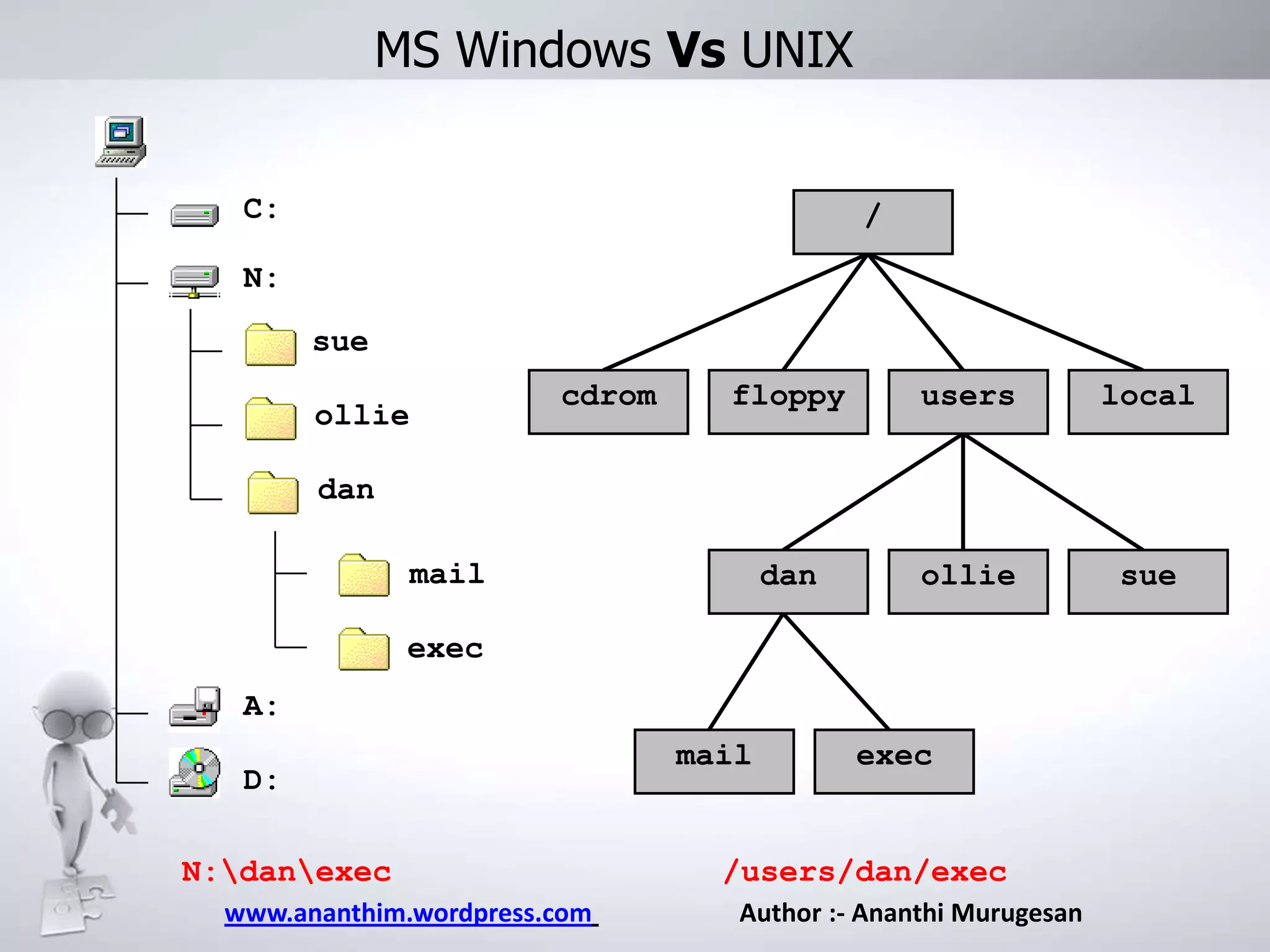
MS Windows Vs UNIX
C:

/

N:
sue
ollie

cdrom

floppy

users

local

dan

ollie

sue

dan
mail
exec
A:
D:
N:danexec
www.ananthim.wordpress.com

mail

exec

/users/dan/exec
Author :- Ananthi Murugesan
Unix

[1] Absolute location:
/users/dan/mail/my.doc

[2] Relative to the directory
“sue”
../dan/mail/my.doc

/

cdrom

floppy

users

local

dan

ollie

sue

[3] For Dan, relative to his
homespace:
~/mail/my.doc

[4] For everyone else, relative
to Dan’s homespace:

mail

exec

my.doc
www.ananthim.wordpress.com

Author :- Ananthi Murugesan
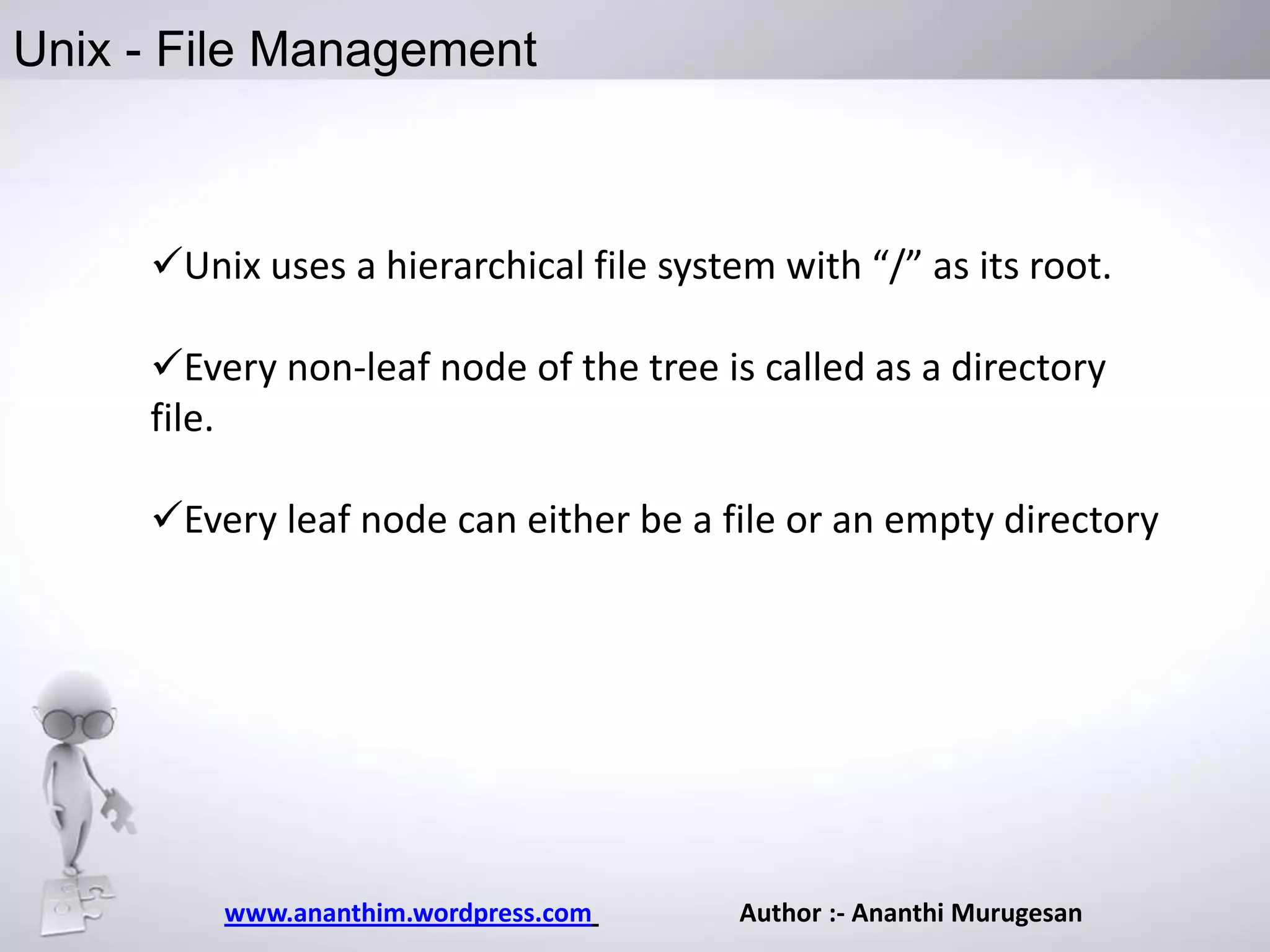
Unix - File Management

Unix uses a hierarchical file system with “/” as its root.
Every non-leaf node of the tree is called as a directory
file.

Every leaf node can either be a file or an empty directory

www.ananthim.wordpress.com

Author :- Ananthi Murugesan
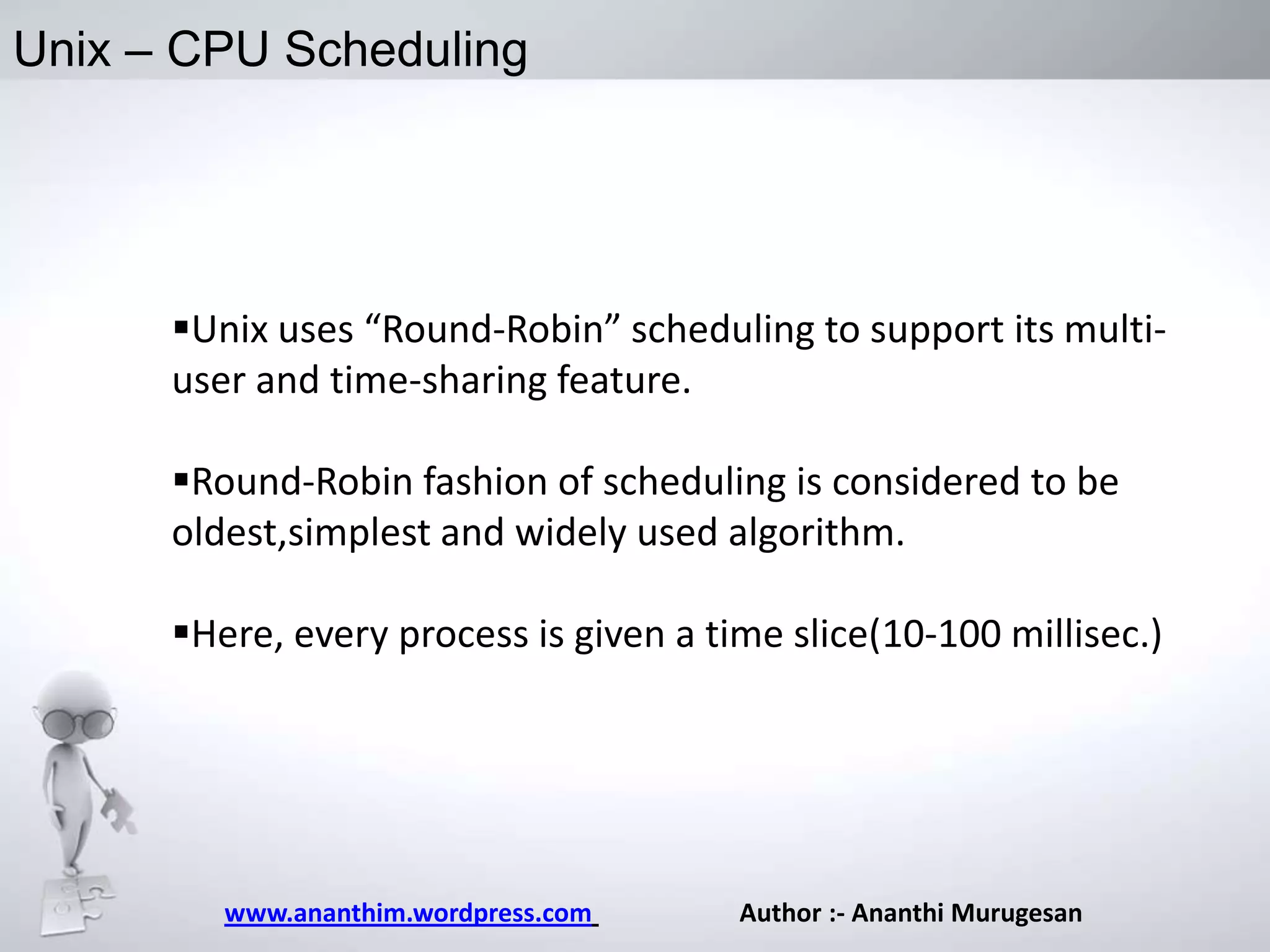
Unix – CPU Scheduling

Unix uses “Round-Robin” scheduling to support its multiuser and time-sharing feature.
Round-Robin fashion of scheduling is considered to be
oldest,simplest and widely used algorithm.
Here, every process is given a time slice(10-100 millisec.)

www.ananthim.wordpress.com

Author :- Ananthi Murugesan
What can UNIX do for you ?
Departmental E-mail
 World Wide Web
 Scientific Programming
1.FORTRAN
2.C/C++
3.Matlab
4.Maple
Text Processing

Plotting packages
1.Gnuplot
2.tecplot
www.ananthim.wordpress.com

Author :- Ananthi Murugesan
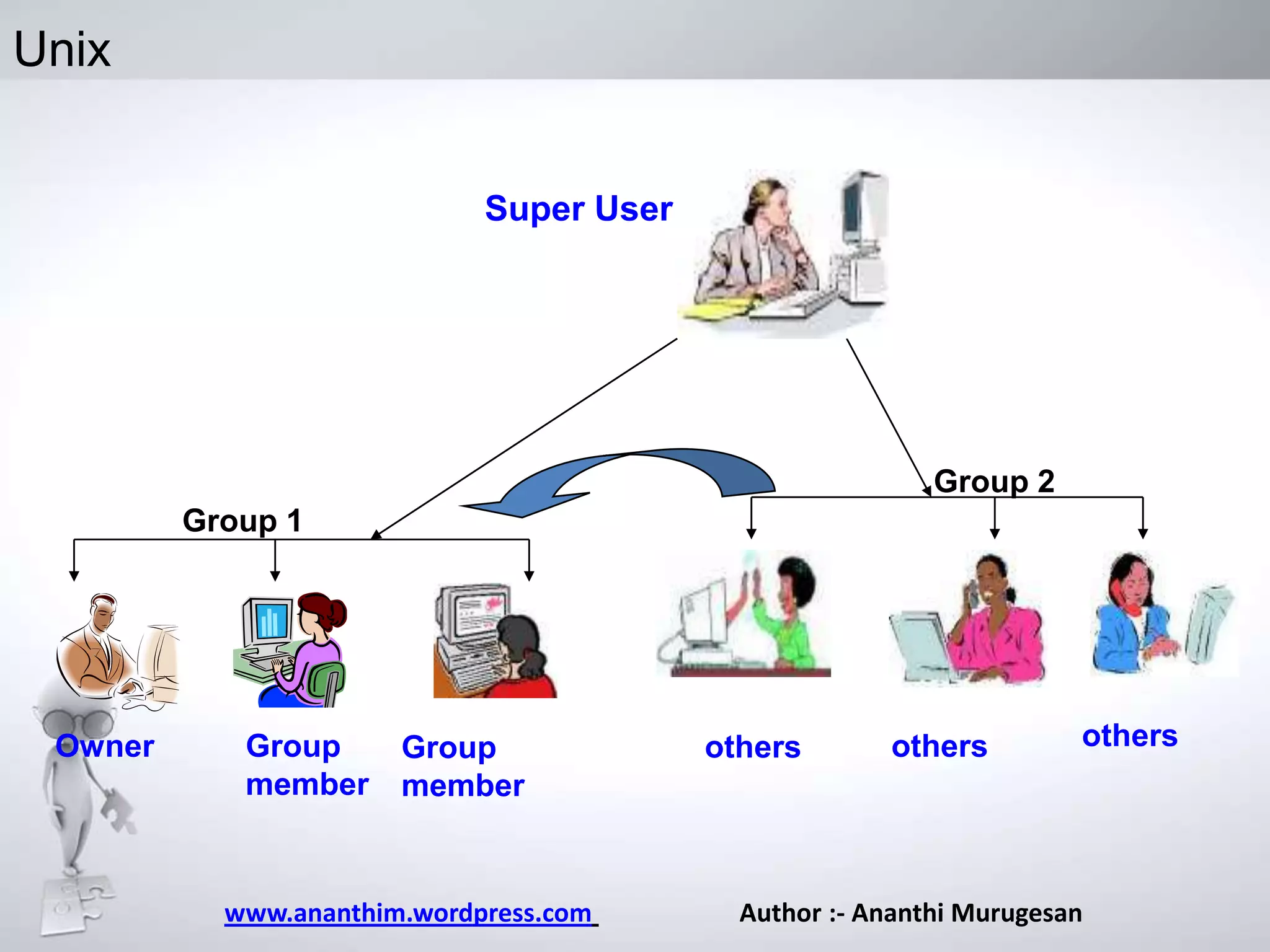
Unix
Super User

Group 2

Group 1

Owner

Group
member

Group
member

www.ananthim.wordpress.com

others

others

others

Author :- Ananthi Murugesan
Unix -Log in

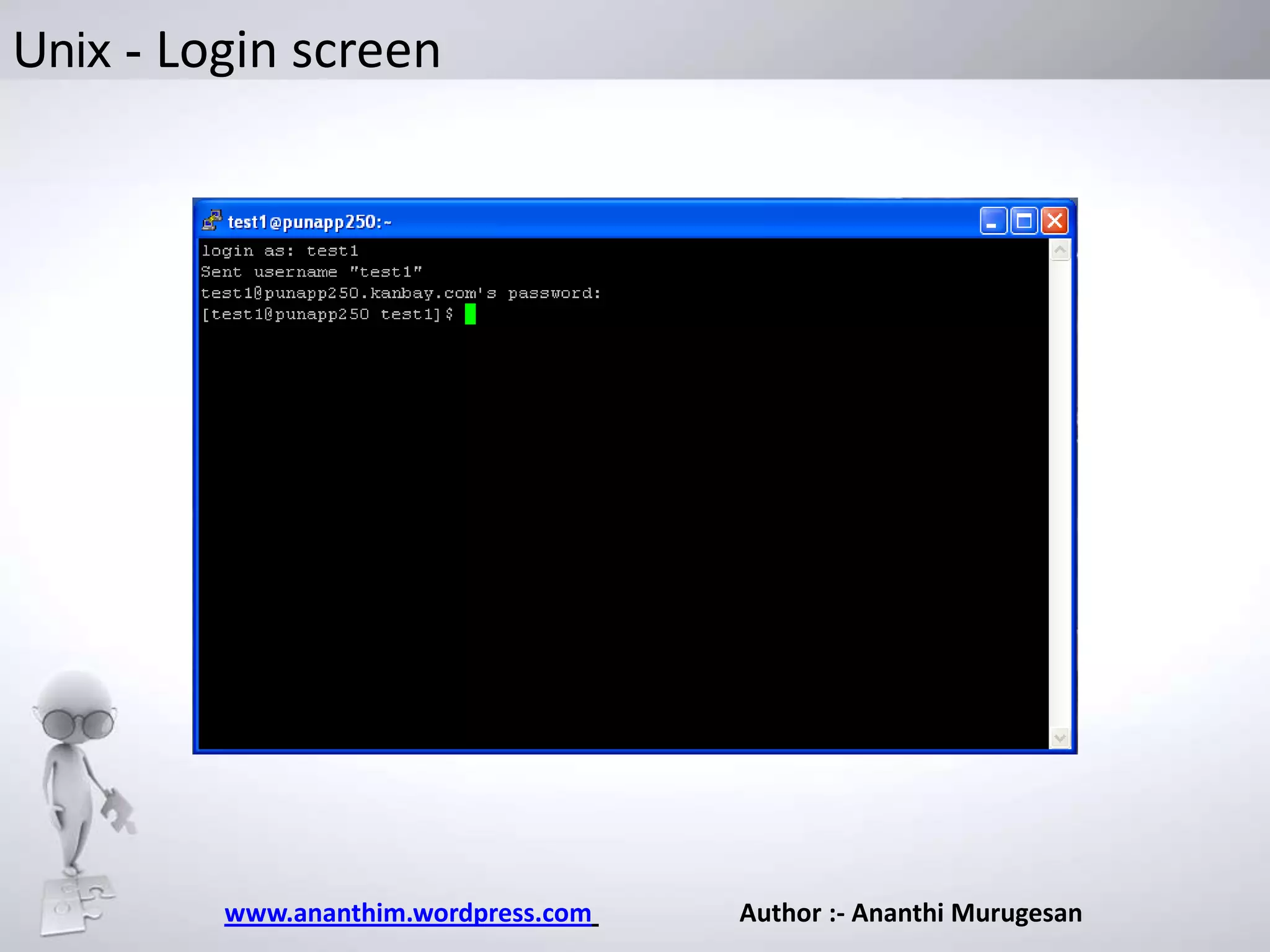
 You will need to have a valid username and a password
 Type your username at the login prompt
UNIX is case sensitive
When the password prompt appears, type in your
password.
Your password is never displayed on the screen as
a security measure

www.ananthim.wordpress.com

Author :- Ananthi Murugesan
Unix - Login screen

www.ananthim.wordpress.com

Author :- Ananthi Murugesan
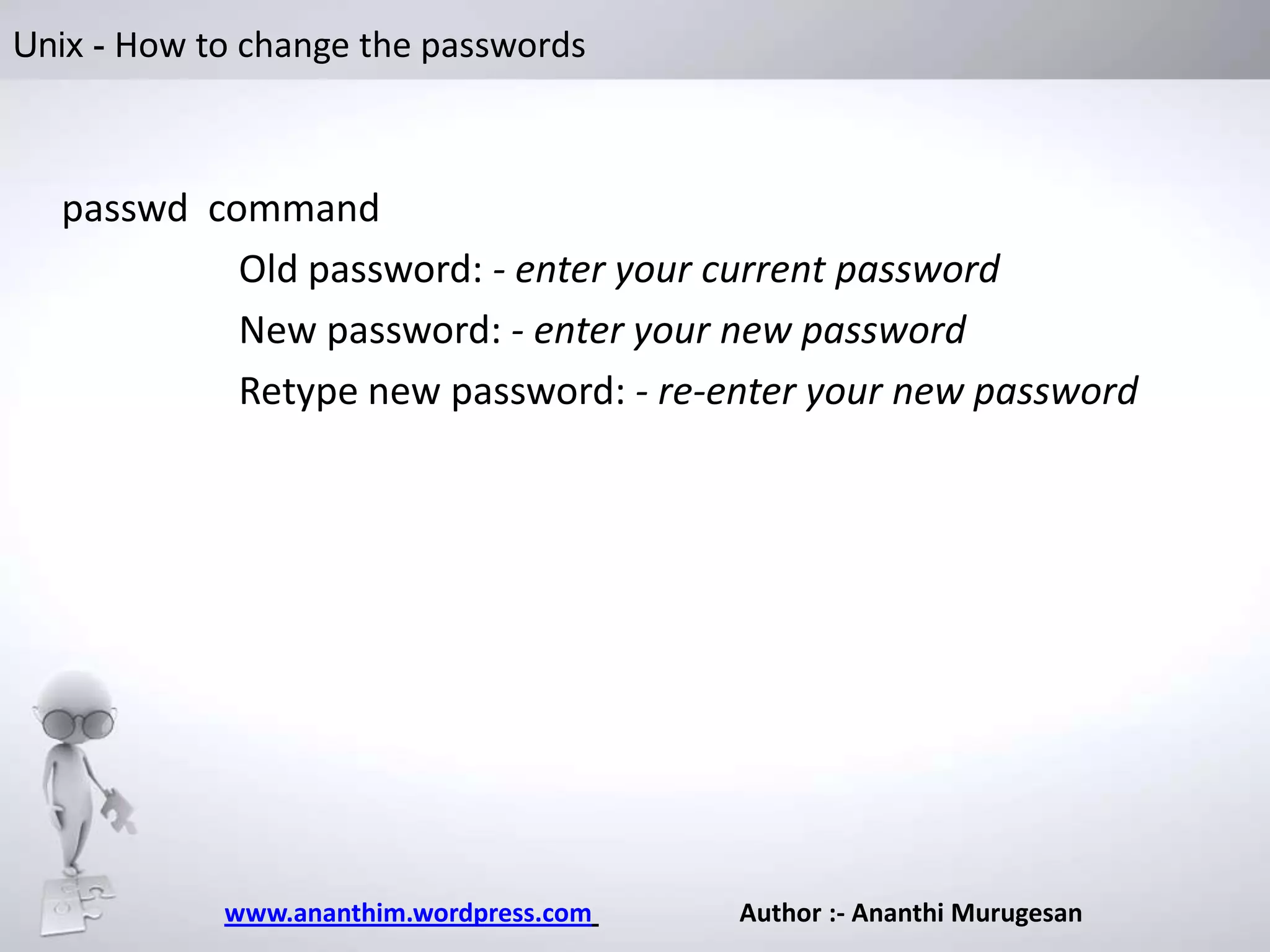
Unix - How to change the passwords

passwd command
Old password: - enter your current password
New password: - enter your new password
Retype new password: - re-enter your new password

www.ananthim.wordpress.com

Author :- Ananthi Murugesan
Unix -Logging Off The System

– To logout enter the command logout or exit.
– If this does not work, press Ctrl-d.
– If you have a .logout file in your home directory, the system
will execute any commands contained there.

www.ananthim.wordpress.com

Author :- Ananthi Murugesan
Unix - Stop and Think

Do you have any questions ?

Catch me @ www.ananthim.wordpress.com

Unix Introduction

  • 1.
    Day 1. Unix Introduction. Nameof Ananthi Murugesan presentation • Company name
  • 2.
    Road Map Unix Biography UnixSystem Organization Evolution of Unix Kernel/Shell What is Unix? Why do I need to know Unix? File Management Login in Unix Architecture of Unix www.ananthim.wordpress.com Author :- Ananthi Murugesan
  • 3.
    Unix Biography  1964joint project between AT&T Bell Labs, GE, and MIT to develop a new OS  Goal : develop an OS that could provide computational power, data storage and the ability to share data among multiple users  Result: Multiplexed Information & Computer Service MULTICS.
  • 4.
    Unix Biography  1969Bell Labs withdraws from group, Two Bell Lab scientists, Ken Thompson and Dennis Ritchie, continue research.  At the same time Ken Thompson wrote a game “space travel” in Fortran to run on GECOS OS  Thompson ported the game to a little used PDP-7 computer www.ananthim.wordpress.com Author :- Ananthi Murugesan
  • 5.
    Unix Biography-PDP-7  In1969, Ken Thompson wrote the first UNIX system in assembly language on a PDP-7, then named Unics as a pun on Multics  It’s as the operating system for Space Travel, a game which required graphics to depict the motion of the planets www.ananthim.wordpress.com Author :- Ananthi Murugesan
  • 6.
    Unix History Here’s Unixhistory 1969 1976 1978 1991 Creation by Ken Thompson and Denis Ritchie from Bell Labs Creation of Apple www.ananthim.wordpress.com Creation of Linux by Linus Torvalds Split between BSD and type V Unix Author :- Ananthi Murugesan
  • 7.
    What is Unix Thelow-level software which handles the interface to system hardware (input/output devices, memory, file system, etc), schedules tasks, and provides common core services such as a basic user interface. It’s portable, multi-tasking and multi-user operating system Portable: runs on many different hardware architectures (Intel x86, Motorola 680x0etc.). Pre-emptive multi-tasking: several programs can run at the same time (time slices, interrupts, and task switching. Multi-user: many users can share the computer system at the same time www.ananthim.wordpress.com Author :- Ananthi Murugesan
  • 8.
    What is Unix– Other Features Uses a simple, uniform file model which includes devices and access to other services in a flexible, hierarchical file system.  Written in a high-level language (“C”) making it easy to read, understand, change and port. The command prompt is a simple user process, the Unix shell, which is also a convenient job programming language. Includes support for regular expressions which are convenient for complex searching. www.ananthim.wordpress.com Author :- Ananthi Murugesan
  • 9.
    What is Unix–Philosophy Philosophy of Unix system • Everything is a file – Hard Drive, CDROM drive, CPU … • Task segmentation • A program must be portable • Write code quickly and to share with the community • Correct bugs quickly www.ananthim.wordpress.com
  • 10.
    Unix Features Multi- user Hierarchicalfile system Multi tasking Threads Virtual memory Built –in networking Extensive set of utilities www.ananthim.wordpress.com
  • 11.
    Unix Merits /Demerits Truemulti-tasking Not that User friendly Flexible/Portable Sleep learning curve “Nice” Programming Events Not 100% compatible with the Microsoft world. www.ananthim.wordpress.com
  • 12.
    Top ten points whyI need to use Unix ?? www.ananthim.wordpress.com Author :- Ananthi Murugesan
  • 13.
    #1 – Flexibility Unixis more flexible and can be installed on many different types of machines, including mainframe computers, supercomputers and micro-computers. www.ananthim.wordpress.com Author :- Ananthi Murugesan
  • 14.
    #2 – Scalability •Unix is more stable and does not go down as often as Windows does, therefore requires less administration and maintenance. www.ananthim.wordpress.com Author :- Ananthi Murugesan
  • 15.
    #3 – Security •Unix has greater built-in security and permissions features than Windows. www.ananthim.wordpress.com Author :- Ananthi Murugesan
  • 16.
    #4 – Compatibility Websites designed and programmed to be served under a UNIX-based web server can easily be hosted on a Windows server, whereas the reverse is not always true. This makes programming for UNIX the better choice www.ananthim.wordpress.com Author :- Ananthi Murugesan
  • 17.
    #5 – Stability Serversrunning on UNIX enjoy extremely high up-time and high availability/reliability www.ananthim.wordpress.com Author :- Ananthi Murugesan
  • 18.
    #6 – Performance UNIXservers under high load (which is what is important) are superior to Windows www.ananthim.wordpress.com Author :- Ananthi Murugesan
  • 19.
    #7 – Commandline • The command line will always be an invaluable tool for administration purposes. Nothing will ever replace favorite text-based editor www.ananthim.wordpress.com Author :- Ananthi Murugesan
  • 20.
    #8 – SoftwareUpdates • Software upgrades from Microsoft often require the user to purchase new or more hardware or prerequisite software. That is not the case with Unix. www.ananthim.wordpress.com Author :- Ananthi Murugesan
  • 21.
    #9 – Price •The mostly free or inexpensive open-source operating systems, such as Linux and BSD. www.ananthim.wordpress.com Author :- Ananthi Murugesan
  • 22.
    #10 – Datasecurity • Users are required to log in before they can do anything. Logging in restricts unauthorised use, allows all files created by a user to be identified as belonging to them and, if necessary, only visible to that user www.ananthim.wordpress.com Author :- Ananthi Murugesan
  • 23.
    Unix - Quiz TheBSD system is a different Unix system MacOSX is not based on the Unix system UNIX system is a multi-task system UNIX system is a multi-user system www.ananthim.wordpress.com Author :- Ananthi Murugesan
  • 24.
  • 25.
    Unix Unix System followsa layered Approach It has four layers The innermost layer is the hardware layer In the second layer, the kernel is placed. The utilities and the other application programs form the third layer Fourth layer is the one with which the user actually interacts. www.ananthim.wordpress.com Author :- Ananthi Murugesan
  • 26.
    Unix – Kernel Kernelis that part of the OS which directly makes interface with the hardware system. Factions: Provides mechanism for creating and deleting processes Provides processor scheduling, memory and IO management Does interprocess communication. www.ananthim.wordpress.com Author :- Ananthi Murugesan
  • 27.
    Unix – Shell Shell Wheneveryou login to a Unix system you are placed in a shell program. The shell's prompt is usually visible at the cursor's position on your screen. To get your work done, you enter commands at this prompt. The shell is a command interpreter;. It takes each command and passes it to the operating system kernel to be acted upon. www.ananthim.wordpress.com Author :- Ananthi Murugesan
  • 28.
    Types of Shell Bourneshell (sh) Shell C shell (csh) Korn shell (ksh) Kron Shell Bournce Shell C shell www.ananthim.wordpress.com Author :- Ananthi Murugesan
  • 29.
    Unix - Shell AUtility program that comes with the unix system. Features of Shell are: Interactive Processing Background Processing I/O Redirection Pipes Shell Scripts Shell Variables Programming Constructs www.ananthim.wordpress.com Author :- Ananthi Murugesan
  • 30.
    Unix Bourne Shell(sh) –This is the original shell of UNIX which comes with every UNIX sytem and may be that is the reason that it is so popular.It was written by Stephen Bourne at Bell Labs in 1974 • C shell(csh) – It has a syntax that resembles that of the highly popular C programming language (also developed at Bell Labs), and thus it is sometimes preferred by programmers. Korn shell(ksh) – It is a superset of sh developed by David Korn at Bell Labs in 1983. It contains many features of the C shell as well, including a command historys www.ananthim.wordpress.com Author :- Ananthi Murugesan
  • 31.
    MS Windows VsUNIX C: / N: sue ollie cdrom floppy users local dan ollie sue dan mail exec A: D: N:danexec www.ananthim.wordpress.com mail exec /users/dan/exec Author :- Ananthi Murugesan
  • 32.
    Unix [1] Absolute location: /users/dan/mail/my.doc [2]Relative to the directory “sue” ../dan/mail/my.doc / cdrom floppy users local dan ollie sue [3] For Dan, relative to his homespace: ~/mail/my.doc [4] For everyone else, relative to Dan’s homespace: mail exec my.doc www.ananthim.wordpress.com Author :- Ananthi Murugesan
  • 33.
    Unix - FileManagement Unix uses a hierarchical file system with “/” as its root. Every non-leaf node of the tree is called as a directory file. Every leaf node can either be a file or an empty directory www.ananthim.wordpress.com Author :- Ananthi Murugesan
  • 34.
    Unix – CPUScheduling Unix uses “Round-Robin” scheduling to support its multiuser and time-sharing feature. Round-Robin fashion of scheduling is considered to be oldest,simplest and widely used algorithm. Here, every process is given a time slice(10-100 millisec.) www.ananthim.wordpress.com Author :- Ananthi Murugesan
  • 35.
    What can UNIXdo for you ? Departmental E-mail  World Wide Web  Scientific Programming 1.FORTRAN 2.C/C++ 3.Matlab 4.Maple Text Processing Plotting packages 1.Gnuplot 2.tecplot www.ananthim.wordpress.com Author :- Ananthi Murugesan
  • 36.
    Unix Super User Group 2 Group1 Owner Group member Group member www.ananthim.wordpress.com others others others Author :- Ananthi Murugesan
  • 37.
    Unix -Log in You will need to have a valid username and a password  Type your username at the login prompt UNIX is case sensitive When the password prompt appears, type in your password. Your password is never displayed on the screen as a security measure www.ananthim.wordpress.com Author :- Ananthi Murugesan
  • 38.
    Unix - Loginscreen www.ananthim.wordpress.com Author :- Ananthi Murugesan
  • 39.
    Unix - Howto change the passwords passwd command Old password: - enter your current password New password: - enter your new password Retype new password: - re-enter your new password www.ananthim.wordpress.com Author :- Ananthi Murugesan
  • 40.
    Unix -Logging OffThe System – To logout enter the command logout or exit. – If this does not work, press Ctrl-d. – If you have a .logout file in your home directory, the system will execute any commands contained there. www.ananthim.wordpress.com Author :- Ananthi Murugesan
  • 41.
    Unix - Stopand Think Do you have any questions ? Catch me @ www.ananthim.wordpress.com