Introduction to
Programming in Python
Unit-1:Introduction to Problem Solving
Syllabus
 Introduction to computers, algorithms, Flow Charts, Problem
solving concepts: exchanging the values of two variables,
Counting, Summation of a set of numbers, Factorial
computation, Sine function computation, Generation of the
Fibonacci sequence, Reversing the digits of an integer, Base
conversion and character to number conversion,
INTRODUCTION TO
COMPUTERS
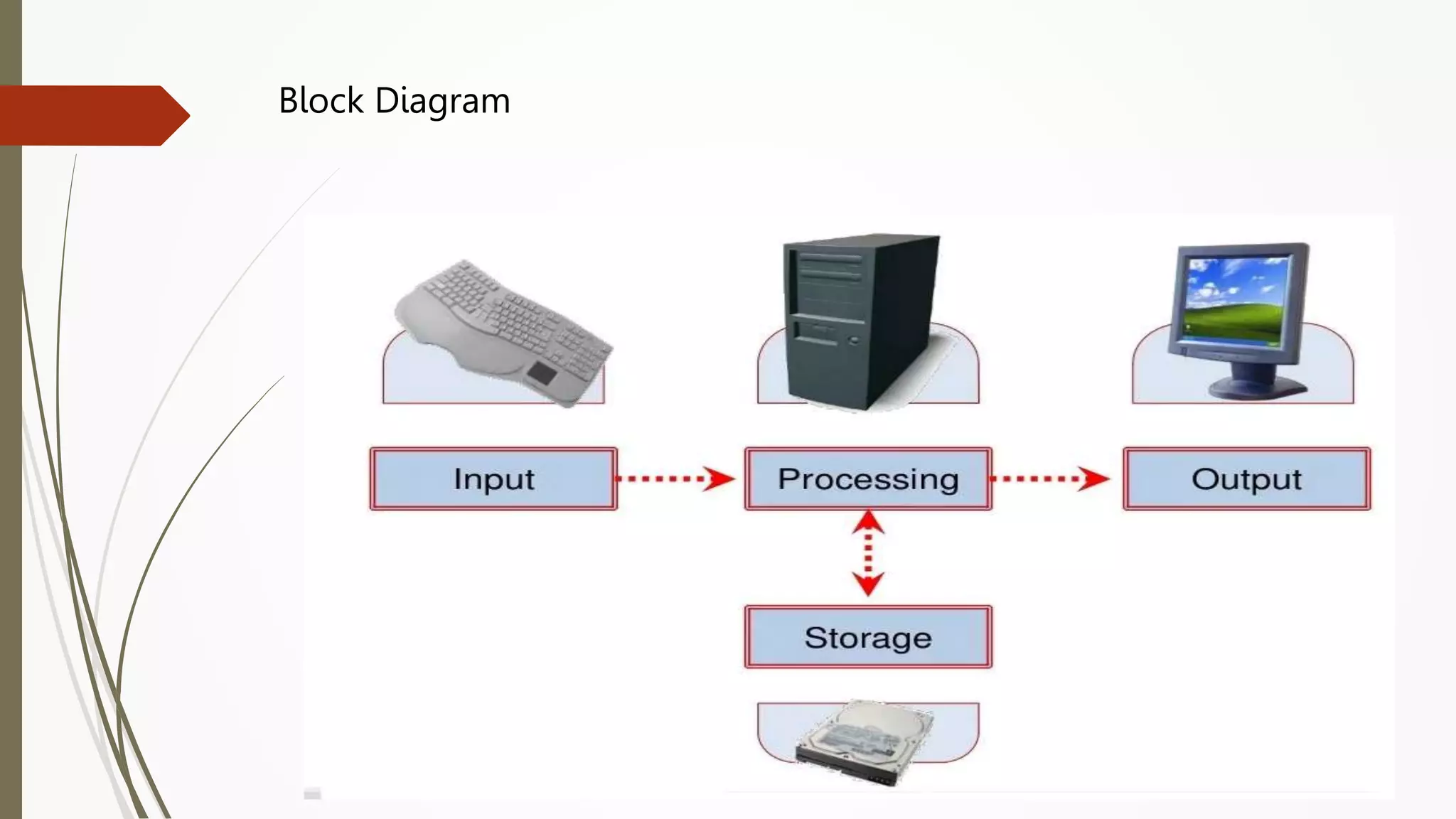
What is a Computer?
 An electronic device that is designed to accept data,
perform the required mathematical and logical operations
at high speed and output the result.
Block Diagram
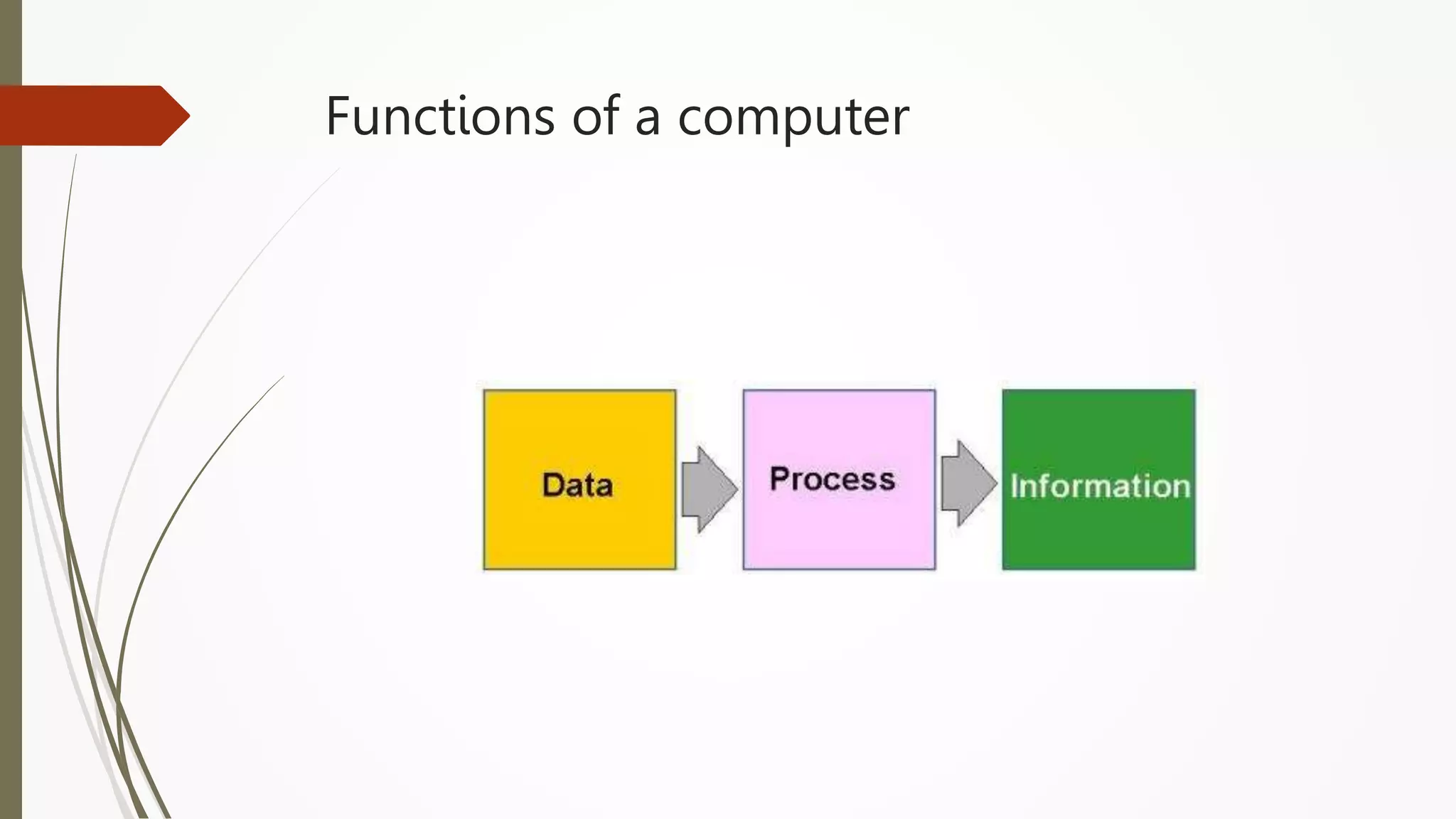
Functions of a computer
History Of Computers
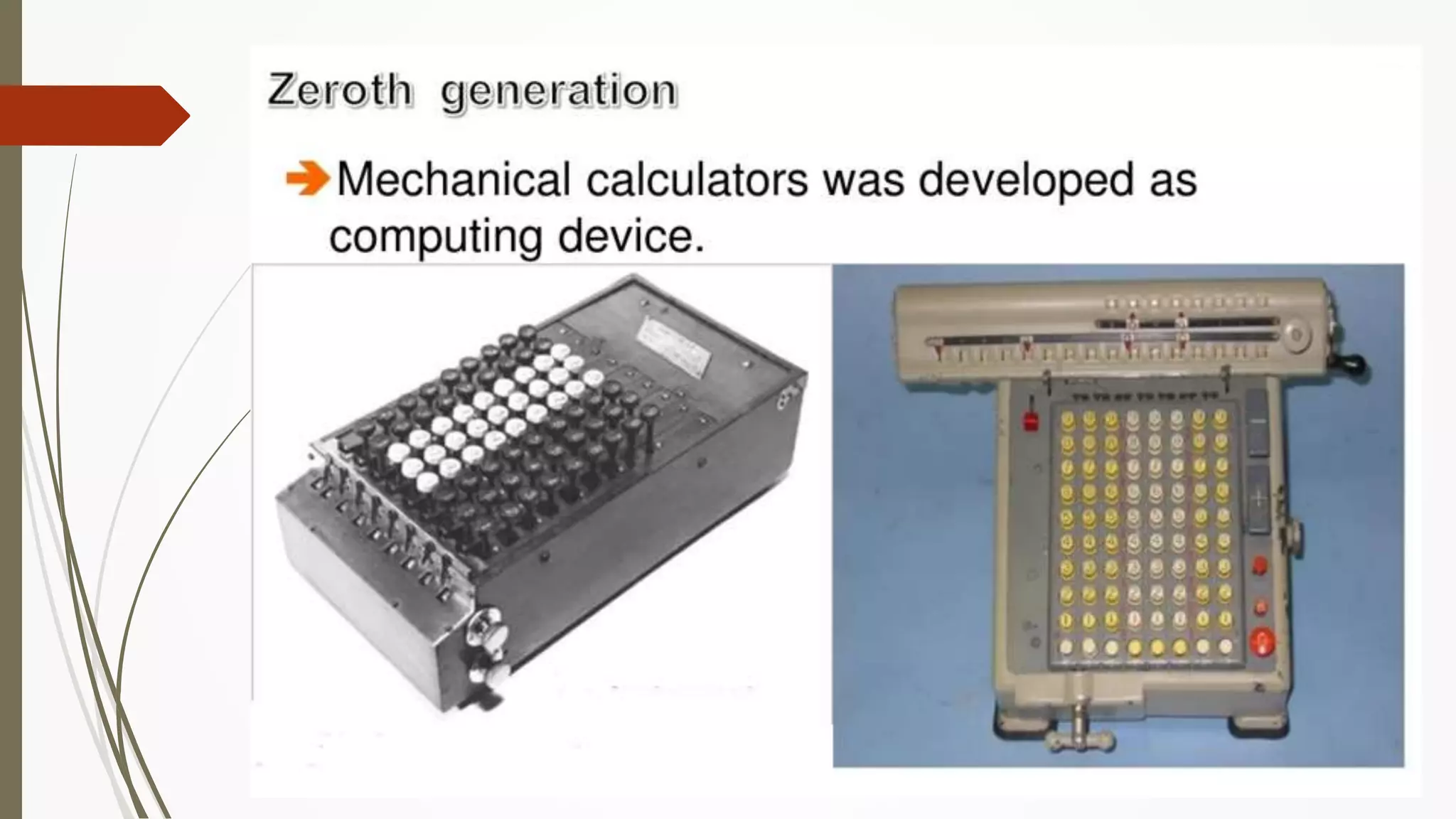
 Zeroth Generation
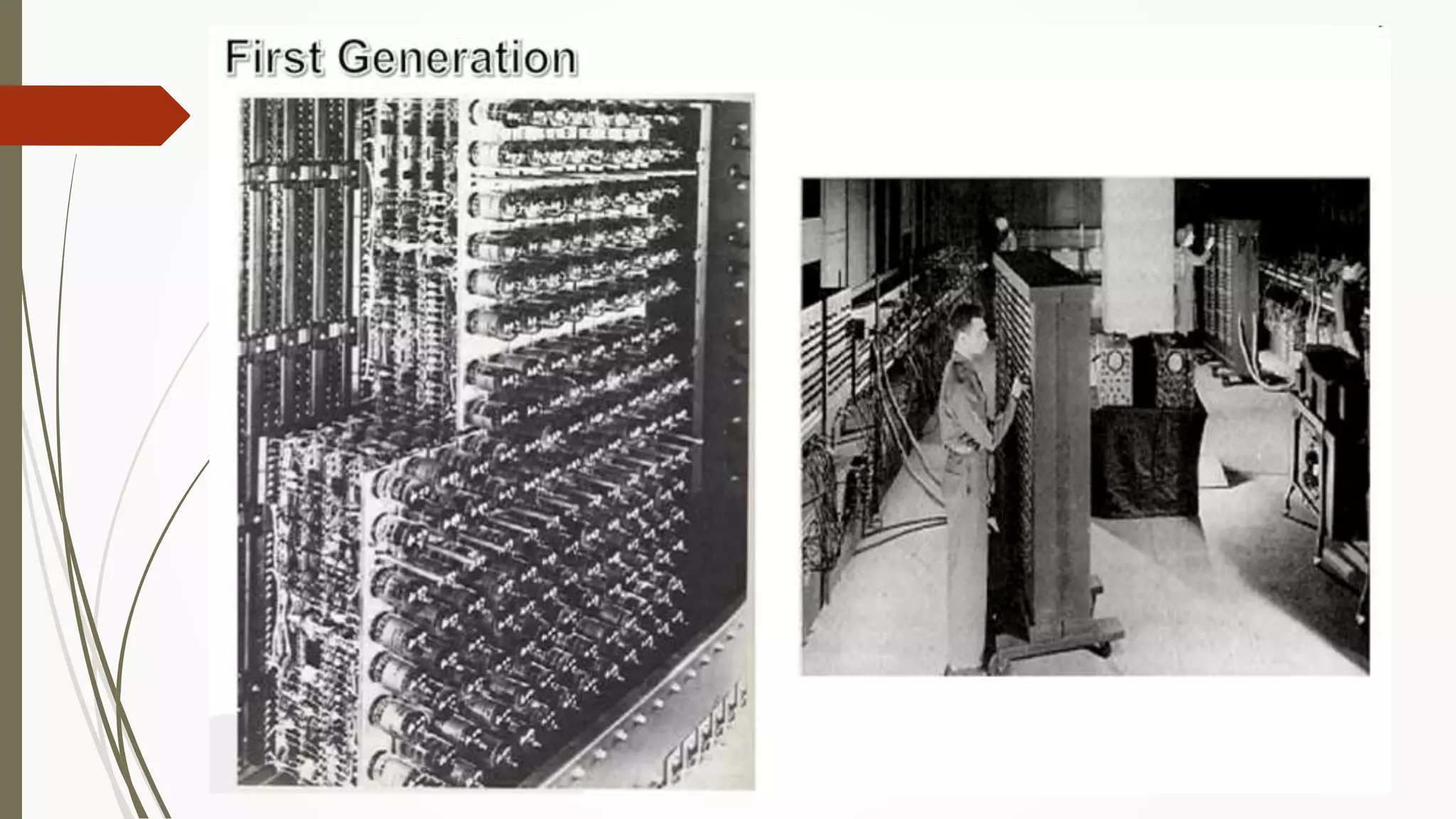
 First Generation
 Second Generation
 Third Generation
 Fourth Generation
 Fifth Generation
First Generation Computers
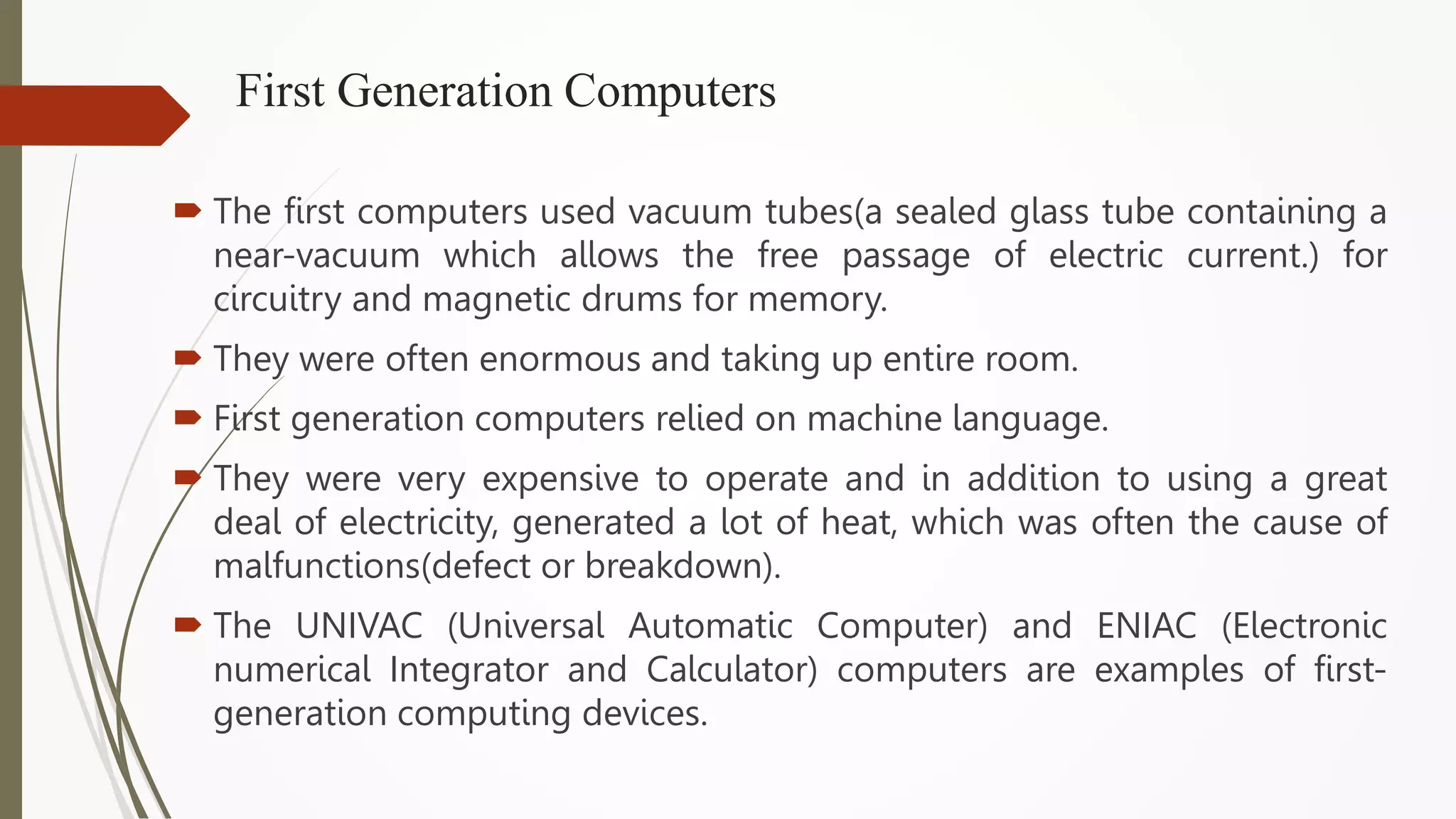
 The first computers used vacuum tubes(a sealed glass tube containing a
near-vacuum which allows the free passage of electric current.) for
circuitry and magnetic drums for memory.
 They were often enormous and taking up entire room.
 First generation computers relied on machine language.
 They were very expensive to operate and in addition to using a great
deal of electricity, generated a lot of heat, which was often the cause of
malfunctions(defect or breakdown).
 The UNIVAC (Universal Automatic Computer) and ENIAC (Electronic
numerical Integrator and Calculator) computers are examples of first-
generation computing devices.
Second Generation Computers
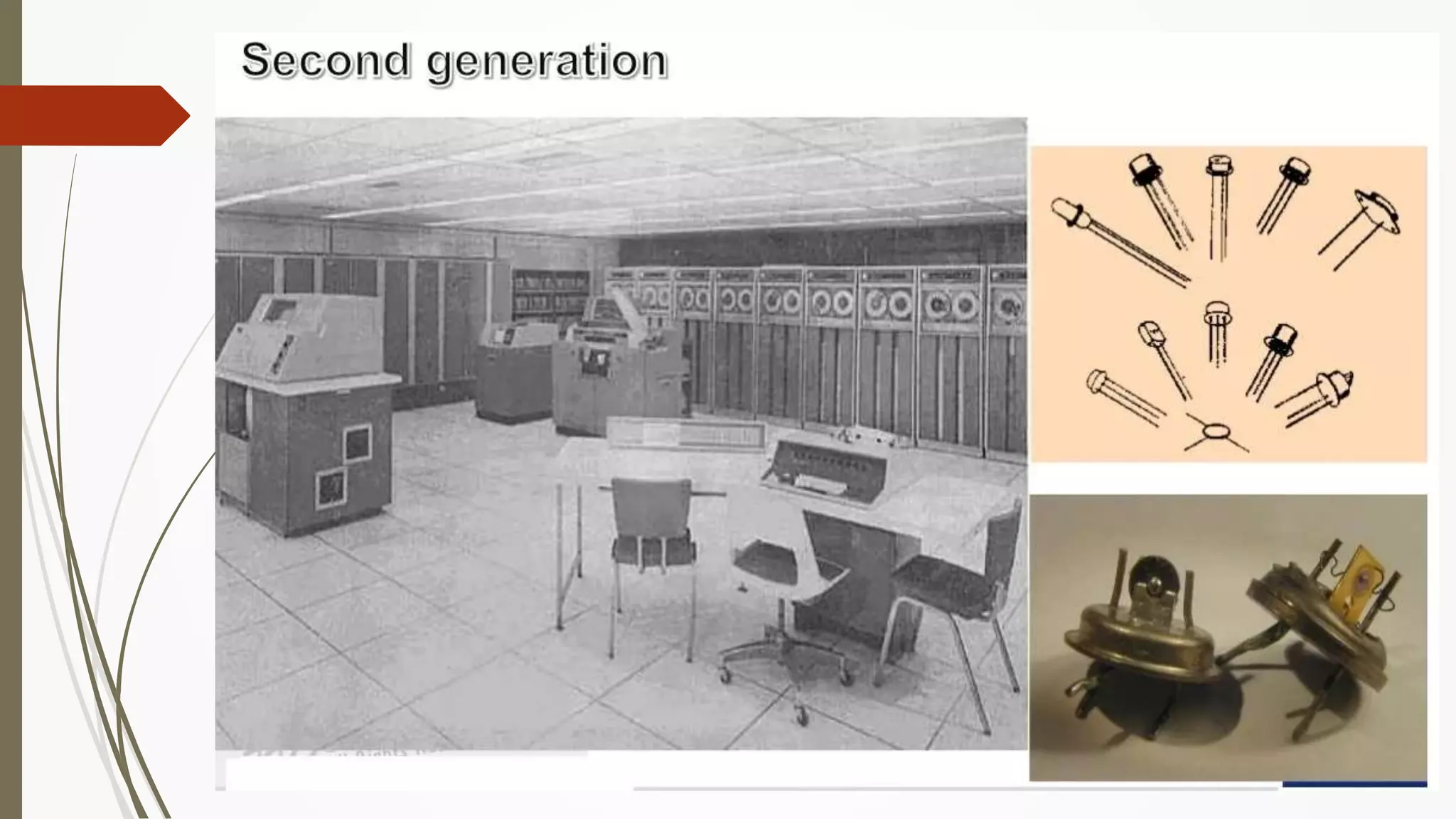
• Transistors replaced vacuum tubes and ushered in the second generation of
computers.
• Second-generation computers moved from cryptic binary machine language
to symbolic.
• High-level programming languages were also being developed at this time,
such as early versions of COBOL and FORTRAN.
• These were also the first computers that stored their instructions in their
memory.
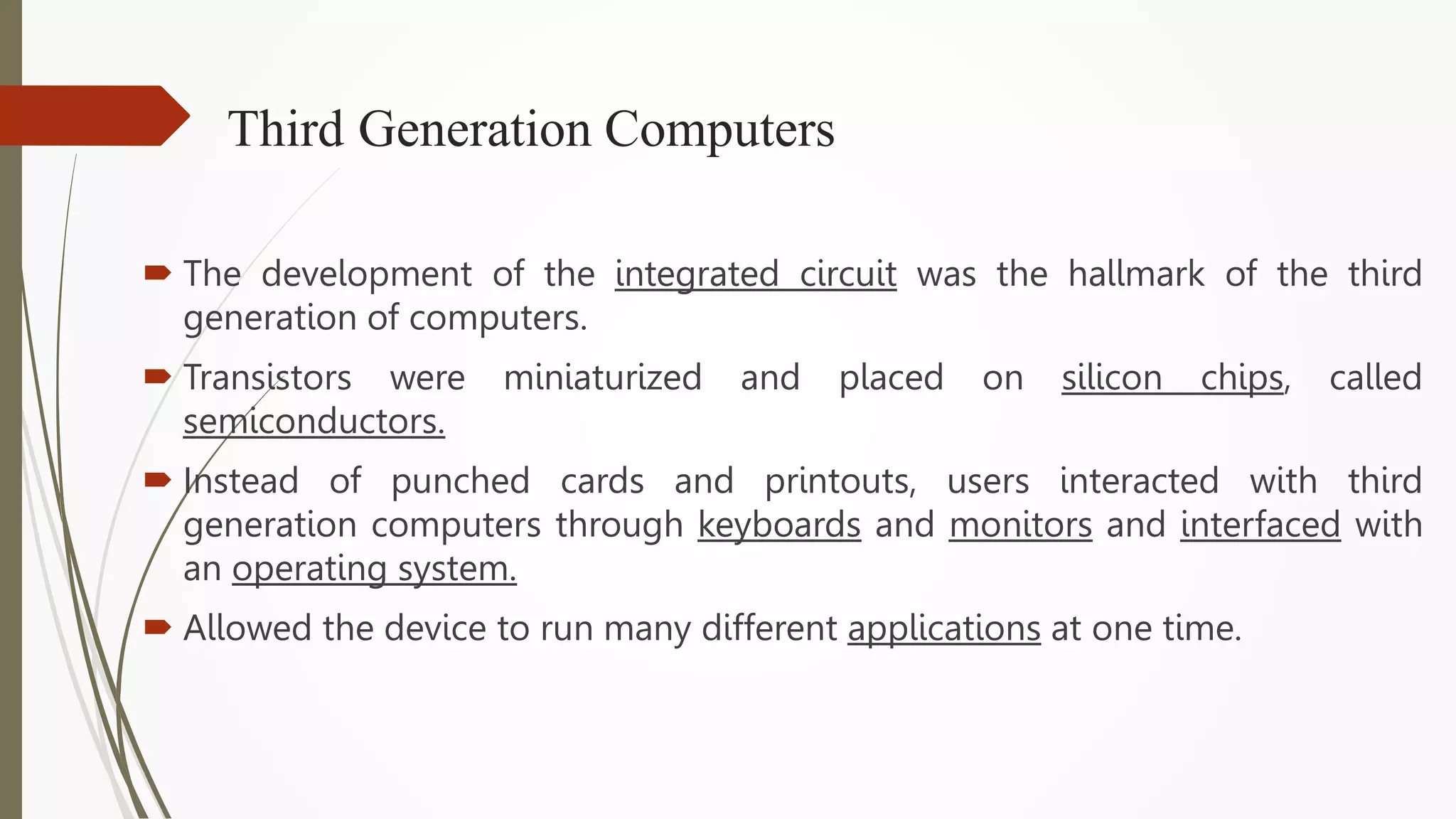
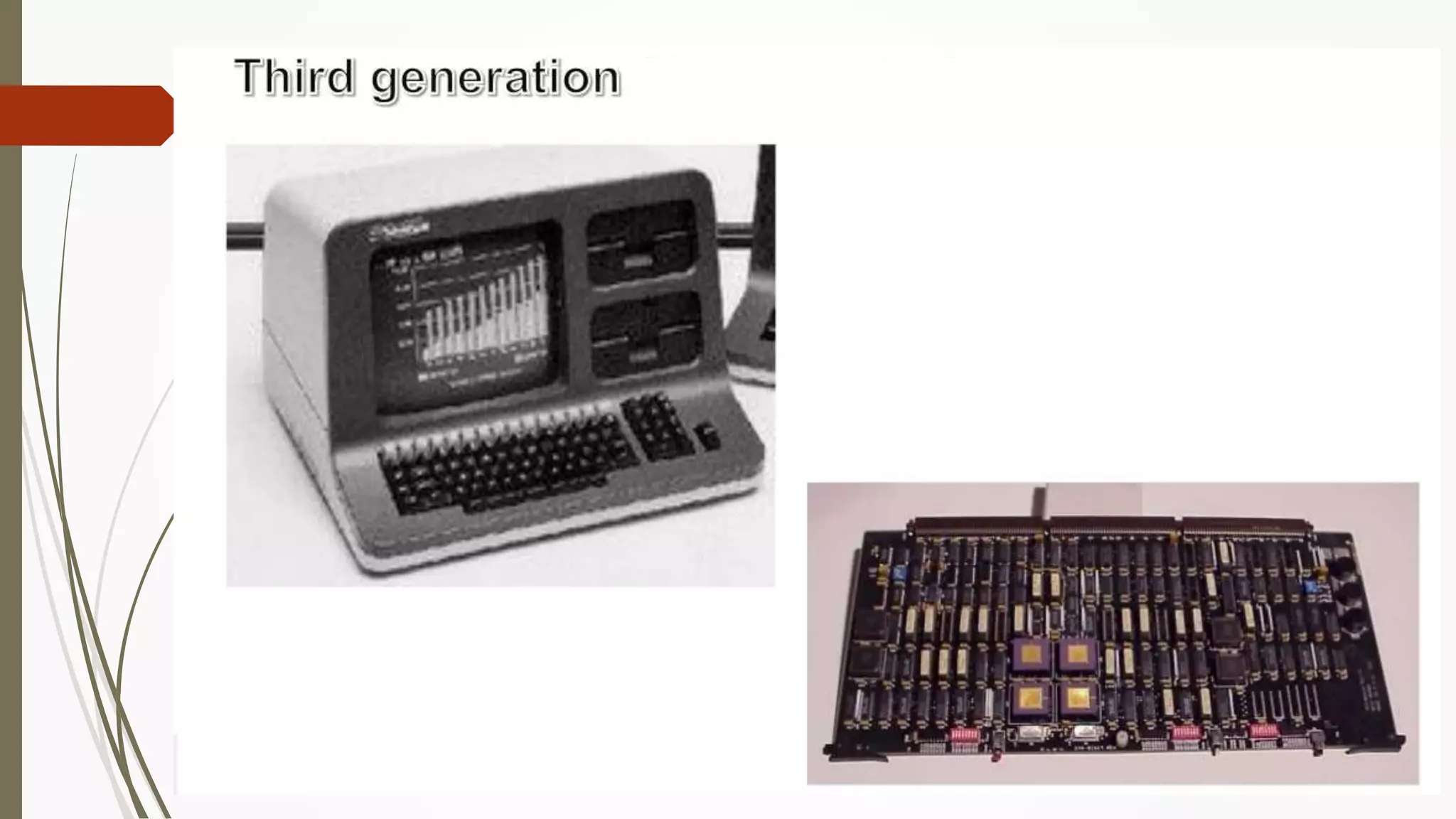
Third Generation Computers
 The development of the integrated circuit was the hallmark of the third
generation of computers.
 Transistors were miniaturized and placed on silicon chips, called
semiconductors.
 Instead of punched cards and printouts, users interacted with third
generation computers through keyboards and monitors and interfaced with
an operating system.
 Allowed the device to run many different applications at one time.
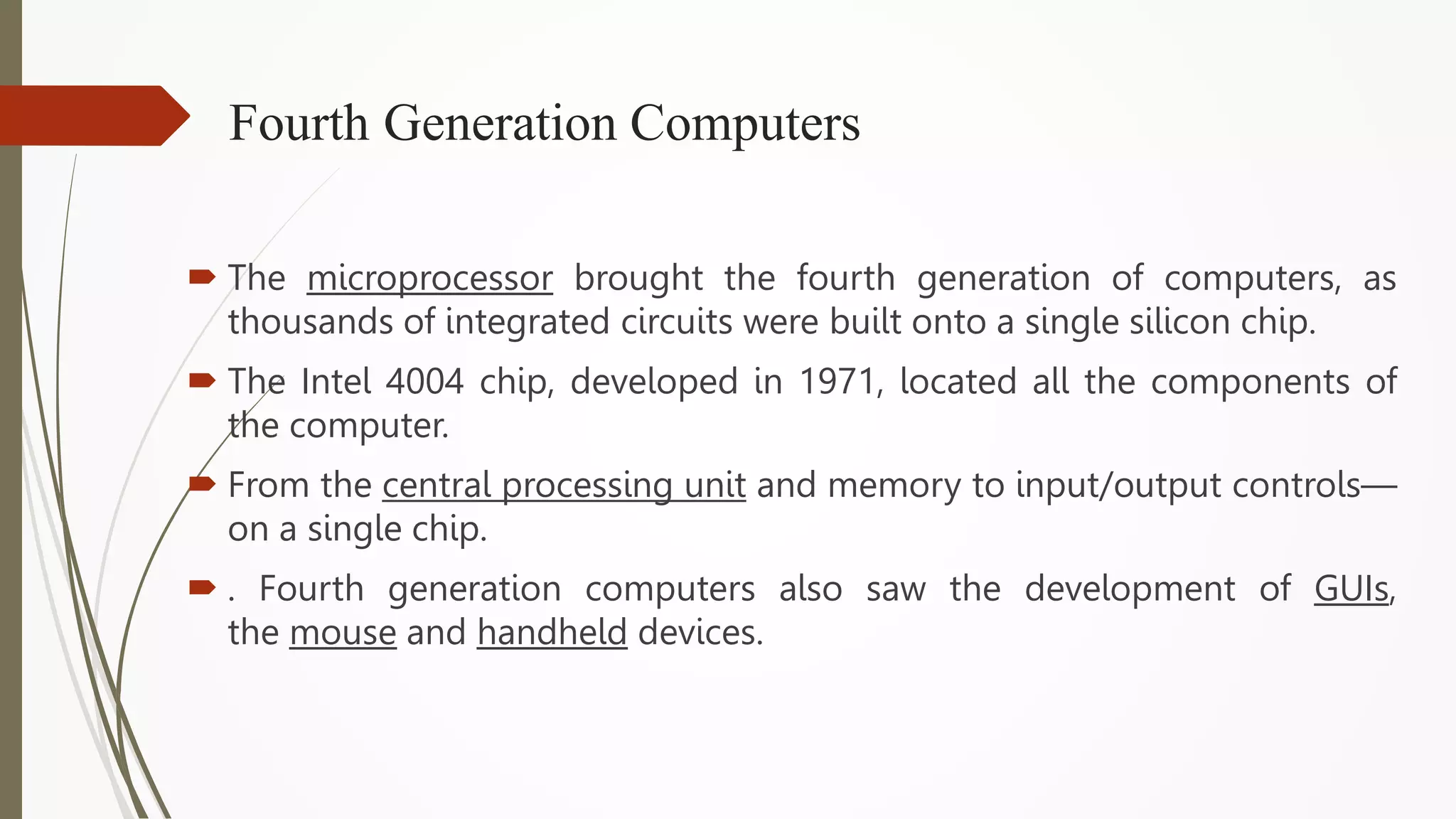
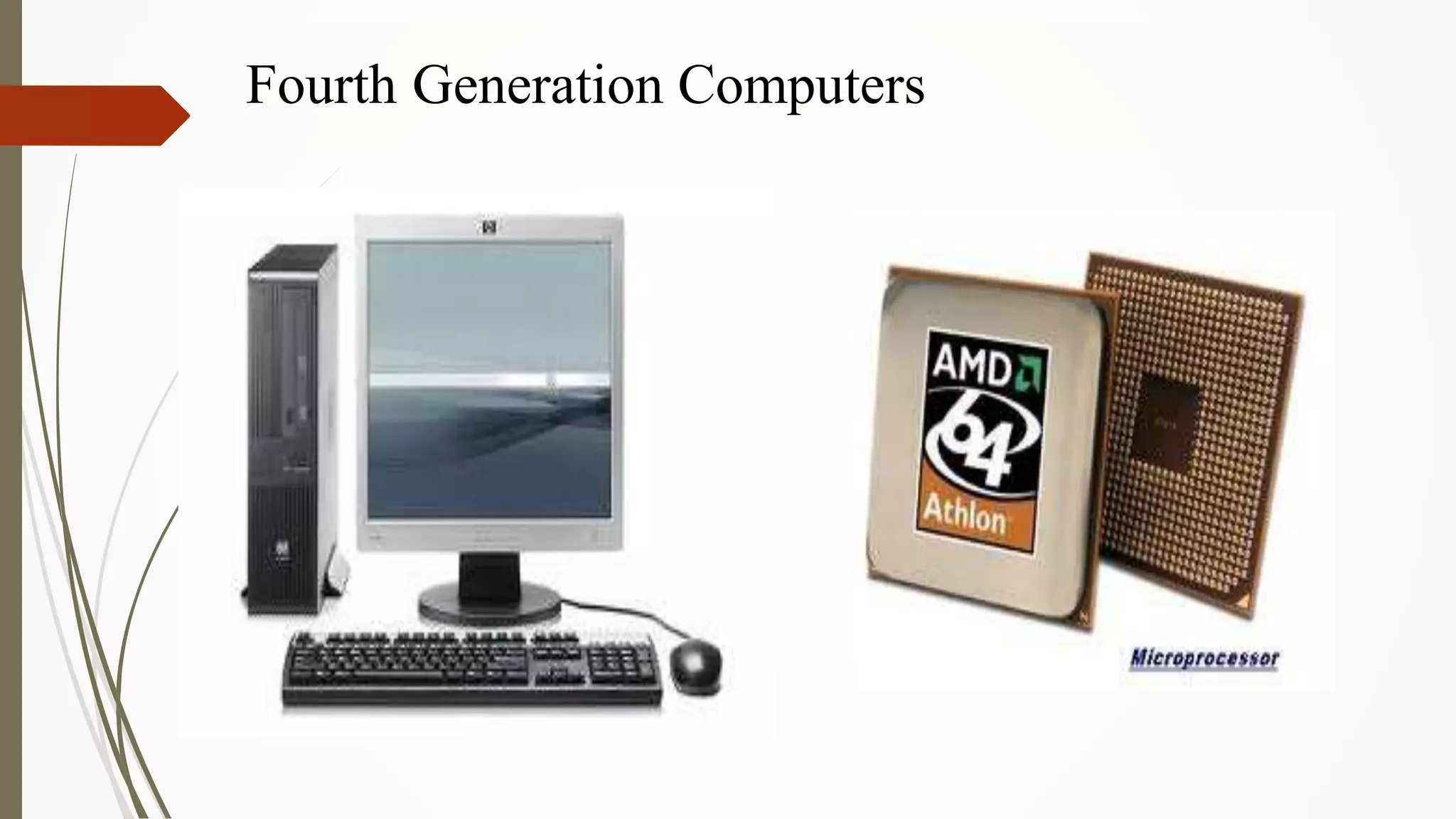
Fourth Generation Computers
 The microprocessor brought the fourth generation of computers, as
thousands of integrated circuits were built onto a single silicon chip.
 The Intel 4004 chip, developed in 1971, located all the components of
the computer.
 From the central processing unit and memory to input/output controls—
on a single chip.
 . Fourth generation computers also saw the development of GUIs,
the mouse and handheld devices.
Fourth Generation Computers
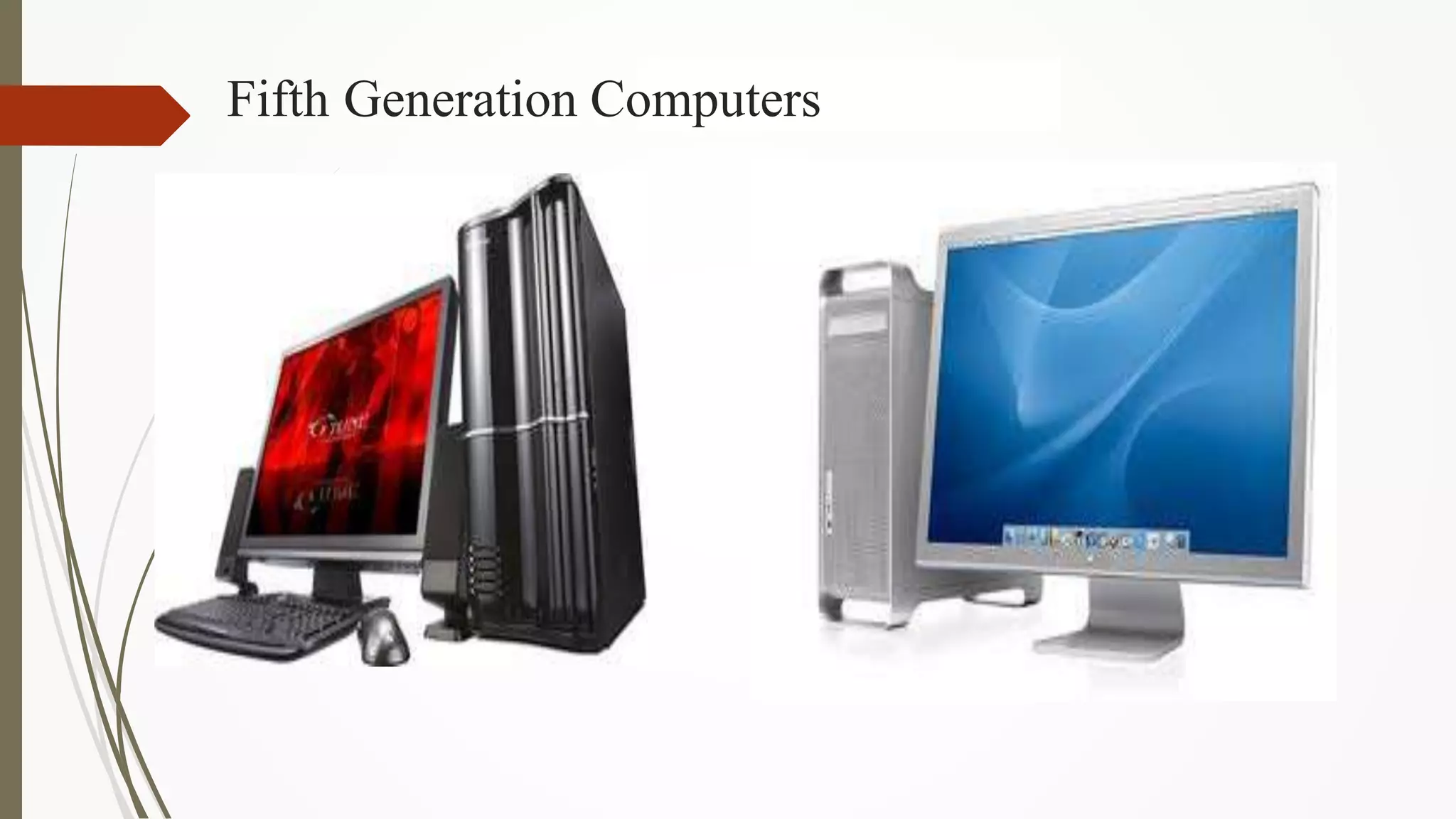
Fifth Generation Computers
 Fifth generation computing devices, based on artificial intelligence.
 Are still in development, though there are some applications, such
as voice recognition.
 The use of parallel processing and superconductors is helping to
make artificial intelligence a reality.
 The goal of fifth-generation computing is to develop devices that
respond to natural language input and are capable of learning and
self-organization.
Fifth Generation Computers
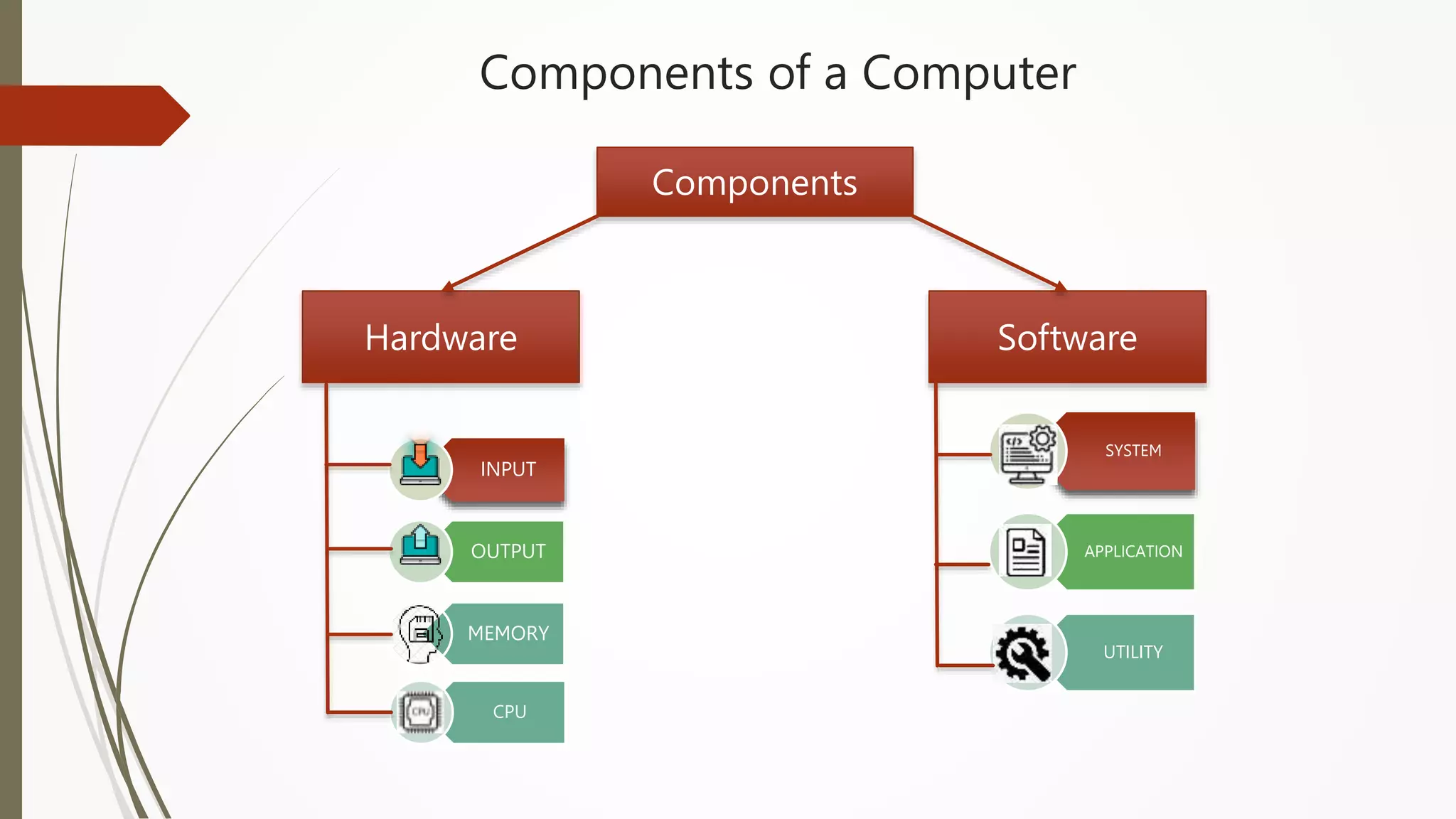
Components of a Computer
Components
Hardware Software
INPUT
OUTPUT
MEMORY
CPU
SYSTEM
APPLICATION
UTILITY
Computer Hardware
 A computer's hardware consists of electronic devices; the parts you can see and touch. In
other words, these are tangible parts of a computer.
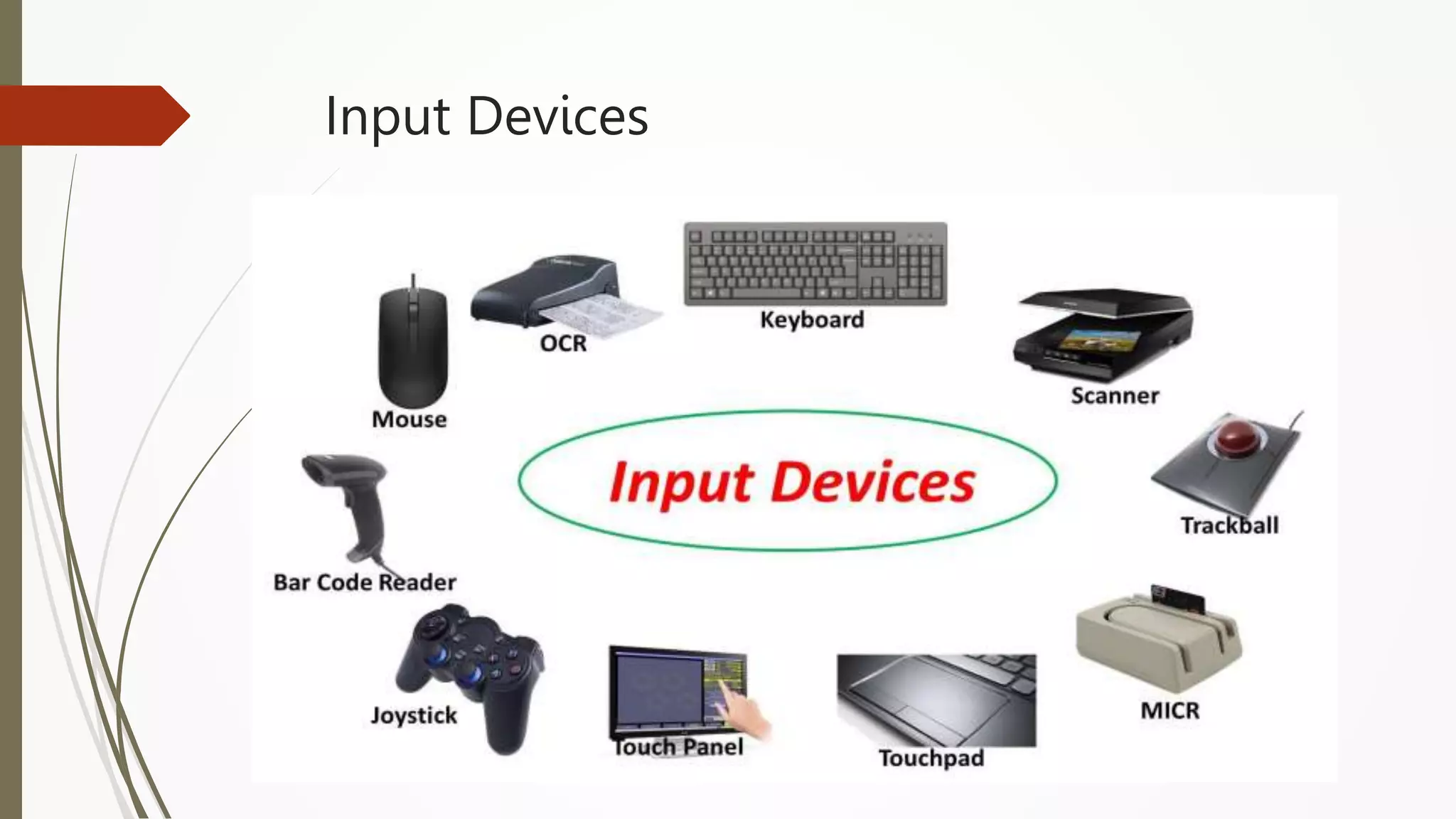
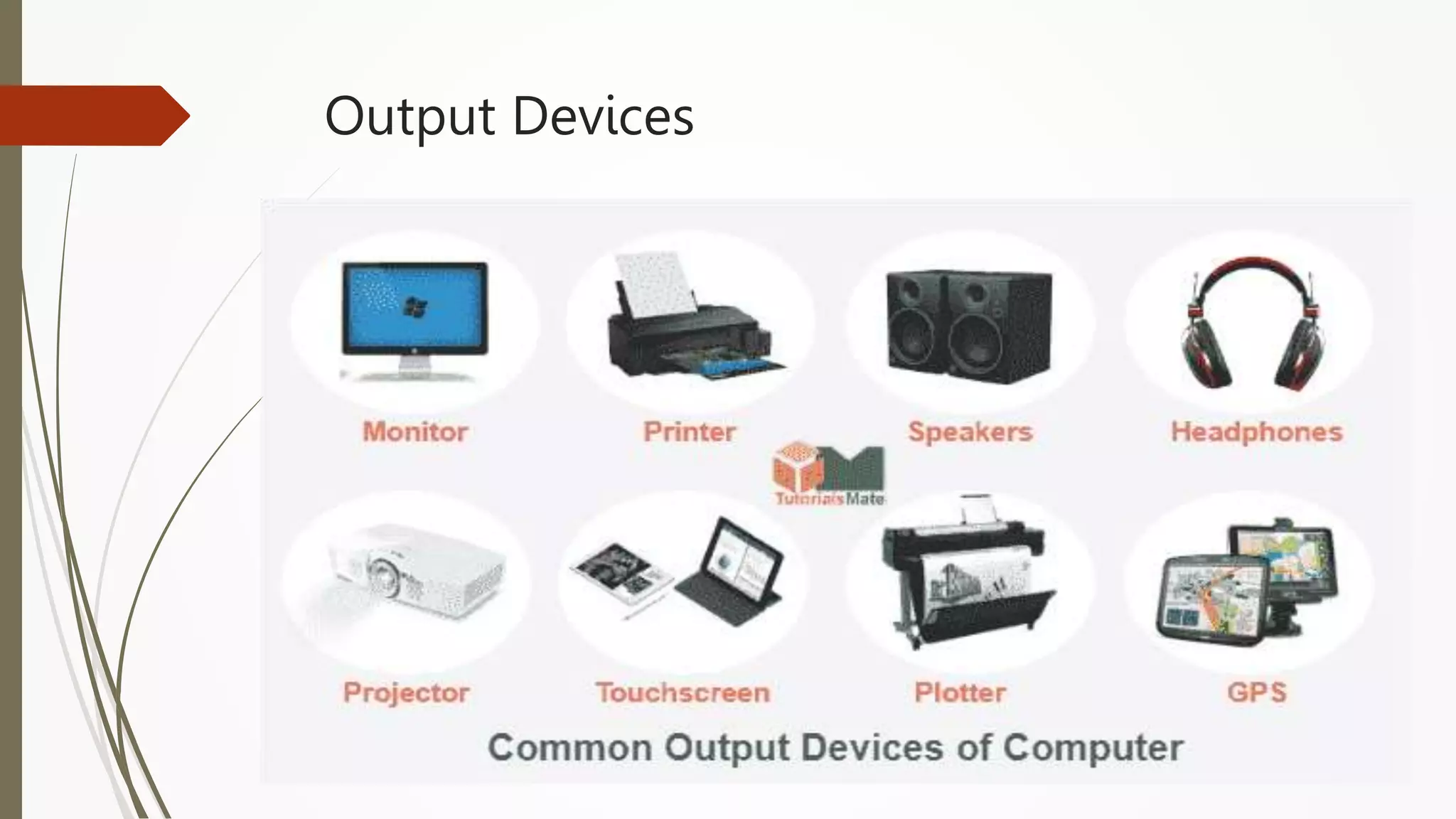
 The term "device" refers to any piece of hardware used by the computer, such as a
keyboard, monitor, modem, mouse, etc.
 These are mechanical devices that make up the computer.
Input Devices
Output Devices
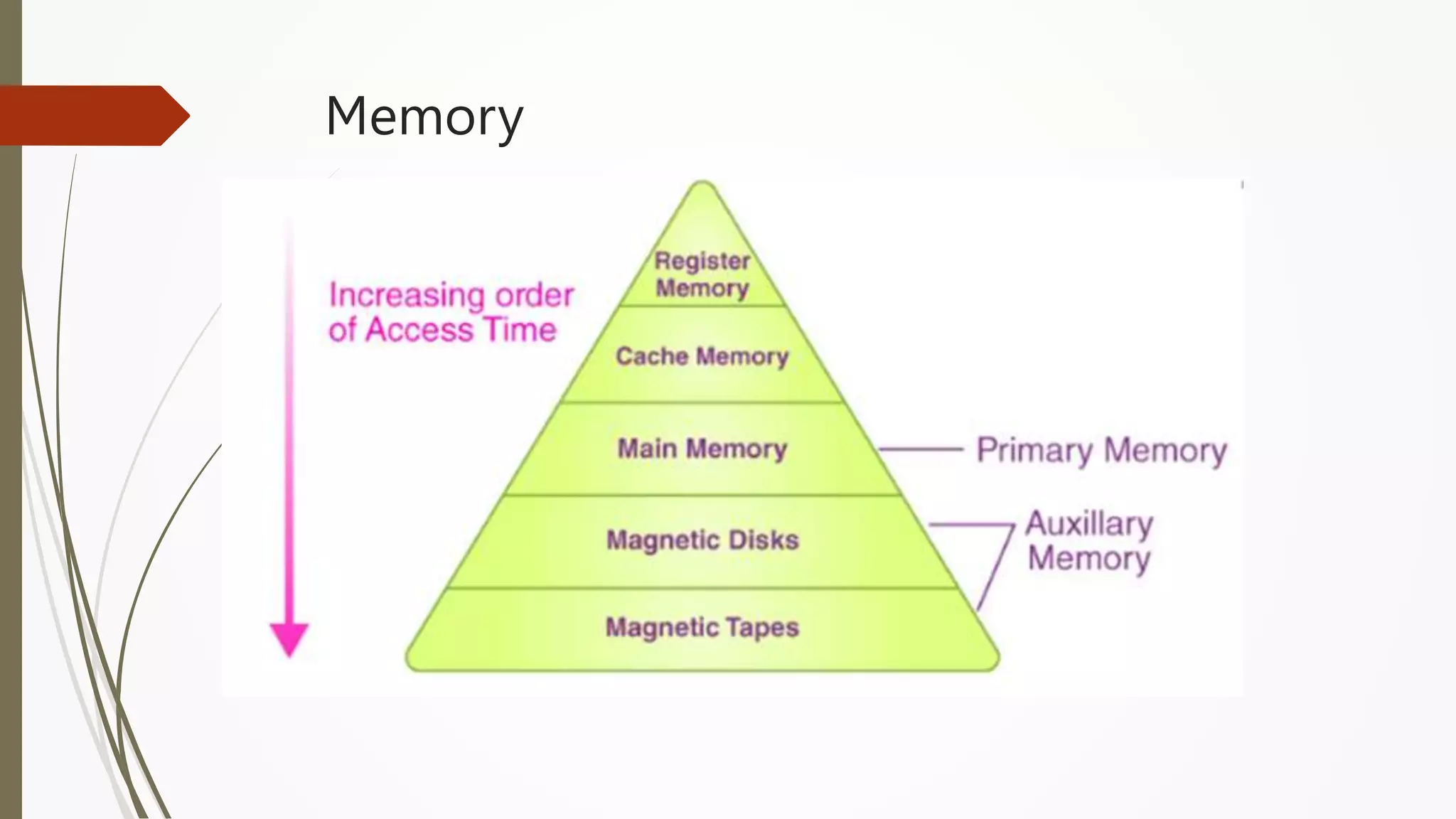
Memory
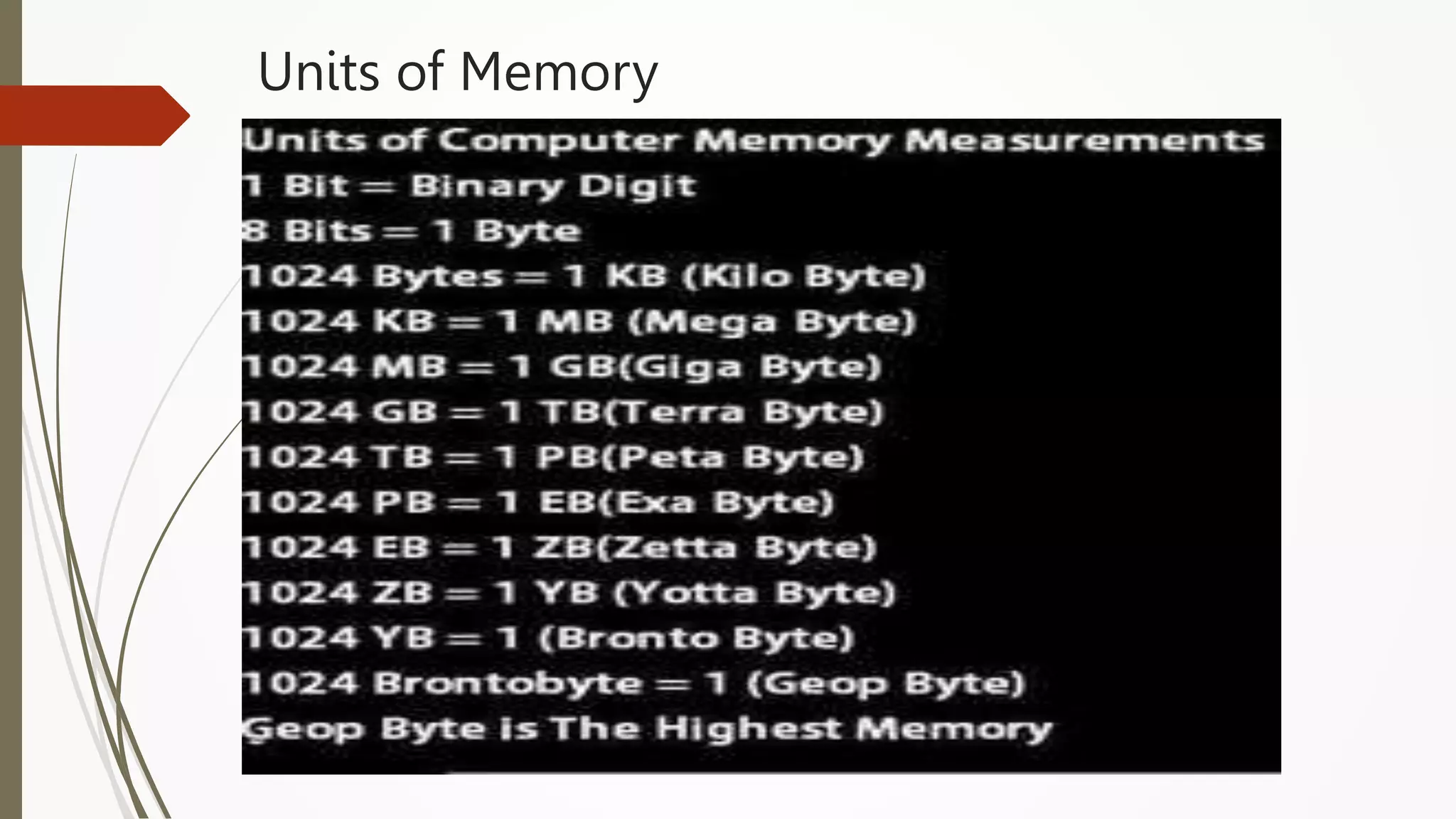
Units of Memory
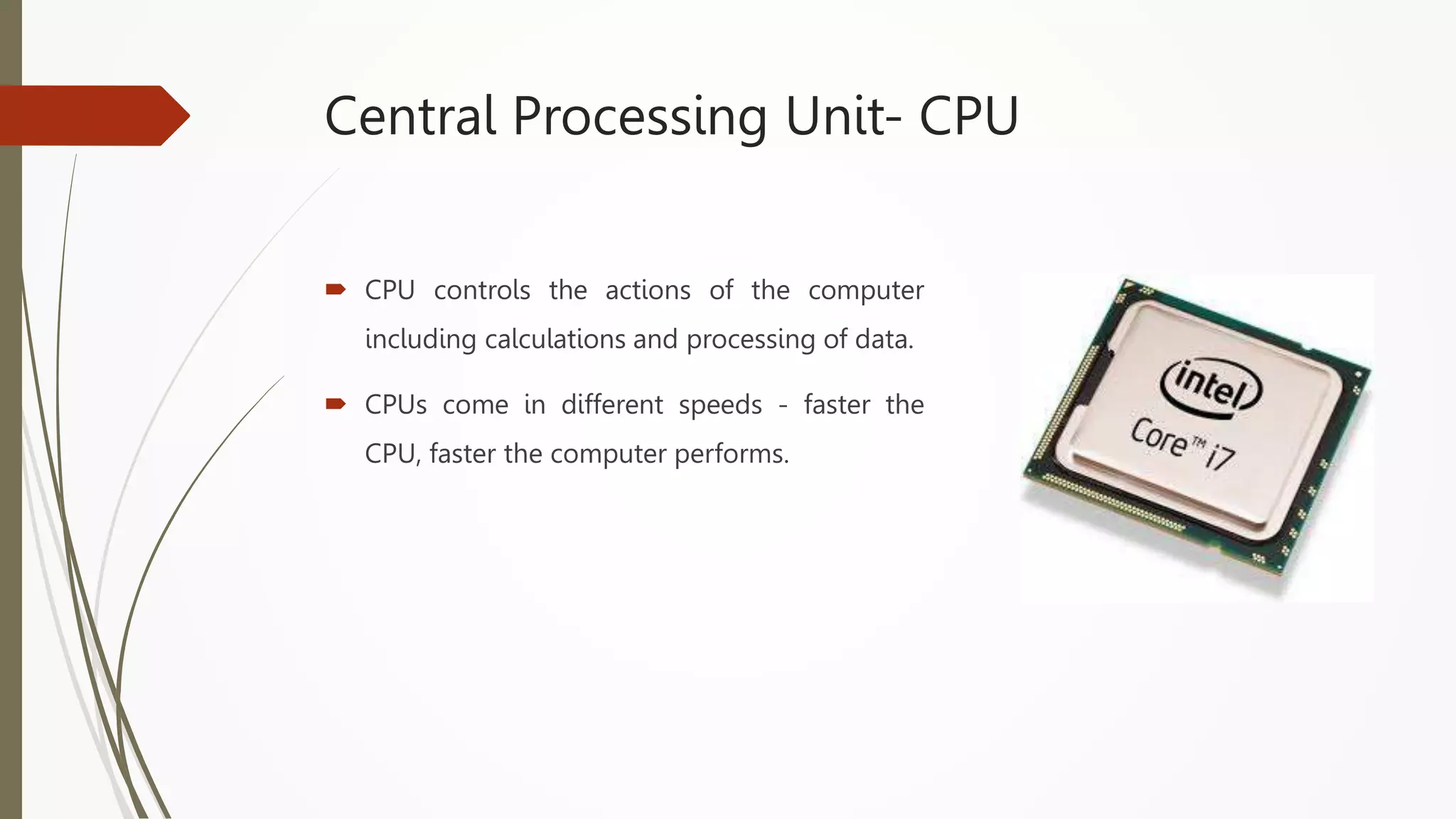
Central Processing Unit- CPU
 CPU controls the actions of the computer
including calculations and processing of data.
 CPUs come in different speeds - faster the
CPU, faster the computer performs.
Computer Software
 It is a set of instructions that makes the computer perform tasks. It is a part of the
computer you cannot touch but is very important.
 For any computer to function, it needs to have software installed on it. It is all the
programming that makes the computer run; controlling everything that the computer
does.
Types of Software
 System Software
Is any program that controls the computer’s hardware or that can be used to maintain the
computer in some way so that it runs more efficiently. System Software provides a platform for
running application software.
Eg: OS, N/W OS, Utility Programs
 Application Software
Tells the computer how to accomplish specific tasks for the user.
Eg: Word processing, Spreadsheets, Presentations, Graphics programs, Database
management software
 Utility Software
A utility is a program that makes the computer system easier to use or performs highly
specialized functions. Utilities are used to manage disks, troubleshoot hardware problems, and
perform other tasks that the operating system itself may not be able to do.
Eg: Symantec antivirus, Partition Magic.
Characteristics of Computer
 Speed
 Accuracy
 Diligence
 Storage Capability
 Versatility
 Speed :The computer can process data very fast, at the rate
of millions of instructions per second
 Accuracy: Computer provides a high degree of accuracy. For
example, the computer can accurately give the result of
division of any two numbers up to 10 decimal places.
 Diligence: When used for a longer period of time, the
computer does not get tired or fatigued. It can perform long
and complex calculations with the same speed and accuracy
from the start till the end.
 Storage Capability: Large volumes of data and information
can be stored in the computer and also retrieved whenever
required. A limited amount of data can be stored, temporarily,
in the primary memory. Secondary storage devices like floppy
disk and compact disk can store a large amount of data
permanently.
 Versatility: Computer is versatile in nature. It can perform
different types of tasks with the same ease. At one moment
you can use the computer to prepare a letter document and
in the next moment you may play music or print a document.
Algorithms
Definition
An algorithm is “a finite set of precise instructions for
performing a computation or for solving a problem”
A program is one type of algorithm
All programs are algorithms
Not all algorithms are programs!
Directions to somebody’s house is an algorithm
A recipe for cooking a cake is an algorithm
The steps to compute the cosine of 90° is an algorithm
Properties of an Algorithm
 Algorithms generally share a set of properties:
Input: what the algorithm takes in as input
Output: what the algorithm produces as output
Definiteness: the steps are defined precisely
Correctness: should produce the correct output
Finiteness: the steps required should be finite
Effectiveness: each step must be able to be performed in
a finite amount of time
Generality: the algorithm should be applicable to all
problems of a similar form
CONTROL STRUCTURES USED IN ALGORITHMS
 An algorithm has a finite number of steps. Some steps may
involve decision-making and repetition.
 An algorithm may employ one of the following control
structures:
(a) sequence
(b) decision
(c) repetition.
Sequence
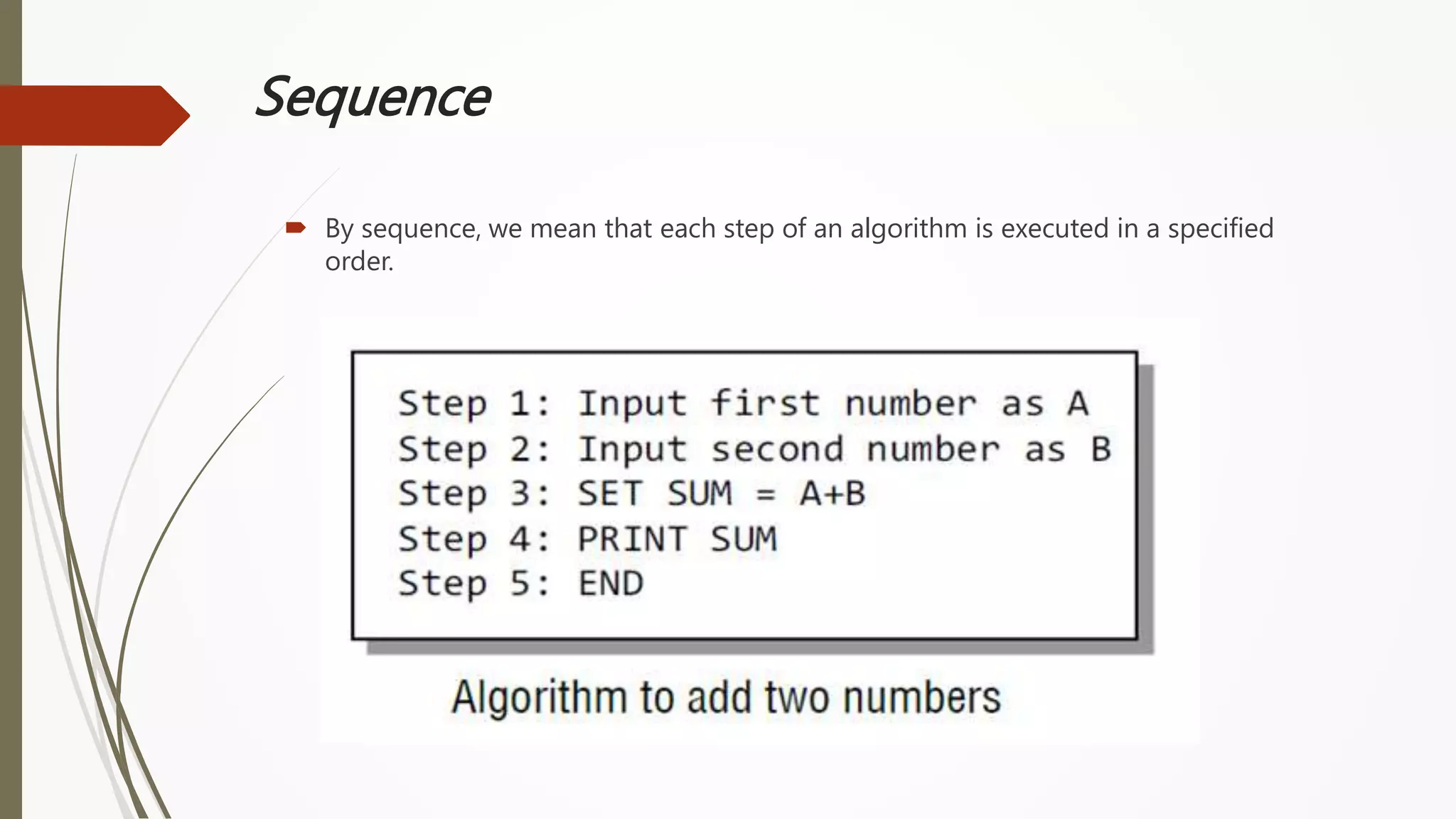
 By sequence, we mean that each step of an algorithm is executed in a specified
order.
Sequence
 Ex ample-2: A lg orithm to find area of a circle
Step 1: Start
Step 2 : Read the RADIUS of a circle in ‘rad’
Step 3 : Find the square of ‘rad’ and store it in ‘rad-sq’
Step 4 : Multiply ‘rad-sq’ with 3.14 and store the result in AREA
Step 5: Print AREA
Step 6: Stop
Decision
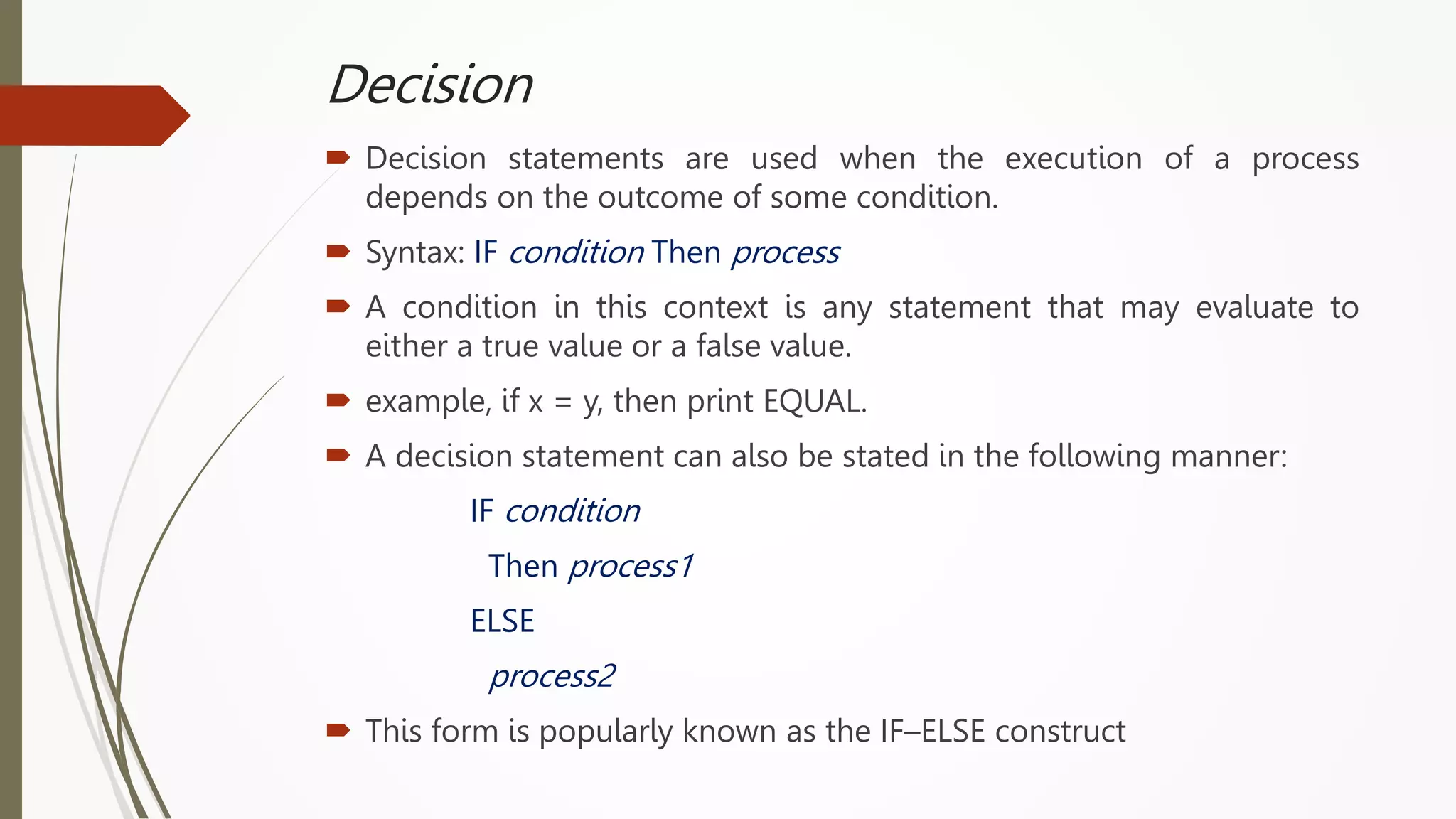
 Decision statements are used when the execution of a process
depends on the outcome of some condition.
 Syntax: IF condition Then process
 A condition in this context is any statement that may evaluate to
either a true value or a false value.
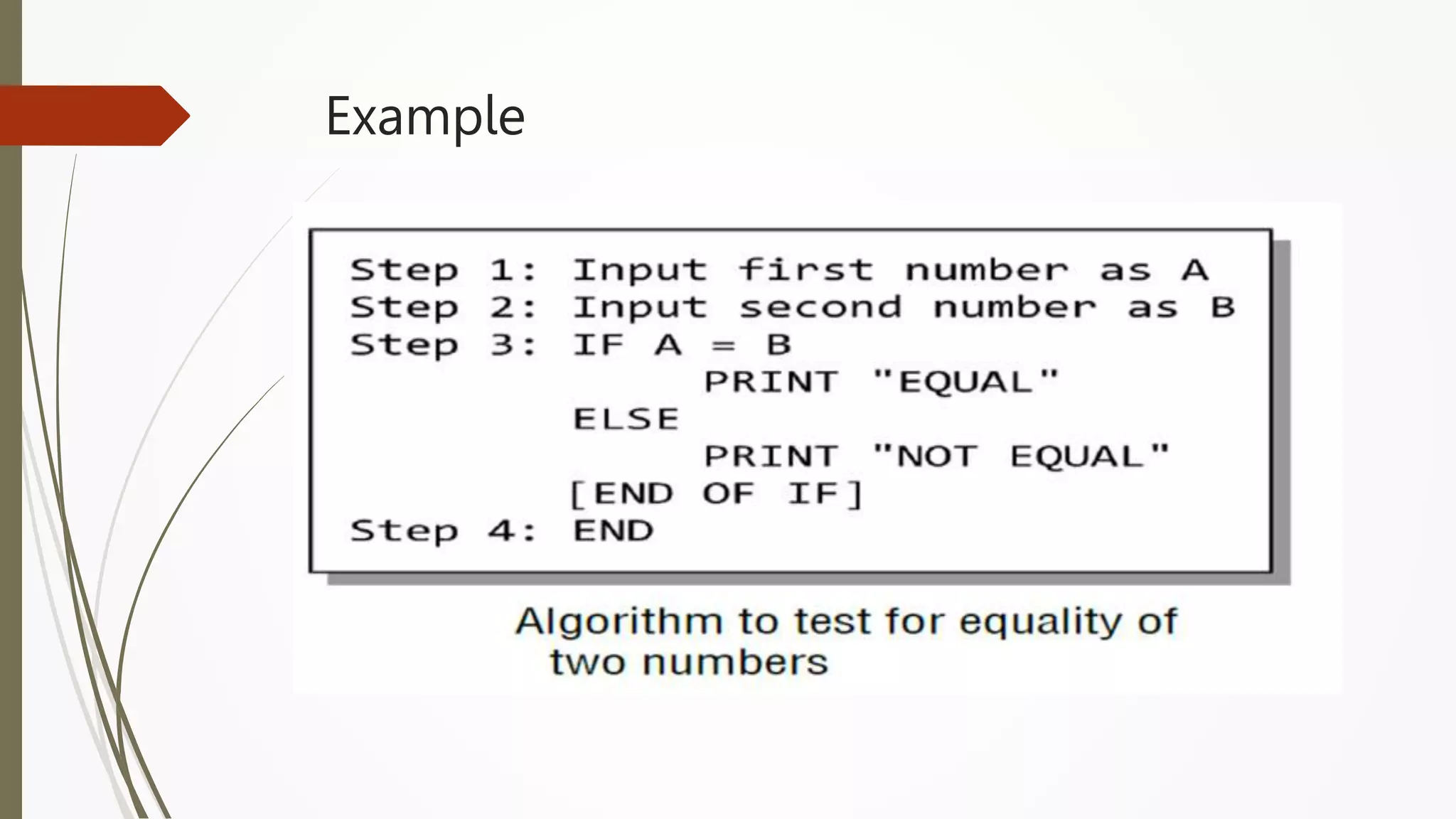
 example, if x = y, then print EQUAL.
 A decision statement can also be stated in the following manner:
IF condition
Then process1
ELSE
process2
 This form is popularly known as the IF–ELSE construct
Example
Example-2
Write an algorithm to find the average marks of a student. Also
check whether the student has passed or failed. For a student to
be declared pass, average marks should not be less than 65.
Solution
Step 0 : Start
Step 1 : Read 3 subjects marks in Marks1, Marks2, Marks3
Step 2 : calculate Total as (Marks1 + Marks2 + Marks3)
Step 3 : calculate Average as (Total / 3)
Step 4 : check if (Average < 65) or not. If yes, Set Output = “Student Failed“
Step 5 : Otherwise, Set Output = “Student Passed“
Step 6 : Display Output
Step 7 : Stop
Repetition
 Repetition, which involves executing one or more steps for a number
of times, can be implemented using constructs such as while, do–
while, and for loops.
 These loops execute one or more steps until some condition is true.
Example1: Algorithm to print the first 10 natural
numbers.
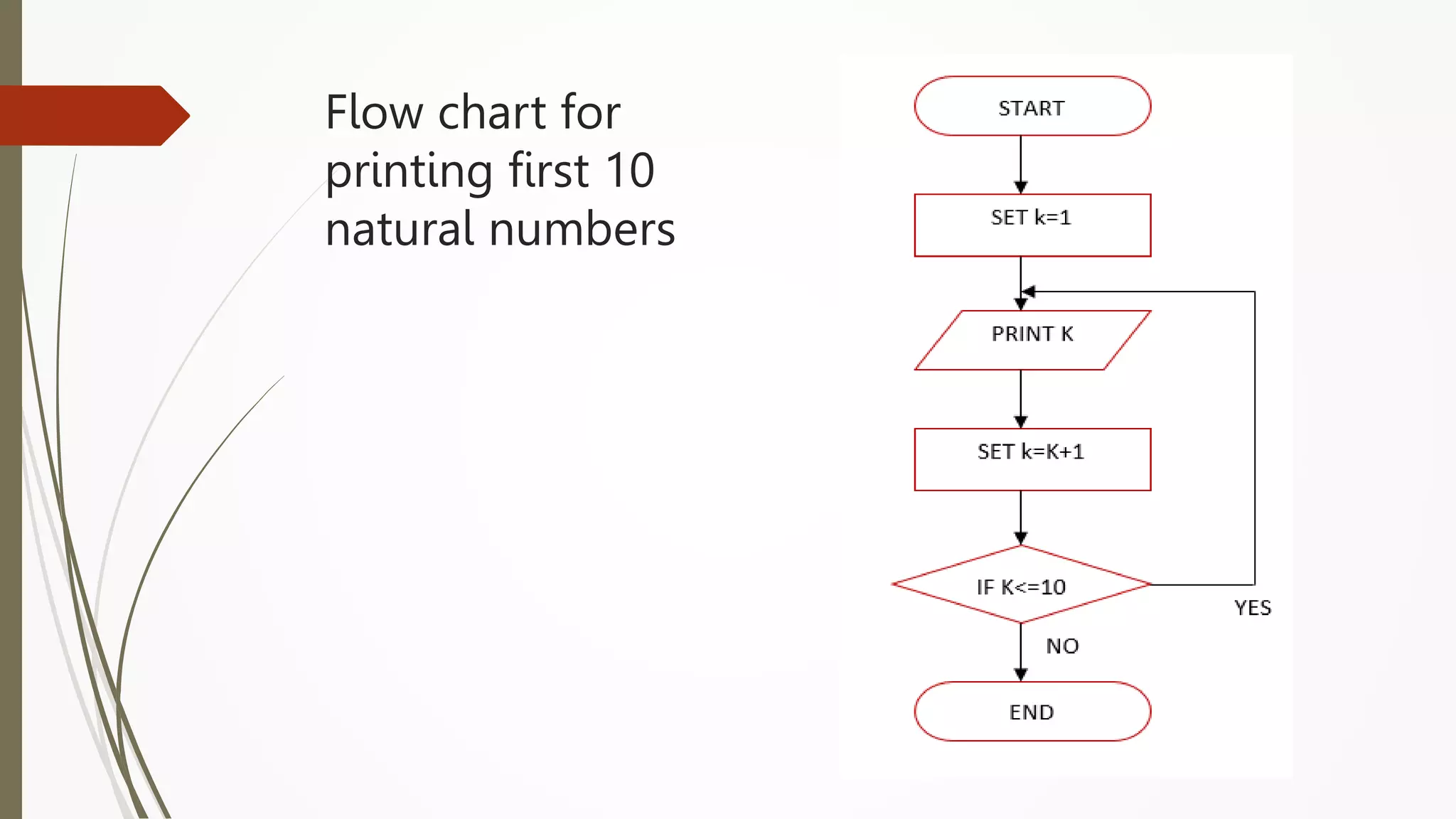
 Step 1: Start.
 Step 2: SET K=1
 Step 3: Output K.
 Step 4: Increment K by 1.
 Step 5: Check if the value of K is less than or equal to 10. IF
K<=10 THEN GOTO step 3 otherwise GOTO Step 6.
 Step 6: Stop.
Example-2: Find the average marks scored by
‘N’ number of students
Step 1 : Start
Step 2 : Read Number Of Students in ‘n’ and Let Counter = 1
Step 3 : Read Marks1, Marks2, Marks3
Step 4 : Calculate Total = (Marks1 + Marks2 + Marks3) and Average = Total / 3
Step 5 : If (Average < 65) then Set Output = “Student Failed“
Step 6 : Otherwise, Set Output = “Student Passed“
Step 7 : Display Output
Step 9 : Set Counter = Counter + 1
Step 10 : If (Counter <=‘n’ ) then goto step 3. otherwise, go to next step
Step 11: Stop
Task:
1. Write an algorithm to print the largest of two given
numbers.
2. Write an algorithm to print first 10 even numbers.
Algorithm to print first 10 even numbers
 Step 1: Start.
 Step 2: SET K=1
 Step 3: Check if the value of K divisible by 2. IF K%2==0 THEN GOTO step 4
otherwise GOTO Step 5
 Step 4: print K
 Step 5: Increment K by 1.
 Step 5: Check if the value of K is less than or equal to 10. IF K<=10 THEN GOTO
step 3 otherwise GOTO Step 6.
 Step 6: Stop.
Flow Chart
What is a Flow chart?
 A flow chart is a pictorial representation of an algorithm in
which the steps are drawn in the form of different shapes of
boxes and the logical flow is indicated by interconnecting
arrows.
 Flow charts are used in analyzing, designing , documenting or
managing a process or a program in various fields.
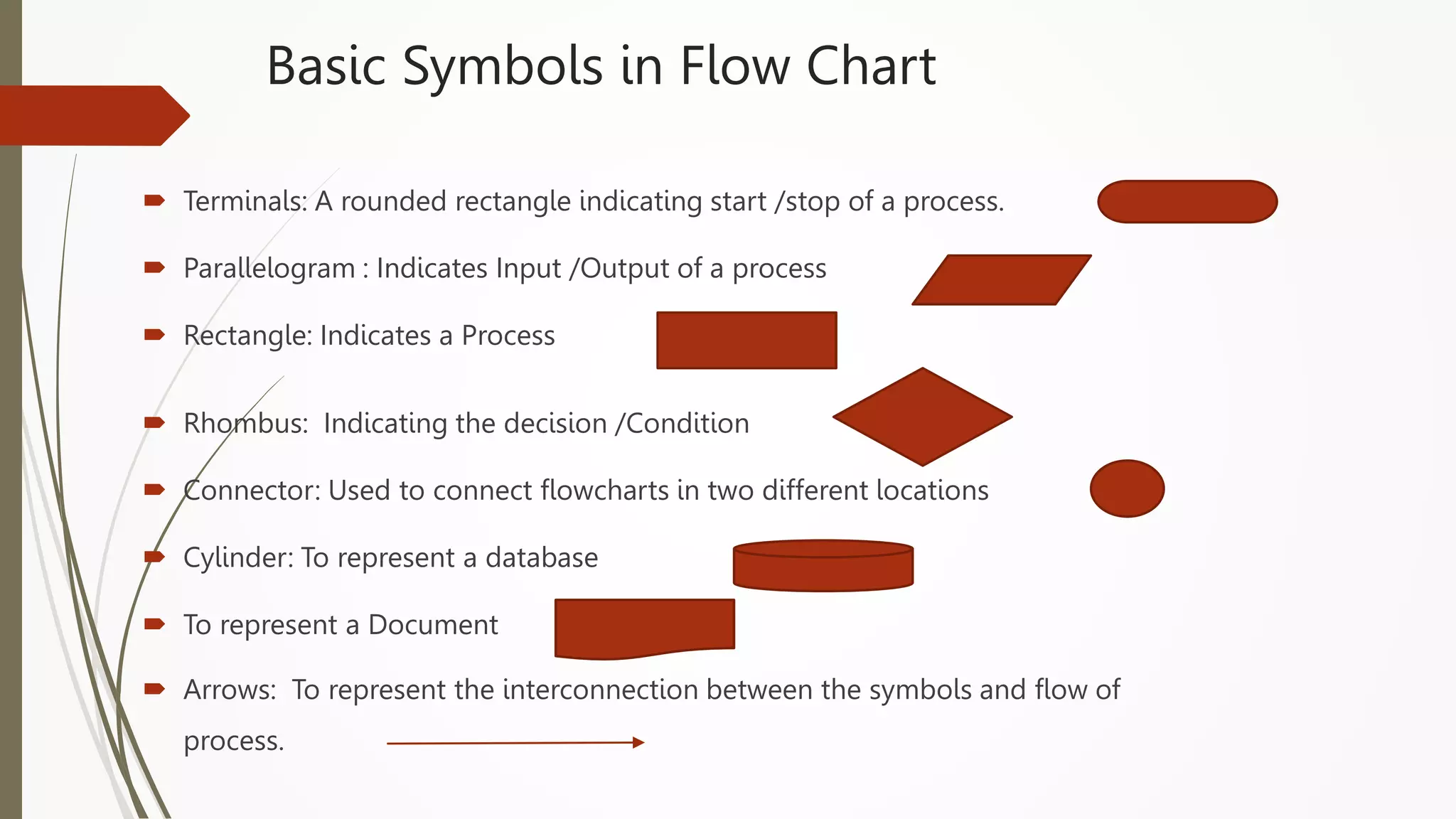
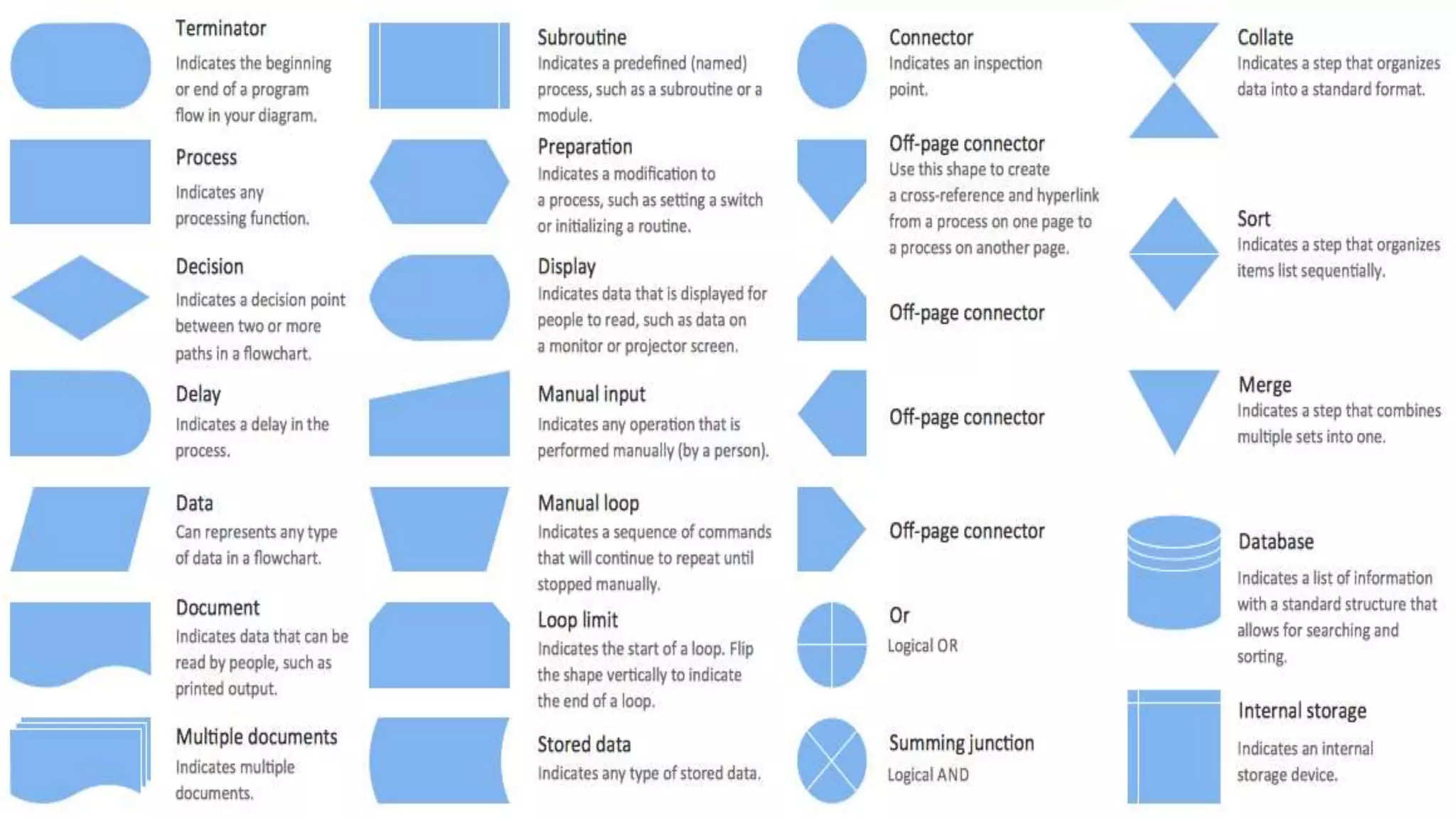
Basic Symbols in Flow Chart
 Terminals: A rounded rectangle indicating start /stop of a process.
 Parallelogram : Indicates Input /Output of a process
 Rectangle: Indicates a Process
 Rhombus: Indicating the decision /Condition
 Connector: Used to connect flowcharts in two different locations
 Cylinder: To represent a database
 To represent a Document
 Arrows: To represent the interconnection between the symbols and flow of
process.
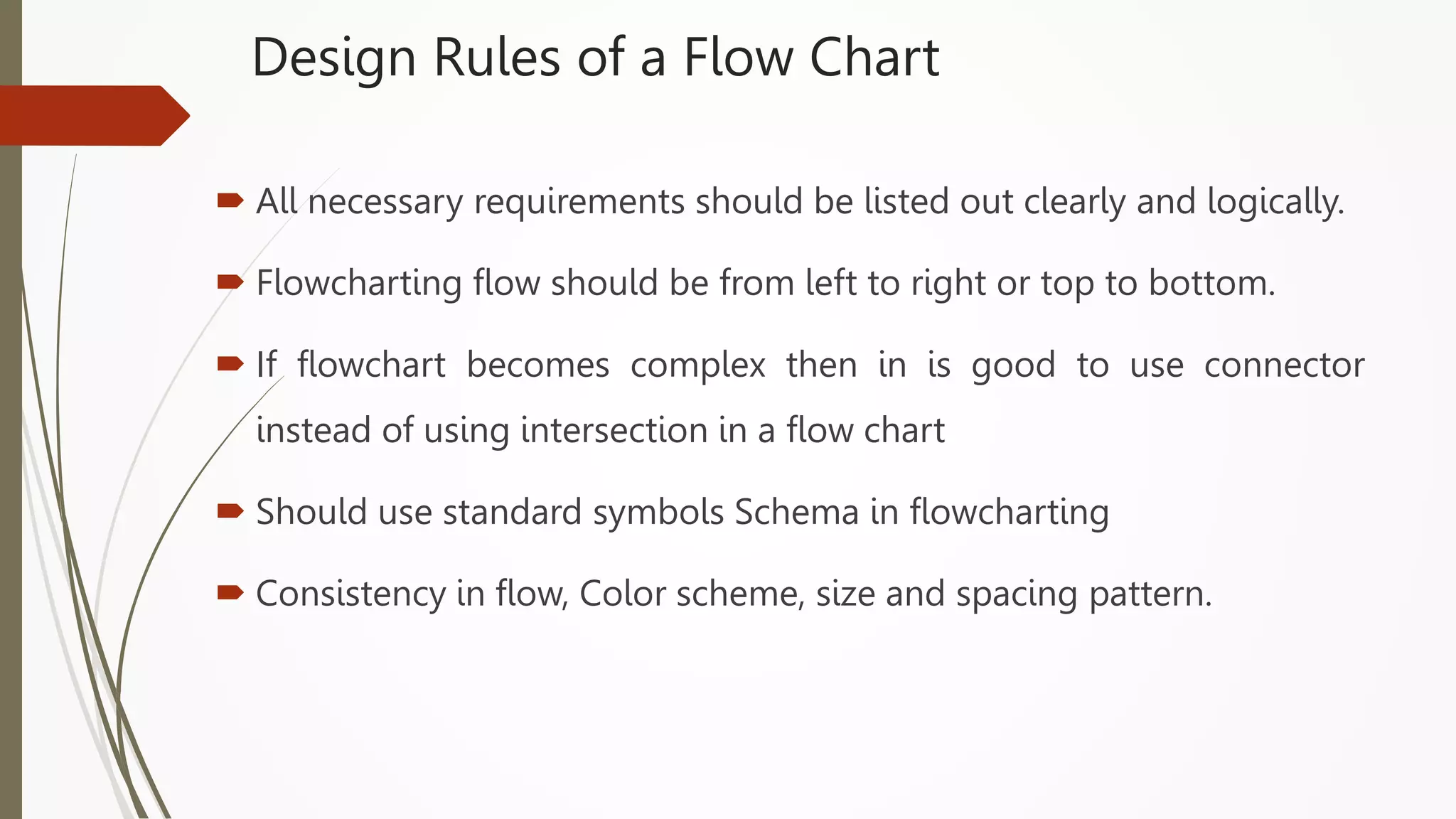
Design Rules of a Flow Chart
 All necessary requirements should be listed out clearly and logically.
 Flowcharting flow should be from left to right or top to bottom.
 If flowchart becomes complex then in is good to use connector
instead of using intersection in a flow chart
 Should use standard symbols Schema in flowcharting
 Consistency in flow, Color scheme, size and spacing pattern.
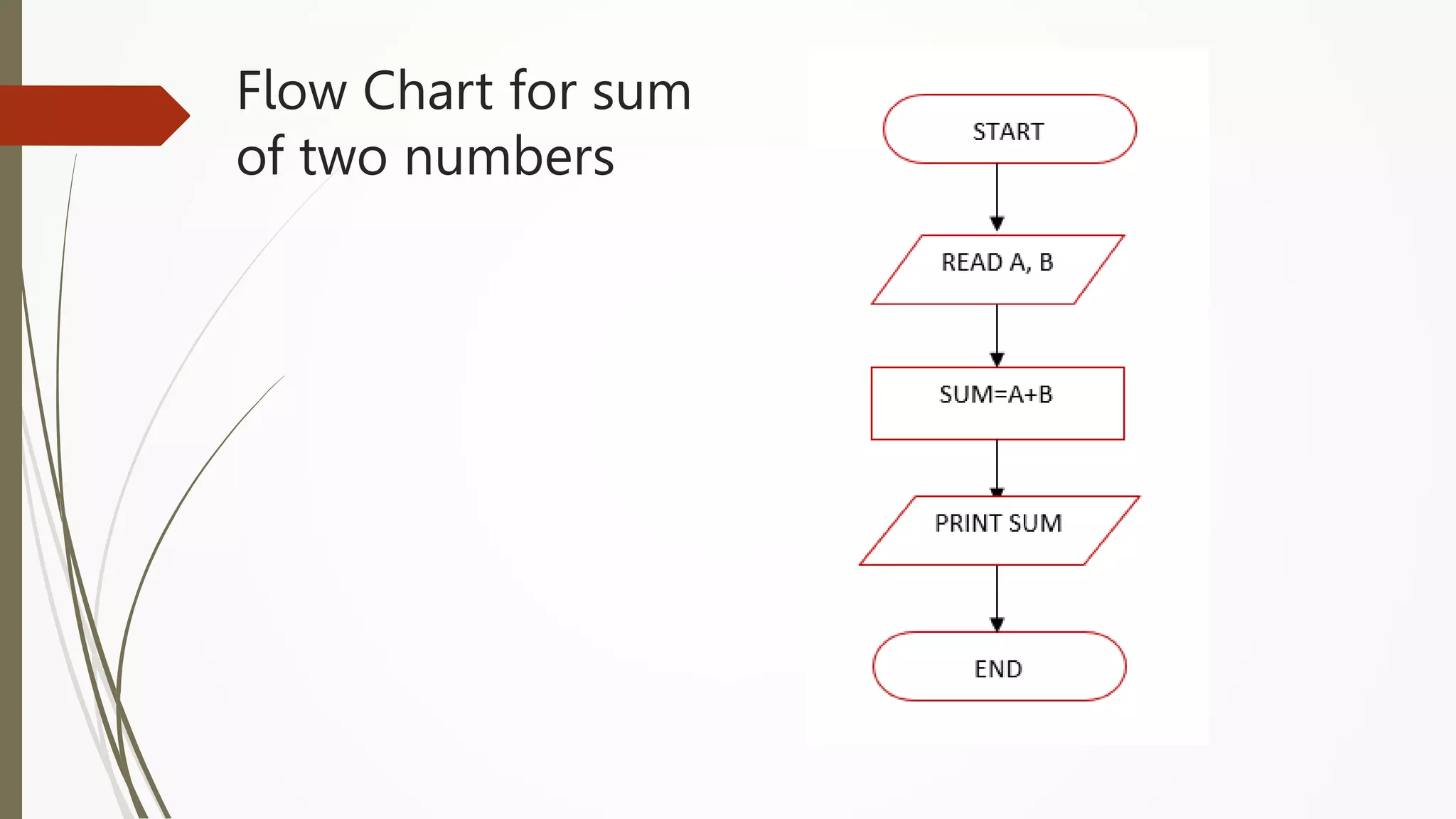
Flow Chart for sum
of two numbers
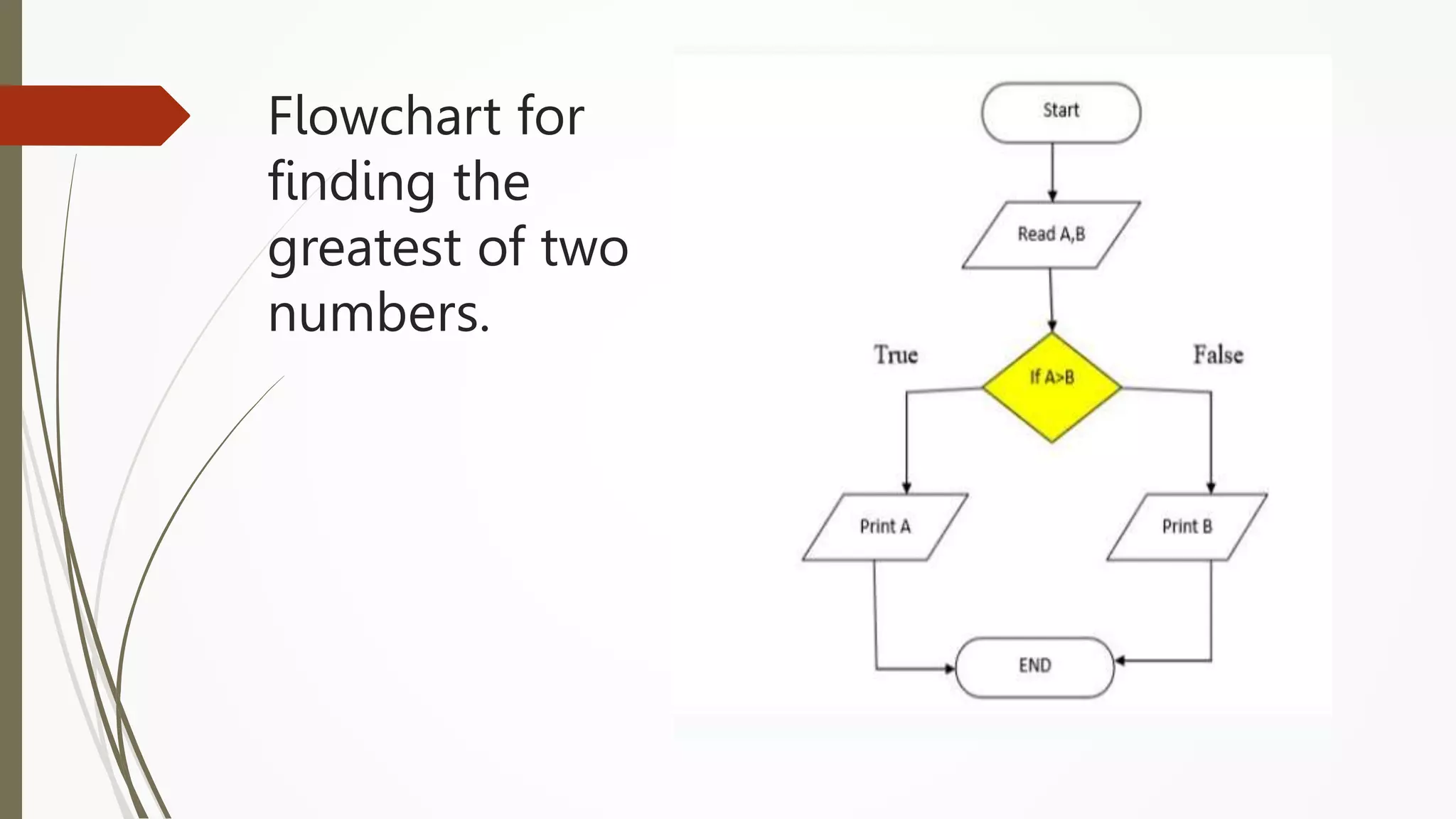
Flowchart for
finding the
greatest of two
numbers.
Flow chart for
printing first 10
natural numbers
Tasks:
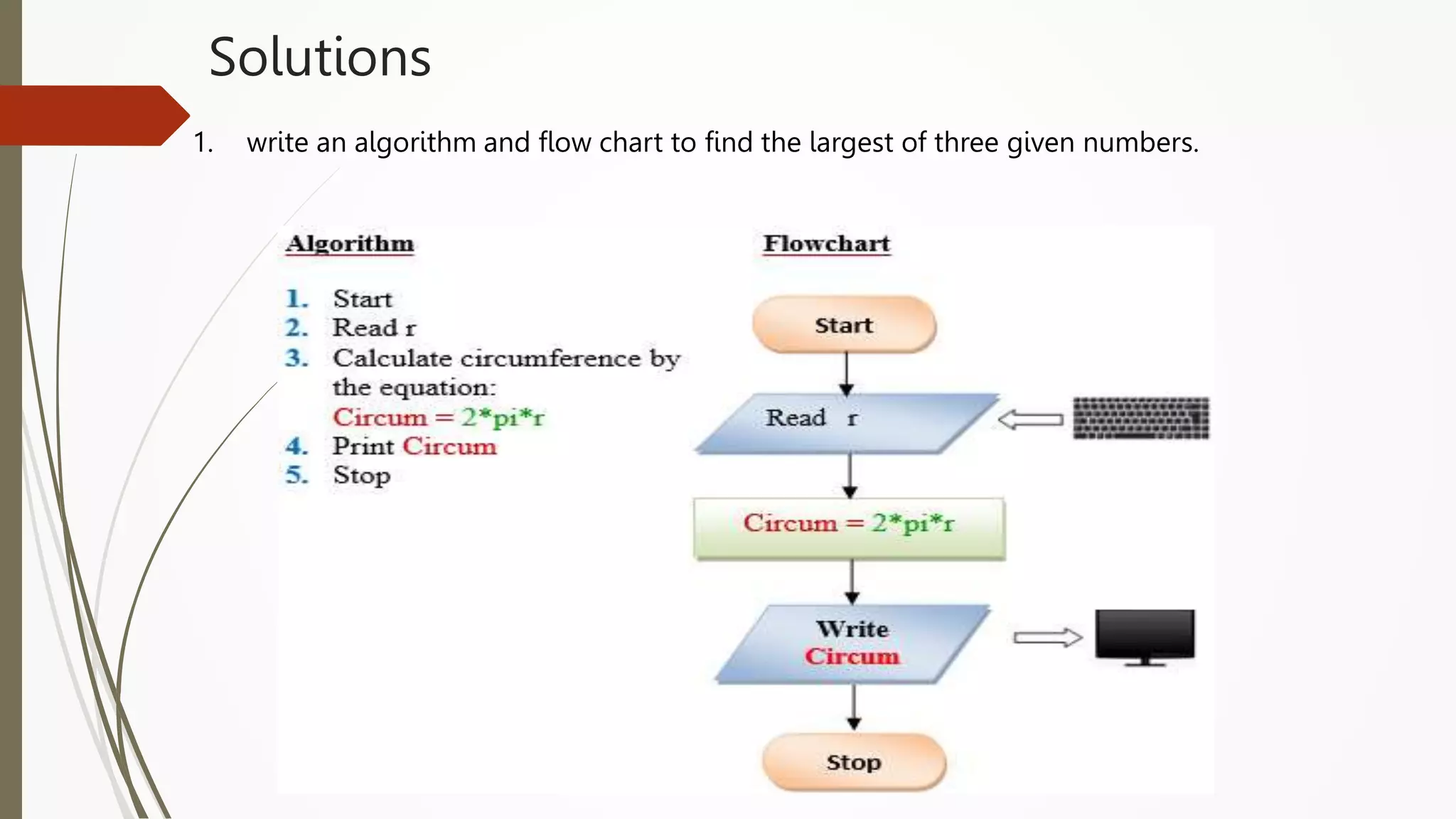
1. write an algorithm and flow chart to find the largest of three given numbers.
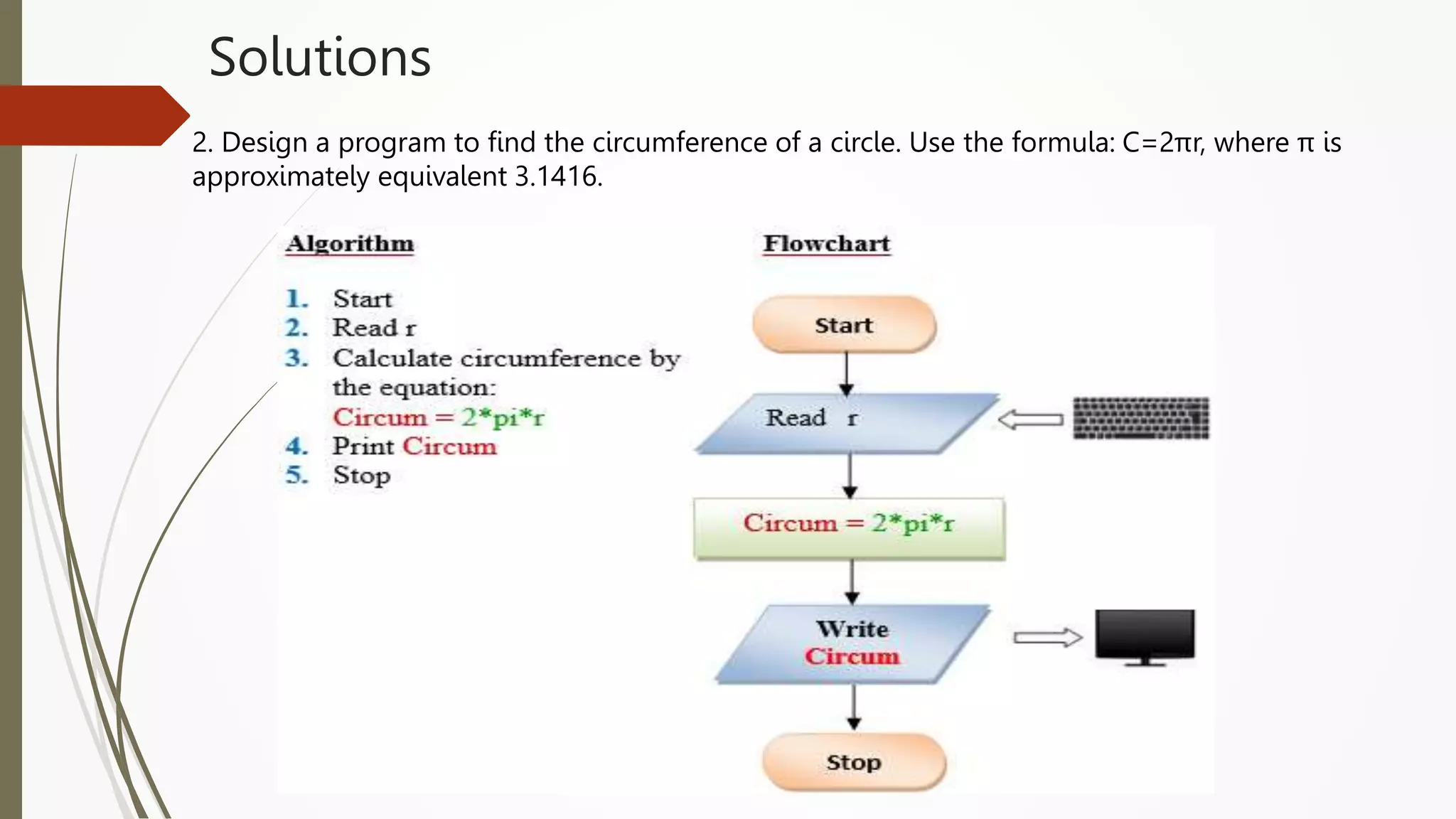
2. Design an algorithm and flowchart to find the circumference of a circle. Use the
formula: C=2πr, where π is approximately equivalent 3.1416.
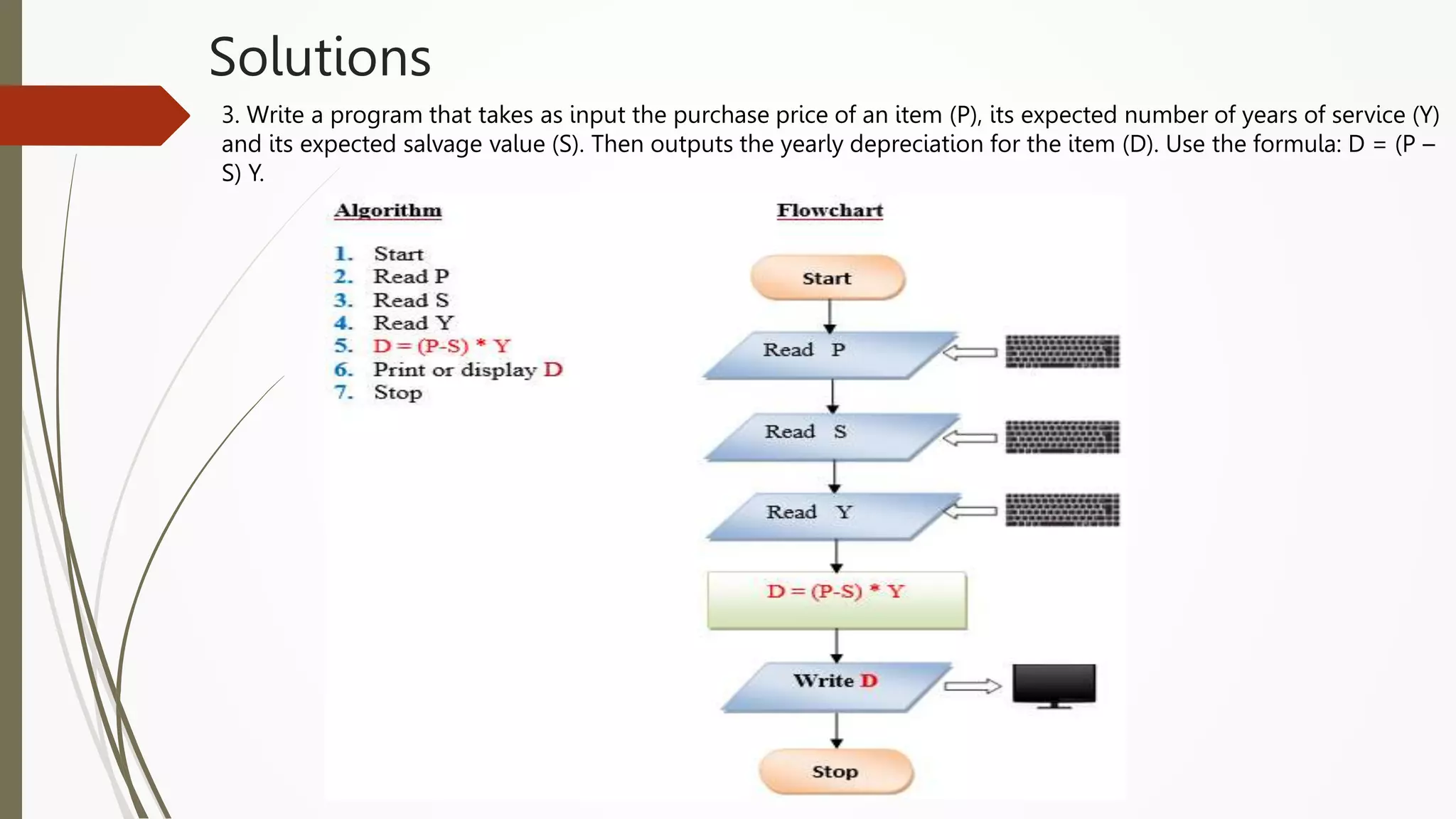
3. Write an algorithm and flowchart that takes as input the purchase price of an
item (P), its expected number of years of service (Y) and its expected salvage
value (S). Then outputs the yearly depreciation for the item (D). Use the
formula: D = (P – S) Y.
Solutions
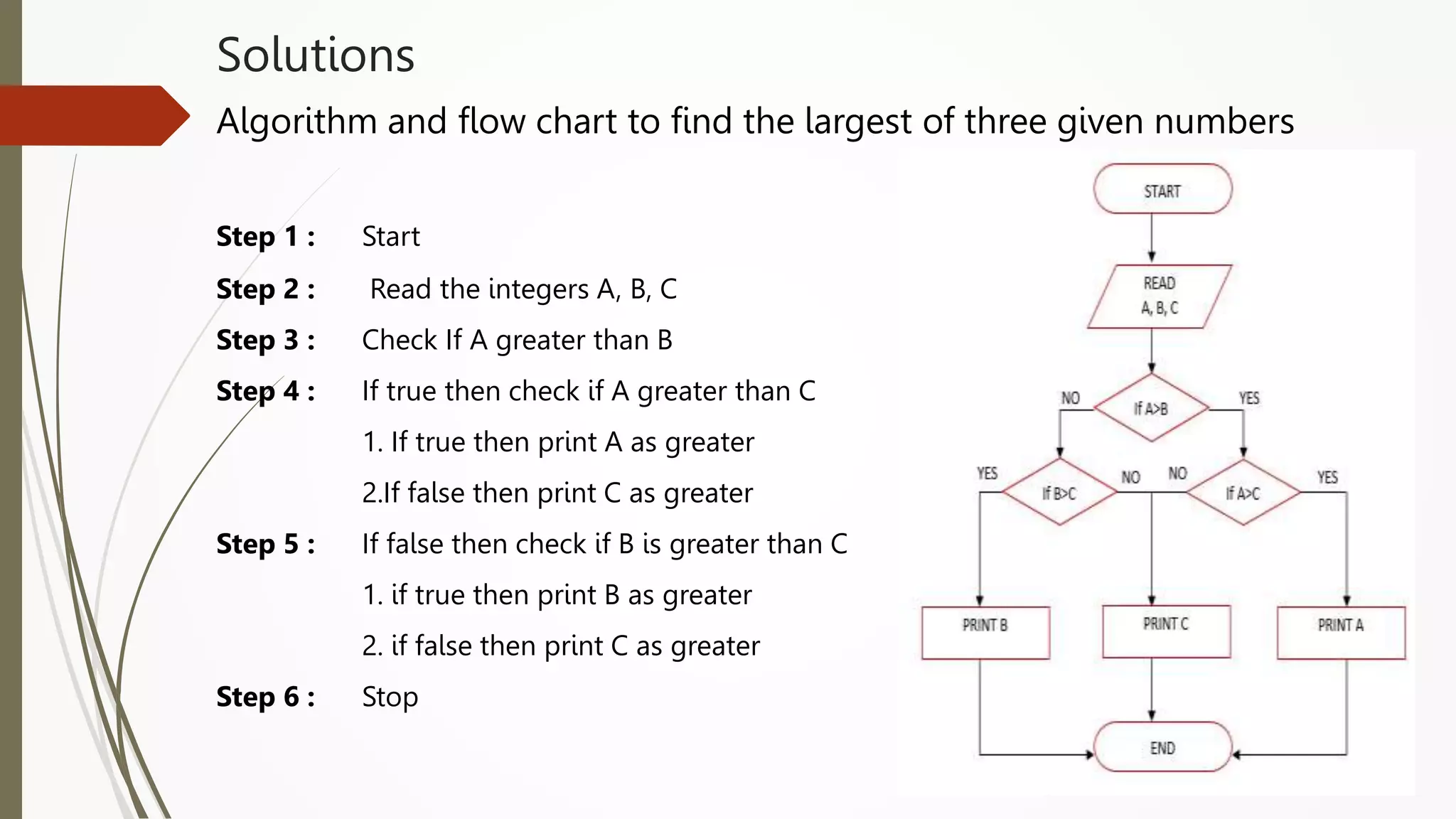
Algorithm and flow chart to find the largest of three given numbers
Step 1 : Start
Step 2 : Read the integers A, B, C
Step 3 : Check If A greater than B
Step 4 : If true then check if A greater than C
1. If true then print A as greater
2.If false then print C as greater
Step 5 : If false then check if B is greater than C
1. if true then print B as greater
2. if false then print C as greater
Step 6 : Stop
Solutions
1. write an algorithm and flow chart to find the largest of three given numbers.
Solutions
2. Design a program to find the circumference of a circle. Use the formula: C=2πr, where π is
approximately equivalent 3.1416.
Solutions
3. Write a program that takes as input the purchase price of an item (P), its expected number of years of service (Y)
and its expected salvage value (S). Then outputs the yearly depreciation for the item (D). Use the formula: D = (P –
S) Y.
PROBLEM SOLVING CONCEPTS
Problem
 Problem is a puzzle that requires logical thought and /or
mathematics to solve.
Types of problems
 All Problems do not have a straightforward solutions.
 Some problems can be solved with a series of actions and these solutions are
called algorithmic solutions. There may be more than one solution for a
problem.
Eg: baking a cake, Preparing tea
 Identify all possible ways to solve a problem and choose the best among them
Types of problems
 The solutions of some problems are not so straight forward. These solutions
require reasoning built on knowledge and experience, and a process of trial
and error.
 Solutions that cannot be reached through a direct set of steps are called
heuristic solutions
Eg: how to buy the best stock?
how to expand a company?
Problem Solving
Problem solving is the process of identifying a
problem, developing possible solution paths, and
taking the appropriate course of action.
Problem Solving on Computers
 Computers are built to solve problems with algorithmic solutions, which are
often difficult or very time consuming when input is large
 Solving a complicated calculus problem or alphabetizing 10,000 names is an
easy task for the computer
 So the basis for solving any problem through computers is by developing an
algorithm
Contd..
 Field of computers that deals with heuristic types of problems is called
Artificial Intelligence (AI). Artificial intelligence is an expanding computer
field, especially with the increased use of Robotics.
 Artificial intelligence enables a computer to do things like human by building
its own knowledge bank. As a result, the computer’s problem-solving abilities
are similar to those of a human being.
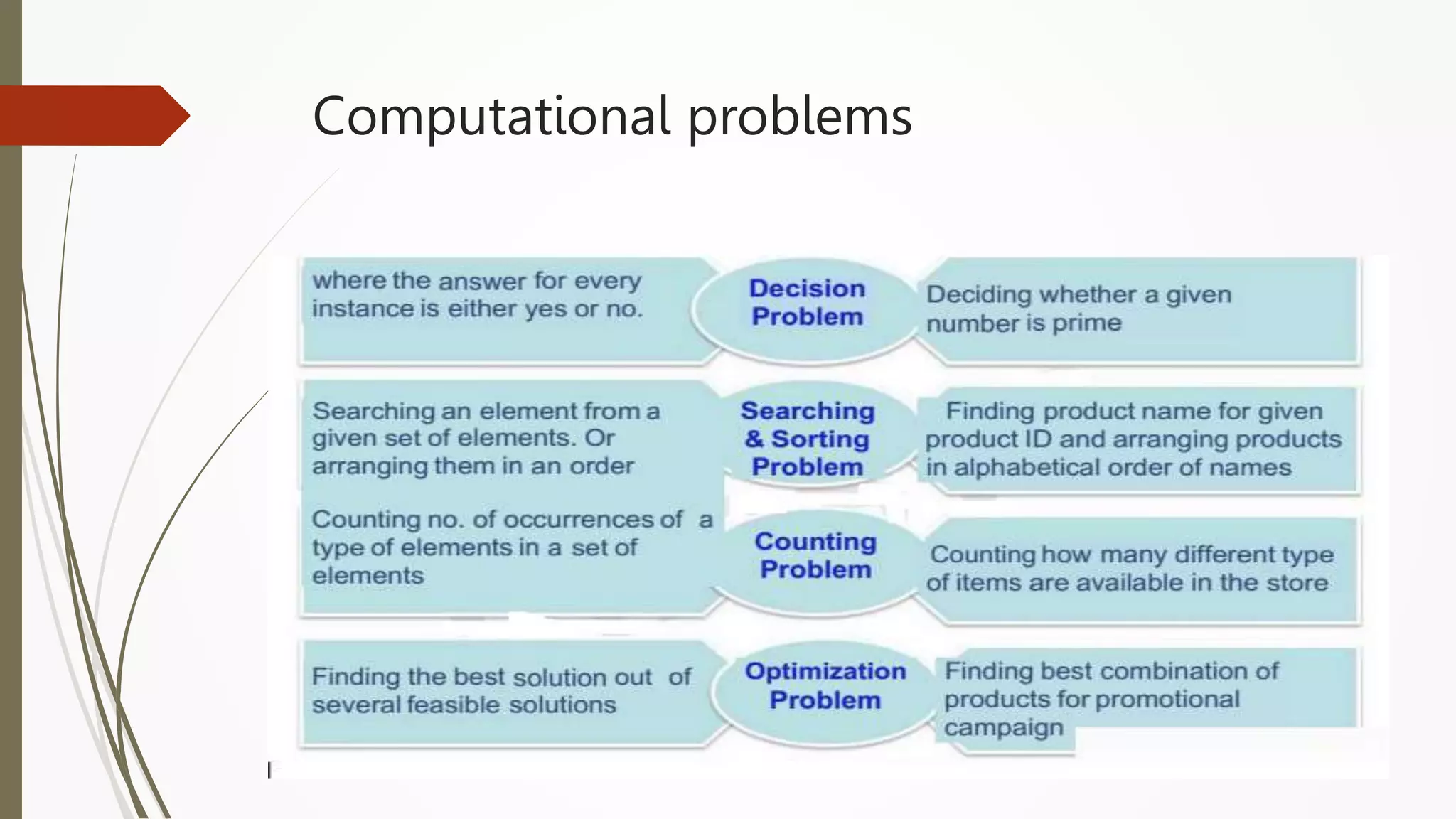
Computational problems
Computation is the process of evolution from one
state to another in accordance with some rules.
Computational problems
Logic
 Definition : It is the basis for solving any problem. It is a method of human
thought that involves thinking in a linear, step by step manner about how a
problem can be solved
Eg: John’s mom has four children.
The first child is called April.
The second May.
The third June.
What is the name of the fourth child?
How a problem can be solved ?
 Solving problem by computer undergoes two phases:
 Phase 1: Pre-programming phase.
 Phase 2: Programming phase.
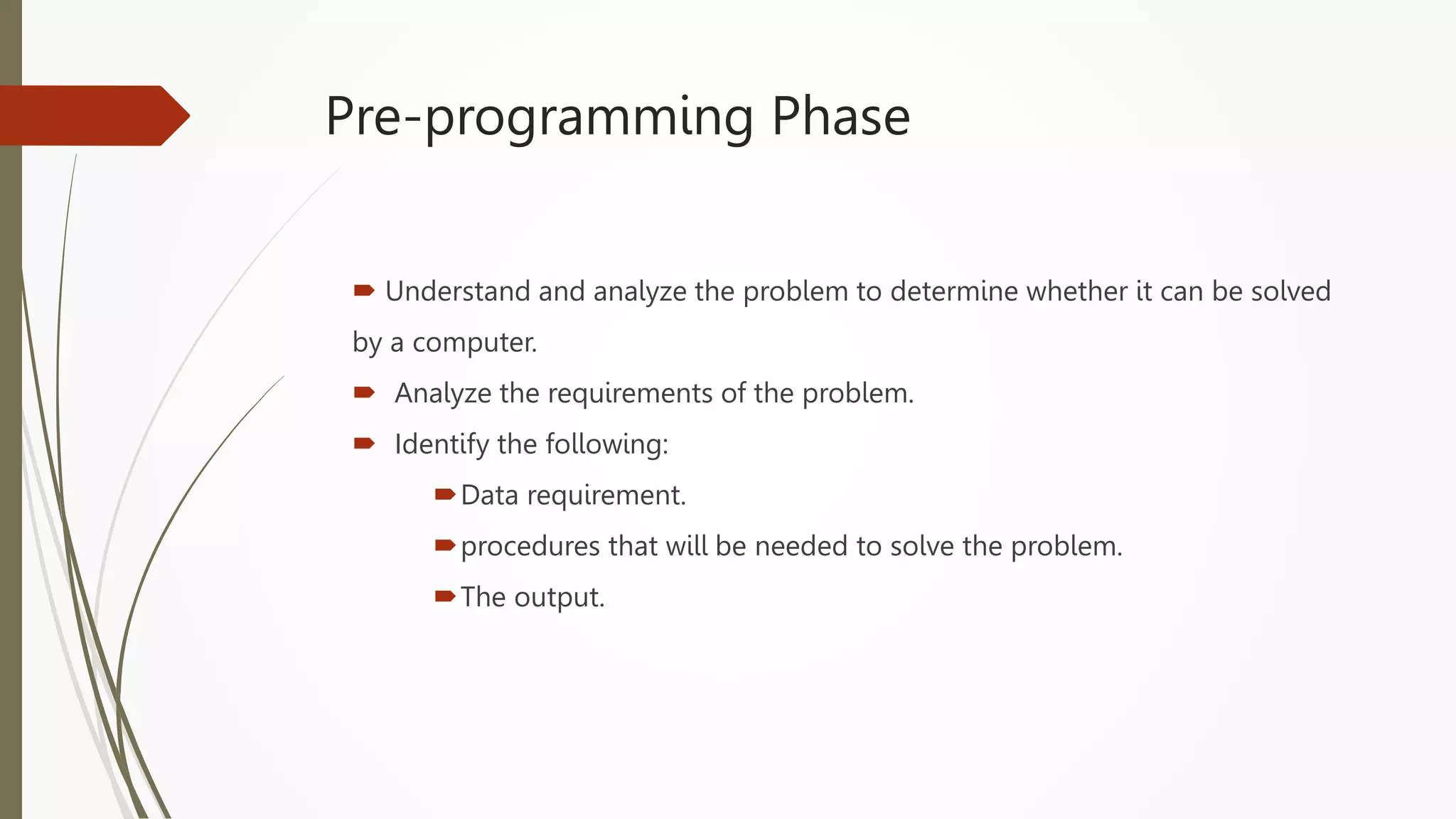
Pre-programming Phase
 Understand and analyze the problem to determine whether it can be solved
by a computer.
 Analyze the requirements of the problem.
 Identify the following:
Data requirement.
procedures that will be needed to solve the problem.
The output.
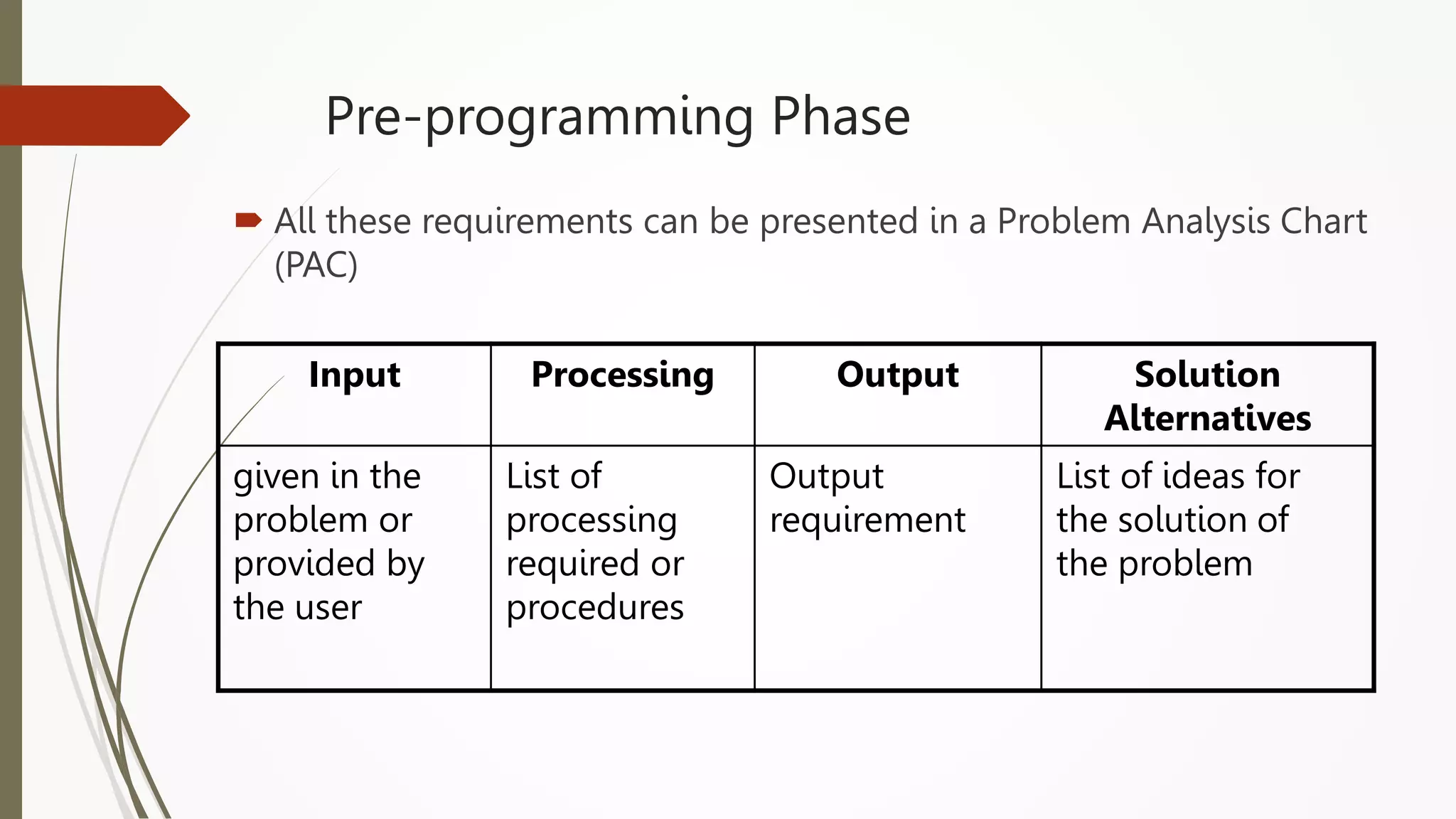
Pre-programming Phase
 All these requirements can be presented in a Problem Analysis Chart
(PAC)
Input Processing Output Solution
Alternatives
given in the
problem or
provided by
the user
List of
processing
required or
procedures
Output
requirement
List of ideas for
the solution of
the problem
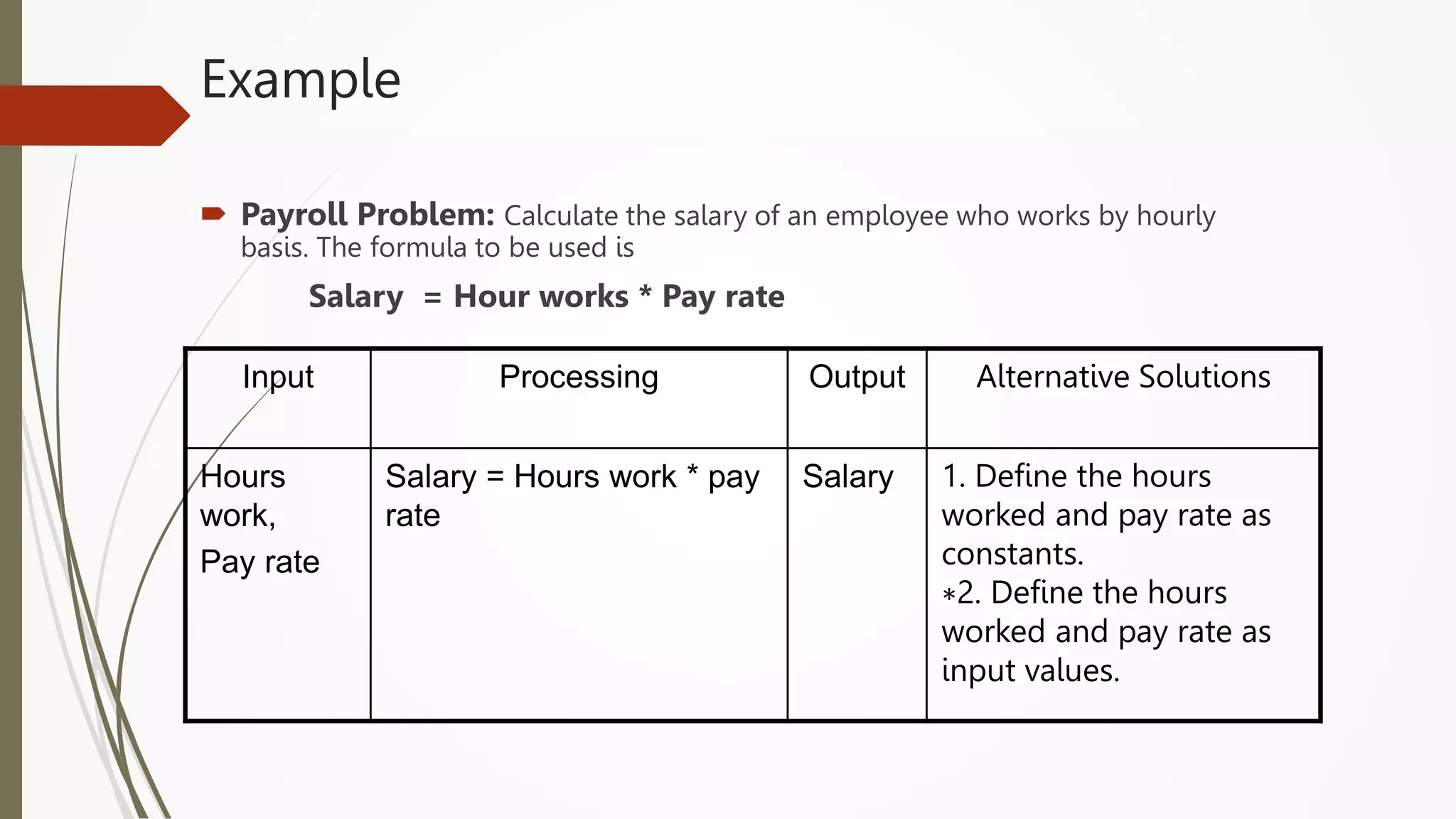
Example
 Payroll Problem: Calculate the salary of an employee who works by hourly
basis. The formula to be used is
Salary = Hour works * Pay rate
Input Processing Output Alternative Solutions
Hours
work,
Pay rate
Salary = Hours work * pay
rate
Salary 1. Define the hours
worked and pay rate as
constants.
∗2. Define the hours
worked and pay rate as
input values.
Example
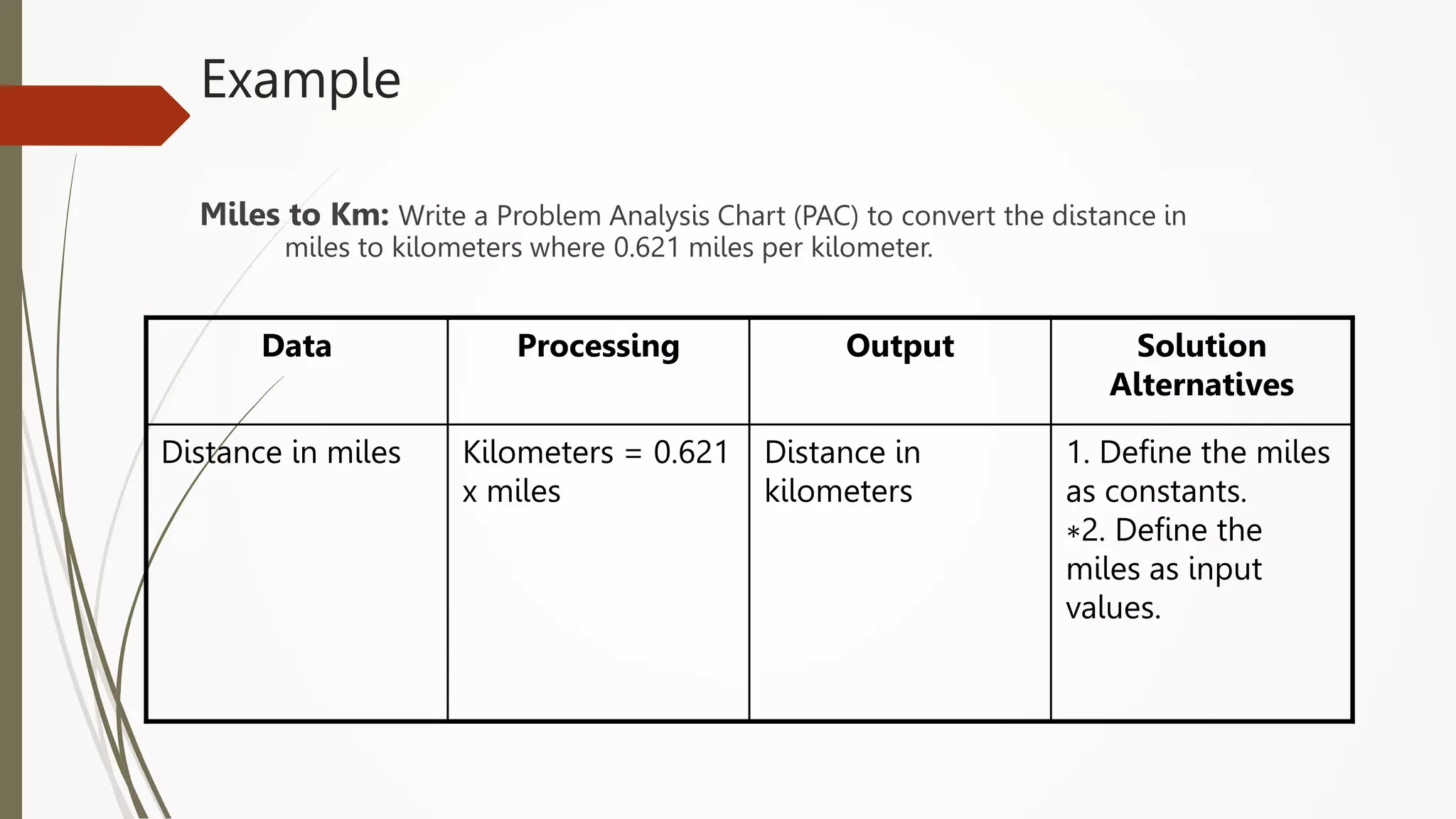
Miles to Km: Write a Problem Analysis Chart (PAC) to convert the distance in
miles to kilometers where 0.621 miles per kilometer.
Data Processing Output Solution
Alternatives
Distance in miles Kilometers = 0.621
x miles
Distance in
kilometers
1. Define the miles
as constants.
∗2. Define the
miles as input
values.
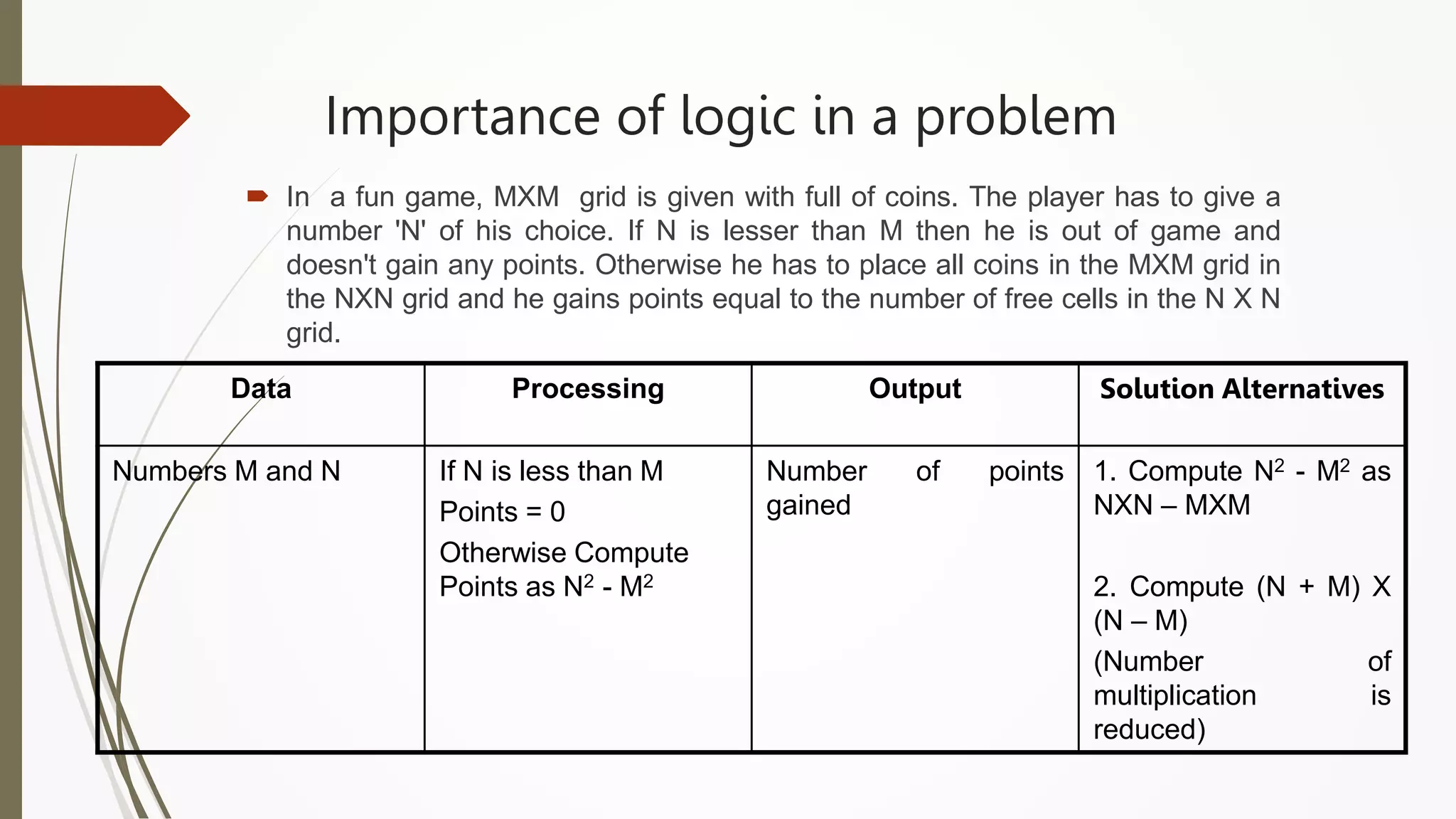
Importance of logic in a problem
 In a fun game, MXM grid is given with full of coins. The player has to give a
number 'N' of his choice. If N is lesser than M then he is out of game and
doesn't gain any points. Otherwise he has to place all coins in the MXM grid in
the NXN grid and he gains points equal to the number of free cells in the N X N
grid.
Data Processing Output Solution Alternatives
Numbers M and N If N is less than M
Points = 0
Otherwise Compute
Points as N2 - M2
Number of points
gained
1. Compute N2 - M2 as
NXN – MXM
2. Compute (N + M) X
(N – M)
(Number of
multiplication is
reduced)
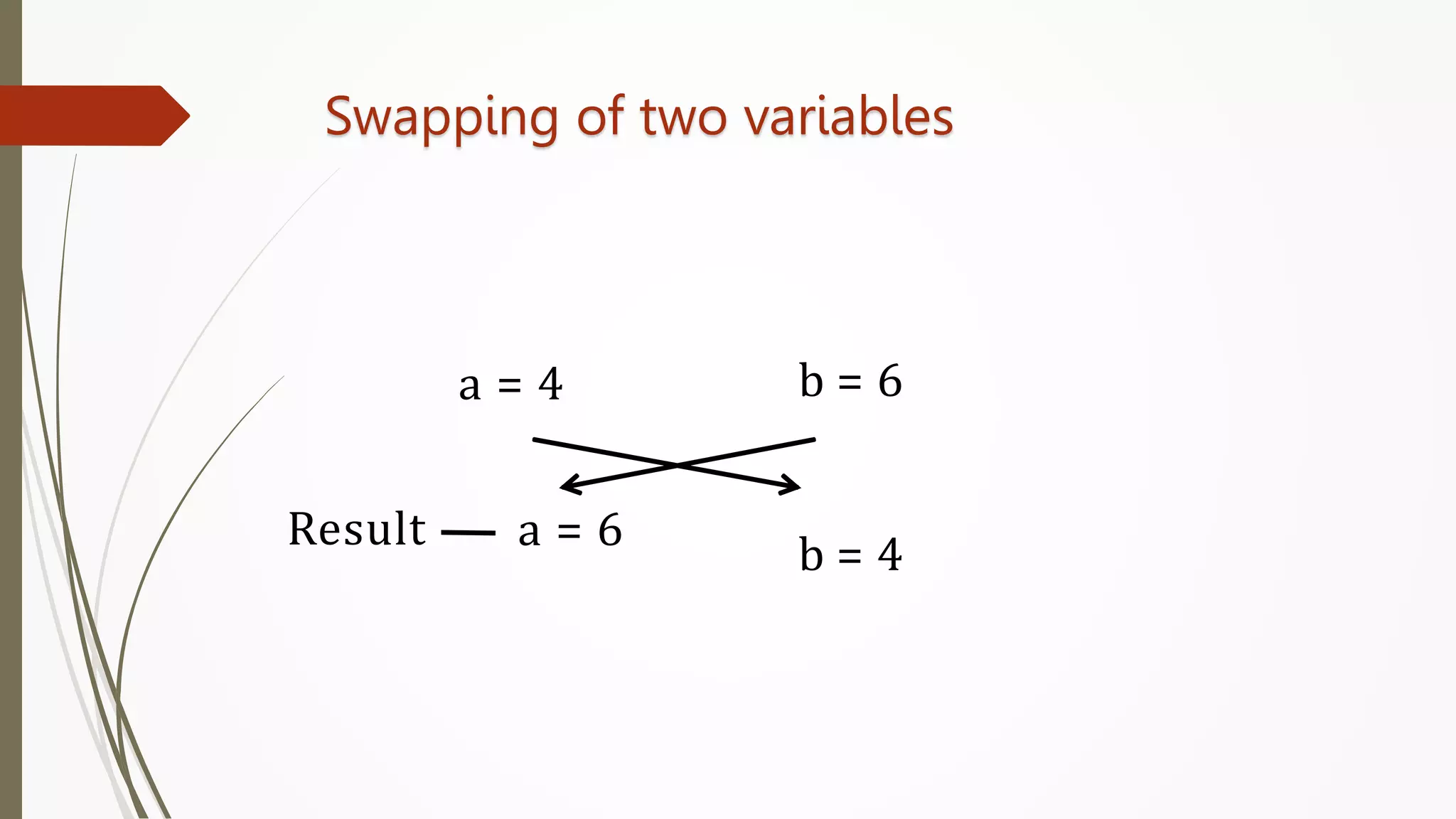
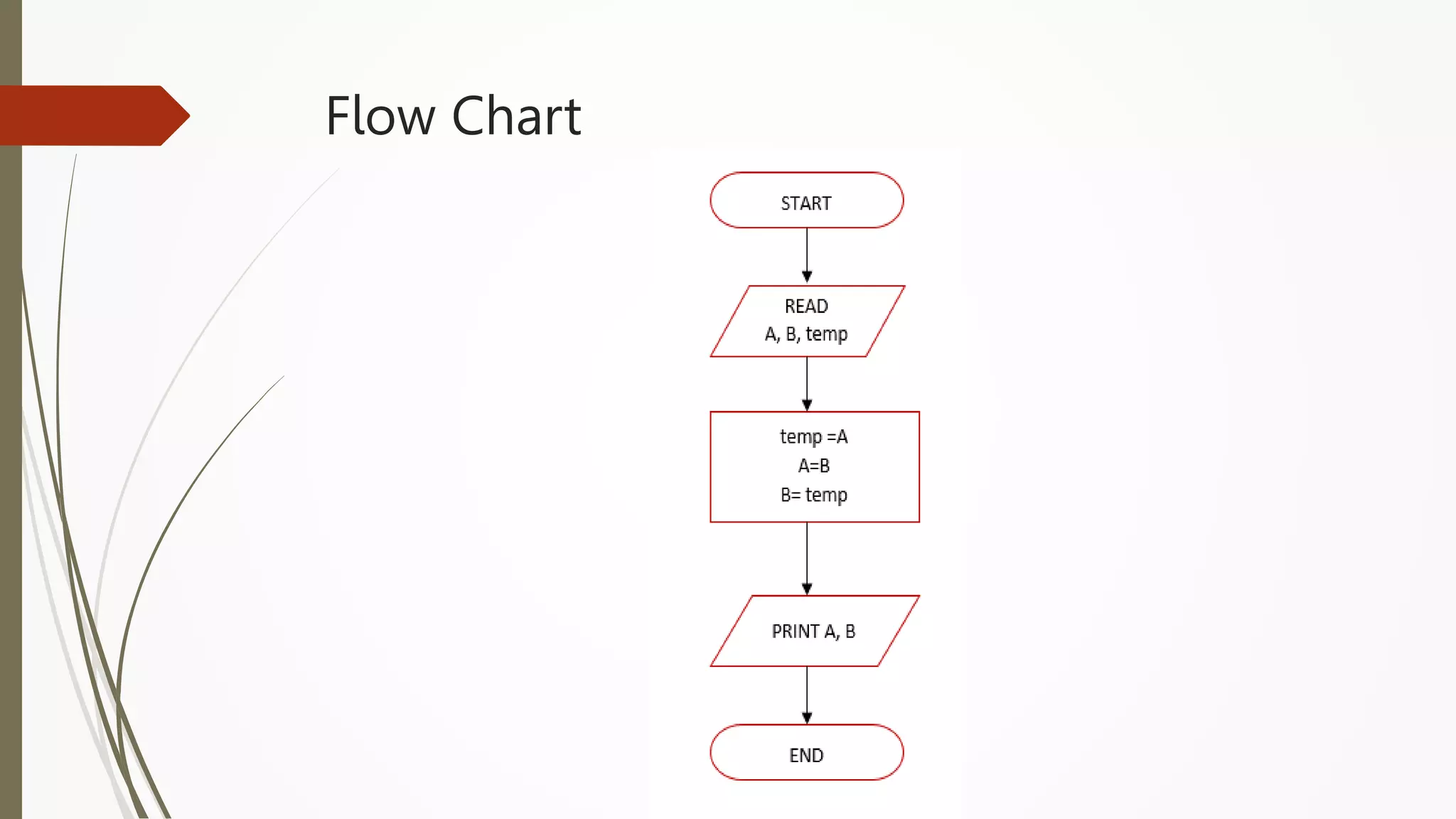
Swapping of two variables
a = 4 b = 6
Result a = 6
b = 4
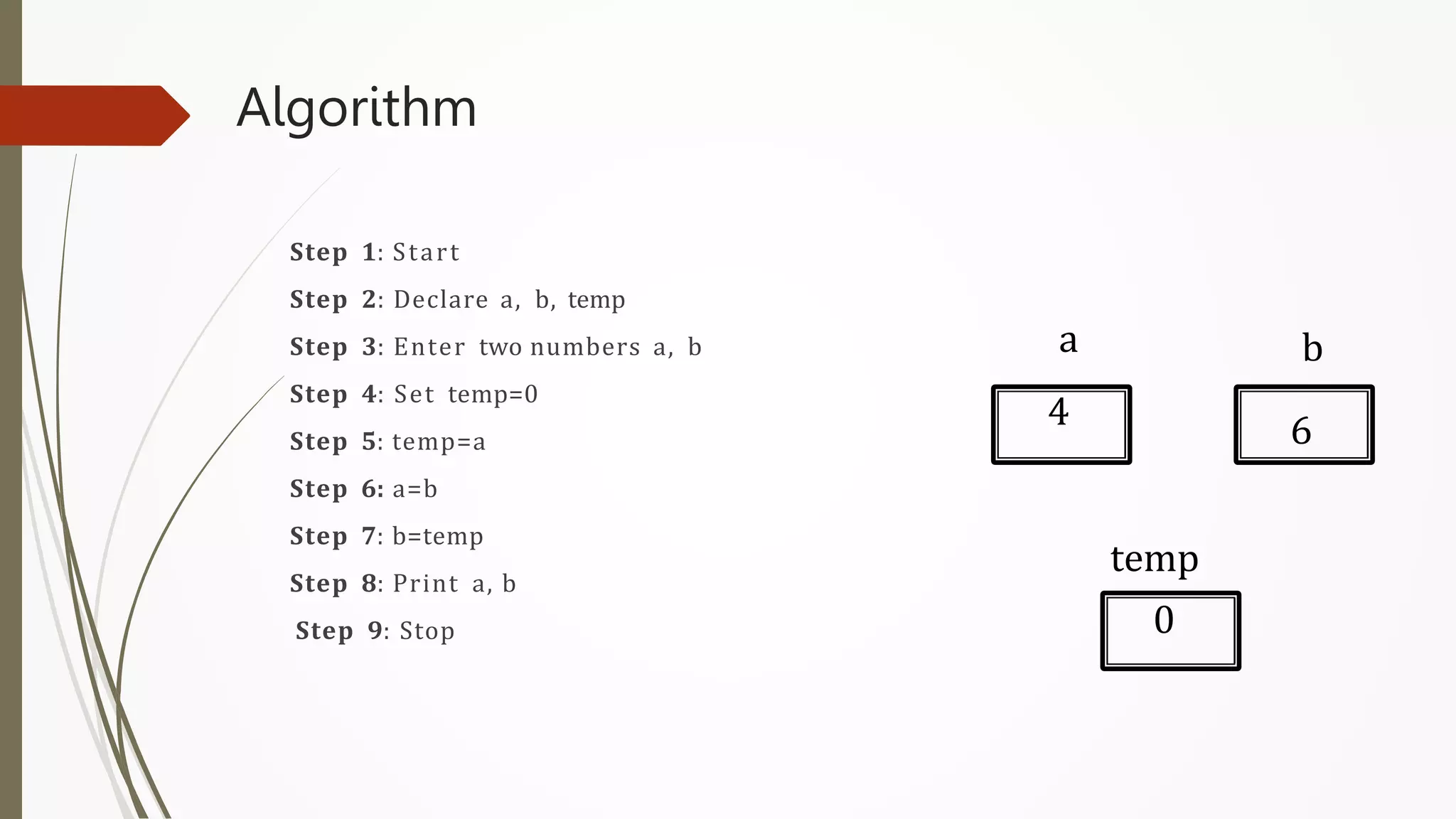
Algorithm
Step 1: Start
Step 2: Declare a, b, temp
Step 3: Enter two numbers a, b
Step 4: Set temp=0
Step 5: temp=a
Step 6: a=b
Step 7: b=temp
Step 8: Print a, b
Step 9: Stop
a b
temp
4 6
0
Flow Chart
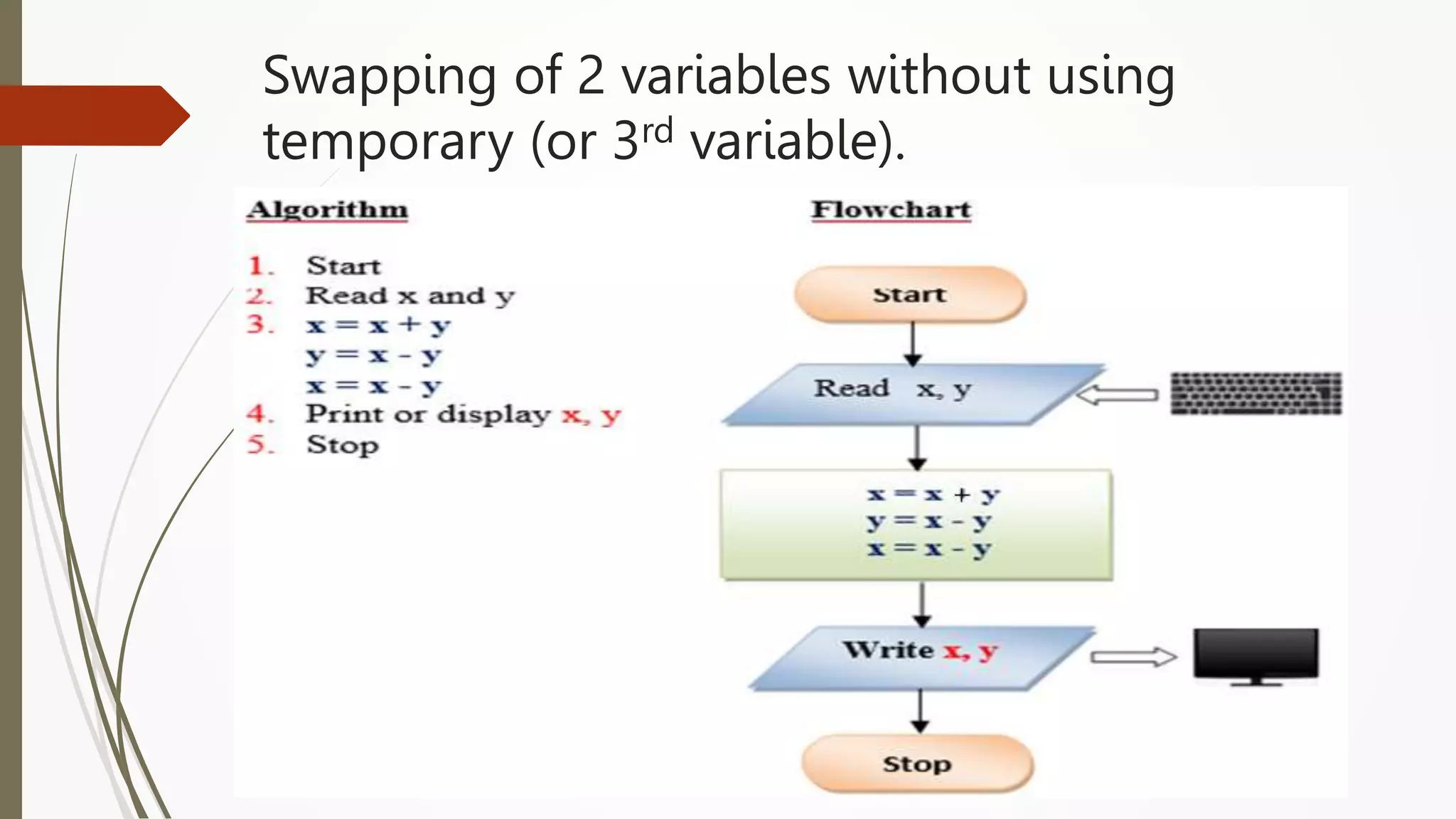
Swapping of 2 variables without using
temporary (or 3rd variable).
Counting
 Counting the number of occurrences of a type of elements in a set of elements
 Example: Counting the occurrence of a digit in a given number
 Counting the number of digits in a given number
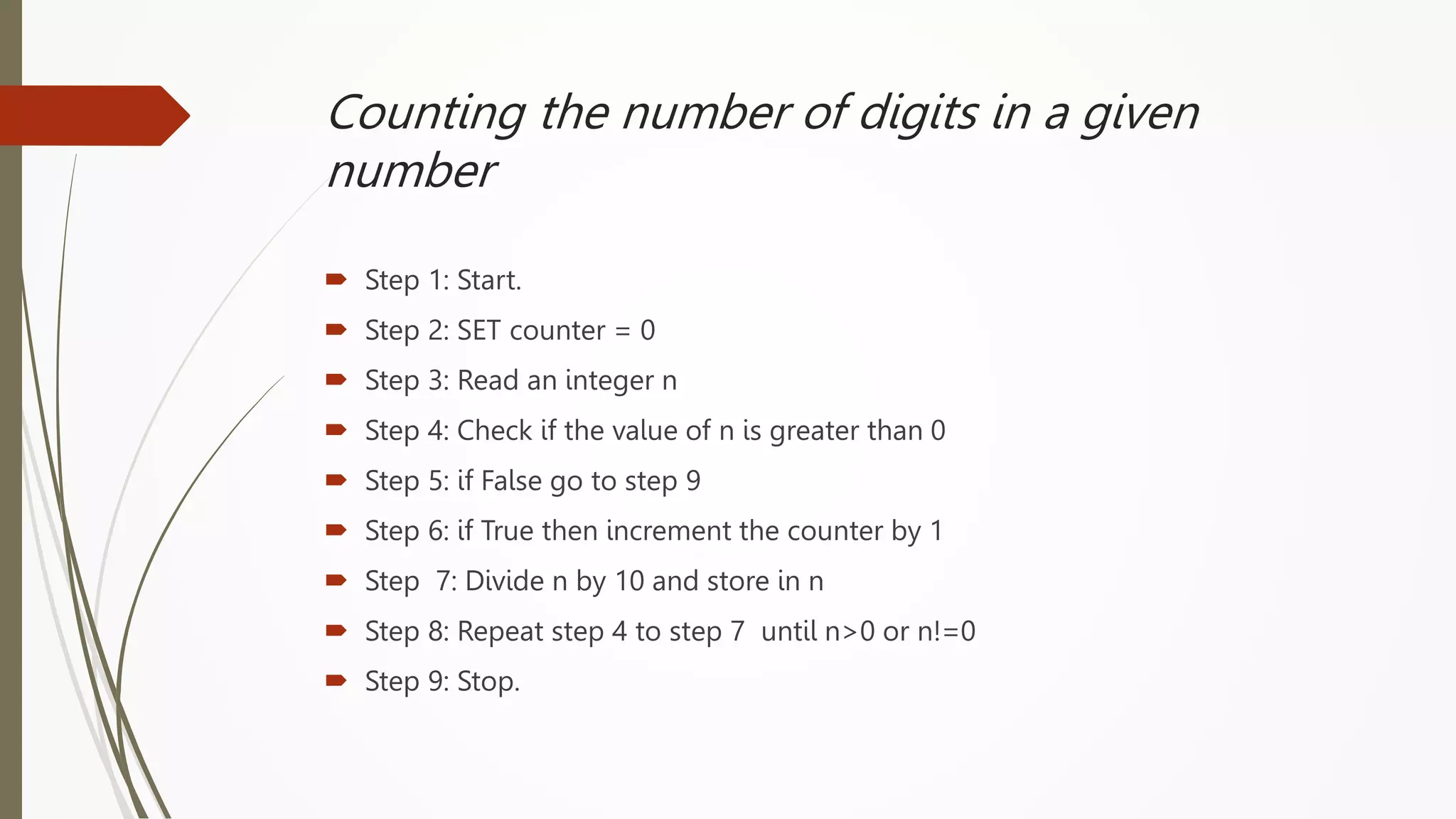
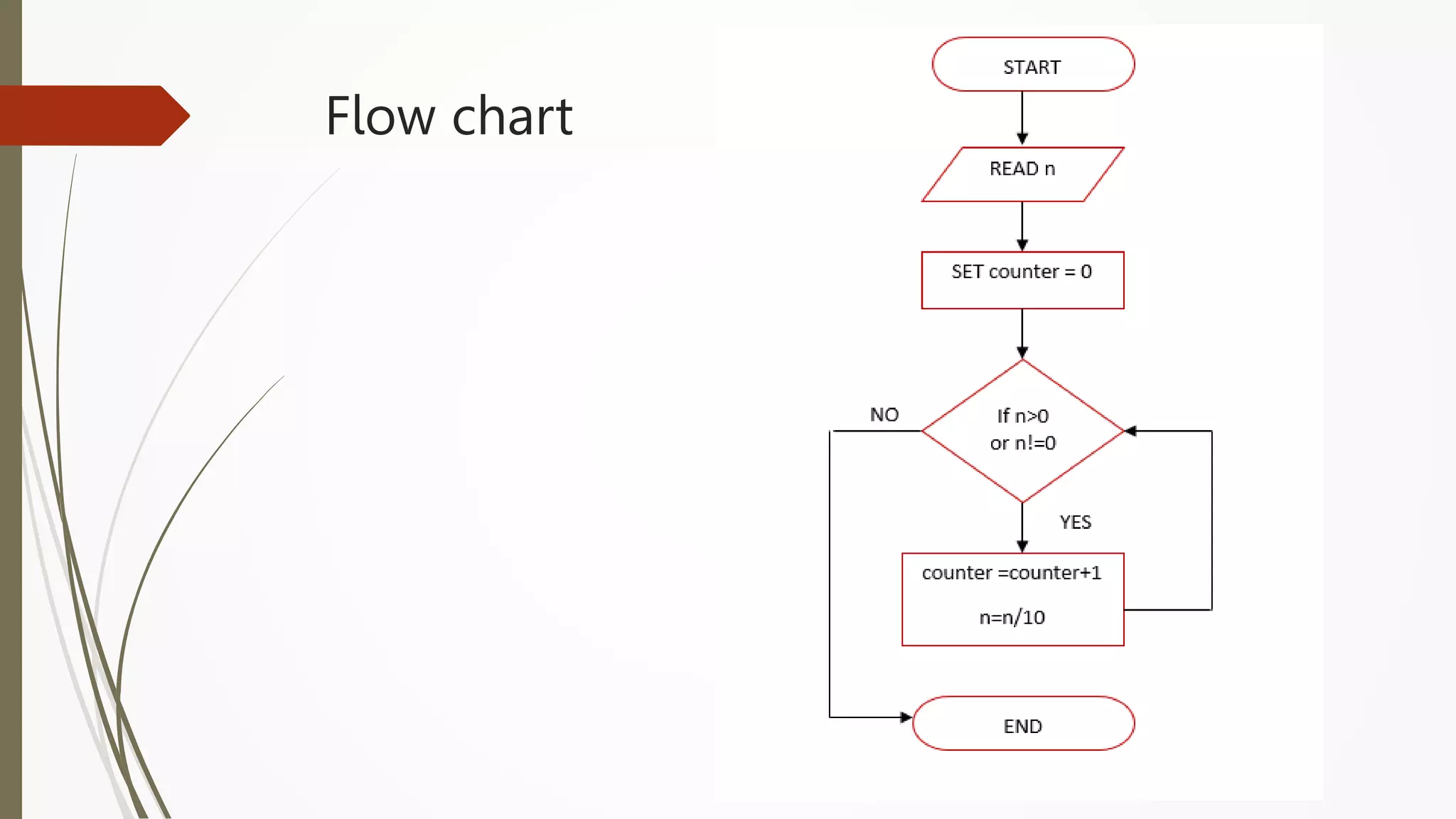
Counting the number of digits in a given
number
 Step 1: Start.
 Step 2: SET counter = 0
 Step 3: Read an integer n
 Step 4: Check if the value of n is greater than 0
 Step 5: if False go to step 9
 Step 6: if True then increment the counter by 1
 Step 7: Divide n by 10 and store in n
 Step 8: Repeat step 4 to step 7 until n>0 or n!=0
 Step 9: Stop.
Flow chart
Summation of a set of numbers
Summation of a set of numbers is the addition of a
sequence of any kind of numbers, called addends or
summands; the result is their sum or total.
Example: Sum of first n natural numbers
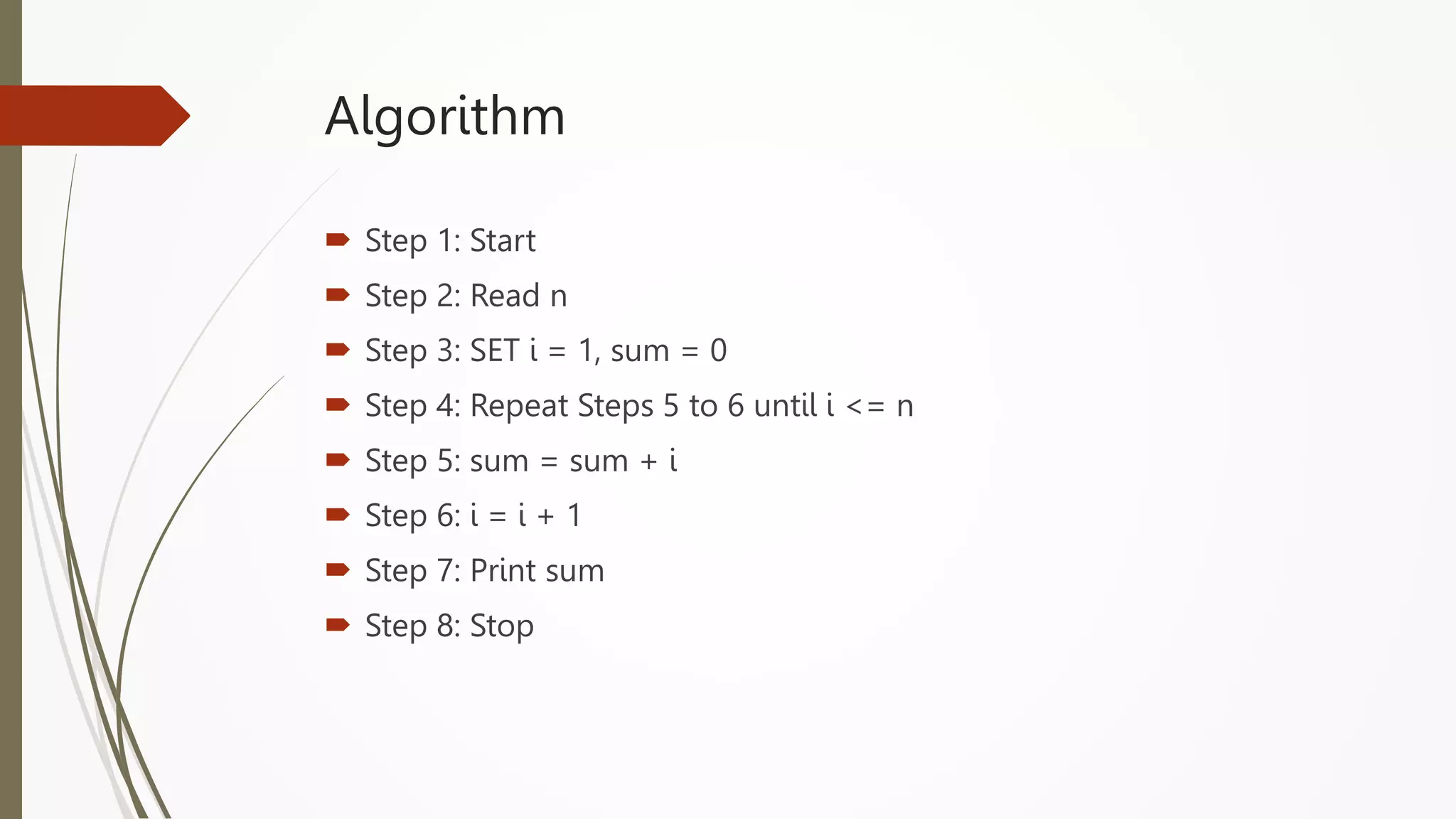
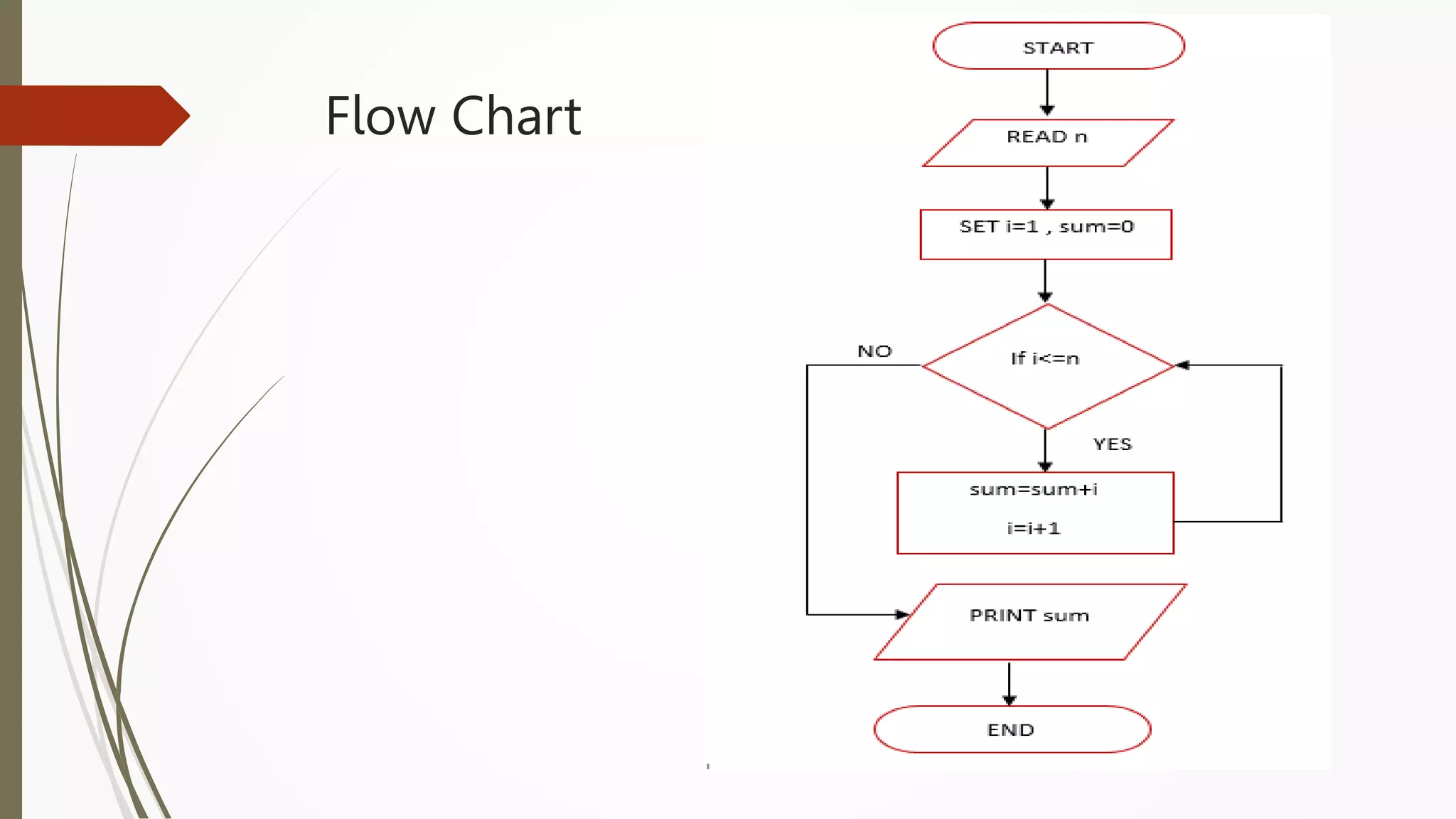
Algorithm
 Step 1: Start
 Step 2: Read n
 Step 3: SET i = 1, sum = 0
 Step 4: Repeat Steps 5 to 6 until i <= n
 Step 5: sum = sum + i
 Step 6: i = i + 1
 Step 7: Print sum
 Step 8: Stop
Flow Chart
Factorial of a number
 Computed as the product of all positive numbers starting from 1 and
up to n.
 Factorial of 4 (4!) is 1*2*3*4 =24
 Factorial of 0 is 1
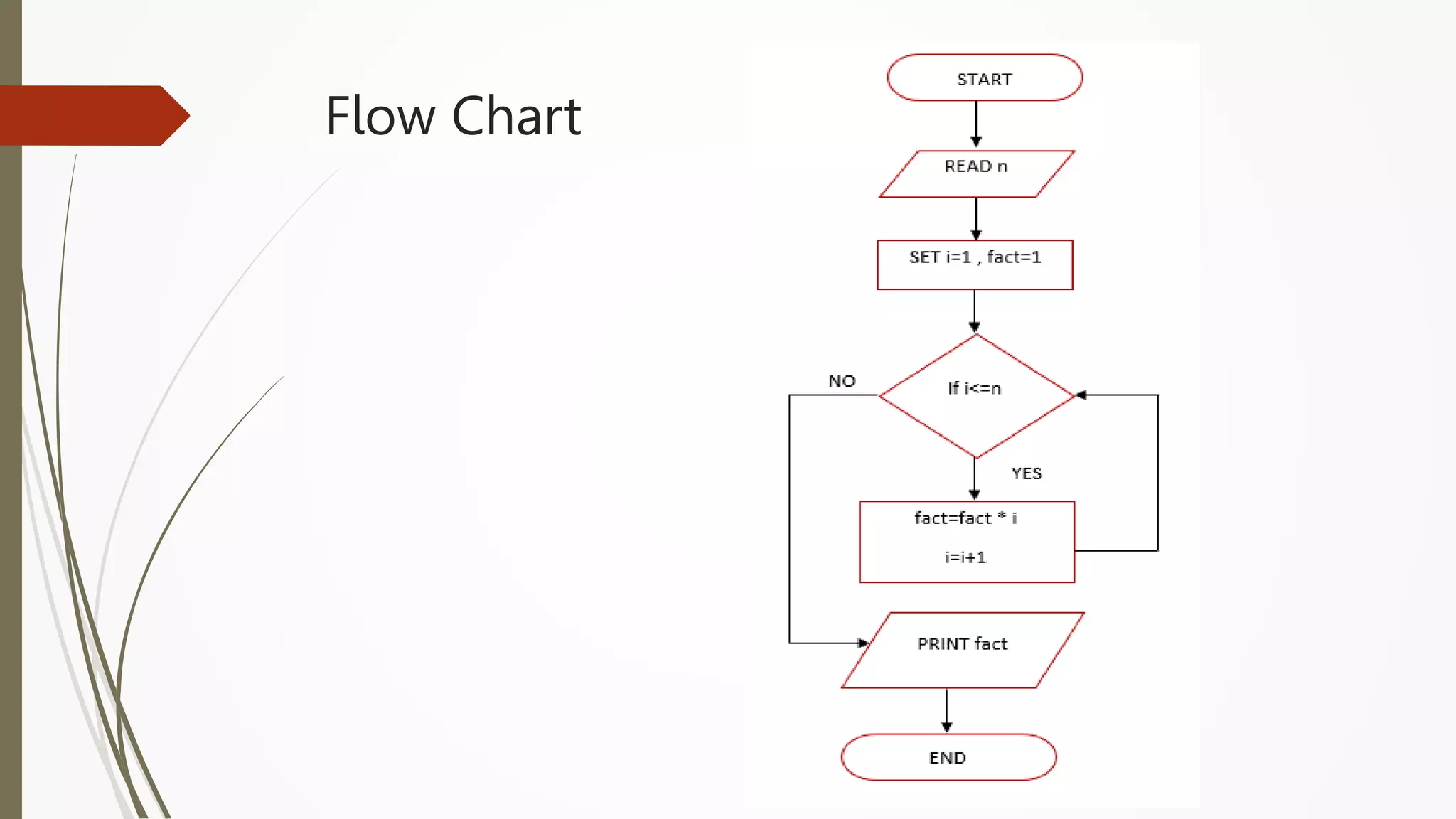
Algorithm
 Step 1: Start
 Step 2: Declare n, fact, i
 Step 3: Enter n
 Step 4: Initialize i = 1, fact = 1
 Step 5: Repeat Steps 6 to 7 until i <= n
 Step 6: fact = fact * i
 Step 7: i = i + 1
 Step 8: Print fact
 Step 9: Stop
Flow Chart
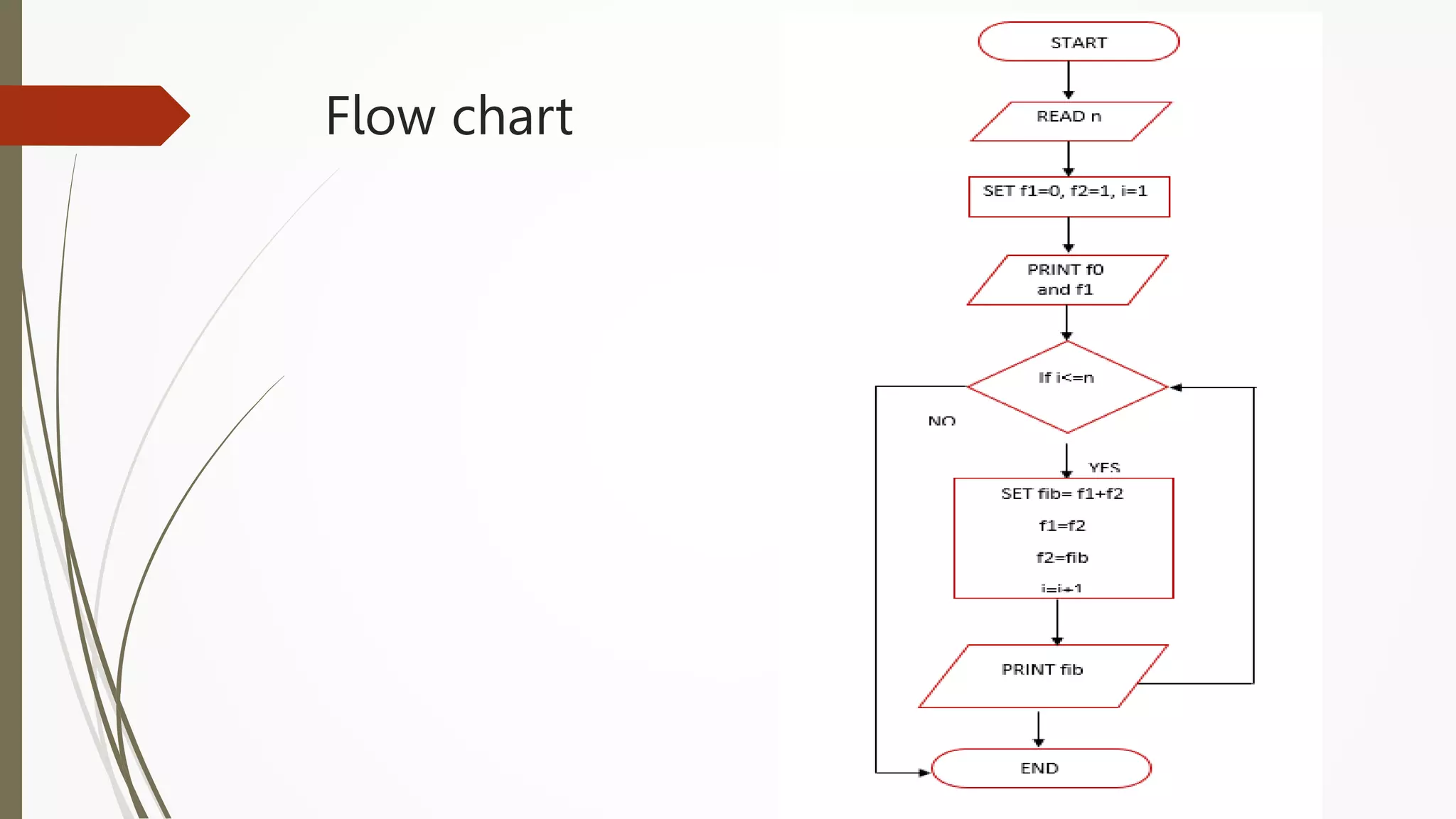
Fibonacci Sequence
 The Fibonacci sequence, also known as Fibonacci numbers,
is defined as the sequence of numbers in which each number
in the sequence is equal to the sum of two numbers before it.
The Fibonacci Sequence is given as:
 Fibonacci Sequence = 0, 1, 1, 2, 3, 5, 8, 13, 21, ….
Algorithm
 Step 1: Start
 Step 2: Read how many numbers to be printed in the series to n
 Step 3: Set f1=0, f2=1, i=1
 Step 4: Output the values f0 and f1
 Step 5: Repeat Step 5 to Step 10 until i<=n
 Step 6: Set fib := f1 + f2
 Step 7: f1 := f2
 Step 8: f2 := fib
 Step 9: Increment i by 1
 Step 10: Output the value fib
 Step 11: End
Flow chart
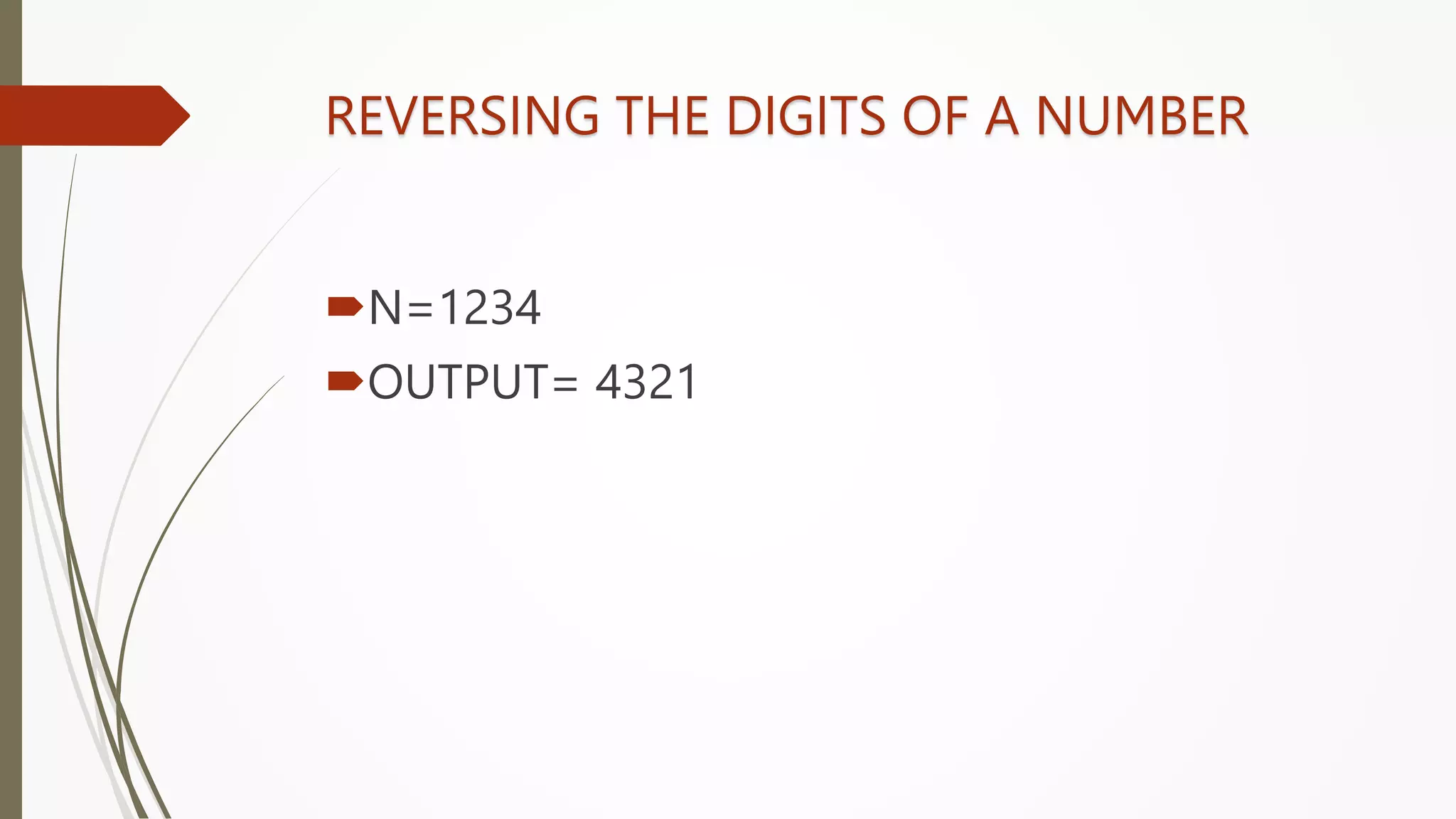
REVERSING THE DIGITS OF A NUMBER
N=1234
OUTPUT= 4321
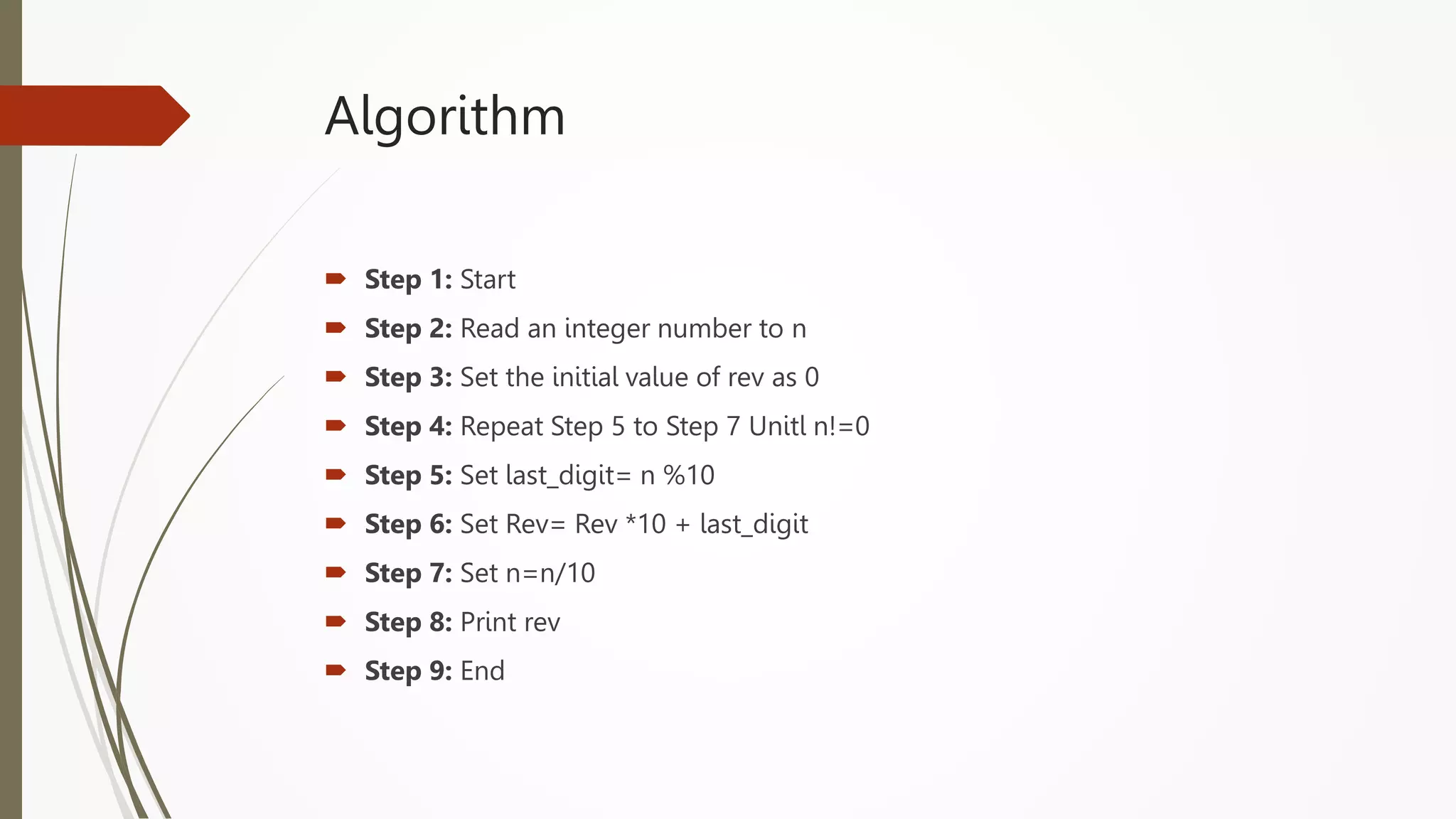
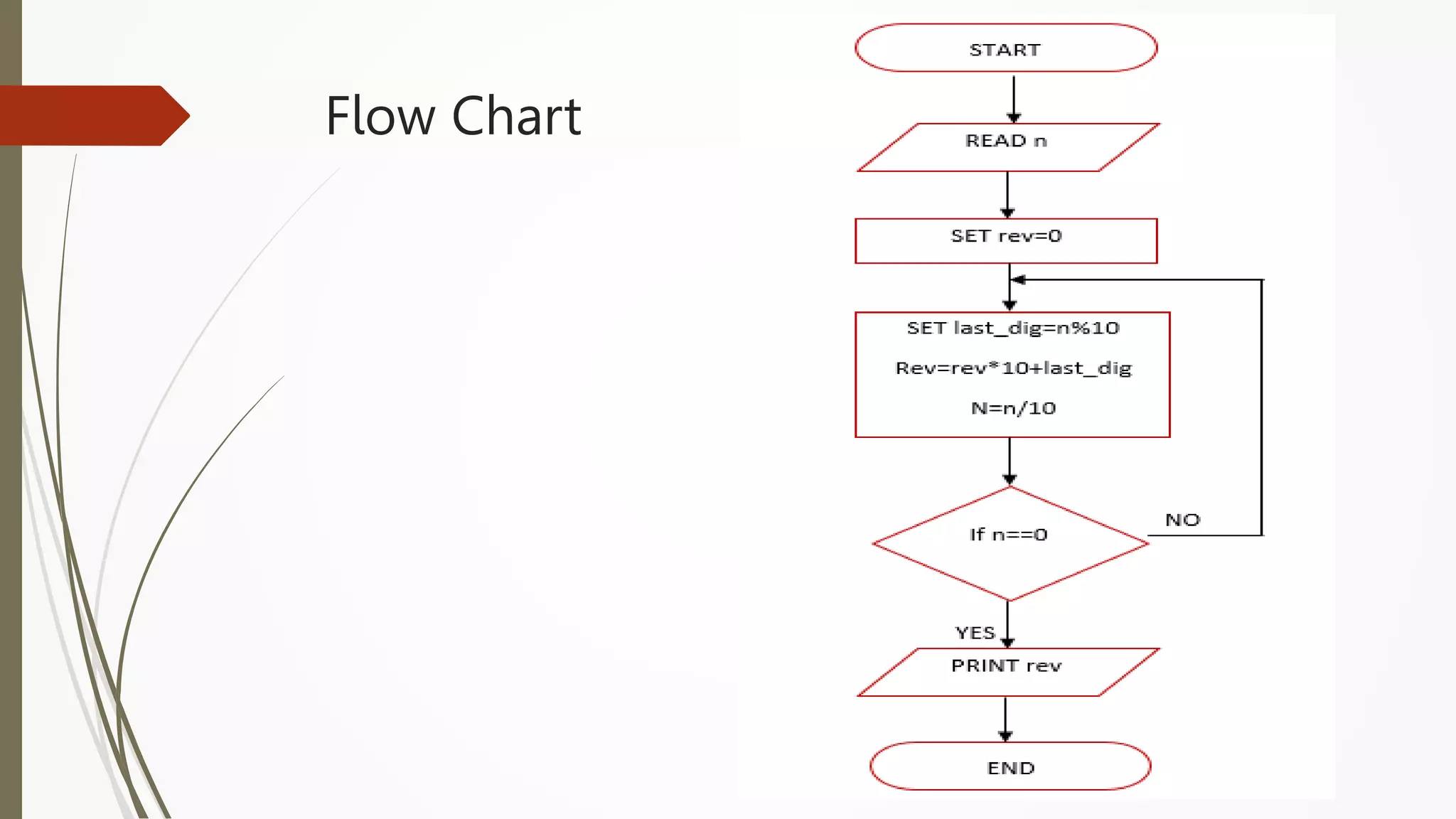
Algorithm
 Step 1: Start
 Step 2: Read an integer number to n
 Step 3: Set the initial value of rev as 0
 Step 4: Repeat Step 5 to Step 7 Unitl n!=0
 Step 5: Set last_digit= n %10
 Step 6: Set Rev= Rev *10 + last_digit
 Step 7: Set n=n/10
 Step 8: Print rev
 Step 9: End
Flow Chart
Sine function computation
 Sine series is given :
sin(x) = (x/1!)-((x^3)/3!)+((x^5)/5!) -((x^7)/7!)+..........
 In general ith term can be calculated as :
𝑥2
𝑖(𝑖−1)
* Previous term
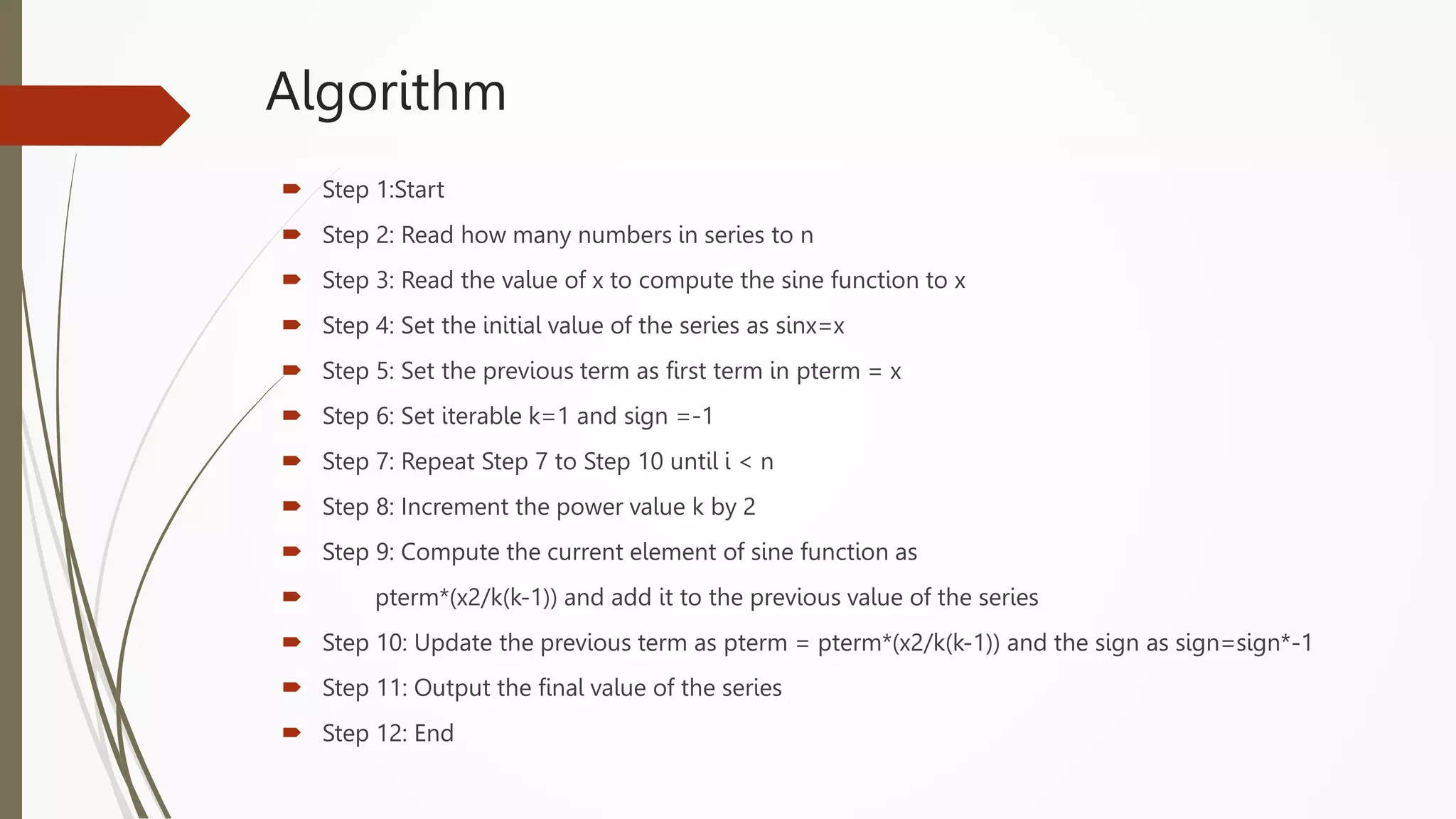
Algorithm
 Step 1:Start
 Step 2: Read how many numbers in series to n
 Step 3: Read the value of x to compute the sine function to x
 Step 4: Set the initial value of the series as sinx=x
 Step 5: Set the previous term as first term in pterm = x
 Step 6: Set iterable k=1 and sign =-1
 Step 7: Repeat Step 7 to Step 10 until i < n
 Step 8: Increment the power value k by 2
 Step 9: Compute the current element of sine function as
 pterm*(x2/k(k-1)) and add it to the previous value of the series
 Step 10: Update the previous term as pterm = pterm*(x2/k(k-1)) and the sign as sign=sign*-1
 Step 11: Output the final value of the series
 Step 12: End
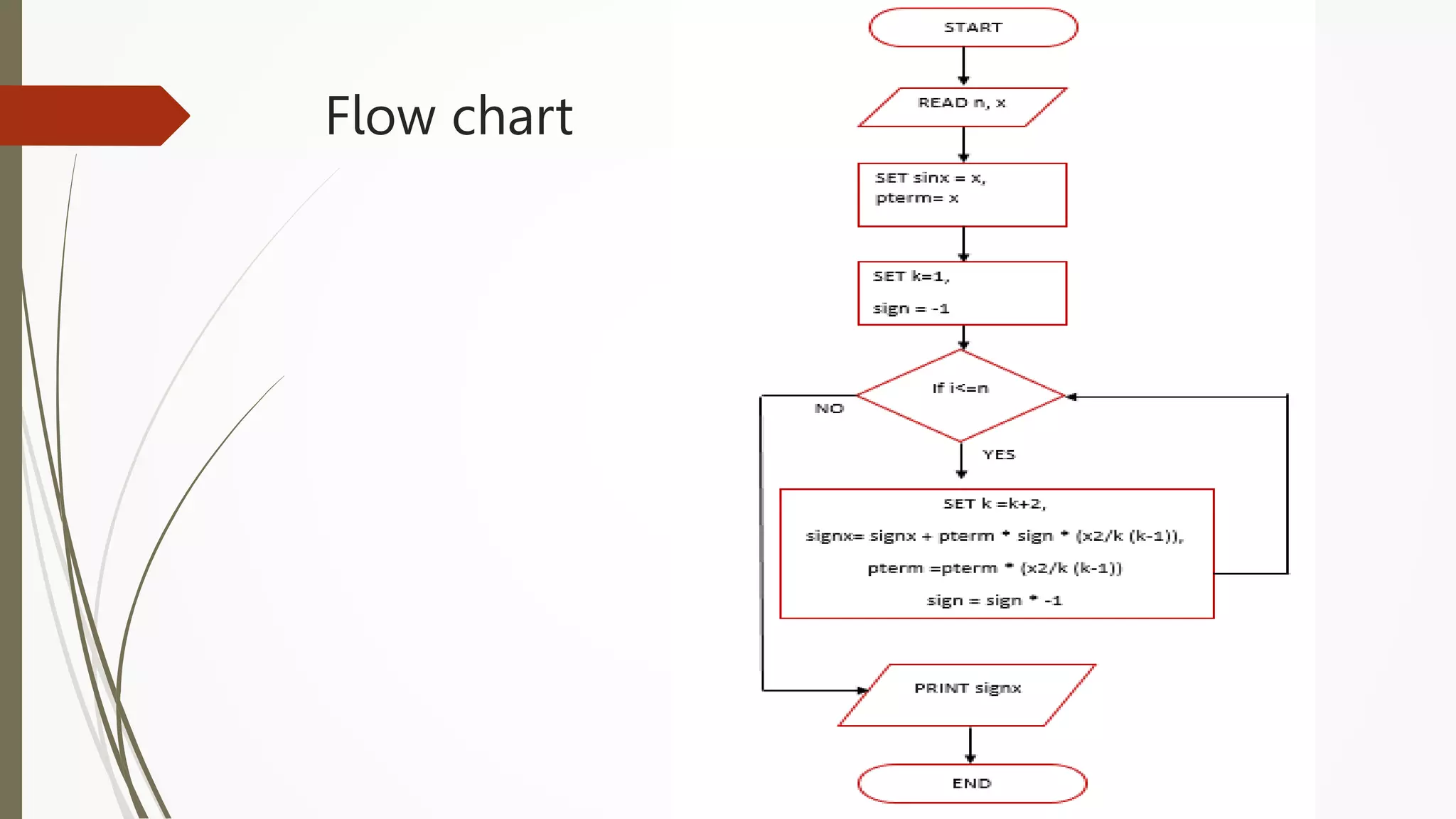
Flow chart
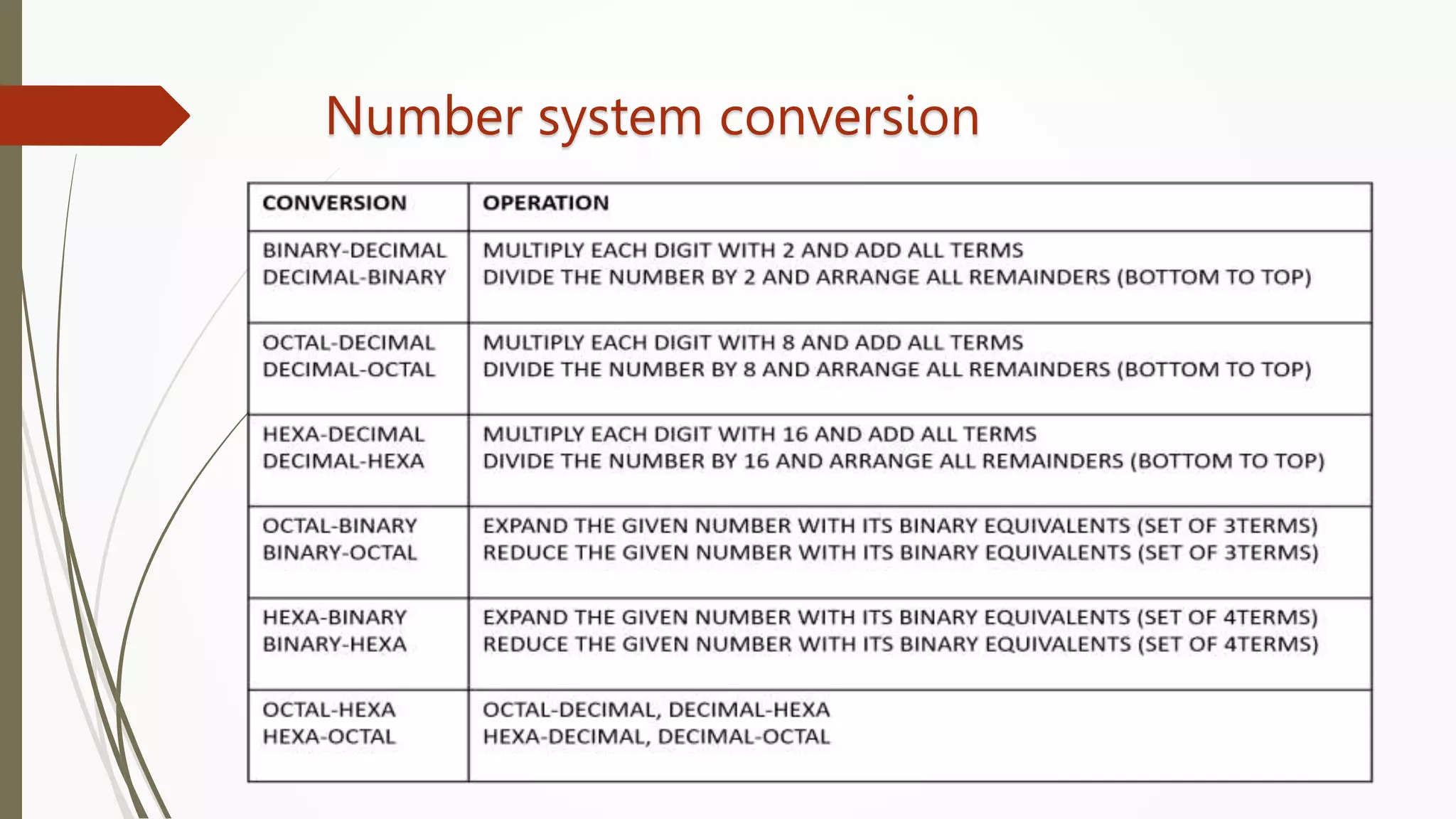
Number system conversion
Number system
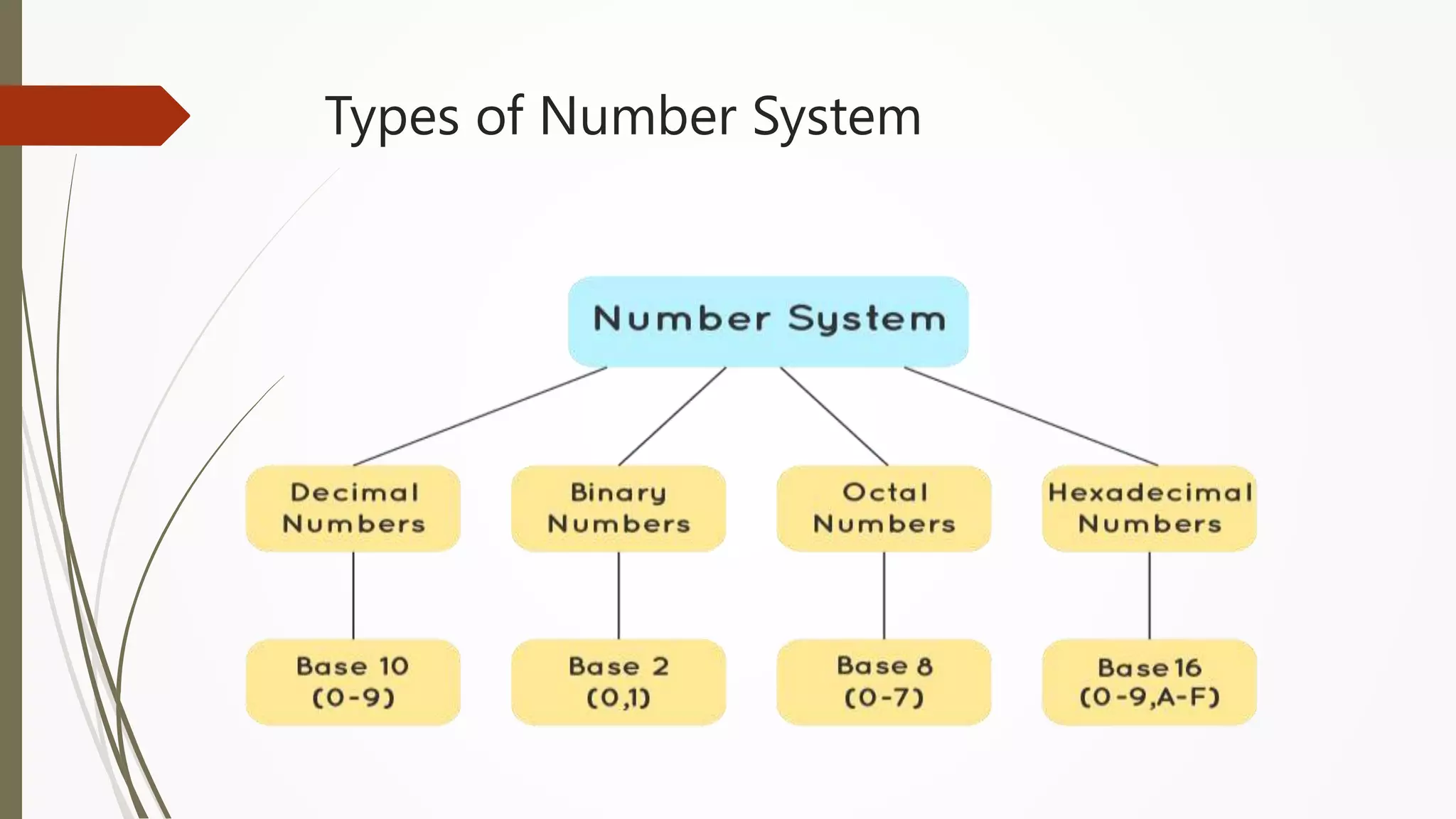
 Number systems are systems in mathematics that are used to
express numbers in various forms and are understood by computers.
 It is also called the system of numeration and it defines a set of values
to represent a quantity.
 The value of any digit in a number can be determined by a digit, its
position in the number, and the base of the number system.
 A number base (or base for short) of a numeral system tells us about
the unique or different symbols and notations it uses to
represent a value.
Types of Number System
Number system conversion
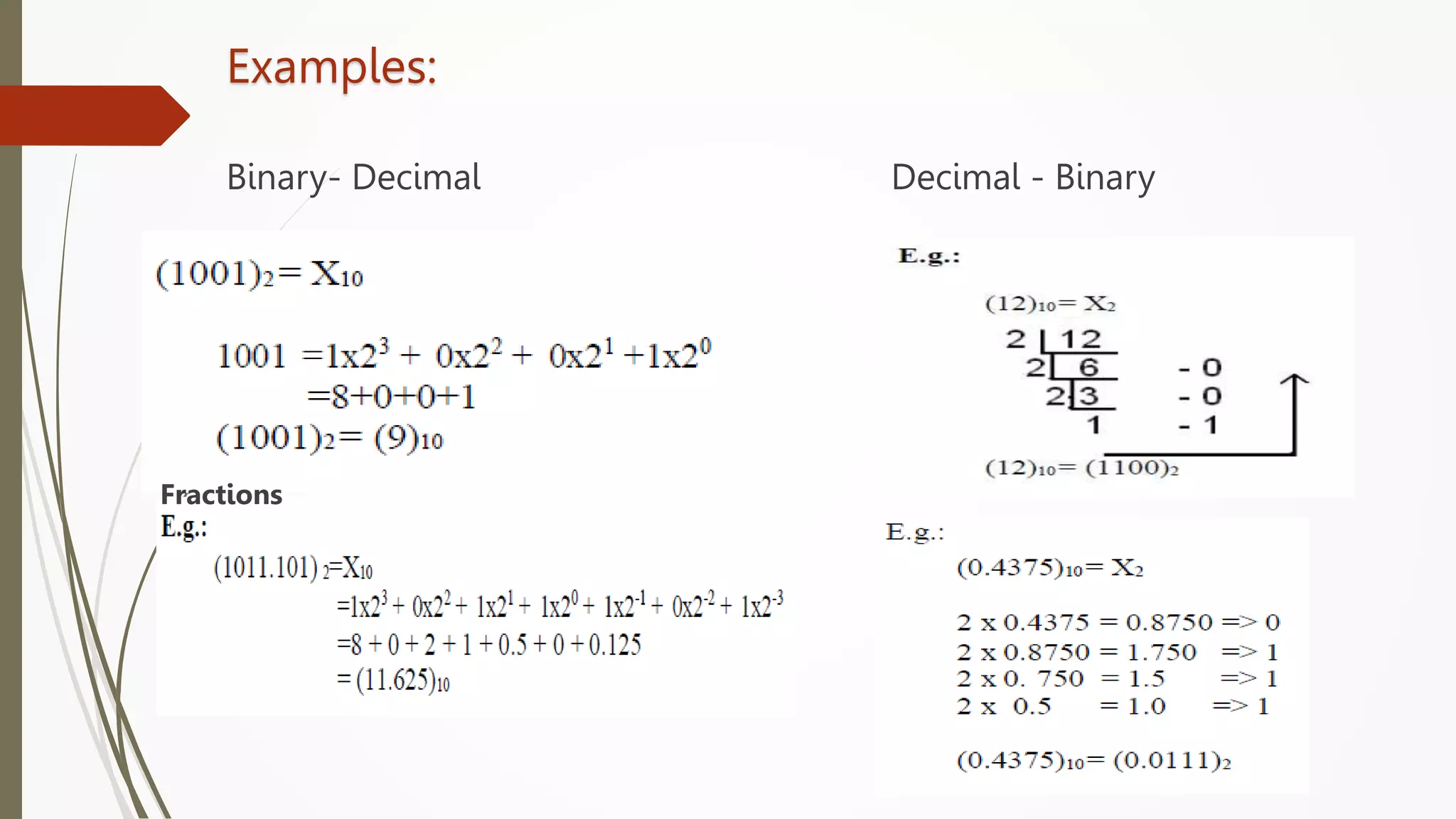
Examples:
Binary- Decimal Decimal - Binary
Fractions
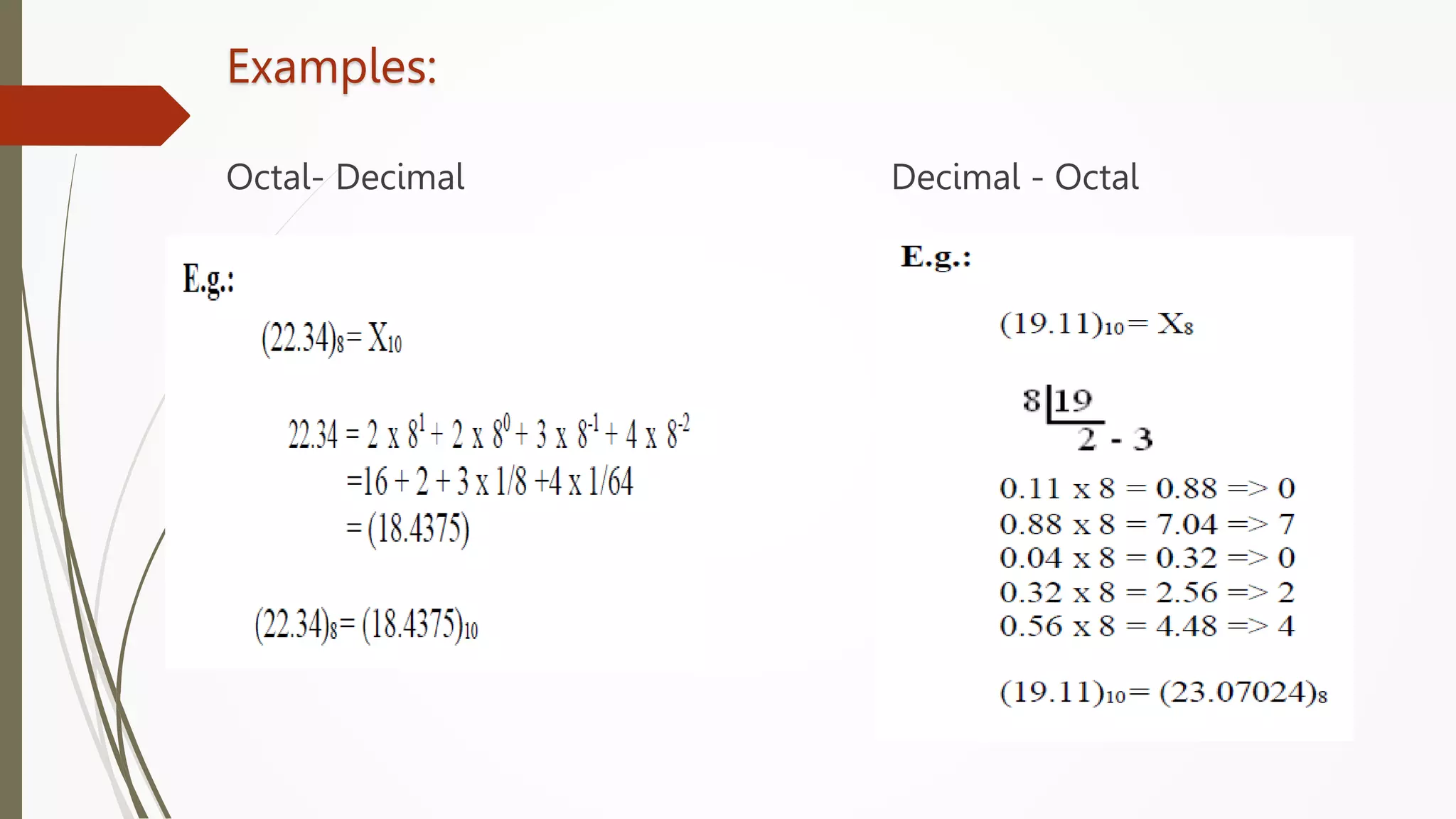
Examples:
Octal- Decimal Decimal - Octal
Examples:
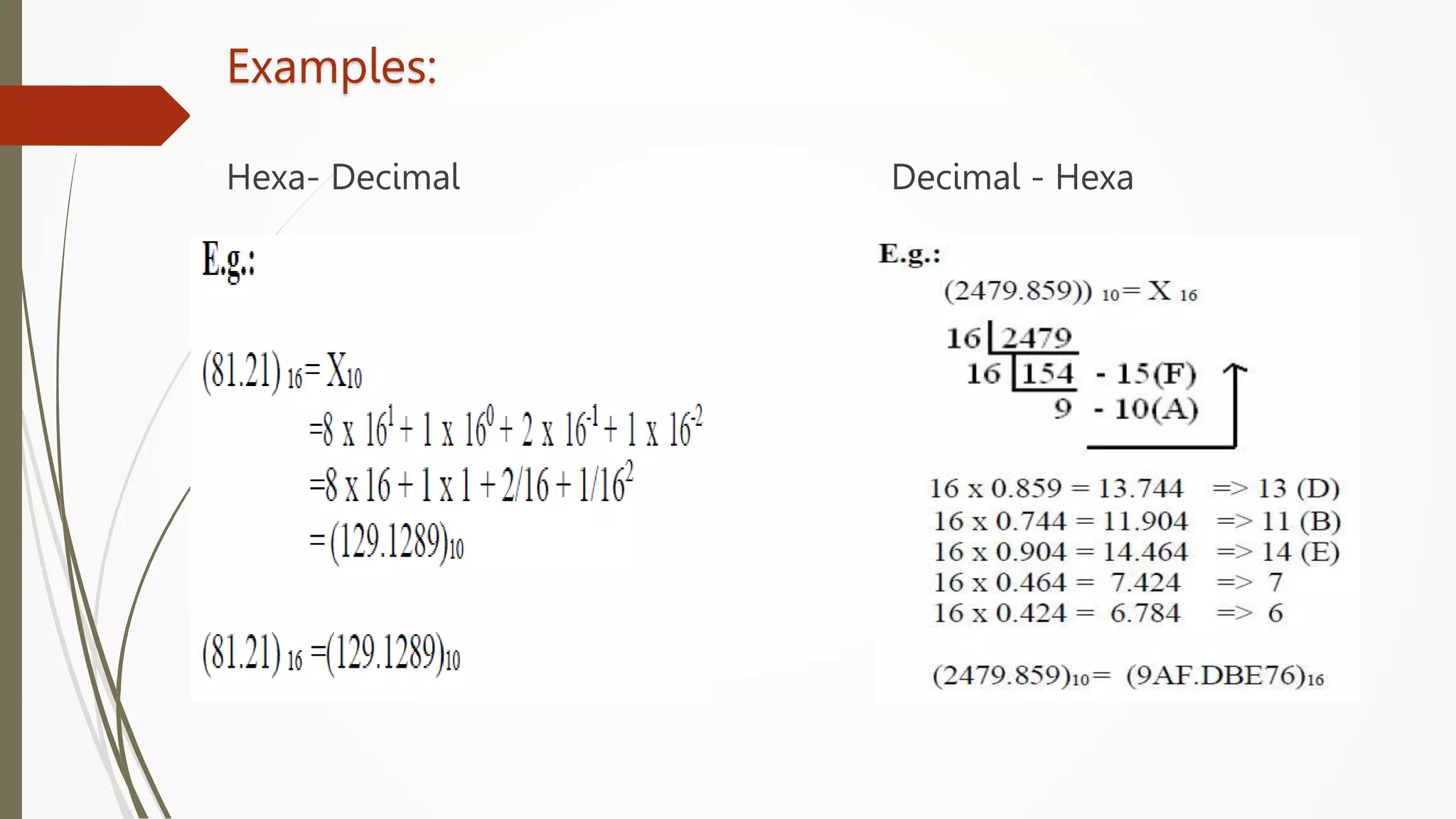
Hexa- Decimal Decimal - Hexa
Examples:
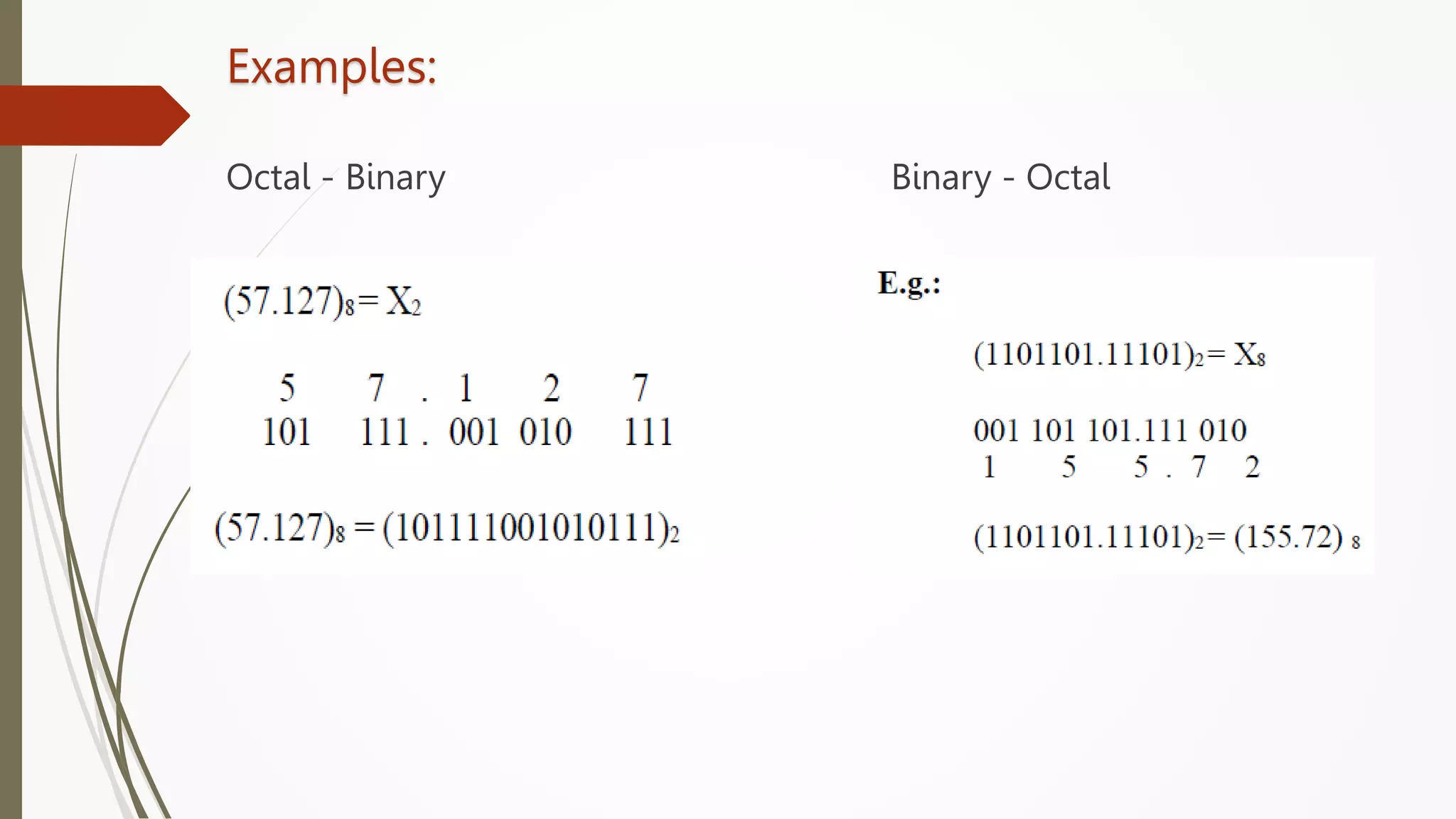
Octal - Binary Binary - Octal
Examples:
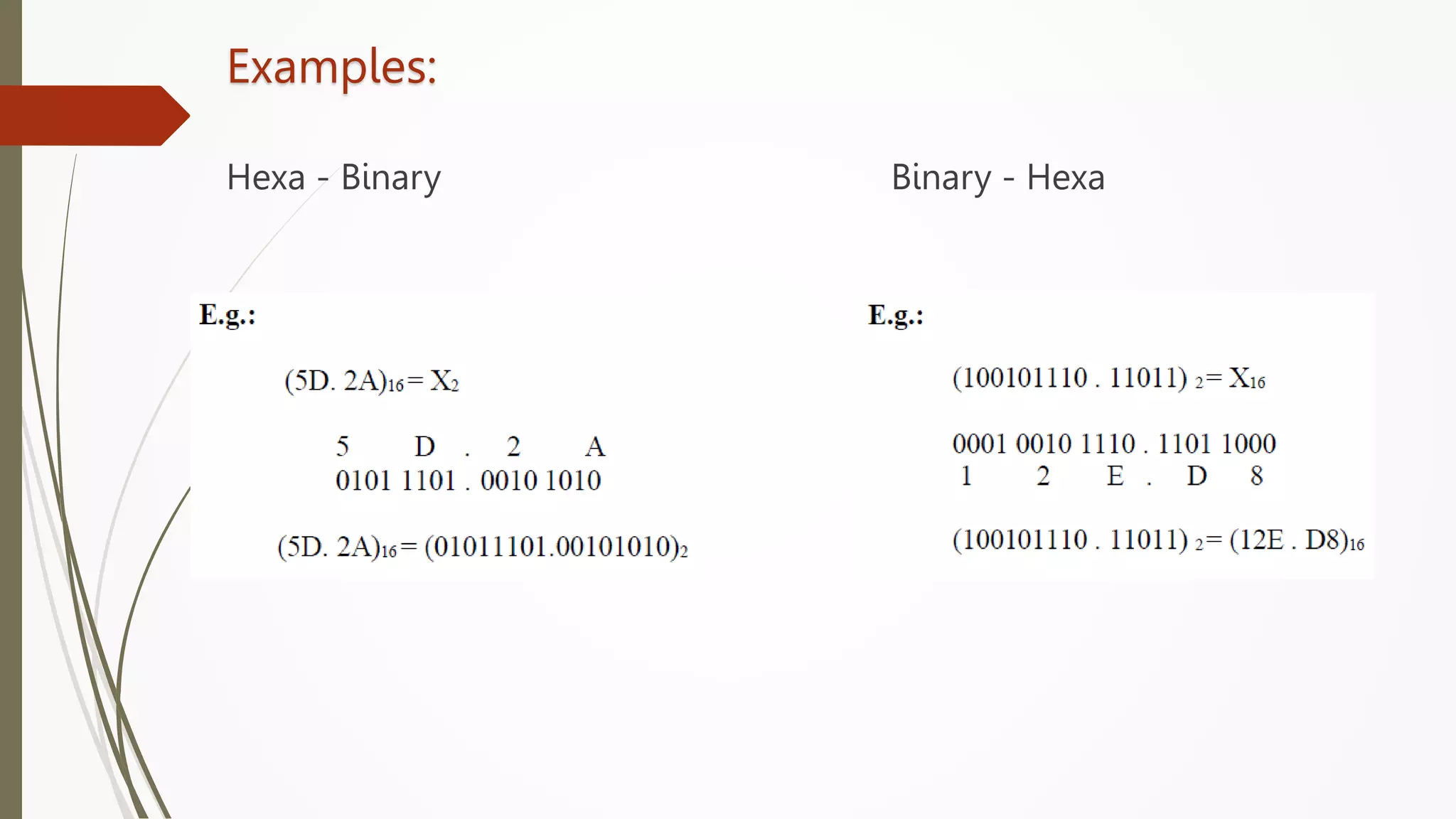
Hexa - Binary Binary - Hexa
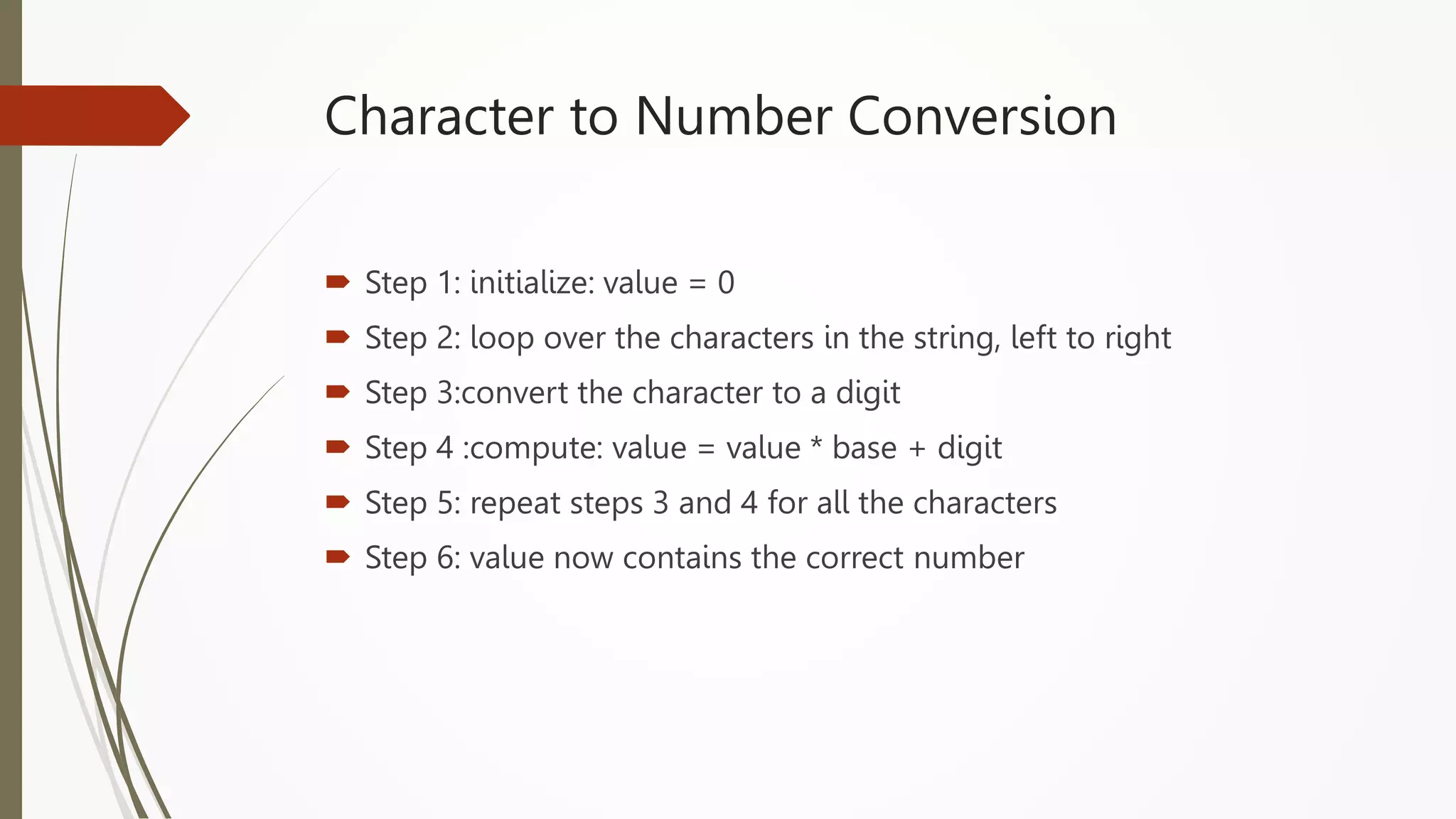
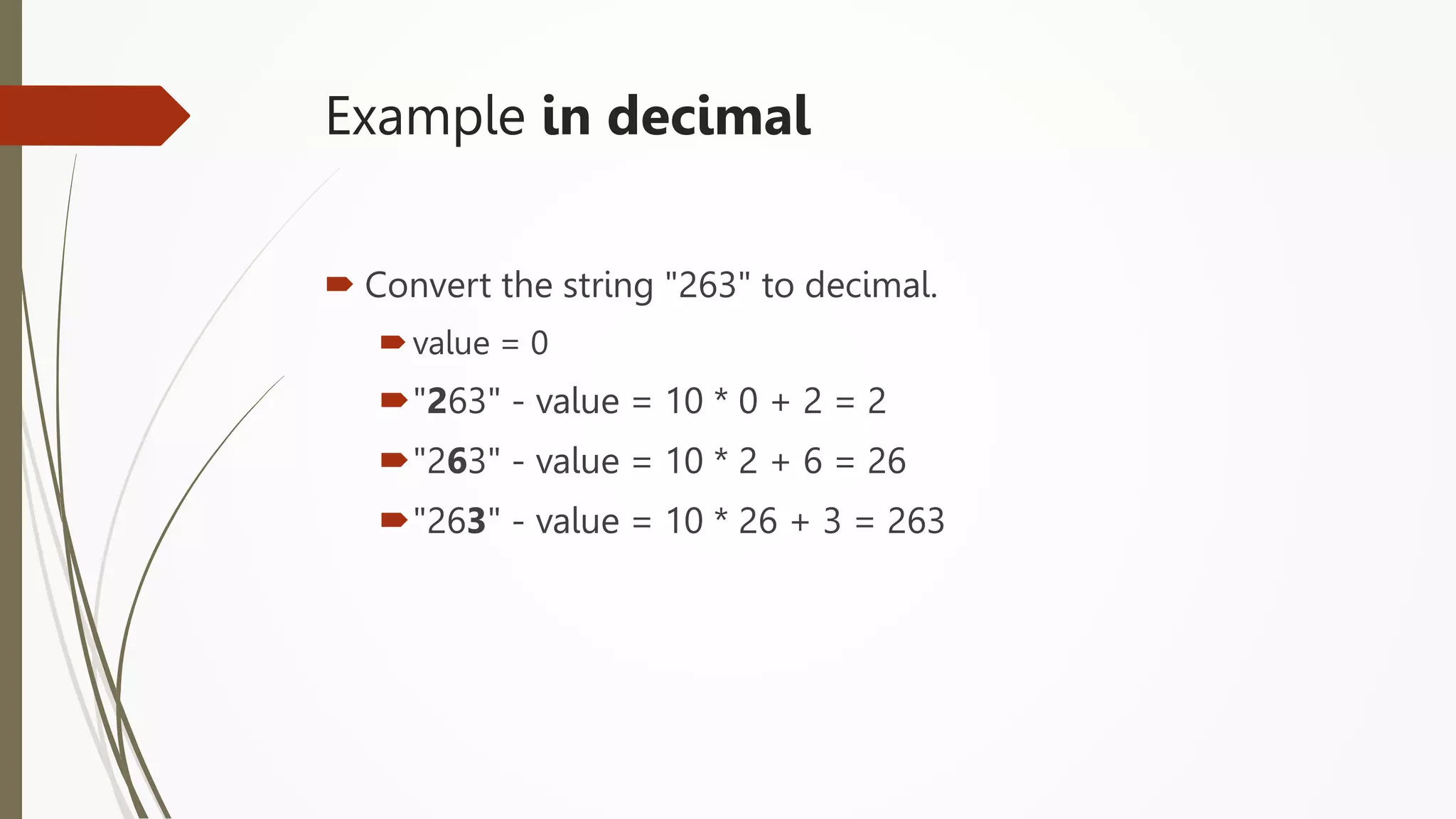
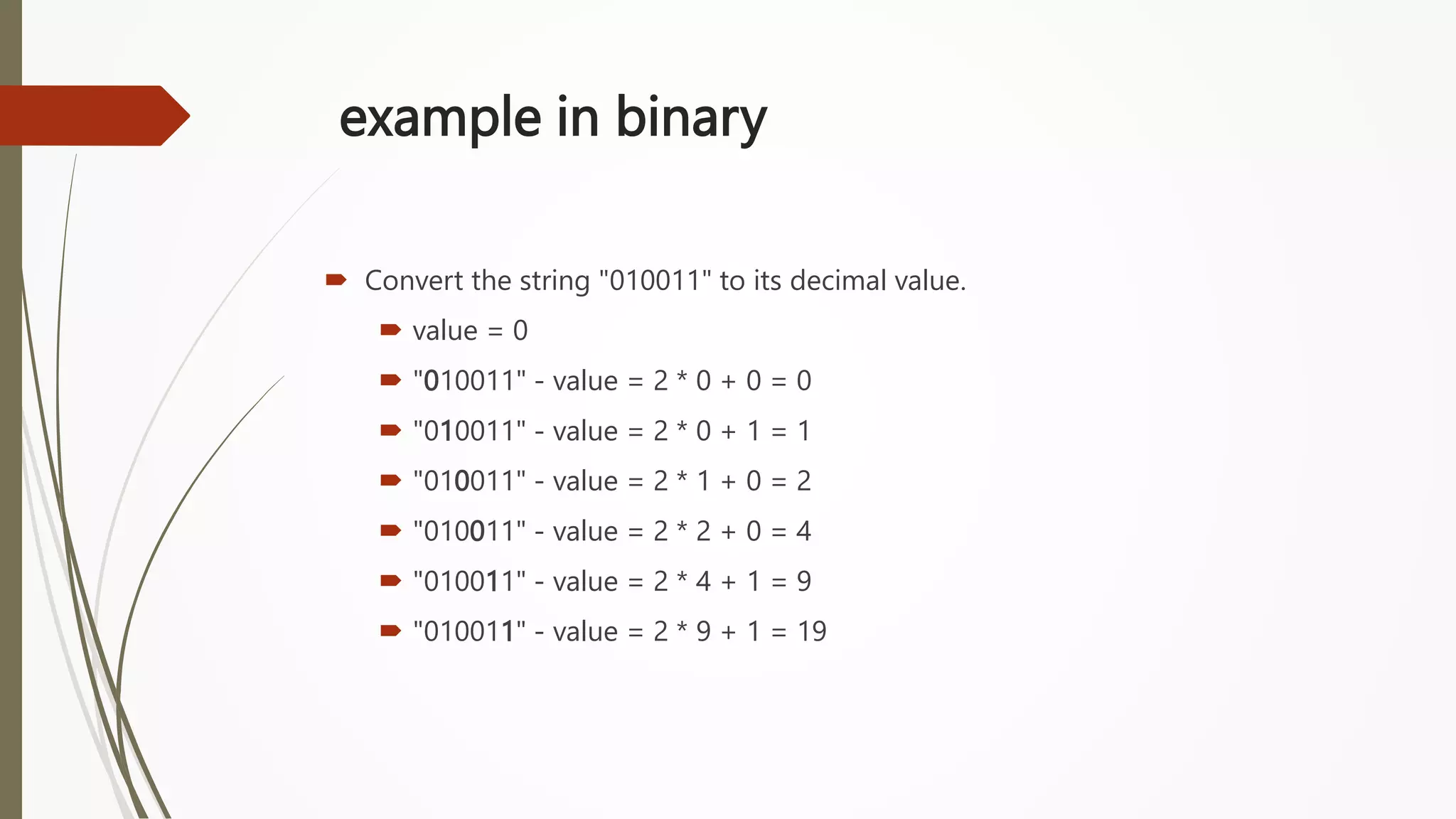
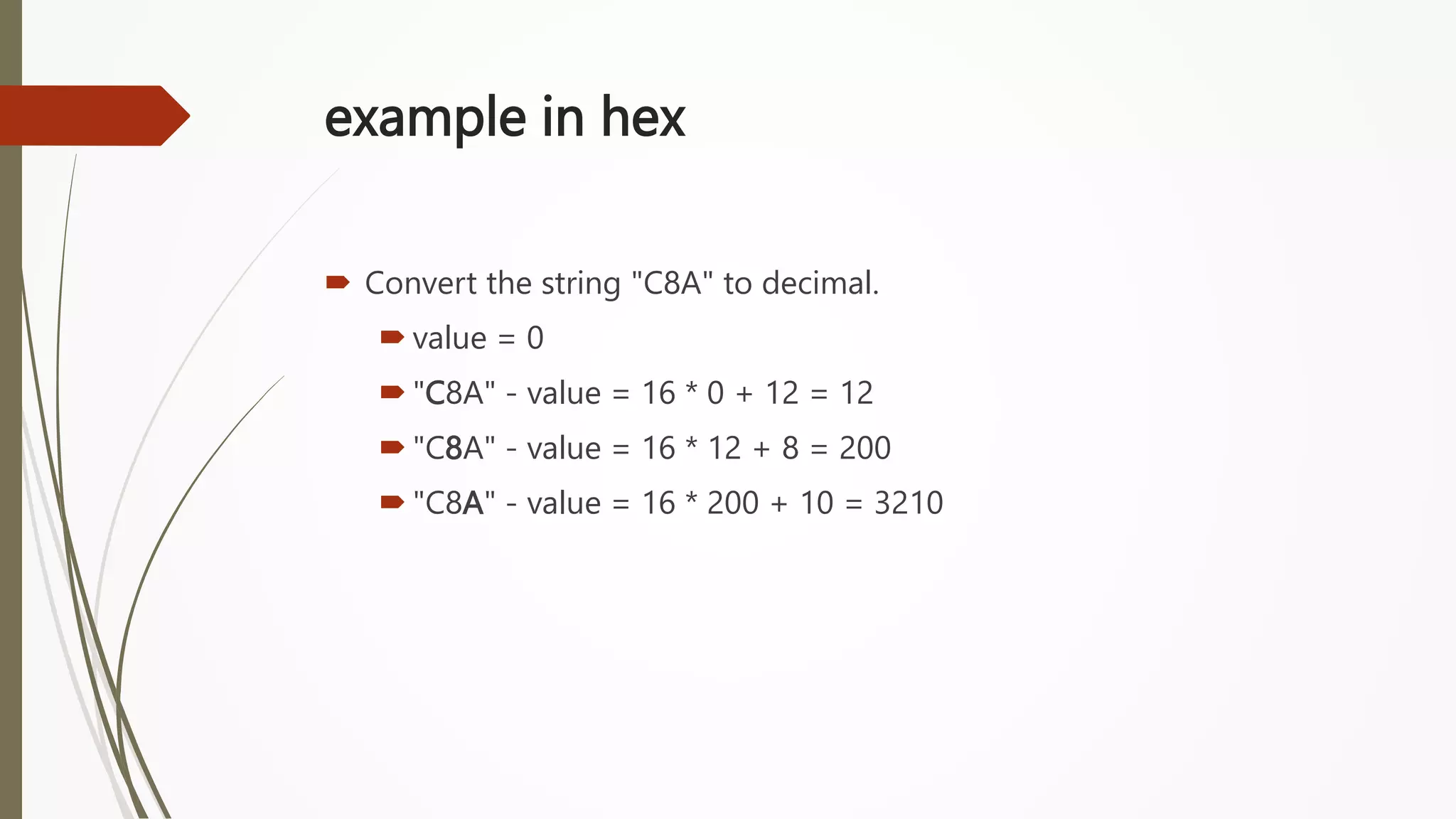
Character to Number Conversion
 Step 1: initialize: value = 0
 Step 2: loop over the characters in the string, left to right
 Step 3:convert the character to a digit
 Step 4 :compute: value = value * base + digit
 Step 5: repeat steps 3 and 4 for all the characters
 Step 6: value now contains the correct number
Example in decimal
 Convert the string "263" to decimal.
value = 0
"263" - value = 10 * 0 + 2 = 2
"263" - value = 10 * 2 + 6 = 26
"263" - value = 10 * 26 + 3 = 263
example in binary
 Convert the string "010011" to its decimal value.
 value = 0
 "010011" - value = 2 * 0 + 0 = 0
 "010011" - value = 2 * 0 + 1 = 1
 "010011" - value = 2 * 1 + 0 = 2
 "010011" - value = 2 * 2 + 0 = 4
 "010011" - value = 2 * 4 + 1 = 9
 "010011" - value = 2 * 9 + 1 = 19
example in hex
 Convert the string "C8A" to decimal.
 value = 0
 "C8A" - value = 16 * 0 + 12 = 12
 "C8A" - value = 16 * 12 + 8 = 200
 "C8A" - value = 16 * 200 + 10 = 3210
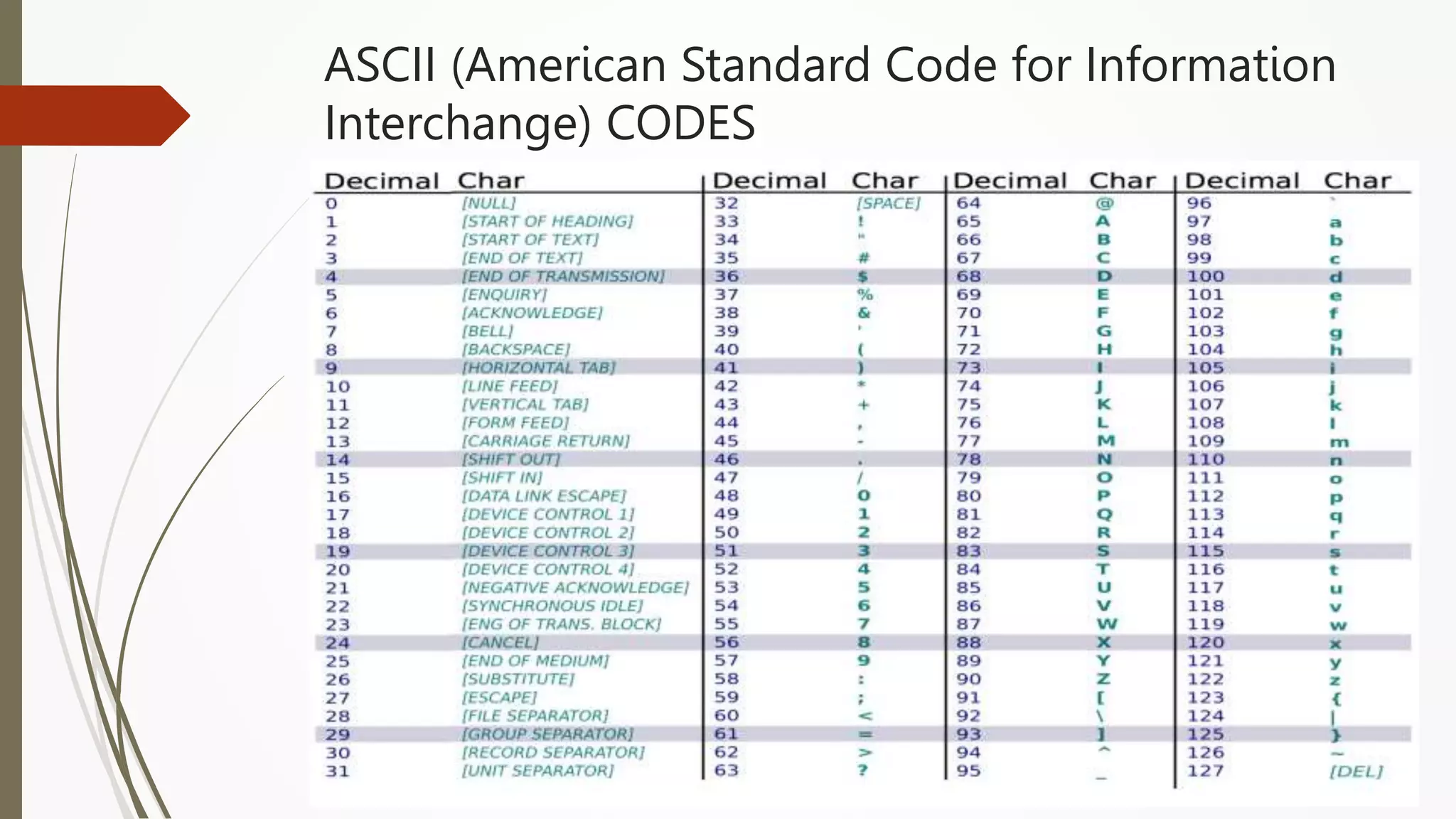
ASCII (American Standard Code for Information
Interchange) CODES

UNIT-1.pptx

  • 1.
    Introduction to Programming inPython Unit-1:Introduction to Problem Solving
  • 2.
    Syllabus  Introduction tocomputers, algorithms, Flow Charts, Problem solving concepts: exchanging the values of two variables, Counting, Summation of a set of numbers, Factorial computation, Sine function computation, Generation of the Fibonacci sequence, Reversing the digits of an integer, Base conversion and character to number conversion,
  • 3.
  • 4.
    What is aComputer?  An electronic device that is designed to accept data, perform the required mathematical and logical operations at high speed and output the result.
  • 5.
  • 6.
  • 9.
    History Of Computers Zeroth Generation  First Generation  Second Generation  Third Generation  Fourth Generation  Fifth Generation
  • 11.
    First Generation Computers The first computers used vacuum tubes(a sealed glass tube containing a near-vacuum which allows the free passage of electric current.) for circuitry and magnetic drums for memory.  They were often enormous and taking up entire room.  First generation computers relied on machine language.  They were very expensive to operate and in addition to using a great deal of electricity, generated a lot of heat, which was often the cause of malfunctions(defect or breakdown).  The UNIVAC (Universal Automatic Computer) and ENIAC (Electronic numerical Integrator and Calculator) computers are examples of first- generation computing devices.
  • 13.
    Second Generation Computers •Transistors replaced vacuum tubes and ushered in the second generation of computers. • Second-generation computers moved from cryptic binary machine language to symbolic. • High-level programming languages were also being developed at this time, such as early versions of COBOL and FORTRAN. • These were also the first computers that stored their instructions in their memory.
  • 15.
    Third Generation Computers The development of the integrated circuit was the hallmark of the third generation of computers.  Transistors were miniaturized and placed on silicon chips, called semiconductors.  Instead of punched cards and printouts, users interacted with third generation computers through keyboards and monitors and interfaced with an operating system.  Allowed the device to run many different applications at one time.
  • 17.
    Fourth Generation Computers The microprocessor brought the fourth generation of computers, as thousands of integrated circuits were built onto a single silicon chip.  The Intel 4004 chip, developed in 1971, located all the components of the computer.  From the central processing unit and memory to input/output controls— on a single chip.  . Fourth generation computers also saw the development of GUIs, the mouse and handheld devices.
  • 18.
  • 19.
    Fifth Generation Computers Fifth generation computing devices, based on artificial intelligence.  Are still in development, though there are some applications, such as voice recognition.  The use of parallel processing and superconductors is helping to make artificial intelligence a reality.  The goal of fifth-generation computing is to develop devices that respond to natural language input and are capable of learning and self-organization.
  • 20.
  • 21.
    Components of aComputer Components Hardware Software INPUT OUTPUT MEMORY CPU SYSTEM APPLICATION UTILITY
  • 22.
    Computer Hardware  Acomputer's hardware consists of electronic devices; the parts you can see and touch. In other words, these are tangible parts of a computer.  The term "device" refers to any piece of hardware used by the computer, such as a keyboard, monitor, modem, mouse, etc.  These are mechanical devices that make up the computer.
  • 23.
  • 24.
  • 25.
  • 26.
  • 27.
    Central Processing Unit-CPU  CPU controls the actions of the computer including calculations and processing of data.  CPUs come in different speeds - faster the CPU, faster the computer performs.
  • 28.
    Computer Software  Itis a set of instructions that makes the computer perform tasks. It is a part of the computer you cannot touch but is very important.  For any computer to function, it needs to have software installed on it. It is all the programming that makes the computer run; controlling everything that the computer does.
  • 29.
    Types of Software System Software Is any program that controls the computer’s hardware or that can be used to maintain the computer in some way so that it runs more efficiently. System Software provides a platform for running application software. Eg: OS, N/W OS, Utility Programs  Application Software Tells the computer how to accomplish specific tasks for the user. Eg: Word processing, Spreadsheets, Presentations, Graphics programs, Database management software  Utility Software A utility is a program that makes the computer system easier to use or performs highly specialized functions. Utilities are used to manage disks, troubleshoot hardware problems, and perform other tasks that the operating system itself may not be able to do. Eg: Symantec antivirus, Partition Magic.
  • 30.
    Characteristics of Computer Speed  Accuracy  Diligence  Storage Capability  Versatility
  • 31.
     Speed :Thecomputer can process data very fast, at the rate of millions of instructions per second  Accuracy: Computer provides a high degree of accuracy. For example, the computer can accurately give the result of division of any two numbers up to 10 decimal places.  Diligence: When used for a longer period of time, the computer does not get tired or fatigued. It can perform long and complex calculations with the same speed and accuracy from the start till the end.
  • 32.
     Storage Capability:Large volumes of data and information can be stored in the computer and also retrieved whenever required. A limited amount of data can be stored, temporarily, in the primary memory. Secondary storage devices like floppy disk and compact disk can store a large amount of data permanently.  Versatility: Computer is versatile in nature. It can perform different types of tasks with the same ease. At one moment you can use the computer to prepare a letter document and in the next moment you may play music or print a document.
  • 33.
  • 34.
    Definition An algorithm is“a finite set of precise instructions for performing a computation or for solving a problem” A program is one type of algorithm All programs are algorithms Not all algorithms are programs! Directions to somebody’s house is an algorithm A recipe for cooking a cake is an algorithm The steps to compute the cosine of 90° is an algorithm
  • 35.
    Properties of anAlgorithm  Algorithms generally share a set of properties: Input: what the algorithm takes in as input Output: what the algorithm produces as output Definiteness: the steps are defined precisely Correctness: should produce the correct output Finiteness: the steps required should be finite Effectiveness: each step must be able to be performed in a finite amount of time Generality: the algorithm should be applicable to all problems of a similar form
  • 36.
    CONTROL STRUCTURES USEDIN ALGORITHMS  An algorithm has a finite number of steps. Some steps may involve decision-making and repetition.  An algorithm may employ one of the following control structures: (a) sequence (b) decision (c) repetition.
  • 37.
    Sequence  By sequence,we mean that each step of an algorithm is executed in a specified order.
  • 38.
    Sequence  Ex ample-2:A lg orithm to find area of a circle Step 1: Start Step 2 : Read the RADIUS of a circle in ‘rad’ Step 3 : Find the square of ‘rad’ and store it in ‘rad-sq’ Step 4 : Multiply ‘rad-sq’ with 3.14 and store the result in AREA Step 5: Print AREA Step 6: Stop
  • 39.
    Decision  Decision statementsare used when the execution of a process depends on the outcome of some condition.  Syntax: IF condition Then process  A condition in this context is any statement that may evaluate to either a true value or a false value.  example, if x = y, then print EQUAL.  A decision statement can also be stated in the following manner: IF condition Then process1 ELSE process2  This form is popularly known as the IF–ELSE construct
  • 40.
  • 41.
    Example-2 Write an algorithmto find the average marks of a student. Also check whether the student has passed or failed. For a student to be declared pass, average marks should not be less than 65.
  • 42.
    Solution Step 0 :Start Step 1 : Read 3 subjects marks in Marks1, Marks2, Marks3 Step 2 : calculate Total as (Marks1 + Marks2 + Marks3) Step 3 : calculate Average as (Total / 3) Step 4 : check if (Average < 65) or not. If yes, Set Output = “Student Failed“ Step 5 : Otherwise, Set Output = “Student Passed“ Step 6 : Display Output Step 7 : Stop
  • 43.
    Repetition  Repetition, whichinvolves executing one or more steps for a number of times, can be implemented using constructs such as while, do– while, and for loops.  These loops execute one or more steps until some condition is true.
  • 44.
    Example1: Algorithm toprint the first 10 natural numbers.  Step 1: Start.  Step 2: SET K=1  Step 3: Output K.  Step 4: Increment K by 1.  Step 5: Check if the value of K is less than or equal to 10. IF K<=10 THEN GOTO step 3 otherwise GOTO Step 6.  Step 6: Stop.
  • 45.
    Example-2: Find theaverage marks scored by ‘N’ number of students Step 1 : Start Step 2 : Read Number Of Students in ‘n’ and Let Counter = 1 Step 3 : Read Marks1, Marks2, Marks3 Step 4 : Calculate Total = (Marks1 + Marks2 + Marks3) and Average = Total / 3 Step 5 : If (Average < 65) then Set Output = “Student Failed“ Step 6 : Otherwise, Set Output = “Student Passed“ Step 7 : Display Output Step 9 : Set Counter = Counter + 1 Step 10 : If (Counter <=‘n’ ) then goto step 3. otherwise, go to next step Step 11: Stop
  • 46.
    Task: 1. Write analgorithm to print the largest of two given numbers. 2. Write an algorithm to print first 10 even numbers.
  • 47.
    Algorithm to printfirst 10 even numbers  Step 1: Start.  Step 2: SET K=1  Step 3: Check if the value of K divisible by 2. IF K%2==0 THEN GOTO step 4 otherwise GOTO Step 5  Step 4: print K  Step 5: Increment K by 1.  Step 5: Check if the value of K is less than or equal to 10. IF K<=10 THEN GOTO step 3 otherwise GOTO Step 6.  Step 6: Stop.
  • 48.
  • 49.
    What is aFlow chart?  A flow chart is a pictorial representation of an algorithm in which the steps are drawn in the form of different shapes of boxes and the logical flow is indicated by interconnecting arrows.  Flow charts are used in analyzing, designing , documenting or managing a process or a program in various fields.
  • 50.
    Basic Symbols inFlow Chart  Terminals: A rounded rectangle indicating start /stop of a process.  Parallelogram : Indicates Input /Output of a process  Rectangle: Indicates a Process  Rhombus: Indicating the decision /Condition  Connector: Used to connect flowcharts in two different locations  Cylinder: To represent a database  To represent a Document  Arrows: To represent the interconnection between the symbols and flow of process.
  • 52.
    Design Rules ofa Flow Chart  All necessary requirements should be listed out clearly and logically.  Flowcharting flow should be from left to right or top to bottom.  If flowchart becomes complex then in is good to use connector instead of using intersection in a flow chart  Should use standard symbols Schema in flowcharting  Consistency in flow, Color scheme, size and spacing pattern.
  • 53.
    Flow Chart forsum of two numbers
  • 54.
  • 55.
    Flow chart for printingfirst 10 natural numbers
  • 56.
    Tasks: 1. write analgorithm and flow chart to find the largest of three given numbers. 2. Design an algorithm and flowchart to find the circumference of a circle. Use the formula: C=2πr, where π is approximately equivalent 3.1416. 3. Write an algorithm and flowchart that takes as input the purchase price of an item (P), its expected number of years of service (Y) and its expected salvage value (S). Then outputs the yearly depreciation for the item (D). Use the formula: D = (P – S) Y.
  • 57.
    Solutions Algorithm and flowchart to find the largest of three given numbers Step 1 : Start Step 2 : Read the integers A, B, C Step 3 : Check If A greater than B Step 4 : If true then check if A greater than C 1. If true then print A as greater 2.If false then print C as greater Step 5 : If false then check if B is greater than C 1. if true then print B as greater 2. if false then print C as greater Step 6 : Stop
  • 58.
    Solutions 1. write analgorithm and flow chart to find the largest of three given numbers.
  • 59.
    Solutions 2. Design aprogram to find the circumference of a circle. Use the formula: C=2πr, where π is approximately equivalent 3.1416.
  • 60.
    Solutions 3. Write aprogram that takes as input the purchase price of an item (P), its expected number of years of service (Y) and its expected salvage value (S). Then outputs the yearly depreciation for the item (D). Use the formula: D = (P – S) Y.
  • 61.
  • 62.
    Problem  Problem isa puzzle that requires logical thought and /or mathematics to solve.
  • 63.
    Types of problems All Problems do not have a straightforward solutions.  Some problems can be solved with a series of actions and these solutions are called algorithmic solutions. There may be more than one solution for a problem. Eg: baking a cake, Preparing tea  Identify all possible ways to solve a problem and choose the best among them
  • 64.
    Types of problems The solutions of some problems are not so straight forward. These solutions require reasoning built on knowledge and experience, and a process of trial and error.  Solutions that cannot be reached through a direct set of steps are called heuristic solutions Eg: how to buy the best stock? how to expand a company?
  • 65.
    Problem Solving Problem solvingis the process of identifying a problem, developing possible solution paths, and taking the appropriate course of action.
  • 66.
    Problem Solving onComputers  Computers are built to solve problems with algorithmic solutions, which are often difficult or very time consuming when input is large  Solving a complicated calculus problem or alphabetizing 10,000 names is an easy task for the computer  So the basis for solving any problem through computers is by developing an algorithm
  • 67.
    Contd..  Field ofcomputers that deals with heuristic types of problems is called Artificial Intelligence (AI). Artificial intelligence is an expanding computer field, especially with the increased use of Robotics.  Artificial intelligence enables a computer to do things like human by building its own knowledge bank. As a result, the computer’s problem-solving abilities are similar to those of a human being.
  • 68.
    Computational problems Computation isthe process of evolution from one state to another in accordance with some rules.
  • 69.
  • 70.
    Logic  Definition :It is the basis for solving any problem. It is a method of human thought that involves thinking in a linear, step by step manner about how a problem can be solved Eg: John’s mom has four children. The first child is called April. The second May. The third June. What is the name of the fourth child?
  • 71.
    How a problemcan be solved ?  Solving problem by computer undergoes two phases:  Phase 1: Pre-programming phase.  Phase 2: Programming phase.
  • 72.
    Pre-programming Phase  Understandand analyze the problem to determine whether it can be solved by a computer.  Analyze the requirements of the problem.  Identify the following: Data requirement. procedures that will be needed to solve the problem. The output.
  • 73.
    Pre-programming Phase  Allthese requirements can be presented in a Problem Analysis Chart (PAC) Input Processing Output Solution Alternatives given in the problem or provided by the user List of processing required or procedures Output requirement List of ideas for the solution of the problem
  • 74.
    Example  Payroll Problem:Calculate the salary of an employee who works by hourly basis. The formula to be used is Salary = Hour works * Pay rate Input Processing Output Alternative Solutions Hours work, Pay rate Salary = Hours work * pay rate Salary 1. Define the hours worked and pay rate as constants. ∗2. Define the hours worked and pay rate as input values.
  • 75.
    Example Miles to Km:Write a Problem Analysis Chart (PAC) to convert the distance in miles to kilometers where 0.621 miles per kilometer. Data Processing Output Solution Alternatives Distance in miles Kilometers = 0.621 x miles Distance in kilometers 1. Define the miles as constants. ∗2. Define the miles as input values.
  • 76.
    Importance of logicin a problem  In a fun game, MXM grid is given with full of coins. The player has to give a number 'N' of his choice. If N is lesser than M then he is out of game and doesn't gain any points. Otherwise he has to place all coins in the MXM grid in the NXN grid and he gains points equal to the number of free cells in the N X N grid. Data Processing Output Solution Alternatives Numbers M and N If N is less than M Points = 0 Otherwise Compute Points as N2 - M2 Number of points gained 1. Compute N2 - M2 as NXN – MXM 2. Compute (N + M) X (N – M) (Number of multiplication is reduced)
  • 77.
    Swapping of twovariables a = 4 b = 6 Result a = 6 b = 4
  • 78.
    Algorithm Step 1: Start Step2: Declare a, b, temp Step 3: Enter two numbers a, b Step 4: Set temp=0 Step 5: temp=a Step 6: a=b Step 7: b=temp Step 8: Print a, b Step 9: Stop a b temp 4 6 0
  • 79.
  • 80.
    Swapping of 2variables without using temporary (or 3rd variable).
  • 81.
    Counting  Counting thenumber of occurrences of a type of elements in a set of elements  Example: Counting the occurrence of a digit in a given number  Counting the number of digits in a given number
  • 82.
    Counting the numberof digits in a given number  Step 1: Start.  Step 2: SET counter = 0  Step 3: Read an integer n  Step 4: Check if the value of n is greater than 0  Step 5: if False go to step 9  Step 6: if True then increment the counter by 1  Step 7: Divide n by 10 and store in n  Step 8: Repeat step 4 to step 7 until n>0 or n!=0  Step 9: Stop.
  • 83.
  • 84.
    Summation of aset of numbers Summation of a set of numbers is the addition of a sequence of any kind of numbers, called addends or summands; the result is their sum or total. Example: Sum of first n natural numbers
  • 85.
    Algorithm  Step 1:Start  Step 2: Read n  Step 3: SET i = 1, sum = 0  Step 4: Repeat Steps 5 to 6 until i <= n  Step 5: sum = sum + i  Step 6: i = i + 1  Step 7: Print sum  Step 8: Stop
  • 86.
  • 87.
    Factorial of anumber  Computed as the product of all positive numbers starting from 1 and up to n.  Factorial of 4 (4!) is 1*2*3*4 =24  Factorial of 0 is 1
  • 88.
    Algorithm  Step 1:Start  Step 2: Declare n, fact, i  Step 3: Enter n  Step 4: Initialize i = 1, fact = 1  Step 5: Repeat Steps 6 to 7 until i <= n  Step 6: fact = fact * i  Step 7: i = i + 1  Step 8: Print fact  Step 9: Stop
  • 89.
  • 90.
    Fibonacci Sequence  TheFibonacci sequence, also known as Fibonacci numbers, is defined as the sequence of numbers in which each number in the sequence is equal to the sum of two numbers before it. The Fibonacci Sequence is given as:  Fibonacci Sequence = 0, 1, 1, 2, 3, 5, 8, 13, 21, ….
  • 91.
    Algorithm  Step 1:Start  Step 2: Read how many numbers to be printed in the series to n  Step 3: Set f1=0, f2=1, i=1  Step 4: Output the values f0 and f1  Step 5: Repeat Step 5 to Step 10 until i<=n  Step 6: Set fib := f1 + f2  Step 7: f1 := f2  Step 8: f2 := fib  Step 9: Increment i by 1  Step 10: Output the value fib  Step 11: End
  • 92.
  • 93.
    REVERSING THE DIGITSOF A NUMBER N=1234 OUTPUT= 4321
  • 94.
    Algorithm  Step 1:Start  Step 2: Read an integer number to n  Step 3: Set the initial value of rev as 0  Step 4: Repeat Step 5 to Step 7 Unitl n!=0  Step 5: Set last_digit= n %10  Step 6: Set Rev= Rev *10 + last_digit  Step 7: Set n=n/10  Step 8: Print rev  Step 9: End
  • 95.
  • 96.
    Sine function computation Sine series is given : sin(x) = (x/1!)-((x^3)/3!)+((x^5)/5!) -((x^7)/7!)+..........  In general ith term can be calculated as : 𝑥2 𝑖(𝑖−1) * Previous term
  • 97.
    Algorithm  Step 1:Start Step 2: Read how many numbers in series to n  Step 3: Read the value of x to compute the sine function to x  Step 4: Set the initial value of the series as sinx=x  Step 5: Set the previous term as first term in pterm = x  Step 6: Set iterable k=1 and sign =-1  Step 7: Repeat Step 7 to Step 10 until i < n  Step 8: Increment the power value k by 2  Step 9: Compute the current element of sine function as  pterm*(x2/k(k-1)) and add it to the previous value of the series  Step 10: Update the previous term as pterm = pterm*(x2/k(k-1)) and the sign as sign=sign*-1  Step 11: Output the final value of the series  Step 12: End
  • 98.
  • 99.
  • 100.
    Number system  Numbersystems are systems in mathematics that are used to express numbers in various forms and are understood by computers.  It is also called the system of numeration and it defines a set of values to represent a quantity.  The value of any digit in a number can be determined by a digit, its position in the number, and the base of the number system.  A number base (or base for short) of a numeral system tells us about the unique or different symbols and notations it uses to represent a value.
  • 101.
  • 102.
  • 103.
  • 104.
  • 105.
  • 106.
  • 107.
  • 108.
    Character to NumberConversion  Step 1: initialize: value = 0  Step 2: loop over the characters in the string, left to right  Step 3:convert the character to a digit  Step 4 :compute: value = value * base + digit  Step 5: repeat steps 3 and 4 for all the characters  Step 6: value now contains the correct number
  • 109.
    Example in decimal Convert the string "263" to decimal. value = 0 "263" - value = 10 * 0 + 2 = 2 "263" - value = 10 * 2 + 6 = 26 "263" - value = 10 * 26 + 3 = 263
  • 110.
    example in binary Convert the string "010011" to its decimal value.  value = 0  "010011" - value = 2 * 0 + 0 = 0  "010011" - value = 2 * 0 + 1 = 1  "010011" - value = 2 * 1 + 0 = 2  "010011" - value = 2 * 2 + 0 = 4  "010011" - value = 2 * 4 + 1 = 9  "010011" - value = 2 * 9 + 1 = 19
  • 111.
    example in hex Convert the string "C8A" to decimal.  value = 0  "C8A" - value = 16 * 0 + 12 = 12  "C8A" - value = 16 * 12 + 8 = 200  "C8A" - value = 16 * 200 + 10 = 3210
  • 112.
    ASCII (American StandardCode for Information Interchange) CODES