Unit Test
Đức Trần
Unit Test
Why Testing?
Beginning Unit Test
Asynchronous Testing
Performance Testing
Why Testing?
Find bug
Clear requirement
Maintenance
How?
1. Code
2. Add Tests
3. Modify code for passing Tests
Vs
1. Write Tests
2. Write code that pass Tests (Test-Driven Development)
Beginning Unit Test
Beginning Unit Test
XCTest
Test Target
Running Test
Viewing Result
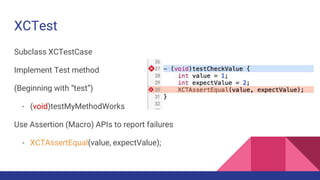
XCTest
Subclass XCTestCase
Implement Test method
(Beginning with “test”)
- (void)testMyMethodWorks
Use Assertion (Macro) APIs to report failures
- XCTAssertEqual(value, expectValue);
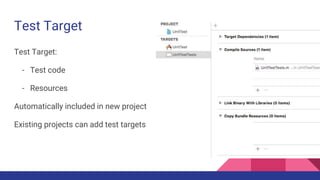
Test Target
Test Target:
- Test code
- Resources
Automatically included in new project
Existing projects can add test targets
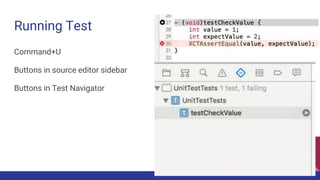
Running Test
Command+U
Buttons in source editor sidebar
Buttons in Test Navigator
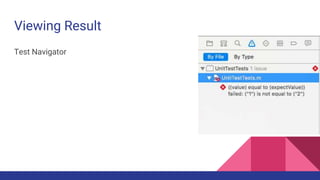
Viewing Result
Test Navigator
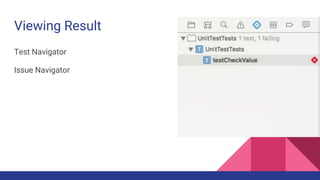
Viewing Result
Test Navigator
Issue Navigator
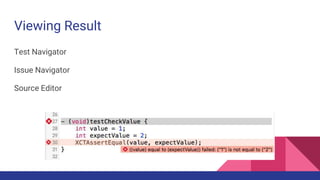
Viewing Result
Test Navigator
Issue Navigator
Source Editor
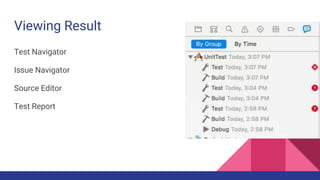
Viewing Result
Test Navigator
Issue Navigator
Source Editor
Test Report
Demo
Adding Test Case
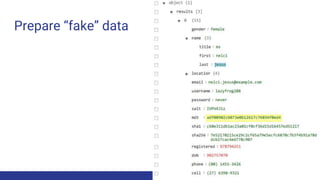
Prepare “fake” data
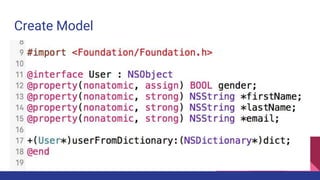
Create Model
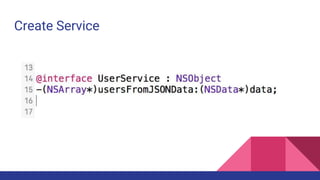
Create Service
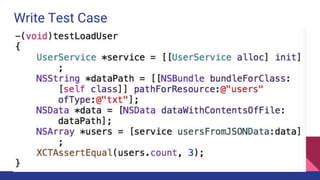
Write Test Case
Implement Method
Write code to implement methods.
Check if test cases are passed
Asynchronous Testing
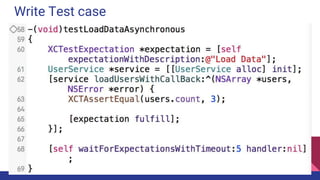
Create Expectation Object:
- XCTestExpectation *expectation = [self expectationWithDescription:@"Load Data"];
XCTestCase waits for Expectations to “Fullfill”
- (void)waitForExpectationsWithTimeout:(NSTimeInterval)timeout handler:(nullable
XCWaitCompletionHandler)handler;
Handle when finishing asynchronous tasks:
- [expectation fulfill];
Demo
Asynchronous Testing
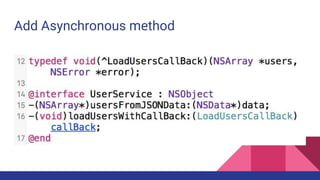
Add Asynchronous method
Write Test case
Implement method
Write code to implement methods.
Check if test cases are passed
Performance Testing
Performance Testing
How to measure app performance?
How to find which part causes performance problem?
=> Performance Testing.
Measuring Performance
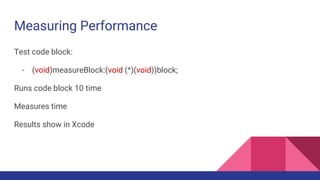
Test code block:
- (void)measureBlock:(void (^)(void))block;
Runs code block 10 time
Measures time
Results show in Xcode
Performance Testing
Setting Baselines
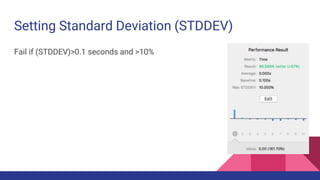
Setting Standard Deviation (STDDEV)
Setting Baselines
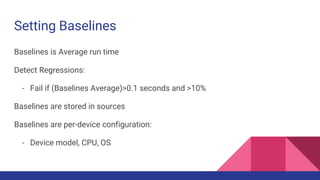
Baselines is Average run time
Detect Regressions:
- Fail if (Baselines Average)>0.1 seconds and >10%
Baselines are stored in sources
Baselines are per-device configuration:
- Device model, CPU, OS
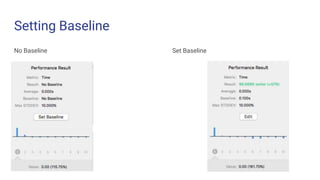
Setting Baseline
No Baseline Set Baseline
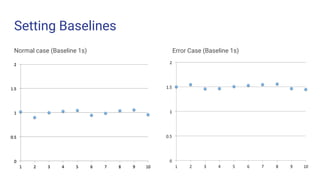
Setting Baselines
Normal case (Baseline 1s) Error Case (Baseline 1s)
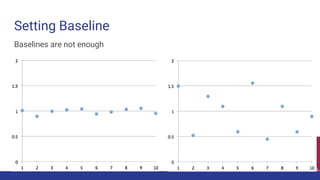
Setting Baseline
Baselines are not enough
Setting Standard Deviation (STDDEV)
Fail if (STDDEV)>0.1 seconds and >10%
Standard Deviation
Why STDDEV too big?
- File I/O, Network I/O?
- Initialization?
- Does it do the same work each time it's called?
- System busy?
Profiling Test
Investigate functions’ performance
Demo
Performance Testing
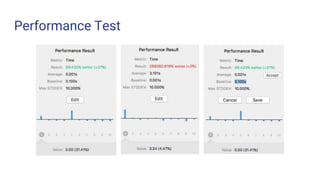
Performance Test
Summary
Why Testing?
Beginning Unit Test
Asynchronous Testing
Performance Testing
Reference
WWDC’s video: https://developer.apple.com/videos/play/wwdc2014/414/
Unit Test Sample:
https://developer.apple.com/library/mac/samplecode/UnitTests/History/History.
html#//apple_ref/doc/uid/DTS40011742-RevisionHistory-DontLinkElementID_1
Udacity Course: https://www.udacity.com/course/viewer#!/c-cs212/l-
48688918/m-48276959
Demo Source: https://www.dropbox.com/s/mhjpllmxugyf02c/UnitTest.zip?dl=1
QA?
1. How to implement UITest?
- Checkout apple’s Sample app:
https://developer.apple.com/library/mac/samplecode/UnitTests/History/Hist
ory.html#//apple_ref/doc/uid/DTS40011742-RevisionHistory-
DontLinkElementID_1
- Checkout this WWDC session:
https://developer.apple.com/videos/play/wwdc2015/406/
Assignment
Write a sample app using UnitTest
- Which test cases should we have to cover?
Thanks for watching!

Unit test