Unit:3
Loops & Functions
Programs
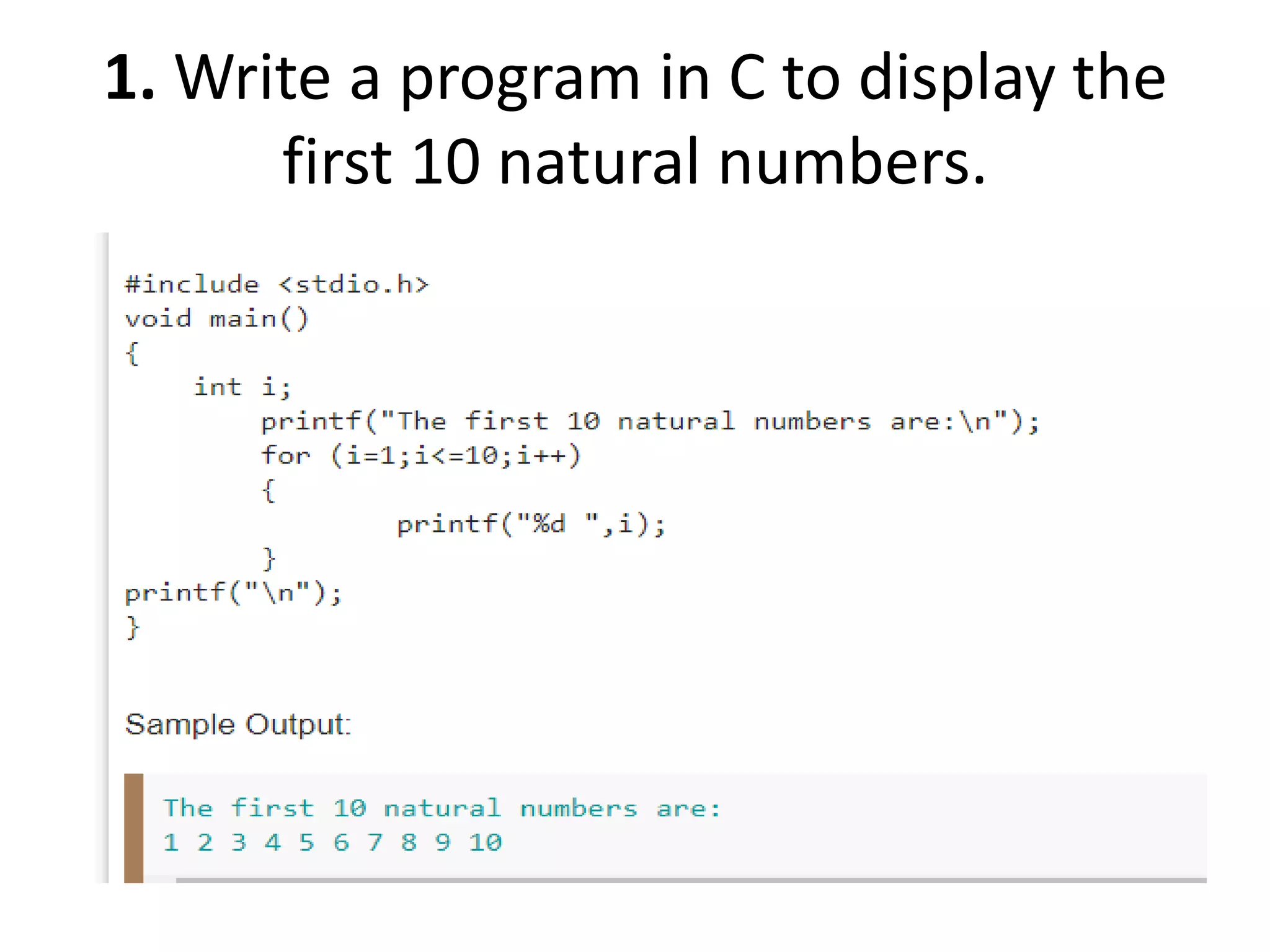
1. Write a program in C to display the
first 10 natural numbers.
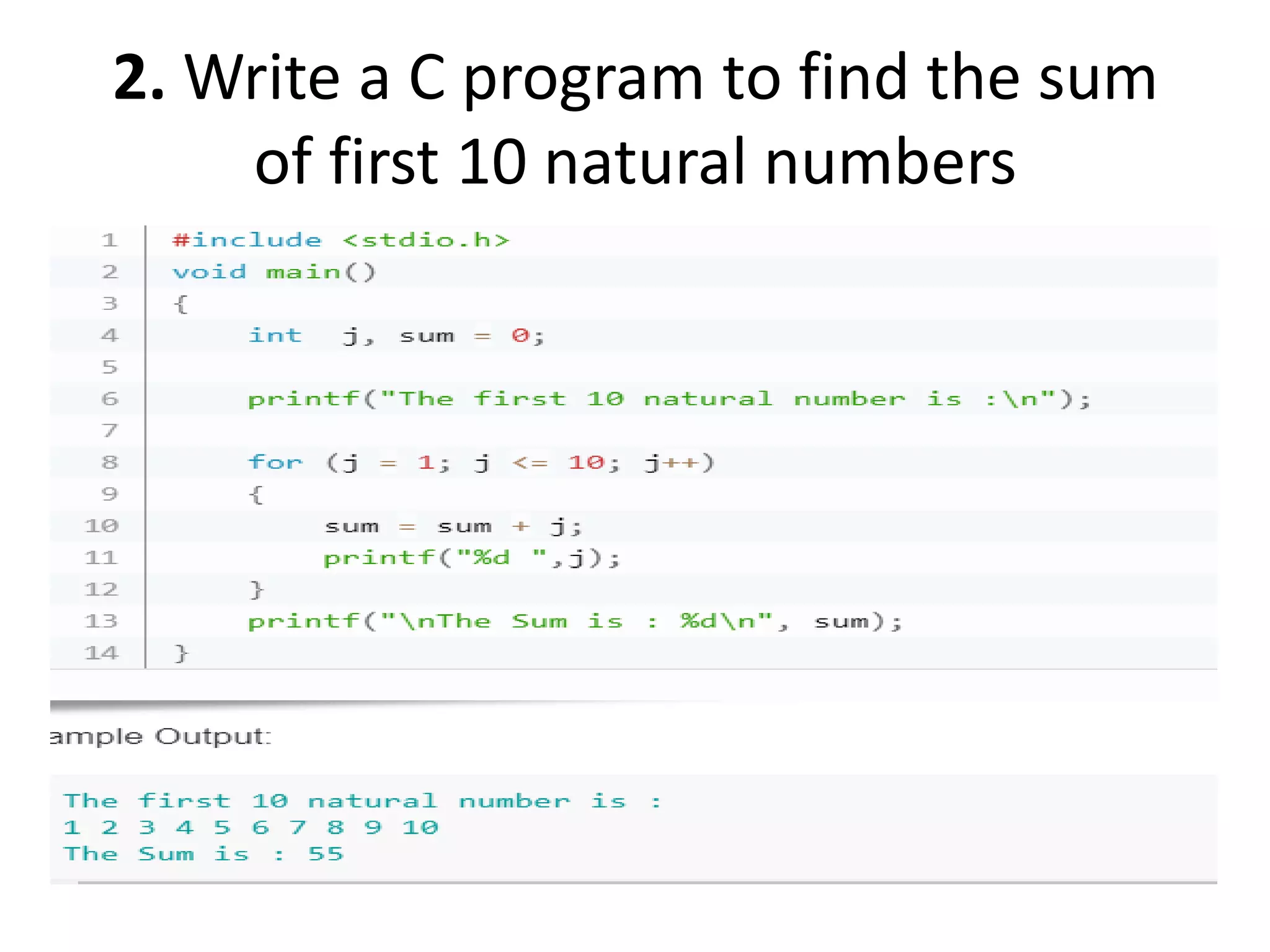
2. Write a C program to find the sum
of first 10 natural numbers
3. Write a program in C to display the cube
of the number up to given an integer
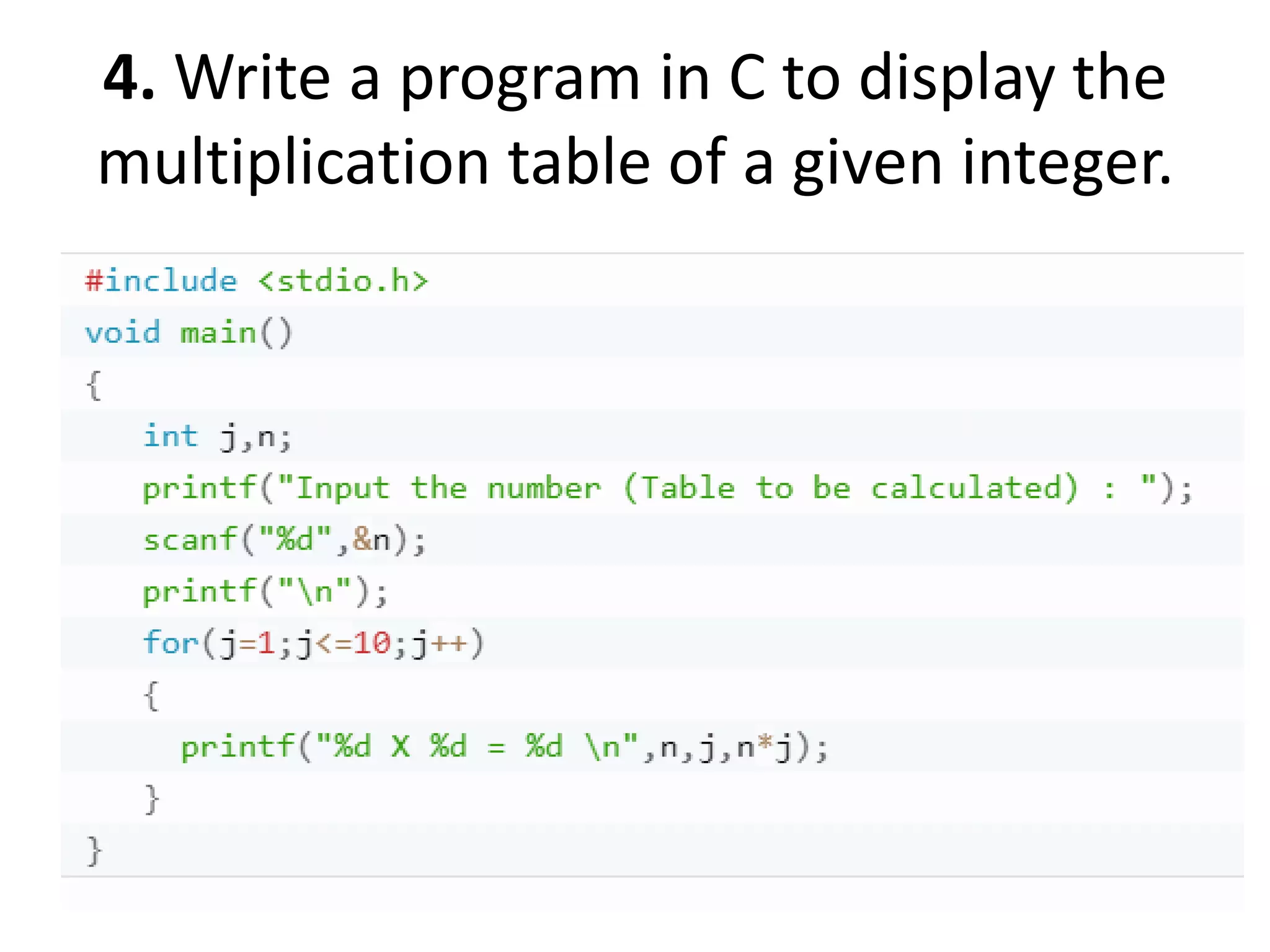
4. Write a program in C to display the
multiplication table of a given integer.
5. Write a C program to calculate the
factorial of a given number
6. Display the sum of the series [ 9 +
99 + 999 + 9999 ...]
7. Write a program in C to display the n terms of
square natural number and their sum.
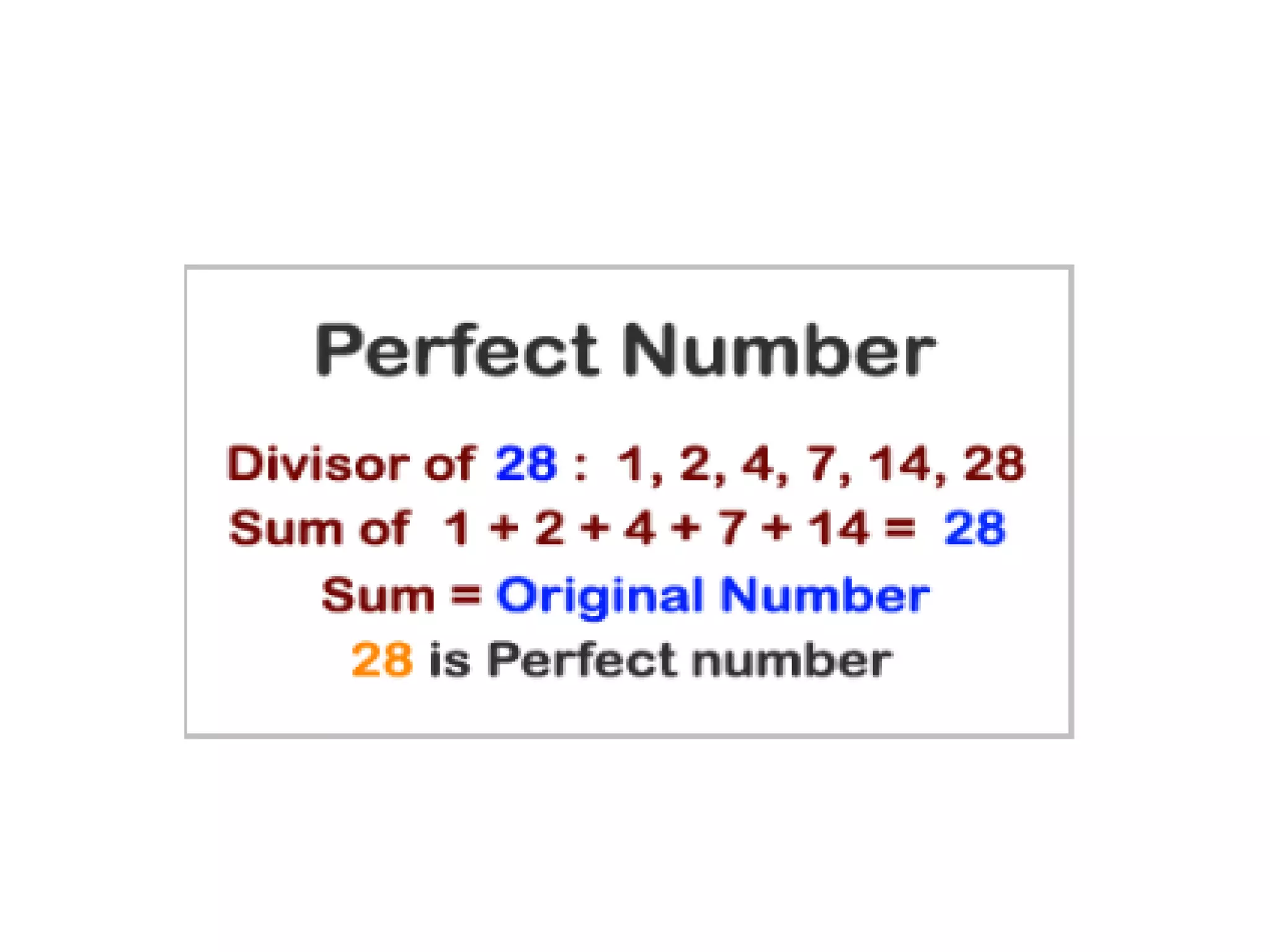
8. Write a c program to check whether a
given number is a perfect number or not.
• Write a program in C to display the n terms of
odd natural number and their sum.
• Write a program in C to display the n terms of
even natural number and their sum.
• Write a C program to determine whether a
given number is prime or not.
• To find sum of numbers from m to n.
• To count number of digits in a number.
• To find whether a number is Armstrong number
or not.
• To find reverse of a number.
• To find whether a number is palindrome or not.
• To find decimal equivalent of a Binary number.
• To find Binary equivalent of a decimal number.
• To print various patterns.
Storage Classes
in C
• It defines the scope(visibility) and a lifetime of
variables and/or functions within a program.
1. Scope: where the value of the variable would
be available inside a program.
2. default initial value: if we do not explicitly
initialize that variable, what will be its default
initial value.
3. lifetime of that variable: for how long will
that variable exist.
• The following storage classes are most often
used in C programming:
1. Automatic variables
2. External variables
3. Static variables
4. Register variables
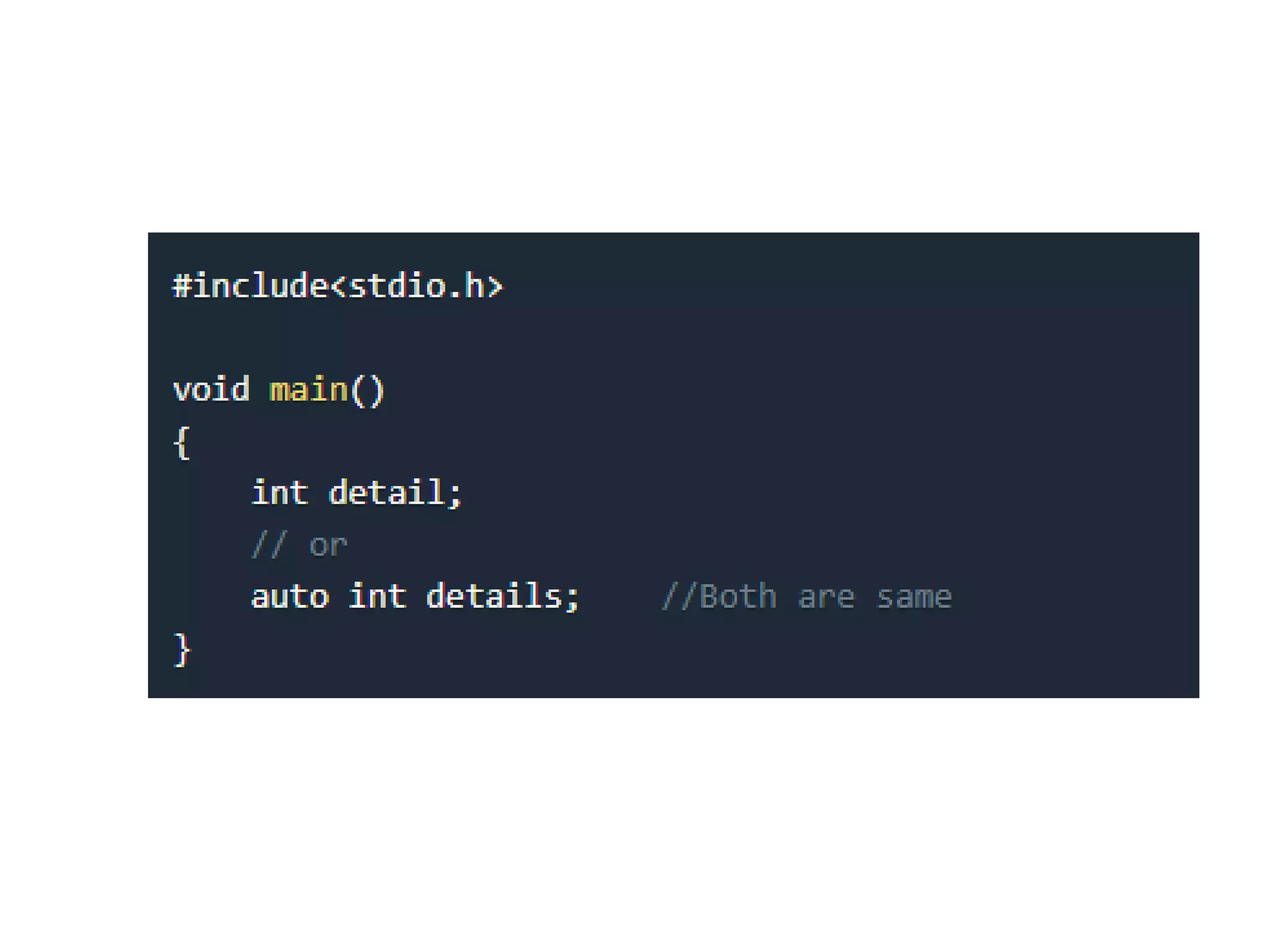
1. Automatic variables: ”auto”
• Scope: Variable defined with auto storage class are
local to the function block inside which they are
defined.
• Default Initial Value: Any random value i.e garbage
value.
• Lifetime: Till the end of the function/method block
where the variable is defined.
• by default an automatic variable.
• Automatic variables can also be called local variables
because they are local to a function.
2. Register Storage Class: “register”
• Scope: Local to the function in which it is declared.
• Default initial value: garbage value
• Lifetime: Till the end of function block.
• Same as auto except, Store the variable in CPU
register instead of memory. We should
use register storage class only for those variables that
are used in our program very often. CPU registers are
limited and thus should be used carefully.
• Syntax : register int number;
3. External or Global variable: “extern”
• Scope: Global (everywhere in the program).
• Default initial value: 0(zero).
• Lifetime: Till the program doesn't finish its execution,
you can access global variables.
• These variables are not bound by any function, they
are available everywhere.
• variables, which are not needed till the end of the
program, will still occupy the memory and thus,
memory will be wasted.
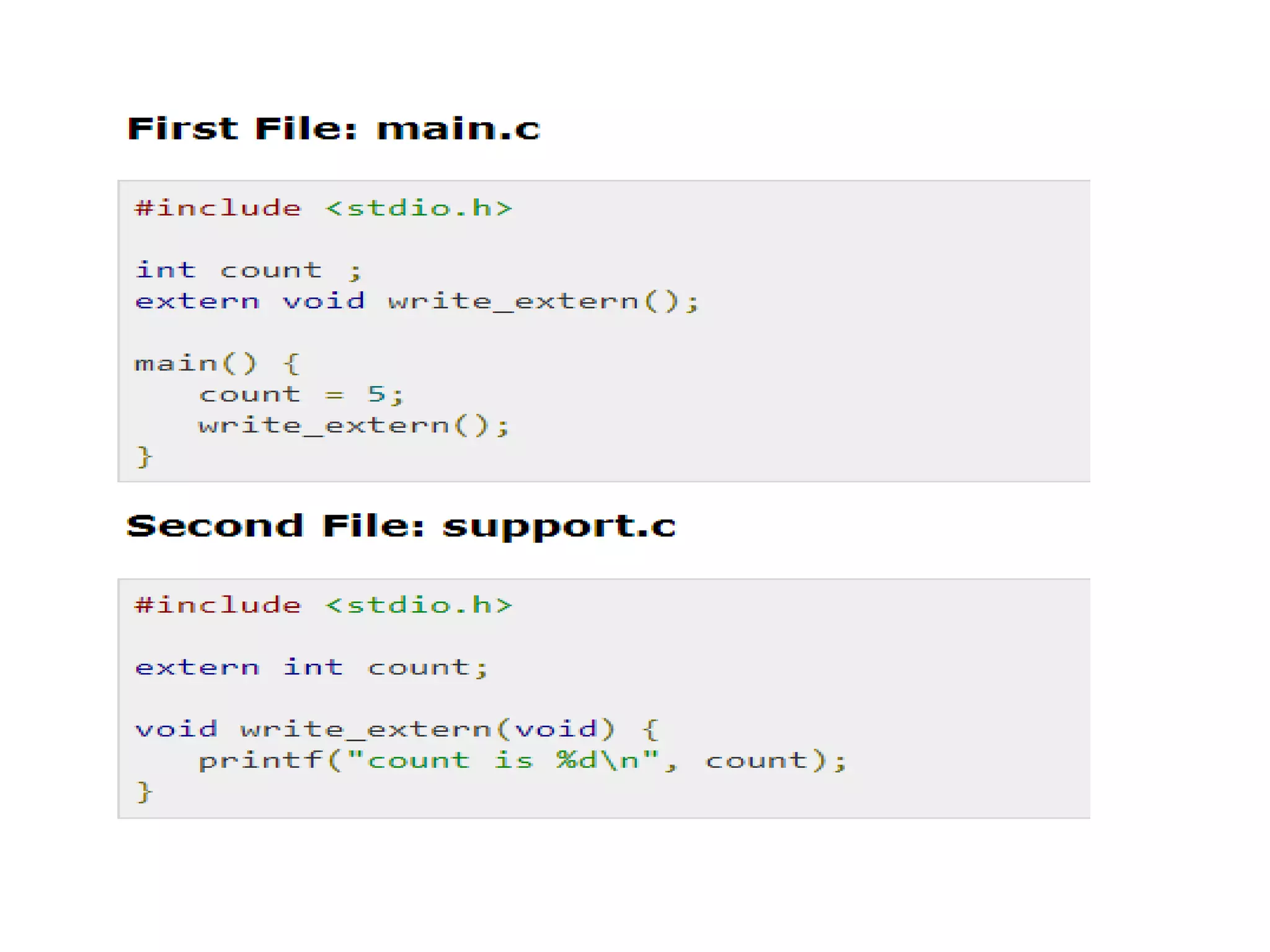
• The extern modifier is most commonly used when
there are two or more files sharing the same global
variables or functions.
4. Static variables: “static”
• Scope: Local to the block in which the variable
is defined
• Default initial value: 0(Zero).
• Lifetime: Till the whole program doesn't finish
its execution.
• We should use static storage class only when
we want the value of the variable to remain
same every time we call it using different
function calls
A function is a set of statements that take inputs, do
some specific computation and produces output.
• The idea is to put some commonly or repeatedly done
task together and make a function, so that instead of
writing the same code again and again for different
inputs, we can call the function.
• Each function perform some specific task.
• Every C program has at least one function
main(). Execution of a program starts from
main().
• A function can also be referred as a method or
sub-routine or procedure etc.
• A function divides complex problem into small
components, makes program easy to
understand and use.
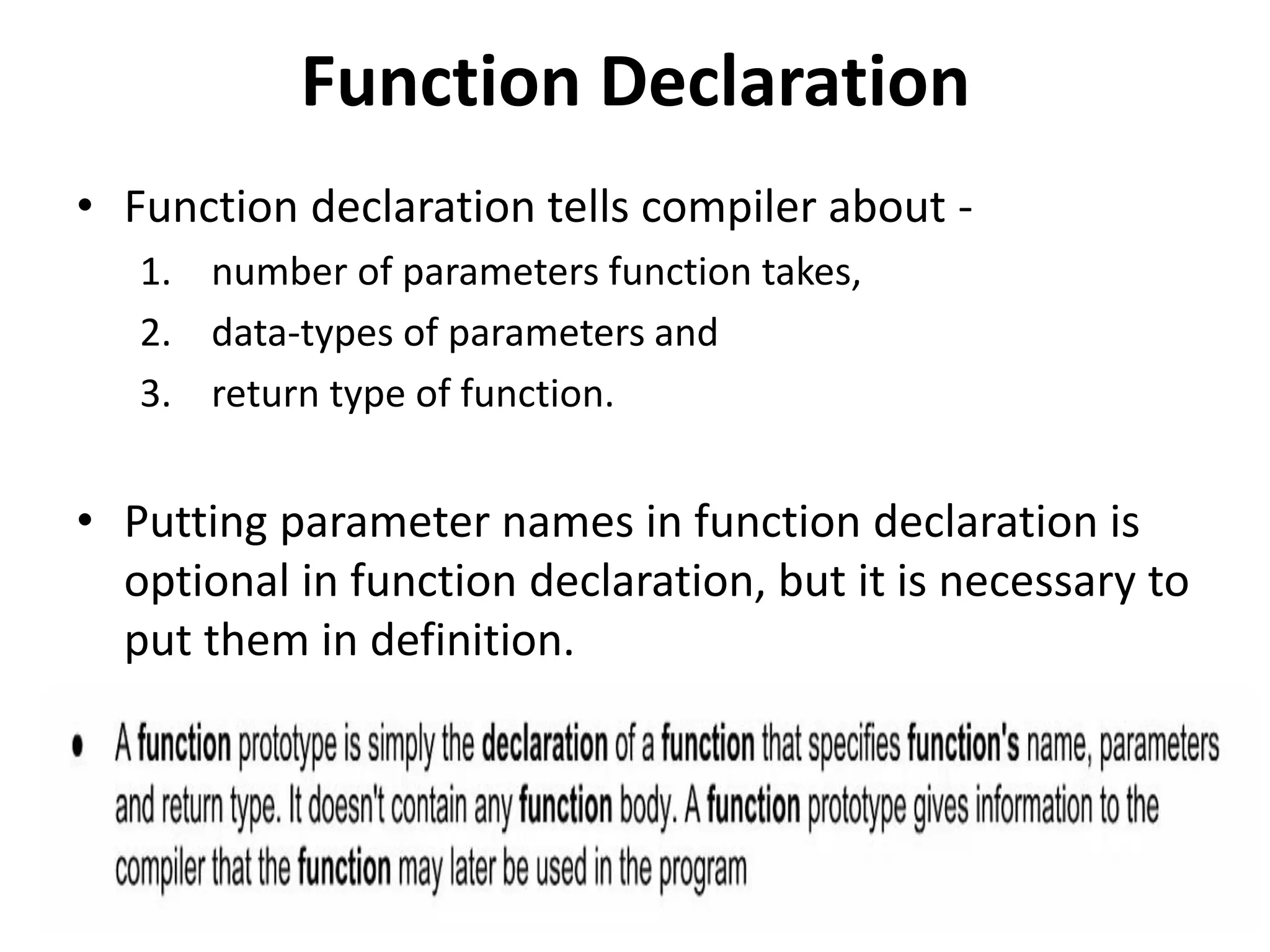
Function Declaration
• Function declaration tells compiler about -
1. number of parameters function takes,
2. data-types of parameters and
3. return type of function.
• Putting parameter names in function declaration is
optional in function declaration, but it is necessary to
put them in definition.
Function Definition
• Actual code of the function, which does some
specific task.
• Function definition contains function header
and function body.
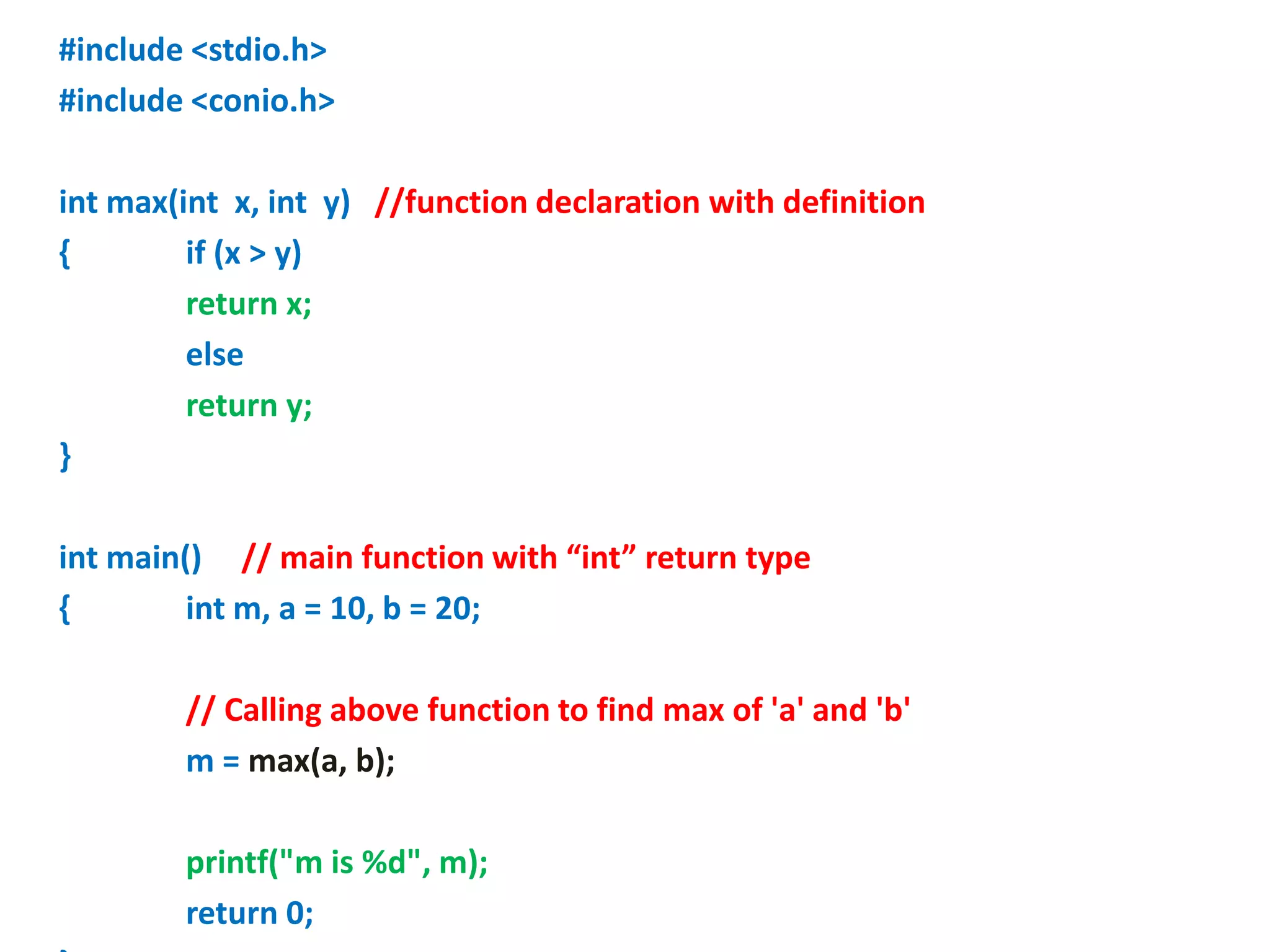
#include <stdio.h>
#include <conio.h>
int max(int x, int y) //function declaration with definition
{ if (x > y)
return x;
else
return y;
}
int main() // main function with “int” return type
{ int m, a = 10, b = 20;
// Calling above function to find max of 'a' and 'b'
m = max(a, b);
printf("m is %d", m);
return 0;
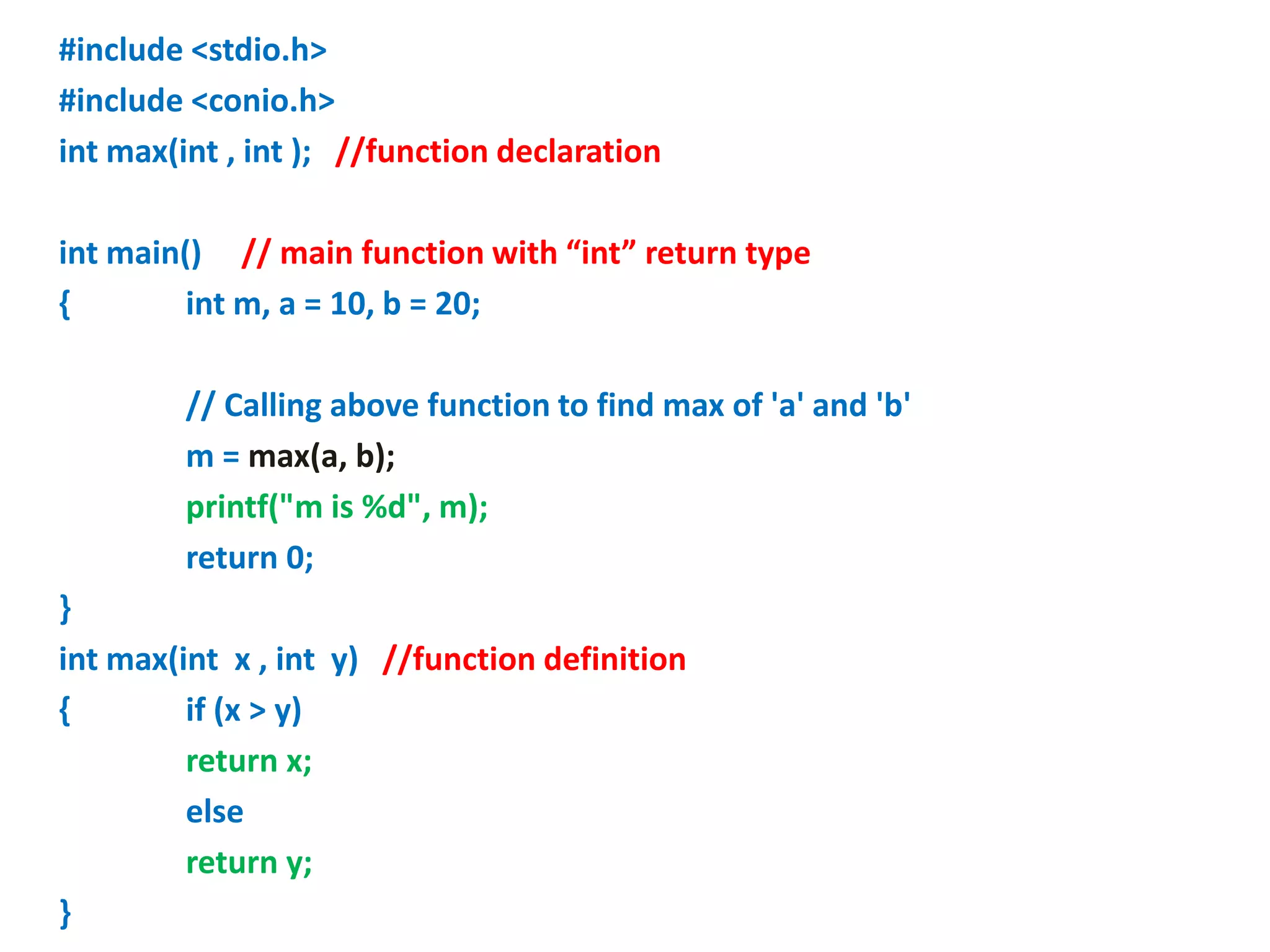
#include <stdio.h>
#include <conio.h>
int max(int , int ); //function declaration
int main() // main function with “int” return type
{ int m, a = 10, b = 20;
// Calling above function to find max of 'a' and 'b'
m = max(a, b);
printf("m is %d", m);
return 0;
}
int max(int x , int y) //function definition
{ if (x > y)
return x;
else
return y;
}
Return Statement
• It terminates the execution of a function and
returns a value to the calling function.
• Program control is transferred to the calling
function after return statement.
• It is always recommended to declare a function before
it is used.
• In C, we can do both declaration and definition at same
place, like done in the previous example program.
• C also allows to declare and define functions separately,
this is specially needed in case of library functions.
• The library functions are declared in header files and
defined in library files.
return_type function_name( Parameter_list ); //function declaration
return_type main() // main function
{
Body of main function
function_name ( Actual Arguments); // Calling above function
}
return_type function_name( Formal Arguments or parameters ) //function
definition
{
Body of user defined function
}
Ways of defining a function
1.No arguments and No return Value:
#include <stdio.h>
void add(void ); //function declaration
void main() // main function with “int” return type
{ clrscr();
add();
getch();
}
Void add(void) //function definition
{ int x,y,z;
printf(“Enter numbers”);
Scanf(“%dn%d”,&x,&y);
z=x+y;
printf(“%d”,z);
}
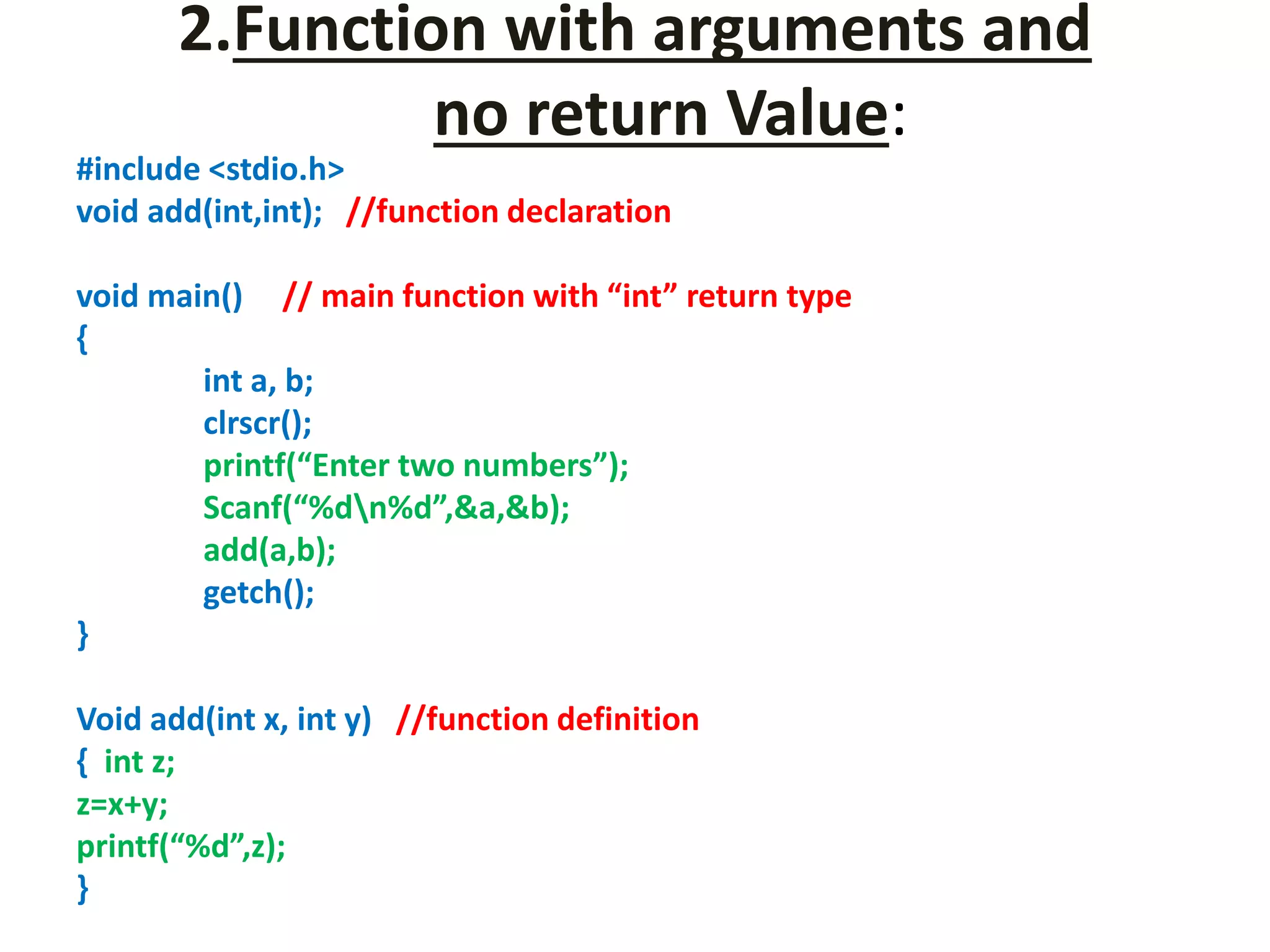
2.Function with arguments and
no return Value:
#include <stdio.h>
void add(int,int); //function declaration
void main() // main function with “int” return type
{
int a, b;
clrscr();
printf(“Enter two numbers”);
Scanf(“%dn%d”,&a,&b);
add(a,b);
getch();
}
Void add(int x, int y) //function definition
{ int z;
z=x+y;
printf(“%d”,z);
}
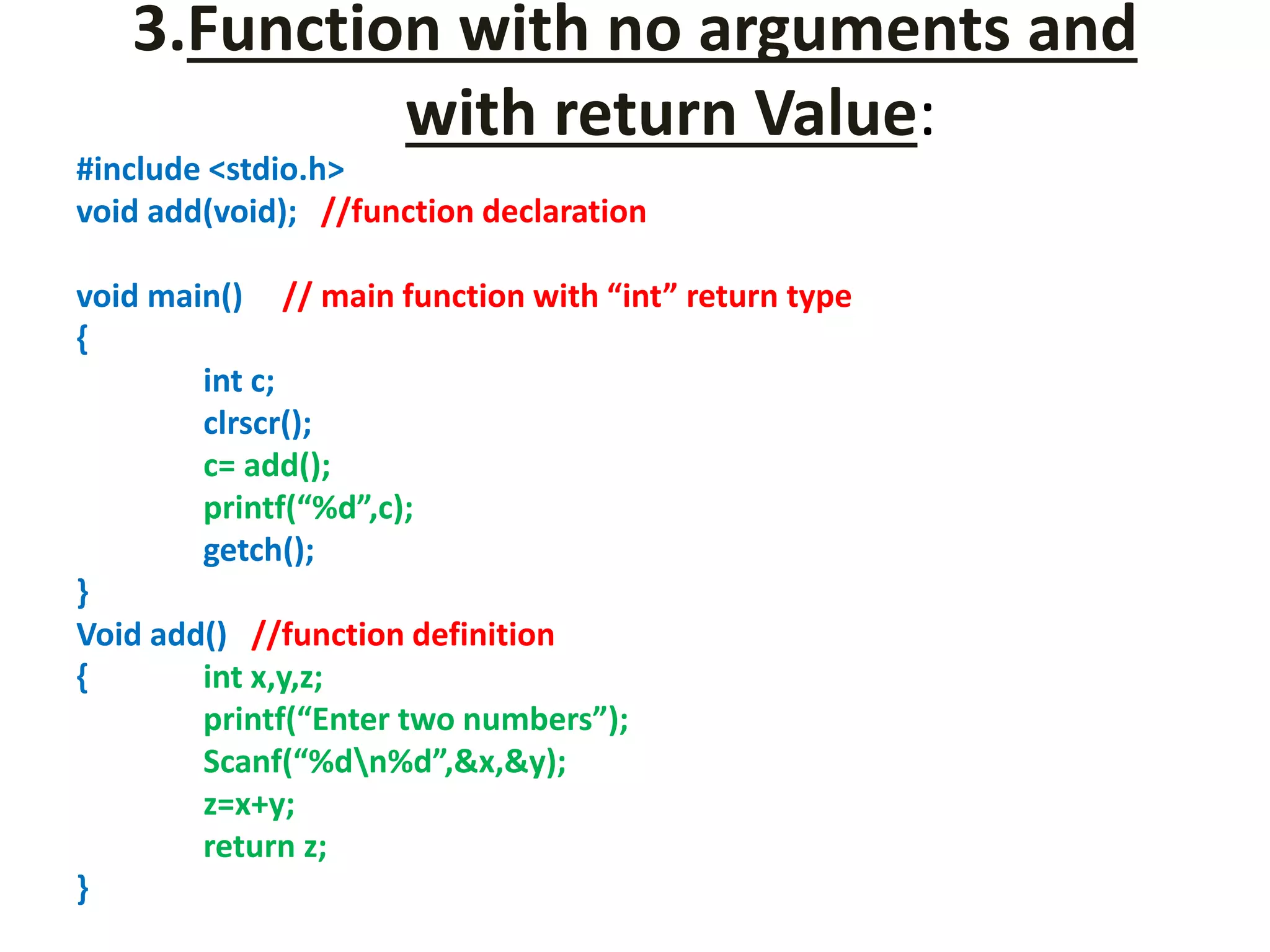
3.Function with no arguments and
with return Value:
#include <stdio.h>
void add(void); //function declaration
void main() // main function with “int” return type
{
int c;
clrscr();
c= add();
printf(“%d”,c);
getch();
}
Void add() //function definition
{ int x,y,z;
printf(“Enter two numbers”);
Scanf(“%dn%d”,&x,&y);
z=x+y;
return z;
}
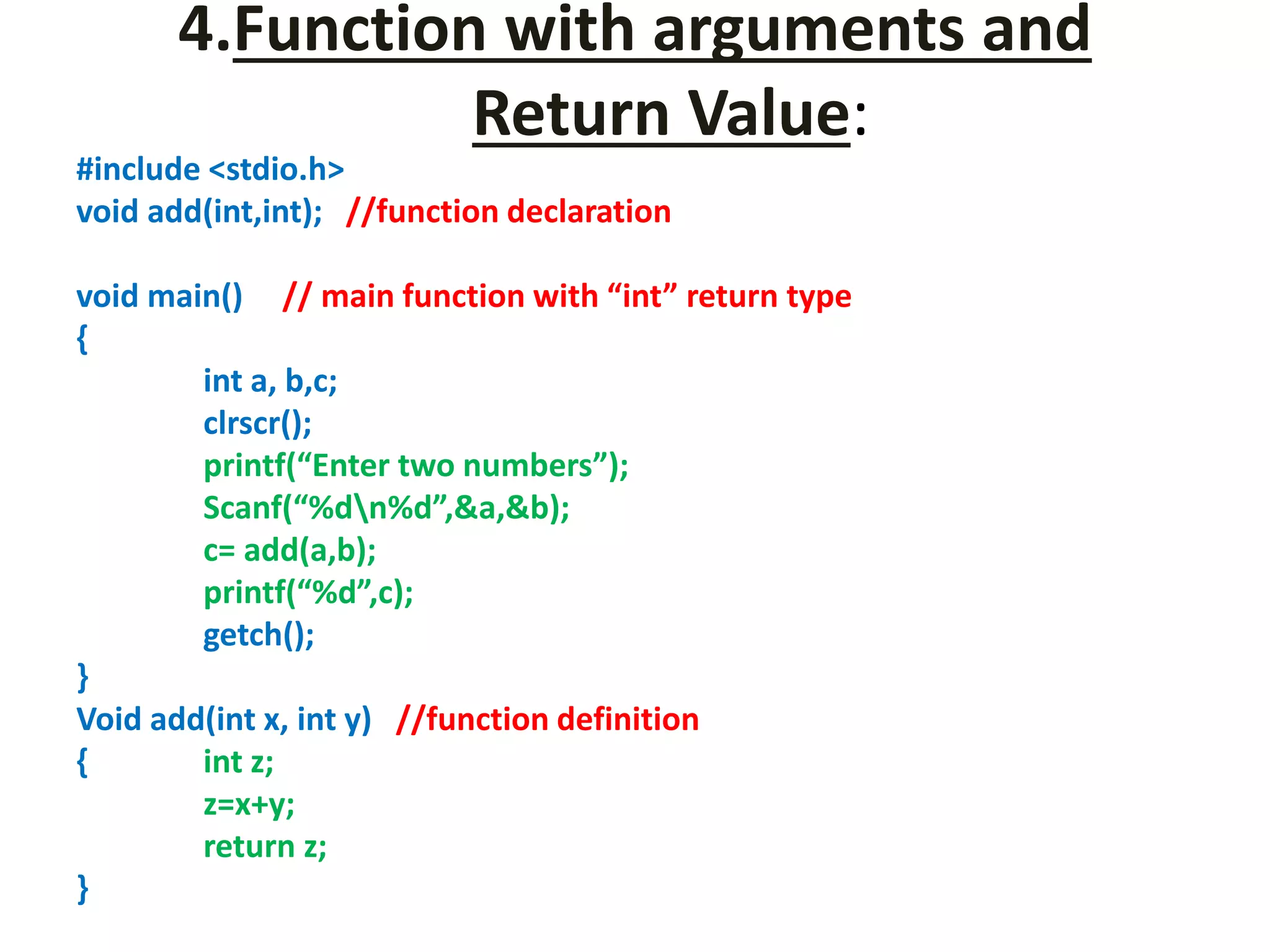
4.Function with arguments and
Return Value:
#include <stdio.h>
void add(int,int); //function declaration
void main() // main function with “int” return type
{
int a, b,c;
clrscr();
printf(“Enter two numbers”);
Scanf(“%dn%d”,&a,&b);
c= add(a,b);
printf(“%d”,c);
getch();
}
Void add(int x, int y) //function definition
{ int z;
z=x+y;
return z;
}
Calling of a function
• In this, values of actual parameters are copied
to function’s formal parameters.
• Two types of parameters are stored in
different memory locations.
• So any changes made inside functions are not
reflected in actual parameters of caller.
• Both actual and formal parameters refer to
same locations, so any changes made inside
the function are actually reflected in actual
parameters of caller.
Unit iii
Unit iii
Unit iii
Unit iii
Unit iii
Unit iii
Unit iii
Unit iii
Unit iii
Unit iii
Unit iii
Unit iii
Unit iii
Unit iii
Unit iii
Unit iii
Unit iii
Unit iii
Unit iii
Unit iii
Unit iii
Unit iii

Unit iii

  • 1.
  • 19.
  • 20.
    1. Write aprogram in C to display the first 10 natural numbers.
  • 21.
    2. Write aC program to find the sum of first 10 natural numbers
  • 22.
    3. Write aprogram in C to display the cube of the number up to given an integer
  • 23.
    4. Write aprogram in C to display the multiplication table of a given integer.
  • 24.
    5. Write aC program to calculate the factorial of a given number
  • 25.
    6. Display thesum of the series [ 9 + 99 + 999 + 9999 ...]
  • 26.
    7. Write aprogram in C to display the n terms of square natural number and their sum.
  • 28.
    8. Write ac program to check whether a given number is a perfect number or not.
  • 29.
    • Write aprogram in C to display the n terms of odd natural number and their sum. • Write a program in C to display the n terms of even natural number and their sum. • Write a C program to determine whether a given number is prime or not. • To find sum of numbers from m to n.
  • 30.
    • To countnumber of digits in a number. • To find whether a number is Armstrong number or not. • To find reverse of a number. • To find whether a number is palindrome or not. • To find decimal equivalent of a Binary number. • To find Binary equivalent of a decimal number. • To print various patterns.
  • 31.
  • 32.
    • It definesthe scope(visibility) and a lifetime of variables and/or functions within a program. 1. Scope: where the value of the variable would be available inside a program. 2. default initial value: if we do not explicitly initialize that variable, what will be its default initial value. 3. lifetime of that variable: for how long will that variable exist.
  • 33.
    • The followingstorage classes are most often used in C programming: 1. Automatic variables 2. External variables 3. Static variables 4. Register variables
  • 34.
    1. Automatic variables:”auto” • Scope: Variable defined with auto storage class are local to the function block inside which they are defined. • Default Initial Value: Any random value i.e garbage value. • Lifetime: Till the end of the function/method block where the variable is defined. • by default an automatic variable. • Automatic variables can also be called local variables because they are local to a function.
  • 36.
    2. Register StorageClass: “register” • Scope: Local to the function in which it is declared. • Default initial value: garbage value • Lifetime: Till the end of function block. • Same as auto except, Store the variable in CPU register instead of memory. We should use register storage class only for those variables that are used in our program very often. CPU registers are limited and thus should be used carefully. • Syntax : register int number;
  • 37.
    3. External orGlobal variable: “extern” • Scope: Global (everywhere in the program). • Default initial value: 0(zero). • Lifetime: Till the program doesn't finish its execution, you can access global variables. • These variables are not bound by any function, they are available everywhere. • variables, which are not needed till the end of the program, will still occupy the memory and thus, memory will be wasted. • The extern modifier is most commonly used when there are two or more files sharing the same global variables or functions.
  • 40.
    4. Static variables:“static” • Scope: Local to the block in which the variable is defined • Default initial value: 0(Zero). • Lifetime: Till the whole program doesn't finish its execution. • We should use static storage class only when we want the value of the variable to remain same every time we call it using different function calls
  • 44.
    A function isa set of statements that take inputs, do some specific computation and produces output. • The idea is to put some commonly or repeatedly done task together and make a function, so that instead of writing the same code again and again for different inputs, we can call the function. • Each function perform some specific task.
  • 45.
    • Every Cprogram has at least one function main(). Execution of a program starts from main(). • A function can also be referred as a method or sub-routine or procedure etc. • A function divides complex problem into small components, makes program easy to understand and use.
  • 46.
    Function Declaration • Functiondeclaration tells compiler about - 1. number of parameters function takes, 2. data-types of parameters and 3. return type of function. • Putting parameter names in function declaration is optional in function declaration, but it is necessary to put them in definition.
  • 47.
    Function Definition • Actualcode of the function, which does some specific task. • Function definition contains function header and function body.
  • 48.
    #include <stdio.h> #include <conio.h> intmax(int x, int y) //function declaration with definition { if (x > y) return x; else return y; } int main() // main function with “int” return type { int m, a = 10, b = 20; // Calling above function to find max of 'a' and 'b' m = max(a, b); printf("m is %d", m); return 0;
  • 49.
    #include <stdio.h> #include <conio.h> intmax(int , int ); //function declaration int main() // main function with “int” return type { int m, a = 10, b = 20; // Calling above function to find max of 'a' and 'b' m = max(a, b); printf("m is %d", m); return 0; } int max(int x , int y) //function definition { if (x > y) return x; else return y; }
  • 50.
    Return Statement • Itterminates the execution of a function and returns a value to the calling function. • Program control is transferred to the calling function after return statement.
  • 51.
    • It isalways recommended to declare a function before it is used. • In C, we can do both declaration and definition at same place, like done in the previous example program. • C also allows to declare and define functions separately, this is specially needed in case of library functions. • The library functions are declared in header files and defined in library files.
  • 55.
    return_type function_name( Parameter_list); //function declaration return_type main() // main function { Body of main function function_name ( Actual Arguments); // Calling above function } return_type function_name( Formal Arguments or parameters ) //function definition { Body of user defined function }
  • 56.
    Ways of defininga function
  • 57.
    1.No arguments andNo return Value: #include <stdio.h> void add(void ); //function declaration void main() // main function with “int” return type { clrscr(); add(); getch(); } Void add(void) //function definition { int x,y,z; printf(“Enter numbers”); Scanf(“%dn%d”,&x,&y); z=x+y; printf(“%d”,z); }
  • 58.
    2.Function with argumentsand no return Value: #include <stdio.h> void add(int,int); //function declaration void main() // main function with “int” return type { int a, b; clrscr(); printf(“Enter two numbers”); Scanf(“%dn%d”,&a,&b); add(a,b); getch(); } Void add(int x, int y) //function definition { int z; z=x+y; printf(“%d”,z); }
  • 59.
    3.Function with noarguments and with return Value: #include <stdio.h> void add(void); //function declaration void main() // main function with “int” return type { int c; clrscr(); c= add(); printf(“%d”,c); getch(); } Void add() //function definition { int x,y,z; printf(“Enter two numbers”); Scanf(“%dn%d”,&x,&y); z=x+y; return z; }
  • 60.
    4.Function with argumentsand Return Value: #include <stdio.h> void add(int,int); //function declaration void main() // main function with “int” return type { int a, b,c; clrscr(); printf(“Enter two numbers”); Scanf(“%dn%d”,&a,&b); c= add(a,b); printf(“%d”,c); getch(); } Void add(int x, int y) //function definition { int z; z=x+y; return z; }
  • 61.
    Calling of afunction
  • 66.
    • In this,values of actual parameters are copied to function’s formal parameters. • Two types of parameters are stored in different memory locations. • So any changes made inside functions are not reflected in actual parameters of caller.
  • 69.
    • Both actualand formal parameters refer to same locations, so any changes made inside the function are actually reflected in actual parameters of caller.