Database Management System(DBMS)
Sanjivani Rural Education Society’s
Sanjivani College of Engineering, Kopargaon-423603
(An Autonomous Institute Affiliated to Savitribai Phule Pune University, Pune)
NACC ‘A’ Grade Accredited, ISO 9001:2015 Certified
Department of Information Technology
(NBA Accredited)
SY IT
Prof. Bhakti B Pawar
Assistant Professor
Outline
Outline
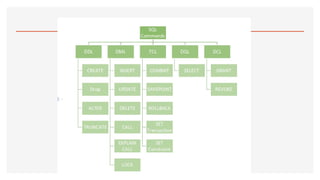
Overview ofThe SQL Query Language
Data Definition
Basic Query Structure
Additional Basic Operations
Set Operations
Null Values
Aggregate Functions
Nested Subqueries
Modification of the Database
5.
Introduction to SQL
Whatis SQL?
•SQL stands for Structured Query Language
•SQL lets you access and manipulate databases
6.
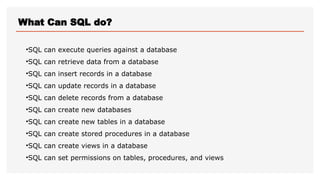
What Can SQLdo?
•SQL can execute queries against a database
•SQL can retrieve data from a database
•SQL can insert records in a database
•SQL can update records in a database
•SQL can delete records from a database
•SQL can create new databases
•SQL can create new tables in a database
•SQL can create stored procedures in a database
•SQL can create views in a database
•SQL can set permissions on tables, procedures, and views
7.
RDBMS
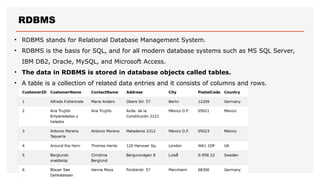
• RDBMS standsfor Relational Database Management System.
• RDBMS is the basis for SQL, and for all modern database systems such as MS SQL Server,
IBM DB2, Oracle, MySQL, and Microsoft Access.
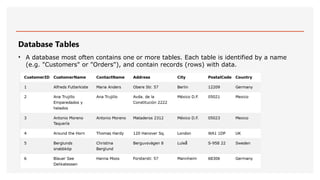
• The data in RDBMS is stored in database objects called tables.
• A table is a collection of related data entries and it consists of columns and rows.
8.
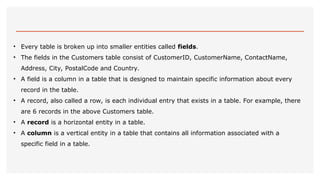
• Every tableis broken up into smaller entities called fields.
• The fields in the Customers table consist of CustomerID, CustomerName, ContactName,
Address, City, PostalCode and Country.
• A field is a column in a table that is designed to maintain specific information about every
record in the table.
• A record, also called a row, is each individual entry that exists in a table. For example, there
are 6 records in the above Customers table.
• A record is a horizontal entity in a table.
• A column is a vertical entity in a table that contains all information associated with a
specific field in a table.
9.
SQL Syntax
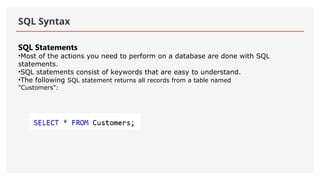
SQL Statements
•Mostof the actions you need to perform on a database are done with SQL
statements.
•SQL statements consist of keywords that are easy to understand.
•The following SQL statement returns all records from a table named
"Customers":
10.
Database Tables
• Adatabase most often contains one or more tables. Each table is identified by a name
(e.g. "Customers" or "Orders"), and contain records (rows) with data.
11.
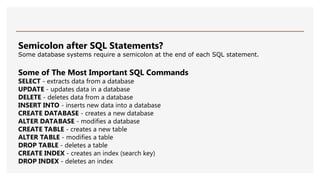
Semicolon after SQLStatements?
Some database systems require a semicolon at the end of each SQL statement.
Some of The Most Important SQL Commands
SELECT - extracts data from a database
UPDATE - updates data in a database
DELETE - deletes data from a database
INSERT INTO - inserts new data into a database
CREATE DATABASE - creates a new database
ALTER DATABASE - modifies a database
CREATE TABLE - creates a new table
ALTER TABLE - modifies a table
DROP TABLE - deletes a table
CREATE INDEX - creates an index (search key)
DROP INDEX - deletes an index
13.
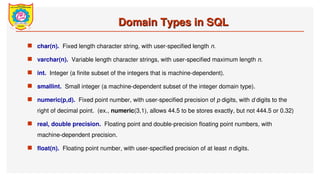
Domain Types inSQL
Domain Types in SQL
char(n). Fixed length character string, with user-specified length n.
varchar(n). Variable length character strings, with user-specified maximum length n.
int. Integer (a finite subset of the integers that is machine-dependent).
smallint. Small integer (a machine-dependent subset of the integer domain type).
numeric(p,d). Fixed point number, with user-specified precision of p digits, with d digits to the
right of decimal point. (ex., numeric(3,1), allows 44.5 to be stores exactly, but not 444.5 or 0.32)
real, double precision. Floating point and double-precision floating point numbers, with
machine-dependent precision.
float(n). Floating point number, with user-specified precision of at least n digits.
14.
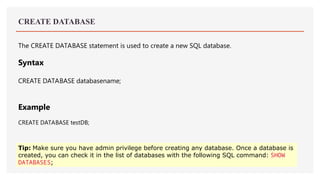
CREATE DATABASE
The CREATEDATABASE statement is used to create a new SQL database.
Syntax
CREATE DATABASE databasename;
Example
CREATE DATABASE testDB;
Tip: Make sure you have admin privilege before creating any database. Once a database is
created, you can check it in the list of databases with the following SQL command: SHOW
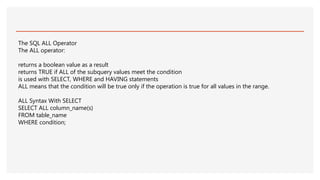
DATABASES;
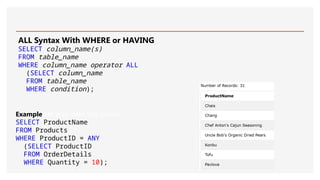
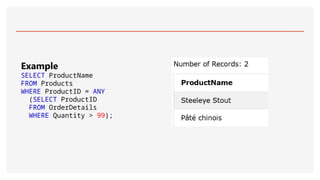
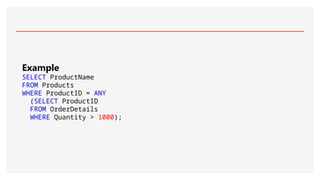
15.
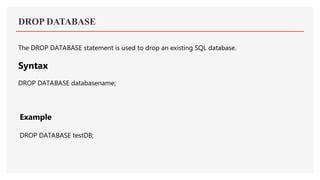
DROP DATABASE
The DROPDATABASE statement is used to drop an existing SQL database.
Syntax
DROP DATABASE databasename;
Example
DROP DATABASE testDB;
CREATE TABLE
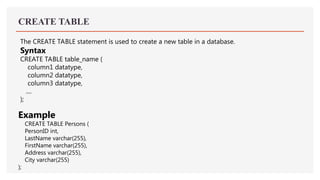
The CREATETABLE statement is used to create a new table in a database.
Syntax
CREATE TABLE table_name (
column1 datatype,
column2 datatype,
column3 datatype,
....
);
Example
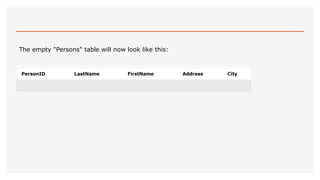
CREATE TABLE Persons (
PersonID int,
LastName varchar(255),
FirstName varchar(255),
Address varchar(255),
City varchar(255)
);
DROP TABLE
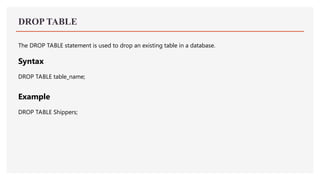
The DROPTABLE statement is used to drop an existing table in a database.
Syntax
DROP TABLE table_name;
Example
DROP TABLE Shippers;
20.
TRUNCATE TABLE
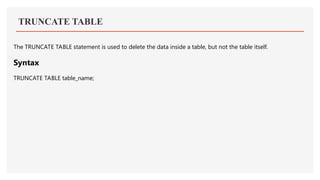
The TRUNCATETABLE statement is used to delete the data inside a table, but not the table itself.
Syntax
TRUNCATE TABLE table_name;
21.
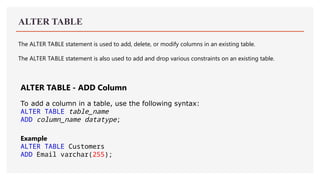
ALTER TABLE
The ALTERTABLE statement is used to add, delete, or modify columns in an existing table.
The ALTER TABLE statement is also used to add and drop various constraints on an existing table.
ALTER TABLE - ADD Column
To add a column in a table, use the following syntax:
ALTER TABLE table_name
ADD column_name datatype;
Example
ALTER TABLE Customers
ADD Email varchar(255);
22.
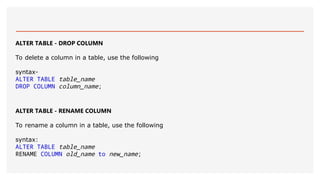
ALTER TABLE -DROP COLUMN
To delete a column in a table, use the following
syntax-
ALTER TABLE table_name
DROP COLUMN column_name;
ALTER TABLE - RENAME COLUMN
To rename a column in a table, use the following
syntax:
ALTER TABLE table_name
RENAME COLUMN old_name to new_name;
23.
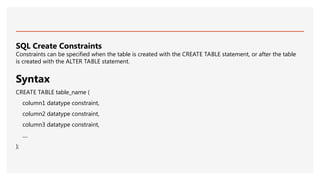
SQL Create Constraints
Constraintscan be specified when the table is created with the CREATE TABLE statement, or after the table
is created with the ALTER TABLE statement.
Syntax
CREATE TABLE table_name (
column1 datatype constraint,
column2 datatype constraint,
column3 datatype constraint,
....
);
24.
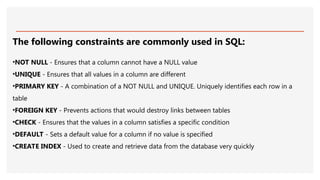
The following constraintsare commonly used in SQL:
•NOT NULL - Ensures that a column cannot have a NULL value
•UNIQUE - Ensures that all values in a column are different
•PRIMARY KEY - A combination of a NOT NULL and UNIQUE. Uniquely identifies each row in a
table
•FOREIGN KEY - Prevents actions that would destroy links between tables
•CHECK - Ensures that the values in a column satisfies a specific condition
•DEFAULT - Sets a default value for a column if no value is specified
•CREATE INDEX - Used to create and retrieve data from the database very quickly
25.
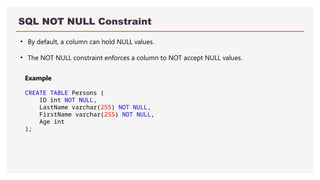
SQL NOT NULLConstraint
• By default, a column can hold NULL values.
• The NOT NULL constraint enforces a column to NOT accept NULL values.
Example
CREATE TABLE Persons (
ID int NOT NULL,
LastName varchar(255) NOT NULL,
FirstName varchar(255) NOT NULL,
Age int
);
26.
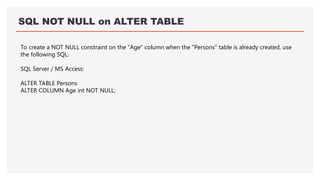
SQL NOT NULLon ALTER TABLE
To create a NOT NULL constraint on the "Age" column when the "Persons" table is already created, use
the following SQL:
SQL Server / MS Access:
ALTER TABLE Persons
ALTER COLUMN Age int NOT NULL;
27.
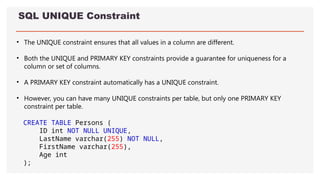
SQL UNIQUE Constraint
•The UNIQUE constraint ensures that all values in a column are different.
• Both the UNIQUE and PRIMARY KEY constraints provide a guarantee for uniqueness for a
column or set of columns.
• A PRIMARY KEY constraint automatically has a UNIQUE constraint.
• However, you can have many UNIQUE constraints per table, but only one PRIMARY KEY
constraint per table.
CREATE TABLE Persons (
ID int NOT NULL UNIQUE,
LastName varchar(255) NOT NULL,
FirstName varchar(255),
Age int
);
28.
SQL PRIMARY KEYConstraint
• The PRIMARY KEY constraint uniquely identifies each record in a table.
• Primary keys must contain UNIQUE values, and cannot contain NULL values.
• A table can have only ONE primary key; and in the table, this primary key can consist of single or multiple
columns (fields).
29.
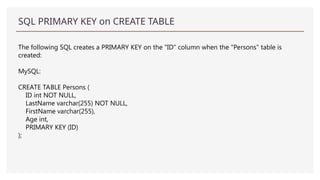
SQL PRIMARY KEYon CREATE TABLE
The following SQL creates a PRIMARY KEY on the "ID" column when the "Persons" table is
created:
MySQL:
CREATE TABLE Persons (
ID int NOT NULL,
LastName varchar(255) NOT NULL,
FirstName varchar(255),
Age int,
PRIMARY KEY (ID)
);
30.
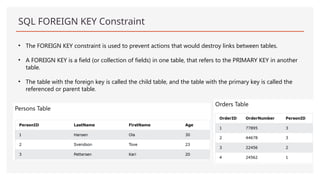
SQL FOREIGN KEYConstraint
• The FOREIGN KEY constraint is used to prevent actions that would destroy links between tables.
• A FOREIGN KEY is a field (or collection of fields) in one table, that refers to the PRIMARY KEY in another
table.
• The table with the foreign key is called the child table, and the table with the primary key is called the
referenced or parent table.
31.
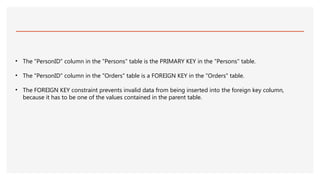
• The "PersonID"column in the "Persons" table is the PRIMARY KEY in the "Persons" table.
• The "PersonID" column in the "Orders" table is a FOREIGN KEY in the "Orders" table.
• The FOREIGN KEY constraint prevents invalid data from being inserted into the foreign key column,
because it has to be one of the values contained in the parent table.
32.
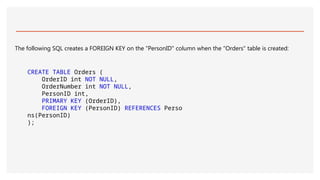
The following SQLcreates a FOREIGN KEY on the "PersonID" column when the "Orders" table is created:
CREATE TABLE Orders (
OrderID int NOT NULL,
OrderNumber int NOT NULL,
PersonID int,
PRIMARY KEY (OrderID),
FOREIGN KEY (PersonID) REFERENCES Perso
ns(PersonID)
);
33.
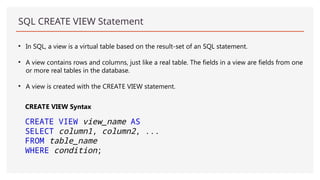
SQL CREATE VIEWStatement
• In SQL, a view is a virtual table based on the result-set of an SQL statement.
• A view contains rows and columns, just like a real table. The fields in a view are fields from one
or more real tables in the database.
• A view is created with the CREATE VIEW statement.
CREATE VIEW Syntax
CREATE VIEW view_name AS
SELECT column1, column2, ...
FROM table_name
WHERE condition;
Example 1Get yourown SQL Ser
CREATE VIEW [Brazil Customers] AS
SELECT CustomerName, ContactName
FROM Customers
WHERE Country = 'Brazil';
Example 2Get
CREATE VIEW [Products Above Average
Price] AS
SELECT ProductName, Price
FROM Products
WHERE Price >
(SELECT AVG(Price) FROM Products);
36.
SQL Updating aView
SQL CREATE OR REPLACE VIEW Syntax
CREATE OR REPLACE VIEW view_name AS
SELECT column1, column2, ...
FROM table_name
WHERE condition;
Example
CREATE OR REPLACE VIEW [Brazil
Customers] AS
SELECT CustomerName, ContactName, City
FROM Customers
WHERE Country = 'Brazil';
37.
SQL Dropping aView
DROP VIEW view_name;
Example
DROP VIEW [Brazil Customers];
38.
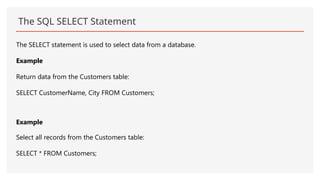
The SQL SELECTStatement
The SELECT statement is used to select data from a database.
Example
Return data from the Customers table:
SELECT CustomerName, City FROM Customers;
Example
Select all records from the Customers table:
SELECT * FROM Customers;
39.
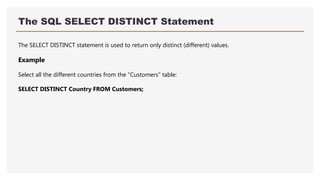
The SQL SELECTDISTINCT Statement
The SELECT DISTINCT statement is used to return only distinct (different) values.
Example
Select all the different countries from the "Customers" table:
SELECT DISTINCT Country FROM Customers;
40.
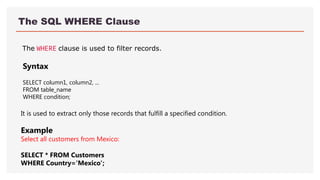
The SQL WHEREClause
The WHERE clause is used to filter records.
It is used to extract only those records that fulfill a specified condition.
Example
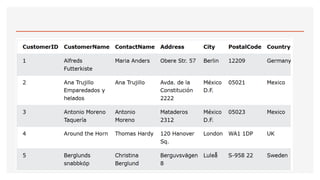
Select all customers from Mexico:
SELECT * FROM Customers
WHERE Country='Mexico';
Syntax
SELECT column1, column2, ...
FROM table_name
WHERE condition;
42.
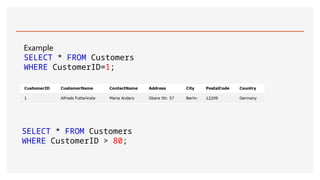
Example
SELECT * FROMCustomers
WHERE CustomerID=1;
SELECT * FROM Customers
WHERE CustomerID > 80;
44.
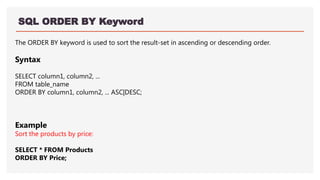
SQL ORDER BYKeyword
The ORDER BY keyword is used to sort the result-set in ascending or descending order.
Syntax
SELECT column1, column2, ...
FROM table_name
ORDER BY column1, column2, ... ASC|DESC;
Example
Sort the products by price:
SELECT * FROM Products
ORDER BY Price;
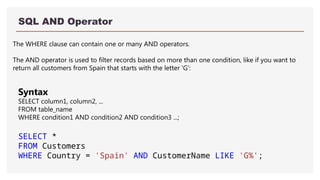
SQL AND Operator
TheWHERE clause can contain one or many AND operators.
The AND operator is used to filter records based on more than one condition, like if you want to
return all customers from Spain that starts with the letter 'G':
Syntax
SELECT column1, column2, ...
FROM table_name
WHERE condition1 AND condition2 AND condition3 ...;
SELECT *
FROM Customers
WHERE Country = 'Spain' AND CustomerName LIKE 'G%';
47.
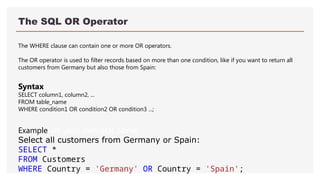
The SQL OROperator
The WHERE clause can contain one or more OR operators.
The OR operator is used to filter records based on more than one condition, like if you want to return all
customers from Germany but also those from Spain:
ExampleGet your own SQL Serve
Select all customers from Germany or Spain:
SELECT *
FROM Customers
WHERE Country = 'Germany' OR Country = 'Spain';
Syntax
SELECT column1, column2, ...
FROM table_name
WHERE condition1 OR condition2 OR condition3 ...;
48.
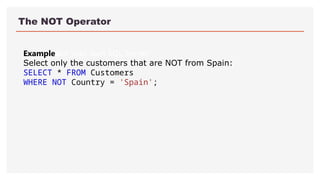
The NOT Operator
ExampleGetyour own SQL Server
Select only the customers that are NOT from Spain:
SELECT * FROM Customers
WHERE NOT Country = 'Spain';
49.
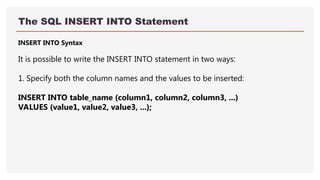
The SQL INSERTINTO Statement
INSERT INTO Syntax
It is possible to write the INSERT INTO statement in two ways:
1. Specify both the column names and the values to be inserted:
INSERT INTO table_name (column1, column2, column3, ...)
VALUES (value1, value2, value3, ...);
50.
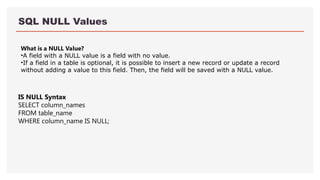
SQL NULL Values
Whatis a NULL Value?
•A field with a NULL value is a field with no value.
•If a field in a table is optional, it is possible to insert a new record or update a record
without adding a value to this field. Then, the field will be saved with a NULL value.
IS NULL Syntax
SELECT column_names
FROM table_name
WHERE column_name IS NULL;
51.
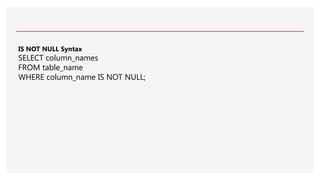
IS NOT NULLSyntax
SELECT column_names
FROM table_name
WHERE column_name IS NOT NULL;
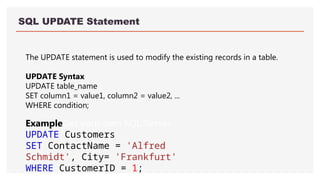
SQL UPDATE Statement
TheUPDATE statement is used to modify the existing records in a table.
UPDATE Syntax
UPDATE table_name
SET column1 = value1, column2 = value2, ...
WHERE condition;
ExampleGet your own SQL Server
UPDATE Customers
SET ContactName = 'Alfred
Schmidt', City= 'Frankfurt'
WHERE CustomerID = 1;
54.
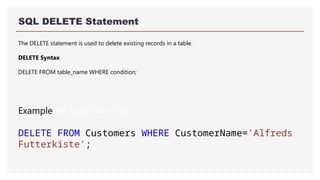
SQL DELETE Statement
TheDELETE statement is used to delete existing records in a table.
DELETE Syntax
DELETE FROM table_name WHERE condition;
ExampleGet your own SQL
DELETE FROM Customers WHERE CustomerName='Alfreds
Futterkiste';
55.
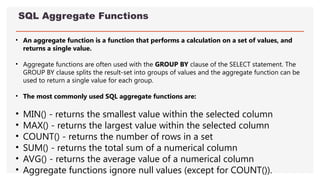
SQL Aggregate Functions
•An aggregate function is a function that performs a calculation on a set of values, and
returns a single value.
• Aggregate functions are often used with the GROUP BY clause of the SELECT statement. The
GROUP BY clause splits the result-set into groups of values and the aggregate function can be
used to return a single value for each group.
• The most commonly used SQL aggregate functions are:
• MIN() - returns the smallest value within the selected column
• MAX() - returns the largest value within the selected column
• COUNT() - returns the number of rows in a set
• SUM() - returns the total sum of a numerical column
• AVG() - returns the average value of a numerical column
• Aggregate functions ignore null values (except for COUNT()).
56.
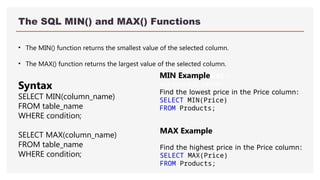
The SQL MIN()and MAX() Functions
• The MIN() function returns the smallest value of the selected column.
• The MAX() function returns the largest value of the selected column.
MIN ExampleGet y
our own SQL Server
Find the lowest price in the Price column:
SELECT MIN(Price)
FROM Products;
MAX Example
Find the highest price in the Price column:
SELECT MAX(Price)
FROM Products;
Syntax
SELECT MIN(column_name)
FROM table_name
WHERE condition;
SELECT MAX(column_name)
FROM table_name
WHERE condition;
57.
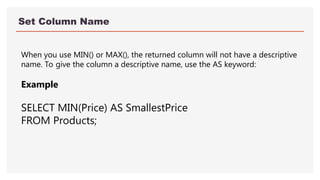
Set Column Name
Whenyou use MIN() or MAX(), the returned column will not have a descriptive
name. To give the column a descriptive name, use the AS keyword:
Example
SELECT MIN(Price) AS SmallestPrice
FROM Products;
58.
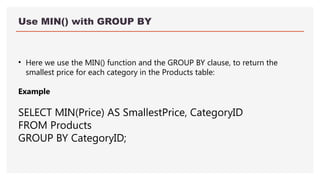
Use MIN() withGROUP BY
• Here we use the MIN() function and the GROUP BY clause, to return the
smallest price for each category in the Products table:
Example
SELECT MIN(Price) AS SmallestPrice, CategoryID
FROM Products
GROUP BY CategoryID;
59.
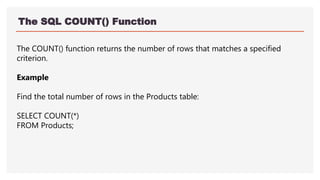
The SQL COUNT()Function
The COUNT() function returns the number of rows that matches a specified
criterion.
Example
Find the total number of rows in the Products table:
SELECT COUNT(*)
FROM Products;
60.
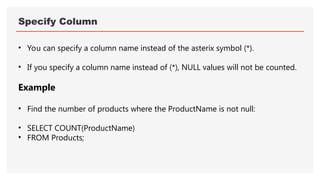
Specify Column
• Youcan specify a column name instead of the asterix symbol (*).
• If you specify a column name instead of (*), NULL values will not be counted.
Example
• Find the number of products where the ProductName is not null:
• SELECT COUNT(ProductName)
• FROM Products;
61.
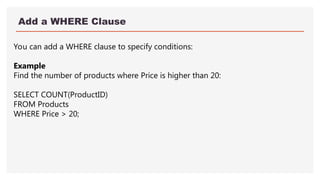
Add a WHEREClause
You can add a WHERE clause to specify conditions:
Example
Find the number of products where Price is higher than 20:
SELECT COUNT(ProductID)
FROM Products
WHERE Price > 20;
62.
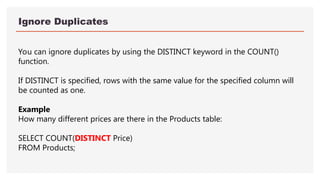
Ignore Duplicates
You canignore duplicates by using the DISTINCT keyword in the COUNT()
function.
If DISTINCT is specified, rows with the same value for the specified column will
be counted as one.
Example
How many different prices are there in the Products table:
SELECT COUNT(DISTINCT Price)
FROM Products;
63.
Use COUNT() withGROUP BY
• Here we use the COUNT() function and the GROUP BY clause, to return the
number of records for each category in the Products table:
Example
SELECT COUNT(*) AS [Number of records], CategoryID
FROM Products
GROUP BY CategoryID;
64.
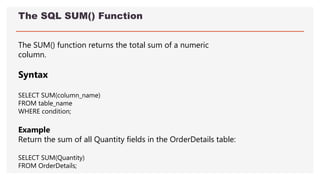
The SQL SUM()Function
The SUM() function returns the total sum of a numeric
column.
Syntax
SELECT SUM(column_name)
FROM table_name
WHERE condition;
Example
Return the sum of all Quantity fields in the OrderDetails table:
SELECT SUM(Quantity)
FROM OrderDetails;
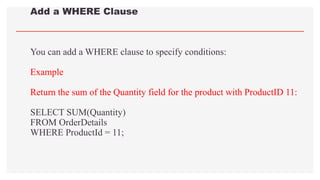
65.
Add a WHEREClause
You can add a WHERE clause to specify conditions:
Example
Return the sum of the Quantity field for the product with ProductID 11:
SELECT SUM(Quantity)
FROM OrderDetails
WHERE ProductId = 11;
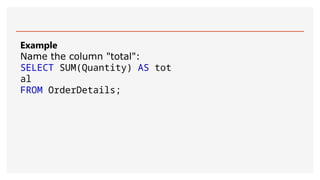
Use SUM() withGROUP BY
Here we use the SUM() function and the GROUP BY clause, to return the
Quantity for each OrderID in the OrderDetails table:
Example
SELECT OrderID, SUM(Quantity) AS [Total Quantity]
FROM OrderDetails
GROUP BY OrderID;
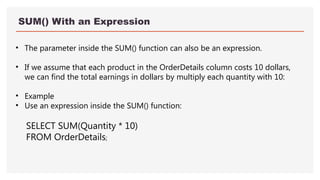
SUM() With anExpression
• The parameter inside the SUM() function can also be an expression.
• If we assume that each product in the OrderDetails column costs 10 dollars,
we can find the total earnings in dollars by multiply each quantity with 10:
• Example
• Use an expression inside the SUM() function:
SELECT SUM(Quantity * 10)
FROM OrderDetails;
70.
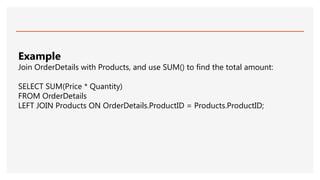
Example
Join OrderDetails withProducts, and use SUM() to find the total amount:
SELECT SUM(Price * Quantity)
FROM OrderDetails
LEFT JOIN Products ON OrderDetails.ProductID = Products.ProductID;
71.
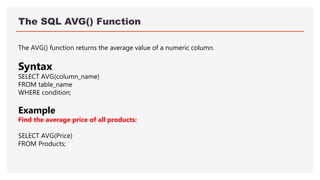
The SQL AVG()Function
The AVG() function returns the average value of a numeric column.
Syntax
SELECT AVG(column_name)
FROM table_name
WHERE condition;
Example
Find the average price of all products:
SELECT AVG(Price)
FROM Products;
72.
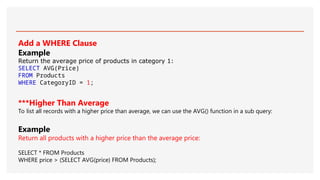
Add a WHEREClause
Example
Return the average price of products in category 1:
SELECT AVG(Price)
FROM Products
WHERE CategoryID = 1;
***Higher Than Average
To list all records with a higher price than average, we can use the AVG() function in a sub query:
Example
Return all products with a higher price than the average price:
SELECT * FROM Products
WHERE price > (SELECT AVG(price) FROM Products);
73.
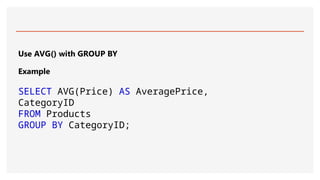
Use AVG() withGROUP BY
Example
SELECT AVG(Price) AS AveragePrice,
CategoryID
FROM Products
GROUP BY CategoryID;
74.
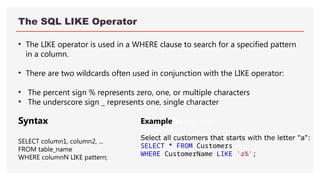
The SQL LIKEOperator
• The LIKE operator is used in a WHERE clause to search for a specified pattern
in a column.
• There are two wildcards often used in conjunction with the LIKE operator:
• The percent sign % represents zero, one, or multiple characters
• The underscore sign _ represents one, single character
ExampleGet your own
SQL Serve
Select all customers that starts with the letter "a":
SELECT * FROM Customers
WHERE CustomerName LIKE 'a%';
Syntax
SELECT column1, column2, ...
FROM table_name
WHERE columnN LIKE pattern;
75.
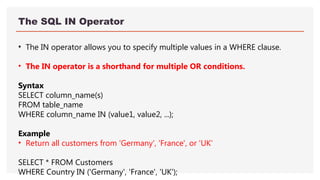
The SQL INOperator
• The IN operator allows you to specify multiple values in a WHERE clause.
• The IN operator is a shorthand for multiple OR conditions.
Syntax
SELECT column_name(s)
FROM table_name
WHERE column_name IN (value1, value2, ...);
Example
• Return all customers from 'Germany', 'France', or 'UK'
SELECT * FROM Customers
WHERE Country IN ('Germany', 'France', 'UK');
76.
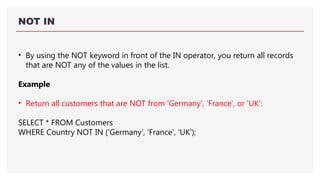
NOT IN
• Byusing the NOT keyword in front of the IN operator, you return all records
that are NOT any of the values in the list.
Example
• Return all customers that are NOT from 'Germany', 'France', or 'UK':
SELECT * FROM Customers
WHERE Country NOT IN ('Germany', 'France', 'UK');
77.
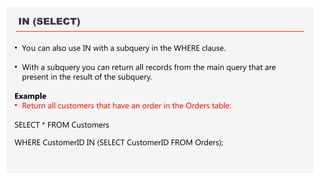
IN (SELECT)
• Youcan also use IN with a subquery in the WHERE clause.
• With a subquery you can return all records from the main query that are
present in the result of the subquery.
Example
• Return all customers that have an order in the Orders table:
SELECT * FROM Customers
WHERE CustomerID IN (SELECT CustomerID FROM Orders);
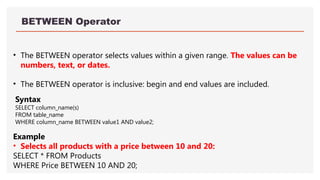
78.
BETWEEN Operator
• TheBETWEEN operator selects values within a given range. The values can be
numbers, text, or dates.
• The BETWEEN operator is inclusive: begin and end values are included.
Example
• Selects all products with a price between 10 and 20:
SELECT * FROM Products
WHERE Price BETWEEN 10 AND 20;
Syntax
SELECT column_name(s)
FROM table_name
WHERE column_name BETWEEN value1 AND value2;
79.
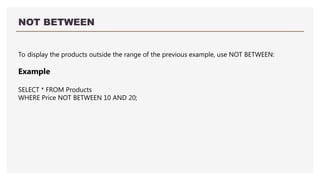
NOT BETWEEN
To displaythe products outside the range of the previous example, use NOT BETWEEN:
Example
SELECT * FROM Products
WHERE Price NOT BETWEEN 10 AND 20;
80.
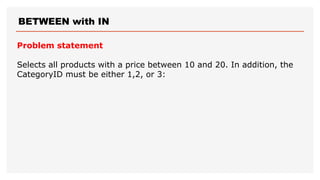
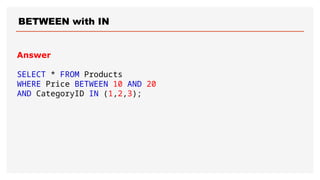
BETWEEN with IN
Problemstatement
Selects all products with a price between 10 and 20. In addition, the
CategoryID must be either 1,2, or 3:
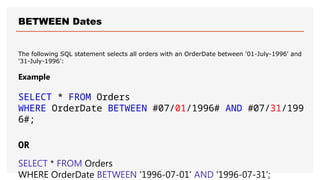
BETWEEN Dates
The followingSQL statement selects all orders with an OrderDate between '01-July-1996' and
'31-July-1996':
Example
SELECT * FROM Orders
WHERE OrderDate BETWEEN #07/01/1996# AND #07/31/199
6#;
OR
SELECT * FROM Orders
WHERE OrderDate BETWEEN '1996-07-01' AND '1996-07-31';
83.
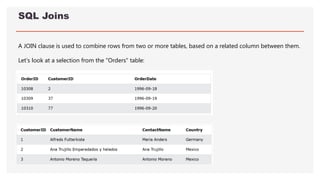
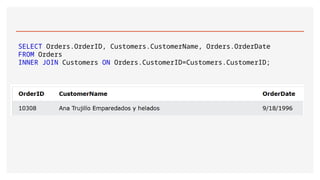
SQL Joins
A JOINclause is used to combine rows from two or more tables, based on a related column between them.
Let's look at a selection from the "Orders" table:
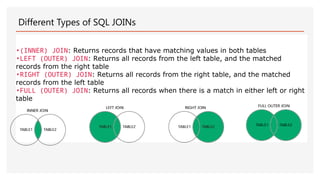
Different Types ofSQL JOINs
•(INNER) JOIN: Returns records that have matching values in both tables
•LEFT (OUTER) JOIN: Returns all records from the left table, and the matched
records from the right table
•RIGHT (OUTER) JOIN: Returns all records from the right table, and the matched
records from the left table
•FULL (OUTER) JOIN: Returns all records when there is a match in either left or right
table
86.
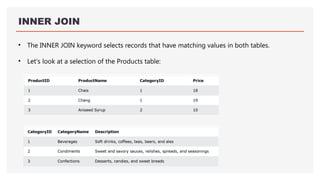
INNER JOIN
• TheINNER JOIN keyword selects records that have matching values in both tables.
• Let's look at a selection of the Products table:
87.
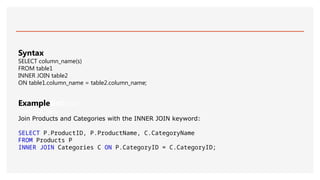
ExampleGet your
own SQLServ
Join Products and Categories with the INNER JOIN keyword:
SELECT P.ProductID, P.ProductName, C.CategoryName
FROM Products P
INNER JOIN Categories C ON P.CategoryID = C.CategoryID;
Syntax
SELECT column_name(s)
FROM table1
INNER JOIN table2
ON table1.column_name = table2.column_name;
88.
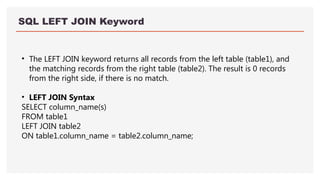
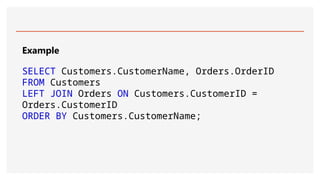
SQL LEFT JOINKeyword
• The LEFT JOIN keyword returns all records from the left table (table1), and
the matching records from the right table (table2). The result is 0 records
from the right side, if there is no match.
• LEFT JOIN Syntax
SELECT column_name(s)
FROM table1
LEFT JOIN table2
ON table1.column_name = table2.column_name;
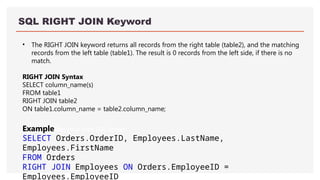
SQL RIGHT JOINKeyword
• The RIGHT JOIN keyword returns all records from the right table (table2), and the matching
records from the left table (table1). The result is 0 records from the left side, if there is no
match.
RIGHT JOIN Syntax
SELECT column_name(s)
FROM table1
RIGHT JOIN table2
ON table1.column_name = table2.column_name;
ExampleGet your own SQL Server
SELECT Orders.OrderID, Employees.LastName,
Employees.FirstName
FROM Orders
RIGHT JOIN Employees ON Orders.EmployeeID =
Employees.EmployeeID
91.
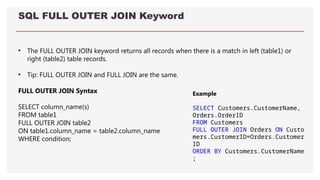
SQL FULL OUTERJOIN Keyword
• The FULL OUTER JOIN keyword returns all records when there is a match in left (table1) or
right (table2) table records.
• Tip: FULL OUTER JOIN and FULL JOIN are the same.
FULL OUTER JOIN Syntax
SELECT column_name(s)
FROM table1
FULL OUTER JOIN table2
ON table1.column_name = table2.column_name
WHERE condition;
Example
SELECT Customers.CustomerName,
Orders.OrderID
FROM Customers
FULL OUTER JOIN Orders ON Custo
mers.CustomerID=Orders.Customer
ID
ORDER BY Customers.CustomerName
;
92.
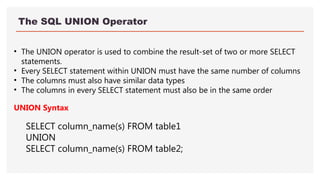
The SQL UNIONOperator
• The UNION operator is used to combine the result-set of two or more SELECT
statements.
• Every SELECT statement within UNION must have the same number of columns
• The columns must also have similar data types
• The columns in every SELECT statement must also be in the same order
UNION Syntax
SELECT column_name(s) FROM table1
UNION
SELECT column_name(s) FROM table2;
93.
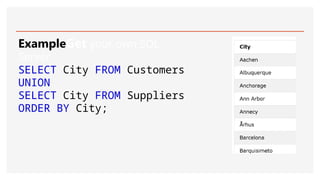
ExampleGet your ownSQL
Server
SELECT City FROM Customers
UNION
SELECT City FROM Suppliers
ORDER BY City;
94.
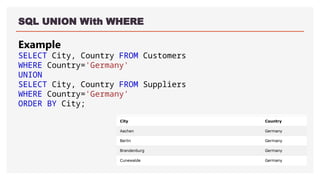
SQL UNION WithWHERE
Example
SELECT City, Country FROM Customers
WHERE Country='Germany'
UNION
SELECT City, Country FROM Suppliers
WHERE Country='Germany'
ORDER BY City;
95.
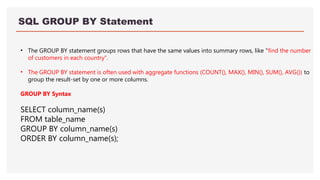
SQL GROUP BYStatement
• The GROUP BY statement groups rows that have the same values into summary rows, like "find the number
of customers in each country".
• The GROUP BY statement is often used with aggregate functions (COUNT(), MAX(), MIN(), SUM(), AVG()) to
group the result-set by one or more columns.
GROUP BY Syntax
SELECT column_name(s)
FROM table_name
GROUP BY column_name(s)
ORDER BY column_name(s);
96.
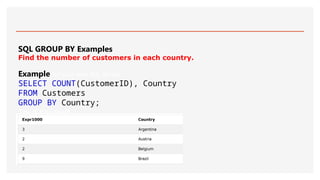
SQL GROUP BYExamples
Find the number of customers in each country.
ExampleGet your own SQL Server
SELECT COUNT(CustomerID), Country
FROM Customers
GROUP BY Country;
Try it Yourself
97.
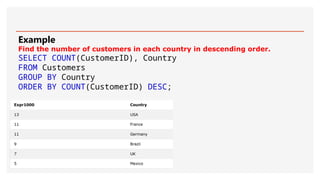
Example
Find the numberof customers in each country in descending order.
SELECT COUNT(CustomerID), Country
FROM Customers
GROUP BY Country
ORDER BY COUNT(CustomerID) DESC;
98.
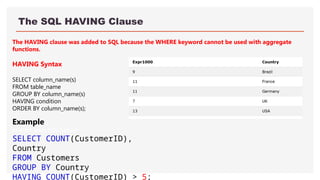
The SQL HAVINGClause
The HAVING clause was added to SQL because the WHERE keyword cannot be used with aggregate
functions.
HAVING Syntax
SELECT column_name(s)
FROM table_name
GROUP BY column_name(s)
HAVING condition
ORDER BY column_name(s);
ExampleG
et your own SQL Server
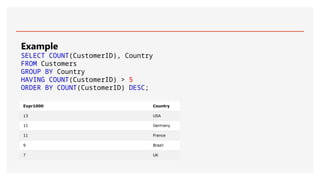
SELECT COUNT(CustomerID),
Country
FROM Customers
GROUP BY Country
HAVING COUNT(CustomerID) > 5;
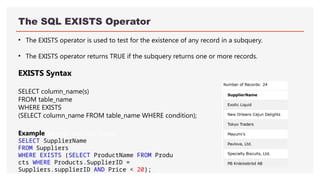
The SQL EXISTSOperator
• The EXISTS operator is used to test for the existence of any record in a subquery.
• The EXISTS operator returns TRUE if the subquery returns one or more records.
EXISTS Syntax
SELECT column_name(s)
FROM table_name
WHERE EXISTS
(SELECT column_name FROM table_name WHERE condition);
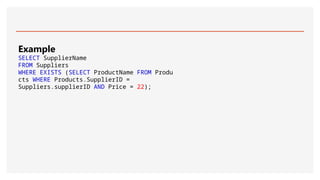
ExampleGet your own SQL Server
SELECT SupplierName
FROM Suppliers
WHERE EXISTS (SELECT ProductName FROM Produ
cts WHERE Products.SupplierID =
Suppliers.supplierID AND Price < 20);
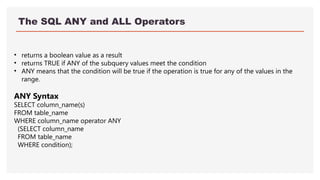
The SQL ANYand ALL Operators
• returns a boolean value as a result
• returns TRUE if ANY of the subquery values meet the condition
• ANY means that the condition will be true if the operation is true for any of the values in the
range.
ANY Syntax
SELECT column_name(s)
FROM table_name
WHERE column_name operator ANY
(SELECT column_name
FROM table_name
WHERE condition);
104.
The SQL ALLOperator
The ALL operator:
returns a boolean value as a result
returns TRUE if ALL of the subquery values meet the condition
is used with SELECT, WHERE and HAVING statements
ALL means that the condition will be true only if the operation is true for all values in the range.
ALL Syntax With SELECT
SELECT ALL column_name(s)
FROM table_name
WHERE condition;
105.
ALL Syntax WithWHERE or HAVING
SELECT column_name(s)
FROM table_name
WHERE column_name operator ALL
(SELECT column_name
FROM table_name
WHERE condition);
ExampleGet your own SQL Server
SELECT ProductName
FROM Products
WHERE ProductID = ANY
(SELECT ProductID
FROM OrderDetails
WHERE Quantity = 10);


![Example 1Get your own SQL Ser
CREATE VIEW [Brazil Customers] AS
SELECT CustomerName, ContactName
FROM Customers
WHERE Country = 'Brazil';
Example 2Get
CREATE VIEW [Products Above Average
Price] AS
SELECT ProductName, Price
FROM Products
WHERE Price >
(SELECT AVG(Price) FROM Products);](https://image.slidesharecdn.com/unit2sqlupdated2025-250813103849-187c3c44/85/UNIT-2-Structural-Query-Language-UPDATED-35-320.jpg)
![SQL Updating a View
SQL CREATE OR REPLACE VIEW Syntax
CREATE OR REPLACE VIEW view_name AS
SELECT column1, column2, ...
FROM table_name
WHERE condition;
Example
CREATE OR REPLACE VIEW [Brazil
Customers] AS
SELECT CustomerName, ContactName, City
FROM Customers
WHERE Country = 'Brazil';](https://image.slidesharecdn.com/unit2sqlupdated2025-250813103849-187c3c44/85/UNIT-2-Structural-Query-Language-UPDATED-36-320.jpg)
![SQL Dropping a View
DROP VIEW view_name;
Example
DROP VIEW [Brazil Customers];](https://image.slidesharecdn.com/unit2sqlupdated2025-250813103849-187c3c44/85/UNIT-2-Structural-Query-Language-UPDATED-37-320.jpg)
![Use COUNT() with GROUP BY
• Here we use the COUNT() function and the GROUP BY clause, to return the
number of records for each category in the Products table:
Example
SELECT COUNT(*) AS [Number of records], CategoryID
FROM Products
GROUP BY CategoryID;](https://image.slidesharecdn.com/unit2sqlupdated2025-250813103849-187c3c44/85/UNIT-2-Structural-Query-Language-UPDATED-63-320.jpg)
![Use SUM() with GROUP BY
Here we use the SUM() function and the GROUP BY clause, to return the
Quantity for each OrderID in the OrderDetails table:
Example
SELECT OrderID, SUM(Quantity) AS [Total Quantity]
FROM OrderDetails
GROUP BY OrderID;](https://image.slidesharecdn.com/unit2sqlupdated2025-250813103849-187c3c44/85/UNIT-2-Structural-Query-Language-UPDATED-67-320.jpg)