UNIT 1.DATA MODELS AND QUERYING IN DATABASE MANAGEMENT SYSTEM
Data Models and Querying is a fundamental topic in database management systems that focuses on how data is structured, stored, and retrieved efficiently from a database.
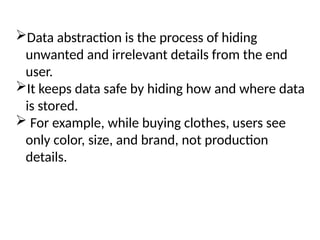
Data abstraction isthe process of hiding
unwanted and irrelevant details from the end
user.
It keeps data safe by hiding how and where data
is stored.
For example, while buying clothes, users see
only color, size, and brand, not production
details.
10.
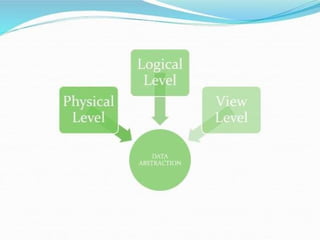
This is thecore concept, using data abstraction
to simplify interaction.
Physical Level: Lowest level; details how data
is physically stored (files, indexes, storage
paths).
Logical (Conceptual) Level: Describes the
entire database structure (tables, fields,
relationships) and what data exists, managed by
DBAs.
View (External) Level: Highest level; provides
customized subsets of the database for specific
user groups, hiding irrelevant data.
12.
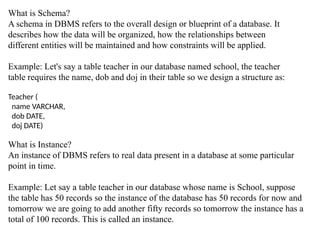
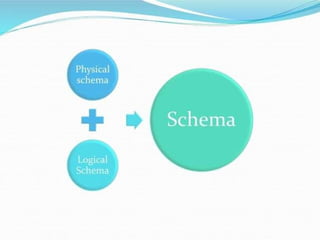
What is Schema?
Aschema in DBMS refers to the overall design or blueprint of a database. It
describes how the data will be organized, how the relationships between
different entities will be maintained and how constraints will be applied.
Example: Let's say a table teacher in our database named school, the teacher
table requires the name, dob and doj in their table so we design a structure as:
Teacher (
name VARCHAR,
dob DATE,
doj DATE)
What is Instance?
An instance of DBMS refers to real data present in a database at some particular
point in time.
Example: Let say a table teacher in our database whose name is School, suppose
the table has 50 records so the instance of the database has 50 records for now and
tomorrow we are going to add another fifty records so tomorrow the instance has a
total of 100 records. This is called an instance.
24.
DBMS Architecture 1-level,2-Level, 3-Level
• DBMS architecture defines how users interact with
the database to read, write, or update information.
Types of DBMS Architecture
• There are several types of DBMS Architecture that
we use according to the usage requirements.
• 1-Tier Architecture
• 2-Tier Architecture
• 3-Tier Architecture
25.
1-Tier Architecture
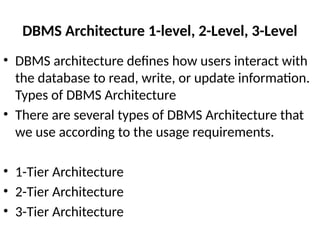
• In1-Tier Architecture, the user works directly with the database on
the same system. This means the client, server and database are all in
one application. The user can open the application, interact with the
data and perform tasks without needing a separate server or network
connection.
A common example is Microsoft Excel. Everything from the user interface to the
logic and data storage happens on the same device. The user enters data,
performs calculations and saves files directly on their computer.
26.
2-Tier Architecture
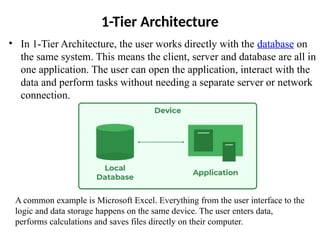
• The2-tier architecture is similar to a basic client-server model.
The application at the client end directly communicates with the
database on the server side. APIs like ODBC and JDBC are used
for this interaction.
For Example: A Library Management System used in schools or small
organizations is a classic example of two-tier architecture.
27.
3-Tier Architecture
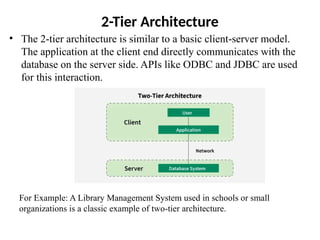
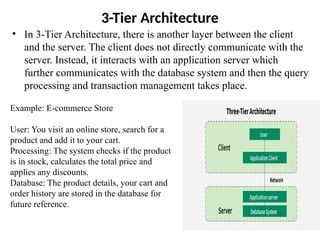
• In3-Tier Architecture, there is another layer between the client
and the server. The client does not directly communicate with the
server. Instead, it interacts with an application server which
further communicates with the database system and then the query
processing and transaction management takes place.
Example: E-commerce Store
User: You visit an online store, search for a
product and add it to your cart.
Processing: The system checks if the product
is in stock, calculates the total price and
applies any discounts.
Database: The product details, your cart and
order history are stored in the database for
future reference.
28.
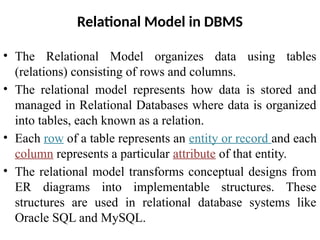
Relational Model inDBMS
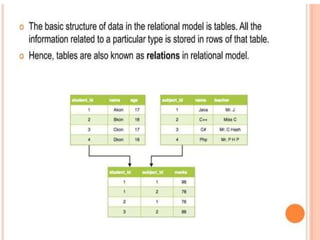
• The Relational Model organizes data using tables
(relations) consisting of rows and columns.
• The relational model represents how data is stored and
managed in Relational Databases where data is organized
into tables, each known as a relation.
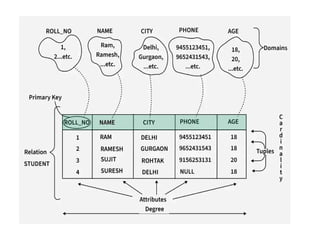
• Each row of a table represents an entity or record and each
column represents a particular attribute of that entity.
• The relational model transforms conceptual designs from
ER diagrams into implementable structures. These
structures are used in relational database systems like
Oracle SQL and MySQL.
30.
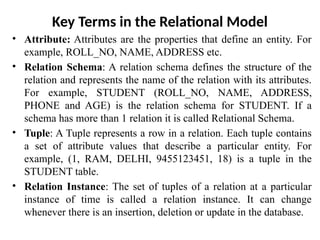
Key Terms inthe Relational Model
• Attribute: Attributes are the properties that define an entity. For
example, ROLL_NO, NAME, ADDRESS etc.
• Relation Schema: A relation schema defines the structure of the
relation and represents the name of the relation with its attributes.
For example, STUDENT (ROLL_NO, NAME, ADDRESS,
PHONE and AGE) is the relation schema for STUDENT. If a
schema has more than 1 relation it is called Relational Schema.
• Tuple: A Tuple represents a row in a relation. Each tuple contains
a set of attribute values that describe a particular entity. For
example, (1, RAM, DELHI, 9455123451, 18) is a tuple in the
STUDENT table.
• Relation Instance: The set of tuples of a relation at a particular
instance of time is called a relation instance. It can change
whenever there is an insertion, deletion or update in the database.
31.
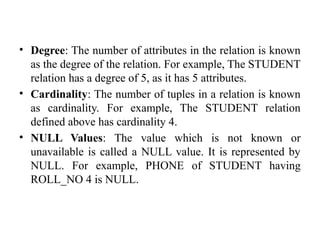
• Degree: Thenumber of attributes in the relation is known
as the degree of the relation. For example, The STUDENT
relation has a degree of 5, as it has 5 attributes.
• Cardinality: The number of tuples in a relation is known
as cardinality. For example, The STUDENT relation
defined above has cardinality 4.
• NULL Values: The value which is not known or
unavailable is called a NULL value. It is represented by
NULL. For example, PHONE of STUDENT having
ROLL_NO 4 is NULL.
32.
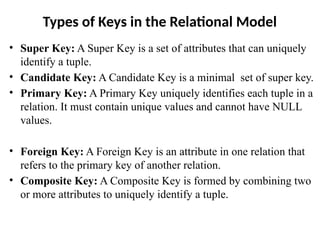
Types of Keysin the Relational Model
• Super Key: A Super Key is a set of attributes that can uniquely
identify a tuple.
• Candidate Key: A Candidate Key is a minimal set of super key.
• Primary Key: A Primary Key uniquely identifies each tuple in a
relation. It must contain unique values and cannot have NULL
values.
• Foreign Key: A Foreign Key is an attribute in one relation that
refers to the primary key of another relation.
• Composite Key: A Composite Key is formed by combining two
or more attributes to uniquely identify a tuple.
33.
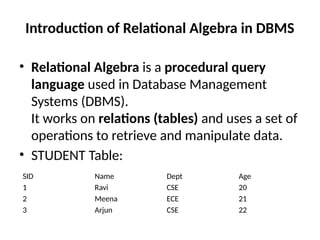
Introduction of RelationalAlgebra in DBMS
• Relational Algebra is a procedural query
language used in Database Management
Systems (DBMS).
It works on relations (tables) and uses a set of
operations to retrieve and manipulate data.
• STUDENT Table:
SID Name Dept Age
1 Ravi CSE 20
2 Meena ECE 21
3 Arjun CSE 22
35.
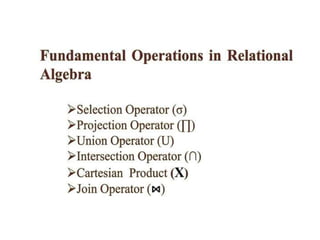
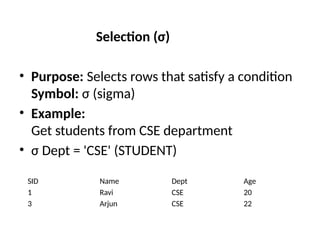
Selection (σ)
• Purpose:Selects rows that satisfy a condition
Symbol: σ (sigma)
• Example:
Get students from CSE department
• σ Dept = 'CSE' (STUDENT)
SID Name Dept Age
1 Ravi CSE 20
3 Arjun CSE 22
36.
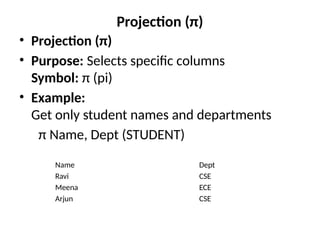
Projection (π)
• Projection(π)
• Purpose: Selects specific columns
Symbol: π (pi)
• Example:
Get only student names and departments
π Name, Dept (STUDENT)
Name Dept
Ravi CSE
Meena ECE
Arjun CSE
37.
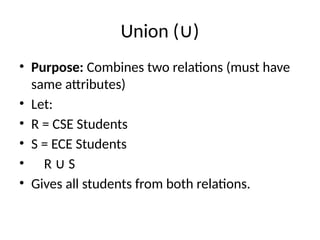
Union ( )
∪
•Purpose: Combines two relations (must have
same attributes)
• Let:
• R = CSE Students
• S = ECE Students
• R S
∪
• Gives all students from both relations.
38.
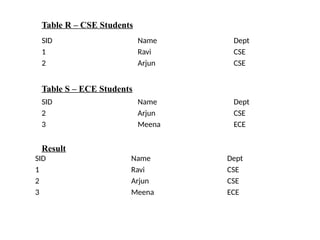
SID Name Dept
1Ravi CSE
2 Arjun CSE
SID Name Dept
2 Arjun CSE
3 Meena ECE
SID Name Dept
1 Ravi CSE
2 Arjun CSE
3 Meena ECE
Table R – CSE Students
Table S – ECE Students
Result
39.
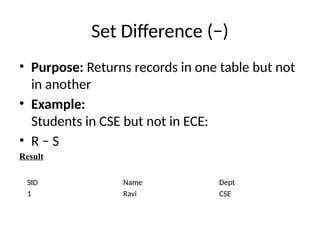
Set Difference (−)
•Purpose: Returns records in one table but not
in another
• Example:
Students in CSE but not in ECE:
• R − S
Result
SID Name Dept
1 Ravi CSE
40.
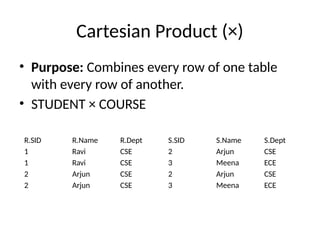
Cartesian Product (×)
•Purpose: Combines every row of one table
with every row of another.
• STUDENT × COURSE
R.SID R.Name R.Dept S.SID S.Name S.Dept
1 Ravi CSE 2 Arjun CSE
1 Ravi CSE 3 Meena ECE
2 Arjun CSE 2 Arjun CSE
2 Arjun CSE 3 Meena ECE
41.
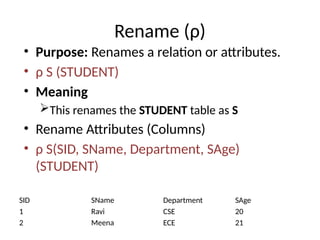
Rename (ρ)
• Purpose:Renames a relation or attributes.
• ρ S (STUDENT)
• Meaning
This renames the STUDENT table as S
• Rename Attributes (Columns)
• ρ S(SID, SName, Department, SAge)
(STUDENT)
SID SName Department SAge
1 Ravi CSE 20
2 Meena ECE 21
42.
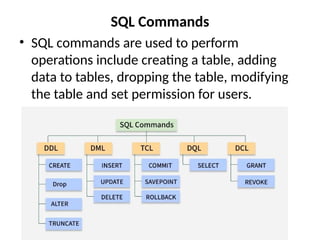
SQL Commands
• SQLcommands are used to perform
operations include creating a table, adding
data to tables, dropping the table, modifying
the table and set permission for users.
43.
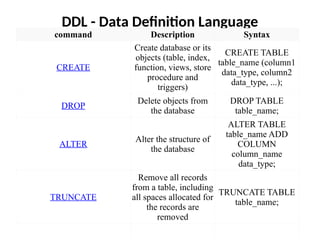
DDL - DataDefinition Language
command Description Syntax
CREATE
Create database or its
objects (table, index,
function, views, store
procedure and
triggers)
CREATE TABLE
table_name (column1
data_type, column2
data_type, ...);
DROP
Delete objects from
the database
DROP TABLE
table_name;
ALTER
Alter the structure of
the database
ALTER TABLE
table_name ADD
COLUMN
column_name
data_type;
TRUNCATE
Remove all records
from a table, including
all spaces allocated for
the records are
removed
TRUNCATE TABLE
table_name;
44.
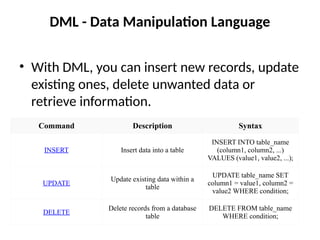
DML - DataManipulation Language
• With DML, you can insert new records, update
existing ones, delete unwanted data or
retrieve information.
Command Description Syntax
INSERT Insert data into a table
INSERT INTO table_name
(column1, column2, ...)
VALUES (value1, value2, ...);
UPDATE
Update existing data within a
table
UPDATE table_name SET
column1 = value1, column2 =
value2 WHERE condition;
DELETE
Delete records from a database
table
DELETE FROM table_name
WHERE condition;
45.
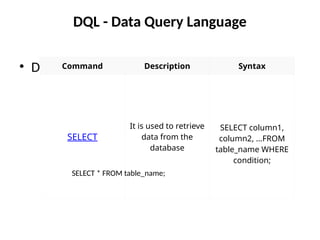
DQL - DataQuery Language
• DQL is used to fetch data from the database.
Command Description Syntax
SELECT
It is used to retrieve
data from the
database
SELECT column1,
column2, ...FROM
table_name WHERE
condition;
SELECT * FROM table_name;
46.
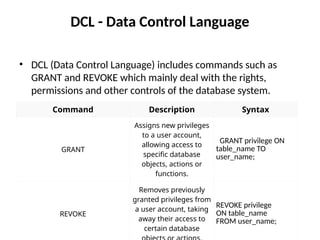
DCL - DataControl Language
• DCL (Data Control Language) includes commands such as
GRANT and REVOKE which mainly deal with the rights,
permissions and other controls of the database system.
Command Description Syntax
GRANT
Assigns new privileges
to a user account,
allowing access to
specific database
objects, actions or
functions.
GRANT privilege ON
table_name TO
user_name;
REVOKE
Removes previously
granted privileges from
a user account, taking
away their access to
certain database
REVOKE privilege
ON table_name
FROM user_name;
47.
TCL - TransactionControl Language
• Each transaction begins with a specific task and ends when all
the tasks in the group are successfully completed. If any of the
tasks fail, transaction fails.
Command Description Syntax
BEGIN TRANSACTION
Starts a new
transaction
BEGIN TRANSACTION
[transaction_name];
COMMIT
Saves all changes made
during the transaction
COMMIT;
ROLLBACK
Undoes all changes
made during the
transaction
ROLLBACK;
SAVEPOINT
Creates a savepoint
within the current
SAVEPOINT
savepoint_name;
![TCL - Transaction Control Language
• Each transaction begins with a specific task and ends when all
the tasks in the group are successfully completed. If any of the
tasks fail, transaction fails.
Command Description Syntax
BEGIN TRANSACTION
Starts a new
transaction
BEGIN TRANSACTION
[transaction_name];
COMMIT
Saves all changes made
during the transaction
COMMIT;
ROLLBACK
Undoes all changes
made during the
transaction
ROLLBACK;
SAVEPOINT
Creates a savepoint
within the current
SAVEPOINT
savepoint_name;](https://image.slidesharecdn.com/unit1-260131090626-95a1bb85/85/UNIT-1-DATA-MODELS-AND-QUERYING-IN-DATABASE-MANAGEMENT-SYSTEM-47-320.jpg)


![Database System Concepts AND architecture [Autosaved].pptx](https://cdn.slidesharecdn.com/ss_thumbnails/databasesystemconceptsandarchitectureautosaved-230817173311-be7f8590-thumbnail.jpg?width=640&height=640&fit=bounds)


