Client-side MVC with
     Backbone.js
  Jquery to Backbone.js
Agenda
•   Why Backbone.js
•   Architecture
•   Jquery to Backbone.js
•   Real World Examples
•   Resources
•   Extras
•   Questions
Why backbonejs
• From server-side to client-side
• From server-side to client-side We need
  efficient tools
• Jquery is cool but…
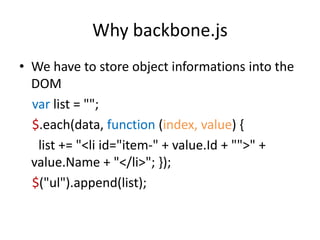
Why backbone.js
• We have to store object informations into the
  DOM
  var list = "";
  $.each(data, function (index, value) {
   list += "<li id="item-" + value.Id + "">" +
  value.Name + "</li>"; });
  $("ul").append(list);
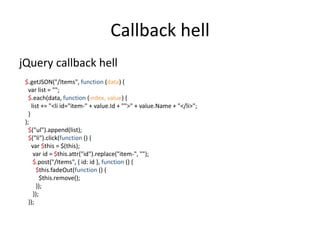
Callback hell
jQuery callback hell
 $.getJSON("/Items", function (data) {
   var list = "";
   $.each(data, function (index, value) {
     list += "<li id="item-" + value.Id + "">" + value.Name + "</li>";
   }
 );
   $("ul").append(list);
   $("li").click(function () {
     var $this = $(this);
      var id = $this.attr("id").replace("item-", "");
      $.post("/Items", { id: id }, function () {
        $this.fadeOut(function () {
          $this.remove();
        });
      });
   });
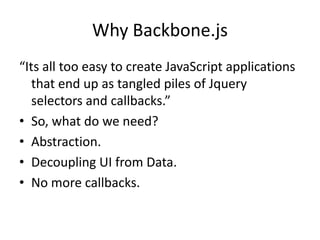
Why Backbone.js
“Its all too easy to create JavaScript applications
   that end up as tangled piles of Jquery
   selectors and callbacks.”
• So, what do we need?
• Abstraction.
• Decoupling UI from Data.
• No more callbacks.
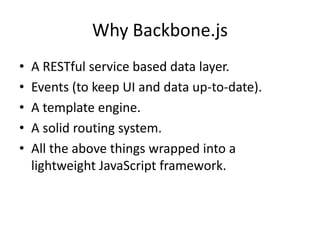
Why Backbone.js
•   A RESTful service based data layer.
•   Events (to keep UI and data up-to-date).
•   A template engine.
•   A solid routing system.
•   All the above things wrapped into a
    lightweight JavaScript framework.
Architecture
•   Oct 13th, 2010 Jeremy Ashkenas
•   http://documentcloud.github.com/backbone
•   https://github.com/documentcloud/backbone
•   @documentcloud
•   #documentcloud on IRC
•   https://groups.google.com/forum/#!forum/ba
    ckbonejs
Architecture
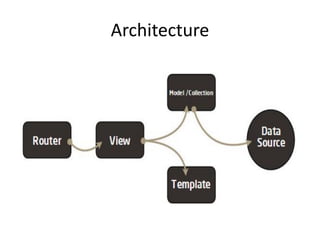
• Backbone.js gives structure to web
  applications by providing models with key-
  value binding and custom events,
• collections with a rich API of enumerable
  functions,
• views with declarative event handling,
• and connects it all to your existing API over a
  RESTful JSON interface.
Dependencies
• jQuery or Zepto
• Underscore.js
• Json2.js
MVC
•   Model / Collection
•   Template (View)
•   View (Controller)
•   Router
Model
•   Representing data (auto-generated).
•   Handling persistence.
•   Throws events.
•   Reusable.
Model
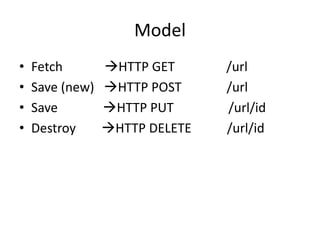
•   Fetch        HTTP GET      /url
•   Save (new)   HTTP POST     /url
•   Save         HTTP PUT      /url/id
•   Destroy      HTTP DELETE   /url/id
Model
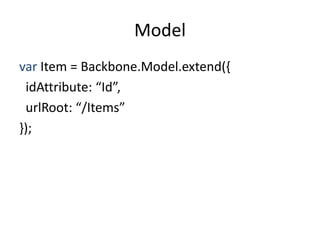
var Item = Backbone.Model.extend({
 idAttribute: “Id”,
 urlRoot: “/Items”
});
Model
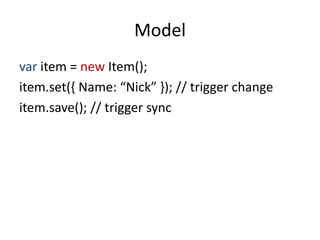
var item = new Item();
item.set({ Name: “Nick” }); // trigger change
item.save(); // trigger sync
Model
http://backbonejs.org/#Model
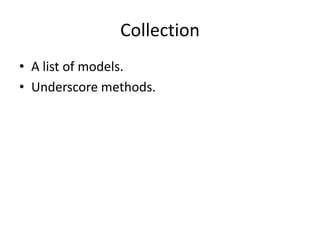
Collection
• A list of models.
• Underscore methods.
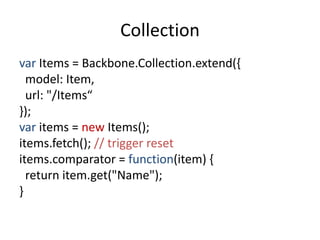
Collection
var Items = Backbone.Collection.extend({
  model: Item,
  url: "/Items“
});
var items = new Items();
items.fetch(); // trigger reset
items.comparator = function(item) {
  return item.get("Name");
}
Collection
http://backbonejs.org/#Collection
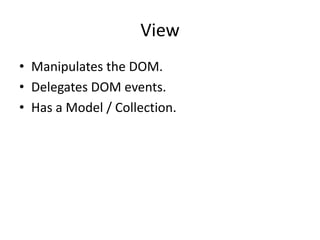
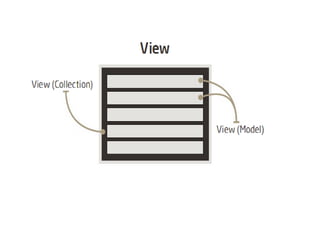
View
• Manipulates the DOM.
• Delegates DOM events.
• Has a Model / Collection.
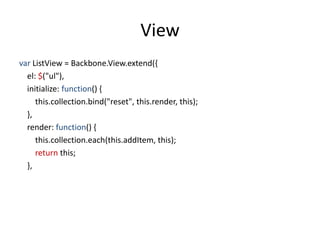
View
var ListView = Backbone.View.extend({
  el: $("ul"),
  initialize: function() {
     this.collection.bind("reset", this.render, this);
  },
  render: function() {
     this.collection.each(this.addItem, this);
     return this;
  },
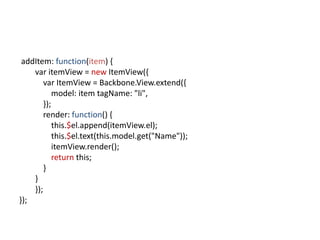
addItem: function(item) {
    var itemView = new ItemView({
        var ItemView = Backbone.View.extend({
            model: item tagName: "li",
        });
        render: function() {
            this.$el.append(itemView.el);
            this.$el.text(this.model.get("Name"));
            itemView.render();
            return this;
        }
    }
    });
});
View
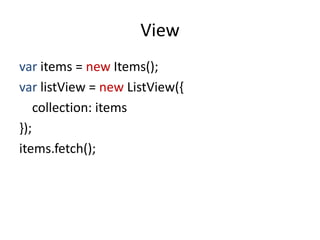
var items = new Items();
var listView = new ListView({
    collection: items
});
items.fetch();
View
http://backbonejs.org/#View
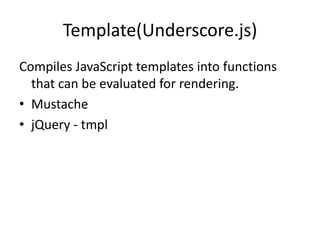
Template(Underscore.js)
Compiles JavaScript templates into functions
  that can be evaluated for rendering.
• Mustache
• jQuery - tmpl
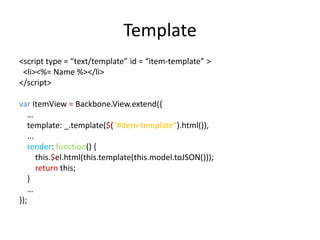
Template
<script type = “text/template” id = “item-template” >
 <li><%= Name %></li>
</script>

var ItemView = Backbone.View.extend({
    …
    template: _.template($("#item-template").html()),
    ...
    render: function() {
        this.$el.html(this.template(this.model.toJSON()));
        return this;
    }
    …
});
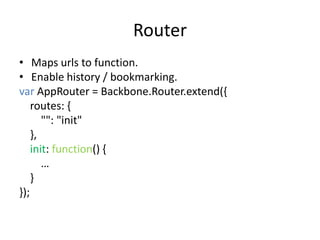
Router
• Maps urls to function.
• Enable history / bookmarking.
var AppRouter = Backbone.Router.extend({
    routes: {
       "": "init"
    },
    init: function() {
       …
    }
});
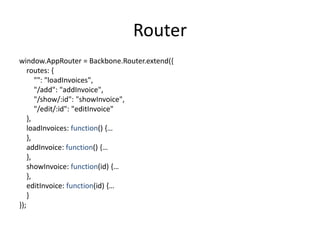
Router
window.AppRouter = Backbone.Router.extend({
    routes: {
       "": "loadInvoices",
       "/add": "addInvoice",
       "/show/:id": "showInvoice",
       "/edit/:id": "editInvoice"
    },
    loadInvoices: function() {…
    },
    addInvoice: function() {…
    },
    showInvoice: function(id) {…
    },
    editInvoice: function(id) {…
    }
});
Router
http://backbonejs.org/#Router
Architecture
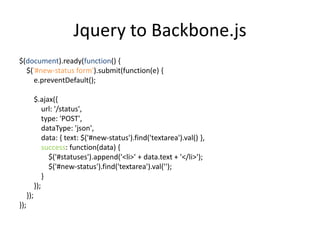
Jquery to Backbone.js
$(document).ready(function() {
  $('#new-status form').submit(function(e) {
     e.preventDefault();

            $.ajax({
                url: '/status',
                type: 'POST',
                dataType: 'json',
                data: { text: $('#new-status').find('textarea').val() },
                success: function(data) {
                  $('#statuses').append('<li>' + data.text + '</li>');
                  $('#new-status').find('textarea').val('');
                }
            });
      });
});
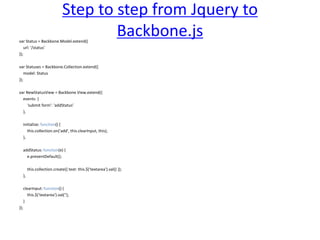
Step to step from Jquery to
var Status = Backbone.Model.extend({
                                        Backbone.js
    url: '/status'
});

var Statuses = Backbone.Collection.extend({
    model: Status
});

var NewStatusView = Backbone.View.extend({
  events: {
     'submit form': 'addStatus'
  },

      initialize: function() {
         this.collection.on('add', this.clearInput, this);
      },

      addStatus: function(e) {
        e.preventDefault();

           this.collection.create({ text: this.$('textarea').val() });
      },

      clearInput: function() {
         this.$('textarea').val('');
      }
});
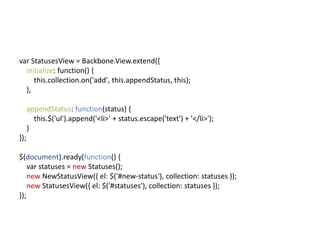
var StatusesView = Backbone.View.extend({
  initialize: function() {
     this.collection.on('add', this.appendStatus, this);
  },

      appendStatus: function(status) {
        this.$('ul').append('<li>' + status.escape('text') + '</li>');
      }
});

$(document).ready(function() {
    var statuses = new Statuses();
    new NewStatusView({ el: $('#new-status'), collection: statuses });
    new StatusesView({ el: $('#statuses'), collection: statuses });
});
Real World
• DocumdentCloud
• LinkedIn mobile
• Pandora
• Airbnb
• Hulu
• BaseCamp
• Diaspora
http://backbonejs.org/#examples
Resource
• https://github.com/documentcloud/backbone
  /wiki
• https://github.com/documentcloud/backbone
  /wiki/Extensions%2C-Plugins%2C-Resources
• http://backbonetutorials.com/
• http://addyosmani.github.com/backbone-
  fundamentals/
Extra
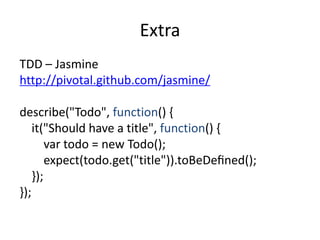
TDD – Jasmine
http://pivotal.github.com/jasmine/

describe("Todo", function() {
    it("Should have a title", function() {
        var todo = new Todo();
        expect(todo.get("title")).toBeDefined();
    });
});
Pros and Cons
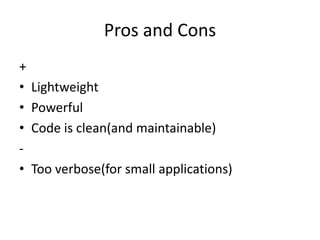
+
•   Lightweight
•   Powerful
•   Code is clean(and maintainable)
-
•   Too verbose(for small applications)
Questions?
  Thanks

Understanding backbonejs

  • 1.
    Client-side MVC with Backbone.js Jquery to Backbone.js
  • 2.
    Agenda • Why Backbone.js • Architecture • Jquery to Backbone.js • Real World Examples • Resources • Extras • Questions
  • 3.
    Why backbonejs • Fromserver-side to client-side • From server-side to client-side We need efficient tools • Jquery is cool but…
  • 4.
    Why backbone.js • Wehave to store object informations into the DOM var list = ""; $.each(data, function (index, value) { list += "<li id="item-" + value.Id + "">" + value.Name + "</li>"; }); $("ul").append(list);
  • 5.
    Callback hell jQuery callbackhell $.getJSON("/Items", function (data) { var list = ""; $.each(data, function (index, value) { list += "<li id="item-" + value.Id + "">" + value.Name + "</li>"; } ); $("ul").append(list); $("li").click(function () { var $this = $(this); var id = $this.attr("id").replace("item-", ""); $.post("/Items", { id: id }, function () { $this.fadeOut(function () { $this.remove(); }); }); });
  • 6.
    Why Backbone.js “Its alltoo easy to create JavaScript applications that end up as tangled piles of Jquery selectors and callbacks.” • So, what do we need? • Abstraction. • Decoupling UI from Data. • No more callbacks.
  • 7.
    Why Backbone.js • A RESTful service based data layer. • Events (to keep UI and data up-to-date). • A template engine. • A solid routing system. • All the above things wrapped into a lightweight JavaScript framework.
  • 8.
    Architecture • Oct 13th, 2010 Jeremy Ashkenas • http://documentcloud.github.com/backbone • https://github.com/documentcloud/backbone • @documentcloud • #documentcloud on IRC • https://groups.google.com/forum/#!forum/ba ckbonejs
  • 9.
    Architecture • Backbone.js givesstructure to web applications by providing models with key- value binding and custom events, • collections with a rich API of enumerable functions, • views with declarative event handling, • and connects it all to your existing API over a RESTful JSON interface.
  • 10.
    Dependencies • jQuery orZepto • Underscore.js • Json2.js
  • 11.
    MVC • Model / Collection • Template (View) • View (Controller) • Router
  • 12.
    Model • Representing data (auto-generated). • Handling persistence. • Throws events. • Reusable.
  • 13.
    Model • Fetch HTTP GET /url • Save (new) HTTP POST /url • Save HTTP PUT /url/id • Destroy HTTP DELETE /url/id
  • 14.
    Model var Item =Backbone.Model.extend({ idAttribute: “Id”, urlRoot: “/Items” });
  • 15.
    Model var item =new Item(); item.set({ Name: “Nick” }); // trigger change item.save(); // trigger sync
  • 16.
  • 17.
    Collection • A listof models. • Underscore methods.
  • 18.
    Collection var Items =Backbone.Collection.extend({ model: Item, url: "/Items“ }); var items = new Items(); items.fetch(); // trigger reset items.comparator = function(item) { return item.get("Name"); }
  • 19.
  • 20.
    View • Manipulates theDOM. • Delegates DOM events. • Has a Model / Collection.
  • 22.
    View var ListView =Backbone.View.extend({ el: $("ul"), initialize: function() { this.collection.bind("reset", this.render, this); }, render: function() { this.collection.each(this.addItem, this); return this; },
  • 23.
    addItem: function(item) { var itemView = new ItemView({ var ItemView = Backbone.View.extend({ model: item tagName: "li", }); render: function() { this.$el.append(itemView.el); this.$el.text(this.model.get("Name")); itemView.render(); return this; } } }); });
  • 24.
    View var items =new Items(); var listView = new ListView({ collection: items }); items.fetch();
  • 25.
  • 26.
    Template(Underscore.js) Compiles JavaScript templatesinto functions that can be evaluated for rendering. • Mustache • jQuery - tmpl
  • 27.
    Template <script type =“text/template” id = “item-template” > <li><%= Name %></li> </script> var ItemView = Backbone.View.extend({ … template: _.template($("#item-template").html()), ... render: function() { this.$el.html(this.template(this.model.toJSON())); return this; } … });
  • 28.
    Router • Maps urlsto function. • Enable history / bookmarking. var AppRouter = Backbone.Router.extend({ routes: { "": "init" }, init: function() { … } });
  • 29.
    Router window.AppRouter = Backbone.Router.extend({ routes: { "": "loadInvoices", "/add": "addInvoice", "/show/:id": "showInvoice", "/edit/:id": "editInvoice" }, loadInvoices: function() {… }, addInvoice: function() {… }, showInvoice: function(id) {… }, editInvoice: function(id) {… } });
  • 30.
  • 31.
  • 32.
    Jquery to Backbone.js $(document).ready(function(){ $('#new-status form').submit(function(e) { e.preventDefault(); $.ajax({ url: '/status', type: 'POST', dataType: 'json', data: { text: $('#new-status').find('textarea').val() }, success: function(data) { $('#statuses').append('<li>' + data.text + '</li>'); $('#new-status').find('textarea').val(''); } }); }); });
  • 33.
    Step to stepfrom Jquery to var Status = Backbone.Model.extend({ Backbone.js url: '/status' }); var Statuses = Backbone.Collection.extend({ model: Status }); var NewStatusView = Backbone.View.extend({ events: { 'submit form': 'addStatus' }, initialize: function() { this.collection.on('add', this.clearInput, this); }, addStatus: function(e) { e.preventDefault(); this.collection.create({ text: this.$('textarea').val() }); }, clearInput: function() { this.$('textarea').val(''); } });
  • 34.
    var StatusesView =Backbone.View.extend({ initialize: function() { this.collection.on('add', this.appendStatus, this); }, appendStatus: function(status) { this.$('ul').append('<li>' + status.escape('text') + '</li>'); } }); $(document).ready(function() { var statuses = new Statuses(); new NewStatusView({ el: $('#new-status'), collection: statuses }); new StatusesView({ el: $('#statuses'), collection: statuses }); });
  • 35.
    Real World • DocumdentCloud •LinkedIn mobile • Pandora • Airbnb • Hulu • BaseCamp • Diaspora http://backbonejs.org/#examples
  • 36.
    Resource • https://github.com/documentcloud/backbone /wiki • https://github.com/documentcloud/backbone /wiki/Extensions%2C-Plugins%2C-Resources • http://backbonetutorials.com/ • http://addyosmani.github.com/backbone- fundamentals/
  • 37.
    Extra TDD – Jasmine http://pivotal.github.com/jasmine/ describe("Todo",function() { it("Should have a title", function() { var todo = new Todo(); expect(todo.get("title")).toBeDefined(); }); });
  • 38.
    Pros and Cons + • Lightweight • Powerful • Code is clean(and maintainable) - • Too verbose(for small applications)
  • 39.