2016/01 - BTJ
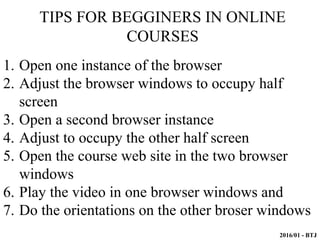
1. Open one instance of the browser
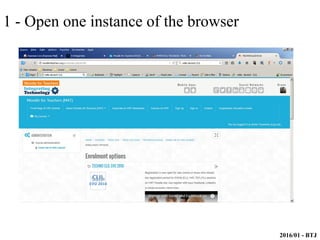
2. Adjust the browser windows to occupy half
screen
3. Open a second browser instance
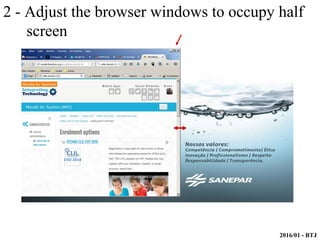
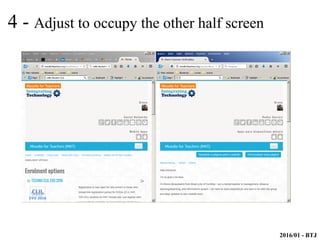
4. Adjust to occupy the other half screen
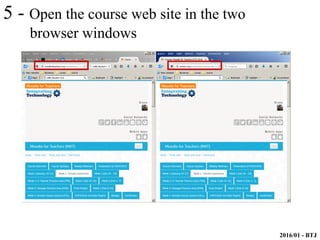
5. Open the course web site in the two browser
windows
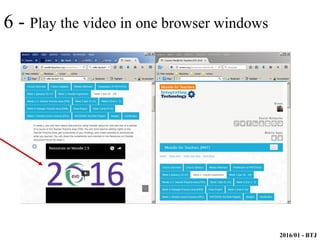
6. Play the video in one browser windows and
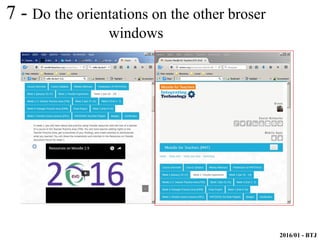
7. Do the orientations on the other broser windows
TIPS FOR BEGGINERS IN ONLINE
COURSES
2016/01 - BTJ
1 - Open one instance of the browser
2016/01 - BTJ
2 - Adjust the browser windows to occupy half
screen
2016/01 - BTJ
3 - Open a second browser instance
2016/01 - BTJ
4 - Adjust to occupy the other half screen
2016/01 - BTJ
5 - Open the course web site in the two
browser windows
2016/01 - BTJ
6 - Play the video in one browser windows
2016/01 - BTJ
7 - Do the orientations on the other broser
windows
2016/01 - BTJ
When I began online courses I used this tip (open
two windows in screen) to help me accomplish the
practice.
You also can put in the second windows a
youtube video tutorial of any application/software
And you can use the keys CTRL + to change
the size of the windows content.
Finnaly
2016/01 - BTJ
When I began online courses I used this tip (open
two windows in screen) to help me accomplish the
practice.
You also can put in the second windows a
youtube video tutorial of any application/software
And you can use the keys CTRL + to change
the size of the windows content.
Finnaly

Tips to begginers in online courses

  • 1.
    2016/01 - BTJ 1.Open one instance of the browser 2. Adjust the browser windows to occupy half screen 3. Open a second browser instance 4. Adjust to occupy the other half screen 5. Open the course web site in the two browser windows 6. Play the video in one browser windows and 7. Do the orientations on the other broser windows TIPS FOR BEGGINERS IN ONLINE COURSES
  • 2.
    2016/01 - BTJ 1- Open one instance of the browser
  • 3.
    2016/01 - BTJ 2- Adjust the browser windows to occupy half screen
  • 4.
    2016/01 - BTJ 3- Open a second browser instance
  • 5.
    2016/01 - BTJ 4- Adjust to occupy the other half screen
  • 6.
    2016/01 - BTJ 5- Open the course web site in the two browser windows
  • 7.
    2016/01 - BTJ 6- Play the video in one browser windows
  • 8.
    2016/01 - BTJ 7- Do the orientations on the other broser windows
  • 9.
    2016/01 - BTJ WhenI began online courses I used this tip (open two windows in screen) to help me accomplish the practice. You also can put in the second windows a youtube video tutorial of any application/software And you can use the keys CTRL + to change the size of the windows content. Finnaly
  • 10.
    2016/01 - BTJ WhenI began online courses I used this tip (open two windows in screen) to help me accomplish the practice. You also can put in the second windows a youtube video tutorial of any application/software And you can use the keys CTRL + to change the size of the windows content. Finnaly