The Internet
What is the Internet?
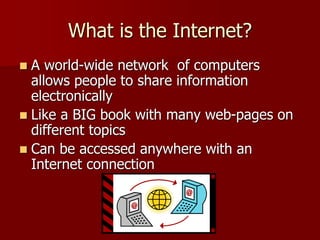
 A world-wide network of computers
allows people to share information
electronically
 Like a BIG book with many web-pages on
different topics
 Can be accessed anywhere with an
Internet connection
Why use the Internet?
 Apply for jobs or schools
 Fill out government forms
 Check bank accounts
 Communicate with family,
friends and co-workers
 Do research
 Learn new skills
 Read news
 Watch videos
What is an Internet Service
Provider?
 A company that provides Internet access
for customers
(examples: Comcast, Qwest, AOL)
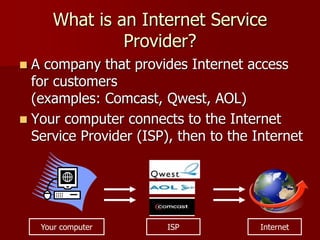
 Your computer connects to the Internet
Service Provider (ISP), then to the Internet
Your computer InternetISP
How to connect to the Internet
 Three main ways to connect to the
Internet
 Dial-Up
 High Speed/DSL
 Wireless Connection (Wi-Fi)
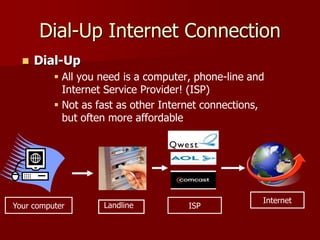
Dial-Up Internet Connection
 Dial-Up
 All you need is a computer, phone-line and
Internet Service Provider! (ISP)
 Not as fast as other Internet connections,
but often more affordable
ISP
Internet
Your computer Landline
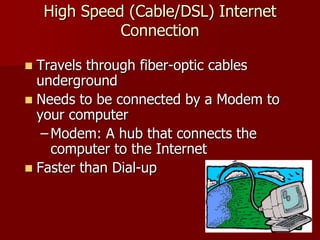
High Speed (Cable/DSL) Internet
Connection
 Travels through fiber-optic cables
underground
 Needs to be connected by a Modem to
your computer
– Modem: A hub that connects the
computer to the Internet
 Faster than Dial-up
Wireless Internet Connection
(Wi-Fi)
 Your computer must be a
“Wireless enabled” device
 Your computer can pick
up signals from different
wireless networks
 Some networks require
passwords or a
subscription, others are
free
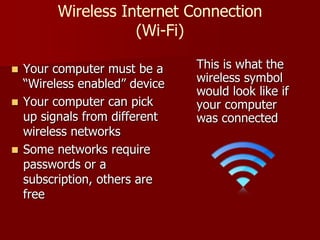
This is what the
wireless symbol
would look like if
your computer
was connected
Web Browser
A web-based program that displays the Internet
Common Web Browsers
 Safari: for Apples/Macintosh
 Internet Explorer: for Windows only
Other Web Browsers
 Google Chrome: created by Google
 Mozilla Firefox: works on Mac & PC

The internet and its function

  • 1.
  • 2.
    What is theInternet?  A world-wide network of computers allows people to share information electronically  Like a BIG book with many web-pages on different topics  Can be accessed anywhere with an Internet connection
  • 3.
    Why use theInternet?  Apply for jobs or schools  Fill out government forms  Check bank accounts  Communicate with family, friends and co-workers  Do research  Learn new skills  Read news  Watch videos
  • 4.
    What is anInternet Service Provider?  A company that provides Internet access for customers (examples: Comcast, Qwest, AOL)  Your computer connects to the Internet Service Provider (ISP), then to the Internet Your computer InternetISP
  • 5.
    How to connectto the Internet  Three main ways to connect to the Internet  Dial-Up  High Speed/DSL  Wireless Connection (Wi-Fi)
  • 6.
    Dial-Up Internet Connection Dial-Up  All you need is a computer, phone-line and Internet Service Provider! (ISP)  Not as fast as other Internet connections, but often more affordable ISP Internet Your computer Landline
  • 7.
    High Speed (Cable/DSL)Internet Connection  Travels through fiber-optic cables underground  Needs to be connected by a Modem to your computer – Modem: A hub that connects the computer to the Internet  Faster than Dial-up
  • 8.
    Wireless Internet Connection (Wi-Fi) Your computer must be a “Wireless enabled” device  Your computer can pick up signals from different wireless networks  Some networks require passwords or a subscription, others are free This is what the wireless symbol would look like if your computer was connected
  • 9.
    Web Browser A web-basedprogram that displays the Internet Common Web Browsers  Safari: for Apples/Macintosh  Internet Explorer: for Windows only
  • 10.
    Other Web Browsers Google Chrome: created by Google  Mozilla Firefox: works on Mac & PC