The 2022 Complete Guide On Java Product
Development:
Phases, Advanced Java Techniques, Challenges & Smart Tips
Let’s first understand the meaning of Product development!
In layman's terms, product development is the
process of transitioning a concept into a
tangible software product that is ready for
market release & adds value to a business in
one or more ways.
The use of Java for product development can
be dated back to 1995.
More than 222,700 companies use Java worldwide, including 91,000 in the United States.
It is the prime choice for companies in financial software, application development, and
web & mobile development because of its built-in security features.
Some of the advanced java concepts supporting this rising demand are:
● A feature-rich language with the platform independence to Write Once, Run
Anywhere
● Simple code that is easy to interpret, execute & user-friendly
● A staple programming language that has expanded its roots to almost everything,
including but not limited to data science applications, Machine Learning, Artificial
Intelligence, etc.
● An extensive & rich Application Programming Interface (API)
The emergence of advanced Java techniques has made it a
popular choice for companies and developers. According to a
recent StackOverflow survey, Java boasts 40.2% popularity
among developers across the globe.
Let’s deep dive into the phases of Java product development,
making it among the top 3 preferred programming languages
of 2022.
When we say phases of Java product development, they are broadly classified
into the following 5:
1. Edit - the program is first created on the editor, after which it is sorted in the disk with
the file names ending in .Java
1. Compile - the Java compiler translates the high-level language program into easily
understood byte codes & stores it in a disk with the ending name .class
1. Load - class loader now compiles, reads & puts those byte codes from the disk to
primary memory.
1. Verify - this is the stage of verification of the byte codes to confirm that all byte codes
are valid to avoid any risk to the Java security restrictions.
1. Execute - this is the final stage wherein the Java Virtual Machine (JVM) reads &
translates the byte codes to a language easily understood by the computer (Machine
Language). Then the program is executed & the value is stored in primary memory.
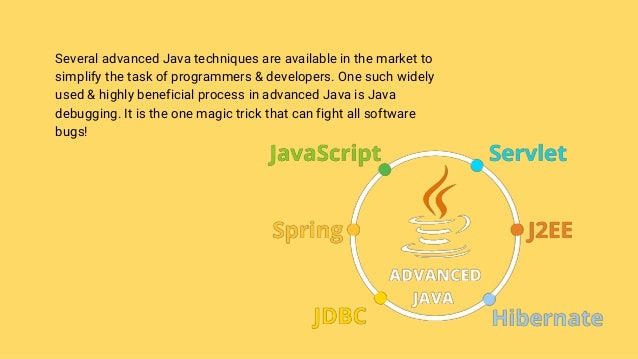
Several advanced Java techniques are available in the market to
simplify the task of programmers & developers. One such widely
used & highly beneficial process in advanced Java is Java
debugging. It is the one magic trick that can fight all software
bugs!
What is Java Debugging?
In the world of computer programming & software development, developers spend
almost 10-25% of their time on bug detection in the final product. Imagine how
frustrating it is to re-do everything when it seems you have just reached the finish
line?
Java debugging is the solution to this obstacle. Debugging is the process of locating
& resolving bugs within computer programs, software, or systems. These bugs are
defects or problems that prevent the correct operation of the product/application &
hinder the seamless user experience.
For every product available in the market, there is always a WHY
factor attached. Likewise, as a programmer, developer, or
software company, you might wonder, Why should I use Java
debugging? How will it benefit my application’s performance?
The answer to your ‘WHY’ is evident in this statistic: 44% of
developers identify fixing bugs & errors as their biggest pain point.
Find the answer to your ‘HOW’ in the subsequent slides.
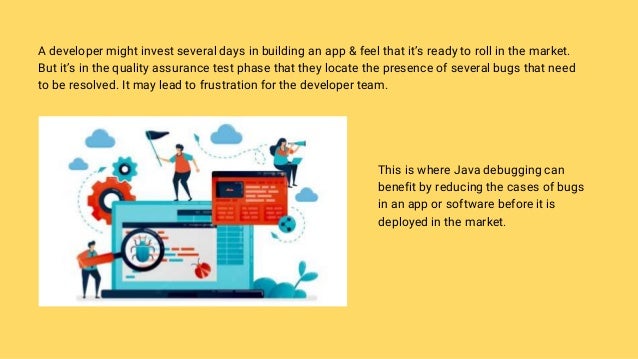
A developer might invest several days in building an app & feel that it’s ready to roll in the market.
But it’s in the quality assurance test phase that they locate the presence of several bugs that need
to be resolved. It may lead to frustration for the developer team.
This is where Java debugging can
benefit by reducing the cases of bugs
in an app or software before it is
deployed in the market.
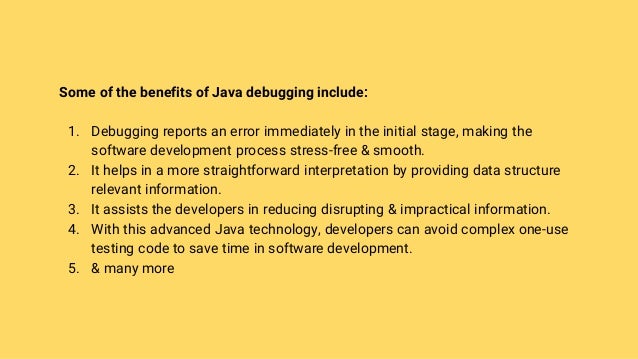
Some of the benefits of Java debugging include:
1. Debugging reports an error immediately in the initial stage, making the
software development process stress-free & smooth.
2. It helps in a more straightforward interpretation by providing data structure
relevant information.
3. It assists the developers in reducing disrupting & impractical information.
4. With this advanced Java technology, developers can avoid complex one-use
testing code to save time in software development.
5. & many more
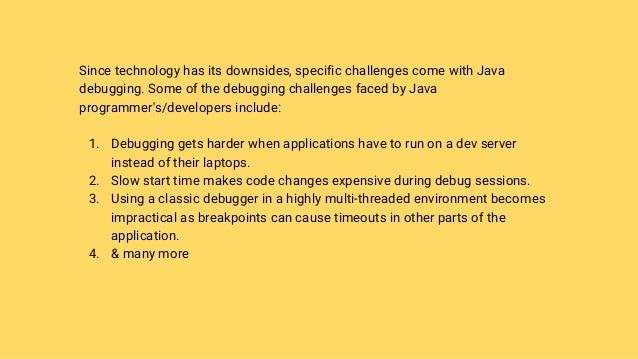
Since technology has its downsides, specific challenges come with Java
debugging. Some of the debugging challenges faced by Java
programmer's/developers include:
1. Debugging gets harder when applications have to run on a dev server
instead of their laptops.
2. Slow start time makes code changes expensive during debug sessions.
3. Using a classic debugger in a highly multi-threaded environment becomes
impractical as breakpoints can cause timeouts in other parts of the
application.
4. & many more
Smart Tips on some Advanced Java Techniques for Debugging
Several debugging techniques can be used in the
advanced Java environment to overcome the
debugging challenges. For some proven & clever
tips, visit 5 Advanced Java Techniques of
Debugging: SMART Tips!

The 2022 Complete Guide On Java Product Development: Phases, Advanced Java Techniques, Challenges & Smart Tips

  • 1.
    The 2022 CompleteGuide On Java Product Development: Phases, Advanced Java Techniques, Challenges & Smart Tips
  • 2.
    Let’s first understandthe meaning of Product development! In layman's terms, product development is the process of transitioning a concept into a tangible software product that is ready for market release & adds value to a business in one or more ways. The use of Java for product development can be dated back to 1995.
  • 3.
    More than 222,700companies use Java worldwide, including 91,000 in the United States. It is the prime choice for companies in financial software, application development, and web & mobile development because of its built-in security features. Some of the advanced java concepts supporting this rising demand are: ● A feature-rich language with the platform independence to Write Once, Run Anywhere ● Simple code that is easy to interpret, execute & user-friendly ● A staple programming language that has expanded its roots to almost everything, including but not limited to data science applications, Machine Learning, Artificial Intelligence, etc. ● An extensive & rich Application Programming Interface (API)
  • 4.
    The emergence ofadvanced Java techniques has made it a popular choice for companies and developers. According to a recent StackOverflow survey, Java boasts 40.2% popularity among developers across the globe. Let’s deep dive into the phases of Java product development, making it among the top 3 preferred programming languages of 2022.
  • 5.
    When we sayphases of Java product development, they are broadly classified into the following 5: 1. Edit - the program is first created on the editor, after which it is sorted in the disk with the file names ending in .Java 1. Compile - the Java compiler translates the high-level language program into easily understood byte codes & stores it in a disk with the ending name .class 1. Load - class loader now compiles, reads & puts those byte codes from the disk to primary memory. 1. Verify - this is the stage of verification of the byte codes to confirm that all byte codes are valid to avoid any risk to the Java security restrictions. 1. Execute - this is the final stage wherein the Java Virtual Machine (JVM) reads & translates the byte codes to a language easily understood by the computer (Machine Language). Then the program is executed & the value is stored in primary memory.
  • 6.
    Several advanced Javatechniques are available in the market to simplify the task of programmers & developers. One such widely used & highly beneficial process in advanced Java is Java debugging. It is the one magic trick that can fight all software bugs!
  • 7.
    What is JavaDebugging? In the world of computer programming & software development, developers spend almost 10-25% of their time on bug detection in the final product. Imagine how frustrating it is to re-do everything when it seems you have just reached the finish line? Java debugging is the solution to this obstacle. Debugging is the process of locating & resolving bugs within computer programs, software, or systems. These bugs are defects or problems that prevent the correct operation of the product/application & hinder the seamless user experience.
  • 8.
    For every productavailable in the market, there is always a WHY factor attached. Likewise, as a programmer, developer, or software company, you might wonder, Why should I use Java debugging? How will it benefit my application’s performance? The answer to your ‘WHY’ is evident in this statistic: 44% of developers identify fixing bugs & errors as their biggest pain point. Find the answer to your ‘HOW’ in the subsequent slides.
  • 9.
    A developer mightinvest several days in building an app & feel that it’s ready to roll in the market. But it’s in the quality assurance test phase that they locate the presence of several bugs that need to be resolved. It may lead to frustration for the developer team. This is where Java debugging can benefit by reducing the cases of bugs in an app or software before it is deployed in the market.
  • 10.
    Some of thebenefits of Java debugging include: 1. Debugging reports an error immediately in the initial stage, making the software development process stress-free & smooth. 2. It helps in a more straightforward interpretation by providing data structure relevant information. 3. It assists the developers in reducing disrupting & impractical information. 4. With this advanced Java technology, developers can avoid complex one-use testing code to save time in software development. 5. & many more
  • 11.
    Since technology hasits downsides, specific challenges come with Java debugging. Some of the debugging challenges faced by Java programmer's/developers include: 1. Debugging gets harder when applications have to run on a dev server instead of their laptops. 2. Slow start time makes code changes expensive during debug sessions. 3. Using a classic debugger in a highly multi-threaded environment becomes impractical as breakpoints can cause timeouts in other parts of the application. 4. & many more
  • 12.
    Smart Tips onsome Advanced Java Techniques for Debugging Several debugging techniques can be used in the advanced Java environment to overcome the debugging challenges. For some proven & clever tips, visit 5 Advanced Java Techniques of Debugging: SMART Tips!