








Testing Drupal Site Performance Across
Browsers, Geographies and Networks


Bob Buffone          Jess Iandiorio
CTO and Co-founder   Sr. Director, Cloud Product
Yottaa, Inc.         Marketing
                     Acquia
Acquia Network         Support


          One singular support service

            Answers from 60+ experts

     For both Drupal and Infrastructure issues
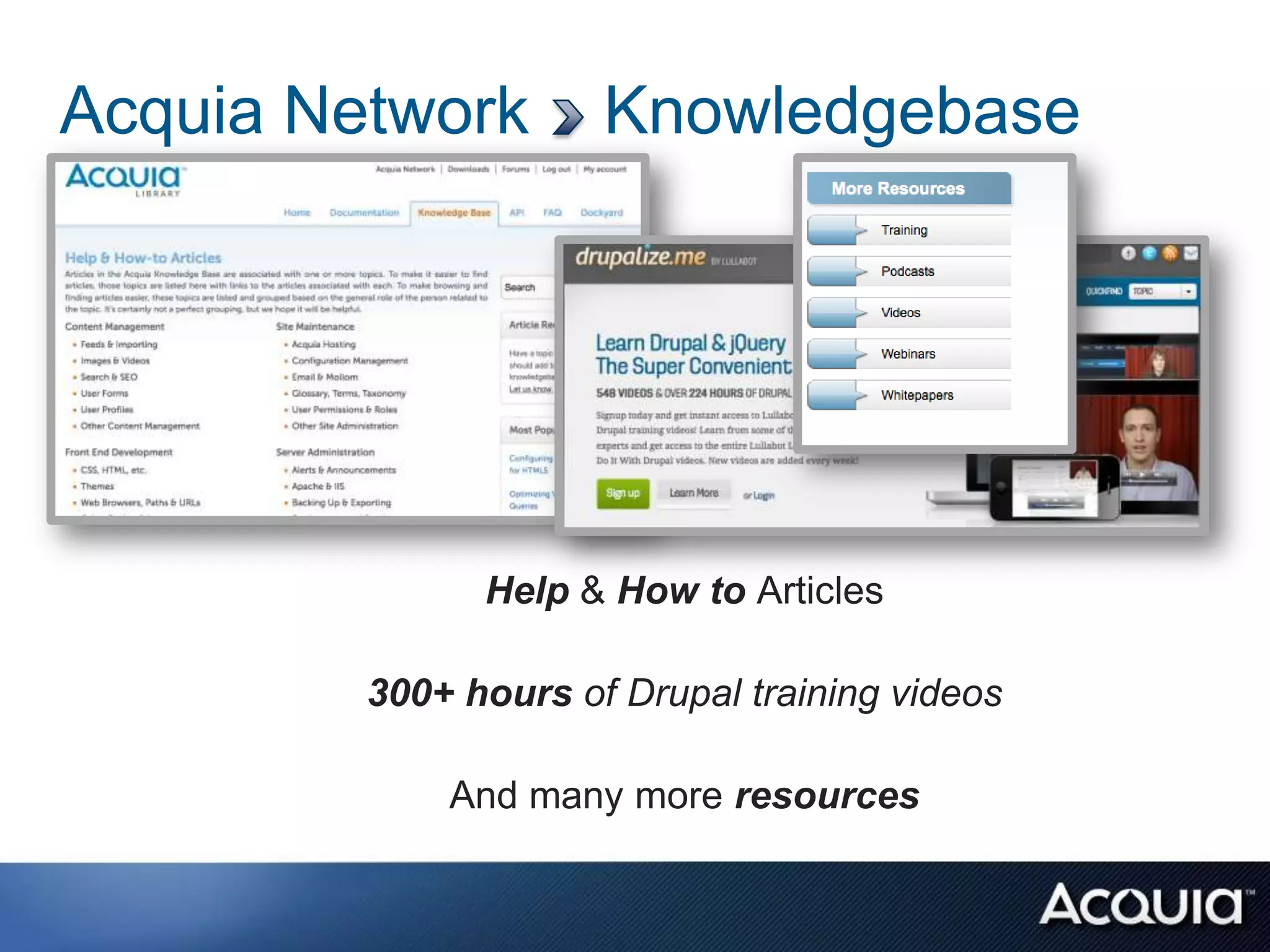
Acquia Network        Knowledgebase


               Help & How to Articles

         300+ hours of Drupal training videos

             And many more resources
Acquia Network Tools & Services


Integrated cloud tools that enhance and extend your site
Measuring your website
               in different ways!!!
                        June 13th, 2012


Yottaa Inc.
http://www.yottaa.com
Agenda
•   The Web… Its complicated
•   Things that make a website slow
•   Human factors of web performance
•   How can you make your website faster?
•   Tweet
    – @rockstarapps
    – @yottaa


                                            6
WHY MEASURE IT?


                  © 2011 Yottaa Inc. All Rights Reserved.   7
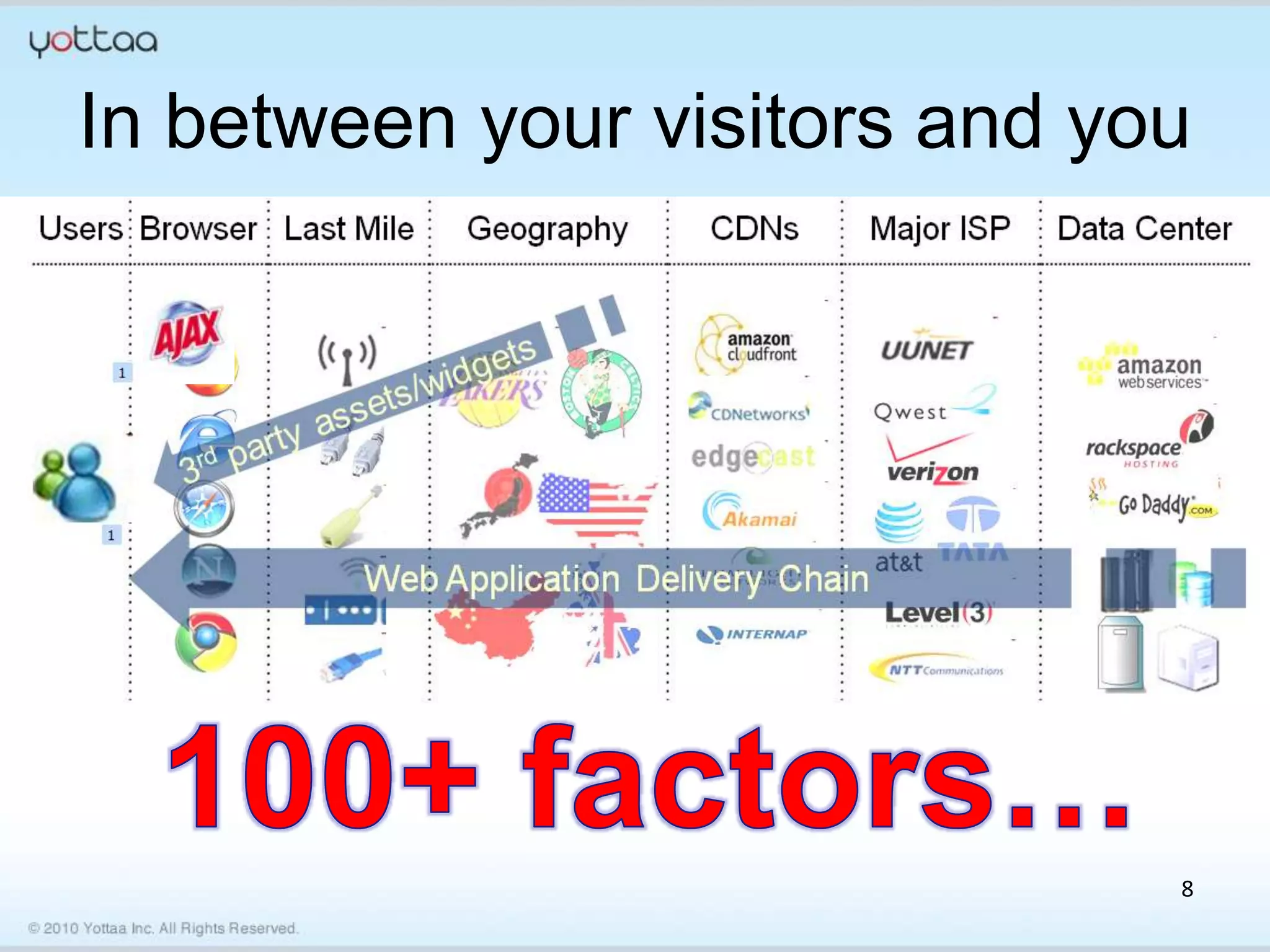
In between your visitors and you


                               8
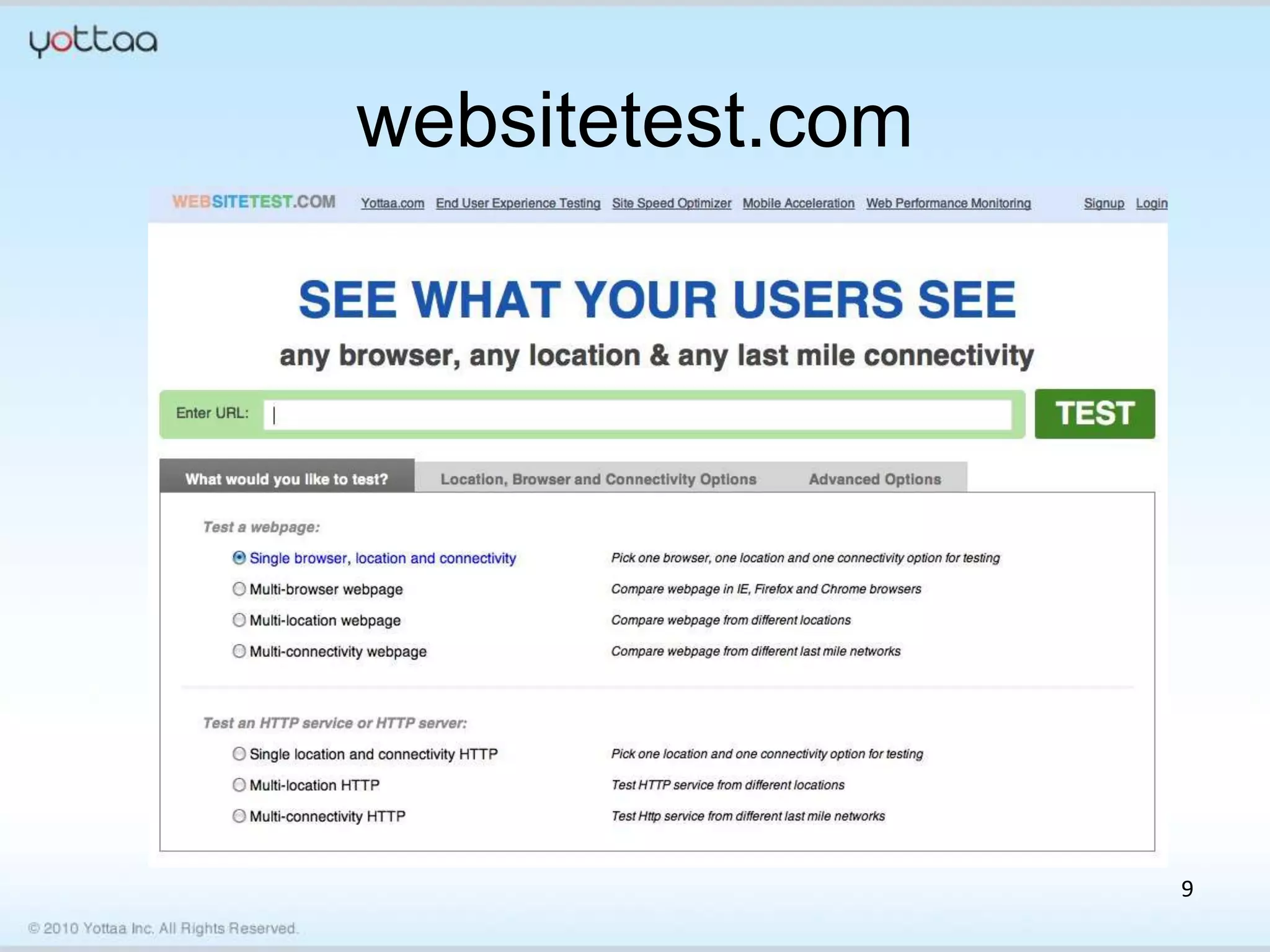
websitetest.com


                  9
http://content.foxsearchlight.com/inside


                                           10
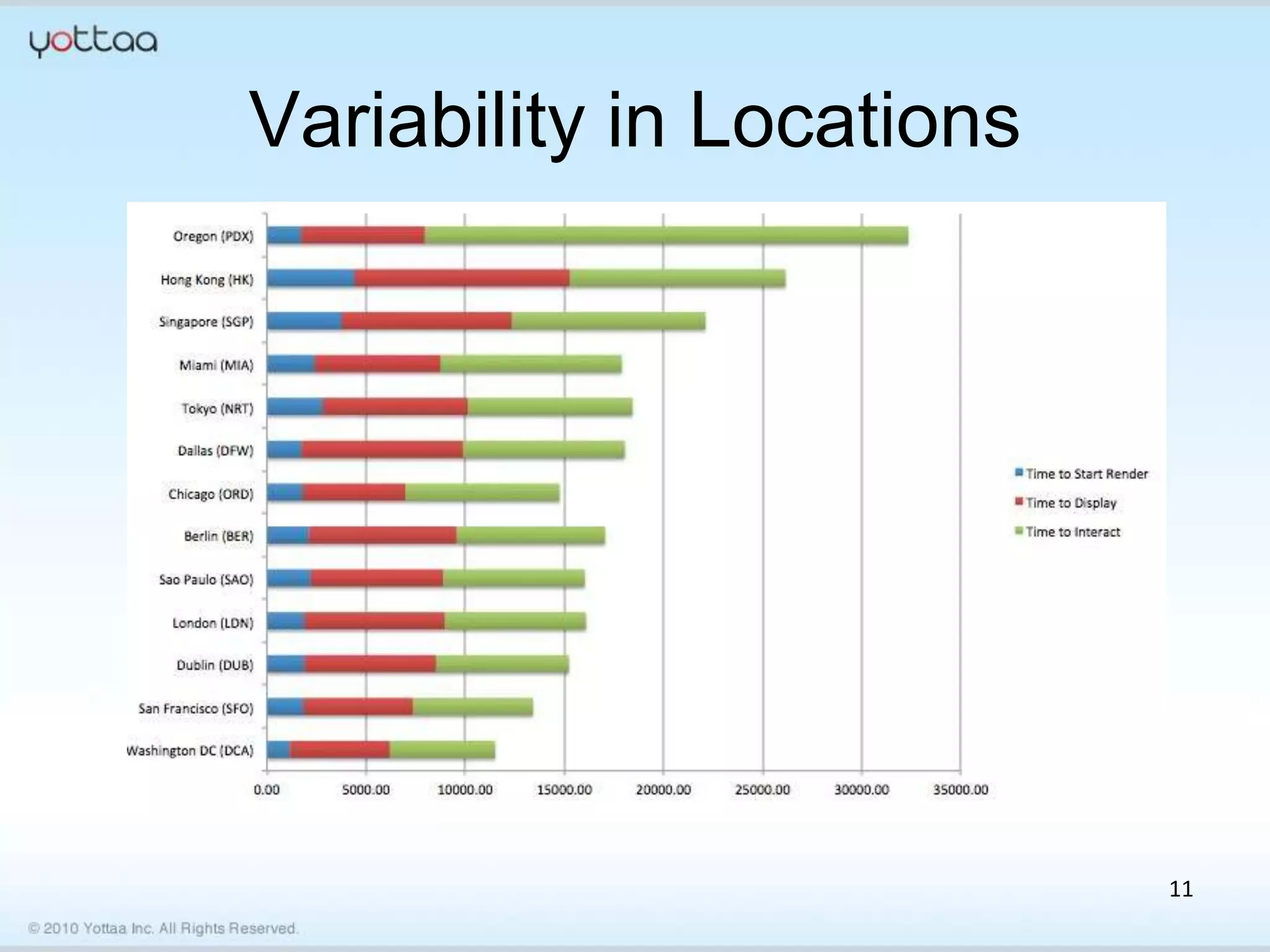
Variability in Locations


                           11
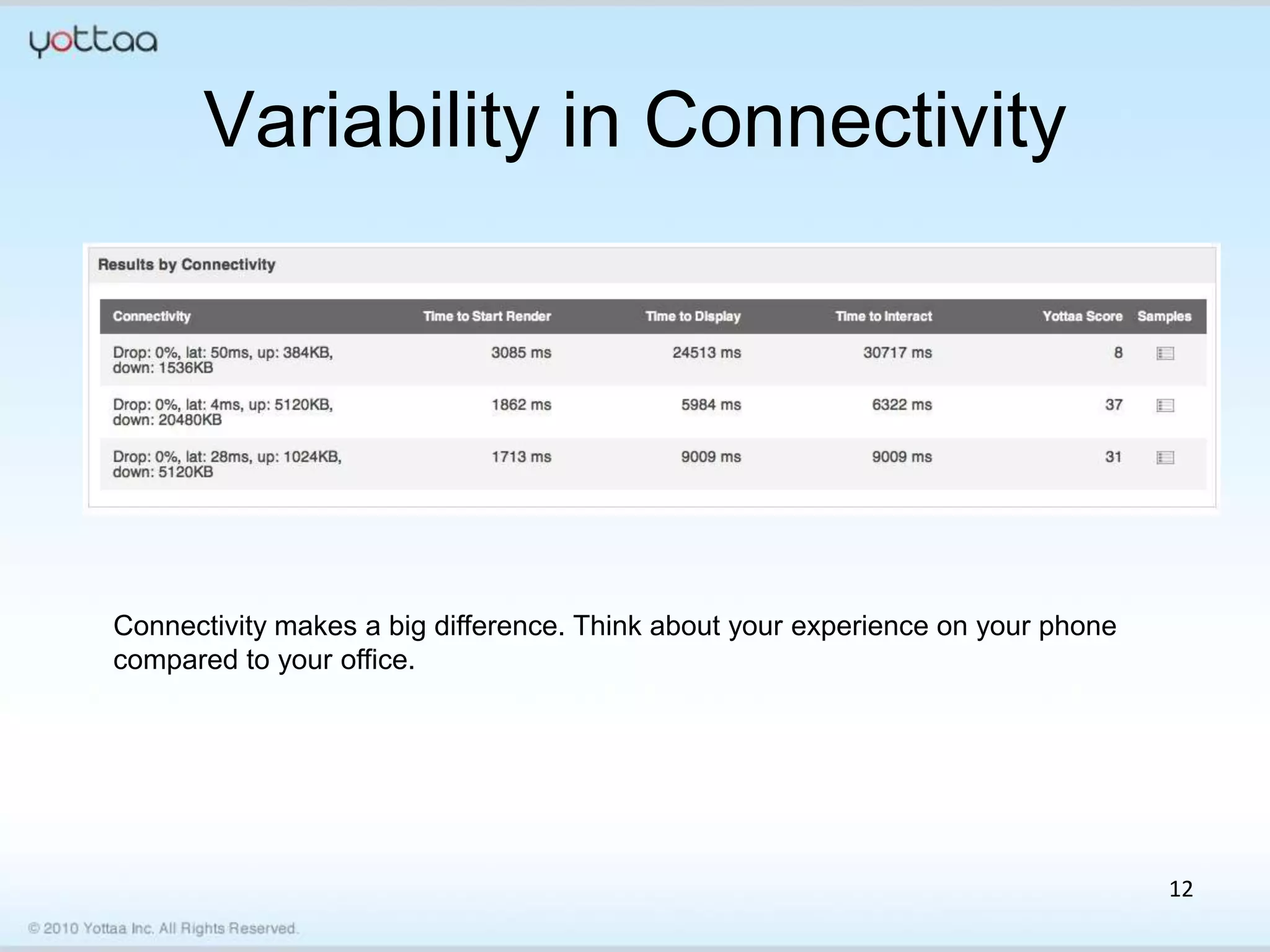
Variability in Connectivity


Connectivity makes a big difference. Think about your experience on your phone
compared to your office.


                                                                                 12
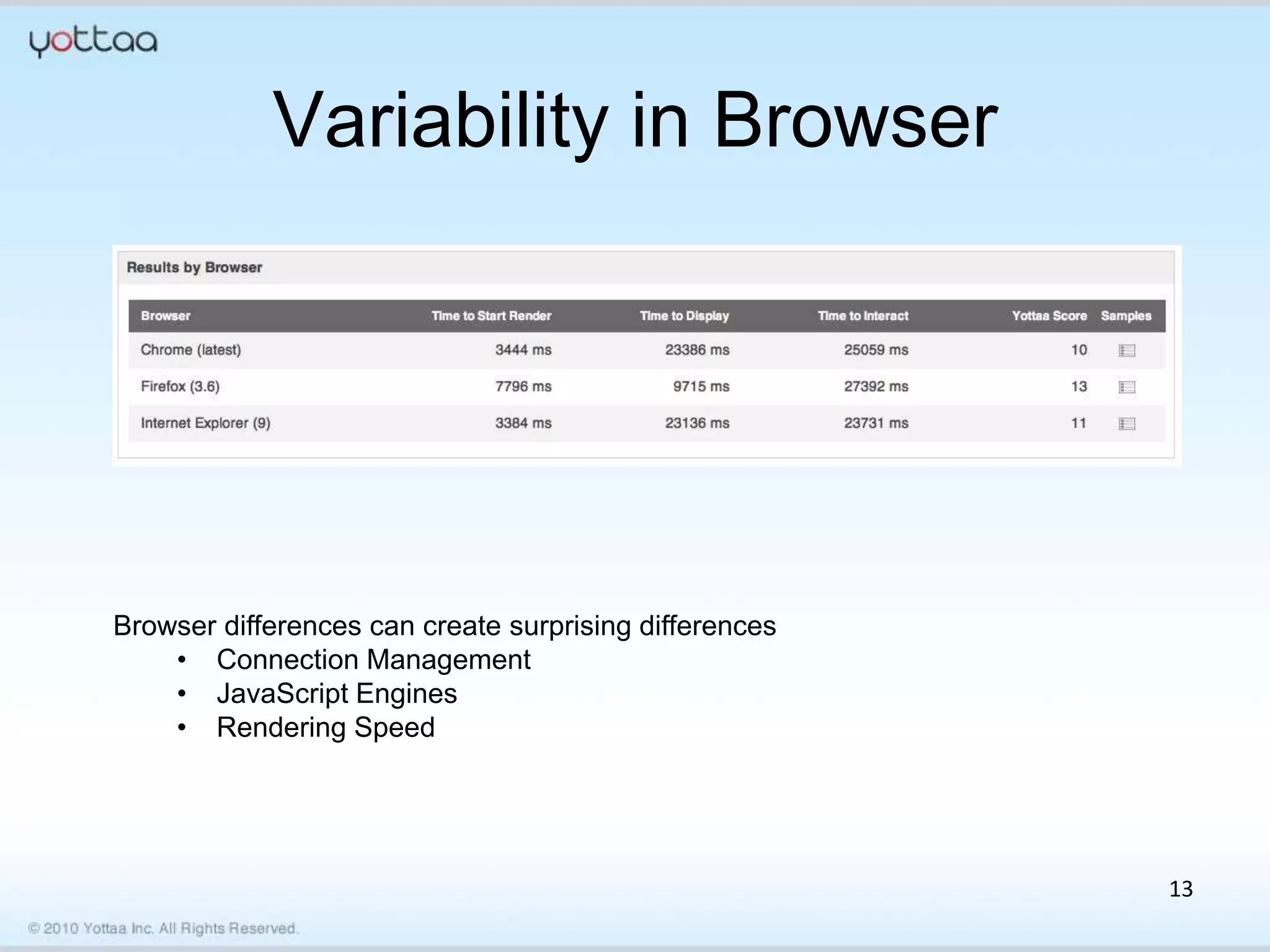
Variability in Browser


Browser differences can create surprising differences
    • Connection Management
    • JavaScript Engines
    • Rendering Speed


                                                        13
THINGS THAT MAKE YOUR
WEBSITE SLOW


                  © 2011 Yottaa Inc. All Rights Reserved. 14
Lots of Requests
• Product owners want rich websites
  – Rich in User Experience
  – Rich in Visual Presentation
• Achieving richness requires more
  resources to be downloaded to the client
  – CSS
  – HTML
  – JavaScript
  – Images
                                             15
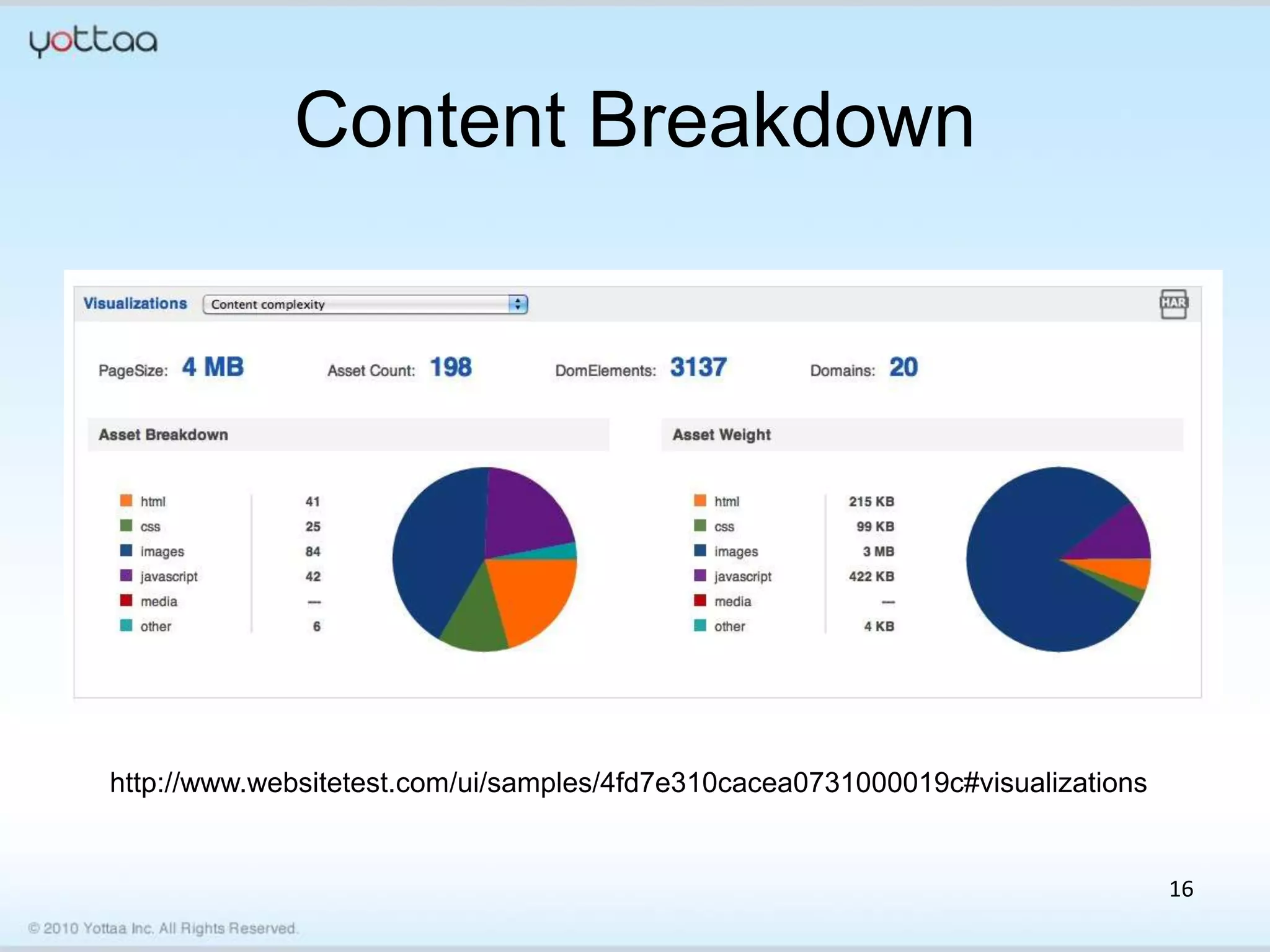
Content Breakdown


http://www.websitetest.com/ui/samples/4fd7e310cacea0731000019c#visualizations


                                                                                16
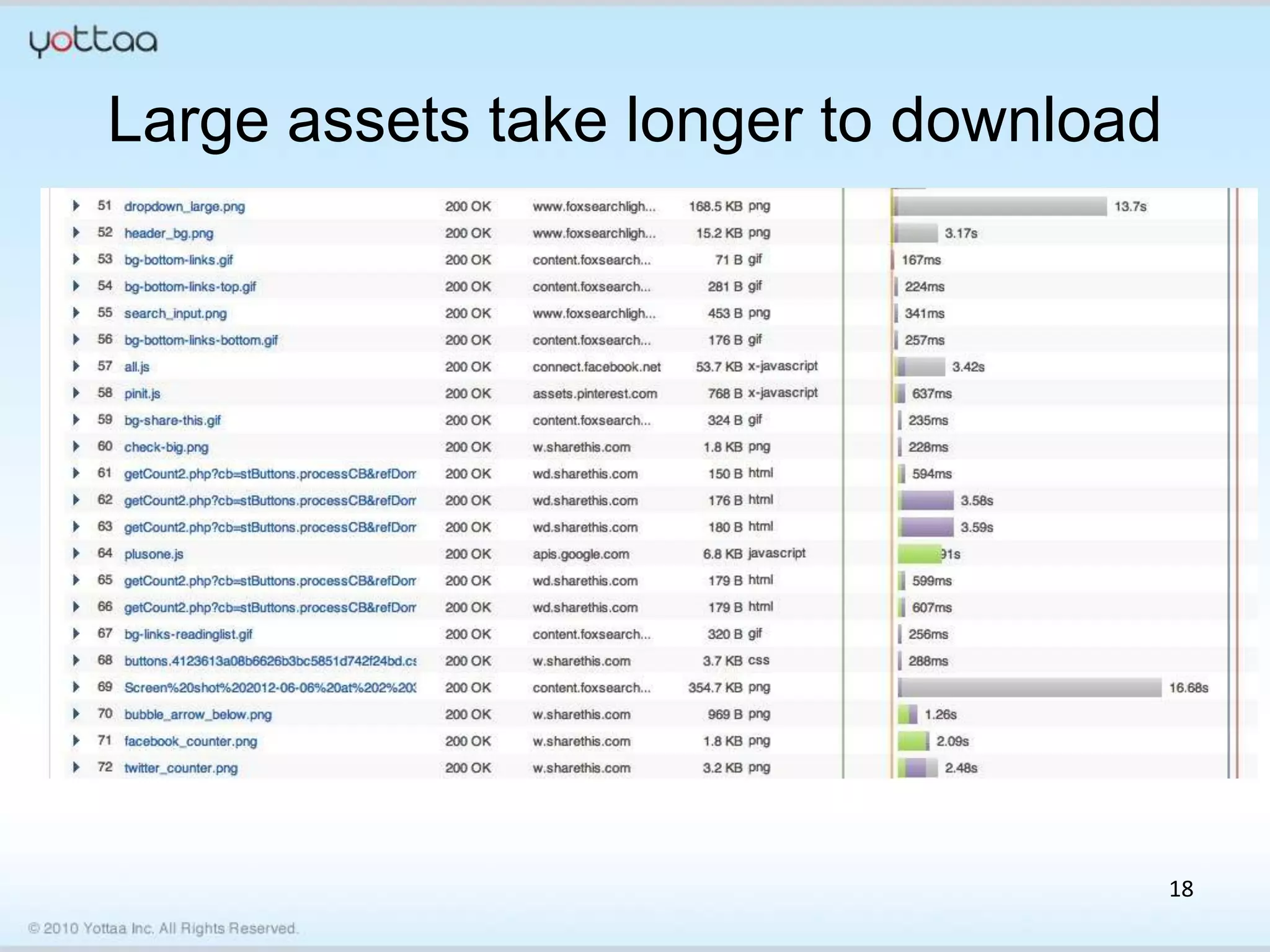
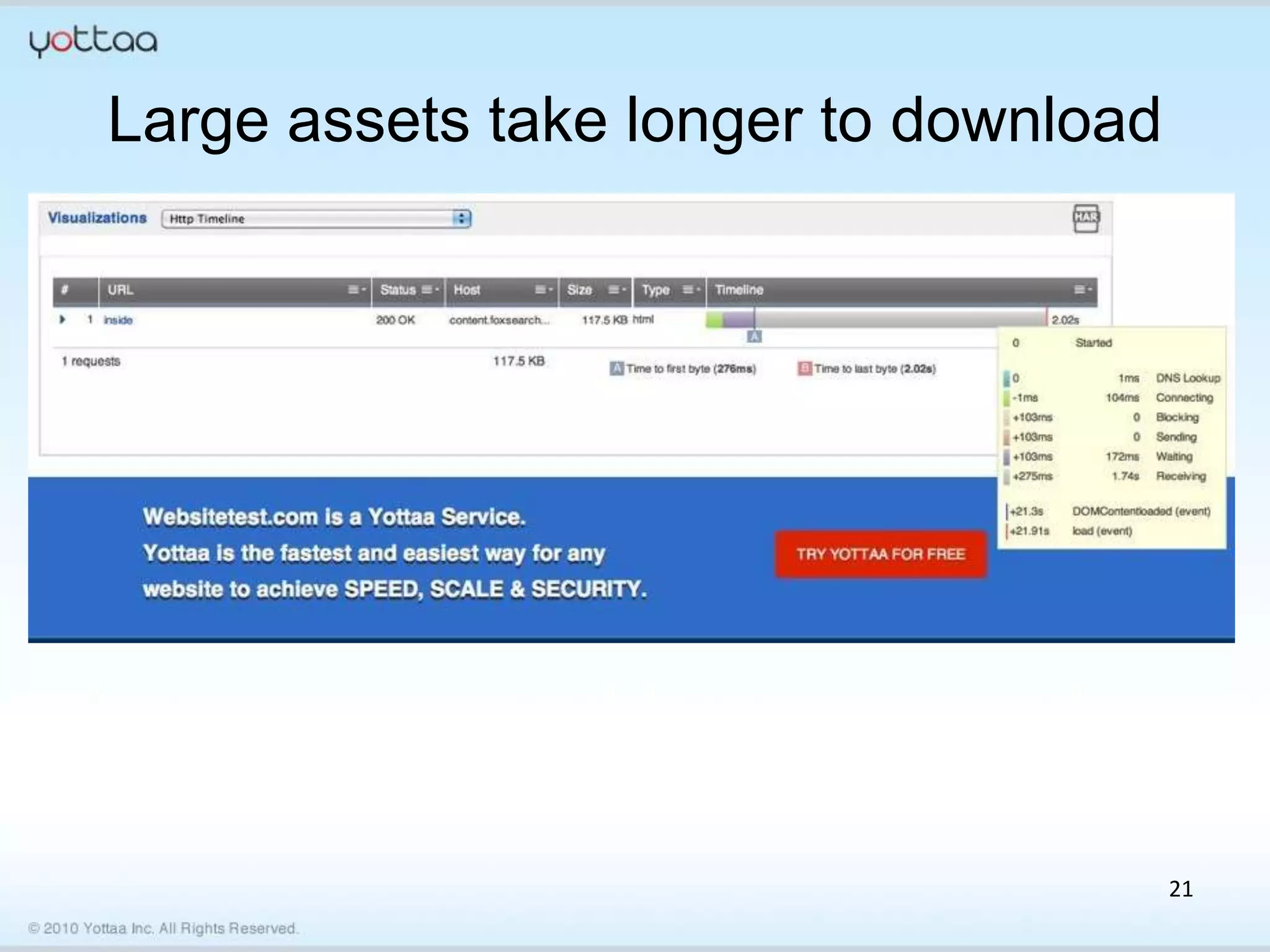
Large Resources
• Many of the resources that you need to
  load can be made fatter than required
  – HTML, CSS, JavaScript – Add lots of
    comments and white space
  – Images
    • Use images that are larger than displayed on the
      webpage
    • Always use the highest quality settings
• Turn off gzip compression on your server
                                                         17
Large assets take longer to download


                                       18
Large assets take longer to download


                        776KB


                                       19
Bad Servers
• There are many things that can make your
  servers slow
  – Poorly written code
  – Bad database design
  – Sharing a server with others
  – Old Servers
  – Not enough memory
  – Slow hard drives

                                         20
Large assets take longer to download


                                       21
3rd Party Plugins
• Bloggers love to make their websites slow
  using plugins.
  – Twitter, Facebook, Google Plus, LinkedIn
  – Photo plugins…
• Not utilizing asynchronous loading of 3rd
  party resources.


                                               22
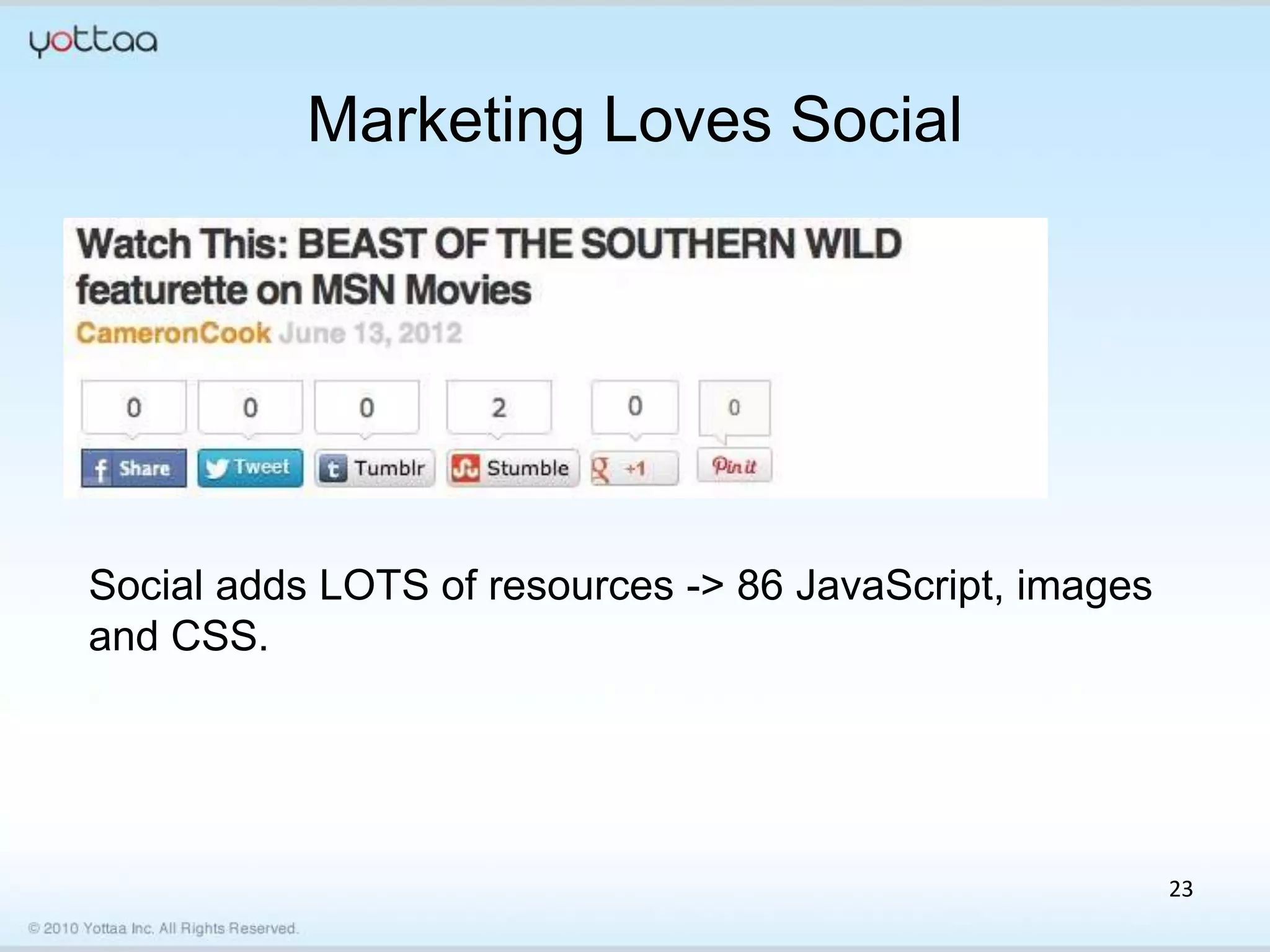
Marketing Loves Social


Social adds LOTS of resources -> 86 JavaScript, images
and CSS.


                                                         23
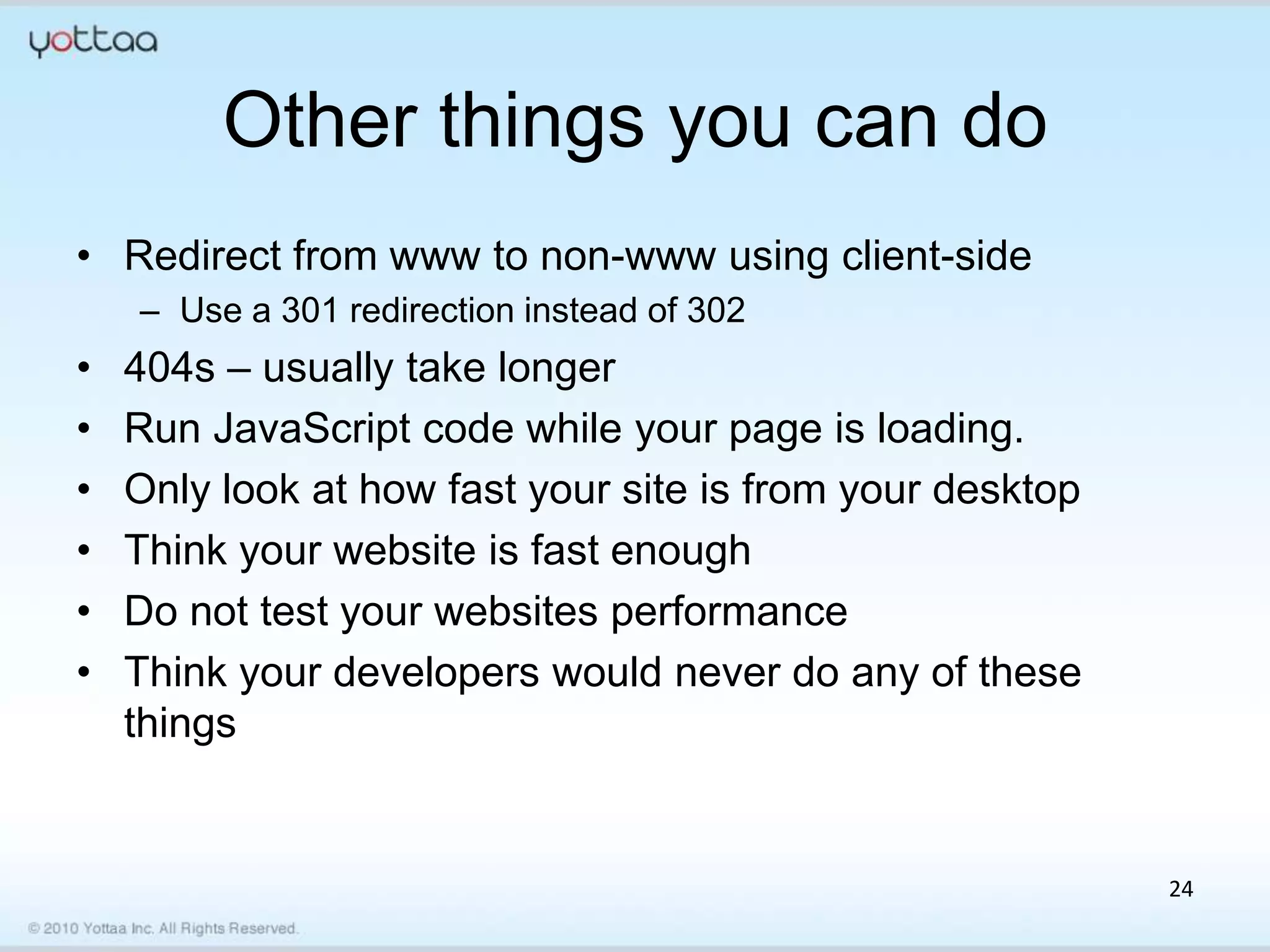
Other things you can do
• Redirect from www to non-www using client-side
    – Use a 301 redirection instead of 302
•   404s – usually take longer
•   Run JavaScript code while your page is loading.
•   Only look at how fast your site is from your desktop
•   Think your website is fast enough
•   Do not test your websites performance
•   Think your developers would never do any of these
    things


                                                           24
HUMAN FACTORS


                © 2011 Yottaa Inc. All Rights Reserved. 25
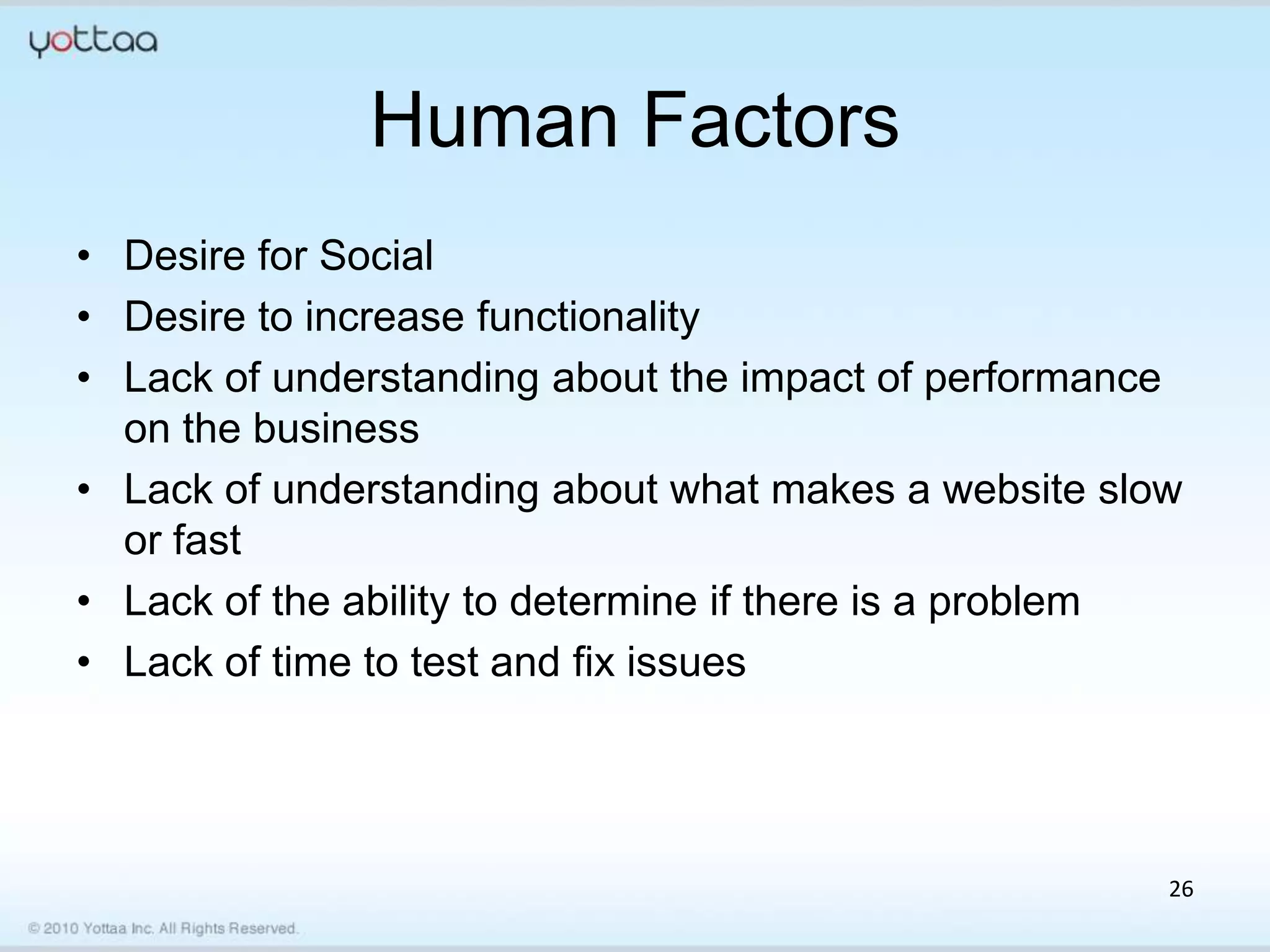
Human Factors
• Desire for Social
• Desire to increase functionality
• Lack of understanding about the impact of performance
  on the business
• Lack of understanding about what makes a website slow
  or fast
• Lack of the ability to determine if there is a problem
• Lack of time to test and fix issues


                                                       26
Thank you for your time

Bob (Buffone)
CTO/Co-founder
www.yottaa.com


                           27
Questions
• For more information visit:
   http://www.acquia.com
• Contact us: sales@acquia.com or 888.9.ACQUIA
• Follow us: @acquia

• Comments welcome:
• Jess.iandiorio@Acquia.com


       Today’s webinar recording will be posted to:
  http://acquia.com/resources/recorded_webinars

Testing Drupal Site Performance Across Browsers, Geographies and Networks

  • 1.
    Testing Drupal SitePerformance Across Browsers, Geographies and Networks Bob Buffone Jess Iandiorio CTO and Co-founder Sr. Director, Cloud Product Yottaa, Inc. Marketing Acquia
  • 2.
    Acquia Network Support One singular support service Answers from 60+ experts For both Drupal and Infrastructure issues
  • 3.
    Acquia Network Knowledgebase Help & How to Articles 300+ hours of Drupal training videos And many more resources
  • 4.
    Acquia Network Tools& Services Integrated cloud tools that enhance and extend your site
  • 5.
    Measuring your website in different ways!!! June 13th, 2012 Yottaa Inc. http://www.yottaa.com
  • 6.
    Agenda • The Web… Its complicated • Things that make a website slow • Human factors of web performance • How can you make your website faster? • Tweet – @rockstarapps – @yottaa 6
  • 7.
    WHY MEASURE IT? © 2011 Yottaa Inc. All Rights Reserved. 7
  • 8.
    In between yourvisitors and you 8
  • 9.
  • 10.
  • 11.
  • 12.
    Variability in Connectivity Connectivitymakes a big difference. Think about your experience on your phone compared to your office. 12
  • 13.
    Variability in Browser Browserdifferences can create surprising differences • Connection Management • JavaScript Engines • Rendering Speed 13
  • 14.
    THINGS THAT MAKEYOUR WEBSITE SLOW © 2011 Yottaa Inc. All Rights Reserved. 14
  • 15.
    Lots of Requests •Product owners want rich websites – Rich in User Experience – Rich in Visual Presentation • Achieving richness requires more resources to be downloaded to the client – CSS – HTML – JavaScript – Images 15
  • 16.
  • 17.
    Large Resources • Manyof the resources that you need to load can be made fatter than required – HTML, CSS, JavaScript – Add lots of comments and white space – Images • Use images that are larger than displayed on the webpage • Always use the highest quality settings • Turn off gzip compression on your server 17
  • 18.
    Large assets takelonger to download 18
  • 19.
    Large assets takelonger to download 776KB 19
  • 20.
    Bad Servers • Thereare many things that can make your servers slow – Poorly written code – Bad database design – Sharing a server with others – Old Servers – Not enough memory – Slow hard drives 20
  • 21.
    Large assets takelonger to download 21
  • 22.
    3rd Party Plugins •Bloggers love to make their websites slow using plugins. – Twitter, Facebook, Google Plus, LinkedIn – Photo plugins… • Not utilizing asynchronous loading of 3rd party resources. 22
  • 23.
    Marketing Loves Social Socialadds LOTS of resources -> 86 JavaScript, images and CSS. 23
  • 24.
    Other things youcan do • Redirect from www to non-www using client-side – Use a 301 redirection instead of 302 • 404s – usually take longer • Run JavaScript code while your page is loading. • Only look at how fast your site is from your desktop • Think your website is fast enough • Do not test your websites performance • Think your developers would never do any of these things 24
  • 25.
    HUMAN FACTORS © 2011 Yottaa Inc. All Rights Reserved. 25
  • 26.
    Human Factors • Desirefor Social • Desire to increase functionality • Lack of understanding about the impact of performance on the business • Lack of understanding about what makes a website slow or fast • Lack of the ability to determine if there is a problem • Lack of time to test and fix issues 26
  • 27.
    Thank you foryour time Bob (Buffone) CTO/Co-founder www.yottaa.com 27
  • 28.
    Questions • For moreinformation visit: http://www.acquia.com • Contact us: sales@acquia.com or 888.9.ACQUIA • Follow us: @acquia • Comments welcome: • Jess.iandiorio@Acquia.com Today’s webinar recording will be posted to: http://acquia.com/resources/recorded_webinars

Editor's Notes

  • #3 Acquia spent over 10 engineer years creating this Drupal-tuned PaaS which makes developing, deploying, and maintaining sites easy. It’s built on top of Amazon Web Services Elastic Compute Cloud, and our environment is highly-available with elastic resources. We can increase capacity with or without notice, to ensure our customers sites enjoy the 99.95% uptime that we commit to.TECHNICAL DECK UPDATE: We’re providing a managed cloud with full operational updates/management/also support the Drupal application itself. What’s Remote Administration, What’s advisory support, What’s break fix, what can you get in forums? Add TAM. Types of support – break fix, advisory, remote admin, operations support, TAM.
  • #4 Secondly, the Acquia Network also provides customers with access to an extensive Drupal knowledgebase, which includes forums, tips, tricks and how-to’s for Drupal innovation.TECHNICAL UPDATE – NONE – this should be a demonstration
  • #5 Lastly, the Acquia Network subscription comes with a dashboard view of over 10 cloud service tools that test and optimize your Drupal application. Technical update