AVOIDING
REGRESSIONS
Advanced techniques for
testing and updating
WordPress core
and plugins WordCamp Stockholm 2016
Otto Kekäläinen
Seravo.com
@ottokekalainen
● Seravo.com – WordPress
hosting and upkeep
● CEO, sysadmin and developer
● Linux and open source advocate
● Contributed to WordPress Core,
fi and sv translations, Linux,
Docker, Nginx, Redis, MariaDB...
Otto Kekäläinen
WHY UPDATE?
1. Security bugs
2. Other bugs
3. New features
WHY NOT TO UPDATE?
1. New security bugs
2. New other bugs
3. Old features
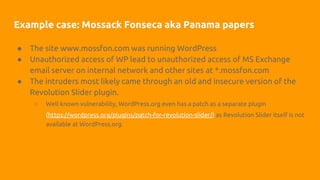
Example case: Mossack Fonseca aka Panama papers
● The site www.mossfon.com was running WordPress
● Unauthorized access of WP lead to unauthorized access of MS Exchange
email server on internal network and other sites at *.mossfon.com
● The intruders most likely came through an old and insecure version of the
Revolution Slider plugin.
○ Well known vulnerability, WordPress.org even has a patch as a separate plugin
(https://wordpress.org/plugins/patch-for-revolution-slider/) as Revolution Slider itself is not
available at WordPress.org.
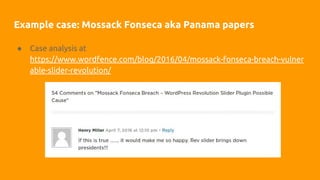
Example case: Mossack Fonseca aka Panama papers
● Case analysis at
https://www.wordfence.com/blog/2016/04/mossack-fonseca-breach-vulner
able-slider-revolution/
WP PLUGIN REVIEW GUIDELINES FOR
CAPITALISTS*
If the logo is red and
name contains revolution,
don’t install it on your system!
* a small dose of parody can’t hurt?
You must keep your
WordPress site secure.
THE PROBLEM:
WHY AREN’T
EVERYBODY
UPDATING THEIR
WORDPRESS AND
PLUGINS?
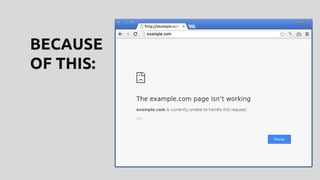
BECAUSE
OF THIS:
UPDATES IN WORDPRESS
● WordPress core minor version updates (4.6.0 -> 4.6.1): security
● WordPress major version updates (3.9 -> 4.0, 4.6 -> 4.7): features
● WordPress plugin updates can contain anything
● There is just one WordPress.org update channel
○ No separate security updates channel like in Linux distros
● Plugins and themes from other places than WordPress.org might
have automatic update channel
○ No guarantee: worst case scenario is that there are no update
notifications and you need to do everything about updates
manually
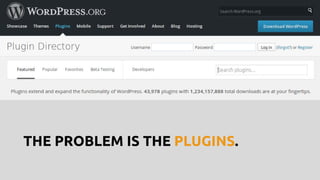
THE PROBLEM IS THE PLUGINS.
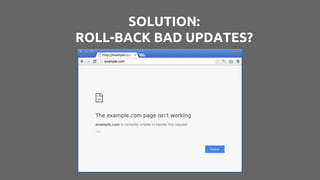
SOLUTION:
ROLL-BACK BAD UPDATES?
YOU HAVE NIGHTLY OFF-SITE
BACKUPS, RIGHT?
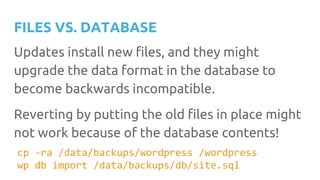
FILES VS. DATABASE
Updates install new files, and they might
upgrade the data format in the database to
become backwards incompatible.
Reverting by putting the old files in place might
not work because of the database contents!
cp -ra /data/backups/wordpress /wordpress
wp db import /data/backups/db/site.sql
ROLL-BACKS IN PRODUCTION
ARE BAD
1. Downtime between bad update and
roll-back
2. Lost database contents
(WooCommerce orders, anybody?)
3. If the site broke so badly that you
could not access WP-admin, was that a
bad or actually a good thing?
INTRODUCING SHADOW UPDATES
1. Make an identical copy of the
production site (same URLs etc)
that is not visible to the public
2. Update the shadow
3. Test the shadow
4. Only if tests pass, run the same
updates in production
REGRESSION TESTING WORDPRESS
Open source tools
● RSpec – test runner
● Capybara – navigate the site virtually (headlessly)
● PhantomJS – headless browser
● GraphicsMagic – visual comparison
Tests part of our project template:
https://github.com/Seravo/wordpress/tree/master/tests/rspec
Docs: https://seravo.com/docs/tests/integration-tests/
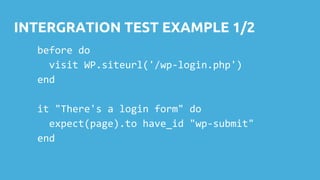
INTERGRATION TEST EXAMPLE 1/2
before do
visit WP.siteurl('/wp-login.php')
end
it "There's a login form" do
expect(page).to have_id "wp-submit"
end
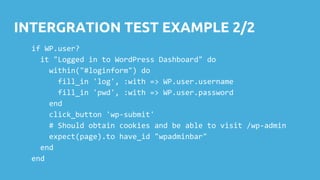
INTERGRATION TEST EXAMPLE 2/2
if WP.user?
it "Logged in to WordPress Dashboard" do
within("#loginform") do
fill_in 'log', :with => WP.user.username
fill_in 'pwd', :with => WP.user.password
end
click_button 'wp-submit'
# Should obtain cookies and be able to visit /wp-admin
expect(page).to have_id "wpadminbar"
end
end
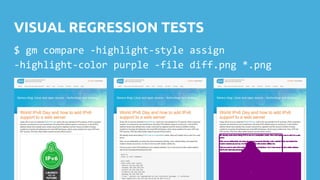
VISUAL REGRESSION TESTS
$ gm compare -highlight-style assign
-highlight-color purple -file diff.png *.png
VISUAL REGRESSION TESTS
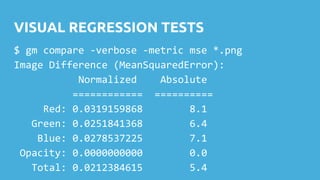
$ gm compare -verbose -metric mse *.png
Image Difference (MeanSquaredError):
Normalized Absolute
============ ==========
Red: 0.0319159868 8.1
Green: 0.0251841368 6.4
Blue: 0.0278537225 7.1
Opacity: 0.0000000000 0.0
Total: 0.0212384615 5.4
Where do you draw the line
between acceptable changes
and failures/regressions?
AUTOMATING UPDATES:
90 % BY ROBOTS
10 % BY HUMANS
THANK YOU!
SERAVO.COM
wordpress@seravo.com
@Seravocom
@ottokekalainen

Testing and updating WordPress - Advanced techniques for avoiding regressions

  • 1.
    AVOIDING REGRESSIONS Advanced techniques for testingand updating WordPress core and plugins WordCamp Stockholm 2016 Otto Kekäläinen Seravo.com @ottokekalainen
  • 2.
    ● Seravo.com –WordPress hosting and upkeep ● CEO, sysadmin and developer ● Linux and open source advocate ● Contributed to WordPress Core, fi and sv translations, Linux, Docker, Nginx, Redis, MariaDB... Otto Kekäläinen
  • 3.
    WHY UPDATE? 1. Securitybugs 2. Other bugs 3. New features
  • 4.
    WHY NOT TOUPDATE? 1. New security bugs 2. New other bugs 3. Old features
  • 5.
    Example case: MossackFonseca aka Panama papers ● The site www.mossfon.com was running WordPress ● Unauthorized access of WP lead to unauthorized access of MS Exchange email server on internal network and other sites at *.mossfon.com ● The intruders most likely came through an old and insecure version of the Revolution Slider plugin. ○ Well known vulnerability, WordPress.org even has a patch as a separate plugin (https://wordpress.org/plugins/patch-for-revolution-slider/) as Revolution Slider itself is not available at WordPress.org.
  • 6.
    Example case: MossackFonseca aka Panama papers ● Case analysis at https://www.wordfence.com/blog/2016/04/mossack-fonseca-breach-vulner able-slider-revolution/
  • 7.
    WP PLUGIN REVIEWGUIDELINES FOR CAPITALISTS* If the logo is red and name contains revolution, don’t install it on your system! * a small dose of parody can’t hurt?
  • 8.
    You must keepyour WordPress site secure.
  • 9.
  • 10.
  • 11.
    UPDATES IN WORDPRESS ●WordPress core minor version updates (4.6.0 -> 4.6.1): security ● WordPress major version updates (3.9 -> 4.0, 4.6 -> 4.7): features ● WordPress plugin updates can contain anything ● There is just one WordPress.org update channel ○ No separate security updates channel like in Linux distros ● Plugins and themes from other places than WordPress.org might have automatic update channel ○ No guarantee: worst case scenario is that there are no update notifications and you need to do everything about updates manually
  • 12.
    THE PROBLEM ISTHE PLUGINS.
  • 13.
  • 14.
    YOU HAVE NIGHTLYOFF-SITE BACKUPS, RIGHT?
  • 15.
    FILES VS. DATABASE Updatesinstall new files, and they might upgrade the data format in the database to become backwards incompatible. Reverting by putting the old files in place might not work because of the database contents! cp -ra /data/backups/wordpress /wordpress wp db import /data/backups/db/site.sql
  • 16.
    ROLL-BACKS IN PRODUCTION AREBAD 1. Downtime between bad update and roll-back 2. Lost database contents (WooCommerce orders, anybody?) 3. If the site broke so badly that you could not access WP-admin, was that a bad or actually a good thing?
  • 17.
    INTRODUCING SHADOW UPDATES 1.Make an identical copy of the production site (same URLs etc) that is not visible to the public 2. Update the shadow 3. Test the shadow 4. Only if tests pass, run the same updates in production
  • 18.
    REGRESSION TESTING WORDPRESS Opensource tools ● RSpec – test runner ● Capybara – navigate the site virtually (headlessly) ● PhantomJS – headless browser ● GraphicsMagic – visual comparison Tests part of our project template: https://github.com/Seravo/wordpress/tree/master/tests/rspec Docs: https://seravo.com/docs/tests/integration-tests/
  • 19.
    INTERGRATION TEST EXAMPLE1/2 before do visit WP.siteurl('/wp-login.php') end it "There's a login form" do expect(page).to have_id "wp-submit" end
  • 20.
    INTERGRATION TEST EXAMPLE2/2 if WP.user? it "Logged in to WordPress Dashboard" do within("#loginform") do fill_in 'log', :with => WP.user.username fill_in 'pwd', :with => WP.user.password end click_button 'wp-submit' # Should obtain cookies and be able to visit /wp-admin expect(page).to have_id "wpadminbar" end end
  • 21.
    VISUAL REGRESSION TESTS $gm compare -highlight-style assign -highlight-color purple -file diff.png *.png
  • 22.
    VISUAL REGRESSION TESTS $gm compare -verbose -metric mse *.png Image Difference (MeanSquaredError): Normalized Absolute ============ ========== Red: 0.0319159868 8.1 Green: 0.0251841368 6.4 Blue: 0.0278537225 7.1 Opacity: 0.0000000000 0.0 Total: 0.0212384615 5.4
  • 23.
    Where do youdraw the line between acceptable changes and failures/regressions?
  • 24.
    AUTOMATING UPDATES: 90 %BY ROBOTS 10 % BY HUMANS
  • 25.