Tools for Teachers and Students
Denise Durante 2014
Web 2.0
TECHNICAL:
The term Web 2.0 is associated with web applications that facilitate participatory information
sharing, interoperability, and collaboration on World Wide Web. A Web 2.0 site allows users to
interact and collaborate with each other in a social media dialogue as creators of user
generated content in a virtual community, in contrast to websites where users are limited to the
passive viewing of content that was created for them. Examples of Web 2.0 include social
networking sites, blogs, wikis, video sharing sites, hosted services, web applications and
mashups.
SIMPLE:
Web 2.0 is a loosely defined intersection of web application features that facilitate participatory
information sharing, interoperability, user-centered design, and collaboration on the World
Wide Web.
Web 2.0 Definitions
http://www.webreference.com/promotion/web20/
Wikis/Websites
Web sites developed collaboratively by a community of users,
allowing any user to add and edit content.
Teacher wikis/websites:
• http://www.pbworks.com
• http://www.wikispaces.com/
• https://sites.google.com/
• http://edu.glogster.com/
• http://www.weebly.com/
• https://www.edmodo.com/
Teacher Tools
Online bookmarking network:
http://www.diigo.com/
Drop files in an online folder and sync it with multiple computers:
https://www.dropbox.com/
Online source to organize and share sources with other teachers:
http://livebinders.com/
http://www.scoop.it/
http://www.pinterest.com/all/education/
http://www.teacherspayteachers.com/
Teacher Tools
Directory of thousands of videos for teachers:
http://www.watchknowlearn.org/
http://www1.teachertube.com/
http://www.schooltube.com/
https://www.youtube.com/
http://www.educationalvideos.com/
Interactive Tools
Interactive bulletin board where people can respond to each other:
http://padlet.com/ http://en.linoit.com/
Durante's Wall vs Durante's Canvas
Safe way for students to write online with Teacher Control:
http://kidblog.org/home/
Online Mind Mapping/Graphic Organizer
http://www.mindmeister.com/
https://bubbl.us/
http://www.text2mindmap.com/
http://popplet.com/
Interactive Tools
Mapping Tools
http://www.google.com/earth/index.html
http://www.scribblemaps.com/
Website Annotation
http://www.scrible.com/how
Global online pen pals
http://www.epals.com/
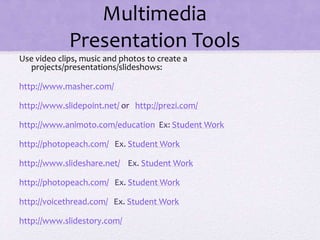
Multimedia
Presentation Tools
Use video clips, music and photos to create a
projects/presentations/slideshows:
http://www.masher.com/
http://www.slidepoint.net/ or http://prezi.com/
http://www.animoto.com/education Ex: Student Work
http://photopeach.com/ Ex. Student Work
http://www.slideshare.net/ Ex. Student Work
http://photopeach.com/ Ex. Student Work
http://voicethread.com/ Ex. Student Work
http://www.slidestory.com/
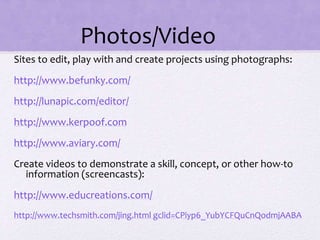
Photos/Video
Sites to edit, play with and create projects using photographs:
http://www.befunky.com/
http://lunapic.com/editor/
http://www.kerpoof.com
http://www.aviary.com/
Create videos to demonstrate a skill, concept, or other how-to
information (screencasts):
http://www.educreations.com/
http://www.techsmith.com/jing.html gclid=CPiyp6_YubYCFQuCnQodmjAABA
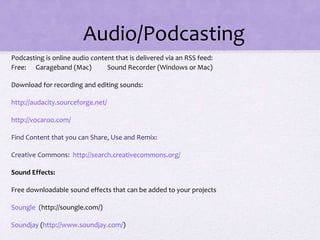
Audio/Podcasting
Podcasting is online audio content that is delivered via an RSS feed:
Free: Garageband (Mac) Sound Recorder (Windows or Mac)
Download for recording and editing sounds:
http://audacity.sourceforge.net/
http://vocaroo.com/
Find Content that you can Share, Use and Remix:
Creative Commons: http://search.creativecommons.org/
Sound Effects:
Free downloadable sound effects that can be added to your projects
Soungle (http://soungle.com/)
Soundjay (http://www.soundjay.com/)
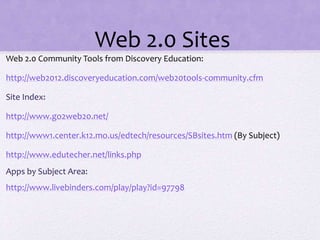
Web 2.0 Sites
Web 2.0 Community Tools from Discovery Education:
http://web2012.discoveryeducation.com/web20tools-community.cfm
Site Index:
http://www.go2web20.net/
http://www1.center.k12.mo.us/edtech/resources/SBsites.htm (By Subject)
http://www.edutecher.net/links.php
Apps by Subject Area:
http://www.livebinders.com/play/play?id=97798
Online Storytelling
Online streaming videos of actors reading stories:
http://www.storylineonline.net/
Free audio stories for kids:
http://storynory.com/
Animated stories to read and/or listen to:
Tumblebooks (http://www.tumblebooks.com/library/asphome_tumblebooks.asp)
Newington-Tumblebooks
(http://www.newingtonct.gov/content/78/118/136/1300/7586/default.aspx#top)
Public Library Services-free downloads for audio books and e-books through ICONN
Extras
Create your own Voki to embed into your wiki:
http://www.voki.com
Add voice to an image
http://blabberize.com/
Classroom Management
http://www.classdojo.com/
Build vocabulary while donating to the United Nations World Food Program:
http://www.freerice.com/index.php
Tons of ideas for teachers of reading and writing:
http://www.readwritethink.org/
Extras
Online Graphing
http://nces.ed.gov/nceskids/createagraph/
Create Word Clouds
http://www.wordle.net/
Build a virtual history box
http://museumbox.e2bn.org/
Interactive Timeline Creator
http://www.dipity.com/
Online Stopwatch:
http://www.online-stopwatch.com/full-screen-stopwatch/
Extras
Scholastic offers interactive tools as well as lessons for teachers:
http://www2.scholastic.com/browse/teach.jsp
Newspaper Clipping Generator
http://www.fodey.com/generators/newspaper/snippet.asp
QR Code Generator
http://www.qrstuff.com/
Create Instant Screencasts
http://www.screenr.com/
Extras
Fakebook
http://www.classtools.net/FB/home-page
Google Apps
https://www.google.com/
Free rubric maker:
http://rubistar.4teachers.org/
Print Friendly (makes a web page printer friendly):
http://printfriendly.com/
Extras
Lists of Websites for Teachers
http://www.21stcenturyschoolteacher.com/cool-websites.html
http://www.scholastic.com/teachers/article/25-best-websites-teachers
http://www.lauracandler.com/filecabinet/misc/FavoriteFreeWebsitesforTeach
ers.pdf
http://www.ala.org/aasl/standards-guidelines/best-websites/2013
http://cooltoolsforschools.wikispaces.com/

Technologyintheclassroom2014

  • 1.
    Tools for Teachersand Students Denise Durante 2014
  • 2.
    Web 2.0 TECHNICAL: The termWeb 2.0 is associated with web applications that facilitate participatory information sharing, interoperability, and collaboration on World Wide Web. A Web 2.0 site allows users to interact and collaborate with each other in a social media dialogue as creators of user generated content in a virtual community, in contrast to websites where users are limited to the passive viewing of content that was created for them. Examples of Web 2.0 include social networking sites, blogs, wikis, video sharing sites, hosted services, web applications and mashups. SIMPLE: Web 2.0 is a loosely defined intersection of web application features that facilitate participatory information sharing, interoperability, user-centered design, and collaboration on the World Wide Web. Web 2.0 Definitions http://www.webreference.com/promotion/web20/
  • 3.
    Wikis/Websites Web sites developedcollaboratively by a community of users, allowing any user to add and edit content. Teacher wikis/websites: • http://www.pbworks.com • http://www.wikispaces.com/ • https://sites.google.com/ • http://edu.glogster.com/ • http://www.weebly.com/ • https://www.edmodo.com/
  • 4.
    Teacher Tools Online bookmarkingnetwork: http://www.diigo.com/ Drop files in an online folder and sync it with multiple computers: https://www.dropbox.com/ Online source to organize and share sources with other teachers: http://livebinders.com/ http://www.scoop.it/ http://www.pinterest.com/all/education/ http://www.teacherspayteachers.com/
  • 5.
    Teacher Tools Directory ofthousands of videos for teachers: http://www.watchknowlearn.org/ http://www1.teachertube.com/ http://www.schooltube.com/ https://www.youtube.com/ http://www.educationalvideos.com/
  • 6.
    Interactive Tools Interactive bulletinboard where people can respond to each other: http://padlet.com/ http://en.linoit.com/ Durante's Wall vs Durante's Canvas Safe way for students to write online with Teacher Control: http://kidblog.org/home/ Online Mind Mapping/Graphic Organizer http://www.mindmeister.com/ https://bubbl.us/ http://www.text2mindmap.com/ http://popplet.com/
  • 7.
    Interactive Tools Mapping Tools http://www.google.com/earth/index.html http://www.scribblemaps.com/ WebsiteAnnotation http://www.scrible.com/how Global online pen pals http://www.epals.com/
  • 8.
    Multimedia Presentation Tools Use videoclips, music and photos to create a projects/presentations/slideshows: http://www.masher.com/ http://www.slidepoint.net/ or http://prezi.com/ http://www.animoto.com/education Ex: Student Work http://photopeach.com/ Ex. Student Work http://www.slideshare.net/ Ex. Student Work http://photopeach.com/ Ex. Student Work http://voicethread.com/ Ex. Student Work http://www.slidestory.com/
  • 9.
    Photos/Video Sites to edit,play with and create projects using photographs: http://www.befunky.com/ http://lunapic.com/editor/ http://www.kerpoof.com http://www.aviary.com/ Create videos to demonstrate a skill, concept, or other how-to information (screencasts): http://www.educreations.com/ http://www.techsmith.com/jing.html gclid=CPiyp6_YubYCFQuCnQodmjAABA
  • 10.
    Audio/Podcasting Podcasting is onlineaudio content that is delivered via an RSS feed: Free: Garageband (Mac) Sound Recorder (Windows or Mac) Download for recording and editing sounds: http://audacity.sourceforge.net/ http://vocaroo.com/ Find Content that you can Share, Use and Remix: Creative Commons: http://search.creativecommons.org/ Sound Effects: Free downloadable sound effects that can be added to your projects Soungle (http://soungle.com/) Soundjay (http://www.soundjay.com/)
  • 11.
    Web 2.0 Sites Web2.0 Community Tools from Discovery Education: http://web2012.discoveryeducation.com/web20tools-community.cfm Site Index: http://www.go2web20.net/ http://www1.center.k12.mo.us/edtech/resources/SBsites.htm (By Subject) http://www.edutecher.net/links.php Apps by Subject Area: http://www.livebinders.com/play/play?id=97798
  • 12.
    Online Storytelling Online streamingvideos of actors reading stories: http://www.storylineonline.net/ Free audio stories for kids: http://storynory.com/ Animated stories to read and/or listen to: Tumblebooks (http://www.tumblebooks.com/library/asphome_tumblebooks.asp) Newington-Tumblebooks (http://www.newingtonct.gov/content/78/118/136/1300/7586/default.aspx#top) Public Library Services-free downloads for audio books and e-books through ICONN
  • 13.
    Extras Create your ownVoki to embed into your wiki: http://www.voki.com Add voice to an image http://blabberize.com/ Classroom Management http://www.classdojo.com/ Build vocabulary while donating to the United Nations World Food Program: http://www.freerice.com/index.php Tons of ideas for teachers of reading and writing: http://www.readwritethink.org/
  • 14.
    Extras Online Graphing http://nces.ed.gov/nceskids/createagraph/ Create WordClouds http://www.wordle.net/ Build a virtual history box http://museumbox.e2bn.org/ Interactive Timeline Creator http://www.dipity.com/ Online Stopwatch: http://www.online-stopwatch.com/full-screen-stopwatch/
  • 15.
    Extras Scholastic offers interactivetools as well as lessons for teachers: http://www2.scholastic.com/browse/teach.jsp Newspaper Clipping Generator http://www.fodey.com/generators/newspaper/snippet.asp QR Code Generator http://www.qrstuff.com/ Create Instant Screencasts http://www.screenr.com/
  • 16.
    Extras Fakebook http://www.classtools.net/FB/home-page Google Apps https://www.google.com/ Free rubricmaker: http://rubistar.4teachers.org/ Print Friendly (makes a web page printer friendly): http://printfriendly.com/
  • 17.
    Extras Lists of Websitesfor Teachers http://www.21stcenturyschoolteacher.com/cool-websites.html http://www.scholastic.com/teachers/article/25-best-websites-teachers http://www.lauracandler.com/filecabinet/misc/FavoriteFreeWebsitesforTeach ers.pdf http://www.ala.org/aasl/standards-guidelines/best-websites/2013 http://cooltoolsforschools.wikispaces.com/