Mapping
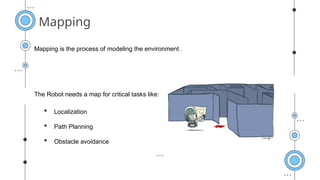
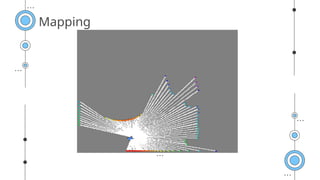
Mapping is theprocess of modeling the environment .
The Robot needs a map for critical tasks like:
Localization
Path Planning
Obstacle avoidance
5.
Mapping
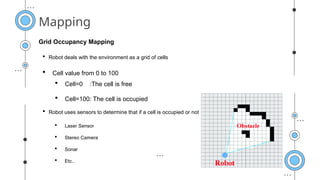
Grid Occupancy Mapping
Robot uses sensors to determine that if a cell is occupied or not
Laser Sensor
Stereo Camera
Sonar
Etc..
Robot deals with the environment as a grid of cells
Cell value from 0 to 100
Cell=0 :The cell is free
Cell=100: The cell is occupied
Our Solutions
Mercury
Mercury isthe
closest planet to
the sun
Venus
Venus is the
second planet
from the sun
Jupiter
Jupiter is the
biggest planet of
them all
Neptune
Neptune is the
farthest planet
from the Sun
0
1
0
3
0
4
0
2
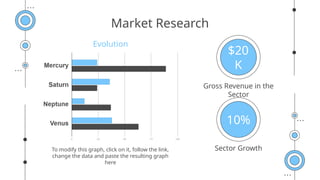
Market Research
45K
Sector Growth
$20
K
GrossRevenue in the
Sector
10%
To modify this graph, click on it, follow the link,
change the data and paste the resulting graph
here
Evolution
10.
—Someone Famous
“This isa quote, words full
of wisdom that someone
important said and can
make the reader get
inspired.”
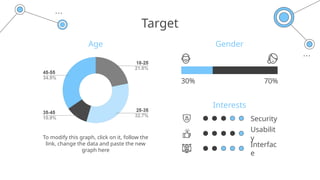
Target
Interests
Age Gender
30% 70%
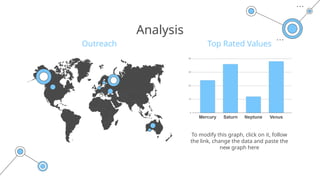
Tomodify this graph, click on it, follow the
link, change the data and paste the new
graph here
Security
Usabilit
y
Interfac
e
15.
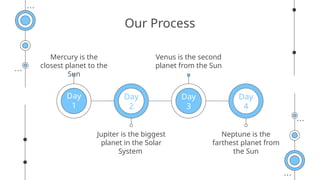
Our Process
Mercury isthe
closest planet to the
Sun
Venus is the second
planet from the Sun
Jupiter is the biggest
planet in the Solar
System
Neptune is the
farthest planet from
the Sun
Day
1
Day
2
Day
3
Day
4
16.
Whoa
!
This could bethe part of the
presentation where you can
introduce yourself, write your
email…
17.
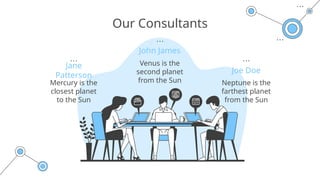
Our Consultants
John James
JoeDoe
Jane
Patterson
Neptune is the
farthest planet
from the Sun
Venus is the
second planet
from the Sun
Mercury is the
closest planet
to the Sun
18.
Jupiter
is the
biggest
planet
of them
all
Neptune
MercuryJupiter
Neptun
e is the
farthest
planet
from
the Sun
Mercury
is the
closest
planet
to the
Sun
Our Partners
Saturn
Saturn
is the
ringed
Mars
Despite
being
red,
Venus
Venus is
the
second
19.
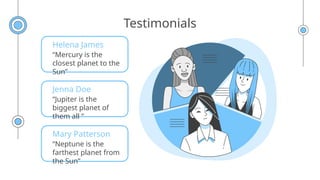
Testimonials
Helena James
“Mercury isthe
closest planet to the
Sun”
Jenna Doe
“Jupiter is the
biggest planet of
them all “
Mary Patterson
“Neptune is the
farthest planet from
the Sun”
20.
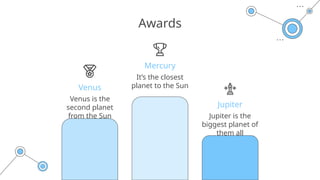
Jupiter is the
biggestplanet of
them all
Awards
Jupiter
Mercury
Venus
It’s the closest
planet to the Sun
Venus is the
second planet
from the Sun
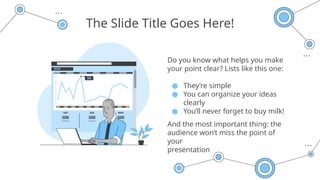
The Slide TitleGoes Here!
Do you know what helps you make
your point clear? Lists like this one:
● They’re simple
● You can organize your ideas
clearly
● You’ll never forget to buy milk!
And the most important thing: the
audience won’t miss the point of
your
presentation
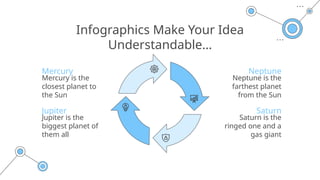
Infographics Make YourIdea
Understandable…
Mercury
Mercury is the
closest planet to
the Sun
Jupiter
Jupiter is the
biggest planet of
them all
Neptune
Neptune is the
farthest planet
from the Sun
Saturn
Saturn is the
ringed one and a
gas giant
26.
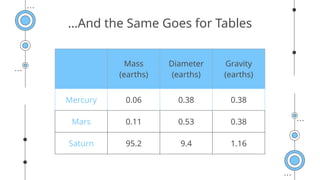
…And the SameGoes for Tables
Mass
(earths)
Diameter
(earths)
Gravity
(earths)
Mercury 0.06 0.38 0.38
Mars 0.11 0.53 0.38
Saturn 95.2 9.4 1.16
27.
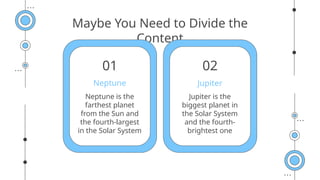
Maybe You Needto Divide the
Content
Jupiter is the
biggest planet in
the Solar System
and the fourth-
brightest one
Neptune is the
farthest planet
from the Sun and
the fourth-largest
in the Solar System
Jupiter
Neptune
01 02
28.
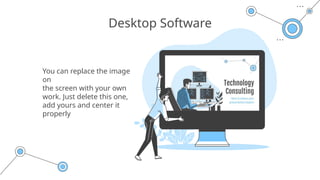
You can replacethe image
on
the screen with your own
work. Just delete this one,
add yours and center it
properly
Desktop Software
29.
CREDITS: This presentationtemplate was created by
Slidesgo, including icons by Flaticon, infographics & images
by Freepik and illustrations by Stories
Thanks!
Do you have any questions?
youremail@freepik.com
+91 620 421 838
yourcompany.com
Please keep this slide for attribution
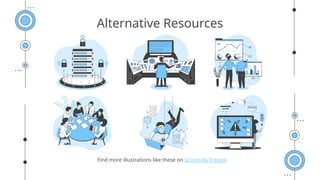
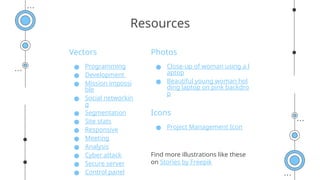
Vectors
● Programming
● Development
●Mission impossi
ble
● Social networkin
g
● Segmentation
● Site stats
● Responsive
● Meeting
● Analysis
● Cyber attack
● Secure server
● Control panel
Photos
● Close-up of woman using a l
aptop
● Beautiful young woman hol
ding laptop on pink backdro
p
Icons
● Project Management Icon
Find more illustrations like these
on Stories by Freepik
Resources
32.
Instructions for use
Inorder to use this template, you must credit Slidesgo by keeping the Thanks slide.
You are allowed to:
- Modify this template.
- Use it for both personal and commercial projects.
You are not allowed to:
- Sublicense, sell or rent any of Slidesgo Content (or a modified version of Slidesgo Content).
- Distribute Slidesgo Content unless it has been expressly authorized by Slidesgo.
- Include Slidesgo Content in an online or offline database or file.
- Offer Slidesgo templates (or modified versions of Slidesgo templates) for download.
- Acquire the copyright of Slidesgo Content.
For more information about editing slides, please read our FAQs or visit Slidesgo School:
https://slidesgo.com/faqs and https://slidesgo.com/slidesgo-school
33.
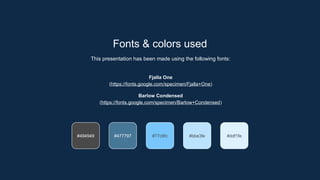
#77c6fc #bbe3fe #ddf1fe
#494949#477797
Fonts & colors used
This presentation has been made using the following fonts:
Fjalla One
(https://fonts.google.com/specimen/Fjalla+One)
Barlow Condensed
(https://fonts.google.com/specimen/Barlow+Condensed)
34.
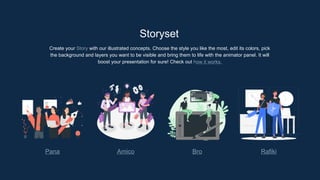
Storyset
Create your Storywith our illustrated concepts. Choose the style you like the most, edit its colors, pick
the background and layers you want to be visible and bring them to life with the animator panel. It will
boost your presentation for sure! Check out how it works.
Pana Amico Bro Rafiki
35.
You can easilyresize these resources without losing quality. To change the color, just ungroup the resource
and click on the object you want to change. Then, click on the paint bucket and select the color you want.
Group the resource again when you’re done. You can also look for more infographics on Slidesgo.
Use our editable graphic resources...
38.
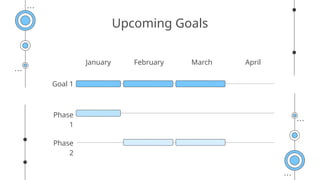
JANUARY FEBRUARY MARCHAPRIL
PHASE
1
Task 1
Task 2
JANUARY FEBRUARY MARCH APRIL MAY JUNE
PHASE 1
PHASE 2
Task 1
Task 2
Task 1
Task 2
41.
...and our setsof editable icons
You can resize these icons without losing quality.
You can change the stroke and fill color; just select the icon and click on the paint bucket/pen.
In Google Slides, you can also use Flaticon’s extension, allowing you to customize and add even more icons.