Data,	
  Databases	
  &	
  XML
                       A	
  Crash	
  Course.	


Monique	
  Sherre8
monique@boxcarmarke>ng.com
3	
  Types	
  of	
  Data
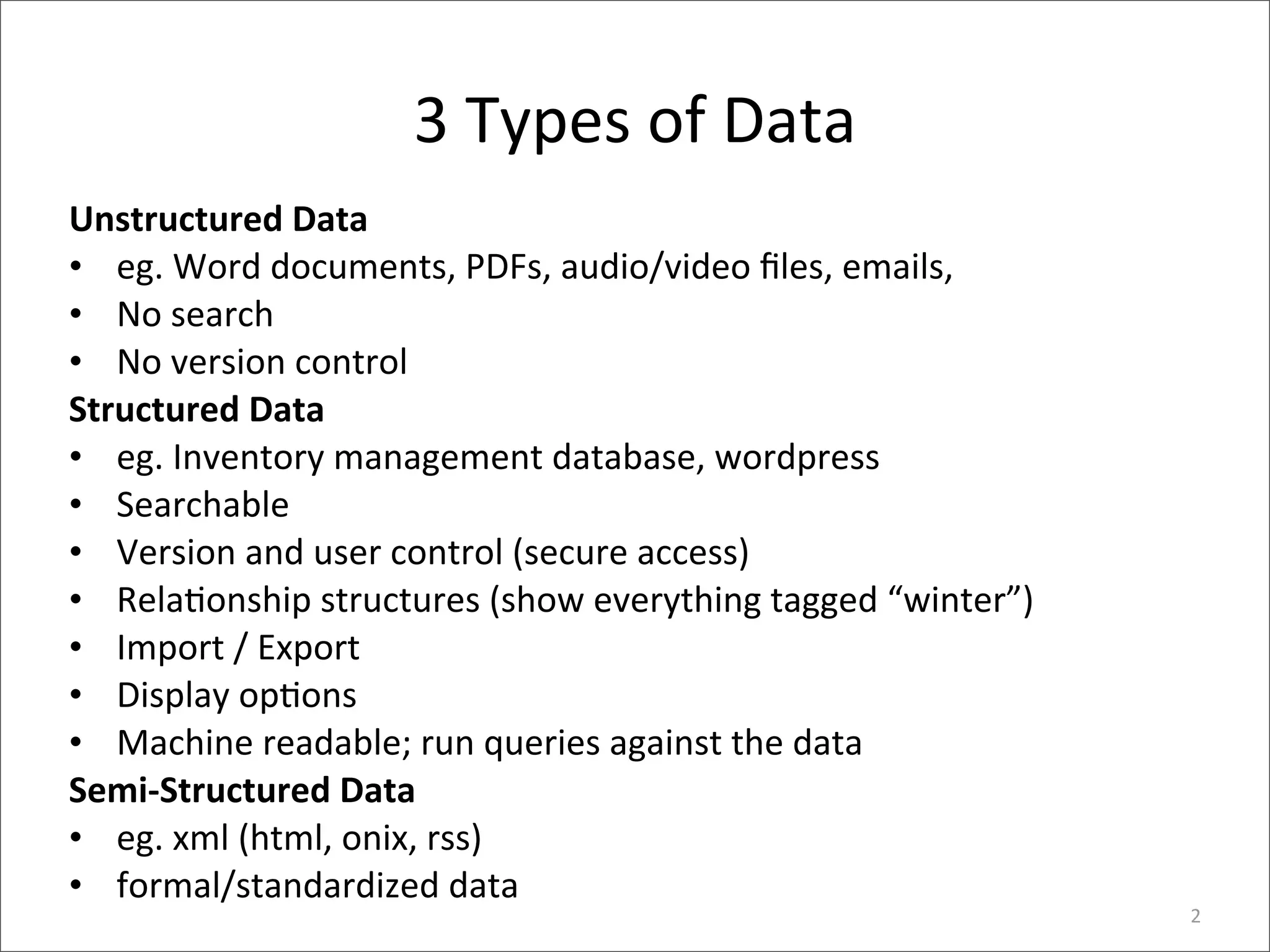
Unstructured	
  Data
• eg.	
  Word	
  documents,	
  PDFs,	
  audio/video	
  files,	
  emails,	
  
• No	
  search
• No	
  version	
  control
Structured	
  Data
• eg.	
  Inventory	
  management	
  database,	
  wordpress
• Searchable
• Version	
  and	
  user	
  control	
  (secure	
  access)
• Rela>onship	
  structures	
  (show	
  everything	
  tagged	
  “winter”)
• Import	
  /	
  Export
• Display	
  op>ons
• Machine	
  readable;	
  run	
  queries	
  against	
  the	
  data
Semi-­‐Structured	
  Data
• eg.	
  xml	
  (html,	
  onix,	
  rss)	
  
• formal/standardized	
  data	
  
                                                                              2
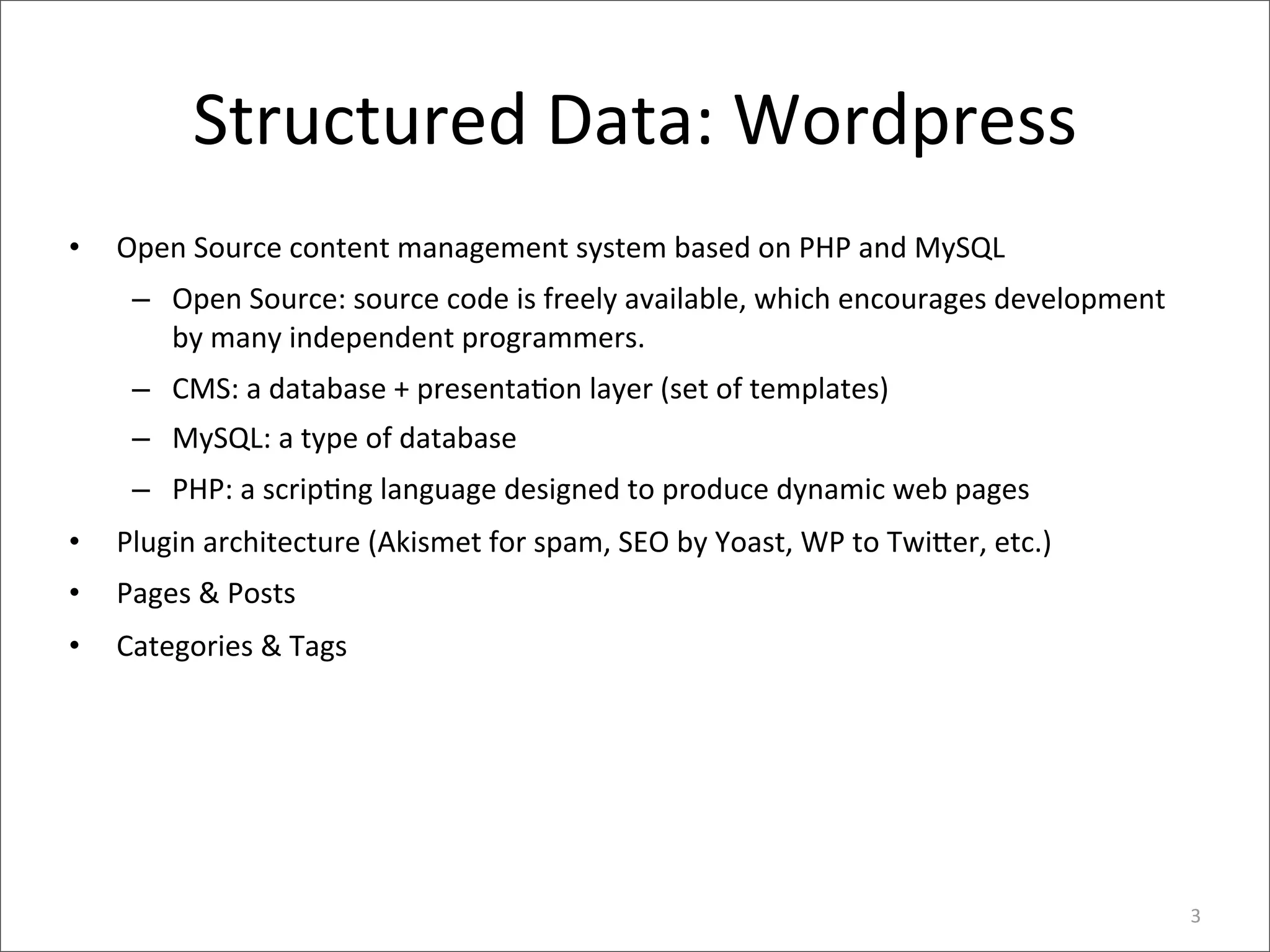
Structured	
  Data:	
  Wordpress
•   Open	
  Source	
  content	
  management	
  system	
  based	
  on	
  PHP	
  and	
  MySQL
     – Open	
  Source:	
  source	
  code	
  is	
  freely	
  available,	
  which	
  encourages	
  development	
  
       by	
  many	
  independent	
  programmers.	
  
     – CMS:	
  a	
  database	
  +	
  presenta>on	
  layer	
  (set	
  of	
  templates)
     – MySQL:	
  a	
  type	
  of	
  database
     – PHP:	
  a	
  scrip>ng	
  language	
  designed	
  to	
  produce	
  dynamic	
  web	
  pages
•   Plugin	
  architecture	
  (Akismet	
  for	
  spam,	
  SEO	
  by	
  Yoast,	
  WP	
  to	
  Twi8er,	
  etc.)
•   Pages	
  &	
  Posts
•   Categories	
  &	
  Tags


                                                                                                                   3
Pages	
  vs	
  Posts
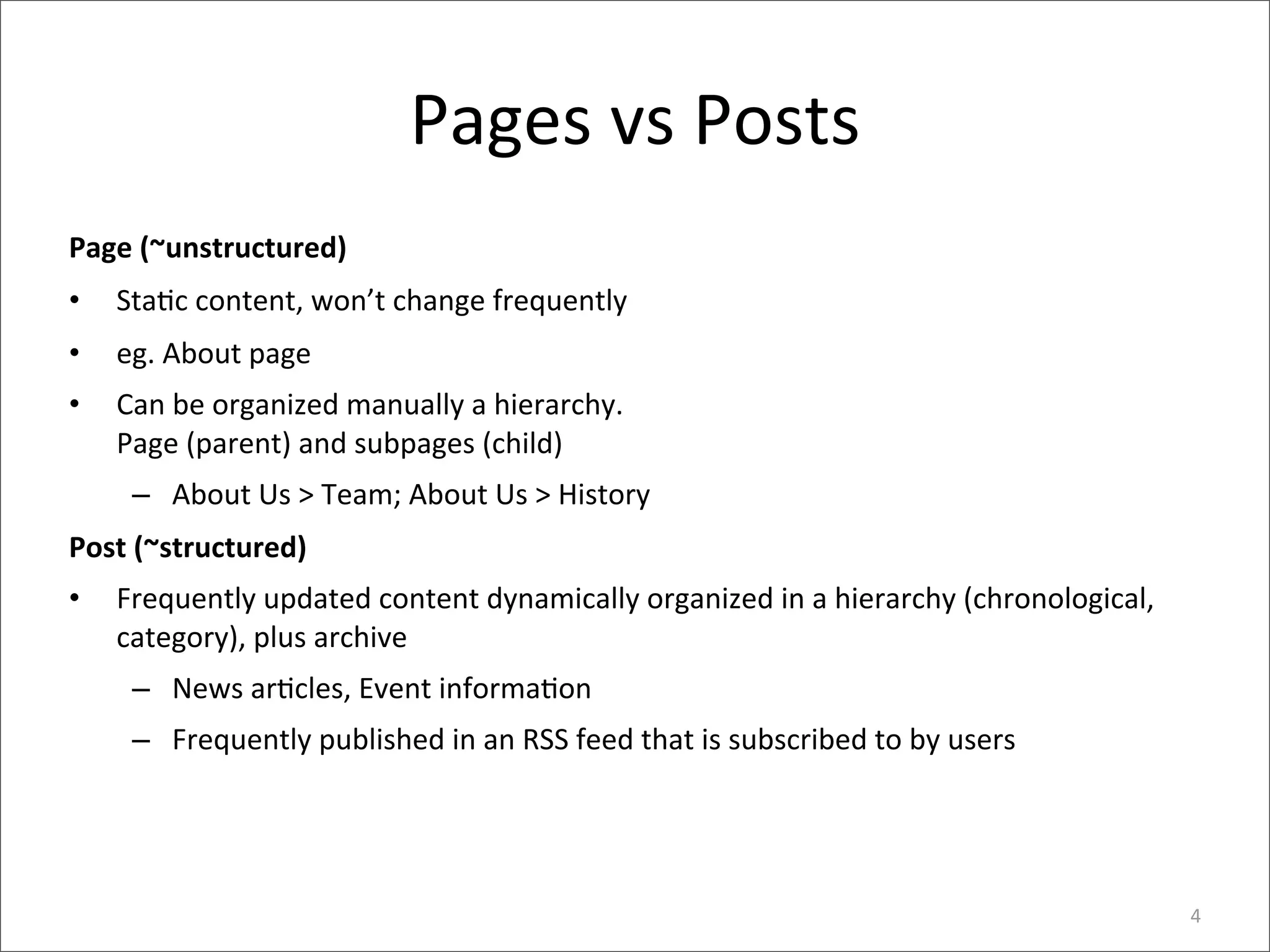
Page	
  (~unstructured)
•   Sta>c	
  content,	
  won’t	
  change	
  frequently
•   eg.	
  About	
  page
•   Can	
  be	
  organized	
  manually	
  a	
  hierarchy.	
  
    Page	
  (parent)	
  and	
  subpages	
  (child)
     – About	
  Us	
  >	
  Team;	
  About	
  Us	
  >	
  History
Post	
  (~structured)
•   Frequently	
  updated	
  content	
  dynamically	
  organized	
  in	
  a	
  hierarchy	
  (chronological,	
  
    category),	
  plus	
  archive
     – News	
  ar>cles,	
  Event	
  informa>on
     – Frequently	
  published	
  in	
  an	
  RSS	
  feed	
  that	
  is	
  subscribed	
  to	
  by	
  users


                                                                                                                  4
Semi-­‐Structured	
  Data:	
  RSS
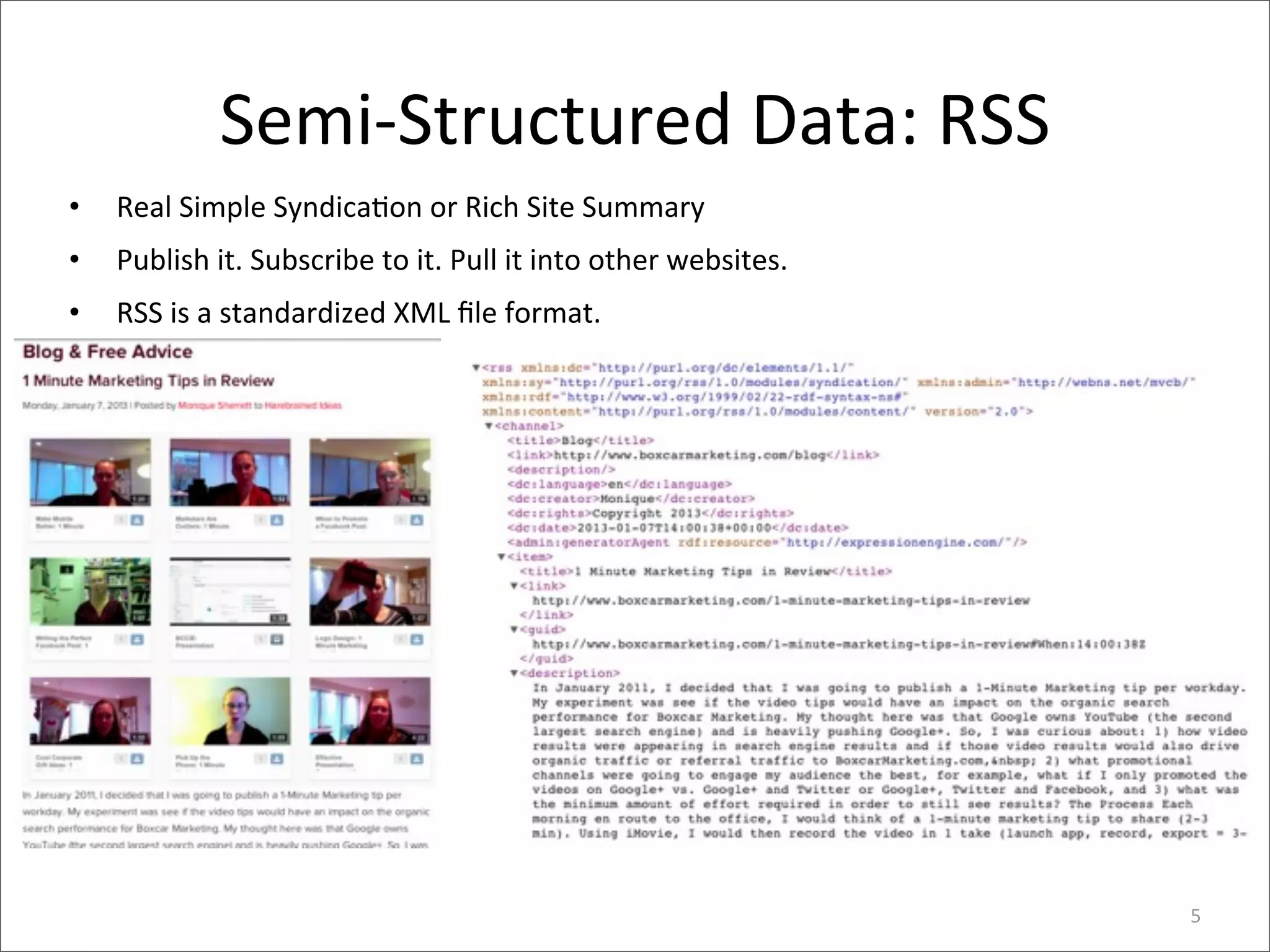
•   Real	
  Simple	
  Syndica>on	
  or	
  Rich	
  Site	
  Summary
•   Publish	
  it.	
  Subscribe	
  to	
  it.	
  Pull	
  it	
  into	
  other	
  websites.	
  
•   RSS	
  is	
  a	
  standardized	
  XML	
  file	
  format.


                                                                                               5
WordPress	
  As	
  Database
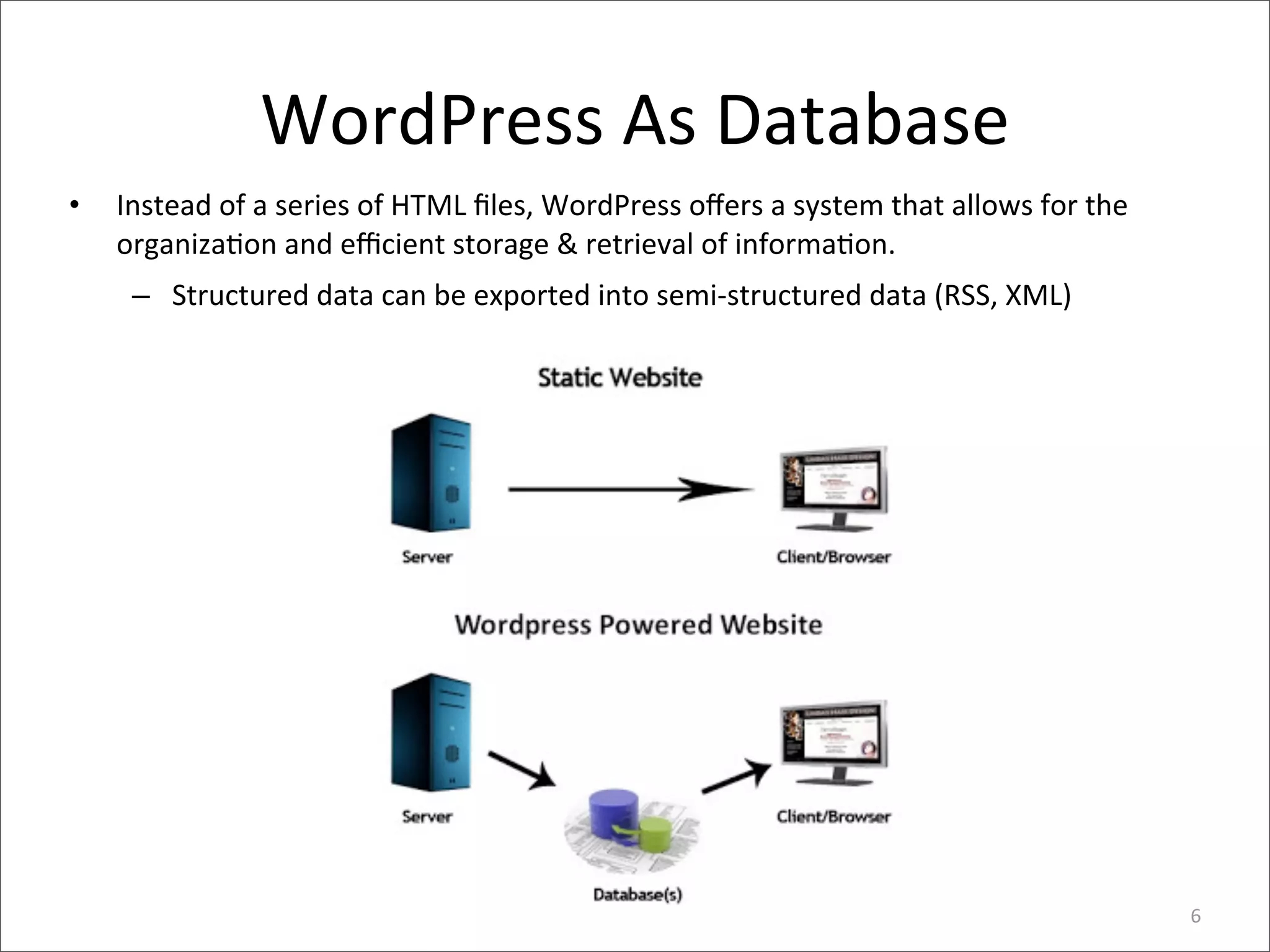
•   Instead	
  of	
  a	
  series	
  of	
  HTML	
  files,	
  WordPress	
  offers	
  a	
  system	
  that	
  allows	
  for	
  the	
  
    organiza>on	
  and	
  efficient	
  storage	
  &	
  retrieval	
  of	
  informa>on.
     – Structured	
  data	
  can	
  be	
  exported	
  into	
  semi-­‐structured	
  data	
  (RSS,	
  XML)


                                                                                                                                   6
RSS	
  is	
  XML
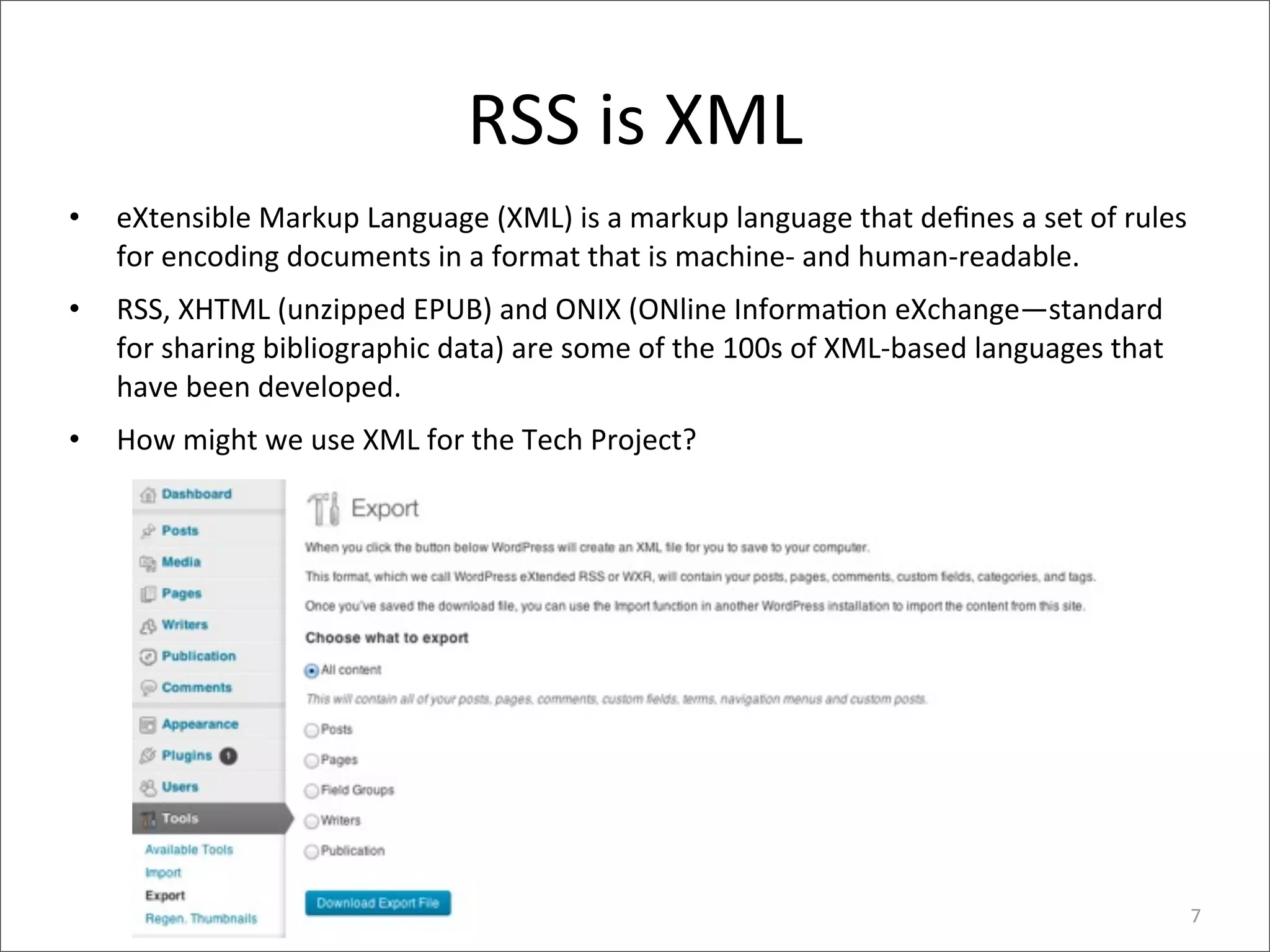
•   eXtensible	
  Markup	
  Language	
  (XML)	
  is	
  a	
  markup	
  language	
  that	
  defines	
  a	
  set	
  of	
  rules	
  
    for	
  encoding	
  documents	
  in	
  a	
  format	
  that	
  is	
  machine-­‐	
  and	
  human-­‐readable.
•   RSS,	
  XHTML	
  (unzipped	
  EPUB)	
  and	
  ONIX	
  (ONline	
  Informa>on	
  eXchange—standard	
  
    for	
  sharing	
  bibliographic	
  data)	
  are	
  some	
  of	
  the	
  100s	
  of	
  XML-­‐based	
  languages	
  that	
  
    have	
  been	
  developed.
•   How	
  might	
  we	
  use	
  XML	
  for	
  the	
  Tech	
  Project?	


                                                                                                                                 7
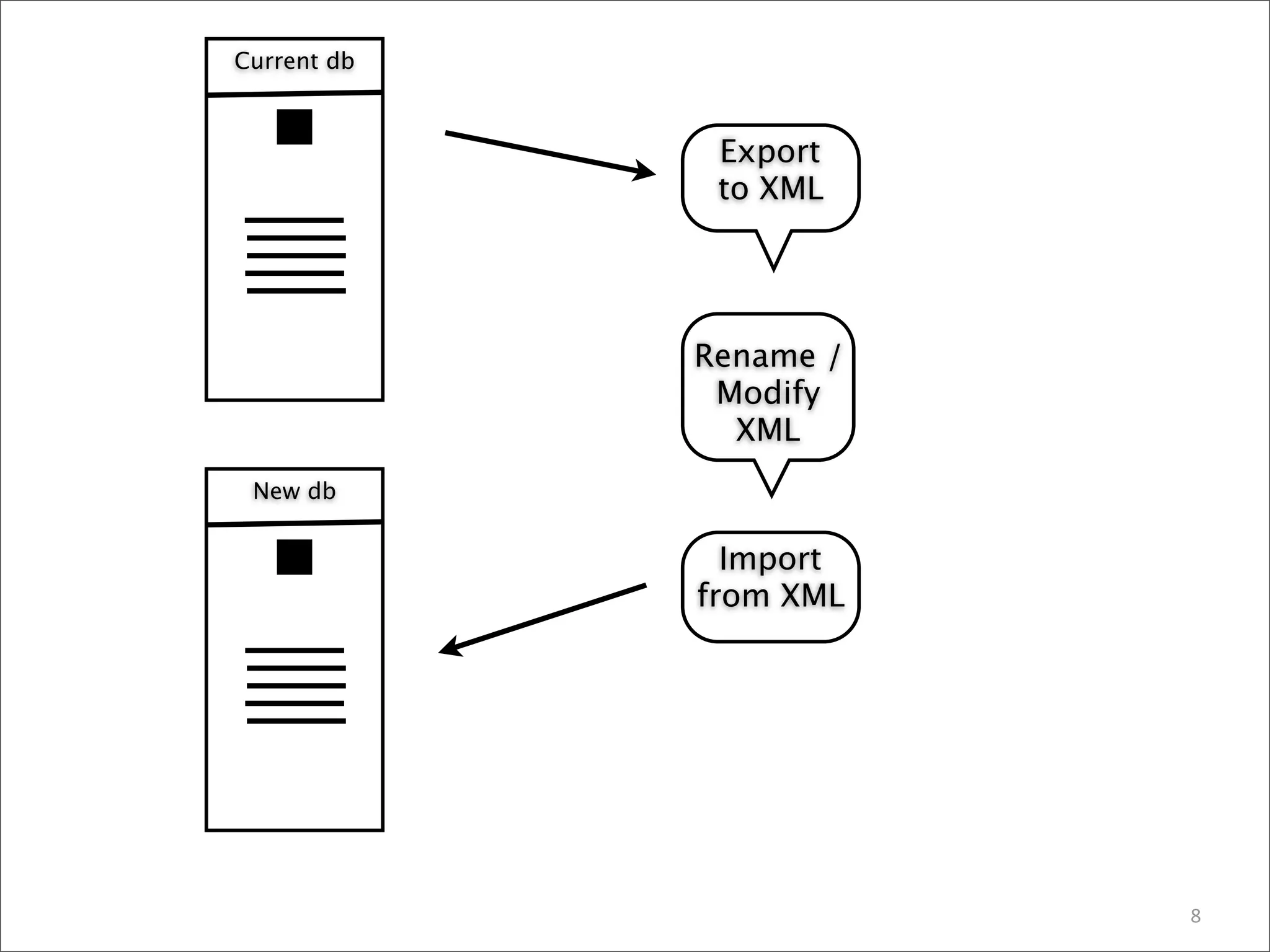
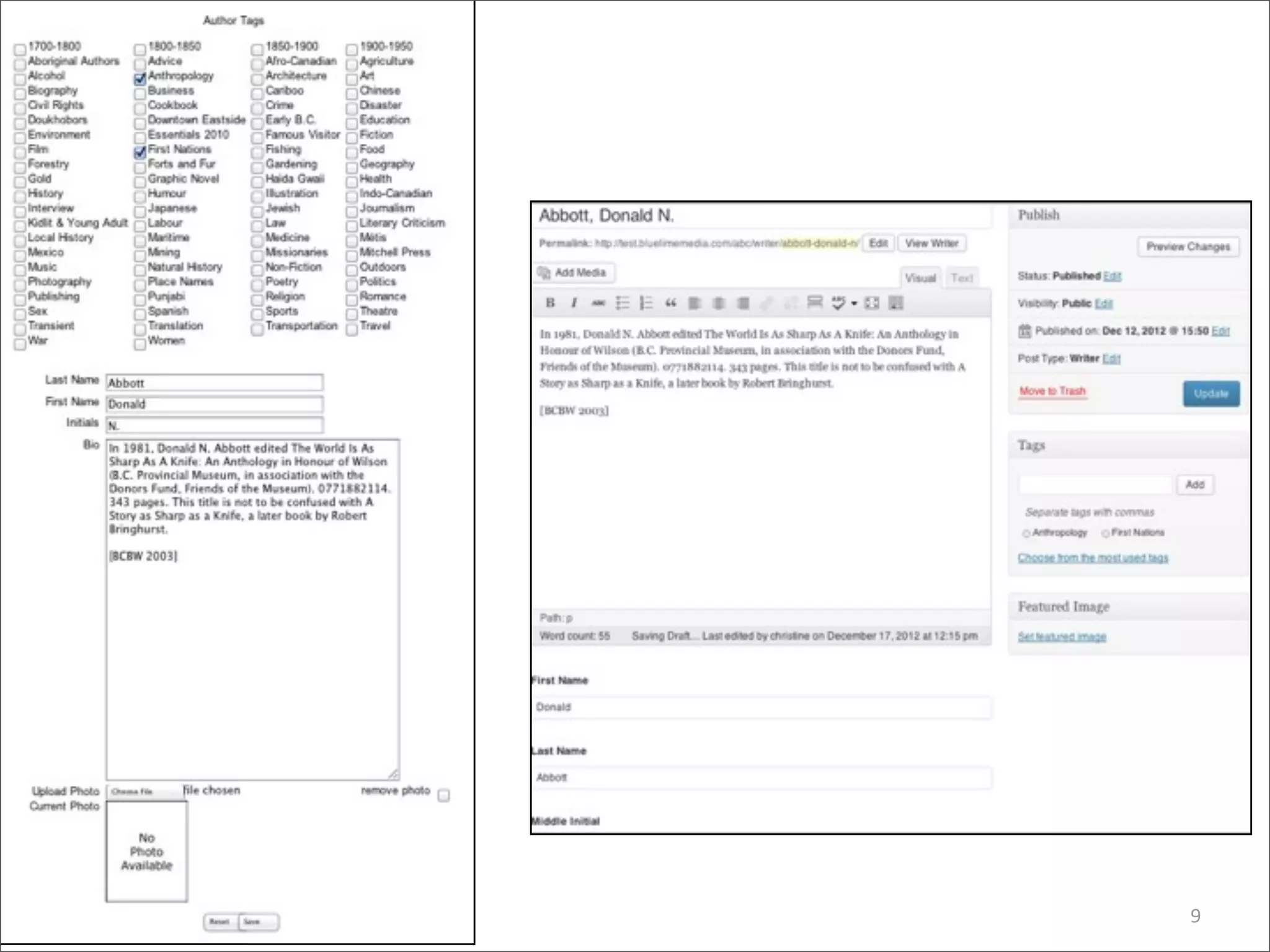
Current db


              Export
              to XML


             Rename /
              Modify
               XML
 New db


               Import
             from XML


                        8
9
ONIX	
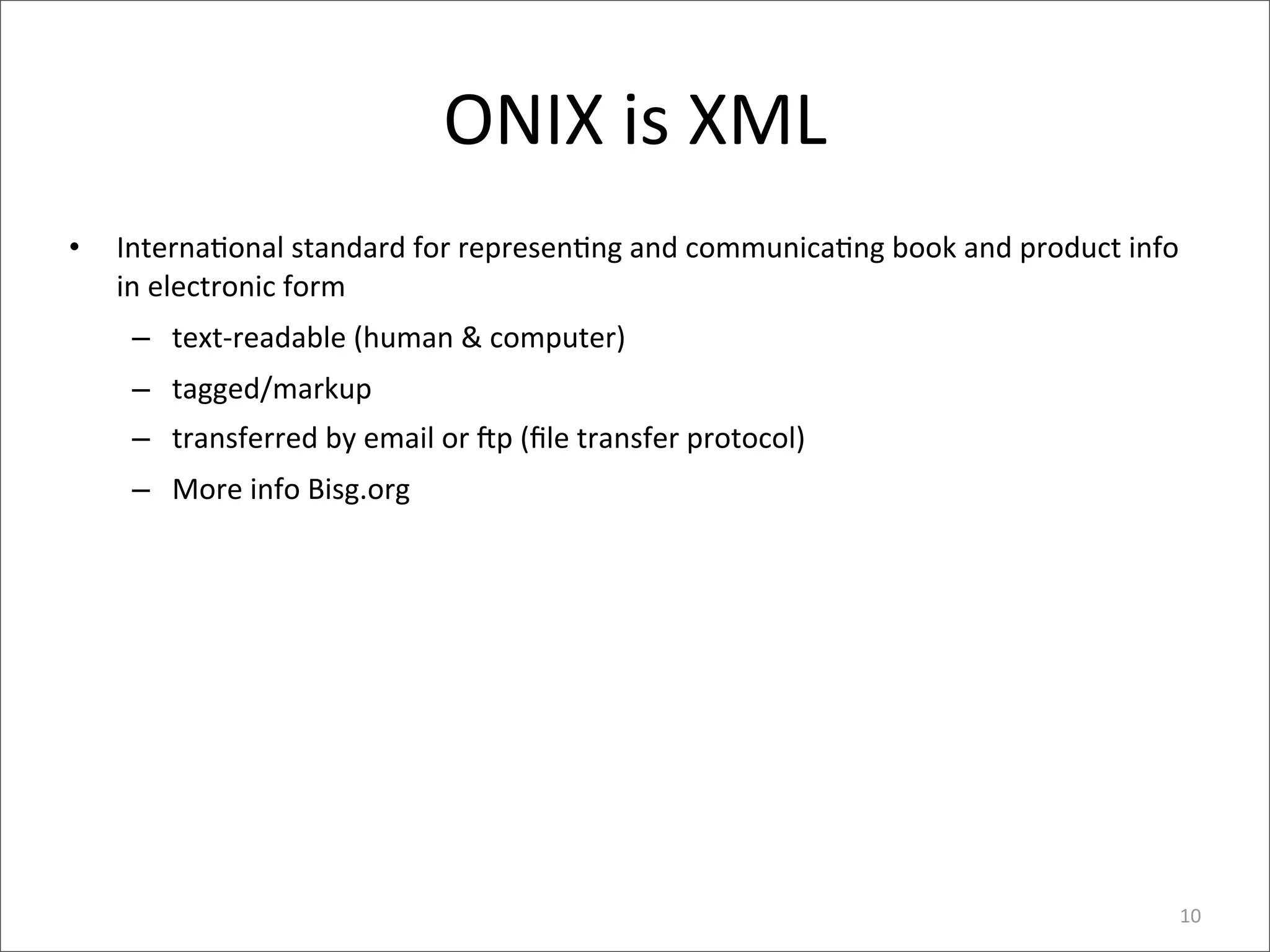
  is	
  XML
•   Interna>onal	
  standard	
  for	
  represen>ng	
  and	
  communica>ng	
  book	
  and	
  product	
  info	
  
    in	
  electronic	
  form
     – text-­‐readable	
  (human	
  &	
  computer)
     – tagged/markup
     – transferred	
  by	
  email	
  or	
  rp	
  (file	
  transfer	
  protocol)
     – More	
  info	
  Bisg.org


                                                                                                              10
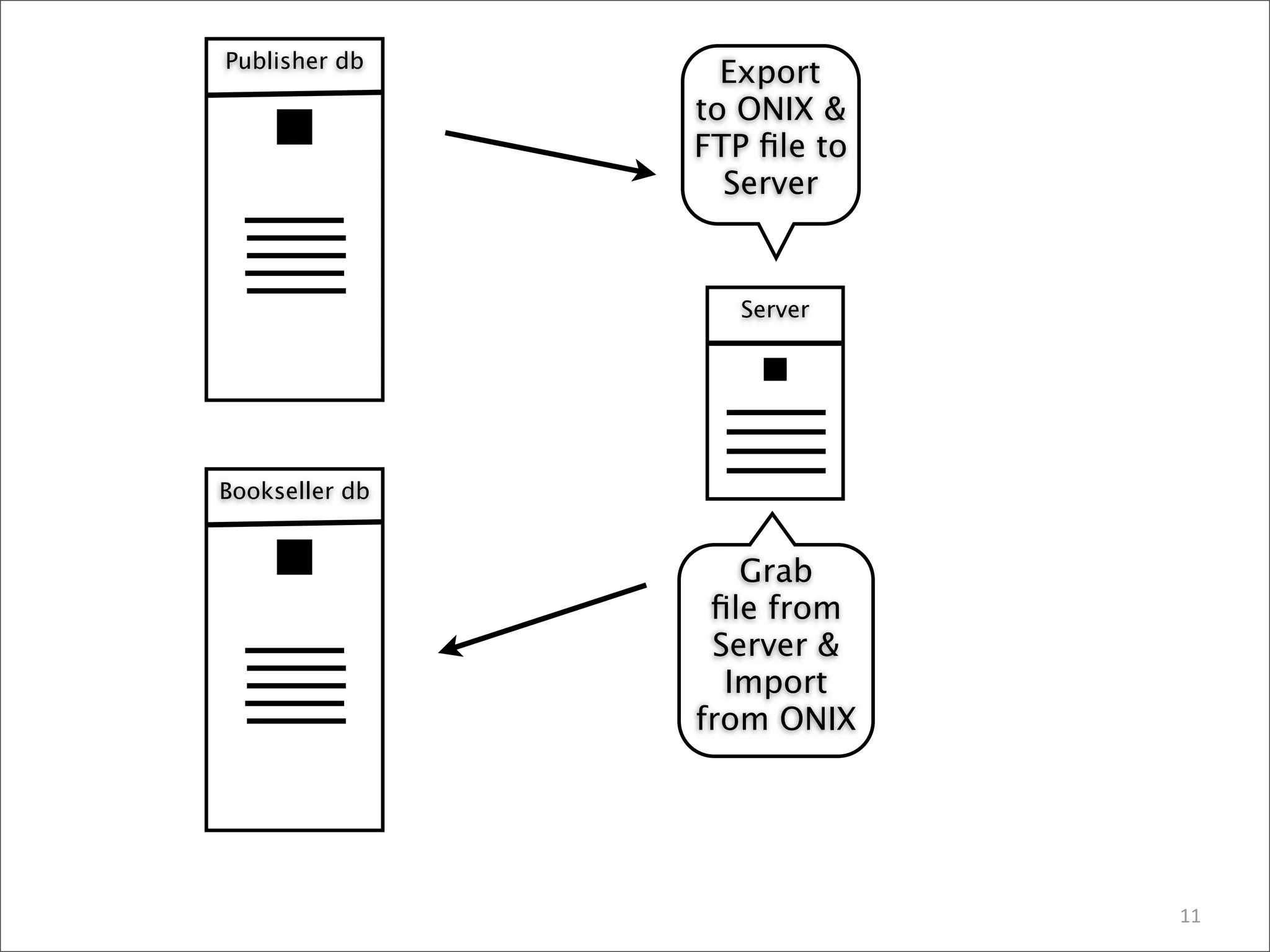
Publisher db
                  Export
                to ONIX &
                FTP file to
                  Server


                   Server


Bookseller db


                   Grab
                 file from
                 Server &
                  Import
                from ONIX


                             11
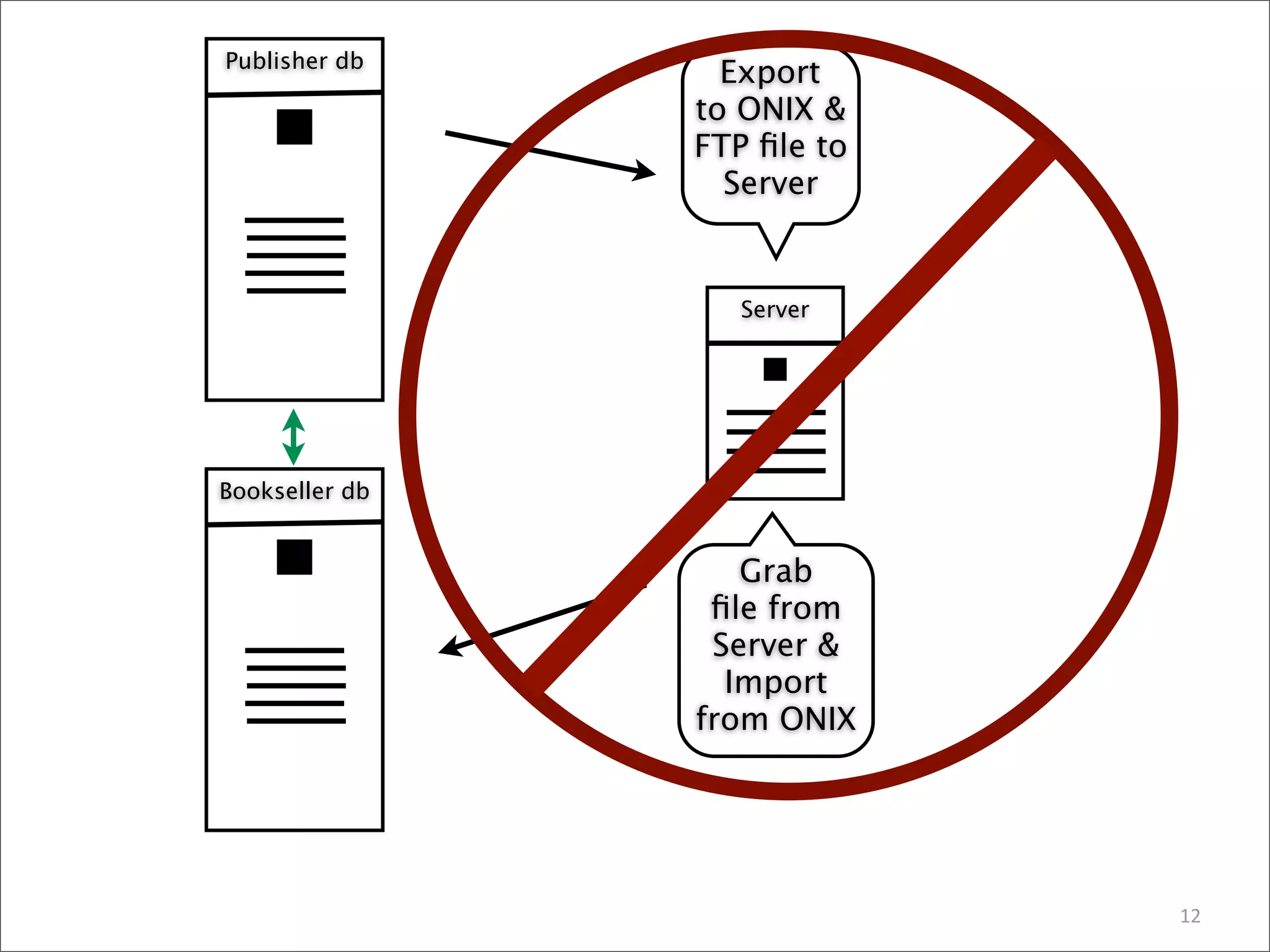
Publisher db
                  Export
                to ONIX &
                FTP file to
                  Server


                   Server


Bookseller db


                   Grab
                 file from
                 Server &
                  Import
                from ONIX


                             12
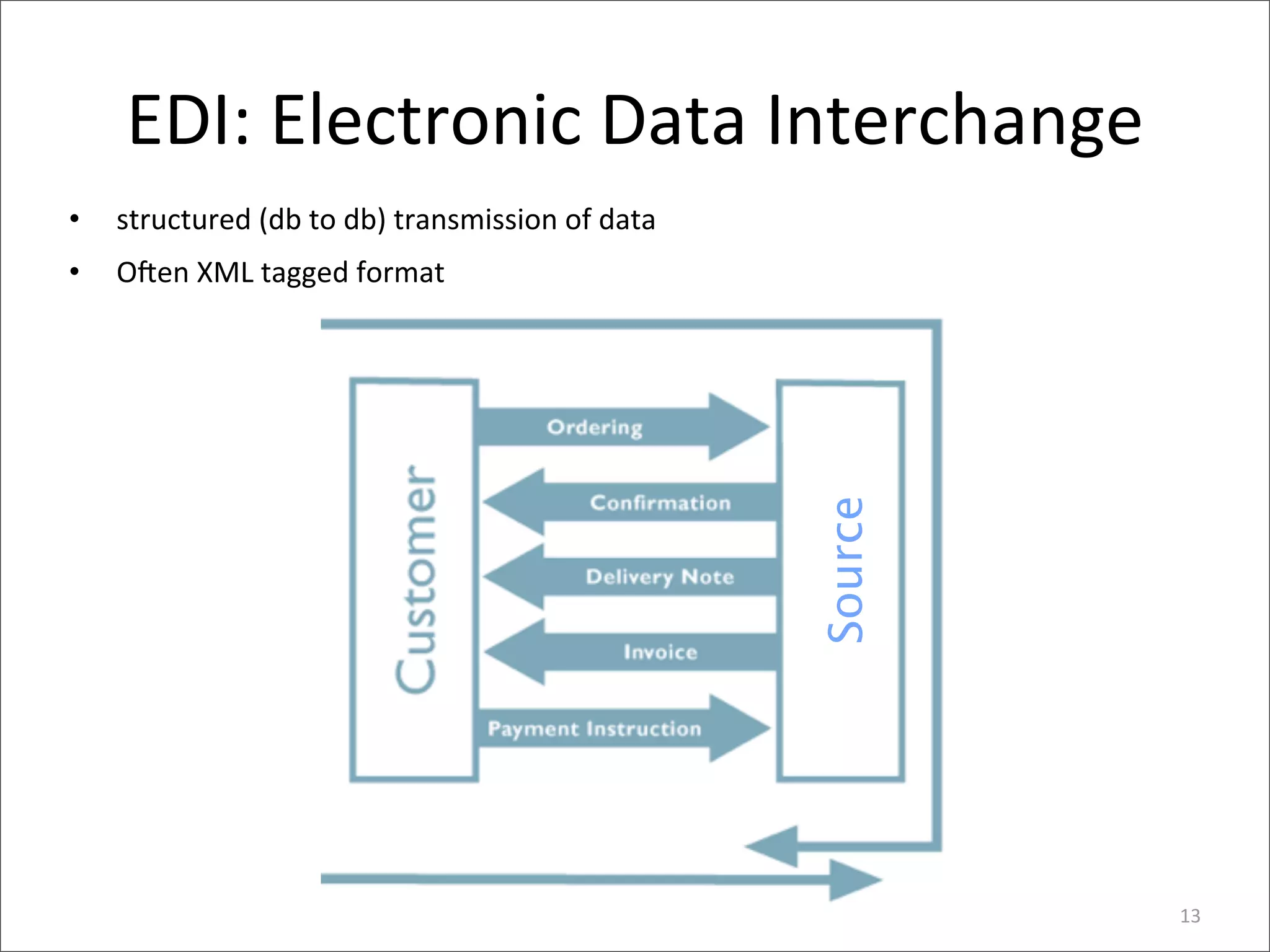
EDI:	
  Electronic	
  Data	
  Interchange
•   structured	
  (db	
  to	
  db)	
  transmission	
  of	
  data
•   Oren	
  XML	
  tagged	
  format


                                                                   Source
                                                                            13
Ques>ons	
  on	
  XML?
• Data,	
  database	
  ques>ons?
• Tech	
  project?


                                     14
WEBCAST

A Roadmap to Efficiently Producing
Multi-Format/Multi-Screen eBooks

Lessons from Market Innovators


November 8, 2012
Speakers

§ Thad McIlroy
   – Electronic publishing analyst and author
     The Future of Publishing

§ Stephen Driver
   – Vice President, Production Services
     The Rowman & Littlefield Publishing Group
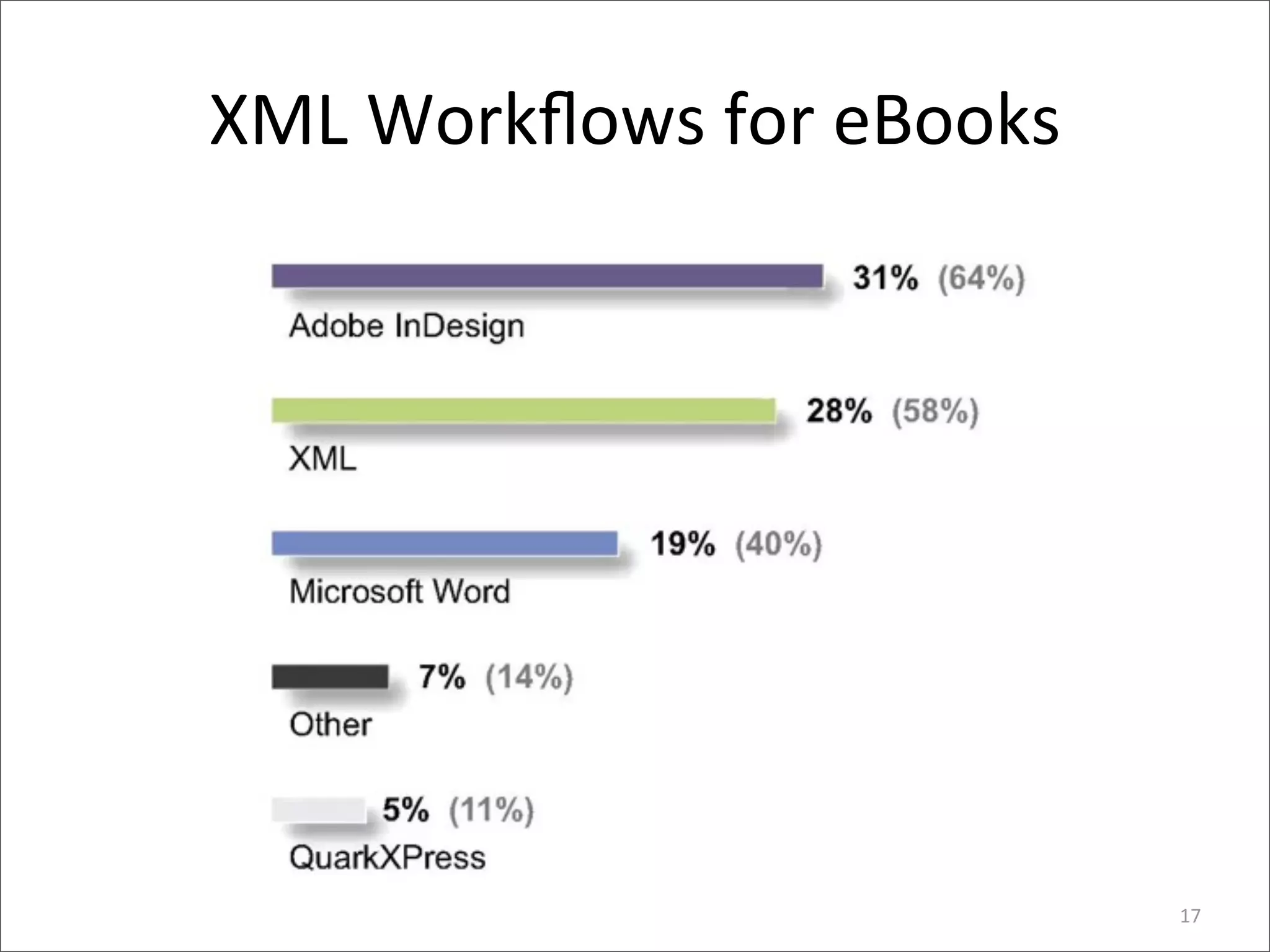
XML	
  Workflows	
  for	
  eBooks


                                   17
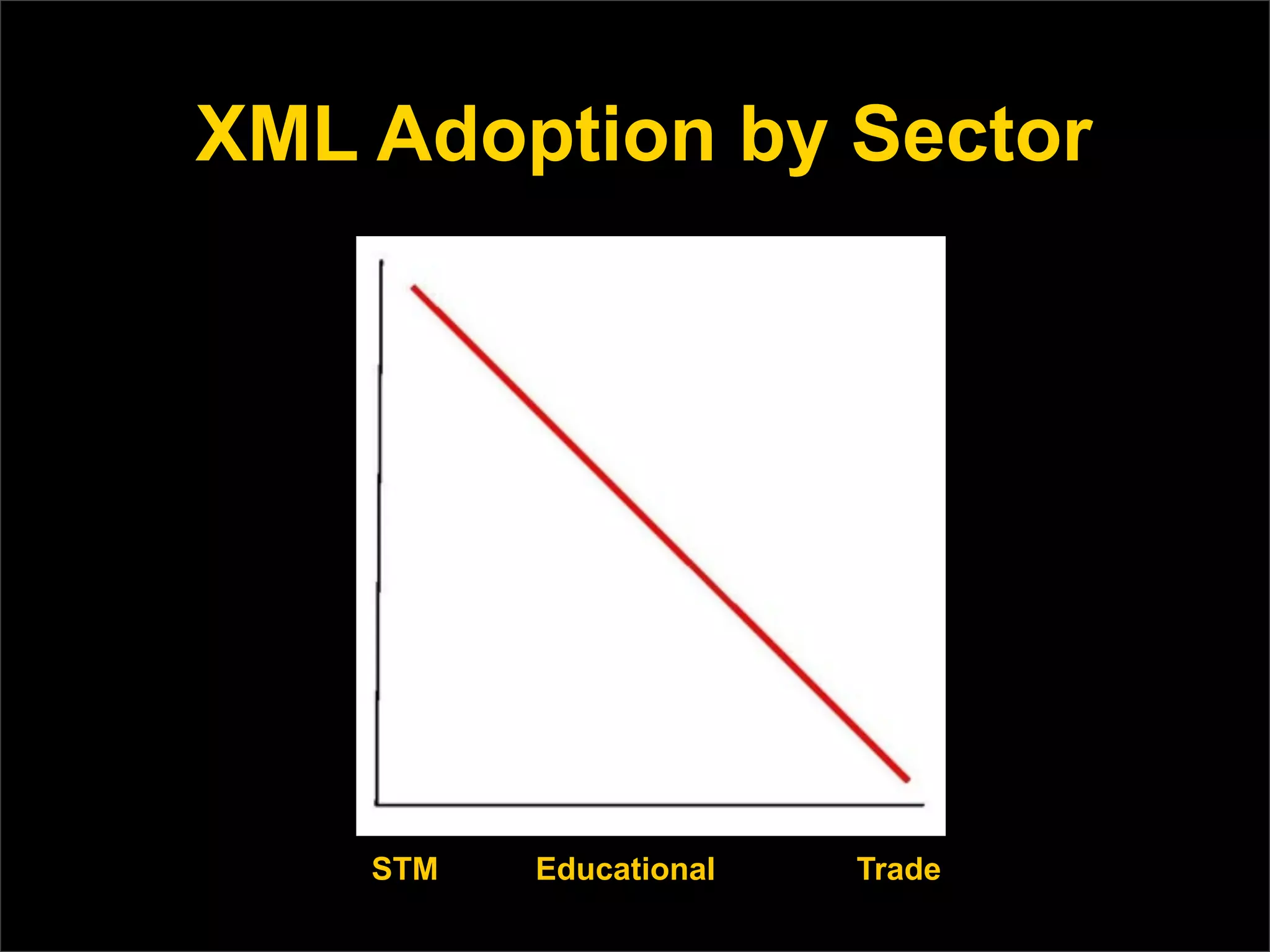
XML Adoption by Sector


    STM   Educational   Trade
XML Defined
XML is:
n A device-independent, system-
   independent method of storing and
   processing electronic text
      n   Markup for form and/or meaning
n   A data interchange format used by many
     applications on the Web.
XML Provides Real Solutions
n   But it is a big, ugly, unwieldy bear
n   And its conceptual metaphors bear little
     resemblance for book publishers
n   It’s based on 25-year-old thinking about
     technical documents and ecommerce
n   Yet it’s the only real game in town
n   ONIX book metadata is enabled by XML
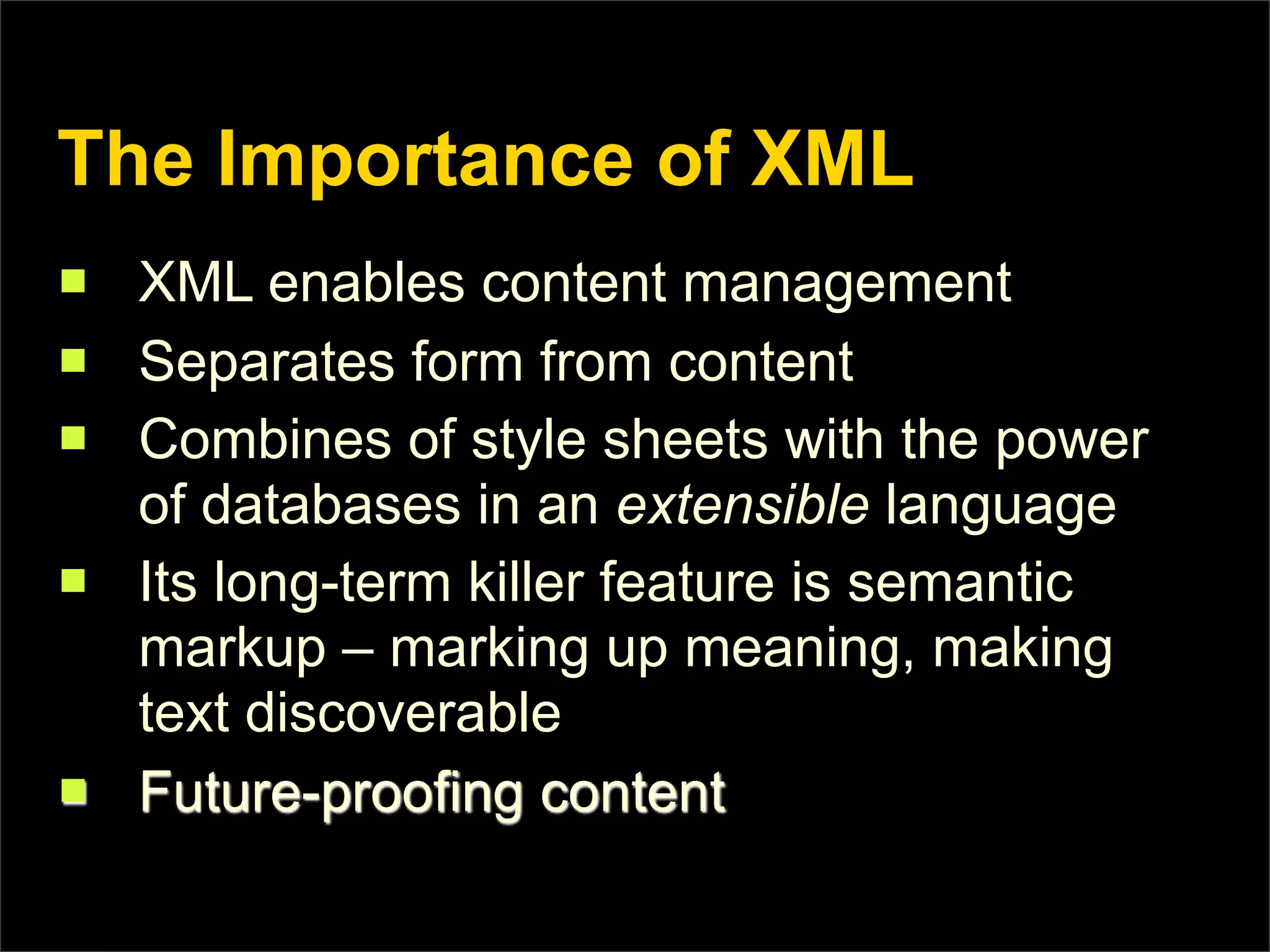
The Importance of XML
n   XML enables content management
n   Separates form from content
n   Combines of style sheets with the power
     of databases in an extensible language
n   Its long-term killer feature is semantic
     markup – marking up meaning, making
     text discoverable
n   Future-proofing content
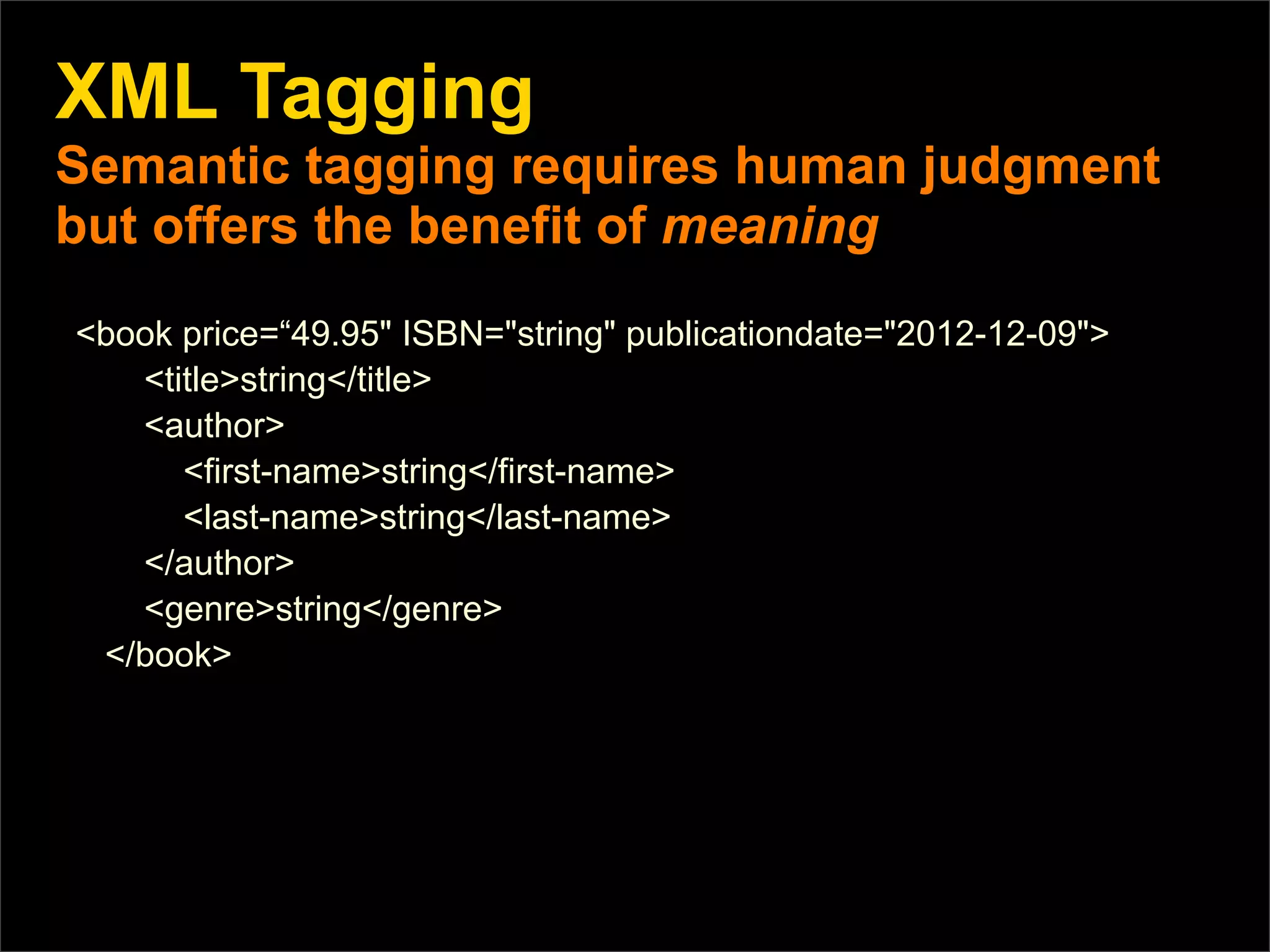
XML Tagging
Semantic tagging requires human judgment
but offers the benefit of meaning
<book price=“49.95" ISBN="string" publicationdate="2012-12-09">
   <title>string</title>
   <author>
      <first-name>string</first-name>
      <last-name>string</last-name>
   </author>
   <genre>string</genre>
 </book>
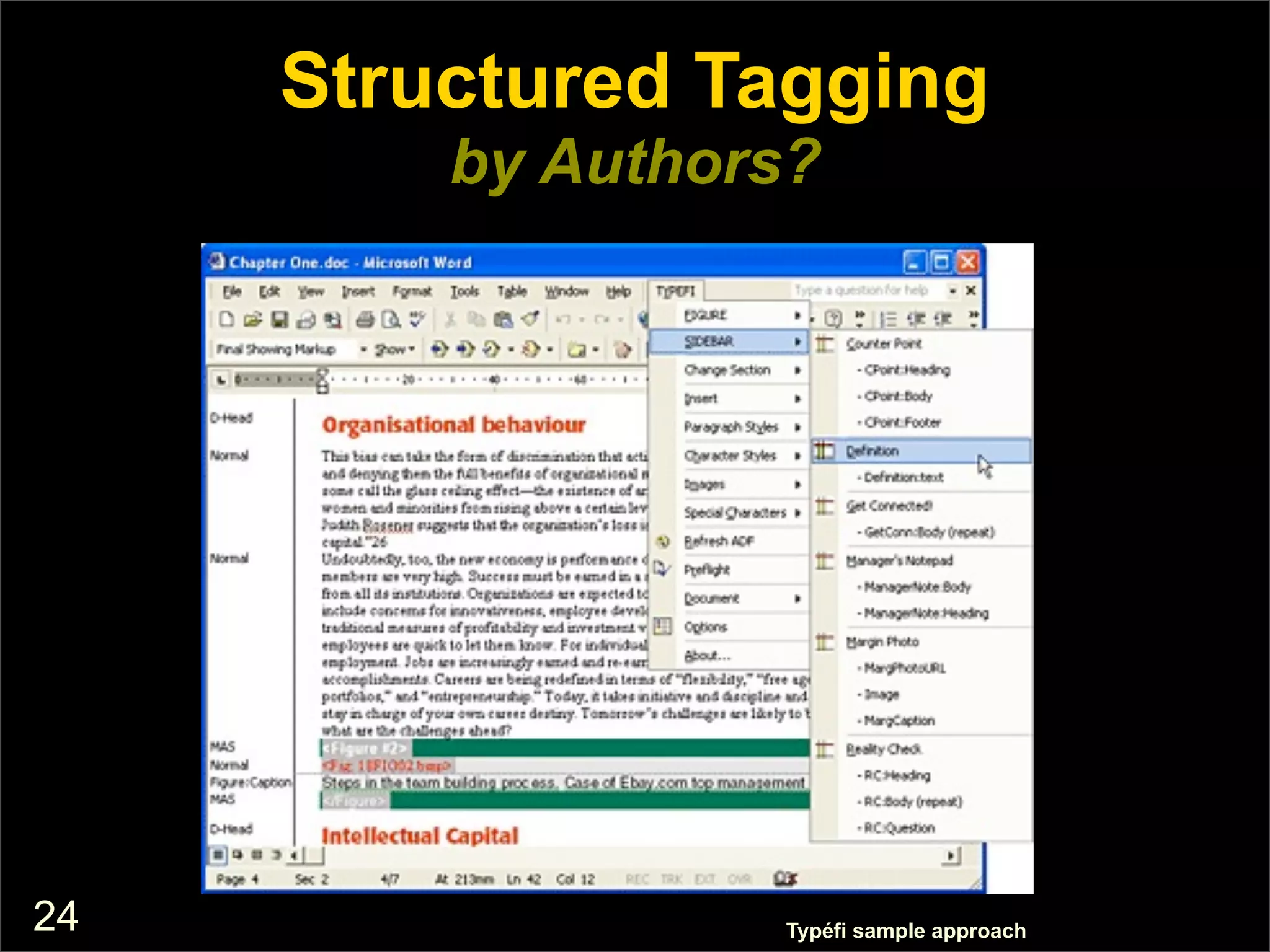
Structured Tagging
         by Authors?


24                Typéfi sample approach
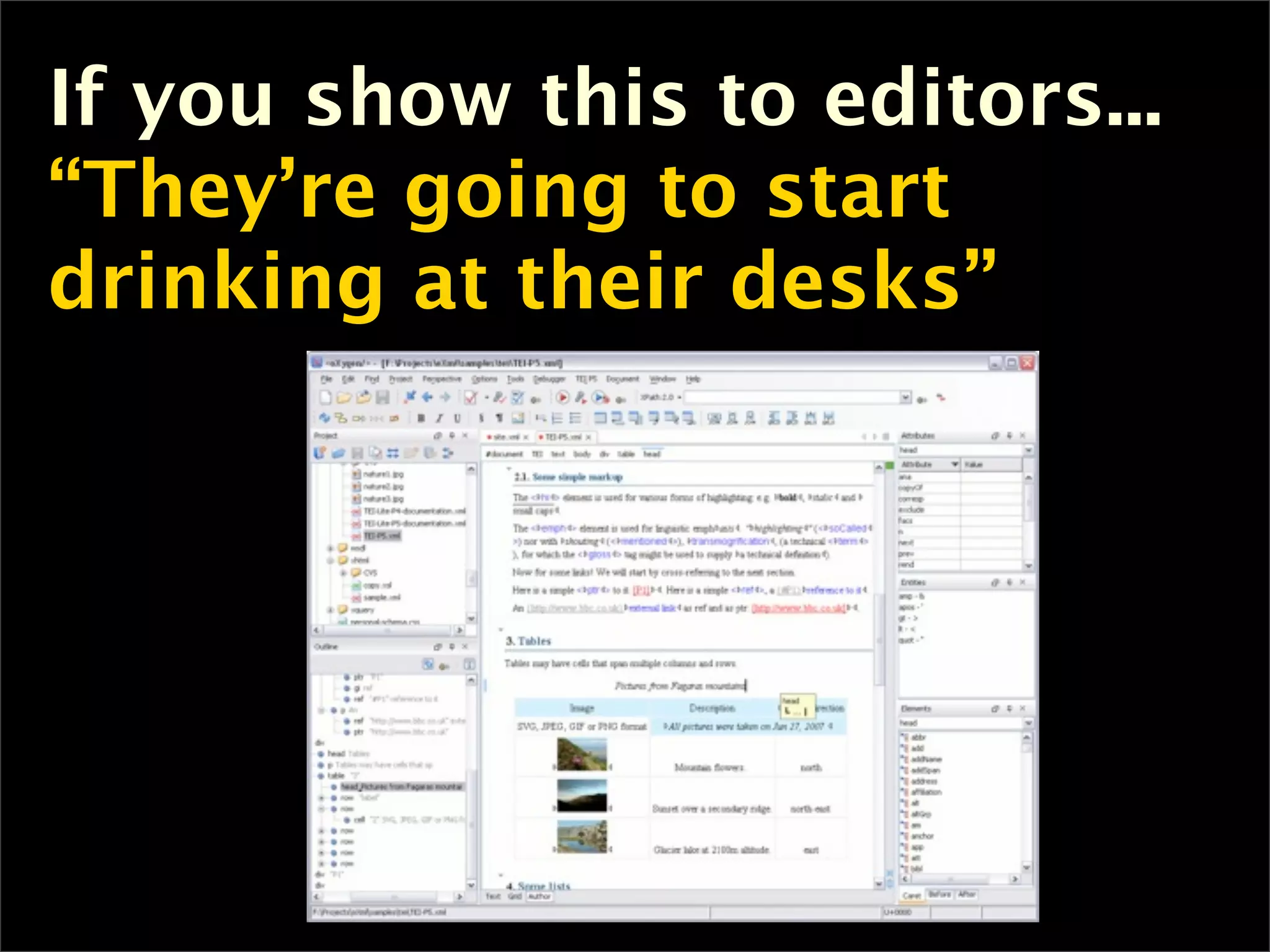
If you show this to editors...
“They’re going to start
drinking at their desks”
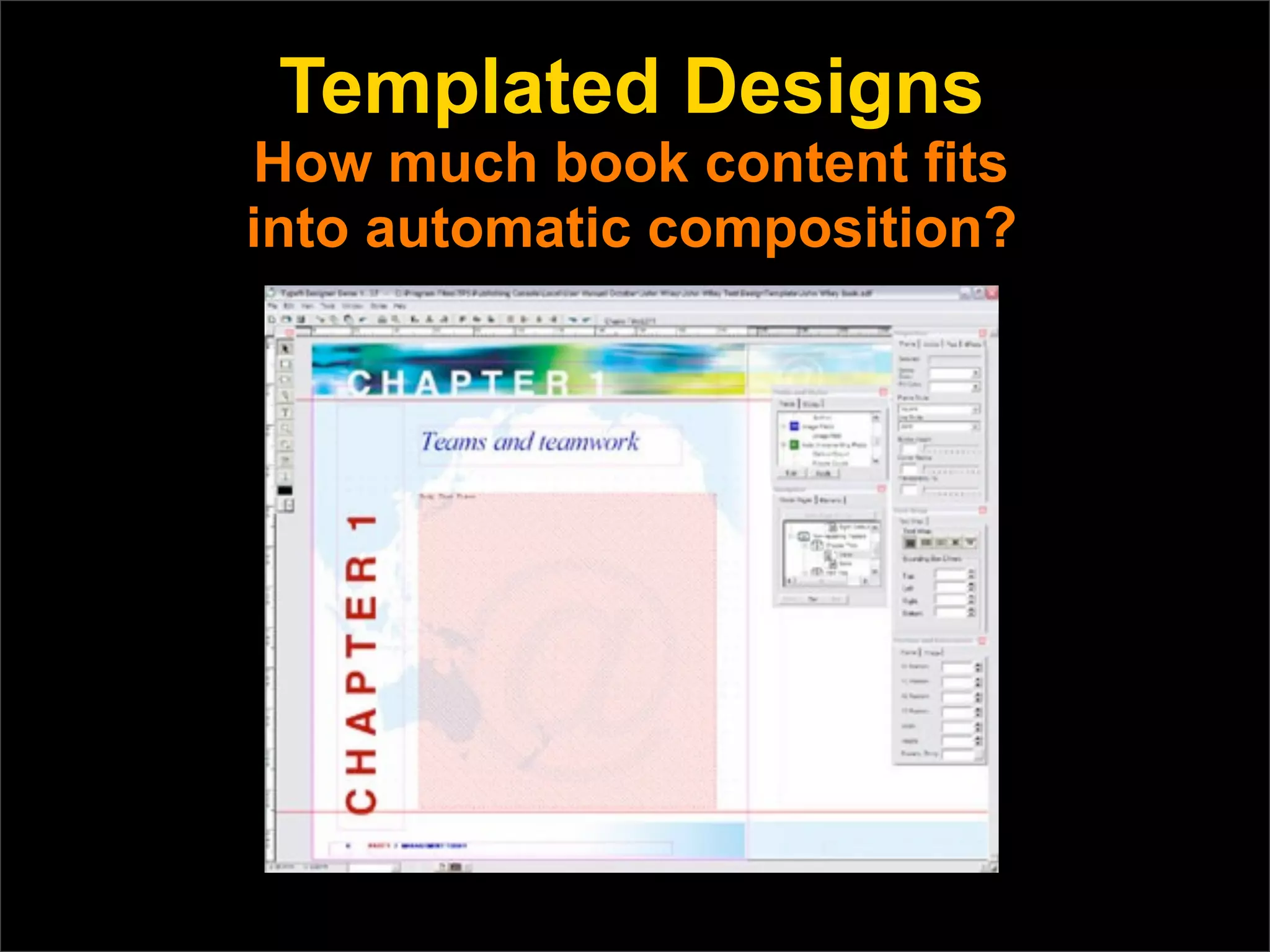
Templated Designs
How much book content fits
into automatic composition?
The Human Factor
 New Internal Skills & Positions
n   The production skill set changes
     substantially
      n   Much of the existing knowledge base
           changes or obsoletes
      n   The move from design & composition &
           production management to content &
           product architecting and engineering
      n   There is an enormous training challenge
           ahead
Key Takeaways
n   XML is complex, but packed with value
n   XML is not an all-or-nothing deal
      n   Your should start with small steps
n   XML’s complexity demands outside help
      n   Services, consultants, trainers, associations
n   The rapid proliferation of output formats
     can only be mastered with a structured
     approach like XML
Obstacles	
  to	
  using	
  XML

• XML	
  is	
  in>mida>ng,	
  full	
  of	
  jargon


• We’re	
  editors,	
  not	
  programmers


• And	
  what	
  about	
  the	
  authors?


• You	
  mean	
  I	
  can’t	
  move	
  that	
  line	
  of	
  text	
  half	
  a	
  pica?!	
  And	
  
  other	
  design	
  concerns


• Editorial,	
  or	
  “my	
  book’s	
  too	
  good	
  for	
  a	
  template”
So	
  how’d	
  we	
  solve	
  it?

• We	
  manipulated	
  XML	
  to	
  our	
  uses,	
  not	
  the	
  other	
  way	
  around

• We	
  s>ll	
  used	
  authors’	
  Word	
  documents	
  as	
  the	
  source

• Template	
  interiors	
  were	
  something	
  we	
  had	
  already	
  been	
  doing	
  
  for	
  years

• XML	
  coding	
  was	
  translated	
  into	
  a	
  coding	
  structure	
  virtually	
  all	
  
  produc>on	
  people	
  know:	
  	
  typeseung	
  short	
  tags

• We	
  adapted	
  exis>ng	
  XML	
  approaches	
  to	
  our	
  specific	
  needs	
  by	
  
  discarding	
  coding	
  that	
  didn’t	
  fit	
  our	
  content
But	
  weren’t	
  there	
  problems?
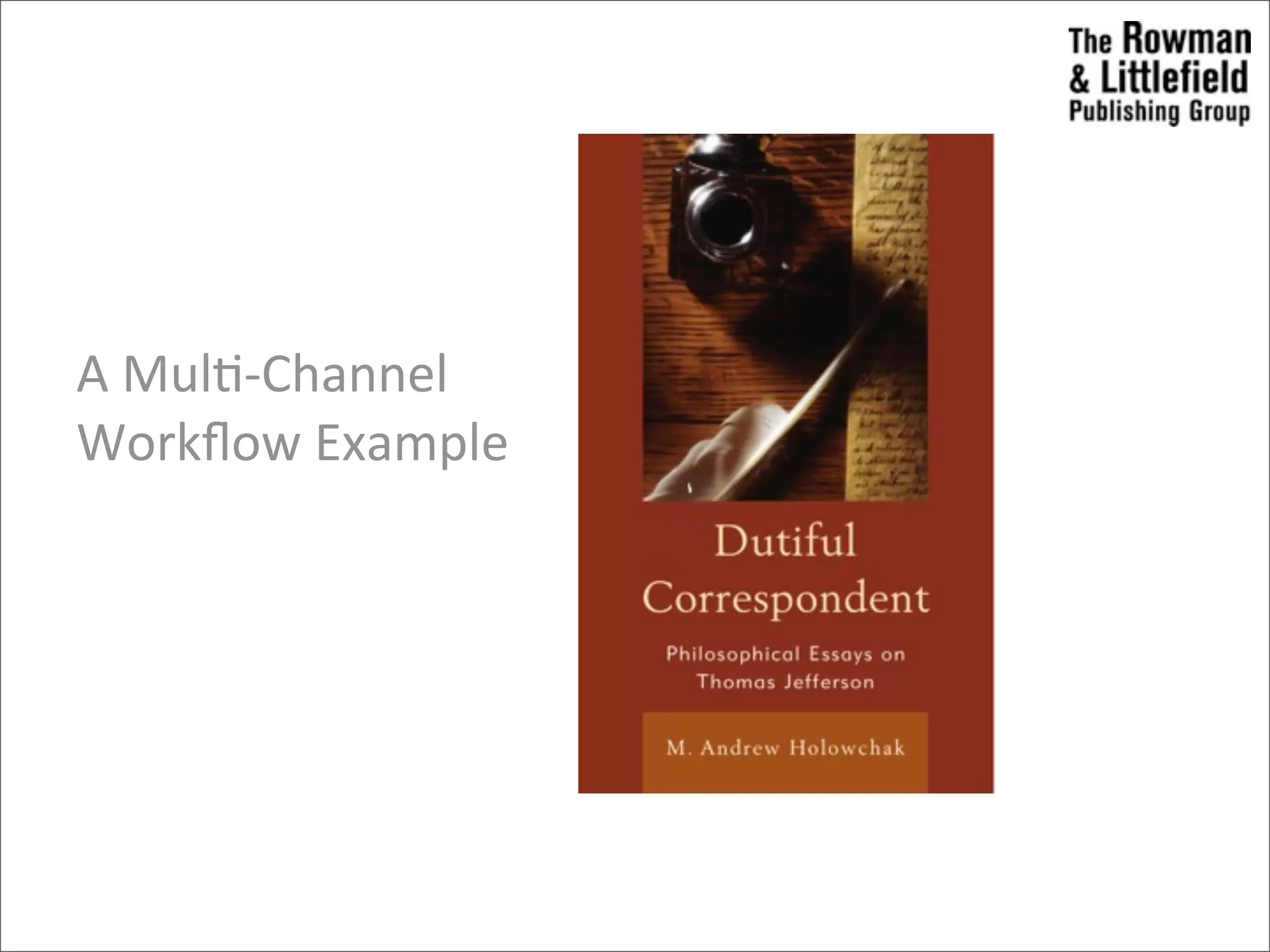
A	
  Mul>-­‐Channel	
  
Workflow	
  Example
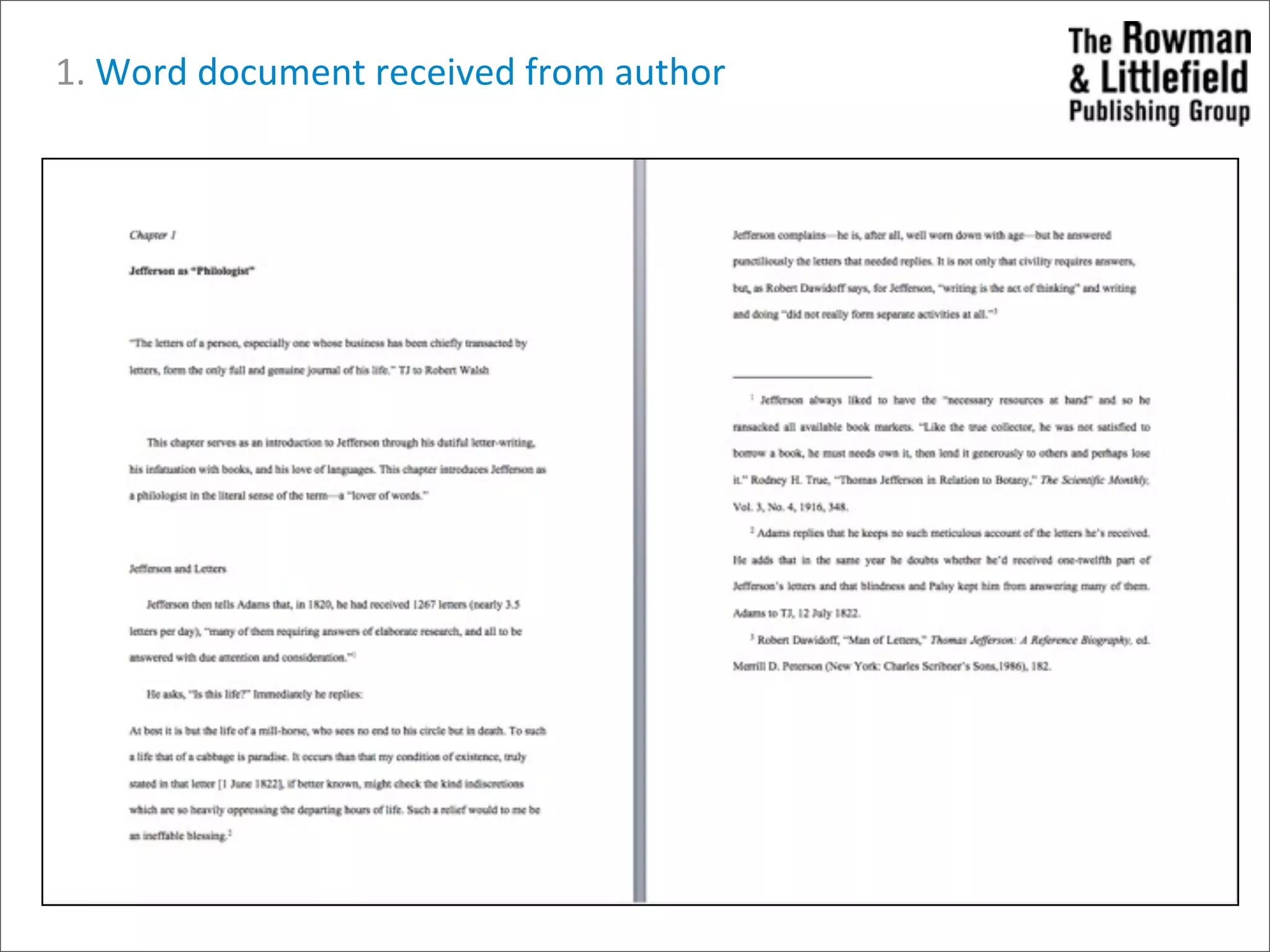
1.	
  Word	
  document	
  received	
  from	
  author
2.	
  Word	
  file	
  coded	
  for	
  XML	
  conversion	


  (resembles	
  standard	
  typeseung	
  short	
  tags)


  3.	
  	
  Typeseung	
  short	
  tags	
  replaced	
  with	
  XML	
  via


  conversion	
  process	
  (some	
  file	
  edi>ng	
  required.)
 4.	
  Final	
  PDF	
  generated	


  arer	
  style	
  template


  applied	
  to	
  XML	
  file.


  EPUB,	
  .mobi	
  and	


  WebPDF	
  generated.
Insider	
  Tips
• Know	
  your	
  staff
  Who	
  can	
  adjust	
  and	
  how	
  will	
  you	
  address	
  those	
  who	
  can’t?

• Know	
  your	
  content
  Using	
  the	
  right	
  tool	
  for	
  the	
  job	
  is	
  cri>cal,	
  not	
  all	
  content	
  is	
  suitable	
  for	
  
  XML	
  composi>on

• Be	
  realisCc	
  about	
  the	
  learning	
  curve
  If	
  you’re	
  s>ll	
  paper	
  edi>ng,	
  making	
  the	
  leap	
  straight	
  to	
  XML	
  may	
  be	
  
  too	
  great,	
  so	
  start	
  small

• Be	
  flexible
  You’ll	
  likely	
  revisit	
  several	
  core	
  values	
  of	
  your	
  publishing	
  program,	
  
  iden>fy	
  the	
  most	
  important	
  things	
  and	
  be	
  honest	
  about	
  the	
  less	
  
  important	
  ones
Insider	
  Tips,	
  cont.

• XML	
  need	
  not	
  be	
  an	
  off-­‐the-­‐shelf	
  product
  You	
  can	
  and	
  should	
  work	
  to	
  customize	
  it	
  to	
  your	
  own	
  produc>on	
  
  needs


• See	
  it	
  through
  It’s	
  taken	
  us	
  two	
  years	
  to	
  arrive	
  at	
  a	
  point	
  where	
  we’re	
  comfortable,	
  
  and	
  we’re	
  s>ll	
  making	
  changes


• Partner	
  with	
  the	
  right	
  vendors
  Find	
  someone	
  willing	
  and	
  capable	
  of	
  adap>ng	
  to	
  your	
  publishing	
  needs


• When	
  you	
  need	
  a	
  hammer,	
  use	
  a	
  hammer
  Remember	
  XML	
  is	
  just	
  another	
  tool,	
  it	
  shouldn’t	
  be	
  your	
  only	
  tool.	
  
Ques>ons?


            38
What’s	
  Next
Tech	
  Course	
  802
1. Chris>ne	
  on	
  Tues	
  15th:	
  coming	
  in	
  to	
  talk	
  templates	
  and	
  wordpress
2. Next	
  Tues	
  22nd:	
  Chloe	
  and	
  Stacey	
  coming	
  in	
  to	
  talk	
  about	
  ebooks,	
  and	
  xml
3. Following	
  Mon	
  28	
  and	
  Tues	
  29:	
  Brenda	
  J	
  Walker	
  and	
  Haig	
  Armen	
  on	
  apps


Tech	
  Project	
  607
1. This	
  Wed	
  16th:	
  Content	
  to	
  present	
  assignment	
  to	
  Design	
  &	
  Tech	
  so	
  we	
  can	
  all	
  be	
  on	
  
   the	
  same	
  page	
  and	
  on	
  Thurs	
  carry	
  on	
  with	
  wireframes/design	
  mockups	
  (Design),	
  
   plaworm	
  set	
  up	
  (Tech)	
  and	
  discoverability/ed	
  calendar	
  (Content)
2. Following	
  Wed	
  23rd:	
  Present	
  to	
  Alan	
  and	
  David	
  designs	
  and	
  ideas	
  so	
  far.	
  

Tech 802: Data, Databases & XML

  • 1.
    Data,  Databases  &  XML A  Crash  Course.     Monique  Sherre8 monique@boxcarmarke>ng.com
  • 2.
    3  Types  of  Data Unstructured  Data • eg.  Word  documents,  PDFs,  audio/video  files,  emails,   • No  search • No  version  control Structured  Data • eg.  Inventory  management  database,  wordpress • Searchable • Version  and  user  control  (secure  access) • Rela>onship  structures  (show  everything  tagged  “winter”) • Import  /  Export • Display  op>ons • Machine  readable;  run  queries  against  the  data Semi-­‐Structured  Data • eg.  xml  (html,  onix,  rss)   • formal/standardized  data   2
  • 3.
    Structured  Data:  Wordpress • Open  Source  content  management  system  based  on  PHP  and  MySQL – Open  Source:  source  code  is  freely  available,  which  encourages  development   by  many  independent  programmers.   – CMS:  a  database  +  presenta>on  layer  (set  of  templates) – MySQL:  a  type  of  database – PHP:  a  scrip>ng  language  designed  to  produce  dynamic  web  pages • Plugin  architecture  (Akismet  for  spam,  SEO  by  Yoast,  WP  to  Twi8er,  etc.) • Pages  &  Posts • Categories  &  Tags 3
  • 4.
    Pages  vs  Posts Page  (~unstructured) • Sta>c  content,  won’t  change  frequently • eg.  About  page • Can  be  organized  manually  a  hierarchy.   Page  (parent)  and  subpages  (child) – About  Us  >  Team;  About  Us  >  History Post  (~structured) • Frequently  updated  content  dynamically  organized  in  a  hierarchy  (chronological,   category),  plus  archive – News  ar>cles,  Event  informa>on – Frequently  published  in  an  RSS  feed  that  is  subscribed  to  by  users 4
  • 5.
    Semi-­‐Structured  Data:  RSS • Real  Simple  Syndica>on  or  Rich  Site  Summary • Publish  it.  Subscribe  to  it.  Pull  it  into  other  websites.   • RSS  is  a  standardized  XML  file  format. 5
  • 6.
    WordPress  As  Database • Instead  of  a  series  of  HTML  files,  WordPress  offers  a  system  that  allows  for  the   organiza>on  and  efficient  storage  &  retrieval  of  informa>on. – Structured  data  can  be  exported  into  semi-­‐structured  data  (RSS,  XML) 6
  • 7.
    RSS  is  XML • eXtensible  Markup  Language  (XML)  is  a  markup  language  that  defines  a  set  of  rules   for  encoding  documents  in  a  format  that  is  machine-­‐  and  human-­‐readable. • RSS,  XHTML  (unzipped  EPUB)  and  ONIX  (ONline  Informa>on  eXchange—standard   for  sharing  bibliographic  data)  are  some  of  the  100s  of  XML-­‐based  languages  that   have  been  developed. • How  might  we  use  XML  for  the  Tech  Project?   7
  • 8.
    Current db Export to XML Rename / Modify XML New db Import from XML 8
  • 9.
  • 10.
    ONIX  is  XML • Interna>onal  standard  for  represen>ng  and  communica>ng  book  and  product  info   in  electronic  form – text-­‐readable  (human  &  computer) – tagged/markup – transferred  by  email  or  rp  (file  transfer  protocol) – More  info  Bisg.org 10
  • 11.
    Publisher db Export to ONIX & FTP file to Server Server Bookseller db Grab file from Server & Import from ONIX 11
  • 12.
    Publisher db Export to ONIX & FTP file to Server Server Bookseller db Grab file from Server & Import from ONIX 12
  • 13.
    EDI:  Electronic  Data  Interchange • structured  (db  to  db)  transmission  of  data • Oren  XML  tagged  format Source 13
  • 14.
    Ques>ons  on  XML? •Data,  database  ques>ons? • Tech  project? 14
  • 15.
    WEBCAST A Roadmap toEfficiently Producing Multi-Format/Multi-Screen eBooks Lessons from Market Innovators November 8, 2012
  • 16.
    Speakers § Thad McIlroy – Electronic publishing analyst and author The Future of Publishing § Stephen Driver – Vice President, Production Services The Rowman & Littlefield Publishing Group
  • 17.
  • 18.
    XML Adoption bySector STM Educational Trade
  • 19.
    XML Defined XML is: nA device-independent, system- independent method of storing and processing electronic text n Markup for form and/or meaning n A data interchange format used by many applications on the Web.
  • 20.
    XML Provides RealSolutions n But it is a big, ugly, unwieldy bear n And its conceptual metaphors bear little resemblance for book publishers n It’s based on 25-year-old thinking about technical documents and ecommerce n Yet it’s the only real game in town n ONIX book metadata is enabled by XML
  • 21.
    The Importance ofXML n XML enables content management n Separates form from content n Combines of style sheets with the power of databases in an extensible language n Its long-term killer feature is semantic markup – marking up meaning, making text discoverable n Future-proofing content
  • 22.
    XML Tagging Semantic taggingrequires human judgment but offers the benefit of meaning <book price=“49.95" ISBN="string" publicationdate="2012-12-09"> <title>string</title> <author> <first-name>string</first-name> <last-name>string</last-name> </author> <genre>string</genre> </book>
  • 23.
    Structured Tagging by Authors? 24 Typéfi sample approach
  • 24.
    If you showthis to editors... “They’re going to start drinking at their desks”
  • 25.
    Templated Designs How muchbook content fits into automatic composition?
  • 26.
    The Human Factor New Internal Skills & Positions n The production skill set changes substantially n Much of the existing knowledge base changes or obsoletes n The move from design & composition & production management to content & product architecting and engineering n There is an enormous training challenge ahead
  • 27.
    Key Takeaways n XML is complex, but packed with value n XML is not an all-or-nothing deal n Your should start with small steps n XML’s complexity demands outside help n Services, consultants, trainers, associations n The rapid proliferation of output formats can only be mastered with a structured approach like XML
  • 28.
    Obstacles  to  using  XML • XML  is  in>mida>ng,  full  of  jargon • We’re  editors,  not  programmers • And  what  about  the  authors? • You  mean  I  can’t  move  that  line  of  text  half  a  pica?!  And   other  design  concerns • Editorial,  or  “my  book’s  too  good  for  a  template”
  • 29.
    So  how’d  we  solve  it? • We  manipulated  XML  to  our  uses,  not  the  other  way  around • We  s>ll  used  authors’  Word  documents  as  the  source • Template  interiors  were  something  we  had  already  been  doing   for  years • XML  coding  was  translated  into  a  coding  structure  virtually  all   produc>on  people  know:    typeseung  short  tags • We  adapted  exis>ng  XML  approaches  to  our  specific  needs  by   discarding  coding  that  didn’t  fit  our  content
  • 30.
  • 31.
  • 32.
    1.  Word  document  received  from  author
  • 33.
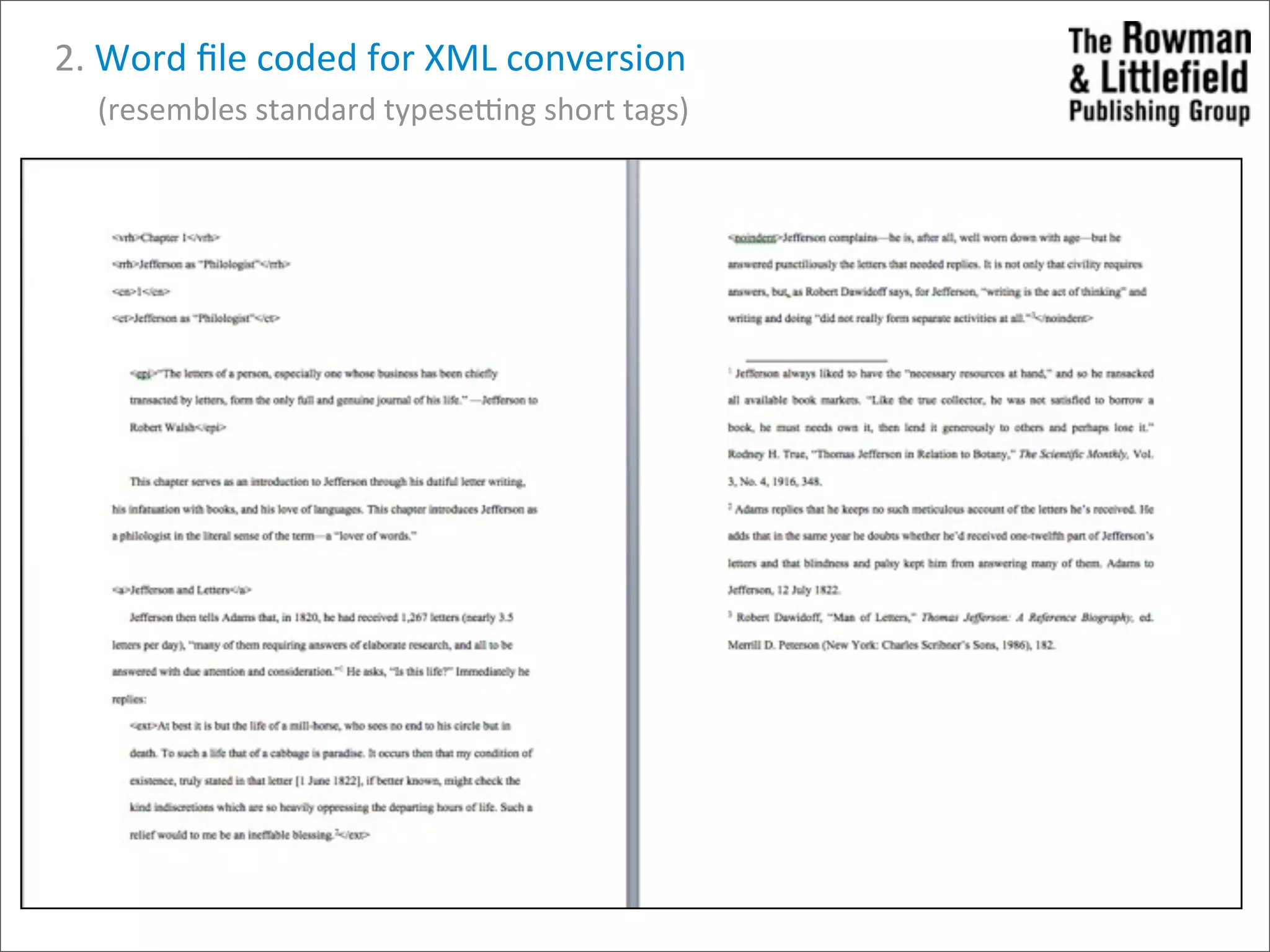
    2.  Word  file  coded  for  XML  conversion            (resembles  standard  typeseung  short  tags)
  • 34.
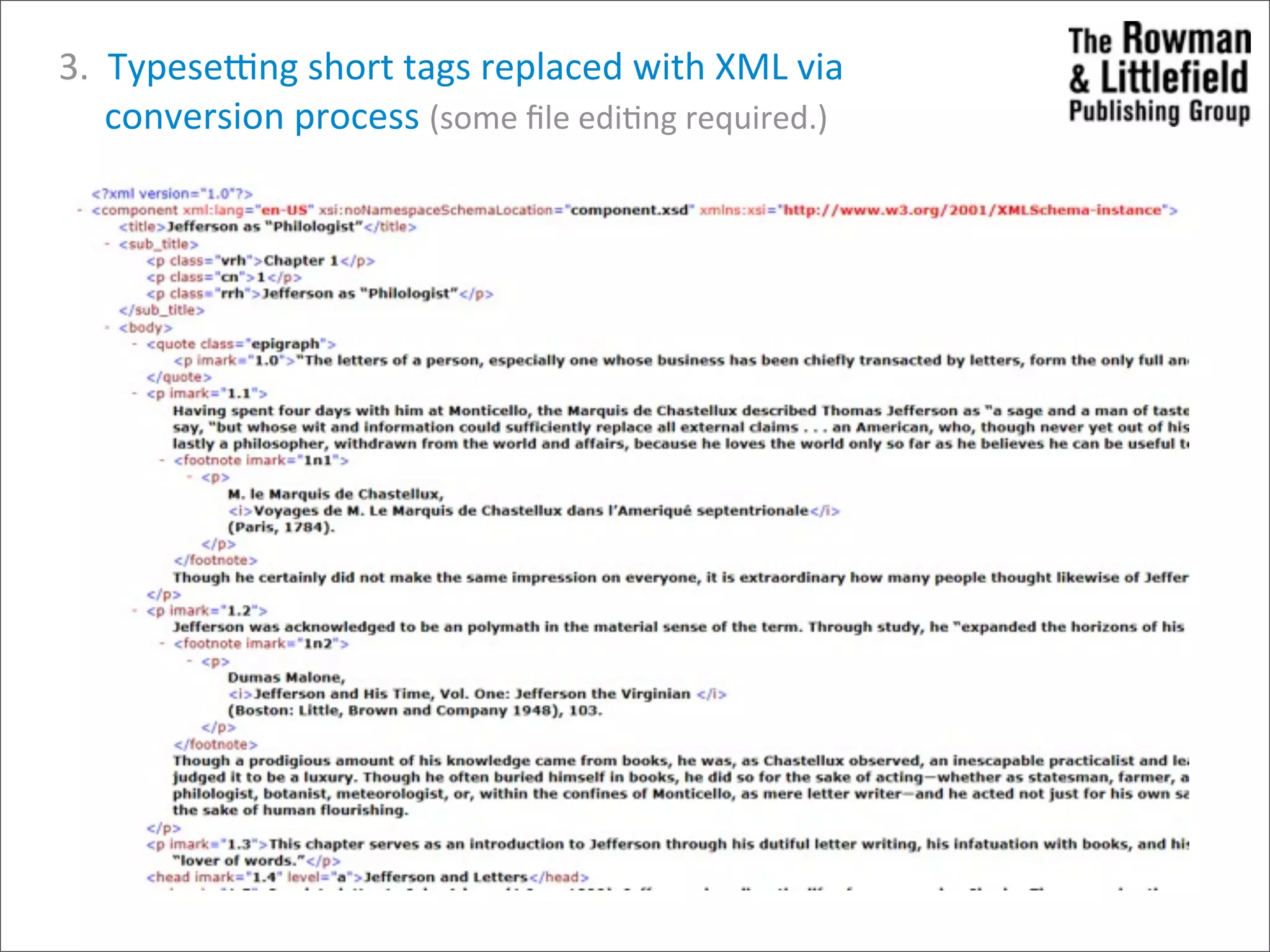
             3.    Typeseung  short  tags  replaced  with  XML  via                    conversion  process  (some  file  edi>ng  required.)
  • 35.
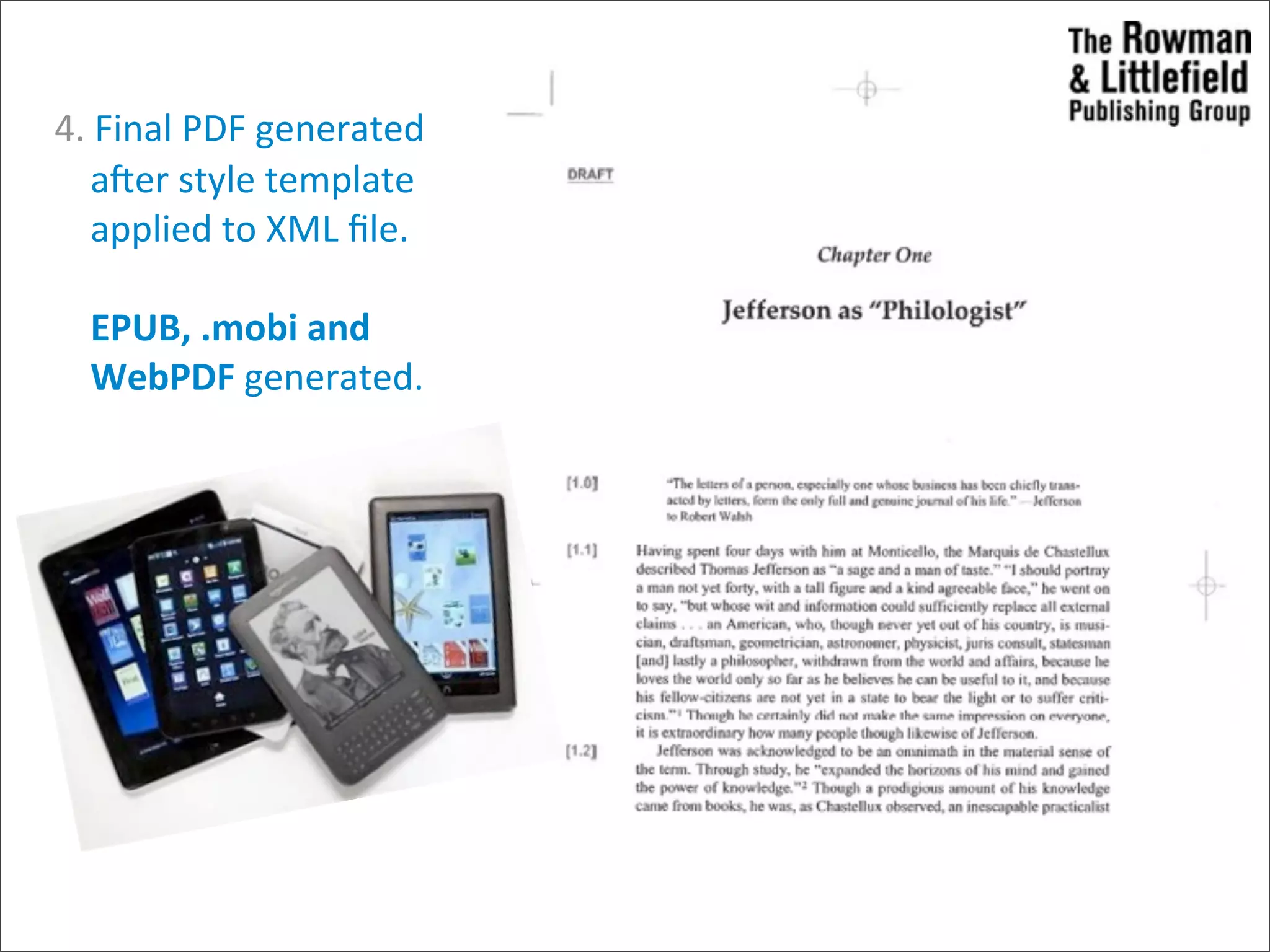
     4.  Final  PDF  generated            arer  style  template          applied  to  XML  file.          EPUB,  .mobi  and            WebPDF  generated.
  • 36.
    Insider  Tips • Know  your  staff Who  can  adjust  and  how  will  you  address  those  who  can’t? • Know  your  content Using  the  right  tool  for  the  job  is  cri>cal,  not  all  content  is  suitable  for   XML  composi>on • Be  realisCc  about  the  learning  curve If  you’re  s>ll  paper  edi>ng,  making  the  leap  straight  to  XML  may  be   too  great,  so  start  small • Be  flexible You’ll  likely  revisit  several  core  values  of  your  publishing  program,   iden>fy  the  most  important  things  and  be  honest  about  the  less   important  ones
  • 37.
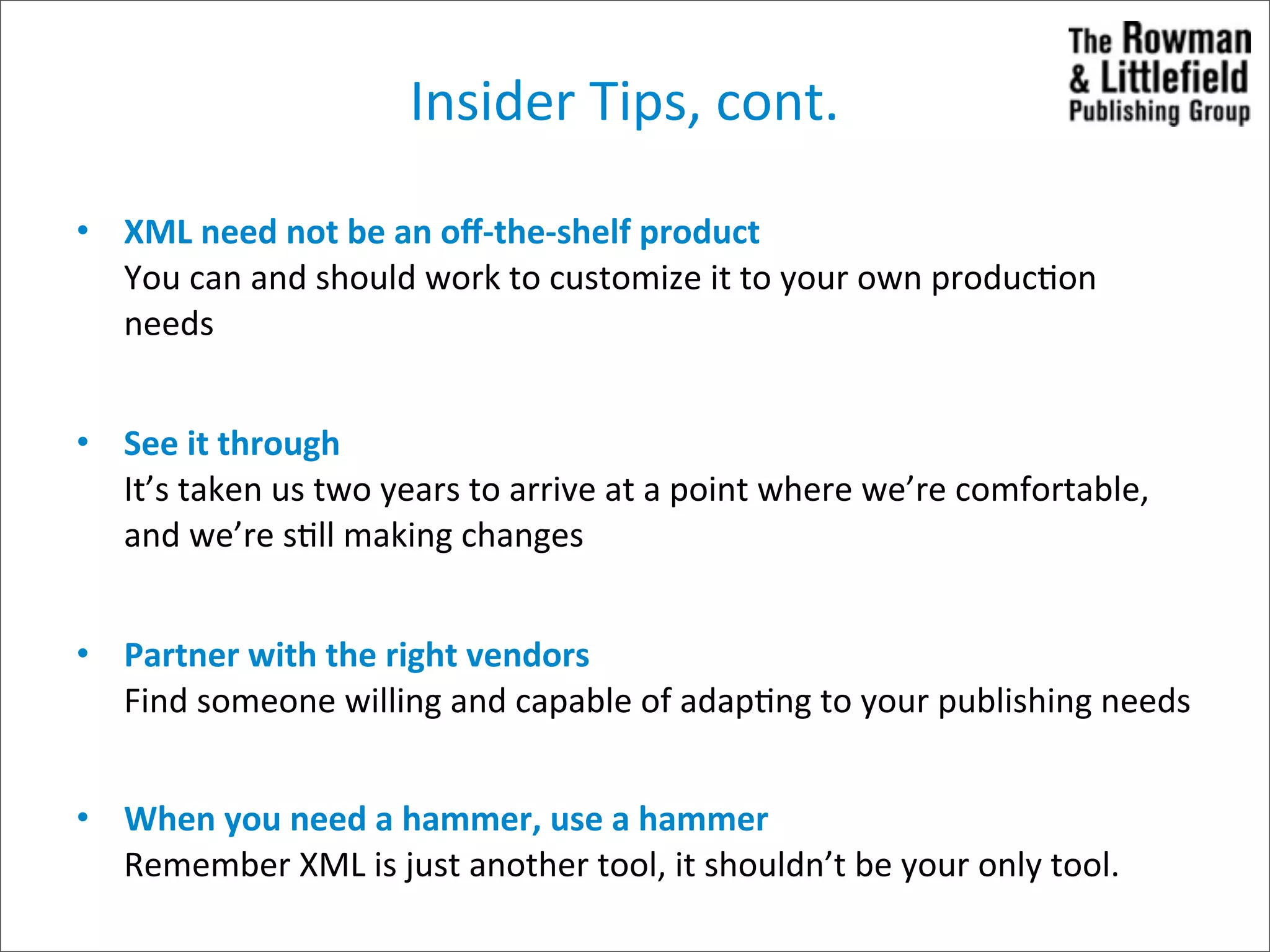
    Insider  Tips,  cont. •XML  need  not  be  an  off-­‐the-­‐shelf  product You  can  and  should  work  to  customize  it  to  your  own  produc>on   needs • See  it  through It’s  taken  us  two  years  to  arrive  at  a  point  where  we’re  comfortable,   and  we’re  s>ll  making  changes • Partner  with  the  right  vendors Find  someone  willing  and  capable  of  adap>ng  to  your  publishing  needs • When  you  need  a  hammer,  use  a  hammer Remember  XML  is  just  another  tool,  it  shouldn’t  be  your  only  tool.  
  • 38.
  • 39.
    What’s  Next Tech  Course  802 1. Chris>ne  on  Tues  15th:  coming  in  to  talk  templates  and  wordpress 2. Next  Tues  22nd:  Chloe  and  Stacey  coming  in  to  talk  about  ebooks,  and  xml 3. Following  Mon  28  and  Tues  29:  Brenda  J  Walker  and  Haig  Armen  on  apps Tech  Project  607 1. This  Wed  16th:  Content  to  present  assignment  to  Design  &  Tech  so  we  can  all  be  on   the  same  page  and  on  Thurs  carry  on  with  wireframes/design  mockups  (Design),   plaworm  set  up  (Tech)  and  discoverability/ed  calendar  (Content) 2. Following  Wed  23rd:  Present  to  Alan  and  David  designs  and  ideas  so  far.