System Software
Dr. C.V. Suresh Babu
• WHAT IS SOFTWARE?
• SYSTEM SOFTWARE
• APPLICATION SOFTWARE
• CONTEMPORARY TOOLS FOR SOFTWARE
DEVELOPMENT
*
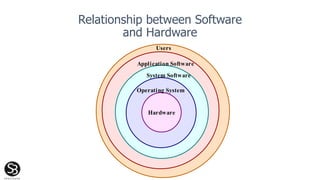
Relationship between Software
and Hardware
Hardware
Operating System
Users
System Software
Application Software
Computing
System
Components
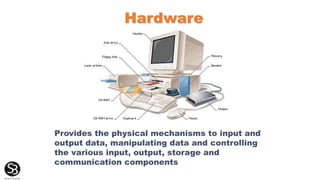
Provides the physical mechanisms to input and
output data, manipulating data and controlling
the various input, output, storage and
communication components
Hardware
What is software?
• A software program is a series of statements
or instructions to the computer. A program is
loaded into memory (RAM). Its execution is
referred to as a process.
• A program is analogous to a recipe.
Example: Read (“Your age in years :”) to A
A = A * 12
PRINT (“Your are ” & str(A) & “ months old”)
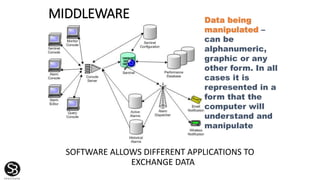
MIDDLEWARE
SOFTWARE ALLOWS DIFFERENT APPLICATIONS TO
EXCHANGE DATA
Data being
manipulated –
can be
alphanumeric,
graphic or any
other form. In all
cases it is
represented in a
form that the
computer will
understand and
manipulate
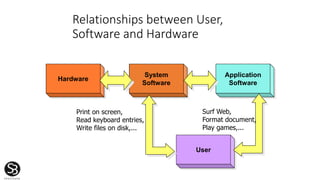
Relationships between User,
Software and Hardware
Hardware
System
Software
Application
Software
User
Print on screen,
Read keyboard entries,
Write files on disk,...
Surf Web,
Format document,
Play games,...
SOFTWARE
DETAILED INSTRUCTIONS TO CONTROL COMPUTER
OPERATION
• PROGRAM: SET OF INSTRUCTIONS TO THE COMPUTER
• STORED: PROGRAM MUST BE IN PRIMARY STORAGE
• SYSTEM SOFTWARE:
MANAGES COMPUTER
RESOURCES
• APPLICATION SOFTWARE:
SPECIFIC BUSINESS
APPLICATION
Framework for Software
• System Software
• manages the resources of the computer
• resources can be CPU, RAM, secondary
storage, printers, communication
devices…
• Application Software
• performs a specific task on the computer
• examples include word processing,
spreadsheets, program languages, games
...
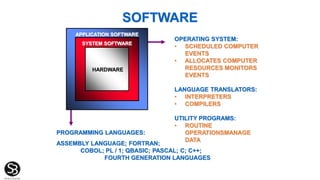
PROGRAMMING LANGUAGES:
ASSEMBLY LANGUAGE; FORTRAN;
COBOL; PL / 1; QBASIC; PASCAL; C; C++;
FOURTH GENERATION LANGUAGES
OPERATING SYSTEM:
• SCHEDULED COMPUTER
EVENTS
• ALLOCATES COMPUTER
RESOURCES MONITORS
EVENTS
LANGUAGE TRANSLATORS:
• INTERPRETERS
• COMPILERS
UTILITY PROGRAMS:
• ROUTINE
OPERATIONSMANAGE
DATA
SOFTWARE
HARDWARE
SYSTEM SOFTWARE
APPLICATION SOFTWARE
Application Software
• Primarily concerned with accomplishing specific tasks for
the end-user
• Three types of application software:
• Development tools: to create new software (programming
languages)
• Utilities - Management tools: to manage programs and data on the
computer (backup, screen savers,.)
• Special / general purpose applications: what the computer is used
for (word processing, games,…)
Application
Software's
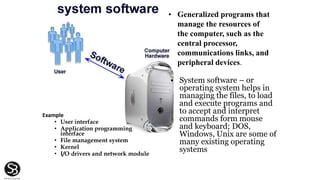
Example
• User interface
• Application programming
interface
• File management system
• Kernel
• I/O drivers and network module
• Generalized programs that
manage the resources of
the computer, such as the
central processor,
communications links, and
peripheral devices.
• System software – or
operating system helps in
managing the files, to load
and execute programs and
to accept and interpret
commands form mouse
and keyboard; DOS,
Windows, Unix are some of
many existing operating
systems
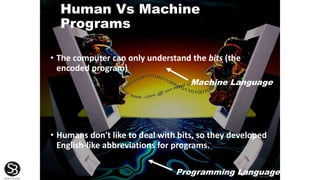
Human Vs Machine
Programs
• The computer can only understand the bits (the
encoded program)
• Humans don't like to deal with bits, so they developed
English-like abbreviations for programs.
Programming Language
Machine Language
GENERATIONS
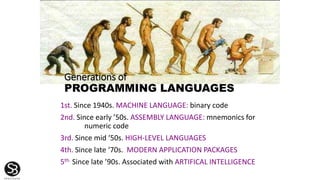
Generations of
PROGRAMMING LANGUAGES
1st. Since 1940s. MACHINE LANGUAGE: binary code
2nd. Since early ’50s. ASSEMBLY LANGUAGE: mnemonics for
numeric code
3rd. Since mid ‘50s. HIGH-LEVEL LANGUAGES
4th. Since late ‘70s. MODERN APPLICATION PACKAGES
5th. Since late ’90s. Associated with ARTIFICAL INTELLIGENCE
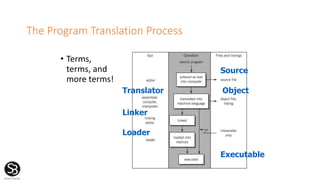
The Program Translation Process
• Terms,
terms, and
more terms!
Source
Object
Executable
Translator
Linker
Loader
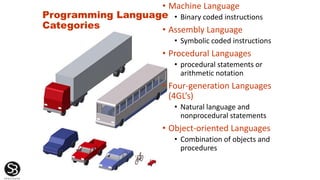
Programming Language
Categories
• Machine Language
• Binary coded instructions
• Assembly Language
• Symbolic coded instructions
• Procedural Languages
• procedural statements or
arithmetic notation
• Four-generation Languages
(4GL’s)
• Natural language and
nonprocedural statements
• Object-oriented Languages
• Combination of objects and
procedures
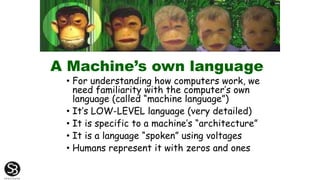
A Machine’s own language
• For understanding how computers work, we
need familiarity with the computer’s own
language (called “machine language”)
• It’s LOW-LEVEL language (very detailed)
• It is specific to a machine’s “architecture”
• It is a language “spoken” using voltages
• Humans represent it with zeros and ones
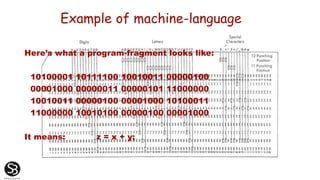
Example of machine-language
Here’s what a program-fragment looks like:
10100001 10111100 10010011 00000100
00001000 00000011 00000101 11000000
10010011 00000100 00001000 10100011
11000000 10010100 00000100 00001000
It means: z = x + y;
Beyond your
understanding?
• Though possible, it is extremely
difficult, tedious (and error-prone)
for humans to read and write “raw”
machine-language
• When unavoidable, a special
notation can help (called
hexadecimal representation):
A1 BC 93 04 08
03 05 C0 93 04 08
A3 C0 94 04 08
• But still this looks rather
meaningless!
2GL Assembly language
• There are two key ideas:
-- mnemonic opcodes: we employ abbreviations of
English language words to denote operations
-- symbolic addresses: we invent “meaningful”
names for memory storage locations we need
• These make machine-language understandable to
humans – if they know their machine’s design
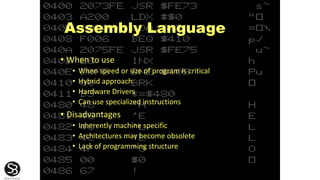
Assembly Language
• When to use
• When speed or size of program is critical
• Hybrid approach
• Hardware Drivers
• Can use specialized instructions
• Disadvantages
• Inherently machine specific
• Architectures may become obsolete
• Lack of programming structure
Assembly & Machine Language
ST 1,[801]
ST 0,[802]
TOP: BEQ [802],10,BOT
INCR [802]
MUL [801],2,[803]
ST [803],[801]
JMP TOP
BOT: LD A,[801]
CALL PRINT
Assembly Language
00100101 11010011
00100100 11010100
10001010 01001001 11110000
01000100 01010100
01001000 10100111 10100011
11100101 10101011 00000010
00101001
11010101
11010100 10101000
10010001 01000100
Machine Language
An Assembler
Assembly
Language
Program
ST 1,[801]
. . .
Machine
Language
Program
01001001
10010100
Assembler
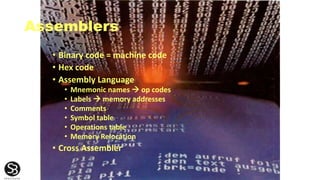
Assemblers
• Binary code = machine code
• Hex code
• Assembly Language
• Mnemonic names  op codes
• Labels  memory addresses
• Comments
• Symbol table
• Operations table
• Memory Relocation
• Cross Assembler
Third Generation Language (HLL)
• Many high-level languages have been
developed.
• Different ways of representing
computations.
• Different languages for different needs:
• symbolic vs. numeric computation
• human efficiency vs. program efficiency
• portability
• extensibility
High-Level Languages
• FORTRAN (FORmula TRANslator): Scientific,
Engineering applications
• COBOL (COmmon Business Oriented Language):
Predominant for transaction processing
• BASIC (Beginners All-purpose Symbolic
Instruction Code): General purpose PC
language
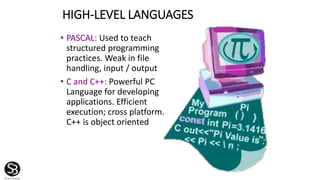
HIGH-LEVEL LANGUAGES
• PASCAL: Used to teach
structured programming
practices. Weak in file
handling, input / output
• C and C++: Powerful PC
Language for developing
applications. Efficient
execution; cross platform.
C++ is object oriented
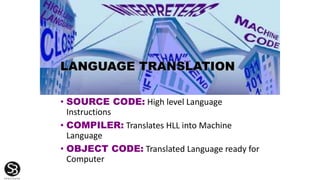
LANGUAGE TRANSLATION
• SOURCE CODE: High level Language
Instructions
• COMPILER: Translates HLL into Machine
Language
• OBJECT CODE: Translated Language ready for
Computer
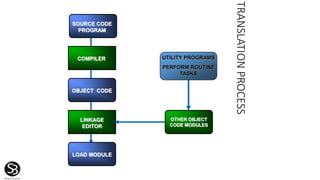
TRANSLATIONPROCESS
SOURCE CODE
PROGRAM
COMPILER
OBJECT CODE
LINKAGE
EDITOR
LOAD MODULE
OTHER OBJECT
CODE MODULES
UTILITY PROGRAMS
PERFORM ROUTINE
TASKS
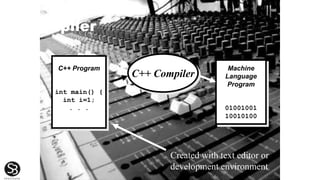
Compiler
C++ Program
int main() {
int i=1;
. . .
Machine
Language
Program
01001001
10010100
C++ Compiler
Created with text editor or
development environment
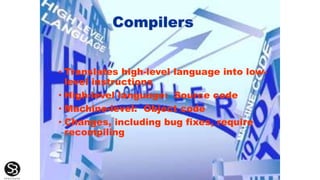
Compilers
• Translates high-level language into low-
level instructions
• High-level language: Source code
• Machine-level: Object code
• Changes, including bug fixes, require
recompiling
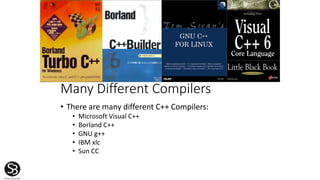
Many Different Compilers
• There are many different C++ Compilers:
• Microsoft Visual C++
• Borland C++
• GNU g++
• IBM xlc
• Sun CC
 The 4GL programmer would only have to be concerned with what
quantity of coffee should be prepared and if milk and sugar
should be added.
 Non-procedural languages state the goal to be achieved, but not
the steps required in order to achieve the goal.
 Using a 4GL to create an application that it was not intended for
will create problems for a programmer.
In theory, Fourth Generation Languages are 'non-procedural'
languages, meaning that the programmer says what they want done
rather than how to do it.
Fourth Generation Languages (4GLs)
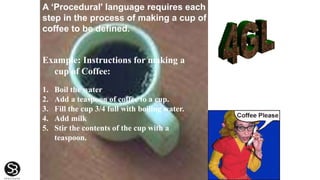
Example: Instructions for making a
cup of Coffee:
1. Boil the water
2. Add a teaspoon of coffee to a cup.
3. Fill the cup 3/4 full with boiling water.
4. Add milk
5. Stir the contents of the cup with a
teaspoon.
A ‘Procedural' language requires each
step in the process of making a cup of
coffee to be defined.
FOURTH GENERATION
LANGUAGES (4GL)
• Can be employed by End
Users
• Non Procedural
• Can develop applications
quickly
• Natural Languages
• SIX Categories
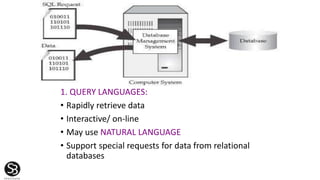
1. QUERY LANGUAGES:
• Rapidly retrieve data
• Interactive/ on-line
• May use NATURAL LANGUAGE
• Support special requests for data from relational
databases
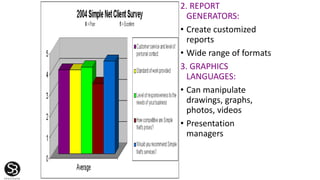
2. REPORT
GENERATORS:
• Create customized
reports
• Wide range of formats
3. GRAPHICS
LANGUAGES:
• Can manipulate
drawings, graphs,
photos, videos
• Presentation
managers
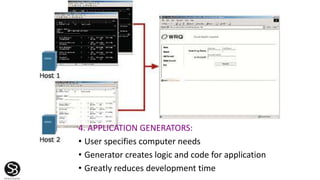
4. APPLICATION GENERATORS:
• User specifies computer needs
• Generator creates logic and code for application
• Greatly reduces development time
5. VERY HIGH-LEVEL PROGRAMMING LANGUAGES:
• Professional programmer productivity tool
• Uses fewer instructions
• Reduces development time
*
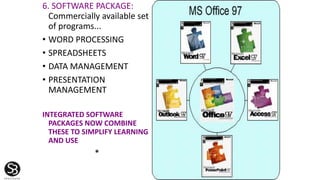
6. SOFTWARE PACKAGE:
Commercially available set
of programs...
• WORD PROCESSING
• SPREADSHEETS
• DATA MANAGEMENT
• PRESENTATION
MANAGEMENT
INTEGRATED SOFTWARE
PACKAGES NOW COMBINE
THESE TO SIMPLIFY LEARNING
AND USE
*
4GLs contain the following
advantages and disadvantages:
Advantages
Disadvantages
1. They possess friendly
interfaces
2. They are easier to use than
previously used high level
languages
3. The programming language
contained within a 4GL is
closely linked to the English
language structure
1. The downside of a 4GL is that
the programs run slower than
those of earlier language
generations because their
machine code equivalent is
considerably longer and more
complicated to execute
2. The recent popularity of 4GLs
is closely linked to the
development of fast
microprocessors
OBJECT-ORIENTED PROGRAMMING
• COMBINES DATA & PROCEDURES INTO A SINGLE
OBJECT
• PROGRAM SENDS MESSAGE TO OBJECT TO
PERFORM EMBEDDED PROCEDURE
• OBJECT’S DATA ENCAPSULATED FROM REST OF
SYSTEM
• CREATES REUSABLE CODE
• REDUCES TIME AND COST OF WRITING SOFTWARE
*
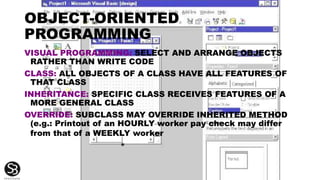
OBJECT-ORIENTED
PROGRAMMING
VISUAL PROGRAMMING: SELECT AND ARRANGE OBJECTS
RATHER THAN WRITE CODE
CLASS: ALL OBJECTS OF A CLASS HAVE ALL FEATURES OF
THAT CLASS
INHERITANCE: SPECIFIC CLASS RECEIVES FEATURES OF A
MORE GENERAL CLASS
OVERRIDE: SUBCLASS MAY OVERRIDE INHERITED METHOD
(e.g.: Printout of an HOURLY worker pay check may differ
from that of a WEEKLY worker
*
OBJECT-ORIENTED
PROGRAMMING
JAVA: Sun Microsystems OBJECT-ORIENTED
PROGRAMMING LANGUAGE
• APPLET: TINY PROGRAM TO EXECUTE SMALL FUNCTION
• APPLETS DOWNLOADED FROM NETWORK
• RUN ON ANY COMPUTER & OPERATING SYSTEM
• RESULT SAVED ON NETWORK, NOT ON PC
• ONLY NETWORK VERSION OF SOFTWARE NEEDS UPGRADE
*
OBJECT-ORIENTED
PROGRAMMING
HTML: Hypertext markup language,
current favorite for Web pages
XML: eXtensible Markup Language,
further development of HTML
describes data more fully
XHTML: Hybrid may replace HTML as
standard for Web
*
OBJECT-ORIENTED PROGRAMMING
ActiveX: Controls for Windows software
environment to enable OBJECTS: e.g.,
• CHARTS
• TABLES
• ANIMATIONS
to be EMBEDDED IN A WEB PAGE
*
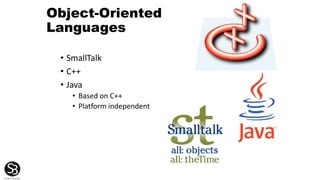
Object-Oriented
Languages
• SmallTalk
• C++
• Java
• Based on C++
• Platform independent
 Fifth generation languages are normally associated with
the field of artificial intelligence.
 Artificial intelligence, built up through logic
programming, models a real world environment or
situation.
 Artificial intelligence aims to support flexible and
informed patterns of behavior within a computer.
 The main contenders within the fifth generation
language category are:
•Prolog 2
•Expert Systems
•Knowledge Based Systems
Fifth Generation Languages
Programming Tools Overview
• Editors
• Assemblers
• Debuggers
Integrated Development Environments
(IDEs) combine several of the above
programming tools
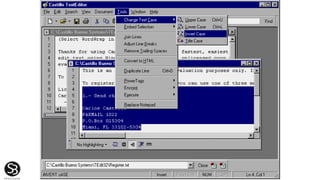
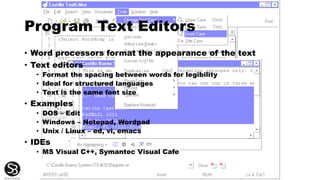
Program Text Editors
• Word processors format the appearance of the text
• Text editors
• Format the spacing between words for legibility
• Ideal for structured languages
• Text is the same font size
• Examples
• DOS – Edit
• Windows – Notepad, Wordpad
• Unix / Linux – ed, vi, emacs
• IDEs
• MS Visual C++, Symantec Visual Cafe
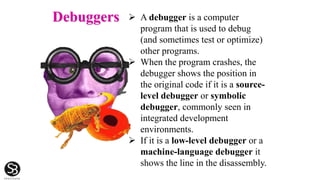
Debuggers  A debugger is a computer
program that is used to debug
(and sometimes test or optimize)
other programs.
 When the program crashes, the
debugger shows the position in
the original code if it is a source-
level debugger or symbolic
debugger, commonly seen in
integrated development
environments.
 If it is a low-level debugger or a
machine-language debugger it
shows the line in the disassembly.
SOFTWARE TOOLS
• WORD PROCESSING
• SPREADSHEETS
• DATA MANAGEMENT
• PRESENTATION GRAPHICS
• INTEGRATED SOFTWARE SUITES
• E-MAIL
• WEB BROWSERS
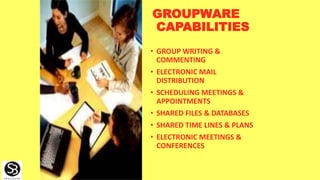
GROUPWARE
CAPABILITIES
• GROUP WRITING &
COMMENTING
• ELECTRONIC MAIL
DISTRIBUTION
• SCHEDULING MEETINGS &
APPOINTMENTS
• SHARED FILES & DATABASES
• SHARED TIME LINES & PLANS
• ELECTRONIC MEETINGS &
CONFERENCES
What is an Operating
System?
• OS must always be resident in memory (RAM)
• The Operating System (OS) is the one program that
manages and controls the activities of the
computer:
• Communicates with peripherals
• Allocates and assigns resources to the CPU
(memory management,...)
• Schedules jobs executed by the CPU
(priorities,…)
• Monitors activities of the computer (security,
hacking,...)
OS Design Objectives
• Must take advantage of the characteristics of the
Microprocessor (Word size, Instruction set,…)
• Optimize resources to maximize CPU utilization
(Spooling, Virtual Memory,…)
• Facilitate communication with programmers,
operators and users (JCL, GUI,...)
Input -> Process -> Output model
• Computer system is suppose to perform a
useful operation, such as word processing,
retrieval and manipulation of data,
bookkeeping, etc.
• i.e. a credit card transaction operation
• Regardless of the type of operation to be
performed, the work of a computer can be
characterized as an input->process-
>output model:
• the program retrieves input from a disk
file, mouse, keyboard or other type of
input,
• processes the input
• produces the output to a disk, terminal,
printer or some other type of output
device
• All of the above operations are repetitive
in nature
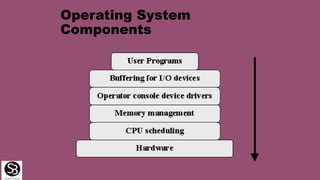
Operating System
Components
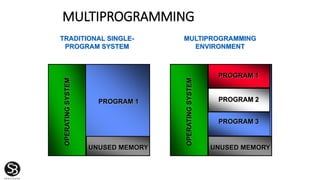
MULTIPROGRAMMING
OPERATINGSYSTEM
UNUSED MEMORY
PROGRAM 1
TRADITIONAL SINGLE-
PROGRAM SYSTEM
OPERATINGSYSTEM
UNUSED MEMORY
PROGRAM 1
PROGRAM 2
PROGRAM 3
MULTIPROGRAMMING
ENVIRONMENT
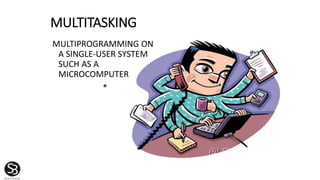
MULTITASKING
MULTIPROGRAMMING ON
A SINGLE-USER SYSTEM
SUCH AS A
MICROCOMPUTER
*
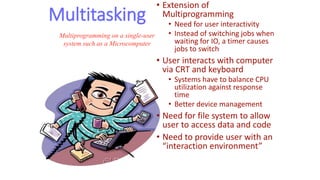
Multitasking
• Extension of
Multiprogramming
• Need for user interactivity
• Instead of switching jobs when
waiting for IO, a timer causes
jobs to switch
• User interacts with computer
via CRT and keyboard
• Systems have to balance CPU
utilization against response
time
• Better device management
• Need for file system to allow
user to access data and code
• Need to provide user with an
“interaction environment”
Multiprogramming on a single-user
system such as a Microcomputer
MULTITHREADING
ABILITY TO EXECUTE DIFFERENT PARTS (THREADS) OF A PROGRAM
SIMULTANEOUSLY
*
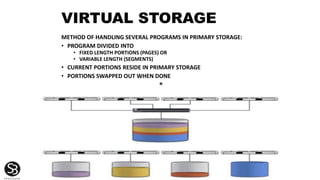
VIRTUAL STORAGE
METHOD OF HANDLING SEVERAL PROGRAMS IN PRIMARY STORAGE:
• PROGRAM DIVIDED INTO
• FIXED LENGTH PORTIONS (PAGES) OR
• VARIABLE LENGTH (SEGMENTS)
• CURRENT PORTIONS RESIDE IN PRIMARY STORAGE
• PORTIONS SWAPPED OUT WHEN DONE
*
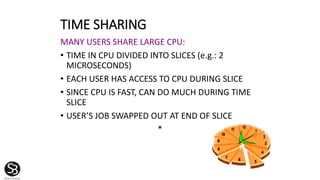
TIME SHARING
MANY USERS SHARE LARGE CPU:
• TIME IN CPU DIVIDED INTO SLICES (e.g.: 2
MICROSECONDS)
• EACH USER HAS ACCESS TO CPU DURING SLICE
• SINCE CPU IS FAST, CAN DO MUCH DURING TIME
SLICE
• USER’S JOB SWAPPED OUT AT END OF SLICE
*
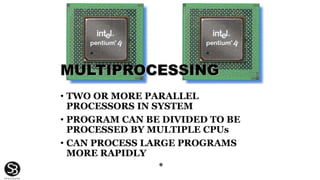
MULTIPROCESSING
• TWO OR MORE PARALLEL
PROCESSORS IN SYSTEM
• PROGRAM CAN BE DIVIDED TO BE
PROCESSED BY MULTIPLE CPUs
• CAN PROCESS LARGE PROGRAMS
MORE RAPIDLY
*
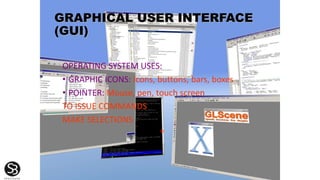
GRAPHICAL USER INTERFACE
(GUI)
OPERATING SYSTEM USES:
• GRAPHIC ICONS: Icons, buttons, bars, boxes
• POINTER: Mouse, pen, touch screen
TO ISSUE COMMANDS
MAKE SELECTIONS
*
MICROCOMPUTER OPERATING SYSTEMS
32-bit operating system, GUI, multitasking,
networking
32-bit operating system not limited to Intel chips.
Multitasking, multiprocessing, networking
32-bit. Developed for IBM PS/2. Multitasking,
networking
Paired-down for handheld computers, wireless
communication devices
Windows
98 & 95
Windows NT
Me & 2000
Windows CE
OS/2
OPERATING SYSTEM FEATURES
OPERATING SYSTEM
Mac OS For Macintosh computers. Multitasking.
Powerful graphics, multimedia
Unix For powerful microcomputers, workstations,
minicomputers. Multitasking, multi-user
processing, networking. Portable to various
computer platforms
DOS For IBM (PC-DOS) and PC (MS-DOS).
Program memory: 640K
Linux Free, reliable alternative to Unix, Windows.
Runs on many Platforms. Open-source
FEATURES
MICROCOMPUTER OPERATING SYSTEMS

System softare

  • 1.
  • 2.
    • WHAT ISSOFTWARE? • SYSTEM SOFTWARE • APPLICATION SOFTWARE • CONTEMPORARY TOOLS FOR SOFTWARE DEVELOPMENT *
  • 3.
    Relationship between Software andHardware Hardware Operating System Users System Software Application Software
  • 4.
  • 5.
    Provides the physicalmechanisms to input and output data, manipulating data and controlling the various input, output, storage and communication components Hardware
  • 6.
    What is software? •A software program is a series of statements or instructions to the computer. A program is loaded into memory (RAM). Its execution is referred to as a process. • A program is analogous to a recipe. Example: Read (“Your age in years :”) to A A = A * 12 PRINT (“Your are ” & str(A) & “ months old”)
  • 7.
    MIDDLEWARE SOFTWARE ALLOWS DIFFERENTAPPLICATIONS TO EXCHANGE DATA Data being manipulated – can be alphanumeric, graphic or any other form. In all cases it is represented in a form that the computer will understand and manipulate
  • 8.
    Relationships between User, Softwareand Hardware Hardware System Software Application Software User Print on screen, Read keyboard entries, Write files on disk,... Surf Web, Format document, Play games,...
  • 9.
    SOFTWARE DETAILED INSTRUCTIONS TOCONTROL COMPUTER OPERATION • PROGRAM: SET OF INSTRUCTIONS TO THE COMPUTER • STORED: PROGRAM MUST BE IN PRIMARY STORAGE • SYSTEM SOFTWARE: MANAGES COMPUTER RESOURCES • APPLICATION SOFTWARE: SPECIFIC BUSINESS APPLICATION
  • 10.
    Framework for Software •System Software • manages the resources of the computer • resources can be CPU, RAM, secondary storage, printers, communication devices… • Application Software • performs a specific task on the computer • examples include word processing, spreadsheets, program languages, games ...
  • 11.
    PROGRAMMING LANGUAGES: ASSEMBLY LANGUAGE;FORTRAN; COBOL; PL / 1; QBASIC; PASCAL; C; C++; FOURTH GENERATION LANGUAGES OPERATING SYSTEM: • SCHEDULED COMPUTER EVENTS • ALLOCATES COMPUTER RESOURCES MONITORS EVENTS LANGUAGE TRANSLATORS: • INTERPRETERS • COMPILERS UTILITY PROGRAMS: • ROUTINE OPERATIONSMANAGE DATA SOFTWARE HARDWARE SYSTEM SOFTWARE APPLICATION SOFTWARE
  • 12.
    Application Software • Primarilyconcerned with accomplishing specific tasks for the end-user • Three types of application software: • Development tools: to create new software (programming languages) • Utilities - Management tools: to manage programs and data on the computer (backup, screen savers,.) • Special / general purpose applications: what the computer is used for (word processing, games,…)
  • 13.
  • 14.
    Example • User interface •Application programming interface • File management system • Kernel • I/O drivers and network module • Generalized programs that manage the resources of the computer, such as the central processor, communications links, and peripheral devices. • System software – or operating system helps in managing the files, to load and execute programs and to accept and interpret commands form mouse and keyboard; DOS, Windows, Unix are some of many existing operating systems
  • 15.
    Human Vs Machine Programs •The computer can only understand the bits (the encoded program) • Humans don't like to deal with bits, so they developed English-like abbreviations for programs. Programming Language Machine Language
  • 16.
  • 17.
    Generations of PROGRAMMING LANGUAGES 1st.Since 1940s. MACHINE LANGUAGE: binary code 2nd. Since early ’50s. ASSEMBLY LANGUAGE: mnemonics for numeric code 3rd. Since mid ‘50s. HIGH-LEVEL LANGUAGES 4th. Since late ‘70s. MODERN APPLICATION PACKAGES 5th. Since late ’90s. Associated with ARTIFICAL INTELLIGENCE
  • 18.
    The Program TranslationProcess • Terms, terms, and more terms! Source Object Executable Translator Linker Loader
  • 19.
    Programming Language Categories • MachineLanguage • Binary coded instructions • Assembly Language • Symbolic coded instructions • Procedural Languages • procedural statements or arithmetic notation • Four-generation Languages (4GL’s) • Natural language and nonprocedural statements • Object-oriented Languages • Combination of objects and procedures
  • 20.
    A Machine’s ownlanguage • For understanding how computers work, we need familiarity with the computer’s own language (called “machine language”) • It’s LOW-LEVEL language (very detailed) • It is specific to a machine’s “architecture” • It is a language “spoken” using voltages • Humans represent it with zeros and ones
  • 21.
    Example of machine-language Here’swhat a program-fragment looks like: 10100001 10111100 10010011 00000100 00001000 00000011 00000101 11000000 10010011 00000100 00001000 10100011 11000000 10010100 00000100 00001000 It means: z = x + y;
  • 22.
    Beyond your understanding? • Thoughpossible, it is extremely difficult, tedious (and error-prone) for humans to read and write “raw” machine-language • When unavoidable, a special notation can help (called hexadecimal representation): A1 BC 93 04 08 03 05 C0 93 04 08 A3 C0 94 04 08 • But still this looks rather meaningless!
  • 23.
    2GL Assembly language •There are two key ideas: -- mnemonic opcodes: we employ abbreviations of English language words to denote operations -- symbolic addresses: we invent “meaningful” names for memory storage locations we need • These make machine-language understandable to humans – if they know their machine’s design
  • 24.
    Assembly Language • Whento use • When speed or size of program is critical • Hybrid approach • Hardware Drivers • Can use specialized instructions • Disadvantages • Inherently machine specific • Architectures may become obsolete • Lack of programming structure
  • 25.
    Assembly & MachineLanguage ST 1,[801] ST 0,[802] TOP: BEQ [802],10,BOT INCR [802] MUL [801],2,[803] ST [803],[801] JMP TOP BOT: LD A,[801] CALL PRINT Assembly Language 00100101 11010011 00100100 11010100 10001010 01001001 11110000 01000100 01010100 01001000 10100111 10100011 11100101 10101011 00000010 00101001 11010101 11010100 10101000 10010001 01000100 Machine Language
  • 26.
    An Assembler Assembly Language Program ST 1,[801] .. . Machine Language Program 01001001 10010100 Assembler
  • 27.
    Assemblers • Binary code= machine code • Hex code • Assembly Language • Mnemonic names  op codes • Labels  memory addresses • Comments • Symbol table • Operations table • Memory Relocation • Cross Assembler
  • 28.
    Third Generation Language(HLL) • Many high-level languages have been developed. • Different ways of representing computations. • Different languages for different needs: • symbolic vs. numeric computation • human efficiency vs. program efficiency • portability • extensibility
  • 29.
    High-Level Languages • FORTRAN(FORmula TRANslator): Scientific, Engineering applications • COBOL (COmmon Business Oriented Language): Predominant for transaction processing • BASIC (Beginners All-purpose Symbolic Instruction Code): General purpose PC language
  • 30.
    HIGH-LEVEL LANGUAGES • PASCAL:Used to teach structured programming practices. Weak in file handling, input / output • C and C++: Powerful PC Language for developing applications. Efficient execution; cross platform. C++ is object oriented
  • 31.
    LANGUAGE TRANSLATION • SOURCECODE: High level Language Instructions • COMPILER: Translates HLL into Machine Language • OBJECT CODE: Translated Language ready for Computer
  • 32.
    TRANSLATIONPROCESS SOURCE CODE PROGRAM COMPILER OBJECT CODE LINKAGE EDITOR LOADMODULE OTHER OBJECT CODE MODULES UTILITY PROGRAMS PERFORM ROUTINE TASKS
  • 33.
    Compiler C++ Program int main(){ int i=1; . . . Machine Language Program 01001001 10010100 C++ Compiler Created with text editor or development environment
  • 34.
    Compilers • Translates high-levellanguage into low- level instructions • High-level language: Source code • Machine-level: Object code • Changes, including bug fixes, require recompiling
  • 35.
    Many Different Compilers •There are many different C++ Compilers: • Microsoft Visual C++ • Borland C++ • GNU g++ • IBM xlc • Sun CC
  • 36.
     The 4GLprogrammer would only have to be concerned with what quantity of coffee should be prepared and if milk and sugar should be added.  Non-procedural languages state the goal to be achieved, but not the steps required in order to achieve the goal.  Using a 4GL to create an application that it was not intended for will create problems for a programmer. In theory, Fourth Generation Languages are 'non-procedural' languages, meaning that the programmer says what they want done rather than how to do it. Fourth Generation Languages (4GLs)
  • 37.
    Example: Instructions formaking a cup of Coffee: 1. Boil the water 2. Add a teaspoon of coffee to a cup. 3. Fill the cup 3/4 full with boiling water. 4. Add milk 5. Stir the contents of the cup with a teaspoon. A ‘Procedural' language requires each step in the process of making a cup of coffee to be defined.
  • 38.
    FOURTH GENERATION LANGUAGES (4GL) •Can be employed by End Users • Non Procedural • Can develop applications quickly • Natural Languages • SIX Categories
  • 39.
    1. QUERY LANGUAGES: •Rapidly retrieve data • Interactive/ on-line • May use NATURAL LANGUAGE • Support special requests for data from relational databases
  • 40.
    2. REPORT GENERATORS: • Createcustomized reports • Wide range of formats 3. GRAPHICS LANGUAGES: • Can manipulate drawings, graphs, photos, videos • Presentation managers
  • 41.
    4. APPLICATION GENERATORS: •User specifies computer needs • Generator creates logic and code for application • Greatly reduces development time
  • 42.
    5. VERY HIGH-LEVELPROGRAMMING LANGUAGES: • Professional programmer productivity tool • Uses fewer instructions • Reduces development time *
  • 43.
    6. SOFTWARE PACKAGE: Commerciallyavailable set of programs... • WORD PROCESSING • SPREADSHEETS • DATA MANAGEMENT • PRESENTATION MANAGEMENT INTEGRATED SOFTWARE PACKAGES NOW COMBINE THESE TO SIMPLIFY LEARNING AND USE *
  • 44.
    4GLs contain thefollowing advantages and disadvantages: Advantages Disadvantages 1. They possess friendly interfaces 2. They are easier to use than previously used high level languages 3. The programming language contained within a 4GL is closely linked to the English language structure 1. The downside of a 4GL is that the programs run slower than those of earlier language generations because their machine code equivalent is considerably longer and more complicated to execute 2. The recent popularity of 4GLs is closely linked to the development of fast microprocessors
  • 45.
    OBJECT-ORIENTED PROGRAMMING • COMBINESDATA & PROCEDURES INTO A SINGLE OBJECT • PROGRAM SENDS MESSAGE TO OBJECT TO PERFORM EMBEDDED PROCEDURE • OBJECT’S DATA ENCAPSULATED FROM REST OF SYSTEM • CREATES REUSABLE CODE • REDUCES TIME AND COST OF WRITING SOFTWARE *
  • 46.
    OBJECT-ORIENTED PROGRAMMING VISUAL PROGRAMMING: SELECTAND ARRANGE OBJECTS RATHER THAN WRITE CODE CLASS: ALL OBJECTS OF A CLASS HAVE ALL FEATURES OF THAT CLASS INHERITANCE: SPECIFIC CLASS RECEIVES FEATURES OF A MORE GENERAL CLASS OVERRIDE: SUBCLASS MAY OVERRIDE INHERITED METHOD (e.g.: Printout of an HOURLY worker pay check may differ from that of a WEEKLY worker *
  • 47.
    OBJECT-ORIENTED PROGRAMMING JAVA: Sun MicrosystemsOBJECT-ORIENTED PROGRAMMING LANGUAGE • APPLET: TINY PROGRAM TO EXECUTE SMALL FUNCTION • APPLETS DOWNLOADED FROM NETWORK • RUN ON ANY COMPUTER & OPERATING SYSTEM • RESULT SAVED ON NETWORK, NOT ON PC • ONLY NETWORK VERSION OF SOFTWARE NEEDS UPGRADE *
  • 48.
    OBJECT-ORIENTED PROGRAMMING HTML: Hypertext markuplanguage, current favorite for Web pages XML: eXtensible Markup Language, further development of HTML describes data more fully XHTML: Hybrid may replace HTML as standard for Web *
  • 49.
    OBJECT-ORIENTED PROGRAMMING ActiveX: Controlsfor Windows software environment to enable OBJECTS: e.g., • CHARTS • TABLES • ANIMATIONS to be EMBEDDED IN A WEB PAGE *
  • 50.
    Object-Oriented Languages • SmallTalk • C++ •Java • Based on C++ • Platform independent
  • 51.
     Fifth generationlanguages are normally associated with the field of artificial intelligence.  Artificial intelligence, built up through logic programming, models a real world environment or situation.  Artificial intelligence aims to support flexible and informed patterns of behavior within a computer.  The main contenders within the fifth generation language category are: •Prolog 2 •Expert Systems •Knowledge Based Systems Fifth Generation Languages
  • 52.
    Programming Tools Overview •Editors • Assemblers • Debuggers Integrated Development Environments (IDEs) combine several of the above programming tools
  • 54.
    Program Text Editors •Word processors format the appearance of the text • Text editors • Format the spacing between words for legibility • Ideal for structured languages • Text is the same font size • Examples • DOS – Edit • Windows – Notepad, Wordpad • Unix / Linux – ed, vi, emacs • IDEs • MS Visual C++, Symantec Visual Cafe
  • 55.
    Debuggers  Adebugger is a computer program that is used to debug (and sometimes test or optimize) other programs.  When the program crashes, the debugger shows the position in the original code if it is a source- level debugger or symbolic debugger, commonly seen in integrated development environments.  If it is a low-level debugger or a machine-language debugger it shows the line in the disassembly.
  • 56.
    SOFTWARE TOOLS • WORDPROCESSING • SPREADSHEETS • DATA MANAGEMENT • PRESENTATION GRAPHICS • INTEGRATED SOFTWARE SUITES • E-MAIL • WEB BROWSERS
  • 57.
    GROUPWARE CAPABILITIES • GROUP WRITING& COMMENTING • ELECTRONIC MAIL DISTRIBUTION • SCHEDULING MEETINGS & APPOINTMENTS • SHARED FILES & DATABASES • SHARED TIME LINES & PLANS • ELECTRONIC MEETINGS & CONFERENCES
  • 58.
    What is anOperating System? • OS must always be resident in memory (RAM) • The Operating System (OS) is the one program that manages and controls the activities of the computer: • Communicates with peripherals • Allocates and assigns resources to the CPU (memory management,...) • Schedules jobs executed by the CPU (priorities,…) • Monitors activities of the computer (security, hacking,...)
  • 59.
    OS Design Objectives •Must take advantage of the characteristics of the Microprocessor (Word size, Instruction set,…) • Optimize resources to maximize CPU utilization (Spooling, Virtual Memory,…) • Facilitate communication with programmers, operators and users (JCL, GUI,...)
  • 60.
    Input -> Process-> Output model • Computer system is suppose to perform a useful operation, such as word processing, retrieval and manipulation of data, bookkeeping, etc. • i.e. a credit card transaction operation • Regardless of the type of operation to be performed, the work of a computer can be characterized as an input->process- >output model: • the program retrieves input from a disk file, mouse, keyboard or other type of input, • processes the input • produces the output to a disk, terminal, printer or some other type of output device • All of the above operations are repetitive in nature
  • 61.
  • 62.
    MULTIPROGRAMMING OPERATINGSYSTEM UNUSED MEMORY PROGRAM 1 TRADITIONALSINGLE- PROGRAM SYSTEM OPERATINGSYSTEM UNUSED MEMORY PROGRAM 1 PROGRAM 2 PROGRAM 3 MULTIPROGRAMMING ENVIRONMENT
  • 63.
    MULTITASKING MULTIPROGRAMMING ON A SINGLE-USERSYSTEM SUCH AS A MICROCOMPUTER *
  • 64.
    Multitasking • Extension of Multiprogramming •Need for user interactivity • Instead of switching jobs when waiting for IO, a timer causes jobs to switch • User interacts with computer via CRT and keyboard • Systems have to balance CPU utilization against response time • Better device management • Need for file system to allow user to access data and code • Need to provide user with an “interaction environment” Multiprogramming on a single-user system such as a Microcomputer
  • 65.
    MULTITHREADING ABILITY TO EXECUTEDIFFERENT PARTS (THREADS) OF A PROGRAM SIMULTANEOUSLY *
  • 66.
    VIRTUAL STORAGE METHOD OFHANDLING SEVERAL PROGRAMS IN PRIMARY STORAGE: • PROGRAM DIVIDED INTO • FIXED LENGTH PORTIONS (PAGES) OR • VARIABLE LENGTH (SEGMENTS) • CURRENT PORTIONS RESIDE IN PRIMARY STORAGE • PORTIONS SWAPPED OUT WHEN DONE *
  • 67.
    TIME SHARING MANY USERSSHARE LARGE CPU: • TIME IN CPU DIVIDED INTO SLICES (e.g.: 2 MICROSECONDS) • EACH USER HAS ACCESS TO CPU DURING SLICE • SINCE CPU IS FAST, CAN DO MUCH DURING TIME SLICE • USER’S JOB SWAPPED OUT AT END OF SLICE *
  • 68.
    MULTIPROCESSING • TWO ORMORE PARALLEL PROCESSORS IN SYSTEM • PROGRAM CAN BE DIVIDED TO BE PROCESSED BY MULTIPLE CPUs • CAN PROCESS LARGE PROGRAMS MORE RAPIDLY *
  • 69.
    GRAPHICAL USER INTERFACE (GUI) OPERATINGSYSTEM USES: • GRAPHIC ICONS: Icons, buttons, bars, boxes • POINTER: Mouse, pen, touch screen TO ISSUE COMMANDS MAKE SELECTIONS *
  • 70.
    MICROCOMPUTER OPERATING SYSTEMS 32-bitoperating system, GUI, multitasking, networking 32-bit operating system not limited to Intel chips. Multitasking, multiprocessing, networking 32-bit. Developed for IBM PS/2. Multitasking, networking Paired-down for handheld computers, wireless communication devices Windows 98 & 95 Windows NT Me & 2000 Windows CE OS/2 OPERATING SYSTEM FEATURES
  • 71.
    OPERATING SYSTEM Mac OSFor Macintosh computers. Multitasking. Powerful graphics, multimedia Unix For powerful microcomputers, workstations, minicomputers. Multitasking, multi-user processing, networking. Portable to various computer platforms DOS For IBM (PC-DOS) and PC (MS-DOS). Program memory: 640K Linux Free, reliable alternative to Unix, Windows. Runs on many Platforms. Open-source FEATURES MICROCOMPUTER OPERATING SYSTEMS