Switch to Backend
Getting started with backend development
By Siddharta Shankar Paul
Core Member, GDSC
Switch to backend Day 1
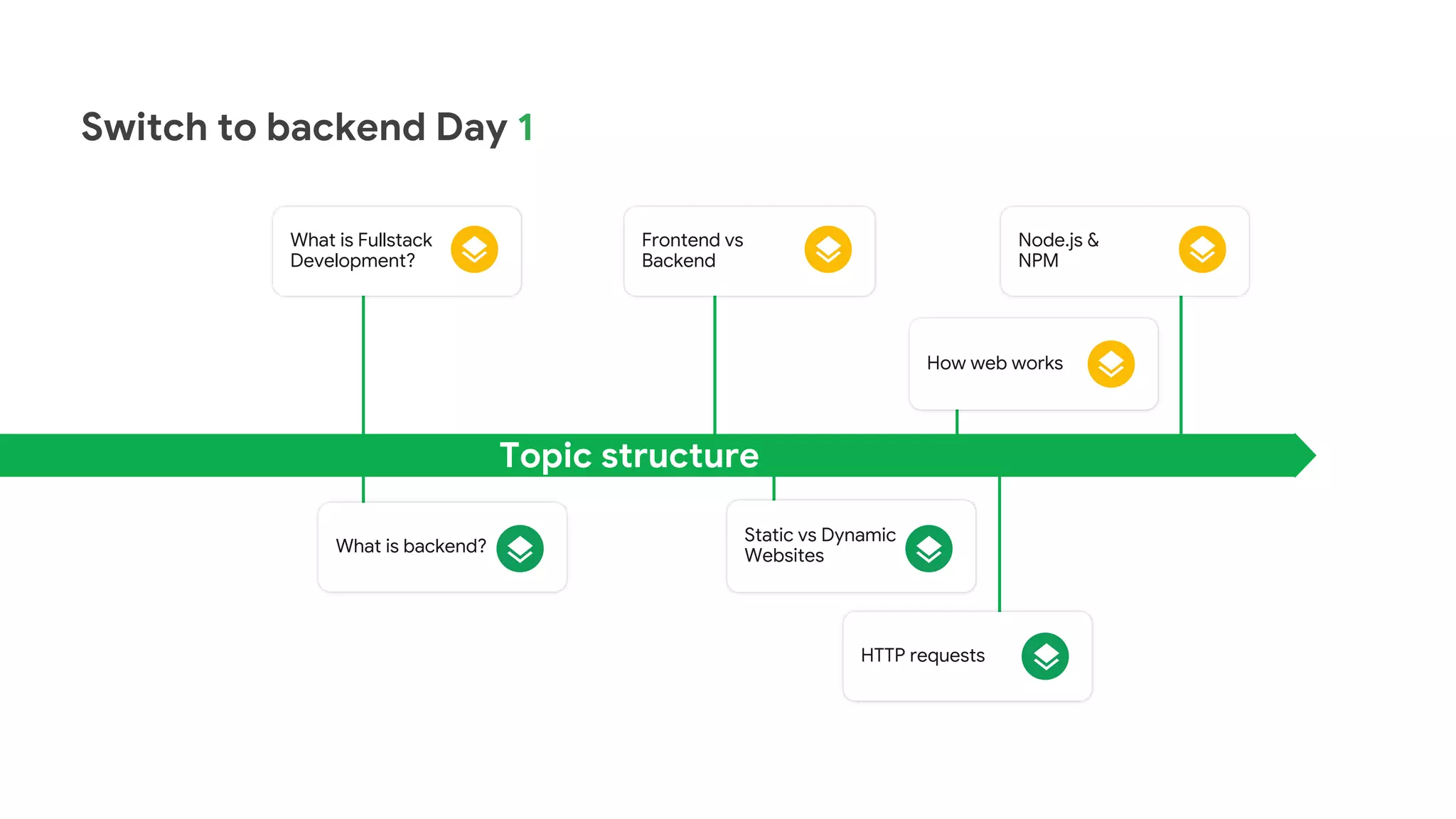
Topic structure
What is Fullstack
Development?
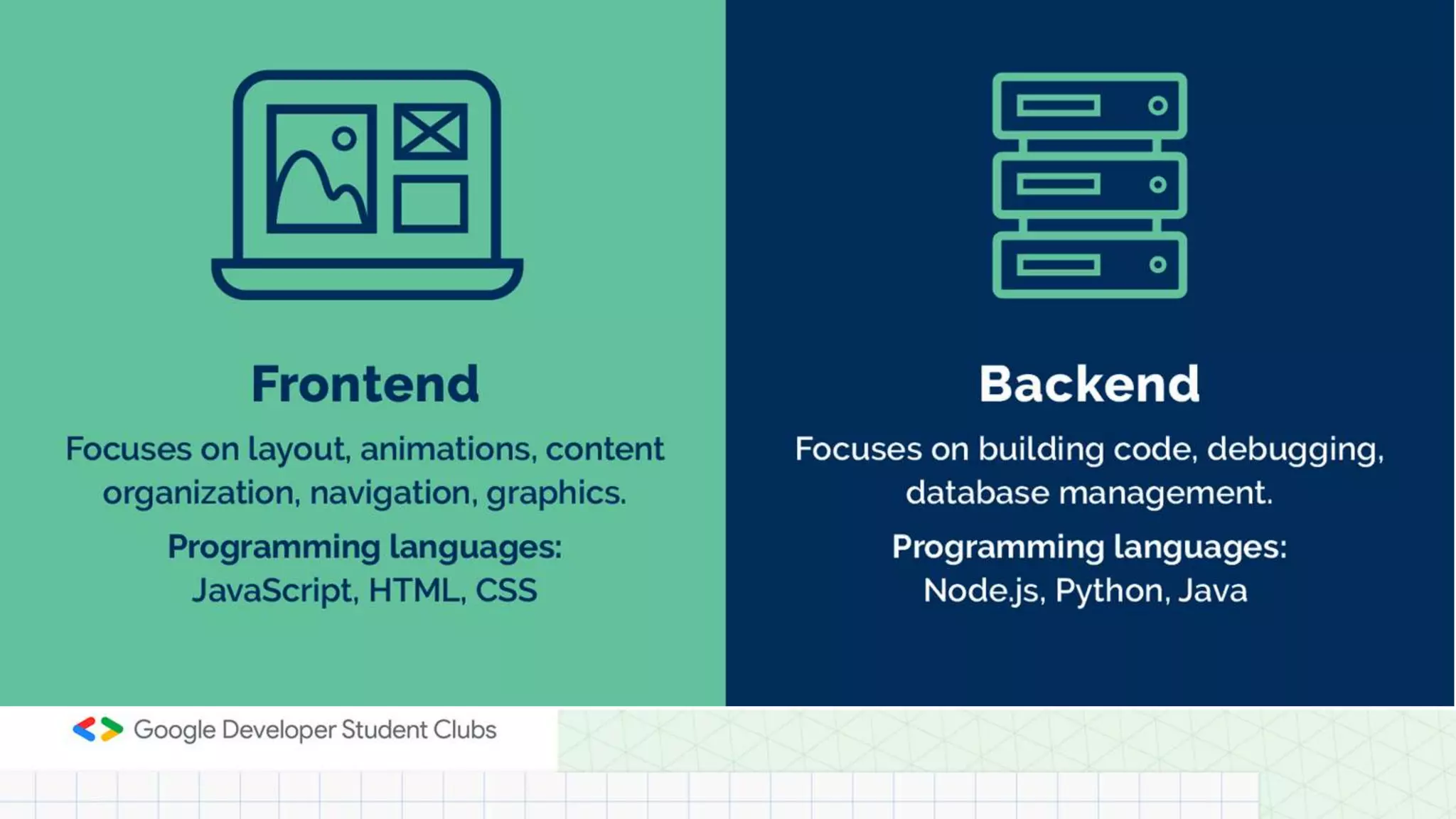
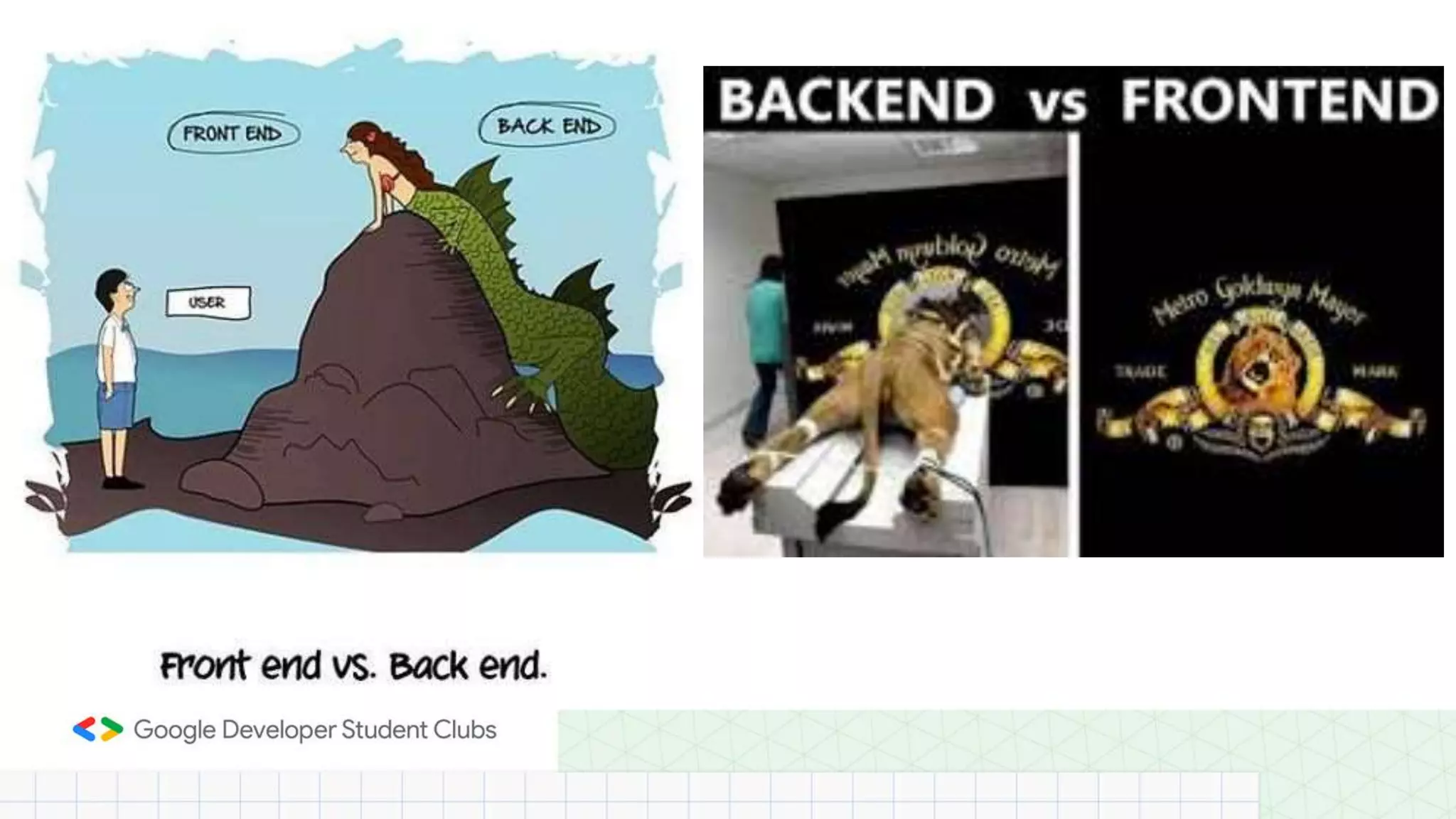
Frontend vs
Backend
Node.js &
NPM
How web works
What is backend?
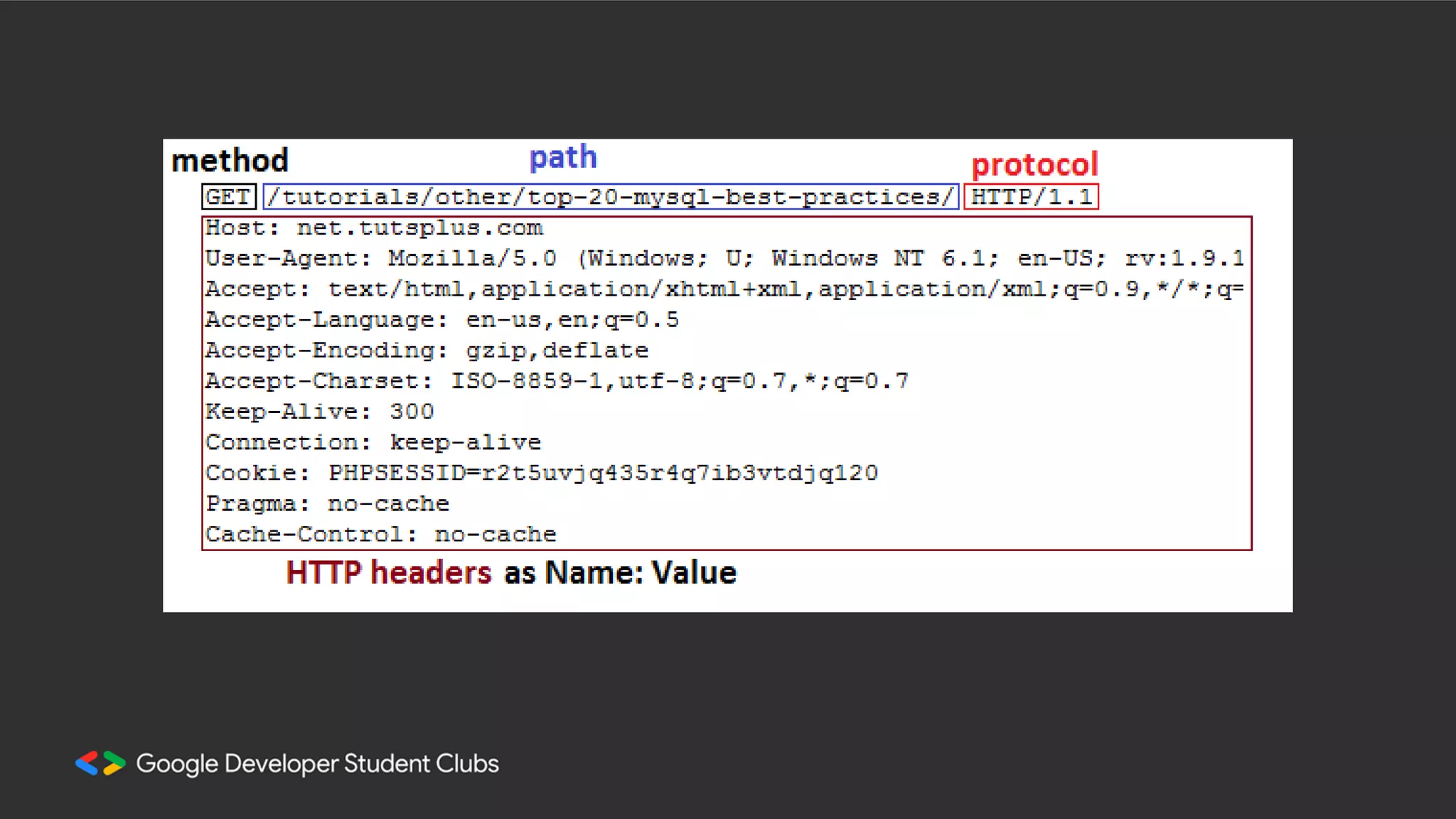
HTTP requests
Static vs Dynamic
Websites
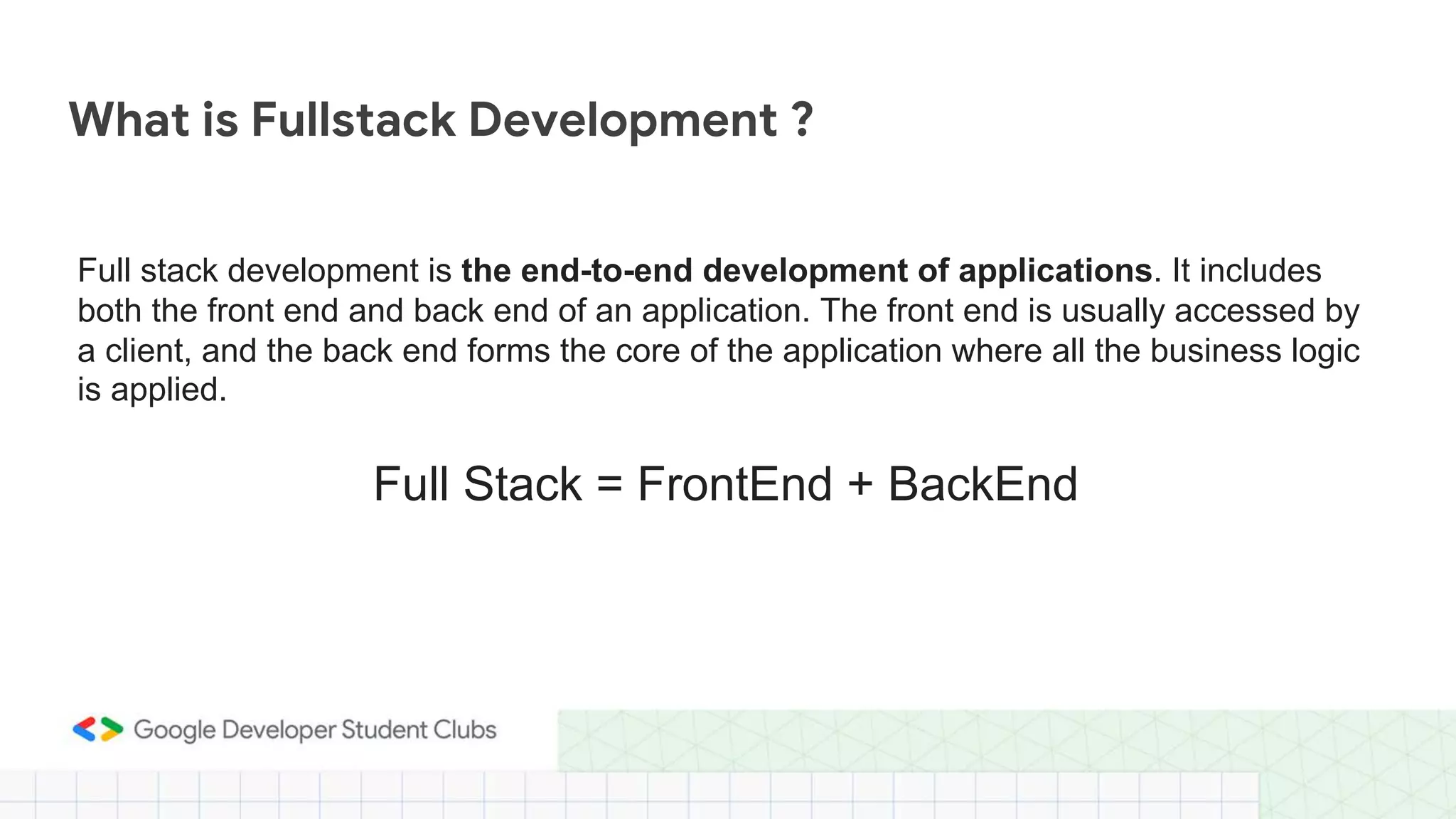
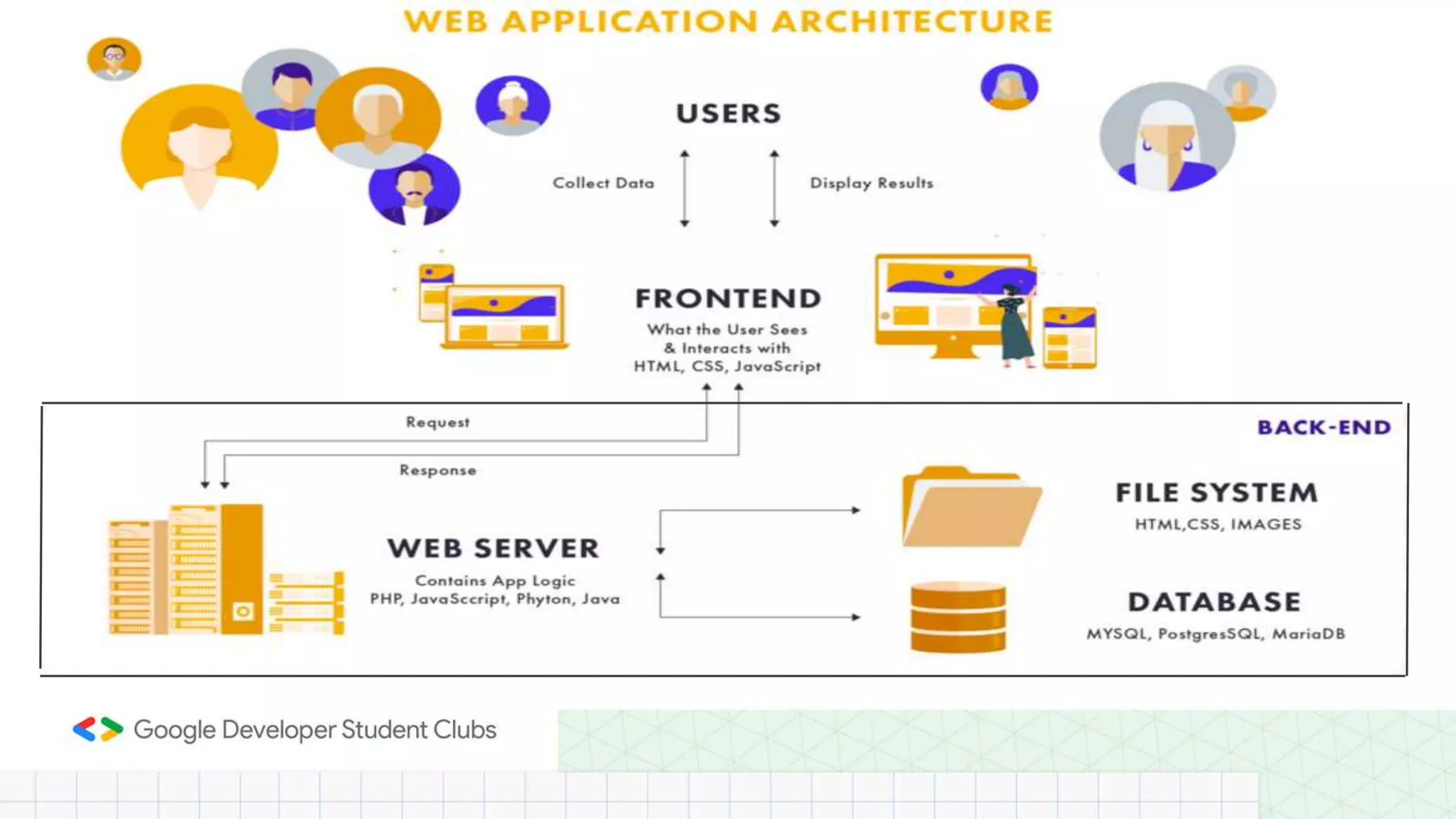
Full stack development is the end-to-end development of applications. It includes
both the front end and back end of an application. The front end is usually accessed by
a client, and the back end forms the core of the application where all the business logic
is applied.
What is Fullstack Development ?
Full Stack = FrontEnd + BackEnd
"Backend" refers to any part of a website or software program that users do not
see.
Blah blah blah...
What is Backend ?
"Backend" refers to any part of a website or software program that users do not
see.
Blah blah blah...
What is Backend ?
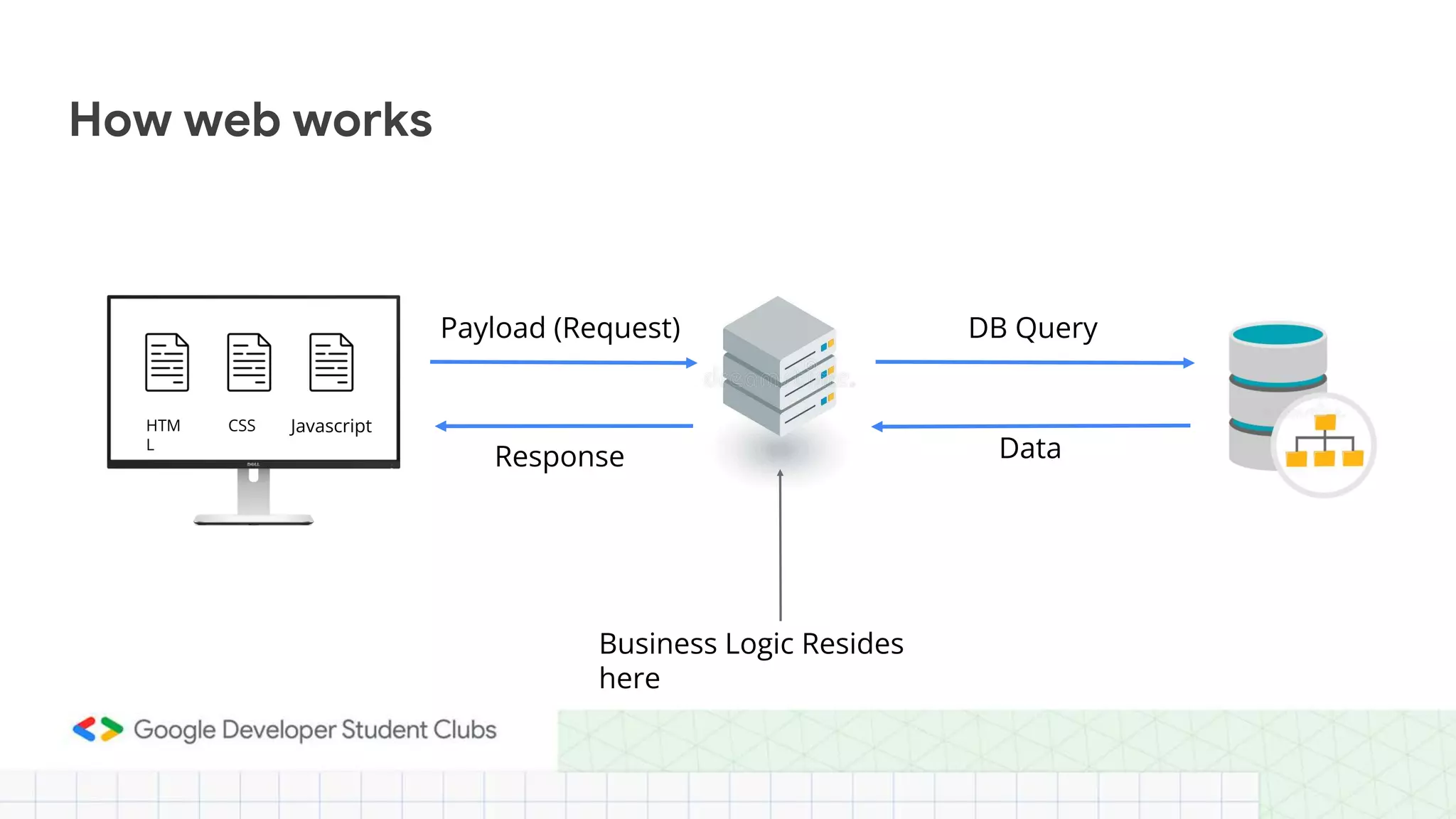
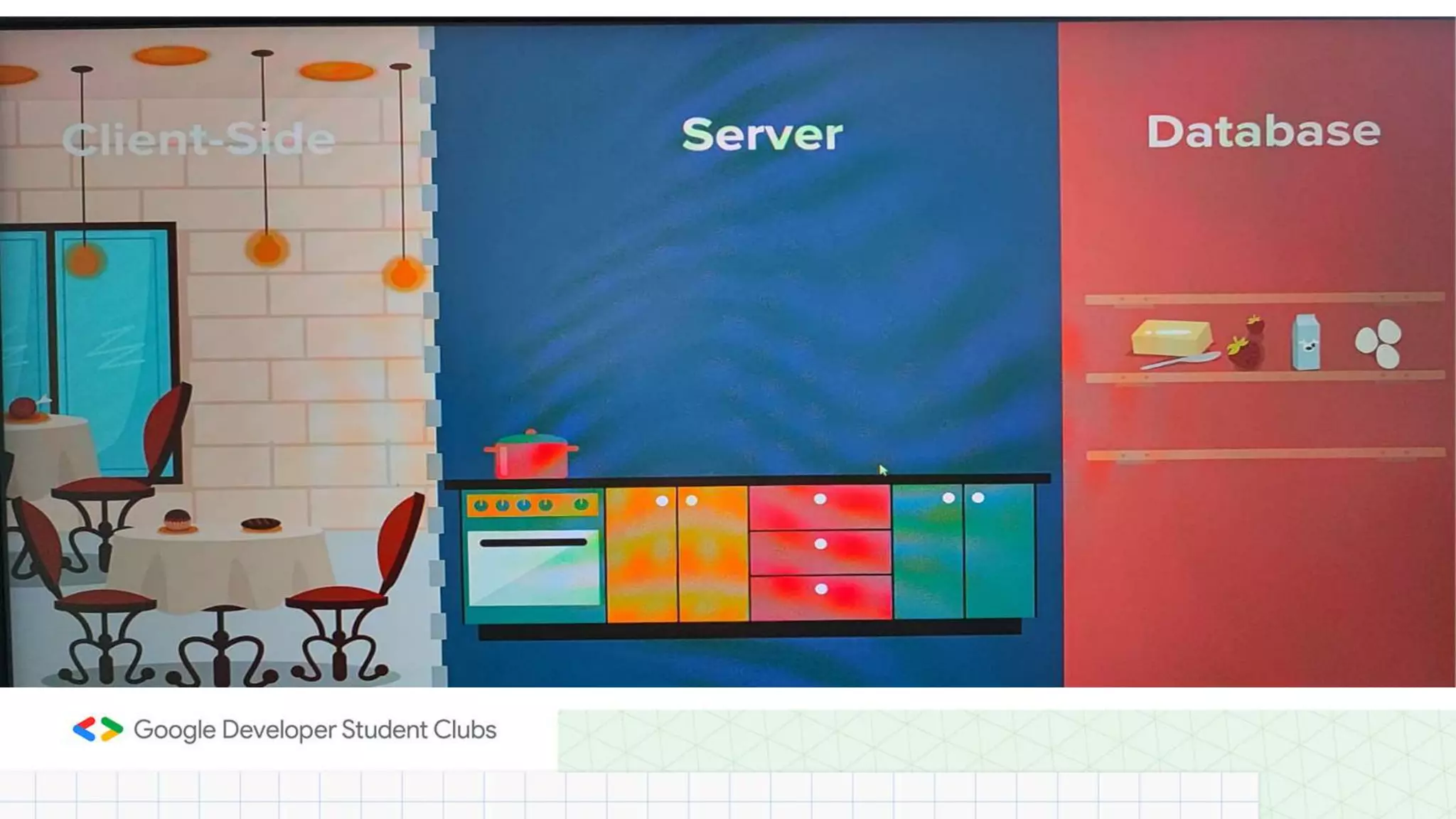
How web works
Payload (Request) DB Query
Response Data
Business Logic Resides
here
HTM
L
CSS Javascript
What is the need to Switch to Backend
???
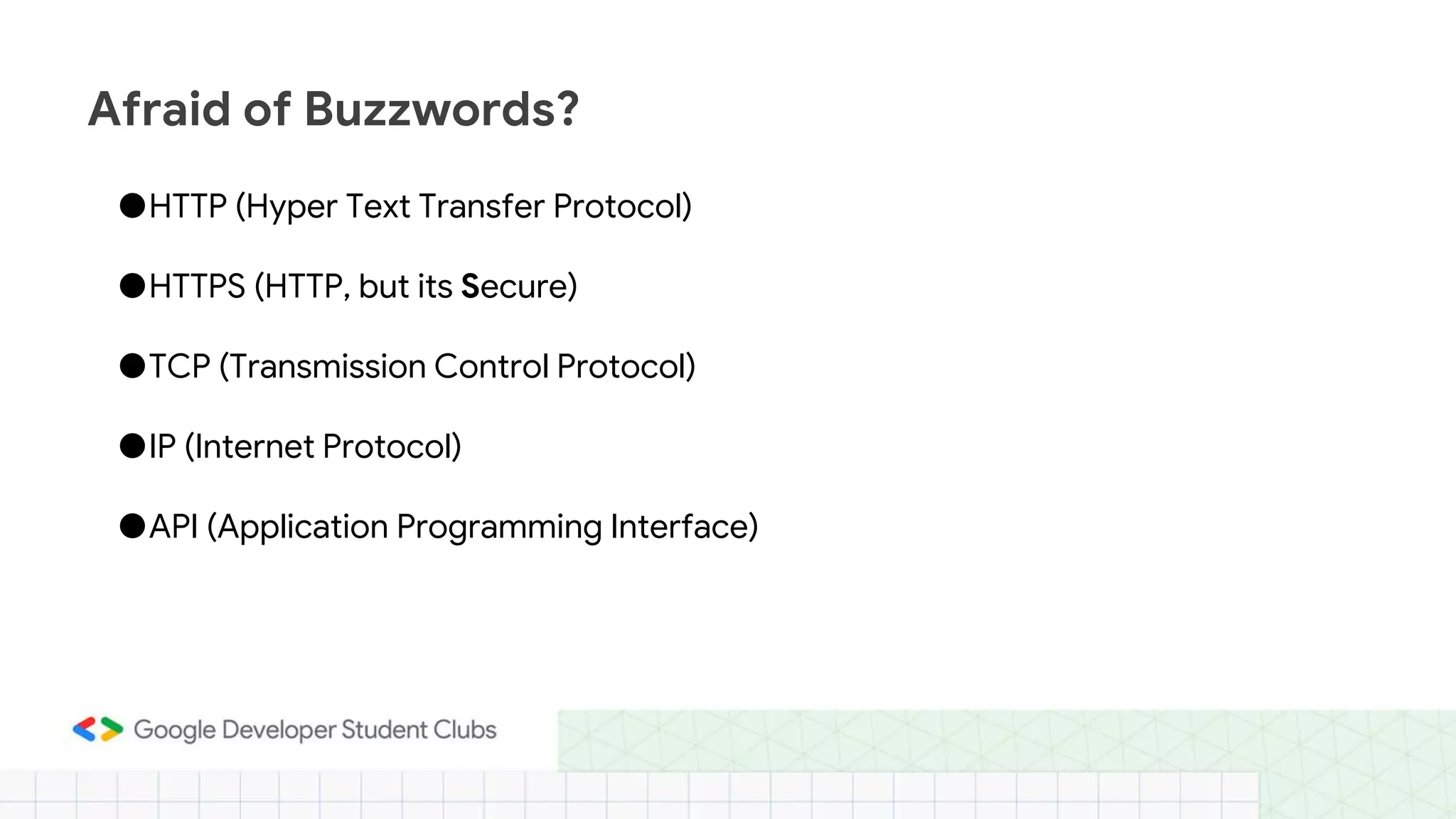
●HTTP (Hyper Text Transfer Protocol)
●HTTPS (HTTP, but its Secure)
●TCP (Transmission Control Protocol)
●IP (Internet Protocol)
●API (Application Programming Interface)
Afraid of Buzzwords?
What is NodeJs???
Node. js is a single-threaded, open-source, cross-platform runtime
environment for building fast and scalable server-side and networking
applications. It runs on the V8 JavaScript runtime engine, and it uses event-
driven, non-blocking I/O architecture, which makes it efficient and suitable for
real-time applications.
● What is node JS in simple words?
● Is node JS for frontend or backend?
● What is Benefits of NodeJs?
What is REST API??
APIs are mechanisms that enable two software components to communicate with
each other using a set of definitions and protocols.
A REST API (also known as RESTful API) is an application programming interface (API
or web API) that conforms to the constraints of REST architectural style and allows
for interaction with RESTful web services. REST stands for representational state
transfer
The primary goal of API is to standardize data exchange between web services. Depending
on the type of API, the choice of protocol changes. On the other hand, REST API is an
architectural style for building web services that interact via an HTTP protocol.
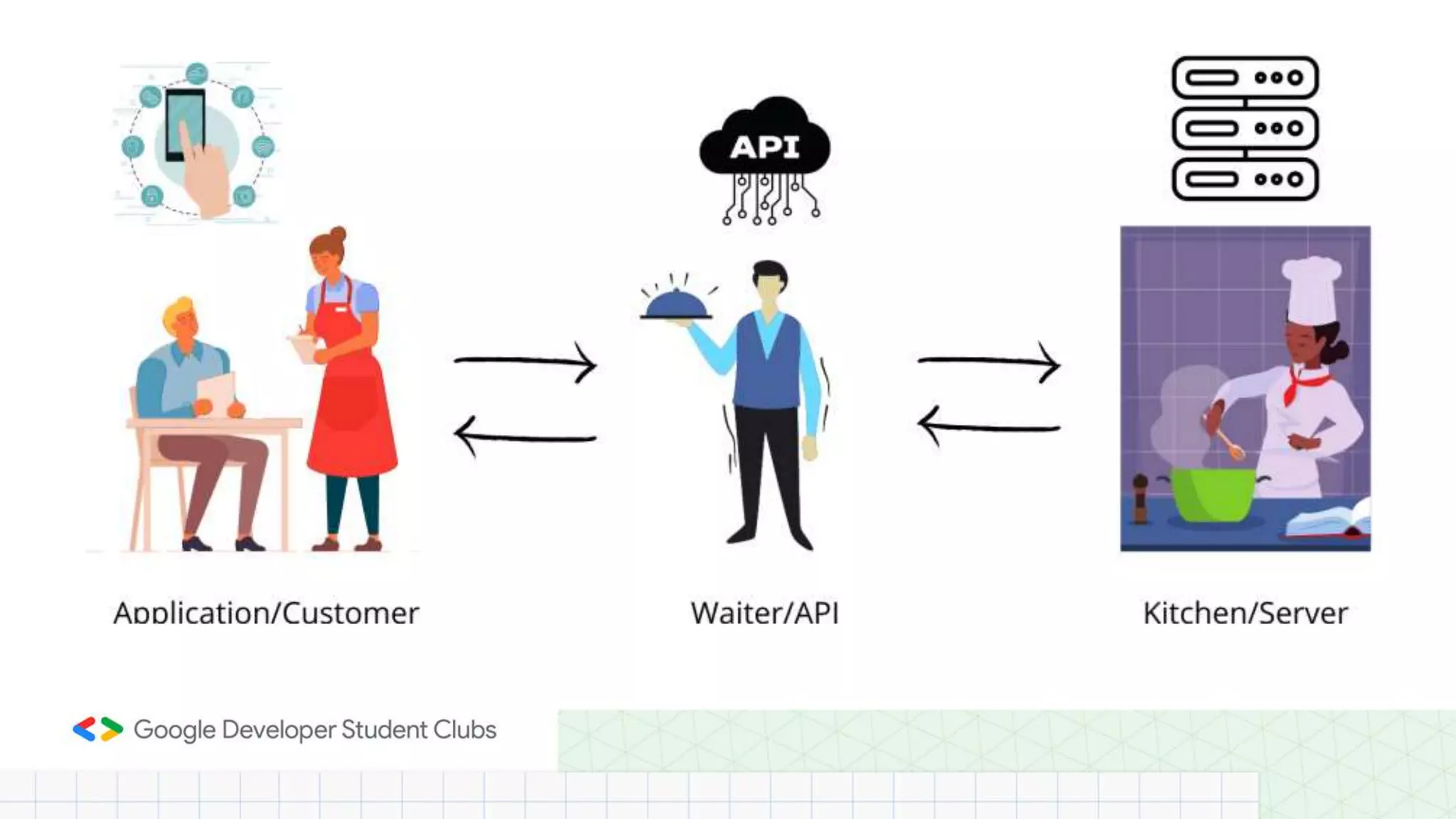
When a client makes a request via a RESTful API, it transfers the information/representation of
the request or response from user to Webservice or vice versa through HTTP format.
REST APIs faster and more lightweight, with increased scalability—perfect for Internet of Things
(IoT) and mobile app development.
Request Method:
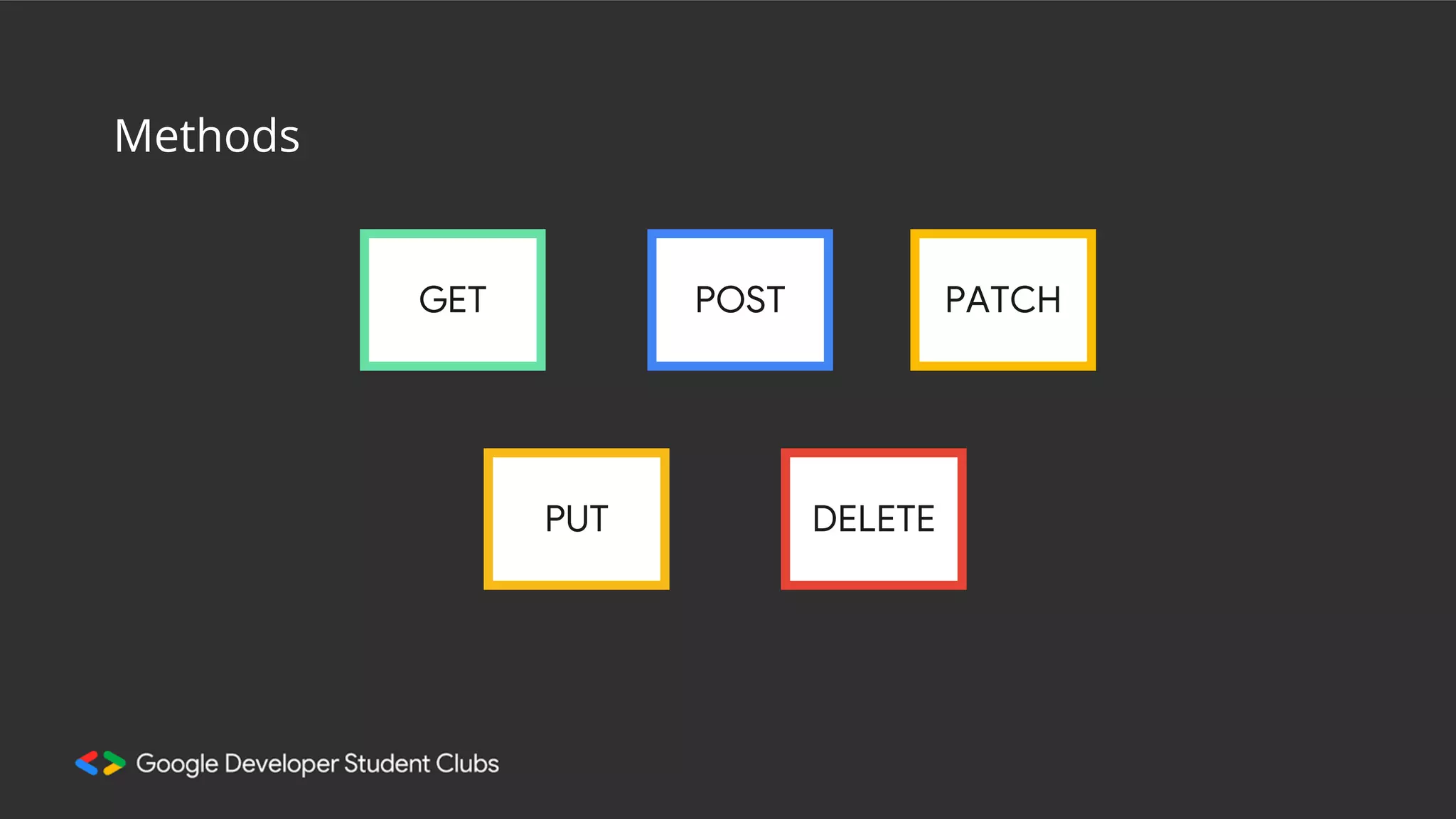
The request action should be indicated by the HTTP request method. The most common methods include GET, POST, PUT,
and DELETE.·
● GET retrieves resources. (From the above example: Get the menu list or food)
● POST submits new data to the server.(Order new food item to your order list)
● PUT updates existing data.(Changing from one variety to another like veg to non-veg)
● DELETE removes data.(Cancelling an item if it takes more time)
Response Method:
We can develop REST API, programming them to send the response according to the input header of the HTTP request. There
is a Media-Type attribute in the header which can be used in such cases and the response can be sent accordingly.
REST API can return both XML or JSON as response message, depending upon the Media-Type attribute in the HTTP request.
REST API must always return an appropriate Status code to the user/client so that the user/client can know the actual issue and
process accordingly.
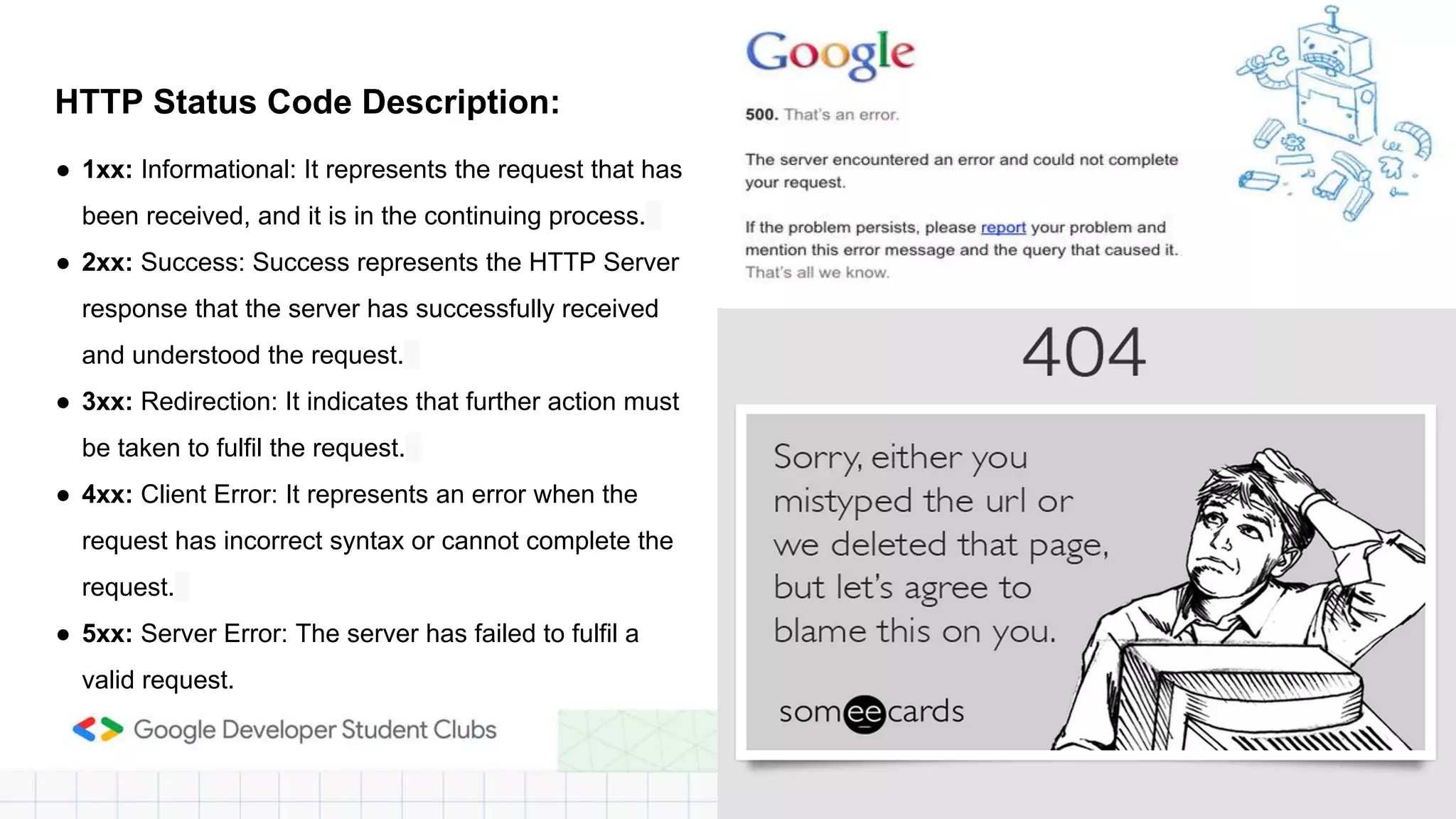
HTTP Status Code Description:
● 1xx: Informational: It represents the request that has
been received, and it is in the continuing process.
● 2xx: Success: Success represents the HTTP Server
response that the server has successfully received
and understood the request.
● 3xx: Redirection: It indicates that further action must
be taken to fulfil the request.
● 4xx: Client Error: It represents an error when the
request has incorrect syntax or cannot complete the
request.
● 5xx: Server Error: The server has failed to fulfil a
valid request.
Thank You
Express.JS
How does express help you?
● Less code
● Promotes a better project structure
● Widely used. Has lots of plugins
Your First Express
Application
Your machine is the
localhost
Hostname: localhost
IP Address: 127.0.0.1
GET POST
PUT DELETE
PATCH
Methods
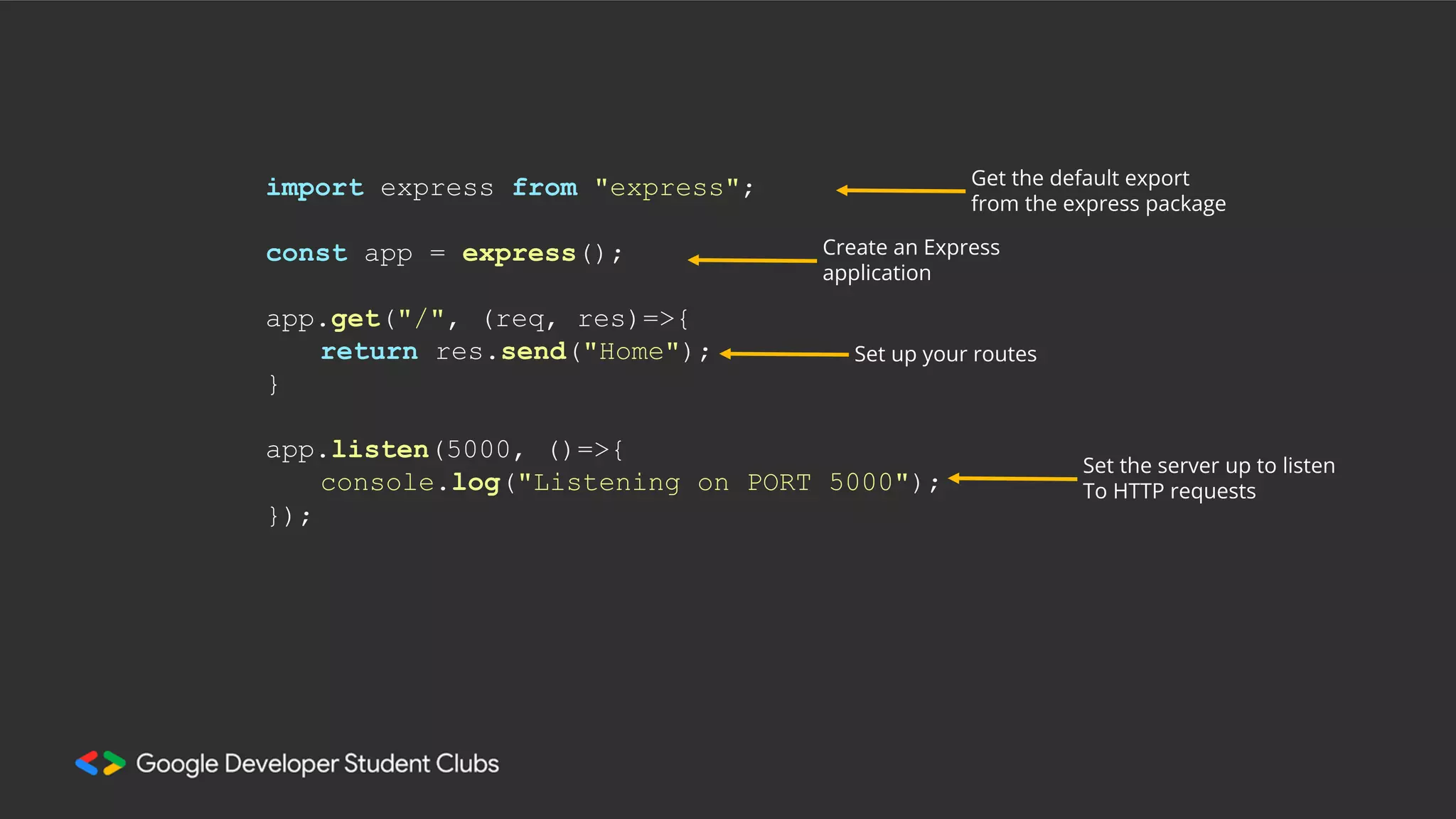
import express from "express";
const app = express();
app.get("/", (req, res)=>{
return res.send("Home");
}
app.listen(5000, ()=>{
console.log("Listening on PORT 5000");
});
Get the default export
from the express package
Create an Express
application
Set up your routes
Set the server up to listen
To HTTP requests
import fetch from 'node-fetch';
app.get("/post/rand", (req, res)=>{
const response = await fetch('https://dummyjson.com/posts');
const posts = await response.json();
const rand = Math.random() * posts.length;
for (let i = posts.length - 1; i > 0; i--) {
const j = Math.floor(Math.random() * (i + 1));
const temp = posts[i];
posts[i] = posts[j];
posts[j] = temp;
}
const randomPosts = posts.subarray(0, rand);
return res.json({posts: randomPosts);
});
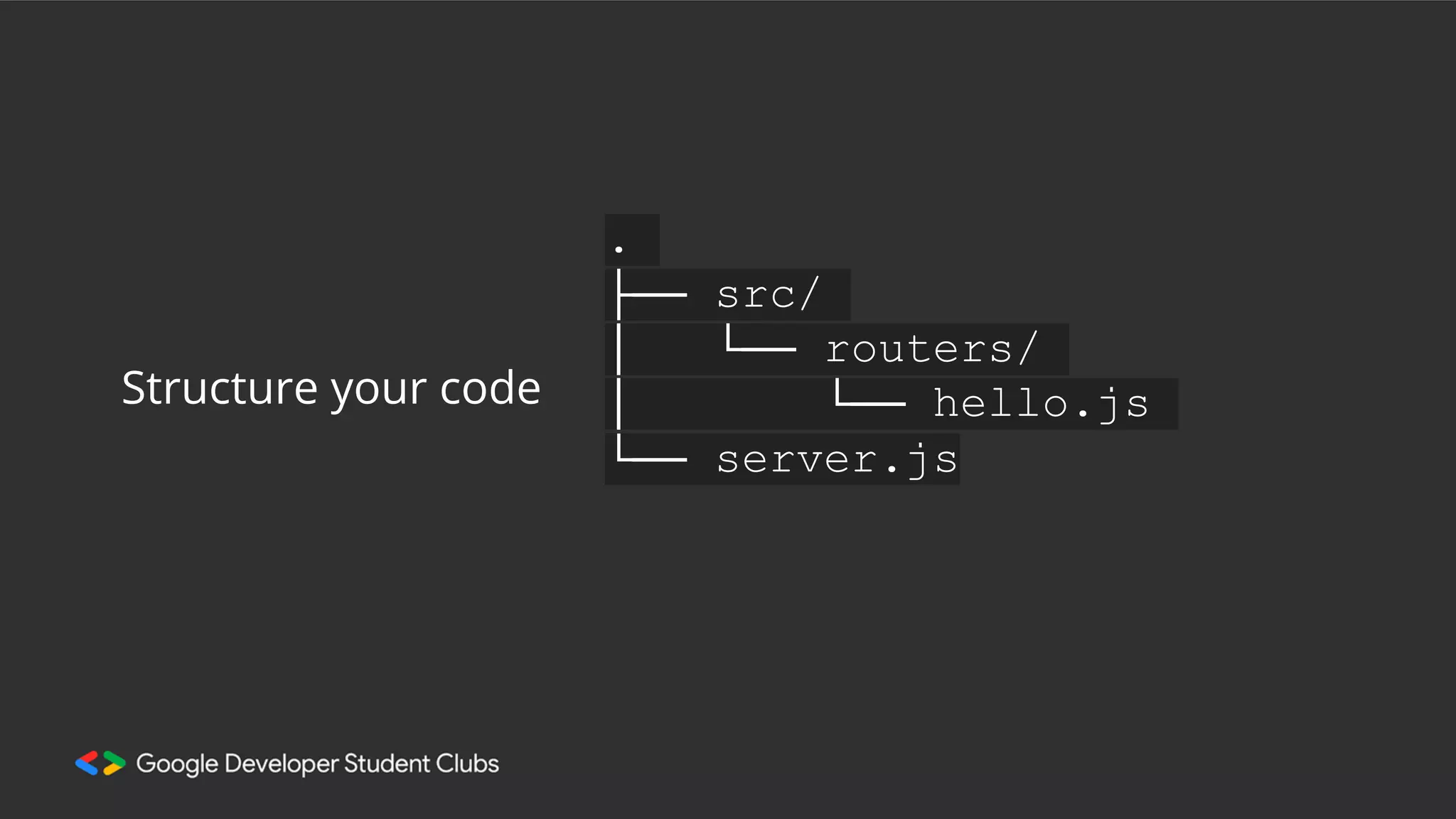
.
├── src/
│ └── routers/
│ └── hello.js
└── server.js
Structure your code
"post/:id”
Route Parameters
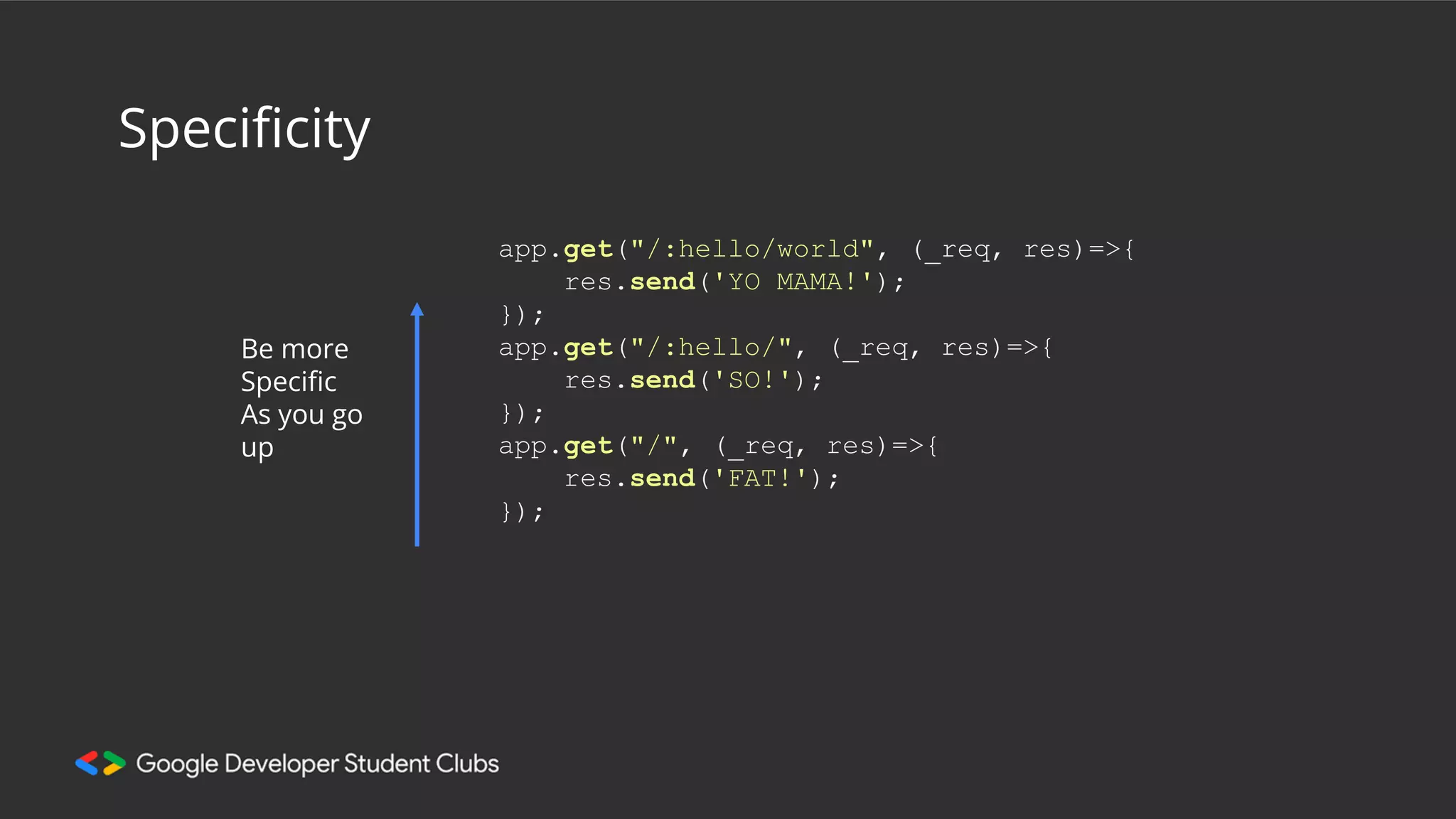
Specificity
Be more
Specific
As you go
up
app.get("/:hello/world", (_req, res)=>{
res.send('YO MAMA!');
});
app.get("/:hello/", (_req, res)=>{
res.send('SO!');
});
app.get("/", (_req, res)=>{
res.send('FAT!');
});
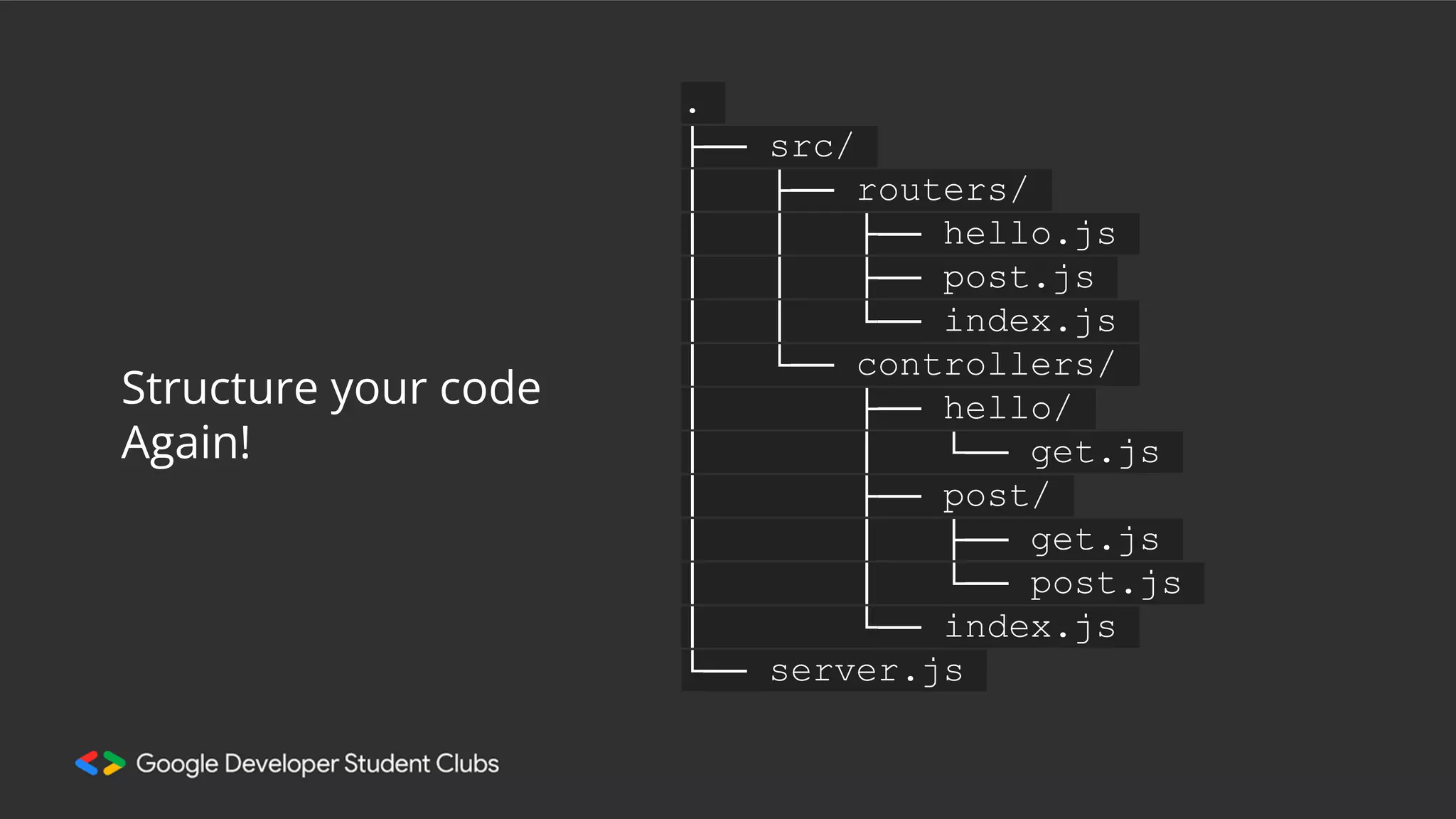
.
├── src/
│ ├── routers/
│ │ ├── hello.js
│ │ ├── post.js
│ │ └── index.js
│ └── controllers/
│ ├── hello/
│ │ └── get.js
│ ├── post/
│ │ ├── get.js
│ │ └── post.js
│ └── index.js
└── server.js
Structure your code
Again!
Extras
You don’t need them now, but you will
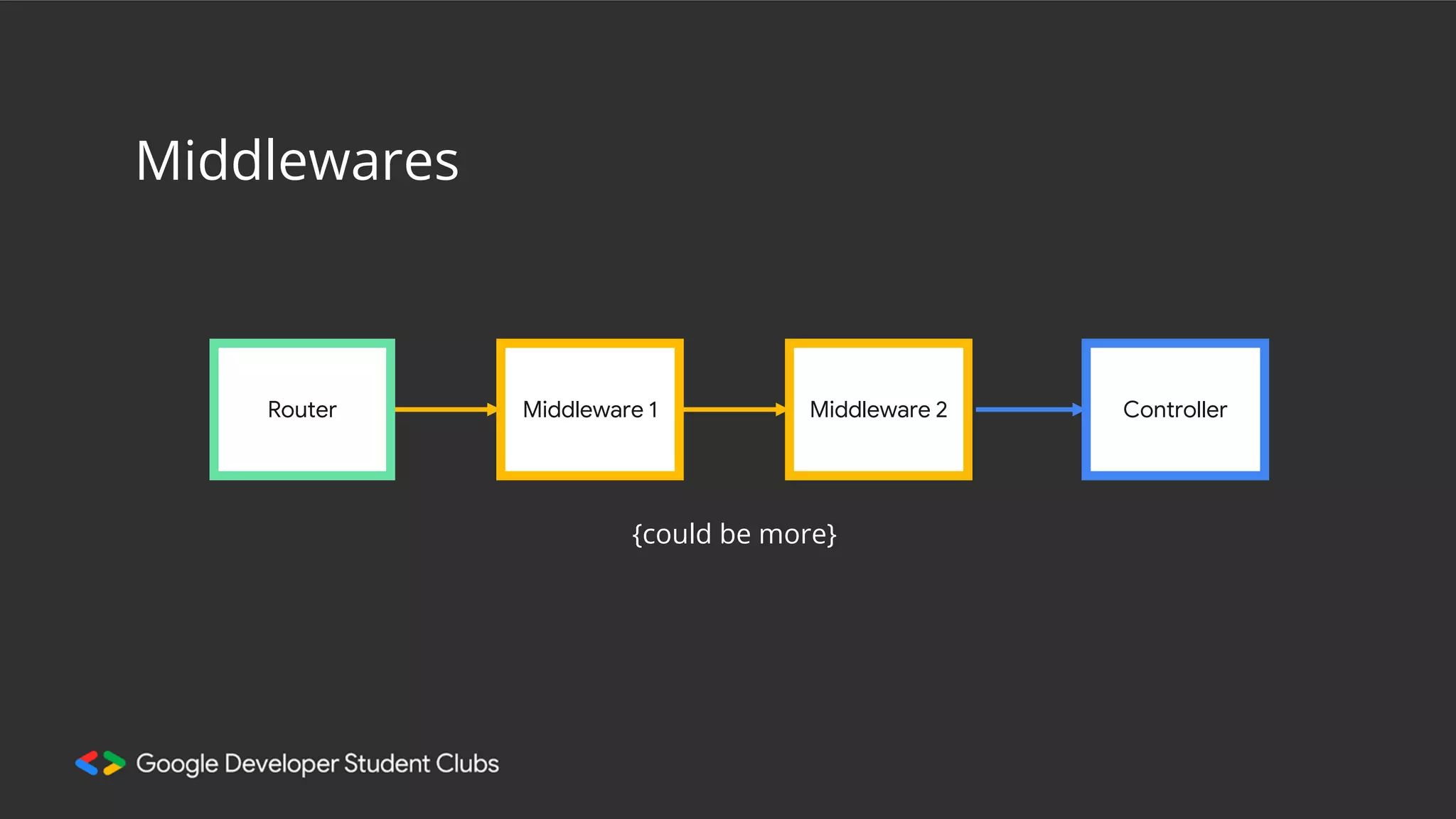
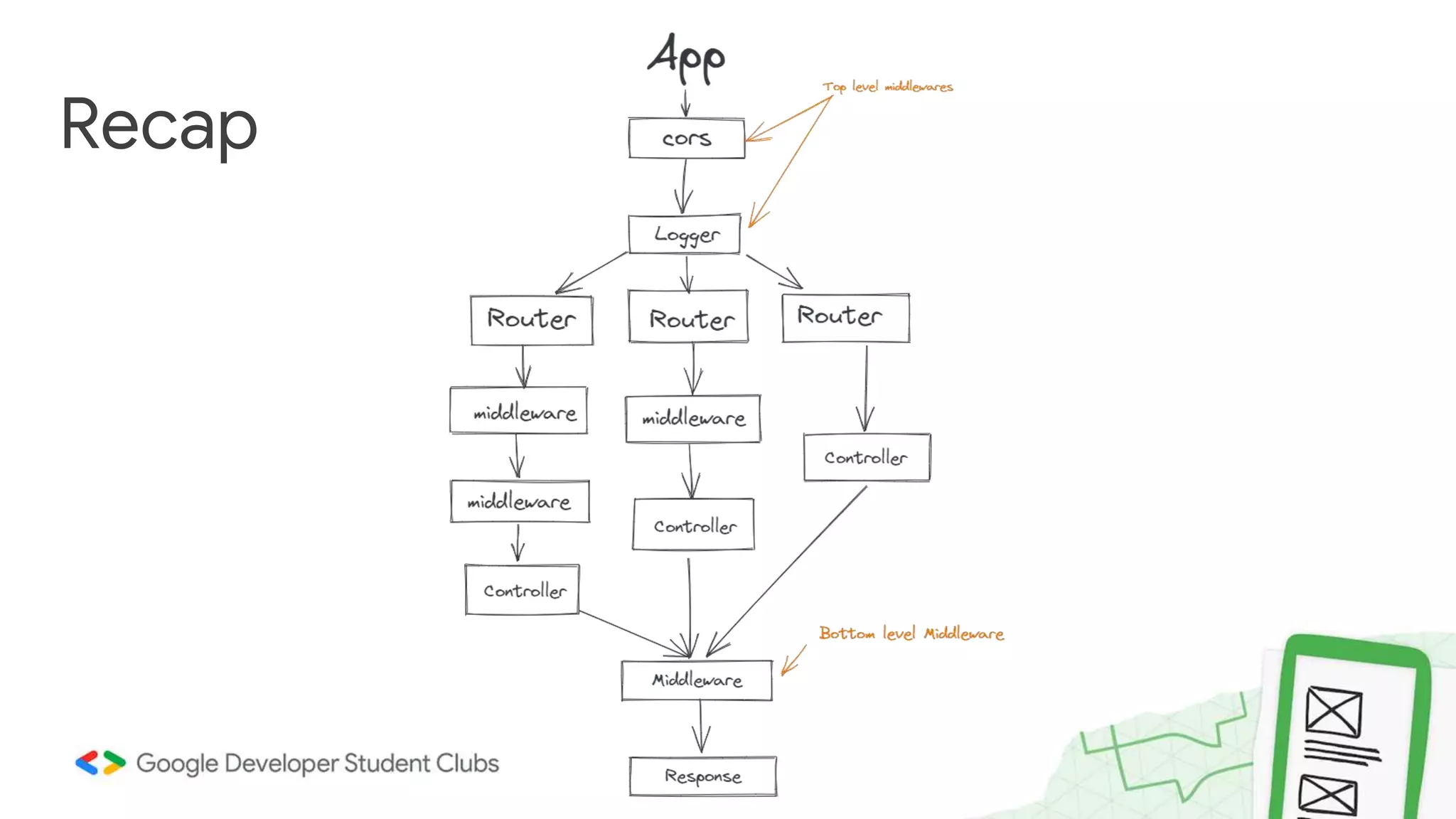
Middlewares
Router Middleware 1 Middleware 2
{could be more}
Controller
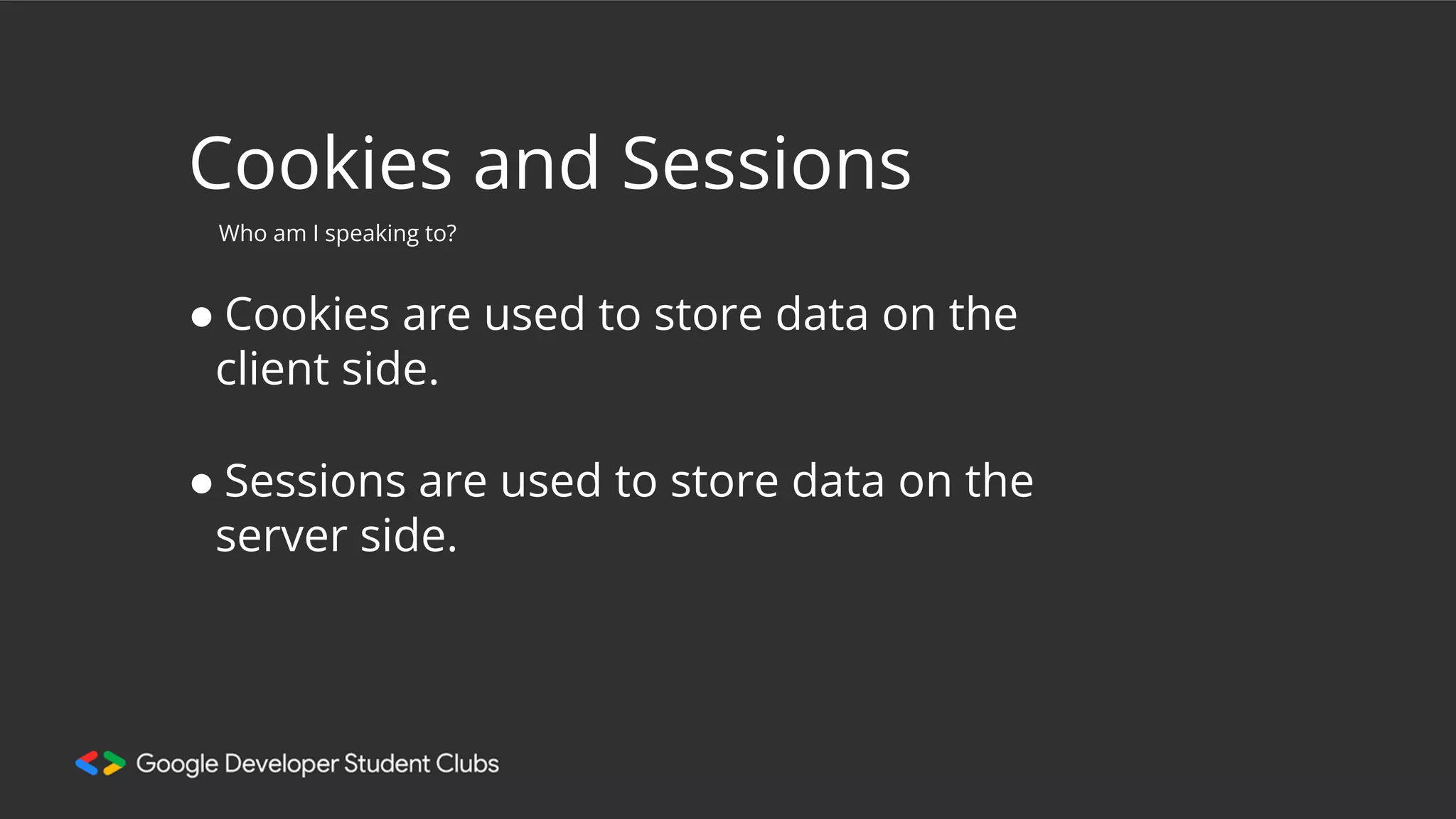
Cookies and Sessions
● Cookies are used to store data on the
client side.
Who am I speaking to?
● Sessions are used to store data on the
server side.
Static Folder
Direct access for clients.
Switch to Backend
Pratik Majumdar
@codadept
MongoDB & Prisma
Recap
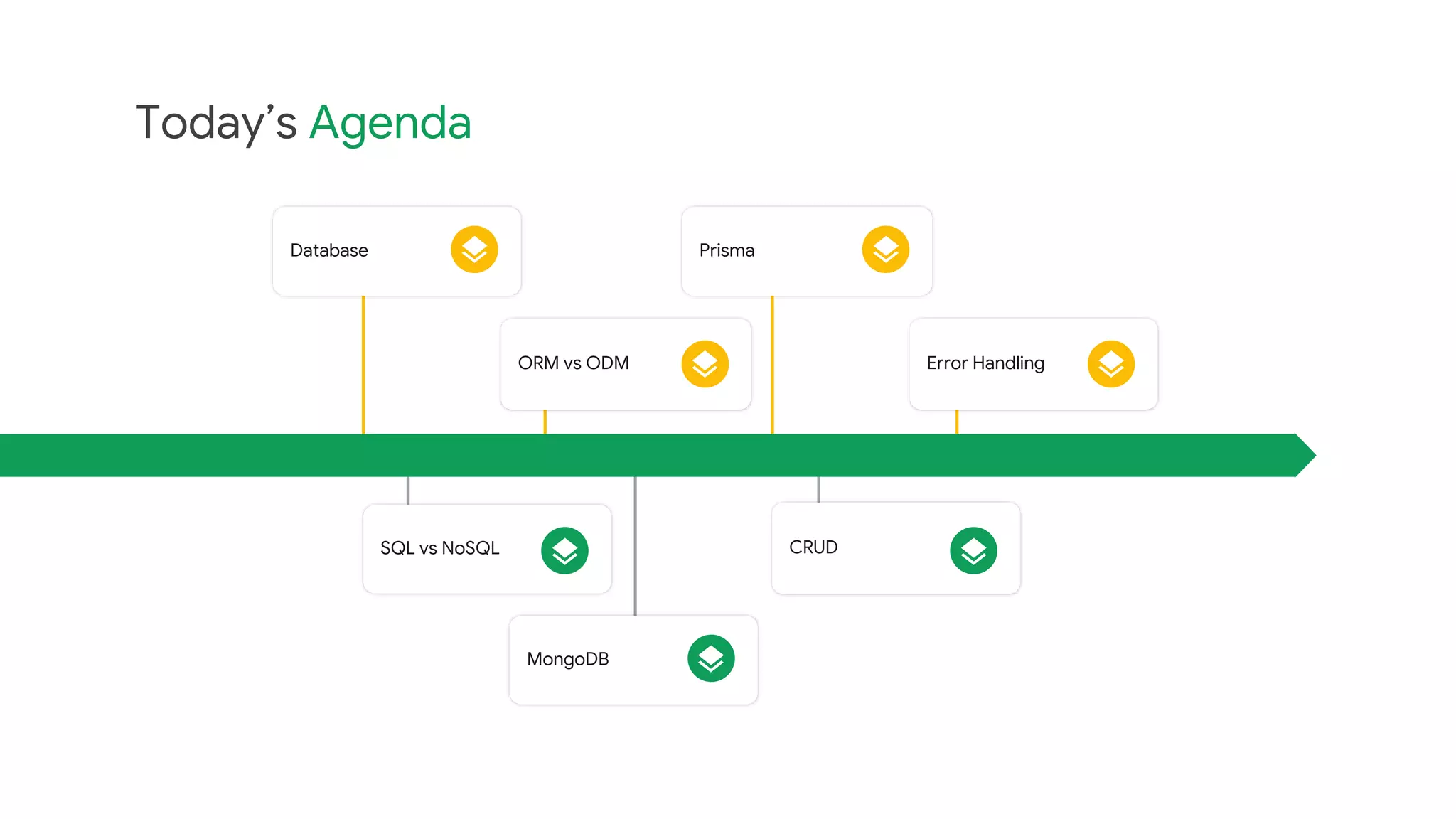
Today’s Agenda
Database Prisma
ORM vs ODM Error Handling
SQL vs NoSQL
MongoDB
CRUD
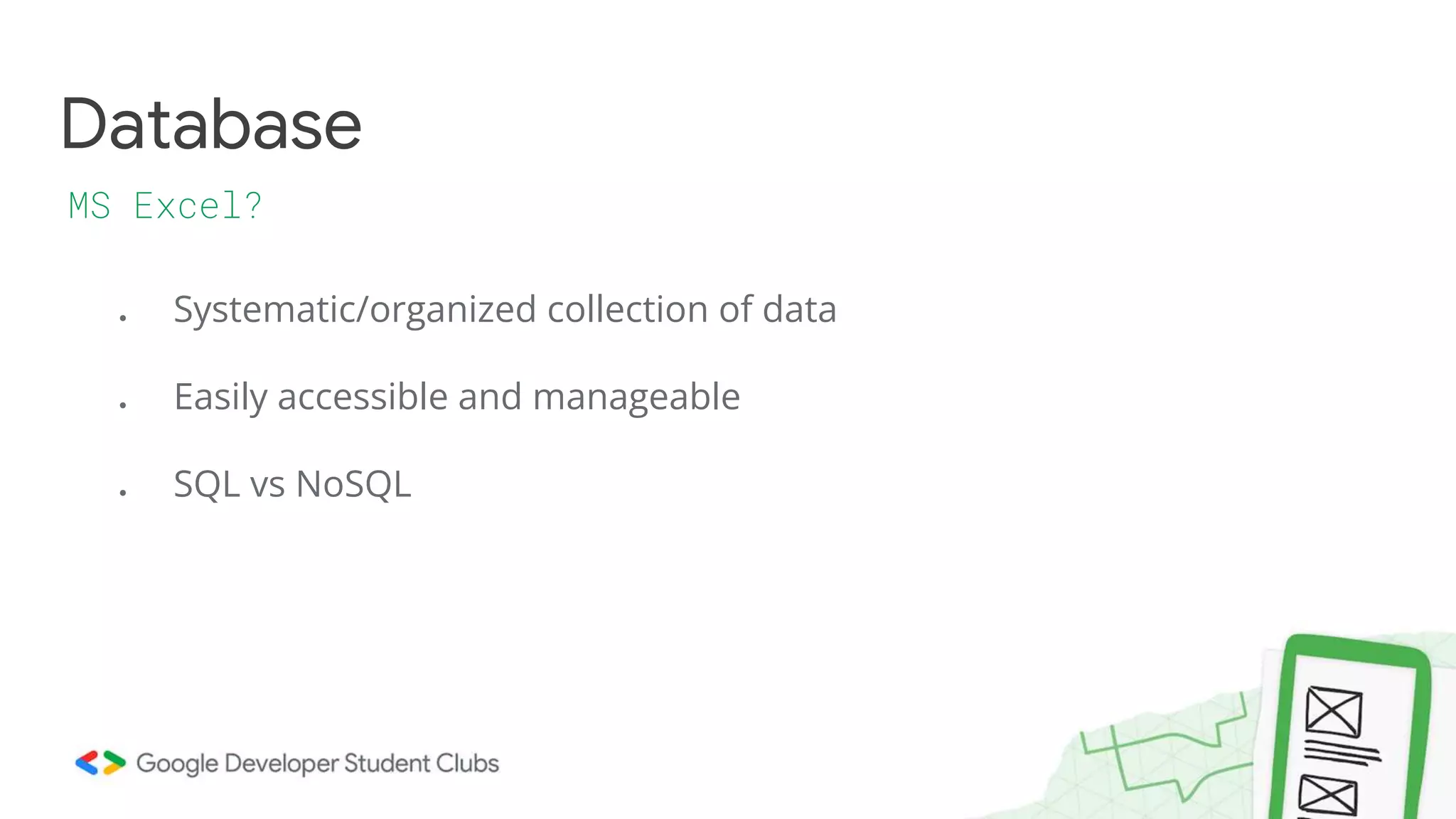
● Systematic/organized collection of data
● Easily accessible and manageable
● SQL vs NoSQL
Database
MS Excel?
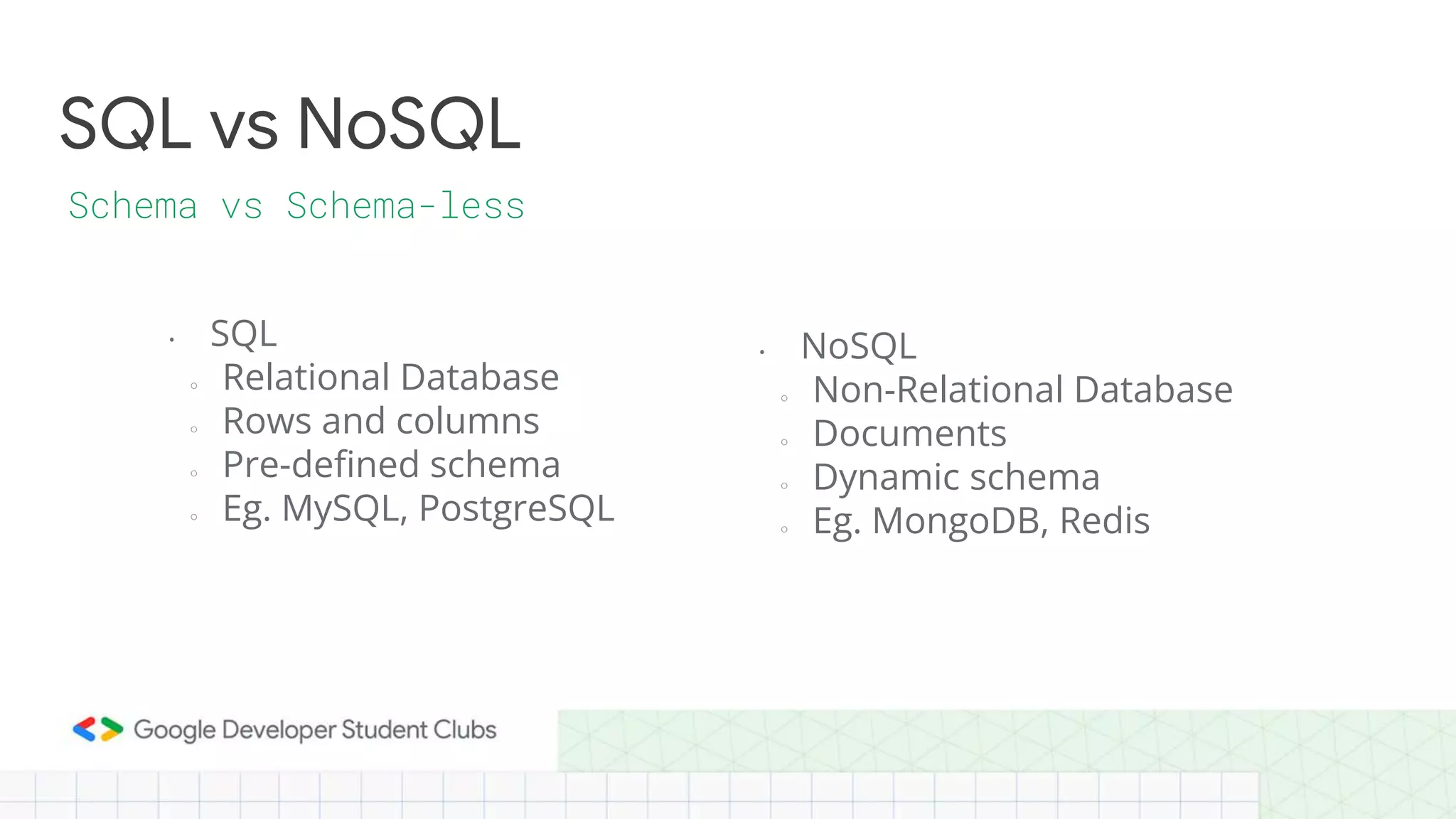
• SQL
○ Relational Database
○ Rows and columns
○ Pre-defined schema
○ Eg. MySQL, PostgreSQL
SQL vs NoSQL
Schema vs Schema-less
• NoSQL
○ Non-Relational Database
○ Documents
○ Dynamic schema
○ Eg. MongoDB, Redis
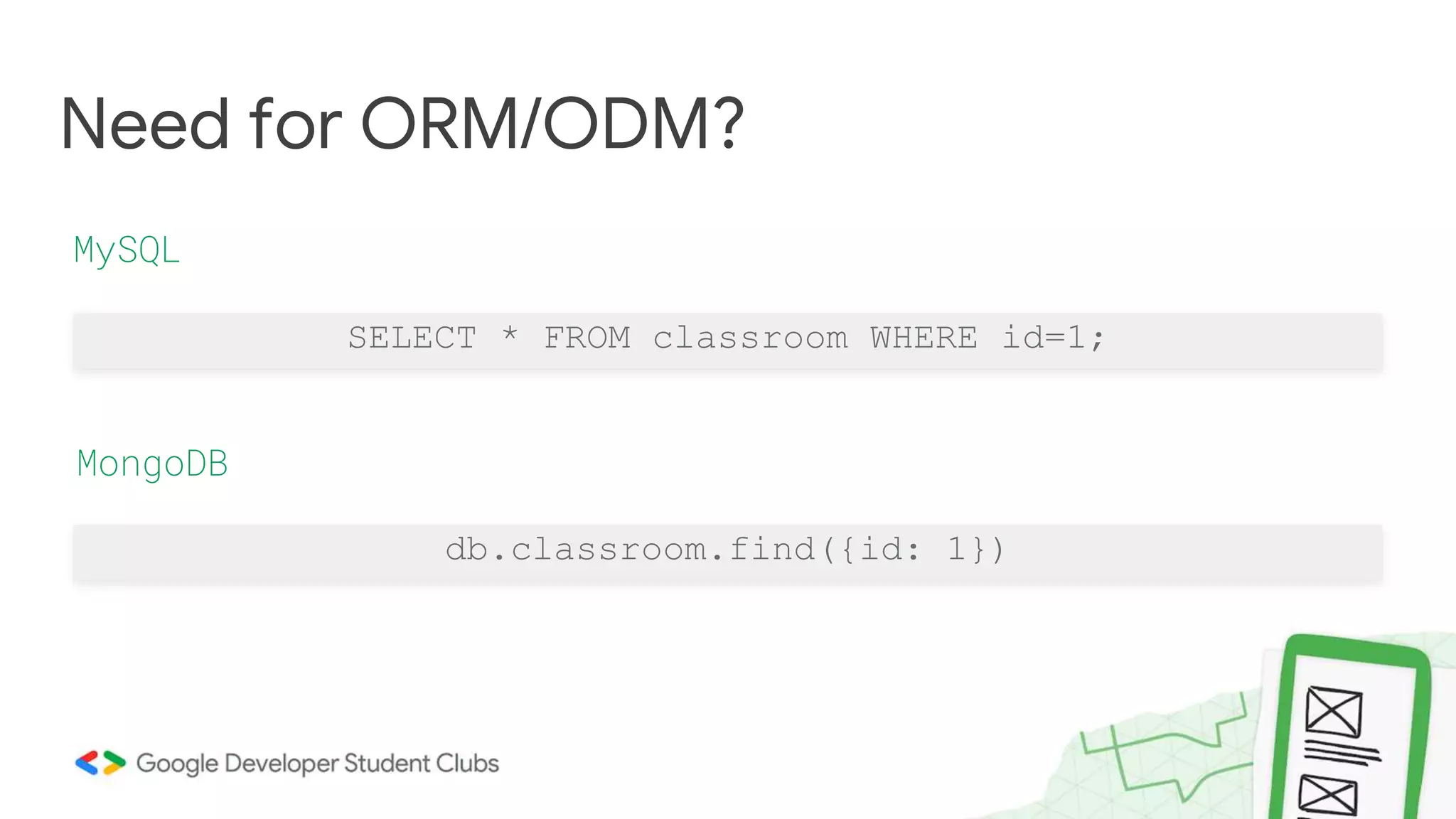
SELECT * FROM classroom WHERE id=1;
Need for ORM/ODM?
MySQL
MongoDB
db.classroom.find({id: 1})
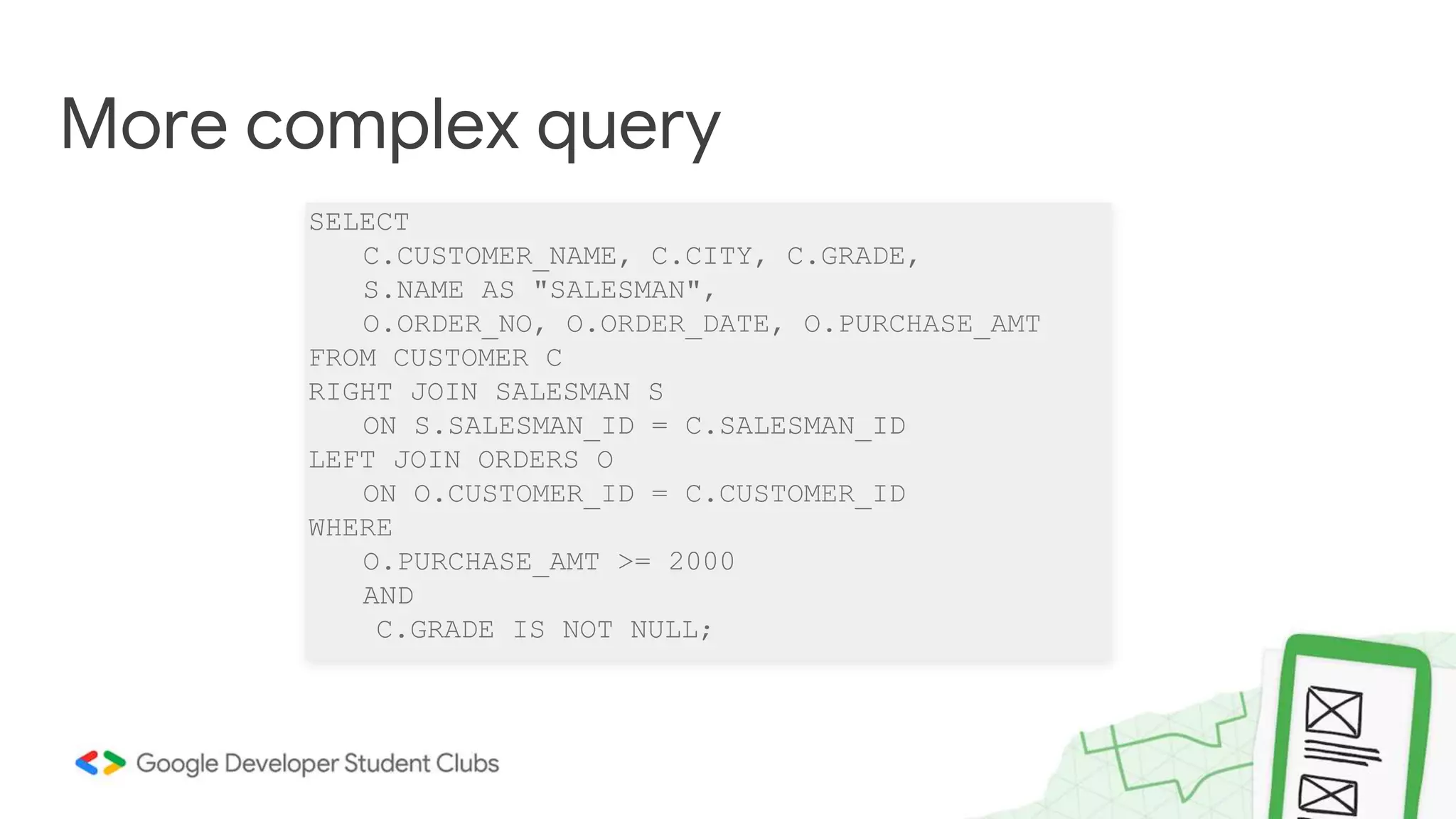
SELECT
C.CUSTOMER_NAME, C.CITY, C.GRADE,
S.NAME AS "SALESMAN",
O.ORDER_NO, O.ORDER_DATE, O.PURCHASE_AMT
FROM CUSTOMER C
RIGHT JOIN SALESMAN S
ON S.SALESMAN_ID = C.SALESMAN_ID
LEFT JOIN ORDERS O
ON O.CUSTOMER_ID = C.CUSTOMER_ID
WHERE
O.PURCHASE_AMT >= 2000
AND
C.GRADE IS NOT NULL;
More complex query
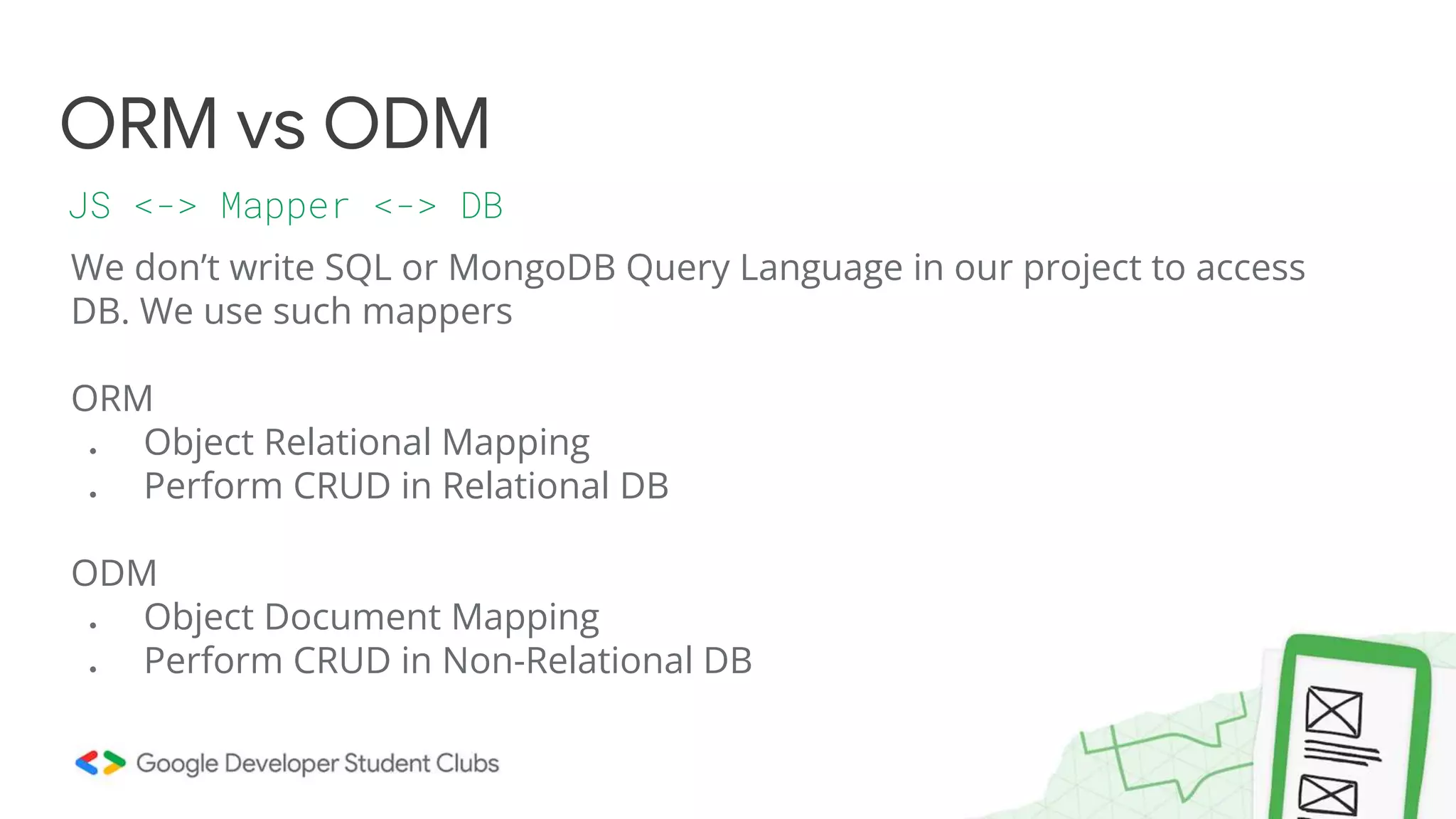
We don’t write SQL or MongoDB Query Language in our project to access
DB. We use such mappers
ORM
● Object Relational Mapping
● Perform CRUD in Relational DB
ODM
● Object Document Mapping
● Perform CRUD in Non-Relational DB
ORM vs ODM
JS <-> Mapper <-> DB
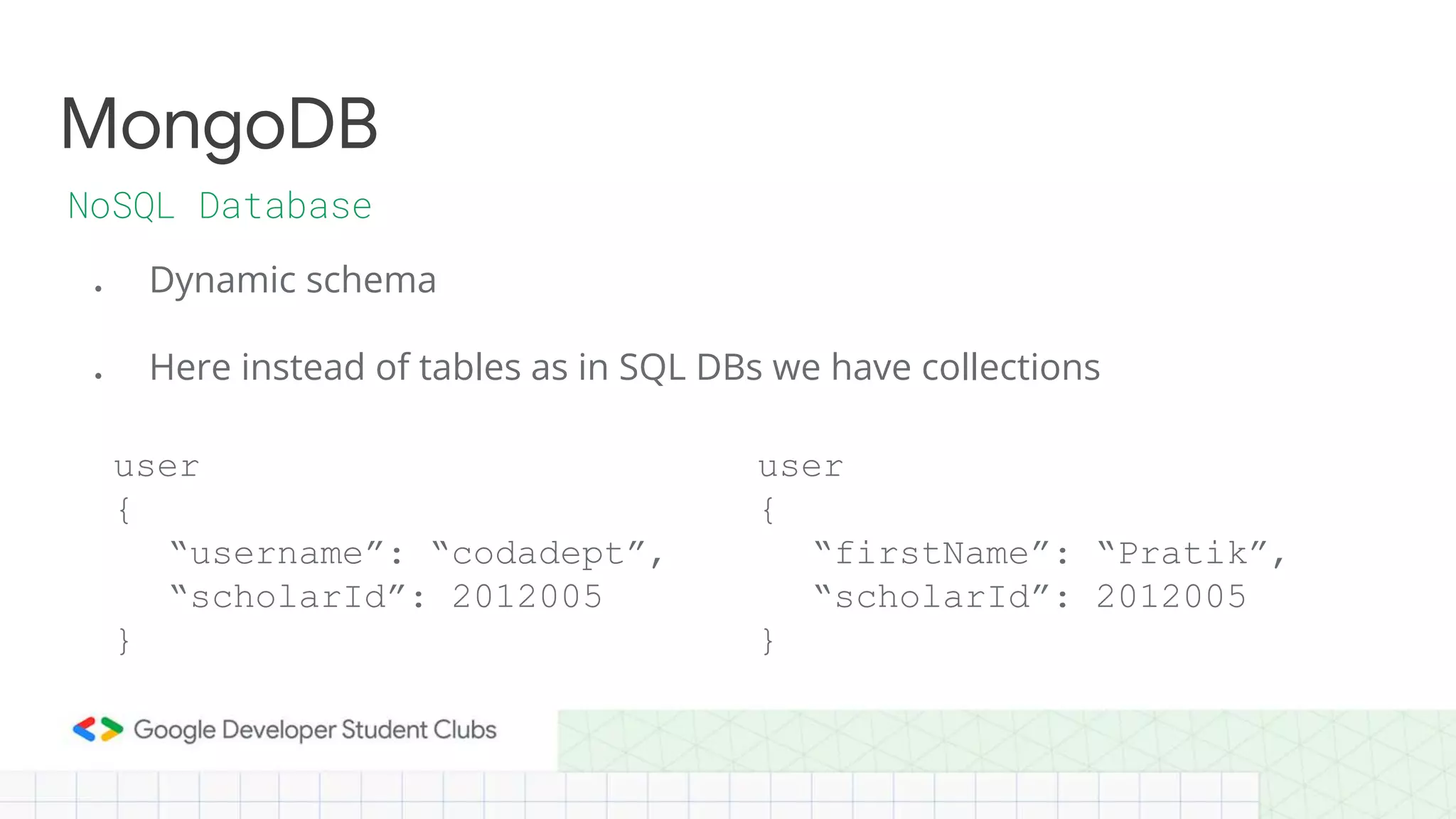
● Dynamic schema
● Here instead of tables as in SQL DBs we have collections
MongoDB
NoSQL Database
user
{
“username”: “codadept”,
“scholarId”: 2012005
}
user
{
“firstName”: “Pratik”,
“scholarId”: 2012005
}
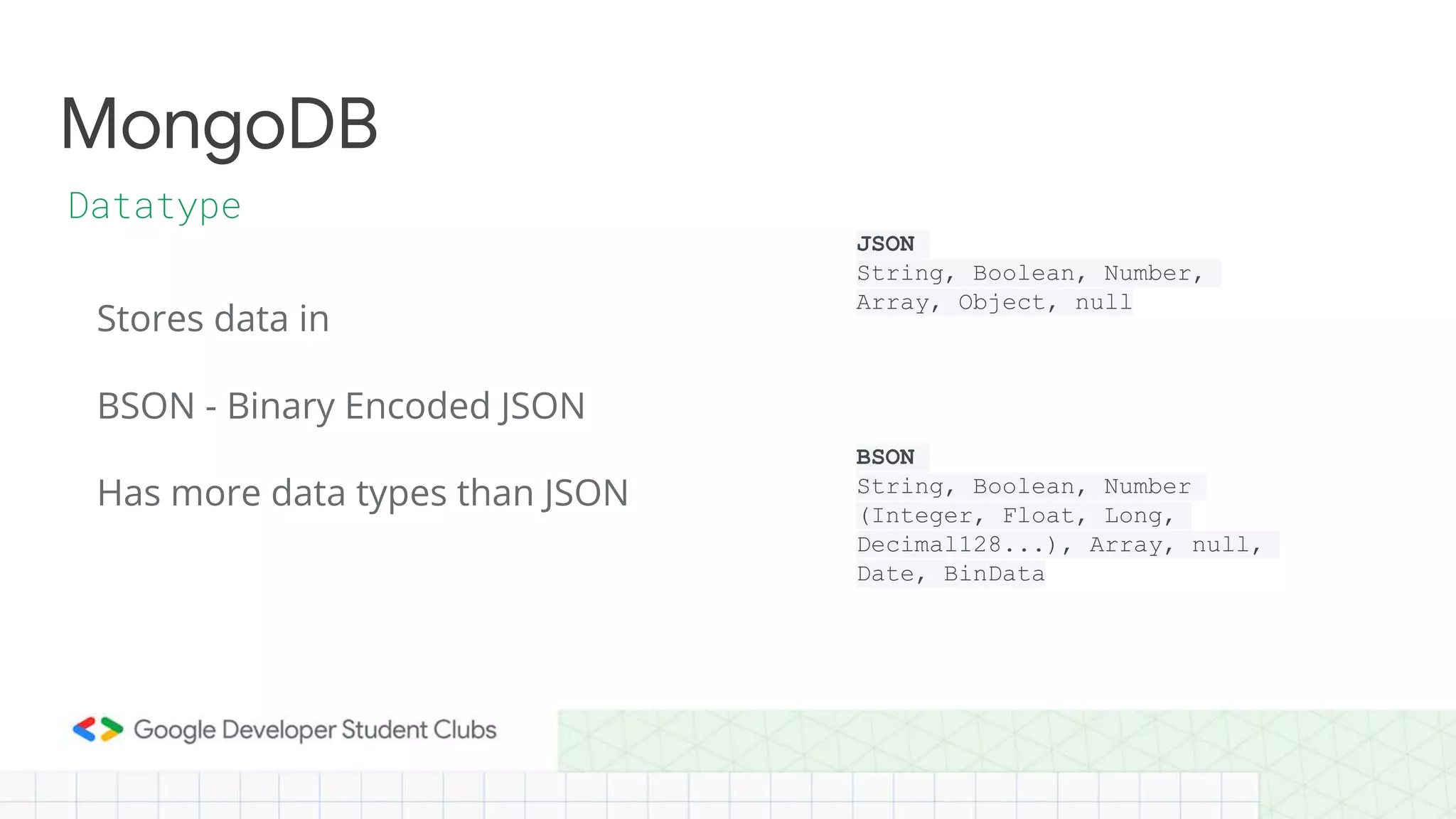
Stores data in
BSON - Binary Encoded JSON
MongoDB
Datatype
Has more data types than JSON
JSON
String, Boolean, Number,
Array, Object, null
BSON
String, Boolean, Number
(Integer, Float, Long,
Decimal128...), Array, null,
Date, BinData
MongoDB
ObjectId
Each document in the collection has _id field which acts as the unique
identifier for that document.
MongoDB
Query using the mongodb CLI
using my_database;
db.createCollection(“user”)
db.user.insert({“id”: 1, “name”: “Pratik”, “username”: “codadept”})
db.user.find()
Prisma
ORM/ODM
Prisma is a auto-generated query-builder for Node.js
Can be used both as ORM or ODM based on the database we use
Other alternatives
For SQL - sequelize
For MongoDB - mongoose
Prisma
Why?
● Think as objects and classes instead of complex queries
● Type-safe and auto-completion
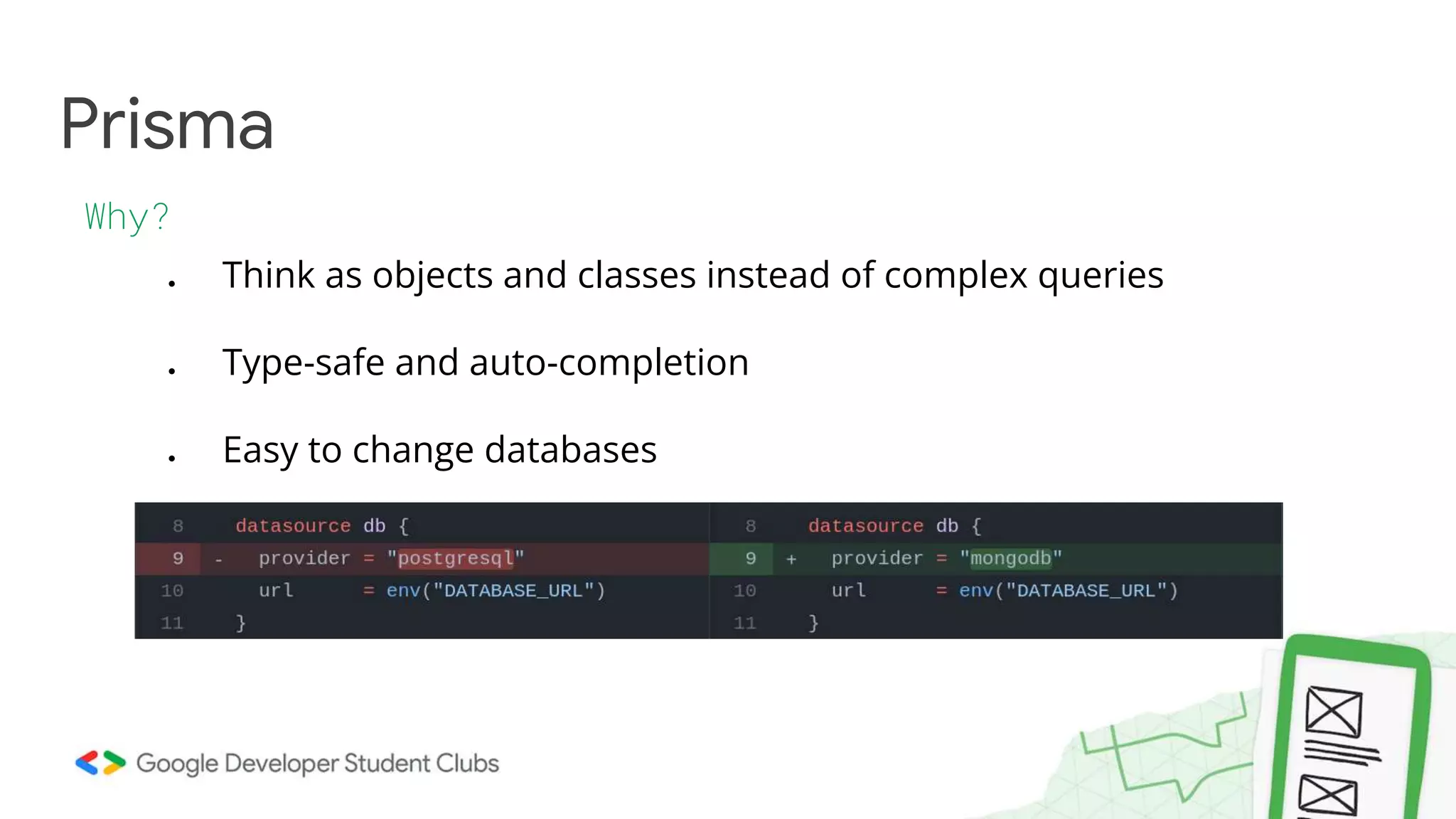
● Easy to change databases
Prisma
Schema file prisma/schema.prisma
datasource db {
provider = "mongodb"
url = env("DATABASE_URL")
}
generator client {
provider = "prisma-client-js"
}
model Post {
id String @id @default(auto()) @map("_id") @db.ObjectId
title String
content String?
published Boolean @default(false)
author User? @relation(fields: [authorId], references: [id])
authorId String @db.ObjectId
}
model User {
id String @id @default(auto()) @map("_id") @db.ObjectId
email String @unique
name String?
posts Post[]
}
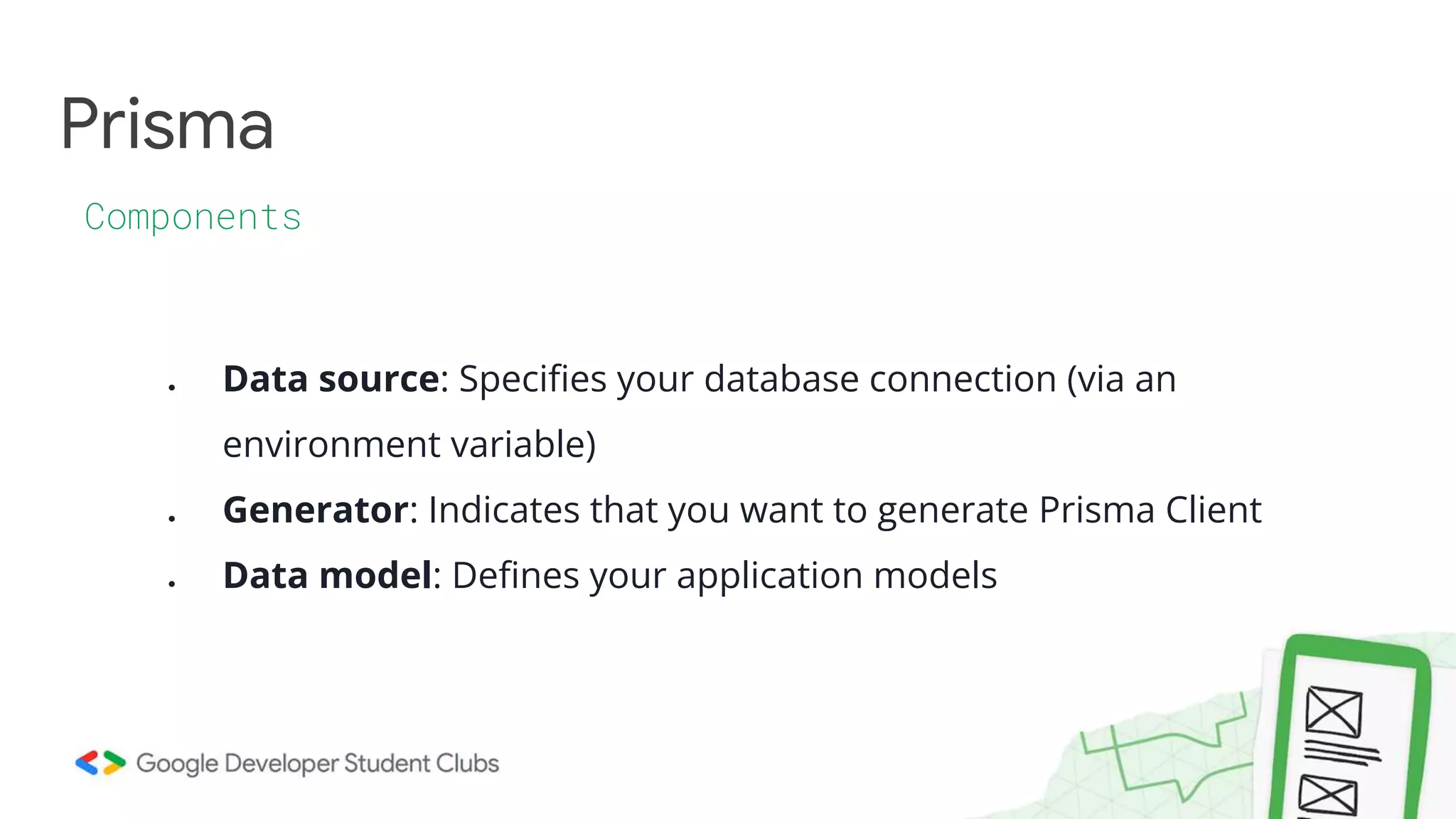
Prisma
Components
● Data source: Specifies your database connection (via an
environment variable)
● Generator: Indicates that you want to generate Prisma Client
● Data model: Defines your application models
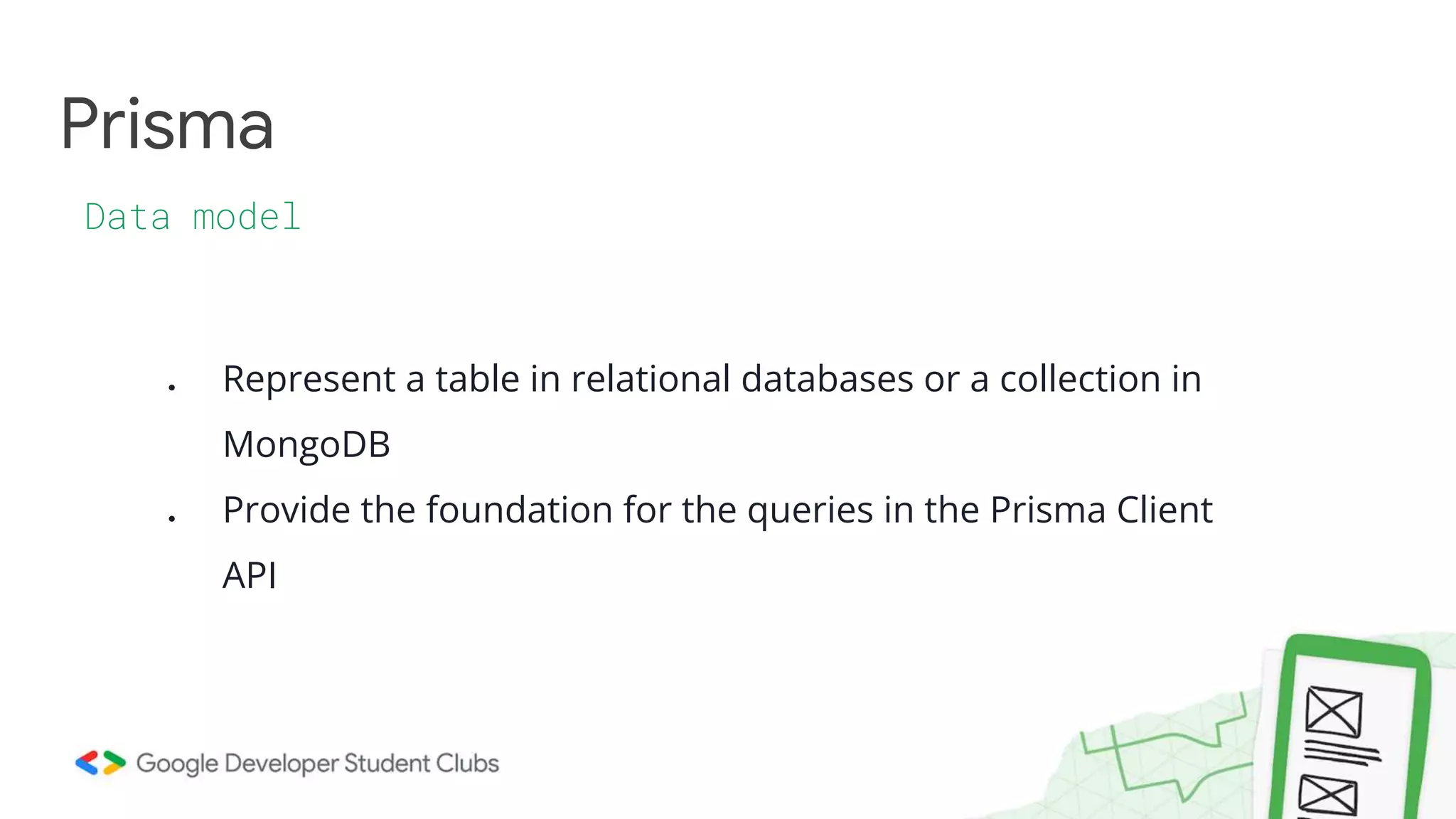
Prisma
Data model
● Represent a table in relational databases or a collection in
MongoDB
● Provide the foundation for the queries in the Prisma Client
API
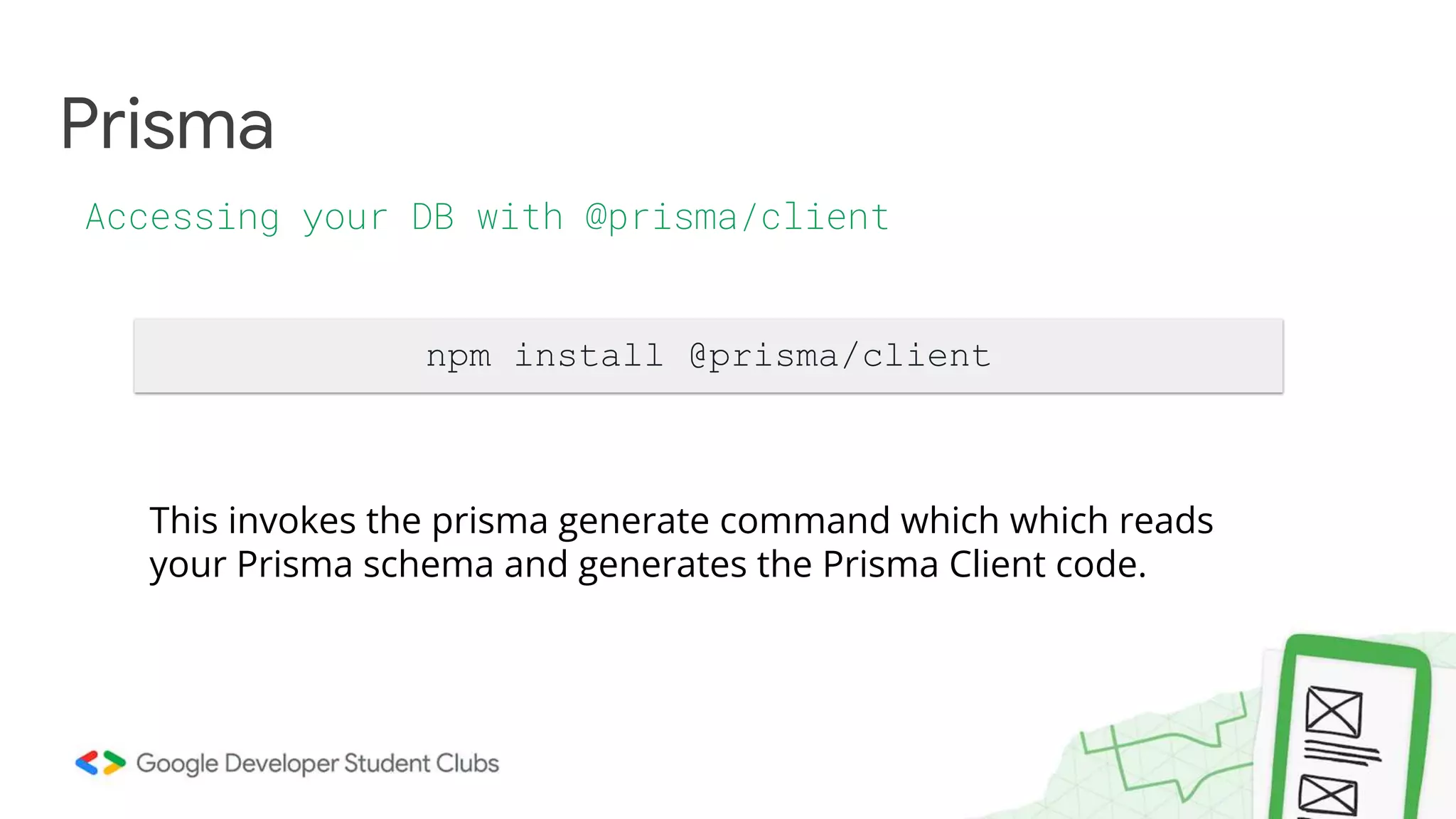
Prisma
Accessing your DB with @prisma/client
npm install @prisma/client
This invokes the prisma generate command which which reads
your Prisma schema and generates the Prisma Client code.
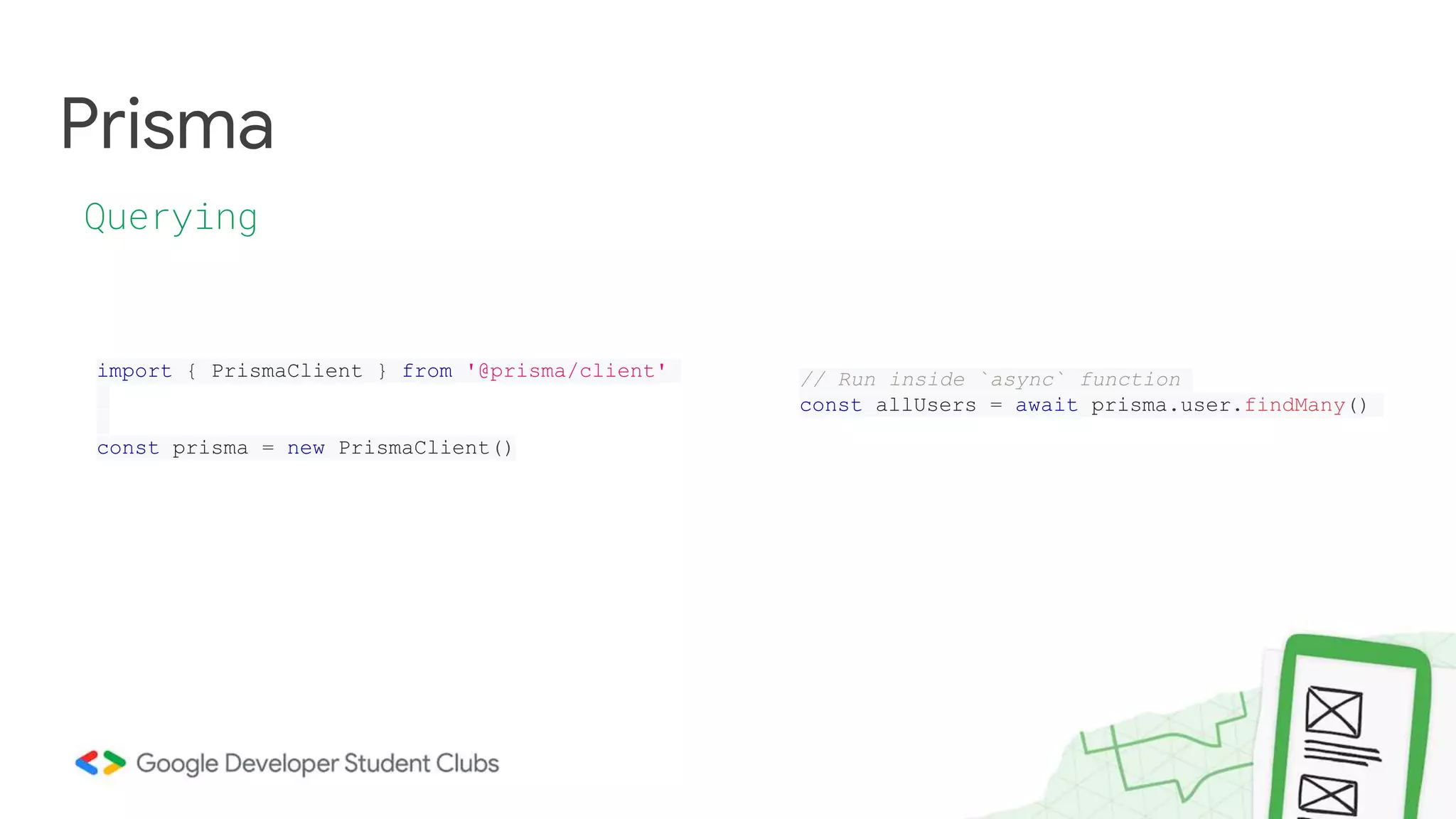
Prisma
Querying
import { PrismaClient } from '@prisma/client'
const prisma = new PrismaClient()
// Run inside `async` function
const allUsers = await prisma.user.findMany()
Let’s code
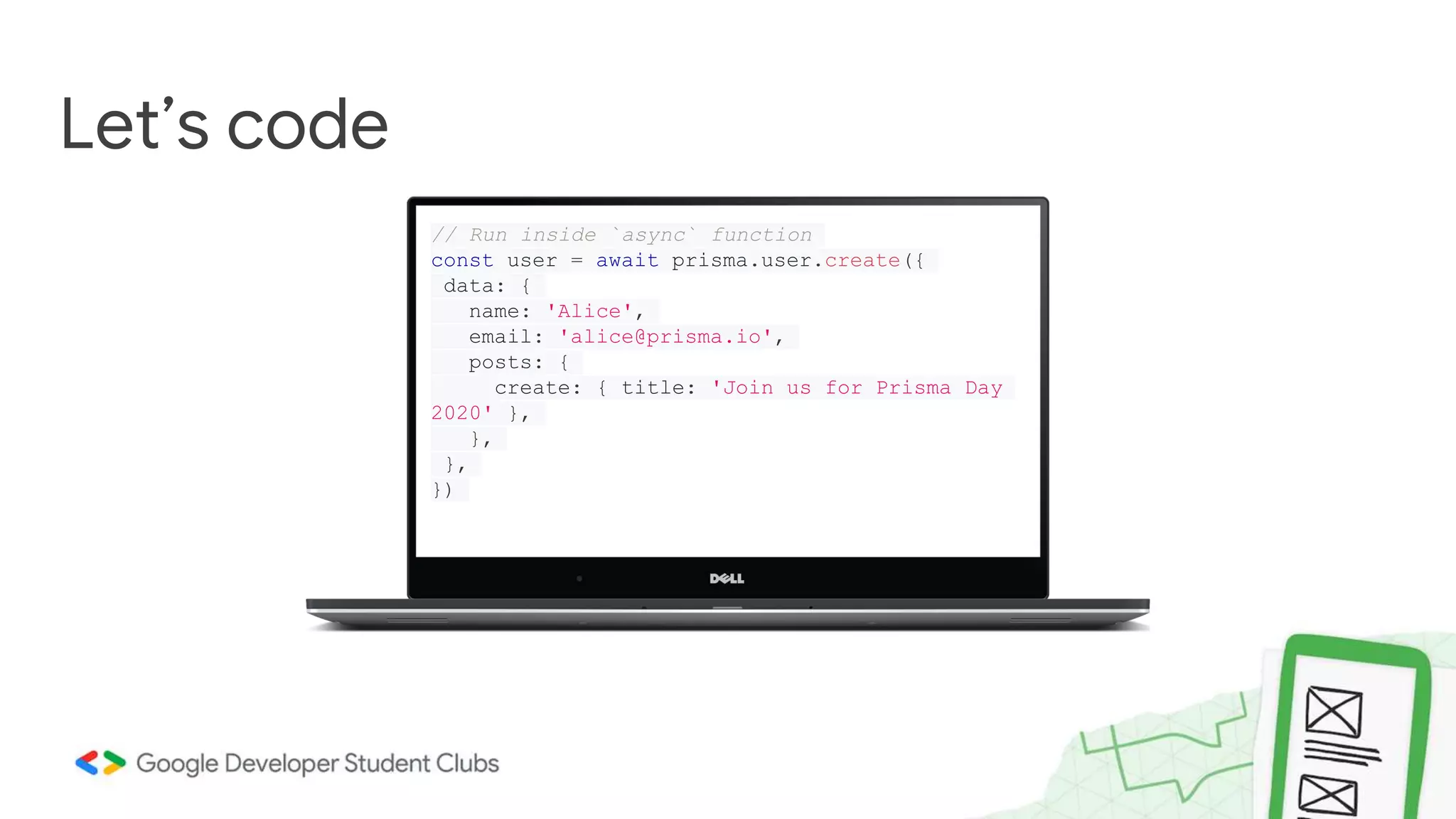
// Run inside `async` function
const user = await prisma.user.create({
data: {
name: 'Alice',
email: 'alice@prisma.io',
posts: {
create: { title: 'Join us for Prisma Day
2020' },
},
},
})
Thank you

Switch to Backend 2023

  • 1.
    Switch to Backend Gettingstarted with backend development By Siddharta Shankar Paul Core Member, GDSC
  • 2.
    Switch to backendDay 1 Topic structure What is Fullstack Development? Frontend vs Backend Node.js & NPM How web works What is backend? HTTP requests Static vs Dynamic Websites
  • 3.
    Full stack developmentis the end-to-end development of applications. It includes both the front end and back end of an application. The front end is usually accessed by a client, and the back end forms the core of the application where all the business logic is applied. What is Fullstack Development ? Full Stack = FrontEnd + BackEnd
  • 5.
    "Backend" refers toany part of a website or software program that users do not see. Blah blah blah... What is Backend ?
  • 7.
    "Backend" refers toany part of a website or software program that users do not see. Blah blah blah... What is Backend ?
  • 8.
    How web works Payload(Request) DB Query Response Data Business Logic Resides here HTM L CSS Javascript
  • 10.
    What is theneed to Switch to Backend ???
  • 11.
    ●HTTP (Hyper TextTransfer Protocol) ●HTTPS (HTTP, but its Secure) ●TCP (Transmission Control Protocol) ●IP (Internet Protocol) ●API (Application Programming Interface) Afraid of Buzzwords?
  • 12.
  • 13.
    Node. js isa single-threaded, open-source, cross-platform runtime environment for building fast and scalable server-side and networking applications. It runs on the V8 JavaScript runtime engine, and it uses event- driven, non-blocking I/O architecture, which makes it efficient and suitable for real-time applications. ● What is node JS in simple words? ● Is node JS for frontend or backend? ● What is Benefits of NodeJs?
  • 14.
  • 15.
    APIs are mechanismsthat enable two software components to communicate with each other using a set of definitions and protocols. A REST API (also known as RESTful API) is an application programming interface (API or web API) that conforms to the constraints of REST architectural style and allows for interaction with RESTful web services. REST stands for representational state transfer The primary goal of API is to standardize data exchange between web services. Depending on the type of API, the choice of protocol changes. On the other hand, REST API is an architectural style for building web services that interact via an HTTP protocol.
  • 17.
    When a clientmakes a request via a RESTful API, it transfers the information/representation of the request or response from user to Webservice or vice versa through HTTP format. REST APIs faster and more lightweight, with increased scalability—perfect for Internet of Things (IoT) and mobile app development. Request Method: The request action should be indicated by the HTTP request method. The most common methods include GET, POST, PUT, and DELETE.· ● GET retrieves resources. (From the above example: Get the menu list or food) ● POST submits new data to the server.(Order new food item to your order list) ● PUT updates existing data.(Changing from one variety to another like veg to non-veg) ● DELETE removes data.(Cancelling an item if it takes more time) Response Method: We can develop REST API, programming them to send the response according to the input header of the HTTP request. There is a Media-Type attribute in the header which can be used in such cases and the response can be sent accordingly. REST API can return both XML or JSON as response message, depending upon the Media-Type attribute in the HTTP request. REST API must always return an appropriate Status code to the user/client so that the user/client can know the actual issue and process accordingly.
  • 18.
    HTTP Status CodeDescription: ● 1xx: Informational: It represents the request that has been received, and it is in the continuing process. ● 2xx: Success: Success represents the HTTP Server response that the server has successfully received and understood the request. ● 3xx: Redirection: It indicates that further action must be taken to fulfil the request. ● 4xx: Client Error: It represents an error when the request has incorrect syntax or cannot complete the request. ● 5xx: Server Error: The server has failed to fulfil a valid request.
  • 19.
  • 20.
  • 21.
    How does expresshelp you? ● Less code ● Promotes a better project structure ● Widely used. Has lots of plugins
  • 22.
  • 23.
    Your machine isthe localhost Hostname: localhost IP Address: 127.0.0.1
  • 25.
  • 26.
    import express from"express"; const app = express(); app.get("/", (req, res)=>{ return res.send("Home"); } app.listen(5000, ()=>{ console.log("Listening on PORT 5000"); }); Get the default export from the express package Create an Express application Set up your routes Set the server up to listen To HTTP requests
  • 27.
    import fetch from'node-fetch'; app.get("/post/rand", (req, res)=>{ const response = await fetch('https://dummyjson.com/posts'); const posts = await response.json(); const rand = Math.random() * posts.length; for (let i = posts.length - 1; i > 0; i--) { const j = Math.floor(Math.random() * (i + 1)); const temp = posts[i]; posts[i] = posts[j]; posts[j] = temp; } const randomPosts = posts.subarray(0, rand); return res.json({posts: randomPosts); });
  • 28.
    . ├── src/ │ └──routers/ │ └── hello.js └── server.js Structure your code
  • 29.
  • 30.
    Specificity Be more Specific As yougo up app.get("/:hello/world", (_req, res)=>{ res.send('YO MAMA!'); }); app.get("/:hello/", (_req, res)=>{ res.send('SO!'); }); app.get("/", (_req, res)=>{ res.send('FAT!'); });
  • 31.
    . ├── src/ │ ├──routers/ │ │ ├── hello.js │ │ ├── post.js │ │ └── index.js │ └── controllers/ │ ├── hello/ │ │ └── get.js │ ├── post/ │ │ ├── get.js │ │ └── post.js │ └── index.js └── server.js Structure your code Again!
  • 32.
    Extras You don’t needthem now, but you will
  • 33.
    Middlewares Router Middleware 1Middleware 2 {could be more} Controller
  • 34.
    Cookies and Sessions ●Cookies are used to store data on the client side. Who am I speaking to? ● Sessions are used to store data on the server side.
  • 35.
  • 36.
    Switch to Backend PratikMajumdar @codadept MongoDB & Prisma
  • 37.
  • 38.
    Today’s Agenda Database Prisma ORMvs ODM Error Handling SQL vs NoSQL MongoDB CRUD
  • 39.
    ● Systematic/organized collectionof data ● Easily accessible and manageable ● SQL vs NoSQL Database MS Excel?
  • 40.
    • SQL ○ RelationalDatabase ○ Rows and columns ○ Pre-defined schema ○ Eg. MySQL, PostgreSQL SQL vs NoSQL Schema vs Schema-less • NoSQL ○ Non-Relational Database ○ Documents ○ Dynamic schema ○ Eg. MongoDB, Redis
  • 41.
    SELECT * FROMclassroom WHERE id=1; Need for ORM/ODM? MySQL MongoDB db.classroom.find({id: 1})
  • 42.
    SELECT C.CUSTOMER_NAME, C.CITY, C.GRADE, S.NAMEAS "SALESMAN", O.ORDER_NO, O.ORDER_DATE, O.PURCHASE_AMT FROM CUSTOMER C RIGHT JOIN SALESMAN S ON S.SALESMAN_ID = C.SALESMAN_ID LEFT JOIN ORDERS O ON O.CUSTOMER_ID = C.CUSTOMER_ID WHERE O.PURCHASE_AMT >= 2000 AND C.GRADE IS NOT NULL; More complex query
  • 43.
    We don’t writeSQL or MongoDB Query Language in our project to access DB. We use such mappers ORM ● Object Relational Mapping ● Perform CRUD in Relational DB ODM ● Object Document Mapping ● Perform CRUD in Non-Relational DB ORM vs ODM JS <-> Mapper <-> DB
  • 44.
    ● Dynamic schema ●Here instead of tables as in SQL DBs we have collections MongoDB NoSQL Database user { “username”: “codadept”, “scholarId”: 2012005 } user { “firstName”: “Pratik”, “scholarId”: 2012005 }
  • 45.
    Stores data in BSON- Binary Encoded JSON MongoDB Datatype Has more data types than JSON JSON String, Boolean, Number, Array, Object, null BSON String, Boolean, Number (Integer, Float, Long, Decimal128...), Array, null, Date, BinData
  • 46.
    MongoDB ObjectId Each document inthe collection has _id field which acts as the unique identifier for that document.
  • 47.
    MongoDB Query using themongodb CLI using my_database; db.createCollection(“user”) db.user.insert({“id”: 1, “name”: “Pratik”, “username”: “codadept”}) db.user.find()
  • 48.
    Prisma ORM/ODM Prisma is aauto-generated query-builder for Node.js Can be used both as ORM or ODM based on the database we use Other alternatives For SQL - sequelize For MongoDB - mongoose
  • 49.
    Prisma Why? ● Think asobjects and classes instead of complex queries ● Type-safe and auto-completion ● Easy to change databases
  • 50.
    Prisma Schema file prisma/schema.prisma datasourcedb { provider = "mongodb" url = env("DATABASE_URL") } generator client { provider = "prisma-client-js" } model Post { id String @id @default(auto()) @map("_id") @db.ObjectId title String content String? published Boolean @default(false) author User? @relation(fields: [authorId], references: [id]) authorId String @db.ObjectId } model User { id String @id @default(auto()) @map("_id") @db.ObjectId email String @unique name String? posts Post[] }
  • 51.
    Prisma Components ● Data source:Specifies your database connection (via an environment variable) ● Generator: Indicates that you want to generate Prisma Client ● Data model: Defines your application models
  • 52.
    Prisma Data model ● Representa table in relational databases or a collection in MongoDB ● Provide the foundation for the queries in the Prisma Client API
  • 53.
    Prisma Accessing your DBwith @prisma/client npm install @prisma/client This invokes the prisma generate command which which reads your Prisma schema and generates the Prisma Client code.
  • 54.
    Prisma Querying import { PrismaClient} from '@prisma/client' const prisma = new PrismaClient() // Run inside `async` function const allUsers = await prisma.user.findMany()
  • 55.
    Let’s code // Runinside `async` function const user = await prisma.user.create({ data: { name: 'Alice', email: 'alice@prisma.io', posts: { create: { title: 'Join us for Prisma Day 2020' }, }, }, })
  • 56.