SUBQUERIES
SUBQUERY
What is subquery?
• A subquery is a query within another query. The outer query is called
as main query and inner query is called as sub query.
• The subquery is often referred to as a nested SELECT, sub-SELECT,
or inner SELECT statement.
• The subquery generally executes first, and its output is used to
complete the query condition for the main or outer query.
SUBQUERY
Guidelines for using subquery
• Enclose subqueries in parentheses.
• Place subqueries on the right side of the comparison operator.
• Use single-row operators with singlerow subqueries.
• Use multiple-row operators with multiple-row subqueries.
SUBQUERY
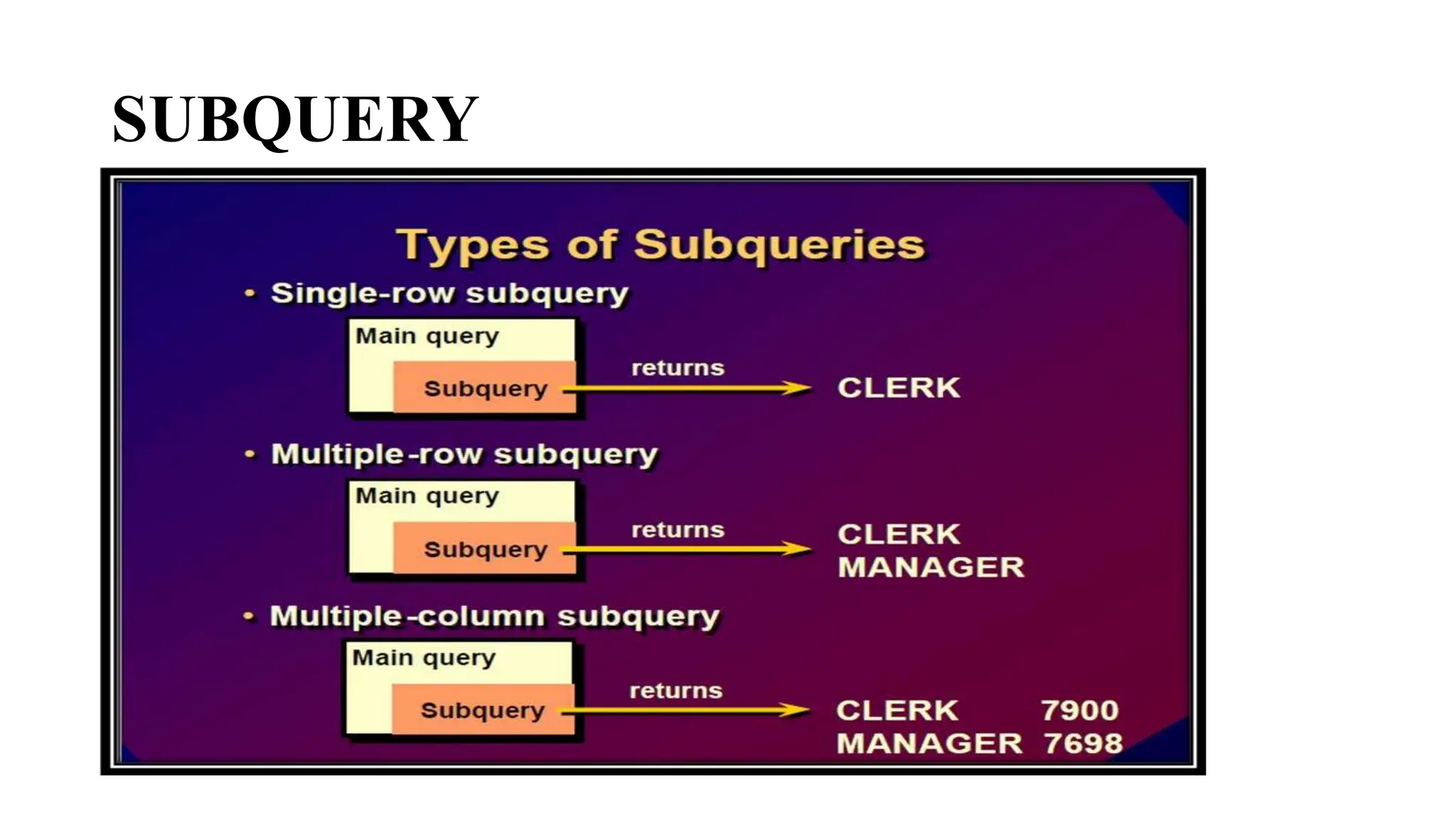
Types of subquery:
• Single row subquery
• Multiple row subquery
• Multiple column subquery
• Correlated subquery
SUBQUERY
SUBQUERY
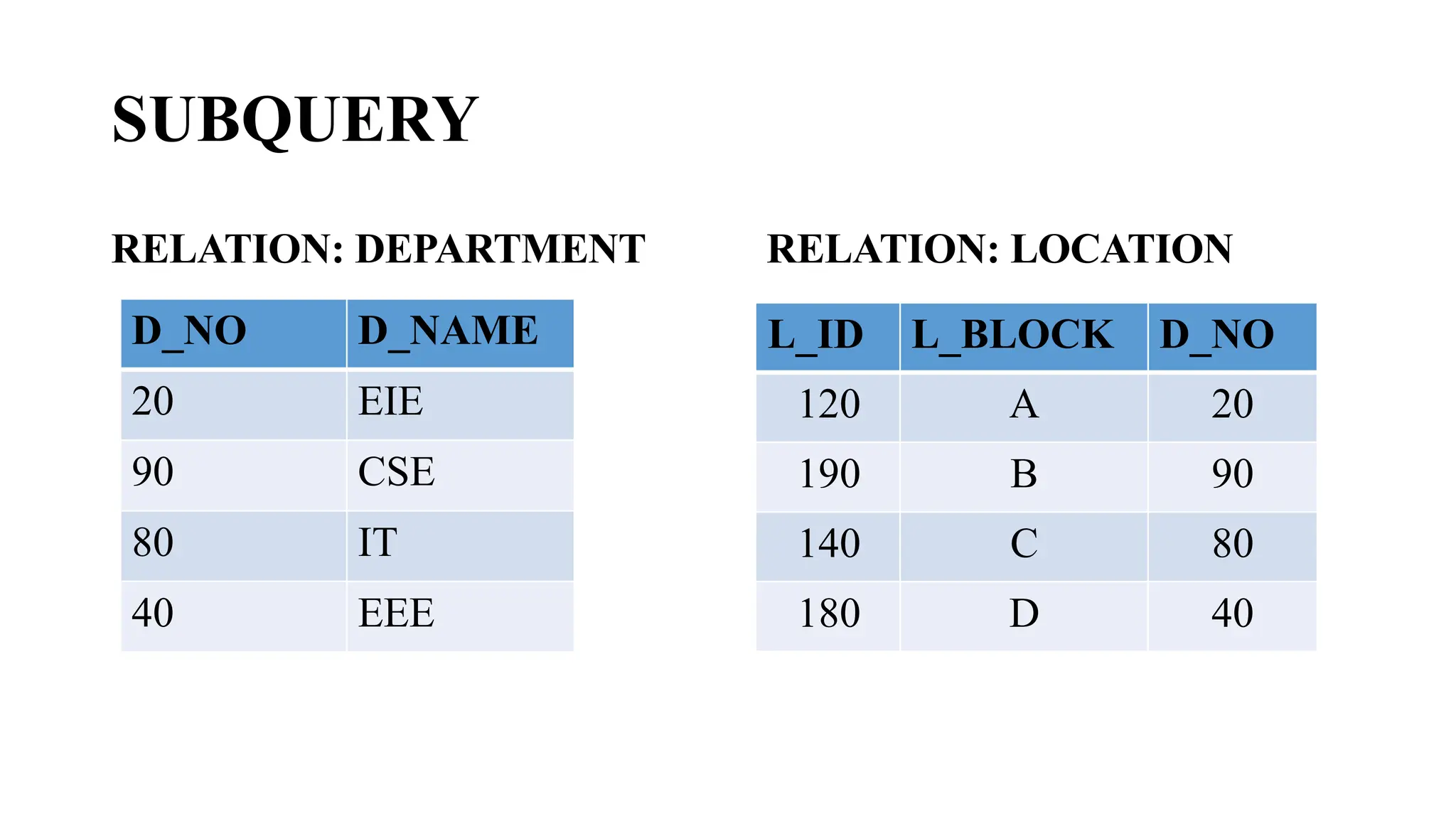
RELATION: DEPARTMENT RELATION: LOCATION
D_NO D_NAME
20 EIE
90 CSE
80 IT
40 EEE
L_ID L_BLOCK D_NO
120 A 20
190 B 90
140 C 80
180 D 40
SUBQUERY
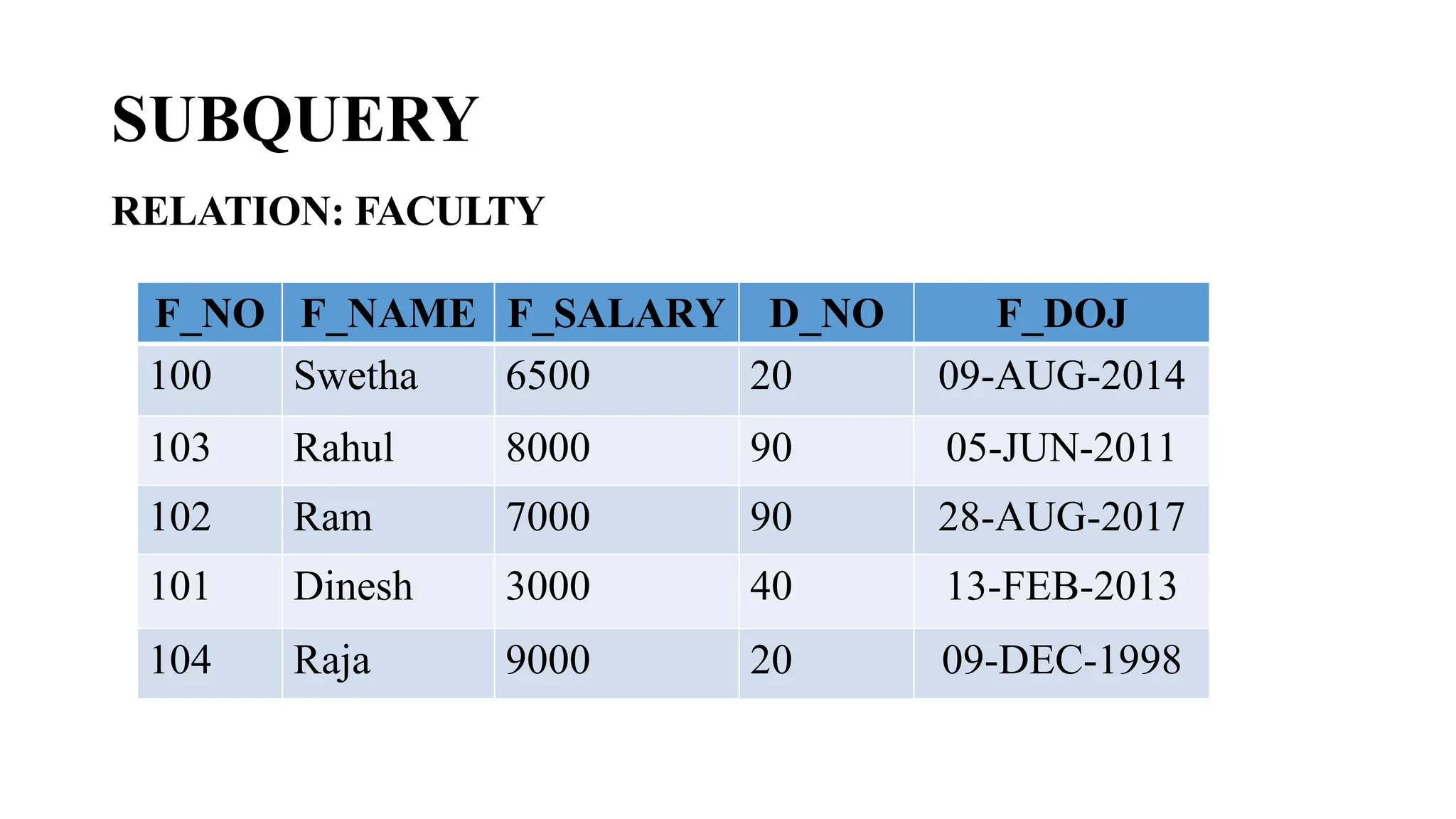
RELATION: FACULTY
F_NO F_NAME F_SALARY D_NO F_DOJ
100 Swetha 6500 20 09-AUG-2014
103 Rahul 8000 90 05-JUN-2011
102 Ram 7000 90 28-AUG-2017
101 Dinesh 3000 40 13-FEB-2013
104 Raja 9000 20 09-DEC-1998
SINGLE ROW SUBQUERY
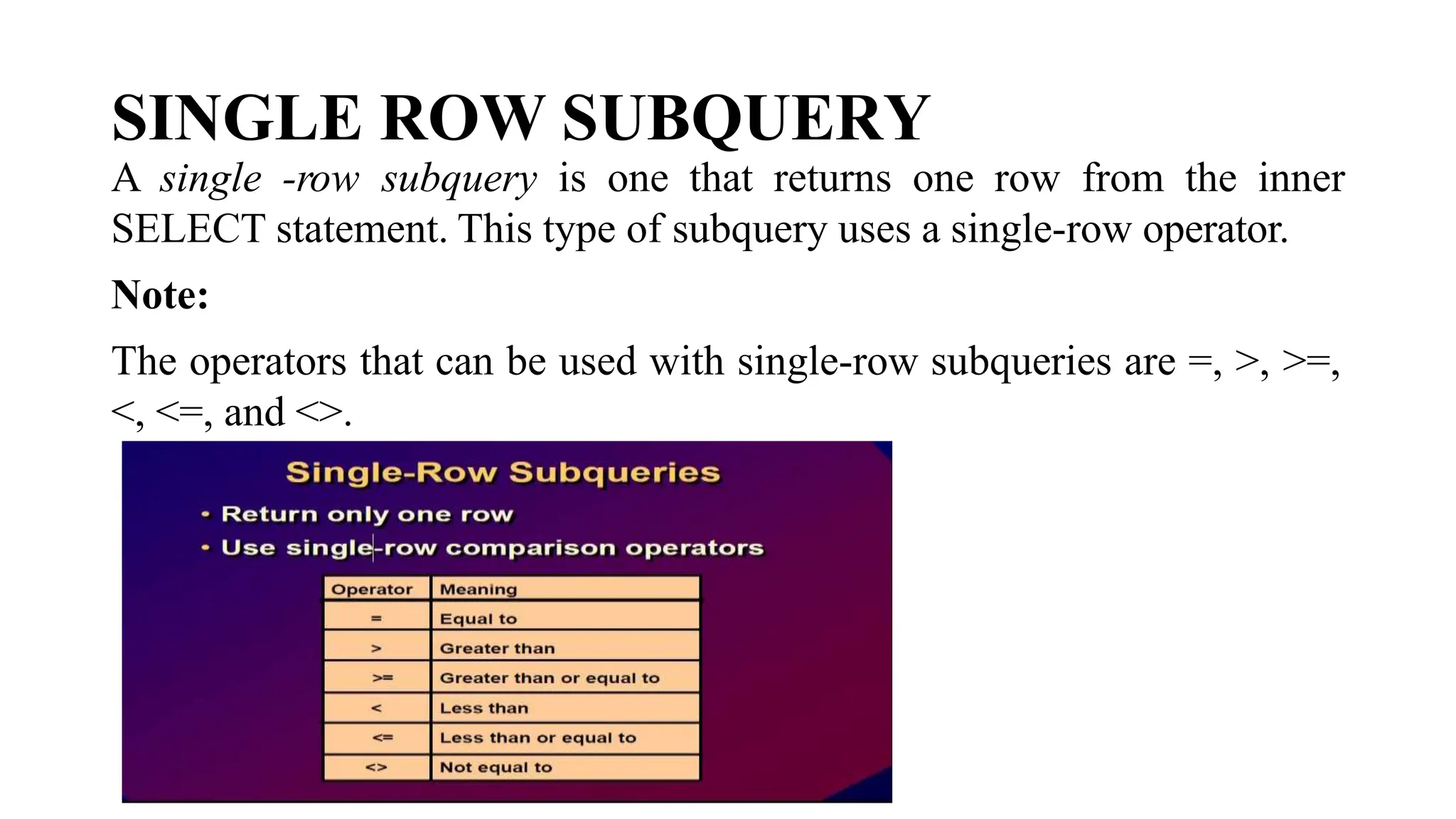
A single -row subquery is one that returns one row from the inner
SELECT statement. This type of subquery uses a single-row operator.
Note:
The operators that can be used with single-row subqueries are =, >, >=,
<, <=, and <>.
SINGLE ROW SUBQUERY
EXAMPLE 1:
Display the faculty details whose department no is same as that of the
faculty ‘Rahul’.
Query:
SELECT
FROM Faculty
WHERE D_NO = (SELECT D_NO
FROM Faculty
WHERE F_Name=‘Rahul');
SINGLE ROW SUBQUERY
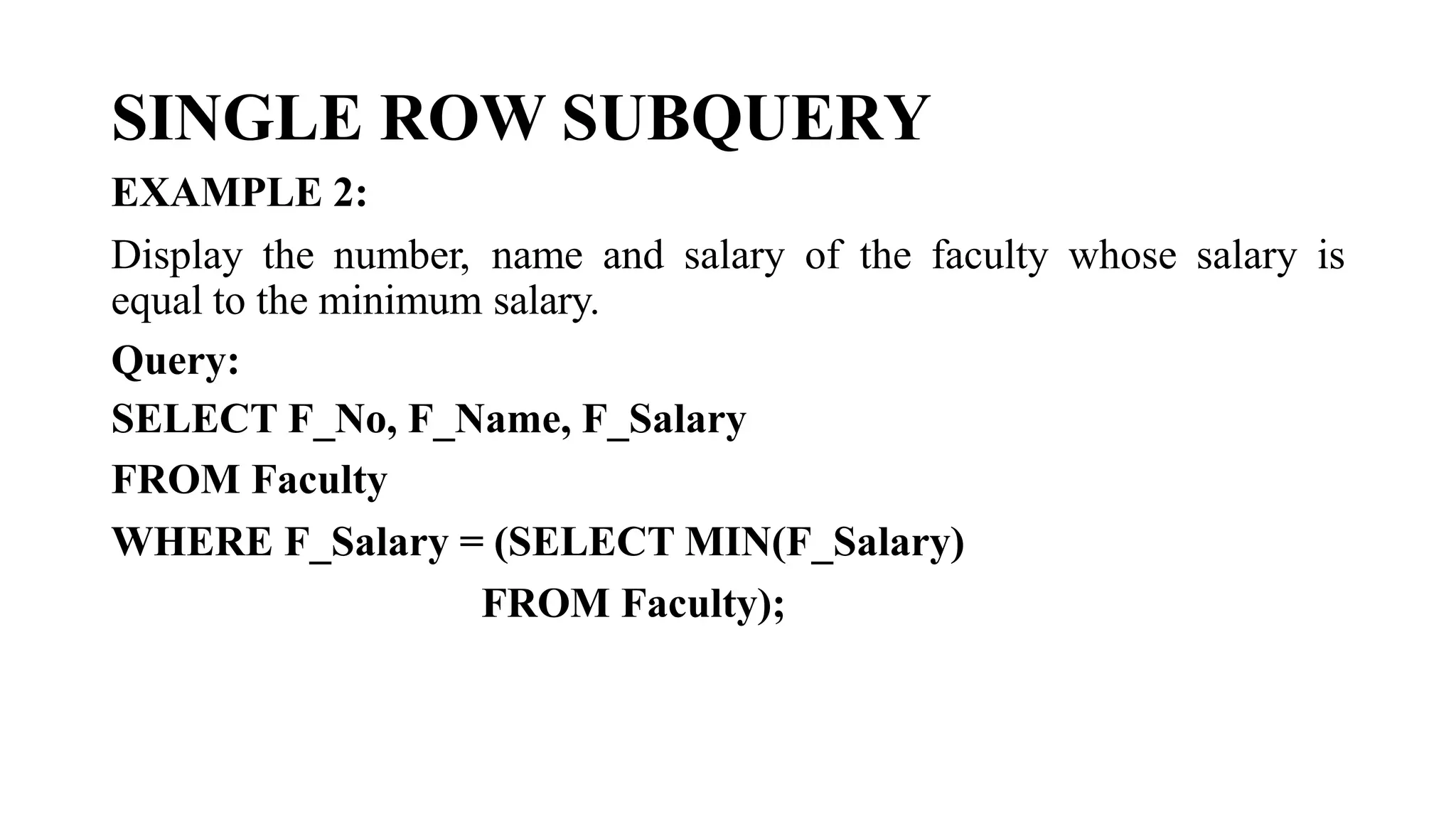
EXAMPLE 2:
Display the number, name and salary of the faculty whose salary is
equal to the minimum salary.
Query:
SELECT F_No, F_Name, F_Salary
FROM Faculty
WHERE F_Salary = (SELECT MIN(F_Salary)
FROM Faculty);
SINGLE ROW SUBQUERY
EXAMPLE 3:
Display the name and number of the departments which is located inA
Block.
Query:
SELECT D_No, D_Name
FROM Department
WHERE D_No = (SELECT D_No
FROM Locations
WHERE L_Block='A');
MULTIPLE ROW SUBQUERY
Multiple-row subqueries are nested queries that can return more than
one row of results to the parent query. Since it returns multiple rows, it
must be handled by set comparison operators (IN,ALL, ANY).
Usage of Multiple Row operators
• [>ALL] More than the highest value returned by the subquery
• [<ALL] Less than the lowest value returned by the subquery
• [<ANY] Less than the highest value returned by the subquery
• [>ANY] More than the lowest value returned by the subquery
• [=ANY] Equal to any value returned by the subquery (same as IN)
MULTIPLE ROW SUBQUERY
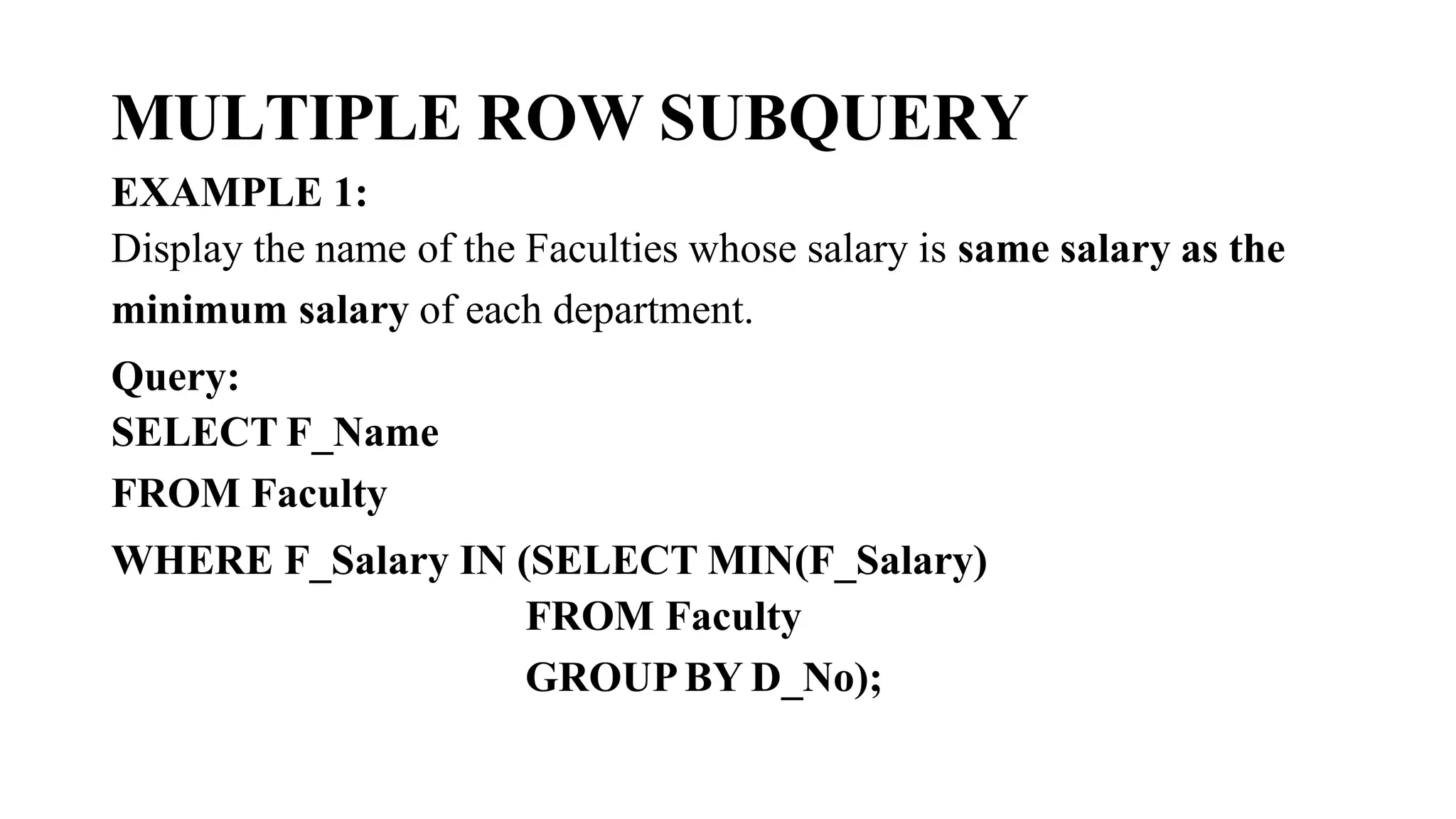
EXAMPLE 1:
Display the name of the Faculties whose salary is same salary as the
minimum salary of each department.
Query:
SELECT F_Name
FROM Faculty
WHERE F_Salary IN (SELECT MIN(F_Salary)
FROM Faculty
GROUPBY D_No);
MULTIPLE ROW SUBQUERY
EXAMPLE 1:
Display the name of the Faculties whose salary is same salary as the
minimum salary of each department.
Query:
SELECT F_Name
FROM Faculty
WHERE F_Salary IN (SELECT MIN(F_Salary)
FROM Faculty
GROUPBY D_No);
MULTIPLE ROW SUBQUERY
EXAMPLE 2:
Display the details of Faculties whose salary is greater than
the average salaries of each department.
SELECT *
FROM Faculty
WHERE F_Salary >ALL(SELECTA
VG(F_Salary)
FROM Faculty
GROUPBY D_No);
MULTIPLE ROW SUBQUERY
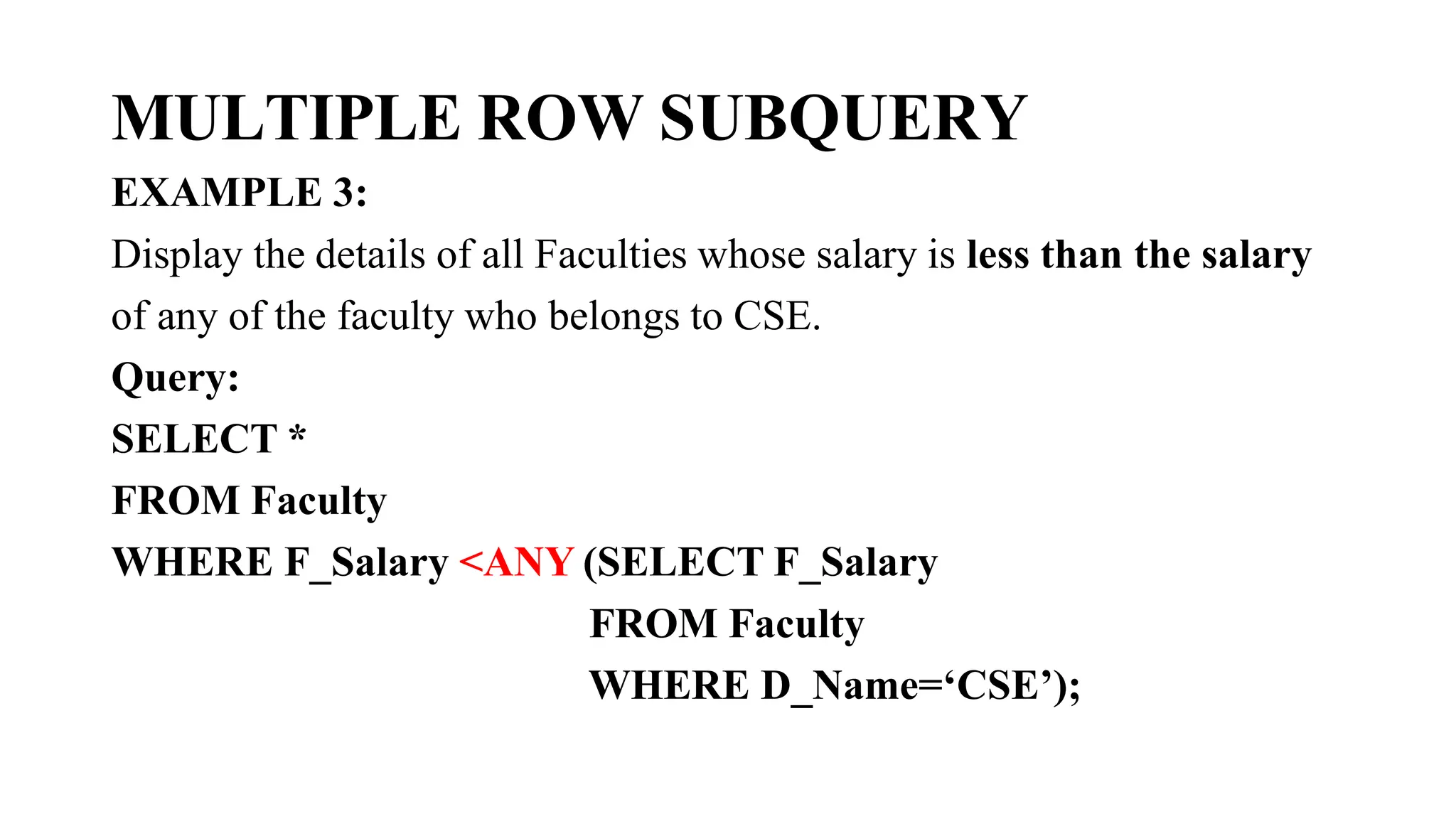
EXAMPLE 3:
Display the details of all Faculties whose salary is less than the salary
of any of the faculty who belongs to CSE.
Query:
SELECT *
FROM Faculty
WHERE F_Salary <ANY (SELECT F_Salary
FROM Faculty
WHERE D_Name=‘CSE’);
MULTIPLE ROW SUBQUERY
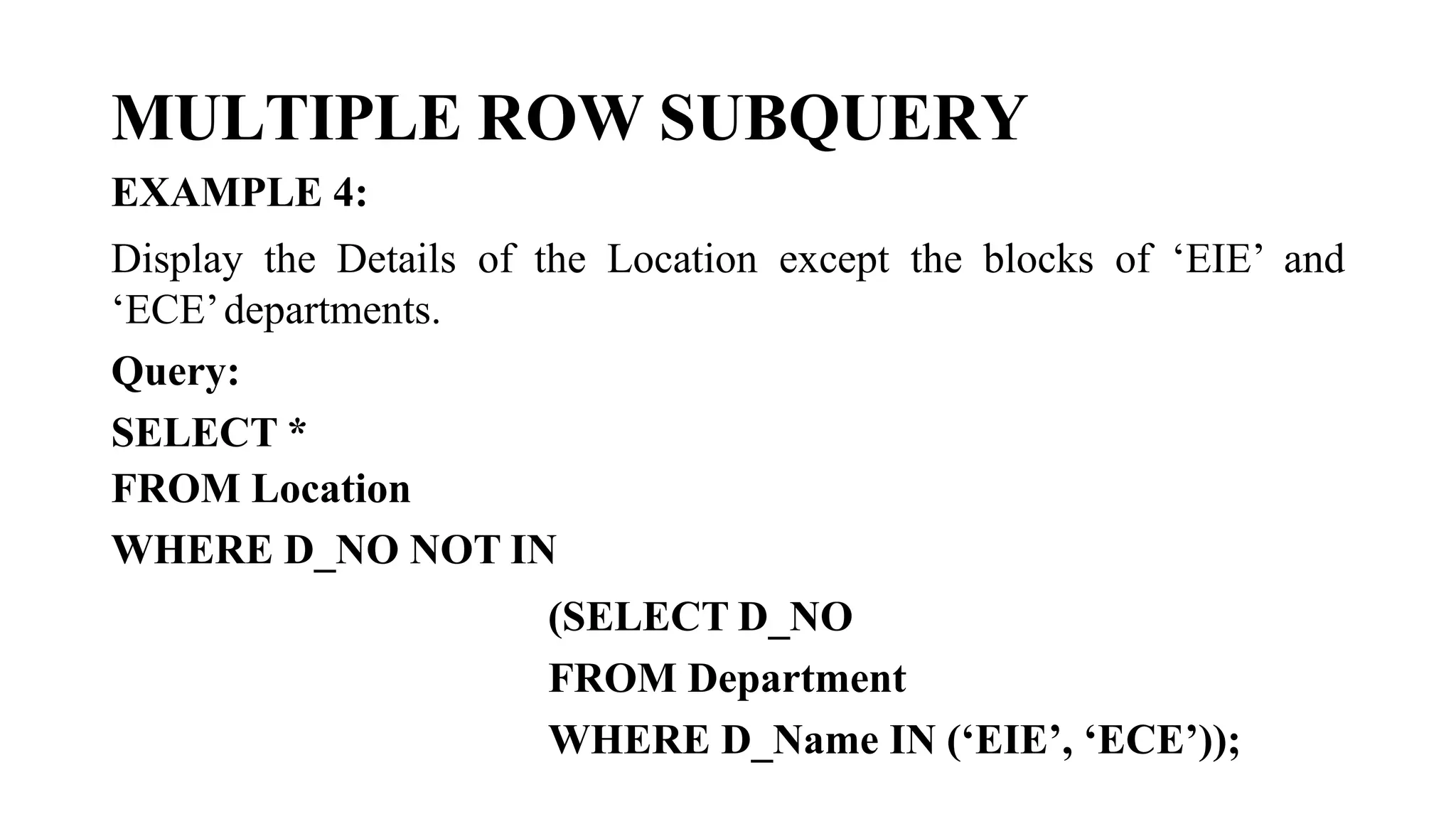
EXAMPLE 4:
Display the Details of the Location except the blocks of ‘EIE’ and
‘ECE’departments.
Query:
SELECT *
FROM Location
WHERE D_NO NOT IN
(SELECT D_NO
FROM Department
WHERE D_Name IN (‘EIE’, ‘ECE’));
MULTIPLE COLUMN SUBQUERY
So far you have written single-row subqueries and multiple-row
subqueries where only one column was compared in the WHERE clause
or HAVING clause of the SELECT statement.
If you want compare two or more columns. you must write a compound
WHERE clause using logical operators Multiple-column subqueries
enable you to combine duplicate WHERE conditions into a single
WHERE clause.
MULTIPLE COLUMN SUBQUERY
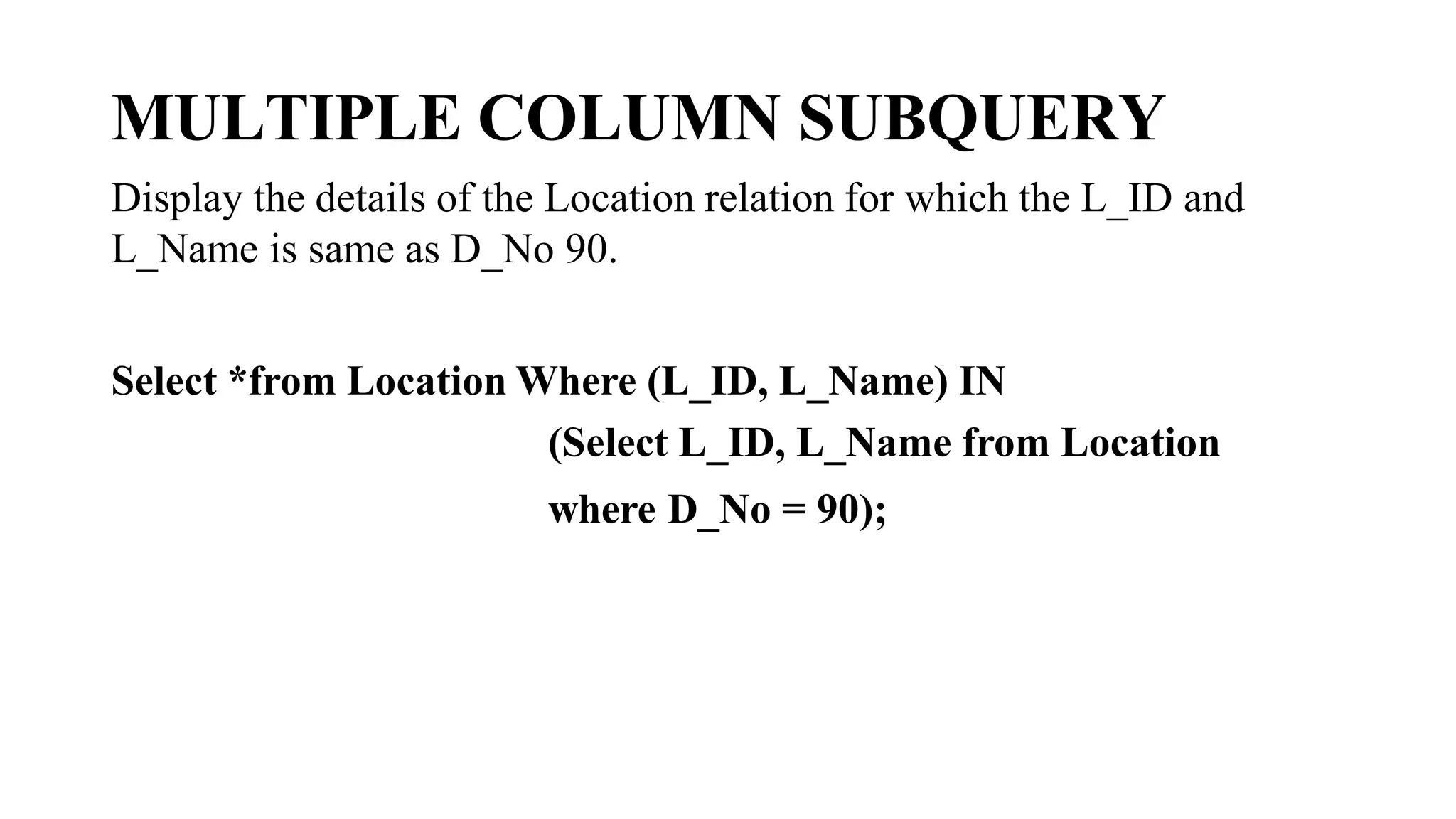
Display the details of the Location relation for which the L_ID and
L_Name is same as D_No 90.
Select *from Location Where (L_ID, L_Name) IN
(Select L_ID, L_Name from Location
where D_No = 90);
Correlated Subqueries :
• A correlated subquery is one that is executed after the outer query is
executed. So correlated subqueries take an approach opposite to that
of normal subqueries.
• The correlated subquery execution is as follows:
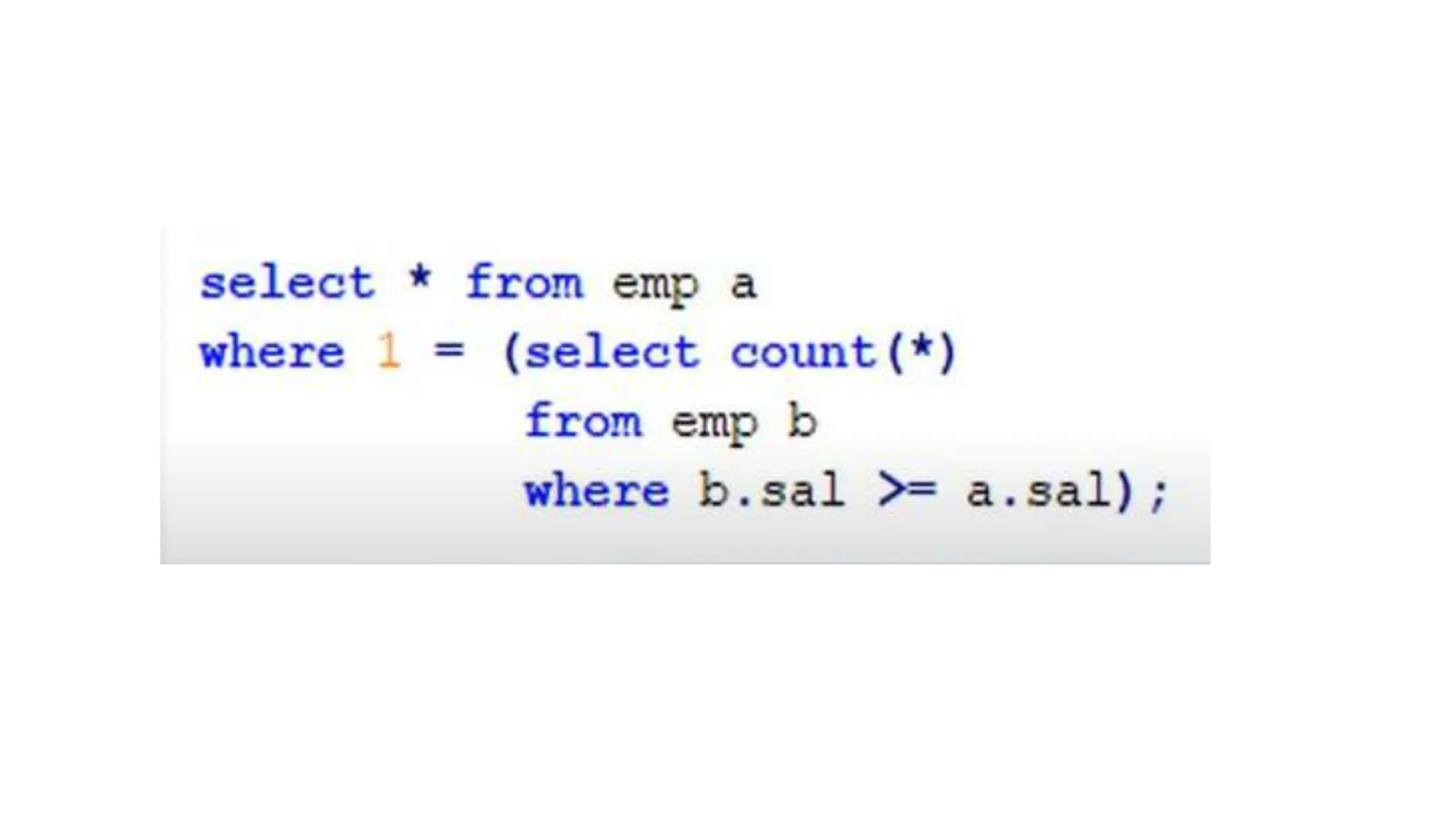
• The outer query will get executed first and for every row of outer
query, inner query will get executed. So the inner query will get
executed as many times as no of rows in result of the outer query.
• The outer query output can use the inner query output for
comparison.
• The inner query and outer query dependent on each other
SUBQUERIES.pptx

SUBQUERIES.pptx

  • 1.
  • 2.
    SUBQUERY What is subquery? •A subquery is a query within another query. The outer query is called as main query and inner query is called as sub query. • The subquery is often referred to as a nested SELECT, sub-SELECT, or inner SELECT statement. • The subquery generally executes first, and its output is used to complete the query condition for the main or outer query.
  • 3.
    SUBQUERY Guidelines for usingsubquery • Enclose subqueries in parentheses. • Place subqueries on the right side of the comparison operator. • Use single-row operators with singlerow subqueries. • Use multiple-row operators with multiple-row subqueries.
  • 4.
    SUBQUERY Types of subquery: •Single row subquery • Multiple row subquery • Multiple column subquery • Correlated subquery
  • 5.
  • 6.
    SUBQUERY RELATION: DEPARTMENT RELATION:LOCATION D_NO D_NAME 20 EIE 90 CSE 80 IT 40 EEE L_ID L_BLOCK D_NO 120 A 20 190 B 90 140 C 80 180 D 40
  • 7.
    SUBQUERY RELATION: FACULTY F_NO F_NAMEF_SALARY D_NO F_DOJ 100 Swetha 6500 20 09-AUG-2014 103 Rahul 8000 90 05-JUN-2011 102 Ram 7000 90 28-AUG-2017 101 Dinesh 3000 40 13-FEB-2013 104 Raja 9000 20 09-DEC-1998
  • 8.
    SINGLE ROW SUBQUERY Asingle -row subquery is one that returns one row from the inner SELECT statement. This type of subquery uses a single-row operator. Note: The operators that can be used with single-row subqueries are =, >, >=, <, <=, and <>.
  • 9.
    SINGLE ROW SUBQUERY EXAMPLE1: Display the faculty details whose department no is same as that of the faculty ‘Rahul’. Query: SELECT FROM Faculty WHERE D_NO = (SELECT D_NO FROM Faculty WHERE F_Name=‘Rahul');
  • 10.
    SINGLE ROW SUBQUERY EXAMPLE2: Display the number, name and salary of the faculty whose salary is equal to the minimum salary. Query: SELECT F_No, F_Name, F_Salary FROM Faculty WHERE F_Salary = (SELECT MIN(F_Salary) FROM Faculty);
  • 11.
    SINGLE ROW SUBQUERY EXAMPLE3: Display the name and number of the departments which is located inA Block. Query: SELECT D_No, D_Name FROM Department WHERE D_No = (SELECT D_No FROM Locations WHERE L_Block='A');
  • 12.
    MULTIPLE ROW SUBQUERY Multiple-rowsubqueries are nested queries that can return more than one row of results to the parent query. Since it returns multiple rows, it must be handled by set comparison operators (IN,ALL, ANY). Usage of Multiple Row operators • [>ALL] More than the highest value returned by the subquery • [<ALL] Less than the lowest value returned by the subquery • [<ANY] Less than the highest value returned by the subquery • [>ANY] More than the lowest value returned by the subquery • [=ANY] Equal to any value returned by the subquery (same as IN)
  • 13.
    MULTIPLE ROW SUBQUERY EXAMPLE1: Display the name of the Faculties whose salary is same salary as the minimum salary of each department. Query: SELECT F_Name FROM Faculty WHERE F_Salary IN (SELECT MIN(F_Salary) FROM Faculty GROUPBY D_No);
  • 14.
    MULTIPLE ROW SUBQUERY EXAMPLE1: Display the name of the Faculties whose salary is same salary as the minimum salary of each department. Query: SELECT F_Name FROM Faculty WHERE F_Salary IN (SELECT MIN(F_Salary) FROM Faculty GROUPBY D_No);
  • 15.
    MULTIPLE ROW SUBQUERY EXAMPLE2: Display the details of Faculties whose salary is greater than the average salaries of each department. SELECT * FROM Faculty WHERE F_Salary >ALL(SELECTA VG(F_Salary) FROM Faculty GROUPBY D_No);
  • 16.
    MULTIPLE ROW SUBQUERY EXAMPLE3: Display the details of all Faculties whose salary is less than the salary of any of the faculty who belongs to CSE. Query: SELECT * FROM Faculty WHERE F_Salary <ANY (SELECT F_Salary FROM Faculty WHERE D_Name=‘CSE’);
  • 17.
    MULTIPLE ROW SUBQUERY EXAMPLE4: Display the Details of the Location except the blocks of ‘EIE’ and ‘ECE’departments. Query: SELECT * FROM Location WHERE D_NO NOT IN (SELECT D_NO FROM Department WHERE D_Name IN (‘EIE’, ‘ECE’));
  • 18.
    MULTIPLE COLUMN SUBQUERY Sofar you have written single-row subqueries and multiple-row subqueries where only one column was compared in the WHERE clause or HAVING clause of the SELECT statement. If you want compare two or more columns. you must write a compound WHERE clause using logical operators Multiple-column subqueries enable you to combine duplicate WHERE conditions into a single WHERE clause.
  • 19.
    MULTIPLE COLUMN SUBQUERY Displaythe details of the Location relation for which the L_ID and L_Name is same as D_No 90. Select *from Location Where (L_ID, L_Name) IN (Select L_ID, L_Name from Location where D_No = 90);
  • 20.
    Correlated Subqueries : •A correlated subquery is one that is executed after the outer query is executed. So correlated subqueries take an approach opposite to that of normal subqueries. • The correlated subquery execution is as follows: • The outer query will get executed first and for every row of outer query, inner query will get executed. So the inner query will get executed as many times as no of rows in result of the outer query. • The outer query output can use the inner query output for comparison. • The inner query and outer query dependent on each other