Creating an FAQ. 
An evolution of an idea 
#SPSJE 
Paul Hunt 
Solutions Architect 
Trinity 
@Cimares 
www.myfatblog.co.u 
k
Who Am I? 
• SharePoint Architect for Trinity 
Expert Systems 
• Co-organiser of SUGUK London 
Region 
• Member of the SharePoint 
community since 2007 
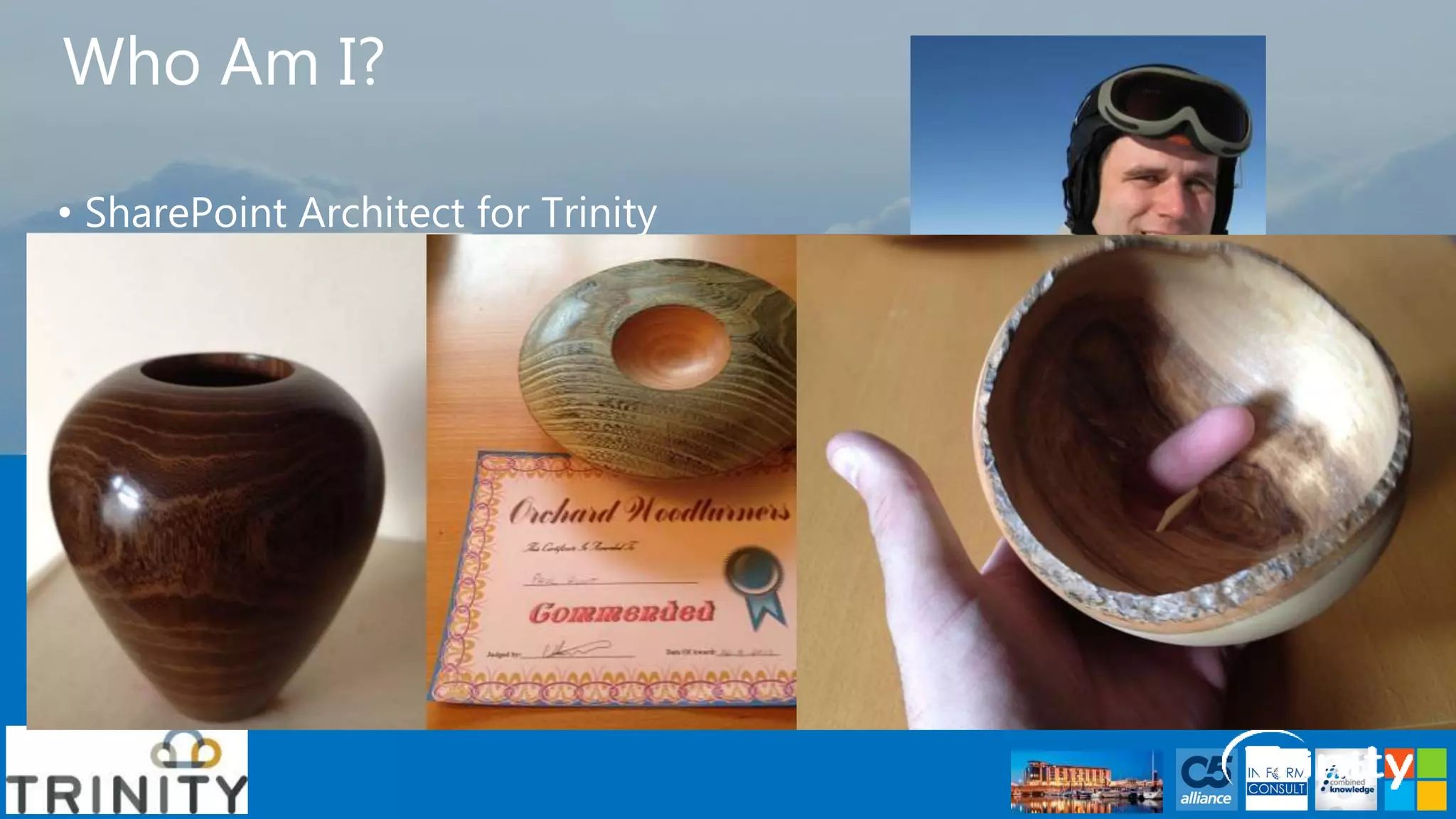
• In my spare time I’m a woodturner, 
making Pots, Pens and artistic 
pieces! 
• Paul Hunt 
• Twitter: @Cimares 
• www.myfatblog.co.uk 
• www.trinityservice.co.uk
Who is this session for? 
• FAQ – Basic Evolution 
• End Users 
• FAQ – Intermediate Evolution 
• End Users/Power Users 
• FAQ – Advanced Evolution 
• Power Users 
• IT Pros/Devs
Agenda – Part 1 
• Building an FAQ 
• Foundations 
• Site Columns/Content Types 
• Metadata 
• Basic Configuration 
• Single site/Single list 
• Intermediate Configuration 
• Integrated search 
• Configuring Search Centre
Agenda – Part 1 
• Building an FAQ 
• Advanced (This is the code bit!) 
• Transforming the List view 
• Transforming the integrated search 
• Adding expert search 
• Transforming the Search Centre experience 
• #SPCSR 
• Help from the community
Room Survey – Skill Levels
Foundations
Service Applications 
Managed Metadata 
• Provides a central repository 
of terms for classification of 
data. 
User Profiles 
• Stores detailed information 
about a user. 
• Commonly integrated with 
one or more identity stores. 
• Can be extended
Service Applications 
Enterprise Search 
• Allows us to find information 
using simple or complex 
queries. 
• Work across site collection 
boundaries.
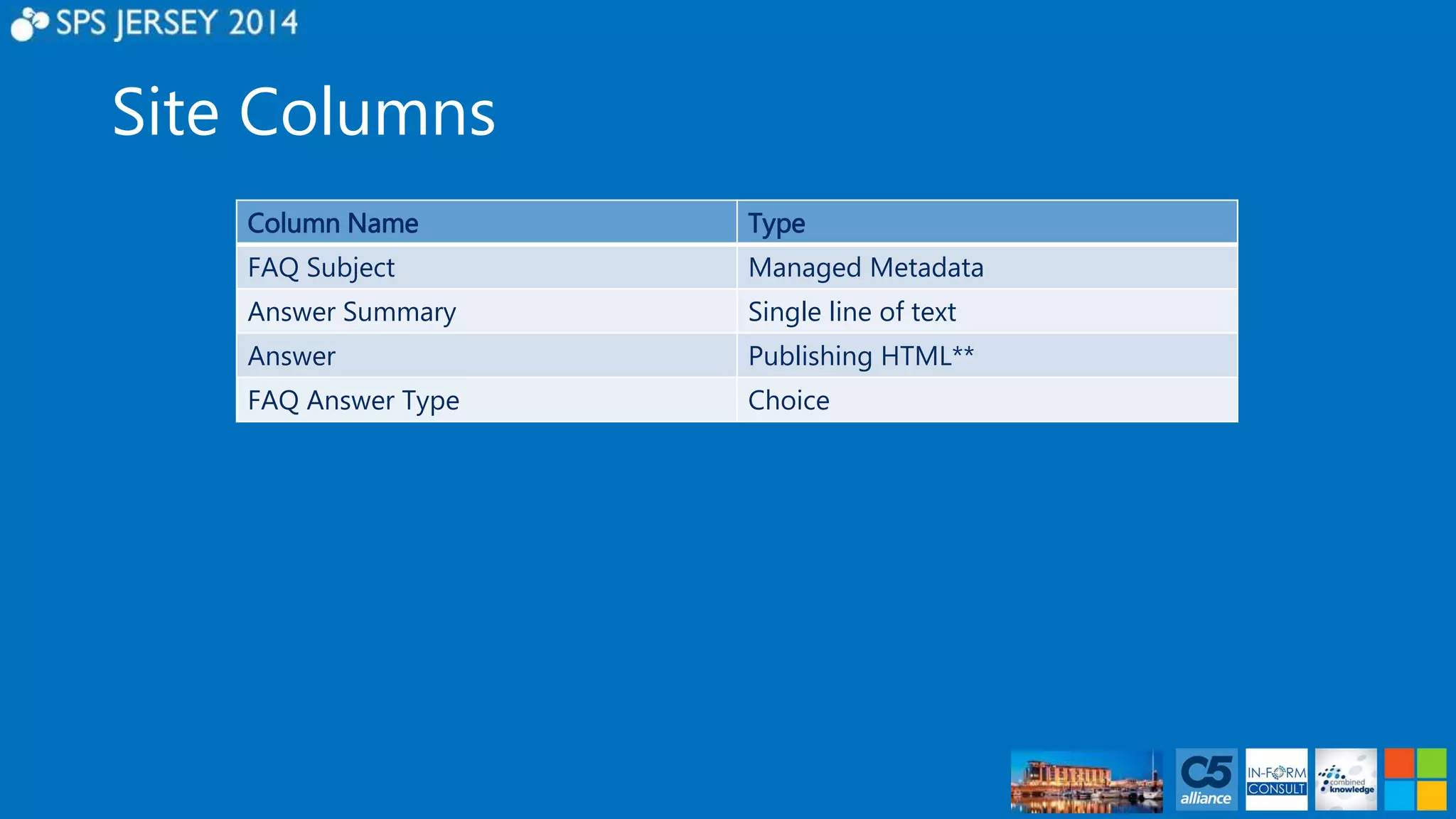
Site Columns 
Column Name Type 
FAQ Subject Managed Metadata 
Answer Summary Single line of text 
Answer Publishing HTML** 
FAQ Answer Type Choice
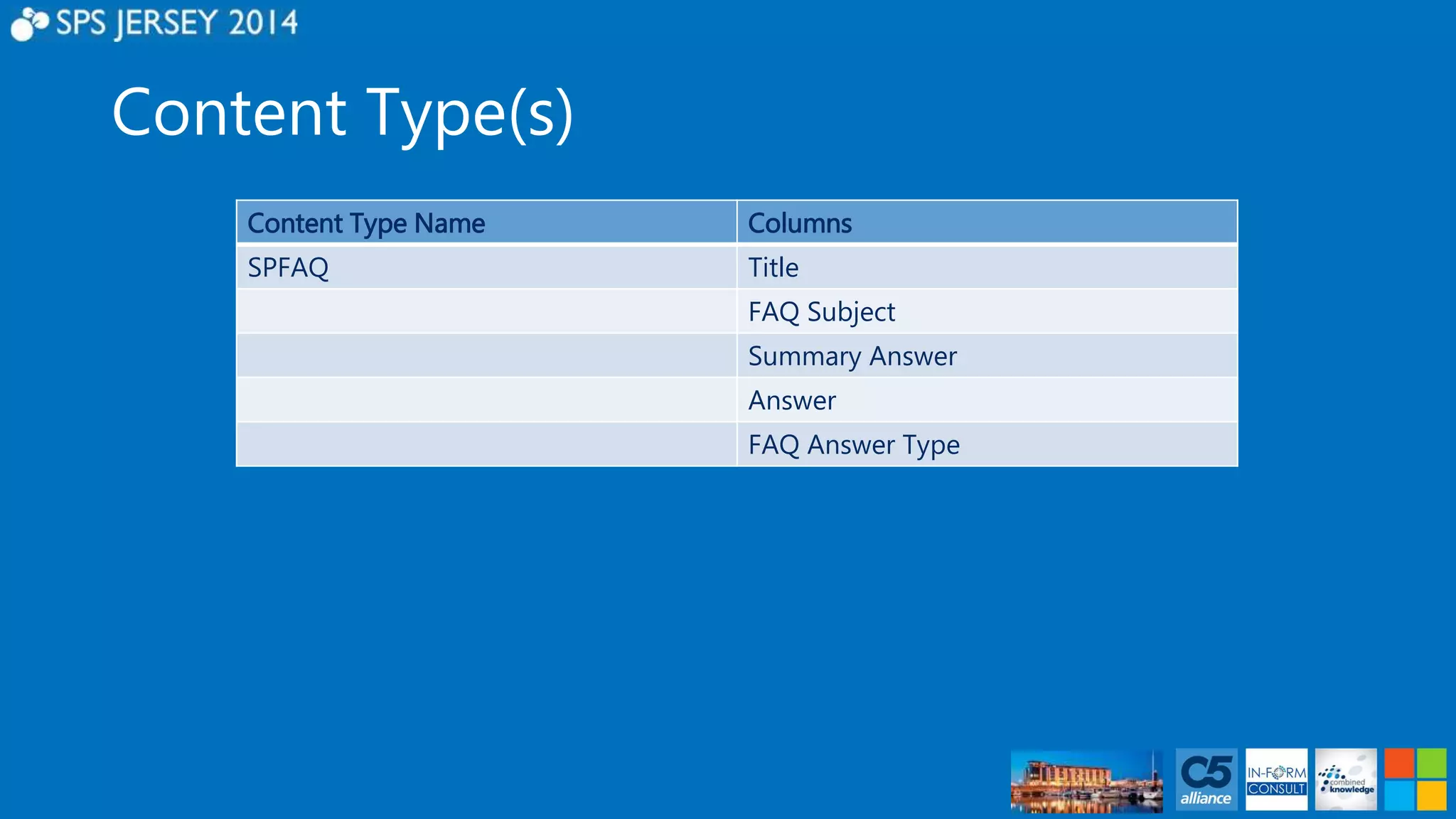
Content Type(s) 
Content Type Name Columns 
SPFAQ Title 
FAQ Subject 
Summary Answer 
Answer 
FAQ Answer Type
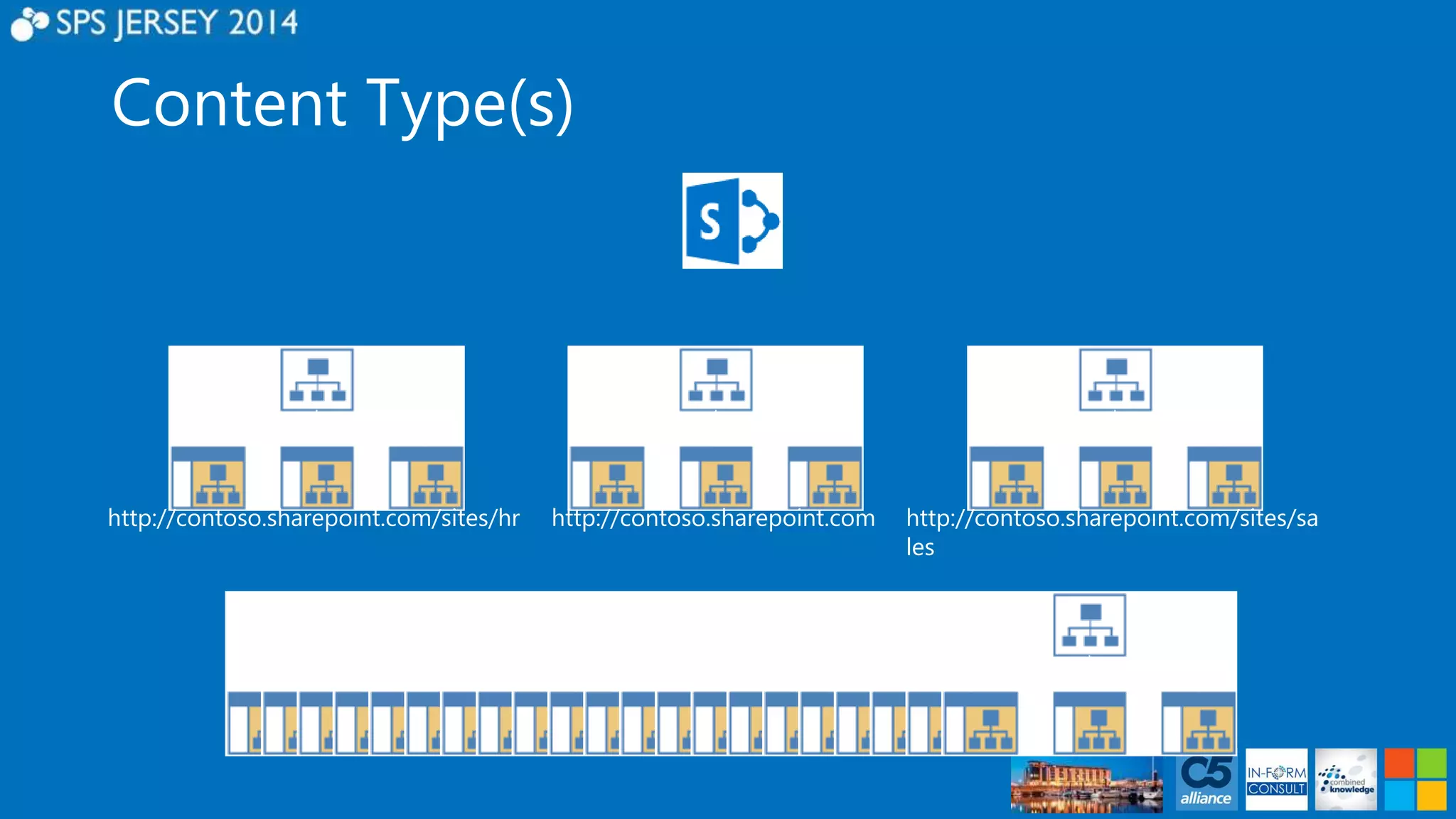
Content Type(s) 
http://contoso.sharepoint.com/sites/hr http://contoso.sharepoint.com http://contoso.sharepoint.com/sites/sa 
les
Content Type Publishing 
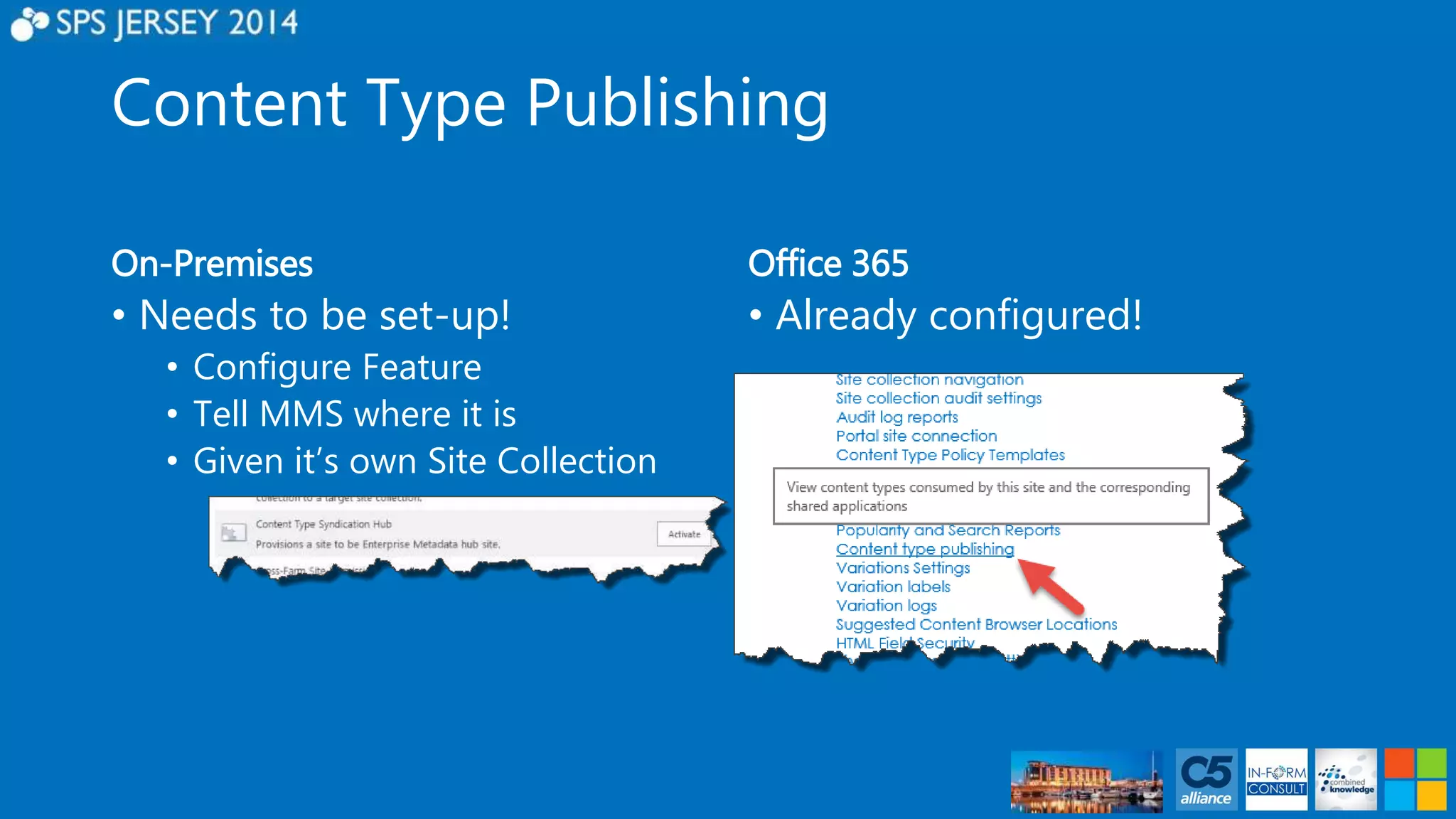
On-Premises 
• Needs to be set-up! 
• Configure Feature 
• Tell MMS where it is 
• Given it’s own Site Collection 
Office 365 
• Already configured!
Content Type Publishing 
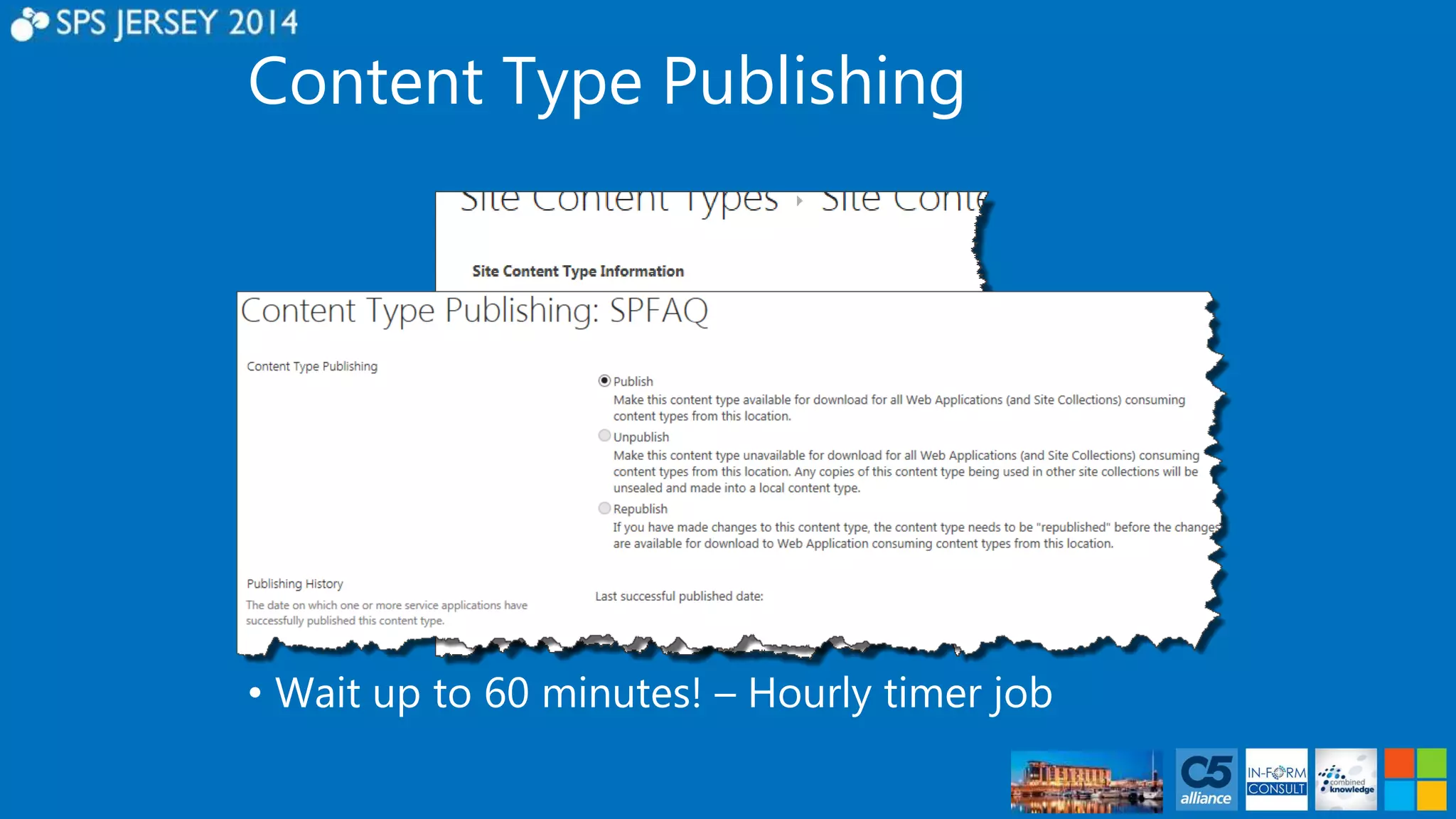
• Wait up to 60 minutes! – Hourly timer job
Internal Name Pain
Internal Name Pain! 
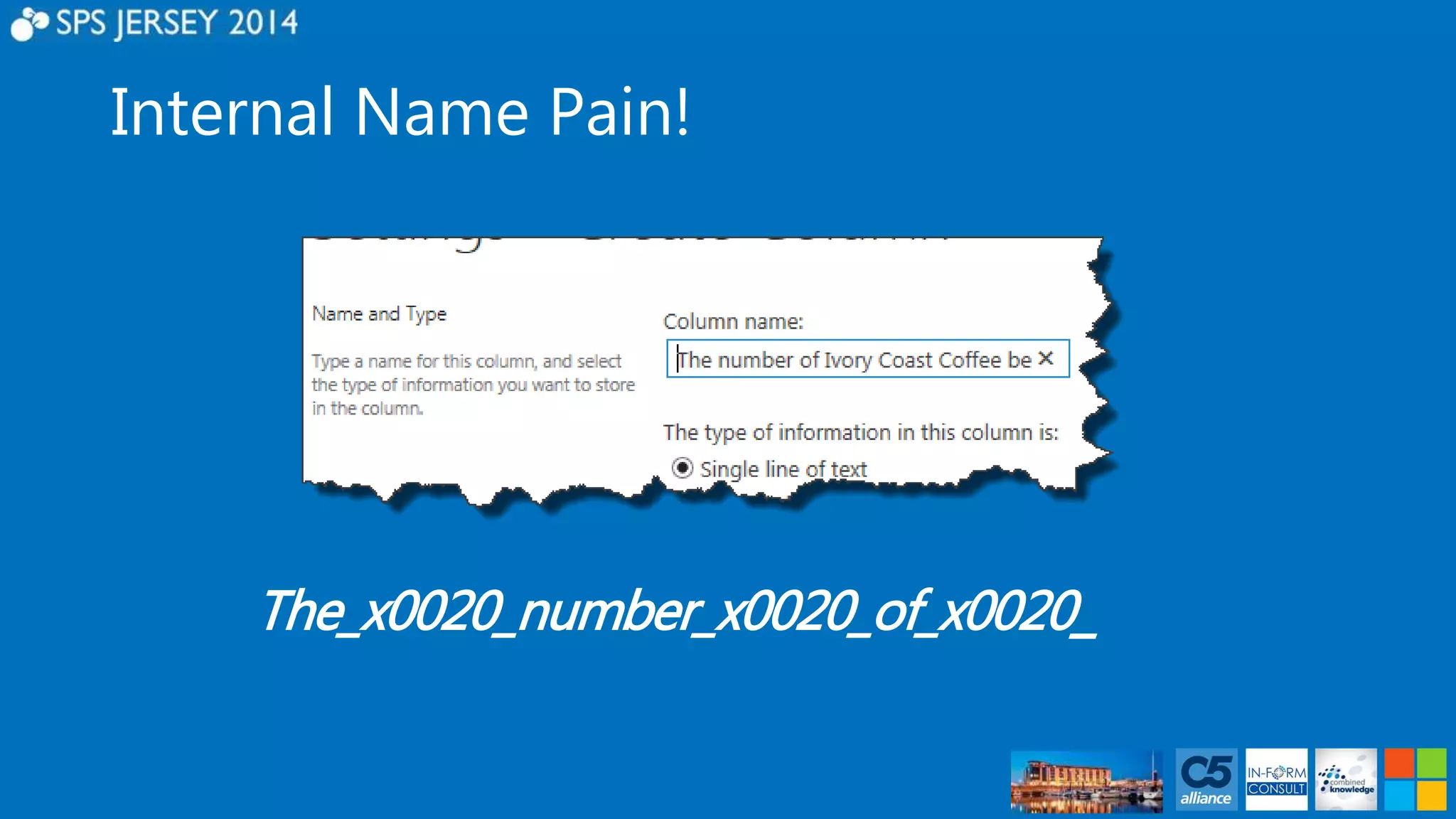
The_x0020_number_x0020_of_x0020_
Internal Name Pain! 
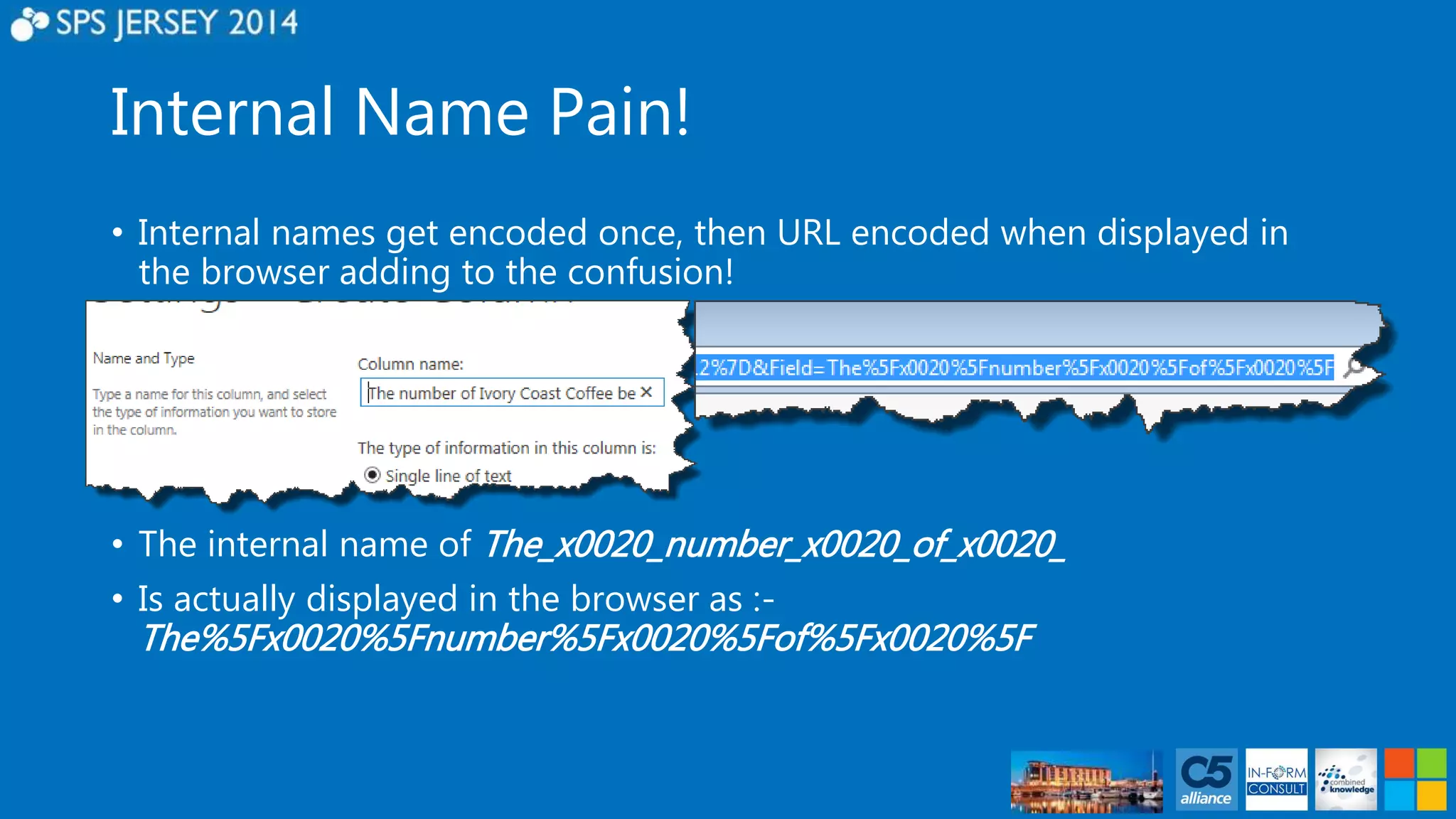
• Internal names get encoded once, then URL encoded when displayed in 
the browser adding to the confusion! 
• The internal name of The_x0020_number_x0020_of_x0020_ 
• Is actually displayed in the browser as :- 
The%5Fx0020%5Fnumber%5Fx0020%5Fof%5Fx0020%5F
Internal Name Pain! 
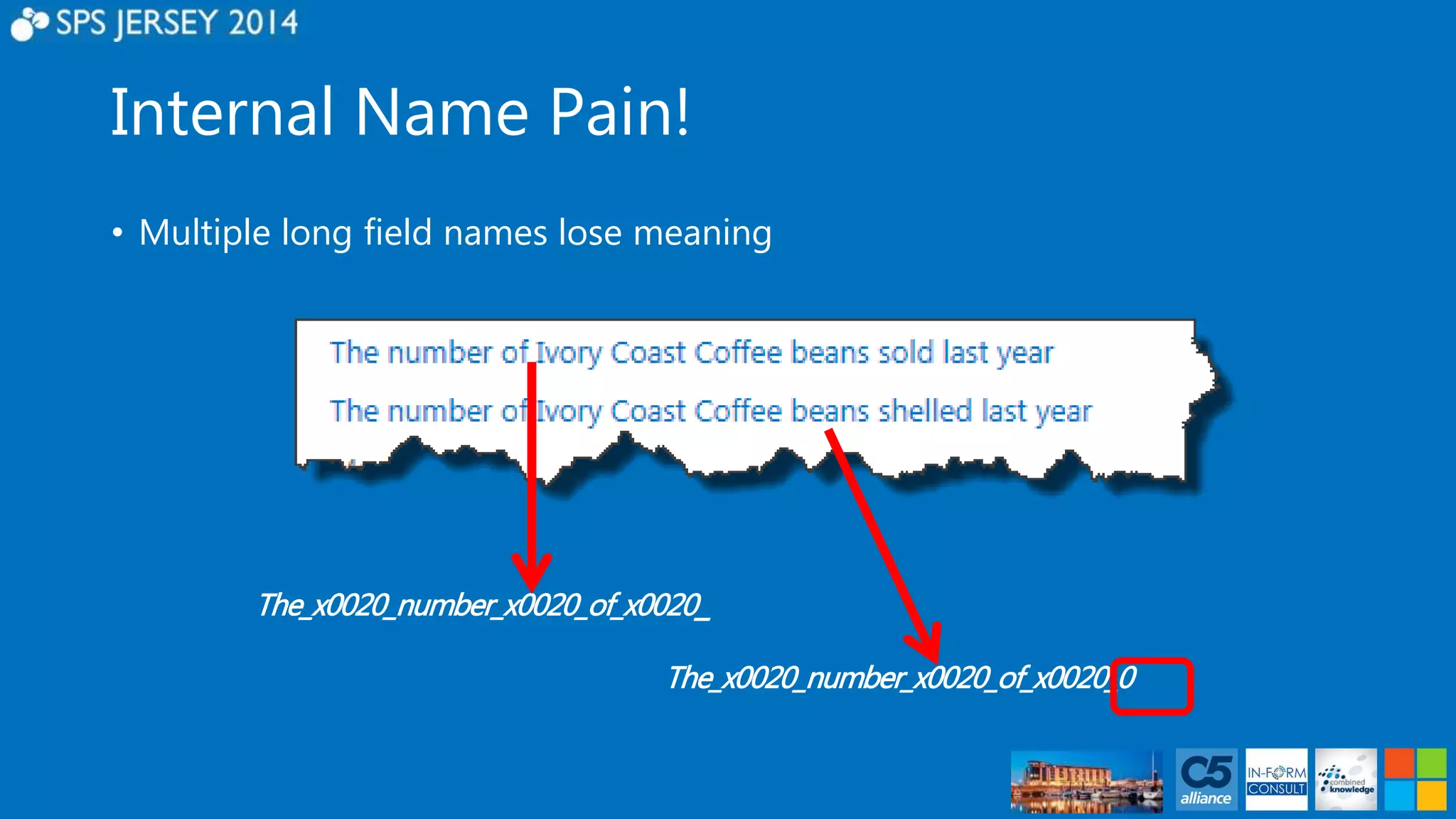
• Multiple long field names lose meaning 
The_x0020_number_x0020_of_x0020_ 
The_x0020_number_x0020_of_x0020_0
Internal Name Pain! 
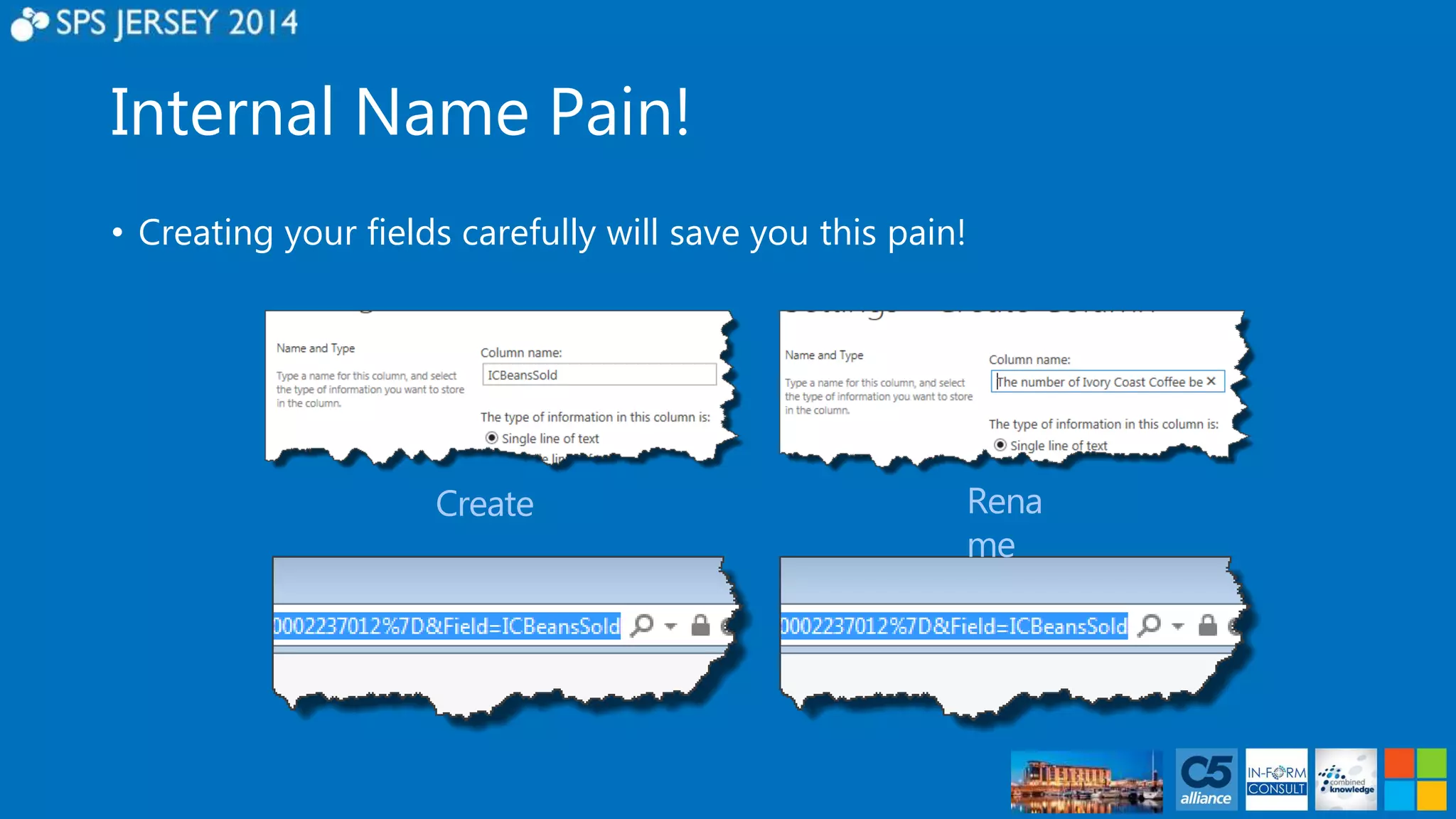
• Creating your fields carefully will save you this pain!
Internal Name Pain! 
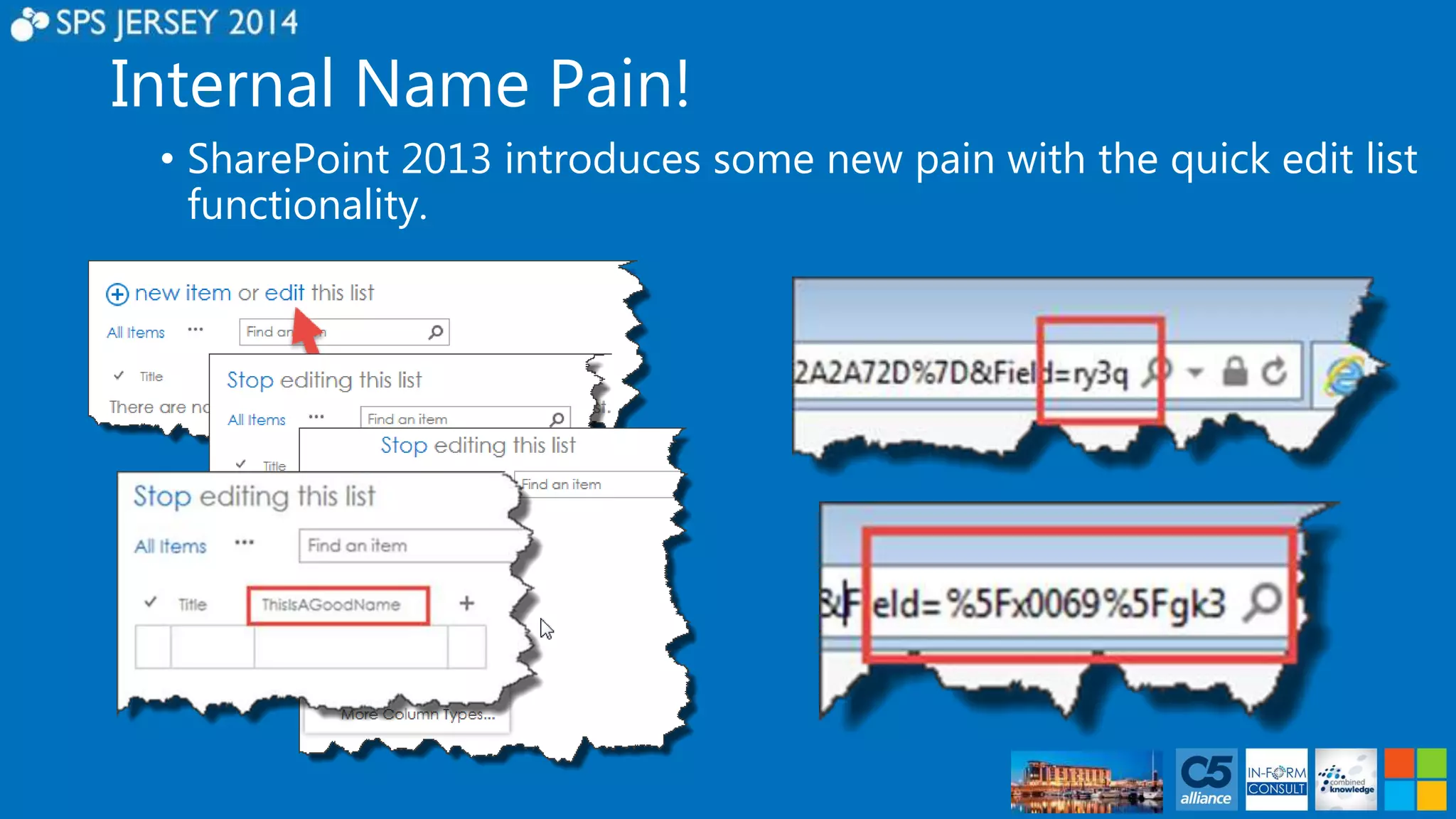
• SharePoint 2013 introduces some new pain with the quick edit list 
functionality.
I’m not a dev! 
• Why should I care?
I’m not a dev! 
• Your developers (if you have them) will love you!
FAQ Basic 
• Building the foundations 
• Site Columns & Content Types 
• Build using the Custom List template 
• Add our Content Type 
• Configure Metadata Navigation 
• Configure Ratings 
• Configure list view 
• Additional option 
• Versioning/Content Approval
DEMO – FAQ Basic
FAQ Intermediate 
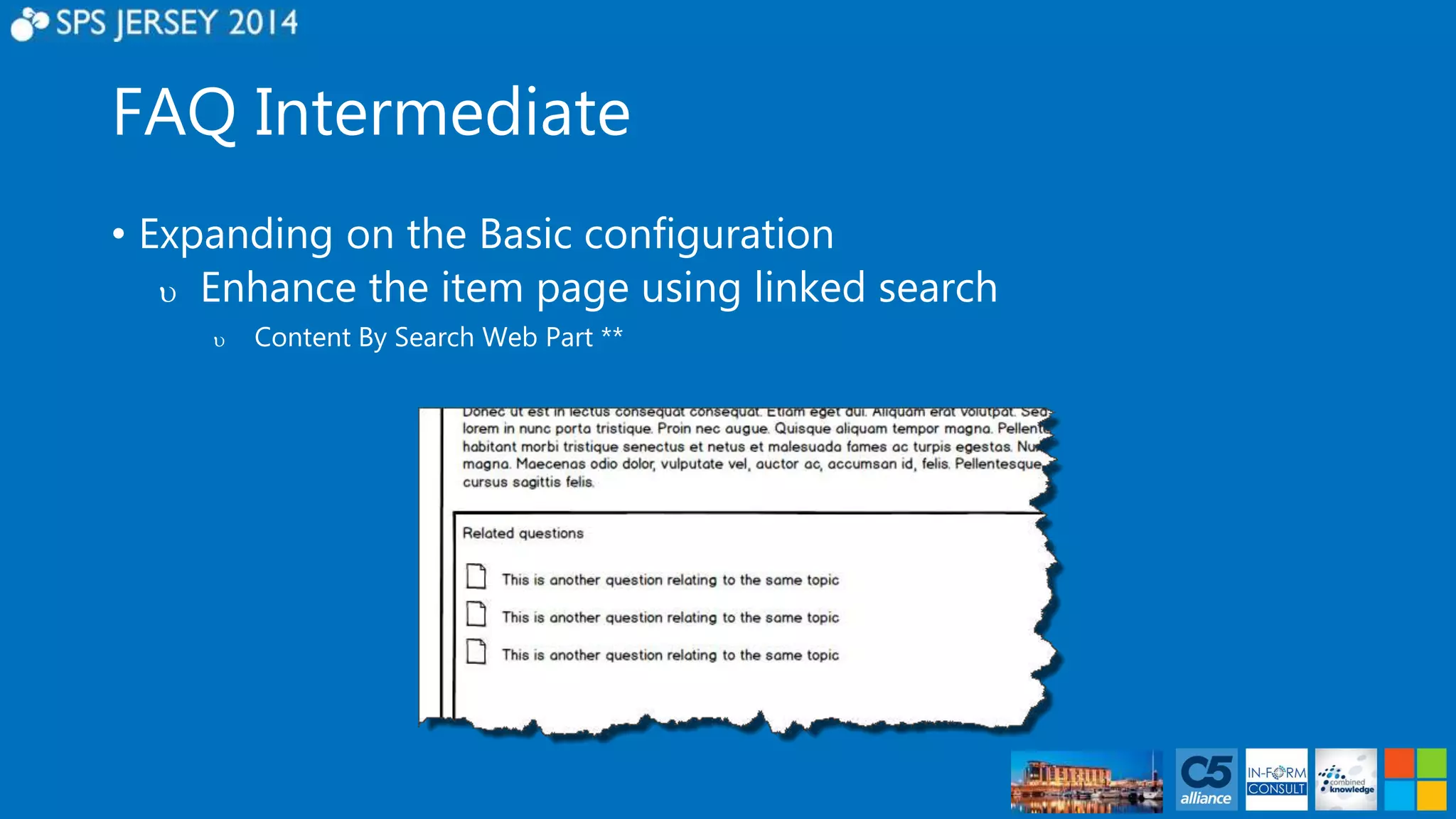
• Expanding on the Basic configuration 
 Enhance the item page using linked search 
 Content By Search Web Part **
FAQ Intermediate 
• Expanding on the Basic configuration 
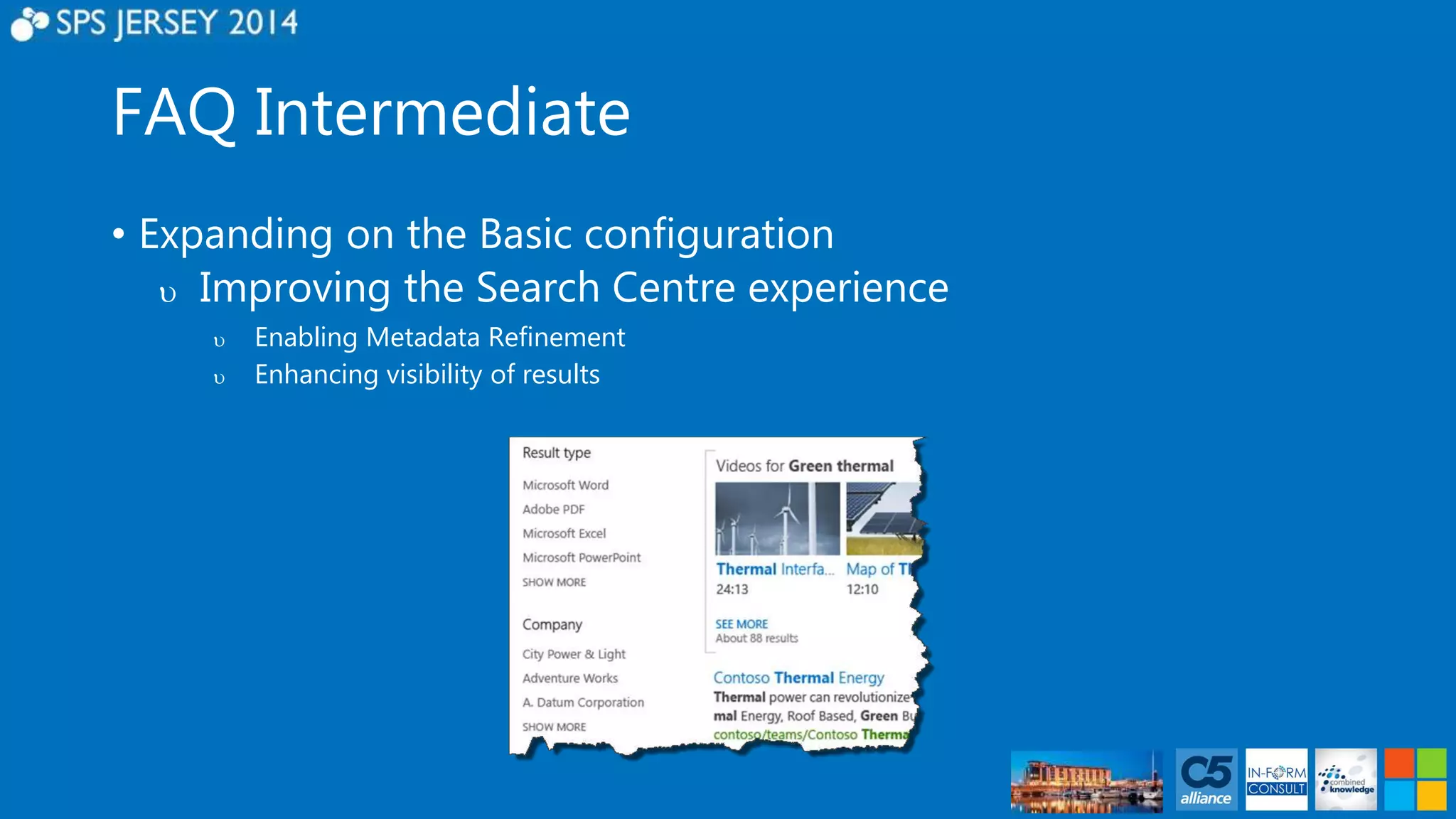
 Improving the Search Centre experience 
 Enabling Metadata Refinement 
 Enhancing visibility of results
DEMO – FAQ Intermediate
FAQ Advanced 
• Building further functionality 
• Enhancing the User Experience 
• List view web part display templates 
• Search Display templates for the linked search 
• Search Display templates for the Search centre 
• Adding value using People search 
• Configuring SME selector in Profile 
• Adding the Managed Property
FAQ Advanced 
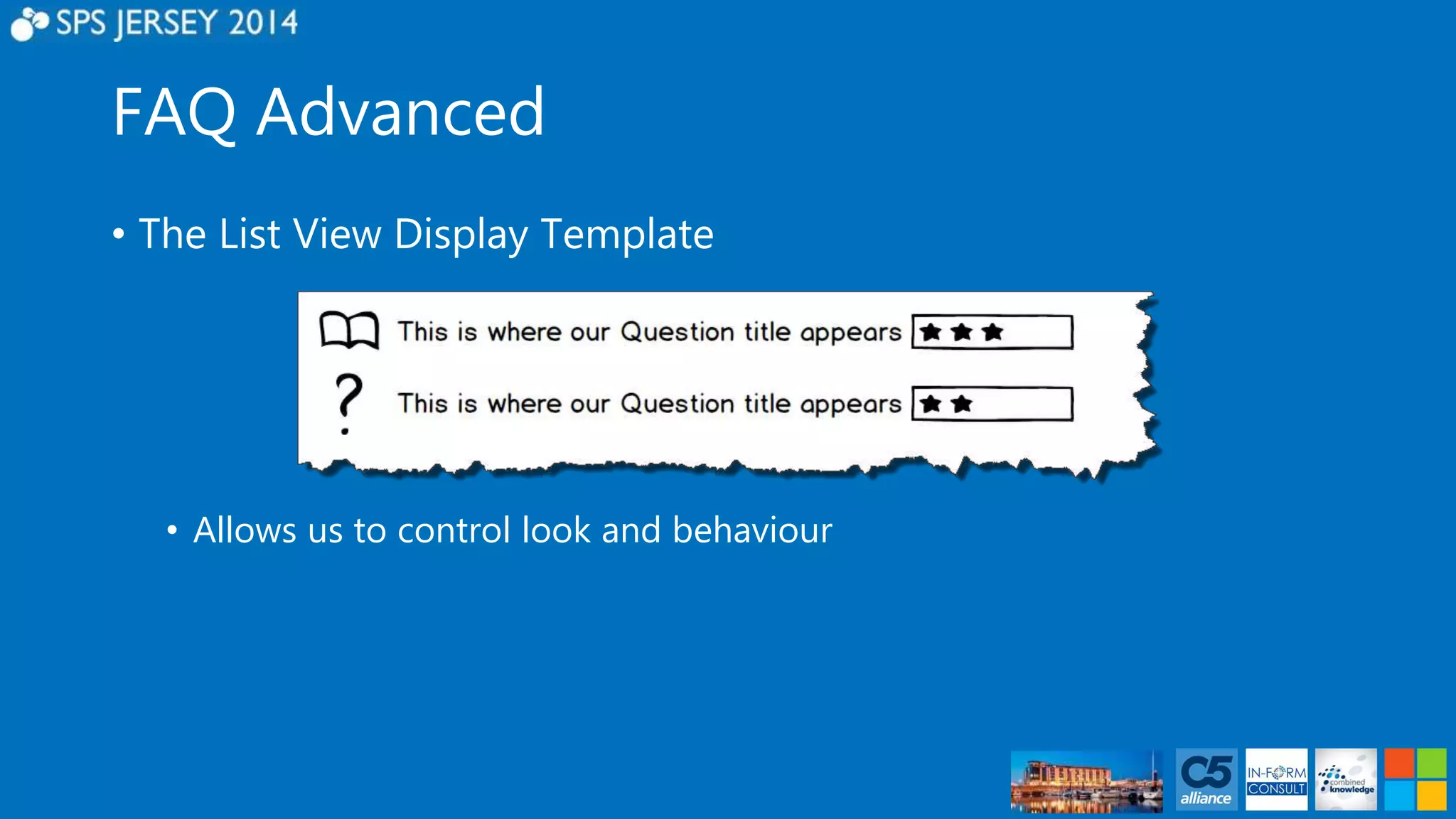
• The List View Display Template 
• Allows us to control look and behaviour
FAQ Advanced 
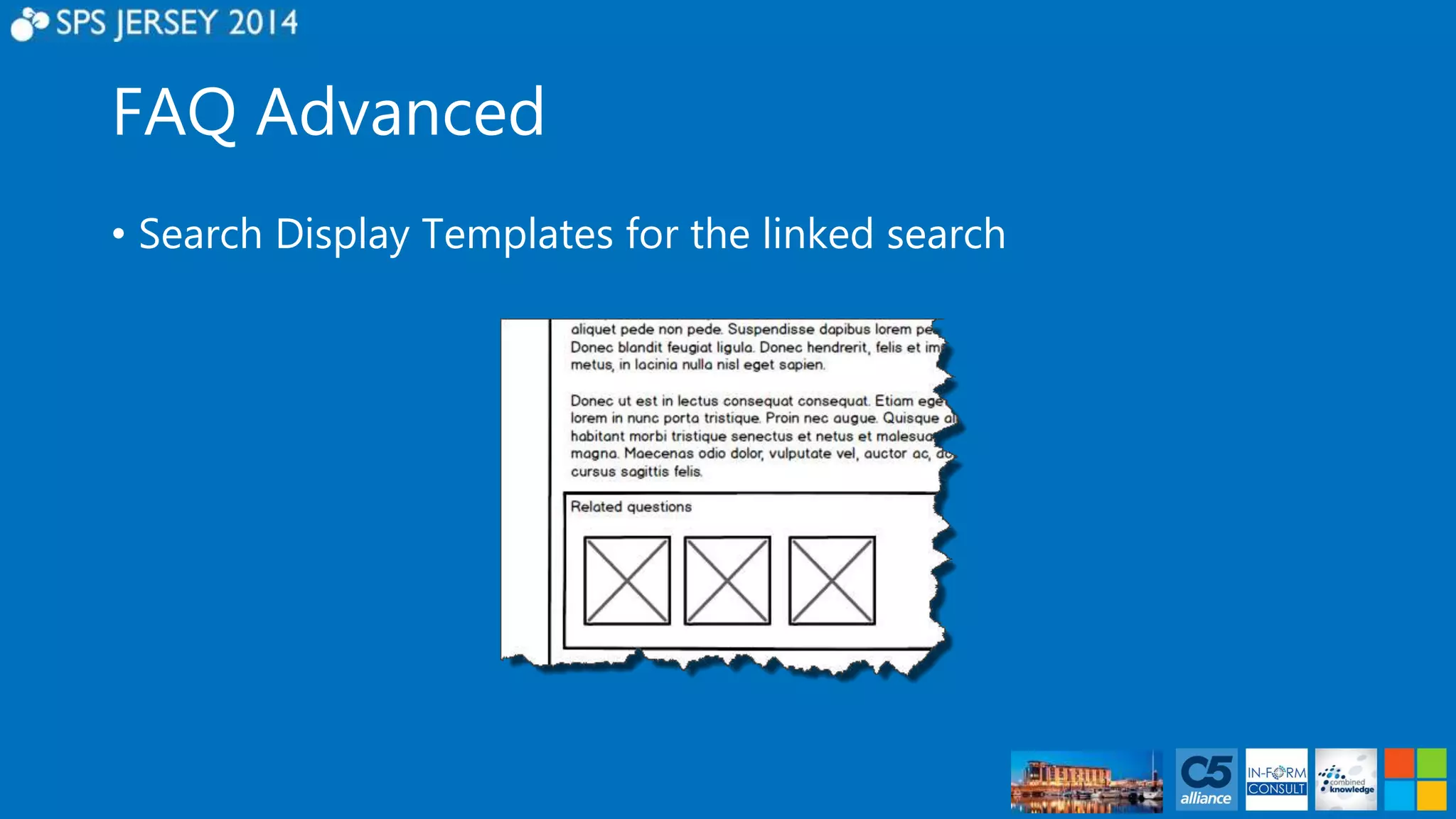
• Search Display Templates for the linked search
FAQ Advanced 
• Adding value using People Search 
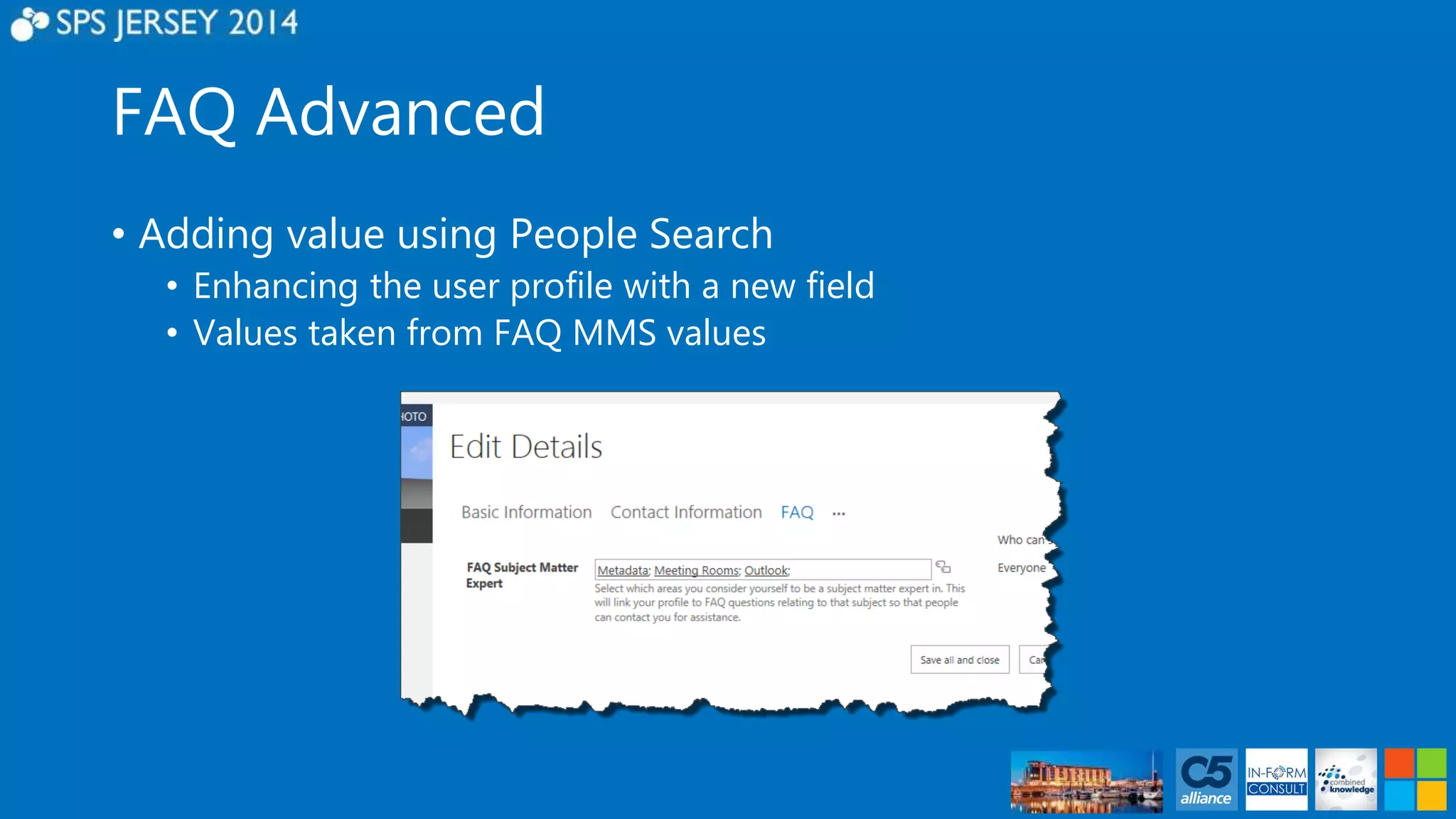
• Enhancing the user profile with a new field 
• Values taken from FAQ MMS values
FAQ Advanced 
• Adding value using People Search 
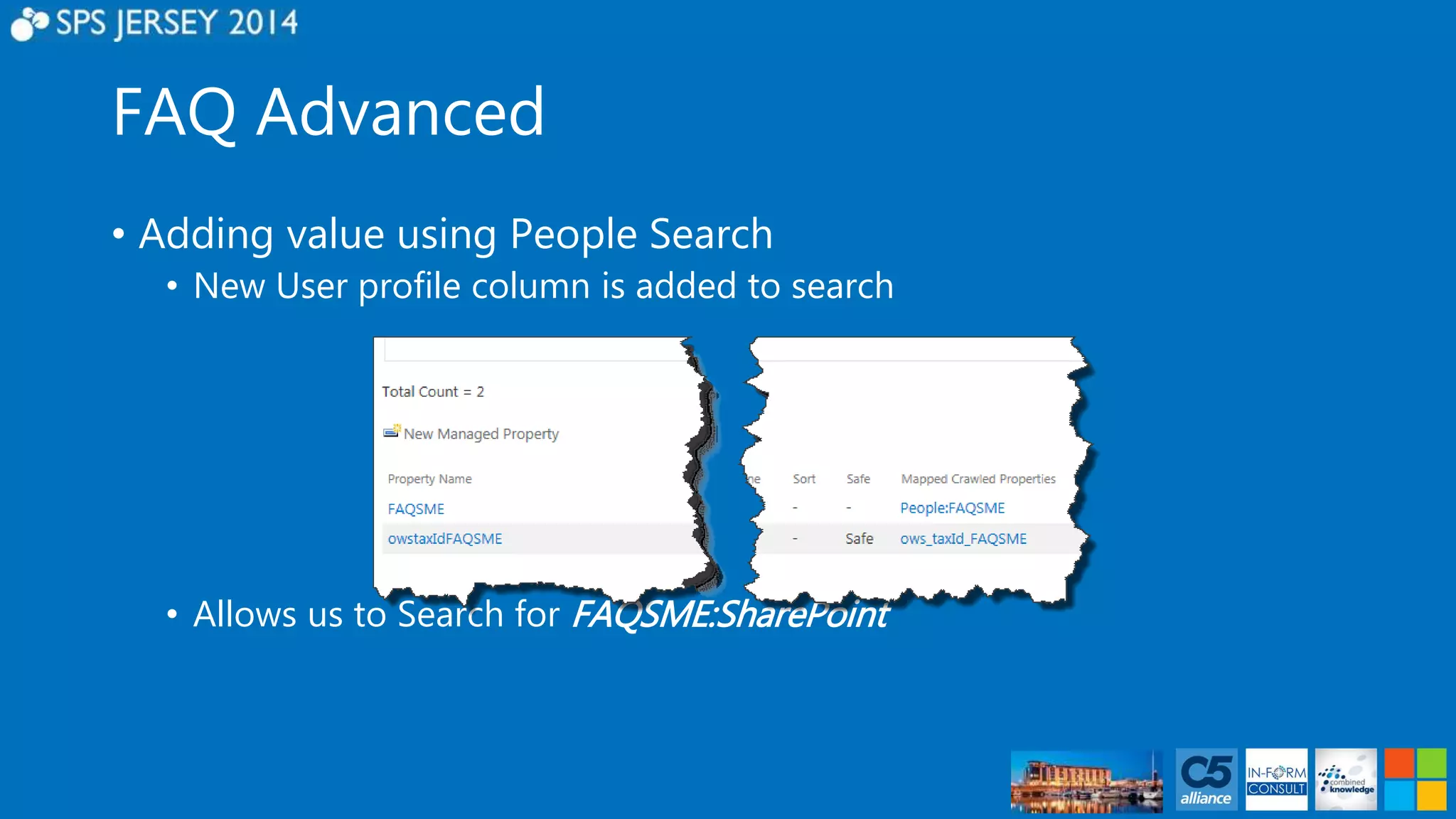
• New User profile column is added to search 
• Allows us to Search for FAQSME:SharePoint
FAQ Advanced 
• Adding value using People Search 
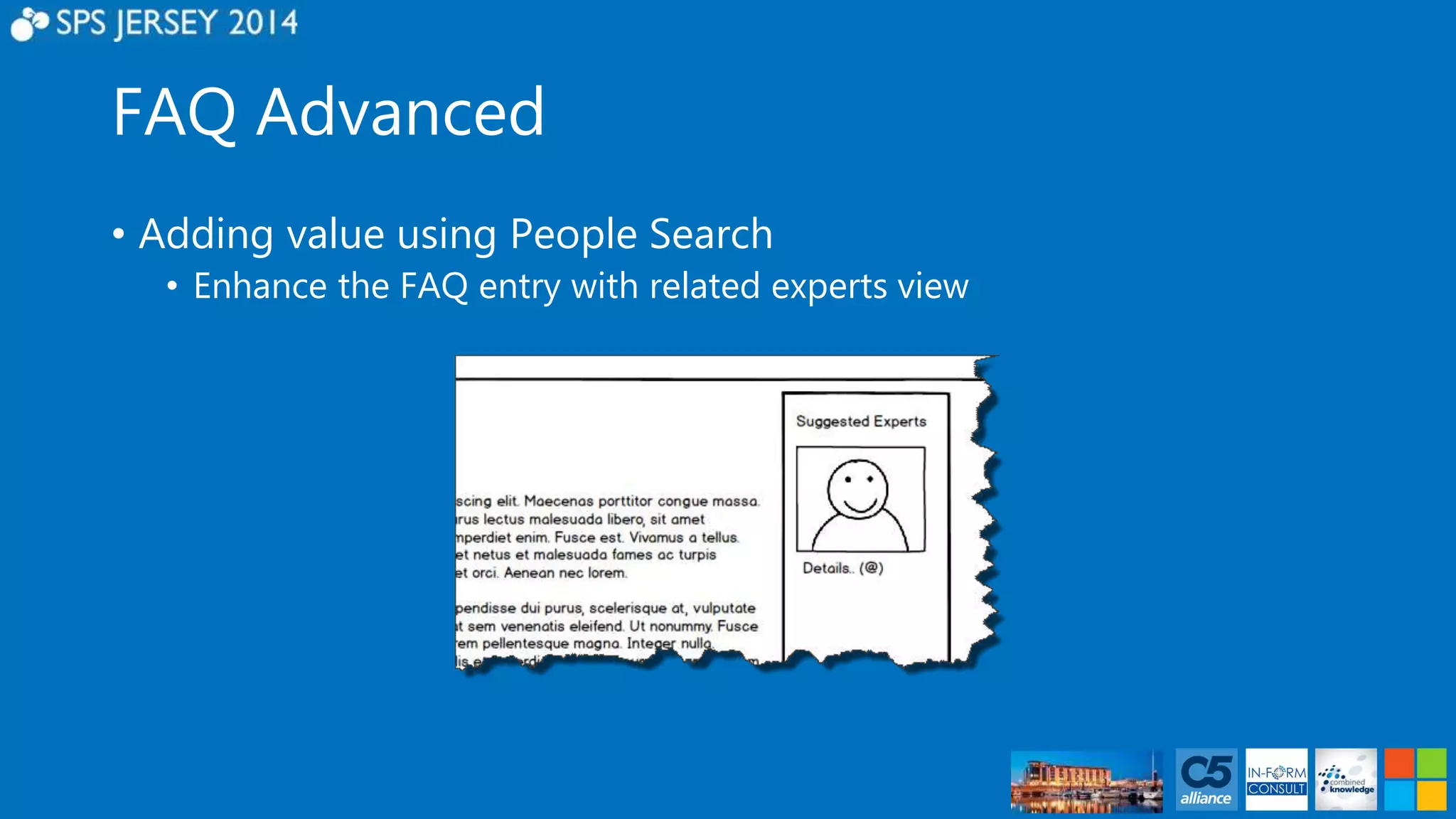
• Enhance the FAQ entry with related experts view
DEMO – FAQ Advanced
In Summary 
• Basic and Intermediate demos built using configuration only 
• Advanced demo built using low skill techniques 
• Future enhancements 
• Versioning/Content Approvals for control 
• Cross site collection usage 
• Document based FAQ lists 
• Combined List Items/Document FAQ lists using search
#SPCSR 
www.facebook.com/hashspcsr 
https://github.com/spcsr
Questions?
Thank You! 
Raffle Prizes at 16:00 
1st #SharePint in the Hotel Bar 
sponsored by Cloudshare 16:30

Creating an FAQ for end users, An evolution of an idea - SharePoint Saturday Jersey

  • 1.
    Creating an FAQ. An evolution of an idea #SPSJE Paul Hunt Solutions Architect Trinity @Cimares www.myfatblog.co.u k
  • 2.
    Who Am I? • SharePoint Architect for Trinity Expert Systems • Co-organiser of SUGUK London Region • Member of the SharePoint community since 2007 • In my spare time I’m a woodturner, making Pots, Pens and artistic pieces! • Paul Hunt • Twitter: @Cimares • www.myfatblog.co.uk • www.trinityservice.co.uk
  • 3.
    Who is thissession for? • FAQ – Basic Evolution • End Users • FAQ – Intermediate Evolution • End Users/Power Users • FAQ – Advanced Evolution • Power Users • IT Pros/Devs
  • 4.
    Agenda – Part1 • Building an FAQ • Foundations • Site Columns/Content Types • Metadata • Basic Configuration • Single site/Single list • Intermediate Configuration • Integrated search • Configuring Search Centre
  • 5.
    Agenda – Part1 • Building an FAQ • Advanced (This is the code bit!) • Transforming the List view • Transforming the integrated search • Adding expert search • Transforming the Search Centre experience • #SPCSR • Help from the community
  • 6.
    Room Survey –Skill Levels
  • 7.
  • 8.
    Service Applications ManagedMetadata • Provides a central repository of terms for classification of data. User Profiles • Stores detailed information about a user. • Commonly integrated with one or more identity stores. • Can be extended
  • 9.
    Service Applications EnterpriseSearch • Allows us to find information using simple or complex queries. • Work across site collection boundaries.
  • 10.
    Site Columns ColumnName Type FAQ Subject Managed Metadata Answer Summary Single line of text Answer Publishing HTML** FAQ Answer Type Choice
  • 11.
    Content Type(s) ContentType Name Columns SPFAQ Title FAQ Subject Summary Answer Answer FAQ Answer Type
  • 12.
    Content Type(s) http://contoso.sharepoint.com/sites/hrhttp://contoso.sharepoint.com http://contoso.sharepoint.com/sites/sa les
  • 13.
    Content Type Publishing On-Premises • Needs to be set-up! • Configure Feature • Tell MMS where it is • Given it’s own Site Collection Office 365 • Already configured!
  • 14.
    Content Type Publishing • Wait up to 60 minutes! – Hourly timer job
  • 15.
  • 16.
    Internal Name Pain! The_x0020_number_x0020_of_x0020_
  • 17.
    Internal Name Pain! • Internal names get encoded once, then URL encoded when displayed in the browser adding to the confusion! • The internal name of The_x0020_number_x0020_of_x0020_ • Is actually displayed in the browser as :- The%5Fx0020%5Fnumber%5Fx0020%5Fof%5Fx0020%5F
  • 18.
    Internal Name Pain! • Multiple long field names lose meaning The_x0020_number_x0020_of_x0020_ The_x0020_number_x0020_of_x0020_0
  • 19.
    Internal Name Pain! • Creating your fields carefully will save you this pain!
  • 20.
    Internal Name Pain! • SharePoint 2013 introduces some new pain with the quick edit list functionality.
  • 21.
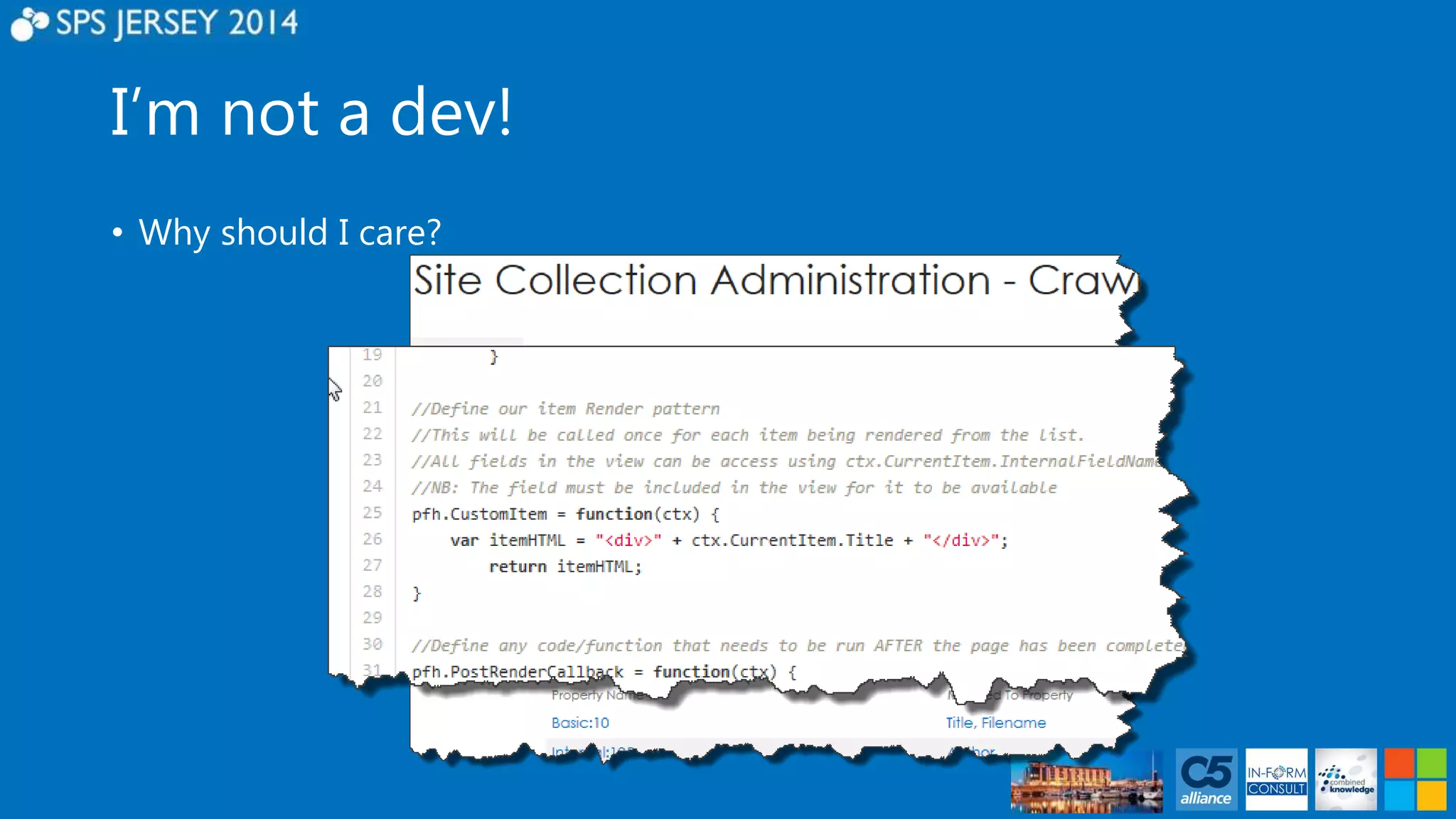
    I’m not adev! • Why should I care?
  • 22.
    I’m not adev! • Your developers (if you have them) will love you!
  • 23.
    FAQ Basic •Building the foundations • Site Columns & Content Types • Build using the Custom List template • Add our Content Type • Configure Metadata Navigation • Configure Ratings • Configure list view • Additional option • Versioning/Content Approval
  • 24.
  • 25.
    FAQ Intermediate •Expanding on the Basic configuration  Enhance the item page using linked search  Content By Search Web Part **
  • 26.
    FAQ Intermediate •Expanding on the Basic configuration  Improving the Search Centre experience  Enabling Metadata Refinement  Enhancing visibility of results
  • 27.
    DEMO – FAQIntermediate
  • 28.
    FAQ Advanced •Building further functionality • Enhancing the User Experience • List view web part display templates • Search Display templates for the linked search • Search Display templates for the Search centre • Adding value using People search • Configuring SME selector in Profile • Adding the Managed Property
  • 29.
    FAQ Advanced •The List View Display Template • Allows us to control look and behaviour
  • 30.
    FAQ Advanced •Search Display Templates for the linked search
  • 31.
    FAQ Advanced •Adding value using People Search • Enhancing the user profile with a new field • Values taken from FAQ MMS values
  • 32.
    FAQ Advanced •Adding value using People Search • New User profile column is added to search • Allows us to Search for FAQSME:SharePoint
  • 33.
    FAQ Advanced •Adding value using People Search • Enhance the FAQ entry with related experts view
  • 34.
    DEMO – FAQAdvanced
  • 35.
    In Summary •Basic and Intermediate demos built using configuration only • Advanced demo built using low skill techniques • Future enhancements • Versioning/Content Approvals for control • Cross site collection usage • Document based FAQ lists • Combined List Items/Document FAQ lists using search
  • 36.
  • 37.
  • 38.
    Thank You! RafflePrizes at 16:00 1st #SharePint in the Hotel Bar sponsored by Cloudshare 16:30

Editor's Notes

  • #3 I also do woodturning! SharePoint can be a lot like woodturning.. If you don’t pay attention to what you’re doing, it’s easy to make a mistake and go through the bottom of the bowl!
  • #9 User Profiles can have additional fields added even in O365
  • #10 User Profiles can have additional fields added even in O365 Working across site collection boundaries has some challenges (Ctype deployment..discussed next)
  • #11 Need to explain managed metadata Publishing HTML** Note: Publishing HTML is not available in Lists UNLESS added as a site column! Choice
  • #13 While our scale is small, Ctypes can be copied.. But as we scale more effort is required Deployment Options: The Content Type Hub…. On premises.. Or via Site Settings, Content Type Publishing On Premises also have the ability to use PowerShell, Code Solutions – Or both can use CSOM etc We’re an End User session, so focussing on what’s in the UI! On premises installs need a Ctype hub to be built. Recommend a site collection of it’s own..
  • #14 Deployment Options: The Content Type Hub…. On premises.. Or via Site Settings, Content Type Publishing On Premises also have the ability to use PowerShell, Code Solutions – Or both can use CSOM etc We’re an End User session, so focussing on what’s in the UI! On premises installs need a Ctype hub to be built. Recommend a site collection of it’s own..
  • #15 When you’re in the Ctype Hub, publishing options are available. It’s not immediate. You need to allow time for the timer jobs – Runs hourly!
  • #21 SharePoint Quick edit, shown here creates all columns with a random 4 character name.. And even that isn’t safe from being encoded as I’ve found out to my cost!
  • #22 Why do I care? I’m an end user! Search Schema – Now in the end user realm. Crawled properties use the internal name Display Templates – Internal names are exposed to Power Users. Your developers (if you have them) will love you!
  • #23 Why do I care? I’m an end user! Your developers (if you have them) will love you!
  • #26 **Enterprise license required, Otherwise use the Search Results web part.. (More effort is involved)
  • #27 Explain what the refiners panel is/does Explain the Query Rules and how it affects behaviours
  • #30 Changing what’s displayed with business rules.. (The icons shown)