#SPSDXB 2017
Kirti Prajapati -MCTS
SPFx- A modern development model
for SharePoint
#SPSDXB 2017
About me
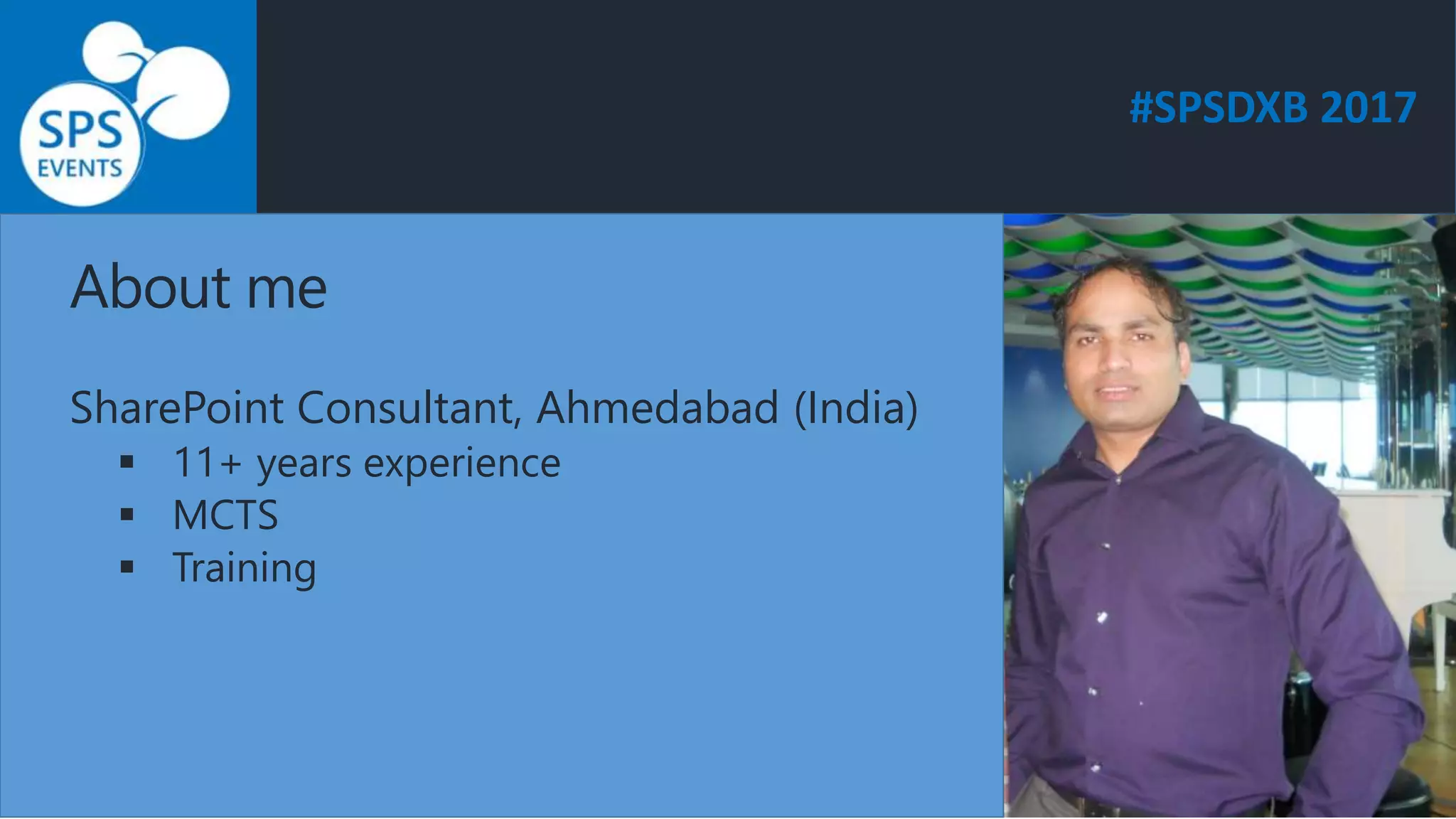
SharePoint Consultant, Ahmedabad (India)
 11+ years experience
 MCTS
 Training
#SPSDXB 2017
Agenda
 SharePoint Development Background
 Overview of the SharePoint Framework
 Why the SharePoint Framework?
 Development Tools and Libraries
 Application Life Cycle
 Demo
#SPSDXB 2017
SharePoint Development Background
#SPSDXB 2017
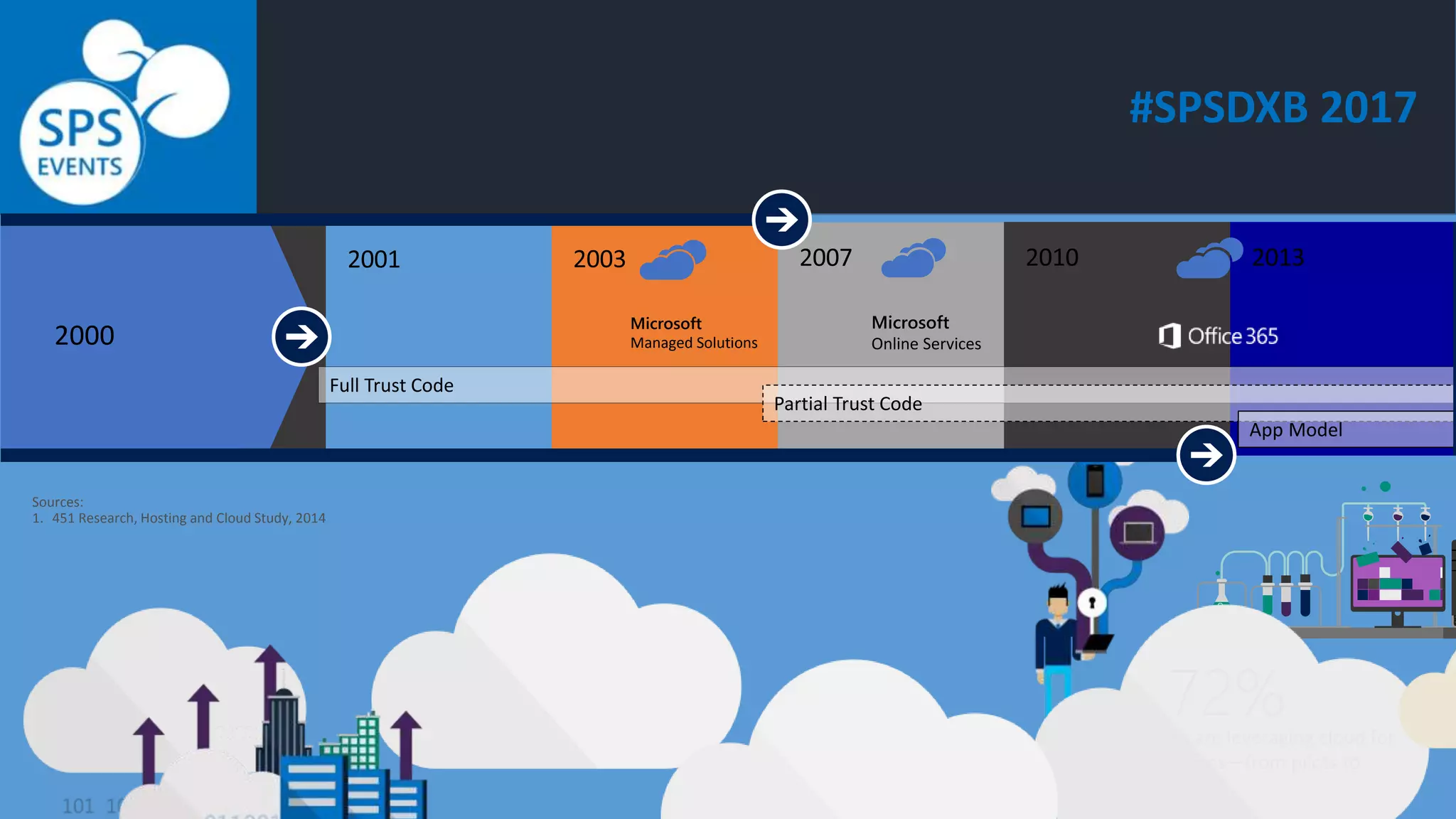
2000
Sources:
1. 451 Research, Hosting and Cloud Study, 2014
Full Trust Code
Partial Trust Code
Microsoft
Managed Solutions
Microsoft
Online Services
App Model
#SPSDXB 2017
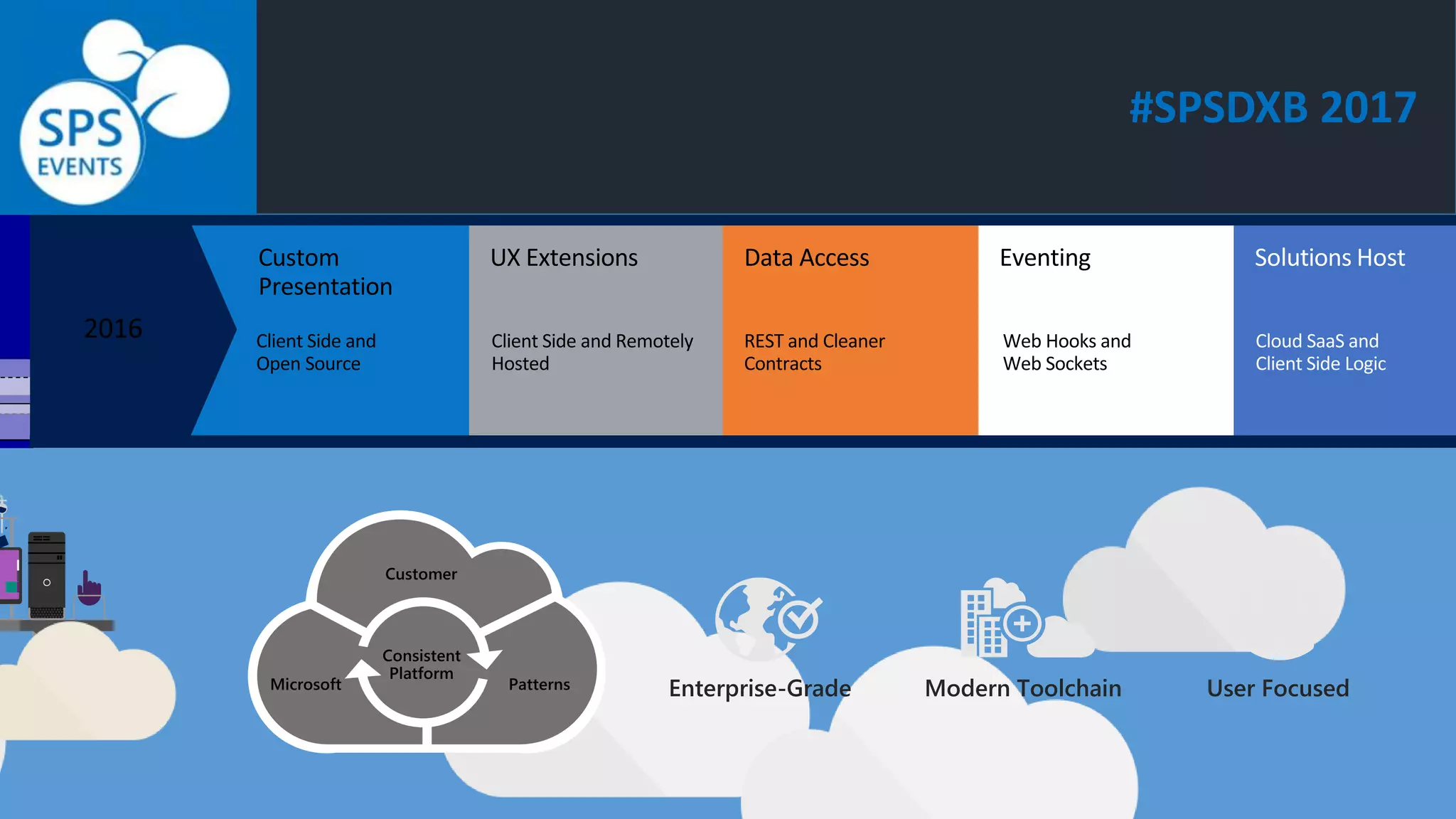
Enterprise-Grade Modern Toolchain User Focused
#SPSDXB 2017
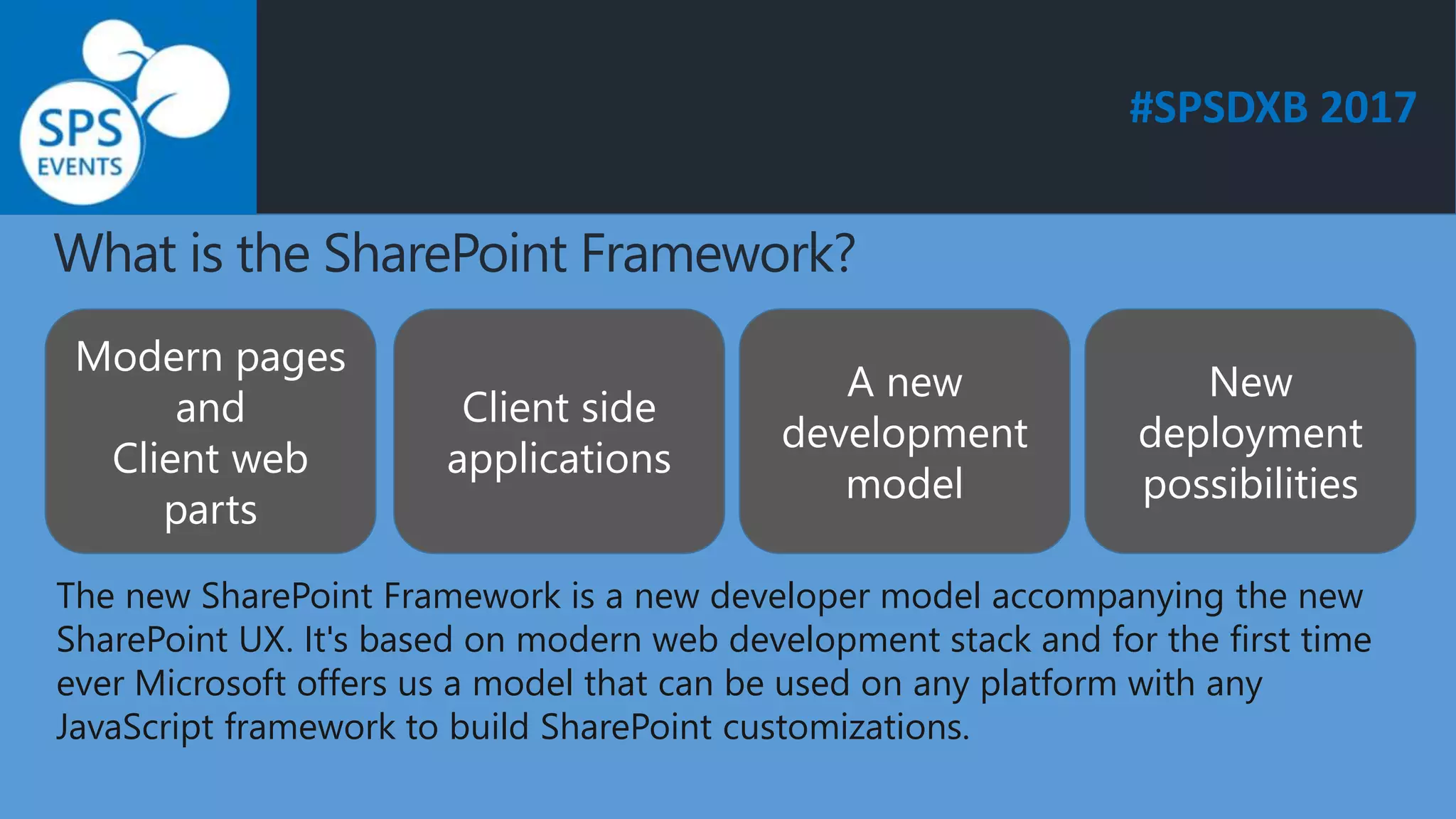
What is the SharePoint Framework?
Modern pages
and
Client web
parts
Client side
applications
A new
development
model
New
deployment
possibilities
The new SharePoint Framework is a new developer model accompanying the new
SharePoint UX. It's based on modern web development stack and for the first time
ever Microsoft offers us a model that can be used on any platform with any
JavaScript framework to build SharePoint customizations.
#SPSDXB 2017
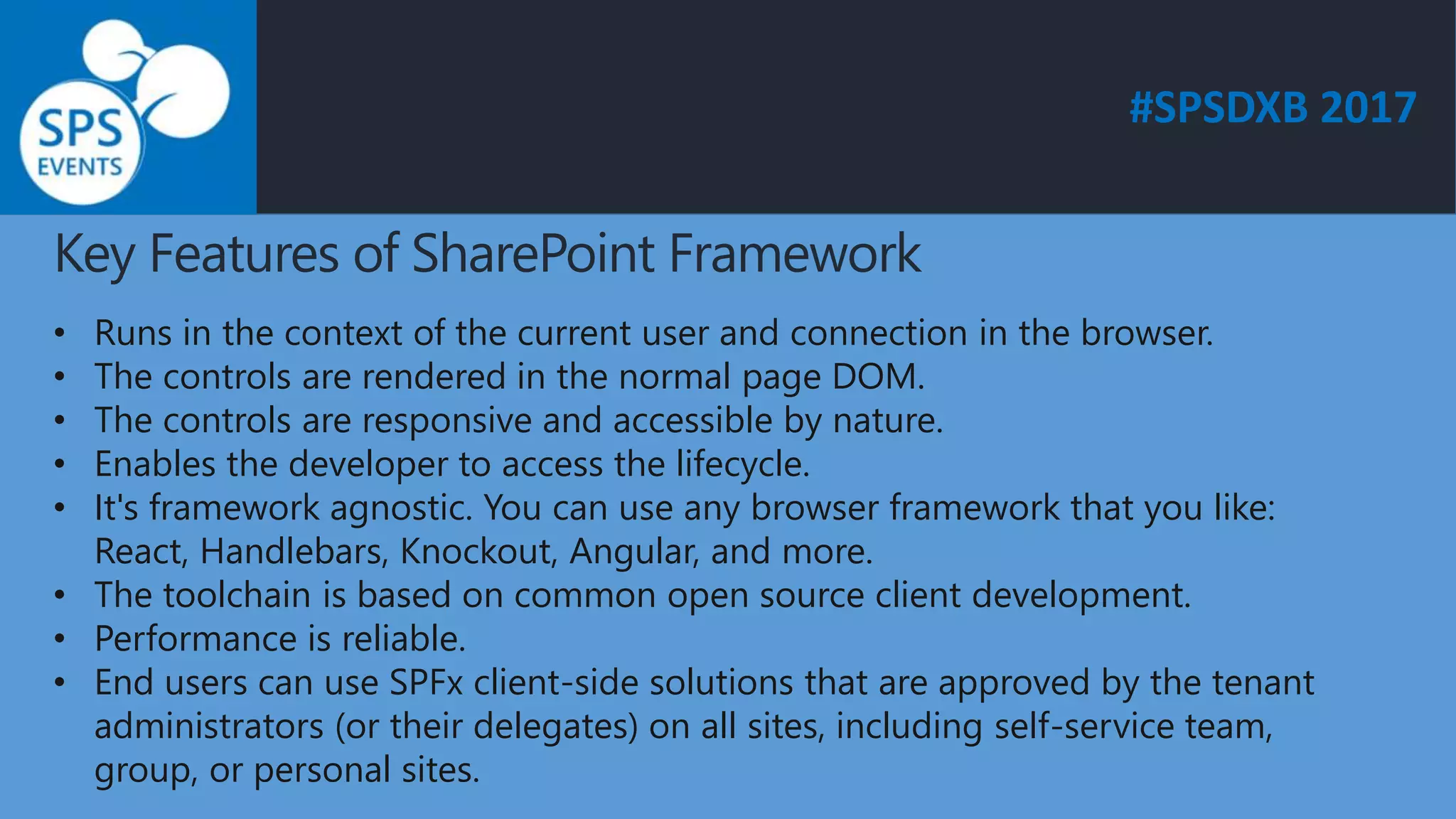
Key Features of SharePoint Framework
• Runs in the context of the current user and connection in the browser.
• The controls are rendered in the normal page DOM.
• The controls are responsive and accessible by nature.
• Enables the developer to access the lifecycle.
• It's framework agnostic. You can use any browser framework that you like:
React, Handlebars, Knockout, Angular, and more.
• The toolchain is based on common open source client development.
• Performance is reliable.
• End users can use SPFx client-side solutions that are approved by the tenant
administrators (or their delegates) on all sites, including self-service team,
group, or personal sites.
#SPSDXB 2017
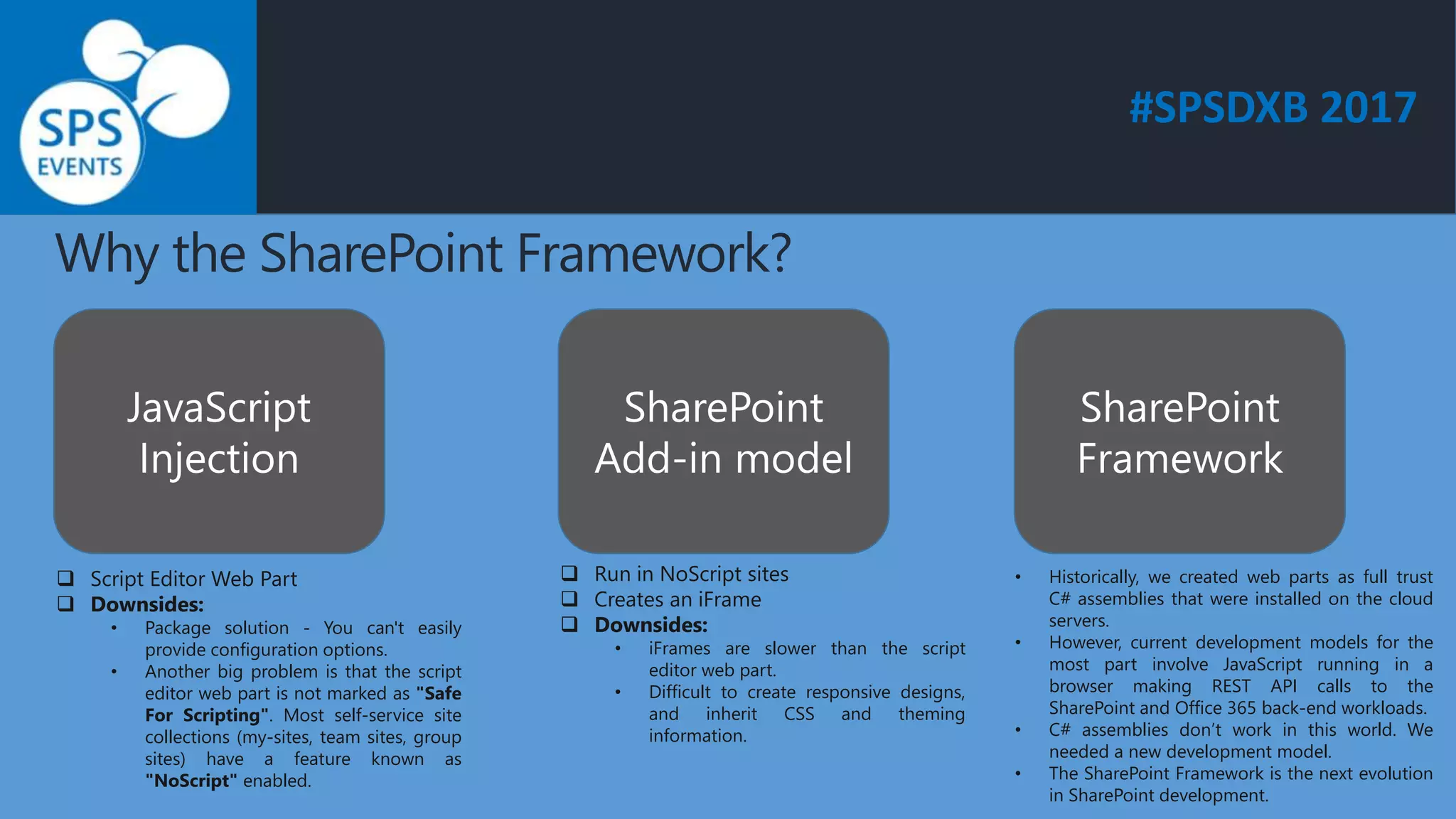
Why the SharePoint Framework?
JavaScript
Injection
SharePoint
Add-in model
SharePoint
Framework
 Script Editor Web Part
 Downsides:
• Package solution - You can't easily
provide configuration options.
• Another big problem is that the script
editor web part is not marked as "Safe
For Scripting". Most self-service site
collections (my-sites, team sites, group
sites) have a feature known as
"NoScript" enabled.
 Run in NoScript sites
 Creates an iFrame
 Downsides:
• iFrames are slower than the script
editor web part.
• Difficult to create responsive designs,
and inherit CSS and theming
information.
• Historically, we created web parts as full trust
C# assemblies that were installed on the cloud
servers.
• However, current development models for the
most part involve JavaScript running in a
browser making REST API calls to the
SharePoint and Office 365 back-end workloads.
• C# assemblies don’t work in this world. We
needed a new development model.
• The SharePoint Framework is the next evolution
in SharePoint development.
#SPSDXB 2017
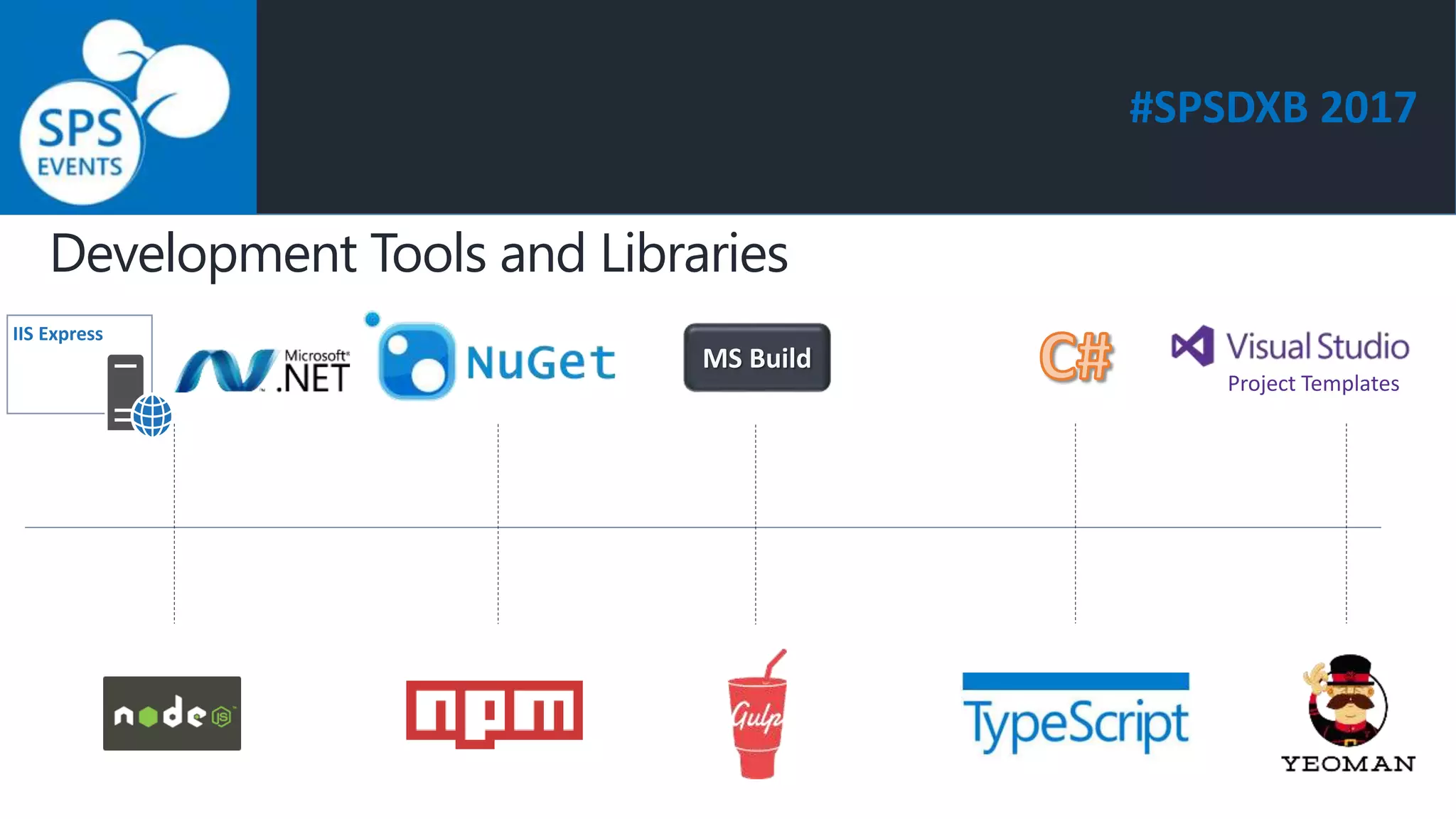
Development Tools and Libraries
Project Templates
IIS Express
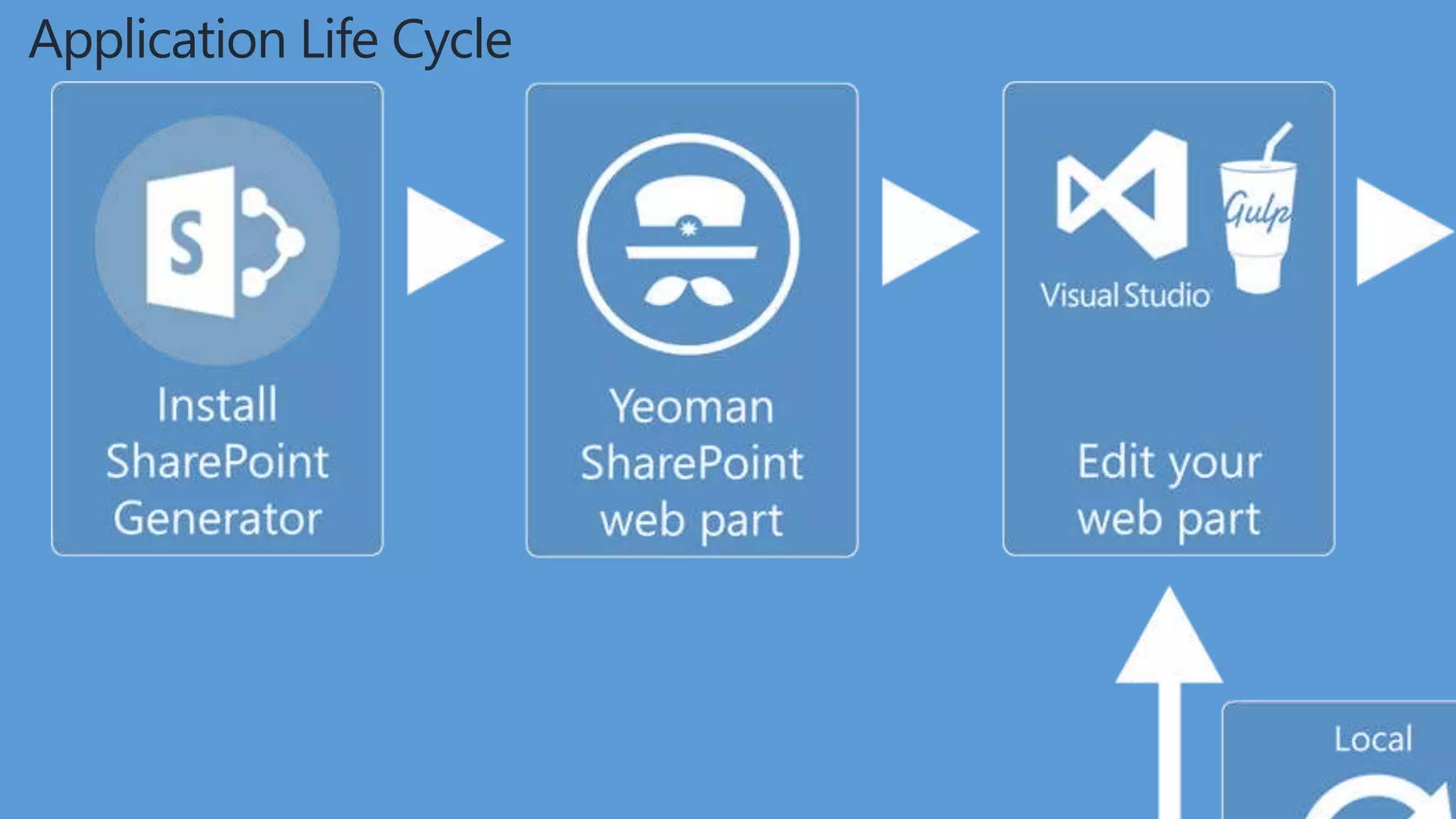
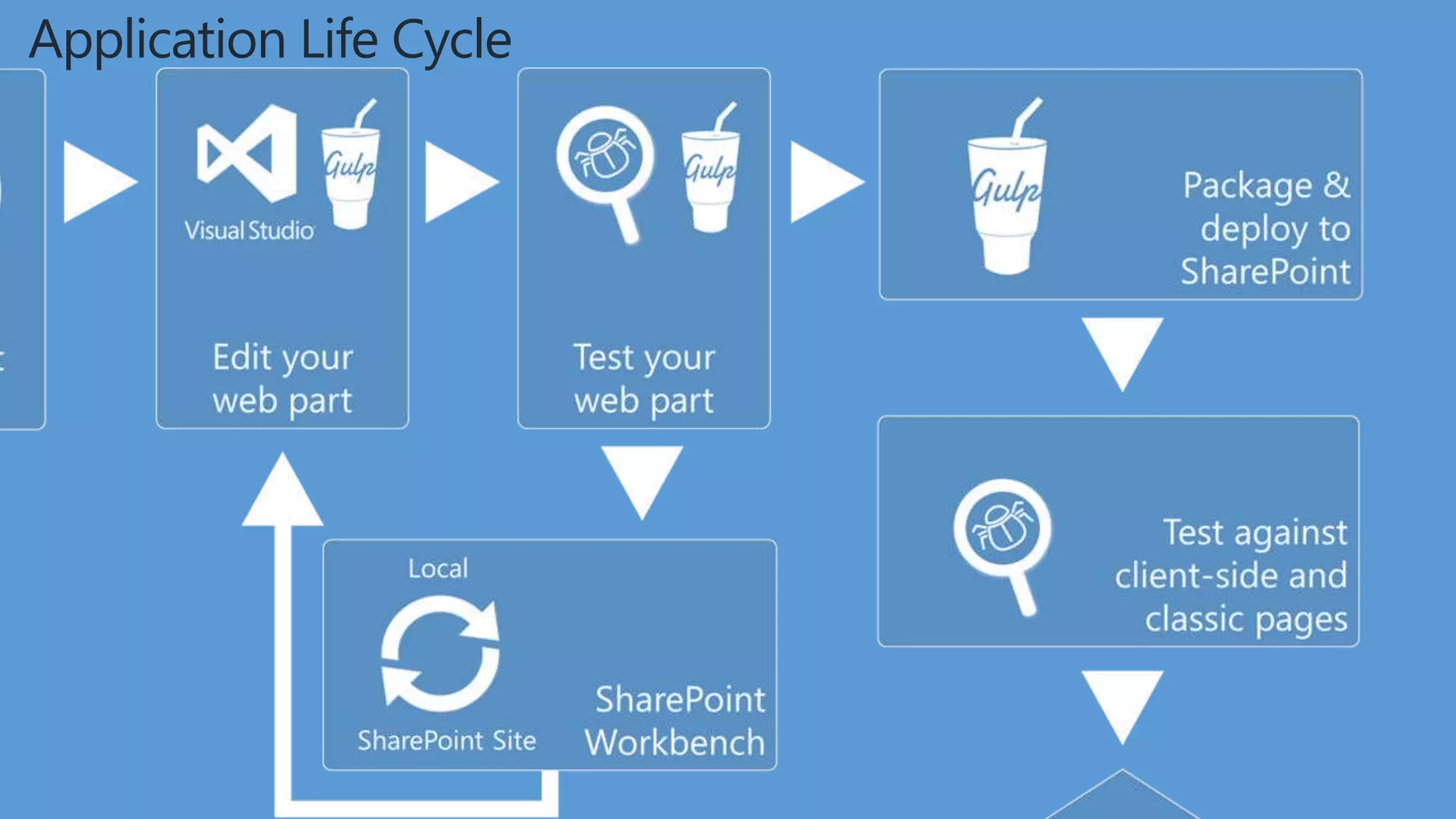
Application Life Cycle
#SPSDXB 2017
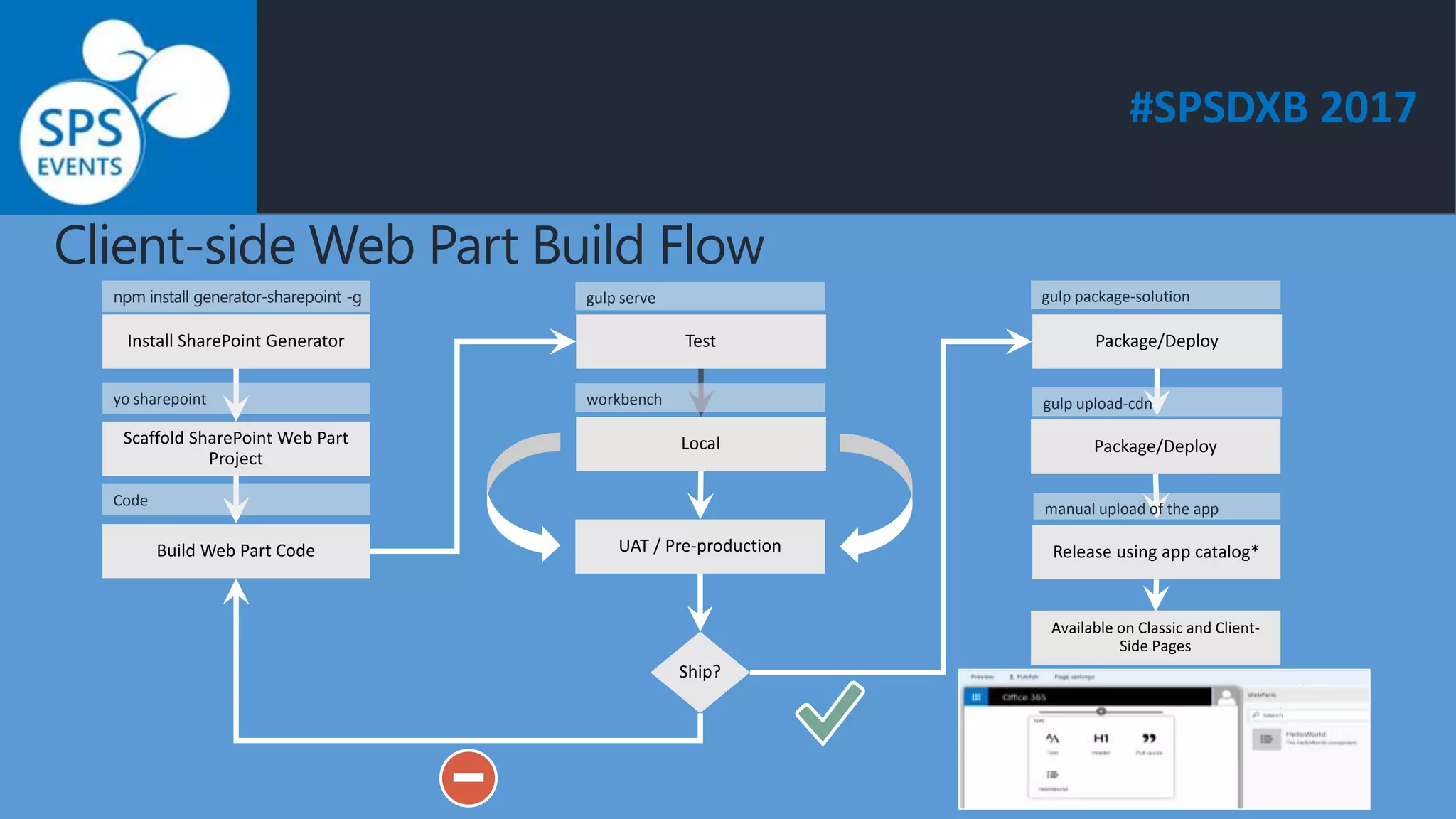
Client-side Web Part Build Flow
npm install generator-sharepoint -g
yo sharepoint
Code
gulp serve
workbench
gulp package-solution
gulp upload-cdn
manual upload of the app
#SPSDXB 2017
Set up Office 365 tenant
• Sign up for an Office 365 tenant
• Create app catalog site
• Create a new Developer Site collection
• SharePoint Workbench
https://dev.office.com/sharepoint/docs/spfx/set-up-your-developer-tenant
#SPSDXB 2017
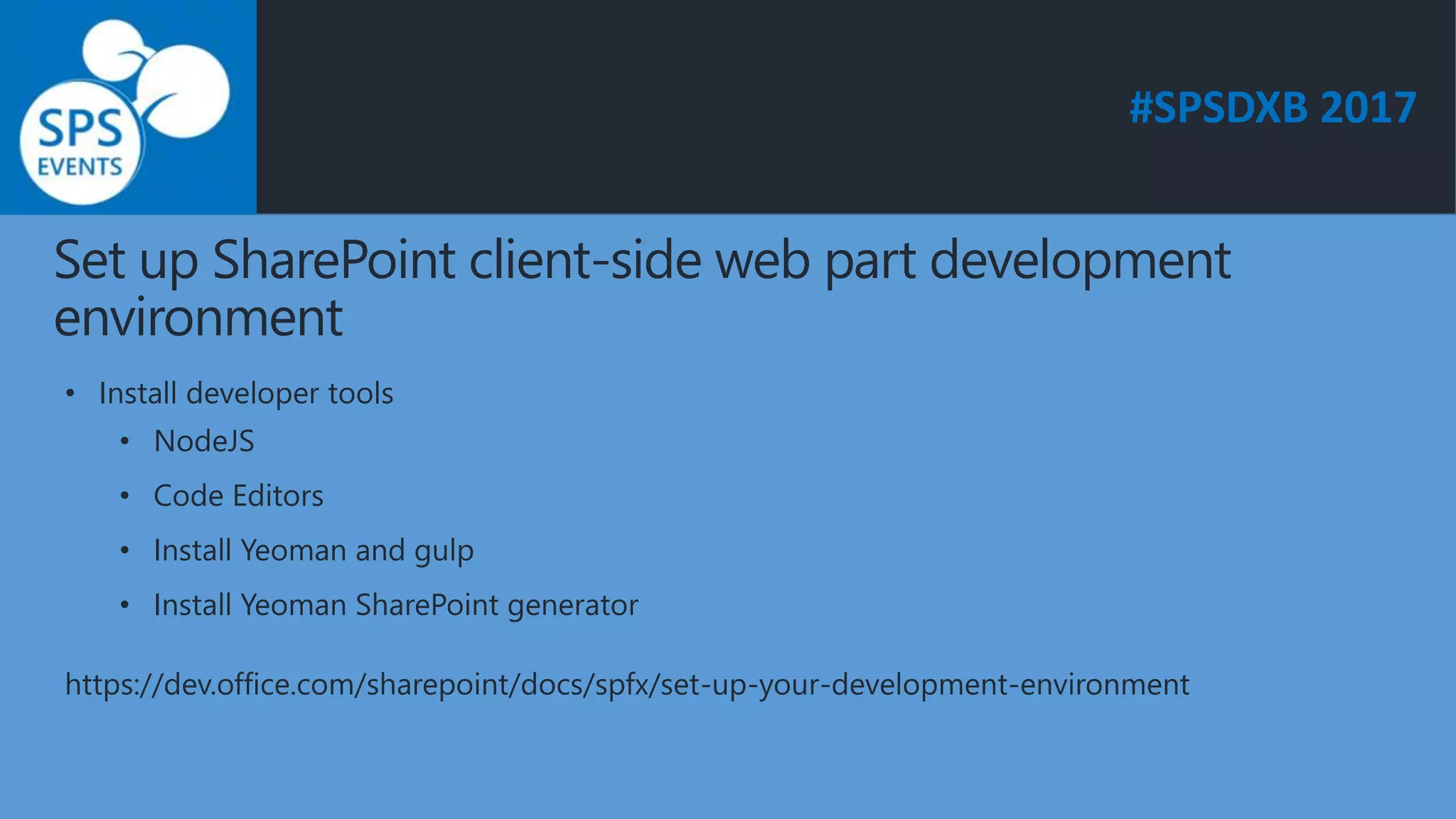
Set up SharePoint client-side web part development
environment
• Install developer tools
• NodeJS
• Code Editors
• Install Yeoman and gulp
• Install Yeoman SharePoint generator
https://dev.office.com/sharepoint/docs/spfx/set-up-your-development-environment
#SPSDXB 2017
Demo : Client-side web part
#SPSDXB 2017
Getting Started with the SharePoint Framework
Read the preview announcement at http://dev.office.com/blogs
Check out the documentation and samples at http://GitHub.com/SharePoint
Sign-up for the Office Developer Program at http://dev.office.com
#SPSDXB 2017
Thank you! Get in touch.
https://mysharepointsolution.wordpress.com/
@kirtipprajapati
https://in.linkedin.com/in/kirtiprajapati
kirti.prajapati@gmail.com

SPFx- A modern development model for SharePoint

  • 1.
    #SPSDXB 2017 Kirti Prajapati-MCTS SPFx- A modern development model for SharePoint
  • 2.
    #SPSDXB 2017 About me SharePointConsultant, Ahmedabad (India)  11+ years experience  MCTS  Training
  • 3.
    #SPSDXB 2017 Agenda  SharePointDevelopment Background  Overview of the SharePoint Framework  Why the SharePoint Framework?  Development Tools and Libraries  Application Life Cycle  Demo
  • 4.
  • 5.
    #SPSDXB 2017 2000 Sources: 1. 451Research, Hosting and Cloud Study, 2014 Full Trust Code Partial Trust Code Microsoft Managed Solutions Microsoft Online Services App Model
  • 6.
  • 7.
    #SPSDXB 2017 What isthe SharePoint Framework? Modern pages and Client web parts Client side applications A new development model New deployment possibilities The new SharePoint Framework is a new developer model accompanying the new SharePoint UX. It's based on modern web development stack and for the first time ever Microsoft offers us a model that can be used on any platform with any JavaScript framework to build SharePoint customizations.
  • 8.
    #SPSDXB 2017 Key Featuresof SharePoint Framework • Runs in the context of the current user and connection in the browser. • The controls are rendered in the normal page DOM. • The controls are responsive and accessible by nature. • Enables the developer to access the lifecycle. • It's framework agnostic. You can use any browser framework that you like: React, Handlebars, Knockout, Angular, and more. • The toolchain is based on common open source client development. • Performance is reliable. • End users can use SPFx client-side solutions that are approved by the tenant administrators (or their delegates) on all sites, including self-service team, group, or personal sites.
  • 9.
    #SPSDXB 2017 Why theSharePoint Framework? JavaScript Injection SharePoint Add-in model SharePoint Framework  Script Editor Web Part  Downsides: • Package solution - You can't easily provide configuration options. • Another big problem is that the script editor web part is not marked as "Safe For Scripting". Most self-service site collections (my-sites, team sites, group sites) have a feature known as "NoScript" enabled.  Run in NoScript sites  Creates an iFrame  Downsides: • iFrames are slower than the script editor web part. • Difficult to create responsive designs, and inherit CSS and theming information. • Historically, we created web parts as full trust C# assemblies that were installed on the cloud servers. • However, current development models for the most part involve JavaScript running in a browser making REST API calls to the SharePoint and Office 365 back-end workloads. • C# assemblies don’t work in this world. We needed a new development model. • The SharePoint Framework is the next evolution in SharePoint development.
  • 10.
    #SPSDXB 2017 Development Toolsand Libraries Project Templates IIS Express
  • 11.
  • 12.
  • 15.
    #SPSDXB 2017 Client-side WebPart Build Flow npm install generator-sharepoint -g yo sharepoint Code gulp serve workbench gulp package-solution gulp upload-cdn manual upload of the app
  • 16.
    #SPSDXB 2017 Set upOffice 365 tenant • Sign up for an Office 365 tenant • Create app catalog site • Create a new Developer Site collection • SharePoint Workbench https://dev.office.com/sharepoint/docs/spfx/set-up-your-developer-tenant
  • 17.
    #SPSDXB 2017 Set upSharePoint client-side web part development environment • Install developer tools • NodeJS • Code Editors • Install Yeoman and gulp • Install Yeoman SharePoint generator https://dev.office.com/sharepoint/docs/spfx/set-up-your-development-environment
  • 18.
    #SPSDXB 2017 Demo :Client-side web part
  • 19.
    #SPSDXB 2017 Getting Startedwith the SharePoint Framework Read the preview announcement at http://dev.office.com/blogs Check out the documentation and samples at http://GitHub.com/SharePoint Sign-up for the Office Developer Program at http://dev.office.com
  • 20.
    #SPSDXB 2017 Thank you!Get in touch. https://mysharepointsolution.wordpress.com/ @kirtipprajapati https://in.linkedin.com/in/kirtiprajapati kirti.prajapati@gmail.com