Software-defined Datacenter
Maintenance
No more sleepless nights and long weekends when doing maintenance
CAS1172
Stephen Nemeth
Senior Architect
Stephen.nemeth@suse.com
SUSE
Raine Curtis
N America Core Services Team Lead, Consultant
rcurtis@suse.com
SUSE
1 Agenda
This session will present some best practices for datacenter manage-
ment and automation.
The technologies used in this discussion are:
• SUSE Manager
• Salt
1.1 SUSE Manager
• Patching lifecycle
• Configuration management
• API
1.2 Salt
• SUSE Manager/Salt Features
• Salt Command-line
• Salt REST API
2 SUSE Manager
2.1 Using SUSE Manager for Maintenance
• Patching lifecycle management
• Configuration management
• API
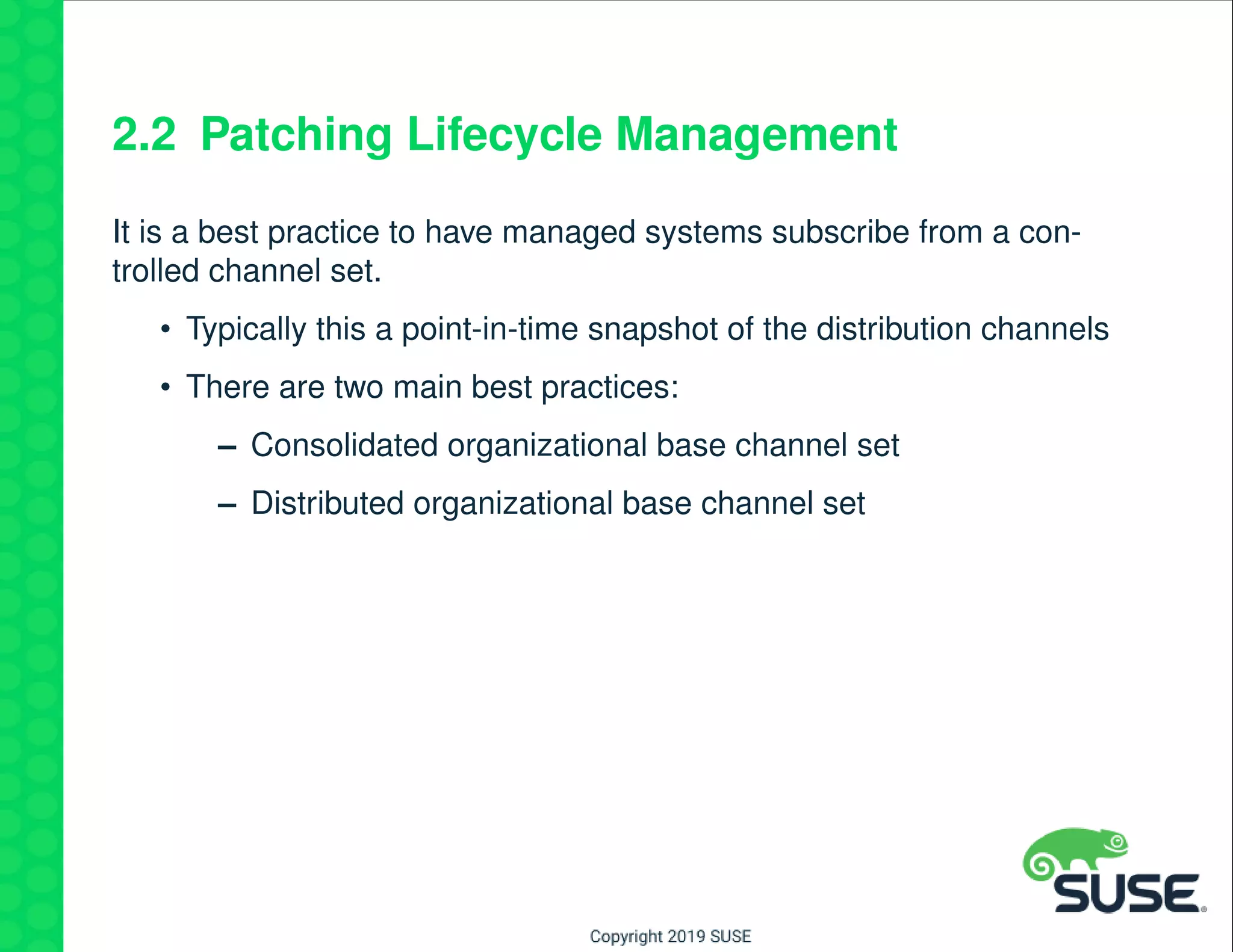
2.2 Patching Lifecycle Management
It is a best practice to have managed systems subscribe from a con-
trolled channel set.
• Typically this a point-in-time snapshot of the distribution channels
• There are two main best practices:
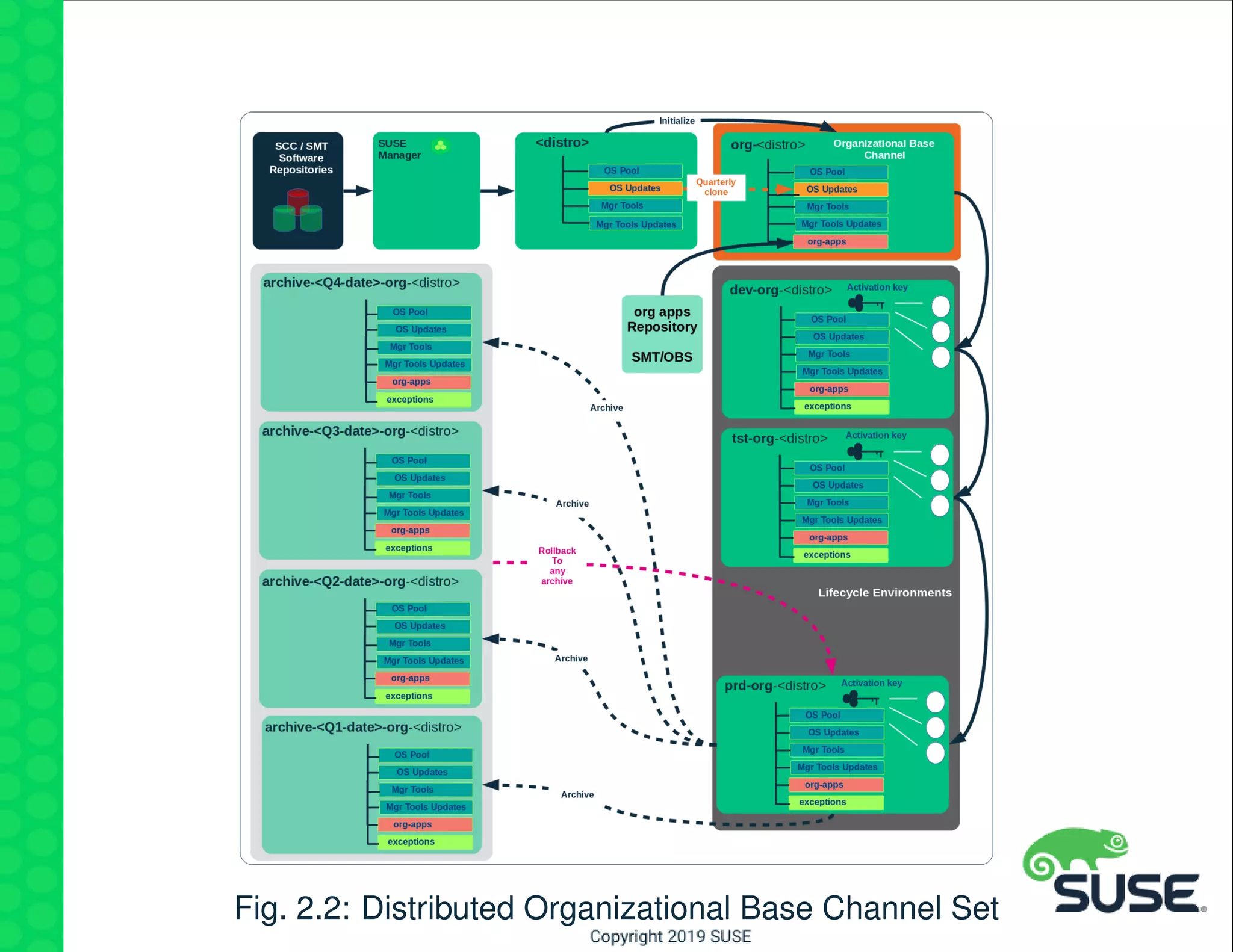
– Consolidated organizational base channel set
– Distributed organizational base channel set
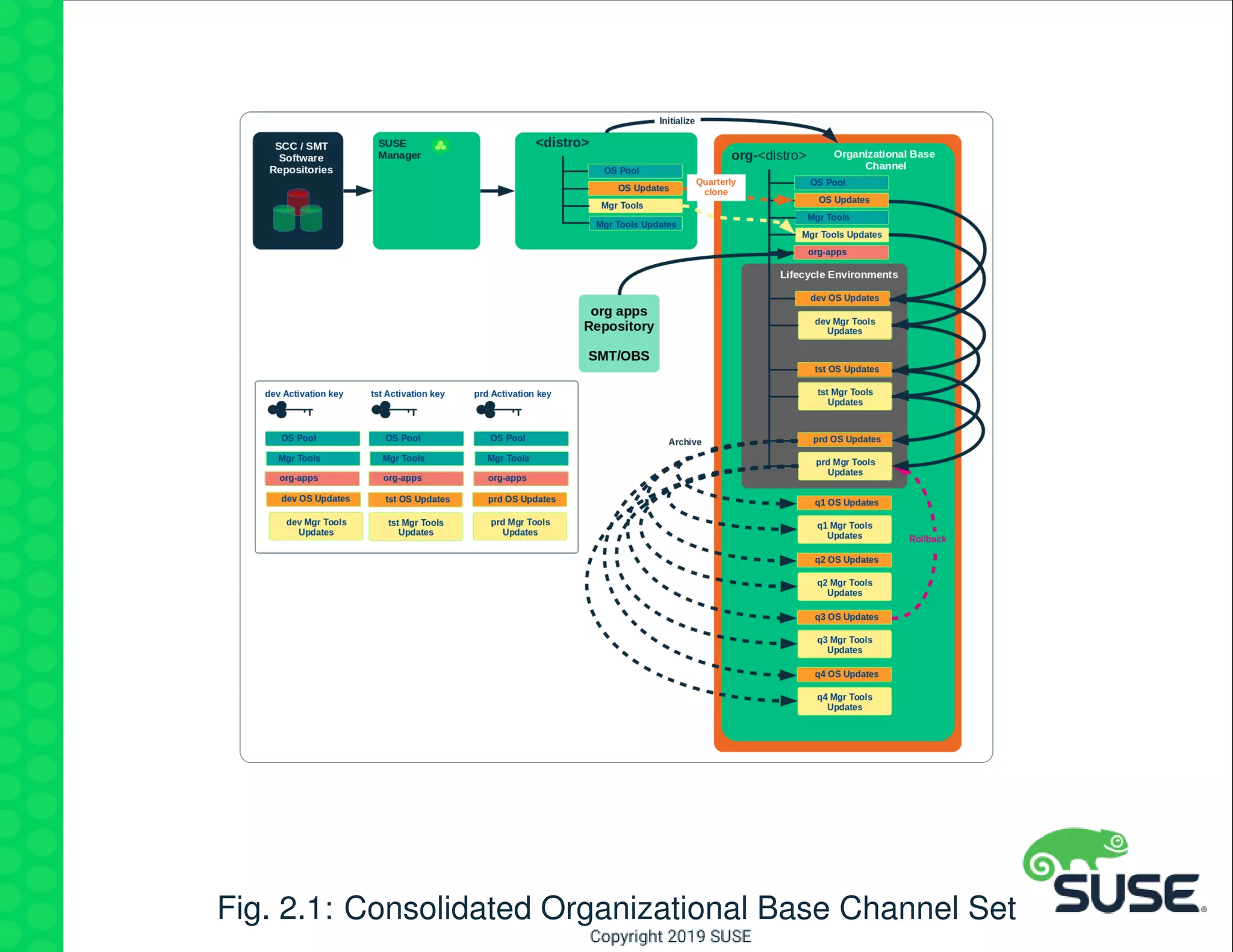
Fig. 2.1: Consolidated Organizational Base Channel Set
Fig. 2.2: Distributed Organizational Base Channel Set
2.3 Configuration Management
• Use state channels
• Learn forms and formulas
• Leverage configuration scope
2.3.1 State Channels
Use Salt. . . your life will be easier, and you’ll have lots of friends!
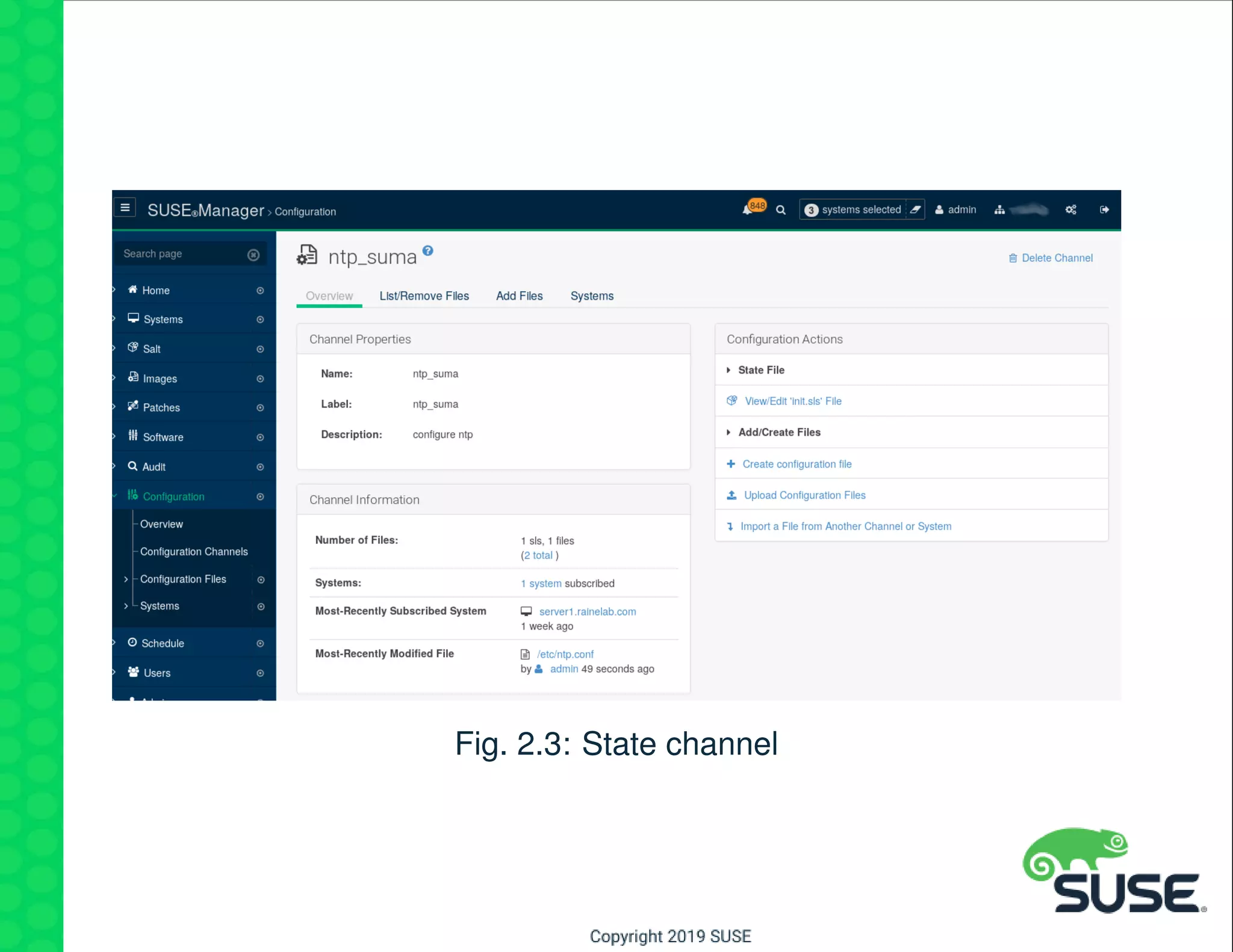
State channels are Salt states managed in SUSE Manager
• Allows for UI for state management and editing
• Supports configuration file management
• Provides version control of states
Fig. 2.3: State channel
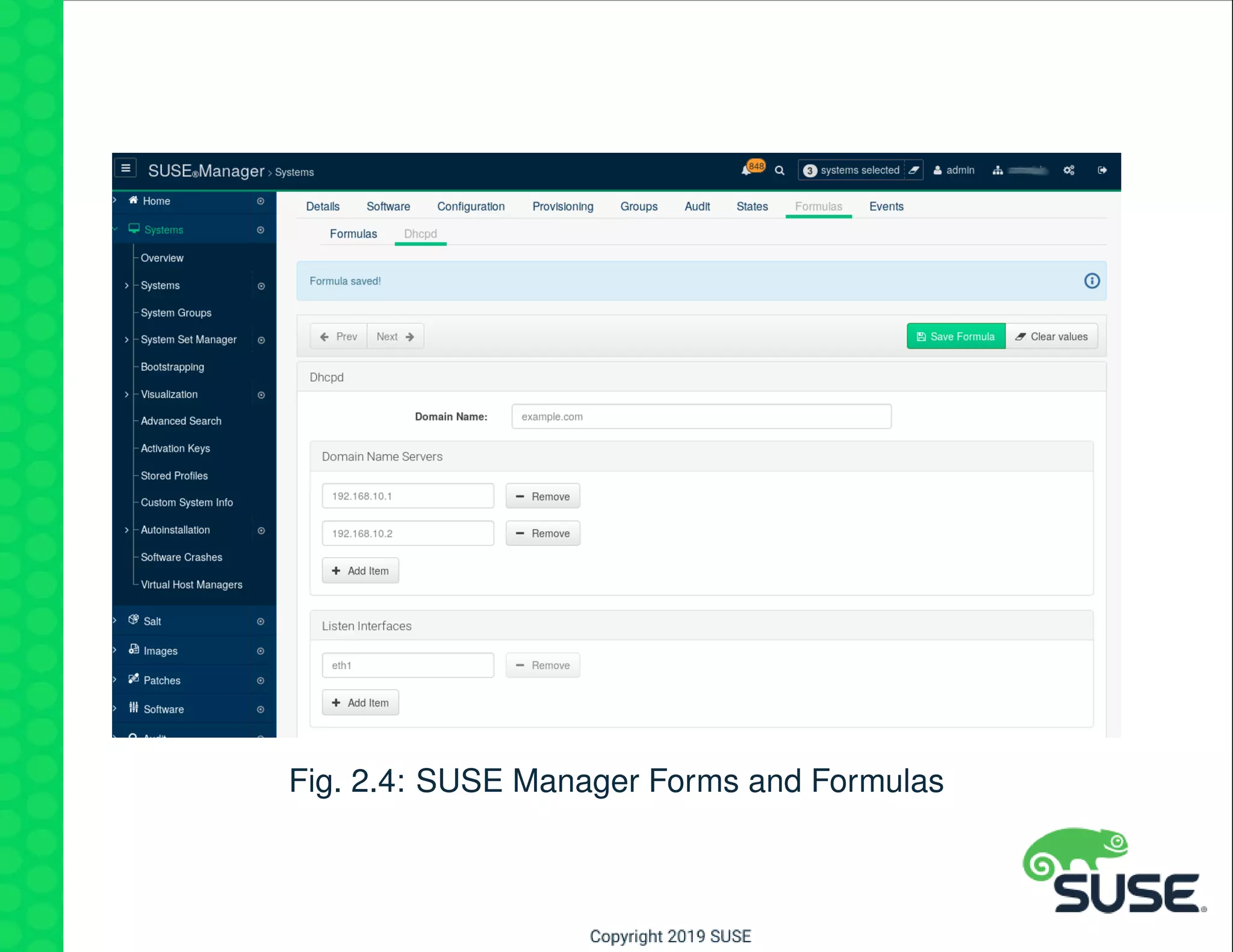
2.3.2 Forms and Formulas
Pillar management was never easier!
• Create your own forms from simple yaml
• Pillar data is automatically created
• Forms may be assigned to different systems with different values
(pillar)
Fig. 2.4: SUSE Manager Forms and Formulas
2.4 Configuration Scope
States - may be assigned at the following levels:
• Organization (all systems)
• System groups
• Individual system
Forms and Formulas - may be assigned at:
• System groups
• Individual system
2.5 Using the API (commandline)
There is a great deal of functionality outside the SUSE Manager UI.
Most APIs may be called with the spacecmd utility.
Manage all types of SUSE Manger objects:
• Software Channels
• Systems
• Activation keys
• Users
• System Set Manager
• . . .
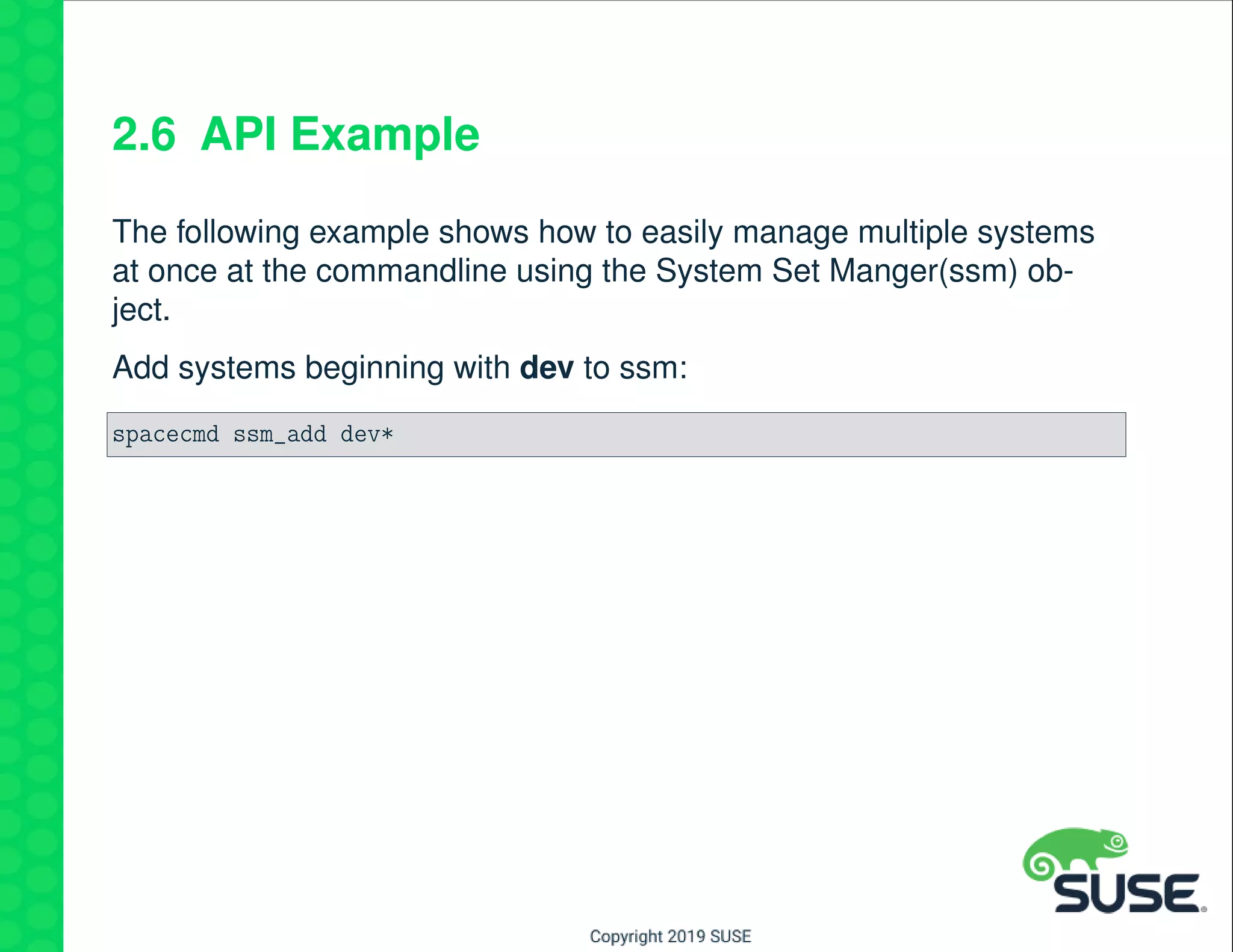
2.6 API Example
The following example shows how to easily manage multiple systems
at once at the commandline using the System Set Manger(ssm) ob-
ject.
Add systems beginning with dev to ssm:
spacecmd ssm_add dev*
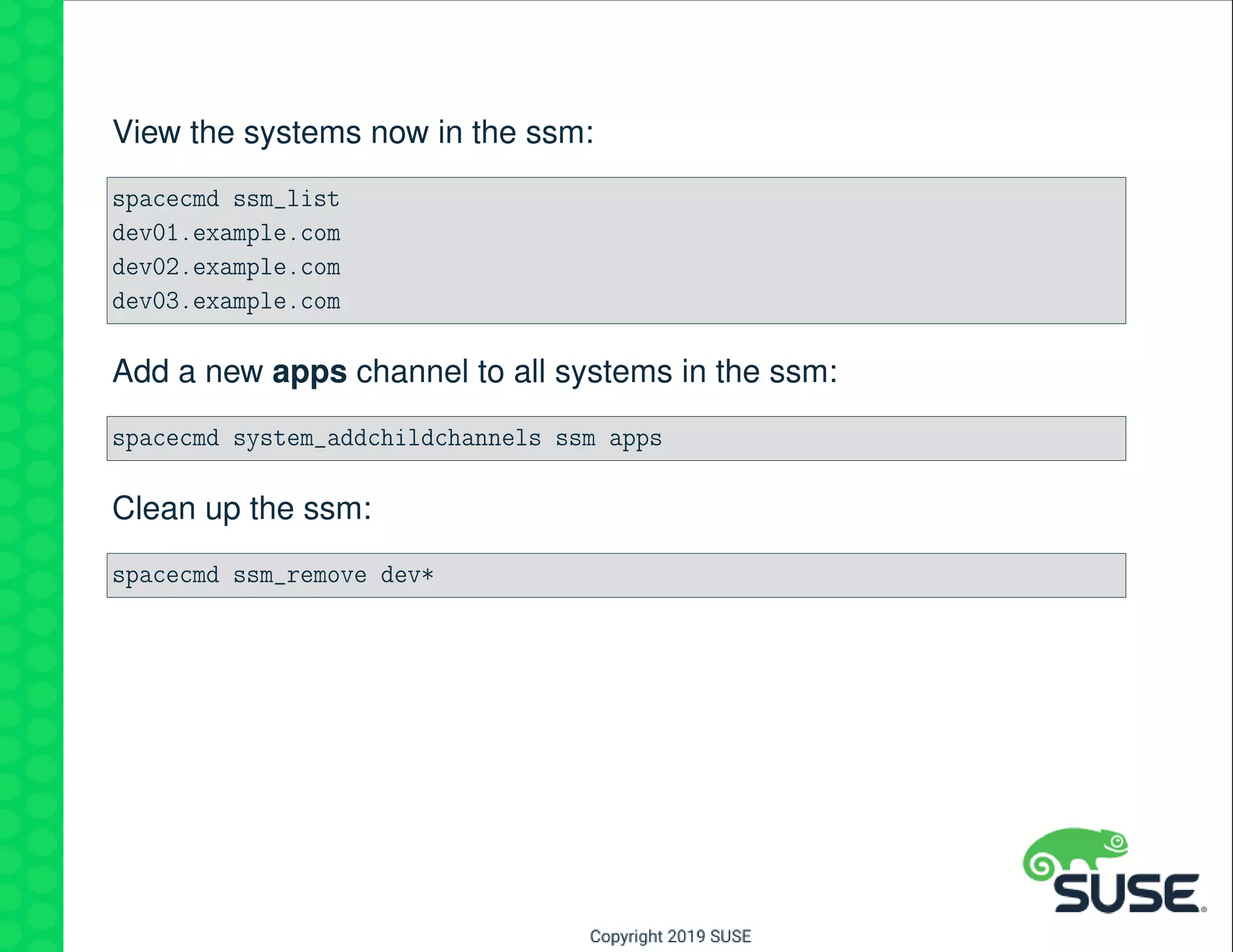
View the systems now in the ssm:
spacecmd ssm_list
dev01.example.com
dev02.example.com
dev03.example.com
Add a new apps channel to all systems in the ssm:
spacecmd system_addchildchannels ssm apps
Clean up the ssm:
spacecmd ssm_remove dev*
3 Salt
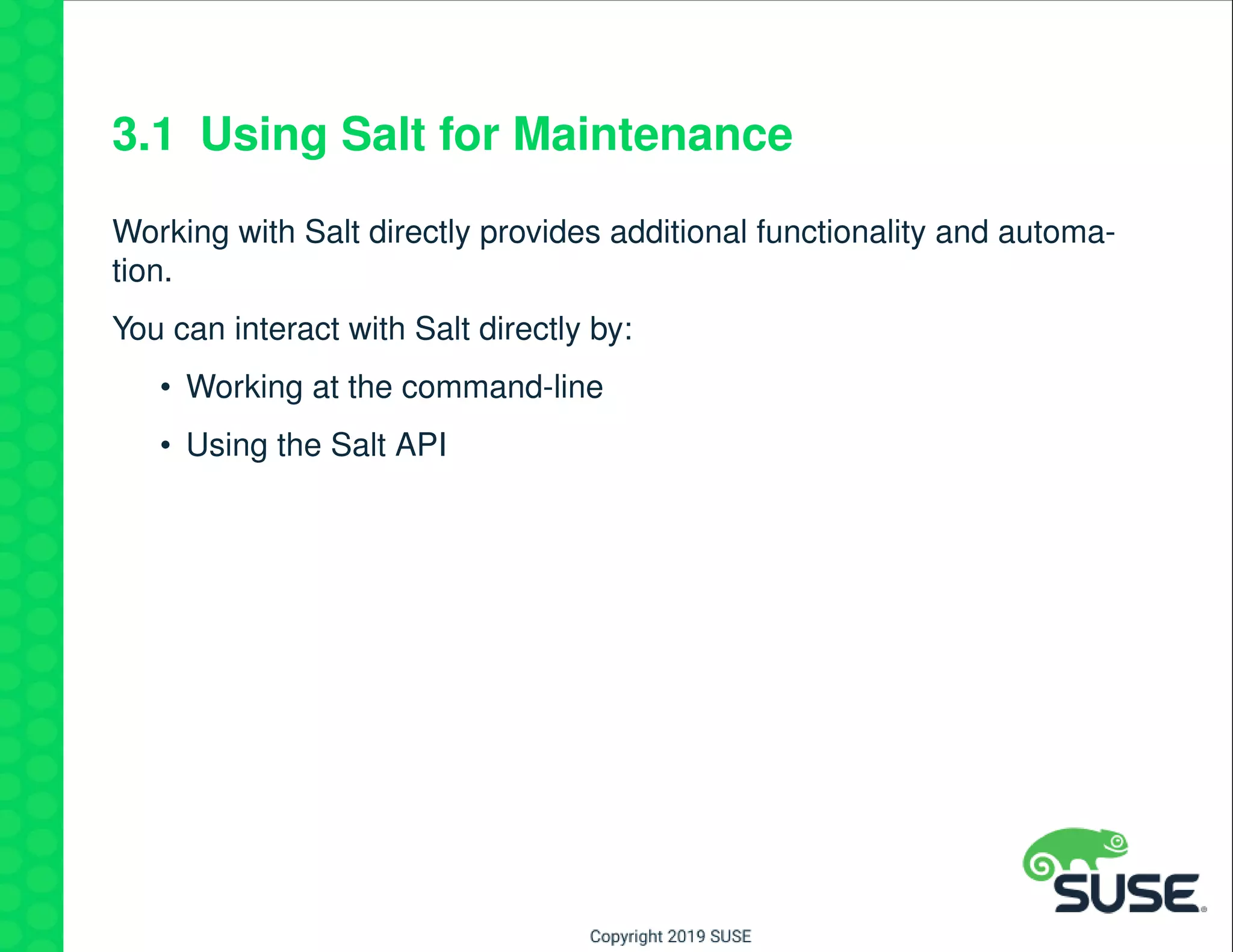
3.1 Using Salt for Maintenance
Working with Salt directly provides additional functionality and automa-
tion.
You can interact with Salt directly by:
• Working at the command-line
• Using the Salt API
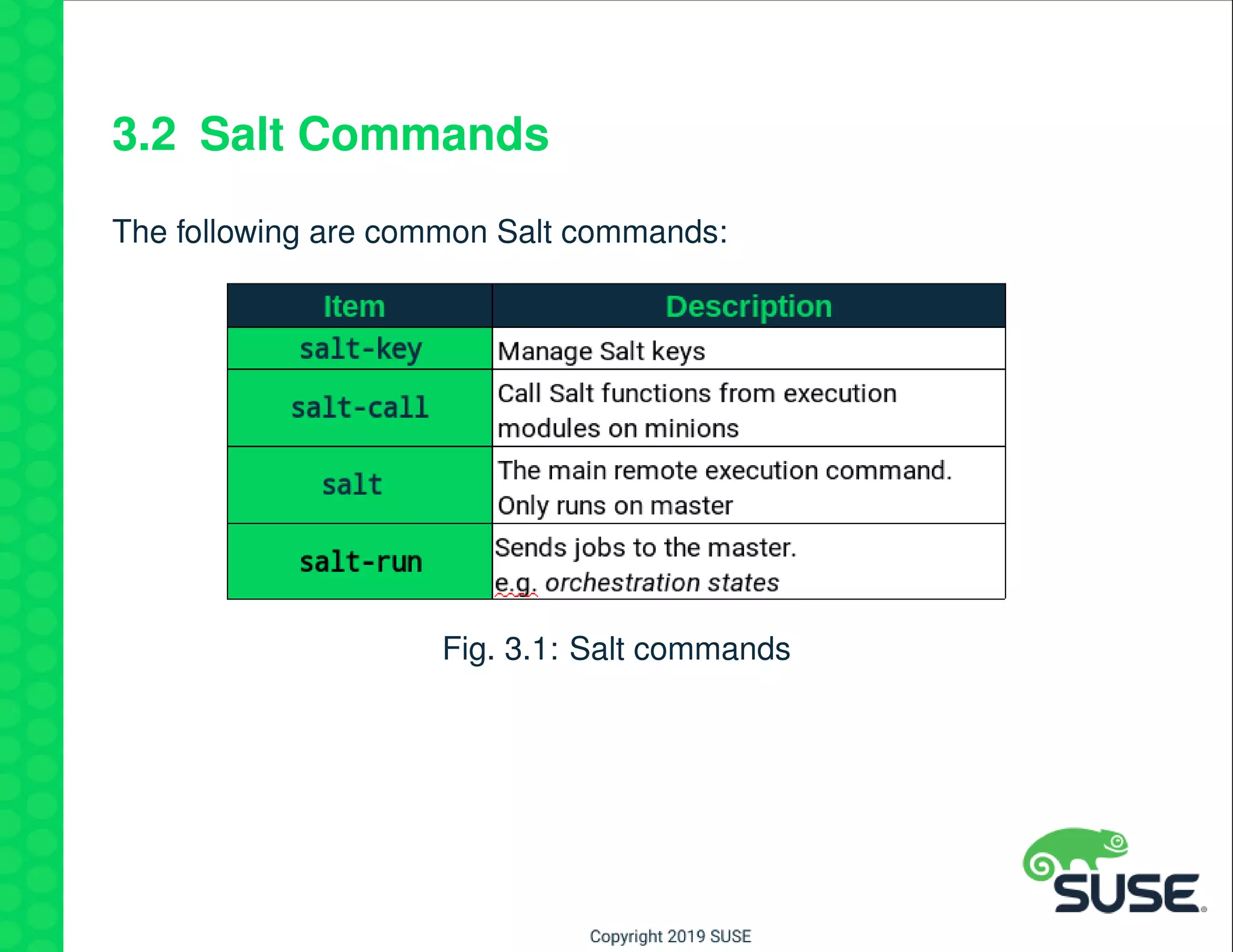
3.2 Salt Commands
The following are common Salt commands:
Fig. 3.1: Salt commands
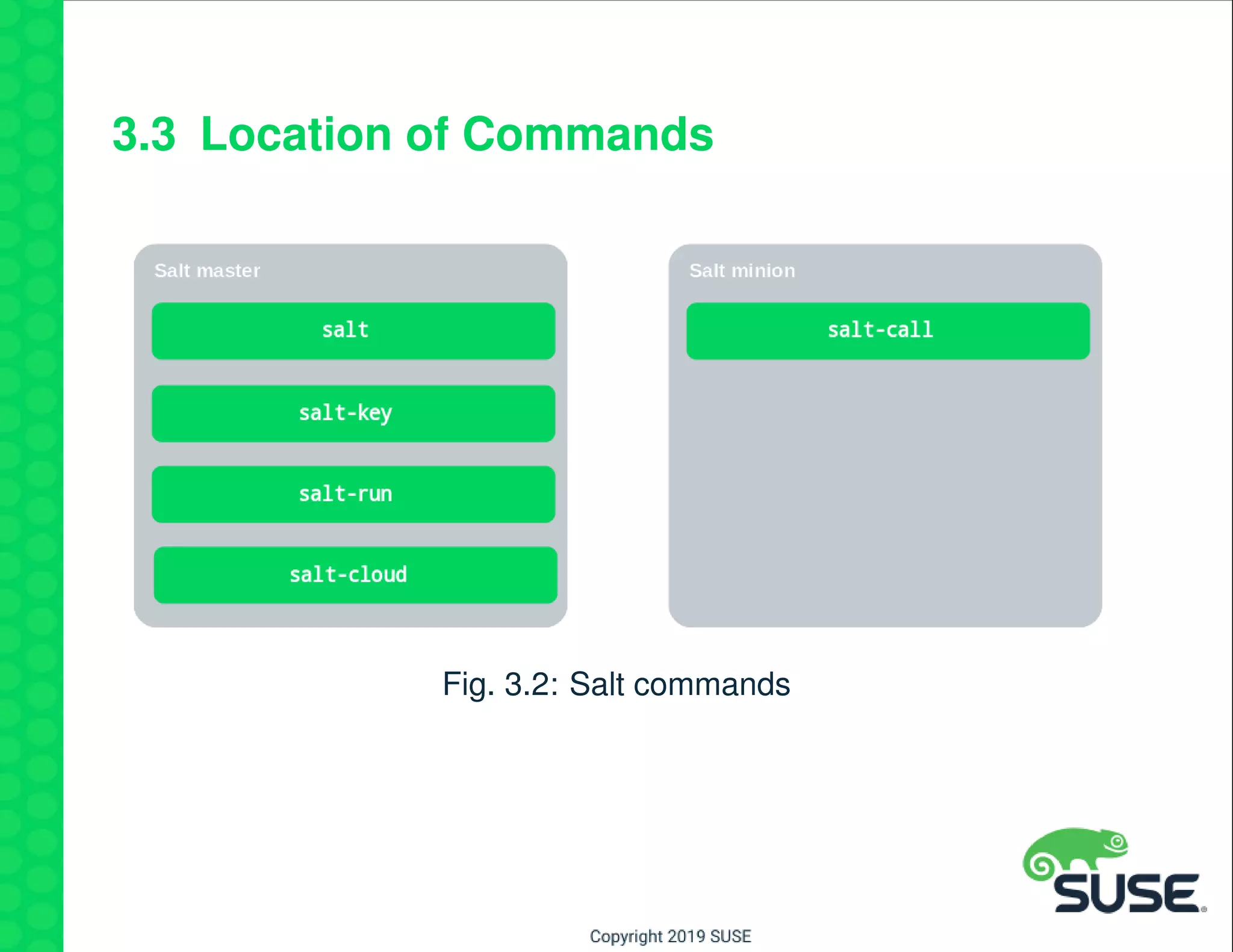
3.3 Location of Commands
Fig. 3.2: Salt commands
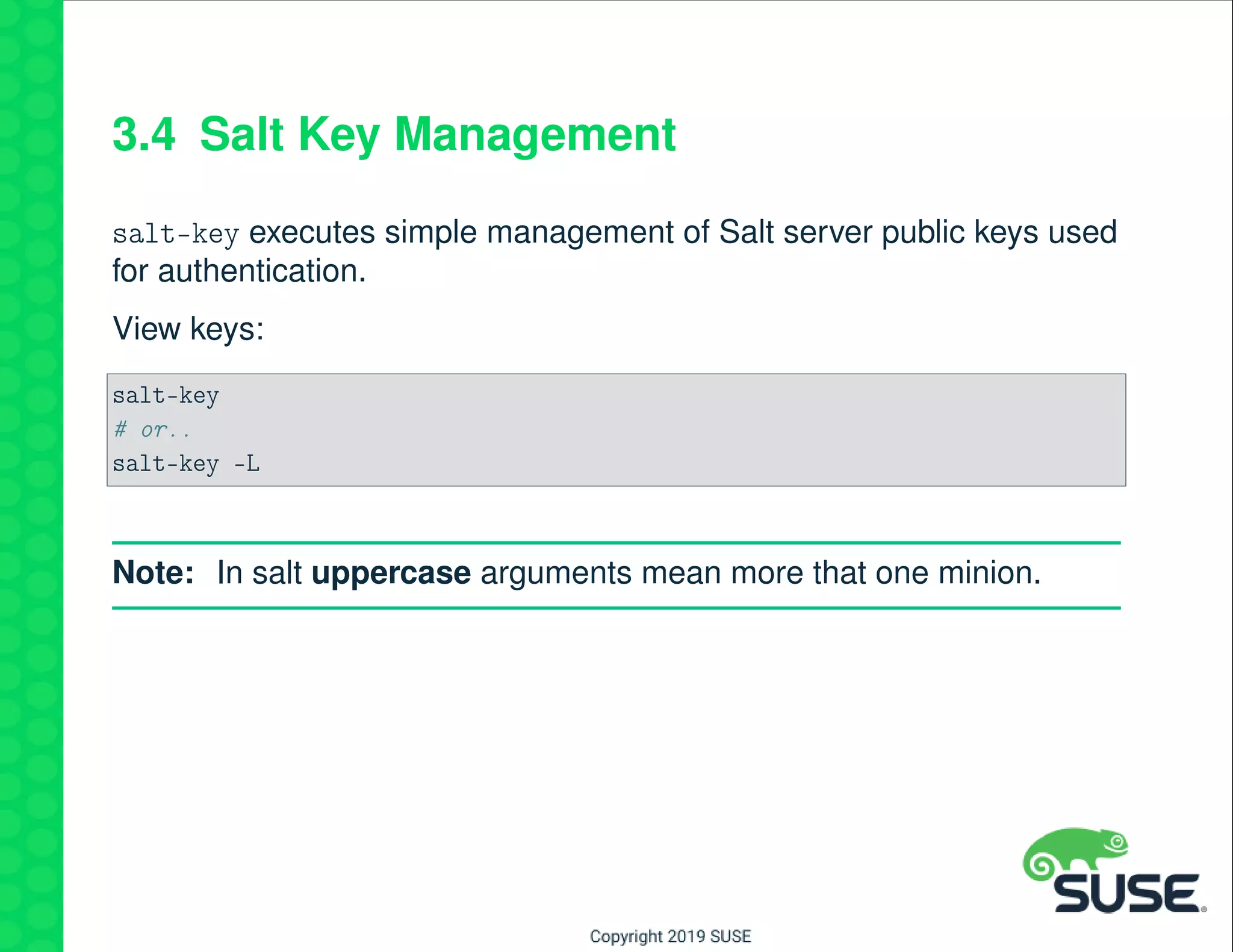
3.4 Salt Key Management
salt-key executes simple management of Salt server public keys used
for authentication.
View keys:
salt-key
# or..
salt-key -L
Note: In salt uppercase arguments mean more that one minion.
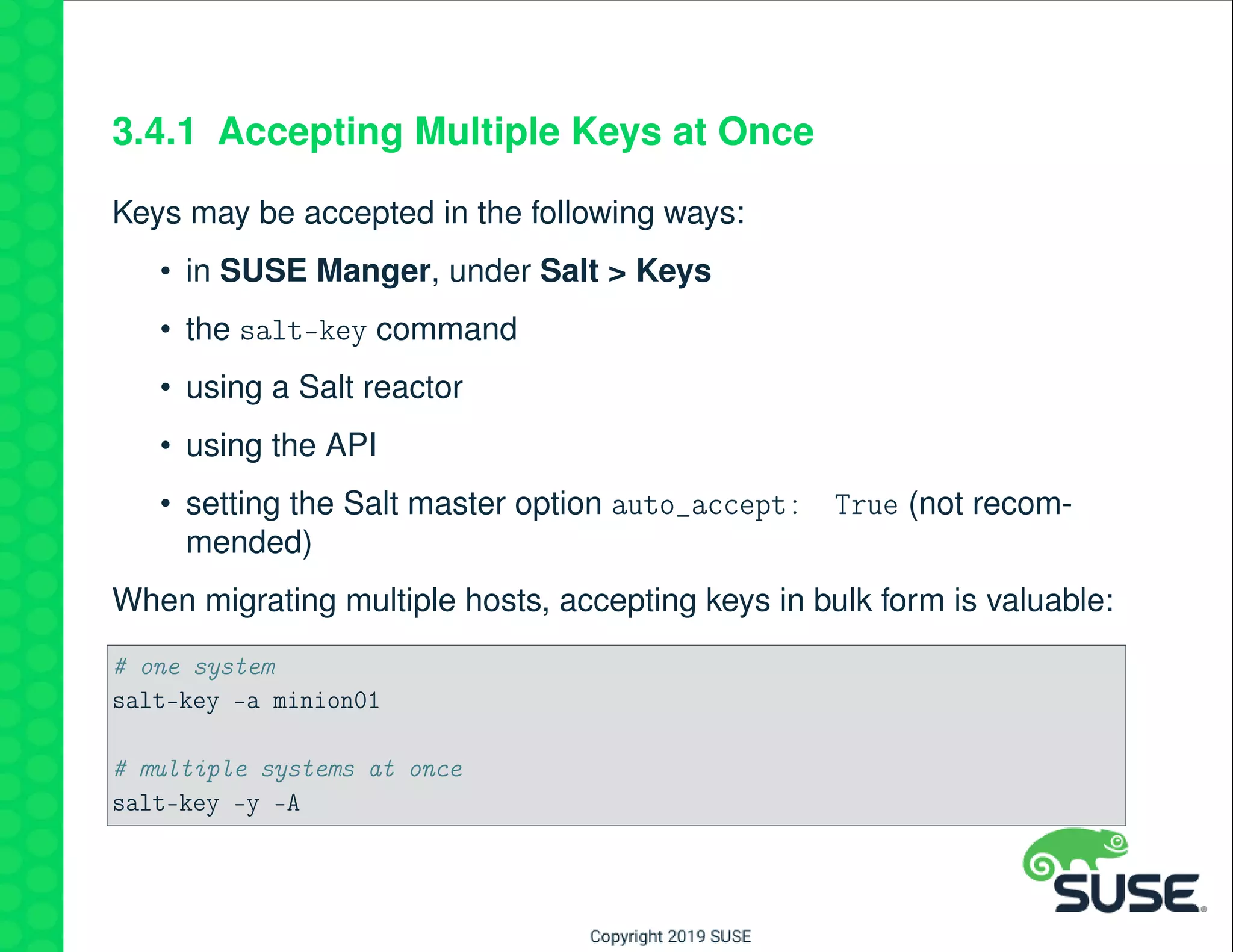
3.4.1 Accepting Multiple Keys at Once
Keys may be accepted in the following ways:
• in SUSE Manger, under Salt > Keys
• the salt-key command
• using a Salt reactor
• using the API
• setting the Salt master option auto_accept: True (not recom-
mended)
When migrating multiple hosts, accepting keys in bulk form is valuable:
# one system
salt-key -a minion01
# multiple systems at once
salt-key -y -A
3.5 Sending Commands to Minions
Instead of logging to to each system, a salt module may be run on
many systems simultaneously from the Salt master.
Remote execution in salt is performed with the salt command.
The syntax is:
salt [options] '<target>' <module.function> [arguments|keyword arguments]
An example of targeting minions:
salt '*' cmd.run 'cat /etc/resolv.conf'
3.5.1 Using Salt Grains
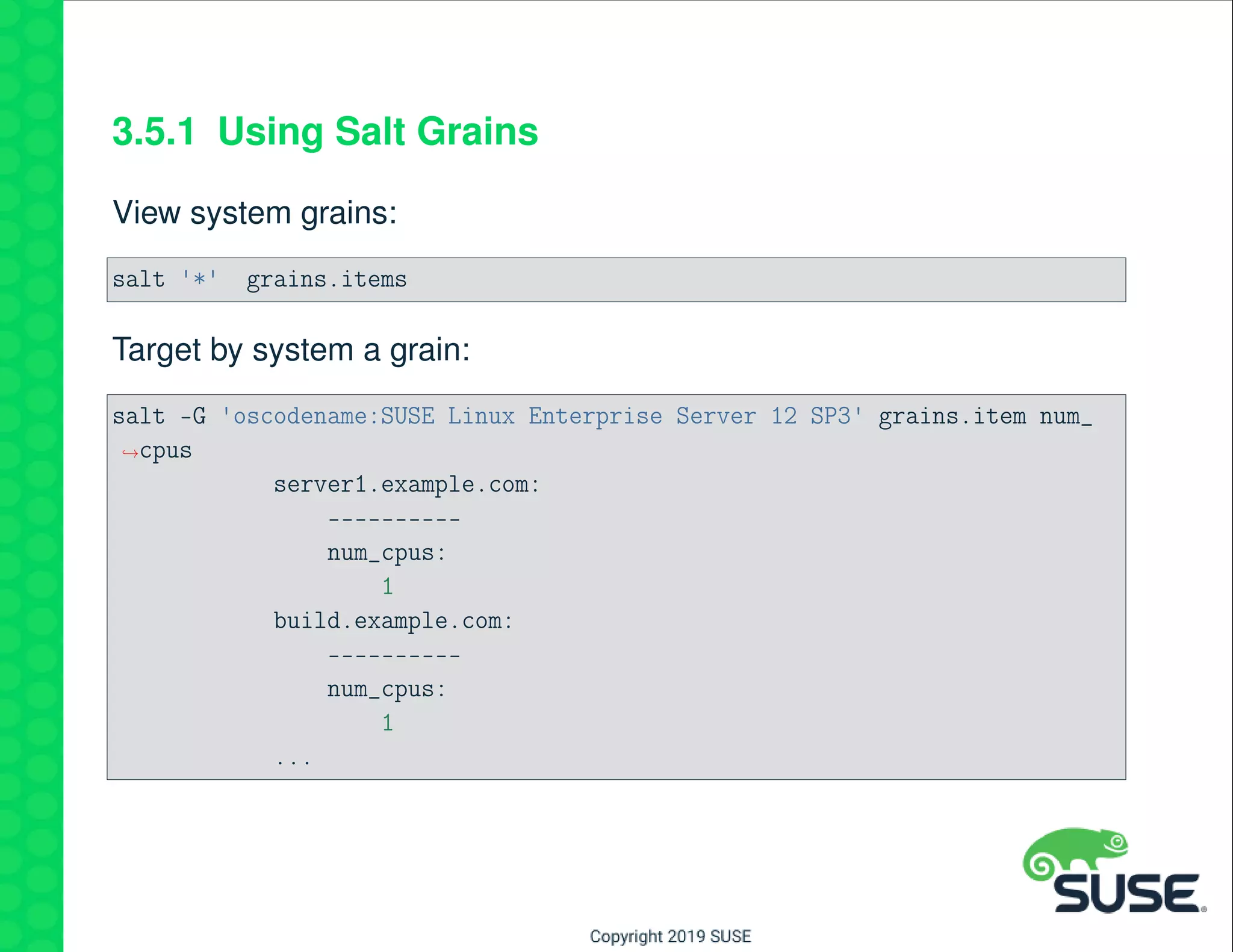
View system grains:
salt '*' grains.items
Target by system a grain:
salt -G 'oscodename:SUSE Linux Enterprise Server 12 SP3' grains.item num_
→cpus
server1.example.com:
----------
num_cpus:
1
build.example.com:
----------
num_cpus:
1
...
3.6 Salt Rest API
In this section you will gain an understanding of the Salt RESTful API.
The topics covered will be:
• Turning on the API
• Using the LocalClient through REST
• Using the RunnerClient through REST
3.7 Overview
The Salt API project is a modular interface on top of Salt that can pro-
vide a variety of entry points into a running Salt system.
It can start and manage multiple interfaces allowing a REST API to co-
exist with XMLRPC or even a Websocket API.
By default the Salt API was developed to act as the communication
layer for the Salt web UI, but it can also be used as a means to access
Salt from other remote apis as well.
Salt API is closely tied to the external authentication system and uses
TLS for all connections.
3.8 SUSE Manager and Salt API
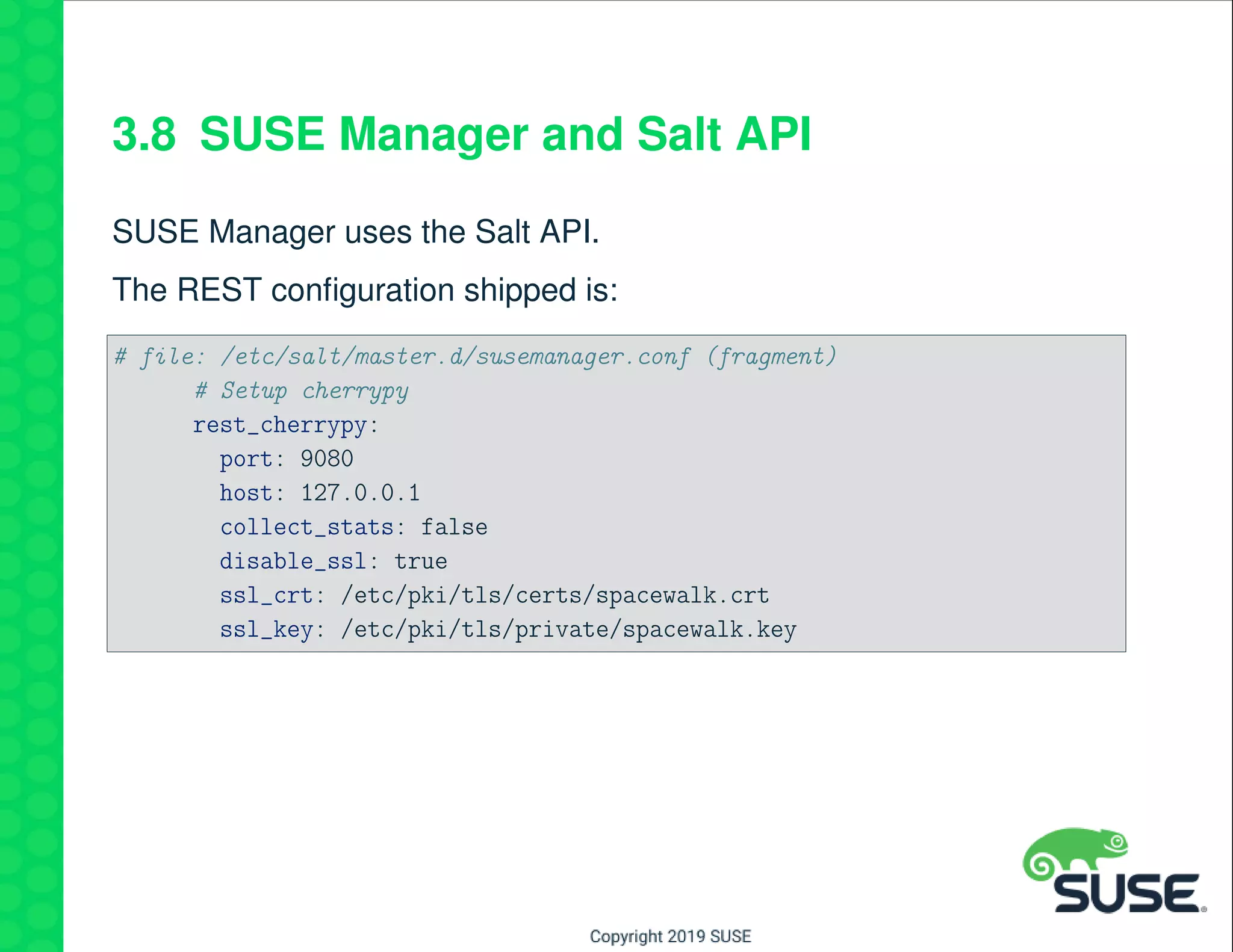
SUSE Manager uses the Salt API.
The REST configuration shipped is:
# file: /etc/salt/master.d/susemanager.conf (fragment)
# Setup cherrypy
rest_cherrypy:
port: 9080
host: 127.0.0.1
collect_stats: false
disable_ssl: true
ssl_crt: /etc/pki/tls/certs/spacewalk.crt
ssl_key: /etc/pki/tls/private/spacewalk.key
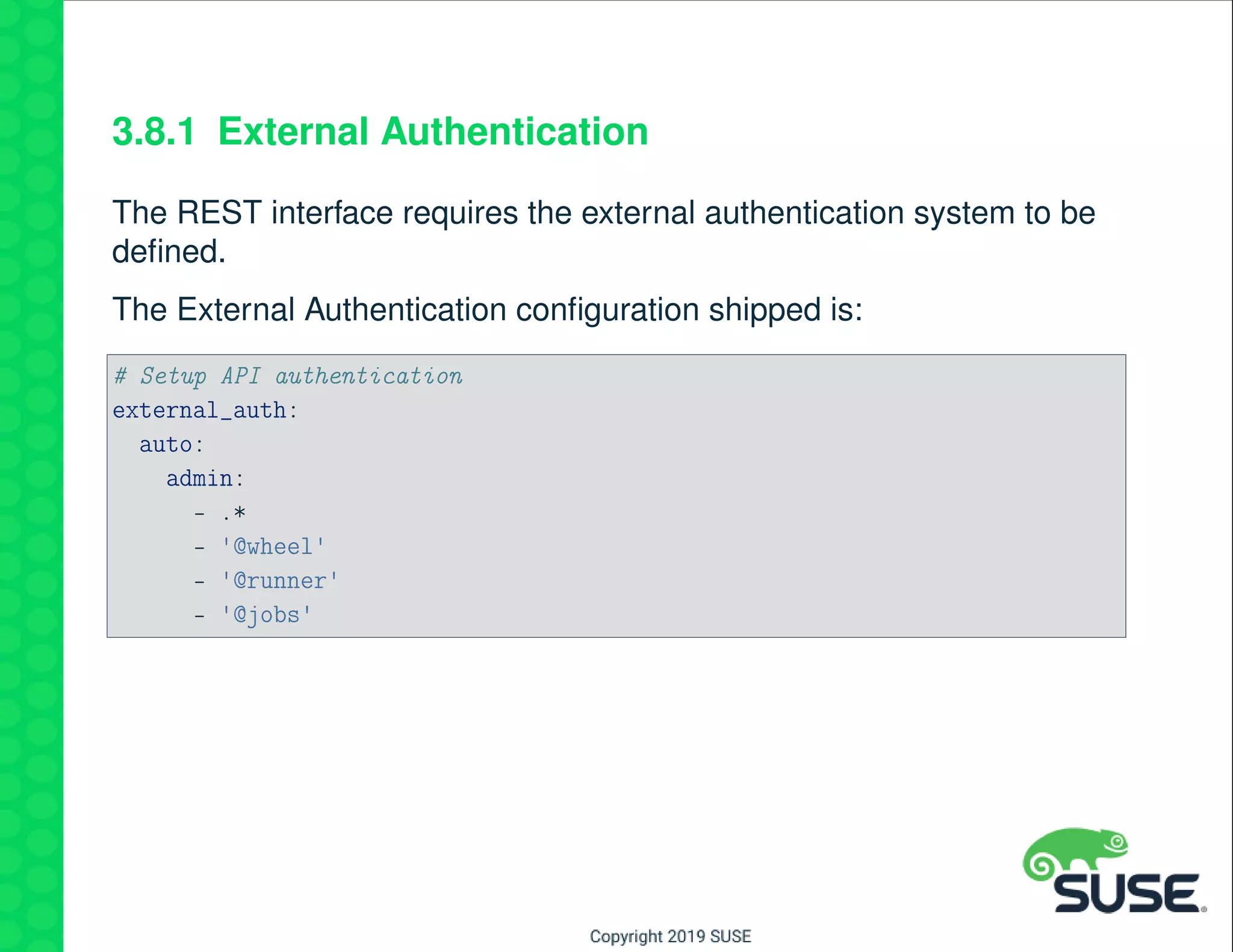
3.8.1 External Authentication
The REST interface requires the external authentication system to be
defined.
The External Authentication configuration shipped is:
# Setup API authentication
external_auth:
auto:
admin:
- .*
- '@wheel'
- '@runner'
- '@jobs'
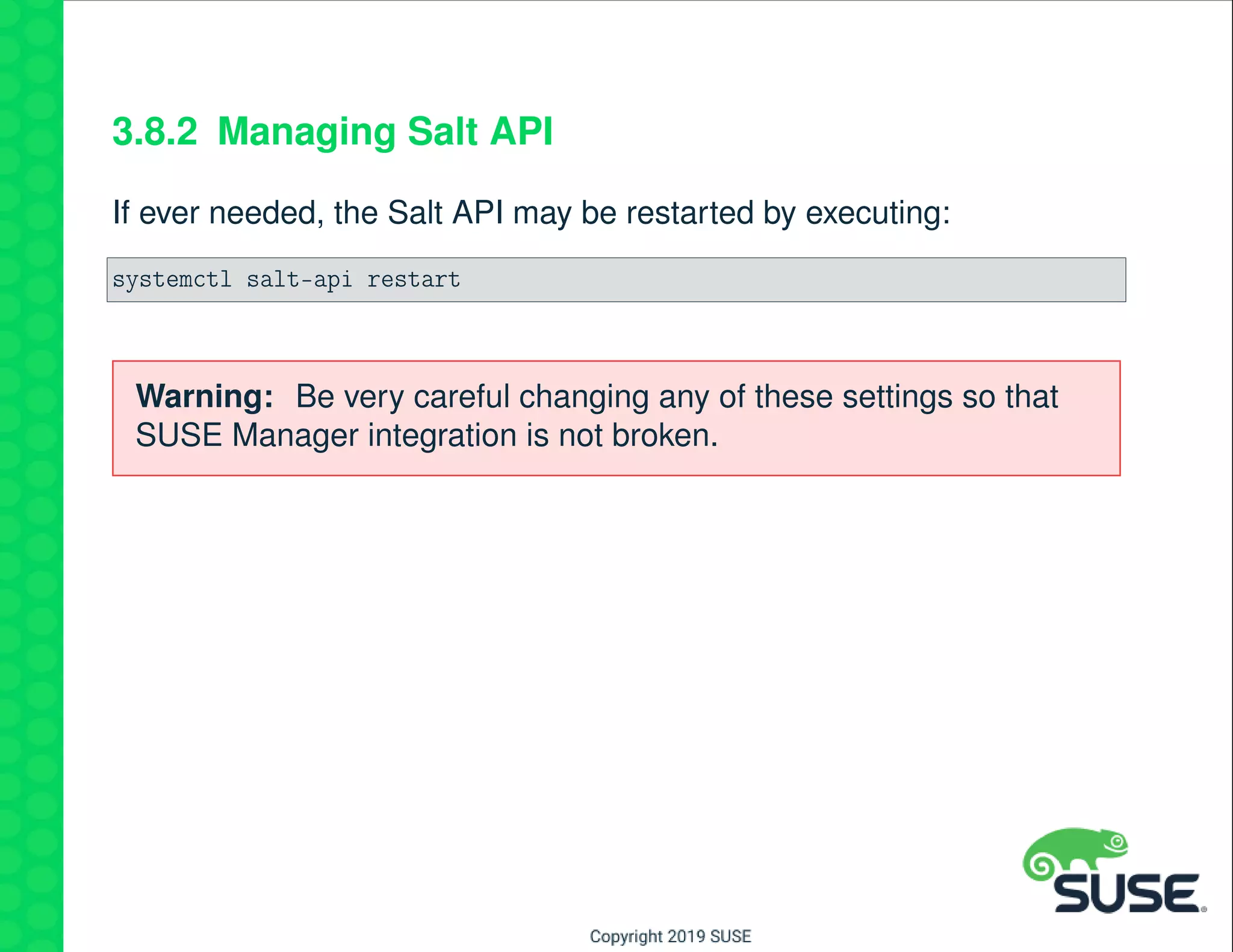
3.8.2 Managing Salt API
If ever needed, the Salt API may be restarted by executing:
systemctl salt-api restart
Warning: Be very careful changing any of these settings so that
SUSE Manager integration is not broken.
3.9 RESTful LocalClient Call
Both the curl command line and native programming languages can
be used to access this web service API.
Supports token passing or cookie storage for session management.
Logging into the API will return a token that must be referenced for all
subsequent calls
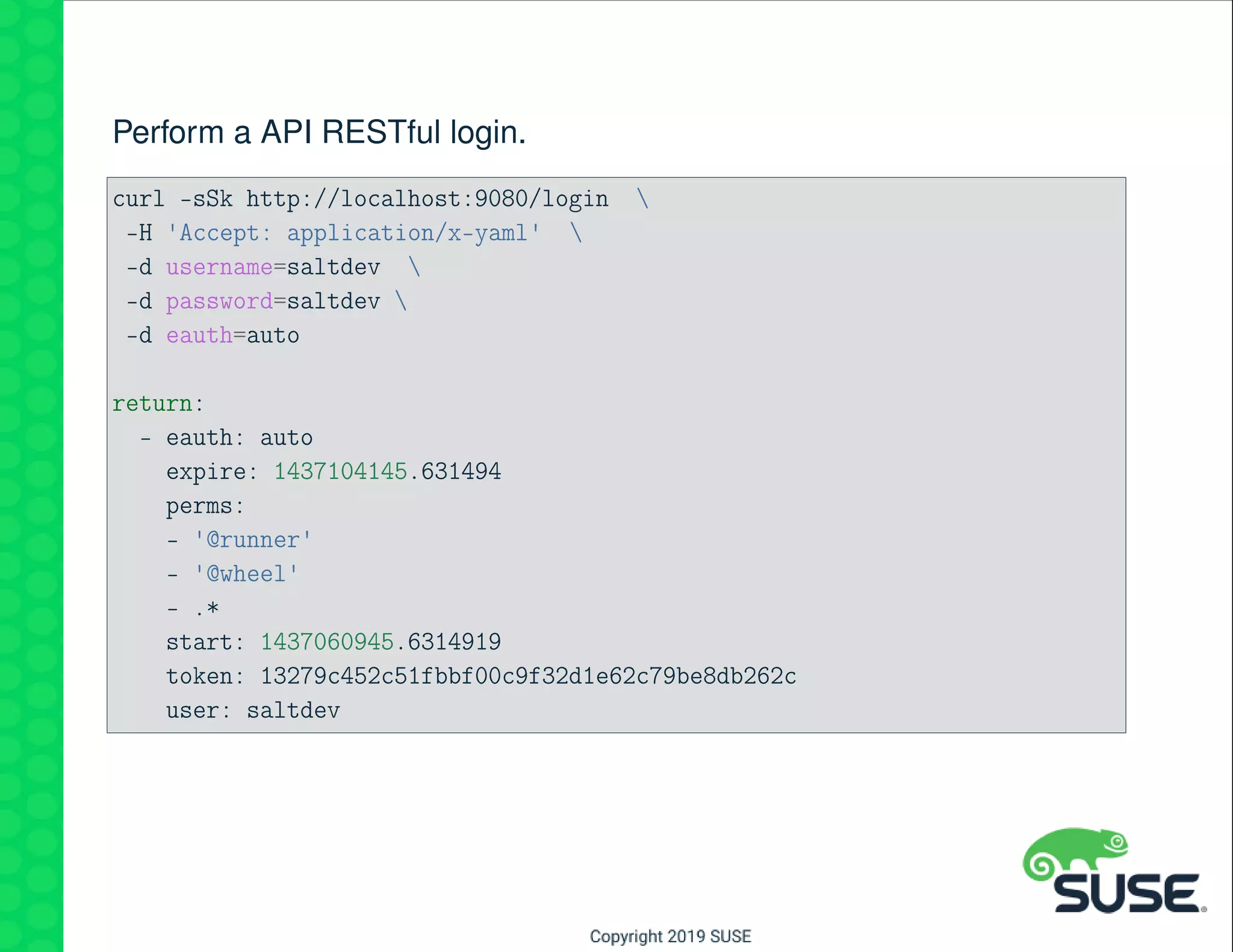
Perform a API RESTful login.
curl -sSk http://localhost:9080/login 
-H 'Accept: application/x-yaml' 
-d username=saltdev 
-d password=saltdev 
-d eauth=auto
return:
- eauth: auto
expire: 1437104145.631494
perms:
- '@runner'
- '@wheel'
- .*
start: 1437060945.6314919
token: 13279c452c51fbbf00c9f32d1e62c79be8db262c
user: saltdev
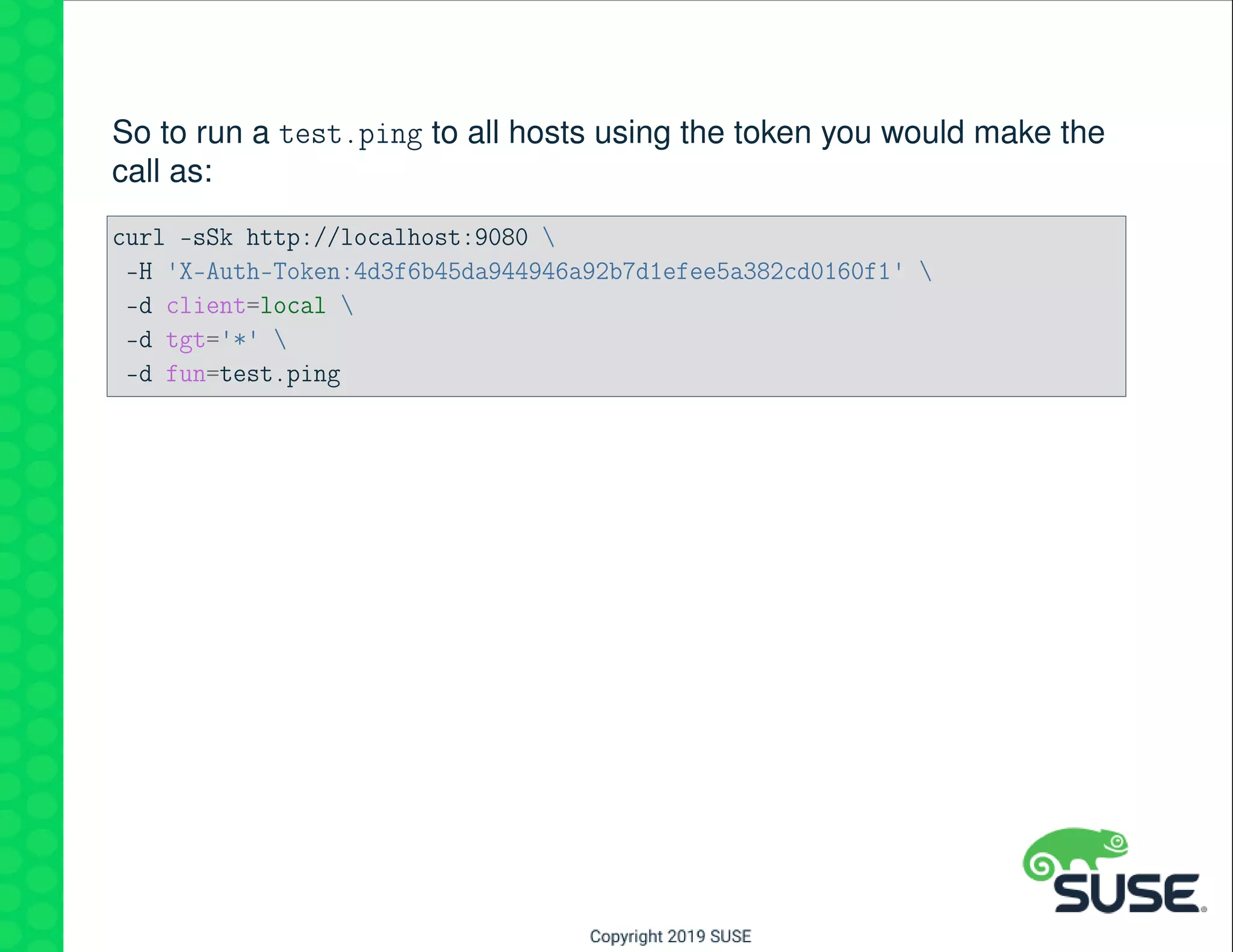
So to run a test.ping to all hosts using the token you would make the
call as:
curl -sSk http://localhost:9080 
-H 'X-Auth-Token:4d3f6b45da944946a92b7d1efee5a382cd0160f1' 
-d client=local 
-d tgt='*' 
-d fun=test.ping
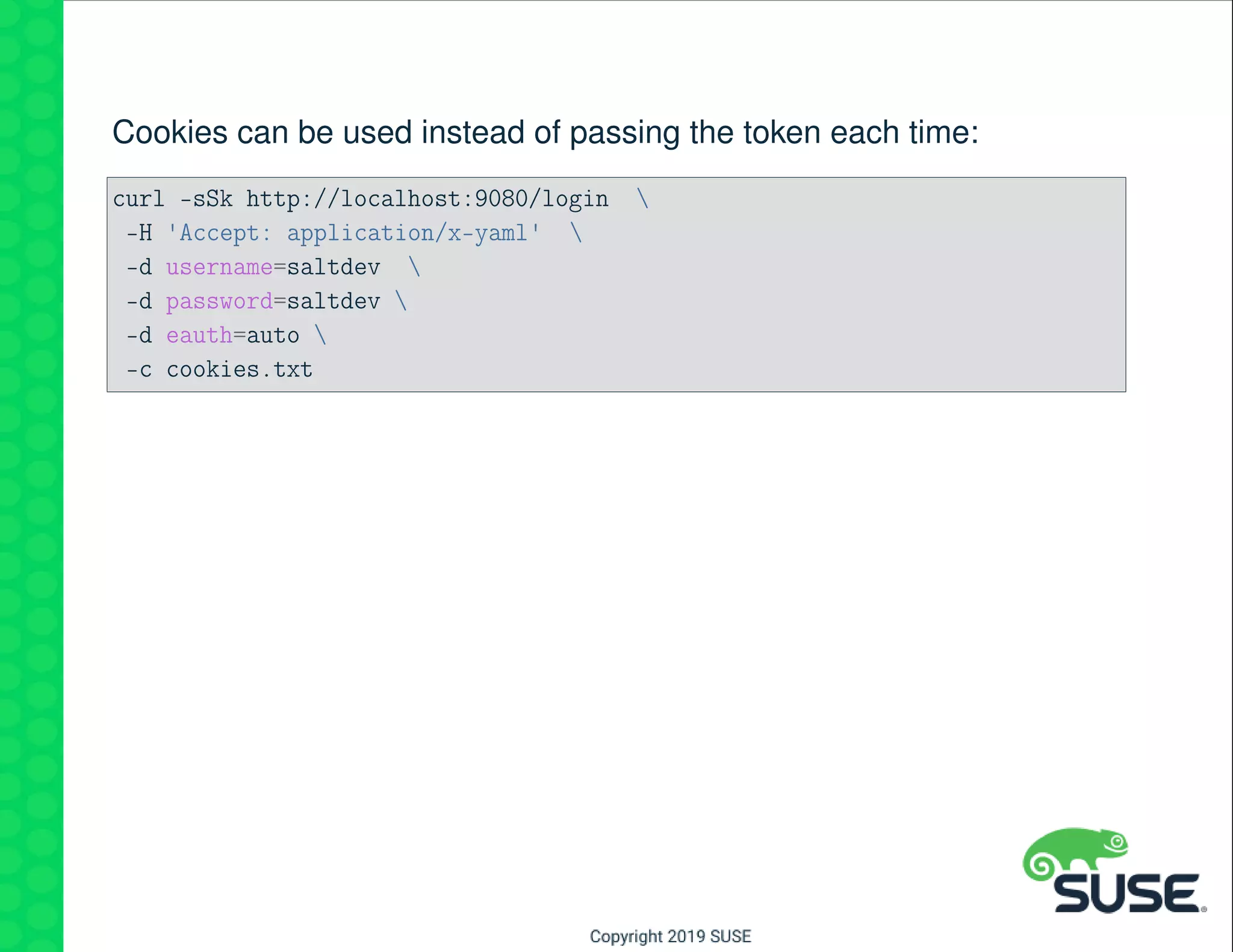
Cookies can be used instead of passing the token each time:
curl -sSk http://localhost:9080/login 
-H 'Accept: application/x-yaml' 
-d username=saltdev 
-d password=saltdev 
-d eauth=auto 
-c cookies.txt
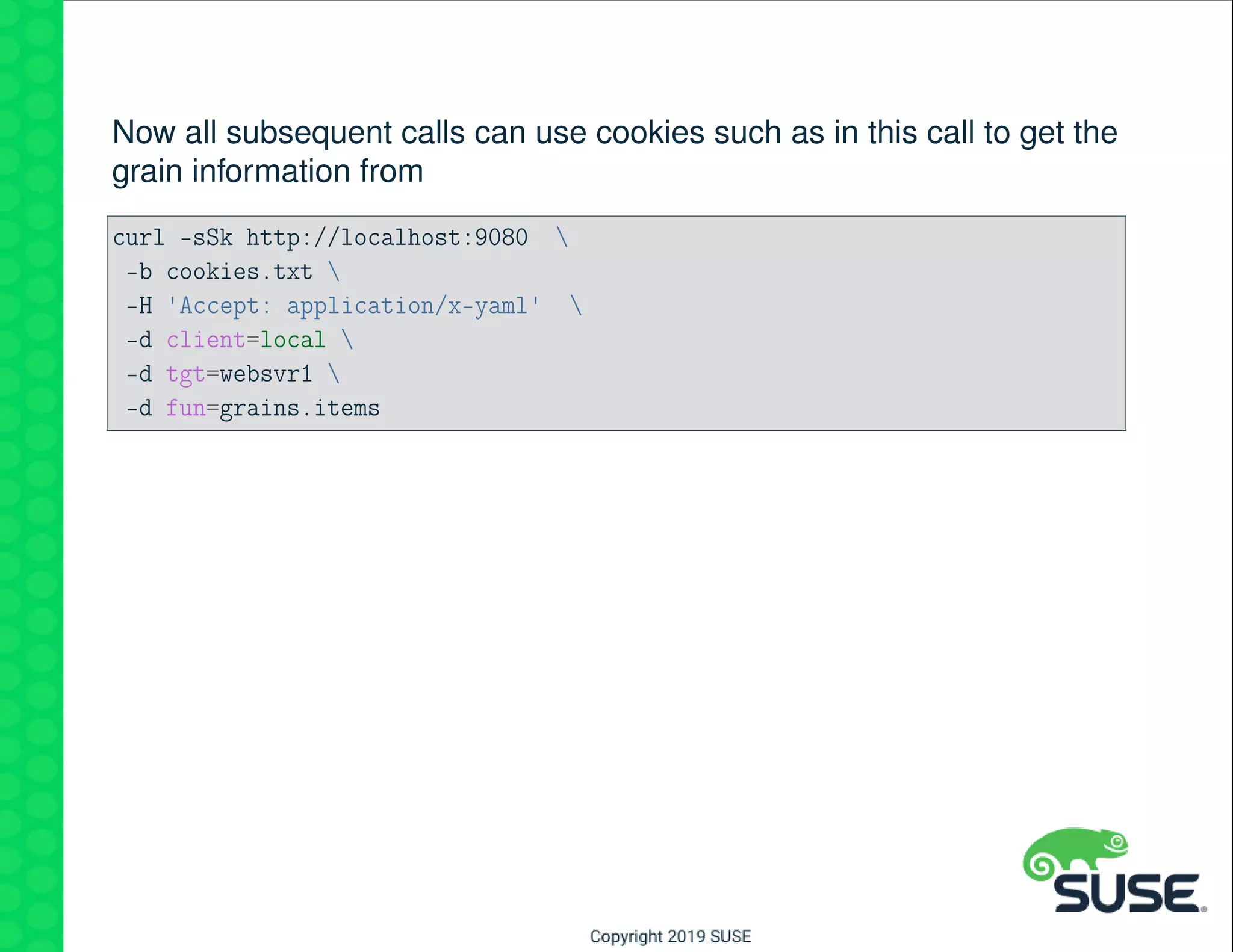
Now all subsequent calls can use cookies such as in this call to get the
grain information from
curl -sSk http://localhost:9080 
-b cookies.txt 
-H 'Accept: application/x-yaml' 
-d client=local 
-d tgt=websvr1 
-d fun=grains.items
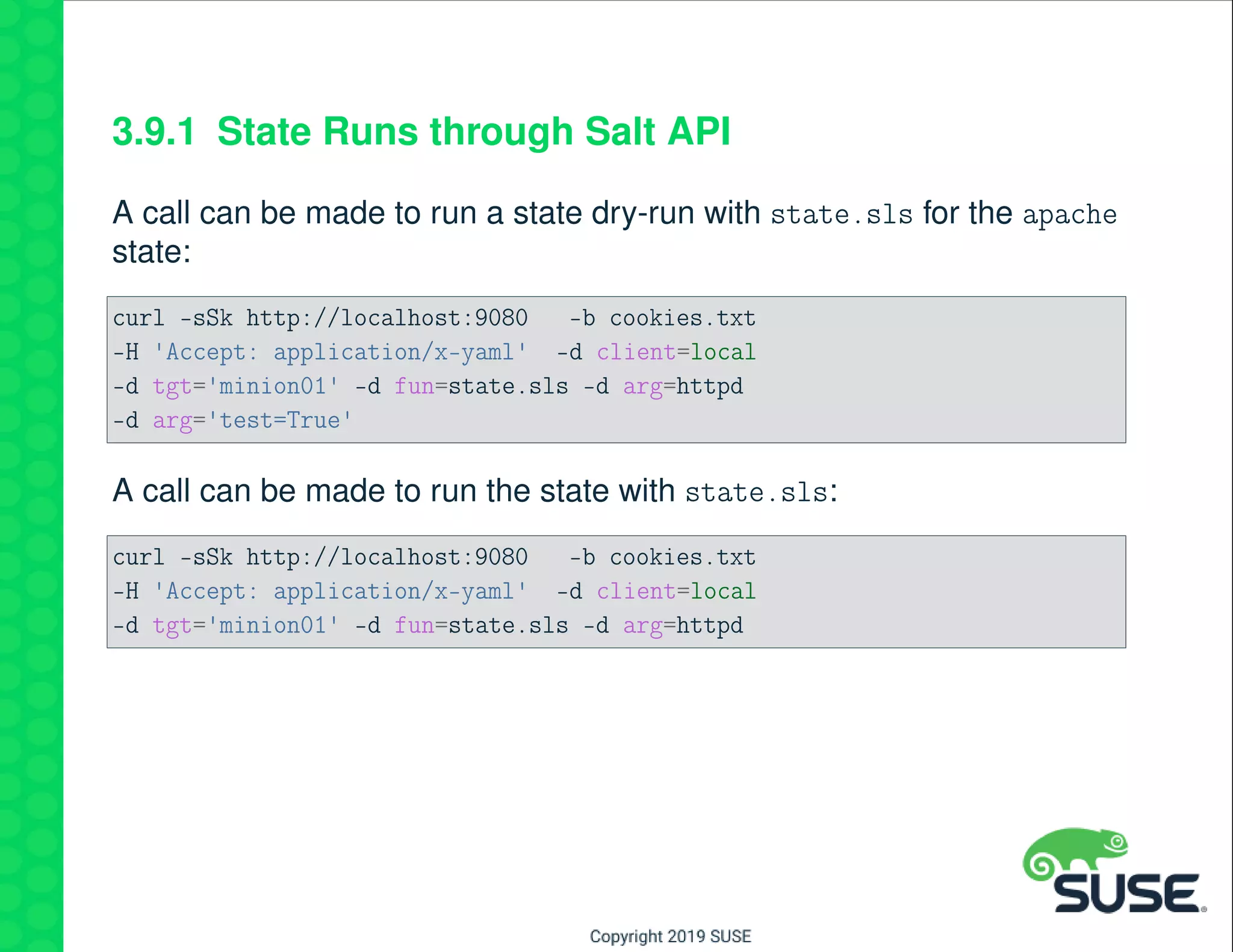
3.9.1 State Runs through Salt API
A call can be made to run a state dry-run with state.sls for the apache
state:
curl -sSk http://localhost:9080 -b cookies.txt
-H 'Accept: application/x-yaml' -d client=local
-d tgt='minion01' -d fun=state.sls -d arg=httpd
-d arg='test=True'
A call can be made to run the state with state.sls:
curl -sSk http://localhost:9080 -b cookies.txt
-H 'Accept: application/x-yaml' -d client=local
-d tgt='minion01' -d fun=state.sls -d arg=httpd
3.10 Using API Registered URLs
The Salt API has registered URLs, or hooks to shortcut access to in-
formation.
The following shows examples of using registered URLs.
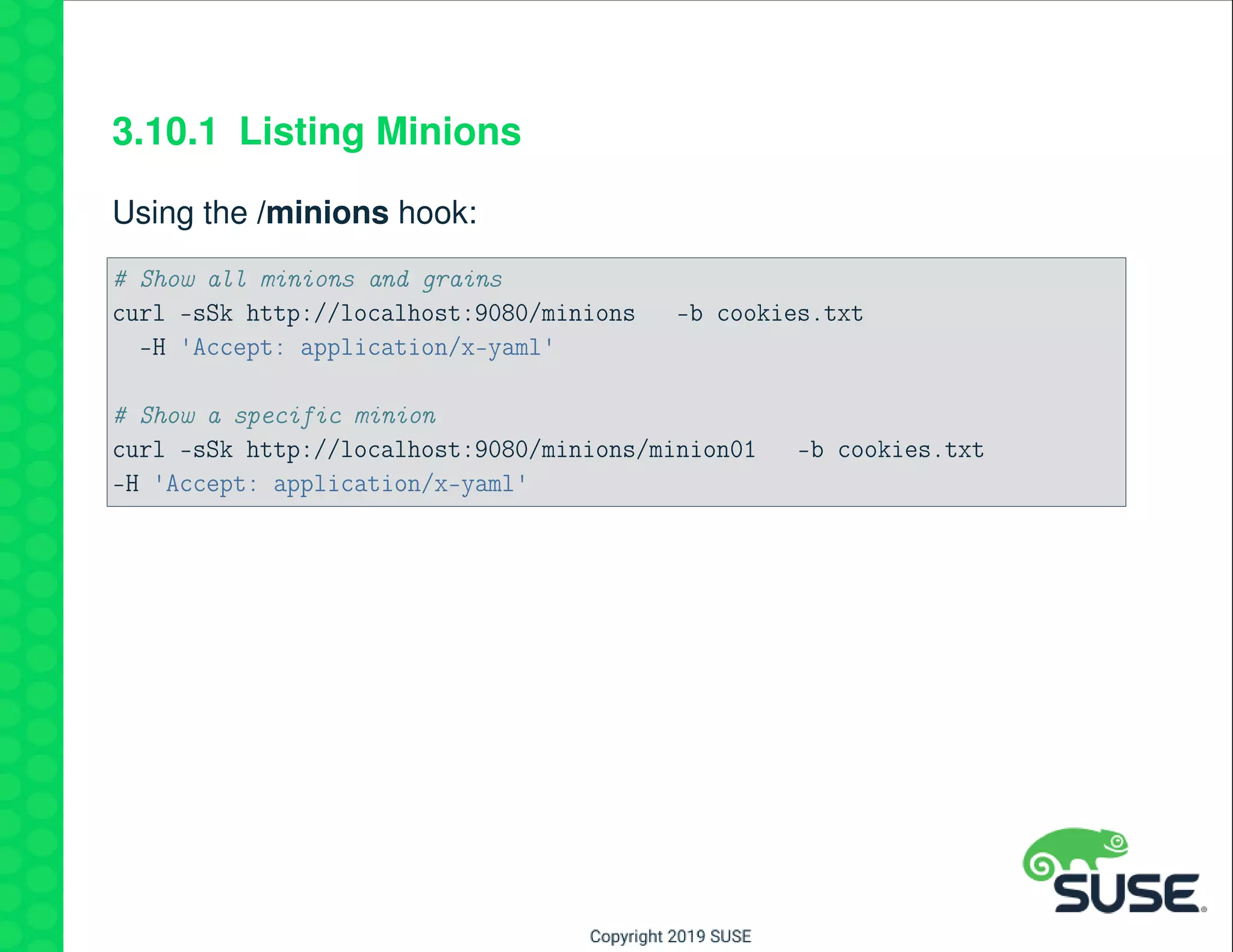
3.10.1 Listing Minions
Using the /minions hook:
# Show all minions and grains
curl -sSk http://localhost:9080/minions -b cookies.txt
-H 'Accept: application/x-yaml'
# Show a specific minion
curl -sSk http://localhost:9080/minions/minion01 -b cookies.txt
-H 'Accept: application/x-yaml'
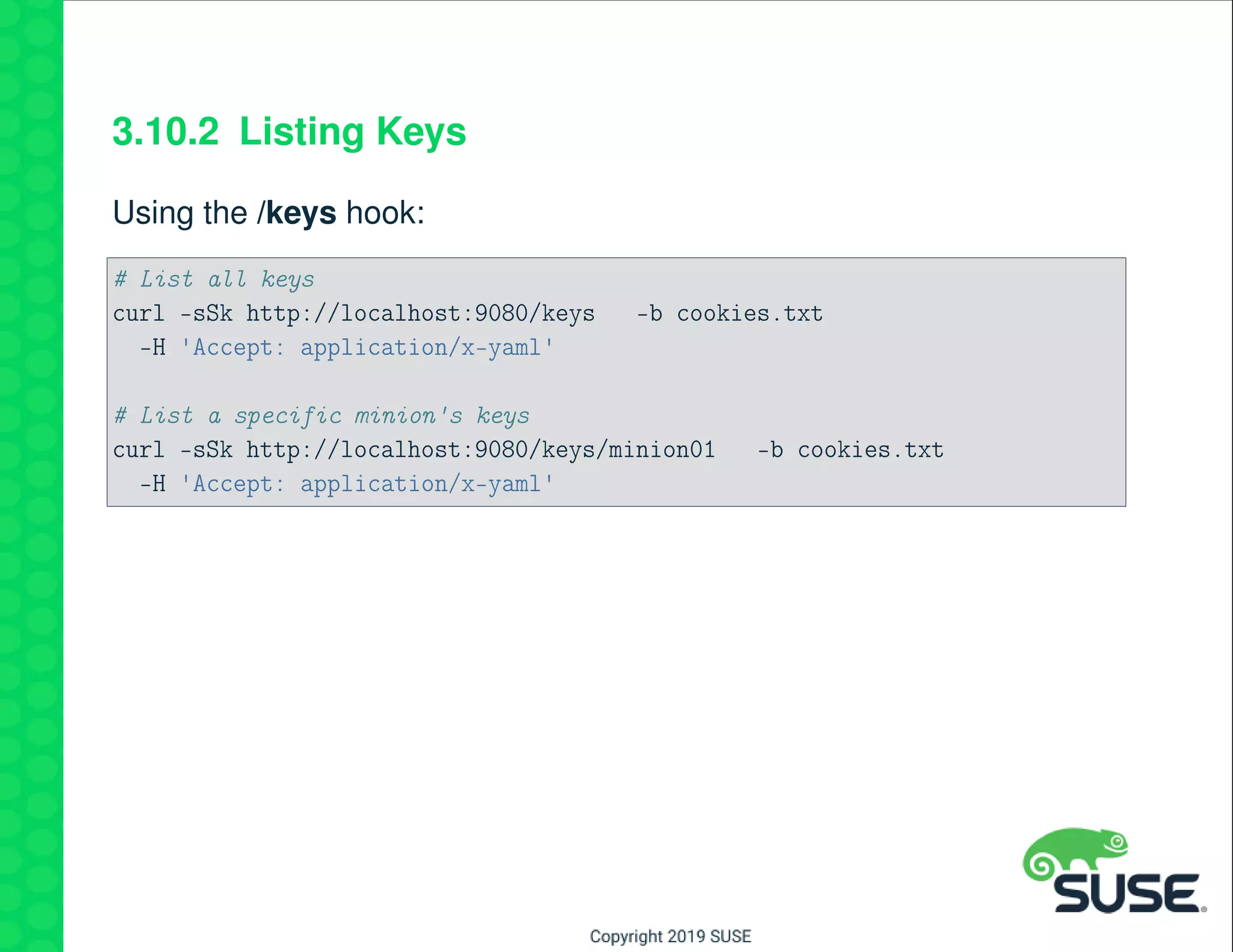
3.10.2 Listing Keys
Using the /keys hook:
# List all keys
curl -sSk http://localhost:9080/keys -b cookies.txt
-H 'Accept: application/x-yaml'
# List a specific minion's keys
curl -sSk http://localhost:9080/keys/minion01 -b cookies.txt
-H 'Accept: application/x-yaml'
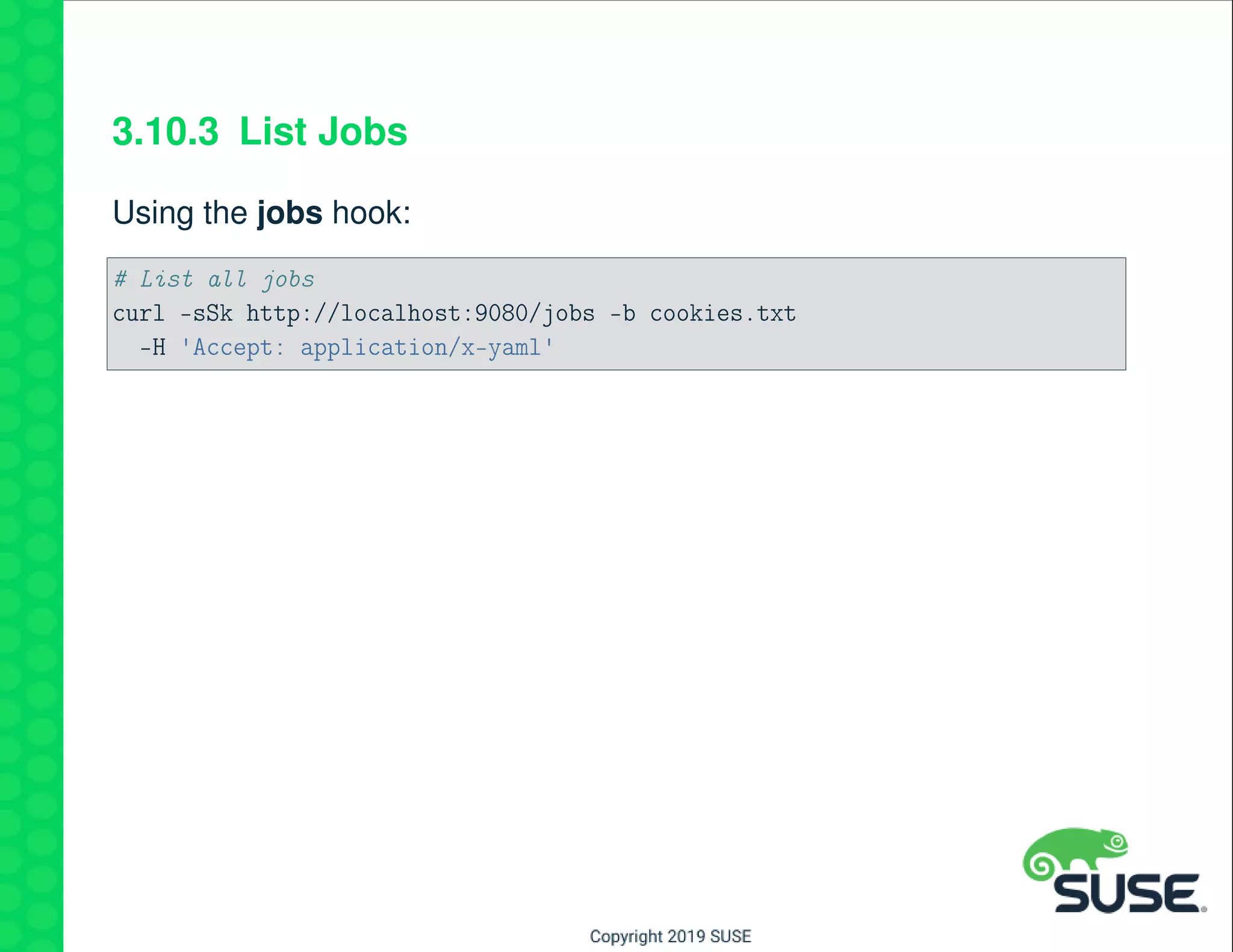
3.10.3 List Jobs
Using the jobs hook:
# List all jobs
curl -sSk http://localhost:9080/jobs -b cookies.txt
-H 'Accept: application/x-yaml'
3.10.4 Logging Out
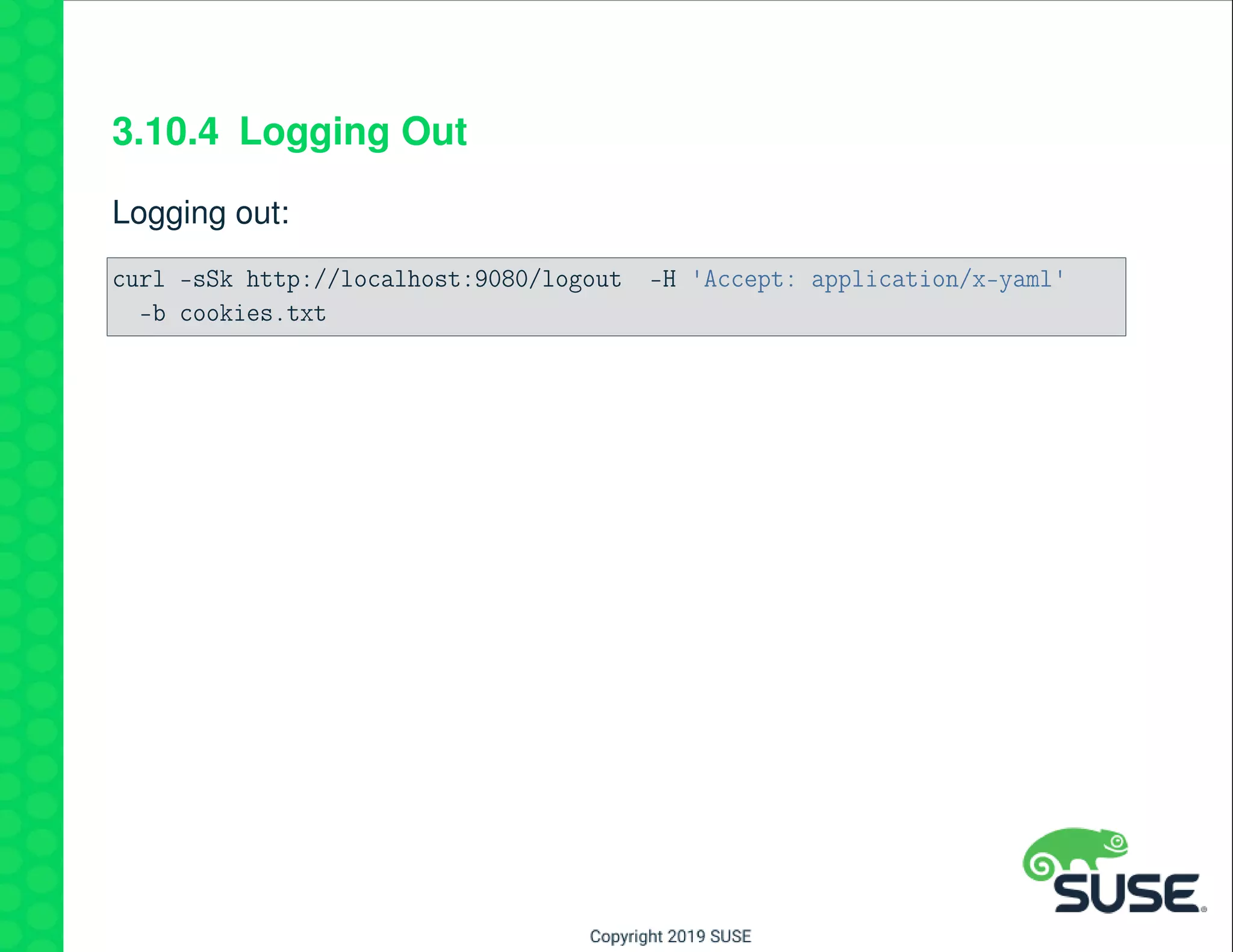
Logging out:
curl -sSk http://localhost:9080/logout -H 'Accept: application/x-yaml'
-b cookies.txt
3.11 Registered URLS in the API
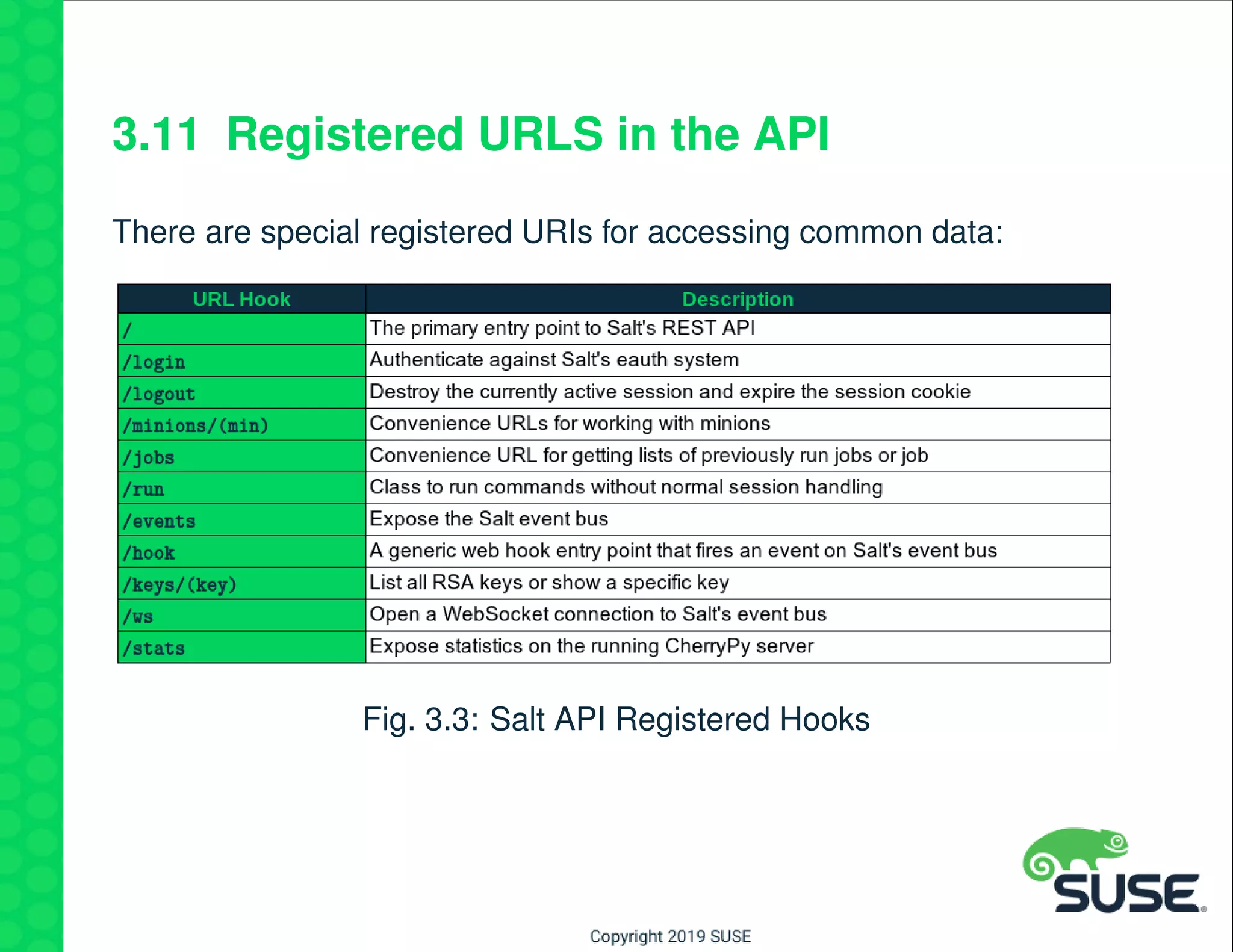
There are special registered URIs for accessing common data:
Fig. 3.3: Salt API Registered Hooks
4 Demo
• Demo of using SUSE Manager API
• Demo of using Salt API
5 Thanks

Software-defined Datacenter Maintenance - No More Sleepless Nights and Long Weekends When Doing Maintenance

  • 1.
    Software-defined Datacenter Maintenance No moresleepless nights and long weekends when doing maintenance CAS1172 Stephen Nemeth Senior Architect Stephen.nemeth@suse.com SUSE Raine Curtis N America Core Services Team Lead, Consultant rcurtis@suse.com SUSE
  • 2.
    1 Agenda This sessionwill present some best practices for datacenter manage- ment and automation. The technologies used in this discussion are: • SUSE Manager • Salt
  • 3.
    1.1 SUSE Manager •Patching lifecycle • Configuration management • API
  • 4.
    1.2 Salt • SUSEManager/Salt Features • Salt Command-line • Salt REST API
  • 5.
  • 6.
    2.1 Using SUSEManager for Maintenance • Patching lifecycle management • Configuration management • API
  • 7.
    2.2 Patching LifecycleManagement It is a best practice to have managed systems subscribe from a con- trolled channel set. • Typically this a point-in-time snapshot of the distribution channels • There are two main best practices: – Consolidated organizational base channel set – Distributed organizational base channel set
  • 8.
    Fig. 2.1: ConsolidatedOrganizational Base Channel Set
  • 9.
    Fig. 2.2: DistributedOrganizational Base Channel Set
  • 10.
    2.3 Configuration Management •Use state channels • Learn forms and formulas • Leverage configuration scope
  • 11.
    2.3.1 State Channels UseSalt. . . your life will be easier, and you’ll have lots of friends! State channels are Salt states managed in SUSE Manager • Allows for UI for state management and editing • Supports configuration file management • Provides version control of states
  • 12.
  • 13.
    2.3.2 Forms andFormulas Pillar management was never easier! • Create your own forms from simple yaml • Pillar data is automatically created • Forms may be assigned to different systems with different values (pillar)
  • 14.
    Fig. 2.4: SUSEManager Forms and Formulas
  • 15.
    2.4 Configuration Scope States- may be assigned at the following levels: • Organization (all systems) • System groups • Individual system Forms and Formulas - may be assigned at: • System groups • Individual system
  • 16.
    2.5 Using theAPI (commandline) There is a great deal of functionality outside the SUSE Manager UI. Most APIs may be called with the spacecmd utility. Manage all types of SUSE Manger objects: • Software Channels • Systems • Activation keys • Users • System Set Manager • . . .
  • 17.
    2.6 API Example Thefollowing example shows how to easily manage multiple systems at once at the commandline using the System Set Manger(ssm) ob- ject. Add systems beginning with dev to ssm: spacecmd ssm_add dev*
  • 18.
    View the systemsnow in the ssm: spacecmd ssm_list dev01.example.com dev02.example.com dev03.example.com Add a new apps channel to all systems in the ssm: spacecmd system_addchildchannels ssm apps Clean up the ssm: spacecmd ssm_remove dev*
  • 19.
  • 20.
    3.1 Using Saltfor Maintenance Working with Salt directly provides additional functionality and automa- tion. You can interact with Salt directly by: • Working at the command-line • Using the Salt API
  • 21.
    3.2 Salt Commands Thefollowing are common Salt commands: Fig. 3.1: Salt commands
  • 22.
    3.3 Location ofCommands Fig. 3.2: Salt commands
  • 23.
    3.4 Salt KeyManagement salt-key executes simple management of Salt server public keys used for authentication. View keys: salt-key # or.. salt-key -L Note: In salt uppercase arguments mean more that one minion.
  • 24.
    3.4.1 Accepting MultipleKeys at Once Keys may be accepted in the following ways: • in SUSE Manger, under Salt > Keys • the salt-key command • using a Salt reactor • using the API • setting the Salt master option auto_accept: True (not recom- mended) When migrating multiple hosts, accepting keys in bulk form is valuable: # one system salt-key -a minion01 # multiple systems at once salt-key -y -A
  • 25.
    3.5 Sending Commandsto Minions Instead of logging to to each system, a salt module may be run on many systems simultaneously from the Salt master. Remote execution in salt is performed with the salt command. The syntax is: salt [options] '<target>' <module.function> [arguments|keyword arguments] An example of targeting minions: salt '*' cmd.run 'cat /etc/resolv.conf'
  • 26.
    3.5.1 Using SaltGrains View system grains: salt '*' grains.items Target by system a grain: salt -G 'oscodename:SUSE Linux Enterprise Server 12 SP3' grains.item num_ →cpus server1.example.com: ---------- num_cpus: 1 build.example.com: ---------- num_cpus: 1 ...
  • 27.
    3.6 Salt RestAPI In this section you will gain an understanding of the Salt RESTful API. The topics covered will be: • Turning on the API • Using the LocalClient through REST • Using the RunnerClient through REST
  • 28.
    3.7 Overview The SaltAPI project is a modular interface on top of Salt that can pro- vide a variety of entry points into a running Salt system. It can start and manage multiple interfaces allowing a REST API to co- exist with XMLRPC or even a Websocket API. By default the Salt API was developed to act as the communication layer for the Salt web UI, but it can also be used as a means to access Salt from other remote apis as well. Salt API is closely tied to the external authentication system and uses TLS for all connections.
  • 29.
    3.8 SUSE Managerand Salt API SUSE Manager uses the Salt API. The REST configuration shipped is: # file: /etc/salt/master.d/susemanager.conf (fragment) # Setup cherrypy rest_cherrypy: port: 9080 host: 127.0.0.1 collect_stats: false disable_ssl: true ssl_crt: /etc/pki/tls/certs/spacewalk.crt ssl_key: /etc/pki/tls/private/spacewalk.key
  • 30.
    3.8.1 External Authentication TheREST interface requires the external authentication system to be defined. The External Authentication configuration shipped is: # Setup API authentication external_auth: auto: admin: - .* - '@wheel' - '@runner' - '@jobs'
  • 31.
    3.8.2 Managing SaltAPI If ever needed, the Salt API may be restarted by executing: systemctl salt-api restart Warning: Be very careful changing any of these settings so that SUSE Manager integration is not broken.
  • 32.
    3.9 RESTful LocalClientCall Both the curl command line and native programming languages can be used to access this web service API. Supports token passing or cookie storage for session management. Logging into the API will return a token that must be referenced for all subsequent calls
  • 33.
    Perform a APIRESTful login. curl -sSk http://localhost:9080/login -H 'Accept: application/x-yaml' -d username=saltdev -d password=saltdev -d eauth=auto return: - eauth: auto expire: 1437104145.631494 perms: - '@runner' - '@wheel' - .* start: 1437060945.6314919 token: 13279c452c51fbbf00c9f32d1e62c79be8db262c user: saltdev
  • 34.
    So to runa test.ping to all hosts using the token you would make the call as: curl -sSk http://localhost:9080 -H 'X-Auth-Token:4d3f6b45da944946a92b7d1efee5a382cd0160f1' -d client=local -d tgt='*' -d fun=test.ping
  • 35.
    Cookies can beused instead of passing the token each time: curl -sSk http://localhost:9080/login -H 'Accept: application/x-yaml' -d username=saltdev -d password=saltdev -d eauth=auto -c cookies.txt
  • 36.
    Now all subsequentcalls can use cookies such as in this call to get the grain information from curl -sSk http://localhost:9080 -b cookies.txt -H 'Accept: application/x-yaml' -d client=local -d tgt=websvr1 -d fun=grains.items
  • 37.
    3.9.1 State Runsthrough Salt API A call can be made to run a state dry-run with state.sls for the apache state: curl -sSk http://localhost:9080 -b cookies.txt -H 'Accept: application/x-yaml' -d client=local -d tgt='minion01' -d fun=state.sls -d arg=httpd -d arg='test=True' A call can be made to run the state with state.sls: curl -sSk http://localhost:9080 -b cookies.txt -H 'Accept: application/x-yaml' -d client=local -d tgt='minion01' -d fun=state.sls -d arg=httpd
  • 38.
    3.10 Using APIRegistered URLs The Salt API has registered URLs, or hooks to shortcut access to in- formation. The following shows examples of using registered URLs.
  • 39.
    3.10.1 Listing Minions Usingthe /minions hook: # Show all minions and grains curl -sSk http://localhost:9080/minions -b cookies.txt -H 'Accept: application/x-yaml' # Show a specific minion curl -sSk http://localhost:9080/minions/minion01 -b cookies.txt -H 'Accept: application/x-yaml'
  • 40.
    3.10.2 Listing Keys Usingthe /keys hook: # List all keys curl -sSk http://localhost:9080/keys -b cookies.txt -H 'Accept: application/x-yaml' # List a specific minion's keys curl -sSk http://localhost:9080/keys/minion01 -b cookies.txt -H 'Accept: application/x-yaml'
  • 41.
    3.10.3 List Jobs Usingthe jobs hook: # List all jobs curl -sSk http://localhost:9080/jobs -b cookies.txt -H 'Accept: application/x-yaml'
  • 42.
    3.10.4 Logging Out Loggingout: curl -sSk http://localhost:9080/logout -H 'Accept: application/x-yaml' -b cookies.txt
  • 43.
    3.11 Registered URLSin the API There are special registered URIs for accessing common data: Fig. 3.3: Salt API Registered Hooks
  • 44.
    4 Demo • Demoof using SUSE Manager API • Demo of using Salt API
  • 45.