Course Name: softwareengineering
1
tools and practice
Chapter 1: software engineering practices
Target group:3th year software engineering
students
Compiled by: Bikila A.
2.
How Are BestPractices Relevant in
Software Engineering?
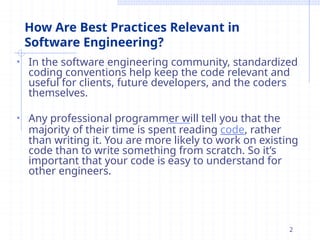
• In the software engineering community, standardized
coding conventions help keep the code relevant and
useful for clients, future developers, and the coders
themselves.
• Any professional programmer will tell you that the
majority of their time is spent reading code, rather
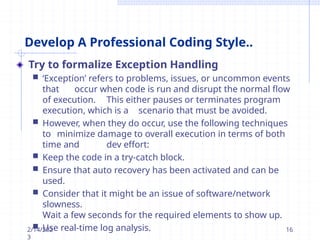
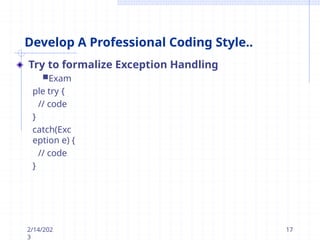
than writing it. You are more likely to work on existing
code than to write something from scratch. So it’s
important that your code is easy to understand for
other engineers.
2
3.
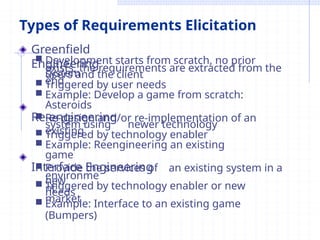
Types of RequirementsElicitation
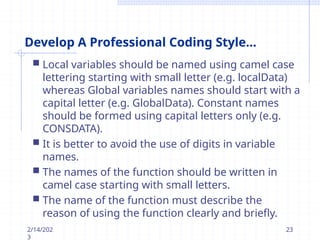
Greenfield
Engineering
Development starts from scratch, no prior
system
exists, the requirements are extracted from the
end
users and the client
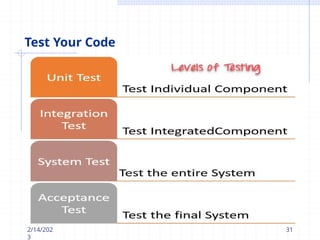
Triggered by user needs
Example: Develop a game from scratch:
Asteroids
Re-engineering
Re-design and/or re-implementation of an
existing
system using newer technology
Triggered by technology enabler
Example: Reengineering an existing
game
Interface Engineering
Provide the services of an existing system in a
new
environme
nt
Triggered by technology enabler or new
market
needs
Example: Interface to an existing game
(Bumpers)
4.
How Are BestPractices Relevant in
Software Engineering?
• 10 techniques that will help you write
production- level code and ultimately make
you a better developer.
2/14/202
3
4
5.
Enhance Code Readability
•try to always write code that can be easily understood
by others. Writing highly optimized mathematical
routines, or creating complex libraries, is relatively
easy. Writing 200 lines of code that can be instantly
understood by another software engineer is more of a
challenge.
It may seem like extra effort at the time, but this
additional work will pay dividends in the future. It will
make your life so much easier when returning to
update your code. In addition, the debugging process
should be much smoother for yourself, or for other
engineers who need to edit your work.
Professionally written code is clean and modular. It is
easily readable, as well as logically structured into
modules and functions. Using modules makes your
2/e14f/f2i0c2i3ent, reusable, and 5
6.
Enhance Code Readability
Writeas few lines as possible.
Use appropriate naming conventions.
Segment blocks of code in the same section into paragraphs.
Use indentation to marks the beginning and end of control
structures.
Clearly specify the code between them.
Don’t use lengthy functions. Ideally, a single function should carry
out a single task.
Use the DRY (Don’t Repeat Yourself) principle. Automate
repetitive tasks whenever necessary. The same piece of code
should not be repeated in the script.
Avoid Deep Nesting. Too many nesting levels make code
harder to read and follow.
Capitalize SQL special words and function names to
distinguish them
from table and column names.
Avoid long lines. It is easier for humans to read blocks of lines that
are horizontally short and vertically long.
2/14/202
3
6
7.
Ensure Your CodeWorks Efficiently
In order to optimize your code, you need to make sure
it executes the function quickly. In the world of
software engineering, writing code quickly and
correctly is pointless if the end product is slow and
unstable. This is especially true in large, complex
programs. Even the smallest amount of lag can add up
considerably, rendering your application
- and all of your engineering work - useless.
Equally important is minimizing the memory footprint
of your code. In terms of performance, working with
many functions on a large amount of data can
drastically reduce the efficiency of your code.
2/14/202
3
7
8.
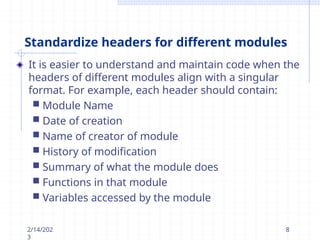
Standardize headers fordifferent modules
It is easier to understand and maintain code when the
headers of different modules align with a singular
format. For example, each header should contain:
Module Name
Date of creation
Name of creator of module
History of modification
Summary of what the module does
Functions in that module
Variables accessed by the module
2/14/202
3
8
9.
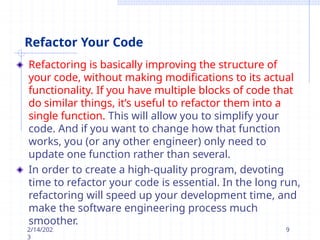
Refactor Your Code
Refactoringis basically improving the structure of
your code, without making modifications to its actual
functionality. If you have multiple blocks of code that
do similar things, it’s useful to refactor them into a
single function. This will allow you to simplify your
code. And if you want to change how that function
works, you (or any other engineer) only need to
update one function rather than several.
In order to create a high-quality program, devoting
time to refactor your code is essential. In the long run,
refactoring will speed up your development time, and
make the software engineering process much
smoother.
2/14/202
3
9
10.
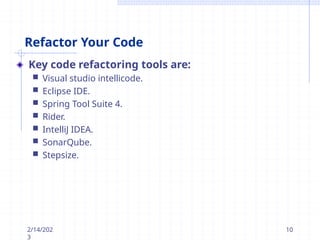
Refactor Your Code
Keycode refactoring tools are:
Visual studio intellicode.
Eclipse IDE.
Spring Tool Suite 4.
Rider.
IntelliJ IDEA.
SonarQube.
Stepsize.
2/14/202
3
10
11.
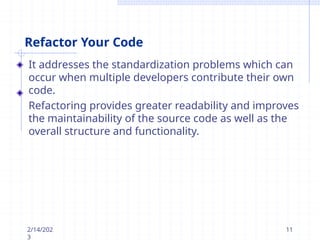
Refactor Your Code
Itaddresses the standardization problems which can
occur when multiple developers contribute their own
code.
Refactoring provides greater readability and improves
the maintainability of the source code as well as the
overall structure and functionality.
2/14/202
3
11
12.
Refactor Your Code
Refactoringmetrics
• Using metrics allows you to prioritize the main fixing
action you really need to make to your code.
• Other metrics could include finding less bugs and
reduced cyclomatic complexity - refactoring should aim
to decrease complexity. Methods or functions with
high complexity (such as those over 350 lines) are good
refactoring targets.
2/14/202
3
12
13.
Develop A ProfessionalCoding Style
A professional coding approach is not an exact science.
It’s a mindset that can only be developed over time, by
reading and writing a lot of code, and developing your
software engineering knowledge.
You’ll realize that expert coders don’t turn out
unstructured blocks of code just so they can get it done
quickly.
Instead, their code is almost universally
understandable by other engineers, no matter how
much time it takes to write it.
2/14/202
3
13
14.
Develop A ProfessionalCoding Style..
whether your code is general (for all programming and
markup languages) or production quality (specific to a
particular language), it should always follow good
coding convention.
2/14/202
3
14
15.
Develop A ProfessionalCoding Style..
There are a number of principles that will help you
develop an effective coding style. Some of them are:
Using descriptive names for functions and variables
Implementing modularity in your code
Avoiding excessive indentation
Limited use of globals:
These rules tell about which types of data that can
be declared global and the data that can’t be.
2/14/202
3
15
16.
Develop A ProfessionalCoding Style..
Try to formalize Exception Handling
‘Exception’ refers to problems, issues, or uncommon events
that occur when code is run and disrupt the normal flow
of execution. This either pauses or terminates program
execution, which is a scenario that must be avoided.
However, when they do occur, use the following techniques
to minimize damage to overall execution in terms of both
time and dev effort:
Keep the code in a try-catch block.
Ensure that auto recovery has been activated and can be
used.
Consider that it might be an issue of software/network
slowness.
Wait a few seconds for the required elements to show up.
Use real-time log analysis.
2/14/202
3
16
Develop A ProfessionalCoding Style..
Try to formalize Exception Handling.example
class Main {
public static void main(String[] args)
{ try {
// code that generate exception
int divideByZero = 5 / 0;
System.out.println("Rest of code in
try block");
}
catch (ArithmeticException e) {
System.out.println("ArithmeticExce
ption => " + e.getMessage());
}
}
2/14/202
3
18
19.
Develop A ProfessionalCoding Style..
Turn daily backups into an instinct
Multiple events can trigger data loss – system
crash, dead battery, software glitch, hardware
damage, etc. To prevent this, save code daily, and
after every modification, no matter how minuscule
it may be. Back up the workflow on TFS, SVN, or any
other version control mechanism.
2/14/202
3
19
20.
Develop A ProfessionalCoding Style..
Leave comments and prioritize documentation
Don’t assume that just because everyone else
viewing the code is a developer, they will instinctively
understand it without clarification. Devs are human,
and it is a lot easier for them to read comments
describing code function rather than scanning the
code and making speculations.
Take an extra minute to write a comment describing
the code function at various points in the script.
Ensure that the comments guide any readers
through the algorithm and logic implemented. Of
course, this is only required when the code’s purpose
is not apparent. Don’t bother leaving comments on
self-explanatory code.
2/14/202
3
20
21.
Develop A ProfessionalCoding Style...
Avoid using an identifier for multiple purposes:
Each variable should be given a descriptive and
meaningful name indicating the reason behind using it.
This is not possible if an identifier is used for multiple
purposes and thus it can lead to confusion to the
reader. Moreover, it leads to more difficulty during
future enhancements.
Code should be well documented:
The code should be properly commented for
understanding easily. Comments regarding the
statements increase the understandability of the
code.
2/14/202
3
21
22.
Develop A ProfessionalCoding Style...
Naming conventions for local variables, global
variables, constants and functions:
Some of the naming conventions are given below:
Meaningful and understandable variables name
helps
anyone to understand the reason of using it.
2/14/202
3
22
23.
Develop A ProfessionalCoding Style...
2/14/202
3
23
Local variables should be named using camel case
lettering starting with small letter (e.g. localData)
whereas Global variables names should start with a
capital letter (e.g. GlobalData). Constant names
should be formed using capital letters only (e.g.
CONSDATA).
It is better to avoid the use of digits in variable
names.
The names of the function should be written in
camel case starting with small letters.
The name of the function must describe the
reason of using the function clearly and briefly.
24.
Develop A ProfessionalCoding Style...
Length of functions should not be very large:
Lengthy functions are very difficult to understand.
That’s why functions should be small enough to carry
out small work and lengthy functions should be
broken into small ones for completing small tasks.
Try not to use GOTO statement:
GOTO statement makes the program unstructured,
thus it reduces the understandability of the program
and also debugging becomes difficult.
2/14/202
3
24
25.
Develop A ProfessionalCoding Style...
Advantages of implementing Coding Standards
Offers uniformity to the code created by
different engineers.
Enables the creation of reusable code.
Makes it easier to detect errors.
Make code simpler, more readable, and easier
to maintain.
Boost programmer efficiency and generates
faster results.
2/14/202
3
25
26.
Use Version Control
Versioncontrol refers to a software engineering
framework that tracks all changes and synchronizes
them with a master file stored on a remote server.
An effective version control system is a key aspect
of writing production code.
2/14/202
3
26
27.
Use Version Control..
Usingversion control in a professional project will give
you the following benefits:
In case your system crashes, the entire code is
backed up on the server.
All members of the software engineering team can
sync their changes regularly by downloading them
from the server.
Numerous developers can work
independently to add/remove features or
make changes to a single project, without
impacting other member’s work.
If serious bugs are created, you can always return
to a previous, stable version of the codebase that
2/14/2k0n23own to 27
28.
Test Your Code
Goodtesting practices not only ensure quality
standards in software engineering, but also guide and
shape the development process itself.
Testing ensures the code gives the desired result
and meets all necessary user requirements.
Unit tests are used to test small, self-contained
parts of the code logic. These engineering tests are
designed to cover all possible conditions.
2/14/202
3
28
29.
Test Your Code
2/14/202
3
29
The process of writing the test is beneficial in itself. It
requires you to figure out the behavior of your code
and how you’re going to test it.
Small and regular tests are better than one large
test after completion. This approach helps maintain
a modular structure and will result in a higher
quality end product.
30.
Test Your Code
UnitTesting : checks if software components are
fulfilling functionalities or not.
Integration Testing : checks the data flow from
one module to other modules.
System Testing : evaluates both functional and
non-
functional needs for the testing.
Acceptance Testing : checks the requirements of
a specification or contract are met as per its
delivery.
2/14/202
3
30
The KISS Principle
Thepopular acronym KISS, noted by the U.S. Navy
in 1960, is extremely relevant in the software
engineering community. It stands for “Keep It
Simple, Silly.
The keyword here is “Simple,” and the idea is to keep
your code as concise as possible. In the context of
coding, this means making your code meaningful, to-
the-point, and avoiding unnecessary engineering work.
The KISS Principle ensures that your code has high
maintainability. You should be able to go back and
debug it easily, without wasting time and effort.
2/14/202
3
32
33.
The DRY Principle
theDRY (Don’t Repeat Yourself) Principle aims at
reducing repetition and redundancies within the
software engineering process.
This is achieved by replacing repetitions with
abstractions or by grouping code into functions.
If your code is performing the same instruction in 6
different places, it can be a real struggle to manage,
even for experienced engineers. Let’s say you decide to
change how that instruction works. You need to update
your code 6 times for just 1 change! It’s therefore much
better practice to create a single function that performs
the instruction once, and reference this function each
time it’s needed.If you want to change how it works,
you only need
2t/o14/u20p23date the 33
34.
General Tips
Some tipsand techniques can be applied to any coding
language and are useful in improving the overall
quality of your code:
Allocate appropriate names to all functions,
variables, and methods. This will make your code
easier to read, understand, and debug.
Always use the common or native language of the
developer for names and descriptive texts. Avoid
abbreviations as much as possible to reduce
ambiguity.
Use consistent indentation and alignment
while formatting your code for better
readability.
2/14/202
3
34
![Develop A Professional Coding Style..
Try to formalize Exception Handling.example
class Main {
public static void main(String[] args)
{ try {
// code that generate exception
int divideByZero = 5 / 0;
System.out.println("Rest of code in
try block");
}
catch (ArithmeticException e) {
System.out.println("ArithmeticExce
ption => " + e.getMessage());
}
}
2/14/202
3
18](https://image.slidesharecdn.com/softwaretoolsandpracticechapter1-251213124732-088671a4/85/software-tools-and-practice-chapter-1-pptx-18-320.jpg)


![[DevDay2018] Let’s all get along. Clean Code please! - By: Christophe K. Ngo,...](https://cdn.slidesharecdn.com/ss_thumbnails/christophek-180419103038-thumbnail.jpg?width=640&height=640&fit=bounds)


