Name : Mehwish!
Social Engineering Attack
Social engineering is the tactic of manipulating, influencing, or deceiving a victim in order to
gain control over a computer system, or to steal personal and financial information. It uses
psychological manipulation to trick users into making security mistakes or giving away sensitive
information.
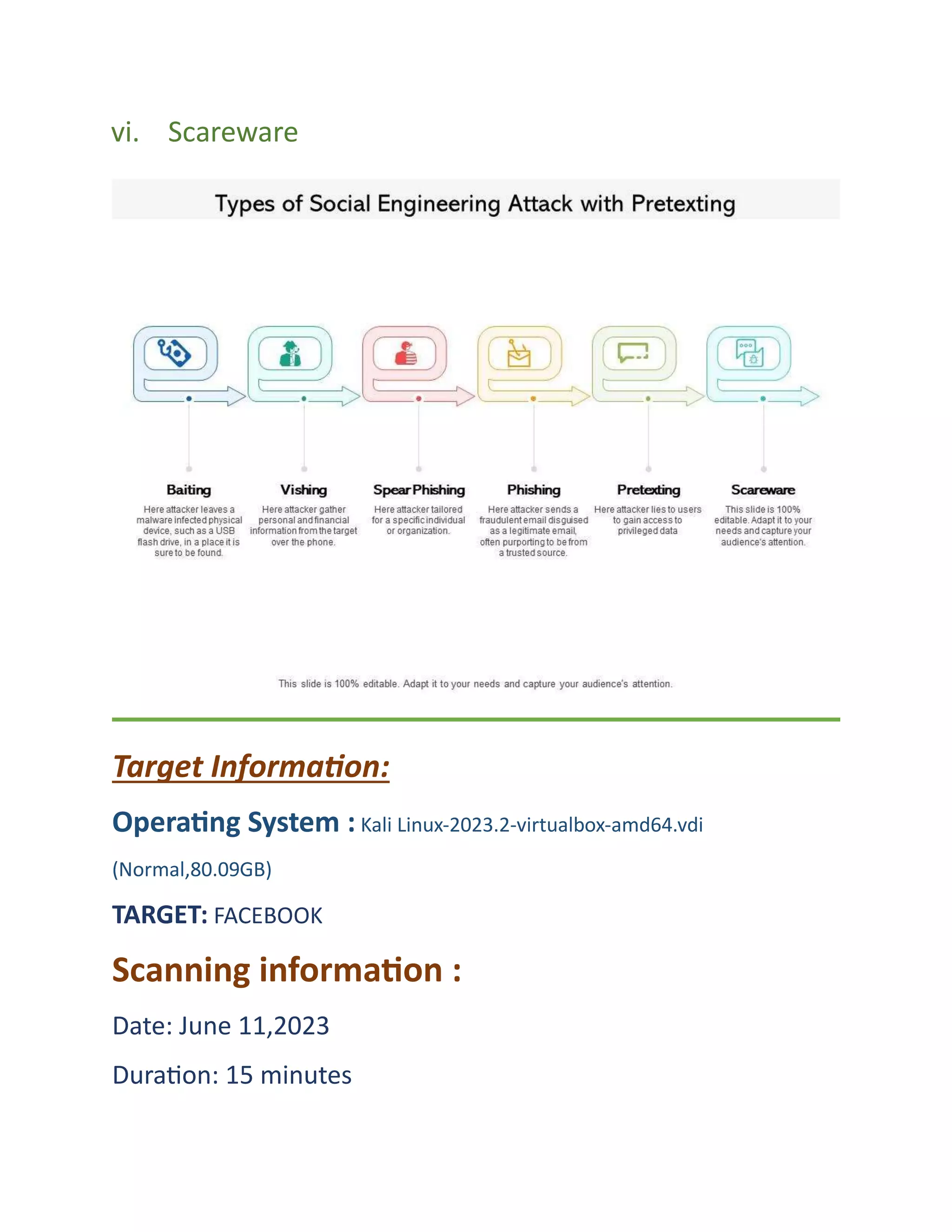
Types Of Social Engineering Attacks
i. Phishing
ii. Spear Phishing
iii. Baiting
iv. Vishing
v. Pretexting
vi. Scareware
Target Information:
Operating System : Kali Linux-2023.2-virtualbox-amd64.vdi
(Normal,80.09GB)
TARGET: FACEBOOK
Scanning information :
Date: June 11,2023
Duration: 15 minutes
Attack type : Phishing Attack
Phishing Attack:
Phishing is a form of cyber attack which typically relies on email or other electronic
communication methods such as text messages and phone calls.
We will create a Facebook phishing page using Social Engineering Toolkit which is
a preinstalled functionality in Kali Linux OS. The phishing link can be sent to any
user on the same Local Area Network as you and the data that they enter on the
fraudulent page will be stored in a file on the attacker’s machine.
Steps of Phishing Attack:
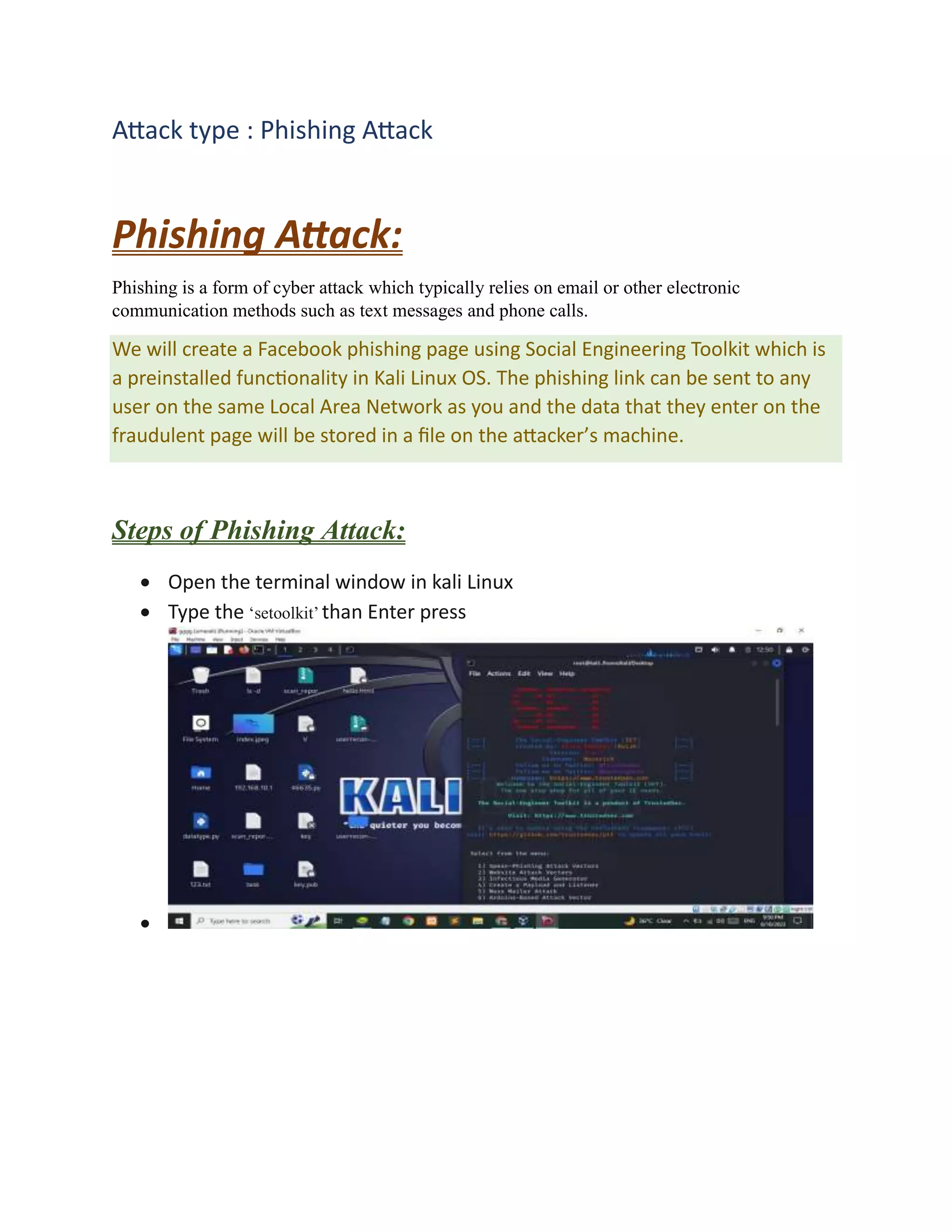
 Open the terminal window in kali Linux
 Type the ‘setoolkit’ than Enter press

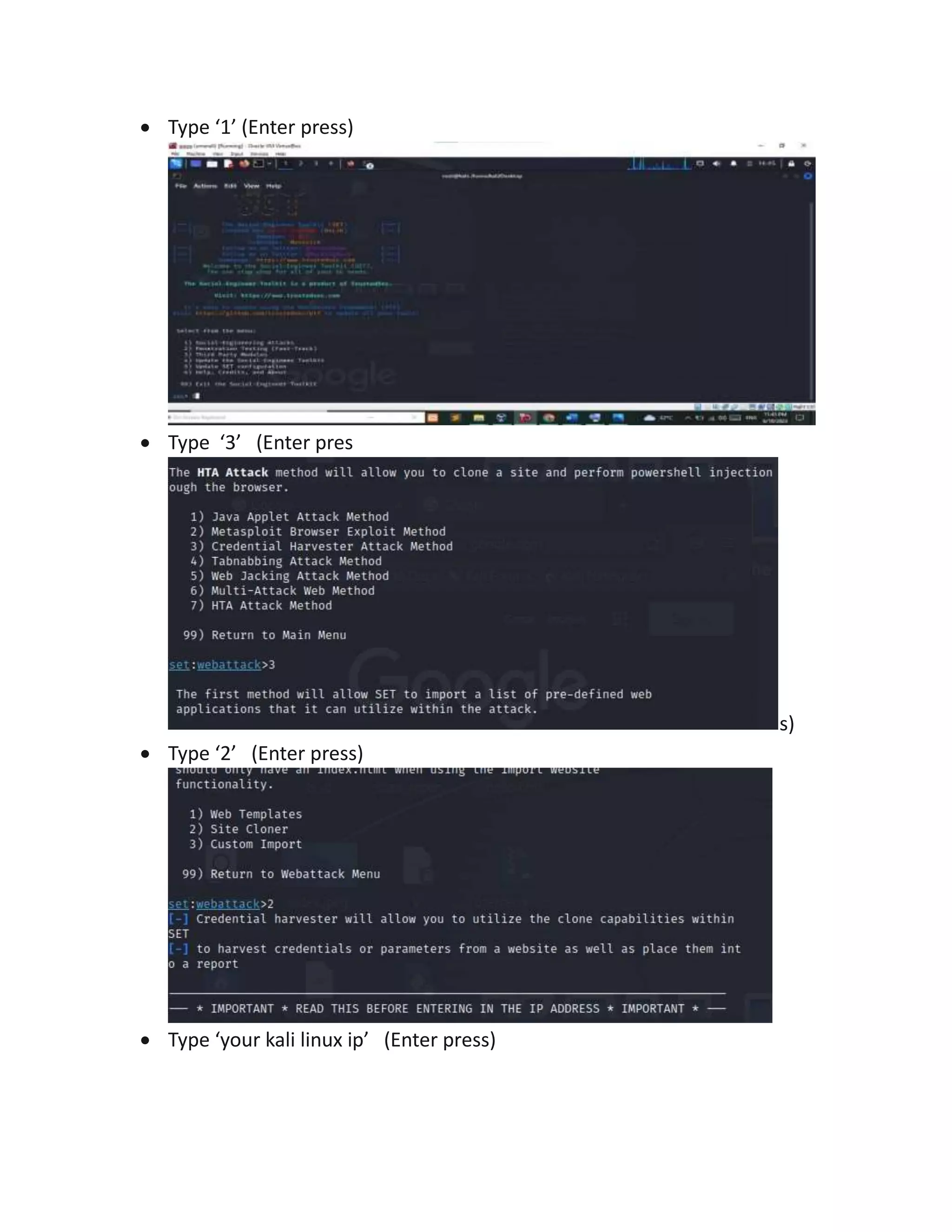
 Type ‘1’ (Enter press)
 Type ‘3’ (Enter pres
s)
 Type ‘2’ (Enter press)
 Type ‘your kali linux ip’ (Enter press)
 Type ‘http://facebook.com’ (Enter press)
The setup for a phishing attack is complete, you have cloned Facebook and hosted it on the server.
Spear Phishing Attack:
In a spear phishing attack, criminals use social engineering techniques to carry out their
attacks. They gather information about the company and its employees to create an email that
seems authentic. Cybercriminals may use confidential employee data from past breaches to
personalize their messages more effectively.
 Open the terminal window in kali Linux
 Type the ‘setoolkit’ than Enter press
 Type ‘1’ (Enter press)
 Type ‘2’ (Enter press)

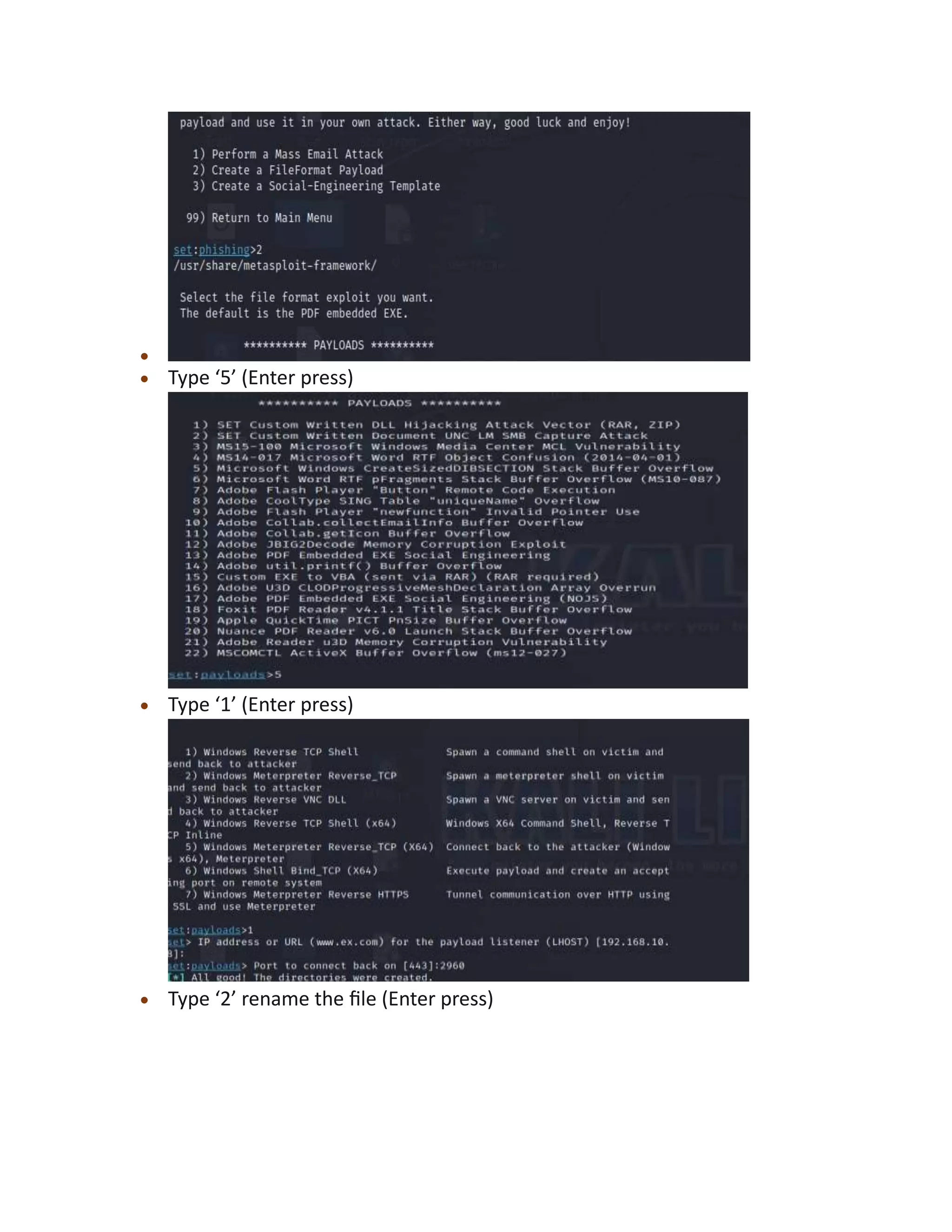
 Type ‘5’ (Enter press)
 Type ‘1’ (Enter press)
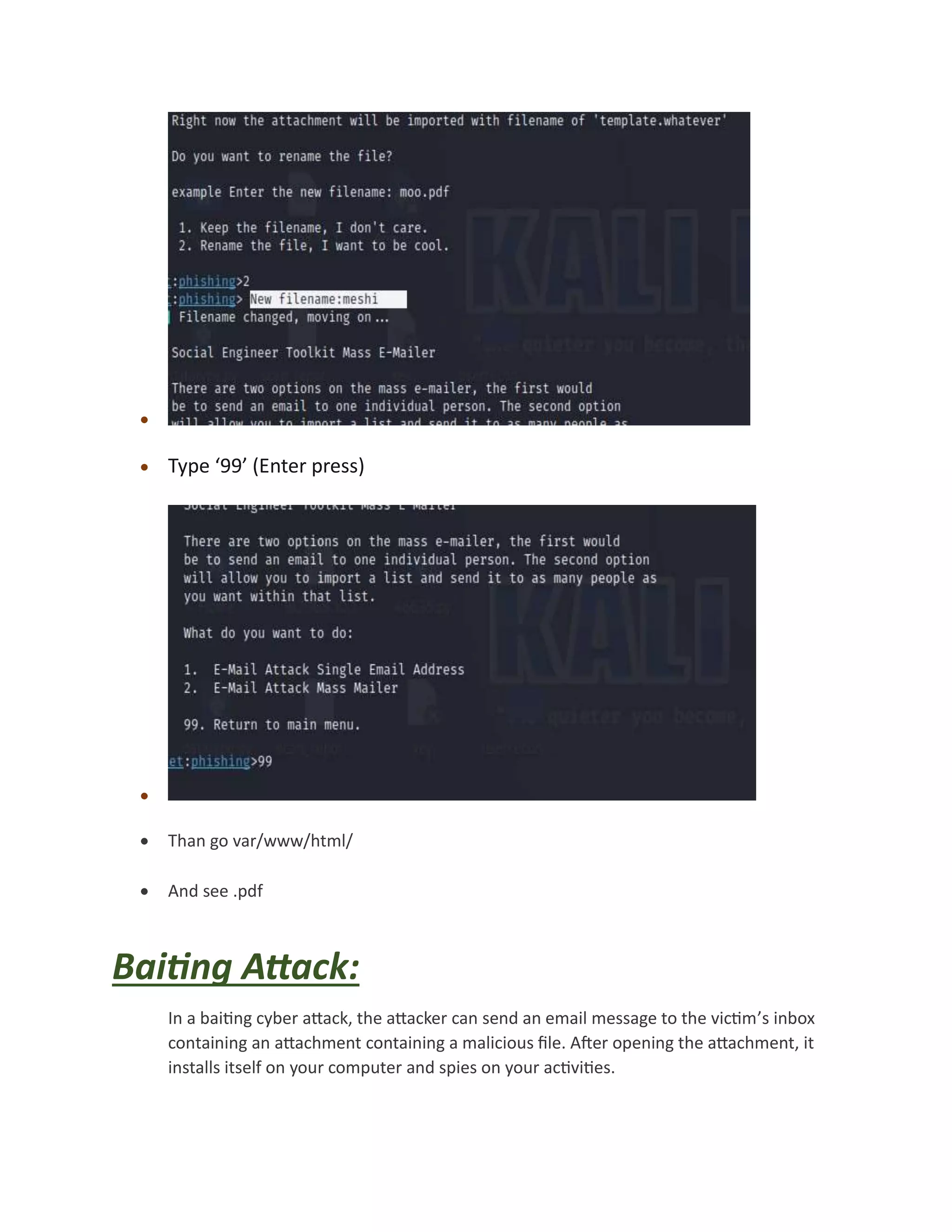
 Type ‘2’ rename the file (Enter press)

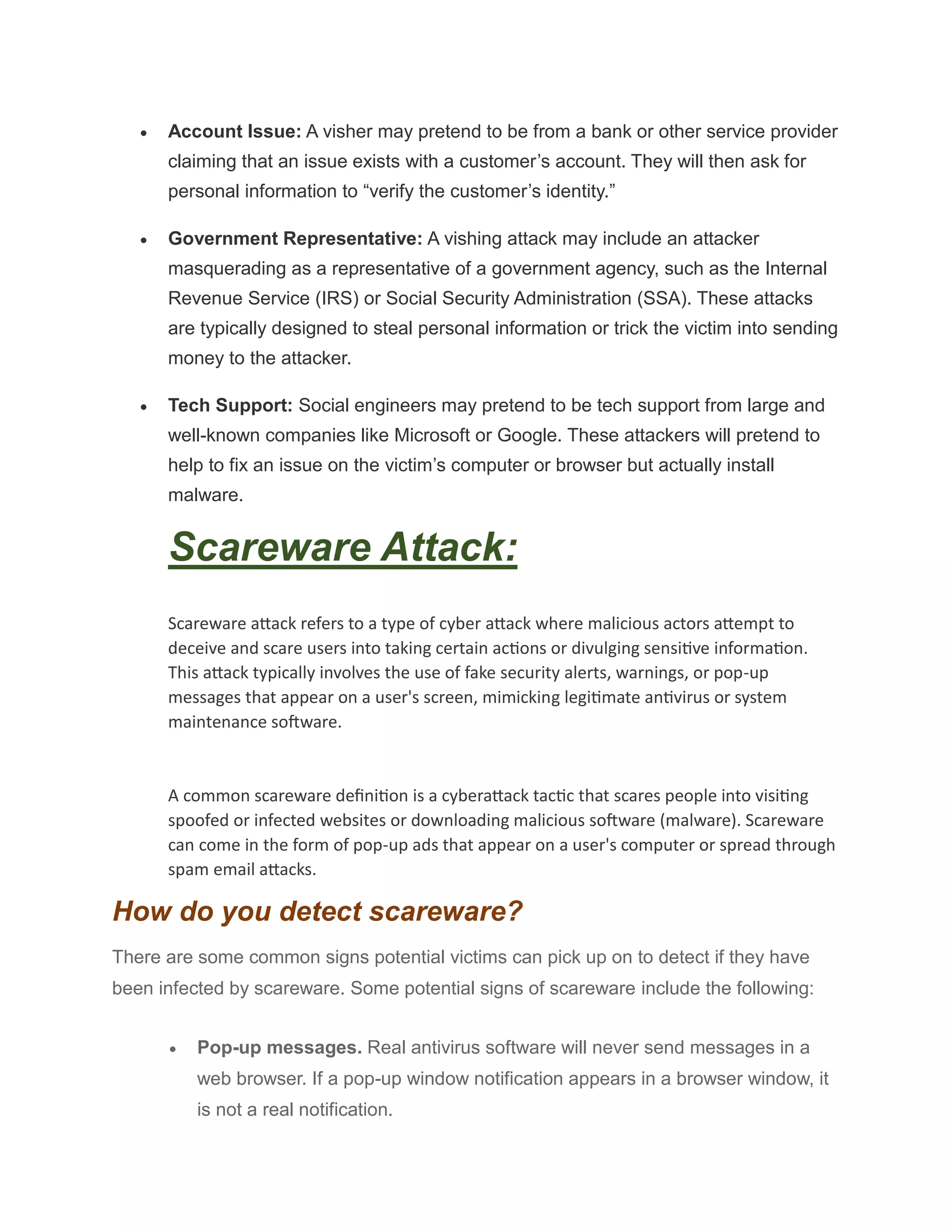
 Type ‘99’ (Enter press)

 Than go var/www/html/
 And see .pdf
Baiting Attack:
In a baiting cyber attack, the attacker can send an email message to the victim’s inbox
containing an attachment containing a malicious file. After opening the attachment, it
installs itself on your computer and spies on your activities.
The attacker also sends you an email containing a link to a website that hosts malicious
code. When you click on this link, it can infect your device with malware or ransomware.
Baiting Attack Techniques:
The bait can take many forms:
 Online downloads: These are links to malicious files that can be sent through email,
social media, or instant messaging programs. Instant messaging programs like
Facebook, and Instagram messengers will send links to followers who click these types
of links.
 Malware-infected devices: The attacker may infect a computer with malware and
sell it on the dark web. Potential buyers can test the device by connecting it to their
network and seeing if they get infected.
 Tempting offers: These emails invite people to buy something at a discounted price
— or even for free. The link leads to malware instead of merchandise.
Vishing Attack:
Vishing is short for "voice phishing," which involves defrauding people over the phone,
enticing them to divulge sensitive information. In this definition of vishing, the attacker
attempts to grab the victim's data and use it for their own benefit—typically, to gain a
financial advantage
Types of Vishing Scams
Vishing attacks can be as varied as phishing attacks. Some of the most common
pretexts used in vishing include:
 Account Issue: A visher may pretend to be from a bank or other service provider
claiming that an issue exists with a customer’s account. They will then ask for
personal information to “verify the customer’s identity.”
 Government Representative: A vishing attack may include an attacker
masquerading as a representative of a government agency, such as the Internal
Revenue Service (IRS) or Social Security Administration (SSA). These attacks
are typically designed to steal personal information or trick the victim into sending
money to the attacker.
 Tech Support: Social engineers may pretend to be tech support from large and
well-known companies like Microsoft or Google. These attackers will pretend to
help to fix an issue on the victim’s computer or browser but actually install
malware.
Scareware Attack:
Scareware attack refers to a type of cyber attack where malicious actors attempt to
deceive and scare users into taking certain actions or divulging sensitive information.
This attack typically involves the use of fake security alerts, warnings, or pop-up
messages that appear on a user's screen, mimicking legitimate antivirus or system
maintenance software.
A common scareware definition is a cyberattack tactic that scares people into visiting
spoofed or infected websites or downloading malicious software (malware). Scareware
can come in the form of pop-up ads that appear on a user's computer or spread through
spam email attacks.
How do you detect scareware?
There are some common signs potential victims can pick up on to detect if they have
been infected by scareware. Some potential signs of scareware include the following:
 Pop-up messages. Real antivirus software will never send messages in a
web browser. If a pop-up window notification appears in a browser window, it
is not a real notification.
 Malvertising. Real antivirus software will never advertise using similar fear-
based notifications that scareware does. The scarier it looks, the more likely it
is to be false.
 Inability to access system or files. Users cannot get to real antivirus
websites, or error messages and blocked pathways appear when trying to
reach other files.
 Upgrade requests. The program tries to manipulate users into upgrading to
a better, paid version of their software.
 Decreased performance. Malware can make a computer run slower than
usual. A user may experience slowdowns, crashes or freezes.
 Altered settings. Some scareware can alter a computer's internal settings
and even change the background wallpaper.
Pretexting Attack:
Pretexting is a type of social engineering technique that involves scammers creating
scenarios to convince individuals to provide valuable details needed to access protected
information. This involves trying to get a user's password, account number or even
name, to then later be used for an attack.
It typically starts when cybercriminals impersonate somebody a victim knows, such as a
relative, organization, or government body. The attacker will take on a legitimate tone,
messaging format and storyline with the goal of putting the attacker in the best position
for a future/secondary attack. They most commonly do this through interacting with
victims on fraudulent email addresses, but pretexting can also be done in person, over
the phone or a combination of all.
Pretexting Examples
One of the most common examples of a pretexting attack is when a cybercriminal pretends
to be someone powerful in an organization, such as the CEO, part of the IT team or from HR.
The attacker will then create a scenario to then convince the victim to give up sensitive
information. Impersonation is the pretext used to engage the victim.
By masquerading as employees in powerful positions, attackers are able to target other
employees with extensive privileges.
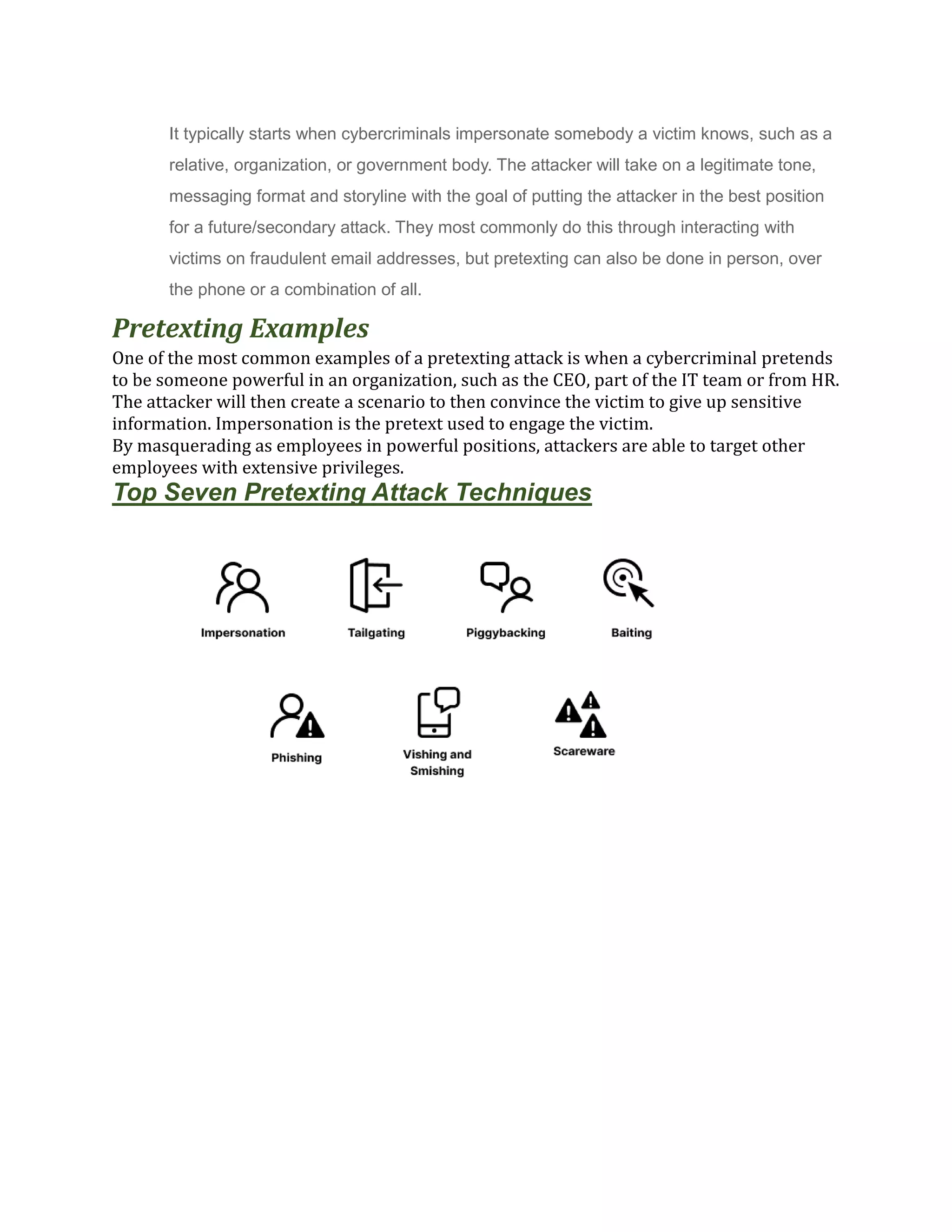
Top Seven Pretexting Attack Techniques
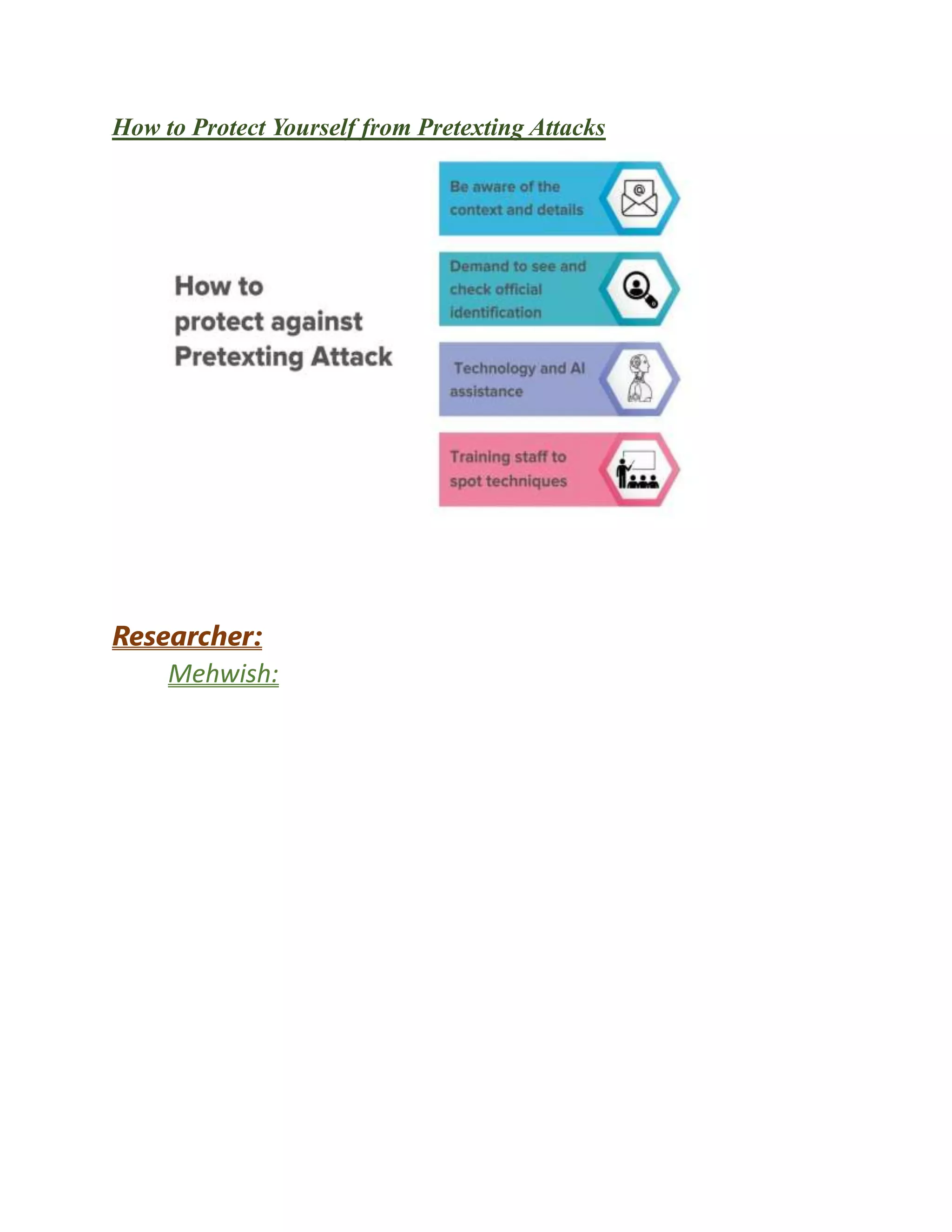
How to Protect Yourself from Pretexting Attacks
Researcher:
Mehwish:

social engineering attacks.docx

  • 1.
    Name : Mehwish! SocialEngineering Attack Social engineering is the tactic of manipulating, influencing, or deceiving a victim in order to gain control over a computer system, or to steal personal and financial information. It uses psychological manipulation to trick users into making security mistakes or giving away sensitive information. Types Of Social Engineering Attacks i. Phishing ii. Spear Phishing iii. Baiting iv. Vishing v. Pretexting
  • 2.
    vi. Scareware Target Information: OperatingSystem : Kali Linux-2023.2-virtualbox-amd64.vdi (Normal,80.09GB) TARGET: FACEBOOK Scanning information : Date: June 11,2023 Duration: 15 minutes
  • 3.
    Attack type :Phishing Attack Phishing Attack: Phishing is a form of cyber attack which typically relies on email or other electronic communication methods such as text messages and phone calls. We will create a Facebook phishing page using Social Engineering Toolkit which is a preinstalled functionality in Kali Linux OS. The phishing link can be sent to any user on the same Local Area Network as you and the data that they enter on the fraudulent page will be stored in a file on the attacker’s machine. Steps of Phishing Attack:  Open the terminal window in kali Linux  Type the ‘setoolkit’ than Enter press 
  • 4.
     Type ‘1’(Enter press)  Type ‘3’ (Enter pres s)  Type ‘2’ (Enter press)  Type ‘your kali linux ip’ (Enter press)
  • 5.
     Type ‘http://facebook.com’(Enter press) The setup for a phishing attack is complete, you have cloned Facebook and hosted it on the server. Spear Phishing Attack: In a spear phishing attack, criminals use social engineering techniques to carry out their attacks. They gather information about the company and its employees to create an email that seems authentic. Cybercriminals may use confidential employee data from past breaches to personalize their messages more effectively.  Open the terminal window in kali Linux  Type the ‘setoolkit’ than Enter press  Type ‘1’ (Enter press)  Type ‘2’ (Enter press)
  • 6.
      Type ‘5’(Enter press)  Type ‘1’ (Enter press)  Type ‘2’ rename the file (Enter press)
  • 7.
      Type ‘99’(Enter press)   Than go var/www/html/  And see .pdf Baiting Attack: In a baiting cyber attack, the attacker can send an email message to the victim’s inbox containing an attachment containing a malicious file. After opening the attachment, it installs itself on your computer and spies on your activities.
  • 8.
    The attacker alsosends you an email containing a link to a website that hosts malicious code. When you click on this link, it can infect your device with malware or ransomware. Baiting Attack Techniques: The bait can take many forms:  Online downloads: These are links to malicious files that can be sent through email, social media, or instant messaging programs. Instant messaging programs like Facebook, and Instagram messengers will send links to followers who click these types of links.  Malware-infected devices: The attacker may infect a computer with malware and sell it on the dark web. Potential buyers can test the device by connecting it to their network and seeing if they get infected.  Tempting offers: These emails invite people to buy something at a discounted price — or even for free. The link leads to malware instead of merchandise. Vishing Attack: Vishing is short for "voice phishing," which involves defrauding people over the phone, enticing them to divulge sensitive information. In this definition of vishing, the attacker attempts to grab the victim's data and use it for their own benefit—typically, to gain a financial advantage Types of Vishing Scams Vishing attacks can be as varied as phishing attacks. Some of the most common pretexts used in vishing include:
  • 9.
     Account Issue:A visher may pretend to be from a bank or other service provider claiming that an issue exists with a customer’s account. They will then ask for personal information to “verify the customer’s identity.”  Government Representative: A vishing attack may include an attacker masquerading as a representative of a government agency, such as the Internal Revenue Service (IRS) or Social Security Administration (SSA). These attacks are typically designed to steal personal information or trick the victim into sending money to the attacker.  Tech Support: Social engineers may pretend to be tech support from large and well-known companies like Microsoft or Google. These attackers will pretend to help to fix an issue on the victim’s computer or browser but actually install malware. Scareware Attack: Scareware attack refers to a type of cyber attack where malicious actors attempt to deceive and scare users into taking certain actions or divulging sensitive information. This attack typically involves the use of fake security alerts, warnings, or pop-up messages that appear on a user's screen, mimicking legitimate antivirus or system maintenance software. A common scareware definition is a cyberattack tactic that scares people into visiting spoofed or infected websites or downloading malicious software (malware). Scareware can come in the form of pop-up ads that appear on a user's computer or spread through spam email attacks. How do you detect scareware? There are some common signs potential victims can pick up on to detect if they have been infected by scareware. Some potential signs of scareware include the following:  Pop-up messages. Real antivirus software will never send messages in a web browser. If a pop-up window notification appears in a browser window, it is not a real notification.
  • 10.
     Malvertising. Realantivirus software will never advertise using similar fear- based notifications that scareware does. The scarier it looks, the more likely it is to be false.  Inability to access system or files. Users cannot get to real antivirus websites, or error messages and blocked pathways appear when trying to reach other files.  Upgrade requests. The program tries to manipulate users into upgrading to a better, paid version of their software.  Decreased performance. Malware can make a computer run slower than usual. A user may experience slowdowns, crashes or freezes.  Altered settings. Some scareware can alter a computer's internal settings and even change the background wallpaper. Pretexting Attack: Pretexting is a type of social engineering technique that involves scammers creating scenarios to convince individuals to provide valuable details needed to access protected information. This involves trying to get a user's password, account number or even name, to then later be used for an attack.
  • 11.
    It typically startswhen cybercriminals impersonate somebody a victim knows, such as a relative, organization, or government body. The attacker will take on a legitimate tone, messaging format and storyline with the goal of putting the attacker in the best position for a future/secondary attack. They most commonly do this through interacting with victims on fraudulent email addresses, but pretexting can also be done in person, over the phone or a combination of all. Pretexting Examples One of the most common examples of a pretexting attack is when a cybercriminal pretends to be someone powerful in an organization, such as the CEO, part of the IT team or from HR. The attacker will then create a scenario to then convince the victim to give up sensitive information. Impersonation is the pretext used to engage the victim. By masquerading as employees in powerful positions, attackers are able to target other employees with extensive privileges. Top Seven Pretexting Attack Techniques
  • 12.
    How to ProtectYourself from Pretexting Attacks Researcher: Mehwish: