Smart Cards: Technology  Ameen Shariff 1225208103(RM)
DEFINITION A Smart card is a portable devices that contains some non-volatile memory and a microprocessor. This card contains some kind of an encrypted key that is compared to a secret key contained on the user’s processor.
Types of Smart Cards Relationship based smart credit cards Electronic purses (replace money; known as debit cards and electronic money)
OBJECTIVE Machine readable plastic cards What are smart cards Security mechanisms Applications
Plastic Cards Visual identity application Plain plastic card is enough Magnetic strip (e.g. credit cards) Visual data also available in machine readable form No security of data Electronic memory cards Machine readable data Some security (vendor specific)
Smart Cards Processor cards (and therefore memory too) Credit card size With or without contacts. Cards have an operating system too. The OS provides A standard way of interchanging information An interpretation of the commands and data. Cards must interface to a computer or terminal through a standard card reader.
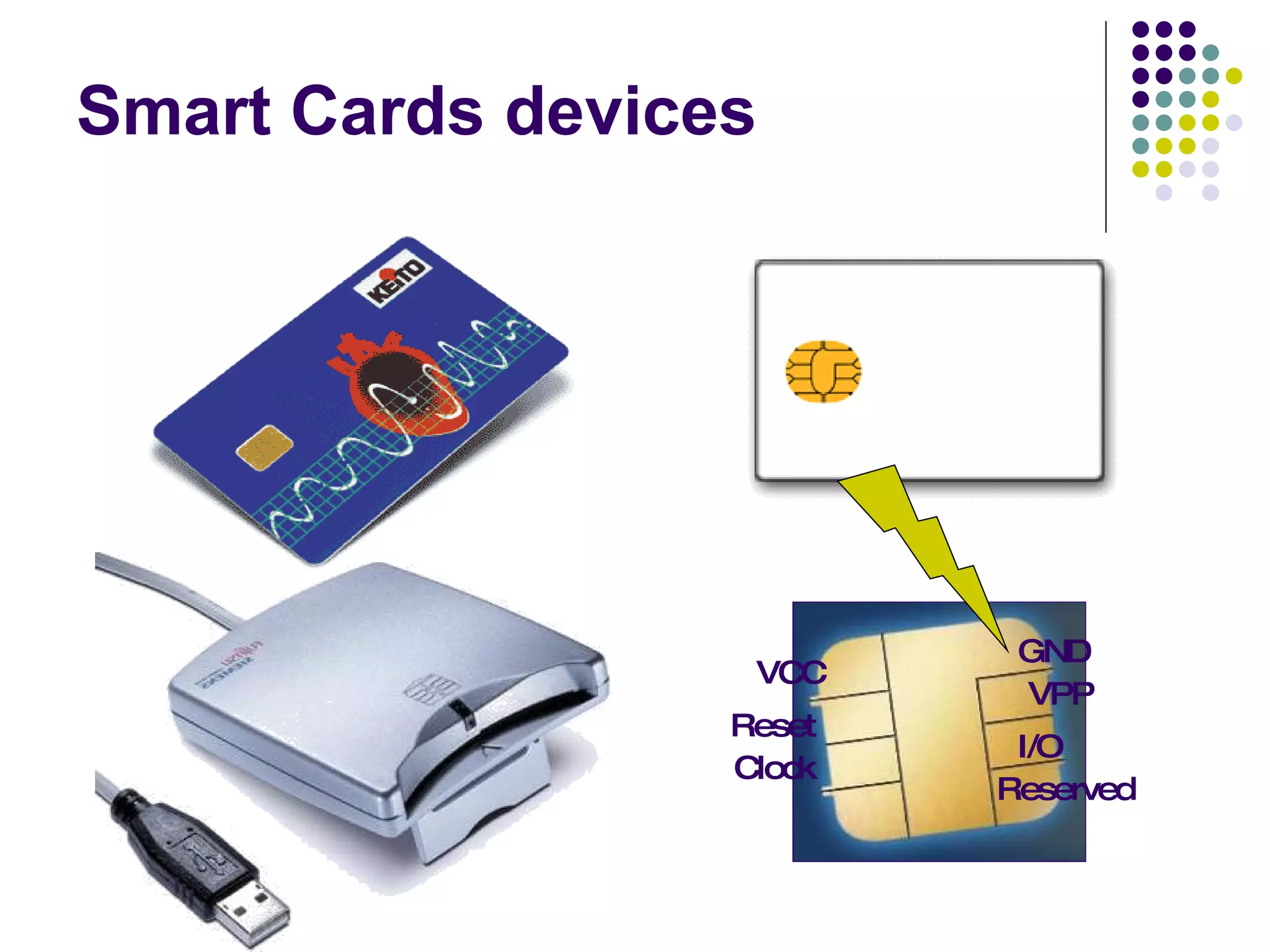
Smart Cards devices VCC Reset Clock Reserved I/O VPP GND
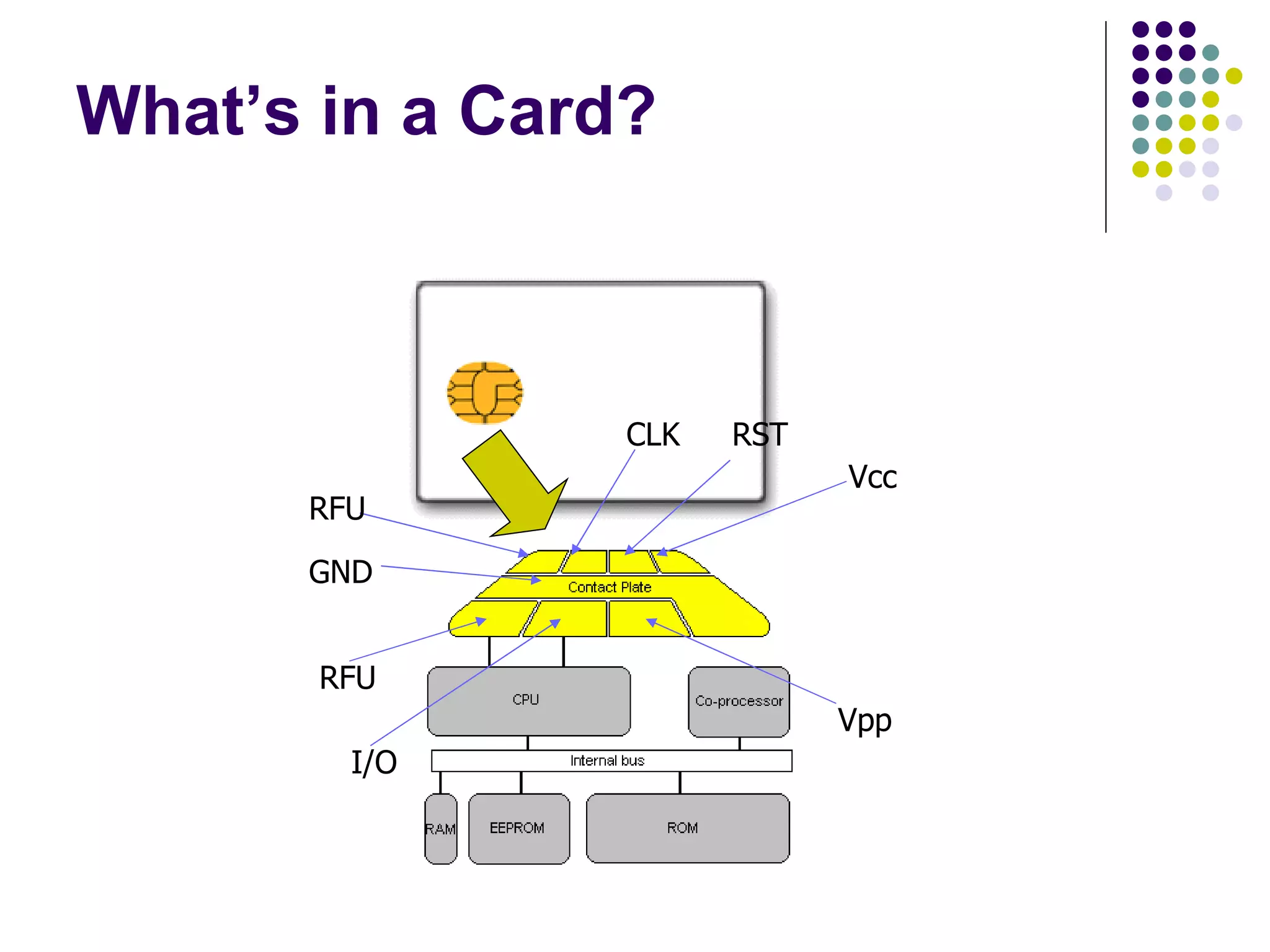
What’s in a Card? Vcc RST CLK RFU Vpp I/O GND RFU
Typical Configurations 256 bytes to 4KB RAM. 8KB to 32KB ROM. 1KB to 32KB EEPROM. Crypto-coprocessors (implementing 3DES, RSA etc., in hardware) are optional. 8-bit to 16-bit CPU.  8051 based designs are common. The price of a mid-level chip when produced in bulk is less than US$1.
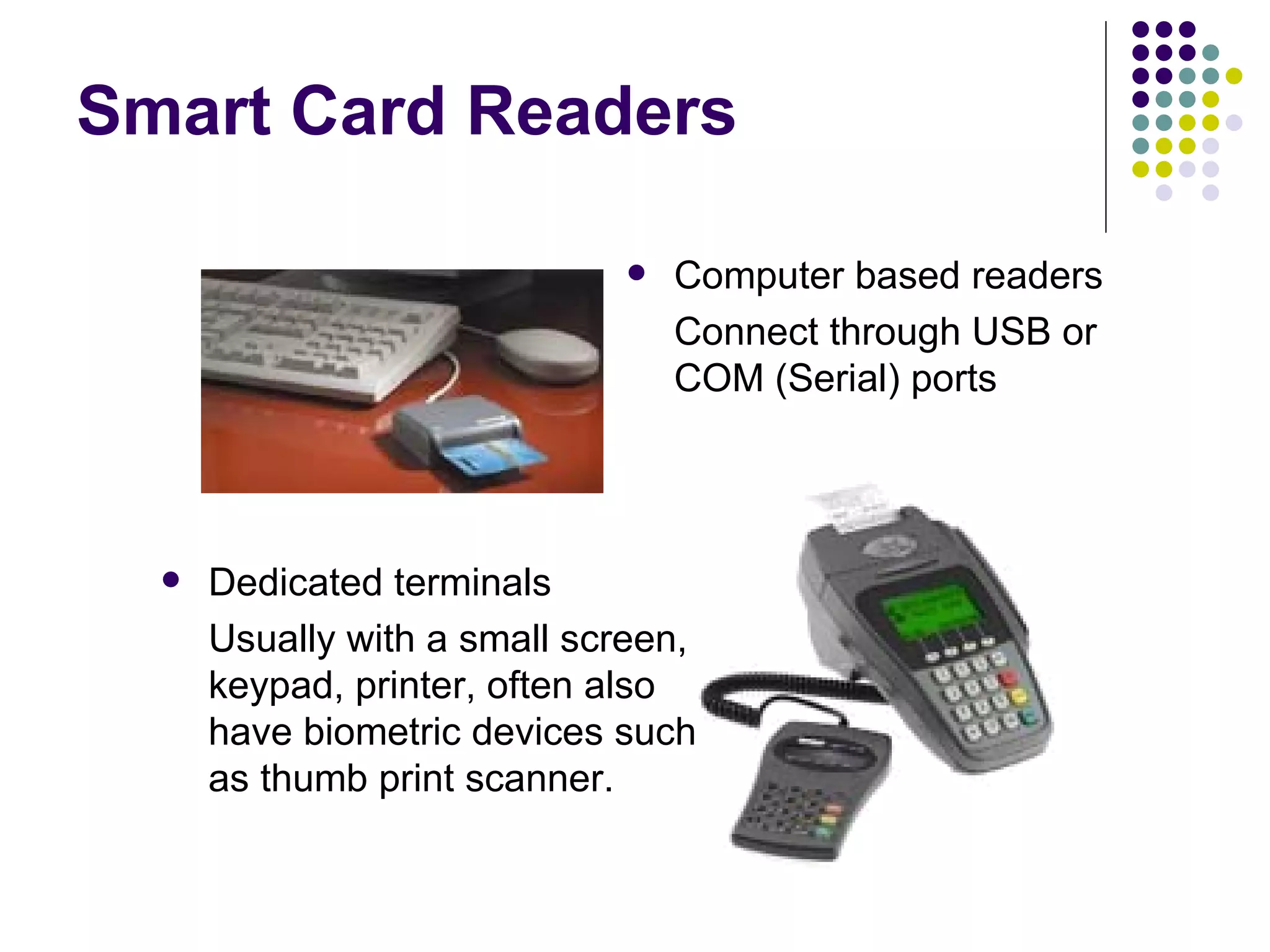
Smart Card Readers Computer based readers Connect through USB or COM (Serial) ports Dedicated terminals Usually with a small screen, keypad, printer, often also have biometric devices such as thumb print scanner.
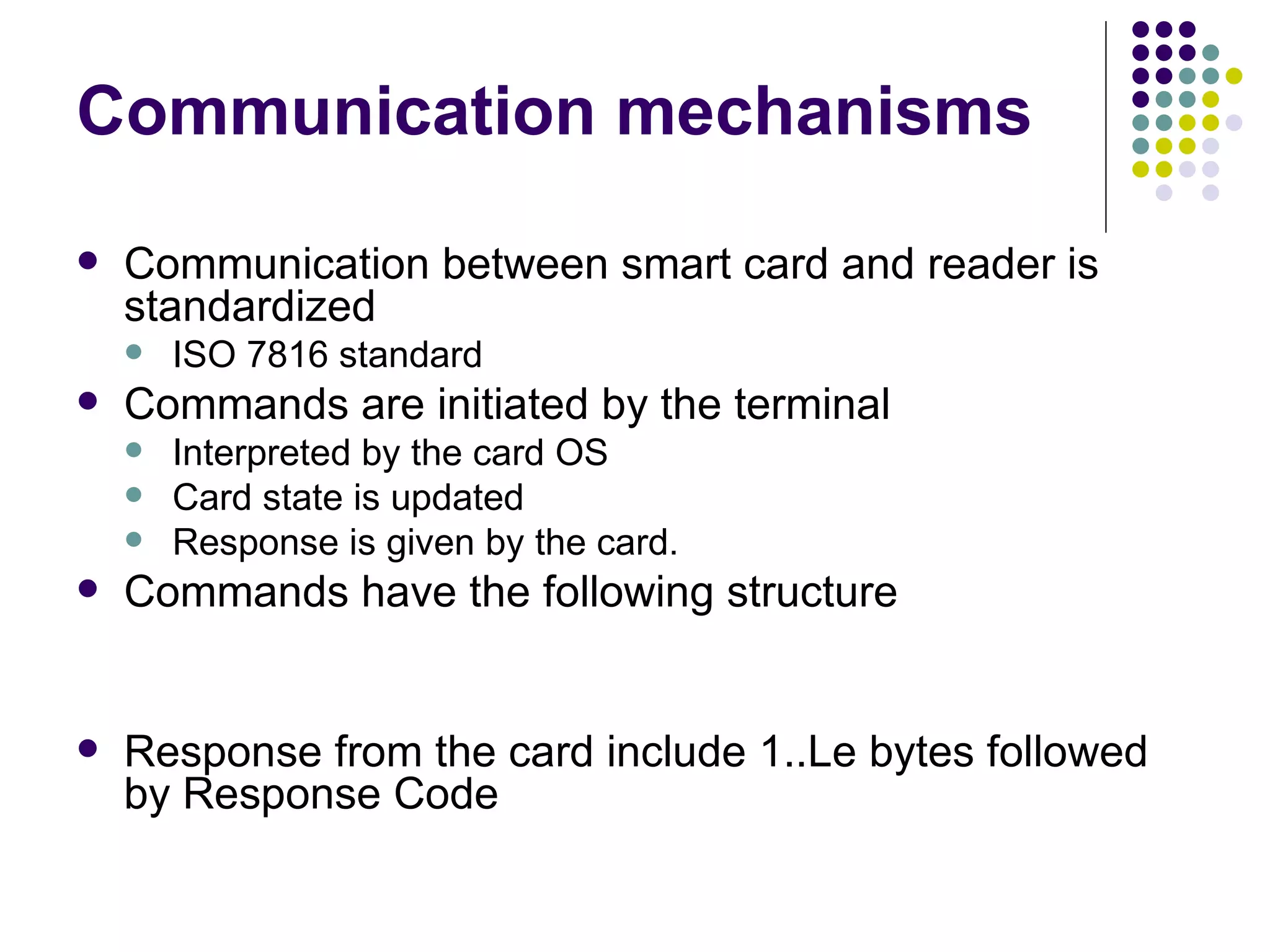
Communication mechanisms Communication between smart card and reader is standardized  ISO 7816 standard Commands are initiated by the terminal  Interpreted by the card OS Card state is updated Response is given by the card. Commands have the following structure Response from the card include 1..Le bytes followed by Response Code
Security Mechanisms Password Card holder’s protection Cryptographic challenge Response Entity authentication Biometric information Person’s identification A combination of one or more
Password Verification Terminal asks the user to provide a password. Password is sent to Card for verification. Scheme can be used to permit user authentication.
Cryptographic verification Terminal verify card (INTERNAL AUTH) Terminal sends a random number to card to be hashed or encrypted using a key. Card provides the hash or hypertext. Terminal can know that the card is authentic. Card needs to verify (EXTERNAL AUTH) Terminal asks for a challenge and sends the response to card to verify Card thus know that terminal is authentic. Primarily for the “Entity Authentication”
Biometric techniques Finger print identification. Features of finger prints can be kept on the card (even verified on the card) Photograph pattern . Such information is to be verified by a person. The information can be stored in the card securely.
Access control on the files Applications may specify the access controls A password (PIN) on the MF selection For example SIM password in mobiles Multiple passwords can be used and levels of security access may be given Applications may also use cryptographic authentication
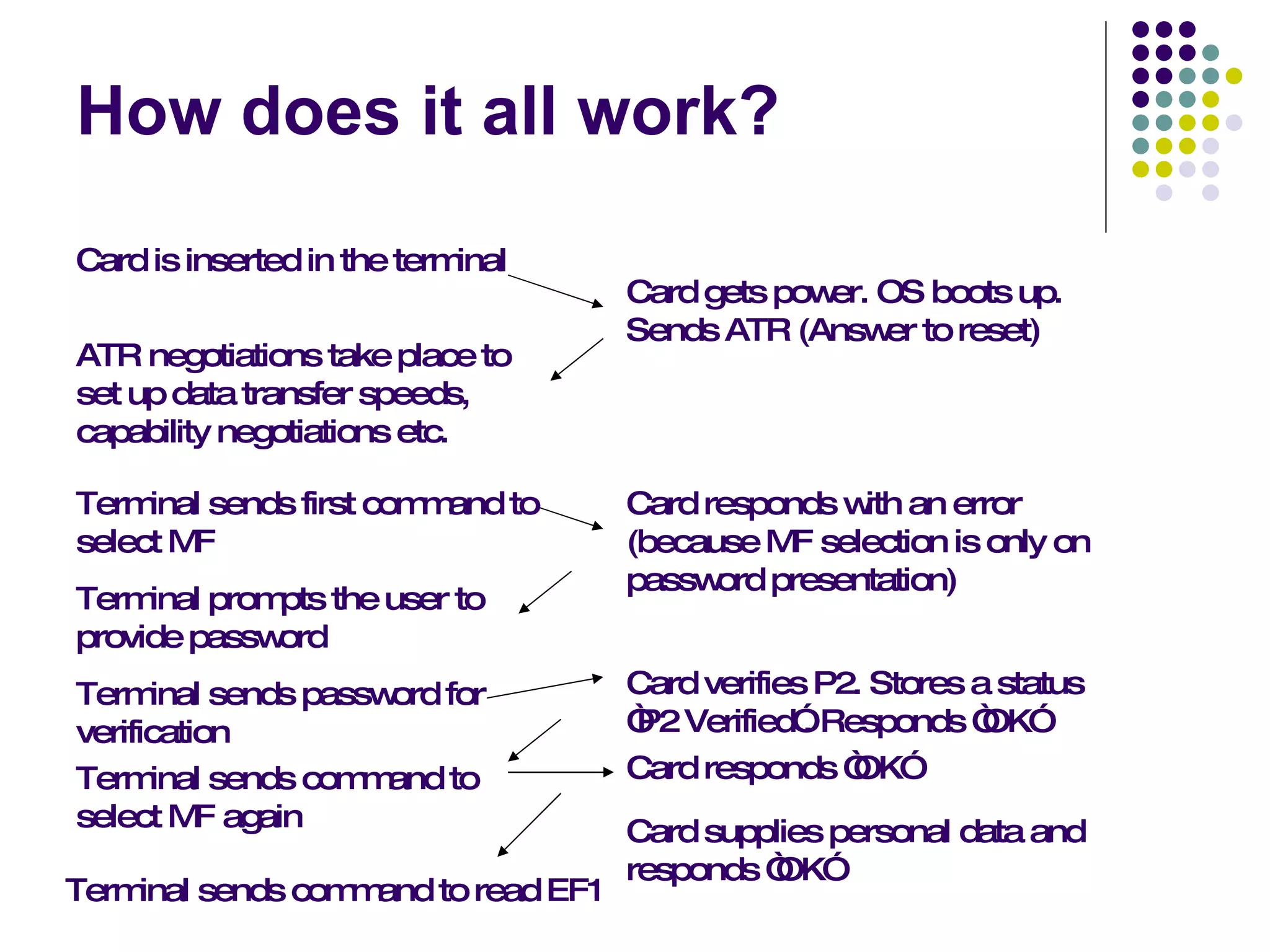
How does it all work? Card is inserted in the terminal Card gets power. OS boots up. Sends ATR (Answer to reset) ATR negotiations take place to set up data transfer speeds, capability negotiations etc. Terminal sends first command to select MF Card responds with an error (because MF selection is only on password presentation) Terminal prompts the user to provide password Terminal sends password for verification Card verifies P2. Stores a status “P2 Verified”. Responds “OK” Terminal sends command to select MF again Terminal sends command to read EF1 Card supplies personal data and responds “OK” Card responds “OK”
THANK YOU

Smart Card

  • 1.
    Smart Cards: Technology Ameen Shariff 1225208103(RM)
  • 2.
    DEFINITION A Smartcard is a portable devices that contains some non-volatile memory and a microprocessor. This card contains some kind of an encrypted key that is compared to a secret key contained on the user’s processor.
  • 3.
    Types of SmartCards Relationship based smart credit cards Electronic purses (replace money; known as debit cards and electronic money)
  • 4.
    OBJECTIVE Machine readableplastic cards What are smart cards Security mechanisms Applications
  • 5.
    Plastic Cards Visualidentity application Plain plastic card is enough Magnetic strip (e.g. credit cards) Visual data also available in machine readable form No security of data Electronic memory cards Machine readable data Some security (vendor specific)
  • 6.
    Smart Cards Processorcards (and therefore memory too) Credit card size With or without contacts. Cards have an operating system too. The OS provides A standard way of interchanging information An interpretation of the commands and data. Cards must interface to a computer or terminal through a standard card reader.
  • 7.
    Smart Cards devicesVCC Reset Clock Reserved I/O VPP GND
  • 8.
    What’s in aCard? Vcc RST CLK RFU Vpp I/O GND RFU
  • 9.
    Typical Configurations 256bytes to 4KB RAM. 8KB to 32KB ROM. 1KB to 32KB EEPROM. Crypto-coprocessors (implementing 3DES, RSA etc., in hardware) are optional. 8-bit to 16-bit CPU. 8051 based designs are common. The price of a mid-level chip when produced in bulk is less than US$1.
  • 10.
    Smart Card ReadersComputer based readers Connect through USB or COM (Serial) ports Dedicated terminals Usually with a small screen, keypad, printer, often also have biometric devices such as thumb print scanner.
  • 11.
    Communication mechanisms Communicationbetween smart card and reader is standardized ISO 7816 standard Commands are initiated by the terminal Interpreted by the card OS Card state is updated Response is given by the card. Commands have the following structure Response from the card include 1..Le bytes followed by Response Code
  • 12.
    Security Mechanisms PasswordCard holder’s protection Cryptographic challenge Response Entity authentication Biometric information Person’s identification A combination of one or more
  • 13.
    Password Verification Terminalasks the user to provide a password. Password is sent to Card for verification. Scheme can be used to permit user authentication.
  • 14.
    Cryptographic verification Terminalverify card (INTERNAL AUTH) Terminal sends a random number to card to be hashed or encrypted using a key. Card provides the hash or hypertext. Terminal can know that the card is authentic. Card needs to verify (EXTERNAL AUTH) Terminal asks for a challenge and sends the response to card to verify Card thus know that terminal is authentic. Primarily for the “Entity Authentication”
  • 15.
    Biometric techniques Fingerprint identification. Features of finger prints can be kept on the card (even verified on the card) Photograph pattern . Such information is to be verified by a person. The information can be stored in the card securely.
  • 16.
    Access control onthe files Applications may specify the access controls A password (PIN) on the MF selection For example SIM password in mobiles Multiple passwords can be used and levels of security access may be given Applications may also use cryptographic authentication
  • 17.
    How does itall work? Card is inserted in the terminal Card gets power. OS boots up. Sends ATR (Answer to reset) ATR negotiations take place to set up data transfer speeds, capability negotiations etc. Terminal sends first command to select MF Card responds with an error (because MF selection is only on password presentation) Terminal prompts the user to provide password Terminal sends password for verification Card verifies P2. Stores a status “P2 Verified”. Responds “OK” Terminal sends command to select MF again Terminal sends command to read EF1 Card supplies personal data and responds “OK” Card responds “OK”
  • 18.